www.ebookdust.com
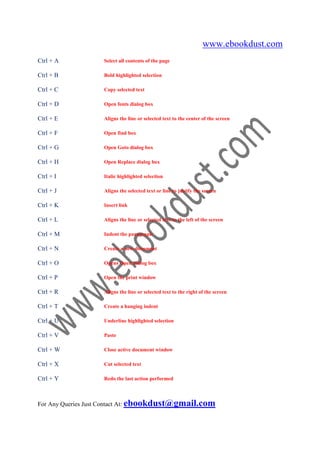
Ctrl + A           Select all contents of the page

Ctrl + B           Bold highlighted selection

Ctrl + C           Copy selected text

Ctrl + D           Open fonts dialog box

Ctrl + E           Aligns the line or selected text to the center of the screen

Ctrl + F           Open find box

Ctrl + G           Open Goto dialog box

Ctrl + H           Open Replace dialog box

Ctrl + I           Italic highlighted selection

Ctrl + J           Aligns the selected text or line to justify the screen

Ctrl + K           Insert link

Ctrl + L           Aligns the line or selected text to the left of the screen

Ctrl + M           Indent the paragraph

Ctrl + N           Create a new document

Ctrl + O           Opens Open dialog box

Ctrl + P           Open the print window

Ctrl + R           Aligns the line or selected text to the right of the screen

Ctrl + T           Create a hanging indent

Ctrl + U           Underline highlighted selection

Ctrl + V           Paste

Ctrl + W           Close active document window

Ctrl + X           Cut selected text

Ctrl + Y           Redo the last action performed


For Any Queries Just Contact At: ebookdust@gmail.com
www.ebookdust.com
Ctrl + Z               Undo last action

Ctrl + Shift + F       Change the font

Ctrl + Shift + >       Increase selected font +1pts up to 12pt and then increases font +2pts

Ctrl + ]               Increase selected font by one point

Ctrl + Shift + <       Decrease selected font -1pts if 12pt or lower, if above 12 decreases font by +2pt

Ctrl + [               Decrease selected font -1pts

Ctrl + Shift + *       View or hide non printing characters

Ctrl + <left arrow>    Moves one word to the left

Ctrl + <right arrow>   Moves one word to the right

Ctrl + <up arrow>      Moves to the beginning of the line or paragraph

Ctrl + <down arrow>    Moves to the end of the paragraph

Ctrl + Del             Deletes word to right of cursor

Ctrl + Backspace       Deletes word to left of cursor

Ctrl + End             Moves the cursor to the end of the document

Ctrl + Home            Moves the cursor to the beginning of the document

Ctrl + Spacebar        Reset highlighted text to the default font

Ctrl + 1               Single-space lines

Ctrl + 2               Double-space lines

Ctrl + 5               15-line spacing

Ctrl + Alt + 1         Changes text to heading 1

Ctrl + Alt + 2         Changes text to heading 2

Ctrl + Alt + 3         Changes text to heading 3

Ctrl + F1              Open the Task Pane


For Any Queries Just Contact At: ebookdust@gmail.com
www.ebookdust.com
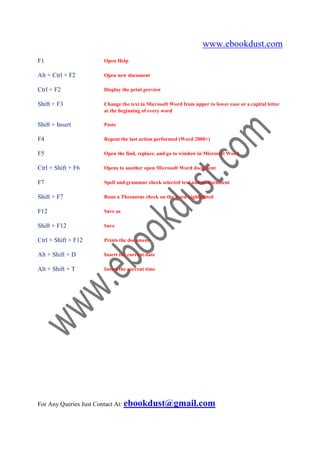
F1                   Open Help

Alt + Ctrl + F2      Open new document

Ctrl + F2            Display the print preview

Shift + F3           Change the text in Microsoft Word from upper to lower case or a capital letter
                     at the beginning of every word

Shift + Insert       Paste

F4                   Repeat the last action performed (Word 2000+)

F5                   Open the find, replace, and go to window in Microsoft Word

Ctrl + Shift + F6    Opens to another open Microsoft Word document

F7                   Spell and grammar check selected text and/or document

Shift + F7           Runs a Thesaurus check on the word highlighted

F12                  Save as

Shift + F12          Save

Ctrl + Shift + F12   Prints the document

Alt + Shift + D      Insert the current date

Alt + Shift + T      Insert the current time


For Any Queries Just Contact At: ebookdust@gmail.com

Ms word short cut keys

  • 1.
    www.ebookdust.com Ctrl + A Select all contents of the page Ctrl + B Bold highlighted selection Ctrl + C Copy selected text Ctrl + D Open fonts dialog box Ctrl + E Aligns the line or selected text to the center of the screen Ctrl + F Open find box Ctrl + G Open Goto dialog box Ctrl + H Open Replace dialog box Ctrl + I Italic highlighted selection Ctrl + J Aligns the selected text or line to justify the screen Ctrl + K Insert link Ctrl + L Aligns the line or selected text to the left of the screen Ctrl + M Indent the paragraph Ctrl + N Create a new document Ctrl + O Opens Open dialog box Ctrl + P Open the print window Ctrl + R Aligns the line or selected text to the right of the screen Ctrl + T Create a hanging indent Ctrl + U Underline highlighted selection Ctrl + V Paste Ctrl + W Close active document window Ctrl + X Cut selected text Ctrl + Y Redo the last action performed For Any Queries Just Contact At: ebookdust@gmail.com
  • 2.
    www.ebookdust.com Ctrl + Z Undo last action Ctrl + Shift + F Change the font Ctrl + Shift + > Increase selected font +1pts up to 12pt and then increases font +2pts Ctrl + ] Increase selected font by one point Ctrl + Shift + < Decrease selected font -1pts if 12pt or lower, if above 12 decreases font by +2pt Ctrl + [ Decrease selected font -1pts Ctrl + Shift + * View or hide non printing characters Ctrl + <left arrow> Moves one word to the left Ctrl + <right arrow> Moves one word to the right Ctrl + <up arrow> Moves to the beginning of the line or paragraph Ctrl + <down arrow> Moves to the end of the paragraph Ctrl + Del Deletes word to right of cursor Ctrl + Backspace Deletes word to left of cursor Ctrl + End Moves the cursor to the end of the document Ctrl + Home Moves the cursor to the beginning of the document Ctrl + Spacebar Reset highlighted text to the default font Ctrl + 1 Single-space lines Ctrl + 2 Double-space lines Ctrl + 5 15-line spacing Ctrl + Alt + 1 Changes text to heading 1 Ctrl + Alt + 2 Changes text to heading 2 Ctrl + Alt + 3 Changes text to heading 3 Ctrl + F1 Open the Task Pane For Any Queries Just Contact At: ebookdust@gmail.com
  • 3.
    www.ebookdust.com F1 Open Help Alt + Ctrl + F2 Open new document Ctrl + F2 Display the print preview Shift + F3 Change the text in Microsoft Word from upper to lower case or a capital letter at the beginning of every word Shift + Insert Paste F4 Repeat the last action performed (Word 2000+) F5 Open the find, replace, and go to window in Microsoft Word Ctrl + Shift + F6 Opens to another open Microsoft Word document F7 Spell and grammar check selected text and/or document Shift + F7 Runs a Thesaurus check on the word highlighted F12 Save as Shift + F12 Save Ctrl + Shift + F12 Prints the document Alt + Shift + D Insert the current date Alt + Shift + T Insert the current time For Any Queries Just Contact At: ebookdust@gmail.com