Flare keyboard shortcuts
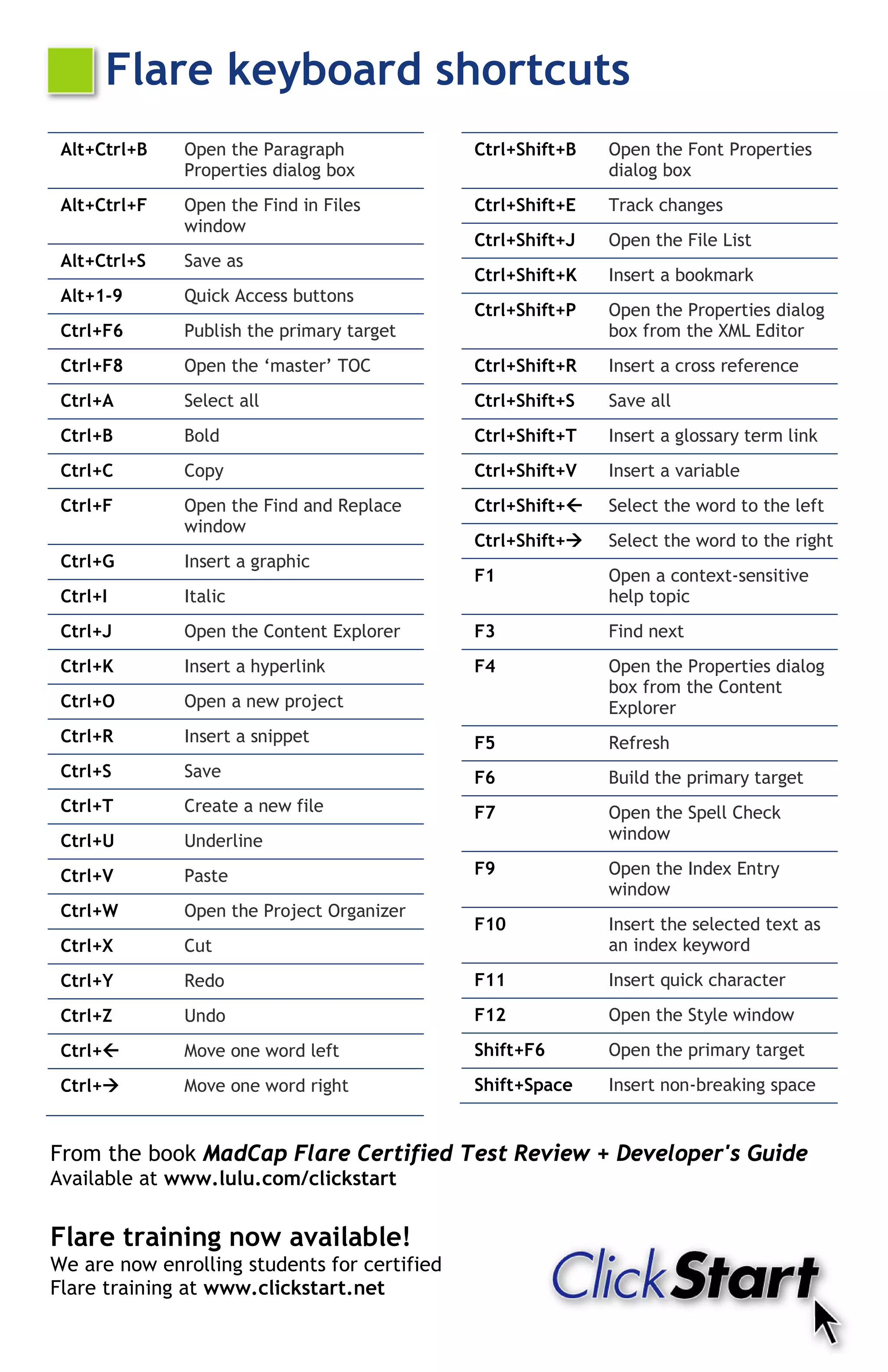
 Alt+Ctrl+B   Open the Paragraph              Ctrl+Shift+B   Open the Font Properties
              Properties dialog box                          dialog box
 Alt+Ctrl+F   Open the Find in Files          Ctrl+Shift+E   Track changes
              window
                                              Ctrl+Shift+J   Open the File List
 Alt+Ctrl+S   Save as
                                              Ctrl+Shift+K   Insert a bookmark
 Alt+1-9      Quick Access buttons
                                              Ctrl+Shift+P   Open the Properties dialog
 Ctrl+F6      Publish the primary target                     box from the XML Editor
 Ctrl+F8      Open the ‘master’ TOC           Ctrl+Shift+R   Insert a cross reference
 Ctrl+A       Select all                      Ctrl+Shift+S   Save all
 Ctrl+B       Bold                            Ctrl+Shift+T   Insert a glossary term link
 Ctrl+C       Copy                            Ctrl+Shift+V   Insert a variable
 Ctrl+F       Open the Find and Replace       Ctrl+Shift+   Select the word to the left
              window
                                              Ctrl+Shift+   Select the word to the right
 Ctrl+G       Insert a graphic
                                              F1             Open a context-sensitive
 Ctrl+I       Italic                                         help topic
 Ctrl+J       Open the Content Explorer       F3             Find next
 Ctrl+K       Insert a hyperlink              F4             Open the Properties dialog
                                                             box from the Content
 Ctrl+O       Open a new project                             Explorer
 Ctrl+R       Insert a snippet                F5             Refresh
 Ctrl+S       Save                            F6             Build the primary target
 Ctrl+T       Create a new file               F7             Open the Spell Check
 Ctrl+U       Underline                                      window

 Ctrl+V       Paste                           F9             Open the Index Entry
                                                             window
 Ctrl+W       Open the Project Organizer
                                              F10            Insert the selected text as
 Ctrl+X       Cut                                            an index keyword
 Ctrl+Y       Redo                            F11            Insert quick character
 Ctrl+Z       Undo                            F12            Open the Style window
 Ctrl+       Move one word left              Shift+F6       Open the primary target
 Ctrl+       Move one word right             Shift+Space    Insert non-breaking space


From the book MadCap Flare Certified Test Review + Developer's Guide
Available at www.lulu.com/clickstart


Flare training now available!
We are now enrolling students for certified
Flare training at www.clickstart.net
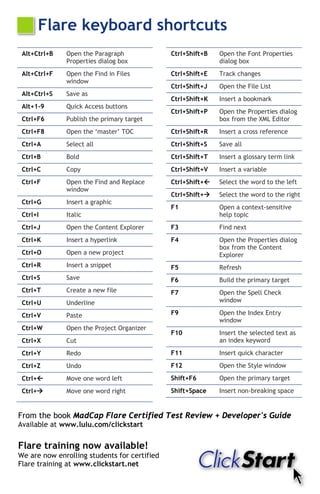
MadCap Flare Keyboard Shortcuts - Scott DeLoach, ClickStart

MadCap Flare Keyboard Shortcuts - Scott DeLoach, ClickStart

  • 1.
    Flare keyboard shortcuts Alt+Ctrl+B Open the Paragraph Ctrl+Shift+B Open the Font Properties Properties dialog box dialog box Alt+Ctrl+F Open the Find in Files Ctrl+Shift+E Track changes window Ctrl+Shift+J Open the File List Alt+Ctrl+S Save as Ctrl+Shift+K Insert a bookmark Alt+1-9 Quick Access buttons Ctrl+Shift+P Open the Properties dialog Ctrl+F6 Publish the primary target box from the XML Editor Ctrl+F8 Open the ‘master’ TOC Ctrl+Shift+R Insert a cross reference Ctrl+A Select all Ctrl+Shift+S Save all Ctrl+B Bold Ctrl+Shift+T Insert a glossary term link Ctrl+C Copy Ctrl+Shift+V Insert a variable Ctrl+F Open the Find and Replace Ctrl+Shift+ Select the word to the left window Ctrl+Shift+ Select the word to the right Ctrl+G Insert a graphic F1 Open a context-sensitive Ctrl+I Italic help topic Ctrl+J Open the Content Explorer F3 Find next Ctrl+K Insert a hyperlink F4 Open the Properties dialog box from the Content Ctrl+O Open a new project Explorer Ctrl+R Insert a snippet F5 Refresh Ctrl+S Save F6 Build the primary target Ctrl+T Create a new file F7 Open the Spell Check Ctrl+U Underline window Ctrl+V Paste F9 Open the Index Entry window Ctrl+W Open the Project Organizer F10 Insert the selected text as Ctrl+X Cut an index keyword Ctrl+Y Redo F11 Insert quick character Ctrl+Z Undo F12 Open the Style window Ctrl+ Move one word left Shift+F6 Open the primary target Ctrl+ Move one word right Shift+Space Insert non-breaking space From the book MadCap Flare Certified Test Review + Developer's Guide Available at www.lulu.com/clickstart Flare training now available! We are now enrolling students for certified Flare training at www.clickstart.net