SHADEED ELEAZER, MCTS  MOSS 2007  Content Deployment
Lecture Objectives  Discuss history of deployment and publishing strategies in SharePoint’s previous platforms  Content Deployment Overview Why utilize Content Deployment? Deployment strategies and scenarios Configuring Content Deployment  Walkthrough FAQ
Meet the Speaker  Shadeed Eleazer, MCTS  SharePoint integration with various third party server platforms. Design, configuration, deployment, and testing of SharePoint servers.  Extensive enterprise SharePoint backup and recovery experience Co-Founder Baltimore SharePoint User’s Group Former VP of Marketing SharePoint User’s Group of Northern VA
Meet the Audience Please Provide a Brief Introduction  Primary SharePoint Skillset Describe your current SharePoint environment
The Rules Questions are encouraged at any time during this discussion. For additional questions resources: [email_address] www.twitter.com/mrshadeed
SharePoint Management History Managing WSS 2.0 and SPS 2003 dev-staging-production environments required updates made in real-time which caused difficulty from management/administrative perspectives. Compromised the integrity of maintaining separate environments.  Configuration Management became a major pain-point for many organizations
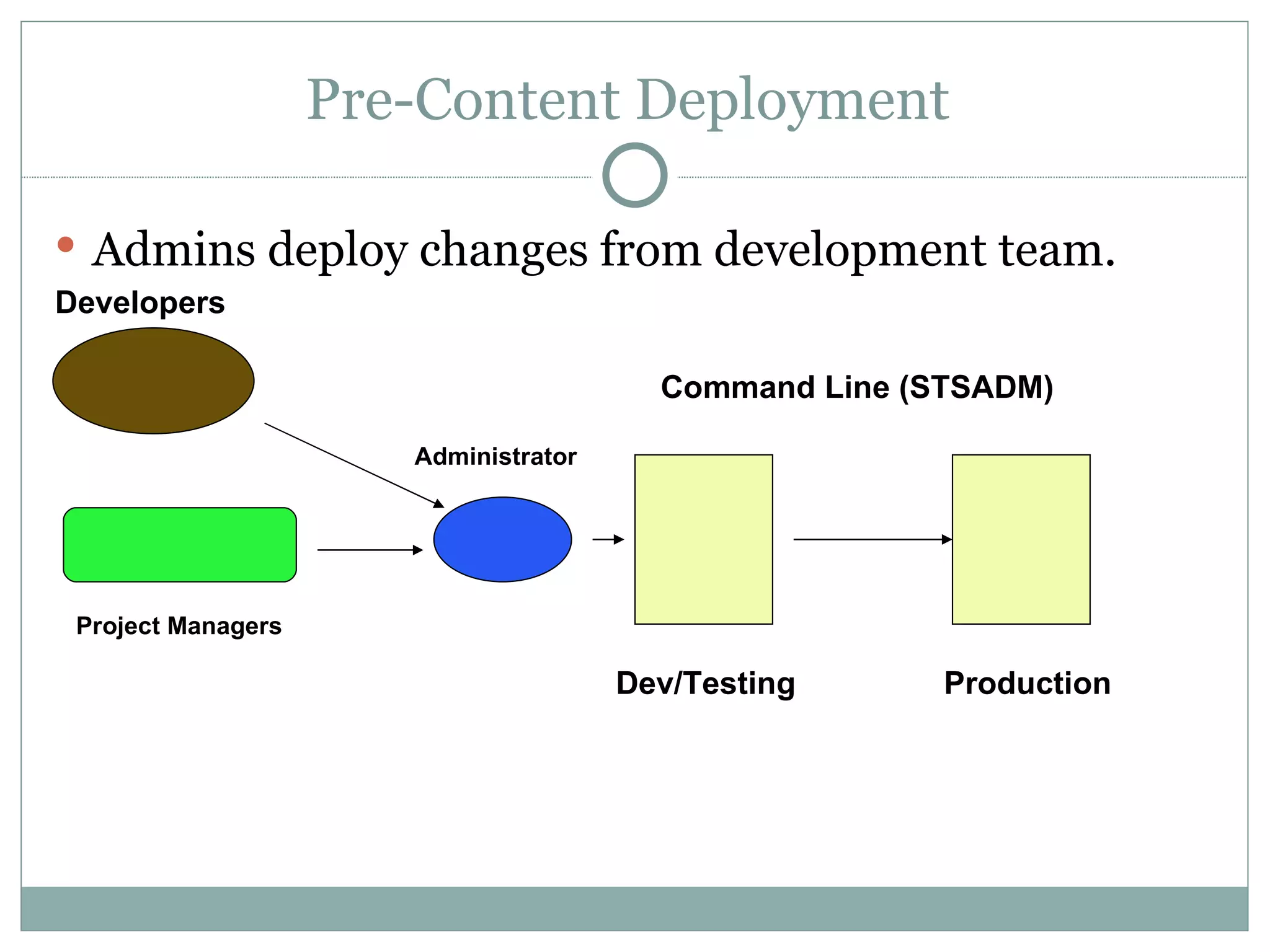
Pre-Content Deployment  Admins deploy changes from development team.  Dev/Testing Production Command Line (STSADM) Developers Project Managers Administrator
Microsoft discontinued support on MCMS 2002 and rolled its core capabilities into MOSS 2007.  Built upon the Site Deployment feature of MCMS .  Utilizes the Content Migration API also known as “Prime” Content Deployment is a feature of the Web Content Management subset of MOSS 2007.  Content Deployment Working Parts
Content Deployment Is….. A MOSS 2007 native feature that allows administrators and specific members of an organization to manage scheduled content updates from one site collection to another.  A method to deploy updates through dev/QA/staging/production etc. in a repeatable manner without manually re-creating content which hinders scalability.
Content Deployment Is Not… An item-level migration tool between server farms and/or site collections A feature utilized for backup and recovery of SharePoint sites and/or farm.  A two-way communication between two or more servers.
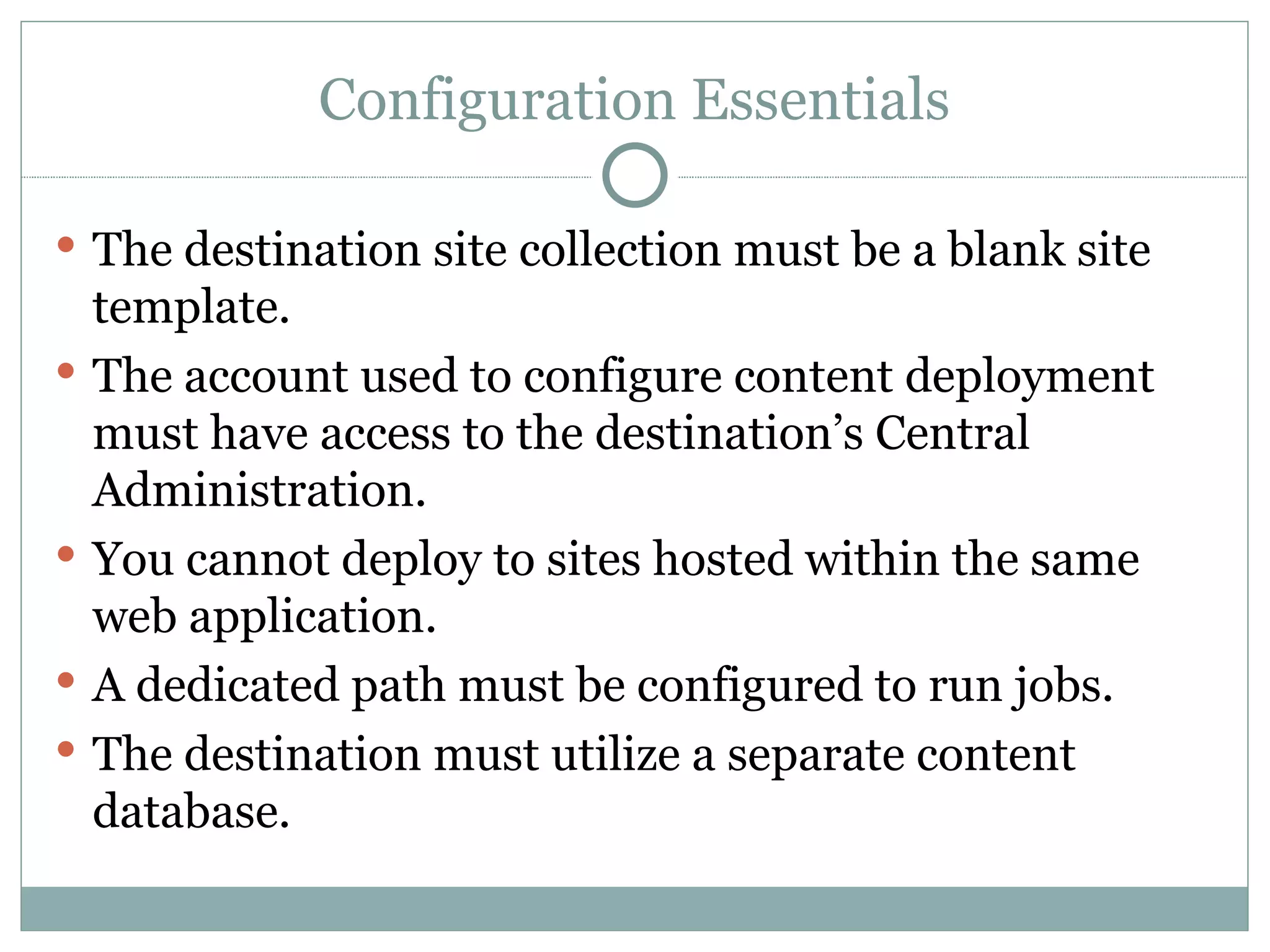
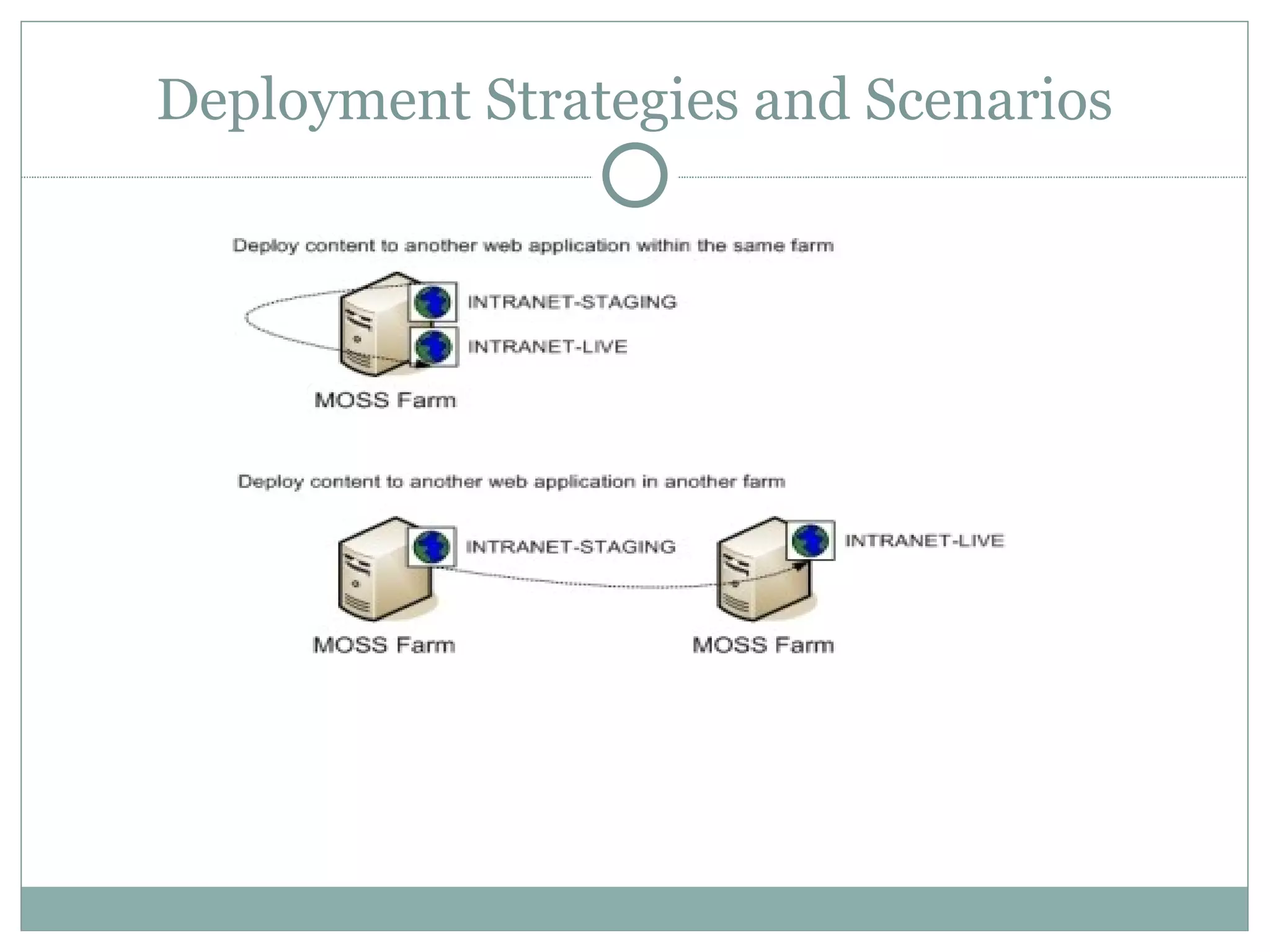
Configuration Essentials The destination site collection must be a blank site template.  The account used to configure content deployment must have access to the destination’s Central Administration. You cannot deploy to sites hosted within the same web application. A dedicated path must be configured to run jobs. The destination must utilize a separate content database.
Deployment Strategies and Scenarios
The Basics  Content Deployment Path – A dedicated server to server connection established between two SharePoint WFE.  A path tells MOSS where to deploy content to. Content Deployment Jobs – A job tells MOSS when and what content should be deployed.  You can have one path but multiple jobs.  Quick Deploy Jobs enable members of Quick Deploy Group to publish single pages. Helpful for publishing to internet facing sites.
STSADM vs. Content Deployment  If I have STSADM command-line tool why would I need content deployment? Content Deployment is a better option in the following scenarios: Environments with mixed permissions levels Agencies with strict permission levels and server access.  24 hour Operations/Data centers that don’t allow quiesce of SharePoint server farm to run command line backup.
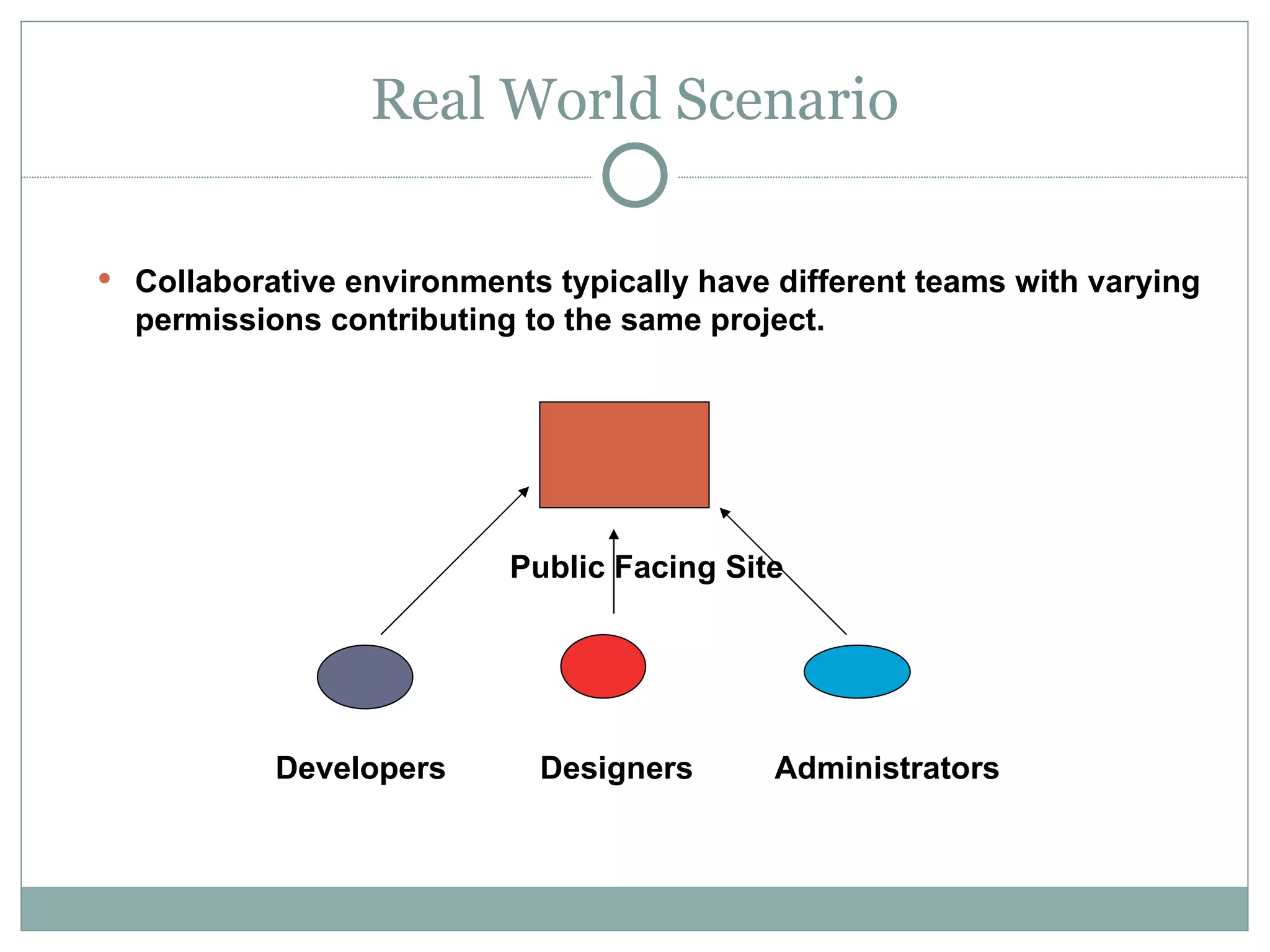
Real World Scenario Collaborative environments typically have different teams with varying permissions contributing to the same project. Public Facing Site  Developers   Designers   Administrators
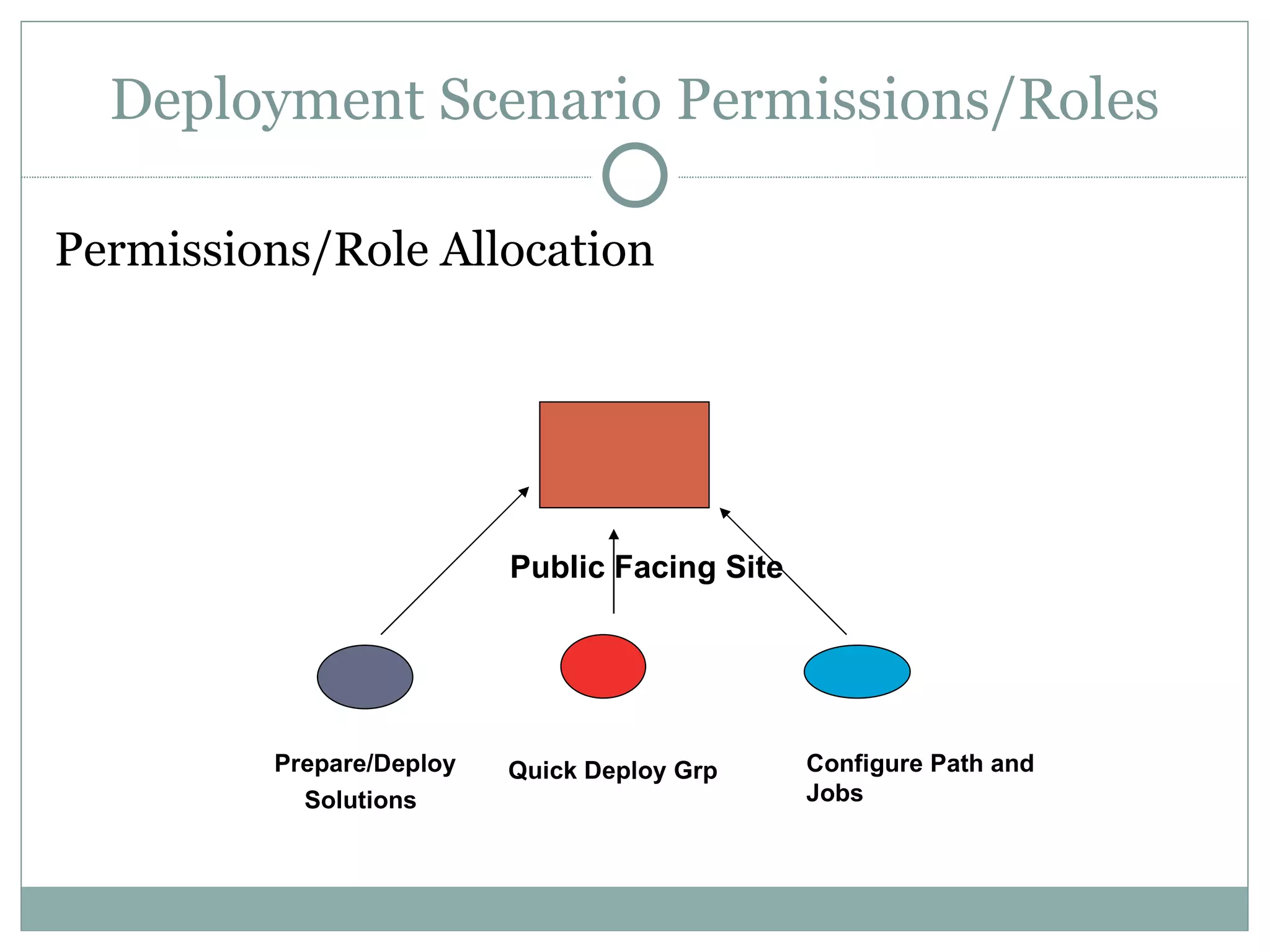
Deployment Scenario Permissions/Roles Permissions/Role Allocation Public Facing Site  Prepare/Deploy Solutions   Quick Deploy Grp Configure Path and Jobs
Designing Content Deployment Topology Typical Deployment Topology  Server Roles  Authoring/Dev   The farm contains the site collection that is used by the content-creating team to write the content. Staging   The farm contains a site collection that is a copy of the production site collection, so that the content can be reviewed and tested before it is published. Production   The farm contains the site collection that presents the content to its intended audience, and it usually has tightened security.
Server Topologies Single-farm topology Authoring/Development in one site collection.  Deploy to a duplicate site collection on the same farm.  Separate source and destination Web applications Separate Databases Security management is based on access to the content as opposed to separate AD Domains.
Deployment Topologies Three-stage Topology  Dev/Authoring farm- Staging farm -Production farm  The staging farm is used to test or review the content before it is published to the production farm. Dev farm Web Front End configured to export content.  Staging farm configured  to export content. Web server in the authoring farm must be configured to export content. A front-end server in the staging farm must be configured to import and export content. A front-end server in the production farm must be configured to import content from the staging farm.
Content Deployment Walkthrough Walkthrough
Common Cause of Problems  Misunderstanding of the Content Deployment feature. Lack of clearly defined configuration standards between Development/Staging/Production environment.  Lack of awareness of documented bugs and available patches.
Content Deployment Wizard  Created by SharePoint MVP Chris O’Brien  Available on Codeplex  Rls: 1.1 on Sep 22 2008  http:// www.codeplex.com/SPDeploymentWizard Key Functions Moving list items from source to destination  Moving this document library from A to B  Moving Master pages, Page layouts, CSS etc. from A to B Moving site collections from A to B  Moving list items from A to B
FAQ How does Content Deployment handle custom webparts and customizations? How does Content Deployment handle Search settings? How does Content Deployment handle separate Authentication zones?  When should my organization plan Content Deployment? How has Service Pack 1 impacted Content Deployment? What are known issues that you’ve encountered?
The End Questions/Comments.

MOSS Content Deployment 12.18.2008 Final

  • 1.
    SHADEED ELEAZER, MCTS MOSS 2007 Content Deployment
  • 2.
    Lecture Objectives Discuss history of deployment and publishing strategies in SharePoint’s previous platforms Content Deployment Overview Why utilize Content Deployment? Deployment strategies and scenarios Configuring Content Deployment Walkthrough FAQ
  • 3.
    Meet the Speaker Shadeed Eleazer, MCTS SharePoint integration with various third party server platforms. Design, configuration, deployment, and testing of SharePoint servers. Extensive enterprise SharePoint backup and recovery experience Co-Founder Baltimore SharePoint User’s Group Former VP of Marketing SharePoint User’s Group of Northern VA
  • 4.
    Meet the AudiencePlease Provide a Brief Introduction Primary SharePoint Skillset Describe your current SharePoint environment
  • 5.
    The Rules Questionsare encouraged at any time during this discussion. For additional questions resources: [email_address] www.twitter.com/mrshadeed
  • 6.
    SharePoint Management HistoryManaging WSS 2.0 and SPS 2003 dev-staging-production environments required updates made in real-time which caused difficulty from management/administrative perspectives. Compromised the integrity of maintaining separate environments. Configuration Management became a major pain-point for many organizations
  • 7.
    Pre-Content Deployment Admins deploy changes from development team. Dev/Testing Production Command Line (STSADM) Developers Project Managers Administrator
  • 8.
    Microsoft discontinued supporton MCMS 2002 and rolled its core capabilities into MOSS 2007. Built upon the Site Deployment feature of MCMS . Utilizes the Content Migration API also known as “Prime” Content Deployment is a feature of the Web Content Management subset of MOSS 2007. Content Deployment Working Parts
  • 9.
    Content Deployment Is…..A MOSS 2007 native feature that allows administrators and specific members of an organization to manage scheduled content updates from one site collection to another. A method to deploy updates through dev/QA/staging/production etc. in a repeatable manner without manually re-creating content which hinders scalability.
  • 10.
    Content Deployment IsNot… An item-level migration tool between server farms and/or site collections A feature utilized for backup and recovery of SharePoint sites and/or farm. A two-way communication between two or more servers.
  • 11.
    Configuration Essentials Thedestination site collection must be a blank site template. The account used to configure content deployment must have access to the destination’s Central Administration. You cannot deploy to sites hosted within the same web application. A dedicated path must be configured to run jobs. The destination must utilize a separate content database.
  • 12.
  • 13.
    The Basics Content Deployment Path – A dedicated server to server connection established between two SharePoint WFE. A path tells MOSS where to deploy content to. Content Deployment Jobs – A job tells MOSS when and what content should be deployed. You can have one path but multiple jobs. Quick Deploy Jobs enable members of Quick Deploy Group to publish single pages. Helpful for publishing to internet facing sites.
  • 14.
    STSADM vs. ContentDeployment If I have STSADM command-line tool why would I need content deployment? Content Deployment is a better option in the following scenarios: Environments with mixed permissions levels Agencies with strict permission levels and server access. 24 hour Operations/Data centers that don’t allow quiesce of SharePoint server farm to run command line backup.
  • 15.
    Real World ScenarioCollaborative environments typically have different teams with varying permissions contributing to the same project. Public Facing Site Developers Designers Administrators
  • 16.
    Deployment Scenario Permissions/RolesPermissions/Role Allocation Public Facing Site Prepare/Deploy Solutions Quick Deploy Grp Configure Path and Jobs
  • 17.
    Designing Content DeploymentTopology Typical Deployment Topology Server Roles Authoring/Dev   The farm contains the site collection that is used by the content-creating team to write the content. Staging   The farm contains a site collection that is a copy of the production site collection, so that the content can be reviewed and tested before it is published. Production   The farm contains the site collection that presents the content to its intended audience, and it usually has tightened security.
  • 18.
    Server Topologies Single-farmtopology Authoring/Development in one site collection. Deploy to a duplicate site collection on the same farm. Separate source and destination Web applications Separate Databases Security management is based on access to the content as opposed to separate AD Domains.
  • 19.
    Deployment Topologies Three-stageTopology Dev/Authoring farm- Staging farm -Production farm The staging farm is used to test or review the content before it is published to the production farm. Dev farm Web Front End configured to export content. Staging farm configured to export content. Web server in the authoring farm must be configured to export content. A front-end server in the staging farm must be configured to import and export content. A front-end server in the production farm must be configured to import content from the staging farm.
  • 20.
  • 21.
    Common Cause ofProblems Misunderstanding of the Content Deployment feature. Lack of clearly defined configuration standards between Development/Staging/Production environment. Lack of awareness of documented bugs and available patches.
  • 22.
    Content Deployment Wizard Created by SharePoint MVP Chris O’Brien Available on Codeplex Rls: 1.1 on Sep 22 2008 http:// www.codeplex.com/SPDeploymentWizard Key Functions Moving list items from source to destination Moving this document library from A to B Moving Master pages, Page layouts, CSS etc. from A to B Moving site collections from A to B Moving list items from A to B
  • 23.
    FAQ How doesContent Deployment handle custom webparts and customizations? How does Content Deployment handle Search settings? How does Content Deployment handle separate Authentication zones? When should my organization plan Content Deployment? How has Service Pack 1 impacted Content Deployment? What are known issues that you’ve encountered?
  • 24.