PlatinumGold AUSTRALIASHAREPOINTCONFERENCEMARCH 8+9 2011
Backup and Restore For SharePoint: Protecting Mission Critical data With New Tools and technologiesMichael Noel and Alpesh Nakar
MichaelNoelAuthor of SAMS Publishing titles “SharePoint 2010 Unleashed,” “SharePoint 2007 Unleashed,” “SharePoint 2003 Unleashed”, “Teach Yourself SharePoint 2003 in 10 Minutes,” “Windows Server 2008 R2 Unleashed,” “Exchange Server 2010 Unleashed”, “ISA Server 2006 Unleashed”, and many other titles .Partner at Convergent Computing (www.cco.com / +1(510)444-5700) – San Francisco, U.S.A. based Infrastructure/Security specialists for SharePoint, AD, Exchange, Security
Alpesh NakarNative of Mumbai, India | Based in Brisbane, AustraliaIndependent SharePoint Consultant, Trainer, EvangelistContributing Author – Microsoft SharePoint 2010 Unleashed – Michael Noel & Colin SpenceBlog: http://alpesh.nakars.comSharePoint Resources: http://justsharepoint.comSharePoint URL Shortening Service http://mysp.inTech & Personal Tweets @alpeshSelective SharePoint Links Tweets @justsharepoint
SharePoint Critical Components for Backup
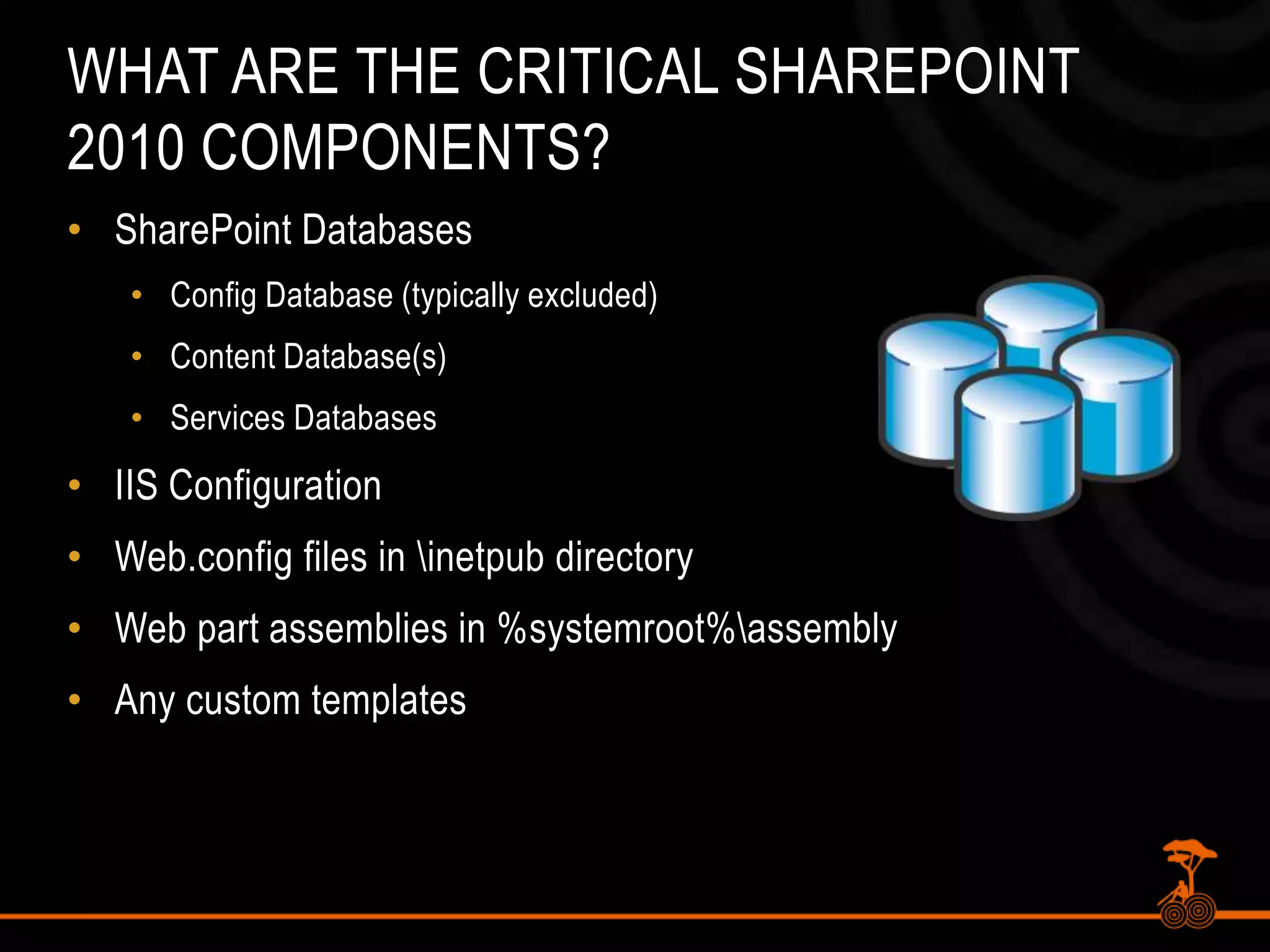
What are the Critical SharePoint 2010 Components?SharePoint DatabasesConfig Database (typically excluded)Content Database(s)Services DatabasesIIS ConfigurationWeb.config files in \inetpub directoryWeb part assemblies in %systemroot%\assemblyAny custom templates
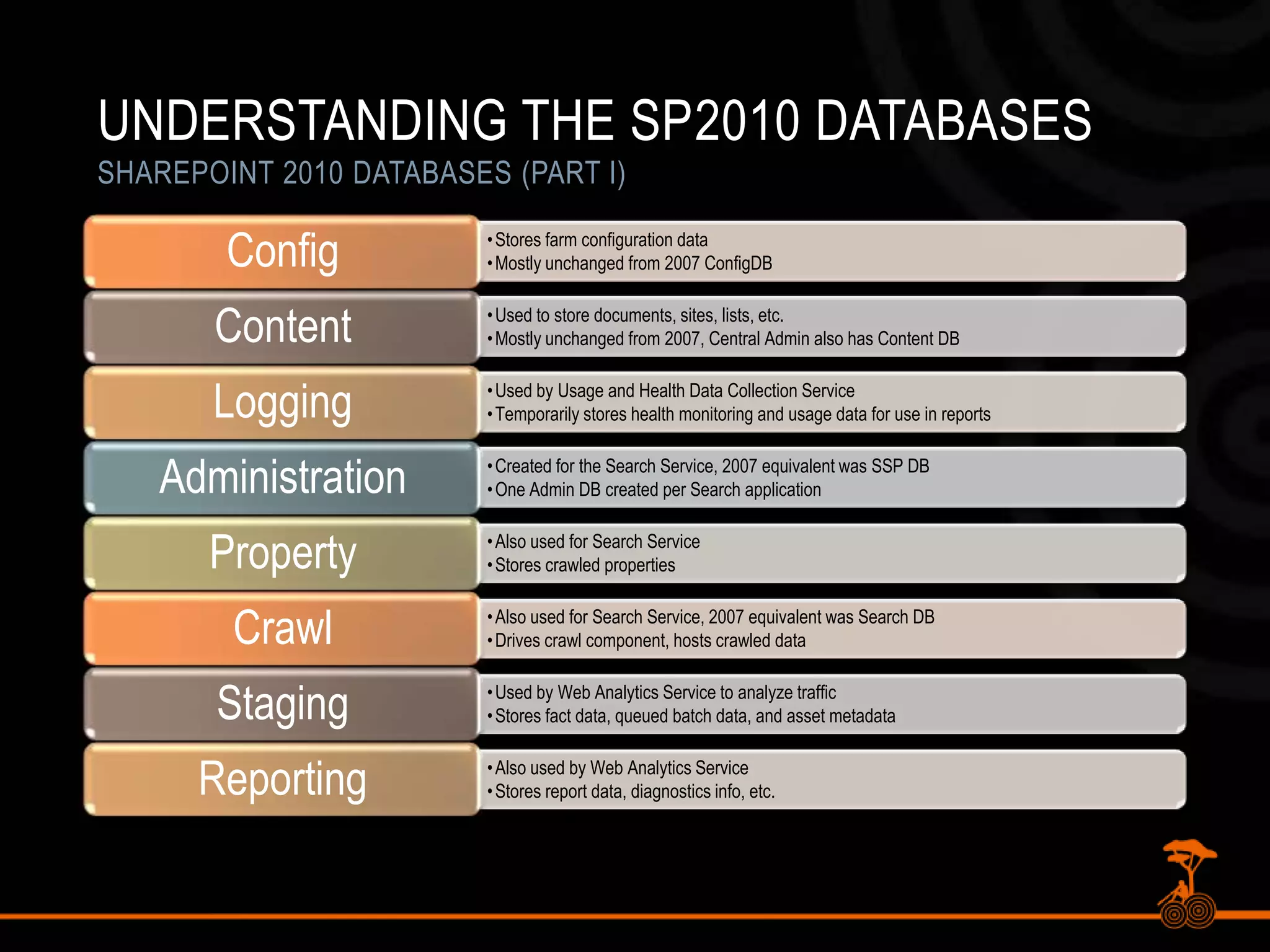
Understanding the SP2010 DatabasesSharePoint 2010 Databases (Part I)
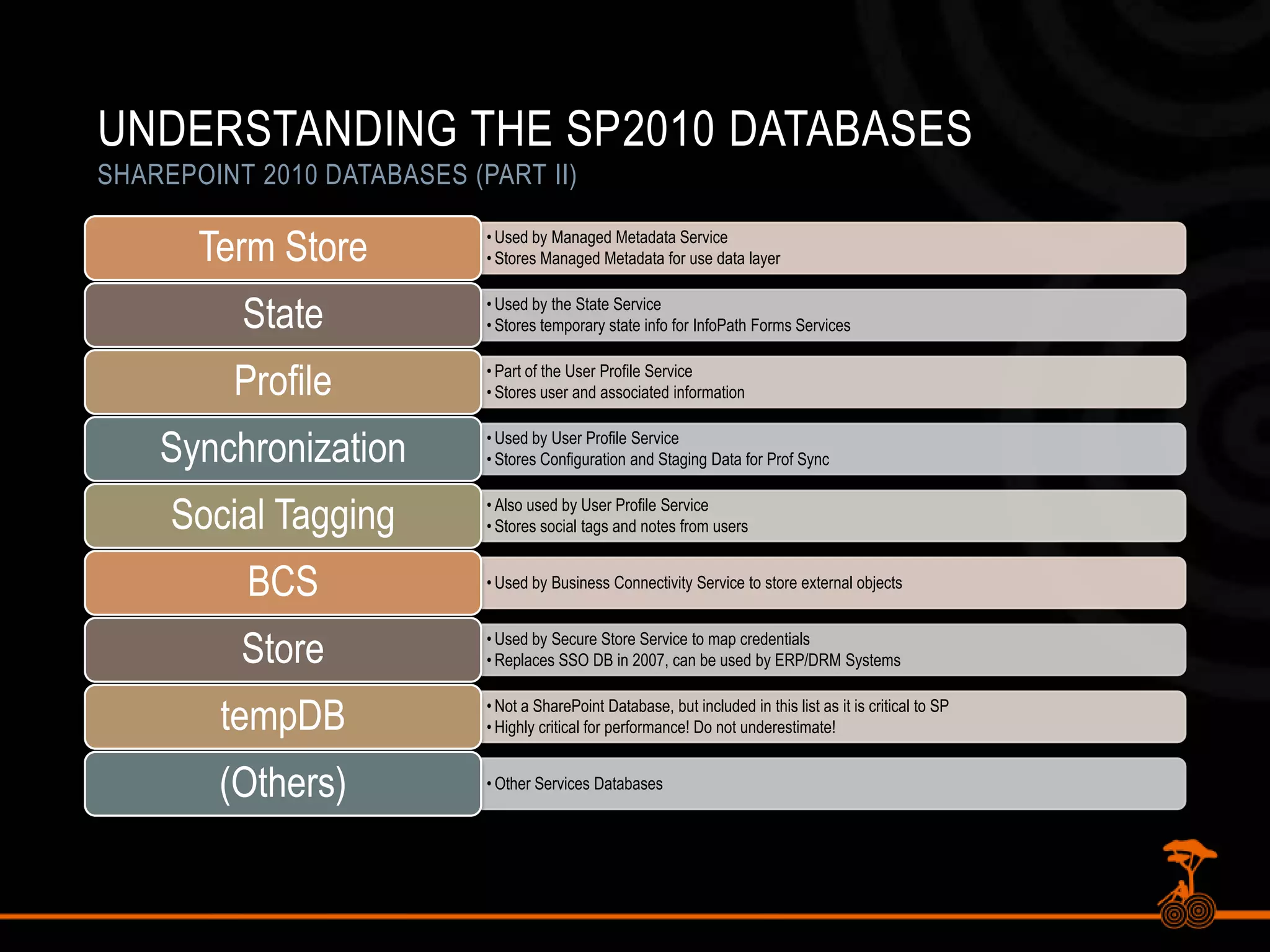
Understanding the SP2010 DatabasesSharePoint 2010 Databases (Part II)
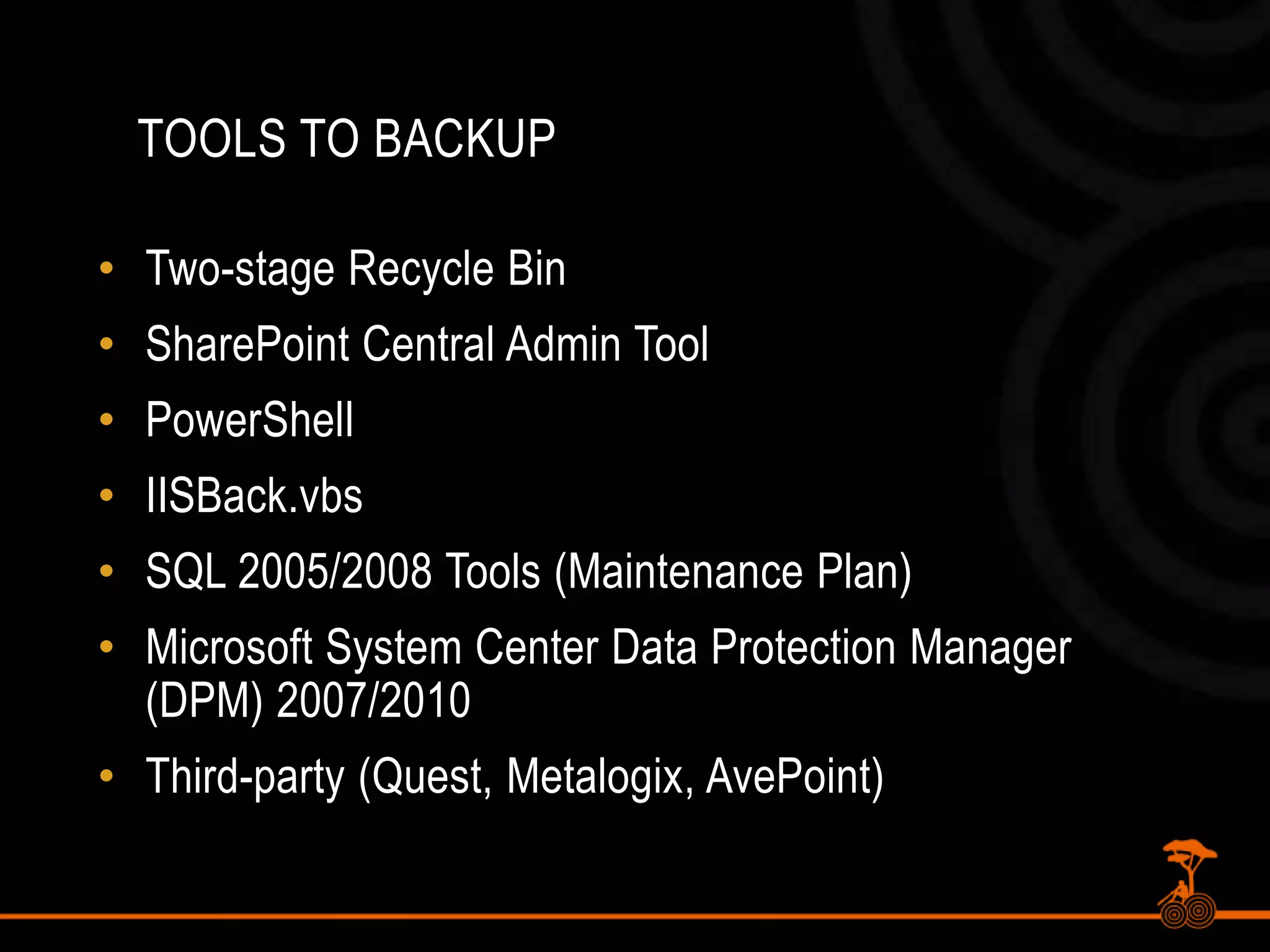
Tools To BackupTwo-stage Recycle BinSharePoint Central Admin ToolPowerShellIISBack.vbsSQL 2005/2008 Tools (Maintenance Plan)Microsoft System Center Data Protection Manager (DPM) 2007/2010Third-party (Quest, Metalogix, AvePoint)
Backup with the SharePoint Central Admin Tool
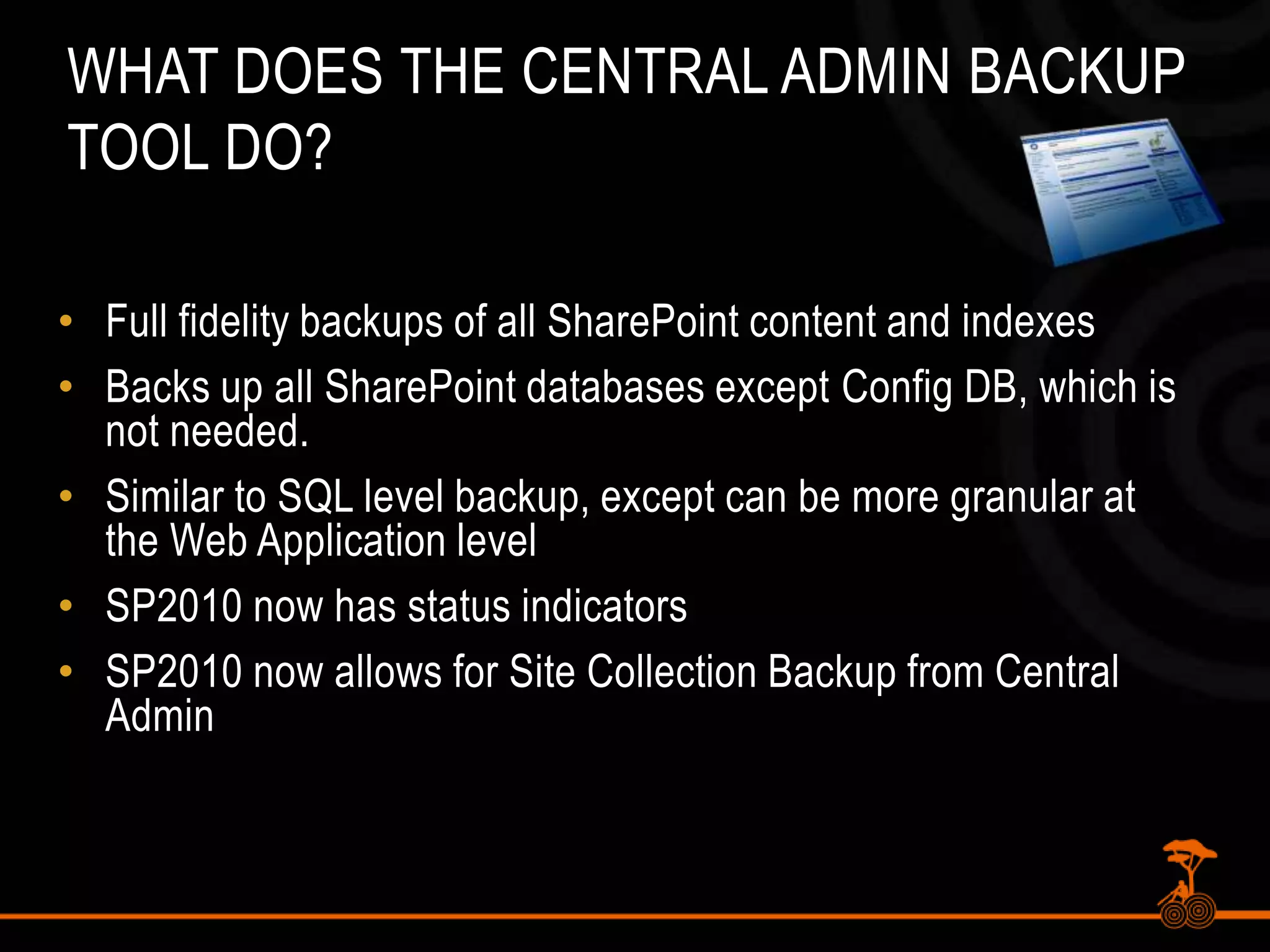
What does the Central Admin Backup Tool do?Full fidelity backups of all SharePoint content and indexesBacks up all SharePoint databases except Config DB, which is not needed.Similar to SQL level backup, except can be more granular at the Web Application levelSP2010 now has status indicatorsSP2010 now allows for Site Collection Backup from Central Admin
Disadvantages of Central Admin Backup ToolNot automatedIf XML catalog is damaged, entire backup can be at riskNo item-level restore capabilitiesNot enterprise level
PowerShell Backups
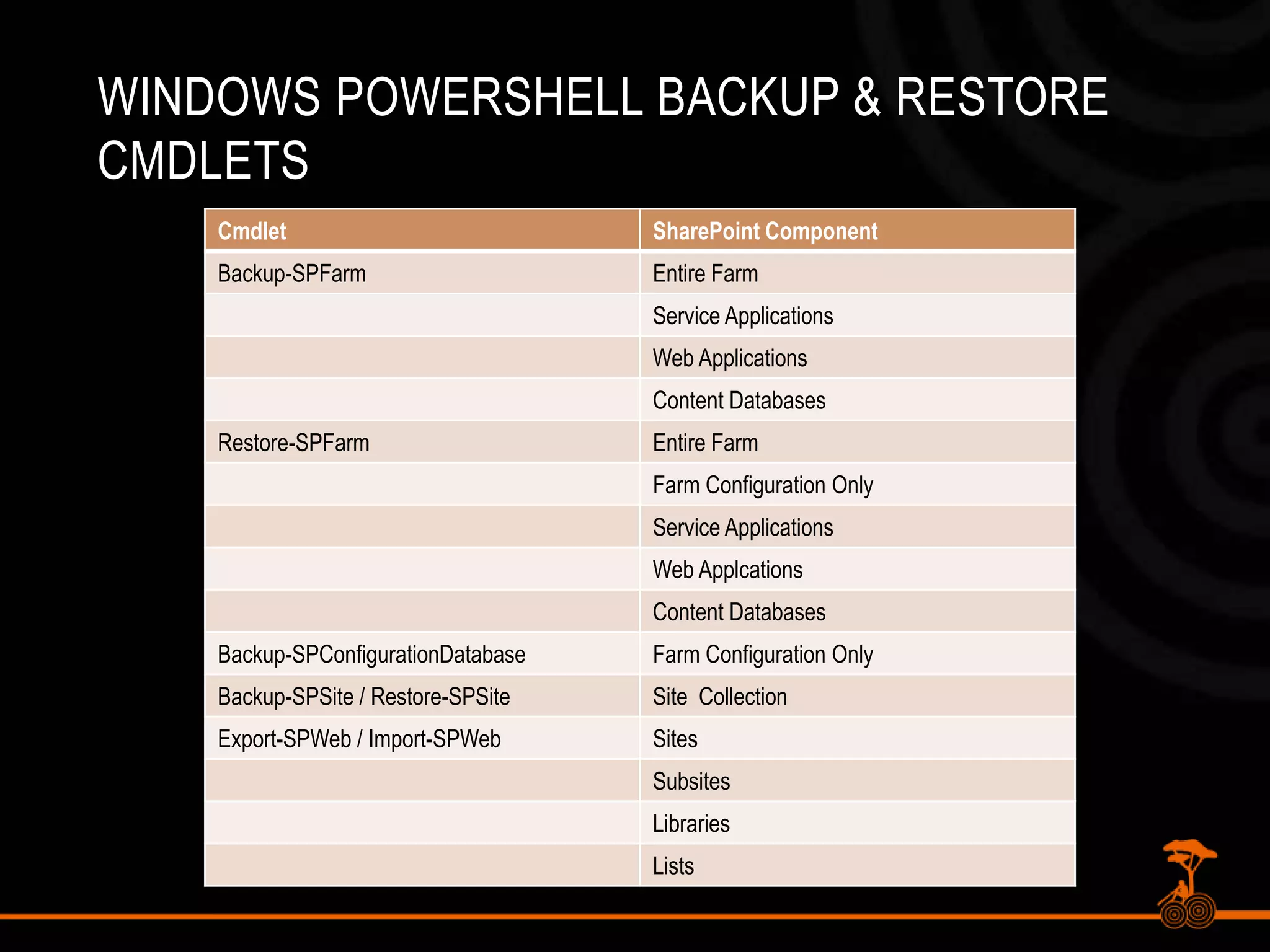
PowerShell Backup in SP2010PowerShell can be used to automate BackupsBackup-SPConfigurationDatabaseBackup-SPFarmBackup-SPSiteEquivalent to Central Admin or STSADMCan pipe out results and backup multiple site collections, etc.
Windows PowerShell BackUp & Restore CMDLETS
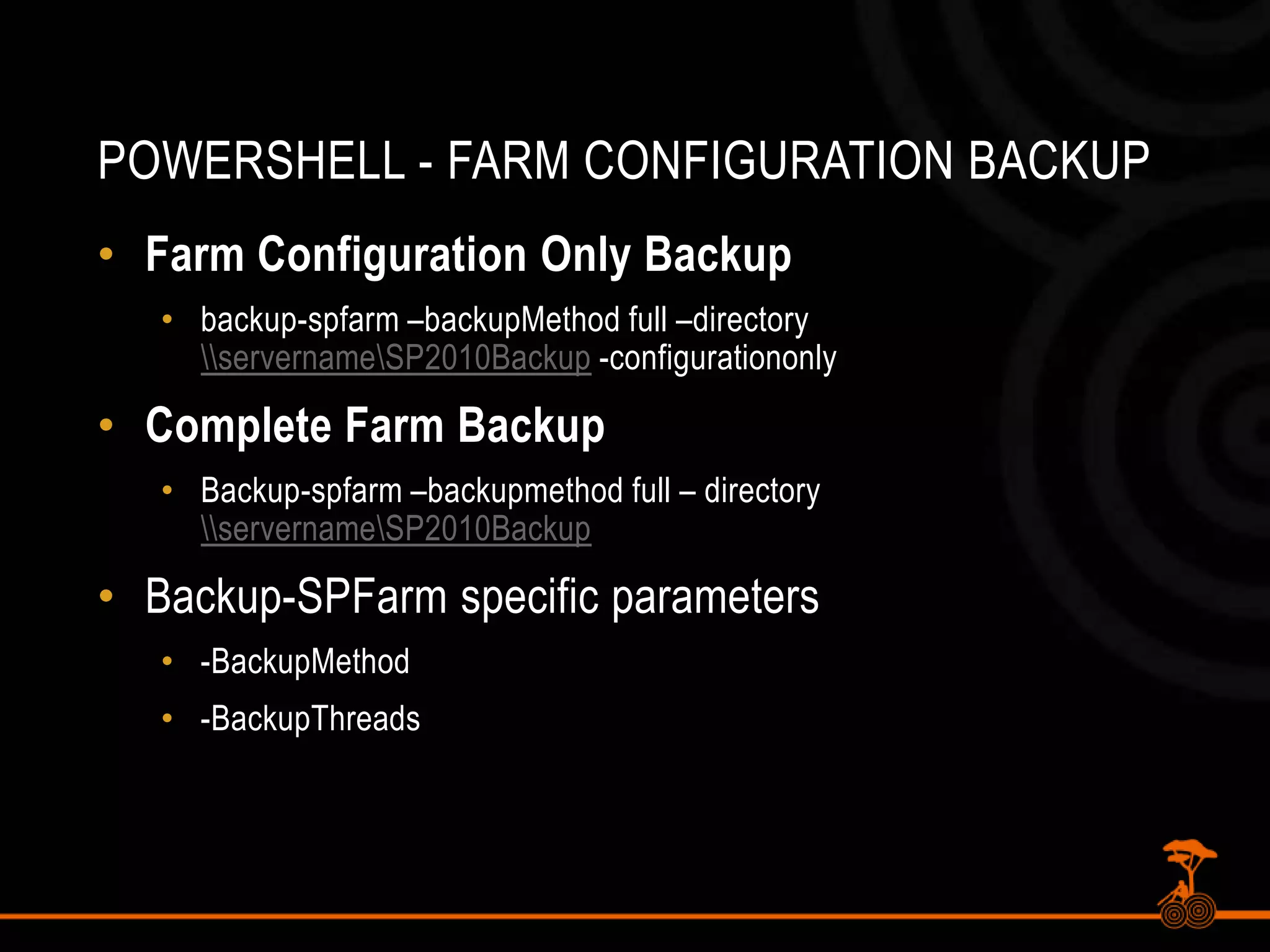
PowerShell - Farm Configuration BackupFarm Configuration Only Backupbackup-spfarm –backupMethodfull –directory \\servername\SP2010Backup -configurationonlyComplete Farm BackupBackup-spfarm –backupmethod full – directory \\servername\SP2010BackupBackup-SPFarm specific parameters-BackupMethod-BackupThreads
PowerShell - Configuration DB BackupConfiguration Database BackupBackup-spconfigurationdatabase –directory \\servername\\sp2010backup –databaseserver server –databasenamemss_configdbBackup Farm Configuration InformationInformation Rights ManagementWorkflowDiagnostic loggingCustomizations [solutions deployed]Outbound e-mail configurationAntivirus settings
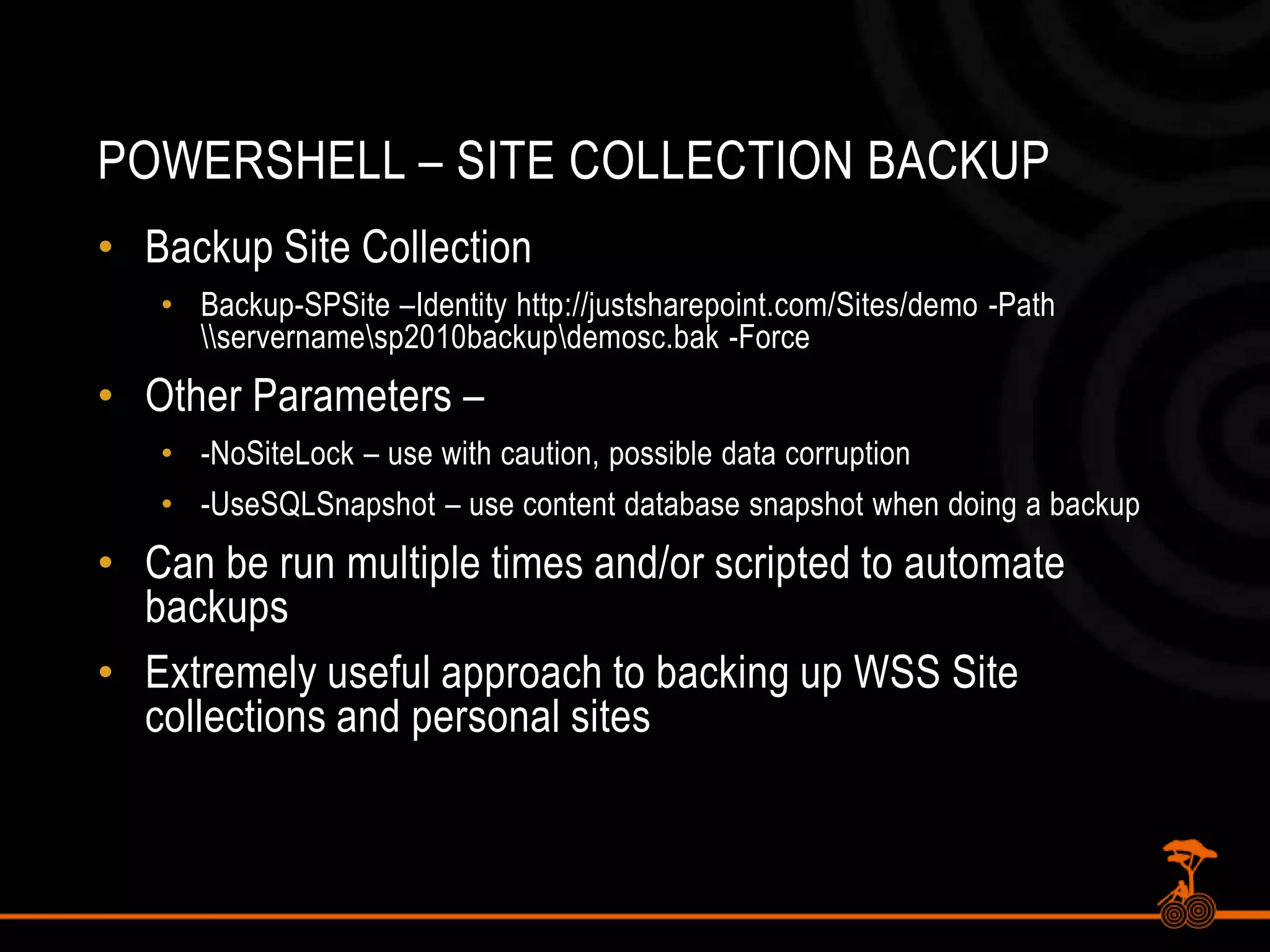
PowerShell – Site Collection BackupBackup Site CollectionBackup-SPSite –Identity http://justsharepoint.com/Sites/demo -Path \\servername\sp2010backup\demosc.bak -ForceOther Parameters – -NoSiteLock – use with caution, possible data corruption-UseSQLSnapshot – use content database snapshot when doing a backupCan be run multiple times and/or scripted to automate backupsExtremely useful approach to backing up WSS Site collections and personal sites
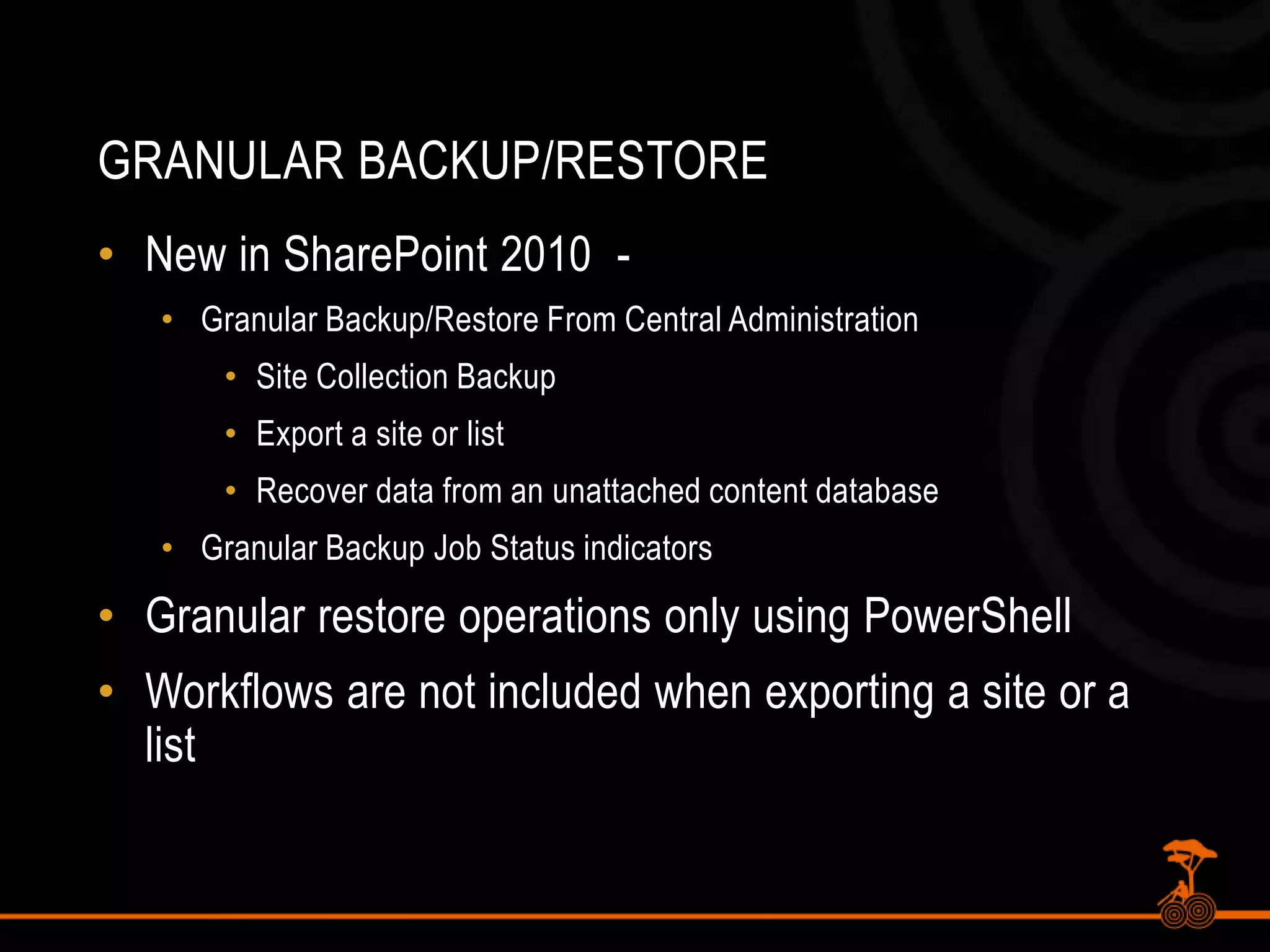
Granular BackUP/RESTORENew in SharePoint 2010  - Granular Backup/Restore From Central AdministrationSite Collection BackupExport a site or listRecover data from an unattached content databaseGranular Backup Job Status indicatorsGranular restore operations only using PowerShellWorkflows are not included when exporting a site or a list
PowerShell – Export Site / ListYou cannot export a site, library, list with SQL Server or DPMExport-SPWeb –Identity http://justsharepoint.com/sites/demo/ -path \\server\sp2010backups\featurelist.bak -itemurl “features” –forceOption to include user security and versions
Unattached Content DatabasesNew feature of SharePoint 2010Granular restores of SharePoint contentRead-only content databasesRestored SharePoint content databasesContent database snapshotsRestore Site Collections, Sites, Libraries and Lists
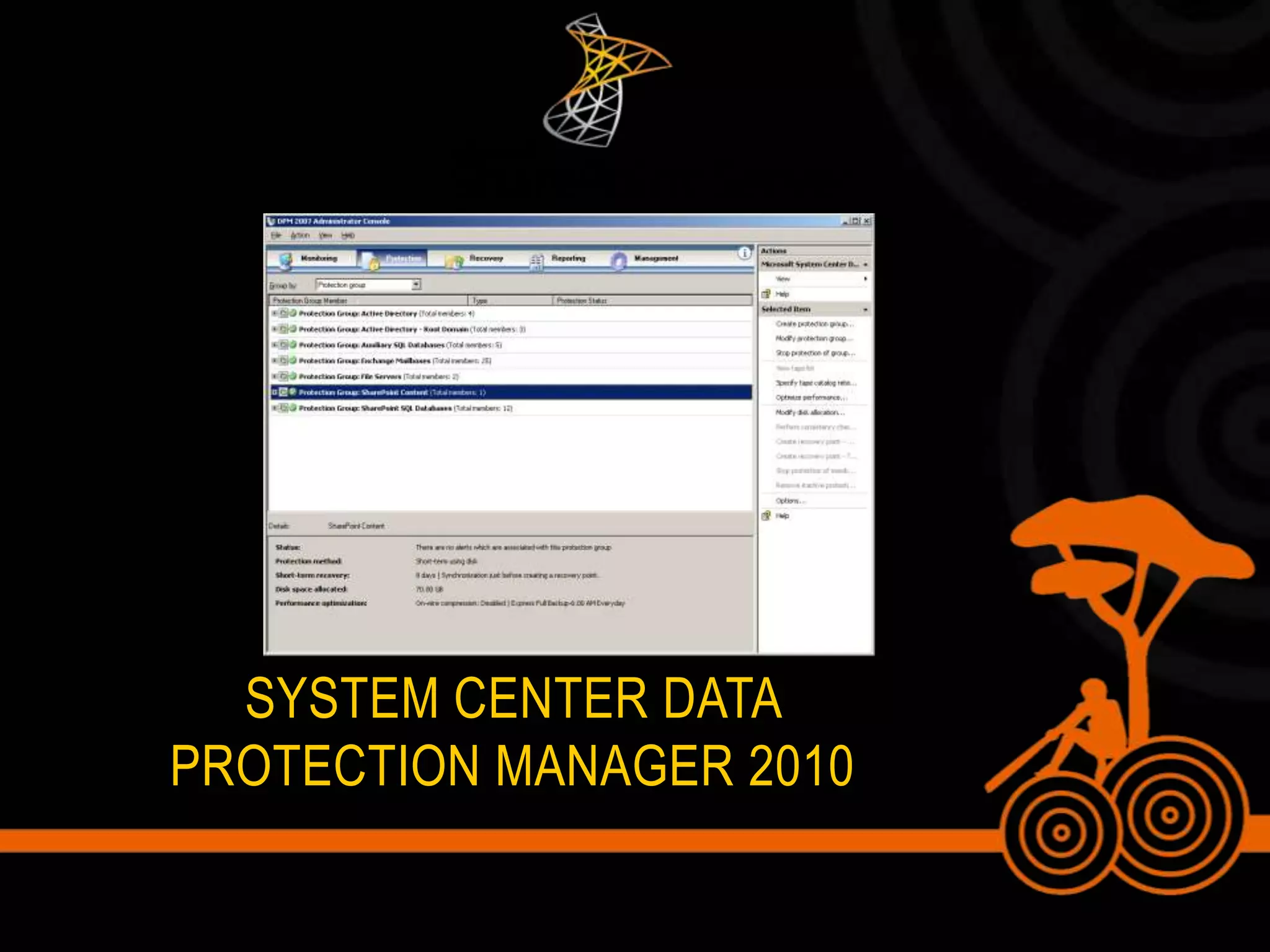
System Center Data Protection Manager 2010
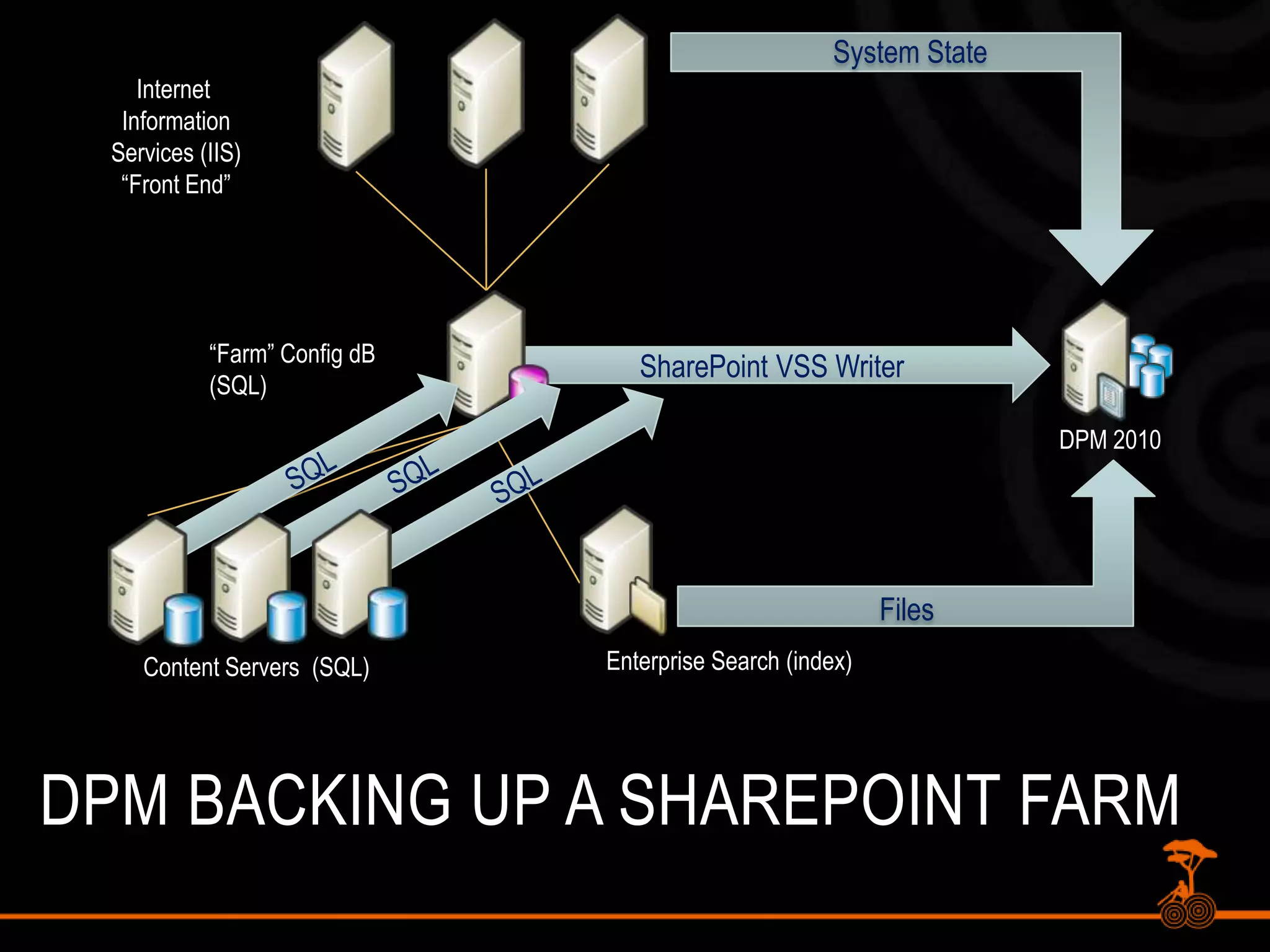
Features of DPM for SharePointItem-level recovery of Documents and List DataVSS Snapshot Integration, can snapshot SQL Databases every 15 minutesBackup to Disk (near-term), Backup to Tape (long-term) – Direct integrationNot only SharePoint, but File Data, Exchange, SQL, and Bare-metal recovery
System StateInternet InformationServices (IIS)“Front End”SharePoint VSS Writer“Farm” Config dB(SQL)DPM 2010SQLSQLSQLFilesEnterprise Search (index)Content Servers  (SQL)DPM Backing up a SharePoint Farm
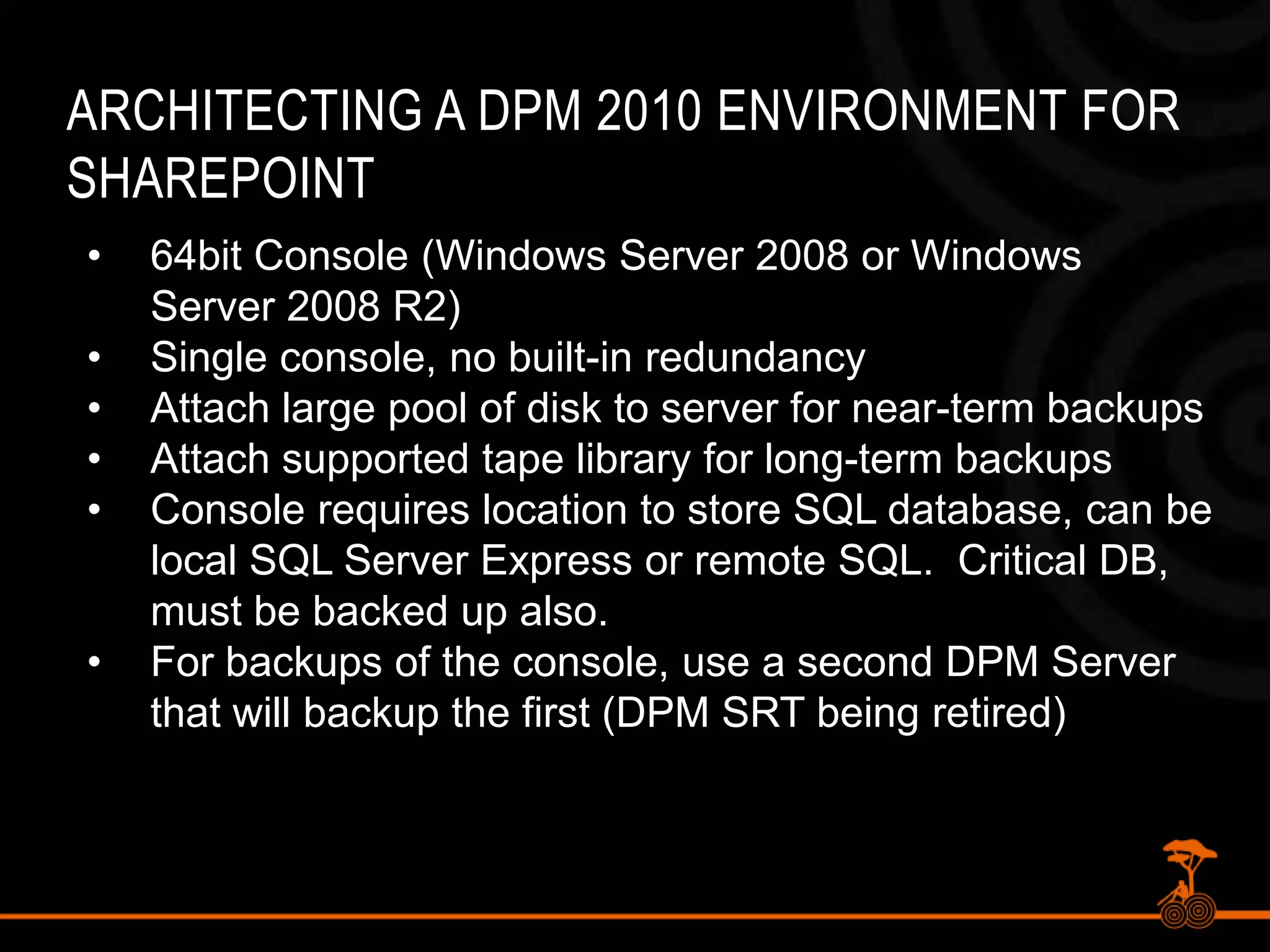
Architecting a DPM 2010 Environment for SharePoint64bit Console (Windows Server 2008 or Windows Server 2008 R2)
Single console, no built-in redundancy
Attach large pool of disk to server for near-term backups
Attach supported tape library for long-term backups
Console requires location to store SQL database, can be local SQL Server Express or remote SQL.  Critical DB, must be backed up also.
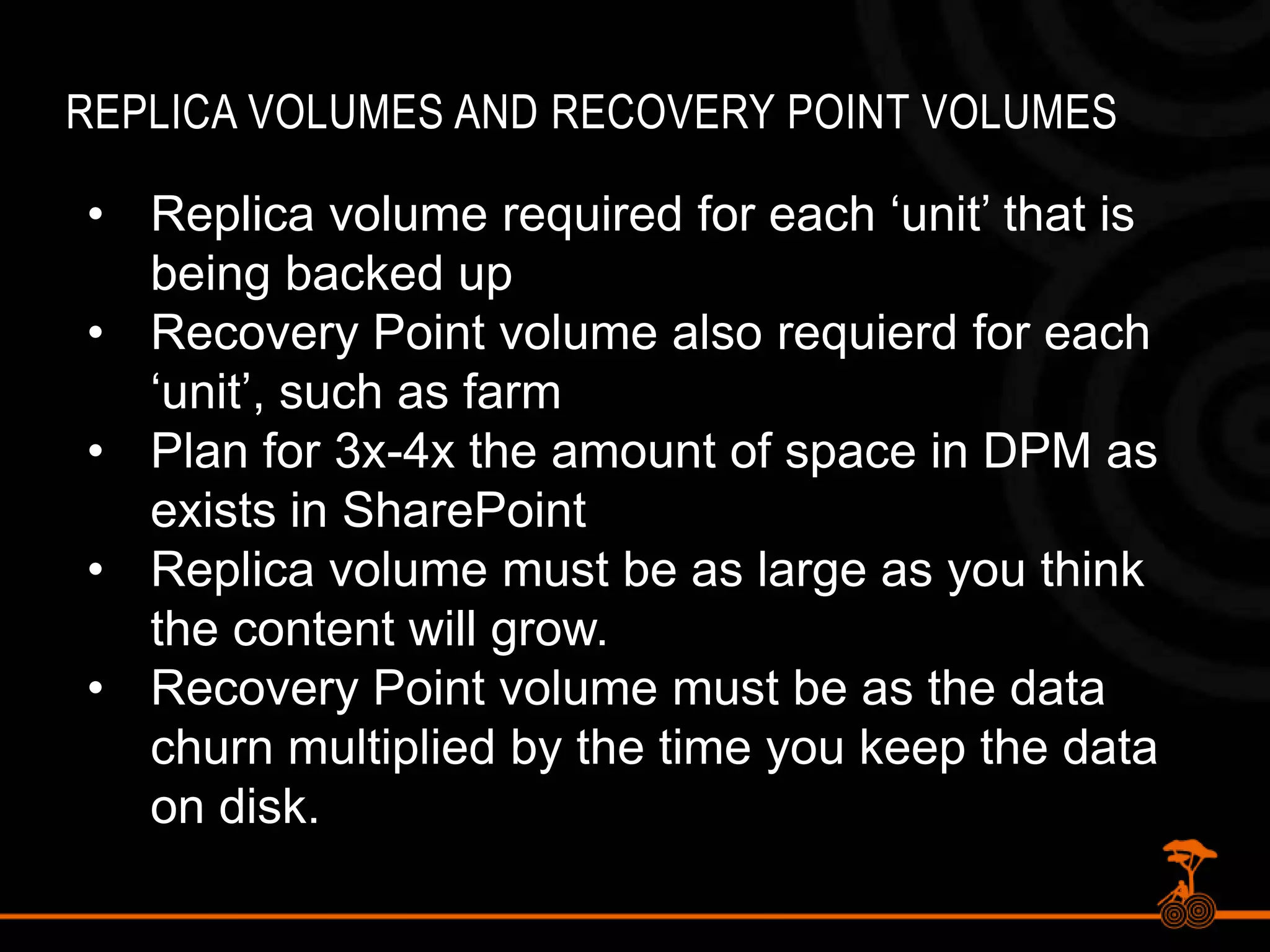
For backups of the console, use a second DPM Server that will backup the first (DPM SRT being retired)Replica Volumes and Recovery Point VolumesReplica volume required for each ‘unit’ that is being backed up
Recovery Point volume also requierd for each ‘unit’, such as farm
Plan for 3x-4x the amount of space in DPM as exists in SharePoint
Replica volume must be as large as you think the content will grow.
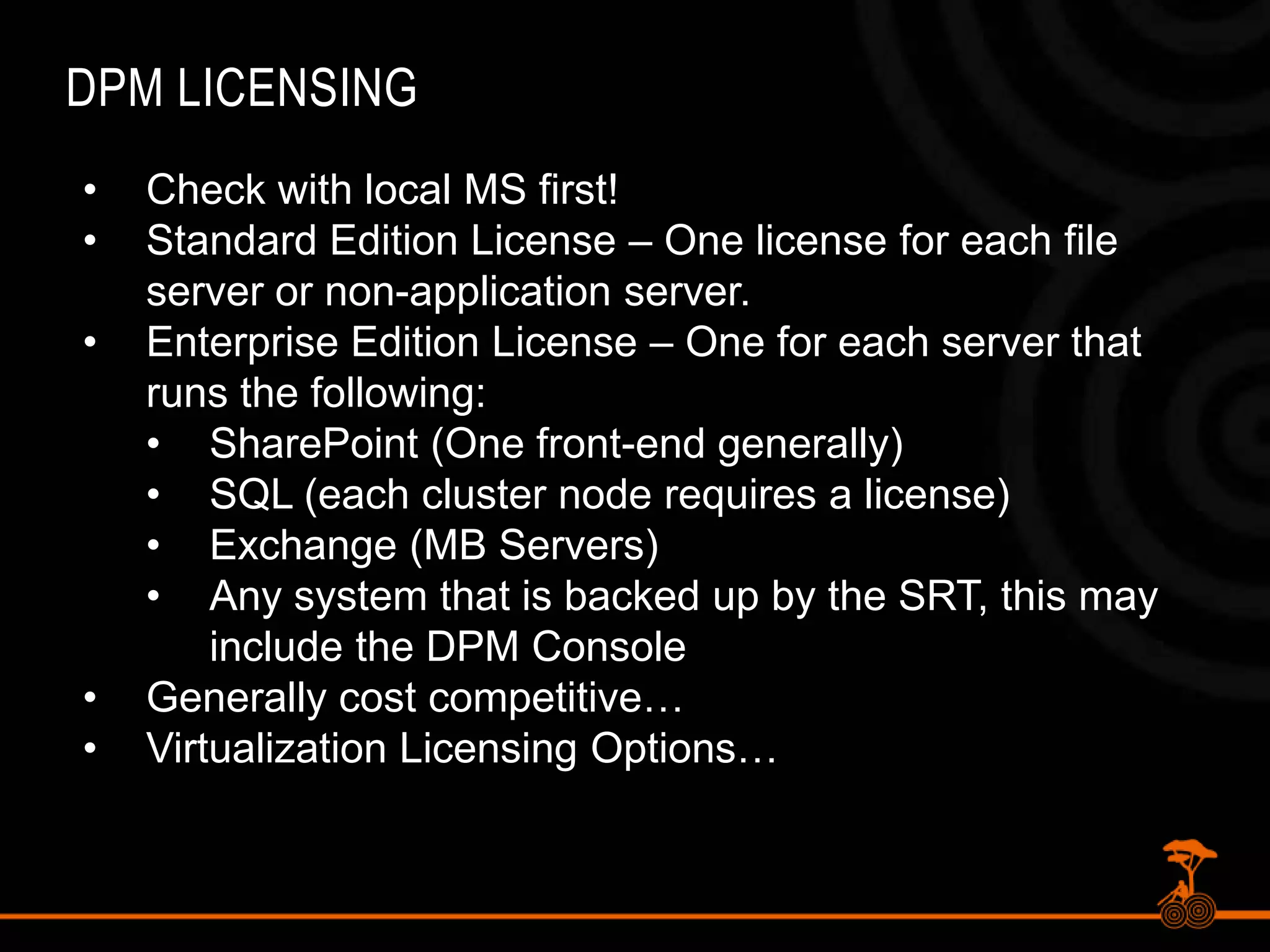
Recovery Point volume must be as the data churn multiplied by the time you keep the data on disk.DPM LicensingCheck with local MS first!
Standard Edition License – One license for each file server or non-application server.
Enterprise Edition License – One for each server that runs the following:
SharePoint (One front-end generally)
SQL (each cluster node requires a license)

[AU SPC 2011] Backup Restore SharePoint 2010

  • 1.
  • 2.
    Backup and RestoreFor SharePoint: Protecting Mission Critical data With New Tools and technologiesMichael Noel and Alpesh Nakar
  • 3.
    MichaelNoelAuthor of SAMSPublishing titles “SharePoint 2010 Unleashed,” “SharePoint 2007 Unleashed,” “SharePoint 2003 Unleashed”, “Teach Yourself SharePoint 2003 in 10 Minutes,” “Windows Server 2008 R2 Unleashed,” “Exchange Server 2010 Unleashed”, “ISA Server 2006 Unleashed”, and many other titles .Partner at Convergent Computing (www.cco.com / +1(510)444-5700) – San Francisco, U.S.A. based Infrastructure/Security specialists for SharePoint, AD, Exchange, Security
  • 4.
    Alpesh NakarNative ofMumbai, India | Based in Brisbane, AustraliaIndependent SharePoint Consultant, Trainer, EvangelistContributing Author – Microsoft SharePoint 2010 Unleashed – Michael Noel & Colin SpenceBlog: http://alpesh.nakars.comSharePoint Resources: http://justsharepoint.comSharePoint URL Shortening Service http://mysp.inTech & Personal Tweets @alpeshSelective SharePoint Links Tweets @justsharepoint
  • 5.
  • 6.
    What are theCritical SharePoint 2010 Components?SharePoint DatabasesConfig Database (typically excluded)Content Database(s)Services DatabasesIIS ConfigurationWeb.config files in \inetpub directoryWeb part assemblies in %systemroot%\assemblyAny custom templates
  • 7.
    Understanding the SP2010DatabasesSharePoint 2010 Databases (Part I)
  • 8.
    Understanding the SP2010DatabasesSharePoint 2010 Databases (Part II)
  • 9.
    Tools To BackupTwo-stageRecycle BinSharePoint Central Admin ToolPowerShellIISBack.vbsSQL 2005/2008 Tools (Maintenance Plan)Microsoft System Center Data Protection Manager (DPM) 2007/2010Third-party (Quest, Metalogix, AvePoint)
  • 10.
    Backup with theSharePoint Central Admin Tool
  • 11.
    What does theCentral Admin Backup Tool do?Full fidelity backups of all SharePoint content and indexesBacks up all SharePoint databases except Config DB, which is not needed.Similar to SQL level backup, except can be more granular at the Web Application levelSP2010 now has status indicatorsSP2010 now allows for Site Collection Backup from Central Admin
  • 12.
    Disadvantages of CentralAdmin Backup ToolNot automatedIf XML catalog is damaged, entire backup can be at riskNo item-level restore capabilitiesNot enterprise level
  • 13.
  • 14.
    PowerShell Backup inSP2010PowerShell can be used to automate BackupsBackup-SPConfigurationDatabaseBackup-SPFarmBackup-SPSiteEquivalent to Central Admin or STSADMCan pipe out results and backup multiple site collections, etc.
  • 15.
    Windows PowerShell BackUp& Restore CMDLETS
  • 16.
    PowerShell - FarmConfiguration BackupFarm Configuration Only Backupbackup-spfarm –backupMethodfull –directory \\servername\SP2010Backup -configurationonlyComplete Farm BackupBackup-spfarm –backupmethod full – directory \\servername\SP2010BackupBackup-SPFarm specific parameters-BackupMethod-BackupThreads
  • 17.
    PowerShell - ConfigurationDB BackupConfiguration Database BackupBackup-spconfigurationdatabase –directory \\servername\\sp2010backup –databaseserver server –databasenamemss_configdbBackup Farm Configuration InformationInformation Rights ManagementWorkflowDiagnostic loggingCustomizations [solutions deployed]Outbound e-mail configurationAntivirus settings
  • 18.
    PowerShell – SiteCollection BackupBackup Site CollectionBackup-SPSite –Identity http://justsharepoint.com/Sites/demo -Path \\servername\sp2010backup\demosc.bak -ForceOther Parameters – -NoSiteLock – use with caution, possible data corruption-UseSQLSnapshot – use content database snapshot when doing a backupCan be run multiple times and/or scripted to automate backupsExtremely useful approach to backing up WSS Site collections and personal sites
  • 19.
    Granular BackUP/RESTORENew inSharePoint 2010 - Granular Backup/Restore From Central AdministrationSite Collection BackupExport a site or listRecover data from an unattached content databaseGranular Backup Job Status indicatorsGranular restore operations only using PowerShellWorkflows are not included when exporting a site or a list
  • 20.
    PowerShell – ExportSite / ListYou cannot export a site, library, list with SQL Server or DPMExport-SPWeb –Identity http://justsharepoint.com/sites/demo/ -path \\server\sp2010backups\featurelist.bak -itemurl “features” –forceOption to include user security and versions
  • 21.
    Unattached Content DatabasesNewfeature of SharePoint 2010Granular restores of SharePoint contentRead-only content databasesRestored SharePoint content databasesContent database snapshotsRestore Site Collections, Sites, Libraries and Lists
  • 22.
    System Center DataProtection Manager 2010
  • 23.
    Features of DPMfor SharePointItem-level recovery of Documents and List DataVSS Snapshot Integration, can snapshot SQL Databases every 15 minutesBackup to Disk (near-term), Backup to Tape (long-term) – Direct integrationNot only SharePoint, but File Data, Exchange, SQL, and Bare-metal recovery
  • 24.
    System StateInternet InformationServices(IIS)“Front End”SharePoint VSS Writer“Farm” Config dB(SQL)DPM 2010SQLSQLSQLFilesEnterprise Search (index)Content Servers (SQL)DPM Backing up a SharePoint Farm
  • 25.
    Architecting a DPM2010 Environment for SharePoint64bit Console (Windows Server 2008 or Windows Server 2008 R2)
  • 26.
    Single console, nobuilt-in redundancy
  • 27.
    Attach large poolof disk to server for near-term backups
  • 28.
    Attach supported tapelibrary for long-term backups
  • 29.
    Console requires locationto store SQL database, can be local SQL Server Express or remote SQL. Critical DB, must be backed up also.
  • 30.
    For backups ofthe console, use a second DPM Server that will backup the first (DPM SRT being retired)Replica Volumes and Recovery Point VolumesReplica volume required for each ‘unit’ that is being backed up
  • 31.
    Recovery Point volumealso requierd for each ‘unit’, such as farm
  • 32.
    Plan for 3x-4xthe amount of space in DPM as exists in SharePoint
  • 33.
    Replica volume mustbe as large as you think the content will grow.
  • 34.
    Recovery Point volumemust be as the data churn multiplied by the time you keep the data on disk.DPM LicensingCheck with local MS first!
  • 35.
    Standard Edition License– One license for each file server or non-application server.
  • 36.
    Enterprise Edition License– One for each server that runs the following:
  • 37.
  • 38.
    SQL (each clusternode requires a license)
  • 39.
  • 40.
    Any system thatis backed up by the SRT, this may include the DPM Console
  • 41.
  • 42.
    Virtualization Licensing Options…DPMAgent InstallationTo protect a farm, DPM needs to install the agent on the following serversAny Web front end server(that is used to invoke the writer) This can be a dedicated server in larger farms.The Index ServerAll back end SQL serversAfter agent installation, run ‘Configuresharepoint.exe –EnableSharePointProtection’ on SP Server from DPM Server directory
  • 43.
    DPM Agent GuestPrerequisitesWindows Server 2008, 2003 SP1 or SP2Microsoft KB Patch 940349 (VSS Writer)SQL ServersSQL 2000 SP4, SQL 2005 SP1/SP2, SQL 2008 (Experimental support)SQL VSS Writer service must be runningSharePoint Web Frontend(s)KB Patch 941422 Installed (on legacy SP)WSS VSS Writer Service runningRun ConfigureSharePoint.exe tool to give farm credentials
  • 44.
    DPM Protection –Key FeaturesDPM protects the entire farm data by a single check boxDPM leverages the WSS writer to determine all the components to back upAt the time of backup, DPM works across multiple servers in the farm and backs up the data from across all these serversDPM only performs express full backups for SharePointAfter the backup is done, DPM queries the SharePoint object model to get all the information about the sites, items, etc.DPM 2010 does not require Recovery Farm!
  • 45.
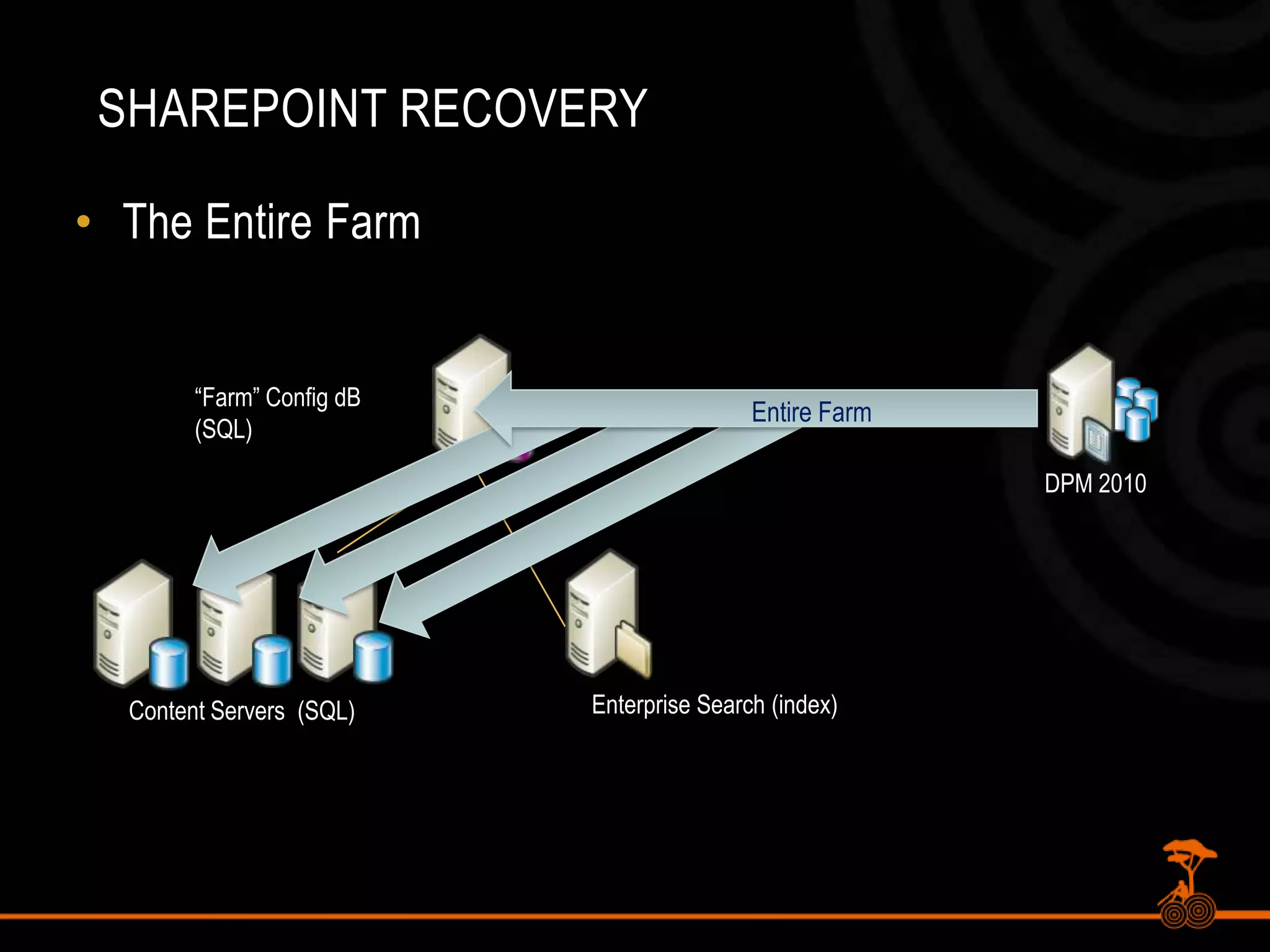
    SharePoint RecoveryThe EntireFarm“Farm” Config dB(SQL)Entire FarmDPM 2010Enterprise Search (index)Content Servers (SQL)
  • 46.
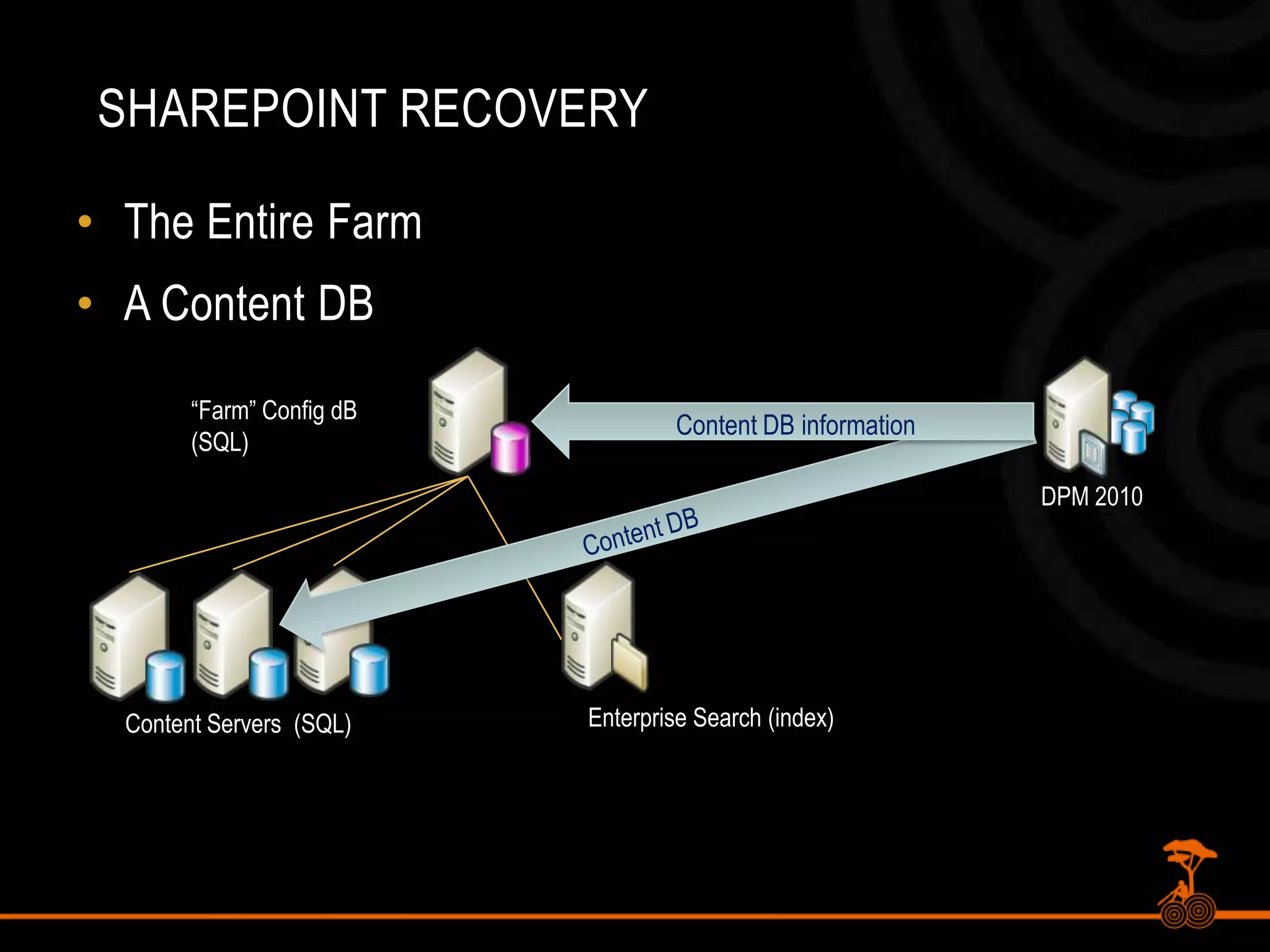
    SharePoint RecoveryThe EntireFarmA Content DB“Farm” Config dB(SQL)Content DB informationDPM 2010Content DBEnterprise Search (index)Content Servers (SQL)
  • 47.
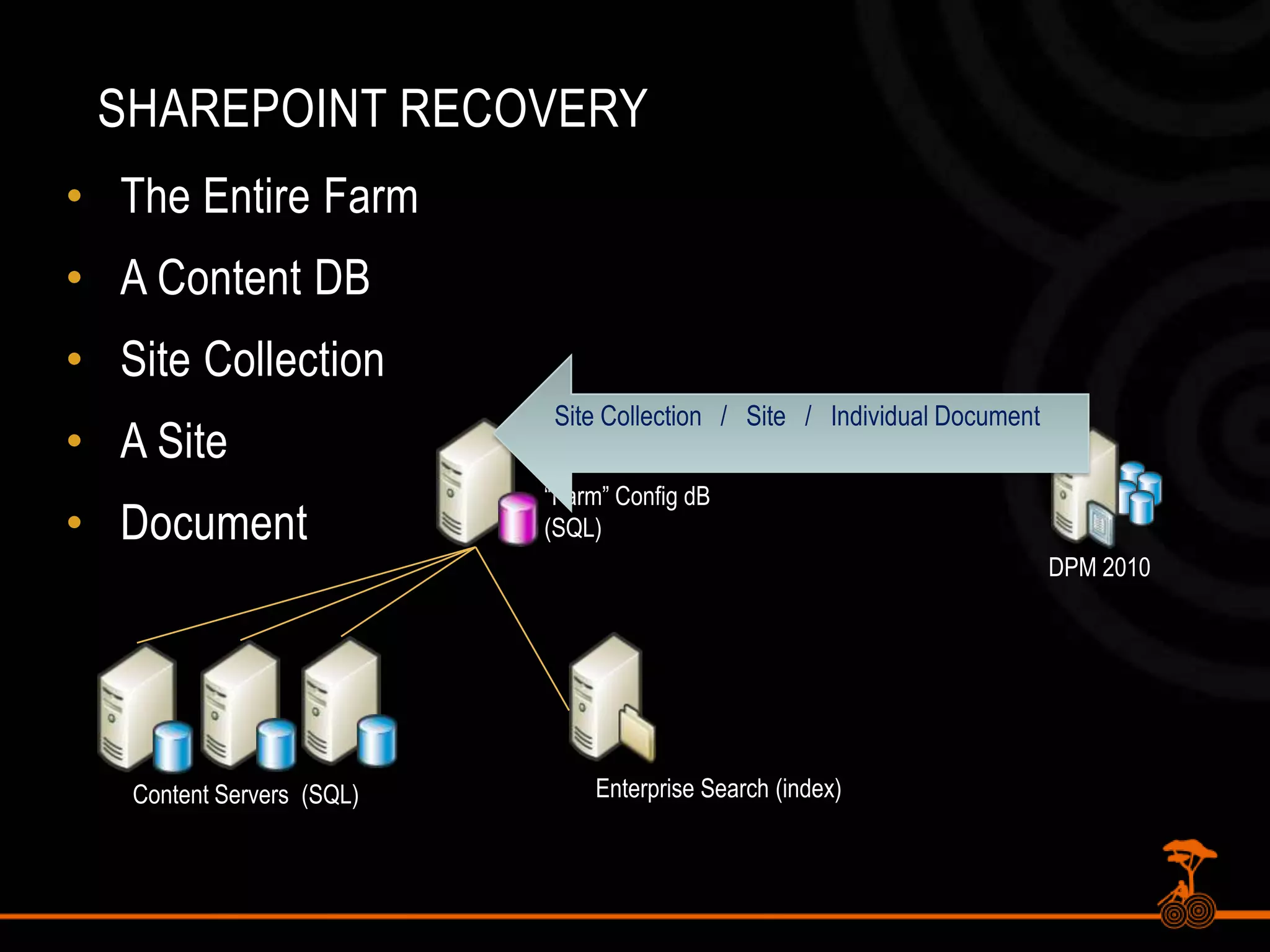
    SharePoint RecoveryThe EntireFarmA Content DBSite CollectionA SiteDocumentSite Collection / Site / Individual Document“Farm” Config dB(SQL)DPM 2010Enterprise Search (index)Content Servers (SQL)
  • 48.
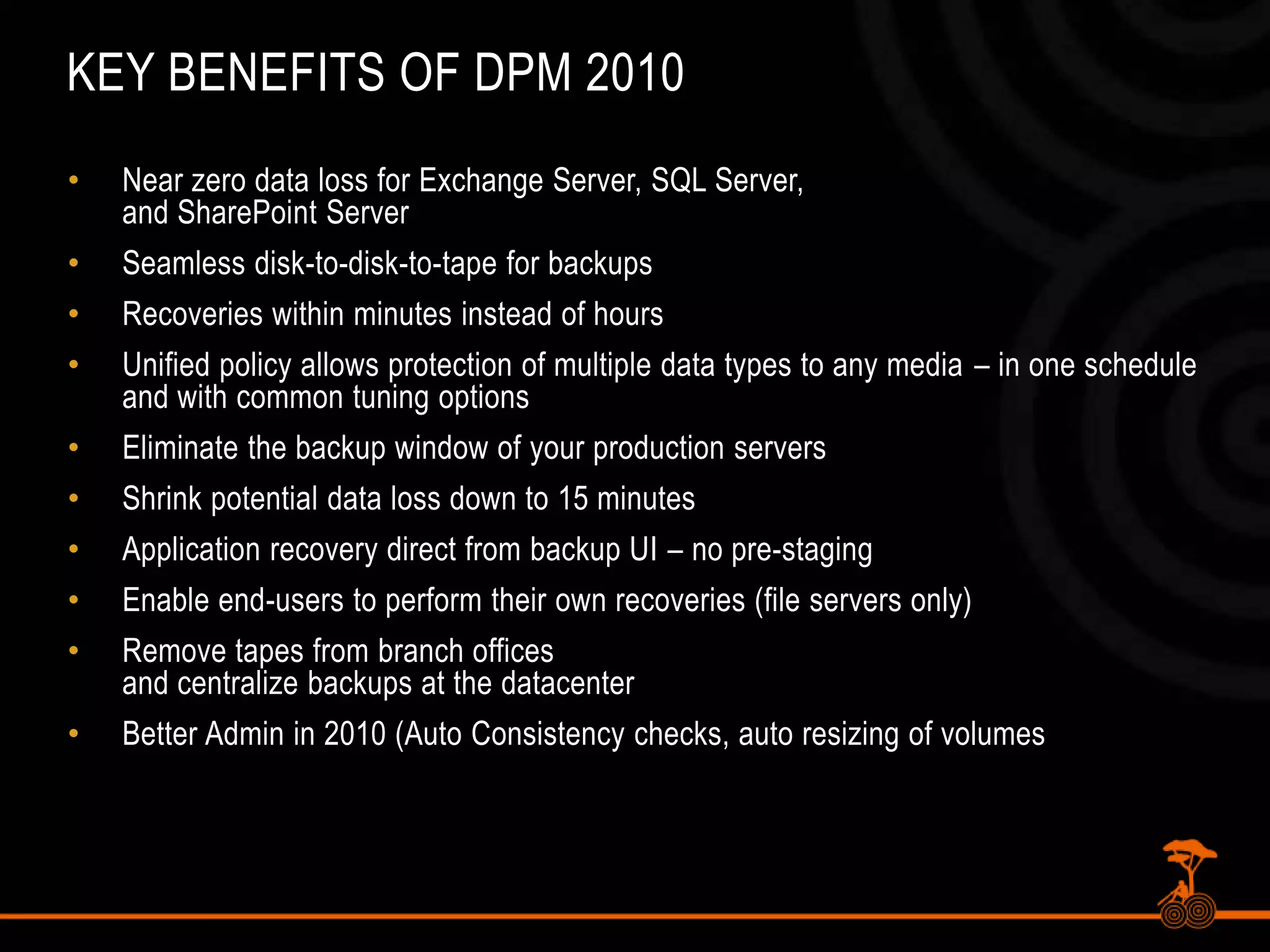
    Key Benefits ofDPM 2010Near zero data loss for Exchange Server, SQL Server,and SharePoint ServerSeamless disk-to-disk-to-tape for backups Recoveries within minutes instead of hoursUnified policy allows protection of multiple data types to any media – in one schedule and with common tuning optionsEliminate the backup window of your production serversShrink potential data loss down to 15 minutesApplication recovery direct from backup UI – no pre-staging Enable end-users to perform their own recoveries (file servers only)Remove tapes from branch officesand centralize backups at the datacenterBetter Admin in 2010 (Auto Consistency checks, auto resizing of volumes
  • 49.
    Taking a lookat DPM 2010 for SharePoint 2010 BackupDemo
  • 50.
    Third-party Backup SolutionsMetalogixSelective Restore ManagerQuest Recovery Manager for SharePointDocAveAvePoint Backup for Microsoft Office SharePoint Products and TechnologiesCommvault Galaxy Data ProtectionSymantec Backup Exec/NetBackupMany others…Provide for item-level recovery and complex DR scenarios
  • 51.
    Session SummaryExamine existingtools to backup and restore SharePoint, but understand their limitations.Use STSADM Site Collection backup if needing to move Site Collections between farmsConsider the use of DPM 2010 for item level recovery and snapshot capabilities
  • 52.

Editor's Notes

  • #2 Opening slide please include
  • #11 [twitter]#SharePoint2010 Central Admin Backup & Restore interface now has status indicators[/twitter]
  • #14 [twitter]Use PowerShell to automate #SharePoint2010 Backups[/twitter]
  • #15 [twitter]#SharePoint 2010 Management Shell – gives additional options for backup/restore – compression/sql snapshots [/twitter][twitter]Permissions required to run PowerShell – member of the admin group on the server running Central Admin[/twitter]
  • #18 [twitter]Backup/Restore Config DB typically when moving config 4m test/dev -> prod. [/twitter]Farm Configuration Only Backup-SPConfigurationDatabase –Directory \\\\App01\\SharePointBackups
  • #20 [twitter] New in #SharePoint 2010 – granular backup/restore from Central Administration[/twitter][twitter]Granular restore operations only using PowerShell [/twitter]Export-SPWeb –Identity http://App01/Sites/ContosoPortal/ -Path \\\\App01\\SharePointBackups\\SharedDocuments.bak -Itemurl “Shared Documents” -ForceImport-SPWeb –Identity http://App01/Sites/ContosoPortal/ -Path \\\\App01\\SharePointBackups\\SharedDocuments.bak -Force -IncludeUserSecurity
  • #21 Versions – last major, current version, last major and minor, all