VOICETHREAD
      Cynthia Morgan
  Mathematics Instructional Coach
       Westside High School
         Macon, Georgia
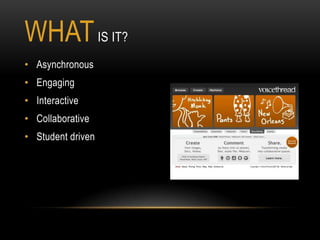
WHAT IS IT?
• Asynchronous
• Engaging
• Interactive
• Collaborative
• Student driven
WHY USE IT?
• Easy to use: VoiceThread is designed to me used by
  students of all ages.
• Students are social: They like to interact.
• Student Choice: Users can add voice, text, audio files
  or video comments
HOW TO USE IN YOUR CLASSROOM
•   Mystery Places: Upload an image of a mystery scene and have the class suggest
    what they think it is or what might have caused it.
•   Upload a statement detailing a problem to be solved. Assign students different
    perspectives to respond to the problem.
•   Peer Review: Scan in /upload student work and have students comment on their
    thoughts.
•   Link a video and have students view and then discuss the video.
•   Collaborative play scripts: Add a series of images or video and have students “voice
    over” to develop a small play.
•   Digital Portfolios: Students can add images or videos of their work along with
    reflections for each item.
•   And more……
WHO BENEFITS - STUDENTS
• Student Driven Instruction: Students drive the direction that a
  discussion, allowing for a freer and more open dialog.
• Improved Engagement through Social Interaction: Students find
  the ability to see and hear classmates and teachers improves
  their sense of social presence outside the classroom.
• Better understanding of communication: Using the video and
  voice responses students are better able to understand how
  tone can effect message.
• Feedback: Students are able to not just deliver content but
  solicit and give feedback.

Morgan cynthia voicethread slideshare project

  • 1.
    VOICETHREAD Cynthia Morgan Mathematics Instructional Coach Westside High School Macon, Georgia
  • 2.
    WHAT IS IT? •Asynchronous • Engaging • Interactive • Collaborative • Student driven
  • 3.
    WHY USE IT? •Easy to use: VoiceThread is designed to me used by students of all ages. • Students are social: They like to interact. • Student Choice: Users can add voice, text, audio files or video comments
  • 4.
    HOW TO USEIN YOUR CLASSROOM • Mystery Places: Upload an image of a mystery scene and have the class suggest what they think it is or what might have caused it. • Upload a statement detailing a problem to be solved. Assign students different perspectives to respond to the problem. • Peer Review: Scan in /upload student work and have students comment on their thoughts. • Link a video and have students view and then discuss the video. • Collaborative play scripts: Add a series of images or video and have students “voice over” to develop a small play. • Digital Portfolios: Students can add images or videos of their work along with reflections for each item. • And more……
  • 5.
    WHO BENEFITS -STUDENTS • Student Driven Instruction: Students drive the direction that a discussion, allowing for a freer and more open dialog. • Improved Engagement through Social Interaction: Students find the ability to see and hear classmates and teachers improves their sense of social presence outside the classroom. • Better understanding of communication: Using the video and voice responses students are better able to understand how tone can effect message. • Feedback: Students are able to not just deliver content but solicit and give feedback.