ShowMe
An Interactive White Board + Mobile Learning Library
What is ShowMe?
ShowMe: an interactive whiteboard for
the iPad that allows you to instantly
create and record lessons.

        •   Lessons can be uploaded and shared with our
            community, to be viewed on the app or the web

        •   Embedded on a blog or a website

        •   Emailed directly to someone

        •   Shared to twitter or facebook
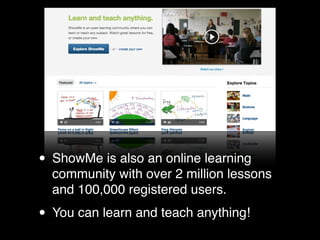
• ShowMe is also an online learning
  community with over 2 million lessons
  and 100,000 registered users.

• You can learn and teach anything!
The ShowMe Mission
•   Foster new types of interactions between teachers and
    students and produce impressive results for learning.

•   The interactive whiteboard allows for personalization of
    learning, differentiation, and fosters independence in
    students.

•   Thousands of publicly uploaded lessons enrich the
    community, helping students and teachers learn from
    each other around the globe.
Use cases from The
ShowMe community!
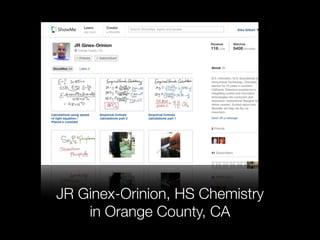
JR Ginex-Orinion, HS Chemistry
    in Orange County, CA
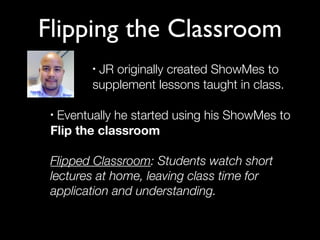
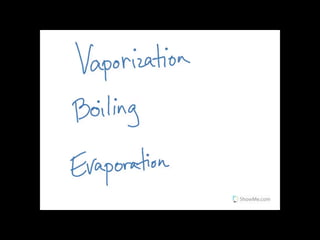
Flipping the Classroom
        •JR originally created ShowMes to
        supplement lessons taught in class.

 •Eventually he started using his ShowMes to
 Flip the classroom

 Flipped Classroom: Students watch short
 lectures at home, leaving class time for
 application and understanding.
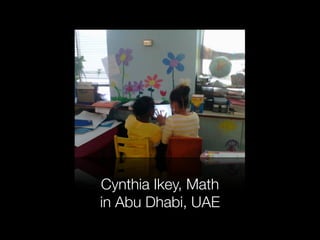
Cynthia Ikey, Math
in Abu Dhabi, UAE
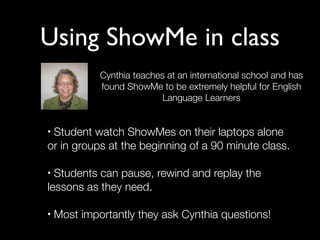
Using ShowMe in class
             Cynthia teaches at an international school and has
             found ShowMe to be extremely helpful for English
                           Language Learners


•Student watch ShowMes on their laptops alone
or in groups at the beginning of a 90 minute class.

• Students can pause, rewind and replay the
lessons as they need.

•   Most importantly they ask Cynthia questions!
“I can not put all the words together to tell you how
 much better my classroom is. However, there is lots
 more outside preparation, it is worth the time...Test
scores are in. Grades are higher, and there are some
specific students whose scores are great testimonies
            to how this has helped them.”
                                           -Cynthia Ikey
Text


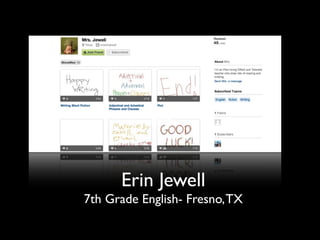
      Erin Jewell
7th Grade English- Fresno, TX
Student work
• Best way to Show you’ve learned something: Teach
it!

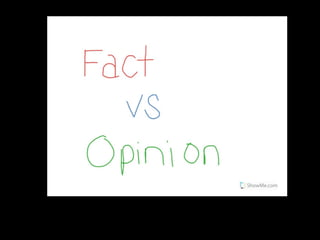
•Erin had students create ShowMes on English topics
to prepare for the STARR- a mandatory state test in
TX.

•Students wrote scripts on an assigned literary topic
before creating a ShowMe

Moment of pride when students can share their work
•

with friends and family outside of school!
Reinforcement of concepts
        • Dana Hagan, Speech Pathologist in Deer
          Park, LI works with students to create a
          ShowMe about what they’ve been taught
• Students interact with iPad and take turns
  speaking. They discuss facts, ideas or solve
  problems.
• When finished, students re-watch the ShowMe
  answering further questions from Dana.
• ShowMe is made available to them to watch during
  class or at home.
Self regulation and Social Skills
• Deb Sites in Northfield, MN helped a student with emotional
  needs create a ShowMe
• When the student was calm, he created a ShowMe
  describing steps he can take to calm down when he
  became stressed or angry. (Ex. Count backwards from 10,
  chair push ups, deep breaths)
• From then on, every time the student needed to bring
  himself back to a calm state, he accessed the ShowMe on
  the iPad.
• Since it was his own voice, it took the adult out of the
  situation and helped him work on his independence.
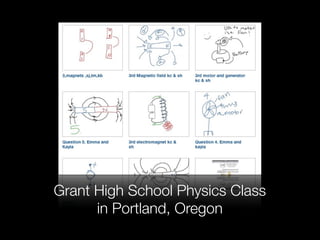
Grant High School Physics Class
      in Portland, Oregon
Assessments
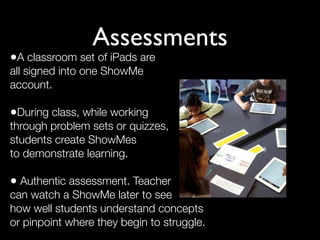
•A classroom set of iPads are
all signed into one ShowMe
account.

•During class, while working
through problem sets or quizzes,
students create ShowMes
to demonstrate learning.

• Authentic assessment. Teacher
can watch a ShowMe later to see
how well students understand concepts
or pinpoint where they begin to struggle.
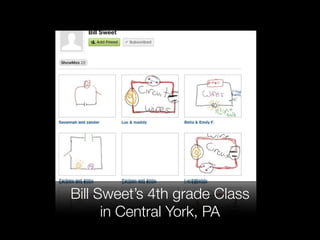
Bill Sweet’s 4th grade Class
      in Central York, PA
Jennifer Bond
3rd Grade Teacher, Detroit Michigan
Parent Communication
•Creates Weekly “Bond Briefs” explaining
what students did in class that week

•Emails the ShowMe to Parents and
shares on her school website.
Parent Communication cont...
•Share ShowMes related to class work with parents
 via a class website or blog.

•Some concepts have been updated since Mom and
 Dad were in school, show them the new (and
 exciting!) way something is being taught with a
 ShowMe.

•Parents will be excited to see student created
 ShowMes in parent-teacher conferences.
Questions?
     Email: kika@showme.com
Twitter: @showmeapp or @justkika

  Blog: www.showme.com/blog
  How-tos, news and inspiration

What is ShowMe?

  • 1.
    ShowMe An Interactive WhiteBoard + Mobile Learning Library
  • 2.
    What is ShowMe? ShowMe:an interactive whiteboard for the iPad that allows you to instantly create and record lessons. • Lessons can be uploaded and shared with our community, to be viewed on the app or the web • Embedded on a blog or a website • Emailed directly to someone • Shared to twitter or facebook
  • 3.
    • ShowMe isalso an online learning community with over 2 million lessons and 100,000 registered users. • You can learn and teach anything!
  • 4.
    The ShowMe Mission • Foster new types of interactions between teachers and students and produce impressive results for learning. • The interactive whiteboard allows for personalization of learning, differentiation, and fosters independence in students. • Thousands of publicly uploaded lessons enrich the community, helping students and teachers learn from each other around the globe.
  • 5.
    Use cases fromThe ShowMe community!
  • 6.
    JR Ginex-Orinion, HSChemistry in Orange County, CA
  • 7.
    Flipping the Classroom •JR originally created ShowMes to supplement lessons taught in class. •Eventually he started using his ShowMes to Flip the classroom Flipped Classroom: Students watch short lectures at home, leaving class time for application and understanding.
  • 9.
    Cynthia Ikey, Math inAbu Dhabi, UAE
  • 10.
    Using ShowMe inclass Cynthia teaches at an international school and has found ShowMe to be extremely helpful for English Language Learners •Student watch ShowMes on their laptops alone or in groups at the beginning of a 90 minute class. • Students can pause, rewind and replay the lessons as they need. • Most importantly they ask Cynthia questions!
  • 11.
    “I can notput all the words together to tell you how much better my classroom is. However, there is lots more outside preparation, it is worth the time...Test scores are in. Grades are higher, and there are some specific students whose scores are great testimonies to how this has helped them.” -Cynthia Ikey
  • 12.
    Text Erin Jewell 7th Grade English- Fresno, TX
  • 13.
    Student work • Bestway to Show you’ve learned something: Teach it! •Erin had students create ShowMes on English topics to prepare for the STARR- a mandatory state test in TX. •Students wrote scripts on an assigned literary topic before creating a ShowMe Moment of pride when students can share their work • with friends and family outside of school!
  • 15.
    Reinforcement of concepts • Dana Hagan, Speech Pathologist in Deer Park, LI works with students to create a ShowMe about what they’ve been taught • Students interact with iPad and take turns speaking. They discuss facts, ideas or solve problems. • When finished, students re-watch the ShowMe answering further questions from Dana. • ShowMe is made available to them to watch during class or at home.
  • 16.
    Self regulation andSocial Skills • Deb Sites in Northfield, MN helped a student with emotional needs create a ShowMe • When the student was calm, he created a ShowMe describing steps he can take to calm down when he became stressed or angry. (Ex. Count backwards from 10, chair push ups, deep breaths) • From then on, every time the student needed to bring himself back to a calm state, he accessed the ShowMe on the iPad. • Since it was his own voice, it took the adult out of the situation and helped him work on his independence.
  • 17.
    Grant High SchoolPhysics Class in Portland, Oregon
  • 18.
    Assessments •A classroom setof iPads are all signed into one ShowMe account. •During class, while working through problem sets or quizzes, students create ShowMes to demonstrate learning. • Authentic assessment. Teacher can watch a ShowMe later to see how well students understand concepts or pinpoint where they begin to struggle.
  • 19.
    Bill Sweet’s 4thgrade Class in Central York, PA
  • 20.
    Jennifer Bond 3rd GradeTeacher, Detroit Michigan
  • 21.
    Parent Communication •Creates Weekly“Bond Briefs” explaining what students did in class that week •Emails the ShowMe to Parents and shares on her school website.
  • 22.
    Parent Communication cont... •ShareShowMes related to class work with parents via a class website or blog. •Some concepts have been updated since Mom and Dad were in school, show them the new (and exciting!) way something is being taught with a ShowMe. •Parents will be excited to see student created ShowMes in parent-teacher conferences.
  • 23.
    Questions? Email: kika@showme.com Twitter: @showmeapp or @justkika Blog: www.showme.com/blog How-tos, news and inspiration