LIVING IN
THE IT ERA
Compiled by:
Antonio Luna
Cecilia Marbella
Jayson James Mayor
Shalllaine Hogar-Reyes
Janelle Kyra Sagum
John Dustin Santos
Raymart Sapiño
Sherilyn Usero
Polytechnic University of the Philippines
COLLEGE OF COMPUTER AND INFORMATION SCIENCES
GEED 20133 – LIVING IN THE IT ERA PAGE | i
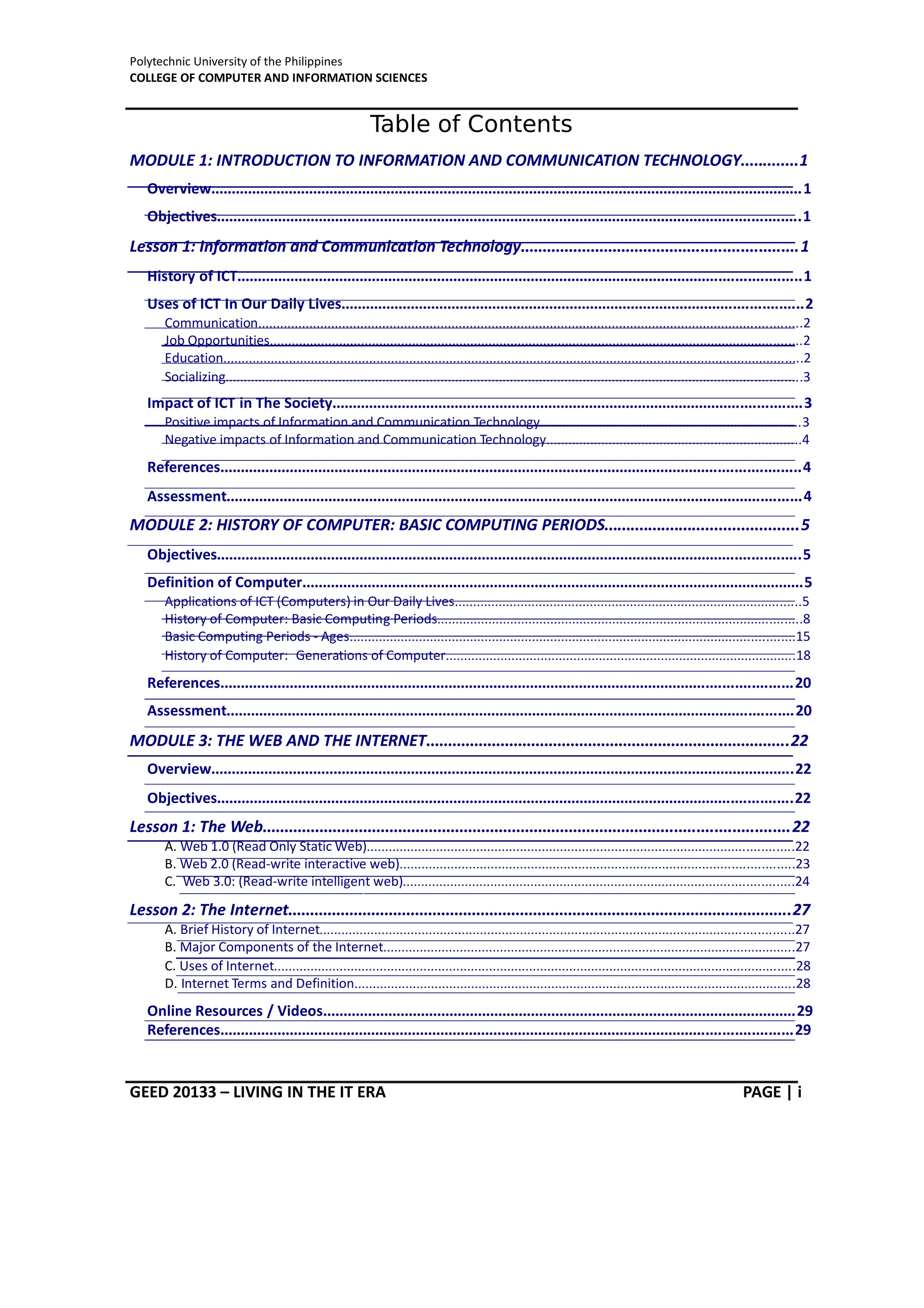
Table of Contents
MODULE 1: INTRODUCTION TO INFORMATION AND COMMUNICATION TECHNOLOGY.............1
Overview.................................................................................................................................................1
Objectives...............................................................................................................................................1
Lesson 1: Information and Communication Technology...............................................................1
History of ICT..........................................................................................................................................1
Uses of ICT In Our Daily Lives.................................................................................................................2
Communication.....................................................................................................................................................2
Job Opportunities..................................................................................................................................................2
Education...............................................................................................................................................................2
Socializing..............................................................................................................................................................3
Impact of ICT in The Society...................................................................................................................3
Positive impacts of Information and Communication Technology.......................................................................3
Negative impacts of Information and Communication Technology......................................................................4
References..............................................................................................................................................4
Assessment.............................................................................................................................................4
MODULE 2: HISTORY OF COMPUTER: BASIC COMPUTING PERIODS............................................5
Objectives...............................................................................................................................................5
Definition of Computer...........................................................................................................................5
Applications of ICT (Computers) in Our Daily Lives...............................................................................................5
History of Computer: Basic Computing Periods....................................................................................................8
Basic Computing Periods - Ages..........................................................................................................................15
History of Computer: Generations of Computer................................................................................................18
References............................................................................................................................................20
Assessment...........................................................................................................................................20
MODULE 3: THE WEB AND THE INTERNET...................................................................................22
Overview...............................................................................................................................................22
Objectives.............................................................................................................................................22
Lesson 1: The Web........................................................................................................................22
A. Web 1.0 (Read Only Static Web).....................................................................................................................22
B. Web 2.0 (Read-write interactive web)............................................................................................................23
C. Web 3.0: (Read-write intelligent web)...........................................................................................................24
Lesson 2: The Internet...................................................................................................................27
A. Brief History of Internet..................................................................................................................................27
B. Major Components of the Internet.................................................................................................................27
C. Uses of Internet...............................................................................................................................................28
D. Internet Terms and Definition.........................................................................................................................28
Online Resources / Videos....................................................................................................................29
References............................................................................................................................................29
Polytechnic University of the Philippines
COLLEGE OF COMPUTER AND INFORMATION SCIENCES
GEED 20133 – LIVING IN THE IT ERA PAGE | ii
Assessment...........................................................................................................................................30
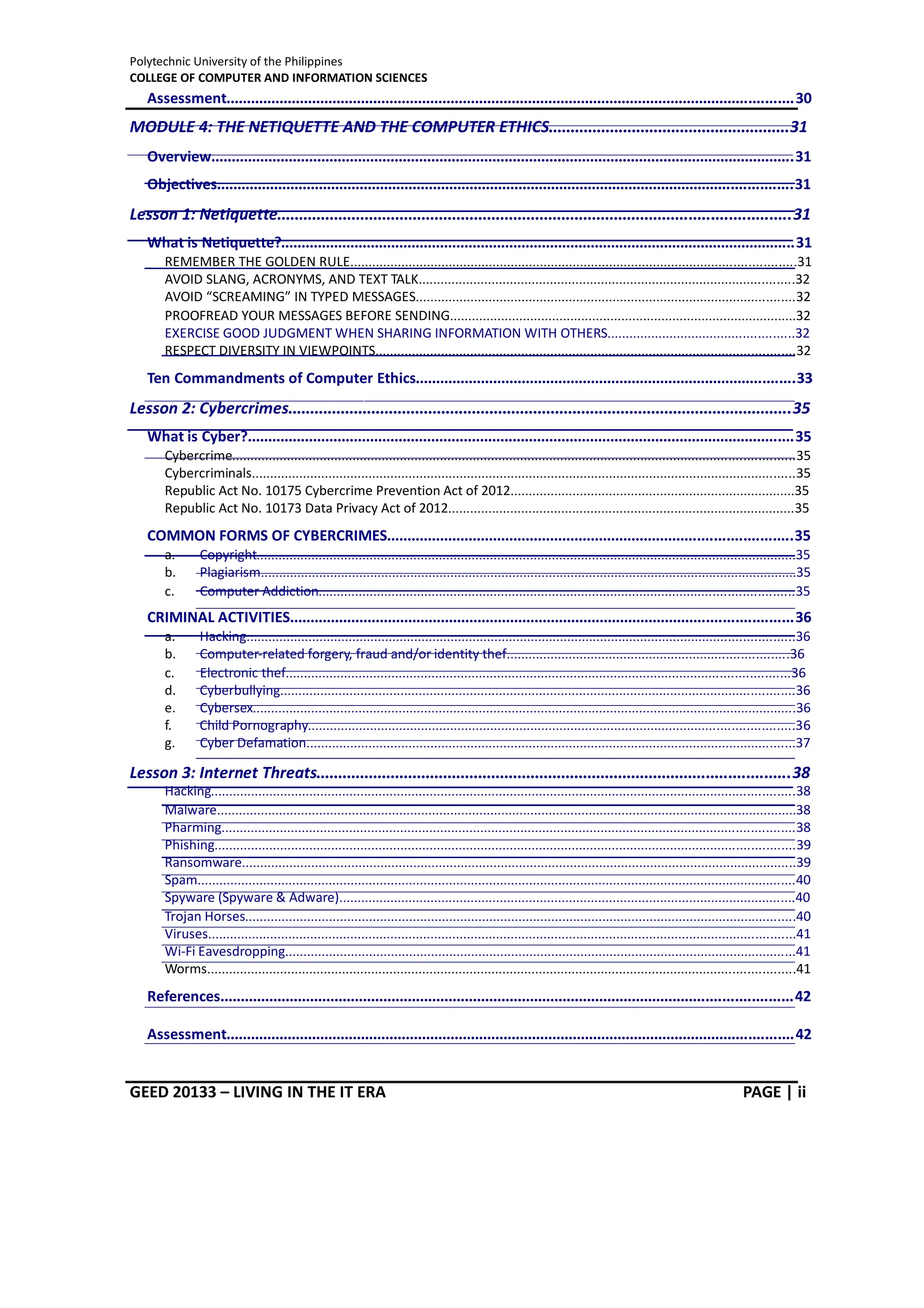
MODULE 4: THE NETIQUETTE AND THE COMPUTER ETHICS.......................................................31
Overview...............................................................................................................................................31
Objectives.............................................................................................................................................31
Lesson 1: Netiquette.....................................................................................................................31
What is Netiquette?..............................................................................................................................31
REMEMBER THE GOLDEN RULE..........................................................................................................................31
AVOID SLANG, ACRONYMS, AND TEXT TALK.......................................................................................................32
AVOID “SCREAMING” IN TYPED MESSAGES........................................................................................................32
PROOFREAD YOUR MESSAGES BEFORE SENDING...............................................................................................32
EXERCISE GOOD JUDGMENT WHEN SHARING INFORMATION WITH OTHERS...................................................32
RESPECT DIVERSITY IN VIEWPOINTS...................................................................................................................32
Ten Commandments of Computer Ethics.............................................................................................33
Lesson 2: Cybercrimes...................................................................................................................35
What is Cyber?......................................................................................................................................35
Cybercrime..........................................................................................................................................................35
Cybercriminals 35
.....................................................................................................................................................
Republic Act No. 10175 Cybercrime Prevention Act of 2012..............................................................................35
Republic Act No. 10173 Data Privacy Act of 2012...............................................................................................35
COMMON FORMS OF CYBERCRIMES...................................................................................................35
a. Copyright....................................................................................................................................................35
b. Plagiarism...................................................................................................................................................35
c. Computer Addiction..................................................................................................................................35
CRIMINAL ACTIVITIES...........................................................................................................................36
a. Hacking......................................................................................................................................................36
b. Computer-related forgery, fraud and/or identity thef.............................................................................36
c. Electronic thef..........................................................................................................................................36
d. Cyberbullying.............................................................................................................................................36
e. Cybersex.....................................................................................................................................................36
f. Child Pornography.....................................................................................................................................36
g. Cyber Defamation......................................................................................................................................37
Lesson 3: Internet Threats............................................................................................................38
Hacking................................................................................................................................................................38
Malware...............................................................................................................................................................38
Pharming.............................................................................................................................................................38
Phishing...............................................................................................................................................................39
Ransomware........................................................................................................................................................39
Spam....................................................................................................................................................................40
Spyware (Spyware & Adware).............................................................................................................................40
Trojan Horses.......................................................................................................................................................40
Viruses.................................................................................................................................................................41
Wi-Fi Eavesdropping............................................................................................................................................41
Worms 41
.................................................................................................................................................................
References............................................................................................................................................42
Assessment...........................................................................................................................................42
Polytechnic University of the Philippines
COLLEGE OF COMPUTER AND INFORMATION SCIENCES
GEED 20133 – LIVING IN THE IT ERA PAGE | iii
MODULE 5: DIGITAL TEACHNOLOGY AND SOCIAL CHANGE........................................................43
Overview...............................................................................................................................................43
Objectives.............................................................................................................................................43
Lesson 1: Introduction to the Digital Age....................................................................................44
The ICT and its role in Social Change....................................................................................................44
Entertainment.....................................................................................................................................................44
Business...............................................................................................................................................................45
Education.............................................................................................................................................................45
Jobs and earnings................................................................................................................................................46
Health..................................................................................................................................................................47
Theories in Technology.........................................................................................................................48
Technological Determinism.................................................................................................................................48
Social Constructivism..........................................................................................................................................49
Technological Change..........................................................................................................................................49
References............................................................................................................................................50
Activities/Assessment..........................................................................................................................50
MODULE 6: IT CULTURE AND THE SOCIETY..................................................................................51
Overview...............................................................................................................................................51
Objectives.............................................................................................................................................51
Lesson 1: Internet of Things..........................................................................................................51
How IoT works......................................................................................................................................52
Why IoT is important............................................................................................................................52
How Does This Impact You?................................................................................................................................53
IoT Through the Years...........................................................................................................................53
IoT benefits to organizations................................................................................................................55
Pros and cons of IoT.............................................................................................................................56
Advantages of IoT................................................................................................................................................56
Disadvantages of IoT...........................................................................................................................................56
Consumer and enterprise IoT applications..........................................................................................56
IoT security and privacy issues.............................................................................................................57
The Future of the Internet of Things....................................................................................................58
Online Resources / Videos....................................................................................................................59
Lesson 2: Current Trends and Emerging Technologies................................................................60
Overview...............................................................................................................................................60
Current Trends in Information Technology...........................................................................................60
a. Cloud Computing.......................................................................................................................................60
b. Mobile Computing and Applications.........................................................................................................60
c. Big Data Analytics......................................................................................................................................61
Polytechnic University of the Philippines
COLLEGE OF COMPUTER AND INFORMATION SCIENCES
GEED 20133 – LIVING IN THE IT ERA PAGE | iv
d. Automation.....................................................................................................................................................61
Emerging Trends in Information Technology........................................................................................61
a. Artificial Intelligence and Smart Machines................................................................................................61
b. Virtual Reality............................................................................................................................................63
c. Augmented Reality....................................................................................................................................64
d. Blockchain Data.........................................................................................................................................66
e. Internet of Things......................................................................................................................................66
f. 5G...............................................................................................................................................................66
Referrences...........................................................................................................................................67
Assessment...........................................................................................................................................67
MODULE 7: IMAGING AND DESIGN FOR SOCIAL IMPACT...........................................................68
Overview...............................................................................................................................................68
Lesson 1: Graphic Design Fundamentals.....................................................................................68
Objectives.............................................................................................................................................68
What is Graphic Design?.......................................................................................................................68
Line......................................................................................................................................................................68
Shape...................................................................................................................................................................70
Form....................................................................................................................................................................71
Texture.................................................................................................................................................................71
Balance................................................................................................................................................................72
Lesson 2: Branding and Identity...................................................................................................73
Lesson 3: Layout and Composition...............................................................................................75
Proximity...............................................................................................................................................75
White Space..........................................................................................................................................75
Alignment.............................................................................................................................................78
Contrast................................................................................................................................................78
Repetition.............................................................................................................................................78
Lesson 4: Typography...................................................................................................................79
Types of Fonts.......................................................................................................................................79
Serif.....................................................................................................................................................................79
Sans Serif.............................................................................................................................................................80
Display.................................................................................................................................................................80
Choosing a font or typeface..................................................................................................................80
Lesson 5: Color..............................................................................................................................81
Color Schemes......................................................................................................................................81
Monochromatic Color Scheme............................................................................................................................82
Achromatic Color Scheme...................................................................................................................................82
Analogous Color Scheme.....................................................................................................................................82
Complementary Color Scheme...........................................................................................................................83
Split-Complementary Color Scheme...................................................................................................................83
Polytechnic University of the Philippines
COLLEGE OF COMPUTER AND INFORMATION SCIENCES
GEED 20133 – LIVING IN THE IT ERA PAGE | v
Triadic Color Scheme...........................................................................................................................................84
Tetradic Color Scheme.........................................................................................................................................85
Understanding Color Profiles...............................................................................................................85
Lesson 6: Image............................................................................................................................86
Image File Types...................................................................................................................................86
Raster Image File Extensions...............................................................................................................................87
Online Videos to Watch:.......................................................................................................................87
References / Sources............................................................................................................................87
Assessment/Exercises...........................................................................................................................88
MODULE 8: PHOTO IMAGING AND POST PROCESSING...............................................................89
Overview...............................................................................................................................................89
Objectives.............................................................................................................................................89
Photography.........................................................................................................................................89
There are three basic types of Photography:.......................................................................................90
Landscape Photography......................................................................................................................................90
Portrait Photography...........................................................................................................................................91
Documentary Photography.................................................................................................................................92
Exposure...............................................................................................................................................93
Top Ten Tips in Taking Great Pictures...................................................................................................98
Post Processing...................................................................................................................................100
Post Processing Sofware..................................................................................................................................100
Workflow of Post Processing.............................................................................................................................100
Online Resources................................................................................................................................101
Post processing Tutorial....................................................................................................................................101
References..........................................................................................................................................101
Assessment/Exercises.........................................................................................................................101
MODULE 9: CREATING INFOGRAPHICS FOR SOCIAL CAMPAIGNS.............................................102
Overview.............................................................................................................................................102
Objectives...........................................................................................................................................103
Plan your infographic design..............................................................................................................103
Create an infographic outline.............................................................................................................104
Write a compelling title......................................................................................................................104
Use a grid design or wireframe for your infographic design..............................................................104
Use the right infographic layout for your data...................................................................................105
Follow data visualization best practices.............................................................................................107
Choose the best chart types for your data.........................................................................................107
Incorporate different infographic design elements............................................................................109
Polytechnic University of the Philippines
COLLEGE OF COMPUTER AND INFORMATION SCIENCES
GEED 20133 – LIVING IN THE IT ERA PAGE | vi
Use photography in your infographic design.....................................................................................111
Use contrast in your infographic design.............................................................................................111
Contrast using colors.........................................................................................................................................111
Contrast using typography sizes........................................................................................................................111
Contrasting visuals.............................................................................................................................................112
Create symmetrical and asymmetrical balance.................................................................................113
Use color effectively...........................................................................................................................114
Make sure there's consistency in your infographic design................................................................115
Leave plenty of negative space in your infographic design................................................................116
Practice, practice, practice..................................................................................................................118
Online Resources................................................................................................................................118
References..........................................................................................................................................118
Assessment.........................................................................................................................................118
Polytechnic University of the Philippines
COLLEGE OF COMPUTER AND INFORMATION
GEED 20133 – Living in the IT Era PAGE | 1
MODULE 1: INTRODUCTION TO
INFORMATION AND COMMUNICATION
TECHNOLOGY
Overview
The quickening pace of evolution in technology is very evident in this era. It seems that it is
progressing faster than ever. From year to year, the evolution of technology is one of staggering
promise and opportunity--as well as uncertainty. Basically, technology has been around before, and
as long as there are people, information technology will be there also because there were always
ways of communicating through technology available at that point in time. The future may be
unknown, but digital advancement continues to reshape our world in ways that encourage people
to form new habits, find new ways to work together, and become better human beings. And, in
most cases, these changes translate into a range of opportunities and disruptions across every
industry. Humans have always been quick to adapt technologies for better and faster
communication.
Objectives
 After successful completion of this module, the student can be able to;
 Demonstrate a sense of readiness for the upcoming semester;
 Identify their learning outcomes and expectations for the course;
 Recognize their capacity to create new understandings from reflecting on the course;
 Know the role and importance of ICT.
Lesson 1: Information and
Communication Technology
History of ICT
ICT, or information and communications technology (or technologies), is the nfrastructure and
i
components that enable modern computing.
Although there is no single, universal definition of ICT, the term is generally accepted to mean all
devices, networking components, applications and systems that combined allow people and
Polytechnic University of the Philippines
COLLEGE OF COMPUTER AND INFORMATION
GEED 20133 – Living in the IT Era PAGE | 2
organizations (i.e., businesses, nonprofit agencies, governments and criminal enterprises) to
interact in the digital world.
Uses of ICT In Our Daily Lives
Communication
We all know that ICT take a major role for us by means of communicating, way back in the
past our parents use to make letter and send it via post mail. But now with the help of ICT it
is easier to communicate with our love ones. We can use cellular phones that design for
communicating with other people even they are miles away far from you.
Nowadays people are in touch with the help of . Through chatting, E-mail, voice mail
ICT
and social networking people with each other. It is the cheapest means of
communicate
communication.
ICT allows students to monitor and manage their own learning, think critically and
creatively, solve simulated real-world problems, work collaboratively, engage in ethical
decision-making, and adopt a global perspective towards issues and ideas. It also provides
students from remote areas access to expert teachers and learning resources, and gives
administrators and policy makers the data and expertise they need to work more efficiently.
Job Opportunities
In the employment sector, ICT enables organizations to , so
operate more efficiently
employing staff with ICT skills is vital to the smooth running of any business. Being able to
use ICT systems effectively allows employees more time to concentrate on areas of their
job role that require soft skills.
For example, many pharmacies use robot technology to assist with picking prescribed
drugs. This allows highly trained pharmaceutical staff to focus on jobs requiring human
intelligence and interaction, such as dispensing and checking medication.
Nowadays, employers expect their staff to have basic ICT skills. This expectation even
applies to job roles where ICT skills may not have been an essential requirement in the
past.
Nowadays, finding a job is different, you can just use your smart phone, laptop, desktop or
any gadgets that is available in the comfort of your home.
Education
Information and Communications Technology (ICT) can impact student learning when
teachers are digitally literate and understand how to integrate it into curriculum.
Schools use a diverse set of ICT tools to communicate, create, disseminate, store, and
manage information.(6) In some contexts, ICT has also become integral to the teaching-
learning interaction, through such approaches as replacing chalkboards with interactive
digital whiteboards, using students’ own smartphones or other devices for learning during
class time, and the “flipped classroom” model where students watch lectures at home on
the computer and use classroom time for more interactive exercises.
When teachers are digitally literate and trained to use ICT, these approaches can lead to
higher order thinking skills, provide creative and individualized options for students to
express their understandings, and leave students better prepared to deal with ongoing
technological change in society and the workplace.
Socializing
Social media has changed the world. The rapid and vast adoption of these technologies is
changing how we find partners, how we access information from the news, and how we
organize to demand political change.
The internet and social media provide young people with a range of benefits, and
opportunities to empower themselves in a variety of ways. Young people can maintain
social connections and support networks that otherwise wouldn't be possible and can
access more information than ever before. The communities and social interactions young
people form online can be invaluable for bolstering and developing young people's self-
confidence and social skills.
As the ICT has become ubiquitous, faster and increasingly accessible to non-technical
communities, social networking and collaborative services have grown rapidly enabling
people to communicate and share interest in many more ways, sites like Facebook, Twitter
LinkedIn You tube, Flicker, second life delicious blogs wiki’s and many more let people of all
ages rapidly share their interest of the movement without others everywhere. But Facebook
seems to be the leading areas of where people communicate and share their opinions.
What a change! “Nothing is permanent, but change” (As Heraditus in the 4thcentury BC).
Internet can be seen as the international networks of interconnection of computer networks,
the main purpose for the institution of internet are quest for information i.e. browsing,
electronic mail, knew groups fill transfer and access and use of other computer.
Socialization can be seen as a process by which a child adapts a behavior to be an
effective member of the society, which can only be achieved through learning or education.
Impact of ICT in The Society
Positive impacts of Information and Communication Technology
 Access to information: Increase in access to information and services that has
accompanied the growth of the Internet. Some of the positive aspects of this increased
access are better, and often cheaper, communications, such as VoIP phone and Instant
Messaging.
 Improved access to education, e.g. distance learning and online tutorials. New ways of
learning, e.g. interactive multi-media and virtual reality.
 New tools, new opportunities: ICT gives access to new tools that did not previously exist:
digital cameras, photo-editing software and high quality printers, screen magnification or
screen reading software enables partially sighted or blind people to work with ordinary text
rather than Braille.
 Communication: Cost savings by using e.g. VoIP instead of normal telephone, email /
messaging instead of post, video conferencing instead of traveling to meetings, e-
commerce web sites instead of sales catalogues. Access to larger, even worldwide,
markets.
 Information management: Data mining of customer information to produce lists for targeted
advertising. Improved stock control, resulting in less wastage, better cash flow, etc.
Polytechnic University of the Philippines
COLLEGE OF COMPUTER AND INFORMATION
GEED 20133 – Living in the IT Era PAGE | 7
 Security: ICT solves or reduces some security problems, e.g. Encryption methods can keep
data safe from unauthorized people, both while it is being stored or while it is being sent
electronically.
 ICT allows people to participate in a wider, even worldwide, society.
 Distance learning: students can access teaching materials from all over the world.
 ICT facilitates the ability to perform ‘impossible’ experiments’ by using simulations.
 Creation of new more interesting jobs. Examples would be systems analysts, programmers
and software engineers, as well as help desk operators and trainers.
Negative impacts of Information and Communication Technology
 Job loss: Manual operations being replaced by automation. e.g. robots replacing people on
an assembly line. Job export. e.g. Data processing work being sent to other countries
where operating costs are lower. Multiple workers being replaced by a smaller number who
are able to do the same amount of work. e.g. A worker on a supermarket checkout can
serve more customers per hour if a bar-code scanner linked to a computerized till is used to
detect goods instead of the worker having to enter the item and price manually
 Reduced personal interaction: Most people need some form of social interaction in their
daily lives and if they do not get the chance to meet and talk with other people they may
feel isolated and unhappy.
 Reduced physical activity: This can lead to health problems such as obesity, heart disease,
and diabetes.
 Cost: A lot of ICT hardware and software is expensive, both to purchase and to maintain.
An ICT system usually requires specialist staff to run it and there is also the challenge of
keeping up with ever-changing technology.
 Competition: this is usually thought of as being a good thing, but for some organizations
being exposed to greater competition can be a problem. If the organization is competing for
customers, donations, or other means of funding nationally or even internationally, they may
lose out to other organizations that can offer the same service for less money.
References
 W. Samuel, S. G. Ajumo, E. C. Anderson and S. Worgu (2016). ICT As A Change Angent
For Socialization and Social Engineering. IOSR Journal of Computer Engineering (IOSR-
JCE) e-ISSN: 2278-0661,p-ISSN: 2278-8727, Volume 18, Issue 4, Ver. II
 https://www.digitalistmag.com/cio-knowledge/2019/02/26/evolution-of-technology-
continues-what-is-next-in-2019-06196611/
 https://bit.ly/30IZ4FO
 https://ailynvlla.home.blog/2019/03/04/how-ict-affect-our-daily-life/
 https://bit.ly/32Vlpm6
 https://www.wikijob.co.uk/content/application-advice/job-applications/what-are-ict-skills
 https://bit.ly/2BuODwV
Assessment
Instruction: Answer the following questions.
1. What is the relevance of ICT in your chosen course?
2. Name at least 4 uses of ICT in our daily lives and explain.
3. Give 5 positive impacts and 5 negative impacts of ICT in the society.
Polytechnic University of the Philippines
COLLEGE OF COMPUTER AND INFORMATION
GEED 20133 – Living in the IT Era PAGE | 8
MODULE 2: HISTORY OF COMPUTER:
BASIC COMPUTING PERIODS
Objectives
At the end of the chapter, students must be able to:
 Gain familiarity of the different discoveries during the different periods.
 Learn different inventions and discoveries during electro-mechanical age that lead
to the inventions of today’s technology.
 Identify different technologies and their improvements during the different
generations.
Definition of Computer
 Computer is a programmable machine.
 Computer is an electronic device that manipulates information, or data. It has the ability to
store, retrieve, and process data.
 Computer is a machine that manipulates data according to a list of instructions (program).
 Computer is any device which aids humans in performing various kinds of computations or
calculations.
Three principal characteristics of computer:
• It responds to a specific set of instructions in a well-defined manner.
• It can execute a pre-recorded list of instructions.
• It can quickly store and retrieve large amounts of data.
Applications of ICT (Computers) in Our Daily Lives
1. Business
Almost every business uses computers nowadays. They can be employed to store and
maintain accounts, personnel records, manage projects, track inventory, create
presentations and reports. They enable communication with people both within and outside
the business, using various technologies, including e-mail. They can be used to promote
the business and enable direct interaction with customers.
2. Education
Computers can be used to give learners audio-visual packages, interactive exercises, and
remote learning, including tutoring over the internet. They can be used to access
educational information from intranet and internet sources, or via e-books. They can be
used to maintain and monitor student performance, including through the use of online
examinations, as well as to create projects and assignments.
3. Healthcare
Healthcare continues to be revolutionized by computers. As well as digitized medical
information making it easier to store and access patient data, complex information can also
Polytechnic University of the Philippines
COLLEGE OF COMPUTER AND INFORMATION
GEED 20133 – Living in the IT Era PAGE | 9
be analyzed by software to aid discovery of diagnoses, as well as search for risks of
diseases. Computers control lab equipment, heart rate monitors, and blood pressure
monitors. They enable doctors to have greater access to information on the latest drugs, as
well as the ability to share information on diseases with other medical specialists.
4. Retail and Trade
Computers can be used to buy and sell products online - this enables sellers to reach a
wider market with low overheads, and buyers to compare prices, read reviews, and choose
delivery preferences. They can be used for direct trading and advertising too, using sites
such as eBay, Craigslist, or local listings on social media or independent websites.
5. Government
Various government departments use computers to improve the quality and efficiency of
their services. Examples include city planning, law enforcement, traffic, and tourism.
Computers can be used to store information, promote services, communicate internally and
externally, as well as for routine administrative purposes.
6. Marketing
Computers enable marketing campaigns to be more precise through the analysis and
manipulation of data. They facilitate the creation of websites and promotional materials.
They can be used to generate social media campaigns. They enable direct communication
with customers through email and online chat.
7. Science
Scientists were one of the first groups to adopt computers as a work tool. In science,
computers can be used for research, sharing information with other specialists both locally
and internationally, as well as collecting, categorizing, analyzing, and storing data.
Computers also play a vital role in launching, controlling, and maintaining space craft, as
well as operating other advanced technology.
8. Publishing
Computers can be used to design pretty much any type of publication. These might include
newsletters, marketing materials, fashion magazines, novels, or newspapers. Computers
are used in the publishing of both hard-copy and e-books. They are also used to market
publications and track sales.
9. Arts and Entertainment
Computers are now used in virtually every branch of the arts, as well as in the wider
entertainment industry. Computers can be used to create drawings, graphic designs, and
paintings. They can be used to edit, copy, send, and print photographs. They can be used
by writers to create and edit. They can be used to make, record, edit, play, and listen to
music. They can be used to capture, edit and watch videos. They can be used for playing
games.
10. Communication
Computers have made real-time communication over the internet easy, thanks to software
and videoconferencing services such as Skype. Families can connect with audio and video,
businesses can hold meetings between remote participants, and news organizations can
interview people without the need for a film crew. Modern computers usually have
microphones and webcams built-in nowadays to facilitate software like Skype. Older
communications technologies such as email are also still used widely.
11. Banking and Finance
Most banking in advanced countries now takes place online. You can use computers to
check your account balance, transfer money, or pay off credit cards. You can also use
computer technology to access information on stock markets, trade stocks, and manage
investments. Banks store customer account data, as well as detailed information on
customer behavior which is used to streamline marketing.
12. Transport
Road vehicles, trains, planes, and boats are increasingly automated with computers being
used to maintain safety and navigation systems, and increasingly to drive, fly, or steer. They
can also highlight problems that require attention, such as low fuel levels, oil changes, or a
failing mechanical part. Computers can be used to customize settings for individuals, for
example, seat setup, air-conditioning temperatures.
13. Navigation
Navigation has become increasingly computerized, especially since computer technology
has been combined with GPS technology. Computers combined with satellites mean that
it's now easy to pinpoint your exact location, know which way that you are moving on a
map, and have a good idea of amenities and places of interest around you.
14. Working From Home
Computers have made working from home and other forms of remote working increasingly
common. Workers can access necessary data, communicate, and share information
without commuting to a traditional office. Managers are able to monitor workers' productivity
remotely.
15. Military
Computers are used extensively by the military. They are use for training purposes. They
are used for analyzing intelligence data. They are used to control smart technology, such as
guided missiles and drones, as well as for tracking incoming missiles and destroying them.
They work with other technologies such as satellites to provide geospatial information and
analysis. They aid communications. They help tanks and planes to target enemy forces.
16. Social and Romance
Computers have opened up many ways of socializing that didn't previously exist. Social
media enables people to chat in text or audio in real time across large distances, as well as
exchange photographs, videos, and memes. Dating sites and apps help people to find
romance. Online groups help people to connect with others who have similar interests.
Blogs enable people to post a variety of views, updates, and experiences. Online forums
enable discussions between people on specialist or general topics.
17. Booking Vacations
Computers can be used by travelers to study timetables, examine route options, and buy
plane, train, or bus tickets. They can be used to explore and book accommodation, whether
traditional hotels, or through newer services, such as Air BnB. Guided tours, excursions,
events, and trips can also be explored and booked online using computers.
18. Security and Surveillance
Computers are increasingly being combined with other technologies to monitor people and
goods. Computers combined with biometric passports make it harder for people to
fraudulently enter a country or gain access to a passenger airplane. Face-recognition
technology makes it easier to identify terrorists or criminals in public places. Driver plates
can be auto scanned by speed cameras or police cars. Private security systems have also
become much more sophisticated with the introduction of computer technology and internet
technology.
19. Weather Forecasting
The world's weather is complex and depends upon a multitude of factors that are constantly
changing. It's impossible for human beings to monitor and process all the information
coming in from satellite and other technologies, never mind perform the complex
calculations that are needed to predict what is likely to happen in the future. Computers can
process the large amounts of meteorological information.
20. Robotics
Robotics is an expanding area of technology which combines computers with science and
engineering to produce machines that can either replace humans, or do specific jobs that
humans are unable to do. One of the first use of robotics was in manufacturing to build
cars. Since then, robots have been developed to explore areas where conditions are too
harsh for humans, to help law enforcement, to help the military, and to assist healthcare
professionals.
History of Computer: Basic Computing Periods
Earliest Computers originally calculations were computed by humans, whose job title was
computers.
• These human computers were typically engaged in the calculation of a mathematical expression.
• The calculations of this period were specialized and expensive, requiring years of training in
mathematics.
• The first use of the word "computer" was recorded in 1613, referring to a person who carried out
calculations, or computations, and the word continued to be used in that sense until the middle of
the 20th century.
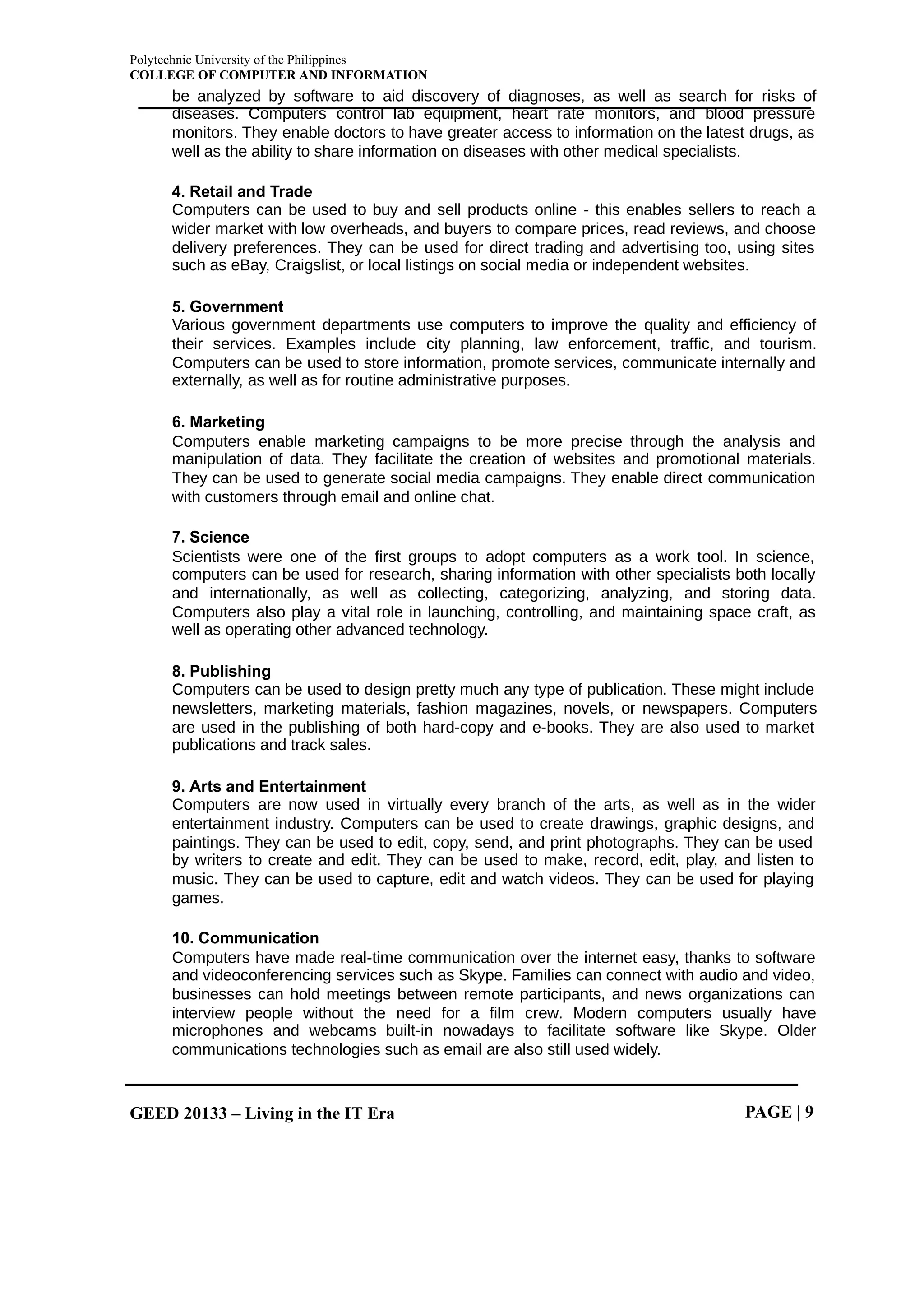
a) Tally sticks
A tally stick was an ancient memory aid device to record and document numbers,
quantities, or even messages.
Figure 1.1 Tally Sticks
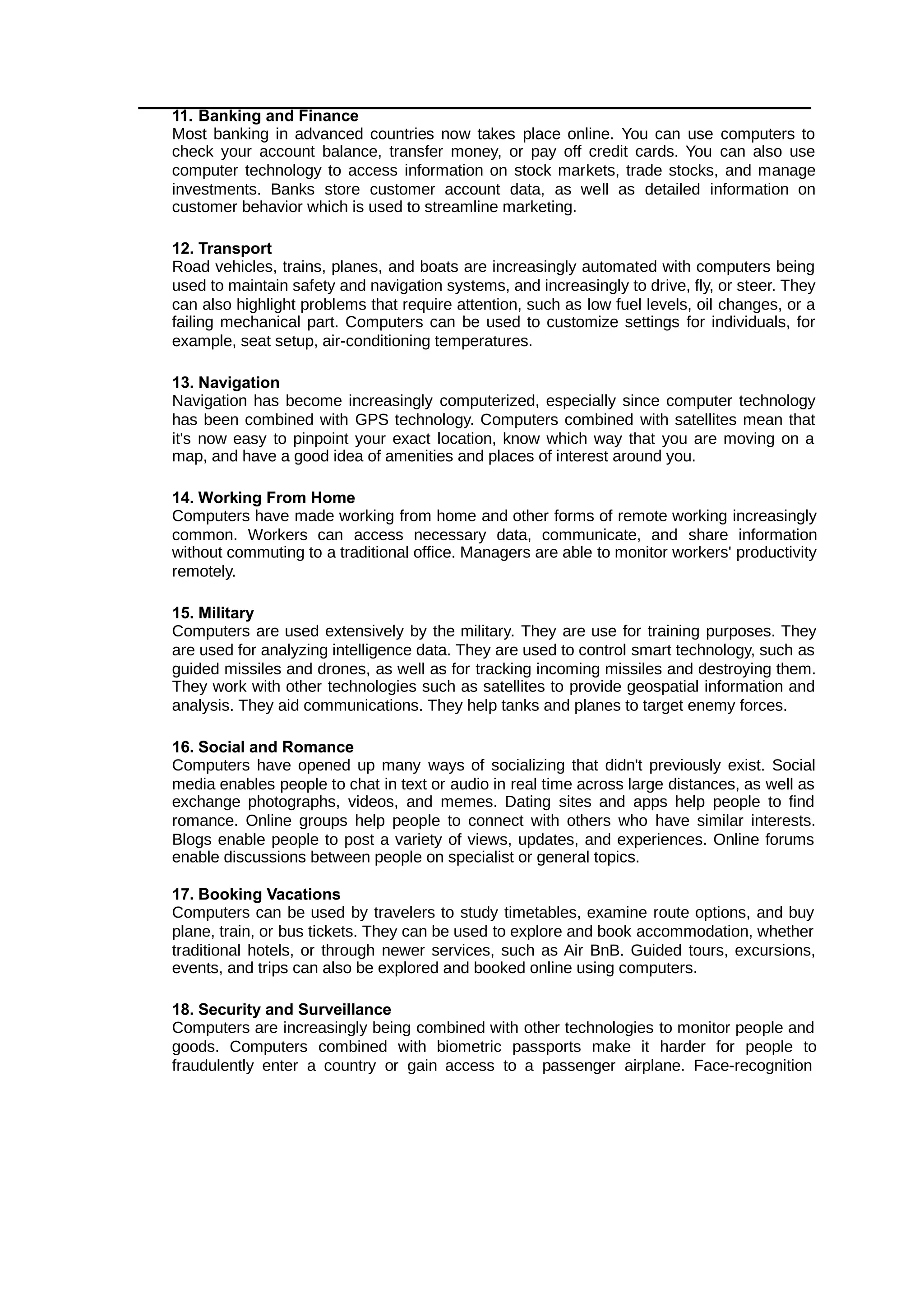
b) Abacus
An abacus is a mechanical device used to aid an individual in performing mathematical
calculations.
• The abacus was invented in Babylonia in 2400 B.C.
• The abacus in the form we are most familiar with was first used in China in around
500 B.C.
• It used to perform basic arithmetic operations.
Figure 1.2 Abacus
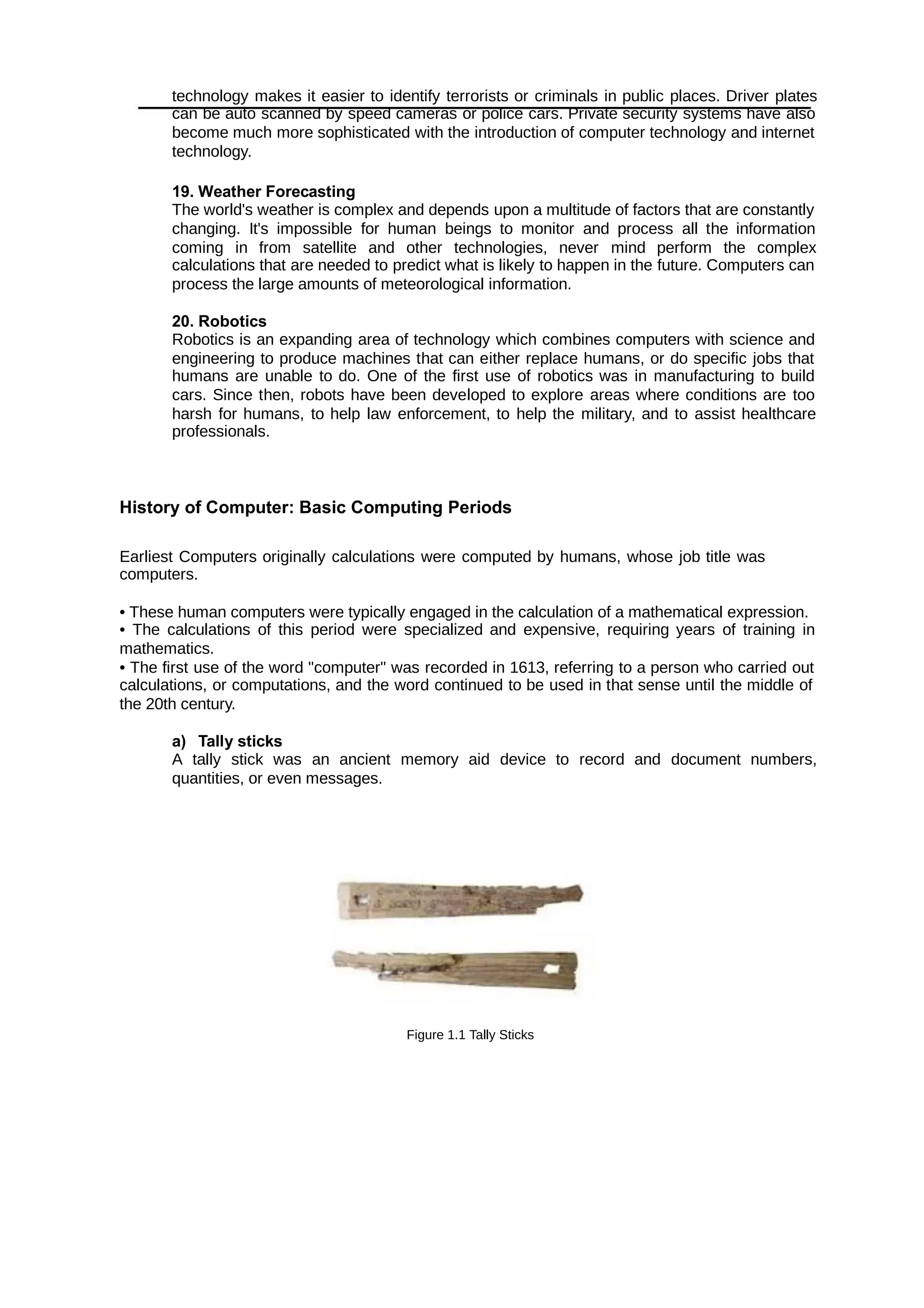
c) Napier’s Bones
• Invented by John Napier in 1614.
• Allowed the operator to multiply, divide and calculate square and cube roots by
moving the rods around and placing them in specially constructed boards.
Figure 1.3 Napie’s Bones
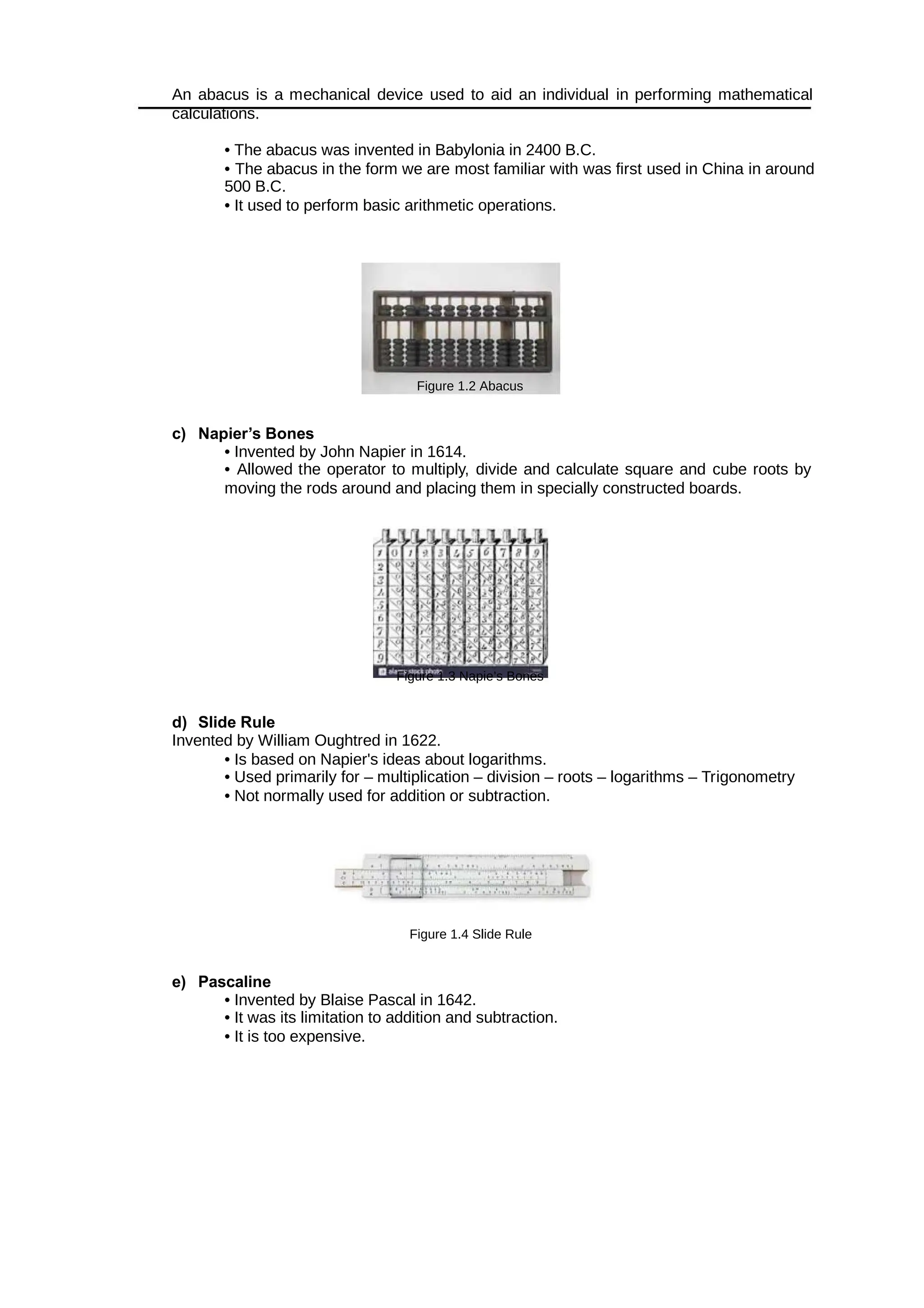
d) Slide Rule
Invented by William Oughtred in 1622.
• Is based on Napier's ideas about logarithms.
• Used primarily for – multiplication – division – roots – logarithms – Trigonometry
• Not normally used for addition or subtraction.
Figure 1.4 Slide Rule
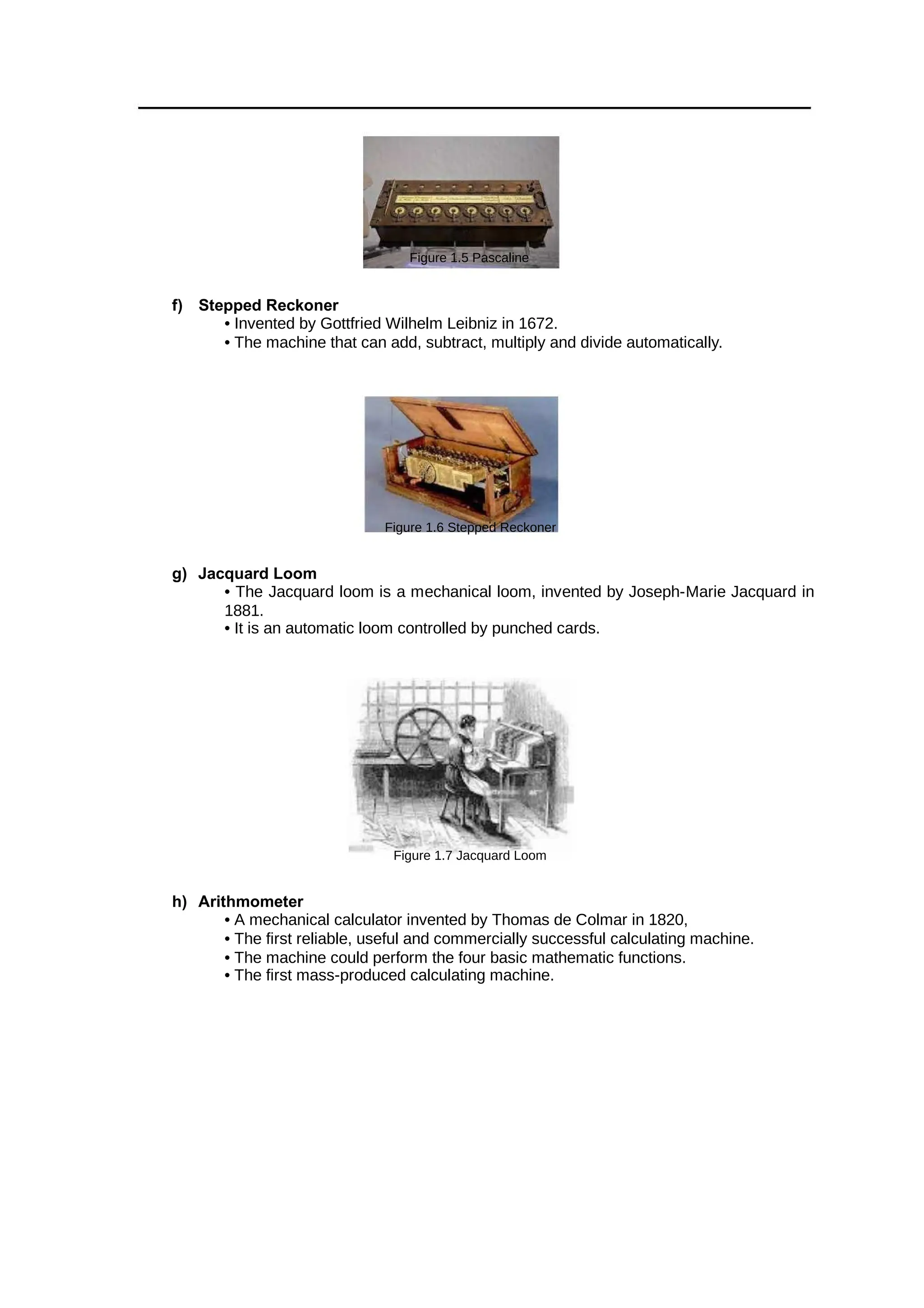
e) Pascaline
• Invented by Blaise Pascal in 1642.
• It was its limitation to addition and subtraction.
• It is too expensive.
Figure 1.5 Pascaline
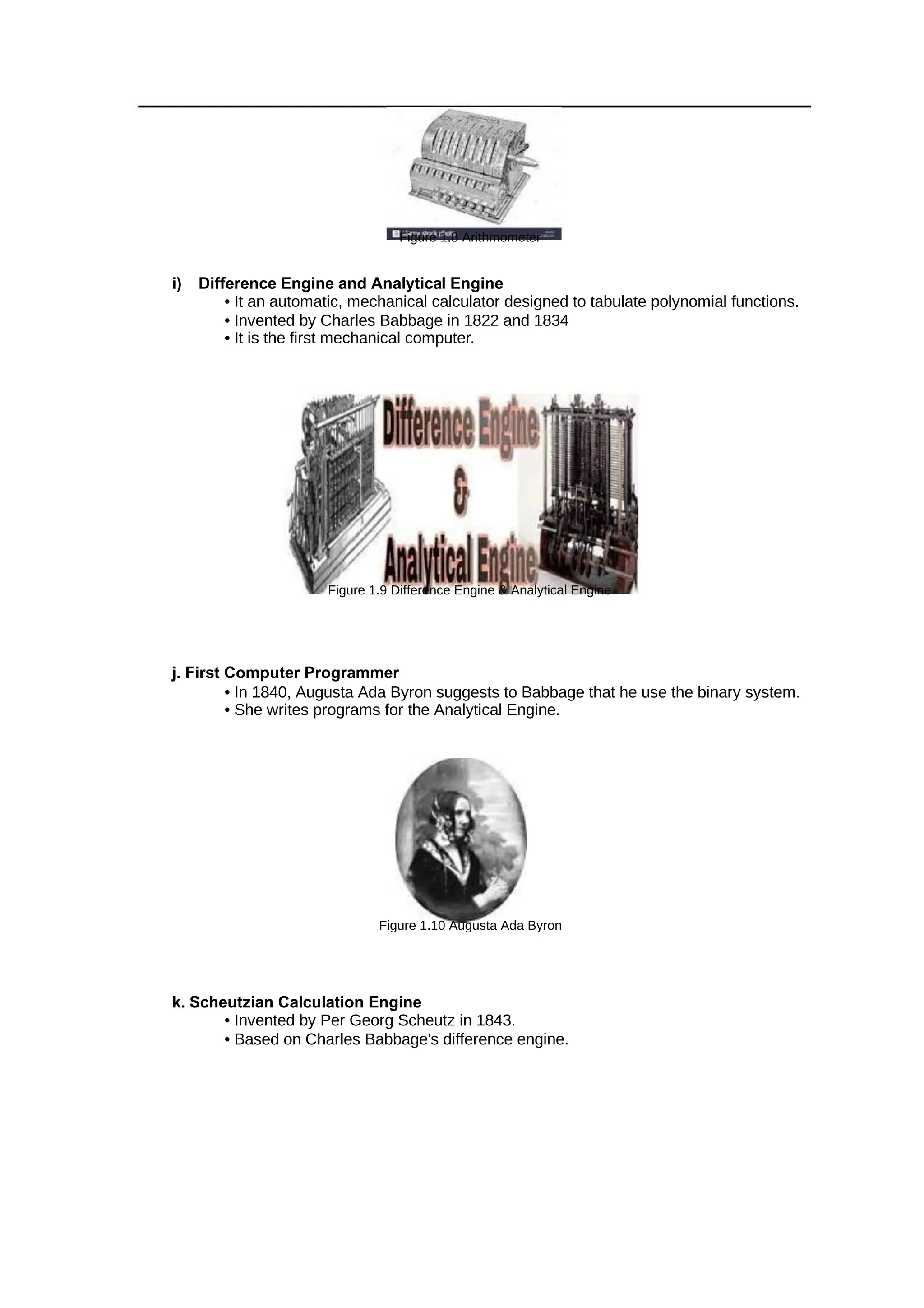
f) Stepped Reckoner
• Invented by Gottfried Wilhelm Leibniz in 1672.
• The machine that can add, subtract, multiply and divide automatically.
Figure 1.6 Stepped Reckoner
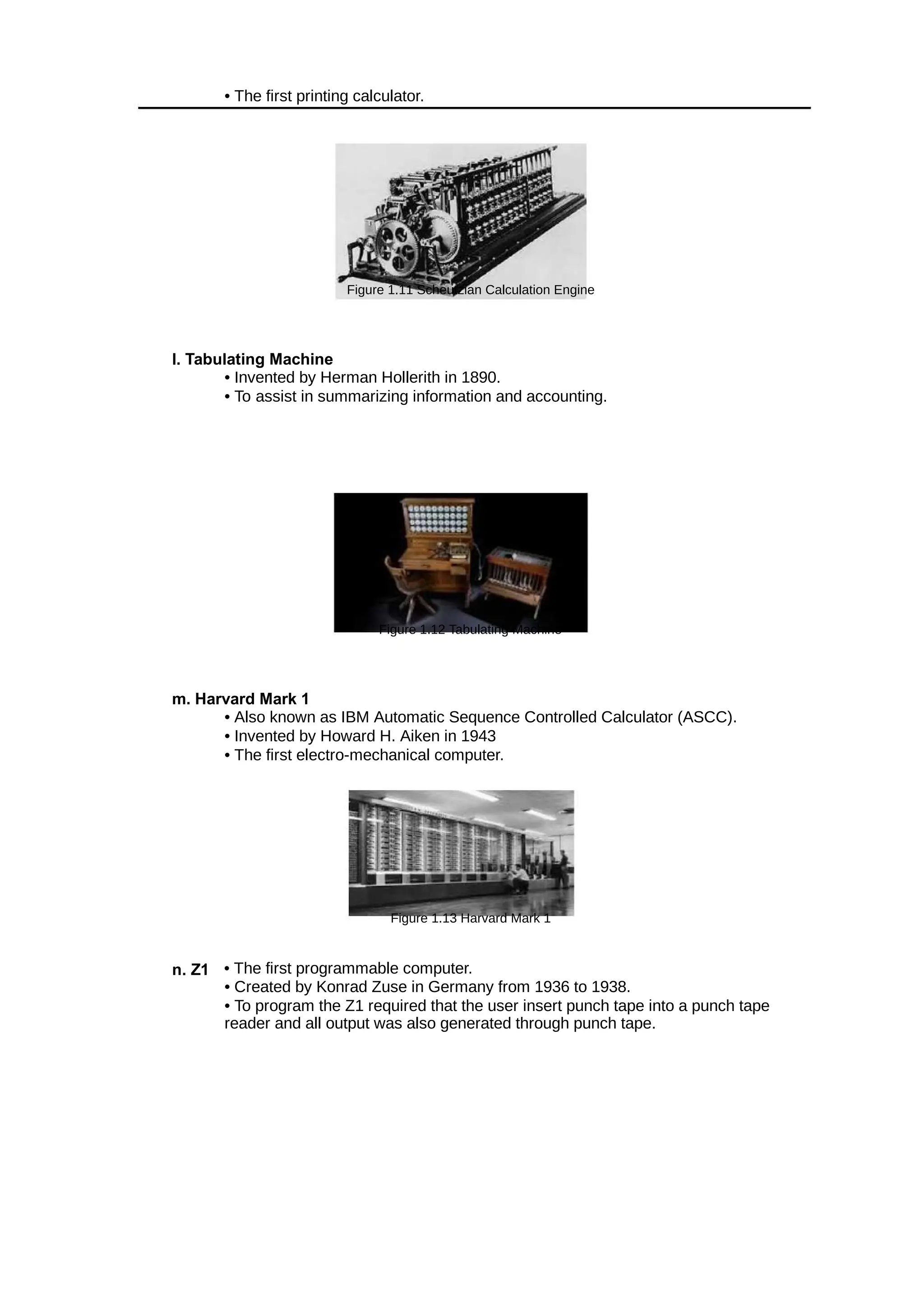
g) Jacquard Loom
• The Jacquard loom is a mechanical loom, invented by Joseph-Marie Jacquard in
1881.
• It is an automatic loom controlled by punched cards.
Figure 1.7 Jacquard Loom
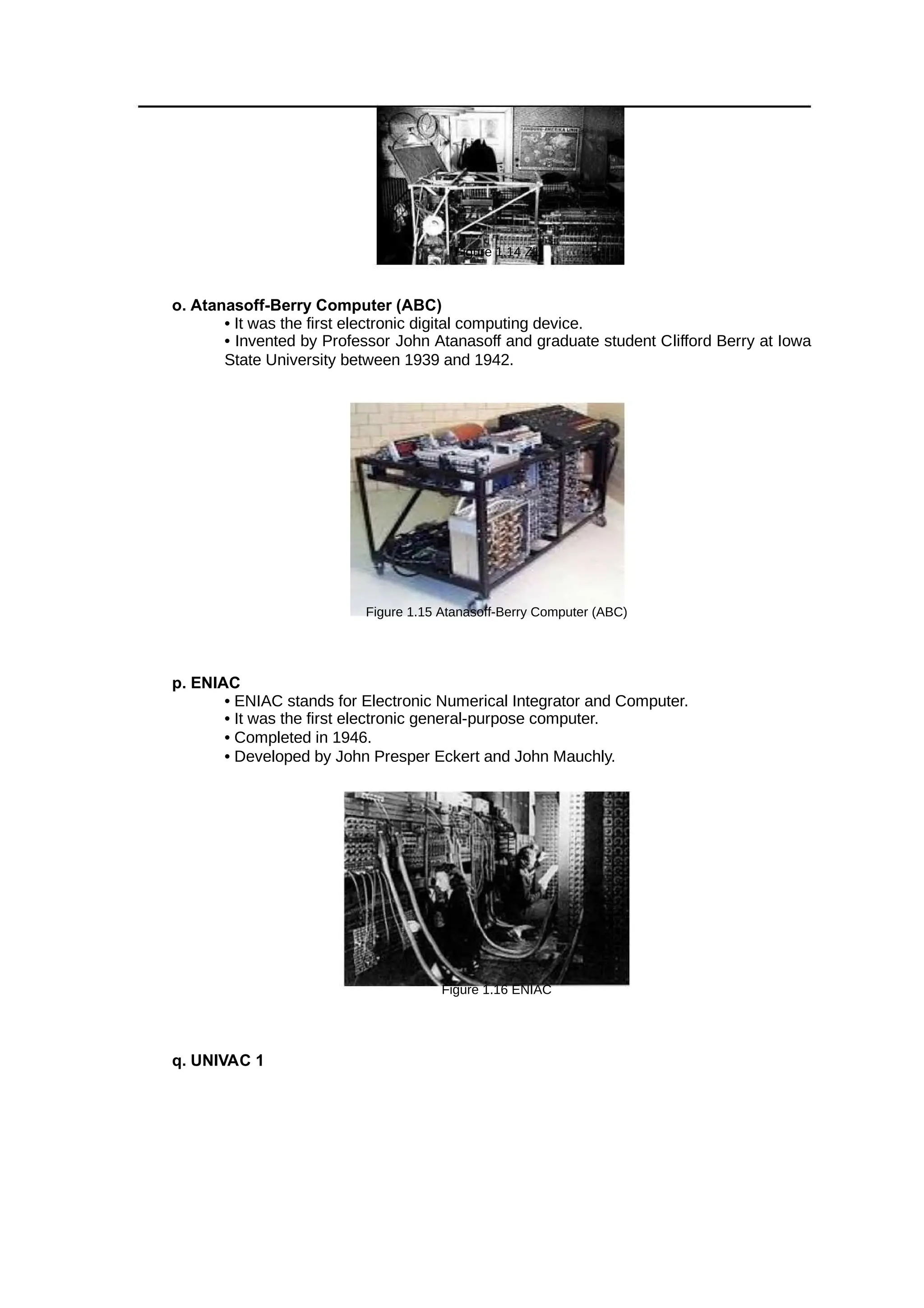
h) Arithmometer
• A mechanical calculator invented by Thomas de Colmar in 1820,
• The first reliable, useful and commercially successful calculating machine.
• The machine could perform the four basic mathematic functions.
• The first mass-produced calculating machine.
Figure 1.8 Arithmometer
i) Difference Engine and Analytical Engine
• It an automatic, mechanical calculator designed to tabulate polynomial functions.
• Invented by Charles Babbage in 1822 and 1834
• It is the first mechanical computer.
Figure 1.9 Difference Engine & Analytical Engine
j. First Computer Programmer
• In 1840, Augusta Ada Byron suggests to Babbage that he use the binary system.
• She writes programs for the Analytical Engine.
Figure 1.10 Augusta Ada Byron
k. Scheutzian Calculation Engine
• Invented by Per Georg Scheutz in 1843.
• Based on Charles Babbage's difference engine.
• The first printing calculator.
Figure 1.11 Scheutzian Calculation Engine
l. Tabulating Machine
• Invented by Herman Hollerith in 1890.
• To assist in summarizing information and accounting.
Figure 1.12 Tabulating Machine
m. Harvard Mark 1
• Also known as IBM Automatic Sequence Controlled Calculator (ASCC).
• Invented by Howard H. Aiken in 1943
• The first electro-mechanical computer.
Figure 1.13 Harvard Mark 1
n. Z1 • The first programmable computer.
• Created by Konrad Zuse in Germany from 1936 to 1938.
• To program the Z1 required that the user insert punch tape into a punch tape
reader and all output was also generated through punch tape.
Figure 1.14 Z1
o. Atanasoff-Berry Computer (ABC)
• It was the first electronic digital computing device.
• Invented by Professor John Atanasoff and graduate student Clifford Berry at Iowa
State University between 1939 and 1942.
Figure 1.15 Atanasoff-Berry Computer (ABC)
p. ENIAC
• ENIAC stands for Electronic Numerical Integrator and Computer.
• It was the first electronic general-purpose computer.
• Completed in 1946.
• Developed by John Presper Eckert and John Mauchly.
Figure 1.16 ENIAC
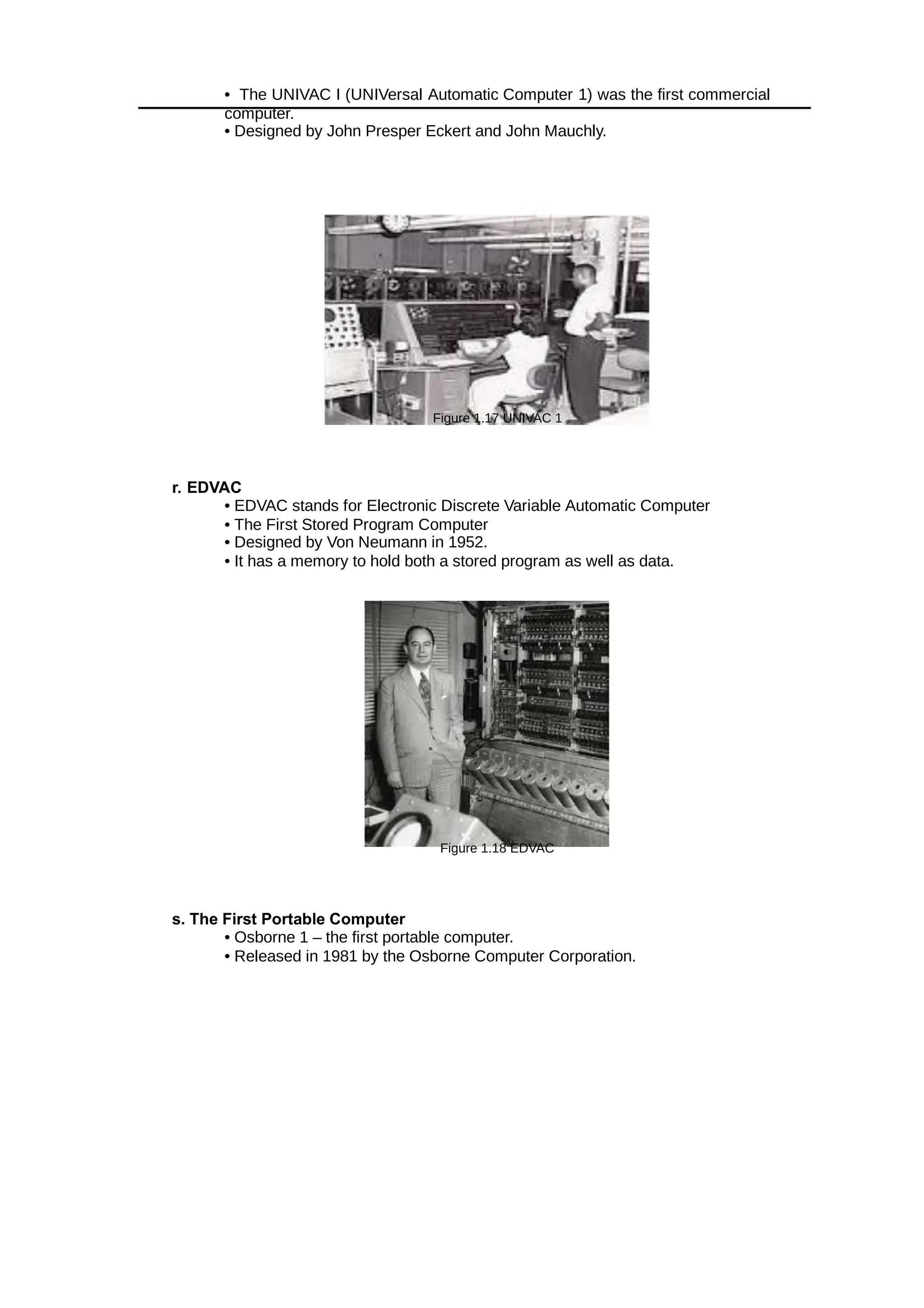
q. UNIVAC 1
• The UNIVAC I (UNIVersal Automatic Computer 1) was the first commercial
computer.
• Designed by John Presper Eckert and John Mauchly.
Figure 1.17 UNIVAC 1
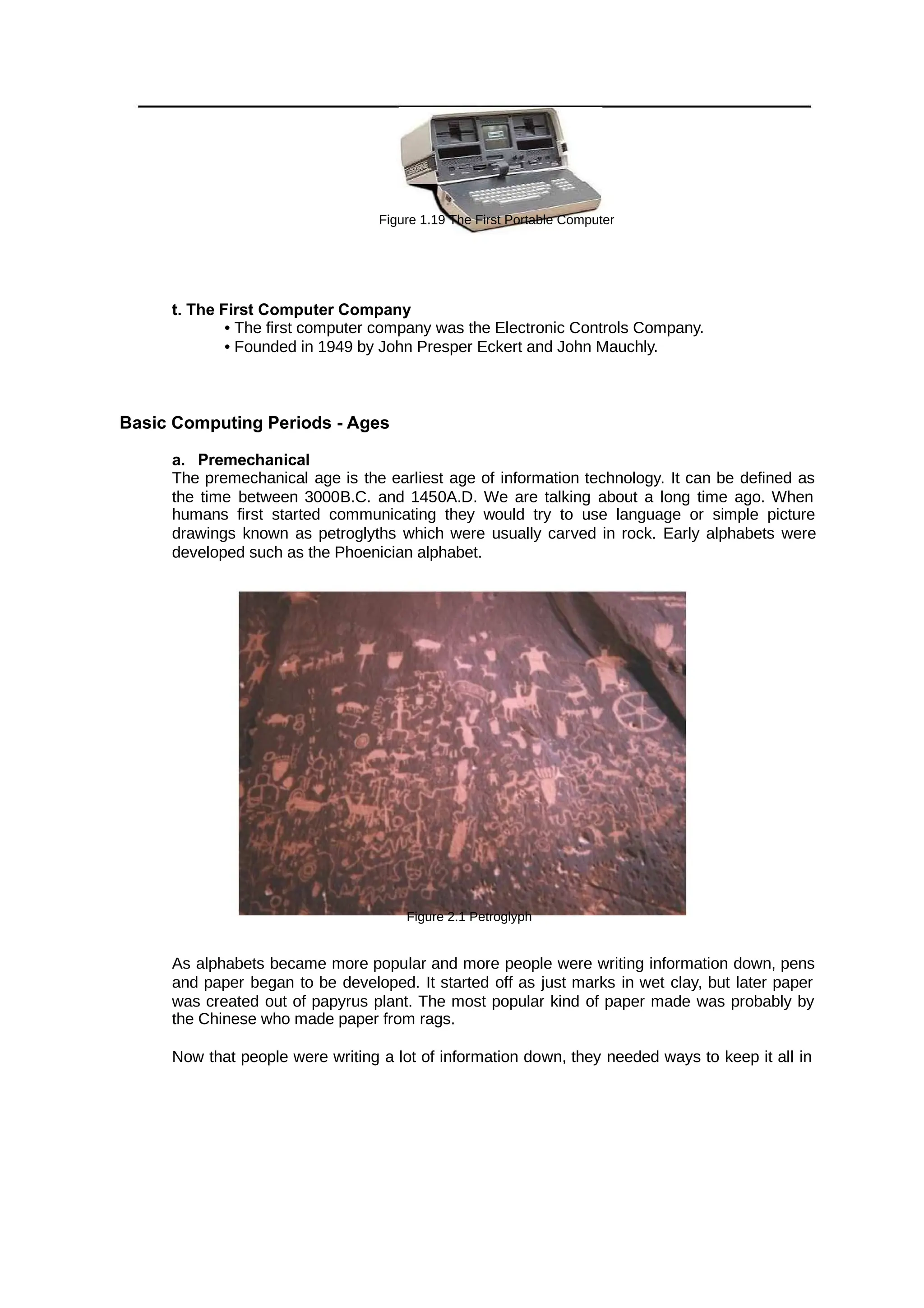
r. EDVAC
• EDVAC stands for Electronic Discrete Variable Automatic Computer
• The First Stored Program Computer
• Designed by Von Neumann in 1952.
• It has a memory to hold both a stored program as well as data.
Figure 1.18 EDVAC
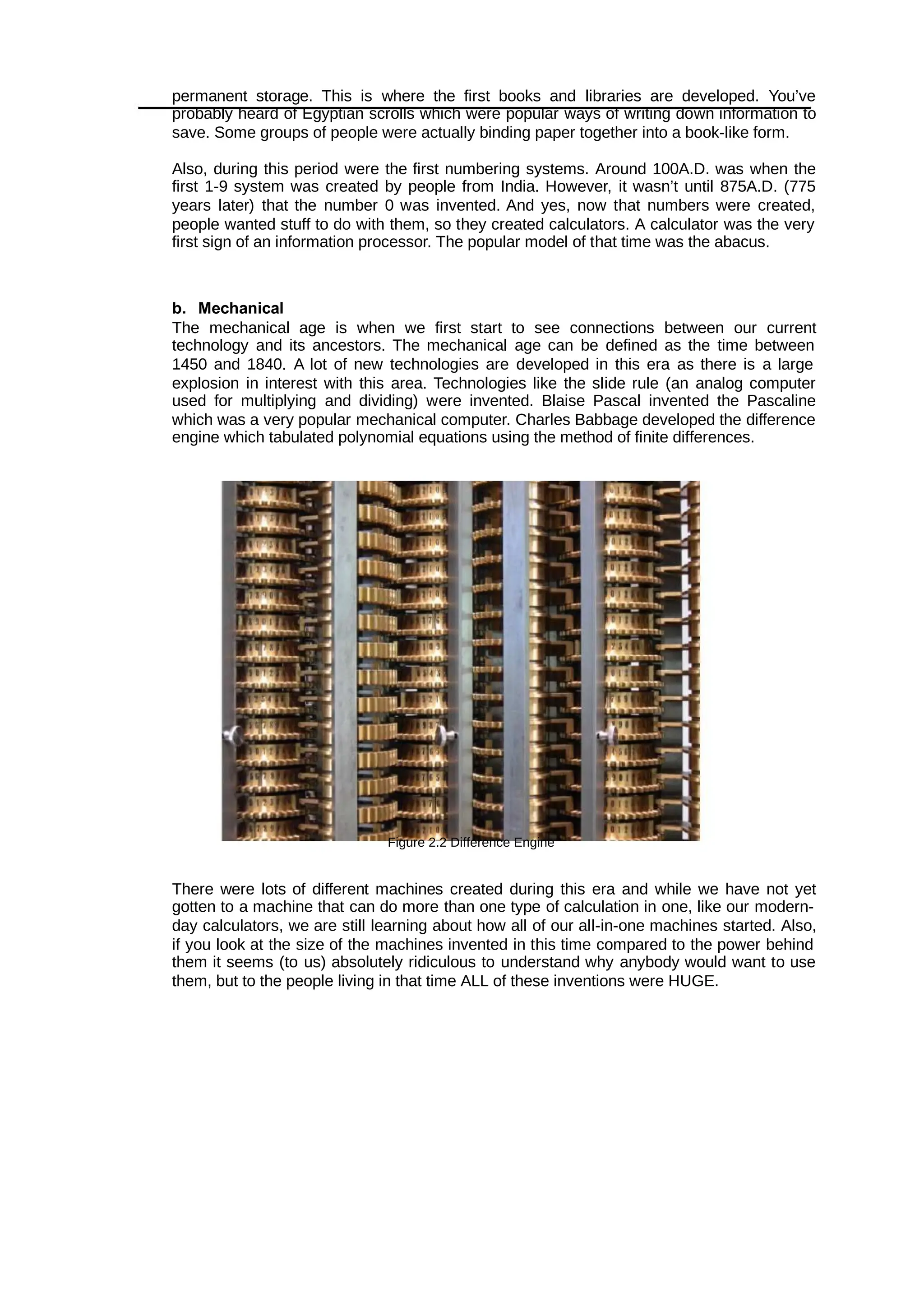
s. The First Portable Computer
• Osborne 1 – the first portable computer.
• Released in 1981 by the Osborne Computer Corporation.
Figure 1.19 The First Portable Computer
t. The First Computer Company
• The first computer company was the Electronic Controls Company.
• Founded in 1949 by John Presper Eckert and John Mauchly.
Basic Computing Periods - Ages
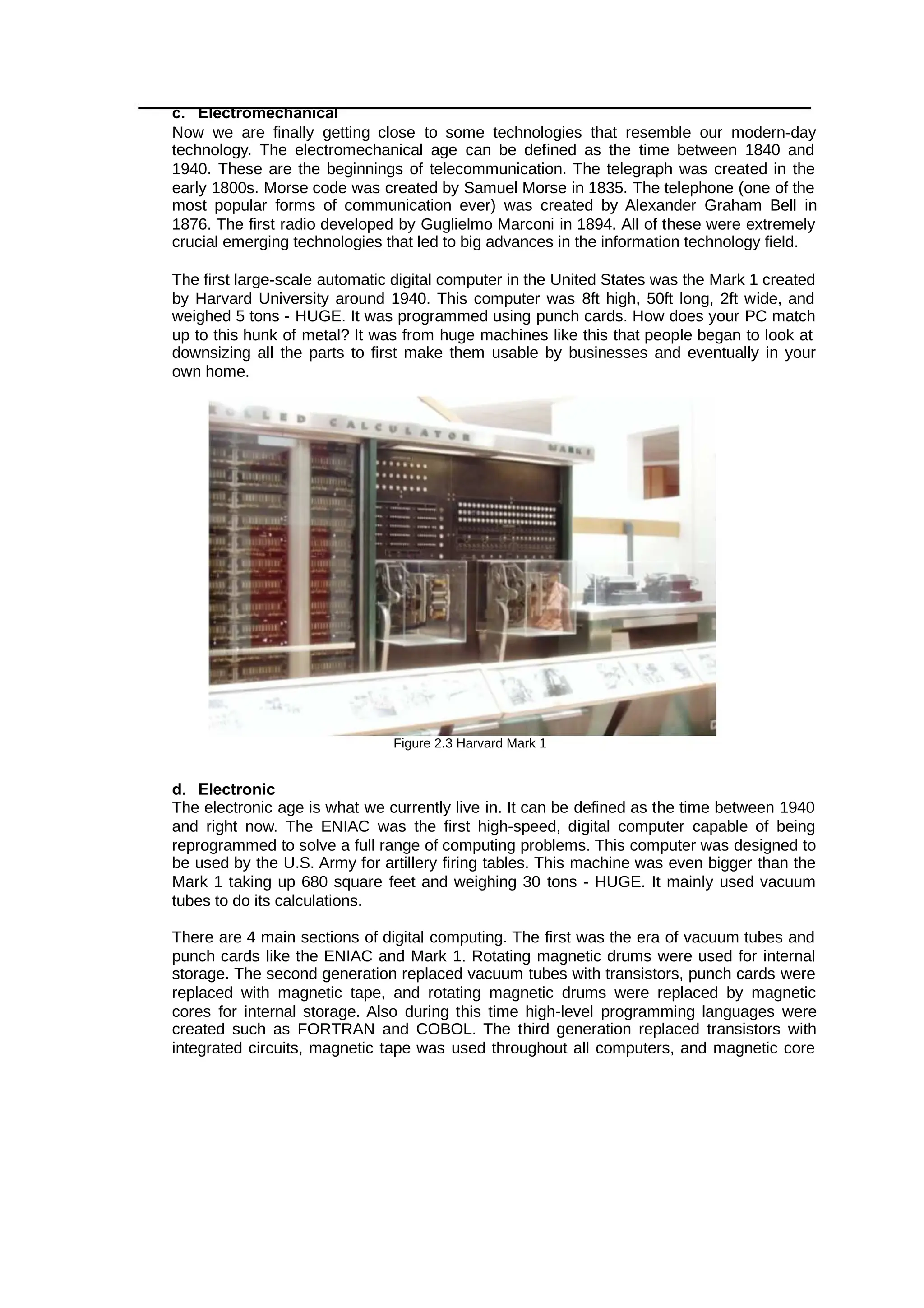
a. Premechanical
The premechanical age is the earliest age of information technology. It can be defined as
the time between 3000B.C. and 1450A.D. We are talking about a long time ago. When
humans first started communicating they would try to use language or simple picture
drawings known as petroglyths which were usually carved in rock. Early alphabets were
developed such as the Phoenician alphabet.
Figure 2.1 Petroglyph
As alphabets became more popular and more people were writing information down, pens
and paper began to be developed. It started off as just marks in wet clay, but later paper
was created out of papyrus plant. The most popular kind of paper made was probably by
the Chinese who made paper from rags.
Now that people were writing a lot of information down, they needed ways to keep it all in
permanent storage. This is where the first books and libraries are developed. You’ve
probably heard of Egyptian scrolls which were popular ways of writing down information to
save. Some groups of people were actually binding paper together into a book-like form.
Also, during this period were the first numbering systems. Around 100A.D. was when the
first 1-9 system was created by people from India. However, it wasn’t until 875A.D. (775
years later) that the number 0 was invented. And yes, now that numbers were created,
people wanted stuff to do with them, so they created calculators. A calculator was the very
first sign of an information processor. The popular model of that time was the abacus.
b. Mechanical
The mechanical age is when we first start to see connections between our current
technology and its ancestors. The mechanical age can be defined as the time between
1450 and 1840. A lot of new technologies are developed in this era as there is a large
explosion in interest with this area. Technologies like the slide rule (an analog computer
used for multiplying and dividing) were invented. Blaise Pascal invented the Pascaline
which was a very popular mechanical computer. Charles Babbage developed the difference
engine which tabulated polynomial equations using the method of finite differences.
Figure 2.2 Difference Engine
There were lots of different machines created during this era and while we have not yet
gotten to a machine that can do more than one type of calculation in one, like our modern-
day calculators, we are still learning about how all of our all-in-one machines started. Also,
if you look at the size of the machines invented in this time compared to the power behind
them it seems (to us) absolutely ridiculous to understand why anybody would want to use
them, but to the people living in that time ALL of these inventions were HUGE.
c. Electromechanical
Now we are finally getting close to some technologies that resemble our modern-day
technology. The electromechanical age can be defined as the time between 1840 and
1940. These are the beginnings of telecommunication. The telegraph was created in the
early 1800s. Morse code was created by Samuel Morse in 1835. The telephone (one of the
most popular forms of communication ever) was created by Alexander Graham Bell in
1876. The first radio developed by Guglielmo Marconi in 1894. All of these were extremely
crucial emerging technologies that led to big advances in the information technology field.
The first large-scale automatic digital computer in the United States was the Mark 1 created
by Harvard University around 1940. This computer was 8ft high, 50ft long, 2ft wide, and
weighed 5 tons - HUGE. It was programmed using punch cards. How does your PC match
up to this hunk of metal? It was from huge machines like this that people began to look at
downsizing all the parts to first make them usable by businesses and eventually in your
own home.
Figure 2.3 Harvard Mark 1
d. Electronic
The electronic age is what we currently live in. It can be defined as the time between 1940
and right now. The ENIAC was the first high-speed, digital computer capable of being
reprogrammed to solve a full range of computing problems. This computer was designed to
be used by the U.S. Army for artillery firing tables. This machine was even bigger than the
Mark 1 taking up 680 square feet and weighing 30 tons - HUGE. It mainly used vacuum
tubes to do its calculations.
There are 4 main sections of digital computing. The first was the era of vacuum tubes and
punch cards like the ENIAC and Mark 1. Rotating magnetic drums were used for internal
storage. The second generation replaced vacuum tubes with transistors, punch cards were
replaced with magnetic tape, and rotating magnetic drums were replaced by magnetic
cores for internal storage. Also during this time high-level programming languages were
created such as FORTRAN and COBOL. The third generation replaced transistors with
integrated circuits, magnetic tape was used throughout all computers, and magnetic core
turned into metal oxide semiconductors. An actual operating system showed up around this
time along
with the advanced programming language BASIC. The fourth and latest generation brought
in CPUs (central processing units) which contained memory, logic, and control circuits all on
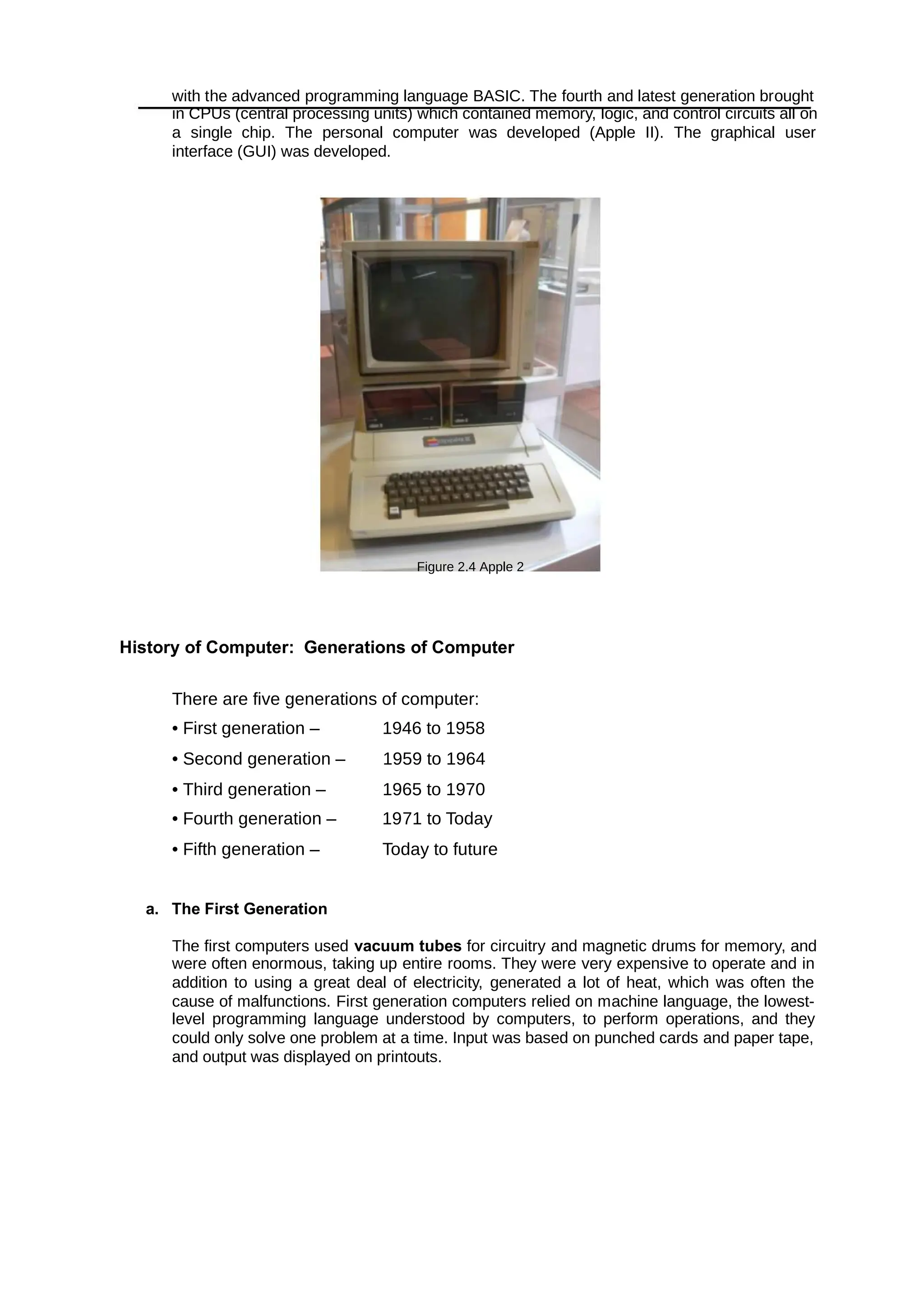
a single chip. The personal computer was developed (Apple II). The graphical user
interface (GUI) was developed.
Figure 2.4 Apple 2
History of Computer: Generations of Computer
There are five generations of computer:
• First generation – 1946 to 1958
• Second generation – 1959 to 1964
• Third generation – 1965 to 1970
• Fourth generation – 1971 to Today
• Fifth generation – Today to future
a. The First Generation
The first computers used for circuitry and magnetic drums for memory, and
vacuum tubes
were often enormous, taking up entire rooms. They were very expensive to operate and in
addition to using a great deal of electricity, generated a lot of heat, which was often the
cause of malfunctions. First generation computers relied on machine language, the lowest-
level programming language understood by computers, to perform operations, and they
could only solve one problem at a time. Input was based on punched cards and paper tape,
and output was displayed on printouts.
Examples: – ENIAC – EDSAC – UNIVAC I, UNIVAC II, UNIVAC 1101
b. The Second Generation
Transistors replaced vacuum tubes and ushered in the second generation of computers. One
transistor replaced the equivalent of 40 vacuum tubes. Allowing computers to become smaller,
faster, cheaper, more energy-efficient and more reliable. Still generated a great deal of heat
that can damage the computer.
Second-generation computers moved from cryptic binary machine language to symbolic, or
assembly, languages, which allowed programmers to specify instructions in words. Second-
generation computers still relied on punched cards for input and printouts for output. These
were also the first computers that stored their instructions in their memory, which moved from a
magnetic drum to magnetic core technology.
Examples: UNIVAC III, RCA 501, Philco Transact S-2000, NCR 300 series, IBM 7030
Stretch, IBM 7070, 7080, 7090 series
c. The Third Generation
The development of the integrated circuit was the hallmark of the third generation of
computers. Transistors were miniaturized and placed on silicon chips, called semiconductors,
which drastically increased the speed and efficiency of computers. It could carry out
instructions in billionths of a second. Much smaller and cheaper compare to the second-
generation computers.
d. The Fourth Generation
The brought the fourth generation of computers, as thousands of integrated
microprocessor
circuits were built onto a single silicon chip. As these small computers became more powerful,
they could be linked together to form networks, which eventually led to the development of the
Internet.
Fourth generation computers also saw the development of GUIs, the mouse and handheld
devices.
e. The Fifth Generation
Based on Still in development. The use of parallel processing and
Artificial Intelligence (AI).
superconductors is helping to make artificial intelligence a reality. The goal is to develop
devices that respond to natural language input and are capable of learning and self-
organization. There are some applications, such as voice recognition, that are being used
today.
Polytechnic University of the Philippines
COLLEGE OF COMPUTER AND INFORMATION
GEED 20133 – Living in the IT Era PAGE | 25
References
• https://ftms.edu.my/v2/wp-content/uploads/2019/02/csca0201_ch01.pdf
• https://www.sutori.com/story/history-of-ict-information-and-communications-technology--
N7J51bQqSU7vLWcVfdn5M9qa
• https://www.livescience.com/20718-computer-history.html
• https://www.explainthatstuff.com/historyofcomputers.html
Assessment
Instruction: Encircle the letter that corresponds to the right answer.
1) What was the name of first computer designed by Charles Babbage?
Analytical Engine
Difference Engine
Colossus
ENIAC
2) Which was the first electronics digital programmable computing device?
Analytical Engine
Difference Engine
Colossus
ENIAC
3) EDVAC stands for .
Electronic Discrete Variable Automatic Calculator
Electronic Discrete Variable Automatic Computer
Electronic Data Variable Automatic Calculator
Electronic Data Variable Automatic Computer
4) Which was the first commercial computer?
Mark 1
Analytical Engine
Difference Engine
Colossus
5) UNIVAC stands for .
Universal Automatic Calculator
Universal Native Input Automatic computer
Universal Native Input Automatic calculator
Universal Automatic Computer
6) ENIAC stands for .
Electronic Numerical Integrator And Computer
Electronic Numerical Integrator And Calculator
Electronic Numerical Integrator Automatic Computer
Electronic Numerical Integrator Automatic Calculator
7) John Mauchly and J. Presper Eckert are the inventors of computer.
UNIAC
ENIAC
Polytechnic University of the Philippines
COLLEGE OF COMPUTER AND INFORMATION
GEED 20133 – Living in the IT Era PAGE | 26
EDSAC
Mark 1
8) Who invented the punch card?
Charles Babbage
Semen Korsakov
Herman Hollerith
Joseph Marie Jacquard
9) In the late , Herman Hollerith invented data storage on punched cards
that could then be read by a machine.
1860
1900
1890
1880
10) Which electronic components are used in First Generation Computers?
Transistors
Integrated Circuits
Vacuum Tubes
Microprocessor
11) Which electronic components are used in Second Generation Computers?
Transistors
Integrated Circuits
Vacuum Tubes
Microprocessor
12) Which electronic components are used in Third Generation Computers?
Transistors
Integrated Circuits
Vacuum Tubes
Microprocessor
13) Which electronic components are used in Fourth Generation Computers?
Transistors
Integrated Circuits
Vacuum Tubes
Microprocessor
14) Which electronic components are used in Fifth Generation Computers?
Transistors
Integrated Circuits
Vacuum Tubes
Microprocessor
15) ENIAC Computer belongs to .
First Generation Computers
Second Generation Computers
Third Generation Computers
Fourth Generation Computers
MODULE 3: THE WEB AND THE
INTERNET
Overview
Internet is defined as an information superhighway, to access information over the
web. However, it can be defined in many ways, internet is a world-wide global system of
interconnected computer networks.
Objectives
At the end of this lesson, the student should be able to:
• Explore the current breakthrough technologies and disruptive innovations that have
emerged over the past few years.
• Identify and analyze various emerging technologies.
• Explore the evolution of the internet.
• Identify and understand the different uses of internet in today’s generation.
• Discuss the fundamental terms and definitions used in the internet.
Lesson 1: The Web
The Web (World Wide Web) consists of information organized into Web pages containing text and
graphic images. The world wide web is larger collection of interconnected documents or content. It
contains hypertext links, or highlighted keywords and images that lead to related information. A
collection of linked Web pages that has a common theme or focus is called a Web site. The main
page that all of the pages on a particular Web site are organized around and link back to is called
the site’s home page. Sir Timothy John Berners-Lee OM KBE FRS FREng FRSA FBCS, also
known as TimBL, is an English engineer and computer scientist best known as the inventor of the
World Wide Web. He is a Professorial Fellow of Computer Science at the University of Oxford and
a professor at the Massachusetts Institute of Technology.
A. Web 1.0 (Read Only Static Web)
It is an old internet that only allows people to read from the internet. First stage worldwide linking
web pages and hyperlink. Web is use as “information portal”. It uses table to positions and align
elements on page.
• Most read only web. If focused on company’s home pages.
• Dividing the world wide web into usable directories
• It means web is use as “Information Portal”
• It started with the simple idea “put content together”
Example of Web 1.0
• Mp3.com
• Home Page
• Directories
• Page Views
• HTML/Portals.
Disadvantages
• Read only web
• Limited user interaction
• Lack of standards
B. Web 2.0 (Read-write interactive web)
A term used to describe a new generation of Web services and applications with an increasing
emphasis on human collaboration.
 It is a platform that gives users the possibility (liberty) to control their data.
 This is about user-generated content and the read-write web.
 People are consuming as well as contributing information through blogs or sites.
 Allows the user to interact with the page known as DYNAMIC PAGE; instead of just reading
a page, the user may be able to comment or create a user account. Dynamic page refers to
the web pages that are affected by user input or preference.
 Is focused on the ability for people to collaborate and share information online via social
media, blogging and -based communities.
Web
Example of Web 2.0 are the following:
A. Social Networking - is the use of Internet-based social media sites to stay connected
with friends, family, colleagues, customers, or clients. Social networking can have
a social purpose, a business purpose, or both, through sites such as:
Example
Facebook
Twitter
LinkedIn
Google+
Pinterest
Tumblr
Instagram
Page
B. Blogs - is a discussion or informational website published on the world wide
web consisting of discrete, often informal diary-style text entries (posts). Posts are typically
displayed in reverse chronological order, so that the most recent post appears first, at the
top of the web page.
Example
Wordpress Blogger Tumbler
C. Wikis - is a hypertext publication collaboratively edited and managed by its own
audience directly using a web browser. A typical wiki contains multiple pages for the
subjects or scope of the project and may be either open to the public or limited to use within
an organization for maintaining its internal knowledge base.
Example:
Polytechnic University of the Philippines
COLLEGE OF COMPUTER AND INFORMATION
GEED 20133 – Living in the IT Era PAGE | 30
Wikipedia
Wikibooks
Wikiversity
Commons
Wiktionary
Wikiquote
Wikivoyage
Wikidata
Wikinews
Wikispecies
MediaWiki
D. Video Sharing Sites - a website
that lets people upload and share
their video clips with the public at
large or to invited guests.
Ex
a
m
pl
e:
Youtube
Facebook
LinkedIn
Flickr
Photobuc
ket
LinkedIn
Flickr
P
h
o
t
o
b
u
c
k
e
t
T
w
i
t
t
e
r
V
e
o
h
D
a
i
l
y
m
o
t
i
o
n
V
i
m
e
Polytechnic University of the Philippines
COLLEGE OF COMPUTER AND INFORMATION
GEED 20133 – Living in the IT Era PAGE | 31
oPR
O
Myspace
.com
Metacaf
e
K
e
y
F
e
a
t
u
r
e
s
o
f
W
e
b
2
.
0
:
 Folks
onom
y –
allow
s
users
to
categ
orize
and
classi
fy/arr
ange
infor
matio
n
using
freely
chosen keywords (e.g.
tagging).
 Rich User Interface – content
is dynamic and is responsive
to user’s input. An example
would be a website that shows
local content.
 User Participation – the
owner of website is not the
only one who is able to put
content. Others are able to
place a content on their own
by means of comments,
reviews, and evaluation.
 Long Tail – services are
offered on demand rather than
on a one-time purchase. This
is synonymous to subscribing
to a data plan that charges you
for the amount of time you
spent on Internet or a data
plan that charges you for the
amount of bandwidth you
used.
C. Web 3.0: (Read-write intelligent web)
• Suggested name by John
Markoff of the New York Times
for the third generation of the
web.
• In this generation, all the
application on web or mobile
will be upgraded with more
features. It applies same
principles as Web 2.0: two-
way interaction.
• Web 3.0 will be more
connected, open, and
intelligent, with semantic web
technologies, distributed
databases, natural language
processing, machine learning,
machine reasoning and
autonomous agents.
• Semantic Web - provides a
framework that allows data to
be shared and reuse to deliver
web content specifically
targeting the user.
• It is a web of data.
• Changing the web into a
language that can be read and
categorized by the system
rather than humans.
Polytechnic University of the Philippines
COLLEGE OF COMPUTER AND INFORMATION
GEED 20133 – Living in the IT Era PAGE | 32
T
y
p
e
s
o
f
w
e
b
s
i
t
e
s
:
• eCommer
ce
Website
is a website people
can directly buy
products from you’ve
probably used a
number
of eCommerce
websites before, most
big brands and plenty
of smaller ones
Polytechnic University of the Philippines
COLLEGE OF COMPUTER AND INFORMATION
GEED 20133 – Living in the IT Era PAGE | 33
have one. Any website that includes a shopping cart and a way for you to provide
credit card information to make a purchase falls into this category.
• Business Website
is any website that’s devoted to representing a specific business. It should
be branded like the business (the same logo and positioning) and communicate the
types of products and/or services the business offers.
• Entertainment Website
If you think about your internet browsing habits, you can probably think of a
few websites that you visit purely for entertainment purposes.
• Portfolio Website
are sites devoted to showing examples of past work. Service providers who
want to show potential clients the quality of the work they provide can use a portfolio
website to collect some of the best samples of past work they’ve done. This type of
website is simpler to build than a business website and more focused on a particular
task: collecting work samples.
• Media Website
collect news stories or other reporting. There’s some overlap here with
entertainment websites, but media websites are more likely to include reported
pieces in addition to or instead of content meant purely for entertainment.
• Brochure Website
are a simplified form of business websites. For businesses that know they
need an online presence, but don’t want to invest a lot into it (maybe you’re
confident you’ll continue to get most of your business from other sources), a simple
brochure site that includes just a few pages that lay out the basics of what you do
and provide contact information may be enough for you.
• Nonprofit Website
In the same way that businesses need websites to be their online presence,
nonprofits do as well. A nonprofit website is the easiest way for many potential
donors to make donations and will be the first place many people look to learn more
about a nonprofit and determine if they want to support it.
• Educational Website
The websites of educational institutions and those offering online courses fall
into the category of educational websites. These websites have the primary goal of
either providing educational materials to visitors or providing information on an
educational institution to them.
• Infopreneur Website
websites overlap a bit with business and eCommerce websites, but they
represent a unique type of online business. Infopreneurs create and sell information
products. That could be in the form of courses, tutorials, videos or eBooks.
• Personal Website
Not all websites exist to make money in some way or another. Many people
find value in creating personal websites to put their own thoughts out into the world.
This category includes personal blogs, vlogs, and photo diaries people share with
the world.
• Web Portal
are often websites designed for internal purposes at a business,
organization, or institution. They collect information in different formats from different
sources into one place to make all relevant information accessible to the people
who need to see it. They often involve a login and personalized views for different
users that ensure the information that’s accessible is most useful to their particular
needs.
• Wiki or Community Forum Website
Most people are familiar with wikis through the most famous example of one
out there: Wikipedia. But wikis can be created on pretty much any subject you can
imagine. A wiki is any website where various users are able to collaborate on
content and all make their own tweaks and changes as they see fit. There are wikis
for fan communities, for business resources, and for collecting valuable information
sources.
Lesson 2: The Internet
The Internet or “net” (network of network) is the largest computer network in the world that
connects billions of computer user. The word internet comes from combination between
“interconnection” and “network”. Network is a collection of computers and devices connected via
communication channels and transmission media allow to share resources (hardware, software,
data, information). Generally, nobody owns the internet.
A. Brief History of Internet
ARPA – Advanced Research Project Agency January 2, 1969 – started an experimental
computer network. Concept – No server, but equal importance/participation to every computer in
the network. Even if, one or two node destroyed that will now affect the network. In 1982 the word
internet started. 1986 – First “ free net” created in Case Western Reserve University 1991: US
government allowed business agencies to connect to internet. Now all people can connect to the
internet and improve their life and work quality. The internet support various aspects in our life.
Vinton Gray Cerf ForMemRS is an American Internet pioneer and is recognized as one of "the
fathers of the Internet", sharing this title with TCP/IP co-developer Bob Kahn.
B. Major Components of the Internet
1. Servers – is a computer program that provides service to another computer program
and it’s user.
Types of Servers
Application Server – a program in computer that provides the business
logic for an application program.
Web Server – a computer program that serves requested HTML pages or
files.
Proxy Server – is a software that acts as an intermediary between an
endpoint device, such as computer and another server
from which a user is requesting.
Mail Server – is an application that receives incoming e-mail from local
users and remote senders and forward outgoing e-mail for
delivery
File Server – is a computer responsible for central storage and
management of data files so that other computer on the same
network can access them.
Policy Server – is a security component of a policy – based network that
provides authorization services and facilities tracking and
control of files.
2. IP Address (Internet Protocol) – is a numerical label assigned to each device. This
provides identity to a network device.
3. Browser – is an application program that provides a way to look information on
Polytechnic University of the Philippines
COLLEGE OF COMPUTER AND INFORMATION
GEED 20133 – Living in the IT Era PAGE | 36
the web.
Example of browsers: Google chrome, safari, internet explorer, opera,
Mozilla
4. Domain Name System (DNS) – is the phonebook of internet. We access information
online through domain names.
Example of DNS: www.facebook.com, www.pup.edu.ph,www.academia.edu
Name Entity
.com commercial
.org organization
.net network
.edu education
.gov National and State Government Agencies
.ph Philippines
.au Australia
5. Internet Service Provide (ISP) – is an organization that provides services for accessing,
using or participating in the internet.
Two types of ISP:
National ISP – provided internet access to a specific geographic
area.
Regional ISP – business that provides internet access in cities and
towns nationwide.
Example of ISP: Sky Broadband, PLDT, Converge
C. Uses of Internet
• Look for information
• School works, jobs, and home purposes
• Send and receive electronic mail
• Video teleconferencing (video call, video chat)
• Buy and sell product
• Social networking
• Watch & post videos
• Games
• Take college courses
• Monitor home while away
• Financial transactions
• Download music and movies
D. Internet Terms and Definition
• Internet - A global network of thousands of computer networks linked by data lines and
wireless systems.
• Web – a collection of billions of webpages that you can view with a web browser
Polytechnic University of the Philippines
COLLEGE OF COMPUTER AND INFORMATION
GEED 20133 – Living in the IT Era PAGE | 37
• Email – the most common method of sending and receiving messages online
• Social media – websites and apps that allow people to share comments, photos, and videos
• Online gaming – games that allow people to play with and against each other over the
Internet
• Software updates – operating system and application updates can
typically downloaded from the Internet
• HTML - Hypertext Markup Language is a coding language used to tell a browser how to
place pictures, text, multimedia and links to create a web page. When a user clicks on a link
within a web page, that link, which is coded with HTML, links the user to a specific linked
web page.
• URL - Uniform Resource Locator is a web address used to connect to a remote resource
on the world wide web.
• Bit - is a single digit in the binary numbering system (base 2). For example: 1 is a bit or 0 is
a bit.
• Byte - generally consists of eight bits.
• Upload - To upload is to transfer data from your computer to another computer.
• Download - To download is to transfer data from another computer to your computer.
• HTTP - is the acronym for Hypertext Transfer Protocol, the data communication standard of
web pages. When a web page has this prefix, the links, text, and pictures should work
correctly in a web browser.
• HTTPS - is the acronym for Hypertext Transfer Protocol Secure. This indicates that the web
page has a special layer of encryption added to hide your personal information and
passwords from others.
• Router or router-modem combination is the hardware device that acts as the traffic cop
for network signals arriving at your home or business from your ISP. A router can be wired
or wireless or both.
• Encryption - is the mathematical scrambling of data so that it is hidden from
eavesdroppers. Encryption uses complex math formulas to turn private data into
meaningless gobbledygook that only trusted readers can unscramble.
• Web Bot - A term that applies to programs/applets (macros and intelligent agents) used on
the Internet. Such bots perform a repetitive function, such as posting messages to multiple
newsgroups or doing searches for information.
• Search Engine - specialized software, such as Google and Yahoo, that lets www browser
users search for information on the web by using keywords, phrases.
Online Resources / Videos
• https://www.youtube.com/watch?v=J8hzJxb0rpc
• https://www.youtube.com/watch?v=x3c1ih2NJEg
• https://www.youtube.com/watch?v=Dxcc6ycZ73M
• https://www.youtube.com/watch?v=5o8CwafCxnU
References
• Abraham, R., , F., , W. (2005) The Web Empowerment Book:
Jas Russell An Introduction
and Connection Guide to the Internet and the World-Wide Web. Springer-Verlag New York
• Evolution of the web retrieved from https://www.slideshare.net/sububasistha/web-10-to-
web- 30-evolution-of-the-web-and-its-various-challenges
• Types of websites retrieved from https://www.hostgator.com/blog/popular-types-websites-
create/
Polytechnic University of the Philippines
COLLEGE OF COMPUTER AND INFORMATION
GEED 20133 – Living in the IT Era PAGE | 38
• Subhash Basishtha Web 1.0 to Web 3.0 – Evolution of the Web and its Various Challenges.
Retrieved from https://slideshare.net/sububasistha/web-10-to-web-30-evolution-of-the-web-
and-its-various-challenges
• What is internet Retrieved from
https://www.tutorialspoint.com/internet_technologies/internet_overview.htm
• Internet terms and definition Retrieved from https://techterms.com/definition/internet
• Internet terms and definition Retrieved from https://www.comentum.com/internet-terms.html
• Internet terms and definition Retrieved from https://www.lifewire.com/top-internet-terms-for-
beginners-2483381
Assessment
1. What are the four examples of Web 2.0
2. Who are the inventor/father of the internet and www?
3. Give at least 6 uses of the internet.
4. Define web, web 1.0, 2.0 and 3.0
5. What are the different types of servers?
6. Give 5 types of website and its features.
7. What are the top-level domains?
8. What are the two types of ISP?
9. DNS stands for? And give some examples.
10. Give examples of browsers.
Polytechnic University of the Philippines
COLLEGE OF COMPUTER AND INFORMATION
Photo Imaging and Post Processing PAGE | 40
MODULE 4: THE NETIQUETTE AND
THE COMPUTER ETHICS
Overview
The Netiquette and The Computer ethics discusses about the ethical issues in the field of
computer. May it be in online or practicing in professional.
Objectives
At the end of this module, you should be able to:
• Discuss the importance of being a responsible netizen by following the rules of common
courtesy online and the informal “rules of the road” of cyberspace.
• Discuss the difference between privacy and security.
• Explain various risks to internet privacy.
Lesson 1: Netiquette
What is Netiquette?
What is Netiquette? Simple stated, it’s network etiquette – that is the etiquette of cyberspace and
“etiquette” means the forms of required by good breeding or prescribed by authority to be required
in social or official life. In other words, netiquette is a set of rules for behaving properly online.
Netiquette, or network etiquette, is concerned with the "proper" way to communicate in an online
environment. Consider the following "rules," adapted from Virginia Shea's the Core Rules of
Netiquette, whenever you communicate in the virtual world.
When you use e-mail, instant messenger, video calls, or discussion boards to communicate with
others online, please be sure to follow the rules of professional online communications known as
netiquette. These rules will help you communicate with instructors, classmates, and potential
employers more effectively and will help prevent misunderstandings.
REMEMBER THE GOLDEN RULE – Even though you may be interacting with a
computer screen, you are communicating with a real person who will react to your
message. Make a good impression - treat others with the same respect that you would like
to receive and avoid confrontational or offensive language.
To help convey meaning when creating messages, it is sometimes acceptable to include
appropriate emoticon symbols, such as a smiley face :) However, for professional
communications these would be inappropriate.
AVOID SLANG, ACRONYMS, AND TEXT TALK – Communicating effectively in
college and business environments requires the use of correct terminology, spelling, and
grammar that can easily be understood. For example, use “your” instead of “ur”.
AVOID “SCREAMING” IN TYPED MESSAGES – Typing an entire message using all
capital letters is known as “screaming”. It is distracting and generally frowned upon in
professional environments. It is better to draw emphasis to selected words or phrases by:
using italic or bold text; using a different color for text or background color; or denoting
emphasis using special characters (Example: **Important**).
PROOFREAD YOUR MESSAGES BEFORE SENDING THEM – Proofreading your
messages before you send them is a best practice for effective and efficient communication.
Strive to make your communications concise and free of any:
• Spelling and grammar errors
• Confusing terms or phrases that could be misunderstood
• Errors of omission, such as missing content or recipients
• Errors in accuracy of information
EXERCISE GOOD JUDGMENT WHEN SHARING INFORMATION WITH OTHERS
ONLINE – E-mail and chat messages that you send or receive are considered private and
should not be forwarded or copied to others without gaining the consent of all involved
participants. In general, messages posted to discussion boards and social media sites can
be read by the public. You may never know who might read or share what you post. It is a
good practice to always ask a post’s author for permission before sharing a post with other
parties.
 To protect your privacy and safety, do not share online any sensitive personal
information such as:
- Your home address or phone number
- Personal conversations
- Social plans, such as vacations
- Financial information
- Usernames, passwords, or hints
- Anything personal that you would not want shared by others over the Internet
 If the material you share with others online came from another source, make every
effort to gain permission from the original author or copyright holder. Copying someone
else's work and passing it off as your own is plagiarism. It damages your reputation and
could subject you to serious academic and legal consequences.
RESPECT DIVERSITY IN VIEWPOINTS - Be constructive and respectful when sharing
opinions, beliefs, and criticisms, or responding to those of others in the conversation.
 When sharing a viewpoint that differs from someone else’s, it is a best practice to first
acknowledge the other person by briefly restating what he or she said, but in your own
words. This lets the person know that you are listening and trying to understand them.
 When presenting an opinion or criticism, it is helpful to use phrases that identify to
whose point of view you are referring. If the opinion is yours, you can begin with the
phrase “In my experience” or “In my opinion”. If it is a viewpoint of someone else, make
sure you identify that in your message (Example: “According to Eric Ericson,” or “The
president believes”).
Ten Commandments of Computer Ethics
a) Rule 1: Remember the Human When communicating electronically, whether through email,
instant message, discussion post, text, or some other method, practice the Golden Rule: Do
unto others as you would have others do unto you. Remember, your written words are read
by real people, all deserving of respectful communication. Before you press "send" or
"submit," ask yourself, "Would I be okay with this if someone else had written it?"
b) Rule 2: Adhere to the same standards of behavior online that you follow in real life While it
can be argued that standards of behavior may be different in the virtual world, they certainly
should not be lower. You should do your best to act within the laws and ethical manners of
society whenever you inhabit "cyberspace." Would you behave rudely to someone face-to-
face? On most occasions, no. Neither should you behave this way in the virtual world.
c) Rule 3: Know where you are in cyberspace "Netiquette varies from domain to domain."
(Shea, 1994) Depending on where you are in the virtual world, the same written
communication can be acceptable in one area, where it might be considered inappropriateq
in another. What you text to a friend may not be appropriate in an email to a classmate or
colleague. Can you think of another example?
d) Rule 4: Respect other people's time and bandwidth Electronic communication takes time:
time to read and time in which to respond. Most people today lead busy lives, just like you
do, and don't have time to read or respond to frivolous emails or discussion posts. As a
virtual world communicator, it is your responsibility to make sure that the time spent reading
your words isn't wasted. Make your written communication meaningful and to the point,
without extraneous text or superfluous graphics or attachments that may take forever to
download.
e) Rule 5: Make yourself look good online writing.colostate.edu One of the best things about
the virtual world is the lack of judgment associated with your physical appearance, sound of
your voice, or the clothes you wear (unless you post a video of yourself singing Karaoke in
a clown outfit.) You will, however, be judged by the quality of your writing, so keep the
following tips in mind: Always check for spelling and grammar errors Know what you're
talking about and state it clearly Be pleasant and polite
f) Rule 6: Share expert knowledge The Internet offers its users many benefits; one is the ease
in which information can be shared or accessed and in fact, this "information sharing"
capability is one of the reasons the Internet was founded. So, in the spirit of the Internet's
"founding fathers," share what you know! When you post a question and receive intelligent
answers, share the results with others. Are you an expert at something? Post resources
and references about your subject matter. Recently expanded your knowledge about a
subject that might be of interest to others? Share that as well.
g) Rule 7: Help keep flame wars under control What is meant by "flaming" and "flame wars?"
"Flaming is what people do when they express a strongly held opinion without holding back
any emotion." (Shea, 1994). As an example, think of the kinds of passionate comments you
might read on a sports blog. While "flaming" is not necessarily forbidden in virtual
communication, "flame wars," when two or three people exchange angry posts between
one another, must be controlled or the camaraderie of the group could be compromised.
Don't feed the flames; extinguish them by guiding the discussion back to a more productive
direction.
h) Rule 8: Respect other people's privacy Depending on what you are reading in the virtual
world, be it an online class discussion forum, Facebook page, or an email, you may be
exposed to some private or personal information that needs to be handled with care.
Perhaps someone is sharing some medical news about a loved one or discussing a
situation at work. What do you think would happen if this information "got into the wrong
hands?" Embarrassment? Hurt feelings? Loss of a job? Just as you expect others to
respect your privacy, so should you respect the privacy of others. Be sure to err on the side
of caution when deciding to discuss or not to discuss virtual communication.
i) Rule 9: Don't abuse your power Just like in face-to-face situations, there are people in
cyberspace who have more "power" than others. They have more expertise in technology
or they have years of experience in a particular skill or subject matter. Maybe it's you who
possesses all of this knowledge and power! Just remember: knowing more than others do
or having more power than others may have does not give you the right to take advantage
of anyone. Think of Rule 1: Remember the human.
j) Rule 10: Be forgiving of other people's mistakes Not everyone has the same amount of
experience working in the virtual world. And not everyone knows the rules of netiquette. At
some point, you will see a stupid question, read an unnecessarily long response, or
encounter misspelled words; when this happens, practice kindness and forgiveness as you
would hope someone would do if you had committed the same offense. If it's a minor
"offense," you might want to let it slide. If you feel compelled to respond to a mistake, do so
in a private email rather than a public forum.
Lesson 2: Cybercrimes
What is Cyber?
It is the Characteristics of the culture of computers, information, technology and virtual reality.
Cybercrime is defined as a crime in which a computer is the object of the crime (hacking,
phishing, spamming and child pornography) is used as a tool to commit an offense.
Cybercriminals may use computer technology to access personal information, business
trade secrets or use the internet for exploitative or malicious purposes.
Republic Act No. 10175 Cybercrime Prevention Act of 2012 is a law in the Philippines
approved on September 12,2012 which aims to address legal issues concerning online interactions
and internet.
Republic Act No. 10173 Data Privacy Act of 2012 is an act protecting individual personal
information.
COMMON FORMS OF CYBERCRIMES:
a. Copyright
The exclusive legal right, given to an originator or an assignee to print, publish, perform, film, or
record literary, artistic, or musical material, and to authorize others to do the same.
Copyright infringement is the violation, piracy or theft of a copyright holder's exclusive rights
through the unauthorized use of a copyrighted material or work.
b. Plagiarism
An act or instance of using or closely imitating the language and thoughts of another author
without authorization.
c. Computer Addiction
• Offline: generally used when speaking about excessive gaming behavior, which can be
practiced both offline and online.
• Online: Also known as “Internet Addiction”, gets more attention in general from
scientific research than offline computer addiction, mainly because most cases of
computer
addiction are related to the excessive use of the Internet.
*Virtual Self -The persona you create about yourself virtually.
CRIMINAL ACTIVITIES
a. Hacking
• Unauthorized access of or interference with computer systems, servers, or other
information and communication systems
• Unauthorized access to corrupt, alter, steal, or destroy electronic data using computers
or other information and communication systems without the computer or system
owner’s knowledge and consent
• The introduction of computer viruses resulting in the corruption, alteration, theft, or loss
of such data
• Illegal Access
• Illegal Interception
• Data Interference
• System Interference
• Misuse of Devices
• Infection of IT Systems with Malware – if the act is committed against critical
infrastructure of the Philippines the, penalty is between 12-20 years reclusion
temporal
• Six years up to twelve years of imprisonment also known as prison mayor.
b. Computer-related forgery, fraud and/or identity theft
• An attempt to obtain sensitive information such as usernames, passwords, and credit
card details and (indirectly money), often for malicious reasons.
• Phishing
• Pharming
• Spam
• Maximum of Php 200,000 fine or prison mayor
c. Electronic theft
• Illegal Downloading
• Obtaining files that you do not have the right to use from the internet.
• Digital Piracy
• Practice of illegally copying and selling digital music, video, computer software, etc.
• Copyright Infringement
• Penalty of Php 50,000 – 500, 000 and or prison mayor
d. Cyberbullying
• The use of electronic communication to bully a person, typically by sending a message
of an intimidating or threatening nature.
• The Anti-Bullying Act of 2013 (RA 10627)
e. Cybersex
• Willful engagement, maintenance, control, or operation, directly or indirectly of any
lascivious exhibition of sexual organs or sexual activity with the aid of a computer
system for favor or consideration.
• There is a discussion on this matter if it involves “couples” or “people in relationship”
who engage in cybersex.
• Penalty at least Php 200,000 and or prison mayor
f. Child Pornography
• Is a form of child sexual exploitation.
• Unlawful or prohibited acts defined and punishable by Republic Act No. 9775 or the
Anti- Child Pornography Act of 2009, committed through a computer system.
• Penalty of 12-20 years of imprisonment or reclusion temporal
g. Cyber Defamation
• Is an unprivileged false statement of fact which tends to harm the reputation of a person
or company.
• Penalty of 6-12 years of imprisonment or prison mayor.
Lesson 3: Internet Threats
Hacking
Hacking is a term used to describe actions taken by someone to gain
unauthorized access to a computer. The availability of information online on the
tools, techniques, and malware makes it easier for even non-technical people to
undertake malicious activities.
The process by which cyber criminals gain access to your computer.
What it can do:
• Find weaknesses (or pre-existing bugs) in your security settings and exploit them in order
to access your information.
• Install a Trojan horse, providing a back door for hackers to enter and search for your
information.
Malware
Malware is one of the more common ways to infiltrate or damage your computer.
Malicious software that infects your computer, such as computer viruses, worms,
Trojan horses, spyware, and adware.
What it can do:
• Intimidate you with scareware, which is usually a pop-up message that tells you your
computer has a security problem or other false information.
• Reformat the hard drive of your computer causing you to lose all your information.
• Alter or delete files.
• Steal sensitive information.
• Send emails on your behalf.
• Take control of your computer and all the software running on it.
Pharming
Pharming is a common type of online fraud.
A means to point you to a malicious and illegitimate website by redirecting the
legitimate URL. Even if the URL is entered correctly, it can still be redirected to a
fake website.
What it can do:
• Convince you that the site is real and legitimate by spoofing or looking almost identical to
the actual site down to the smallest details. You may enter your personal information and
unknowingly give it to someone with malicious intent.
Phishing
Phishing is used most often by cyber criminals because it's easy to execute and
can produce the results they're looking for with very little effort.
Fake emails, text messages and websites created to look like they're from
authentic companies. They're sent by criminals to steal personal and financial
information from you. This is also known as “spoofing”.
What it does:
• Trick you into giving them information by asking you to update, validate or confirm your
account. It is often presented in a manner than seems official and intimidating, to
encourage you to take action.
• Provides cyber criminals with your username and passwords so that they can access your
accounts (your online bank account, shopping accounts, etc.) and steal your credit card
numbers.
Ransomware
Ransomware is a type of malware that restricts access to your computer or your
files and displays a message that demands payment in order for the restriction to
be removed. The two most common means of infection appear to be phishing
emails that contain malicious attachments and website pop-up advertisements.
What it can do:
• There are two common types of ransomware:
• Lockscreen ransomware: displays an image that prevents you from accessing your computer
• Encryption ransomware: encrypts files on your system's hard drive and sometimes on
shared network drives, USB drives, external hard drives, and even some cloud storage
drives, preventing you from opening them
• Ransomware will display a notification stating that your computer or data have been locked
and demanding a payment be made for you to regain access. Sometimes the notification
states that authorities have detected illegal activity on your computer, and that the payment
is a fine to avoid prosecution.
What you can do:
• Do not pay the ransom. These threats are meant to scare and intimidate you, and they do
not come from a law enforcement agency. Even if you submit payment, there is no
guarantee that you will regain access to your system.
• If your computer has been infected (i.e. you are unable to access your computer or your
files have been encrypted), contact a reputable computer technician or specialist to find out
whether your computer can be repaired and your data retrieved.
• In order to lessen the impact of a ransomware infection, be sure to regularly back-up your
data with a removable external storage drive. It's possible that your files might be
irretrievable; having an up-to-date backup could be invaluable.
Spam
Spam is one of the more common methods of both sending information out and
collecting it from unsuspecting people.
The mass distribution of unsolicited messages, advertising or pornography to
addresses which can be easily found on the Internet through things like social
networking sites, company websites and personal blogs.
What it can do:
• Annoy you with unwanted junk mail.
• Create a burden for communications service providers and businesses to filter electronic
messages.
• Phish for your information by tricking you into following links or entering details with too-
good- to-be-true offers and promotions.
• Provide a vehicle for malware, scams, fraud and threats to your privacy.
with viruses.
Spyware (Spyware & Adware)
Spyware and adware are often used by third parties to infiltrate your computer.
What it is:
Software that collects personal information about you without you knowing. They
often come in the form of a ‘free' download and are installed automatically with or
without your consent. These are difficult to remove and can infect your computer
What it can do:
• Collect information about you without you knowing about it and give it to third parties.
• Send your usernames, passwords, surfing habits, list of applications you've downloaded,
settings, and even the version of your operating system to third parties.
• Change the way your computer runs without your knowledge.
• Take you to unwanted sites or inundate you with uncontrollable pop-up ads.
Trojan Horses
A Trojan horse may not be a term you're familiar with, but there's a good chance
you or someone you know has been affected by one.
A malicious program that is disguised as, or embedded within, legitimate software.
It is an executable file that will install itself and run automatically once it's
downloaded.
What it can do:
• Delete your files.
• Use your computer to hack other computers.
• Watch you through your web cam.
• Log your keystrokes (such as a credit card number you entered in an online purchase).
• Record usernames, passwords and other personal information.
Polytechnic University of the Philippines
COLLEGE OF COMPUTER AND INFORMATION
Photo Imaging and Post Processing PAGE | 51
rnet as a whole.
t attaching itself to files or programs. It lives in your computer memory, doesn't damage or alter the hard drive and propagates by sendi
a virus.
Viruses
Most people have heard of computer viruses, but not many know exactly what
they are or what they do.
Malicious computer programs that are often sent as an email attachment or a
download with the intent of infecting your computer, as well as the computers of
everyone in your contact list. Just visiting a site can start an automatic download
of
What they can do:
• Send spam.
• Provide criminals with access to your computer and contact lists.
• Scan and find personal information like passwords on your computer.
• Hijack your web browser.
• Disable your security settings.
• Display unwanted ads.
• When a program is running, the virus attached to it could infiltrate your hard drive and also
spread to USB keys and external hard drives. Any attachment you create using this
program and send to someone else could also infect them with the virus.
How will you know if your computer is infected?
Here are a few things to check for:
• It takes longer than usual for your computer to start up, it restarts on its own or doesn't start
up at all.
• It takes a long time to launch a program.
• Files and data have disappeared.
• Your system and programs crash constantly.
• The homepage you set on your web browser is different (note that this could be caused by
Adware that has been installed on your computer).
• Web pages are slow to load.
• Your computer screen looks distorted.
• Programs are running without your control.
• If you suspect a problem, make sure your security software is up to date and run it to check
for infection. If nothing is found, or if you are unsure of what to do, seek technical help.
Wi-Fi Eavesdropping
WiFi eavesdropping is another method used by cyber criminals to capture personal
information.
Virtual “listening in” on information that's shared over an unsecure (not encrypted)
WiFi network.
What it can do:
• Potentially access your computer with the right equipment.
• Steal your personal information including logins and passwords.
Polytechnic University of the Philippines
COLLEGE OF COMPUTER AND INFORMATION
Photo Imaging and Post Processing PAGE | 52
a company or the Internet itself.
What they can do:
• Spread to everyone in your contact list.
• Cause a tremendous amount of damage by shutting down parts of the Internet, wreaking
havoc on an internal network and costing companies’ enormous amounts of lost revenue.
References
• http://www.mccc.edu/~virtcoll/Netiquette
• http://ecampus.matc.edu/student_support/pdfs/7-essential-rules-of-netiquette.pdf
• https://www.getcybersafe.gc.ca/cnt/rsks/cmmn-thrts-eng.aspx
Assessment
IDENTIFICATION: Read the questions carefully. Write your answer before the number.
1. Malware is a short term used for .
2. It displays an image that prevents you from accessing your computer.
3. is a common type of online fraud.
4. Netiquette is a short term used for .
5. The mass distribution of unsolicited messages, advertising or
pornography to addresses which can be easily found on the internet.
6. and are often used by third parties to infiltrate your
computer.
7. It is an executable file that will install itself and run automatically once
it’s downloaded.
8. Malicious computer programs that are often sent as an email
attachment or a download with the intent of infecting your computer.
9. It is one of the more common methods of both sending information out
and collecting it from unsuspecting people.
10. It is a set of rules for behaving properly online.
11. A type of malware that restricts access to your computer or your files
and displays a message that demands payment for the restriction to be removed.
12. A means to point you to a malicious and illegitimate website by
redirecting the legitimate URL.
13. are common threat to computer and the internet as a whole.
14. Action taken by someone to gain unauthorized access to a computer.
15. It encrypts files on your system’s hard drive and sometimes on
shared network, drives, USB drives, and external hard drives and even some cloud storage
drives preventing you from opening them.
16. They often come in the form of a free download and are installed
automatically with or without your consent.
17. A malicious program that is disguised as or embedded within
legitimate software.
18. Virtual listening in on your information that’s shared over an
unsecured or not encrypted network.
19. It is the proper way to communicate in an online environment.
20. Software that collects personal information about you without you
knowing.
MODULE 5: DIGITAL TEACHNOLOGY
AND SOCIAL CHANGE
Overview
The internet and telecommunication industry in the 1990s changed the way we connect and
exchange information. Digital technology impacted people in many ways. By the way people live,
work, learn, and socialize. Digital technology comprises of electronic tools, devices and systems
that generate, store and process data. It enables us to experience the benefits of advanced
information technology systems. Such as efficiency and productivity, improved communication and
collaboration and faster acquisition of information. In this lesson, we will discuss the digital age and
its effect in society, the two-essential theory in technology, and how technological change takes
place.
Objectives
At the end of this lesson, the students should be able to:
• Explain the role of ICT in social change.
• Identify the strengths, weaknesses, opportunities, and imminent threats of the digital age.
• Articulate basic, but fundamental definitions of complex issues and dynamics that
humans encounter every day, such as technology, social progress, development, and
digitalization.
Lesson 1: Introduction to the Digital Age
Digital age, also known as Information age, is a period when the computer and internet were
introduced. It is caused by rapid shift from traditional industry to computerization all the way to
artificial intelligence which brought by Industrial Revolution. These technologies enabled people to
communicate information easily and rapidly. Digital Technology became prevalent and widely used
around the world. Information can be accessed easily specially with the use of the internet. House
chores and jobs are getting automated with the help of machines and equipment. Mobile phones
became very useful in every areas of life --- in education, entertainment, jobs, etc. Digital
technologies have radically changed the way people work, consume, and communicate over a
short period of time.
The ICT and its role in Social Change
Information Communications Technology (ICT) has the power to transform society. ICT is defined
as a group of interrelated technologies (electronic devices) for accessing, processing, and
disseminating information. It is a system of electronic network activated through a complex
hardware and software systems linked by a vast array of technical protocols. ICTs are indisputably
important part of our social setting today. The term ICTs has been used to embrace technological
innovation and merging in information and communication transforming our world into information
or knowledge societies. The rapid development of these technologies has fainted the boundaries
between information, communication, and various types of media.
The development of a society mostly depends on the access to information. The Information and
Communication Technologies (ICTs) greatly ease the flow of information and knowledge offering
the socially marginalized community an extraordinary chance to attain their own rights socially,
economically, educationally, and politically. Despite ICT’s massive potential, the current global
information outburst has had surprisingly little impact on development activities and access to
practical information for rural communities, local people, and forefront development workers in
developing countries. The emergence of Internet, World Wide Web, mobile cell phones, digital
television, and several other new electronic devices pertaining information and communication
technologies (ICTs) are opening a fresh passageways for transforming the way we live, work, learn,
communicate and also provides a strategic opportunities of diverse and significant social and
economic benefits to people across the globe. It also enables financial inclusion through m-
commerce and allows people to connect with millions instantaneously.
Social change refers to a transformation of culture and social organizations/structures over time.
We are aware that in a modern world, a society is never static and that of social, political,
economic, and cultural changes occurs constantly. The social transformations that could result
from the increasing use of ICTs depend strangely on verdicts made by organizations and
individuals outside our household, many of whom have great economic leverage, political power or
technical expertise. To increase the consent potential of ICTs, it is important to understand some of
their basic features, which make them a unique kind of technologies.
Entertainment
Polytechnic University of the Philippines
COLLEGE OF COMPUTER AND INFORMATION
Photo Imaging and Post Processing PAGE | 55
With the advent of new technologies, the world of entertainment is constantly evolving.
Digital broadcasting has completely changed the way we experience television and radio.
Cinema can now be found at the comfort of your home through application such as Netflix,
iFlix, etc. We get entertained by the content that we see in Facebook, YouTube, and
Instagram. Computer gaming has also been an important influence in the development of
graphical interfaces. Technology has been at the forefront of changes in production and
distribution of music. We can now listen to music and podcast using Spotify. These are
some of the many technologies we use for entertainment that arise in the Digital Age.
Business
The impact of ICT on business is particularly significant. It empowers people to share
knowledge and advice instantaneously and set up an online shop or website at a low cost,
dramatically lowering the barriers to starting a business. As such, ICT maturity is closely
linked to economic growth.
Businesses in today’s life have promoted a lot with the coming of ICT. Its impact cannot be
over emphasized. For example, ICT helps to increase productivity in business with the use
of social Media platforms for marketing and promotion. The use of websites now allowed
companies to develop new and cheaper ways of offering customers with opportunities of
buying goods and services at their convenient time and enhance the level of customer
service. Online platform has been the marketplace where people can transact and
communicate.
The impact of ICT infrastructure on social businesses cannot be understated. It has made
social impact affordable, social impact scalable, and enables new ways to connect to and
engage with local communities.
Education
The impact of ICT on teachers, trainers, learners, researchers and the entire education
society is tremendous. It is changing the way of the education delivery system in the world
by enhancing access to information for all. It also ensures effective and inclusive education.
ICT supports the concept of open learning where the thrust is upon enhanced student
access and the development of student autonomy.
ICT can play varied roles in developing an effective learning environment. It assists
teachers and helps explain core content concepts and addresses misconceptions. It acts as
a stimulant and fosters analytical thinking and interdisciplinary studies. It networks a learner
with the peers and experts and develops collaborative atmosphere. It plays the role of a
guide and mentor by providing tailor made instructions to meet individual needs. Online
learning facilitates learning through digital mode. With the help of multimedia, it enhances
effectiveness of teaching-learning and hence proves crucial for early learners, slow learners
and differently abled learners. Modern ICT tools not only deliver the content but also
replicate formal learning experience via virtual learning. The intention of virtual classrooms
is to extend the structure and services that accompany formal education programs from the
physical environment to learners.
ICT also addresses the need of mobile learning. It offers independent space and flexibility
that comes from working away from the learning institute or tutor. It makes education
accessible to all, irrespective of geographical barriers or resource constraints. Learners
from
Polytechnic University of the Philippines
COLLEGE OF COMPUTER AND INFORMATION
Photo Imaging and Post Processing PAGE | 56
remote areas, working people who want to learn further and update their knowledge and
differently abled students who find travelling an issue of concern - benefit from the mobile
learning mode.
Digital resources in classrooms can help prepare students for a digital society and economy
Digital technologies can unlock new learning opportunities in the classroom by giving
students access to a wider range of resources, by complementing the teacher in learning
processes (computer-assisted learning) and by providing other advantages to students,
such as access to motivational and informational resources associated with access to
tertiary education programs.. Access to technology is quite certainly beneficial to students’
digital skills and provide a clear advantage to students in that area. But the effects on other
learning outcomes are generally considered limited or potentially negative. Some studies
find that computer-assisted learning has some positive effects, especially in science and
mathematics, because it provides students with personalized learning modules that are
adapted to their level.
Jobs and earnings
Beyond income security, employment fulfils a number of important roles for human
wellbeing, such as time structure, social contact, a sense of purpose, a valued social
position as well as an opportunity for skill use. For this reason, the labor market effects of
the digital transformation are among the most significant for people’s well-being. The digital
transformation has the potential to generate substantial changes in the composition of the
labor market as jobs that require certain skillsets are replaced by a combination of
technology and higher skilled labor, or even completely automated. At the same time,
digitalization yields opportunities by creating employment in new and existing industries,
with greater job-to-job mobility facilitated by online job search tools. The digital economy
also fundamentally changes the nature of work for many people, with fewer jobs exerting
physical demands on workers but more jobs placing an emotional strain on desk-workers.
New jobs in ICT and in other sectors become available.
Despite fears for the automation, there is little evidence so far that technological change
has led to a net loss of jobs. There are theoretical reasons for which technological progress
may contribute to job creation. Efficiency gains and cost-savings may induce job creation
within industries by expanding the market and therefore increasing demand. Increased
productivity in one sector can also have positive spillovers in other sectors, if this translates
into lower prices and higher demand across the economy. While these processes may
imply short-term unemployment among displaced workers, they have the potential to
generate economy-wide employment gains.
Digital technologies may destroy jobs at risk of automation
While the previous section has pointed to the lack of evidence of the negative effects of
technological change on total employment so far, a number of authors have argued that
ICT- based technological change will be more profound than previous instances of great
technological change. This argument is mainly supported by the observation that the labor-
saving potential of digital technologies is far greater than in the case of previous
technological changes. As a result, automation may, in the future, have much more
impactful consequences on the need for human labor than it has so far. For the moment,
while a shift away from manufacturing jobs has been observed, this has not translated to
overall losses in employment, as middle-skill jobs have been replaced by new high-skill and
low-skill jobs.
Concerns of the automation of jobs are warranted, however, at least in order to make the
case for the need to invest in the most appropriate skills for the future digital economy. Thus
far, estimates of the impact of automation mainly rely on expert’s predictions of the types of
tasks that are likely to be replaced by machines. Previous estimates by Autor, Levy and
Murnane (2003) quickly proved to be too cautious: tasks that Autor et al. considered to be
out of reach for machines, such as truck driving, are already being threatened by rapid
advances in machine learning and AI. More recent estimates of the potential job-
displacement effects of automation have looked at job tasks rather than entire job
categories. Food preparation assistants, cleaners and helpers, laborers in mining,
construction, manufacturing and transport, and assemblers are the most likely to see their
job tasks automated, while teaching professionals, health professionals and personal care
workers are among the least likely to lose their job to a machine. Similarly, Schwab (2016)
and Susskind and Susskind (2015) consider that the work of lawyers, financial analysts,
journalists, doctors or librarians could be partially or totally automated. Schwab (2016)
emphasizes that algorithms made available by AI are able to successfully replace human
actions, even creative ones. The author presents the example of automated narrative
generation, in which algorithms can conceive written texts for particular types of audience.
Teleworking (Work from Home) allows people to save time and combine their work and
personal lives
Teleworking (Work from Home), on the other hand, may present an opportunity for work-life
balance as it improves time management and may reduce time spent commuting. A variety
of studies have found that employees who engage in telework have higher job satisfaction.
Among positive effects, teleworkers report reduced commuting times, more flexibility in
organizing their working time, and better overall work-life balance. Evidence from the
American Time Use Survey shows that reductions in the time spent commuting and in-
home production due to Internet increase labor force participation.
Health
Digitalization can affect people’s health status through the emergence of new physical and
mental health risks and through its impact on the health-care delivery system. Health risks
associated with the digital transformations include mental health problems associated with
the extreme use of digital technologies, especially among children and teenagers and the
crowding out of other activities such as physical exercise. Health-care delivery is also
affected by new digital technologies, such as electronic records, new treatment options,
tele- care, and teleconsultation. An important aspect of digitalization concerns the
production and use of medical data to improve the effectiveness and efficiency of health
systems. As a caveat, the exchange and use of medical and health data must meet high
data protection and data security standards, considering its sensitivity. How and where care
is delivered is also affected by digital innovations, which challenges the traditional role of
care providers, with implications for interactions among care providers and between
providers and patients. The effects of these changes in healthcare delivery of health
inequalities are potentially large, but also less well documented.
Extreme use of digital technologies may have negative mental health effects
The effects of mobile phones, video games, and the pervasiveness of ubiquitous screens
on the mental health of children and teenagers have drawn significant attention in the public
debate because they may present risks of addiction. Extreme Internet use, defined as
children who spend more than 6 hours on the Internet outside of school, is becoming more
Polytechnic University of the Philippines
COLLEGE OF COMPUTER AND INFORMATION
Photo Imaging and Post Processing PAGE | 60
common among children and teenagers, with time spent online by 15-year-olds increasing
by about 40 minutes between 2012 and 2015 on average. A study also found that the
iGeneration members (the generation grown up in an environment where technology is
ubiquitous) check their social media accounts on average every 15 minutes. While video
games used to be the primary source of extreme use of digital technologies, the
smartphone has extended this risk to a wider range of applications. A recent study found
that 39% of 18- to 29-year-olds in the United States are online “almost constantly”
Research suggests that the Internet triggers neurological processes similar to other
addictive substances and activities, i.e. experiences of short-term pleasure in the brain’s
“reward center”. This area releases a combination of dopamine, opiates and other
neurochemicals when activated, a mechanism that can be compromised over time due to
the deterioration of associated receptors, requiring even more stimulation to get a similar
response. Children and teenagers, for biological reasons, are more susceptible to addiction
because their brain is still in development. For example, a study among 14-year-olds in
Belgium found that frequent gamers had brain abnormalities compared to other teens,
potentially resulting from dopamine releases associated with video games.
There is evidence of a direct link between extreme Internet use and depression and anxiety,
but the nature of this relationship is disputed and is likely to be bi-directional, as people with
anxiety, depression and other mental health problems are also potentially more likely to
spend time online. A longitudinal study run on 3 000 children in Singapore found that
extreme video game use and problems such as social phobia, attention deficit disorder,
anxiety and depression often occur together and are likely to be mutually reinforcing.
Theories in Technology
Technological Determinism
It is the theory which strongly believe that technology shapes the culture, values, social
structures of a society. The main reason why society progresses is because of the kind
technology the society has. Technological innovation is the cause of the social progress.
The technology has the control over the society --- over human actions, culture and values.
Technology greatly influences human thought and action. In other words the society is
changing because of technology.
According to Winner, technology is not the slave of the human being but rather humans are
slaves to technology as they are forced to adapt to the technological environment that
surrounds them.
Example. The Medium is the Message by Marshall McLuhan. The technology which is
used as a channel of communication matter more than the content.
Example. The invention of the stirrup. It is the foot support for horse-riders. Before its
invention, riders were not able to use swords while riding in a horse because they may lose
balance. When the stirrup was invented, it enabled armored knights to fight on horseback.
Because of this, it brought the development of feudal societies --- a military rule by nobles
or lords
Example. The invention of gun. Before, the weapons used were swords and archery ---
soldiers had to be skilled and trained in using these weapons. But a new invention in
technology changed it all. A gun was invented which require a less effort and can be used
even from far distances. This technology changed the way soldiers are trained. It also
changed how soldiers fight in a war.
Social Constructivism
Social Constructivism is the opposite of the Technological Determinism. Social
Constructivism believes that humans play a main role in shaping technology rather than
technology shaping society. It believes that technology does not determine human action,
but rather, human action shapes the technology. Our curiosity, the hunger to expand, and
the need to do things efficiently drive us to create these technologies.
Technological Change
Technological change means the technical knowledge used in the production of capital and
machinery. The various changes in technology leads to an increase in the productivity of
labor, capital and other production factors. Technological progress comprises of creation of
skill, new means of production, new uses of raw materials and the widespread use of
machinery.
The technology is the most powerful means of wresting power from nature in all possible
ways. It strengthens the facilities of man. Prof. Frankel assumes that the, “Technological
change is not a mere improvement in the technical know-how. It means much more than
this. It should be preceded by sociological change also, a willingness and desire on the part
of community to modify their social, political and administrative institutions so as to make
them fit with new techniques of production and faster tempo of economic activity.”
Technology, according to J. P. Dewhurts, in fact, can be thought of as the change in the
production process of material and human skills.
Process of Technological Change
Technological changes devise new goods and techniques of production. The development
of new technical knowledge can be defined as the growth of the new technique that can
produce goods and services at lesser cost of production.
The process of growth of technical knowledge can be divided into following stages:
(a) Formulation of scientific principles
(b) Application of these principles to give technical problems
(c) Development of technical inventions to the point of commercial exploitation.
The first stage is the advancement in scientific knowledge, the second is that of the
application of this knowledge to some useful purposes and third is the commercialization of
invention which is called innovation. This has a great significance in the process of
development. Schumpeter has distinguished between invention and innovation. Invention
implies the discovery of new technique while innovation is practical application of invention
in production for market.
It may be called commercialization that originates from scientific advancement. Invention is
scientific fact while innovation is economic fact. Inventions are carried on by the inventors
large capital investments at every stage as it needs not only a scientific attitude but an
attitude of the community and an entrepreneurial skill of high order with the ability to
understand the possibilities of employing scientific incentives for commercial purposes.
References
• Muhammad Adam, Faisal. (2016). "Information and Communication Technology (ICT),
Social Changes and Transformation". 10.13140/RG.2.2.22371.60960.
• Debasish. “Technological Change: It's Meaning and Process.” , 11
Economics Discussion
Aug. 2015, www.economicsdiscussion.net/articles/technological-change-its-meaning-and-
process/4447.
• Tikam, Madhuri V. “Impact of ICT on Education.” International Journal of Information
Communication Technologies and Human Development (IJICTHD), IGI Global, 1 Oct. 2013,
www.igi-global.com/article/impact-of-ict-on-education/102982.
• “The Social Impact of ICT.” , 13 Dec. 2019,
Ericsson.com www.ericsson.com/en/reports-
and- papers/networked-society-insights/social-business/social-impact-of-ict.
• “Digital Age.” ,
Digital Age Dictionary Definition | Digital Age Defined
www.yourdictionary.com/digital-age.
Activities/Assessment
Essay: Read the statement/s carefully. Answer the given statement/s concisely.
1. Discuss how digital technology change society in the area of:
a. Business
b. Job
c. Health
d. Lifestyle
e. Entertainment
f. Education
2. Differentiate Technological Determinism and Social Constructivism. Elaborate and give
concrete examples.
3. Describe the process of technological change. How technological evolution takes place?
MODULE 6: IT CULTURE AND
THE SOCIETY
Overview
Technology is changing every aspect of our lives. The benefits provided by new digital approaches
are having a huge impact on our societies. However, one of the greatest business challenges is not
about the devices, software or solutions – it is about how we manage the process of cultural
change and its effect to our society. In this module we will learn what are the different technological

advancements and future trends in technology that could potentially change and shaped the way
we live our lives.
Objectives
At the end of this module, learners are expected to:
• Identify what are the current and emerging trends in technology;
• Understand how technology affects culture and society trough through the different
advancements in technology;
• Asses the positive and negative effects of said advancement.
Lesson 1: Internet of Things
The "Internet of things" (IoT) is becoming an increasingly growing topic of conversation both in the
workplace and outside of it. It's a concept that not only has the potential to impact how we live but
also how we work. But what exactly is the "Internet of things" and what impact is it going to have on
you, if any?
Lightbulbs, along with refrigerators, coffee makers, microwave ovens, baby monitors, security
cameras, speakers, televisions, and thermostats have, in the past few decades, transformed from
ordinary objects into conduits for the future. Embedded with sensors that see, hear, and touch the
world around them, they can turn physical information into digital data. Collectively, these devices
— and there are billions of them around the world—make up the “internet of things.”
Polytechnic University of the Philippines
COLLEGE OF COMPUTER AND INFORMATION
Photo Imaging and Post Processing PAGE | 64
Figure 1.1 Internet of Things
Just about anything with network connectivity belongs to the internet of things, from security
cameras and speakers to smart watches and denim jackets. In the “smart home,” these internet-
enabled gadgets liberate us from our chores, give us back some of our time, and add a dash of
novelty to ordinary experiences. ( ) But the internet of things is
“Alexa, turn on the disco lights.”
about more than just using your voice to preheat the oven or using your phone to turn off the lights.
The real promise of the internet of things is making our physical surroundings accessible to our
digital computers, putting sensors on everything in the world and translating it into a digital format.
Internet-connected objects could be the key to unlocking predictions about everything from
consumer behavior to climate events, but those same objects could invite hackers into personal
spaces and leak intimate data. Depending on who you ask, the growing internet of things either
represents the promise of technology—the thing that will reinvent modern life as we know it—or
that which will be our technological undoing.
How IoT works
An IoT ecosystem consists of web-enabled smart devices that use embedded systems, such as
processors, sensors and communication hardware, to collect, send and act on data they acquire
from their environments. IoT devices share the sensor data they collect by connecting to an IoT
gateway or other edge device where data is either sent to the cloud to be analyzed or analyzed
locally. Sometimes, these devices communicate with other related devices and act on the
information they get from one another. The devices do most of the work without human
intervention, although people can interact with the devices -- for instance, to set them up, give
them instructions or access the data.
The connectivity, networking and communication protocols used with these web-enabled devices
largely depend on the specific IoT applications deployed.
IoT can also make use of artificial intelligence (AI) and machine learning to aid in making data
collecting processes easier and more dynamic.
Why IoT is important
The internet of things helps people live and work smarter, as well as gain complete control over
their lives. In addition to offering smart devices to automate homes, IoT is essential to business.
IoT provides businesses with a real-time look into how their systems really work, delivering insights
into everything from the performance of machines to supply chain and logistics operations.
Polytechnic University of the Philippines
COLLEGE OF COMPUTER AND INFORMATION
Photo Imaging and Post Processing PAGE | 65
IoT enables companies to automate processes and reduce labor costs. It also cuts down on waste
and improves service delivery, making it less expensive to manufacture and deliver goods, as well
as offering transparency into customer transactions.
As such, IoT is one of the most important technologies of everyday life, and it will continue to pick
up steam as more businesses realize the potential of connected devices to keep them competitive.
How Does This Impact You?
The new rule for the future is going to be, "Anything that can be connected, will be connected." But
why on earth would you want so many connected devices talking to each other? There are many
examples for what this might look like or what the potential value might be. Say for example you
are on your way to a meeting; your car could have access to your calendar and already know the
best route to take. If the traffic is heavy your car might send a text to the other party notifying them
that you will be late. What if your alarm clock wakes up you at 6 a.m. and then notifies your coffee
maker to start brewing coffee for you? What if your office equipment knew when it was running low
on supplies and automatically re-ordered more? What if the wearable device you used in the
workplace could tell you when and where you were most active and productive and shared that
information with other devices that you used while working?
On a broader scale, the IoT can be applied to things like transportation networks: "smart cities"
which can help us reduce waste and improve efficiency for things such as energy use; this helping
us understand and improve how we work and live. The reality is that the IoT allows for virtually
endless opportunities and connections to take place, many of which we can't even think of or fully
understand the impact of today.
IoT Through the Years
1990
John Romkey creates the first IoT device: a toaster that he controls with his computer
1999
Kevin Ashton coins the term “internet of things” to describe the eyes and ears of a computer
2000
LG introduces its first connected refrigerator with a $20,000 pricetag
2008
The world’s first IoT conference is held in Zurich, Switzerland
2010
Tony Fadell founds Nest, maker of the smart thermostat
2013
Oxford Dictionary adds the term “internet of things”
2014
Amazon introduces the Echo speaker, along with the Alexa voice assistant—a new way to
control the smart home
2016
The Mirai botnet infects over 600,000 IoT devices with malware
2020
The number of internet-connected devices, by some estimates, exceeds 20 billion
The first internet-connected “thing” to make use of this new protocol was a toaster. John Romkey, a
software engineer and early internet evangelist, had built one for the 1990 showfloor of Interop, a
trade show for computers. Romkey dropped a few slices of bread into the toaster and, using a
clunky computer, turned the toaster on. It would still be a decade before anyone used the phrase
“internet of things,” but Romkey’s magic little toaster showed what a world of internet-connected
things might be like. (Of course, it wasn’t fully automated; a person still had to introduce the bread.)
It was part gimmick, part proof of concept—and fully a preview of what was to come.
The term “internet of things” itself was coined in 1999, when Kevin Ashton put it in a PowerPoint
presentation for Procter & Gamble. Ashton, who was then working in supply chain optimization,
described a system where sensors acted like the eyes and ears of a computer—an entirely new
way for computers to see, hear, touch, and interpret their surroundings.
As home internet became ubiquitous and Wi-Fi sped up, the dream of the smart home started to
look more like a reality. Companies began to introduce more and more of these inventions: “smart”

coffee makers to brew the perfect cup, ovens that bake cookies with precision timing, and
refrigerators that automatically restocked expired milk. The first of these, LG’s internet-connected
refrigerator, hit the market in 2000. It could take stock of shelf contents, mind expiration dates, and
for some reason, came with an MP3 player. It also cost $20,000. As sensors became cheaper,
these internet-connected devices became more affordable for more consumers. And the invention
of smart plugs, like those made by Belkin, meant that even ordinary objects could become
“smart”—or, at least, you could turn them on and off with your phone.
Any IoT system today contains a few basic components. First, there’s the outfitted with
thing
sensors. These sensors could be anything that collects data, like a camera inside a smart
refrigerator or an accelerometer that tracks speed in a smart running shoe. In some cases, sensors
are bundled together to gather multiple data points: a Nest thermostat contains a thermometer, but
also a motion sensor; it can adjust the temperature of a room when it senses that nobody’s in it. To
make sense of this data, the device has some kind of network connectivity (Wi-Fi, Bluetooth,
cellular, or satellite) and a processor where it can be stored and analyzed. From there, the data
can be used to trigger an action—like ordering more milk when the carton in the smart refrigerator
runs out, or adjusting the temperature automatically given a set of rules.
Most people didn’t start building an ecosystem of “smart” devices in their homes until the mass
adoption of voice controls. In 2014, Amazon introduced the Echo, a speaker with a helpful voice
assistant named Alexa built in. Apple had introduced Siri, its own voice assistant, four years prior—
but Siri lived on your phone, while Alexa lived inside the speaker and could control all of the
“smart” devices in your house. Positioning a voice assistant as the centerpiece of the smart home
had several effects: It demystified the internet of things for consumers, encouraged them to buy
more internet-enabled gadgets, and encouraged developers to create more “skills,” or IoT
commands, for these voice assistants to learn
The same year that Amazon debuted Alexa, Apple came out with HomeKit, a system designed to
facilitate interactions between Apple-made smart devices, sending data back and forth to create a
Polytechnic University of the Philippines
COLLEGE OF COMPUTER AND INFORMATION
Photo Imaging and Post Processing PAGE | 67
network. These unifying voices have shifted the landscape away from single-purpose automations
and toward a more holistic system of connected things. Tell the Google Assistant “goodnight,” for
example, and the command can dim the lights, lock the front door, set the alarm system, and turn
on your alarm clock. LG’s SmartThinQ platform connects many home appliances, so you can
select a chocolate chip cookie recipe from the screen of your smart fridge and it’ll automatically
preheat the oven. Manufacturers bill this as the future, but it’s also a convenient way to sell more
IoT devices. If you already have an Amazon Echo, you might as well get some stuff for Alexa to
control.
By 2014, the number of internet-connected devices would surpass the number of people in the
world. David Evans, the former chief futurist at Cisco, estimated in 2015 that “an average 127 new
things are connected to the internet” every second. Today, there are over 20 billion connected
things in the world, according to estimates from Gartner. The excitement around the brave new
internet- connected world has been matched with concern. All of these objects, brought to life like
Pinocchio, have made the world easier to control: You can let the delivery man in the front door, or
change the temperature inside the house, all with a few taps on a smartphone.
IoT benefits to organizations
The internet of things offers several benefits to organizations. Some benefits are industry-specific,
and some are applicable across multiple industries. Some of the common benefits of IoT enable
businesses to:
• monitor their overall business processes;
• improve the customer experience;
• save time and money;
• enhance employee productivity;
• integrate and adapt business models;
• make better business decisions; and
• generate more revenue.
IoT encourages companies to rethink the ways they approach their businesses and gives them the
tools to improve their business strategies.
Generally, IoT is most abundant in manufacturing, transportation and utility organizations, making
use of sensors and other IoT devices; however, it has also found use cases for organizations within
the agriculture, infrastructure and home automation industries, leading some organizations
toward digital transformation.
IoT can benefit farmers in agriculture by making their job easier. Sensors can collect data on
rainfall, humidity, temperature and soil content, as well as other factors, that would help automate
farming techniques.
The ability to monitor operations surrounding infrastructure is also a factor that IoT can help with.
Sensors, for example, could be used to monitor events or changes within structural buildings,
bridges and other infrastructure. This brings benefits with it, such as cost saving, saved time,
quality-of-life workflow changes and paperless workflow.
A home automation business can utilize IoT to monitor and manipulate mechanical and electrical
systems in a building. On a broader scale, smart cities can help citizens reduce waste and energy
consumption.
Polytechnic University of the Philippines
COLLEGE OF COMPUTER AND INFORMATION
Photo Imaging and Post Processing PAGE | 68
IoT touches every industry, including businesses within healthcare, finance, retail and
manufacturing.
Polytechnic University of the Philippines
COLLEGE OF COMPUTER AND INFORMATION
Photo Imaging and Post Processing PAGE | 69
Pros and cons of IoT
Advantages of IoT
• ability to access information from anywhere at any time on any device;
• improved communication between connected electronic devices;
• transferring data packets over a connected network saving time and money; and
• automating tasks helping to improve the quality of a business's services and reducing the
need for human intervention.
Disadvantages of IoT
• As the number of connected devices increases and more information is shared between
devices, the potential that a hacker could steal confidential information also increases.
• Enterprises may eventually have to deal with massive numbers -- maybe even millions -- of
IoT devices, and collecting and managing the data from all those devices will be
challenging.
• If there's a bug in the system, it's likely that every connected device will become corrupted.
• Since there's no international standard of compatibility for IoT, it's difficult for devices from
different manufacturers to communicate with each other.
Consumer and enterprise IoT applications
There are numerous real-world applications of the internet of things, ranging from consumer IoT
and enterprise IoT to manufacturing and industrial IoT (IIoT). IoT applications span numerous
verticals, including automotive, telecom and energy.
In the consumer segment, for example, smart homes that are equipped with smart thermostats,
smart appliances and connected heating, lighting and electronic devices can be controlled
remotely via computers and smartphones.

Wearable devices with sensors and software can collect and analyze user data, sending messages
to other technologies about the users with the aim of making users' lives easier and more
comfortable. Wearable devices are also used for public safety -- for example, improving first
responders' response times during emergencies by providing optimized routes to a location or by
tracking construction workers' or firefighters' vital signs at life-threatening sites.
In healthcare, IoT offers many benefits, including the ability to monitor patients more closely using
an analysis of the data that's generated. Hospitals often use IoT systems to complete tasks such
as inventory management for both pharmaceuticals and medical instruments.
Smart buildings can, for instance, reduce energy costs using sensors that detect how many
occupants are in a room. The temperature can adjust automatically -- for example, turning the air
conditioner on if sensors detect a conference room is full or turning the heat down if everyone in
the office has gone home.
In agriculture, IoT-based smart farming systems can help monitor, for instance, light, temperature,
humidity and soil moisture of crop fields using connected sensors. IoT is also instrumental in
automating irrigation systems.
In a smart city, IoT sensors and deployments, such as smart streetlights and smart meters, can
help alleviate traffic, conserve energy, monitor and address environmental concerns, and improve
sanitation.
IoT security and privacy issues
The internet of things brings all the benefits of the internet to items like lightbulbs and thermostats,
but it brings all the problems of the internet, too. Now that people have their speakers, television
sets, refrigerators, alarm clocks, toothbrushes, light bulbs, doorbells, baby monitors, and security
cameras connected to the Wi-Fi, nearly every device in the house can be compromised, or
rendered useless. Consider the whims of internet connectivity: When your Wi-Fi goes down, so do
your devices. Router problems? That means you can’t turn on the heat with your smart thermostat
or unlock your smart door lock. Things that used to be easy become potentially faulty, if not
impossible, when they require an Alexa command or a smartphone control rather than a physical
button. Many of these devices also run on proprietary software—meaning, if their manufacturer
goes bunk, gets sold, or stops issuing software updates, your clever little gadget becomes a
useless hunk of plastic.
Risk of bricking aside, connecting things to the internet also leaves those objects, and everything
else on your Wi-Fi network, more vulnerable to hackers. Laura DeNardis, in her recent book The
Internet in Everything, has called this threat to cybersecurity the greatest human rights issue of
our time. The risk isn’t just that some prankster breaks into your smart washing machine and
upsets the spin cycle, or that your Nest camera gets hijacked with a message to subscribe to
PewDiePie’s YouTube channel. (Yes, that really happened.) A hacked smart lock means someone
can open your front door. Hack into enough smart water heaters and you can send a city into
a massive blackout. And one vulnerable device can compromise the whole network. As WIRED’s
Lily Hay Newman points out, “IoT devices have been conscripted into massive botnets,
compromised for nation-state reconnaissance, hacked to mine cryptocurrency, and manipulated
in assaults on power grids.”
The threat to internet-connected devices comes not just because they’re connected to the internet,
but because device manufacturers have not always designed their products with security as a
priority. In 2016, malware called Mirai exploited these kinds of vulnerabilities in over 600,000 IoT
devices to create a massive distributed denial of service (DDoS) attack. The following year,
an attack called Krack infected nearly every internet-connected device connected to Wi-Fi. The
attack was crippling and difficult to defend against, in part because the internet of things runs on
so many disparate operating systems. When a phone or a computer gets hit with a virus, software
makers are generally quick to issue a patch. But things like routers or internet-connected doorbells
don’t usually receive software updates needed to protect against vulnerabilities, and many of them
weren’t built with the same kind of security protocols as computers. After the Krack attack, one
security researcher predicted that we would stitll “find vulnerable devices 20 years from now.”
Then there’s the question of privacy. If cameras and microphones are studded around your home,
they are definitely watching and listening to you. Everything in the internet of things collects data—
and all that data has value. In a recent study, researchers found that 72 of the 81 IoT devices they
surveyed had shared data with a third party unrelated to the original manufacturer. That means
the finer details of your personal life—as depicted by your smart toothbrush, your smart TV, or
your smart speaker—can be repackaged and sold to someone else. Google and Apple both
admitted, last year, that the recordings captured by their smart speakers are reviewed by
contractors, including awkward and intimate snippets of audio. Amazon has partnerships with over
400 police departments, who use the footage from its Ring doorbell cameras to keep watch on
neighborhoods. An ever-expanding internet of things doesn’t just have consequences for personal
privacy. It can create a network of computer eyes and ears everywhere we go.
Because IoT devices are closely connected, all a hacker has to do is exploit one vulnerability to
manipulate all the data, rendering it unusable. Manufacturers that don't update their devices
regularly
-- or at all -- leave them vulnerable to cybercriminals.
Additionally, connected devices often ask users to input their personal information, including
names, ages, addresses, phone numbers and even social media accounts -- information that's
invaluable to hackers.
Hackers aren't the only threat to the internet of things; privacy is another major concern for IoT
users. For instance, companies that make and distribute consumer IoT devices could use those
devices to obtain and sell users' personal data.
Beyond leaking personal data, IoT poses a risk to critical infrastructure, including electricity,
transportation and financial services.
The Future of the Internet of Things
One day, the internet of things will become the internet of thing. The objects in our world
every
might sense and react to us individually all the time, so that a smart thermostat automatically
adjusts based on your body temperature or the house automatically locks itself when you get into
bed. Your clothes might come with connected sensors, too, so that the things around you can
respond to your movements in real time. That’s already starting to happen: In 2017, Google
announced Project Jacquard, an effort to create the connected wardrobe of the future.
This vision extends far beyond your clothes, and even your home. You’ll also have smart offices,
smart buildings, smart cities. Smart hospital rooms will have sensors to ensure that doctors wash
their hands, and airborne sensors will help cities predict mudslides and other natural disasters.
Autonomous vehicles will connect to the internet and drive along roads studded with sensors, and
governments will manage the demands on their energy grids by tracking household energy
consumption through the internet of things. The growth of the internet of things could also lead to
new kinds of cyber warfare; imagine a bad actor disabling every smart thermostat in the dead of
winter, or hacking into internet-connected pacemakers and insulin pumps. It could create new
class systems: those with robot maids, and those without. Or, as Ray Bradbury described in one
short story from 1950, all the people might disappear—but the smart homes, preparing meals and
sweeping the floors, will live on.
If we’re going to get there—whether we like “there” or not—we’re going to need faster internet.
(Enter: 5G.) We’ll also need to keep all those devices from mucking up the airwaves, and we’ll
need to find a better way to secure the data that’s transmitted across those airwaves. Recently,
the Swiss cryptography firm Teserakt introduced an idea for a cryptographic implant for IoT
devices, which would protect the data that streams from these devices. There are also ideas for
creating a better standard for IoT devices, and plans to help them get along with each other,
regardless of which company makes them or which voice assistant lives inside.
Online Resources / Videos
• https://youtu.be/6YaXKxXSli0
• https://youtu.be/mLg95dLm-Gs
Lesson 2: Current Trends and Emerging
Technologies
Overview
Information technology is an industry on the rise, and business structure, job growth, and emerging
technology will all shift in the coming years. Current trends are improving and presenting new
functions in fields like medicine, entertainment, business, education, marketing, law enforcement,
and more. Still, other much-anticipated technology is only now coming on the scene.
Innovations in IT change internal company processes, but they are also altering the way customers
experience purchasing and support — not to mention basic practices in life, like locking up your
home, visiting the doctor, and storing files. The following trends in information technology are
crucial areas to watch in 2019 and viable considerations that could influence your future career
choices.
Current Trends in Information Technology
The latest technology methods and best practices of 2019 will primarily stem from current trends in
information technology. Advancements in IT systems relate to what the industry is leaning toward
or disregarding now. Information technology is advancing so rapidly that new developments are
quickly replacing current projections.
a. Cloud Computing
Cloud computing is a network of resources a company can access, and this method of using a
digital drive increases the efficiency of organizations. Instead of local storage on computer hard
drives, companies will be freeing their space and conserving funds. According to Forbes, 83
percent of enterprise workloads will be in the cloud by 2020, which means 2019 will show an
increasing trend closing in on this statistic.
Cloud storage and sharing is a popular trend many companies have adopted and even
implemented for employee interaction. A company-wide network will help businesses save on
information technology infrastructure. Cloud services will also extend internal functions to gain
revenue. Organizations that offer cloud services will market these for external products and
continue their momentum.
Organizations will transfer their stored files across multiple sources using virtualization.
Companies are already using this level of virtualization, but will further embrace it in the year to
come. Less installation across company computers is another positive result of cloud
computing because the Internet allows direct access to shared technology and information. The
freedom of new products and services makes cloud computing a growing trend.
b. Mobile Computing and Applications
Mobile phones, tablets, and other devices have taken both the business world and the personal
realm by storm. Mobile usage and the number of applications generated have both skyrocketed
in recent years. Now, 77 percent of Americans own smartphones — a 35 percent increase
since 2011. Pew Research Center also shows using phones for online use has increased and
fewer individuals use traditional Internet services like broadband.
Experts project mobile traffic to increase even further in 2019, and mobile applications,
consumer capabilities, and payment options will be necessary for businesses. The fastest-
growing companies have already established their mobile websites, marketing, and apps for
maximized security and user-friendliness. Cloud apps are also available for companies to use
for on-the-go capabilities.
c. Big Data Analytics
Big data is a trend that allows businesses to analyze extensive sets of information to achieve
variety in increasing volumes and growth of velocity. Big data has a high return on investment
that boosts the productivity of marketing campaigns, due to its ability to enable high-functioning
processing. Data mining is a way companies can predict growth opportunities and achieve
future success. Examination of data to understand markets and strategies is becoming more
manageable with advances in data analytic programs.
This practice in information technology can be observed for its potential in data management
positions for optimal organizations. Database maintenance is a growing sector of technology
careers. To convert various leads into paying customers, big data is an essential trend to
continue following in 2019.
d. Automation
Another current trend in the IT industry is automated processes. Automated processes can
collect information from vendors, customers, and other documentation. Automated processes
that check invoices and other accounts-payable aspects expedite customer interactions.
Machine processes can automate repetitive manual tasks, rather than assigning them to
employees. This increases organization-wide productivity, allowing employees to use their
valuable time wisely, rather than wasting it on tedious work.
Automation can even produce more job opportunities for IT professionals trained in supporting,
programming, and developing automated processes. Machine learning can enhance these
automated processes for a continually developing system. Automated processes for the future
will extend to groceries and other automatic payment methods to streamline the consumer
experience.
Emerging Trends in Information Technology
Trends in information technology emerging in 2019 are new and innovative ways for the industry to
grow. These movements in information technology are the areas expected to generate revenue
and increase demand for IT jobs. Pay attention to these technological changes and unique
products that enhance business operations.
a. Artificial Intelligence and Smart Machines
What is Artificial Intelligence?
According to Encyclopedia, Artificial intelligence (AI), is the ability of a digital computer or
computer- controlled robot to perform tasks commonly associated with intelligent beings. The term
is frequently
applied to the project of developing systems endowed with the intellectual processes characteristic
of humans, such as the ability to reason, discover meaning, generalize, or learn from past
experience.
Figure 1.1 Artificial Intelligence
Artificial Intelligence, or AI, has already received a lot of buzz in recent years, but it continues to be
a trend to watch because its effects on how we live, work, and play are only in the early stages. In
addition, other branches of AI have developed, including Machine Learning, which we will go into
below. AI refers to computer systems built to mimic human intelligence and perform tasks such as
recognition of images, speech or patterns, and decision making. AI can do these tasks faster and
more accurately than humans.
Five out of six Americans use AI services in one form or another every day, including navigation
apps, streaming services, smartphone personal assistants, ride-sharing apps, home personal
assistants, and smart home devices. In addition to consumer use, AI is used to schedule trains,
assess business risk, predict maintenance, and improve energy efficiency, among many other
money-saving tasks.
In fact, Artificial intelligence are already being used in different organization to help solve problems
such as AI face recognition is beginning to help with missing people reports, and it even helps
identify individuals for criminal investigations when cameras have captured their images. According
to the National Institute of Standards and Technology, face recognition is most effective when AI
systems and forensic facial recognition experts’ team up. AI will continue to promote safety for
citizens in the future as software improvements shape these applications.
Medical AI is another trend that reflects surprising success. Given patient information and risk
factors, AI systems can anticipate the outcome of treatment and even estimate the length of a
hospital visit. Deep learning is one way AI technology gets applied to health records to find
the likelihood of a patient’s recovery and even mortality. Experts evaluate data to discover patterns
in the patient’s age, condition, records, and more.
Home AI systems are also increasingly popular to expedite daily tasks like listening to tunes,
asking for restaurant hours, getting directions, and even sending messages. Many problem-solving
AI tools also help in the workplace, and the helpfulness of this technology will continue to progress
in 2020.
Figure 1.2 Ai Systems: Alexa, Google Assistant, Siri, Bixby
b. Virtual Reality
Virtual reality (VR), the use of computer modeling and simulation that enables a person to interact
with an artificial three-dimensional (3-D) visual or other sensory environment. VR applications
immerse the user in a computer-generated environment that simulates reality through the use of
interactive devices, which send and receive information and are worn as goggles, headsets,
gloves, or body suits. In a typical VR format, a user wearing a helmet with a stereoscopic screen
views animated images of a simulated environment. The illusion of “being there” (telepresence) is
effected by motion sensors that pick up the user’s movements and adjust the view on the screen
accordingly, usually in real time (the instant the user’s movement takes place). Thus, a user can
tour a simulated suite of rooms, experiencing changing viewpoints and perspectives that are
convincingly related to his own head turnings and steps. Wearing data gloves equipped with force-
feedback devices that provide the sensation of touch, the user can even pick up and manipulate
objects that he sees in the virtual environment.
Virtual Reality’s most immediately-recognizable component is the head-mounted display (HMD).
Human beings are visual creatures, and display technology is often the single biggest difference
between immersive Virtual Reality systems and traditional user interfaces.
Figure 1.3 CAVE automatic virtual environment
For instance, CAVE automatic virtual environments actively display virtual content onto room-sized
screens. While they are fun for people in universities and big labs, consumer and industrial
wearables are the wild west.
With a multiplicity of emerging hardware and software options, the future of wearables is unfolding
but yet unknown. Concepts such as the HTC Vive Pro Eye, Oculus Quest and Playstation VR are
leading the way, but there are also players like Google, Apple, Samsung, Lenovo and others who
may surprise the industry with new levels of immersion and usability. Whomever comes out ahead,
the simplicity of buying a helmet-sized device that can work in a living-room, office, or factory floor
has made HMDs center stage when it comes to Virtual Reality technologies.
Figure 1.4 Oculus Rift
Whilst VR is known for transforming the gaming and entertainment industry in particular, with
consoles and handhelds adapting their games for VR the gaming experience has been utterly
transformed and improved all around. The connection between game and player becomes far
closer as gamers are completely immersed into their own gaming world.
VR is also beginning to revolutionize other industries such as healthcare, retail and education,
which is already aiding tasks in the sectors, from helping patients with anxiety relax, and helping
students learn more by experiencing what they are being educated on.
c. Augmented Reality
Augmented reality is a more versatile and practical version of virtual reality, as it does not fully
immerse individuals in an experience. Augmented reality features interactive scenarios that
enhance the real world with images and sounds that create an altered experience. The most
common current applications of this overlay of digital images on the surrounding environment
include the recent Pokémon Go fad.
Figure 1.5 Pokémon Go
As it happens, phones and tablets are the way augmented reality gets into most people's
lives. One of the most popular ways AR has infiltrated everyday life is through mobile games. In
2016, the AR game "Pokémon Go" became a sensation worldwide, with over 100 million
estimated users at its peak, according to CNET. It ended up making more than $2 billion and
counting, according to Forbes. The game allowed users to see Pokémon characters bouncing
around in their own town. The goal was to capture these pocket monsters using your
smartphone camera, and then use them to battle others, locally, in AR gyms.
Another app called Layar uses the smartphone's GPS and its camera to collect information
about the user's surroundings. It then displays information about nearby restaurants, stores and
points of interest.
Augmented reality can impact many industries in useful ways. Airports are implementing
augmented-reality guides to help people get through their checks and terminals as quickly and
efficiently as possible. Retail and cosmetics are also using augmented reality to let customers
test products, and furniture stores are using this mode to lay out new interior design options.
This doesn't mean that phones and tablets will be the only venue for AR. Research continues
apace on including AR functionality in contact lenses, and other wearable devices. The ultimate
goal of augmented reality is to create a convenient and natural immersion, so there's a sense
that phones and tablets will get replaced, though it isn't clear what those replacements will be.
Even glasses might take on a new form, as "smart glasses" are developed for blind people.
Like any new technology, AR has a lot of political and ethical issues. Google Glass, for example,
raised privacy concerns. Some worried that conversations might be surreptitiously recorded or
pictures snapped, or thought that they might be identified by face recognition software. AR
glasses, contacts and more, like the Glass - X and Google Lens, though, are moving ahead in
production and sales.
The possibilities for augmented reality in the future revolve around mobile applications and health
care solutions. Careers in mobile app development and design will be abundant, and information
technology professionals can put their expertise to use in these interactive experiences.
d. Blockchain Data
Blockchain data, like the new cryptocurrency Bitcoin, is a secure method that will continue to grow
in popularity and use in 2019. This system allows you to input additional data without changing,
replacing, or deleting anything. In the influx of shared data systems like cloud storage and
resources, protecting original data without losing important information is crucial.
Blockchain in simple terms is a system of recording information in a way that makes it difficult or
impossible to change, hack, or cheat the system. A is essentially a digital ledger of
blockchain
transactions that is duplicated and distributed across the entire network of computer systems on
the .
blockchain
The authority of many parties keeps the data accounted for without turning over too much
responsibility to certain employees or management staff. For transaction purposes, blockchain data
offers a safe and straightforward way to do business with suppliers and customers. Private data is
particularly secure with blockchain systems, and the medical and information technology industries
can benefit equally from added protection.
e. Internet of Things
The Internet of Things (IoT) is an emerging movement of products with integrated Wi-Fi
and network connectivity abilities. Cars, homes, appliances, and other products can now
connect to the Internet, making activities around the home and on the road an enhanced
experience. Use of IoT allows people to turn on music hands-free with a simple command,
or lock and unlock their doors even from a distance.
Many of these functions are helping organizations in customer interaction, responses,
confirmations, and payments. Remote collection of data assists companies the most. IoT
almost acts like a digital personal assistant. The intelligent features of some of these IoT
products can aid in many company procedures. Voice recognition and command
responses will allow you to access stored data on cloud services.
IoT enriches the IT industry, especially in job creation. Within the next few years, IoT-
related careers will increase, and there will be a need for 200,000 additional IT
workers, according to IT Pro Today. Design, troubleshooting, and support of IoT
products need extensive training and a specific set of skills.
f. 5G
5G is the 5th generation mobile network. It is a new global wireless standard after 1G, 2G, 3G, and
4G networks. 5G enables a new kind of network that is designed to connect virtually everyone and
everything together including machines, objects, and devices.
5G wireless technology is meant to deliver higher multi-Gbps peak data speeds, ultra low latency,
more reliability, massive network capacity, increased availability, and a more uniform user
experience to more users. Higher performance and improved efficiency empower new user
experiences and connects new industries.
5G is a unified, more capable air interface. It has been designed with an extended capacity to enable
next-generation user experiences, empower new deployment models and deliver new services.
With high speeds, superior reliability and negligible latency, 5G will expand the mobile ecosystem
into new realms. 5G will impact every industry, making safer transportation, remote healthcare,
precision agriculture, digitized logistics — and more — a reality.
Broadly speaking, 5G is used across three main types of connected services, including enhanced
mobile broadband, mission-critical communications, and the massive IoT. A defining capability of
5G is that it is designed for forward compatibility—the ability to flexibly support future services that
are unknown today.
Enhanced mobile broadband
In addition to making our smartphones better, 5G mobile technology can usher in new immersive
experiences such as VR and AR with faster, more uniform data rates, lower latency, and lower
cost- per-bit.
Mission-critical communications
5G can enable new services that can transform industries with ultra-reliable, available, low-latency
links like remote control of critical infrastructure, vehicles, and medical procedures.
Massive
IoT
5G is meant to seamlessly connect a massive number of embedded sensors in virtually everything
through the ability to scale down in data rates, power, and mobility—providing extremely lean and
low-cost connectivity solutions.
Referrences
 https://internetofthingsagenda.techtarget.com/definition/Internet-of-Things-IoT
 https://www.wired.com/story/wired-guide-internet-of-things/
 https://www.forbes.com/sites/jacobmorgan/2014/05/13/simple-explanation-internet-things-
that-anyone-can-understand/#16d8137b1d09
 https://www.vistacollege.edu/blog/careers/it/trends-in-information-technology-for-2019/
 https://www.simplilearn.com/top-technology-trends-and-jobs-article
 https://thebossmagazine.com/future-virtual-reality/
 https://www.livescience.com/34843-augmented-reality.html
 https://www.qualcomm.com/invention/5g/what-is-5g
Assessment
1. Enumerate 5 IoT devices and discuss what smart abilities do they have.
a.
b.
c.
d.
e.
2. Differentiate virtual reality technology and augmented technology from one another.
3. What are the positive and negative implications of these emerging trends to our culture
and society.
MODULE 7: IMAGING AND DESIGN
FOR SOCIAL IMPACT
Overview
The graphic design concepts are almost like building blocks. Each layer is on top of each other
before you have the base to create something unbelievable — whether you're creating a logo, a
website, or a unique picture. The basic principles of graphic design comes with different
fundamentals to consider. In this module, we will explore some of it for us to be able to create a
good design.
Lesson 1: Graphic Design Fundamentals
Objectives
At the end of this module, you should be able to:
 Understand the basic concepts like colors, typography, images;
 Understand the principles and techniques of design using applications (whether open-
source or proprietary) to develop contents for social campaigns; and
 Discuss the importance of having a good design to communicate visually.
What is Graphic Design?
Graphic Design is a process in which we use typography, images, colors, icons and other
illustrations to communicate visually. This term was first coined by William Addison Dwiggins on
1992 as he called himself a “ ”. However, graphic design is a thousand-year-old
graphic designer
craft which dates back to ancient cave drawings. In today’s era, we use graphic design not just to
communicate visually but also to having good user experience (for software developers) and also
to boost/improve one’s emotions (with the use of colors). The fundamentals of graphic design
varies from PowerPoint presentations, web/mobile applications, posters, logos, and even paintings.
The basic elements of graphic design are the following:
 Lines
 Shapes
 Form
 Texture
 Balance
Line
A is a kind of shape which connects two or more points. It is also considered as one of
line
the essential element of graphic design. Lines can be thick, thin, curved, or jagged.
Figure 1 shows the different styles of a line.
Thick Line
Thin Line
Curved Line
Jagged Line
Figure 1 Styles of lines
Lines can be used and commonly found in drawings or illustrations, textures or patterns, as
well as on text composition – whether to give emphasis, divide or organize content, or to guide the
viewer’s eye. Impacts on lines also differs based on their attributes.
These attributes include:
 Weight
 Color
 Texture
 Style
Figure 2 Lines used in patterns
Source: Eshelman, K. (2012, August 21). Retrieved July 25, 2020 from http://galatiak12art.blogspot.com/2012/08/line-
designs.html
Shape
A is a two-dimensional external boundary of an object. Any object outline that has
shape
height and width can be considered as a shape. Together with lines, they form the foundation of
your design.
There are two (2) major categories of shapes in design:
 Geometric – these are regular and mathematical shapes.
 Organic – these are freeform shapes.
Figure 3 shows the different examples of geometric and organic shapes.
Figure 3 Example of geometric and freeform shapes
Source: Lewman, L. (2018, February 18). [Digital Image]. Retrieved July 25, 2020,
from https://www.slideshare.net/LeahLewman/elements-of-art-shape-88242623
Shapes can be used in organizing or dividing contents, create illustrations, and in adding interest to
one’s work/design.
Figure 4 Using shapes in a poster design
Form
A is a three-dimensional shape. Shadows, perspective, depth, and sometimes texture
form
creates a form. Without these attributes, a form is just a shape or series of shapes. Plain
images/objects and flat designs can be enhanced by adding shadows or lightings to create an
illusion of a form. It also gives the object a sense of place. Figure 5 shows that a ball, if you make it
two-dimensional is just a circle.
Figure 5 Difference of a form and a shape
Texture
Texture refers to the physical quality of the surface of an object in an artwork or design. It also
refers to how an object look or feels like. An object might be smooth, rough, shiny, hard, or soft. It
can be in 3D (real texture) or 2D (visual texture). Texture adds depth and visual interest to the flat
images or objects.
Texture can be used for:
 Establishing visual value or a focal point in an artwork.
 Having contrast within a design
 Making an artwork visually balanced.
Figure 6 Real texture (left) and visual texture (right)
Balance
Visual balance is the creation of visual equilibrium by relating elements such as line, shape, color,
space or form in terms of their visual weight. Basically, there are two kinds of visual balance:
1. Symmetrical balance. From the name itself, symmetrical balance, which includes
radial symmetry is when both two sides of a piece are equal. If you fold your artwork or
piece into two or if you put an imaginary line between your artwork, each half is identical
or visually similar to the other half.
Figure 7 Symmetrical design example
2. Asymmetrical balance. Both sides of your composition does not contain the same
elements but contain almost the same visual weight.
Figure 8 Asymmetrical design example
Polytechnic University of the Philippines
COLLEGE OF COMPUTER AND INFORMATION
Photo Imaging and Post Processing PAGE | 89
Lesson 2: Branding and Identity
Branding and identity can be found everywhere. Look around you, you may see some of your
personal items, product packaging, documents, or some sort of advertising. All of them have one in
common – identity.
Branding is simply what people thinks about you, your company, your product or your service. For
example, we think of Albert Einstein as the epitome of intelligence, and that is how he was
branded. or is the visual representation of a brand. It can be in a form of
Identity visual identity
image, choice of color or typography, and many more. For example, we quickly recognize the
company and its service but just looking at its logo, typeface, or color combinations.
Let’s cite one example. We can easily associate the school by simple looking at their color
combination. For instance, if we see colors red and maroon, we can easily connect it with PUP, or
red and green for UP.
Branding and identity are not just for products and services, we can even apply it to how we work
or what type of output we produce. For example, the use of bright and bold colors are often
associated with the famous painter, Vincent Van Gogh.
Lucidpress (2018) enumerated the seven steps to creating a brand identity design:
1. Establish clear purpose and positioning. Recall why you or your company exists, who
your target audience are, and what makes you or your service unique from your
competitors.
2. Conduct thorough market research. Having a deep analysis on your target audience on
what their personalities are which will lead you to the next step.
3. Get a personality. Based on your research, determine your brand’s personality. Brand
personality make a huge impact on the visuals of your marketing materials.
4. Create a polished logo. In creating your logo, it should be simple, scalable, and
memorable. Observe the logos of famous companies like Amazon, Google, and IBM. What
do these logos have in common?
5. Create an attractive color pallete. Your color pallete should be simple and contain one to
three primary colors. Once you have established your color pallete, you may play with their
color family. For example, if you choose blue as you primary color, you may use sky blue,
baby blue, and other colors under the blue family to support your primary color.
6. Select professional typography. When selecting fonts, it is important to consider these
things:
a. Do not make it fancy. Fancy typefaces only make your text confusing.
Example:
b. Don’t mix fonts/typefaces. Do not mix fonts or typefaces in a word or sentence
as it may give mixed interpretations to your audience.
Example:
c. Mix contrasting fonts/typefaces. This is not similar to the above item. This
means you may use serif typefaces for your product title and sans serif for the
subtitle.
Polytechnic University of the Philippines
COLLEGE OF COMPUTER AND INFORMATION
Photo Imaging and Post Processing PAGE | 90
Example:
7. Choose on-brand supporting graphics. Your brand identity should have a visual library
that include icons, images/photographs, design assets, and other supporting graphics.
Lesson 3: Layout and Composition
Layout and composition are the building blocks of design. These two focus on the arrangement of
your objects or elements on your design. Your good texts, images, or other elements in the graphic
will turn to waste if your layout is not well-composed.
We might be confused sometimes in using lay out instead of layout. Please take note that these
two are not the same. is a verb phrase which simply means , while
Lay out to arrange something
layout is a noun which means .
how things are organized
There are five basic principles of layout and composition:
1. Proximity
2. White Space
3. Alignment
4. Contrast
5. Repetition
Proximity
Proximity is the process of placing related elements together. Elements that are not related to that
group should be separated to show that these elements are not related to that group. Take family
reunion as an example, you are grouped by family, and anyone who don’t have any relationship to
your family should be separated. In design, block texts or graphics that are related should be
grouped together to make your design easier to understand.
Figure 9 Sample design which shows the division of related elements.
White Space
White space is not literally the white spaces that you found on the design but rather the negative
space between lines, paragraphs, and element on the design. In his article Importance in White
Space in Design, Pratik Hedge described white space as:
“White Space in design composition is same as use of Silence in a musical composition. Without
proportionate use of Silence, music is unstructured; some may call it noise. Similarly, without White
Space, design is unstructured and difficult to consume.”
There are two types of white space:
 Micro white space. Mini spaces between paragraphs, lines, menu items, or other elements
in a design composition.
 Macro white space. Large spaces between contents and elements.
How important is white space in design?
Hedge (2017) listed some of the importance of white space in design.
1. Improved comprehension. Spaces between lines in a paragraph makes the content
legible and easily scanable to the readers/viewers.
Figure 10 White spaces makes the content more readable.
2. Focus and attention. Macro white spaces help guide the viewers to the focus area in
the design.
Figure 11 Screen grab from Apple website
3. Increased interaction rate. If used wisely, white space in design helps the viewer to
get the message quickly even without looking at the instructions. Take a look at
Google’s homepage UI. White space helps the viewer to get the message, which is to
search.
Figure 12 Screen grab from Google homepage
4. Guide the user through local grouping. White space helps you to achieve the
proximity of your design.
5. Branding and Design Tone. Let us look back at the steps of brand identity design, the
way how are you going to apply white spaces in your design helps you create your own
brand’s personality.
6. Creates a breathing space for users. A lot of people believe that in design, one must
maximize the space by putting contents on it. However, this might make your design
stuffy. Having enough white space makes your eye rest, helps us breathe and not to be
overwhelmed with the information.
Figure 12 Making design with breathable space (right) is better than stuffy design (left)
Alignment
Alignment helps designers to organize different elements in their composition. This is similar to
the alignment that we see in MS Word or other productivity tools. Effective use of alignment give
your composition a definitive structure and a creative balance. Alignment may be left, centered,
right, or justified.
Contrast
Contrast means one element is opposite to the other element. This does not only apply to colors,
but to typeface and size of elements as well. Contrast helps you to catch the viewer’s eye, create a
direction, or giving emphasis to something. For example, if you use dark color for your background,
you should use light color for your foreground; or if you use different test style to give emphasis on
your content.
Figure 13 The use of different text styles to create contrast.
Repetition
Repetition simply means to use of the same typefaces, color palettes, or other elements to
achieve consistency in your composition. This create unity in your composition or make your
projects connected to each other. For example, if you create a PowerPoint presentation, you
should use only the same color palette or text style in all of your slides.
Lesson 4: Typography
Typography is the art of arranging texts that makes it readable and appealing to the viewer. It
involves font style, typeface, and text structure.
Some people often misuse the term “font” as typeface. So, let us explain first the difference
between font and typeface.
Font typeface
refers to the variation of weights of a typeface, while refers to the text style. Font
also refers to the format or storage mechanism of a text like .otf and .ttf. For example, Arial Narrow,
Arial Black, and Arial Rounded are fonts under the Arial typeface.
“Typeface is to font as song is to .mp3” – Nick Sherman
Table 1 shows the difference between a font and a typeface.
Table 1 – Difference between font and typeface
Font Typeface
Types of Fonts
Fonts can be categorized into three:
 Serif
 San Serif
 Display
Serif
Serif fonts are fonts that have little strokes called on each end of the letter. They are
serif
typically used in formal or traditional projects. Examples of typefaces with serifs are Times
New Roman, Baskerville Old Face, and Californian FB.
Figure 14 Serif in letter T (in circles).
Sans Serif
Sans serif are fonts with no extra strokes. Sans serif simple means “without serifs” as sans
is a French word for without. These fonts are normally found in mobile phones, and
computer screens. Examples of this type are Calibri, Arial, and Roboto.
Display
Display fonts are sometimes called as fancy or decorative fonts. It can be script, blackletter or all
caps. These type of fonts are used in special occasions like invitations, titles, or posters. Examples
of display fonts are Advertising Script, Bangers, and Forte.
Choosing a font or typeface
Whether you are new or old in graphic design, one dilemma that most graphic designers
experienced is on what fonts or typefaces are they going to use. One mistake that beginners
commit is the misuse of fonts or typefaces. In choosing a font/typeface, it should portray the
message that you want to say to your viewers. In design, fonts and typefaces do matter.
Figure 15 shows the different interpretations of these notes with the same message but using
different typefaces.
Figure 14 Serif in letter T (in circles).
Credits: digitalsynopsis.com
There are typefaces are that overused and outdated like Comic Sans, Papyrus, Jokerman, and
Curlz MT. Though there is nothing wrong in using them, these typefaces are being discouraged to
use.
In choosing typefaces on your design, limit yourself to one or two per project, and you may play
with their family of fonts for emphasis or contrast. You may combine serifs and sans serifs, display
and serifs, or display and sans serifs.
Lesson 5: Color
Colors are very essential to your compositions. One may use a combination or one or more colors.
It may be our instinct to choose color but there is a science behind it, called . Color
Color Theory
Theory describes how different colors contribute to each other and how they appear as they are
mixed into other color schemes. Before we proceed to different color schemes, let us go over some
terminologies used in color.
 Hue. Refers to pure, vibrant colors.
 Saturation. Refers to the intensity of the color. It ranges from black and white (or
grayscale) to vibrant color.
 Value. Refers to the lightness or darkness of a color. For example, from light blue to dark
blue.
Color Schemes
Of course, we can still remember the lessons about color during art lessons. We have primary
colors, then secondary colors and tertiary colors. A circular diagram of these colors is called a
color wheel (Figure 15). Using this wheel, we can create our own color scheme or combination.
Figure 15 The color wheel
Credits: aekikuis – Color Wheel Worksheet
Monochromatic Color Scheme
This color scheme only focuses on one color, and often using variations by incorporating
saturations or values. For example, if you chose the color blue, then you may have other colors
under the same color family like sky blue, baby blue, navy blue, or dark blue.
Figure 16 Example of monochromatic color scheme
Credits: Patiwat Sariya
Achromatic Color Scheme
This color scheme only revolves on using desaturated colors like black, gray, and white.
Analogous Color Scheme
Analogous color scheme selects a group of three colors that are adjacent in the color wheel.
Figure 17 The analogous color scheme
Credits: aekikuis – Color Wheel Worksheet
Complementary Color Scheme
These are colors that are direct opposite to each other in the color wheel. Usually, a
combination of a primary and secondary colors.
Figure 18 The complementary color scheme
Credits: aekikuis – Color Wheel Worksheet
Split-Complementary Color Scheme
Split-complementary color scheme uses the colors on both sides of the opposite color.
Figure 18 The split-complementary color scheme
Credits: aekikuis – Color Wheel Worksheet
Triadic Color Scheme
This color scheme uses colors that form an equilateral triangle. It may be a combination of
primary, secondary, or tertiary colors.
Figure 19 The triadic color scheme
Credits: aekikuis – Color Wheel Worksheet
Tetradic Color Scheme
colors.
Also known as double complementary. This color scheme uses two pairs of complementary
Figure 20 The tetradic color scheme
Credits: aekikuis – Color Wheel Worksheet
Understanding Color Profiles
Whenever we open an image editing application or buy a printer ink at the store, we may observe
labels like RGB or CMYK. So, what are they? They are color profiles that we need to consider if we
create designs.
 RGB. This color profile consists of Red, Green, and Blue. You should use this profile for
design that are intended for screen displays.
 CMYK. This color profile consists of Cyan, Magenta, Yellow, and Key (Black). If you have a
printer in your house, you probably see these colors as inks. This profile is intended for
designs that are to be printed.
Lesson 6: Image
Images are not just limited to photographs, it also includes graphics, and other illustrations. Having
images on your composition makes it appealing to the eyes of your viewer. Take magazine as an
example, imagine that your favorite magazine contains no image. You do not want to read it right?
That is the power of images – they are not just decorations on your composition.
Finding and placing the right image is not a difficult thing as long as you know what kind of image
you are going to use in your composition. Do you remember using clip arts on your project
designs? If yes, then I encourage you to not use it today as we are over with the clip art era. Stock
photos are now popular in any project.
Most people are now relying on stock photos as they are free or sometimes cost less. There are
various stock image websites all over the internet. The only thing that you need to do is to choose
pictures/images for your composition.
Figure 21 A screen grab of Pexels – A stock image site
Credits: pexels.com
Image File Types
There are different file types of images, and they are grouped into two categories: vector and
raster.
 Vector. It is a type of image that does not lose its quality when zoomed in. Your image will
not be pixelated when enlarged.
 Raster. Opposite to vector, raster images become pixelated when enlarged.
 Vector Image File Extensions
 Encapsulated Postscript (EPS). This vector format are designed to produce high-
resolution graphics for print. Being a universal file type, EPS files can be opened in any
design editor.
 Adobe Illustrator Document (AI). Most preferable and commonly used image file type by
designers. If you want to create a vector image, AI is one of the best tool for you.
Raster Image File Extensions
 Joint Photographic Experts Group (JPG or JPEG). This file type is the most commonly
used image file type. Since this is a raster type of image, JPEG images are known for their
“lossy” compression. Meaning, the image quality decreases when being enlarged.
 Portable Network Graphics (PNG). This file type is known for having a transparent
background. Images in this type are commonly used in web documents.
 Graphics Interchange Format. This file type is known in its animated form. You can find
them in social networking sites as posts or comments. GIFs are often used in web pages as
can load quickly due to its reduced file size.
Online Videos to Watch:
 https://youtu.be/YqQx75OPRa0
 https://www.youtube.com/watch?v=n8KoAHCwnMQ
 https://youtu.be/sByzHoiYFX0
 https://youtu.be/MELKuexR3sQ
 https://www.youtube.com/watch?v=65WjYDEzi88
 https://www.youtube.com/watch?v=ZK86XQ1iFVs
 https://www.youtube.com/watch?v=EFf9jBs2yfU
References / Sources:
 https://www.slideshare.net/LeahLewman/elements-of-art-shape-88242623
 https://visme.co/blog/wp-content/uploads/2015/09/designelements.jpg
 https://99designs.com/blog/tips/graphic-design-basics/#4
 https://faculty.washington.edu/farkas/dfpubs/Farkas-Farkas-Graphic%20Design-
Ch11Principles%20of%20Web%20Design.pdf
 https://www.interaction-design.org/literature/topics/graphic-design
 http://www.wcs.k12.mi.us/cousino/wcsart/art%20foundatons%20site/texture.html#:~:text=T
exture%20refers%20to%20the%20surface%20quality%20in%20a%20work%20of%20art.&t
ext=Some%20things%20feel%20just%20as,called%20visual%20or%20implied%20texture.
 https://www.thoughtco.com/definition-of-balance-in-art- 182423#:~:text=Balance%20refers
%20to%20how%20the,not%20seem%20heavier%20tha n%20another.
 https://writingexplained.org/layout-or-lay-out-difference
 https://www.edgee.net/the-principles-of-graphic-design-how-to-use-proximity-
effectively/#:~:text=The%20principle%20of%20proximity%20is,give%20structure%20to%20
a%20layout.
 https://www.portlandlocalist.com/blog/how-to-improve-the-design-of-your-email-newsletter
 https://edu.gcfglobal.org/en/beginning-graphic-design/typography/1/
 https://www.shutterstock.com/blog/complete-guide-color-in-design
 https://blog.hubspot.com/insiders/different-types-of-image-files
Assessment/Exercises
Using the fundamentals of graphics design, enumerate and explain the elements on this image that
needs to improve and be able to create your version of this design.
MODULE 8: PHOTO IMAGING AND
POST PROCESSING
Overview
Opening Photoshop® for the first time is like cracking open a fantasy novel that opens up an
entirely new world of strange creatures, opposite natural laws and a completely new language.
That new fantasy world is bursting with exciting possibilities yet bogged down by so many
unknowns.
Photography post processing opens up big potential for transforming an image, whether that's to
make it just as vivid as you remember or something that even defies the laws of gravity. Digging up
tutorials on specific photo edits is great but building an understanding of photography post
processing techniques allows even rookies to learn concepts that can be applied to any image.
These fundamental photography post processing techniques, from exposure to composting, give
photographers the tools to hone their craft in Photoshop®, Lightroom® and other photo editing
programs.
Objectives
At the end of this lesson, the student should be able to:
 Define photography terms and the effect each adjustment has on the image
 Make basic photo edits and keep image quality
 Learn the workflow of Post Processing
Photography
Photography is an art form like drawing and painting. Photographers use their camera to make us
see life in a different way, feel emotions, and record stories and events. Greek for “Painting with
Light” and can be considered both an art and science. Photography is a science, because there
are basic principles of physics that govern success and Photography is art because its beauty is
subjective.
The world’s first photograph made in a camera was taken in 1826 by Joseph Nicéphore Niépce.
The photograph was taken from the upstair’s windows of Niépce’s estate in the Burgundy region of
France. This image was captured via a process known as heliography, which used Bitumen of
Judea coated onto a piece of glass or metal; the Bitumen than hardened in proportion to the
amount of light that hit it.
Fig 1. World first Photograph by Joseph Nicéphore Niépce in 1826
There are three basic types of Photography:
1. Landscape
2. Portrait
3. Documentary
Landscape Photography
Landscape is a photograph of the environment. It could be the forest, mountains, oceans, or your
backyard. Landscape photography is a photograph of the outdoors. It could be the land, water,
buildings, etc. Ansel Adams is a famous landscape photographer. Here is one of his images.
Portrait Photography
A portrait photograph is a picture of a person or animal that shows an emotional connection.
Holding Virgina - Sally Mann The Dress - Sally Mann
Boy and Car, Ney York City – Jerome Liebling, 1949
Documentary Photography
Documentary photography tells a story without changing the facts. It can be a portrait or
landscape. Remember that a good documentary photograph makes you wonder the story behind
the picture.
Polytechnic University of the Philippines
COLLEGE OF COMPUTER AND INFORMATION
Photo Imaging and Post Processing PAGE |
Migrant Mother – Dorthea Lange
Dante’s View – 1938 Edward Weston
Exposure
An exposure is a measure of how bright a photo is as it saved to your memory card.
Sometimes referred to as finished image. Exposure is affected by four things:
1. Light
2. Shutter speed
3. Aperture
4. ISO
Overexposed vs Underexposed
The Photographic Triangle
A correct exposure is as simple combination of three important factors: aperture, shutter
speed and ISO.
Aperture
It is the size of the hole in the diaphragm that allows light into the camera. The larger the hole, the
more light that enters the camera in a given time. Aperture comes from the Latin for ‘opening’.
f/stop values : f/1.0 f/1.1 f/1.2 f/1.4 f/1.6 f/1.8 f/2.0 f/2.2 f/2.5 f/2.8 f/3.2 f/3.5 f/4.0 f/4.5 f/5.0 f/5.6
f/6.3 f/7.1 f/8.0 f/9.0 f/10 f/11 f/13 f/14 f/16 f/18 f/20 f/22 f/25 f/29 f/32
Polytechnic University of the Philippines
COLLEGE OF COMPUTER AND INFORMATION
Photo Imaging and Post Processing PAGE |
Aperture and depth of field
The aperture does more than just control the amount of light that hits the sensor – the size of the
aperture affects the way an image looks well. Specifically, it affects the depth of field you can
achieve. is an expression describing how much of a photo is in focus. If you use a
Depth of field
large aperture (a smaller f-number), you get shallow depth of field, which means that if you take a
portrait photo, your subject will be in focus, but the background will be out of focus. Aperture (Av)
are measured using F-STOPS, shown as f/# (i.e. f/16)
The image at left shows common F-STOP values and how they
appear. A change of 1 F-STOP doubles or halves the light entering
the camera. Smaller F-numbers represent wider apertures, and larger
F- numbers are smaller aperture.
The Av controls the amount of depth of field in an image. The wider the aperture, the shallower the
depth of field, and vice versa.
Av & Tv Together
The wider the aperture used, the less time – i.e. the faster shutter speed – needed to
properly expose the image. Conversely the slower the shutter speed the smaller the aperture
needs to be. For any image, there number of combinations that will make a correct exposure.
f -stop 1.4 2 2.8 4 5.6 8 11 16
Shutter
1 1 1 1 1 1 1 1
speed 1000 500 250 125 60 30 15 8
Shutter speed
The function of the shutter mechanism is to admit light into the camera, and onto the digital media
or film for a specific length of time.
B=Bulb
Note: Faster shutter speeds mean less light on the image sensor. Slower shutter speeds mean
more light.
Shutter Speed and motion capture
Control the amount of time the shutter or curtain is open. Shutter speed is measured in fractions of
seconds. Depending on the camera, it may show the shutter speed without the numerator, i.e. 250
instead of 1/250. A doubling or halving of the time value (Tv) represents one stop of EV. Like with
aperture, shutter speed affects more than just the amount of light. It also affects motion in photo,
which makes sense, when you think about it. Your camera chip is measuring light as long as the
shutter is open. If the shutter is open for a second and if scene changes in the duration of that
second, the light reflecting off your subject will also move across the frame
Fast Shutter Speed Slow Shutter Speed
Polytechnic University of the Philippines
COLLEGE OF COMPUTER AND INFORMATION
Photo Imaging and Post Processing PAGE |
Film Speed / ISO
It is the measure of the sensitivity of the film sensor in a camera. It measured in values using ISO
numbers. ISO simply stands for International Organization of Standardization. With both analog and
digital cameras, ISO refers to the same thing: the light sensitivity of either the film or imaging
sensor. ISO numbers are linear in their relationship. The higher the ISO number, the more sensitive
the film/sensor and also the more noise or grain in the image.
ISO: 100, 200, 400, 800, 1600, 3200, 6400, 12800
Shutter speed: B 1” 0”8 0”6 0”5 0”4 0”3 1/4 1/5 1/6 1/8 1/10 1/13 1/ 15 1/20 1/25 1/30 1/40 1/50
1/60 1/80 1/100 1/125 1/160 1/200 1/250 1/320 1/400 1/500 1/640 1/800 1/1000 1/1250 1/1600
1/2000 1/2500 1/ 3200 1/4000 1/5000 1/6400 1/8000
Stops
The amount of light that strikes the film/chip is measured in stop and is also known as
exposure value (Ev). A difference of 1 stop is a doubling or halving of the light making the image. It
is used to measure differences in Ev of apertures, shutter speed and film speeds. “Fast” means the
camera expose a photo too quickly.
Lighting
Light is the essential ingredient of photos. One of the skills that separates photographers
Polytechnic University of the Philippines
COLLEGE OF COMPUTER AND INFORMATION
Photo Imaging and Post Processing PAGE |
from snap shooters is the ability to solve lighting problems. There are two primary factors to
consider for light: Direction and Colour.
Lighting – Direction
The direction the light comes from can make the image seem flat or 3-Dimensional. Front
lighting is easy to photograph, but images are generally flat. Top lighting, such as from the sun
overhead, also makes image flat and shadows are short and dark. Side lighting will emphasize
texture and contours and create long shadows.
Lighting – Colour
The colour of light is measured by temperature in Kelvin (° K). Natural light changes
through the day and humans respond psychologically to different colours, therefore the colour of a
photo will affect emotional responses. Light that is in the reds, oranges and yellows is said to be
“Warm”, conversely, “Cool” light is blue in tone.
Lighting – Colour
When taking a photo with digital camer, the while balance setting of a camera will affect the
colour cast of the image, balancing the lighting of the subject. Typical while balance settings of a
camera include tungsten, florescent, shade sunny, cloudy, flash, auto and manual. Filters can also
be used to affect the colour of light in the image
Top Ten Tips in Taking Great Pictures
1. Get down on their level.
Hold your camera at the subject eye level to capture the power of those magnetic
gazes & mesmerizing smiles.
2. Use a plain background.
Before taking the picture, check the area behind your subject.
Lookout for trees or poles sprouting from your subject head.
A cluttered background will be distracting while a plain background will emphasize
your subject.
3. Use flash outdoors.
Even the outdoors use the fill flash setting on the camera to improve your pictures.
Use it in bright sunlight to lighten dark shadows under the eyes and nose, especially
when the sun is directly overhead or behind your subject
Use it on cloudy days, to brighten up faces and make them stand out from the
background
4. Move in close.
To create impactful pictures, move in close and fill your picture with the subject
Move a few steps closer or use the zoom until the subject fills the viewfinder. You
will eliminate background and distractions and show off the details in your subject
For small object, use the camera’s macro or ‘flower’ mode to get sharp close-ups
5. Take some vertical pictures.
Many subjects look better in a vertical picture from the Eifel Tower portraits of your
friends
Make a conscious effort to turn your camera sideways and take some vertical
pictures. (sample Water Falls)
6. Lock the focus.
Lock the focus to create a sharp picture of off-center subjects
1. Center the subject
2. Press the shutter button halfway down
3. Re-frame your picture (while still holding the shutter button)
4. Finish by pressing the shutter button all the way
7. Move it from the middle. (rule of thirds)
 Bring your picture to life simply by placing your subject off-center
 Imagine a tic-tac-toe grid in your viewfinder. Now place your subject at one of
the intersections of lines.
 Since most cameras focus on whatever’s in the middle remember to lock the
focus on your subject before re-framing the shot.
8. Know your flash range.
 Pictures taken beyond the maximum flash range will be to dark
 For many cameras that’s only ten feet – about four steps away. Check your
manual to be sure.
 If the subject is further than ten feet from the camera, the picture may be too dark.
9. Watch the light.
 Great light makes great pictures. Study the effects of light in your pictures
 For people pictures, choose the soft lighting of cloudy days. Avoid overhead
sunlight that casts harsh shadows across faces
 For scenic pictures, use the long shadows and color of early and late daylight
10. Be a picture director.
 Take an extra minute and become a picture director, not just a passive picture-
taker
 Add some props, rearrange your subjects, or try a different viewpoint
Polytechnic University of the Philippines
COLLEGE OF COMPUTER AND INFORMATION
Photo Imaging and Post Processing PAGE |
1
Post Processing
Post processing is process of editing the data captured by camera while taking the photo to
enhance the image. Better the data captured during clicking of photo better is the enhancement
possibility. There is more and more camera which have come into market which can capture RAW
files. Raw files have much more data at pixel level which and help in post processing and
enhancing the image.
Post processing can surely help in enhancing the image but might not be able to convert a really
bad exposure to excellent one. There are various stages of post processing based on what is the
final result that one wants to achieve.
1. Fine tuning of RAW file.
2. Converting RAW file to easily readable formats like jpg/png/tiff.
3. Editing of jpg to remove unwanted features.
4. Mixing of various files to achieve creative result.
Post Processing Software
There are basically two things that are done in post processing:
1. An algorithm is run on all existing data of pixel and minor changes are applied to pixel
data.
2. Manually selecting and Replacing the pixel data with total new data.
There is software by camera manufacturers, specialist software vendors and there are also
freeware and free software available for taking care of post processing needs. RAW file handling
and conversion is possible in RawTherapee, UFRAW, darktable, Adobe Lightroom, Adobe camera
RAW, FSViewer and many more.Jpg file editing is generally done in image editors that have
various features such as grain and red-eye removal, for example, the Gimp(free), or Adobe
Photoshop, or Photoshop Elements.
Workflow of Post Processing
There are lot of changes possible during post processing. Sequence of these changes is important
as change made at one stage can affect the effectiveness of next stage. Most of the software are
also organized in a fashion to guide the users through a smooth work flow.
Few actions can achieve great results when applied in RAW file. These can also yield result in jpg
files in case you do not have RAW file.
Some of actions that may be preferred while editing RAW file are
1. Exposure Value adjustment
2. White balance adjustment
3. Hue and tone adjustment
4. Highlight and shadow recovery
5. Vibrance and saturation adjustment
6. Cropping & Rotation
Polytechnic University of the Philippines
COLLEGE OF COMPUTER AND INFORMATION
Photo Imaging and Post Processing PAGE |
1
Some of the actions that can be done at RAW or jpg stage are
1. Noise reduction
2. Sharpening
Some of the actions that are preferred after conversion to jpg files are
1. Red-eye removal
2. Local touch up of cloning to erase unwanted object in frame
3. Adding of frame
4. Mixing with other jpg files like changing the background.
Online Resources
Post processing Tutorial
 https://drive.google.com/file/d/1Rvrabef8gFwDV36uD7Kt62iBpObRSv9A/view?fbclid=Iw
AR2T6_s2-Bq2JallxL-hy8v6egaiAM3w5tnIbn4aLzb0_g3vsnrsmjL47No
References
 Post processing retrieved from
 https://en.wikibooks.org/wiki/Digital_Photography/Post_Processing
 Introduction to Photography retrieved from
 https://carleton.ca/healthy-workplace/wp-content/uploads/Intro-to-Photo-presention-
20112.pdf
 Photography guide retrieved from
 https://www.creativelive.com/photography-guides/post-processing
 What is photography?
 http://163.14.73.3/~chiang/course/CG/ClassNotes/photography.ppt
 History of Photography
 https://petapixel.com/2015/05/23/20-first-photos-from-the-history-of-photography/
 Top ten tip in photography
 http://www.kodak.com
Assessment/Exercises
1. Define photography in your own words.
2. What are the three basic types of Photography?
3. Explain the photographic triangle.
4. Explain the difference between Underexposure and Overexposure.
5. Take a picture of any style of photography you want and explain the meaning of that picture.
6. Define and explain Aperture.
7. Define and explain Shutter Speed.
8. Define and explain ISO/Film Speed.
9. Take a portrait photo of yourself and perform simple post processing using that picture.
(Note: Take a screenshot on the step by step process of your post processing)
Polytechnic University of the Philippines
COLLEGE OF COMPUTER AND INFORMATION SCIENCES
6.0 VIRTUAL MEMORY MANAGEMENT PAGE | 102
MODULE 9: CREATING INFOGRAPHICS
FOR SOCIAL CAMPAIGNS
Overview
Nearly two-third of the population are visual learners, which means it’s important to put a heavy
emphasis on showing, not telling.
An infographic is the perfect way to visually represent important data and information so that your
audience has a greater chance of understanding and retaining it.
And the best way to do that is with an infographic design guide. Infographics can communicate
information in a condensed and highly visual way—when designed well. Here's one example:
The problem is that for every well-made infographic published, there are a handful of poorly
produced infographic designs circling the web.
Poorly designed infographics can skew and obscure information, rather than make it easier to
understand.
Objectives
At the end of this module, learners are expected to:
 Understand the importance of using infographics;
 Identify the different guidelines and best practices in creating an effective
infographic;
 Create his own infographic design for social change.
Creating a beautiful and effective infographic design isn't hard, it just takes a basic
understanding of infographic design best practices.
Plan your infographic design
Find a story,In every set of data there's a story. Before you begin designing your infographic,
think of the story you are trying to tell. The angle you choose will help you determine which
information to include.
For example, this infographic design tells the story of completing a project from start to finish:
Because infographics allow for limited space for content, the purpose of your infographic should
be focused. That's why the layout of your infographic should not only reflect the theme of your
information, but also enhance the communication of it.
Create an infographic outline
Before diving into your design, create an infographic outline. In your outline, include your
headers, data, and any design details you don't want to forget.
Write a compelling title
Come up with a title that is catchy and descriptive. Readers should get a sense of what the
information will be, to engage them and make them want to read further.
Use a grid design or wireframe for your infographic design
Grids and wireframes are the structural base to any design. Designing on a grid allows you to
easily organize elements and information. Grid designs also play an essential role in keeping
objects and elements aligned.
For example, when aligning items, you can reference the same vertical grid line and then space
each list item accordingly.
The below example shows how color palettes are aligned on a graphic design grid. The
Venngage editor also has the option of using "smart guides" which help align items for you
automatically, without using a grid design tool:
For your infographic design, use a grid design system to create margins. It's good practice to keep
enough space in between your elements and the edge of your canvas to avoid visual tension.
An infographic design can potentially have any size of margin you desire but it's important to keep
the margin consistent all the way along the edge of your canvas.
A good rule of thumb is to keep all objects and elements at least 20px (one square on the grid)
away from the edge of the canvas.
Use the right infographic layout for your data
For example, you could use a one column layout for a minimal infographic, or create a list
infographic by spitting the layout into two columns, like in these examples:
Here's an example of a two-column infographic design:
Follow data visualization best practices
Always start your infographic planning with pen and paper. This way, you can work through
concepts and designs roughly before finalizing a digital copy.
Choose the best chart types for your data
The type of data you are trying to convey will determine which chart type is the best for your
data. To decide which type of chart would best convey your data, you first have to determine
what kind of data you want to present: a single important number? A comparison between data
points? A trend over time? An outlier?
The types of charts most commonly used in infographics are pie chart, bar graphs, column
graphs, and line charts. For example, a column graph is one of the easiest ways to compare
data.
And to convey a trend over time, the most common type of chart to use is a line chart.
But if you think of a more unusual chart that would convey the data effectively, don't be afraid to
get more creative. For example, you can identify and show the trends such as sales over time,
correlations such as sales compared temperature or outliers such as sales in an unusual area.
A good rule of thumb is that your charts should be easy enough to read that it only takes
readers ten second or less to understand.
Incorporate different infographic design elements
Typography
Typography is a very important element for infographic design and your one way to
explain your ideas and information when images, graphs or icons can’t. That's why it's
important to choose the best font for your data.
That being said, try to limit the amount of text you include on your infographic. The best
infographics have visual impact, with the text acting as a secondary explanation for the
visual content.
This infographic design relies on icons, dates and headers, with minimal explanatory text:
First and foremost, make sure your type is legible. In most cases, avoid decorative or script type
as it tends to be hard to read.
If you have to use small text or an or an elegant font, use it sparingly. It always helps to increase
the line height of bodies of small text if it starts to become hard to read.
To keep infographic designs cohesive, limit your use of fonts to a maximum of three types, but
also don’t stick with just one. A tasteful use of two brand fonts can create a nice dynamic and
hierarchy of information.
Alternatively, a number or statistic in one font type next subtext in another creates a hierarchy of
information:
Use photography in your infographic design
The use of photography can be tricky if there is not a photographer available to take the shots of
exactly what you need. Be sure that the photos you use have a consistent style and lighting. Try
to pick photos with the same lighting effects, same backdrops, same amount of dark areas, etc.
It's important to stick to a certain style as images that clearly don’t fit the set will distract from the
information being communicated.
If you're going for a simple modern use of photography, use only images with flat colour (or
white) backdrops. If you're going for a neutral newspaper approach, use only black and white
images.
Photos that take up a majority of space in your infographic, which can distract from information.
This issue can be solved by using a cropping such as circle frames.
Use contrast in your infographic design
Contrast creates visual impact by placing two strikingly different elements beside each
other. If an infographic has a light background with bold colored shapes, our eyes are
immediately attracted to the bold colors. This allows you to organize information by
having a certain element more prominent than another.
Contrast using colors
Color selection can have a big impact on your infographic design.
Try pairing complementary colors to make your headline pop. One of my favourite
combinations is a darker blue with a brighter color like orange which makes your
headline stand out.
Contrast using typography sizes
A header is usually the largest text on an infographic, followed by the subheader and then
the body copy. The header should pretty much always be the largest point size so that the
viewer knows the subject of your infographic right off the bat.
Contrasting visuals
Use a tinted image contrasted with a chart overtop to add context.
Create symmetrical and asymmetrical balance
An infographic with visual balance is pleasing to the eyes because everything fits together
seamlessly. A balanced infographic keeps the entire composition cohesive, especially in a long
form infographic.
If there are heavy visuals on the top of an infographic, you should keep the flow going right to
the bottom. There are two types of balance: symmetrical and asymmetrical.
Symmetrical balance is when each side of the composition has equal weight. This layout is
effective in a comparison infographic like this one:
Asymmetrical balance is more natural and less uniform than a symmetrical composition. It creates
a more complex relationship between objects. It can make an infographic more dynamic since
the composition is not repeated excessively.
For example, if you are creating timeline infographics, alternate text between both sides of the
timeline for a balanced composition.
Use color effectively
Decide on a color scheme before creating your infographic. A good rule of thumb is to design
your infographic with two or three main colors, and to use minor color accents.
When choosing your color scheme, decide on the tone of your infographic. Is it a business
infographic? If so, try using neutral colors like blue or green, or, of course, your brand colors,
especially if you're including your logo.
For fun, eye popping infographics, use brighter hues, but be careful not to use large amounts
dark or neon colors as they can be straining to the eyes when viewed on the web.
Color can also be used as a sectional tool. Add blocks of color to section your infographic,
giving the eye some breathing room as viewers scroll down.
Make sure there's consistency in your infographic design
In order for your infographic design to flow from start to finish, the design elements need to
be consistent. If you are using icons that are filled in, rather than line art icons, then keep using
the same style throughout the entire infographic.
The same goes for the style of images you use, the font style, and the color palette. This will
prevent your infographic from looking cluttered and will actually make it easier to read.
Leave plenty of negative space in your infographic design
Negative space is the blank space surrounding objects in a design. Negative space has a big
impact on your design. If your infographic design is too crowded, it can overwhelm readers and
make it difficult to read the information.
Creating space around the elements in your design allows readers the breathing room to process
the information. Pro tip: if you are using a 16pt size, the line height should be no less than 1.2.
Leaving negative space can be as simple as making sure there is enough space between lines
of text. Just look at the difference that a little space makes in the example below:
Practice, practice, practice
This is going to sound cliché, but when it comes designing infographics, it will probably take
your a couple of goes at it to get the hang of it. You will need to figure out what works in a
design and what doesn't.
Luckily, this learning process is made a lot easier by infographic templates and guide. And there
are certainly a lot of examples out there for you to draw inspiration from.
When in doubt, ask someone else to look over your design before you publish it--they will be
able to tell you if there is any information that is unclear, or if there is any way that you could
make your design even better.
Online Resources
 https://youtu.be/uQXf_d5Mgjg
 https://youtu.be/tN8_85gKOTc
 https://youtu.be/lCXFJEK_lVk
References
 https://venngage.com/blog/infographic-design/#1
 https://visme.co/blog/infographic-design-guide/
Assessment
Instruction: Using what you learn on this module, now it is your turn to create your own
Infographic. Think of any social issues in our society and create a story out of it, using infographic tell
us a story. Use any application available to you to create it.
module-living-in-the-it-era_compress.pdf

module-living-in-the-it-era_compress.pdf

  • 1.
    LIVING IN THE ITERA Compiled by: Antonio Luna Cecilia Marbella Jayson James Mayor Shalllaine Hogar-Reyes Janelle Kyra Sagum John Dustin Santos Raymart Sapiño Sherilyn Usero
  • 2.
    Polytechnic University ofthe Philippines COLLEGE OF COMPUTER AND INFORMATION SCIENCES GEED 20133 – LIVING IN THE IT ERA PAGE | i Table of Contents MODULE 1: INTRODUCTION TO INFORMATION AND COMMUNICATION TECHNOLOGY.............1 Overview.................................................................................................................................................1 Objectives...............................................................................................................................................1 Lesson 1: Information and Communication Technology...............................................................1 History of ICT..........................................................................................................................................1 Uses of ICT In Our Daily Lives.................................................................................................................2 Communication.....................................................................................................................................................2 Job Opportunities..................................................................................................................................................2 Education...............................................................................................................................................................2 Socializing..............................................................................................................................................................3 Impact of ICT in The Society...................................................................................................................3 Positive impacts of Information and Communication Technology.......................................................................3 Negative impacts of Information and Communication Technology......................................................................4 References..............................................................................................................................................4 Assessment.............................................................................................................................................4 MODULE 2: HISTORY OF COMPUTER: BASIC COMPUTING PERIODS............................................5 Objectives...............................................................................................................................................5 Definition of Computer...........................................................................................................................5 Applications of ICT (Computers) in Our Daily Lives...............................................................................................5 History of Computer: Basic Computing Periods....................................................................................................8 Basic Computing Periods - Ages..........................................................................................................................15 History of Computer: Generations of Computer................................................................................................18 References............................................................................................................................................20 Assessment...........................................................................................................................................20 MODULE 3: THE WEB AND THE INTERNET...................................................................................22 Overview...............................................................................................................................................22 Objectives.............................................................................................................................................22 Lesson 1: The Web........................................................................................................................22 A. Web 1.0 (Read Only Static Web).....................................................................................................................22 B. Web 2.0 (Read-write interactive web)............................................................................................................23 C. Web 3.0: (Read-write intelligent web)...........................................................................................................24 Lesson 2: The Internet...................................................................................................................27 A. Brief History of Internet..................................................................................................................................27 B. Major Components of the Internet.................................................................................................................27 C. Uses of Internet...............................................................................................................................................28 D. Internet Terms and Definition.........................................................................................................................28 Online Resources / Videos....................................................................................................................29 References............................................................................................................................................29
  • 3.
    Polytechnic University ofthe Philippines COLLEGE OF COMPUTER AND INFORMATION SCIENCES GEED 20133 – LIVING IN THE IT ERA PAGE | ii Assessment...........................................................................................................................................30 MODULE 4: THE NETIQUETTE AND THE COMPUTER ETHICS.......................................................31 Overview...............................................................................................................................................31 Objectives.............................................................................................................................................31 Lesson 1: Netiquette.....................................................................................................................31 What is Netiquette?..............................................................................................................................31 REMEMBER THE GOLDEN RULE..........................................................................................................................31 AVOID SLANG, ACRONYMS, AND TEXT TALK.......................................................................................................32 AVOID “SCREAMING” IN TYPED MESSAGES........................................................................................................32 PROOFREAD YOUR MESSAGES BEFORE SENDING...............................................................................................32 EXERCISE GOOD JUDGMENT WHEN SHARING INFORMATION WITH OTHERS...................................................32 RESPECT DIVERSITY IN VIEWPOINTS...................................................................................................................32 Ten Commandments of Computer Ethics.............................................................................................33 Lesson 2: Cybercrimes...................................................................................................................35 What is Cyber?......................................................................................................................................35 Cybercrime..........................................................................................................................................................35 Cybercriminals 35 ..................................................................................................................................................... Republic Act No. 10175 Cybercrime Prevention Act of 2012..............................................................................35 Republic Act No. 10173 Data Privacy Act of 2012...............................................................................................35 COMMON FORMS OF CYBERCRIMES...................................................................................................35 a. Copyright....................................................................................................................................................35 b. Plagiarism...................................................................................................................................................35 c. Computer Addiction..................................................................................................................................35 CRIMINAL ACTIVITIES...........................................................................................................................36 a. Hacking......................................................................................................................................................36 b. Computer-related forgery, fraud and/or identity thef.............................................................................36 c. Electronic thef..........................................................................................................................................36 d. Cyberbullying.............................................................................................................................................36 e. Cybersex.....................................................................................................................................................36 f. Child Pornography.....................................................................................................................................36 g. Cyber Defamation......................................................................................................................................37 Lesson 3: Internet Threats............................................................................................................38 Hacking................................................................................................................................................................38 Malware...............................................................................................................................................................38 Pharming.............................................................................................................................................................38 Phishing...............................................................................................................................................................39 Ransomware........................................................................................................................................................39 Spam....................................................................................................................................................................40 Spyware (Spyware & Adware).............................................................................................................................40 Trojan Horses.......................................................................................................................................................40 Viruses.................................................................................................................................................................41 Wi-Fi Eavesdropping............................................................................................................................................41 Worms 41 ................................................................................................................................................................. References............................................................................................................................................42 Assessment...........................................................................................................................................42
  • 4.
    Polytechnic University ofthe Philippines COLLEGE OF COMPUTER AND INFORMATION SCIENCES GEED 20133 – LIVING IN THE IT ERA PAGE | iii MODULE 5: DIGITAL TEACHNOLOGY AND SOCIAL CHANGE........................................................43 Overview...............................................................................................................................................43 Objectives.............................................................................................................................................43 Lesson 1: Introduction to the Digital Age....................................................................................44 The ICT and its role in Social Change....................................................................................................44 Entertainment.....................................................................................................................................................44 Business...............................................................................................................................................................45 Education.............................................................................................................................................................45 Jobs and earnings................................................................................................................................................46 Health..................................................................................................................................................................47 Theories in Technology.........................................................................................................................48 Technological Determinism.................................................................................................................................48 Social Constructivism..........................................................................................................................................49 Technological Change..........................................................................................................................................49 References............................................................................................................................................50 Activities/Assessment..........................................................................................................................50 MODULE 6: IT CULTURE AND THE SOCIETY..................................................................................51 Overview...............................................................................................................................................51 Objectives.............................................................................................................................................51 Lesson 1: Internet of Things..........................................................................................................51 How IoT works......................................................................................................................................52 Why IoT is important............................................................................................................................52 How Does This Impact You?................................................................................................................................53 IoT Through the Years...........................................................................................................................53 IoT benefits to organizations................................................................................................................55 Pros and cons of IoT.............................................................................................................................56 Advantages of IoT................................................................................................................................................56 Disadvantages of IoT...........................................................................................................................................56 Consumer and enterprise IoT applications..........................................................................................56 IoT security and privacy issues.............................................................................................................57 The Future of the Internet of Things....................................................................................................58 Online Resources / Videos....................................................................................................................59 Lesson 2: Current Trends and Emerging Technologies................................................................60 Overview...............................................................................................................................................60 Current Trends in Information Technology...........................................................................................60 a. Cloud Computing.......................................................................................................................................60 b. Mobile Computing and Applications.........................................................................................................60 c. Big Data Analytics......................................................................................................................................61
  • 5.
    Polytechnic University ofthe Philippines COLLEGE OF COMPUTER AND INFORMATION SCIENCES GEED 20133 – LIVING IN THE IT ERA PAGE | iv d. Automation.....................................................................................................................................................61 Emerging Trends in Information Technology........................................................................................61 a. Artificial Intelligence and Smart Machines................................................................................................61 b. Virtual Reality............................................................................................................................................63 c. Augmented Reality....................................................................................................................................64 d. Blockchain Data.........................................................................................................................................66 e. Internet of Things......................................................................................................................................66 f. 5G...............................................................................................................................................................66 Referrences...........................................................................................................................................67 Assessment...........................................................................................................................................67 MODULE 7: IMAGING AND DESIGN FOR SOCIAL IMPACT...........................................................68 Overview...............................................................................................................................................68 Lesson 1: Graphic Design Fundamentals.....................................................................................68 Objectives.............................................................................................................................................68 What is Graphic Design?.......................................................................................................................68 Line......................................................................................................................................................................68 Shape...................................................................................................................................................................70 Form....................................................................................................................................................................71 Texture.................................................................................................................................................................71 Balance................................................................................................................................................................72 Lesson 2: Branding and Identity...................................................................................................73 Lesson 3: Layout and Composition...............................................................................................75 Proximity...............................................................................................................................................75 White Space..........................................................................................................................................75 Alignment.............................................................................................................................................78 Contrast................................................................................................................................................78 Repetition.............................................................................................................................................78 Lesson 4: Typography...................................................................................................................79 Types of Fonts.......................................................................................................................................79 Serif.....................................................................................................................................................................79 Sans Serif.............................................................................................................................................................80 Display.................................................................................................................................................................80 Choosing a font or typeface..................................................................................................................80 Lesson 5: Color..............................................................................................................................81 Color Schemes......................................................................................................................................81 Monochromatic Color Scheme............................................................................................................................82 Achromatic Color Scheme...................................................................................................................................82 Analogous Color Scheme.....................................................................................................................................82 Complementary Color Scheme...........................................................................................................................83 Split-Complementary Color Scheme...................................................................................................................83
  • 6.
    Polytechnic University ofthe Philippines COLLEGE OF COMPUTER AND INFORMATION SCIENCES GEED 20133 – LIVING IN THE IT ERA PAGE | v Triadic Color Scheme...........................................................................................................................................84 Tetradic Color Scheme.........................................................................................................................................85 Understanding Color Profiles...............................................................................................................85 Lesson 6: Image............................................................................................................................86 Image File Types...................................................................................................................................86 Raster Image File Extensions...............................................................................................................................87 Online Videos to Watch:.......................................................................................................................87 References / Sources............................................................................................................................87 Assessment/Exercises...........................................................................................................................88 MODULE 8: PHOTO IMAGING AND POST PROCESSING...............................................................89 Overview...............................................................................................................................................89 Objectives.............................................................................................................................................89 Photography.........................................................................................................................................89 There are three basic types of Photography:.......................................................................................90 Landscape Photography......................................................................................................................................90 Portrait Photography...........................................................................................................................................91 Documentary Photography.................................................................................................................................92 Exposure...............................................................................................................................................93 Top Ten Tips in Taking Great Pictures...................................................................................................98 Post Processing...................................................................................................................................100 Post Processing Sofware..................................................................................................................................100 Workflow of Post Processing.............................................................................................................................100 Online Resources................................................................................................................................101 Post processing Tutorial....................................................................................................................................101 References..........................................................................................................................................101 Assessment/Exercises.........................................................................................................................101 MODULE 9: CREATING INFOGRAPHICS FOR SOCIAL CAMPAIGNS.............................................102 Overview.............................................................................................................................................102 Objectives...........................................................................................................................................103 Plan your infographic design..............................................................................................................103 Create an infographic outline.............................................................................................................104 Write a compelling title......................................................................................................................104 Use a grid design or wireframe for your infographic design..............................................................104 Use the right infographic layout for your data...................................................................................105 Follow data visualization best practices.............................................................................................107 Choose the best chart types for your data.........................................................................................107 Incorporate different infographic design elements............................................................................109
  • 7.
    Polytechnic University ofthe Philippines COLLEGE OF COMPUTER AND INFORMATION SCIENCES GEED 20133 – LIVING IN THE IT ERA PAGE | vi Use photography in your infographic design.....................................................................................111 Use contrast in your infographic design.............................................................................................111 Contrast using colors.........................................................................................................................................111 Contrast using typography sizes........................................................................................................................111 Contrasting visuals.............................................................................................................................................112 Create symmetrical and asymmetrical balance.................................................................................113 Use color effectively...........................................................................................................................114 Make sure there's consistency in your infographic design................................................................115 Leave plenty of negative space in your infographic design................................................................116 Practice, practice, practice..................................................................................................................118 Online Resources................................................................................................................................118 References..........................................................................................................................................118 Assessment.........................................................................................................................................118
  • 8.
    Polytechnic University ofthe Philippines COLLEGE OF COMPUTER AND INFORMATION GEED 20133 – Living in the IT Era PAGE | 1 MODULE 1: INTRODUCTION TO INFORMATION AND COMMUNICATION TECHNOLOGY Overview The quickening pace of evolution in technology is very evident in this era. It seems that it is progressing faster than ever. From year to year, the evolution of technology is one of staggering promise and opportunity--as well as uncertainty. Basically, technology has been around before, and as long as there are people, information technology will be there also because there were always ways of communicating through technology available at that point in time. The future may be unknown, but digital advancement continues to reshape our world in ways that encourage people to form new habits, find new ways to work together, and become better human beings. And, in most cases, these changes translate into a range of opportunities and disruptions across every industry. Humans have always been quick to adapt technologies for better and faster communication. Objectives  After successful completion of this module, the student can be able to;  Demonstrate a sense of readiness for the upcoming semester;  Identify their learning outcomes and expectations for the course;  Recognize their capacity to create new understandings from reflecting on the course;  Know the role and importance of ICT. Lesson 1: Information and Communication Technology History of ICT ICT, or information and communications technology (or technologies), is the nfrastructure and i components that enable modern computing. Although there is no single, universal definition of ICT, the term is generally accepted to mean all devices, networking components, applications and systems that combined allow people and
  • 9.
    Polytechnic University ofthe Philippines COLLEGE OF COMPUTER AND INFORMATION GEED 20133 – Living in the IT Era PAGE | 2 organizations (i.e., businesses, nonprofit agencies, governments and criminal enterprises) to interact in the digital world.
  • 10.
    Uses of ICTIn Our Daily Lives Communication We all know that ICT take a major role for us by means of communicating, way back in the past our parents use to make letter and send it via post mail. But now with the help of ICT it is easier to communicate with our love ones. We can use cellular phones that design for communicating with other people even they are miles away far from you. Nowadays people are in touch with the help of . Through chatting, E-mail, voice mail ICT and social networking people with each other. It is the cheapest means of communicate communication. ICT allows students to monitor and manage their own learning, think critically and creatively, solve simulated real-world problems, work collaboratively, engage in ethical decision-making, and adopt a global perspective towards issues and ideas. It also provides students from remote areas access to expert teachers and learning resources, and gives administrators and policy makers the data and expertise they need to work more efficiently. Job Opportunities In the employment sector, ICT enables organizations to , so operate more efficiently employing staff with ICT skills is vital to the smooth running of any business. Being able to use ICT systems effectively allows employees more time to concentrate on areas of their job role that require soft skills. For example, many pharmacies use robot technology to assist with picking prescribed drugs. This allows highly trained pharmaceutical staff to focus on jobs requiring human intelligence and interaction, such as dispensing and checking medication. Nowadays, employers expect their staff to have basic ICT skills. This expectation even applies to job roles where ICT skills may not have been an essential requirement in the past. Nowadays, finding a job is different, you can just use your smart phone, laptop, desktop or any gadgets that is available in the comfort of your home. Education Information and Communications Technology (ICT) can impact student learning when teachers are digitally literate and understand how to integrate it into curriculum. Schools use a diverse set of ICT tools to communicate, create, disseminate, store, and manage information.(6) In some contexts, ICT has also become integral to the teaching- learning interaction, through such approaches as replacing chalkboards with interactive digital whiteboards, using students’ own smartphones or other devices for learning during
  • 11.
    class time, andthe “flipped classroom” model where students watch lectures at home on the computer and use classroom time for more interactive exercises.
  • 12.
    When teachers aredigitally literate and trained to use ICT, these approaches can lead to higher order thinking skills, provide creative and individualized options for students to express their understandings, and leave students better prepared to deal with ongoing technological change in society and the workplace. Socializing Social media has changed the world. The rapid and vast adoption of these technologies is changing how we find partners, how we access information from the news, and how we organize to demand political change. The internet and social media provide young people with a range of benefits, and opportunities to empower themselves in a variety of ways. Young people can maintain social connections and support networks that otherwise wouldn't be possible and can access more information than ever before. The communities and social interactions young people form online can be invaluable for bolstering and developing young people's self- confidence and social skills. As the ICT has become ubiquitous, faster and increasingly accessible to non-technical communities, social networking and collaborative services have grown rapidly enabling people to communicate and share interest in many more ways, sites like Facebook, Twitter LinkedIn You tube, Flicker, second life delicious blogs wiki’s and many more let people of all ages rapidly share their interest of the movement without others everywhere. But Facebook seems to be the leading areas of where people communicate and share their opinions. What a change! “Nothing is permanent, but change” (As Heraditus in the 4thcentury BC). Internet can be seen as the international networks of interconnection of computer networks, the main purpose for the institution of internet are quest for information i.e. browsing, electronic mail, knew groups fill transfer and access and use of other computer. Socialization can be seen as a process by which a child adapts a behavior to be an effective member of the society, which can only be achieved through learning or education. Impact of ICT in The Society Positive impacts of Information and Communication Technology  Access to information: Increase in access to information and services that has accompanied the growth of the Internet. Some of the positive aspects of this increased access are better, and often cheaper, communications, such as VoIP phone and Instant Messaging.  Improved access to education, e.g. distance learning and online tutorials. New ways of learning, e.g. interactive multi-media and virtual reality.  New tools, new opportunities: ICT gives access to new tools that did not previously exist: digital cameras, photo-editing software and high quality printers, screen magnification or screen reading software enables partially sighted or blind people to work with ordinary text rather than Braille.  Communication: Cost savings by using e.g. VoIP instead of normal telephone, email / messaging instead of post, video conferencing instead of traveling to meetings, e- commerce web sites instead of sales catalogues. Access to larger, even worldwide, markets.
  • 13.
     Information management:Data mining of customer information to produce lists for targeted advertising. Improved stock control, resulting in less wastage, better cash flow, etc.
  • 14.
    Polytechnic University ofthe Philippines COLLEGE OF COMPUTER AND INFORMATION GEED 20133 – Living in the IT Era PAGE | 7  Security: ICT solves or reduces some security problems, e.g. Encryption methods can keep data safe from unauthorized people, both while it is being stored or while it is being sent electronically.  ICT allows people to participate in a wider, even worldwide, society.  Distance learning: students can access teaching materials from all over the world.  ICT facilitates the ability to perform ‘impossible’ experiments’ by using simulations.  Creation of new more interesting jobs. Examples would be systems analysts, programmers and software engineers, as well as help desk operators and trainers. Negative impacts of Information and Communication Technology  Job loss: Manual operations being replaced by automation. e.g. robots replacing people on an assembly line. Job export. e.g. Data processing work being sent to other countries where operating costs are lower. Multiple workers being replaced by a smaller number who are able to do the same amount of work. e.g. A worker on a supermarket checkout can serve more customers per hour if a bar-code scanner linked to a computerized till is used to detect goods instead of the worker having to enter the item and price manually  Reduced personal interaction: Most people need some form of social interaction in their daily lives and if they do not get the chance to meet and talk with other people they may feel isolated and unhappy.  Reduced physical activity: This can lead to health problems such as obesity, heart disease, and diabetes.  Cost: A lot of ICT hardware and software is expensive, both to purchase and to maintain. An ICT system usually requires specialist staff to run it and there is also the challenge of keeping up with ever-changing technology.  Competition: this is usually thought of as being a good thing, but for some organizations being exposed to greater competition can be a problem. If the organization is competing for customers, donations, or other means of funding nationally or even internationally, they may lose out to other organizations that can offer the same service for less money. References  W. Samuel, S. G. Ajumo, E. C. Anderson and S. Worgu (2016). ICT As A Change Angent For Socialization and Social Engineering. IOSR Journal of Computer Engineering (IOSR- JCE) e-ISSN: 2278-0661,p-ISSN: 2278-8727, Volume 18, Issue 4, Ver. II  https://www.digitalistmag.com/cio-knowledge/2019/02/26/evolution-of-technology- continues-what-is-next-in-2019-06196611/  https://bit.ly/30IZ4FO  https://ailynvlla.home.blog/2019/03/04/how-ict-affect-our-daily-life/  https://bit.ly/32Vlpm6  https://www.wikijob.co.uk/content/application-advice/job-applications/what-are-ict-skills  https://bit.ly/2BuODwV Assessment Instruction: Answer the following questions. 1. What is the relevance of ICT in your chosen course? 2. Name at least 4 uses of ICT in our daily lives and explain. 3. Give 5 positive impacts and 5 negative impacts of ICT in the society.
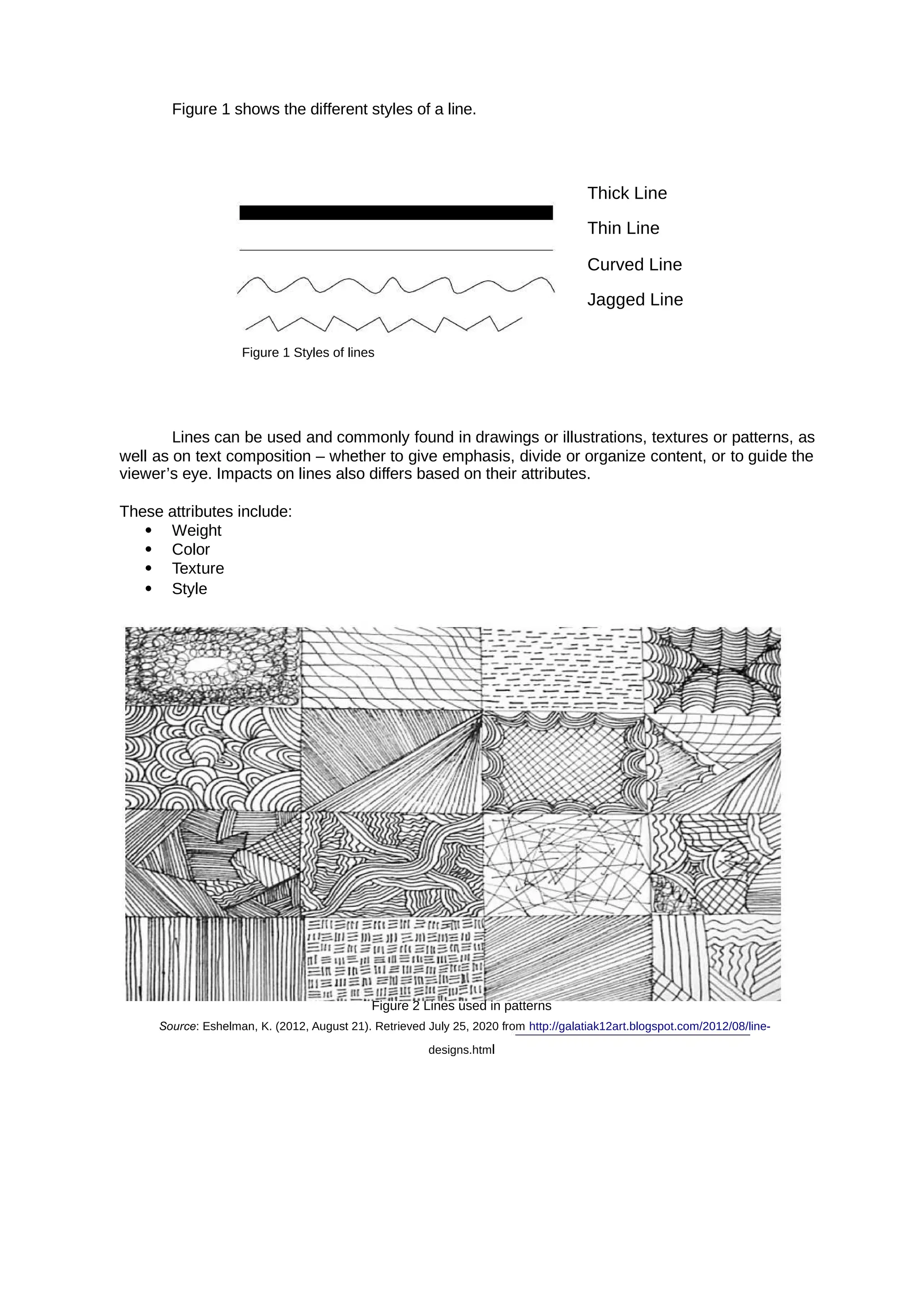
  • 15.
    Polytechnic University ofthe Philippines COLLEGE OF COMPUTER AND INFORMATION GEED 20133 – Living in the IT Era PAGE | 8 MODULE 2: HISTORY OF COMPUTER: BASIC COMPUTING PERIODS Objectives At the end of the chapter, students must be able to:  Gain familiarity of the different discoveries during the different periods.  Learn different inventions and discoveries during electro-mechanical age that lead to the inventions of today’s technology.  Identify different technologies and their improvements during the different generations. Definition of Computer  Computer is a programmable machine.  Computer is an electronic device that manipulates information, or data. It has the ability to store, retrieve, and process data.  Computer is a machine that manipulates data according to a list of instructions (program).  Computer is any device which aids humans in performing various kinds of computations or calculations. Three principal characteristics of computer: • It responds to a specific set of instructions in a well-defined manner. • It can execute a pre-recorded list of instructions. • It can quickly store and retrieve large amounts of data. Applications of ICT (Computers) in Our Daily Lives 1. Business Almost every business uses computers nowadays. They can be employed to store and maintain accounts, personnel records, manage projects, track inventory, create presentations and reports. They enable communication with people both within and outside the business, using various technologies, including e-mail. They can be used to promote the business and enable direct interaction with customers. 2. Education Computers can be used to give learners audio-visual packages, interactive exercises, and remote learning, including tutoring over the internet. They can be used to access educational information from intranet and internet sources, or via e-books. They can be used to maintain and monitor student performance, including through the use of online examinations, as well as to create projects and assignments. 3. Healthcare Healthcare continues to be revolutionized by computers. As well as digitized medical information making it easier to store and access patient data, complex information can also
  • 16.
    Polytechnic University ofthe Philippines COLLEGE OF COMPUTER AND INFORMATION GEED 20133 – Living in the IT Era PAGE | 9 be analyzed by software to aid discovery of diagnoses, as well as search for risks of diseases. Computers control lab equipment, heart rate monitors, and blood pressure monitors. They enable doctors to have greater access to information on the latest drugs, as well as the ability to share information on diseases with other medical specialists. 4. Retail and Trade Computers can be used to buy and sell products online - this enables sellers to reach a wider market with low overheads, and buyers to compare prices, read reviews, and choose delivery preferences. They can be used for direct trading and advertising too, using sites such as eBay, Craigslist, or local listings on social media or independent websites. 5. Government Various government departments use computers to improve the quality and efficiency of their services. Examples include city planning, law enforcement, traffic, and tourism. Computers can be used to store information, promote services, communicate internally and externally, as well as for routine administrative purposes. 6. Marketing Computers enable marketing campaigns to be more precise through the analysis and manipulation of data. They facilitate the creation of websites and promotional materials. They can be used to generate social media campaigns. They enable direct communication with customers through email and online chat. 7. Science Scientists were one of the first groups to adopt computers as a work tool. In science, computers can be used for research, sharing information with other specialists both locally and internationally, as well as collecting, categorizing, analyzing, and storing data. Computers also play a vital role in launching, controlling, and maintaining space craft, as well as operating other advanced technology. 8. Publishing Computers can be used to design pretty much any type of publication. These might include newsletters, marketing materials, fashion magazines, novels, or newspapers. Computers are used in the publishing of both hard-copy and e-books. They are also used to market publications and track sales. 9. Arts and Entertainment Computers are now used in virtually every branch of the arts, as well as in the wider entertainment industry. Computers can be used to create drawings, graphic designs, and paintings. They can be used to edit, copy, send, and print photographs. They can be used by writers to create and edit. They can be used to make, record, edit, play, and listen to music. They can be used to capture, edit and watch videos. They can be used for playing games. 10. Communication Computers have made real-time communication over the internet easy, thanks to software and videoconferencing services such as Skype. Families can connect with audio and video, businesses can hold meetings between remote participants, and news organizations can interview people without the need for a film crew. Modern computers usually have microphones and webcams built-in nowadays to facilitate software like Skype. Older communications technologies such as email are also still used widely.
  • 17.
    11. Banking andFinance Most banking in advanced countries now takes place online. You can use computers to check your account balance, transfer money, or pay off credit cards. You can also use computer technology to access information on stock markets, trade stocks, and manage investments. Banks store customer account data, as well as detailed information on customer behavior which is used to streamline marketing. 12. Transport Road vehicles, trains, planes, and boats are increasingly automated with computers being used to maintain safety and navigation systems, and increasingly to drive, fly, or steer. They can also highlight problems that require attention, such as low fuel levels, oil changes, or a failing mechanical part. Computers can be used to customize settings for individuals, for example, seat setup, air-conditioning temperatures. 13. Navigation Navigation has become increasingly computerized, especially since computer technology has been combined with GPS technology. Computers combined with satellites mean that it's now easy to pinpoint your exact location, know which way that you are moving on a map, and have a good idea of amenities and places of interest around you. 14. Working From Home Computers have made working from home and other forms of remote working increasingly common. Workers can access necessary data, communicate, and share information without commuting to a traditional office. Managers are able to monitor workers' productivity remotely. 15. Military Computers are used extensively by the military. They are use for training purposes. They are used for analyzing intelligence data. They are used to control smart technology, such as guided missiles and drones, as well as for tracking incoming missiles and destroying them. They work with other technologies such as satellites to provide geospatial information and analysis. They aid communications. They help tanks and planes to target enemy forces. 16. Social and Romance Computers have opened up many ways of socializing that didn't previously exist. Social media enables people to chat in text or audio in real time across large distances, as well as exchange photographs, videos, and memes. Dating sites and apps help people to find romance. Online groups help people to connect with others who have similar interests. Blogs enable people to post a variety of views, updates, and experiences. Online forums enable discussions between people on specialist or general topics. 17. Booking Vacations Computers can be used by travelers to study timetables, examine route options, and buy plane, train, or bus tickets. They can be used to explore and book accommodation, whether traditional hotels, or through newer services, such as Air BnB. Guided tours, excursions, events, and trips can also be explored and booked online using computers. 18. Security and Surveillance Computers are increasingly being combined with other technologies to monitor people and goods. Computers combined with biometric passports make it harder for people to fraudulently enter a country or gain access to a passenger airplane. Face-recognition
  • 18.
    technology makes iteasier to identify terrorists or criminals in public places. Driver plates can be auto scanned by speed cameras or police cars. Private security systems have also become much more sophisticated with the introduction of computer technology and internet technology. 19. Weather Forecasting The world's weather is complex and depends upon a multitude of factors that are constantly changing. It's impossible for human beings to monitor and process all the information coming in from satellite and other technologies, never mind perform the complex calculations that are needed to predict what is likely to happen in the future. Computers can process the large amounts of meteorological information. 20. Robotics Robotics is an expanding area of technology which combines computers with science and engineering to produce machines that can either replace humans, or do specific jobs that humans are unable to do. One of the first use of robotics was in manufacturing to build cars. Since then, robots have been developed to explore areas where conditions are too harsh for humans, to help law enforcement, to help the military, and to assist healthcare professionals. History of Computer: Basic Computing Periods Earliest Computers originally calculations were computed by humans, whose job title was computers. • These human computers were typically engaged in the calculation of a mathematical expression. • The calculations of this period were specialized and expensive, requiring years of training in mathematics. • The first use of the word "computer" was recorded in 1613, referring to a person who carried out calculations, or computations, and the word continued to be used in that sense until the middle of the 20th century. a) Tally sticks A tally stick was an ancient memory aid device to record and document numbers, quantities, or even messages. Figure 1.1 Tally Sticks
  • 19.
  • 20.
    An abacus isa mechanical device used to aid an individual in performing mathematical calculations. • The abacus was invented in Babylonia in 2400 B.C. • The abacus in the form we are most familiar with was first used in China in around 500 B.C. • It used to perform basic arithmetic operations. Figure 1.2 Abacus c) Napier’s Bones • Invented by John Napier in 1614. • Allowed the operator to multiply, divide and calculate square and cube roots by moving the rods around and placing them in specially constructed boards. Figure 1.3 Napie’s Bones d) Slide Rule Invented by William Oughtred in 1622. • Is based on Napier's ideas about logarithms. • Used primarily for – multiplication – division – roots – logarithms – Trigonometry • Not normally used for addition or subtraction. Figure 1.4 Slide Rule e) Pascaline • Invented by Blaise Pascal in 1642. • It was its limitation to addition and subtraction. • It is too expensive.
  • 21.
    Figure 1.5 Pascaline f)Stepped Reckoner • Invented by Gottfried Wilhelm Leibniz in 1672. • The machine that can add, subtract, multiply and divide automatically. Figure 1.6 Stepped Reckoner g) Jacquard Loom • The Jacquard loom is a mechanical loom, invented by Joseph-Marie Jacquard in 1881. • It is an automatic loom controlled by punched cards. Figure 1.7 Jacquard Loom h) Arithmometer • A mechanical calculator invented by Thomas de Colmar in 1820, • The first reliable, useful and commercially successful calculating machine. • The machine could perform the four basic mathematic functions. • The first mass-produced calculating machine.
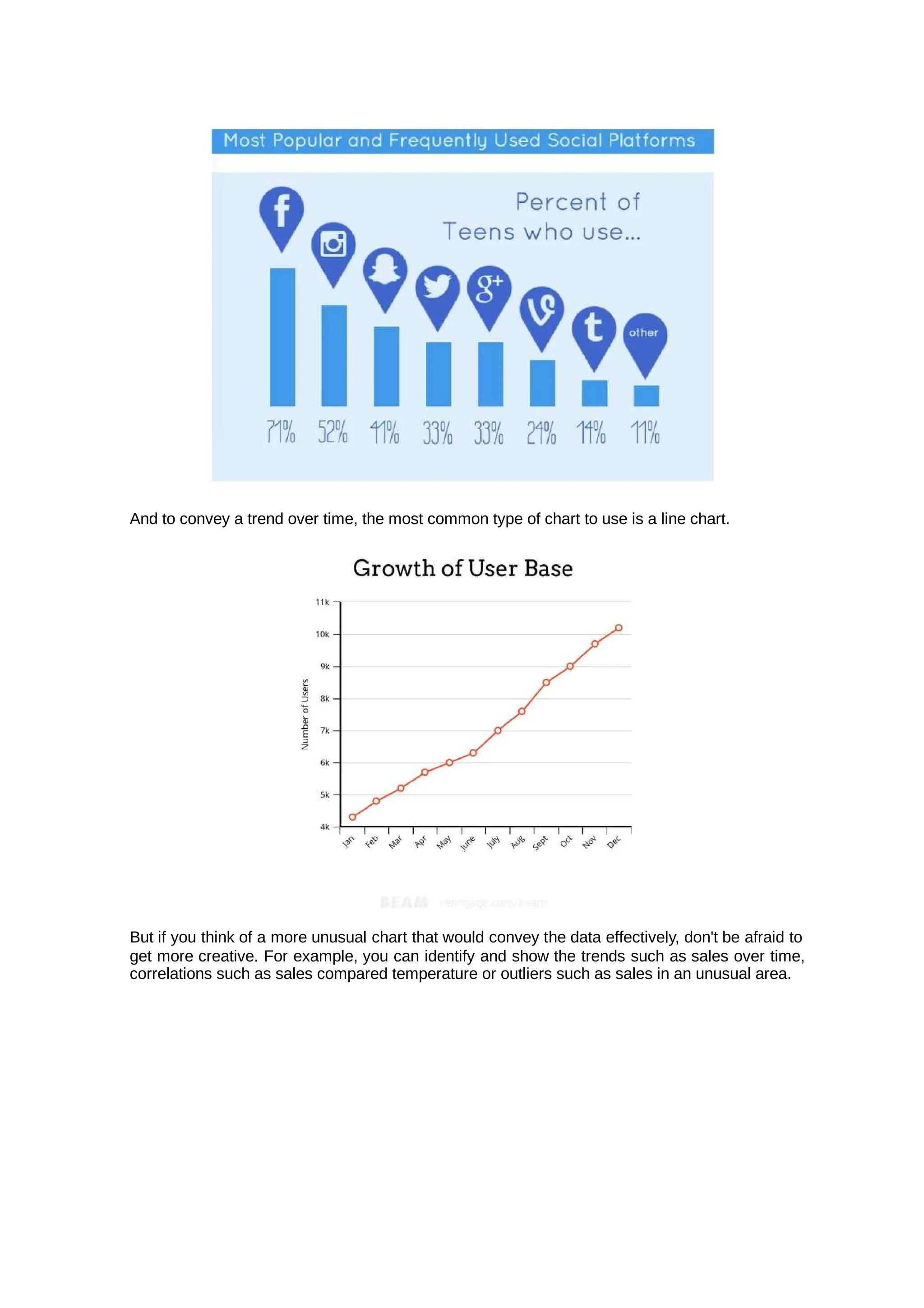
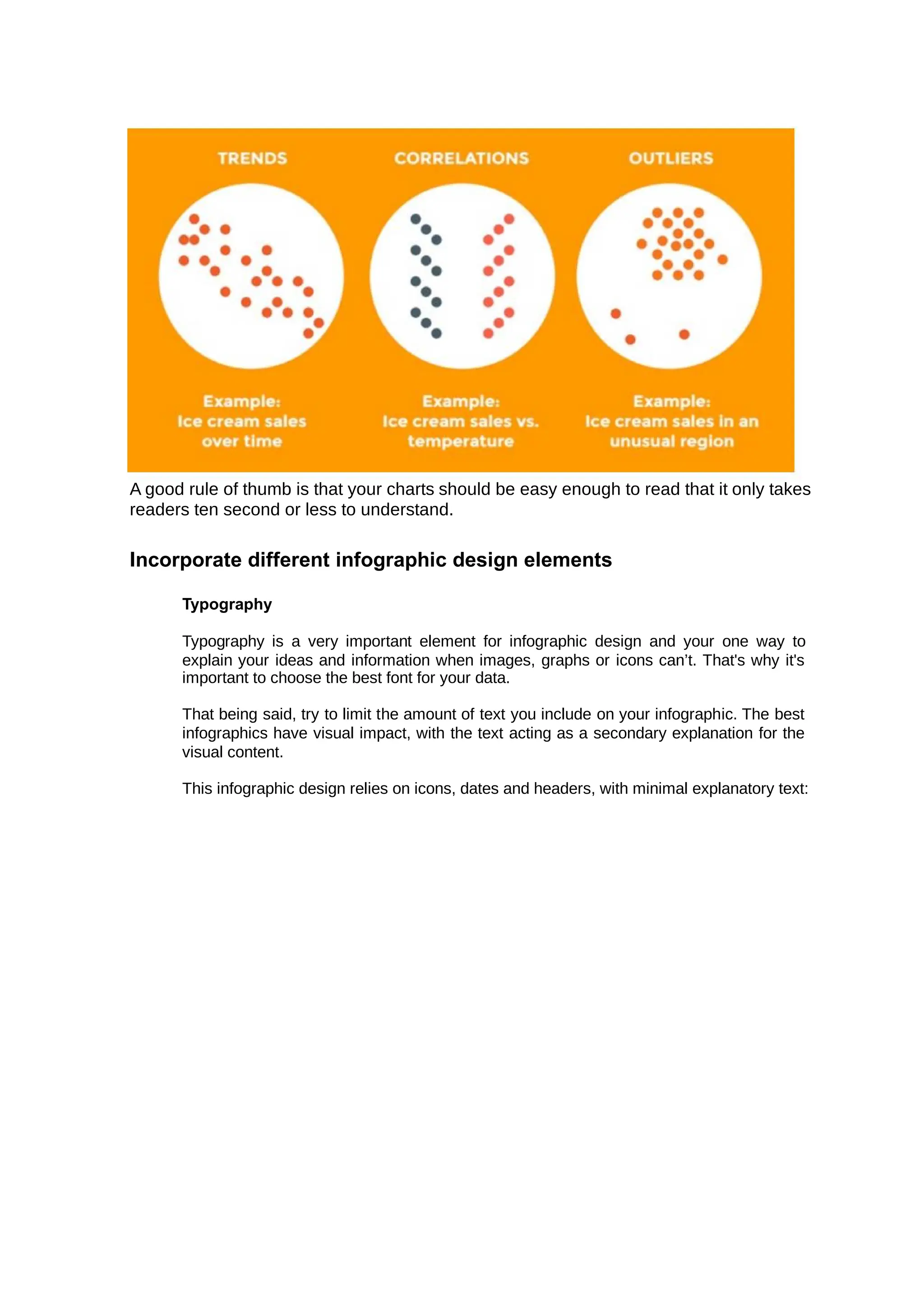
  • 22.
    Figure 1.8 Arithmometer i)Difference Engine and Analytical Engine • It an automatic, mechanical calculator designed to tabulate polynomial functions. • Invented by Charles Babbage in 1822 and 1834 • It is the first mechanical computer. Figure 1.9 Difference Engine & Analytical Engine j. First Computer Programmer • In 1840, Augusta Ada Byron suggests to Babbage that he use the binary system. • She writes programs for the Analytical Engine. Figure 1.10 Augusta Ada Byron k. Scheutzian Calculation Engine • Invented by Per Georg Scheutz in 1843. • Based on Charles Babbage's difference engine.
  • 23.
    • The firstprinting calculator. Figure 1.11 Scheutzian Calculation Engine l. Tabulating Machine • Invented by Herman Hollerith in 1890. • To assist in summarizing information and accounting. Figure 1.12 Tabulating Machine m. Harvard Mark 1 • Also known as IBM Automatic Sequence Controlled Calculator (ASCC). • Invented by Howard H. Aiken in 1943 • The first electro-mechanical computer. Figure 1.13 Harvard Mark 1 n. Z1 • The first programmable computer. • Created by Konrad Zuse in Germany from 1936 to 1938. • To program the Z1 required that the user insert punch tape into a punch tape reader and all output was also generated through punch tape.
  • 24.
    Figure 1.14 Z1 o.Atanasoff-Berry Computer (ABC) • It was the first electronic digital computing device. • Invented by Professor John Atanasoff and graduate student Clifford Berry at Iowa State University between 1939 and 1942. Figure 1.15 Atanasoff-Berry Computer (ABC) p. ENIAC • ENIAC stands for Electronic Numerical Integrator and Computer. • It was the first electronic general-purpose computer. • Completed in 1946. • Developed by John Presper Eckert and John Mauchly. Figure 1.16 ENIAC q. UNIVAC 1
  • 25.
    • The UNIVACI (UNIVersal Automatic Computer 1) was the first commercial computer. • Designed by John Presper Eckert and John Mauchly. Figure 1.17 UNIVAC 1 r. EDVAC • EDVAC stands for Electronic Discrete Variable Automatic Computer • The First Stored Program Computer • Designed by Von Neumann in 1952. • It has a memory to hold both a stored program as well as data. Figure 1.18 EDVAC s. The First Portable Computer • Osborne 1 – the first portable computer. • Released in 1981 by the Osborne Computer Corporation.
  • 26.
    Figure 1.19 TheFirst Portable Computer t. The First Computer Company • The first computer company was the Electronic Controls Company. • Founded in 1949 by John Presper Eckert and John Mauchly. Basic Computing Periods - Ages a. Premechanical The premechanical age is the earliest age of information technology. It can be defined as the time between 3000B.C. and 1450A.D. We are talking about a long time ago. When humans first started communicating they would try to use language or simple picture drawings known as petroglyths which were usually carved in rock. Early alphabets were developed such as the Phoenician alphabet. Figure 2.1 Petroglyph As alphabets became more popular and more people were writing information down, pens and paper began to be developed. It started off as just marks in wet clay, but later paper was created out of papyrus plant. The most popular kind of paper made was probably by the Chinese who made paper from rags. Now that people were writing a lot of information down, they needed ways to keep it all in
  • 27.
    permanent storage. Thisis where the first books and libraries are developed. You’ve probably heard of Egyptian scrolls which were popular ways of writing down information to save. Some groups of people were actually binding paper together into a book-like form. Also, during this period were the first numbering systems. Around 100A.D. was when the first 1-9 system was created by people from India. However, it wasn’t until 875A.D. (775 years later) that the number 0 was invented. And yes, now that numbers were created, people wanted stuff to do with them, so they created calculators. A calculator was the very first sign of an information processor. The popular model of that time was the abacus. b. Mechanical The mechanical age is when we first start to see connections between our current technology and its ancestors. The mechanical age can be defined as the time between 1450 and 1840. A lot of new technologies are developed in this era as there is a large explosion in interest with this area. Technologies like the slide rule (an analog computer used for multiplying and dividing) were invented. Blaise Pascal invented the Pascaline which was a very popular mechanical computer. Charles Babbage developed the difference engine which tabulated polynomial equations using the method of finite differences. Figure 2.2 Difference Engine There were lots of different machines created during this era and while we have not yet gotten to a machine that can do more than one type of calculation in one, like our modern- day calculators, we are still learning about how all of our all-in-one machines started. Also, if you look at the size of the machines invented in this time compared to the power behind them it seems (to us) absolutely ridiculous to understand why anybody would want to use them, but to the people living in that time ALL of these inventions were HUGE.
  • 28.
    c. Electromechanical Now weare finally getting close to some technologies that resemble our modern-day technology. The electromechanical age can be defined as the time between 1840 and 1940. These are the beginnings of telecommunication. The telegraph was created in the early 1800s. Morse code was created by Samuel Morse in 1835. The telephone (one of the most popular forms of communication ever) was created by Alexander Graham Bell in 1876. The first radio developed by Guglielmo Marconi in 1894. All of these were extremely crucial emerging technologies that led to big advances in the information technology field. The first large-scale automatic digital computer in the United States was the Mark 1 created by Harvard University around 1940. This computer was 8ft high, 50ft long, 2ft wide, and weighed 5 tons - HUGE. It was programmed using punch cards. How does your PC match up to this hunk of metal? It was from huge machines like this that people began to look at downsizing all the parts to first make them usable by businesses and eventually in your own home. Figure 2.3 Harvard Mark 1 d. Electronic The electronic age is what we currently live in. It can be defined as the time between 1940 and right now. The ENIAC was the first high-speed, digital computer capable of being reprogrammed to solve a full range of computing problems. This computer was designed to be used by the U.S. Army for artillery firing tables. This machine was even bigger than the Mark 1 taking up 680 square feet and weighing 30 tons - HUGE. It mainly used vacuum tubes to do its calculations. There are 4 main sections of digital computing. The first was the era of vacuum tubes and punch cards like the ENIAC and Mark 1. Rotating magnetic drums were used for internal storage. The second generation replaced vacuum tubes with transistors, punch cards were replaced with magnetic tape, and rotating magnetic drums were replaced by magnetic cores for internal storage. Also during this time high-level programming languages were created such as FORTRAN and COBOL. The third generation replaced transistors with integrated circuits, magnetic tape was used throughout all computers, and magnetic core
  • 29.
    turned into metaloxide semiconductors. An actual operating system showed up around this time along
  • 30.
    with the advancedprogramming language BASIC. The fourth and latest generation brought in CPUs (central processing units) which contained memory, logic, and control circuits all on a single chip. The personal computer was developed (Apple II). The graphical user interface (GUI) was developed. Figure 2.4 Apple 2 History of Computer: Generations of Computer There are five generations of computer: • First generation – 1946 to 1958 • Second generation – 1959 to 1964 • Third generation – 1965 to 1970 • Fourth generation – 1971 to Today • Fifth generation – Today to future a. The First Generation The first computers used for circuitry and magnetic drums for memory, and vacuum tubes were often enormous, taking up entire rooms. They were very expensive to operate and in addition to using a great deal of electricity, generated a lot of heat, which was often the cause of malfunctions. First generation computers relied on machine language, the lowest- level programming language understood by computers, to perform operations, and they could only solve one problem at a time. Input was based on punched cards and paper tape, and output was displayed on printouts.
  • 31.
    Examples: – ENIAC– EDSAC – UNIVAC I, UNIVAC II, UNIVAC 1101 b. The Second Generation Transistors replaced vacuum tubes and ushered in the second generation of computers. One transistor replaced the equivalent of 40 vacuum tubes. Allowing computers to become smaller, faster, cheaper, more energy-efficient and more reliable. Still generated a great deal of heat that can damage the computer. Second-generation computers moved from cryptic binary machine language to symbolic, or assembly, languages, which allowed programmers to specify instructions in words. Second- generation computers still relied on punched cards for input and printouts for output. These were also the first computers that stored their instructions in their memory, which moved from a magnetic drum to magnetic core technology. Examples: UNIVAC III, RCA 501, Philco Transact S-2000, NCR 300 series, IBM 7030 Stretch, IBM 7070, 7080, 7090 series c. The Third Generation The development of the integrated circuit was the hallmark of the third generation of computers. Transistors were miniaturized and placed on silicon chips, called semiconductors, which drastically increased the speed and efficiency of computers. It could carry out instructions in billionths of a second. Much smaller and cheaper compare to the second- generation computers. d. The Fourth Generation The brought the fourth generation of computers, as thousands of integrated microprocessor circuits were built onto a single silicon chip. As these small computers became more powerful, they could be linked together to form networks, which eventually led to the development of the Internet. Fourth generation computers also saw the development of GUIs, the mouse and handheld devices. e. The Fifth Generation Based on Still in development. The use of parallel processing and Artificial Intelligence (AI). superconductors is helping to make artificial intelligence a reality. The goal is to develop devices that respond to natural language input and are capable of learning and self- organization. There are some applications, such as voice recognition, that are being used today.
  • 32.
    Polytechnic University ofthe Philippines COLLEGE OF COMPUTER AND INFORMATION GEED 20133 – Living in the IT Era PAGE | 25 References • https://ftms.edu.my/v2/wp-content/uploads/2019/02/csca0201_ch01.pdf • https://www.sutori.com/story/history-of-ict-information-and-communications-technology-- N7J51bQqSU7vLWcVfdn5M9qa • https://www.livescience.com/20718-computer-history.html • https://www.explainthatstuff.com/historyofcomputers.html Assessment Instruction: Encircle the letter that corresponds to the right answer. 1) What was the name of first computer designed by Charles Babbage? Analytical Engine Difference Engine Colossus ENIAC 2) Which was the first electronics digital programmable computing device? Analytical Engine Difference Engine Colossus ENIAC 3) EDVAC stands for . Electronic Discrete Variable Automatic Calculator Electronic Discrete Variable Automatic Computer Electronic Data Variable Automatic Calculator Electronic Data Variable Automatic Computer 4) Which was the first commercial computer? Mark 1 Analytical Engine Difference Engine Colossus 5) UNIVAC stands for . Universal Automatic Calculator Universal Native Input Automatic computer Universal Native Input Automatic calculator Universal Automatic Computer 6) ENIAC stands for . Electronic Numerical Integrator And Computer Electronic Numerical Integrator And Calculator Electronic Numerical Integrator Automatic Computer Electronic Numerical Integrator Automatic Calculator 7) John Mauchly and J. Presper Eckert are the inventors of computer. UNIAC ENIAC
  • 33.
    Polytechnic University ofthe Philippines COLLEGE OF COMPUTER AND INFORMATION GEED 20133 – Living in the IT Era PAGE | 26 EDSAC Mark 1 8) Who invented the punch card? Charles Babbage Semen Korsakov Herman Hollerith Joseph Marie Jacquard 9) In the late , Herman Hollerith invented data storage on punched cards that could then be read by a machine. 1860 1900 1890 1880 10) Which electronic components are used in First Generation Computers? Transistors Integrated Circuits Vacuum Tubes Microprocessor 11) Which electronic components are used in Second Generation Computers? Transistors Integrated Circuits Vacuum Tubes Microprocessor 12) Which electronic components are used in Third Generation Computers? Transistors Integrated Circuits Vacuum Tubes Microprocessor 13) Which electronic components are used in Fourth Generation Computers? Transistors Integrated Circuits Vacuum Tubes Microprocessor 14) Which electronic components are used in Fifth Generation Computers? Transistors Integrated Circuits Vacuum Tubes Microprocessor 15) ENIAC Computer belongs to . First Generation Computers Second Generation Computers Third Generation Computers Fourth Generation Computers
  • 34.
    MODULE 3: THEWEB AND THE INTERNET Overview Internet is defined as an information superhighway, to access information over the web. However, it can be defined in many ways, internet is a world-wide global system of interconnected computer networks. Objectives At the end of this lesson, the student should be able to: • Explore the current breakthrough technologies and disruptive innovations that have emerged over the past few years. • Identify and analyze various emerging technologies. • Explore the evolution of the internet. • Identify and understand the different uses of internet in today’s generation. • Discuss the fundamental terms and definitions used in the internet. Lesson 1: The Web The Web (World Wide Web) consists of information organized into Web pages containing text and graphic images. The world wide web is larger collection of interconnected documents or content. It contains hypertext links, or highlighted keywords and images that lead to related information. A collection of linked Web pages that has a common theme or focus is called a Web site. The main page that all of the pages on a particular Web site are organized around and link back to is called the site’s home page. Sir Timothy John Berners-Lee OM KBE FRS FREng FRSA FBCS, also known as TimBL, is an English engineer and computer scientist best known as the inventor of the World Wide Web. He is a Professorial Fellow of Computer Science at the University of Oxford and a professor at the Massachusetts Institute of Technology. A. Web 1.0 (Read Only Static Web) It is an old internet that only allows people to read from the internet. First stage worldwide linking web pages and hyperlink. Web is use as “information portal”. It uses table to positions and align elements on page. • Most read only web. If focused on company’s home pages. • Dividing the world wide web into usable directories • It means web is use as “Information Portal” • It started with the simple idea “put content together”
  • 35.
    Example of Web1.0 • Mp3.com • Home Page • Directories • Page Views • HTML/Portals. Disadvantages • Read only web • Limited user interaction • Lack of standards B. Web 2.0 (Read-write interactive web) A term used to describe a new generation of Web services and applications with an increasing emphasis on human collaboration.  It is a platform that gives users the possibility (liberty) to control their data.  This is about user-generated content and the read-write web.  People are consuming as well as contributing information through blogs or sites.  Allows the user to interact with the page known as DYNAMIC PAGE; instead of just reading a page, the user may be able to comment or create a user account. Dynamic page refers to the web pages that are affected by user input or preference.  Is focused on the ability for people to collaborate and share information online via social media, blogging and -based communities. Web Example of Web 2.0 are the following: A. Social Networking - is the use of Internet-based social media sites to stay connected with friends, family, colleagues, customers, or clients. Social networking can have a social purpose, a business purpose, or both, through sites such as: Example Facebook Twitter LinkedIn Google+ Pinterest Tumblr Instagram Page B. Blogs - is a discussion or informational website published on the world wide web consisting of discrete, often informal diary-style text entries (posts). Posts are typically displayed in reverse chronological order, so that the most recent post appears first, at the top of the web page. Example Wordpress Blogger Tumbler C. Wikis - is a hypertext publication collaboratively edited and managed by its own audience directly using a web browser. A typical wiki contains multiple pages for the subjects or scope of the project and may be either open to the public or limited to use within an organization for maintaining its internal knowledge base.
  • 36.
  • 37.
    Polytechnic University ofthe Philippines COLLEGE OF COMPUTER AND INFORMATION GEED 20133 – Living in the IT Era PAGE | 30 Wikipedia Wikibooks Wikiversity Commons Wiktionary Wikiquote Wikivoyage Wikidata Wikinews Wikispecies MediaWiki D. Video Sharing Sites - a website that lets people upload and share their video clips with the public at large or to invited guests. Ex a m pl e: Youtube Facebook LinkedIn Flickr Photobuc ket LinkedIn Flickr P h o t o b u c k e t T w i t t e r V e o h D a i l y m o t i o n V i m e
  • 38.
    Polytechnic University ofthe Philippines COLLEGE OF COMPUTER AND INFORMATION GEED 20133 – Living in the IT Era PAGE | 31 oPR O Myspace .com Metacaf e K e y F e a t u r e s o f W e b 2 . 0 :  Folks onom y – allow s users to categ orize and classi fy/arr ange infor matio n using freely chosen keywords (e.g. tagging).  Rich User Interface – content is dynamic and is responsive to user’s input. An example would be a website that shows local content.  User Participation – the owner of website is not the only one who is able to put content. Others are able to place a content on their own by means of comments, reviews, and evaluation.  Long Tail – services are offered on demand rather than on a one-time purchase. This is synonymous to subscribing to a data plan that charges you for the amount of time you spent on Internet or a data plan that charges you for the amount of bandwidth you used. C. Web 3.0: (Read-write intelligent web) • Suggested name by John Markoff of the New York Times for the third generation of the web. • In this generation, all the application on web or mobile will be upgraded with more features. It applies same principles as Web 2.0: two- way interaction. • Web 3.0 will be more connected, open, and intelligent, with semantic web technologies, distributed databases, natural language processing, machine learning, machine reasoning and autonomous agents. • Semantic Web - provides a framework that allows data to be shared and reuse to deliver web content specifically targeting the user. • It is a web of data. • Changing the web into a language that can be read and categorized by the system rather than humans.
  • 39.
    Polytechnic University ofthe Philippines COLLEGE OF COMPUTER AND INFORMATION GEED 20133 – Living in the IT Era PAGE | 32 T y p e s o f w e b s i t e s : • eCommer ce Website is a website people can directly buy products from you’ve probably used a number of eCommerce websites before, most big brands and plenty of smaller ones
  • 40.
    Polytechnic University ofthe Philippines COLLEGE OF COMPUTER AND INFORMATION GEED 20133 – Living in the IT Era PAGE | 33 have one. Any website that includes a shopping cart and a way for you to provide credit card information to make a purchase falls into this category. • Business Website is any website that’s devoted to representing a specific business. It should be branded like the business (the same logo and positioning) and communicate the types of products and/or services the business offers. • Entertainment Website If you think about your internet browsing habits, you can probably think of a few websites that you visit purely for entertainment purposes. • Portfolio Website are sites devoted to showing examples of past work. Service providers who want to show potential clients the quality of the work they provide can use a portfolio website to collect some of the best samples of past work they’ve done. This type of website is simpler to build than a business website and more focused on a particular task: collecting work samples. • Media Website collect news stories or other reporting. There’s some overlap here with entertainment websites, but media websites are more likely to include reported pieces in addition to or instead of content meant purely for entertainment. • Brochure Website are a simplified form of business websites. For businesses that know they need an online presence, but don’t want to invest a lot into it (maybe you’re confident you’ll continue to get most of your business from other sources), a simple brochure site that includes just a few pages that lay out the basics of what you do and provide contact information may be enough for you. • Nonprofit Website In the same way that businesses need websites to be their online presence, nonprofits do as well. A nonprofit website is the easiest way for many potential donors to make donations and will be the first place many people look to learn more about a nonprofit and determine if they want to support it. • Educational Website The websites of educational institutions and those offering online courses fall into the category of educational websites. These websites have the primary goal of either providing educational materials to visitors or providing information on an educational institution to them. • Infopreneur Website websites overlap a bit with business and eCommerce websites, but they represent a unique type of online business. Infopreneurs create and sell information products. That could be in the form of courses, tutorials, videos or eBooks. • Personal Website Not all websites exist to make money in some way or another. Many people find value in creating personal websites to put their own thoughts out into the world. This category includes personal blogs, vlogs, and photo diaries people share with the world.
  • 41.
    • Web Portal areoften websites designed for internal purposes at a business, organization, or institution. They collect information in different formats from different sources into one place to make all relevant information accessible to the people who need to see it. They often involve a login and personalized views for different users that ensure the information that’s accessible is most useful to their particular needs. • Wiki or Community Forum Website Most people are familiar with wikis through the most famous example of one out there: Wikipedia. But wikis can be created on pretty much any subject you can imagine. A wiki is any website where various users are able to collaborate on content and all make their own tweaks and changes as they see fit. There are wikis for fan communities, for business resources, and for collecting valuable information sources.
  • 42.
    Lesson 2: TheInternet The Internet or “net” (network of network) is the largest computer network in the world that connects billions of computer user. The word internet comes from combination between “interconnection” and “network”. Network is a collection of computers and devices connected via communication channels and transmission media allow to share resources (hardware, software, data, information). Generally, nobody owns the internet. A. Brief History of Internet ARPA – Advanced Research Project Agency January 2, 1969 – started an experimental computer network. Concept – No server, but equal importance/participation to every computer in the network. Even if, one or two node destroyed that will now affect the network. In 1982 the word internet started. 1986 – First “ free net” created in Case Western Reserve University 1991: US government allowed business agencies to connect to internet. Now all people can connect to the internet and improve their life and work quality. The internet support various aspects in our life. Vinton Gray Cerf ForMemRS is an American Internet pioneer and is recognized as one of "the fathers of the Internet", sharing this title with TCP/IP co-developer Bob Kahn. B. Major Components of the Internet 1. Servers – is a computer program that provides service to another computer program and it’s user. Types of Servers Application Server – a program in computer that provides the business logic for an application program. Web Server – a computer program that serves requested HTML pages or files. Proxy Server – is a software that acts as an intermediary between an endpoint device, such as computer and another server from which a user is requesting. Mail Server – is an application that receives incoming e-mail from local users and remote senders and forward outgoing e-mail for delivery File Server – is a computer responsible for central storage and management of data files so that other computer on the same network can access them. Policy Server – is a security component of a policy – based network that provides authorization services and facilities tracking and control of files. 2. IP Address (Internet Protocol) – is a numerical label assigned to each device. This provides identity to a network device. 3. Browser – is an application program that provides a way to look information on
  • 43.
    Polytechnic University ofthe Philippines COLLEGE OF COMPUTER AND INFORMATION GEED 20133 – Living in the IT Era PAGE | 36 the web. Example of browsers: Google chrome, safari, internet explorer, opera, Mozilla 4. Domain Name System (DNS) – is the phonebook of internet. We access information online through domain names. Example of DNS: www.facebook.com, www.pup.edu.ph,www.academia.edu Name Entity .com commercial .org organization .net network .edu education .gov National and State Government Agencies .ph Philippines .au Australia 5. Internet Service Provide (ISP) – is an organization that provides services for accessing, using or participating in the internet. Two types of ISP: National ISP – provided internet access to a specific geographic area. Regional ISP – business that provides internet access in cities and towns nationwide. Example of ISP: Sky Broadband, PLDT, Converge C. Uses of Internet • Look for information • School works, jobs, and home purposes • Send and receive electronic mail • Video teleconferencing (video call, video chat) • Buy and sell product • Social networking • Watch & post videos • Games • Take college courses • Monitor home while away • Financial transactions • Download music and movies D. Internet Terms and Definition • Internet - A global network of thousands of computer networks linked by data lines and wireless systems. • Web – a collection of billions of webpages that you can view with a web browser
  • 44.
    Polytechnic University ofthe Philippines COLLEGE OF COMPUTER AND INFORMATION GEED 20133 – Living in the IT Era PAGE | 37 • Email – the most common method of sending and receiving messages online • Social media – websites and apps that allow people to share comments, photos, and videos • Online gaming – games that allow people to play with and against each other over the Internet • Software updates – operating system and application updates can typically downloaded from the Internet • HTML - Hypertext Markup Language is a coding language used to tell a browser how to place pictures, text, multimedia and links to create a web page. When a user clicks on a link within a web page, that link, which is coded with HTML, links the user to a specific linked web page. • URL - Uniform Resource Locator is a web address used to connect to a remote resource on the world wide web. • Bit - is a single digit in the binary numbering system (base 2). For example: 1 is a bit or 0 is a bit. • Byte - generally consists of eight bits. • Upload - To upload is to transfer data from your computer to another computer. • Download - To download is to transfer data from another computer to your computer. • HTTP - is the acronym for Hypertext Transfer Protocol, the data communication standard of web pages. When a web page has this prefix, the links, text, and pictures should work correctly in a web browser. • HTTPS - is the acronym for Hypertext Transfer Protocol Secure. This indicates that the web page has a special layer of encryption added to hide your personal information and passwords from others. • Router or router-modem combination is the hardware device that acts as the traffic cop for network signals arriving at your home or business from your ISP. A router can be wired or wireless or both. • Encryption - is the mathematical scrambling of data so that it is hidden from eavesdroppers. Encryption uses complex math formulas to turn private data into meaningless gobbledygook that only trusted readers can unscramble. • Web Bot - A term that applies to programs/applets (macros and intelligent agents) used on the Internet. Such bots perform a repetitive function, such as posting messages to multiple newsgroups or doing searches for information. • Search Engine - specialized software, such as Google and Yahoo, that lets www browser users search for information on the web by using keywords, phrases. Online Resources / Videos • https://www.youtube.com/watch?v=J8hzJxb0rpc • https://www.youtube.com/watch?v=x3c1ih2NJEg • https://www.youtube.com/watch?v=Dxcc6ycZ73M • https://www.youtube.com/watch?v=5o8CwafCxnU References • Abraham, R., , F., , W. (2005) The Web Empowerment Book: Jas Russell An Introduction and Connection Guide to the Internet and the World-Wide Web. Springer-Verlag New York • Evolution of the web retrieved from https://www.slideshare.net/sububasistha/web-10-to- web- 30-evolution-of-the-web-and-its-various-challenges • Types of websites retrieved from https://www.hostgator.com/blog/popular-types-websites- create/
  • 45.
    Polytechnic University ofthe Philippines COLLEGE OF COMPUTER AND INFORMATION GEED 20133 – Living in the IT Era PAGE | 38 • Subhash Basishtha Web 1.0 to Web 3.0 – Evolution of the Web and its Various Challenges. Retrieved from https://slideshare.net/sububasistha/web-10-to-web-30-evolution-of-the-web-
  • 46.
    and-its-various-challenges • What isinternet Retrieved from https://www.tutorialspoint.com/internet_technologies/internet_overview.htm • Internet terms and definition Retrieved from https://techterms.com/definition/internet • Internet terms and definition Retrieved from https://www.comentum.com/internet-terms.html • Internet terms and definition Retrieved from https://www.lifewire.com/top-internet-terms-for- beginners-2483381 Assessment 1. What are the four examples of Web 2.0 2. Who are the inventor/father of the internet and www? 3. Give at least 6 uses of the internet. 4. Define web, web 1.0, 2.0 and 3.0 5. What are the different types of servers? 6. Give 5 types of website and its features. 7. What are the top-level domains? 8. What are the two types of ISP? 9. DNS stands for? And give some examples. 10. Give examples of browsers.
  • 47.
    Polytechnic University ofthe Philippines COLLEGE OF COMPUTER AND INFORMATION Photo Imaging and Post Processing PAGE | 40 MODULE 4: THE NETIQUETTE AND THE COMPUTER ETHICS Overview The Netiquette and The Computer ethics discusses about the ethical issues in the field of computer. May it be in online or practicing in professional. Objectives At the end of this module, you should be able to: • Discuss the importance of being a responsible netizen by following the rules of common courtesy online and the informal “rules of the road” of cyberspace. • Discuss the difference between privacy and security. • Explain various risks to internet privacy. Lesson 1: Netiquette What is Netiquette? What is Netiquette? Simple stated, it’s network etiquette – that is the etiquette of cyberspace and “etiquette” means the forms of required by good breeding or prescribed by authority to be required in social or official life. In other words, netiquette is a set of rules for behaving properly online. Netiquette, or network etiquette, is concerned with the "proper" way to communicate in an online environment. Consider the following "rules," adapted from Virginia Shea's the Core Rules of Netiquette, whenever you communicate in the virtual world. When you use e-mail, instant messenger, video calls, or discussion boards to communicate with others online, please be sure to follow the rules of professional online communications known as netiquette. These rules will help you communicate with instructors, classmates, and potential employers more effectively and will help prevent misunderstandings. REMEMBER THE GOLDEN RULE – Even though you may be interacting with a computer screen, you are communicating with a real person who will react to your message. Make a good impression - treat others with the same respect that you would like to receive and avoid confrontational or offensive language. To help convey meaning when creating messages, it is sometimes acceptable to include appropriate emoticon symbols, such as a smiley face :) However, for professional communications these would be inappropriate.
  • 48.
    AVOID SLANG, ACRONYMS,AND TEXT TALK – Communicating effectively in college and business environments requires the use of correct terminology, spelling, and grammar that can easily be understood. For example, use “your” instead of “ur”. AVOID “SCREAMING” IN TYPED MESSAGES – Typing an entire message using all capital letters is known as “screaming”. It is distracting and generally frowned upon in professional environments. It is better to draw emphasis to selected words or phrases by: using italic or bold text; using a different color for text or background color; or denoting emphasis using special characters (Example: **Important**). PROOFREAD YOUR MESSAGES BEFORE SENDING THEM – Proofreading your messages before you send them is a best practice for effective and efficient communication. Strive to make your communications concise and free of any: • Spelling and grammar errors • Confusing terms or phrases that could be misunderstood • Errors of omission, such as missing content or recipients • Errors in accuracy of information EXERCISE GOOD JUDGMENT WHEN SHARING INFORMATION WITH OTHERS ONLINE – E-mail and chat messages that you send or receive are considered private and should not be forwarded or copied to others without gaining the consent of all involved participants. In general, messages posted to discussion boards and social media sites can be read by the public. You may never know who might read or share what you post. It is a good practice to always ask a post’s author for permission before sharing a post with other parties.  To protect your privacy and safety, do not share online any sensitive personal information such as: - Your home address or phone number - Personal conversations - Social plans, such as vacations - Financial information - Usernames, passwords, or hints - Anything personal that you would not want shared by others over the Internet  If the material you share with others online came from another source, make every effort to gain permission from the original author or copyright holder. Copying someone else's work and passing it off as your own is plagiarism. It damages your reputation and could subject you to serious academic and legal consequences. RESPECT DIVERSITY IN VIEWPOINTS - Be constructive and respectful when sharing opinions, beliefs, and criticisms, or responding to those of others in the conversation.  When sharing a viewpoint that differs from someone else’s, it is a best practice to first acknowledge the other person by briefly restating what he or she said, but in your own words. This lets the person know that you are listening and trying to understand them.  When presenting an opinion or criticism, it is helpful to use phrases that identify to whose point of view you are referring. If the opinion is yours, you can begin with the phrase “In my experience” or “In my opinion”. If it is a viewpoint of someone else, make sure you identify that in your message (Example: “According to Eric Ericson,” or “The president believes”).
  • 49.
    Ten Commandments ofComputer Ethics a) Rule 1: Remember the Human When communicating electronically, whether through email, instant message, discussion post, text, or some other method, practice the Golden Rule: Do unto others as you would have others do unto you. Remember, your written words are read by real people, all deserving of respectful communication. Before you press "send" or "submit," ask yourself, "Would I be okay with this if someone else had written it?" b) Rule 2: Adhere to the same standards of behavior online that you follow in real life While it can be argued that standards of behavior may be different in the virtual world, they certainly should not be lower. You should do your best to act within the laws and ethical manners of society whenever you inhabit "cyberspace." Would you behave rudely to someone face-to- face? On most occasions, no. Neither should you behave this way in the virtual world. c) Rule 3: Know where you are in cyberspace "Netiquette varies from domain to domain." (Shea, 1994) Depending on where you are in the virtual world, the same written communication can be acceptable in one area, where it might be considered inappropriateq in another. What you text to a friend may not be appropriate in an email to a classmate or colleague. Can you think of another example? d) Rule 4: Respect other people's time and bandwidth Electronic communication takes time: time to read and time in which to respond. Most people today lead busy lives, just like you do, and don't have time to read or respond to frivolous emails or discussion posts. As a virtual world communicator, it is your responsibility to make sure that the time spent reading your words isn't wasted. Make your written communication meaningful and to the point, without extraneous text or superfluous graphics or attachments that may take forever to download. e) Rule 5: Make yourself look good online writing.colostate.edu One of the best things about the virtual world is the lack of judgment associated with your physical appearance, sound of your voice, or the clothes you wear (unless you post a video of yourself singing Karaoke in a clown outfit.) You will, however, be judged by the quality of your writing, so keep the following tips in mind: Always check for spelling and grammar errors Know what you're talking about and state it clearly Be pleasant and polite f) Rule 6: Share expert knowledge The Internet offers its users many benefits; one is the ease in which information can be shared or accessed and in fact, this "information sharing" capability is one of the reasons the Internet was founded. So, in the spirit of the Internet's "founding fathers," share what you know! When you post a question and receive intelligent answers, share the results with others. Are you an expert at something? Post resources and references about your subject matter. Recently expanded your knowledge about a subject that might be of interest to others? Share that as well. g) Rule 7: Help keep flame wars under control What is meant by "flaming" and "flame wars?" "Flaming is what people do when they express a strongly held opinion without holding back any emotion." (Shea, 1994). As an example, think of the kinds of passionate comments you might read on a sports blog. While "flaming" is not necessarily forbidden in virtual communication, "flame wars," when two or three people exchange angry posts between one another, must be controlled or the camaraderie of the group could be compromised. Don't feed the flames; extinguish them by guiding the discussion back to a more productive direction.
  • 50.
    h) Rule 8:Respect other people's privacy Depending on what you are reading in the virtual world, be it an online class discussion forum, Facebook page, or an email, you may be exposed to some private or personal information that needs to be handled with care. Perhaps someone is sharing some medical news about a loved one or discussing a situation at work. What do you think would happen if this information "got into the wrong hands?" Embarrassment? Hurt feelings? Loss of a job? Just as you expect others to respect your privacy, so should you respect the privacy of others. Be sure to err on the side of caution when deciding to discuss or not to discuss virtual communication. i) Rule 9: Don't abuse your power Just like in face-to-face situations, there are people in cyberspace who have more "power" than others. They have more expertise in technology or they have years of experience in a particular skill or subject matter. Maybe it's you who possesses all of this knowledge and power! Just remember: knowing more than others do or having more power than others may have does not give you the right to take advantage of anyone. Think of Rule 1: Remember the human. j) Rule 10: Be forgiving of other people's mistakes Not everyone has the same amount of experience working in the virtual world. And not everyone knows the rules of netiquette. At some point, you will see a stupid question, read an unnecessarily long response, or encounter misspelled words; when this happens, practice kindness and forgiveness as you would hope someone would do if you had committed the same offense. If it's a minor "offense," you might want to let it slide. If you feel compelled to respond to a mistake, do so in a private email rather than a public forum.
  • 51.
    Lesson 2: Cybercrimes Whatis Cyber? It is the Characteristics of the culture of computers, information, technology and virtual reality. Cybercrime is defined as a crime in which a computer is the object of the crime (hacking, phishing, spamming and child pornography) is used as a tool to commit an offense. Cybercriminals may use computer technology to access personal information, business trade secrets or use the internet for exploitative or malicious purposes. Republic Act No. 10175 Cybercrime Prevention Act of 2012 is a law in the Philippines approved on September 12,2012 which aims to address legal issues concerning online interactions and internet. Republic Act No. 10173 Data Privacy Act of 2012 is an act protecting individual personal information. COMMON FORMS OF CYBERCRIMES: a. Copyright The exclusive legal right, given to an originator or an assignee to print, publish, perform, film, or record literary, artistic, or musical material, and to authorize others to do the same. Copyright infringement is the violation, piracy or theft of a copyright holder's exclusive rights through the unauthorized use of a copyrighted material or work. b. Plagiarism An act or instance of using or closely imitating the language and thoughts of another author without authorization. c. Computer Addiction • Offline: generally used when speaking about excessive gaming behavior, which can be practiced both offline and online. • Online: Also known as “Internet Addiction”, gets more attention in general from scientific research than offline computer addiction, mainly because most cases of computer addiction are related to the excessive use of the Internet. *Virtual Self -The persona you create about yourself virtually.
  • 52.
    CRIMINAL ACTIVITIES a. Hacking •Unauthorized access of or interference with computer systems, servers, or other information and communication systems • Unauthorized access to corrupt, alter, steal, or destroy electronic data using computers or other information and communication systems without the computer or system owner’s knowledge and consent • The introduction of computer viruses resulting in the corruption, alteration, theft, or loss of such data • Illegal Access • Illegal Interception • Data Interference • System Interference • Misuse of Devices • Infection of IT Systems with Malware – if the act is committed against critical infrastructure of the Philippines the, penalty is between 12-20 years reclusion temporal • Six years up to twelve years of imprisonment also known as prison mayor. b. Computer-related forgery, fraud and/or identity theft • An attempt to obtain sensitive information such as usernames, passwords, and credit card details and (indirectly money), often for malicious reasons. • Phishing • Pharming • Spam • Maximum of Php 200,000 fine or prison mayor c. Electronic theft • Illegal Downloading • Obtaining files that you do not have the right to use from the internet. • Digital Piracy • Practice of illegally copying and selling digital music, video, computer software, etc. • Copyright Infringement • Penalty of Php 50,000 – 500, 000 and or prison mayor d. Cyberbullying • The use of electronic communication to bully a person, typically by sending a message of an intimidating or threatening nature. • The Anti-Bullying Act of 2013 (RA 10627) e. Cybersex • Willful engagement, maintenance, control, or operation, directly or indirectly of any lascivious exhibition of sexual organs or sexual activity with the aid of a computer system for favor or consideration. • There is a discussion on this matter if it involves “couples” or “people in relationship” who engage in cybersex. • Penalty at least Php 200,000 and or prison mayor f. Child Pornography
  • 53.
    • Is aform of child sexual exploitation.
  • 54.
    • Unlawful orprohibited acts defined and punishable by Republic Act No. 9775 or the Anti- Child Pornography Act of 2009, committed through a computer system. • Penalty of 12-20 years of imprisonment or reclusion temporal g. Cyber Defamation • Is an unprivileged false statement of fact which tends to harm the reputation of a person or company. • Penalty of 6-12 years of imprisonment or prison mayor.
  • 55.
    Lesson 3: InternetThreats Hacking Hacking is a term used to describe actions taken by someone to gain unauthorized access to a computer. The availability of information online on the tools, techniques, and malware makes it easier for even non-technical people to undertake malicious activities. The process by which cyber criminals gain access to your computer. What it can do: • Find weaknesses (or pre-existing bugs) in your security settings and exploit them in order to access your information. • Install a Trojan horse, providing a back door for hackers to enter and search for your information. Malware Malware is one of the more common ways to infiltrate or damage your computer. Malicious software that infects your computer, such as computer viruses, worms, Trojan horses, spyware, and adware. What it can do: • Intimidate you with scareware, which is usually a pop-up message that tells you your computer has a security problem or other false information. • Reformat the hard drive of your computer causing you to lose all your information. • Alter or delete files. • Steal sensitive information. • Send emails on your behalf. • Take control of your computer and all the software running on it. Pharming Pharming is a common type of online fraud. A means to point you to a malicious and illegitimate website by redirecting the legitimate URL. Even if the URL is entered correctly, it can still be redirected to a fake website. What it can do: • Convince you that the site is real and legitimate by spoofing or looking almost identical to the actual site down to the smallest details. You may enter your personal information and unknowingly give it to someone with malicious intent.
  • 56.
    Phishing Phishing is usedmost often by cyber criminals because it's easy to execute and can produce the results they're looking for with very little effort. Fake emails, text messages and websites created to look like they're from authentic companies. They're sent by criminals to steal personal and financial information from you. This is also known as “spoofing”. What it does: • Trick you into giving them information by asking you to update, validate or confirm your account. It is often presented in a manner than seems official and intimidating, to encourage you to take action. • Provides cyber criminals with your username and passwords so that they can access your accounts (your online bank account, shopping accounts, etc.) and steal your credit card numbers. Ransomware Ransomware is a type of malware that restricts access to your computer or your files and displays a message that demands payment in order for the restriction to be removed. The two most common means of infection appear to be phishing emails that contain malicious attachments and website pop-up advertisements. What it can do: • There are two common types of ransomware: • Lockscreen ransomware: displays an image that prevents you from accessing your computer • Encryption ransomware: encrypts files on your system's hard drive and sometimes on shared network drives, USB drives, external hard drives, and even some cloud storage drives, preventing you from opening them • Ransomware will display a notification stating that your computer or data have been locked and demanding a payment be made for you to regain access. Sometimes the notification states that authorities have detected illegal activity on your computer, and that the payment is a fine to avoid prosecution. What you can do: • Do not pay the ransom. These threats are meant to scare and intimidate you, and they do not come from a law enforcement agency. Even if you submit payment, there is no guarantee that you will regain access to your system. • If your computer has been infected (i.e. you are unable to access your computer or your files have been encrypted), contact a reputable computer technician or specialist to find out whether your computer can be repaired and your data retrieved. • In order to lessen the impact of a ransomware infection, be sure to regularly back-up your data with a removable external storage drive. It's possible that your files might be irretrievable; having an up-to-date backup could be invaluable.
  • 57.
    Spam Spam is oneof the more common methods of both sending information out and collecting it from unsuspecting people. The mass distribution of unsolicited messages, advertising or pornography to addresses which can be easily found on the Internet through things like social networking sites, company websites and personal blogs. What it can do: • Annoy you with unwanted junk mail. • Create a burden for communications service providers and businesses to filter electronic messages. • Phish for your information by tricking you into following links or entering details with too- good- to-be-true offers and promotions. • Provide a vehicle for malware, scams, fraud and threats to your privacy. with viruses. Spyware (Spyware & Adware) Spyware and adware are often used by third parties to infiltrate your computer. What it is: Software that collects personal information about you without you knowing. They often come in the form of a ‘free' download and are installed automatically with or without your consent. These are difficult to remove and can infect your computer What it can do: • Collect information about you without you knowing about it and give it to third parties. • Send your usernames, passwords, surfing habits, list of applications you've downloaded, settings, and even the version of your operating system to third parties. • Change the way your computer runs without your knowledge. • Take you to unwanted sites or inundate you with uncontrollable pop-up ads. Trojan Horses A Trojan horse may not be a term you're familiar with, but there's a good chance you or someone you know has been affected by one. A malicious program that is disguised as, or embedded within, legitimate software. It is an executable file that will install itself and run automatically once it's downloaded. What it can do: • Delete your files. • Use your computer to hack other computers. • Watch you through your web cam. • Log your keystrokes (such as a credit card number you entered in an online purchase). • Record usernames, passwords and other personal information.
  • 58.
    Polytechnic University ofthe Philippines COLLEGE OF COMPUTER AND INFORMATION Photo Imaging and Post Processing PAGE | 51 rnet as a whole. t attaching itself to files or programs. It lives in your computer memory, doesn't damage or alter the hard drive and propagates by sendi a virus. Viruses Most people have heard of computer viruses, but not many know exactly what they are or what they do. Malicious computer programs that are often sent as an email attachment or a download with the intent of infecting your computer, as well as the computers of everyone in your contact list. Just visiting a site can start an automatic download of What they can do: • Send spam. • Provide criminals with access to your computer and contact lists. • Scan and find personal information like passwords on your computer. • Hijack your web browser. • Disable your security settings. • Display unwanted ads. • When a program is running, the virus attached to it could infiltrate your hard drive and also spread to USB keys and external hard drives. Any attachment you create using this program and send to someone else could also infect them with the virus. How will you know if your computer is infected? Here are a few things to check for: • It takes longer than usual for your computer to start up, it restarts on its own or doesn't start up at all. • It takes a long time to launch a program. • Files and data have disappeared. • Your system and programs crash constantly. • The homepage you set on your web browser is different (note that this could be caused by Adware that has been installed on your computer). • Web pages are slow to load. • Your computer screen looks distorted. • Programs are running without your control. • If you suspect a problem, make sure your security software is up to date and run it to check for infection. If nothing is found, or if you are unsure of what to do, seek technical help. Wi-Fi Eavesdropping WiFi eavesdropping is another method used by cyber criminals to capture personal information. Virtual “listening in” on information that's shared over an unsecure (not encrypted) WiFi network. What it can do: • Potentially access your computer with the right equipment. • Steal your personal information including logins and passwords.
  • 59.
    Polytechnic University ofthe Philippines COLLEGE OF COMPUTER AND INFORMATION Photo Imaging and Post Processing PAGE | 52 a company or the Internet itself. What they can do: • Spread to everyone in your contact list. • Cause a tremendous amount of damage by shutting down parts of the Internet, wreaking havoc on an internal network and costing companies’ enormous amounts of lost revenue. References • http://www.mccc.edu/~virtcoll/Netiquette • http://ecampus.matc.edu/student_support/pdfs/7-essential-rules-of-netiquette.pdf • https://www.getcybersafe.gc.ca/cnt/rsks/cmmn-thrts-eng.aspx Assessment IDENTIFICATION: Read the questions carefully. Write your answer before the number. 1. Malware is a short term used for . 2. It displays an image that prevents you from accessing your computer. 3. is a common type of online fraud. 4. Netiquette is a short term used for . 5. The mass distribution of unsolicited messages, advertising or pornography to addresses which can be easily found on the internet. 6. and are often used by third parties to infiltrate your computer. 7. It is an executable file that will install itself and run automatically once it’s downloaded. 8. Malicious computer programs that are often sent as an email attachment or a download with the intent of infecting your computer. 9. It is one of the more common methods of both sending information out and collecting it from unsuspecting people. 10. It is a set of rules for behaving properly online. 11. A type of malware that restricts access to your computer or your files and displays a message that demands payment for the restriction to be removed. 12. A means to point you to a malicious and illegitimate website by redirecting the legitimate URL. 13. are common threat to computer and the internet as a whole. 14. Action taken by someone to gain unauthorized access to a computer. 15. It encrypts files on your system’s hard drive and sometimes on shared network, drives, USB drives, and external hard drives and even some cloud storage drives preventing you from opening them. 16. They often come in the form of a free download and are installed automatically with or without your consent. 17. A malicious program that is disguised as or embedded within legitimate software. 18. Virtual listening in on your information that’s shared over an unsecured or not encrypted network. 19. It is the proper way to communicate in an online environment. 20. Software that collects personal information about you without you knowing.
  • 60.
    MODULE 5: DIGITALTEACHNOLOGY AND SOCIAL CHANGE Overview The internet and telecommunication industry in the 1990s changed the way we connect and exchange information. Digital technology impacted people in many ways. By the way people live, work, learn, and socialize. Digital technology comprises of electronic tools, devices and systems that generate, store and process data. It enables us to experience the benefits of advanced information technology systems. Such as efficiency and productivity, improved communication and collaboration and faster acquisition of information. In this lesson, we will discuss the digital age and its effect in society, the two-essential theory in technology, and how technological change takes place. Objectives At the end of this lesson, the students should be able to: • Explain the role of ICT in social change. • Identify the strengths, weaknesses, opportunities, and imminent threats of the digital age. • Articulate basic, but fundamental definitions of complex issues and dynamics that humans encounter every day, such as technology, social progress, development, and digitalization.
  • 61.
    Lesson 1: Introductionto the Digital Age Digital age, also known as Information age, is a period when the computer and internet were introduced. It is caused by rapid shift from traditional industry to computerization all the way to artificial intelligence which brought by Industrial Revolution. These technologies enabled people to communicate information easily and rapidly. Digital Technology became prevalent and widely used around the world. Information can be accessed easily specially with the use of the internet. House chores and jobs are getting automated with the help of machines and equipment. Mobile phones became very useful in every areas of life --- in education, entertainment, jobs, etc. Digital technologies have radically changed the way people work, consume, and communicate over a short period of time. The ICT and its role in Social Change Information Communications Technology (ICT) has the power to transform society. ICT is defined as a group of interrelated technologies (electronic devices) for accessing, processing, and disseminating information. It is a system of electronic network activated through a complex hardware and software systems linked by a vast array of technical protocols. ICTs are indisputably important part of our social setting today. The term ICTs has been used to embrace technological innovation and merging in information and communication transforming our world into information or knowledge societies. The rapid development of these technologies has fainted the boundaries between information, communication, and various types of media. The development of a society mostly depends on the access to information. The Information and Communication Technologies (ICTs) greatly ease the flow of information and knowledge offering the socially marginalized community an extraordinary chance to attain their own rights socially, economically, educationally, and politically. Despite ICT’s massive potential, the current global information outburst has had surprisingly little impact on development activities and access to practical information for rural communities, local people, and forefront development workers in developing countries. The emergence of Internet, World Wide Web, mobile cell phones, digital television, and several other new electronic devices pertaining information and communication technologies (ICTs) are opening a fresh passageways for transforming the way we live, work, learn, communicate and also provides a strategic opportunities of diverse and significant social and economic benefits to people across the globe. It also enables financial inclusion through m- commerce and allows people to connect with millions instantaneously. Social change refers to a transformation of culture and social organizations/structures over time. We are aware that in a modern world, a society is never static and that of social, political, economic, and cultural changes occurs constantly. The social transformations that could result from the increasing use of ICTs depend strangely on verdicts made by organizations and individuals outside our household, many of whom have great economic leverage, political power or technical expertise. To increase the consent potential of ICTs, it is important to understand some of their basic features, which make them a unique kind of technologies. Entertainment
  • 62.
    Polytechnic University ofthe Philippines COLLEGE OF COMPUTER AND INFORMATION Photo Imaging and Post Processing PAGE | 55 With the advent of new technologies, the world of entertainment is constantly evolving. Digital broadcasting has completely changed the way we experience television and radio. Cinema can now be found at the comfort of your home through application such as Netflix, iFlix, etc. We get entertained by the content that we see in Facebook, YouTube, and Instagram. Computer gaming has also been an important influence in the development of graphical interfaces. Technology has been at the forefront of changes in production and distribution of music. We can now listen to music and podcast using Spotify. These are some of the many technologies we use for entertainment that arise in the Digital Age. Business The impact of ICT on business is particularly significant. It empowers people to share knowledge and advice instantaneously and set up an online shop or website at a low cost, dramatically lowering the barriers to starting a business. As such, ICT maturity is closely linked to economic growth. Businesses in today’s life have promoted a lot with the coming of ICT. Its impact cannot be over emphasized. For example, ICT helps to increase productivity in business with the use of social Media platforms for marketing and promotion. The use of websites now allowed companies to develop new and cheaper ways of offering customers with opportunities of buying goods and services at their convenient time and enhance the level of customer service. Online platform has been the marketplace where people can transact and communicate. The impact of ICT infrastructure on social businesses cannot be understated. It has made social impact affordable, social impact scalable, and enables new ways to connect to and engage with local communities. Education The impact of ICT on teachers, trainers, learners, researchers and the entire education society is tremendous. It is changing the way of the education delivery system in the world by enhancing access to information for all. It also ensures effective and inclusive education. ICT supports the concept of open learning where the thrust is upon enhanced student access and the development of student autonomy. ICT can play varied roles in developing an effective learning environment. It assists teachers and helps explain core content concepts and addresses misconceptions. It acts as a stimulant and fosters analytical thinking and interdisciplinary studies. It networks a learner with the peers and experts and develops collaborative atmosphere. It plays the role of a guide and mentor by providing tailor made instructions to meet individual needs. Online learning facilitates learning through digital mode. With the help of multimedia, it enhances effectiveness of teaching-learning and hence proves crucial for early learners, slow learners and differently abled learners. Modern ICT tools not only deliver the content but also replicate formal learning experience via virtual learning. The intention of virtual classrooms is to extend the structure and services that accompany formal education programs from the physical environment to learners. ICT also addresses the need of mobile learning. It offers independent space and flexibility that comes from working away from the learning institute or tutor. It makes education accessible to all, irrespective of geographical barriers or resource constraints. Learners from
  • 63.
    Polytechnic University ofthe Philippines COLLEGE OF COMPUTER AND INFORMATION Photo Imaging and Post Processing PAGE | 56 remote areas, working people who want to learn further and update their knowledge and
  • 64.
    differently abled studentswho find travelling an issue of concern - benefit from the mobile learning mode. Digital resources in classrooms can help prepare students for a digital society and economy Digital technologies can unlock new learning opportunities in the classroom by giving students access to a wider range of resources, by complementing the teacher in learning processes (computer-assisted learning) and by providing other advantages to students, such as access to motivational and informational resources associated with access to tertiary education programs.. Access to technology is quite certainly beneficial to students’ digital skills and provide a clear advantage to students in that area. But the effects on other learning outcomes are generally considered limited or potentially negative. Some studies find that computer-assisted learning has some positive effects, especially in science and mathematics, because it provides students with personalized learning modules that are adapted to their level. Jobs and earnings Beyond income security, employment fulfils a number of important roles for human wellbeing, such as time structure, social contact, a sense of purpose, a valued social position as well as an opportunity for skill use. For this reason, the labor market effects of the digital transformation are among the most significant for people’s well-being. The digital transformation has the potential to generate substantial changes in the composition of the labor market as jobs that require certain skillsets are replaced by a combination of technology and higher skilled labor, or even completely automated. At the same time, digitalization yields opportunities by creating employment in new and existing industries, with greater job-to-job mobility facilitated by online job search tools. The digital economy also fundamentally changes the nature of work for many people, with fewer jobs exerting physical demands on workers but more jobs placing an emotional strain on desk-workers. New jobs in ICT and in other sectors become available. Despite fears for the automation, there is little evidence so far that technological change has led to a net loss of jobs. There are theoretical reasons for which technological progress may contribute to job creation. Efficiency gains and cost-savings may induce job creation within industries by expanding the market and therefore increasing demand. Increased productivity in one sector can also have positive spillovers in other sectors, if this translates into lower prices and higher demand across the economy. While these processes may imply short-term unemployment among displaced workers, they have the potential to generate economy-wide employment gains. Digital technologies may destroy jobs at risk of automation While the previous section has pointed to the lack of evidence of the negative effects of technological change on total employment so far, a number of authors have argued that ICT- based technological change will be more profound than previous instances of great technological change. This argument is mainly supported by the observation that the labor- saving potential of digital technologies is far greater than in the case of previous technological changes. As a result, automation may, in the future, have much more impactful consequences on the need for human labor than it has so far. For the moment, while a shift away from manufacturing jobs has been observed, this has not translated to overall losses in employment, as middle-skill jobs have been replaced by new high-skill and low-skill jobs.
  • 65.
    Concerns of theautomation of jobs are warranted, however, at least in order to make the
  • 66.
    case for theneed to invest in the most appropriate skills for the future digital economy. Thus far, estimates of the impact of automation mainly rely on expert’s predictions of the types of tasks that are likely to be replaced by machines. Previous estimates by Autor, Levy and Murnane (2003) quickly proved to be too cautious: tasks that Autor et al. considered to be out of reach for machines, such as truck driving, are already being threatened by rapid advances in machine learning and AI. More recent estimates of the potential job- displacement effects of automation have looked at job tasks rather than entire job categories. Food preparation assistants, cleaners and helpers, laborers in mining, construction, manufacturing and transport, and assemblers are the most likely to see their job tasks automated, while teaching professionals, health professionals and personal care workers are among the least likely to lose their job to a machine. Similarly, Schwab (2016) and Susskind and Susskind (2015) consider that the work of lawyers, financial analysts, journalists, doctors or librarians could be partially or totally automated. Schwab (2016) emphasizes that algorithms made available by AI are able to successfully replace human actions, even creative ones. The author presents the example of automated narrative generation, in which algorithms can conceive written texts for particular types of audience. Teleworking (Work from Home) allows people to save time and combine their work and personal lives Teleworking (Work from Home), on the other hand, may present an opportunity for work-life balance as it improves time management and may reduce time spent commuting. A variety of studies have found that employees who engage in telework have higher job satisfaction. Among positive effects, teleworkers report reduced commuting times, more flexibility in organizing their working time, and better overall work-life balance. Evidence from the American Time Use Survey shows that reductions in the time spent commuting and in- home production due to Internet increase labor force participation. Health Digitalization can affect people’s health status through the emergence of new physical and mental health risks and through its impact on the health-care delivery system. Health risks associated with the digital transformations include mental health problems associated with the extreme use of digital technologies, especially among children and teenagers and the crowding out of other activities such as physical exercise. Health-care delivery is also affected by new digital technologies, such as electronic records, new treatment options, tele- care, and teleconsultation. An important aspect of digitalization concerns the production and use of medical data to improve the effectiveness and efficiency of health systems. As a caveat, the exchange and use of medical and health data must meet high data protection and data security standards, considering its sensitivity. How and where care is delivered is also affected by digital innovations, which challenges the traditional role of care providers, with implications for interactions among care providers and between providers and patients. The effects of these changes in healthcare delivery of health inequalities are potentially large, but also less well documented. Extreme use of digital technologies may have negative mental health effects The effects of mobile phones, video games, and the pervasiveness of ubiquitous screens on the mental health of children and teenagers have drawn significant attention in the public debate because they may present risks of addiction. Extreme Internet use, defined as children who spend more than 6 hours on the Internet outside of school, is becoming more
  • 67.
    Polytechnic University ofthe Philippines COLLEGE OF COMPUTER AND INFORMATION Photo Imaging and Post Processing PAGE | 60 common among children and teenagers, with time spent online by 15-year-olds increasing by about 40 minutes between 2012 and 2015 on average. A study also found that the iGeneration members (the generation grown up in an environment where technology is ubiquitous) check their social media accounts on average every 15 minutes. While video games used to be the primary source of extreme use of digital technologies, the smartphone has extended this risk to a wider range of applications. A recent study found that 39% of 18- to 29-year-olds in the United States are online “almost constantly” Research suggests that the Internet triggers neurological processes similar to other addictive substances and activities, i.e. experiences of short-term pleasure in the brain’s “reward center”. This area releases a combination of dopamine, opiates and other neurochemicals when activated, a mechanism that can be compromised over time due to the deterioration of associated receptors, requiring even more stimulation to get a similar response. Children and teenagers, for biological reasons, are more susceptible to addiction because their brain is still in development. For example, a study among 14-year-olds in Belgium found that frequent gamers had brain abnormalities compared to other teens, potentially resulting from dopamine releases associated with video games. There is evidence of a direct link between extreme Internet use and depression and anxiety, but the nature of this relationship is disputed and is likely to be bi-directional, as people with anxiety, depression and other mental health problems are also potentially more likely to spend time online. A longitudinal study run on 3 000 children in Singapore found that extreme video game use and problems such as social phobia, attention deficit disorder, anxiety and depression often occur together and are likely to be mutually reinforcing. Theories in Technology Technological Determinism It is the theory which strongly believe that technology shapes the culture, values, social structures of a society. The main reason why society progresses is because of the kind technology the society has. Technological innovation is the cause of the social progress. The technology has the control over the society --- over human actions, culture and values. Technology greatly influences human thought and action. In other words the society is changing because of technology. According to Winner, technology is not the slave of the human being but rather humans are slaves to technology as they are forced to adapt to the technological environment that surrounds them. Example. The Medium is the Message by Marshall McLuhan. The technology which is used as a channel of communication matter more than the content. Example. The invention of the stirrup. It is the foot support for horse-riders. Before its invention, riders were not able to use swords while riding in a horse because they may lose balance. When the stirrup was invented, it enabled armored knights to fight on horseback. Because of this, it brought the development of feudal societies --- a military rule by nobles or lords Example. The invention of gun. Before, the weapons used were swords and archery --- soldiers had to be skilled and trained in using these weapons. But a new invention in technology changed it all. A gun was invented which require a less effort and can be used
  • 68.
    even from fardistances. This technology changed the way soldiers are trained. It also changed how soldiers fight in a war. Social Constructivism Social Constructivism is the opposite of the Technological Determinism. Social Constructivism believes that humans play a main role in shaping technology rather than technology shaping society. It believes that technology does not determine human action, but rather, human action shapes the technology. Our curiosity, the hunger to expand, and the need to do things efficiently drive us to create these technologies. Technological Change Technological change means the technical knowledge used in the production of capital and machinery. The various changes in technology leads to an increase in the productivity of labor, capital and other production factors. Technological progress comprises of creation of skill, new means of production, new uses of raw materials and the widespread use of machinery. The technology is the most powerful means of wresting power from nature in all possible ways. It strengthens the facilities of man. Prof. Frankel assumes that the, “Technological change is not a mere improvement in the technical know-how. It means much more than this. It should be preceded by sociological change also, a willingness and desire on the part of community to modify their social, political and administrative institutions so as to make them fit with new techniques of production and faster tempo of economic activity.” Technology, according to J. P. Dewhurts, in fact, can be thought of as the change in the production process of material and human skills. Process of Technological Change Technological changes devise new goods and techniques of production. The development of new technical knowledge can be defined as the growth of the new technique that can produce goods and services at lesser cost of production. The process of growth of technical knowledge can be divided into following stages: (a) Formulation of scientific principles (b) Application of these principles to give technical problems (c) Development of technical inventions to the point of commercial exploitation. The first stage is the advancement in scientific knowledge, the second is that of the application of this knowledge to some useful purposes and third is the commercialization of invention which is called innovation. This has a great significance in the process of development. Schumpeter has distinguished between invention and innovation. Invention implies the discovery of new technique while innovation is practical application of invention in production for market. It may be called commercialization that originates from scientific advancement. Invention is scientific fact while innovation is economic fact. Inventions are carried on by the inventors large capital investments at every stage as it needs not only a scientific attitude but an attitude of the community and an entrepreneurial skill of high order with the ability to understand the possibilities of employing scientific incentives for commercial purposes.
  • 69.
    References • Muhammad Adam,Faisal. (2016). "Information and Communication Technology (ICT), Social Changes and Transformation". 10.13140/RG.2.2.22371.60960. • Debasish. “Technological Change: It's Meaning and Process.” , 11 Economics Discussion Aug. 2015, www.economicsdiscussion.net/articles/technological-change-its-meaning-and- process/4447. • Tikam, Madhuri V. “Impact of ICT on Education.” International Journal of Information Communication Technologies and Human Development (IJICTHD), IGI Global, 1 Oct. 2013, www.igi-global.com/article/impact-of-ict-on-education/102982. • “The Social Impact of ICT.” , 13 Dec. 2019, Ericsson.com www.ericsson.com/en/reports- and- papers/networked-society-insights/social-business/social-impact-of-ict. • “Digital Age.” , Digital Age Dictionary Definition | Digital Age Defined www.yourdictionary.com/digital-age. Activities/Assessment Essay: Read the statement/s carefully. Answer the given statement/s concisely. 1. Discuss how digital technology change society in the area of: a. Business b. Job c. Health d. Lifestyle e. Entertainment f. Education 2. Differentiate Technological Determinism and Social Constructivism. Elaborate and give concrete examples. 3. Describe the process of technological change. How technological evolution takes place?
  • 70.
    MODULE 6: ITCULTURE AND THE SOCIETY Overview Technology is changing every aspect of our lives. The benefits provided by new digital approaches are having a huge impact on our societies. However, one of the greatest business challenges is not about the devices, software or solutions – it is about how we manage the process of cultural change and its effect to our society. In this module we will learn what are the different technological advancements and future trends in technology that could potentially change and shaped the way we live our lives. Objectives At the end of this module, learners are expected to: • Identify what are the current and emerging trends in technology; • Understand how technology affects culture and society trough through the different advancements in technology; • Asses the positive and negative effects of said advancement. Lesson 1: Internet of Things The "Internet of things" (IoT) is becoming an increasingly growing topic of conversation both in the workplace and outside of it. It's a concept that not only has the potential to impact how we live but also how we work. But what exactly is the "Internet of things" and what impact is it going to have on you, if any? Lightbulbs, along with refrigerators, coffee makers, microwave ovens, baby monitors, security cameras, speakers, televisions, and thermostats have, in the past few decades, transformed from ordinary objects into conduits for the future. Embedded with sensors that see, hear, and touch the world around them, they can turn physical information into digital data. Collectively, these devices — and there are billions of them around the world—make up the “internet of things.”
  • 71.
    Polytechnic University ofthe Philippines COLLEGE OF COMPUTER AND INFORMATION Photo Imaging and Post Processing PAGE | 64 Figure 1.1 Internet of Things Just about anything with network connectivity belongs to the internet of things, from security cameras and speakers to smart watches and denim jackets. In the “smart home,” these internet- enabled gadgets liberate us from our chores, give us back some of our time, and add a dash of novelty to ordinary experiences. ( ) But the internet of things is “Alexa, turn on the disco lights.” about more than just using your voice to preheat the oven or using your phone to turn off the lights. The real promise of the internet of things is making our physical surroundings accessible to our digital computers, putting sensors on everything in the world and translating it into a digital format. Internet-connected objects could be the key to unlocking predictions about everything from consumer behavior to climate events, but those same objects could invite hackers into personal spaces and leak intimate data. Depending on who you ask, the growing internet of things either represents the promise of technology—the thing that will reinvent modern life as we know it—or that which will be our technological undoing. How IoT works An IoT ecosystem consists of web-enabled smart devices that use embedded systems, such as processors, sensors and communication hardware, to collect, send and act on data they acquire from their environments. IoT devices share the sensor data they collect by connecting to an IoT gateway or other edge device where data is either sent to the cloud to be analyzed or analyzed locally. Sometimes, these devices communicate with other related devices and act on the information they get from one another. The devices do most of the work without human intervention, although people can interact with the devices -- for instance, to set them up, give them instructions or access the data. The connectivity, networking and communication protocols used with these web-enabled devices largely depend on the specific IoT applications deployed. IoT can also make use of artificial intelligence (AI) and machine learning to aid in making data collecting processes easier and more dynamic. Why IoT is important The internet of things helps people live and work smarter, as well as gain complete control over their lives. In addition to offering smart devices to automate homes, IoT is essential to business. IoT provides businesses with a real-time look into how their systems really work, delivering insights into everything from the performance of machines to supply chain and logistics operations.
  • 72.
    Polytechnic University ofthe Philippines COLLEGE OF COMPUTER AND INFORMATION Photo Imaging and Post Processing PAGE | 65 IoT enables companies to automate processes and reduce labor costs. It also cuts down on waste and improves service delivery, making it less expensive to manufacture and deliver goods, as well as offering transparency into customer transactions. As such, IoT is one of the most important technologies of everyday life, and it will continue to pick up steam as more businesses realize the potential of connected devices to keep them competitive. How Does This Impact You? The new rule for the future is going to be, "Anything that can be connected, will be connected." But why on earth would you want so many connected devices talking to each other? There are many examples for what this might look like or what the potential value might be. Say for example you are on your way to a meeting; your car could have access to your calendar and already know the best route to take. If the traffic is heavy your car might send a text to the other party notifying them that you will be late. What if your alarm clock wakes up you at 6 a.m. and then notifies your coffee maker to start brewing coffee for you? What if your office equipment knew when it was running low on supplies and automatically re-ordered more? What if the wearable device you used in the workplace could tell you when and where you were most active and productive and shared that information with other devices that you used while working? On a broader scale, the IoT can be applied to things like transportation networks: "smart cities" which can help us reduce waste and improve efficiency for things such as energy use; this helping us understand and improve how we work and live. The reality is that the IoT allows for virtually endless opportunities and connections to take place, many of which we can't even think of or fully understand the impact of today. IoT Through the Years 1990 John Romkey creates the first IoT device: a toaster that he controls with his computer 1999 Kevin Ashton coins the term “internet of things” to describe the eyes and ears of a computer 2000 LG introduces its first connected refrigerator with a $20,000 pricetag 2008 The world’s first IoT conference is held in Zurich, Switzerland 2010 Tony Fadell founds Nest, maker of the smart thermostat 2013 Oxford Dictionary adds the term “internet of things” 2014 Amazon introduces the Echo speaker, along with the Alexa voice assistant—a new way to
  • 73.
    control the smarthome 2016 The Mirai botnet infects over 600,000 IoT devices with malware 2020 The number of internet-connected devices, by some estimates, exceeds 20 billion The first internet-connected “thing” to make use of this new protocol was a toaster. John Romkey, a software engineer and early internet evangelist, had built one for the 1990 showfloor of Interop, a trade show for computers. Romkey dropped a few slices of bread into the toaster and, using a clunky computer, turned the toaster on. It would still be a decade before anyone used the phrase “internet of things,” but Romkey’s magic little toaster showed what a world of internet-connected things might be like. (Of course, it wasn’t fully automated; a person still had to introduce the bread.) It was part gimmick, part proof of concept—and fully a preview of what was to come. The term “internet of things” itself was coined in 1999, when Kevin Ashton put it in a PowerPoint presentation for Procter & Gamble. Ashton, who was then working in supply chain optimization, described a system where sensors acted like the eyes and ears of a computer—an entirely new way for computers to see, hear, touch, and interpret their surroundings. As home internet became ubiquitous and Wi-Fi sped up, the dream of the smart home started to look more like a reality. Companies began to introduce more and more of these inventions: “smart” coffee makers to brew the perfect cup, ovens that bake cookies with precision timing, and refrigerators that automatically restocked expired milk. The first of these, LG’s internet-connected refrigerator, hit the market in 2000. It could take stock of shelf contents, mind expiration dates, and for some reason, came with an MP3 player. It also cost $20,000. As sensors became cheaper, these internet-connected devices became more affordable for more consumers. And the invention of smart plugs, like those made by Belkin, meant that even ordinary objects could become “smart”—or, at least, you could turn them on and off with your phone. Any IoT system today contains a few basic components. First, there’s the outfitted with thing sensors. These sensors could be anything that collects data, like a camera inside a smart refrigerator or an accelerometer that tracks speed in a smart running shoe. In some cases, sensors are bundled together to gather multiple data points: a Nest thermostat contains a thermometer, but also a motion sensor; it can adjust the temperature of a room when it senses that nobody’s in it. To make sense of this data, the device has some kind of network connectivity (Wi-Fi, Bluetooth, cellular, or satellite) and a processor where it can be stored and analyzed. From there, the data can be used to trigger an action—like ordering more milk when the carton in the smart refrigerator runs out, or adjusting the temperature automatically given a set of rules. Most people didn’t start building an ecosystem of “smart” devices in their homes until the mass adoption of voice controls. In 2014, Amazon introduced the Echo, a speaker with a helpful voice assistant named Alexa built in. Apple had introduced Siri, its own voice assistant, four years prior— but Siri lived on your phone, while Alexa lived inside the speaker and could control all of the “smart” devices in your house. Positioning a voice assistant as the centerpiece of the smart home had several effects: It demystified the internet of things for consumers, encouraged them to buy more internet-enabled gadgets, and encouraged developers to create more “skills,” or IoT commands, for these voice assistants to learn The same year that Amazon debuted Alexa, Apple came out with HomeKit, a system designed to facilitate interactions between Apple-made smart devices, sending data back and forth to create a
  • 74.
    Polytechnic University ofthe Philippines COLLEGE OF COMPUTER AND INFORMATION Photo Imaging and Post Processing PAGE | 67 network. These unifying voices have shifted the landscape away from single-purpose automations and toward a more holistic system of connected things. Tell the Google Assistant “goodnight,” for example, and the command can dim the lights, lock the front door, set the alarm system, and turn on your alarm clock. LG’s SmartThinQ platform connects many home appliances, so you can select a chocolate chip cookie recipe from the screen of your smart fridge and it’ll automatically preheat the oven. Manufacturers bill this as the future, but it’s also a convenient way to sell more IoT devices. If you already have an Amazon Echo, you might as well get some stuff for Alexa to control. By 2014, the number of internet-connected devices would surpass the number of people in the world. David Evans, the former chief futurist at Cisco, estimated in 2015 that “an average 127 new things are connected to the internet” every second. Today, there are over 20 billion connected things in the world, according to estimates from Gartner. The excitement around the brave new internet- connected world has been matched with concern. All of these objects, brought to life like Pinocchio, have made the world easier to control: You can let the delivery man in the front door, or change the temperature inside the house, all with a few taps on a smartphone. IoT benefits to organizations The internet of things offers several benefits to organizations. Some benefits are industry-specific, and some are applicable across multiple industries. Some of the common benefits of IoT enable businesses to: • monitor their overall business processes; • improve the customer experience; • save time and money; • enhance employee productivity; • integrate and adapt business models; • make better business decisions; and • generate more revenue. IoT encourages companies to rethink the ways they approach their businesses and gives them the tools to improve their business strategies. Generally, IoT is most abundant in manufacturing, transportation and utility organizations, making use of sensors and other IoT devices; however, it has also found use cases for organizations within the agriculture, infrastructure and home automation industries, leading some organizations toward digital transformation. IoT can benefit farmers in agriculture by making their job easier. Sensors can collect data on rainfall, humidity, temperature and soil content, as well as other factors, that would help automate farming techniques. The ability to monitor operations surrounding infrastructure is also a factor that IoT can help with. Sensors, for example, could be used to monitor events or changes within structural buildings, bridges and other infrastructure. This brings benefits with it, such as cost saving, saved time, quality-of-life workflow changes and paperless workflow. A home automation business can utilize IoT to monitor and manipulate mechanical and electrical systems in a building. On a broader scale, smart cities can help citizens reduce waste and energy consumption.
  • 75.
    Polytechnic University ofthe Philippines COLLEGE OF COMPUTER AND INFORMATION Photo Imaging and Post Processing PAGE | 68 IoT touches every industry, including businesses within healthcare, finance, retail and manufacturing.
  • 76.
    Polytechnic University ofthe Philippines COLLEGE OF COMPUTER AND INFORMATION Photo Imaging and Post Processing PAGE | 69 Pros and cons of IoT Advantages of IoT • ability to access information from anywhere at any time on any device; • improved communication between connected electronic devices; • transferring data packets over a connected network saving time and money; and • automating tasks helping to improve the quality of a business's services and reducing the need for human intervention. Disadvantages of IoT • As the number of connected devices increases and more information is shared between devices, the potential that a hacker could steal confidential information also increases. • Enterprises may eventually have to deal with massive numbers -- maybe even millions -- of IoT devices, and collecting and managing the data from all those devices will be challenging. • If there's a bug in the system, it's likely that every connected device will become corrupted. • Since there's no international standard of compatibility for IoT, it's difficult for devices from different manufacturers to communicate with each other. Consumer and enterprise IoT applications There are numerous real-world applications of the internet of things, ranging from consumer IoT and enterprise IoT to manufacturing and industrial IoT (IIoT). IoT applications span numerous verticals, including automotive, telecom and energy. In the consumer segment, for example, smart homes that are equipped with smart thermostats, smart appliances and connected heating, lighting and electronic devices can be controlled remotely via computers and smartphones. Wearable devices with sensors and software can collect and analyze user data, sending messages to other technologies about the users with the aim of making users' lives easier and more comfortable. Wearable devices are also used for public safety -- for example, improving first responders' response times during emergencies by providing optimized routes to a location or by tracking construction workers' or firefighters' vital signs at life-threatening sites. In healthcare, IoT offers many benefits, including the ability to monitor patients more closely using an analysis of the data that's generated. Hospitals often use IoT systems to complete tasks such as inventory management for both pharmaceuticals and medical instruments. Smart buildings can, for instance, reduce energy costs using sensors that detect how many occupants are in a room. The temperature can adjust automatically -- for example, turning the air conditioner on if sensors detect a conference room is full or turning the heat down if everyone in the office has gone home. In agriculture, IoT-based smart farming systems can help monitor, for instance, light, temperature, humidity and soil moisture of crop fields using connected sensors. IoT is also instrumental in automating irrigation systems.
  • 77.
    In a smartcity, IoT sensors and deployments, such as smart streetlights and smart meters, can help alleviate traffic, conserve energy, monitor and address environmental concerns, and improve sanitation. IoT security and privacy issues The internet of things brings all the benefits of the internet to items like lightbulbs and thermostats, but it brings all the problems of the internet, too. Now that people have their speakers, television sets, refrigerators, alarm clocks, toothbrushes, light bulbs, doorbells, baby monitors, and security cameras connected to the Wi-Fi, nearly every device in the house can be compromised, or rendered useless. Consider the whims of internet connectivity: When your Wi-Fi goes down, so do your devices. Router problems? That means you can’t turn on the heat with your smart thermostat or unlock your smart door lock. Things that used to be easy become potentially faulty, if not impossible, when they require an Alexa command or a smartphone control rather than a physical button. Many of these devices also run on proprietary software—meaning, if their manufacturer goes bunk, gets sold, or stops issuing software updates, your clever little gadget becomes a useless hunk of plastic. Risk of bricking aside, connecting things to the internet also leaves those objects, and everything else on your Wi-Fi network, more vulnerable to hackers. Laura DeNardis, in her recent book The Internet in Everything, has called this threat to cybersecurity the greatest human rights issue of our time. The risk isn’t just that some prankster breaks into your smart washing machine and upsets the spin cycle, or that your Nest camera gets hijacked with a message to subscribe to PewDiePie’s YouTube channel. (Yes, that really happened.) A hacked smart lock means someone can open your front door. Hack into enough smart water heaters and you can send a city into a massive blackout. And one vulnerable device can compromise the whole network. As WIRED’s Lily Hay Newman points out, “IoT devices have been conscripted into massive botnets, compromised for nation-state reconnaissance, hacked to mine cryptocurrency, and manipulated in assaults on power grids.” The threat to internet-connected devices comes not just because they’re connected to the internet, but because device manufacturers have not always designed their products with security as a priority. In 2016, malware called Mirai exploited these kinds of vulnerabilities in over 600,000 IoT devices to create a massive distributed denial of service (DDoS) attack. The following year, an attack called Krack infected nearly every internet-connected device connected to Wi-Fi. The attack was crippling and difficult to defend against, in part because the internet of things runs on so many disparate operating systems. When a phone or a computer gets hit with a virus, software makers are generally quick to issue a patch. But things like routers or internet-connected doorbells
  • 78.
    don’t usually receivesoftware updates needed to protect against vulnerabilities, and many of them weren’t built with the same kind of security protocols as computers. After the Krack attack, one security researcher predicted that we would stitll “find vulnerable devices 20 years from now.” Then there’s the question of privacy. If cameras and microphones are studded around your home, they are definitely watching and listening to you. Everything in the internet of things collects data— and all that data has value. In a recent study, researchers found that 72 of the 81 IoT devices they surveyed had shared data with a third party unrelated to the original manufacturer. That means the finer details of your personal life—as depicted by your smart toothbrush, your smart TV, or your smart speaker—can be repackaged and sold to someone else. Google and Apple both admitted, last year, that the recordings captured by their smart speakers are reviewed by contractors, including awkward and intimate snippets of audio. Amazon has partnerships with over 400 police departments, who use the footage from its Ring doorbell cameras to keep watch on neighborhoods. An ever-expanding internet of things doesn’t just have consequences for personal privacy. It can create a network of computer eyes and ears everywhere we go. Because IoT devices are closely connected, all a hacker has to do is exploit one vulnerability to manipulate all the data, rendering it unusable. Manufacturers that don't update their devices regularly -- or at all -- leave them vulnerable to cybercriminals. Additionally, connected devices often ask users to input their personal information, including names, ages, addresses, phone numbers and even social media accounts -- information that's invaluable to hackers. Hackers aren't the only threat to the internet of things; privacy is another major concern for IoT users. For instance, companies that make and distribute consumer IoT devices could use those devices to obtain and sell users' personal data. Beyond leaking personal data, IoT poses a risk to critical infrastructure, including electricity, transportation and financial services. The Future of the Internet of Things One day, the internet of things will become the internet of thing. The objects in our world every might sense and react to us individually all the time, so that a smart thermostat automatically
  • 79.
    adjusts based onyour body temperature or the house automatically locks itself when you get into bed. Your clothes might come with connected sensors, too, so that the things around you can
  • 80.
    respond to yourmovements in real time. That’s already starting to happen: In 2017, Google announced Project Jacquard, an effort to create the connected wardrobe of the future. This vision extends far beyond your clothes, and even your home. You’ll also have smart offices, smart buildings, smart cities. Smart hospital rooms will have sensors to ensure that doctors wash their hands, and airborne sensors will help cities predict mudslides and other natural disasters. Autonomous vehicles will connect to the internet and drive along roads studded with sensors, and governments will manage the demands on their energy grids by tracking household energy consumption through the internet of things. The growth of the internet of things could also lead to new kinds of cyber warfare; imagine a bad actor disabling every smart thermostat in the dead of winter, or hacking into internet-connected pacemakers and insulin pumps. It could create new class systems: those with robot maids, and those without. Or, as Ray Bradbury described in one short story from 1950, all the people might disappear—but the smart homes, preparing meals and sweeping the floors, will live on. If we’re going to get there—whether we like “there” or not—we’re going to need faster internet. (Enter: 5G.) We’ll also need to keep all those devices from mucking up the airwaves, and we’ll need to find a better way to secure the data that’s transmitted across those airwaves. Recently, the Swiss cryptography firm Teserakt introduced an idea for a cryptographic implant for IoT devices, which would protect the data that streams from these devices. There are also ideas for creating a better standard for IoT devices, and plans to help them get along with each other, regardless of which company makes them or which voice assistant lives inside. Online Resources / Videos • https://youtu.be/6YaXKxXSli0 • https://youtu.be/mLg95dLm-Gs
  • 81.
    Lesson 2: CurrentTrends and Emerging Technologies Overview Information technology is an industry on the rise, and business structure, job growth, and emerging technology will all shift in the coming years. Current trends are improving and presenting new functions in fields like medicine, entertainment, business, education, marketing, law enforcement, and more. Still, other much-anticipated technology is only now coming on the scene. Innovations in IT change internal company processes, but they are also altering the way customers experience purchasing and support — not to mention basic practices in life, like locking up your home, visiting the doctor, and storing files. The following trends in information technology are crucial areas to watch in 2019 and viable considerations that could influence your future career choices. Current Trends in Information Technology The latest technology methods and best practices of 2019 will primarily stem from current trends in information technology. Advancements in IT systems relate to what the industry is leaning toward or disregarding now. Information technology is advancing so rapidly that new developments are quickly replacing current projections. a. Cloud Computing Cloud computing is a network of resources a company can access, and this method of using a digital drive increases the efficiency of organizations. Instead of local storage on computer hard drives, companies will be freeing their space and conserving funds. According to Forbes, 83 percent of enterprise workloads will be in the cloud by 2020, which means 2019 will show an increasing trend closing in on this statistic. Cloud storage and sharing is a popular trend many companies have adopted and even implemented for employee interaction. A company-wide network will help businesses save on information technology infrastructure. Cloud services will also extend internal functions to gain revenue. Organizations that offer cloud services will market these for external products and continue their momentum. Organizations will transfer their stored files across multiple sources using virtualization. Companies are already using this level of virtualization, but will further embrace it in the year to come. Less installation across company computers is another positive result of cloud computing because the Internet allows direct access to shared technology and information. The freedom of new products and services makes cloud computing a growing trend. b. Mobile Computing and Applications
  • 82.
    Mobile phones, tablets,and other devices have taken both the business world and the personal realm by storm. Mobile usage and the number of applications generated have both skyrocketed
  • 83.
    in recent years.Now, 77 percent of Americans own smartphones — a 35 percent increase since 2011. Pew Research Center also shows using phones for online use has increased and fewer individuals use traditional Internet services like broadband. Experts project mobile traffic to increase even further in 2019, and mobile applications, consumer capabilities, and payment options will be necessary for businesses. The fastest- growing companies have already established their mobile websites, marketing, and apps for maximized security and user-friendliness. Cloud apps are also available for companies to use for on-the-go capabilities. c. Big Data Analytics Big data is a trend that allows businesses to analyze extensive sets of information to achieve variety in increasing volumes and growth of velocity. Big data has a high return on investment that boosts the productivity of marketing campaigns, due to its ability to enable high-functioning processing. Data mining is a way companies can predict growth opportunities and achieve future success. Examination of data to understand markets and strategies is becoming more manageable with advances in data analytic programs. This practice in information technology can be observed for its potential in data management positions for optimal organizations. Database maintenance is a growing sector of technology careers. To convert various leads into paying customers, big data is an essential trend to continue following in 2019. d. Automation Another current trend in the IT industry is automated processes. Automated processes can collect information from vendors, customers, and other documentation. Automated processes that check invoices and other accounts-payable aspects expedite customer interactions. Machine processes can automate repetitive manual tasks, rather than assigning them to employees. This increases organization-wide productivity, allowing employees to use their valuable time wisely, rather than wasting it on tedious work. Automation can even produce more job opportunities for IT professionals trained in supporting, programming, and developing automated processes. Machine learning can enhance these automated processes for a continually developing system. Automated processes for the future will extend to groceries and other automatic payment methods to streamline the consumer experience. Emerging Trends in Information Technology Trends in information technology emerging in 2019 are new and innovative ways for the industry to grow. These movements in information technology are the areas expected to generate revenue and increase demand for IT jobs. Pay attention to these technological changes and unique products that enhance business operations. a. Artificial Intelligence and Smart Machines What is Artificial Intelligence?
  • 84.
    According to Encyclopedia,Artificial intelligence (AI), is the ability of a digital computer or computer- controlled robot to perform tasks commonly associated with intelligent beings. The term is frequently
  • 85.
    applied to theproject of developing systems endowed with the intellectual processes characteristic of humans, such as the ability to reason, discover meaning, generalize, or learn from past experience. Figure 1.1 Artificial Intelligence Artificial Intelligence, or AI, has already received a lot of buzz in recent years, but it continues to be a trend to watch because its effects on how we live, work, and play are only in the early stages. In addition, other branches of AI have developed, including Machine Learning, which we will go into below. AI refers to computer systems built to mimic human intelligence and perform tasks such as recognition of images, speech or patterns, and decision making. AI can do these tasks faster and more accurately than humans. Five out of six Americans use AI services in one form or another every day, including navigation apps, streaming services, smartphone personal assistants, ride-sharing apps, home personal assistants, and smart home devices. In addition to consumer use, AI is used to schedule trains, assess business risk, predict maintenance, and improve energy efficiency, among many other money-saving tasks. In fact, Artificial intelligence are already being used in different organization to help solve problems such as AI face recognition is beginning to help with missing people reports, and it even helps identify individuals for criminal investigations when cameras have captured their images. According to the National Institute of Standards and Technology, face recognition is most effective when AI systems and forensic facial recognition experts’ team up. AI will continue to promote safety for citizens in the future as software improvements shape these applications. Medical AI is another trend that reflects surprising success. Given patient information and risk factors, AI systems can anticipate the outcome of treatment and even estimate the length of a hospital visit. Deep learning is one way AI technology gets applied to health records to find the likelihood of a patient’s recovery and even mortality. Experts evaluate data to discover patterns in the patient’s age, condition, records, and more. Home AI systems are also increasingly popular to expedite daily tasks like listening to tunes, asking for restaurant hours, getting directions, and even sending messages. Many problem-solving AI tools also help in the workplace, and the helpfulness of this technology will continue to progress in 2020.
  • 86.
    Figure 1.2 AiSystems: Alexa, Google Assistant, Siri, Bixby b. Virtual Reality Virtual reality (VR), the use of computer modeling and simulation that enables a person to interact with an artificial three-dimensional (3-D) visual or other sensory environment. VR applications immerse the user in a computer-generated environment that simulates reality through the use of interactive devices, which send and receive information and are worn as goggles, headsets, gloves, or body suits. In a typical VR format, a user wearing a helmet with a stereoscopic screen views animated images of a simulated environment. The illusion of “being there” (telepresence) is effected by motion sensors that pick up the user’s movements and adjust the view on the screen accordingly, usually in real time (the instant the user’s movement takes place). Thus, a user can tour a simulated suite of rooms, experiencing changing viewpoints and perspectives that are convincingly related to his own head turnings and steps. Wearing data gloves equipped with force- feedback devices that provide the sensation of touch, the user can even pick up and manipulate objects that he sees in the virtual environment. Virtual Reality’s most immediately-recognizable component is the head-mounted display (HMD). Human beings are visual creatures, and display technology is often the single biggest difference between immersive Virtual Reality systems and traditional user interfaces.
  • 87.
    Figure 1.3 CAVEautomatic virtual environment For instance, CAVE automatic virtual environments actively display virtual content onto room-sized screens. While they are fun for people in universities and big labs, consumer and industrial wearables are the wild west. With a multiplicity of emerging hardware and software options, the future of wearables is unfolding but yet unknown. Concepts such as the HTC Vive Pro Eye, Oculus Quest and Playstation VR are leading the way, but there are also players like Google, Apple, Samsung, Lenovo and others who may surprise the industry with new levels of immersion and usability. Whomever comes out ahead, the simplicity of buying a helmet-sized device that can work in a living-room, office, or factory floor has made HMDs center stage when it comes to Virtual Reality technologies. Figure 1.4 Oculus Rift Whilst VR is known for transforming the gaming and entertainment industry in particular, with consoles and handhelds adapting their games for VR the gaming experience has been utterly transformed and improved all around. The connection between game and player becomes far closer as gamers are completely immersed into their own gaming world. VR is also beginning to revolutionize other industries such as healthcare, retail and education, which is already aiding tasks in the sectors, from helping patients with anxiety relax, and helping students learn more by experiencing what they are being educated on. c. Augmented Reality Augmented reality is a more versatile and practical version of virtual reality, as it does not fully immerse individuals in an experience. Augmented reality features interactive scenarios that enhance the real world with images and sounds that create an altered experience. The most common current applications of this overlay of digital images on the surrounding environment include the recent Pokémon Go fad.
  • 88.
    Figure 1.5 PokémonGo As it happens, phones and tablets are the way augmented reality gets into most people's lives. One of the most popular ways AR has infiltrated everyday life is through mobile games. In 2016, the AR game "Pokémon Go" became a sensation worldwide, with over 100 million estimated users at its peak, according to CNET. It ended up making more than $2 billion and counting, according to Forbes. The game allowed users to see Pokémon characters bouncing around in their own town. The goal was to capture these pocket monsters using your smartphone camera, and then use them to battle others, locally, in AR gyms. Another app called Layar uses the smartphone's GPS and its camera to collect information about the user's surroundings. It then displays information about nearby restaurants, stores and points of interest. Augmented reality can impact many industries in useful ways. Airports are implementing augmented-reality guides to help people get through their checks and terminals as quickly and efficiently as possible. Retail and cosmetics are also using augmented reality to let customers test products, and furniture stores are using this mode to lay out new interior design options. This doesn't mean that phones and tablets will be the only venue for AR. Research continues apace on including AR functionality in contact lenses, and other wearable devices. The ultimate goal of augmented reality is to create a convenient and natural immersion, so there's a sense that phones and tablets will get replaced, though it isn't clear what those replacements will be. Even glasses might take on a new form, as "smart glasses" are developed for blind people. Like any new technology, AR has a lot of political and ethical issues. Google Glass, for example, raised privacy concerns. Some worried that conversations might be surreptitiously recorded or pictures snapped, or thought that they might be identified by face recognition software. AR glasses, contacts and more, like the Glass - X and Google Lens, though, are moving ahead in production and sales. The possibilities for augmented reality in the future revolve around mobile applications and health care solutions. Careers in mobile app development and design will be abundant, and information technology professionals can put their expertise to use in these interactive experiences.
  • 89.
    d. Blockchain Data Blockchaindata, like the new cryptocurrency Bitcoin, is a secure method that will continue to grow in popularity and use in 2019. This system allows you to input additional data without changing, replacing, or deleting anything. In the influx of shared data systems like cloud storage and resources, protecting original data without losing important information is crucial. Blockchain in simple terms is a system of recording information in a way that makes it difficult or impossible to change, hack, or cheat the system. A is essentially a digital ledger of blockchain transactions that is duplicated and distributed across the entire network of computer systems on the . blockchain The authority of many parties keeps the data accounted for without turning over too much responsibility to certain employees or management staff. For transaction purposes, blockchain data offers a safe and straightforward way to do business with suppliers and customers. Private data is particularly secure with blockchain systems, and the medical and information technology industries can benefit equally from added protection. e. Internet of Things The Internet of Things (IoT) is an emerging movement of products with integrated Wi-Fi and network connectivity abilities. Cars, homes, appliances, and other products can now connect to the Internet, making activities around the home and on the road an enhanced experience. Use of IoT allows people to turn on music hands-free with a simple command, or lock and unlock their doors even from a distance. Many of these functions are helping organizations in customer interaction, responses, confirmations, and payments. Remote collection of data assists companies the most. IoT almost acts like a digital personal assistant. The intelligent features of some of these IoT products can aid in many company procedures. Voice recognition and command responses will allow you to access stored data on cloud services. IoT enriches the IT industry, especially in job creation. Within the next few years, IoT- related careers will increase, and there will be a need for 200,000 additional IT workers, according to IT Pro Today. Design, troubleshooting, and support of IoT products need extensive training and a specific set of skills. f. 5G 5G is the 5th generation mobile network. It is a new global wireless standard after 1G, 2G, 3G, and 4G networks. 5G enables a new kind of network that is designed to connect virtually everyone and everything together including machines, objects, and devices. 5G wireless technology is meant to deliver higher multi-Gbps peak data speeds, ultra low latency, more reliability, massive network capacity, increased availability, and a more uniform user experience to more users. Higher performance and improved efficiency empower new user experiences and connects new industries. 5G is a unified, more capable air interface. It has been designed with an extended capacity to enable
  • 90.
    next-generation user experiences,empower new deployment models and deliver new services. With high speeds, superior reliability and negligible latency, 5G will expand the mobile ecosystem into new realms. 5G will impact every industry, making safer transportation, remote healthcare, precision agriculture, digitized logistics — and more — a reality. Broadly speaking, 5G is used across three main types of connected services, including enhanced mobile broadband, mission-critical communications, and the massive IoT. A defining capability of 5G is that it is designed for forward compatibility—the ability to flexibly support future services that are unknown today. Enhanced mobile broadband In addition to making our smartphones better, 5G mobile technology can usher in new immersive experiences such as VR and AR with faster, more uniform data rates, lower latency, and lower cost- per-bit. Mission-critical communications 5G can enable new services that can transform industries with ultra-reliable, available, low-latency links like remote control of critical infrastructure, vehicles, and medical procedures. Massive IoT 5G is meant to seamlessly connect a massive number of embedded sensors in virtually everything through the ability to scale down in data rates, power, and mobility—providing extremely lean and low-cost connectivity solutions. Referrences  https://internetofthingsagenda.techtarget.com/definition/Internet-of-Things-IoT  https://www.wired.com/story/wired-guide-internet-of-things/  https://www.forbes.com/sites/jacobmorgan/2014/05/13/simple-explanation-internet-things- that-anyone-can-understand/#16d8137b1d09  https://www.vistacollege.edu/blog/careers/it/trends-in-information-technology-for-2019/  https://www.simplilearn.com/top-technology-trends-and-jobs-article  https://thebossmagazine.com/future-virtual-reality/  https://www.livescience.com/34843-augmented-reality.html  https://www.qualcomm.com/invention/5g/what-is-5g Assessment 1. Enumerate 5 IoT devices and discuss what smart abilities do they have. a. b. c. d. e. 2. Differentiate virtual reality technology and augmented technology from one another. 3. What are the positive and negative implications of these emerging trends to our culture and society.
  • 91.
    MODULE 7: IMAGINGAND DESIGN FOR SOCIAL IMPACT Overview The graphic design concepts are almost like building blocks. Each layer is on top of each other before you have the base to create something unbelievable — whether you're creating a logo, a website, or a unique picture. The basic principles of graphic design comes with different fundamentals to consider. In this module, we will explore some of it for us to be able to create a good design. Lesson 1: Graphic Design Fundamentals Objectives At the end of this module, you should be able to:  Understand the basic concepts like colors, typography, images;  Understand the principles and techniques of design using applications (whether open- source or proprietary) to develop contents for social campaigns; and  Discuss the importance of having a good design to communicate visually. What is Graphic Design? Graphic Design is a process in which we use typography, images, colors, icons and other illustrations to communicate visually. This term was first coined by William Addison Dwiggins on 1992 as he called himself a “ ”. However, graphic design is a thousand-year-old graphic designer craft which dates back to ancient cave drawings. In today’s era, we use graphic design not just to communicate visually but also to having good user experience (for software developers) and also to boost/improve one’s emotions (with the use of colors). The fundamentals of graphic design varies from PowerPoint presentations, web/mobile applications, posters, logos, and even paintings. The basic elements of graphic design are the following:  Lines  Shapes  Form  Texture  Balance Line A is a kind of shape which connects two or more points. It is also considered as one of line the essential element of graphic design. Lines can be thick, thin, curved, or jagged.
  • 92.
    Figure 1 showsthe different styles of a line. Thick Line Thin Line Curved Line Jagged Line Figure 1 Styles of lines Lines can be used and commonly found in drawings or illustrations, textures or patterns, as well as on text composition – whether to give emphasis, divide or organize content, or to guide the viewer’s eye. Impacts on lines also differs based on their attributes. These attributes include:  Weight  Color  Texture  Style Figure 2 Lines used in patterns Source: Eshelman, K. (2012, August 21). Retrieved July 25, 2020 from http://galatiak12art.blogspot.com/2012/08/line- designs.html
  • 93.
    Shape A is atwo-dimensional external boundary of an object. Any object outline that has shape height and width can be considered as a shape. Together with lines, they form the foundation of your design. There are two (2) major categories of shapes in design:  Geometric – these are regular and mathematical shapes.  Organic – these are freeform shapes. Figure 3 shows the different examples of geometric and organic shapes. Figure 3 Example of geometric and freeform shapes Source: Lewman, L. (2018, February 18). [Digital Image]. Retrieved July 25, 2020, from https://www.slideshare.net/LeahLewman/elements-of-art-shape-88242623 Shapes can be used in organizing or dividing contents, create illustrations, and in adding interest to one’s work/design. Figure 4 Using shapes in a poster design
  • 94.
    Form A is athree-dimensional shape. Shadows, perspective, depth, and sometimes texture form creates a form. Without these attributes, a form is just a shape or series of shapes. Plain images/objects and flat designs can be enhanced by adding shadows or lightings to create an illusion of a form. It also gives the object a sense of place. Figure 5 shows that a ball, if you make it two-dimensional is just a circle. Figure 5 Difference of a form and a shape Texture Texture refers to the physical quality of the surface of an object in an artwork or design. It also refers to how an object look or feels like. An object might be smooth, rough, shiny, hard, or soft. It can be in 3D (real texture) or 2D (visual texture). Texture adds depth and visual interest to the flat images or objects. Texture can be used for:  Establishing visual value or a focal point in an artwork.  Having contrast within a design  Making an artwork visually balanced. Figure 6 Real texture (left) and visual texture (right)
  • 95.
    Balance Visual balance isthe creation of visual equilibrium by relating elements such as line, shape, color, space or form in terms of their visual weight. Basically, there are two kinds of visual balance: 1. Symmetrical balance. From the name itself, symmetrical balance, which includes radial symmetry is when both two sides of a piece are equal. If you fold your artwork or piece into two or if you put an imaginary line between your artwork, each half is identical or visually similar to the other half. Figure 7 Symmetrical design example 2. Asymmetrical balance. Both sides of your composition does not contain the same elements but contain almost the same visual weight. Figure 8 Asymmetrical design example
  • 96.
    Polytechnic University ofthe Philippines COLLEGE OF COMPUTER AND INFORMATION Photo Imaging and Post Processing PAGE | 89 Lesson 2: Branding and Identity Branding and identity can be found everywhere. Look around you, you may see some of your personal items, product packaging, documents, or some sort of advertising. All of them have one in common – identity. Branding is simply what people thinks about you, your company, your product or your service. For example, we think of Albert Einstein as the epitome of intelligence, and that is how he was branded. or is the visual representation of a brand. It can be in a form of Identity visual identity image, choice of color or typography, and many more. For example, we quickly recognize the company and its service but just looking at its logo, typeface, or color combinations. Let’s cite one example. We can easily associate the school by simple looking at their color combination. For instance, if we see colors red and maroon, we can easily connect it with PUP, or red and green for UP. Branding and identity are not just for products and services, we can even apply it to how we work or what type of output we produce. For example, the use of bright and bold colors are often associated with the famous painter, Vincent Van Gogh. Lucidpress (2018) enumerated the seven steps to creating a brand identity design: 1. Establish clear purpose and positioning. Recall why you or your company exists, who your target audience are, and what makes you or your service unique from your competitors. 2. Conduct thorough market research. Having a deep analysis on your target audience on what their personalities are which will lead you to the next step. 3. Get a personality. Based on your research, determine your brand’s personality. Brand personality make a huge impact on the visuals of your marketing materials. 4. Create a polished logo. In creating your logo, it should be simple, scalable, and memorable. Observe the logos of famous companies like Amazon, Google, and IBM. What do these logos have in common? 5. Create an attractive color pallete. Your color pallete should be simple and contain one to three primary colors. Once you have established your color pallete, you may play with their color family. For example, if you choose blue as you primary color, you may use sky blue, baby blue, and other colors under the blue family to support your primary color. 6. Select professional typography. When selecting fonts, it is important to consider these things: a. Do not make it fancy. Fancy typefaces only make your text confusing. Example: b. Don’t mix fonts/typefaces. Do not mix fonts or typefaces in a word or sentence as it may give mixed interpretations to your audience. Example: c. Mix contrasting fonts/typefaces. This is not similar to the above item. This means you may use serif typefaces for your product title and sans serif for the subtitle.
  • 97.
    Polytechnic University ofthe Philippines COLLEGE OF COMPUTER AND INFORMATION Photo Imaging and Post Processing PAGE | 90 Example: 7. Choose on-brand supporting graphics. Your brand identity should have a visual library that include icons, images/photographs, design assets, and other supporting graphics.
  • 98.
    Lesson 3: Layoutand Composition Layout and composition are the building blocks of design. These two focus on the arrangement of your objects or elements on your design. Your good texts, images, or other elements in the graphic will turn to waste if your layout is not well-composed. We might be confused sometimes in using lay out instead of layout. Please take note that these two are not the same. is a verb phrase which simply means , while Lay out to arrange something layout is a noun which means . how things are organized There are five basic principles of layout and composition: 1. Proximity 2. White Space 3. Alignment 4. Contrast 5. Repetition Proximity Proximity is the process of placing related elements together. Elements that are not related to that group should be separated to show that these elements are not related to that group. Take family reunion as an example, you are grouped by family, and anyone who don’t have any relationship to your family should be separated. In design, block texts or graphics that are related should be grouped together to make your design easier to understand. Figure 9 Sample design which shows the division of related elements. White Space White space is not literally the white spaces that you found on the design but rather the negative
  • 99.
    space between lines,paragraphs, and element on the design. In his article Importance in White Space in Design, Pratik Hedge described white space as: “White Space in design composition is same as use of Silence in a musical composition. Without proportionate use of Silence, music is unstructured; some may call it noise. Similarly, without White Space, design is unstructured and difficult to consume.” There are two types of white space:  Micro white space. Mini spaces between paragraphs, lines, menu items, or other elements in a design composition.  Macro white space. Large spaces between contents and elements. How important is white space in design? Hedge (2017) listed some of the importance of white space in design. 1. Improved comprehension. Spaces between lines in a paragraph makes the content legible and easily scanable to the readers/viewers. Figure 10 White spaces makes the content more readable. 2. Focus and attention. Macro white spaces help guide the viewers to the focus area in the design. Figure 11 Screen grab from Apple website
  • 100.
    3. Increased interactionrate. If used wisely, white space in design helps the viewer to get the message quickly even without looking at the instructions. Take a look at Google’s homepage UI. White space helps the viewer to get the message, which is to search. Figure 12 Screen grab from Google homepage 4. Guide the user through local grouping. White space helps you to achieve the proximity of your design. 5. Branding and Design Tone. Let us look back at the steps of brand identity design, the way how are you going to apply white spaces in your design helps you create your own brand’s personality. 6. Creates a breathing space for users. A lot of people believe that in design, one must maximize the space by putting contents on it. However, this might make your design stuffy. Having enough white space makes your eye rest, helps us breathe and not to be overwhelmed with the information. Figure 12 Making design with breathable space (right) is better than stuffy design (left)
  • 101.
    Alignment Alignment helps designersto organize different elements in their composition. This is similar to the alignment that we see in MS Word or other productivity tools. Effective use of alignment give your composition a definitive structure and a creative balance. Alignment may be left, centered, right, or justified. Contrast Contrast means one element is opposite to the other element. This does not only apply to colors, but to typeface and size of elements as well. Contrast helps you to catch the viewer’s eye, create a direction, or giving emphasis to something. For example, if you use dark color for your background, you should use light color for your foreground; or if you use different test style to give emphasis on your content. Figure 13 The use of different text styles to create contrast. Repetition Repetition simply means to use of the same typefaces, color palettes, or other elements to achieve consistency in your composition. This create unity in your composition or make your projects connected to each other. For example, if you create a PowerPoint presentation, you should use only the same color palette or text style in all of your slides.
  • 102.
    Lesson 4: Typography Typographyis the art of arranging texts that makes it readable and appealing to the viewer. It involves font style, typeface, and text structure. Some people often misuse the term “font” as typeface. So, let us explain first the difference between font and typeface. Font typeface refers to the variation of weights of a typeface, while refers to the text style. Font also refers to the format or storage mechanism of a text like .otf and .ttf. For example, Arial Narrow, Arial Black, and Arial Rounded are fonts under the Arial typeface. “Typeface is to font as song is to .mp3” – Nick Sherman Table 1 shows the difference between a font and a typeface. Table 1 – Difference between font and typeface Font Typeface Types of Fonts Fonts can be categorized into three:  Serif  San Serif  Display Serif Serif fonts are fonts that have little strokes called on each end of the letter. They are serif typically used in formal or traditional projects. Examples of typefaces with serifs are Times New Roman, Baskerville Old Face, and Californian FB. Figure 14 Serif in letter T (in circles).
  • 103.
    Sans Serif Sans serifare fonts with no extra strokes. Sans serif simple means “without serifs” as sans is a French word for without. These fonts are normally found in mobile phones, and computer screens. Examples of this type are Calibri, Arial, and Roboto. Display Display fonts are sometimes called as fancy or decorative fonts. It can be script, blackletter or all caps. These type of fonts are used in special occasions like invitations, titles, or posters. Examples of display fonts are Advertising Script, Bangers, and Forte. Choosing a font or typeface Whether you are new or old in graphic design, one dilemma that most graphic designers experienced is on what fonts or typefaces are they going to use. One mistake that beginners commit is the misuse of fonts or typefaces. In choosing a font/typeface, it should portray the message that you want to say to your viewers. In design, fonts and typefaces do matter. Figure 15 shows the different interpretations of these notes with the same message but using different typefaces. Figure 14 Serif in letter T (in circles). Credits: digitalsynopsis.com There are typefaces are that overused and outdated like Comic Sans, Papyrus, Jokerman, and Curlz MT. Though there is nothing wrong in using them, these typefaces are being discouraged to use. In choosing typefaces on your design, limit yourself to one or two per project, and you may play with their family of fonts for emphasis or contrast. You may combine serifs and sans serifs, display and serifs, or display and sans serifs.
  • 104.
    Lesson 5: Color Colorsare very essential to your compositions. One may use a combination or one or more colors. It may be our instinct to choose color but there is a science behind it, called . Color Color Theory Theory describes how different colors contribute to each other and how they appear as they are mixed into other color schemes. Before we proceed to different color schemes, let us go over some terminologies used in color.  Hue. Refers to pure, vibrant colors.  Saturation. Refers to the intensity of the color. It ranges from black and white (or grayscale) to vibrant color.  Value. Refers to the lightness or darkness of a color. For example, from light blue to dark blue. Color Schemes Of course, we can still remember the lessons about color during art lessons. We have primary colors, then secondary colors and tertiary colors. A circular diagram of these colors is called a color wheel (Figure 15). Using this wheel, we can create our own color scheme or combination. Figure 15 The color wheel Credits: aekikuis – Color Wheel Worksheet
  • 105.
    Monochromatic Color Scheme Thiscolor scheme only focuses on one color, and often using variations by incorporating saturations or values. For example, if you chose the color blue, then you may have other colors under the same color family like sky blue, baby blue, navy blue, or dark blue. Figure 16 Example of monochromatic color scheme Credits: Patiwat Sariya Achromatic Color Scheme This color scheme only revolves on using desaturated colors like black, gray, and white. Analogous Color Scheme Analogous color scheme selects a group of three colors that are adjacent in the color wheel.
  • 106.
    Figure 17 Theanalogous color scheme Credits: aekikuis – Color Wheel Worksheet Complementary Color Scheme These are colors that are direct opposite to each other in the color wheel. Usually, a combination of a primary and secondary colors. Figure 18 The complementary color scheme Credits: aekikuis – Color Wheel Worksheet Split-Complementary Color Scheme Split-complementary color scheme uses the colors on both sides of the opposite color.
  • 107.
    Figure 18 Thesplit-complementary color scheme Credits: aekikuis – Color Wheel Worksheet Triadic Color Scheme This color scheme uses colors that form an equilateral triangle. It may be a combination of primary, secondary, or tertiary colors. Figure 19 The triadic color scheme Credits: aekikuis – Color Wheel Worksheet
  • 108.
    Tetradic Color Scheme colors. Alsoknown as double complementary. This color scheme uses two pairs of complementary Figure 20 The tetradic color scheme Credits: aekikuis – Color Wheel Worksheet Understanding Color Profiles Whenever we open an image editing application or buy a printer ink at the store, we may observe labels like RGB or CMYK. So, what are they? They are color profiles that we need to consider if we create designs.  RGB. This color profile consists of Red, Green, and Blue. You should use this profile for design that are intended for screen displays.  CMYK. This color profile consists of Cyan, Magenta, Yellow, and Key (Black). If you have a printer in your house, you probably see these colors as inks. This profile is intended for designs that are to be printed.
  • 109.
    Lesson 6: Image Imagesare not just limited to photographs, it also includes graphics, and other illustrations. Having images on your composition makes it appealing to the eyes of your viewer. Take magazine as an example, imagine that your favorite magazine contains no image. You do not want to read it right? That is the power of images – they are not just decorations on your composition. Finding and placing the right image is not a difficult thing as long as you know what kind of image you are going to use in your composition. Do you remember using clip arts on your project designs? If yes, then I encourage you to not use it today as we are over with the clip art era. Stock photos are now popular in any project. Most people are now relying on stock photos as they are free or sometimes cost less. There are various stock image websites all over the internet. The only thing that you need to do is to choose pictures/images for your composition. Figure 21 A screen grab of Pexels – A stock image site Credits: pexels.com Image File Types There are different file types of images, and they are grouped into two categories: vector and raster.  Vector. It is a type of image that does not lose its quality when zoomed in. Your image will not be pixelated when enlarged.  Raster. Opposite to vector, raster images become pixelated when enlarged.
  • 110.
     Vector ImageFile Extensions  Encapsulated Postscript (EPS). This vector format are designed to produce high- resolution graphics for print. Being a universal file type, EPS files can be opened in any design editor.  Adobe Illustrator Document (AI). Most preferable and commonly used image file type by designers. If you want to create a vector image, AI is one of the best tool for you. Raster Image File Extensions  Joint Photographic Experts Group (JPG or JPEG). This file type is the most commonly used image file type. Since this is a raster type of image, JPEG images are known for their “lossy” compression. Meaning, the image quality decreases when being enlarged.  Portable Network Graphics (PNG). This file type is known for having a transparent background. Images in this type are commonly used in web documents.  Graphics Interchange Format. This file type is known in its animated form. You can find them in social networking sites as posts or comments. GIFs are often used in web pages as can load quickly due to its reduced file size. Online Videos to Watch:  https://youtu.be/YqQx75OPRa0  https://www.youtube.com/watch?v=n8KoAHCwnMQ  https://youtu.be/sByzHoiYFX0  https://youtu.be/MELKuexR3sQ  https://www.youtube.com/watch?v=65WjYDEzi88  https://www.youtube.com/watch?v=ZK86XQ1iFVs  https://www.youtube.com/watch?v=EFf9jBs2yfU References / Sources:  https://www.slideshare.net/LeahLewman/elements-of-art-shape-88242623  https://visme.co/blog/wp-content/uploads/2015/09/designelements.jpg  https://99designs.com/blog/tips/graphic-design-basics/#4  https://faculty.washington.edu/farkas/dfpubs/Farkas-Farkas-Graphic%20Design- Ch11Principles%20of%20Web%20Design.pdf  https://www.interaction-design.org/literature/topics/graphic-design  http://www.wcs.k12.mi.us/cousino/wcsart/art%20foundatons%20site/texture.html#:~:text=T exture%20refers%20to%20the%20surface%20quality%20in%20a%20work%20of%20art.&t ext=Some%20things%20feel%20just%20as,called%20visual%20or%20implied%20texture.  https://www.thoughtco.com/definition-of-balance-in-art- 182423#:~:text=Balance%20refers %20to%20how%20the,not%20seem%20heavier%20tha n%20another.  https://writingexplained.org/layout-or-lay-out-difference  https://www.edgee.net/the-principles-of-graphic-design-how-to-use-proximity- effectively/#:~:text=The%20principle%20of%20proximity%20is,give%20structure%20to%20 a%20layout.  https://www.portlandlocalist.com/blog/how-to-improve-the-design-of-your-email-newsletter  https://edu.gcfglobal.org/en/beginning-graphic-design/typography/1/  https://www.shutterstock.com/blog/complete-guide-color-in-design  https://blog.hubspot.com/insiders/different-types-of-image-files
  • 111.
    Assessment/Exercises Using the fundamentalsof graphics design, enumerate and explain the elements on this image that needs to improve and be able to create your version of this design.
  • 112.
    MODULE 8: PHOTOIMAGING AND POST PROCESSING Overview Opening Photoshop® for the first time is like cracking open a fantasy novel that opens up an entirely new world of strange creatures, opposite natural laws and a completely new language. That new fantasy world is bursting with exciting possibilities yet bogged down by so many unknowns. Photography post processing opens up big potential for transforming an image, whether that's to make it just as vivid as you remember or something that even defies the laws of gravity. Digging up tutorials on specific photo edits is great but building an understanding of photography post processing techniques allows even rookies to learn concepts that can be applied to any image. These fundamental photography post processing techniques, from exposure to composting, give photographers the tools to hone their craft in Photoshop®, Lightroom® and other photo editing programs. Objectives At the end of this lesson, the student should be able to:  Define photography terms and the effect each adjustment has on the image  Make basic photo edits and keep image quality  Learn the workflow of Post Processing Photography Photography is an art form like drawing and painting. Photographers use their camera to make us see life in a different way, feel emotions, and record stories and events. Greek for “Painting with Light” and can be considered both an art and science. Photography is a science, because there are basic principles of physics that govern success and Photography is art because its beauty is subjective. The world’s first photograph made in a camera was taken in 1826 by Joseph Nicéphore Niépce. The photograph was taken from the upstair’s windows of Niépce’s estate in the Burgundy region of France. This image was captured via a process known as heliography, which used Bitumen of Judea coated onto a piece of glass or metal; the Bitumen than hardened in proportion to the amount of light that hit it.
  • 113.
    Fig 1. Worldfirst Photograph by Joseph Nicéphore Niépce in 1826 There are three basic types of Photography: 1. Landscape 2. Portrait 3. Documentary Landscape Photography Landscape is a photograph of the environment. It could be the forest, mountains, oceans, or your backyard. Landscape photography is a photograph of the outdoors. It could be the land, water, buildings, etc. Ansel Adams is a famous landscape photographer. Here is one of his images.
  • 114.
    Portrait Photography A portraitphotograph is a picture of a person or animal that shows an emotional connection. Holding Virgina - Sally Mann The Dress - Sally Mann
  • 115.
    Boy and Car,Ney York City – Jerome Liebling, 1949 Documentary Photography Documentary photography tells a story without changing the facts. It can be a portrait or landscape. Remember that a good documentary photograph makes you wonder the story behind the picture.
  • 116.
    Polytechnic University ofthe Philippines COLLEGE OF COMPUTER AND INFORMATION Photo Imaging and Post Processing PAGE | Migrant Mother – Dorthea Lange Dante’s View – 1938 Edward Weston Exposure An exposure is a measure of how bright a photo is as it saved to your memory card. Sometimes referred to as finished image. Exposure is affected by four things: 1. Light 2. Shutter speed 3. Aperture 4. ISO Overexposed vs Underexposed The Photographic Triangle A correct exposure is as simple combination of three important factors: aperture, shutter speed and ISO. Aperture It is the size of the hole in the diaphragm that allows light into the camera. The larger the hole, the more light that enters the camera in a given time. Aperture comes from the Latin for ‘opening’. f/stop values : f/1.0 f/1.1 f/1.2 f/1.4 f/1.6 f/1.8 f/2.0 f/2.2 f/2.5 f/2.8 f/3.2 f/3.5 f/4.0 f/4.5 f/5.0 f/5.6 f/6.3 f/7.1 f/8.0 f/9.0 f/10 f/11 f/13 f/14 f/16 f/18 f/20 f/22 f/25 f/29 f/32
  • 117.
    Polytechnic University ofthe Philippines COLLEGE OF COMPUTER AND INFORMATION Photo Imaging and Post Processing PAGE | Aperture and depth of field The aperture does more than just control the amount of light that hits the sensor – the size of the aperture affects the way an image looks well. Specifically, it affects the depth of field you can achieve. is an expression describing how much of a photo is in focus. If you use a Depth of field large aperture (a smaller f-number), you get shallow depth of field, which means that if you take a portrait photo, your subject will be in focus, but the background will be out of focus. Aperture (Av) are measured using F-STOPS, shown as f/# (i.e. f/16) The image at left shows common F-STOP values and how they appear. A change of 1 F-STOP doubles or halves the light entering the camera. Smaller F-numbers represent wider apertures, and larger F- numbers are smaller aperture. The Av controls the amount of depth of field in an image. The wider the aperture, the shallower the depth of field, and vice versa. Av & Tv Together
  • 118.
    The wider theaperture used, the less time – i.e. the faster shutter speed – needed to properly expose the image. Conversely the slower the shutter speed the smaller the aperture needs to be. For any image, there number of combinations that will make a correct exposure. f -stop 1.4 2 2.8 4 5.6 8 11 16 Shutter 1 1 1 1 1 1 1 1 speed 1000 500 250 125 60 30 15 8 Shutter speed The function of the shutter mechanism is to admit light into the camera, and onto the digital media or film for a specific length of time. B=Bulb Note: Faster shutter speeds mean less light on the image sensor. Slower shutter speeds mean more light. Shutter Speed and motion capture Control the amount of time the shutter or curtain is open. Shutter speed is measured in fractions of seconds. Depending on the camera, it may show the shutter speed without the numerator, i.e. 250 instead of 1/250. A doubling or halving of the time value (Tv) represents one stop of EV. Like with aperture, shutter speed affects more than just the amount of light. It also affects motion in photo, which makes sense, when you think about it. Your camera chip is measuring light as long as the shutter is open. If the shutter is open for a second and if scene changes in the duration of that second, the light reflecting off your subject will also move across the frame Fast Shutter Speed Slow Shutter Speed
  • 119.
    Polytechnic University ofthe Philippines COLLEGE OF COMPUTER AND INFORMATION Photo Imaging and Post Processing PAGE | Film Speed / ISO It is the measure of the sensitivity of the film sensor in a camera. It measured in values using ISO numbers. ISO simply stands for International Organization of Standardization. With both analog and digital cameras, ISO refers to the same thing: the light sensitivity of either the film or imaging sensor. ISO numbers are linear in their relationship. The higher the ISO number, the more sensitive the film/sensor and also the more noise or grain in the image. ISO: 100, 200, 400, 800, 1600, 3200, 6400, 12800 Shutter speed: B 1” 0”8 0”6 0”5 0”4 0”3 1/4 1/5 1/6 1/8 1/10 1/13 1/ 15 1/20 1/25 1/30 1/40 1/50 1/60 1/80 1/100 1/125 1/160 1/200 1/250 1/320 1/400 1/500 1/640 1/800 1/1000 1/1250 1/1600 1/2000 1/2500 1/ 3200 1/4000 1/5000 1/6400 1/8000 Stops The amount of light that strikes the film/chip is measured in stop and is also known as exposure value (Ev). A difference of 1 stop is a doubling or halving of the light making the image. It is used to measure differences in Ev of apertures, shutter speed and film speeds. “Fast” means the camera expose a photo too quickly. Lighting Light is the essential ingredient of photos. One of the skills that separates photographers
  • 120.
    Polytechnic University ofthe Philippines COLLEGE OF COMPUTER AND INFORMATION Photo Imaging and Post Processing PAGE | from snap shooters is the ability to solve lighting problems. There are two primary factors to consider for light: Direction and Colour. Lighting – Direction The direction the light comes from can make the image seem flat or 3-Dimensional. Front lighting is easy to photograph, but images are generally flat. Top lighting, such as from the sun overhead, also makes image flat and shadows are short and dark. Side lighting will emphasize texture and contours and create long shadows. Lighting – Colour The colour of light is measured by temperature in Kelvin (° K). Natural light changes through the day and humans respond psychologically to different colours, therefore the colour of a photo will affect emotional responses. Light that is in the reds, oranges and yellows is said to be “Warm”, conversely, “Cool” light is blue in tone.
  • 121.
    Lighting – Colour Whentaking a photo with digital camer, the while balance setting of a camera will affect the colour cast of the image, balancing the lighting of the subject. Typical while balance settings of a camera include tungsten, florescent, shade sunny, cloudy, flash, auto and manual. Filters can also be used to affect the colour of light in the image Top Ten Tips in Taking Great Pictures 1. Get down on their level. Hold your camera at the subject eye level to capture the power of those magnetic gazes & mesmerizing smiles. 2. Use a plain background. Before taking the picture, check the area behind your subject. Lookout for trees or poles sprouting from your subject head.
  • 122.
    A cluttered backgroundwill be distracting while a plain background will emphasize your subject. 3. Use flash outdoors. Even the outdoors use the fill flash setting on the camera to improve your pictures. Use it in bright sunlight to lighten dark shadows under the eyes and nose, especially when the sun is directly overhead or behind your subject Use it on cloudy days, to brighten up faces and make them stand out from the background 4. Move in close. To create impactful pictures, move in close and fill your picture with the subject Move a few steps closer or use the zoom until the subject fills the viewfinder. You will eliminate background and distractions and show off the details in your subject For small object, use the camera’s macro or ‘flower’ mode to get sharp close-ups 5. Take some vertical pictures. Many subjects look better in a vertical picture from the Eifel Tower portraits of your friends Make a conscious effort to turn your camera sideways and take some vertical pictures. (sample Water Falls) 6. Lock the focus. Lock the focus to create a sharp picture of off-center subjects 1. Center the subject 2. Press the shutter button halfway down 3. Re-frame your picture (while still holding the shutter button) 4. Finish by pressing the shutter button all the way 7. Move it from the middle. (rule of thirds)  Bring your picture to life simply by placing your subject off-center  Imagine a tic-tac-toe grid in your viewfinder. Now place your subject at one of the intersections of lines.  Since most cameras focus on whatever’s in the middle remember to lock the focus on your subject before re-framing the shot. 8. Know your flash range.  Pictures taken beyond the maximum flash range will be to dark  For many cameras that’s only ten feet – about four steps away. Check your manual to be sure.  If the subject is further than ten feet from the camera, the picture may be too dark. 9. Watch the light.  Great light makes great pictures. Study the effects of light in your pictures  For people pictures, choose the soft lighting of cloudy days. Avoid overhead sunlight that casts harsh shadows across faces  For scenic pictures, use the long shadows and color of early and late daylight 10. Be a picture director.  Take an extra minute and become a picture director, not just a passive picture- taker  Add some props, rearrange your subjects, or try a different viewpoint
  • 123.
    Polytechnic University ofthe Philippines COLLEGE OF COMPUTER AND INFORMATION Photo Imaging and Post Processing PAGE | 1 Post Processing Post processing is process of editing the data captured by camera while taking the photo to enhance the image. Better the data captured during clicking of photo better is the enhancement possibility. There is more and more camera which have come into market which can capture RAW files. Raw files have much more data at pixel level which and help in post processing and enhancing the image. Post processing can surely help in enhancing the image but might not be able to convert a really bad exposure to excellent one. There are various stages of post processing based on what is the final result that one wants to achieve. 1. Fine tuning of RAW file. 2. Converting RAW file to easily readable formats like jpg/png/tiff. 3. Editing of jpg to remove unwanted features. 4. Mixing of various files to achieve creative result. Post Processing Software There are basically two things that are done in post processing: 1. An algorithm is run on all existing data of pixel and minor changes are applied to pixel data. 2. Manually selecting and Replacing the pixel data with total new data. There is software by camera manufacturers, specialist software vendors and there are also freeware and free software available for taking care of post processing needs. RAW file handling and conversion is possible in RawTherapee, UFRAW, darktable, Adobe Lightroom, Adobe camera RAW, FSViewer and many more.Jpg file editing is generally done in image editors that have various features such as grain and red-eye removal, for example, the Gimp(free), or Adobe Photoshop, or Photoshop Elements. Workflow of Post Processing There are lot of changes possible during post processing. Sequence of these changes is important as change made at one stage can affect the effectiveness of next stage. Most of the software are also organized in a fashion to guide the users through a smooth work flow. Few actions can achieve great results when applied in RAW file. These can also yield result in jpg files in case you do not have RAW file. Some of actions that may be preferred while editing RAW file are 1. Exposure Value adjustment 2. White balance adjustment 3. Hue and tone adjustment 4. Highlight and shadow recovery 5. Vibrance and saturation adjustment 6. Cropping & Rotation
  • 124.
    Polytechnic University ofthe Philippines COLLEGE OF COMPUTER AND INFORMATION Photo Imaging and Post Processing PAGE | 1 Some of the actions that can be done at RAW or jpg stage are 1. Noise reduction 2. Sharpening Some of the actions that are preferred after conversion to jpg files are 1. Red-eye removal 2. Local touch up of cloning to erase unwanted object in frame 3. Adding of frame 4. Mixing with other jpg files like changing the background. Online Resources Post processing Tutorial  https://drive.google.com/file/d/1Rvrabef8gFwDV36uD7Kt62iBpObRSv9A/view?fbclid=Iw AR2T6_s2-Bq2JallxL-hy8v6egaiAM3w5tnIbn4aLzb0_g3vsnrsmjL47No References  Post processing retrieved from  https://en.wikibooks.org/wiki/Digital_Photography/Post_Processing  Introduction to Photography retrieved from  https://carleton.ca/healthy-workplace/wp-content/uploads/Intro-to-Photo-presention- 20112.pdf  Photography guide retrieved from  https://www.creativelive.com/photography-guides/post-processing  What is photography?  http://163.14.73.3/~chiang/course/CG/ClassNotes/photography.ppt  History of Photography  https://petapixel.com/2015/05/23/20-first-photos-from-the-history-of-photography/  Top ten tip in photography  http://www.kodak.com Assessment/Exercises 1. Define photography in your own words. 2. What are the three basic types of Photography? 3. Explain the photographic triangle. 4. Explain the difference between Underexposure and Overexposure. 5. Take a picture of any style of photography you want and explain the meaning of that picture. 6. Define and explain Aperture. 7. Define and explain Shutter Speed. 8. Define and explain ISO/Film Speed. 9. Take a portrait photo of yourself and perform simple post processing using that picture. (Note: Take a screenshot on the step by step process of your post processing)
  • 125.
    Polytechnic University ofthe Philippines COLLEGE OF COMPUTER AND INFORMATION SCIENCES 6.0 VIRTUAL MEMORY MANAGEMENT PAGE | 102 MODULE 9: CREATING INFOGRAPHICS FOR SOCIAL CAMPAIGNS Overview Nearly two-third of the population are visual learners, which means it’s important to put a heavy emphasis on showing, not telling. An infographic is the perfect way to visually represent important data and information so that your audience has a greater chance of understanding and retaining it. And the best way to do that is with an infographic design guide. Infographics can communicate information in a condensed and highly visual way—when designed well. Here's one example: The problem is that for every well-made infographic published, there are a handful of poorly produced infographic designs circling the web. Poorly designed infographics can skew and obscure information, rather than make it easier to understand.
  • 126.
    Objectives At the endof this module, learners are expected to:  Understand the importance of using infographics;  Identify the different guidelines and best practices in creating an effective infographic;  Create his own infographic design for social change. Creating a beautiful and effective infographic design isn't hard, it just takes a basic understanding of infographic design best practices. Plan your infographic design Find a story,In every set of data there's a story. Before you begin designing your infographic, think of the story you are trying to tell. The angle you choose will help you determine which information to include. For example, this infographic design tells the story of completing a project from start to finish: Because infographics allow for limited space for content, the purpose of your infographic should be focused. That's why the layout of your infographic should not only reflect the theme of your information, but also enhance the communication of it.
  • 127.
    Create an infographicoutline Before diving into your design, create an infographic outline. In your outline, include your headers, data, and any design details you don't want to forget. Write a compelling title Come up with a title that is catchy and descriptive. Readers should get a sense of what the information will be, to engage them and make them want to read further. Use a grid design or wireframe for your infographic design Grids and wireframes are the structural base to any design. Designing on a grid allows you to easily organize elements and information. Grid designs also play an essential role in keeping objects and elements aligned. For example, when aligning items, you can reference the same vertical grid line and then space each list item accordingly. The below example shows how color palettes are aligned on a graphic design grid. The Venngage editor also has the option of using "smart guides" which help align items for you automatically, without using a grid design tool: For your infographic design, use a grid design system to create margins. It's good practice to keep
  • 128.
    enough space inbetween your elements and the edge of your canvas to avoid visual tension. An infographic design can potentially have any size of margin you desire but it's important to keep the margin consistent all the way along the edge of your canvas. A good rule of thumb is to keep all objects and elements at least 20px (one square on the grid) away from the edge of the canvas. Use the right infographic layout for your data For example, you could use a one column layout for a minimal infographic, or create a list infographic by spitting the layout into two columns, like in these examples:
  • 130.
    Here's an exampleof a two-column infographic design: Follow data visualization best practices Always start your infographic planning with pen and paper. This way, you can work through concepts and designs roughly before finalizing a digital copy. Choose the best chart types for your data The type of data you are trying to convey will determine which chart type is the best for your data. To decide which type of chart would best convey your data, you first have to determine what kind of data you want to present: a single important number? A comparison between data points? A trend over time? An outlier? The types of charts most commonly used in infographics are pie chart, bar graphs, column graphs, and line charts. For example, a column graph is one of the easiest ways to compare data.
  • 131.
    And to conveya trend over time, the most common type of chart to use is a line chart. But if you think of a more unusual chart that would convey the data effectively, don't be afraid to get more creative. For example, you can identify and show the trends such as sales over time, correlations such as sales compared temperature or outliers such as sales in an unusual area.
  • 132.
    A good ruleof thumb is that your charts should be easy enough to read that it only takes readers ten second or less to understand. Incorporate different infographic design elements Typography Typography is a very important element for infographic design and your one way to explain your ideas and information when images, graphs or icons can’t. That's why it's important to choose the best font for your data. That being said, try to limit the amount of text you include on your infographic. The best infographics have visual impact, with the text acting as a secondary explanation for the visual content. This infographic design relies on icons, dates and headers, with minimal explanatory text:
  • 133.
    First and foremost,make sure your type is legible. In most cases, avoid decorative or script type as it tends to be hard to read. If you have to use small text or an or an elegant font, use it sparingly. It always helps to increase the line height of bodies of small text if it starts to become hard to read. To keep infographic designs cohesive, limit your use of fonts to a maximum of three types, but also don’t stick with just one. A tasteful use of two brand fonts can create a nice dynamic and hierarchy of information. Alternatively, a number or statistic in one font type next subtext in another creates a hierarchy of information:
  • 134.
    Use photography inyour infographic design The use of photography can be tricky if there is not a photographer available to take the shots of exactly what you need. Be sure that the photos you use have a consistent style and lighting. Try to pick photos with the same lighting effects, same backdrops, same amount of dark areas, etc. It's important to stick to a certain style as images that clearly don’t fit the set will distract from the information being communicated. If you're going for a simple modern use of photography, use only images with flat colour (or white) backdrops. If you're going for a neutral newspaper approach, use only black and white images. Photos that take up a majority of space in your infographic, which can distract from information. This issue can be solved by using a cropping such as circle frames. Use contrast in your infographic design Contrast creates visual impact by placing two strikingly different elements beside each other. If an infographic has a light background with bold colored shapes, our eyes are immediately attracted to the bold colors. This allows you to organize information by having a certain element more prominent than another. Contrast using colors Color selection can have a big impact on your infographic design. Try pairing complementary colors to make your headline pop. One of my favourite combinations is a darker blue with a brighter color like orange which makes your headline stand out. Contrast using typography sizes A header is usually the largest text on an infographic, followed by the subheader and then
  • 135.
    the body copy.The header should pretty much always be the largest point size so that the viewer knows the subject of your infographic right off the bat. Contrasting visuals Use a tinted image contrasted with a chart overtop to add context.
  • 136.
    Create symmetrical andasymmetrical balance An infographic with visual balance is pleasing to the eyes because everything fits together seamlessly. A balanced infographic keeps the entire composition cohesive, especially in a long form infographic. If there are heavy visuals on the top of an infographic, you should keep the flow going right to the bottom. There are two types of balance: symmetrical and asymmetrical. Symmetrical balance is when each side of the composition has equal weight. This layout is effective in a comparison infographic like this one: Asymmetrical balance is more natural and less uniform than a symmetrical composition. It creates
  • 137.
    a more complexrelationship between objects. It can make an infographic more dynamic since the composition is not repeated excessively. For example, if you are creating timeline infographics, alternate text between both sides of the timeline for a balanced composition. Use color effectively Decide on a color scheme before creating your infographic. A good rule of thumb is to design your infographic with two or three main colors, and to use minor color accents. When choosing your color scheme, decide on the tone of your infographic. Is it a business infographic? If so, try using neutral colors like blue or green, or, of course, your brand colors, especially if you're including your logo. For fun, eye popping infographics, use brighter hues, but be careful not to use large amounts dark or neon colors as they can be straining to the eyes when viewed on the web.
  • 138.
    Color can alsobe used as a sectional tool. Add blocks of color to section your infographic, giving the eye some breathing room as viewers scroll down. Make sure there's consistency in your infographic design In order for your infographic design to flow from start to finish, the design elements need to be consistent. If you are using icons that are filled in, rather than line art icons, then keep using the same style throughout the entire infographic.
  • 139.
    The same goesfor the style of images you use, the font style, and the color palette. This will prevent your infographic from looking cluttered and will actually make it easier to read. Leave plenty of negative space in your infographic design Negative space is the blank space surrounding objects in a design. Negative space has a big impact on your design. If your infographic design is too crowded, it can overwhelm readers and make it difficult to read the information. Creating space around the elements in your design allows readers the breathing room to process the information. Pro tip: if you are using a 16pt size, the line height should be no less than 1.2.
  • 140.
    Leaving negative spacecan be as simple as making sure there is enough space between lines of text. Just look at the difference that a little space makes in the example below:
  • 141.
    Practice, practice, practice Thisis going to sound cliché, but when it comes designing infographics, it will probably take your a couple of goes at it to get the hang of it. You will need to figure out what works in a design and what doesn't. Luckily, this learning process is made a lot easier by infographic templates and guide. And there are certainly a lot of examples out there for you to draw inspiration from. When in doubt, ask someone else to look over your design before you publish it--they will be able to tell you if there is any information that is unclear, or if there is any way that you could make your design even better. Online Resources  https://youtu.be/uQXf_d5Mgjg  https://youtu.be/tN8_85gKOTc  https://youtu.be/lCXFJEK_lVk References  https://venngage.com/blog/infographic-design/#1  https://visme.co/blog/infographic-design-guide/ Assessment Instruction: Using what you learn on this module, now it is your turn to create your own Infographic. Think of any social issues in our society and create a story out of it, using infographic tell us a story. Use any application available to you to create it.