   Identify CA Service Desk Admin Roles
   CA Service Desk Architecture
   Start/Stop CA Service Desk
   Primary focus of SD Admin is to ensure proper
    functioning of Service Desk Analyst & end
    users.
CA Service Desk Architecture mainly contains
Physical Database layer

Logical Database layer

Object Layer

Client Layer
   Contains CA-MDB ,a set of tables in RDBMS &
    MS – SQL Server
   Service Desk Stores Incidents , Problems ,
    Requests in Call_Req table present in CA-MDB
   DashBoard uses ODBC to MDB for Reporting
   It’s important that Physical DBA secures mdb.
   Contains database agent process known as
    <platform>_agent
   It communicates with chosen Brand of RDBMS
   It takes generic SQL instructions from Object
    Layer & translates them into specific SQL
    Statements
   Incidents & Requests are stored in DBI
    /Logical table {Call_Req}
   Consists of Object Manager ,a process known
    as domsrvr (or) Domain Server
   Maintain all objects & attributes in memory as
    defined in Object_level Schema
   Object manager resides on a primary server by
    default (or) Secondary Serer {Used for Load
    balancing}
  Consists of Web engine Process,which is true
   object manager client ,webserver (Usually
   Tomcat/IIS) & a web browser
 We access Service Desk Web Client using

   below URL for Tomcat :
http://<webserver>:8080/CAisd/pdmweb.exe
 Both Service Desk Schemas {Object Level/DBI

   Level } are case sensitive.
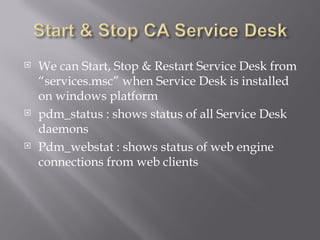
   We can Start, Stop & Restart Service Desk from
    “services.msc” when Service Desk is installed
    on windows platform
   pdm_status : shows status of all Service Desk
    daemons
   Pdm_webstat : shows status of web engine
    connections from web clients
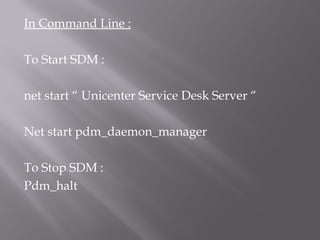
In Command Line :

To Start SDM :

net start “ Unicenter Service Desk Server “

Net start pdm_daemon_manager

To Stop SDM :
Pdm_halt

Module – administer ca service desk

  • 2.
    Identify CA Service Desk Admin Roles  CA Service Desk Architecture  Start/Stop CA Service Desk
  • 3.
    Primary focus of SD Admin is to ensure proper functioning of Service Desk Analyst & end users.
  • 4.
    CA Service DeskArchitecture mainly contains Physical Database layer Logical Database layer Object Layer Client Layer
  • 5.
    Contains CA-MDB ,a set of tables in RDBMS & MS – SQL Server  Service Desk Stores Incidents , Problems , Requests in Call_Req table present in CA-MDB  DashBoard uses ODBC to MDB for Reporting  It’s important that Physical DBA secures mdb.
  • 6.
    Contains database agent process known as <platform>_agent  It communicates with chosen Brand of RDBMS  It takes generic SQL instructions from Object Layer & translates them into specific SQL Statements  Incidents & Requests are stored in DBI /Logical table {Call_Req}
  • 7.
    Consists of Object Manager ,a process known as domsrvr (or) Domain Server  Maintain all objects & attributes in memory as defined in Object_level Schema  Object manager resides on a primary server by default (or) Secondary Serer {Used for Load balancing}
  • 8.
     Consistsof Web engine Process,which is true object manager client ,webserver (Usually Tomcat/IIS) & a web browser  We access Service Desk Web Client using below URL for Tomcat : http://<webserver>:8080/CAisd/pdmweb.exe  Both Service Desk Schemas {Object Level/DBI Level } are case sensitive.
  • 9.
    We can Start, Stop & Restart Service Desk from “services.msc” when Service Desk is installed on windows platform  pdm_status : shows status of all Service Desk daemons  Pdm_webstat : shows status of web engine connections from web clients
  • 10.
    In Command Line: To Start SDM : net start “ Unicenter Service Desk Server “ Net start pdm_daemon_manager To Stop SDM : Pdm_halt