Basic Maneuvering Tasks:Basic Maneuvering Tasks:
Low Risk EnvironmentLow Risk Environment
Topic 1 --Topic 1 -- Basic ManeuversBasic Maneuvers
Topic 2 --Topic 2 -- Vision and PerceptionVision and Perception
Topic 3 --Topic 3 -- Controlling Risk Using a Space ManagementControlling Risk Using a Space Management
SystemSystem
Topic 4 --Topic 4 -- Developing Good Driving HabitsDeveloping Good Driving Habits
Module Three TransparenciesModule Three Transparencies
VirginiaVirginia Department of EducationDepartment of Education
Provided in cooperation with the Virginia Department of Motor VehiclesProvided in cooperation with the Virginia Department of Motor Vehicles
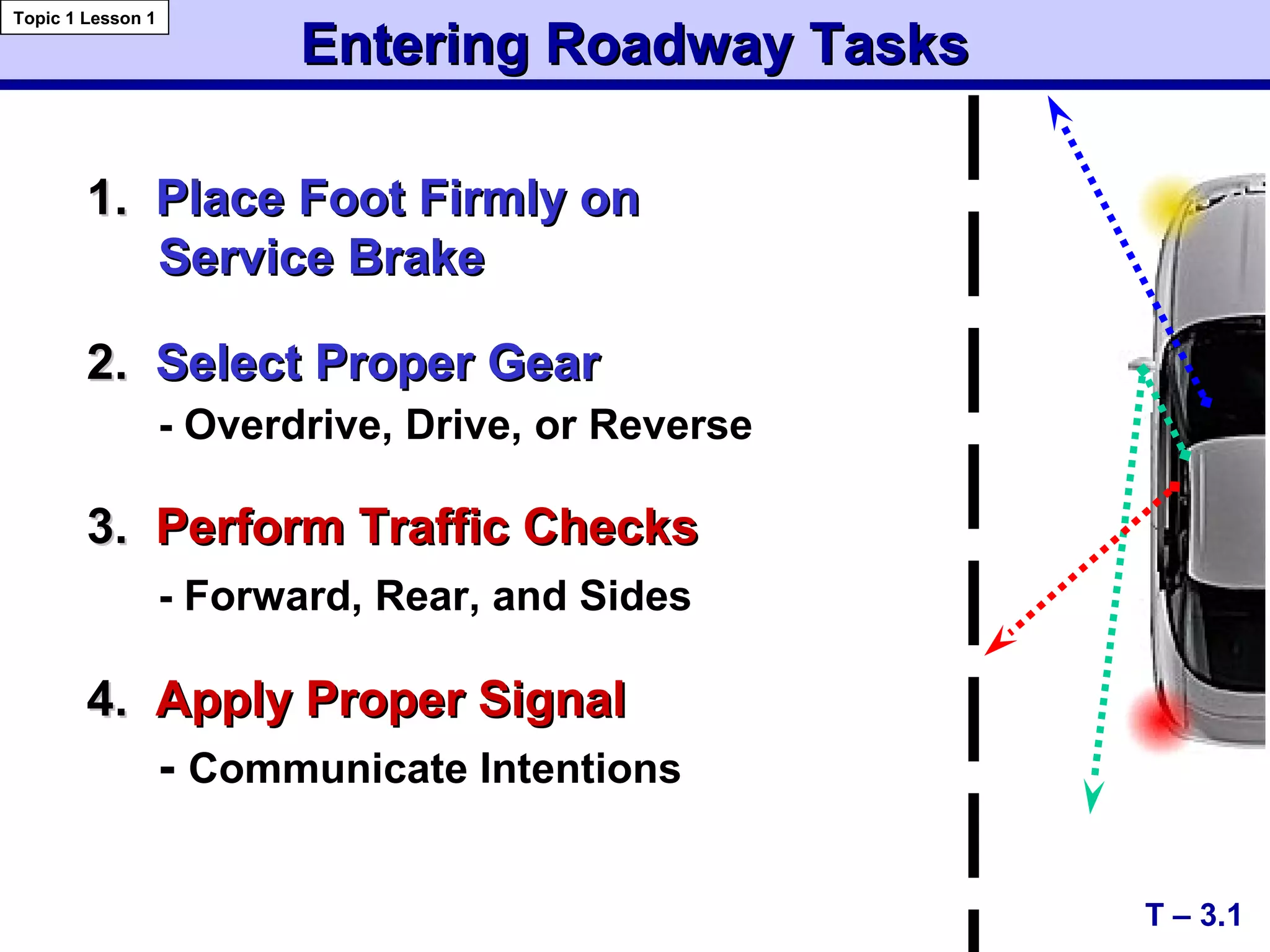
1.1. Place Foot Firmly onPlace Foot Firmly on
Service BrakeService Brake
2.2. Select Proper GearSelect Proper Gear
- Overdrive, Drive, or Reverse
3.3. Perform Traffic ChecksPerform Traffic Checks
- Forward, Rear, and Sides
4.4. Apply Proper SignalApply Proper Signal
- Communicate Intentions
T – 3.1
Entering Roadway TasksEntering Roadway Tasks
Topic 1 Lesson 1
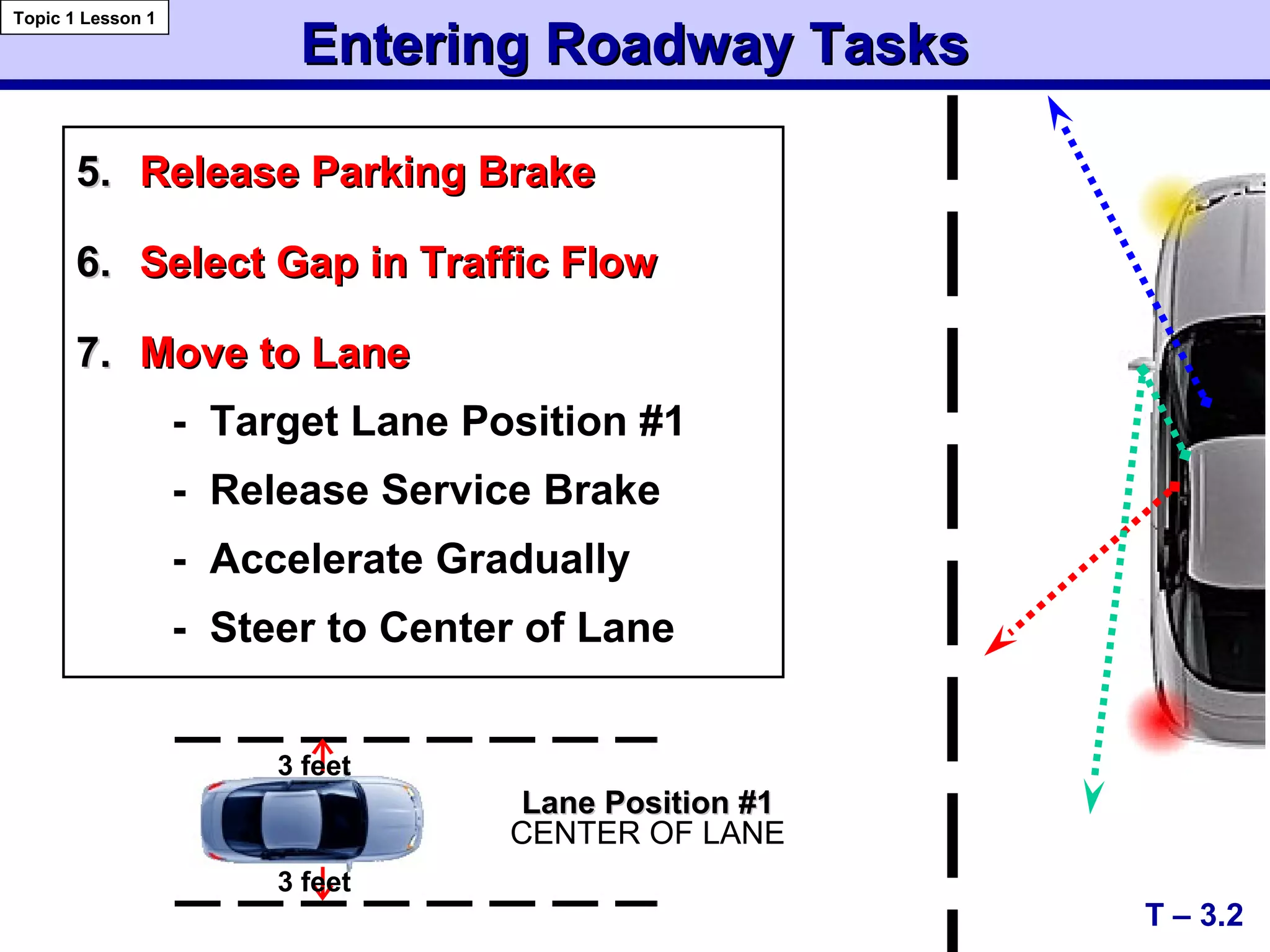
5.5. Release Parking BrakeRelease Parking Brake
6.6. Select Gap in Traffic FlowSelect Gap in Traffic Flow
7.7. Move to LaneMove to Lane
- Target Lane Position #1
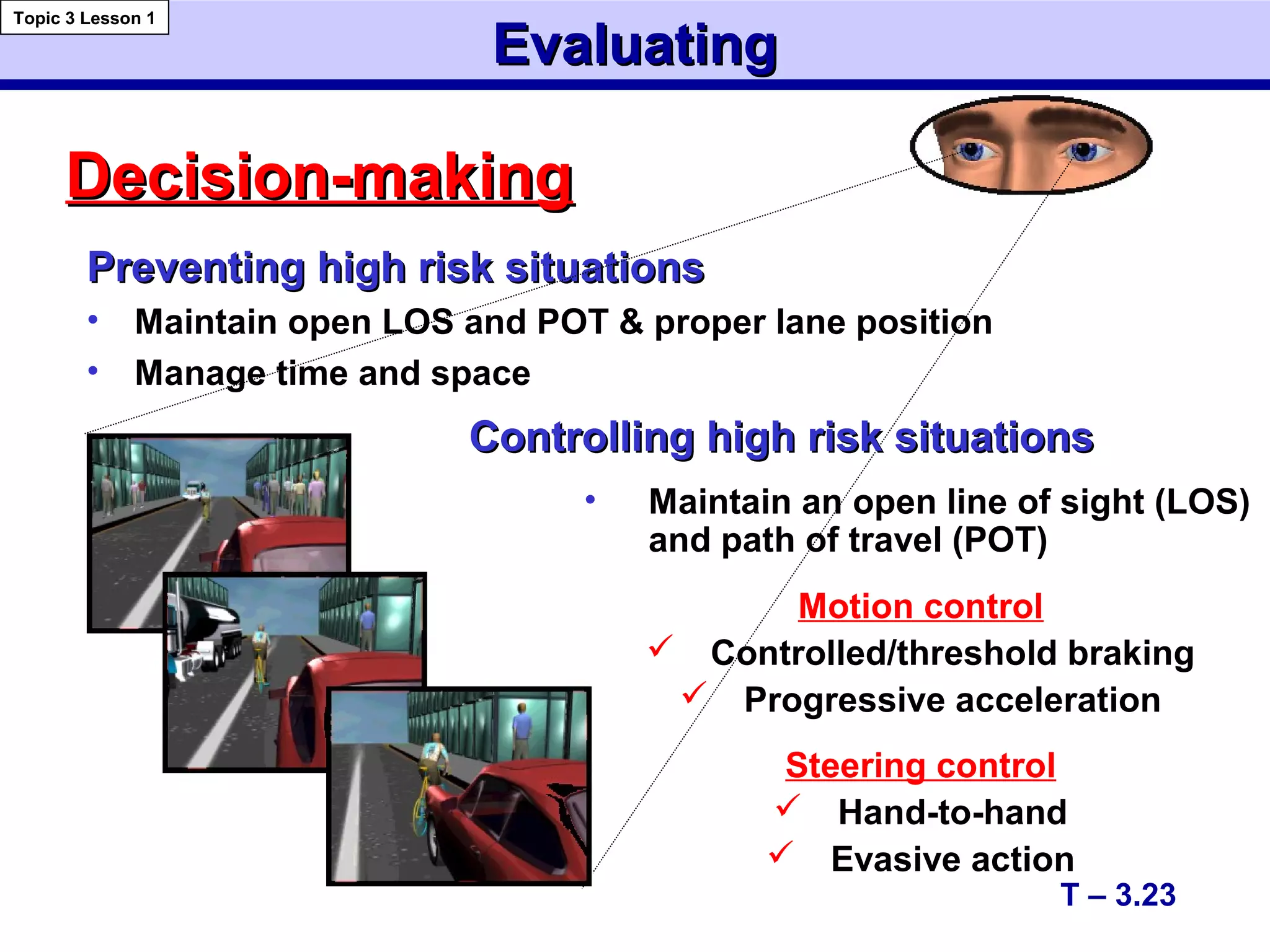
- Release Service Brake
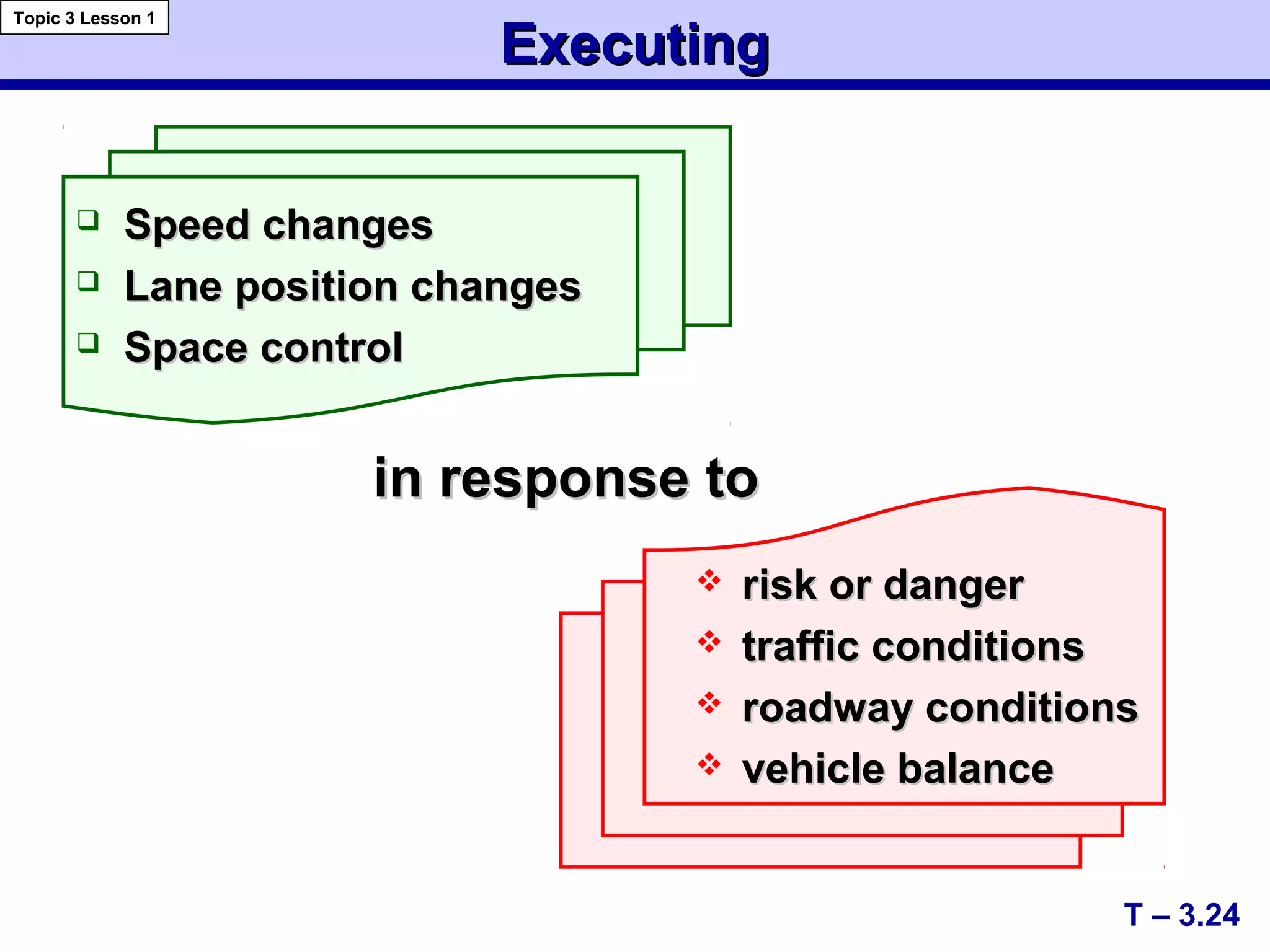
- Accelerate Gradually
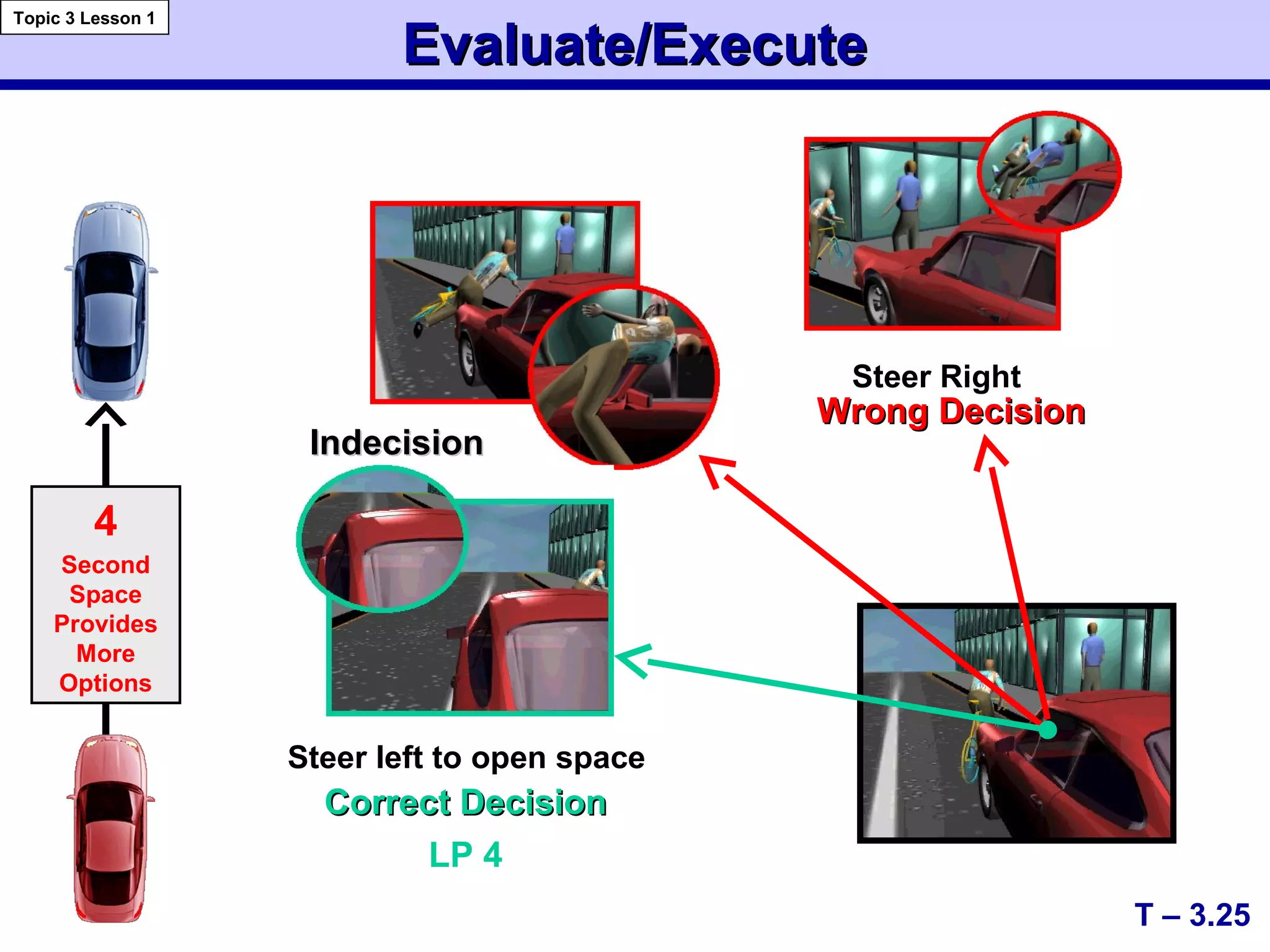
- Steer to Center of Lane
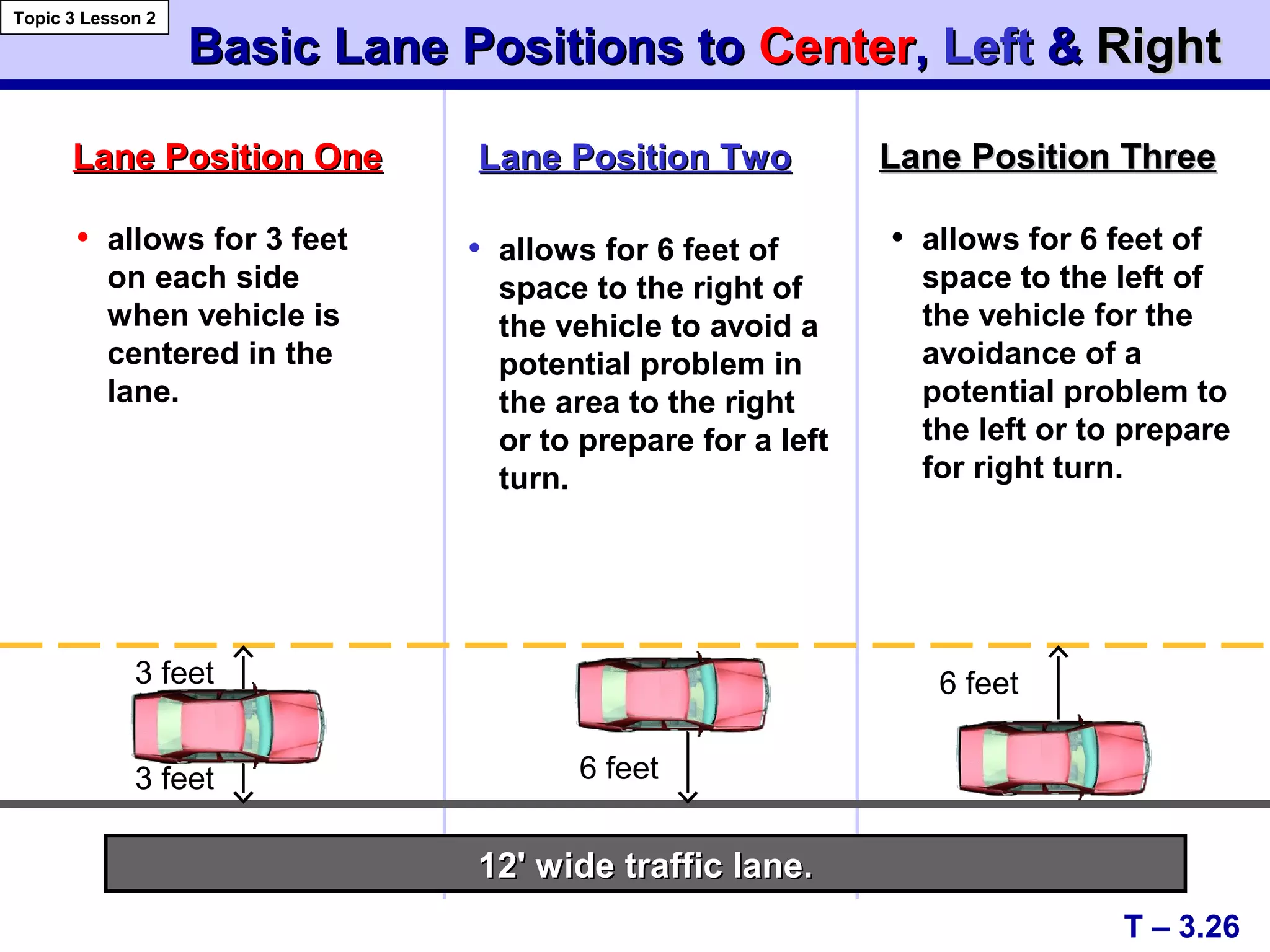
Entering Roadway TasksEntering Roadway Tasks
T – 3.2
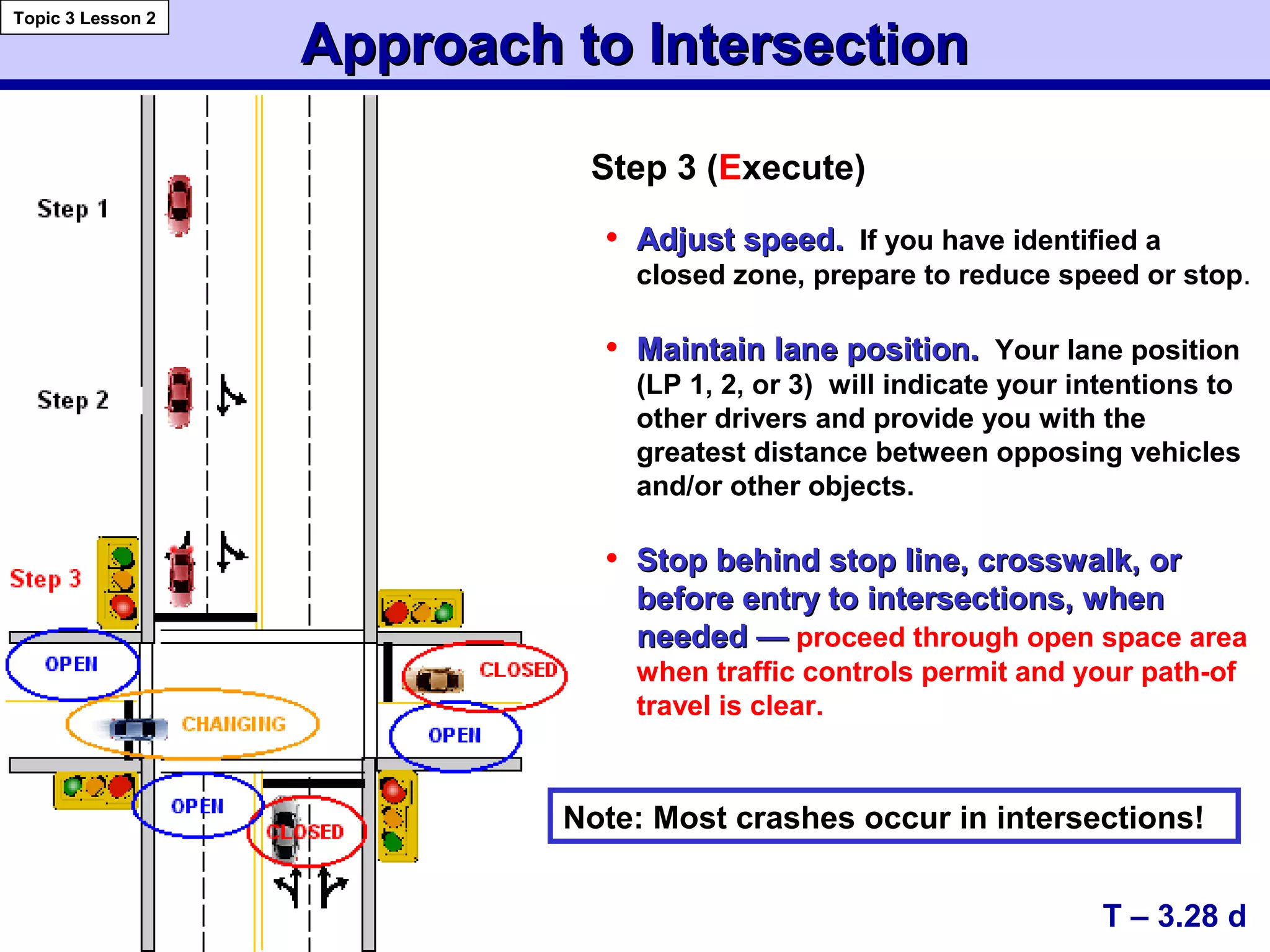
Topic 1 Lesson 1
3 feet
Lane Position #1Lane Position #1
CENTER OF LANE
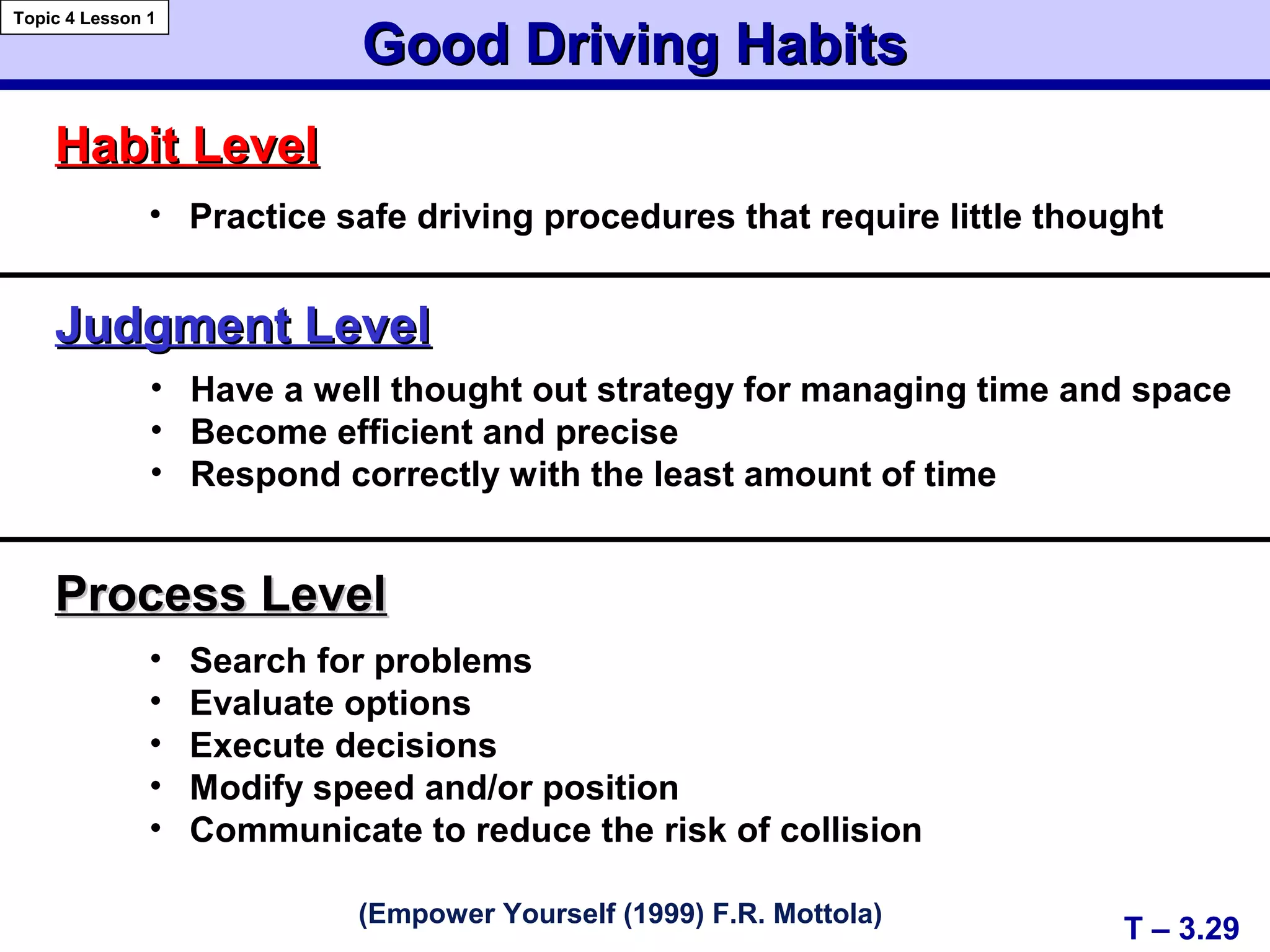
3 feet
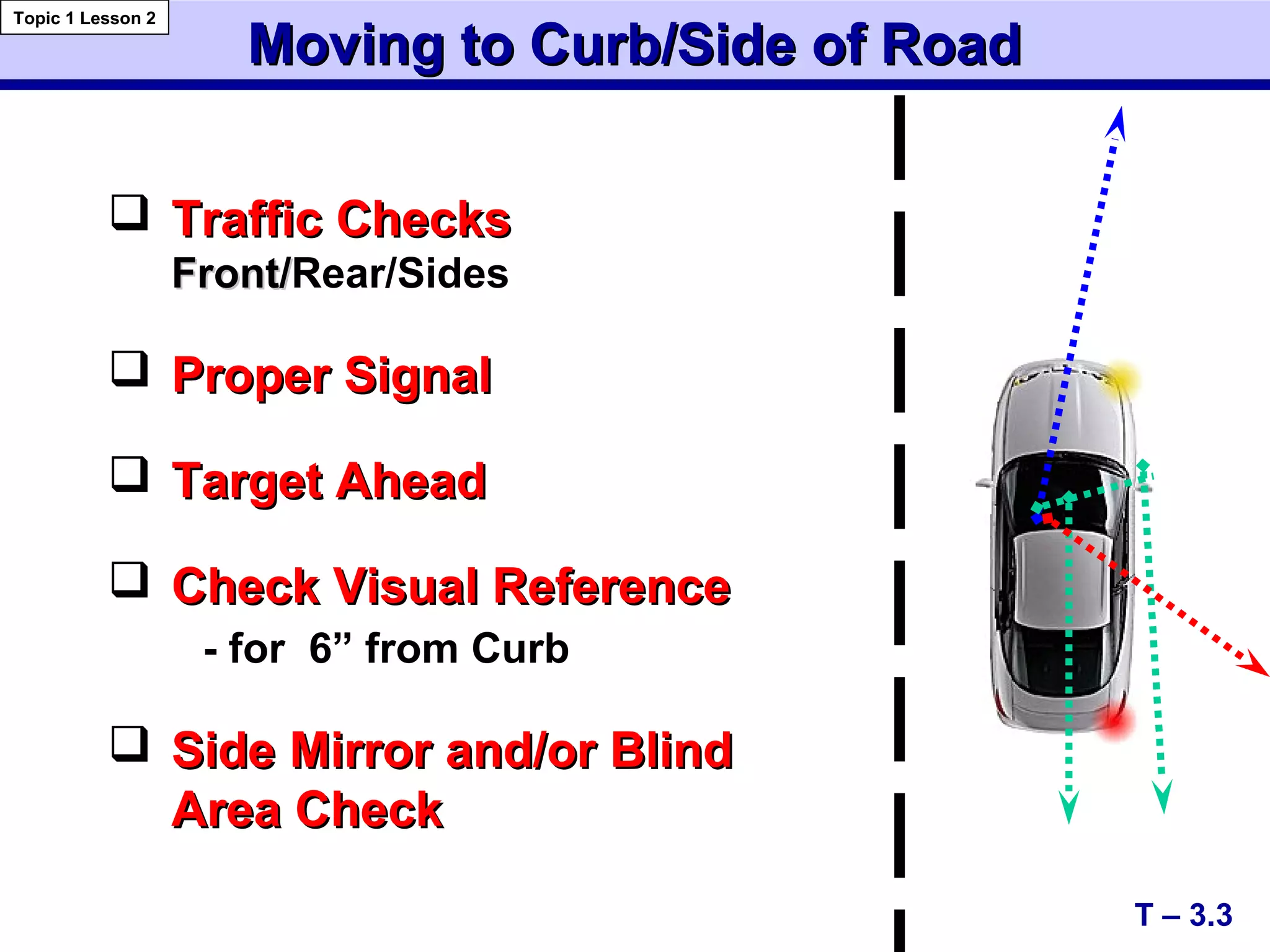
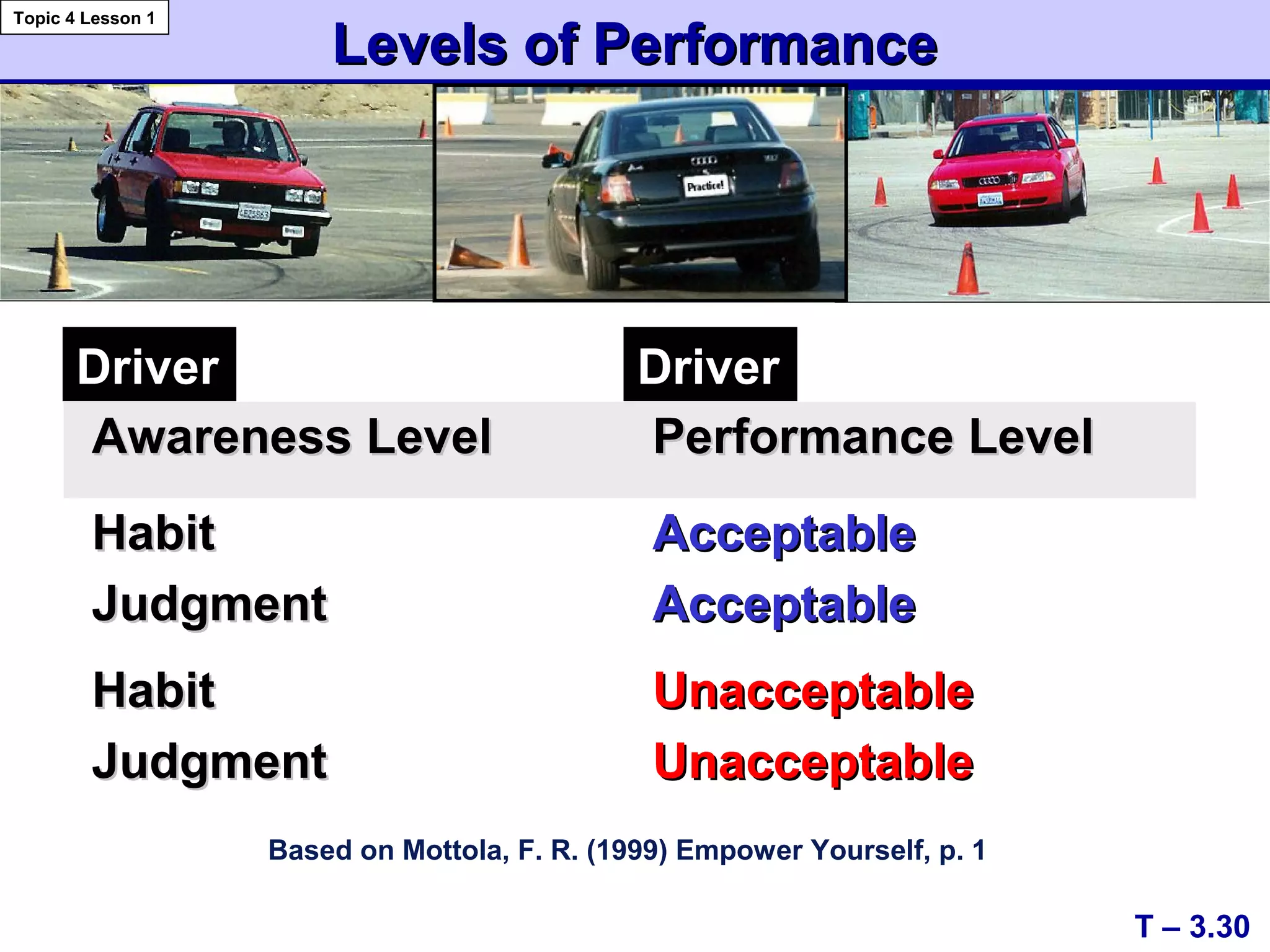
 Traffic ChecksTraffic Checks
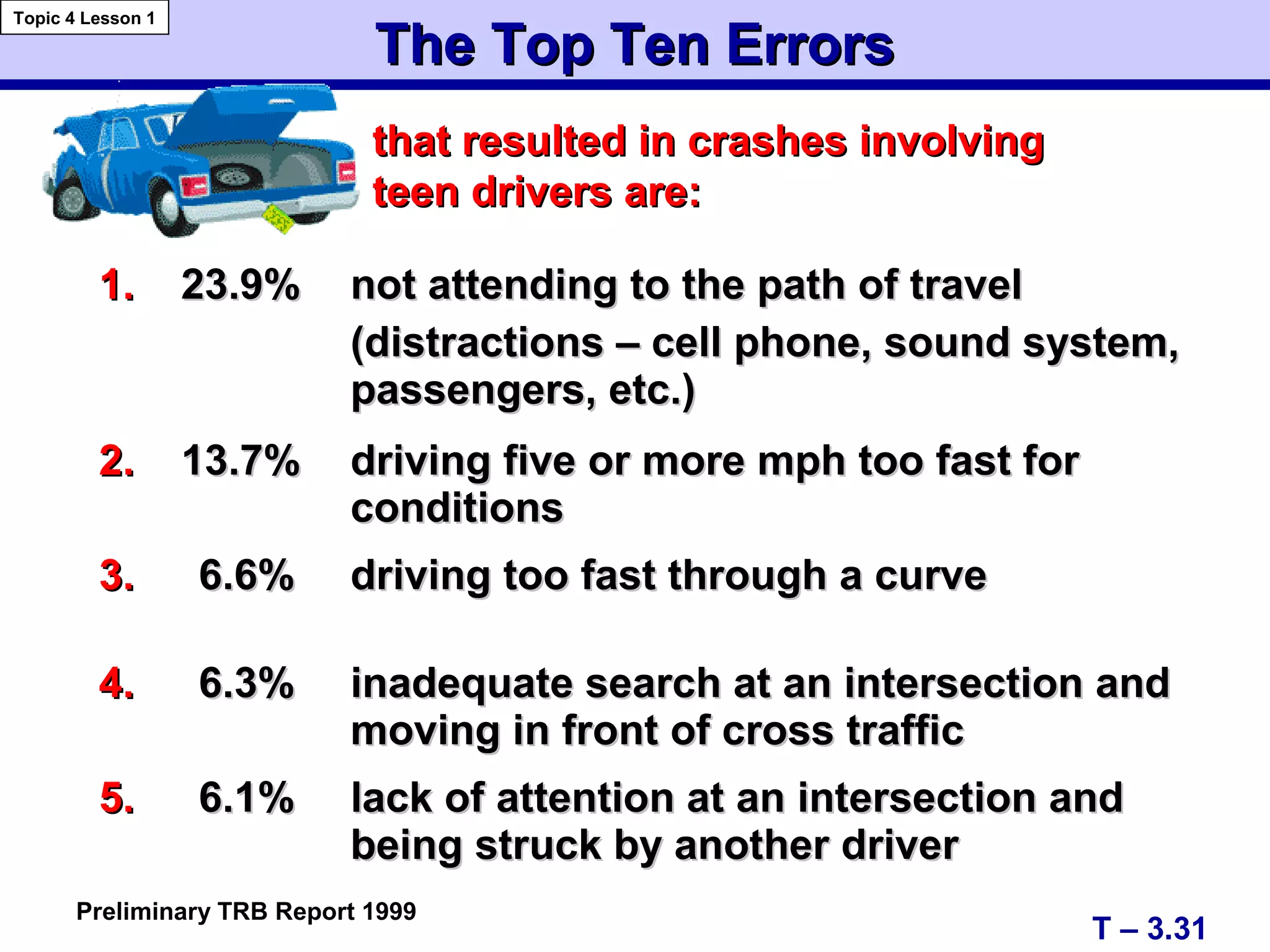
Front/Front/Rear/Sides
 Proper SignalProper Signal
 Target AheadTarget Ahead
 Check Visual ReferenceCheck Visual Reference
- for 6” from Curb
 Side Mirror and/or BlindSide Mirror and/or Blind
Area CheckArea Check
T – 3.3
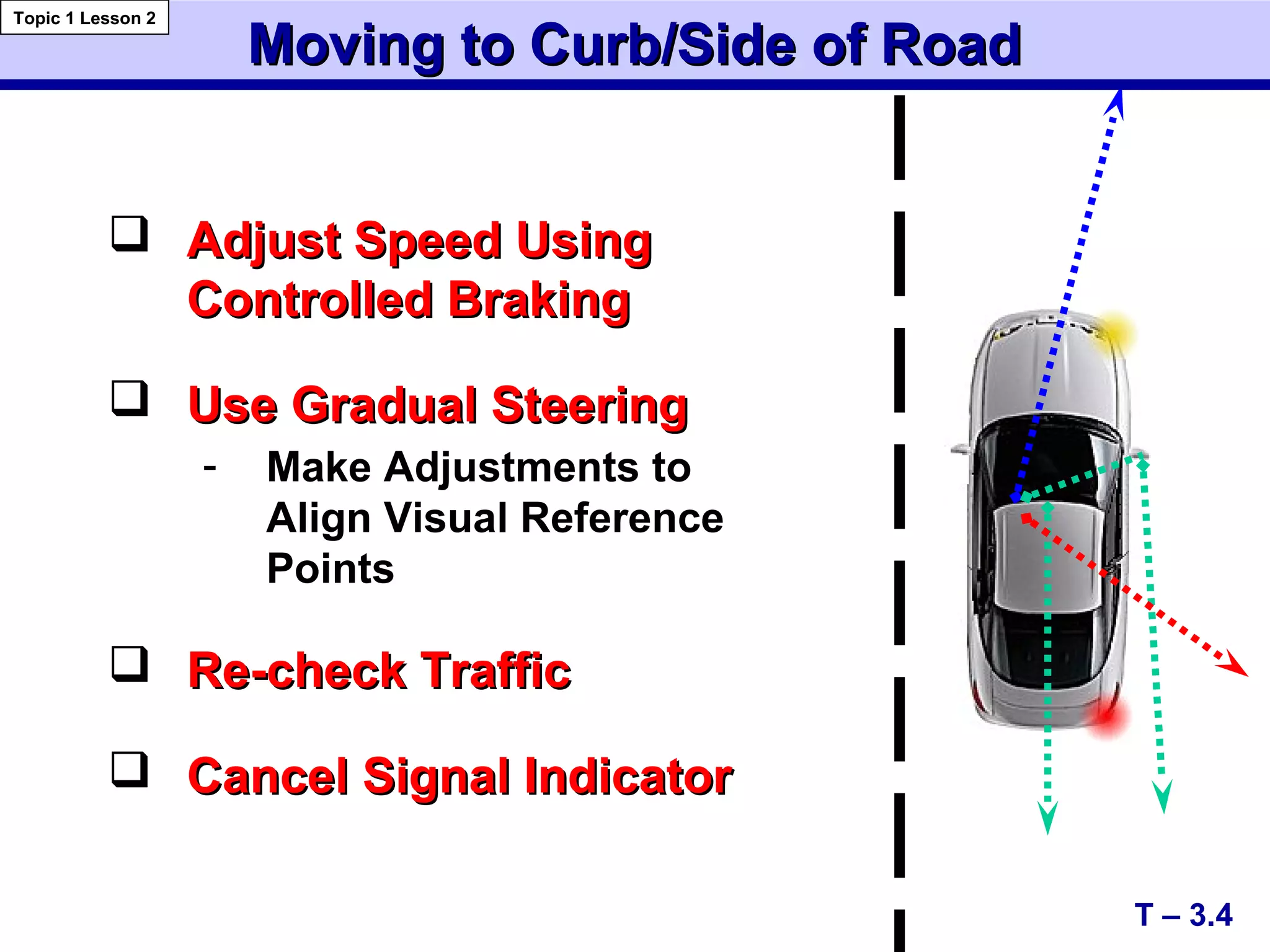
Moving to Curb/Side of RoadMoving to Curb/Side of Road
Topic 1 Lesson 2
Moving to Curb/Side of RoadMoving to Curb/Side of Road
 Adjust Speed UsingAdjust Speed Using
Controlled BrakingControlled Braking
 Use Gradual SteeringUse Gradual Steering
- Make Adjustments to
Align Visual Reference
Points
 Re-check TrafficRe-check Traffic
 Cancel Signal IndicatorCancel Signal Indicator
T – 3.4
Topic 1 Lesson 2
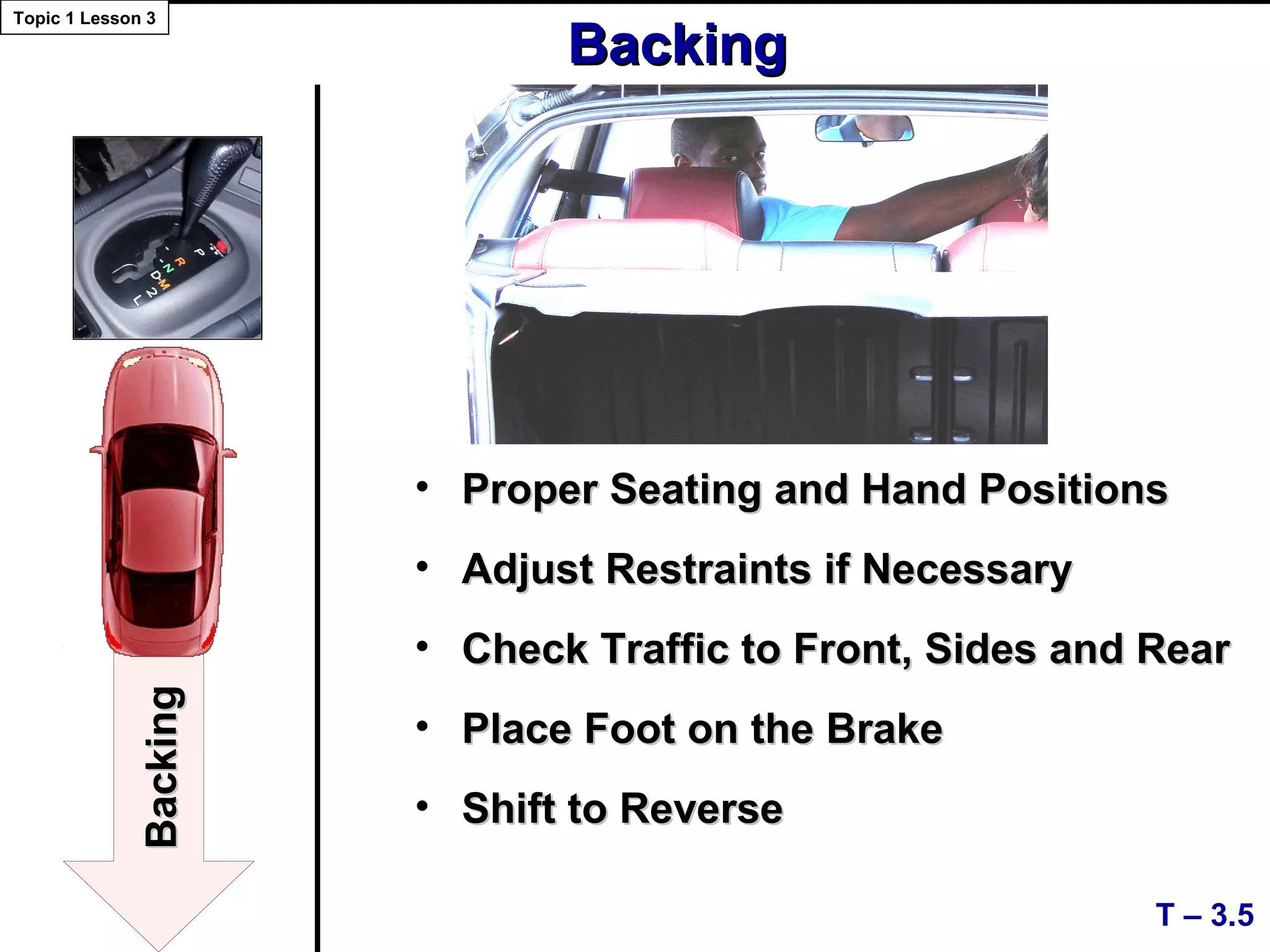
• Proper Seating and Hand PositionsProper Seating and Hand Positions
• Adjust Restraints if NecessaryAdjust Restraints if Necessary
• Check Traffic to Front, Sides and RearCheck Traffic to Front, Sides and Rear
• Place Foot on the BrakePlace Foot on the Brake
• Shift to ReverseShift to Reverse
T – 3.5
Topic 1 Lesson 3
BackingBacking
BackingBacking
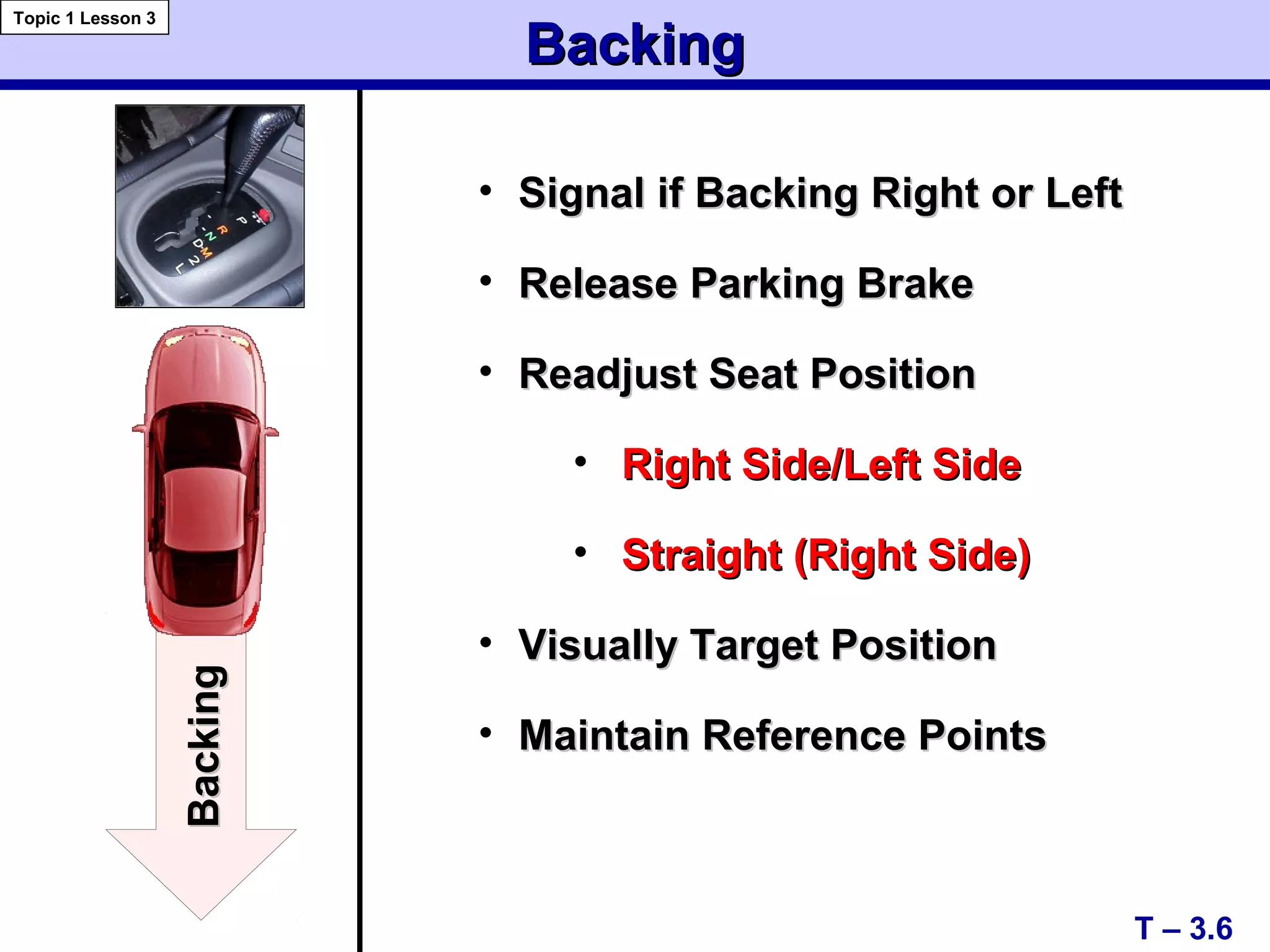
• Signal if Backing Right or LeftSignal if Backing Right or Left
• Release Parking BrakeRelease Parking Brake
• Readjust Seat PositionReadjust Seat Position
• Right Side/Left SideRight Side/Left Side
• Straight (Right Side)Straight (Right Side)
• Visually Target PositionVisually Target Position
• Maintain Reference PointsMaintain Reference Points
T – 3.6
BackingBacking
Topic 1 Lesson 3
BackingBacking
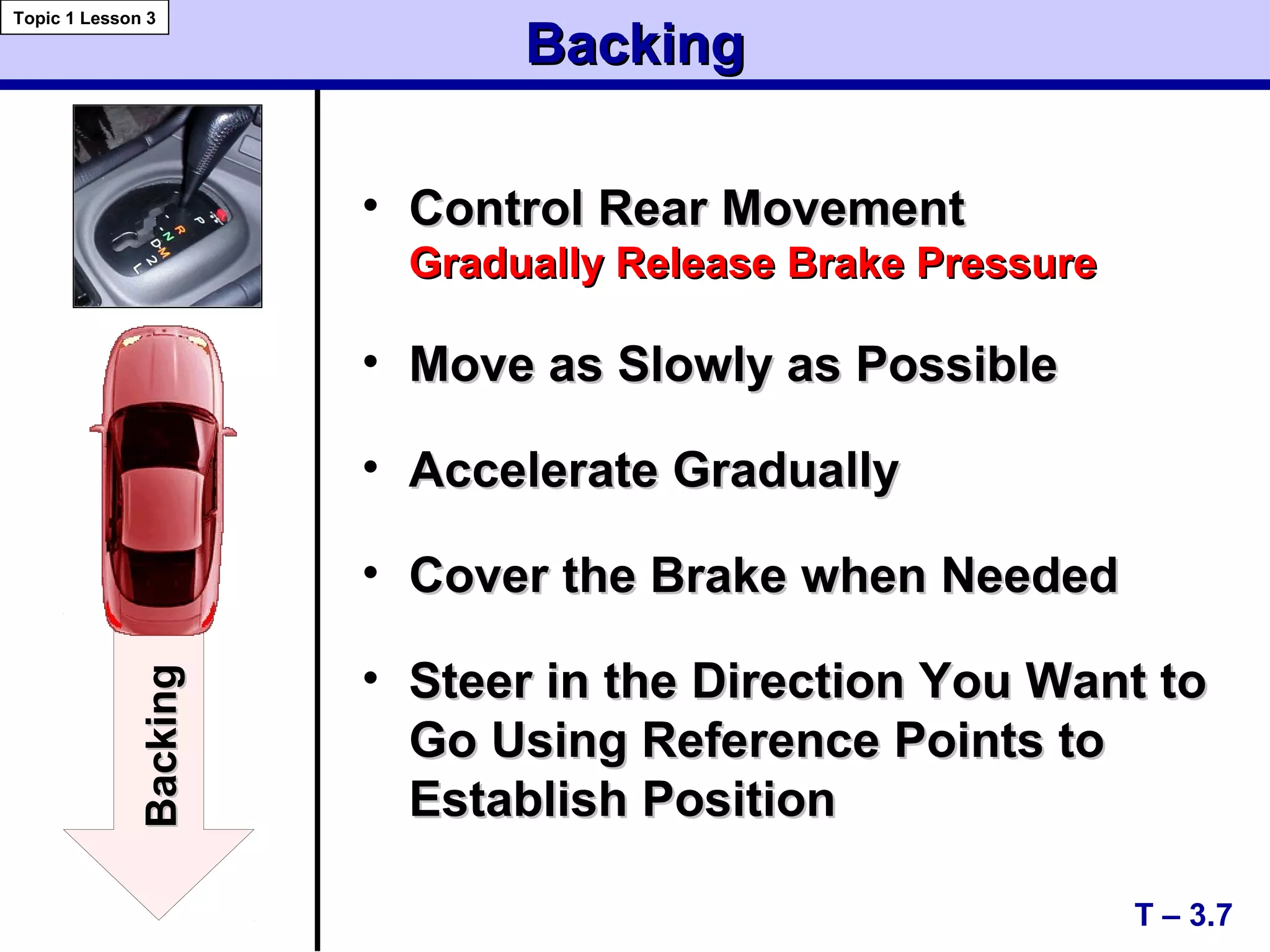
• Control Rear MovementControl Rear Movement
Gradually Release Brake PressureGradually Release Brake Pressure
• Move as Slowly as PossibleMove as Slowly as Possible
• Accelerate GraduallyAccelerate Gradually
• Cover the Brake when NeededCover the Brake when Needed
• Steer in the Direction You Want toSteer in the Direction You Want to
Go Using Reference Points toGo Using Reference Points to
Establish PositionEstablish Position
BackingBacking
T – 3.7
Topic 1 Lesson 3
BackingBacking
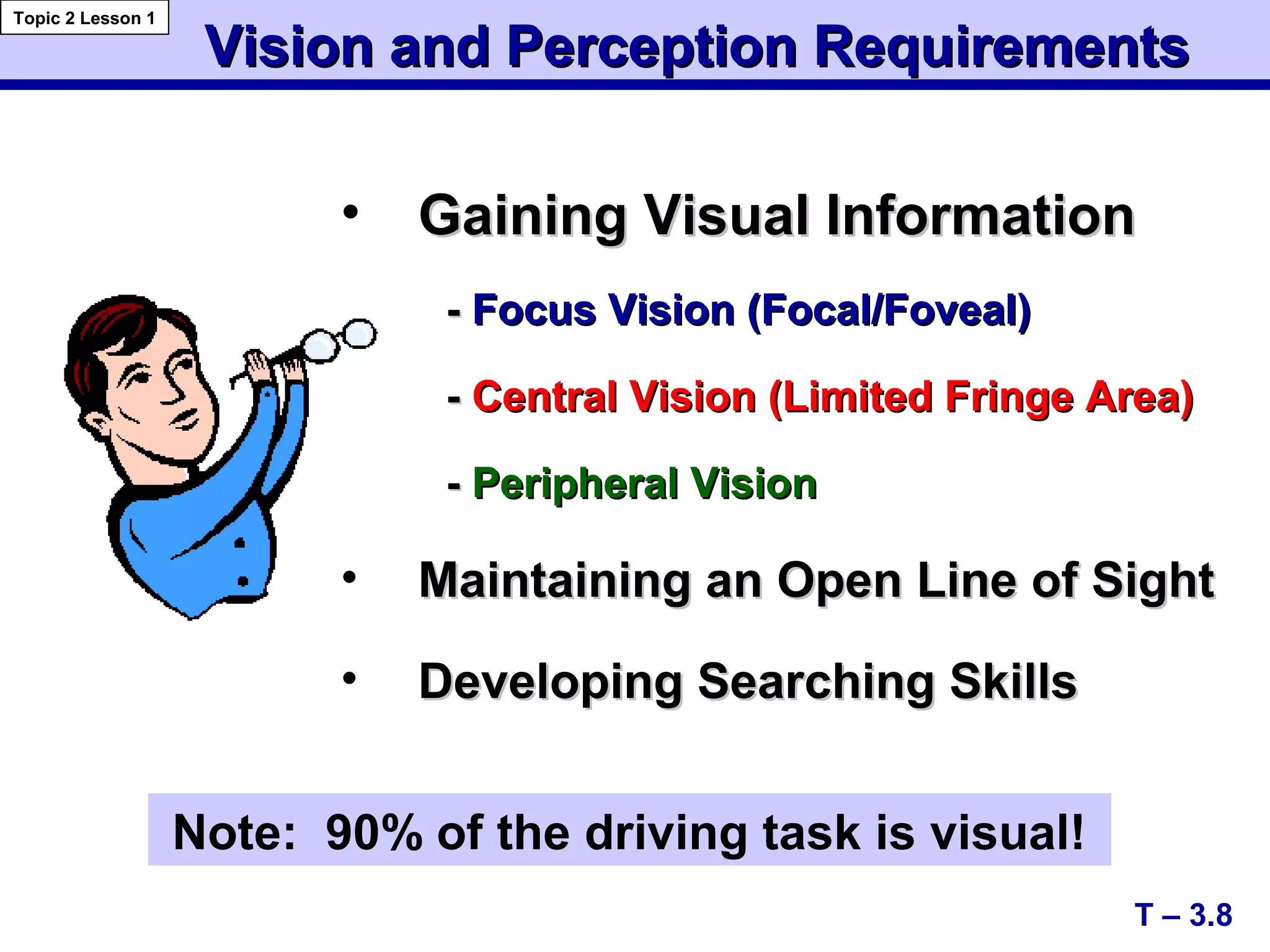
• Gaining Visual InformationGaining Visual Information
-- Focus Vision (Focal/Foveal)Focus Vision (Focal/Foveal)
-- Central Vision (Limited Fringe Area)Central Vision (Limited Fringe Area)
-- Peripheral VisionPeripheral Vision
• Maintaining an Open Line of SightMaintaining an Open Line of Sight
• Developing Searching SkillsDeveloping Searching Skills
Vision and Perception RequirementsVision and Perception Requirements
T – 3.8
Topic 2 Lesson 1
Note: 90% of the driving task is visual!
Vision and Perception RequirementsVision and Perception Requirements
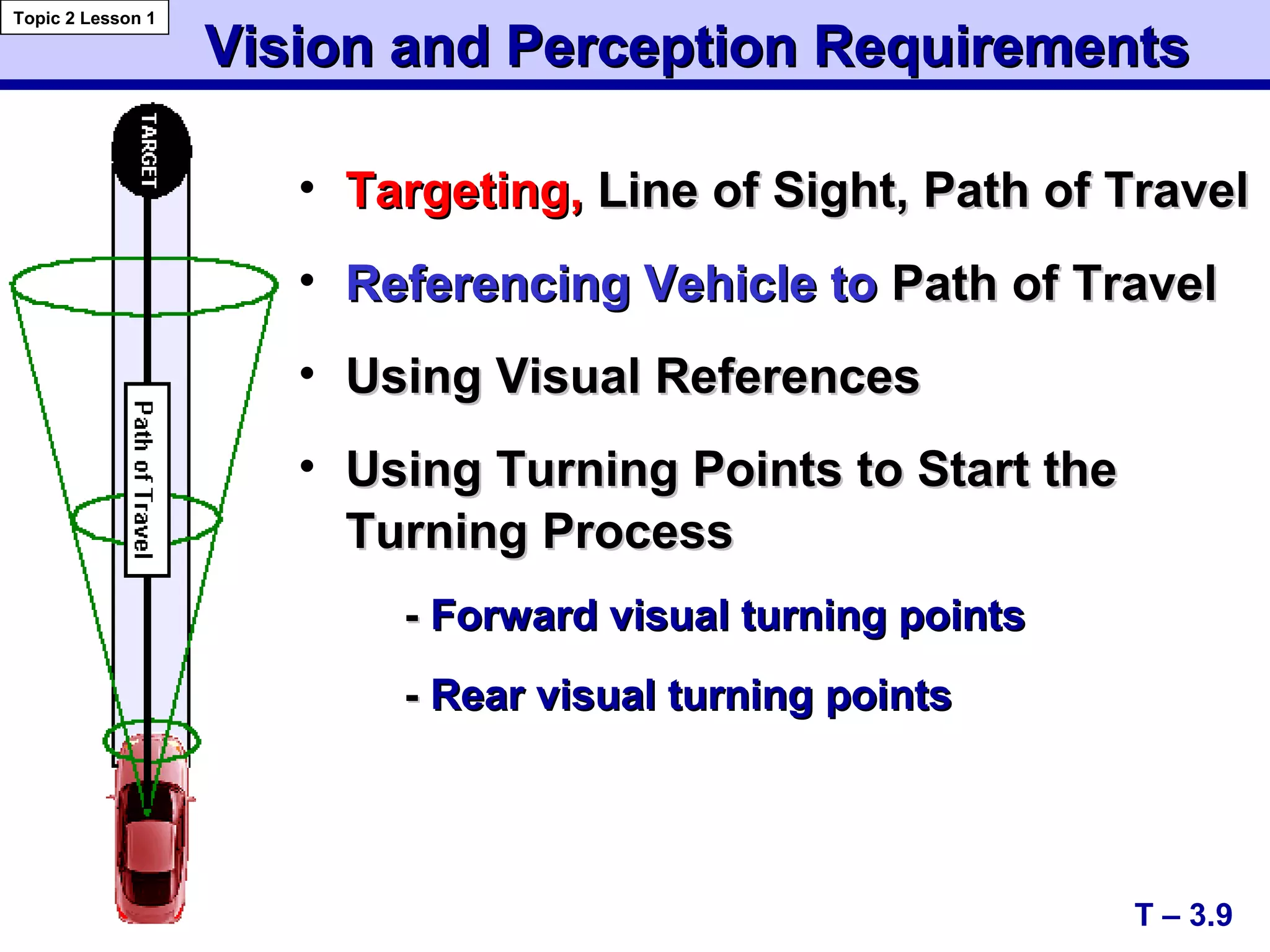
• Targeting,Targeting, Line of Sight, Path of TravelLine of Sight, Path of Travel
• Referencing Vehicle toReferencing Vehicle to Path of TravelPath of Travel
• Using Visual ReferencesUsing Visual References
• Using Turning Points to Start theUsing Turning Points to Start the
Turning ProcessTurning Process
-- Forward visual turning pointsForward visual turning points
-- Rear visual turning pointsRear visual turning points
T – 3.9
Topic 2 Lesson 1
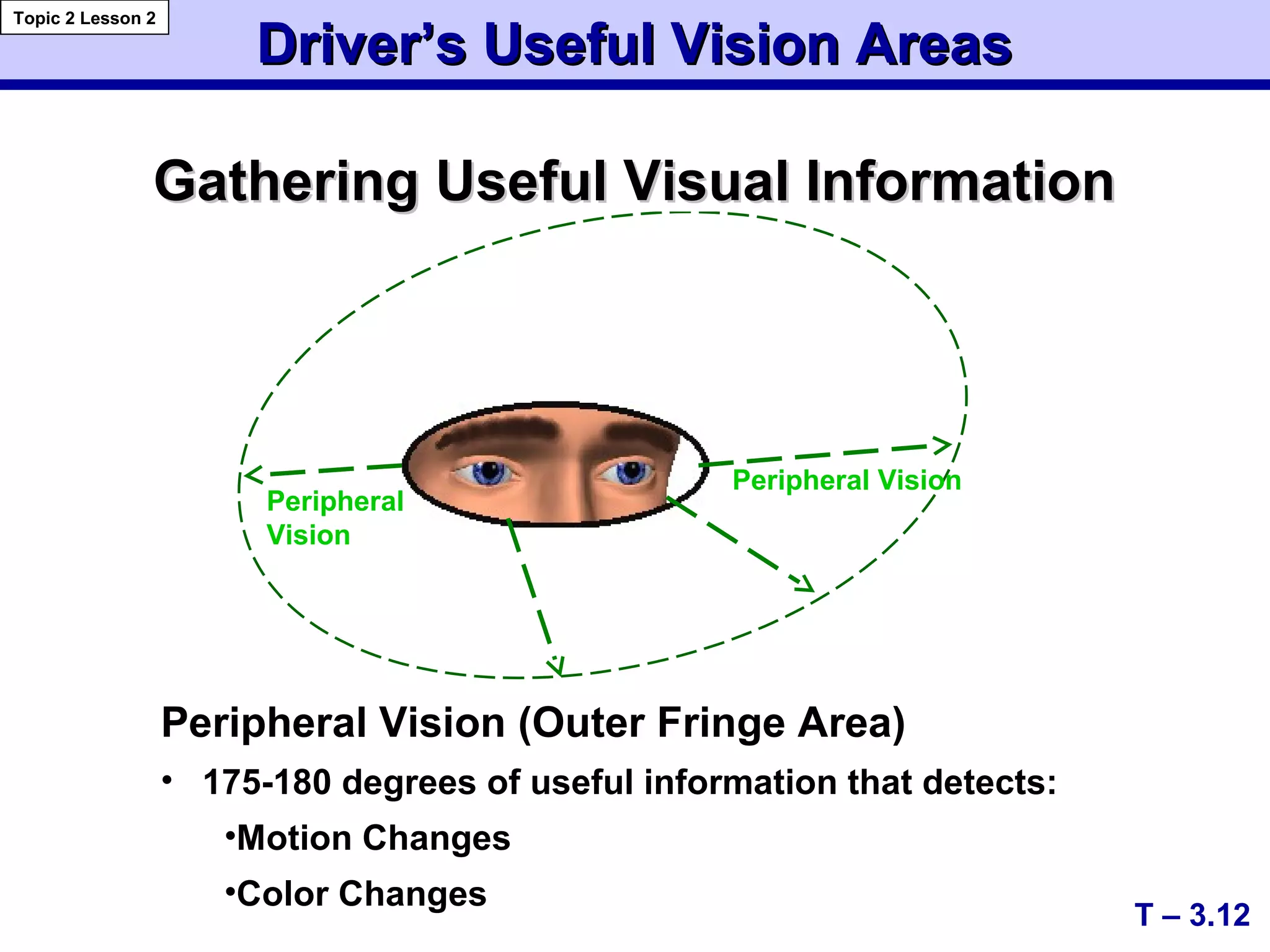
Driver’s Useful Vision AreasDriver’s Useful Vision Areas
Gathering Useful VisualGathering Useful Visual
InformationInformation
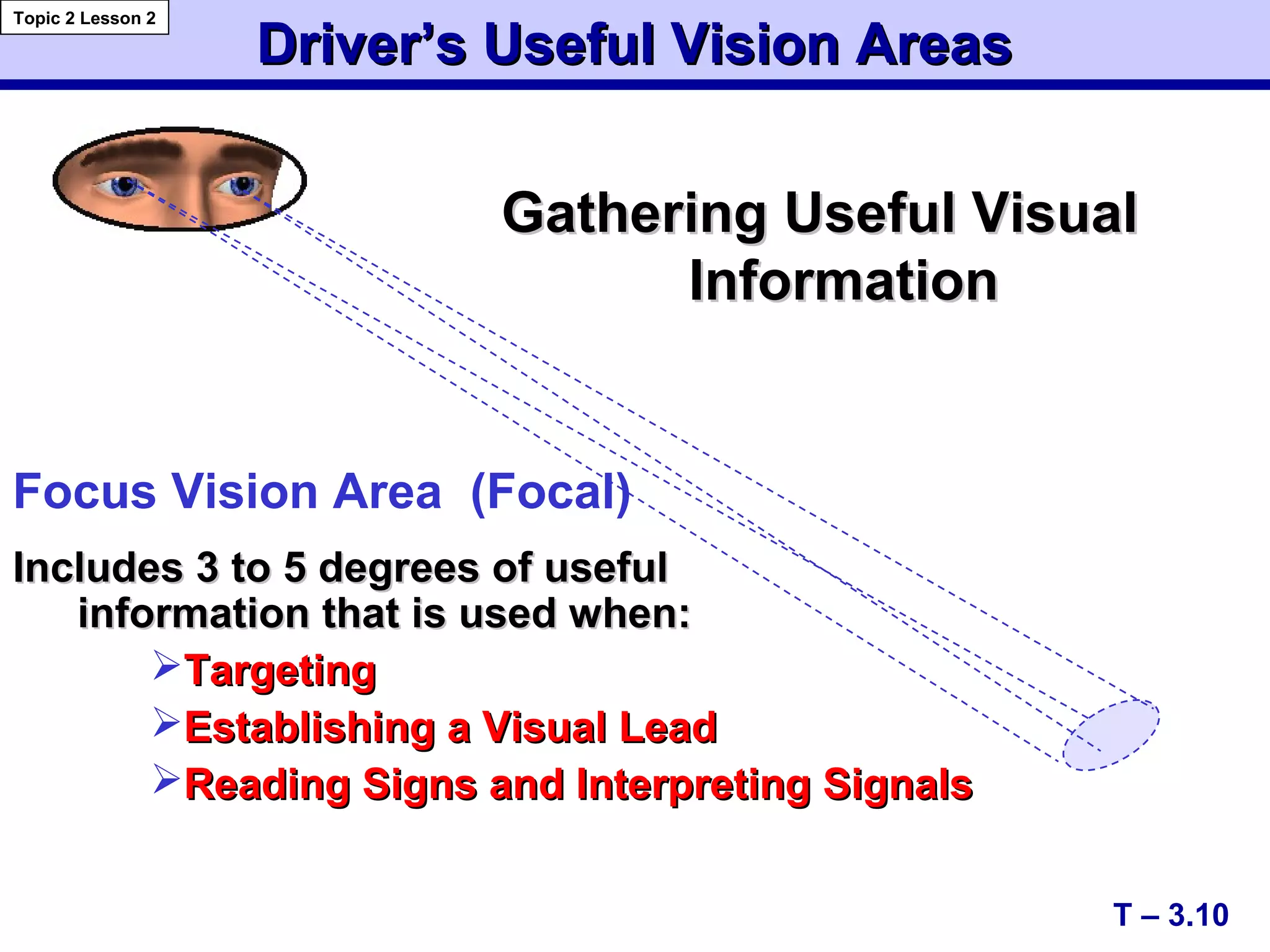
Focus Vision Area (Focal)
Includes 3 to 5 degrees of usefulIncludes 3 to 5 degrees of useful
information that is used when:information that is used when:
TargetingTargeting
Establishing a Visual LeadEstablishing a Visual Lead
Reading Signs and Interpreting SignalsReading Signs and Interpreting Signals
T – 3.10
Topic 2 Lesson 2
Driver’s Useful Vision AreasDriver’s Useful Vision Areas
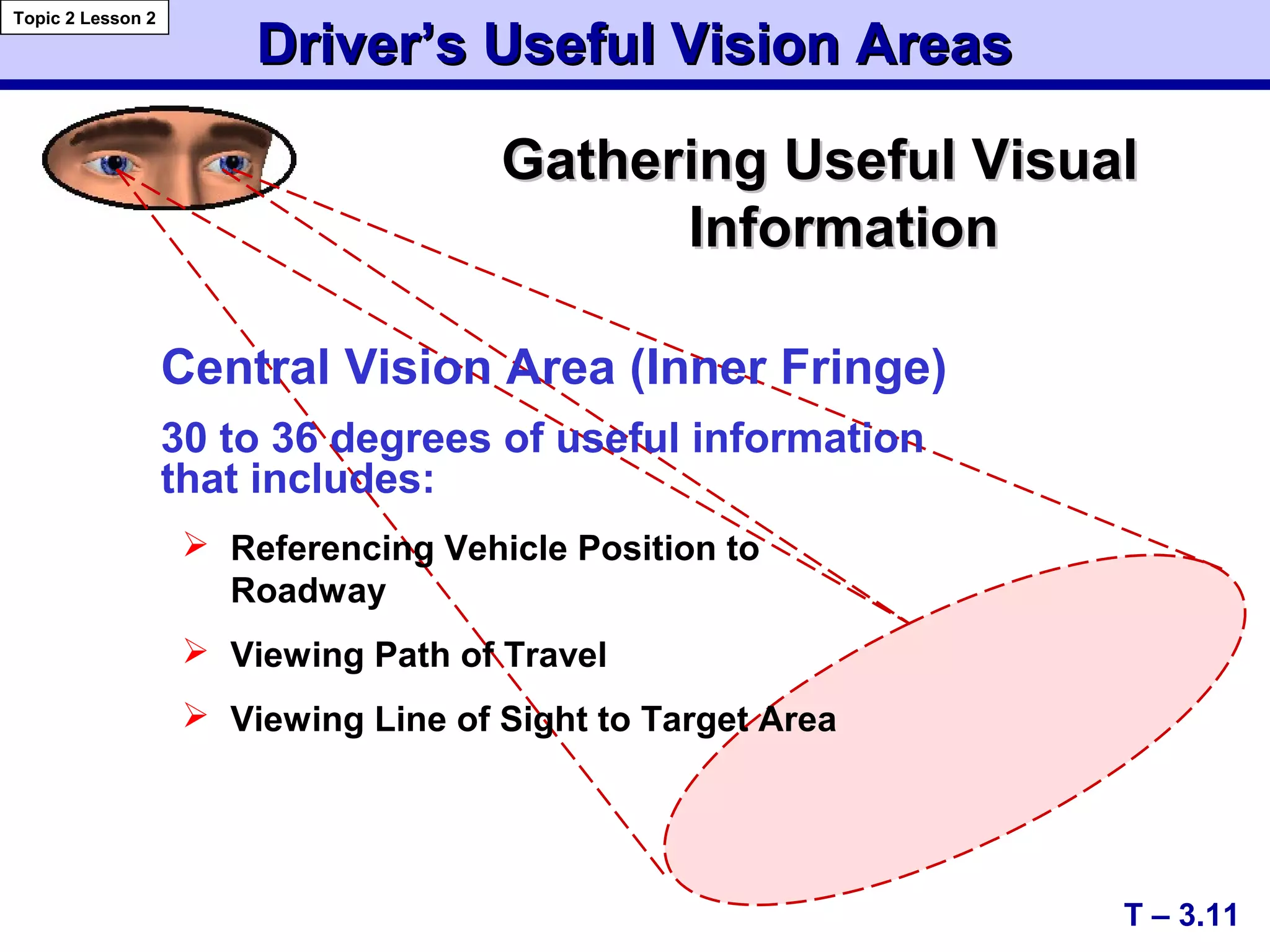
 Referencing Vehicle Position to
Roadway
 Viewing Path of Travel
 Viewing Line of Sight to Target Area
T – 3.11
Topic 2 Lesson 2
Gathering Useful VisualGathering Useful Visual
InformationInformation
Central Vision Area (Inner Fringe)
30 to 36 degrees of useful information
that includes:
Driver’s Useful Vision AreasDriver’s Useful Vision Areas
Gathering Useful Visual InformationGathering Useful Visual Information
T – 3.12
Topic 2 Lesson 2
Peripheral
Vision
Peripheral Vision
Peripheral Vision (Outer Fringe Area)
• 175-180 degrees of useful information that detects:
•Motion Changes
•Color Changes
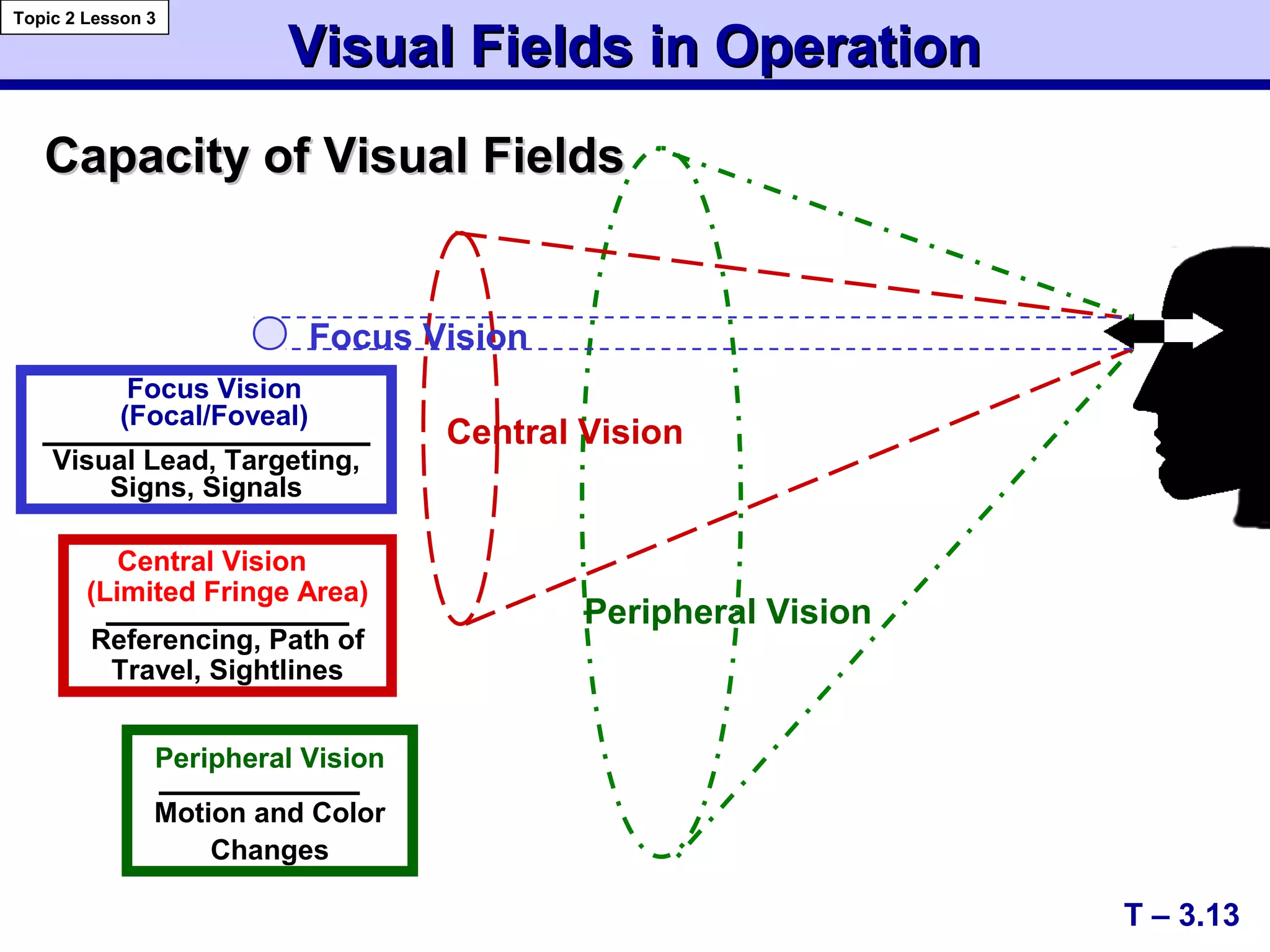
Capacity of Visual FieldsCapacity of Visual Fields
Focus Vision
Central Vision
Peripheral Vision
Peripheral Vision
Motion and Color
Changes
Focus Vision
(Focal/Foveal)
Visual Lead, Targeting,
Signs, Signals
Central Vision
(Limited Fringe Area)
Referencing, Path of
Travel, Sightlines
Visual Fields in OperationVisual Fields in Operation
T – 3.13
Topic 2 Lesson 3
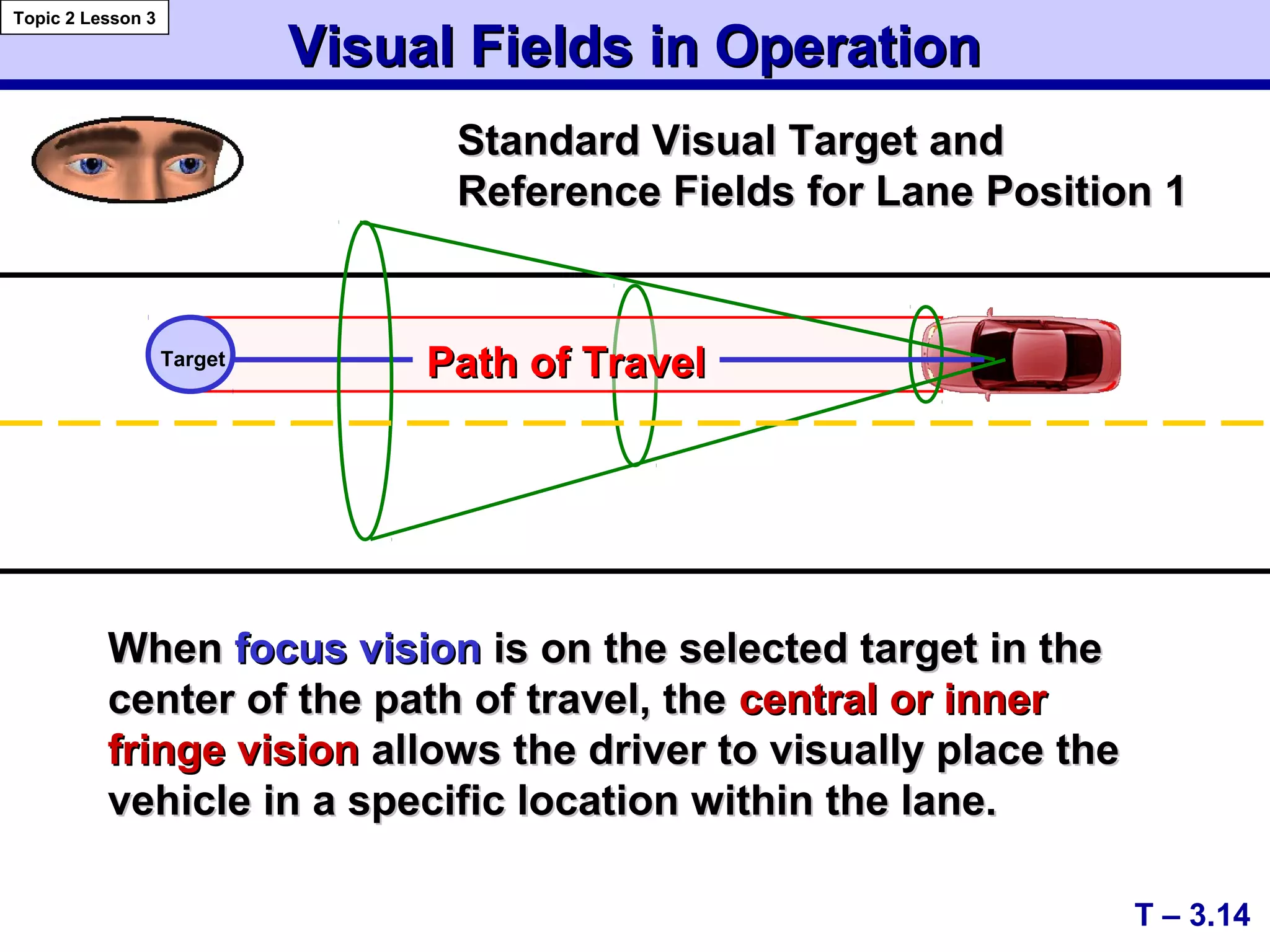
Visual Fields in OperationVisual Fields in Operation
Path of TravelPath of TravelTarget
Standard Visual Target andStandard Visual Target and
Reference Fields for Lane Position 1Reference Fields for Lane Position 1
WhenWhen focus visionfocus vision is on the selected target in theis on the selected target in the
center of the path of travel, thecenter of the path of travel, the central or innercentral or inner
fringe visionfringe vision allows the driver to visually place theallows the driver to visually place the
vehicle in a specific location within the lane.vehicle in a specific location within the lane.
T – 3.14
Topic 2 Lesson 3
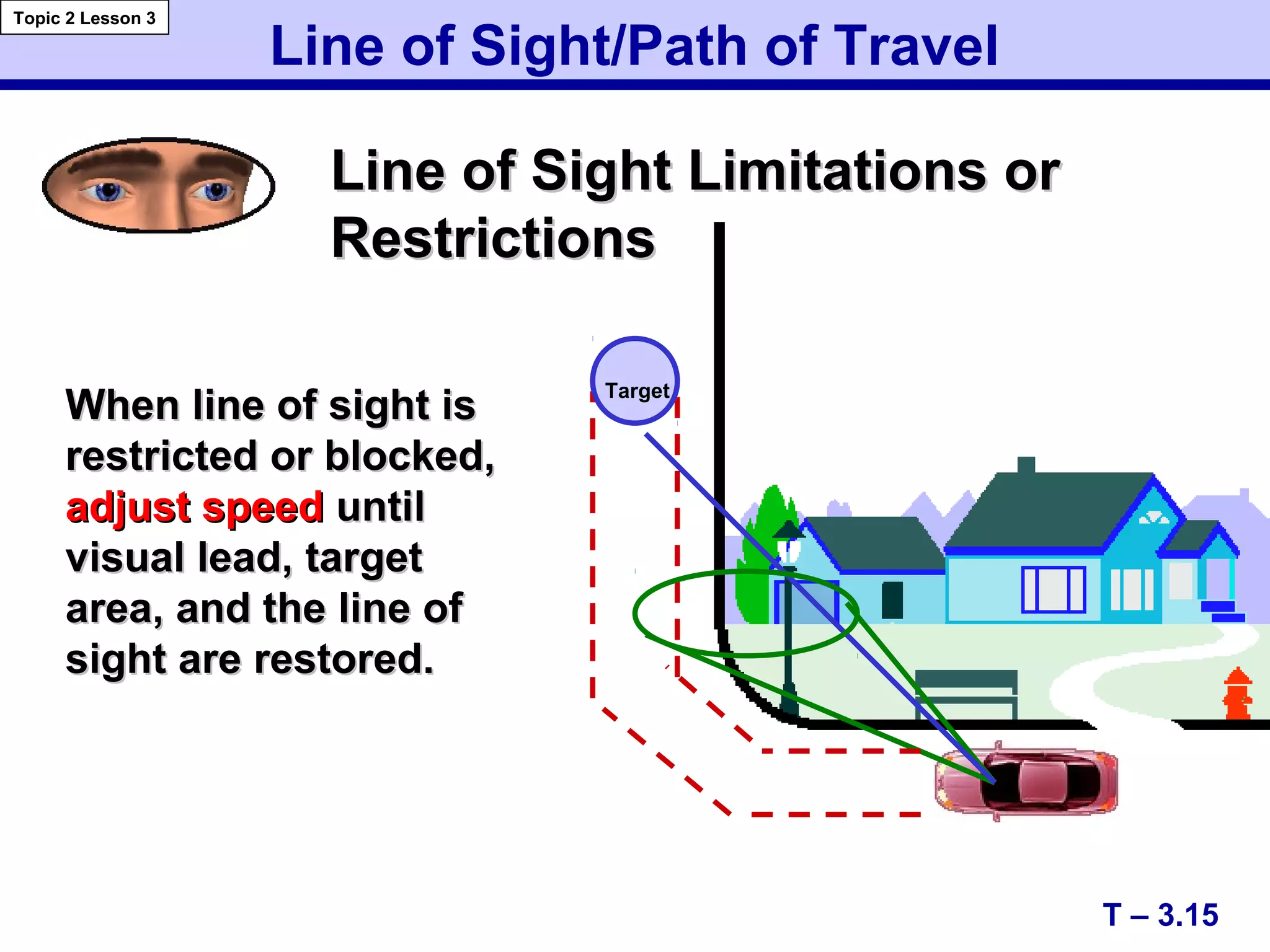
Line of Sight/Path of Travel
Line of Sight Limitations orLine of Sight Limitations or
RestrictionsRestrictions
When line of sight isWhen line of sight is
restricted or blocked,restricted or blocked,
adjust speedadjust speed untiluntil
visual lead, targetvisual lead, target
area, and the line ofarea, and the line of
sight are restored.sight are restored.
T – 3.15
Topic 2 Lesson 3
Target
Effect of Speed on Vision and SteeringEffect of Speed on Vision and Steering
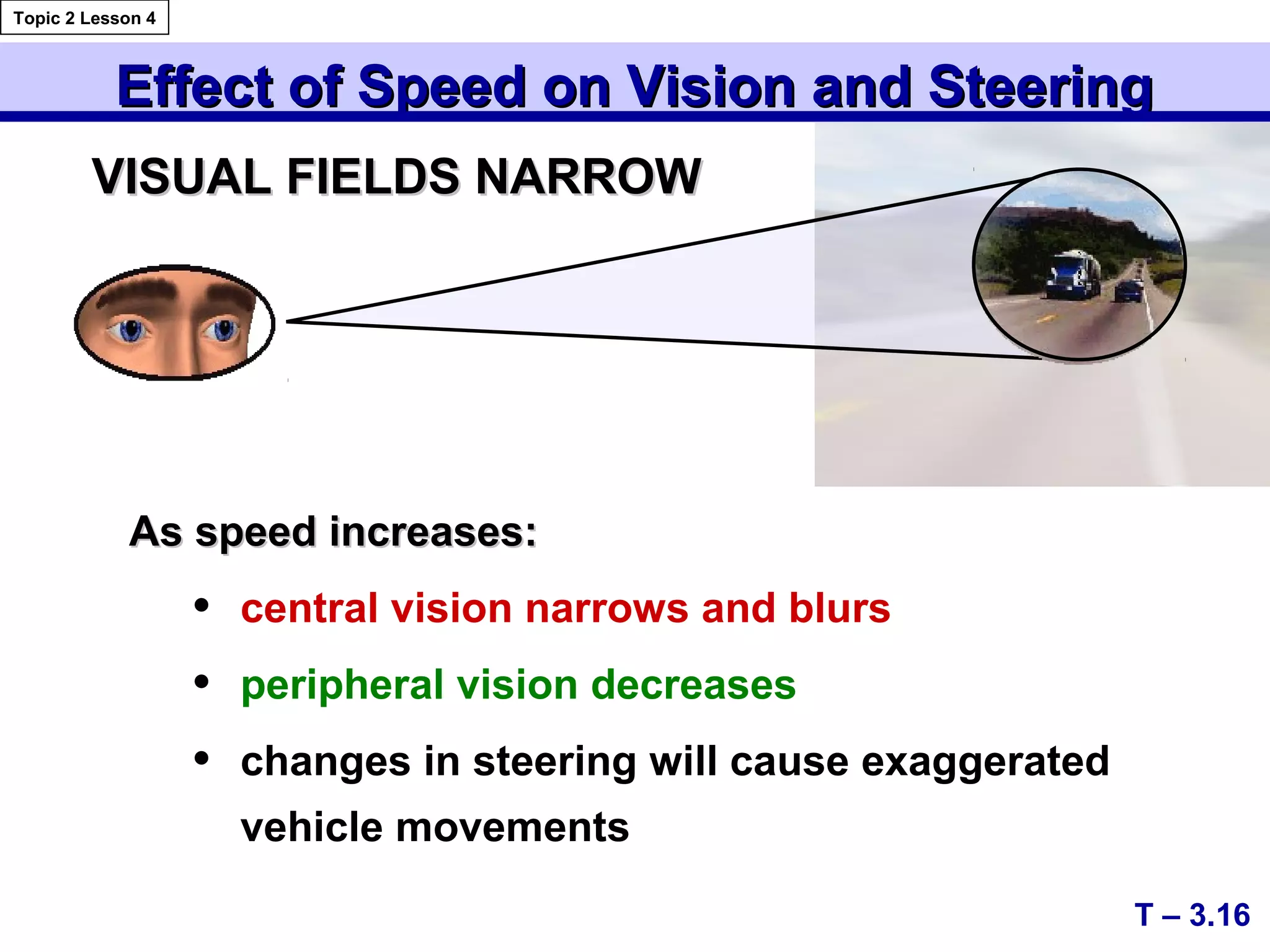
As speed increases:As speed increases:
• central vision narrows and blurs
• peripheral vision decreases
• changes in steering will cause exaggerated
vehicle movements
VISUAL FIELDS NARROWVISUAL FIELDS NARROW
T – 3.16
Topic 2 Lesson 4
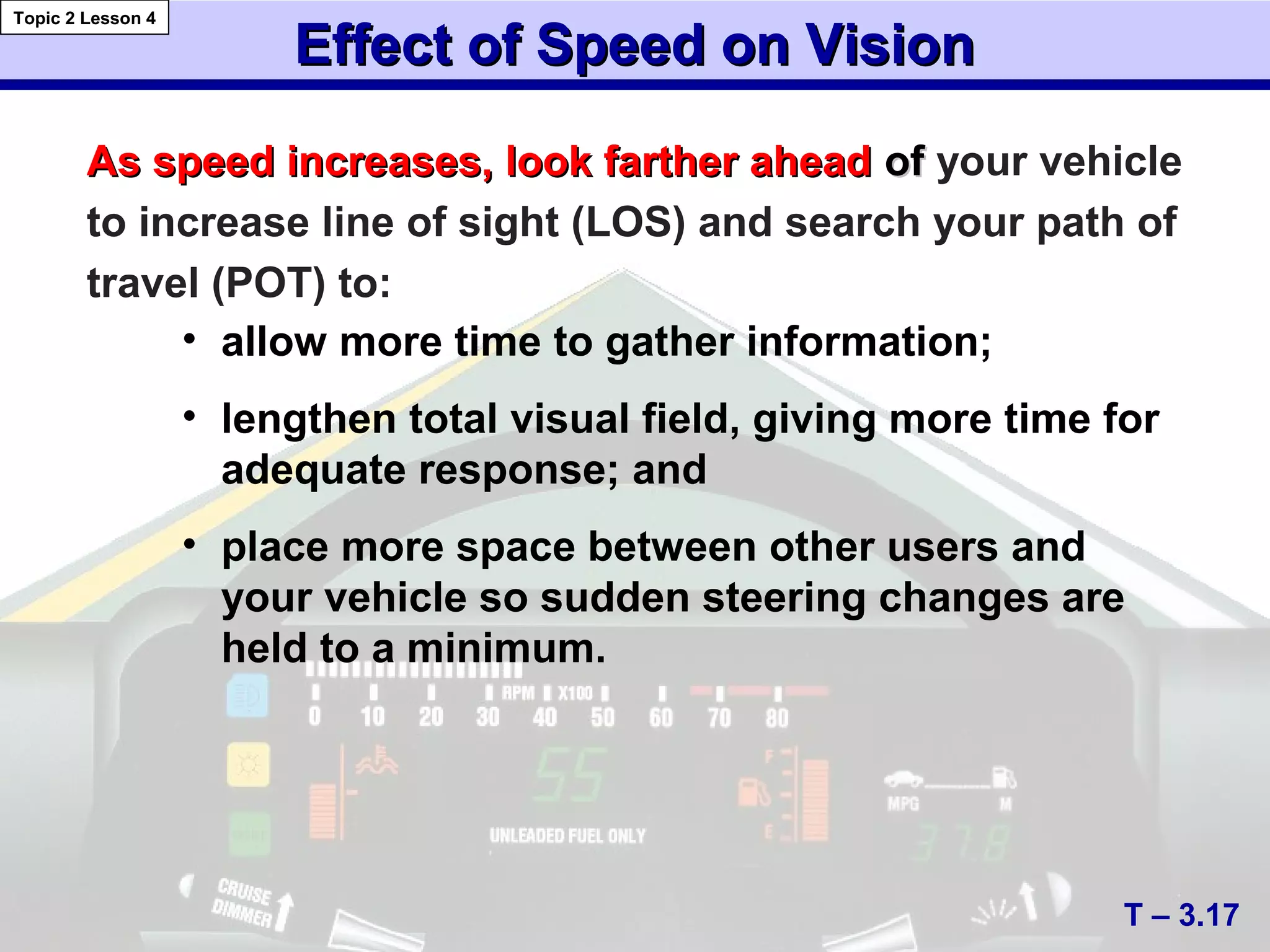
Effect of Speed on VisionEffect of Speed on Vision
• allow more time to gather information;
• lengthen total visual field, giving more time for
adequate response; and
• place more space between other users and
your vehicle so sudden steering changes are
held to a minimum.
As speed increases, look farther aheadAs speed increases, look farther ahead ofof your vehicle
to increase line of sight (LOS) and search your path of
travel (POT) to:
T – 3.17
Topic 2 Lesson 4
Determining Following IntervalsDetermining Following Intervals
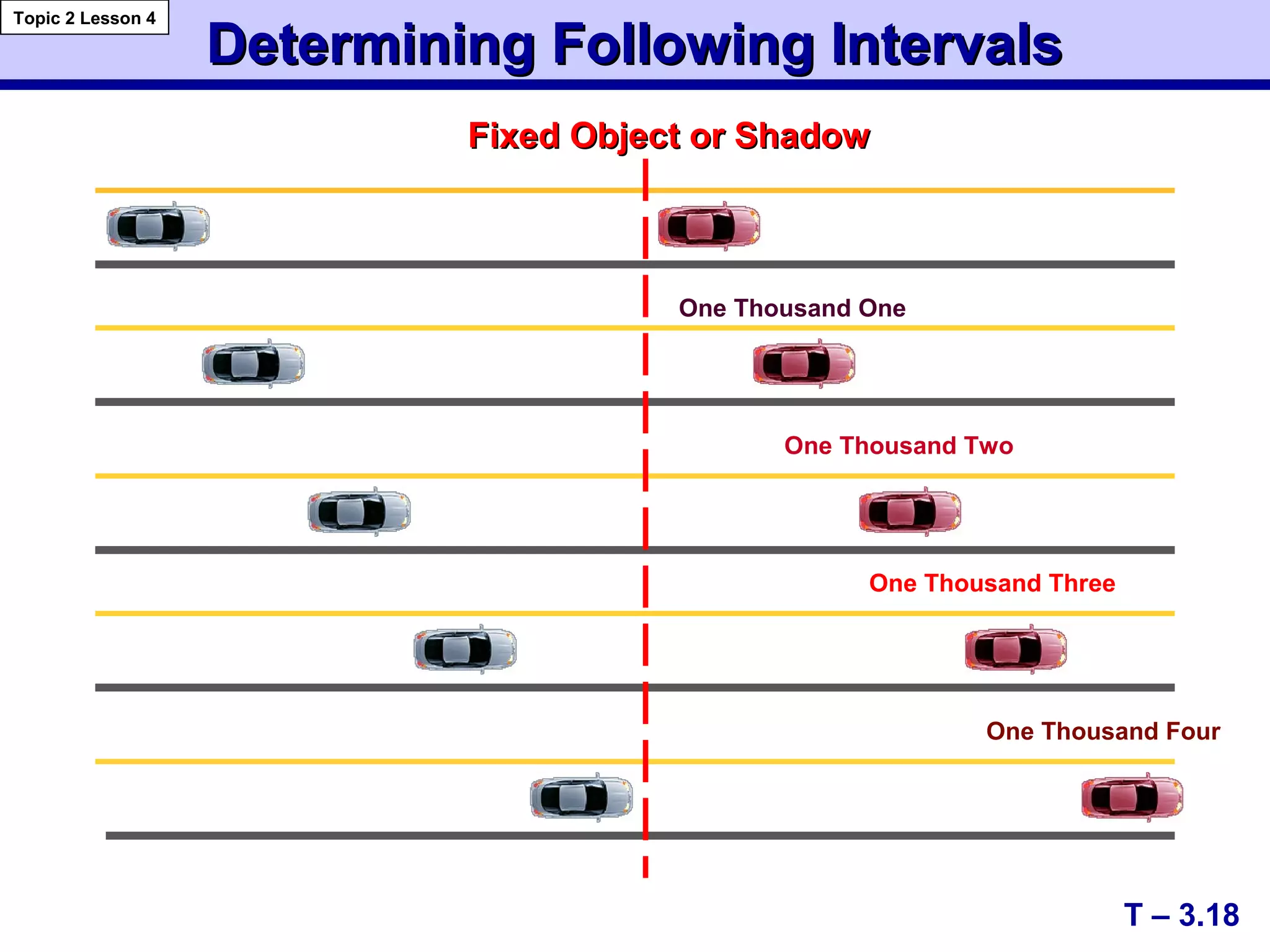
Fixed Object or ShadowFixed Object or Shadow
One Thousand One
One Thousand Two
One Thousand Three
One Thousand Four
T – 3.18
Topic 2 Lesson 4
Time, Speed, and DistanceTime, Speed, and Distance
Topic 2 Lesson 4
T – 3.19
Vehicle Ft./Sec.
Speed Travel
Following Interval
2 Sec. 3 Sec. 4 Sec.
1/2 sec 3/4 sec Total
Steer Brake Brake
Dist. Dist. Dist.
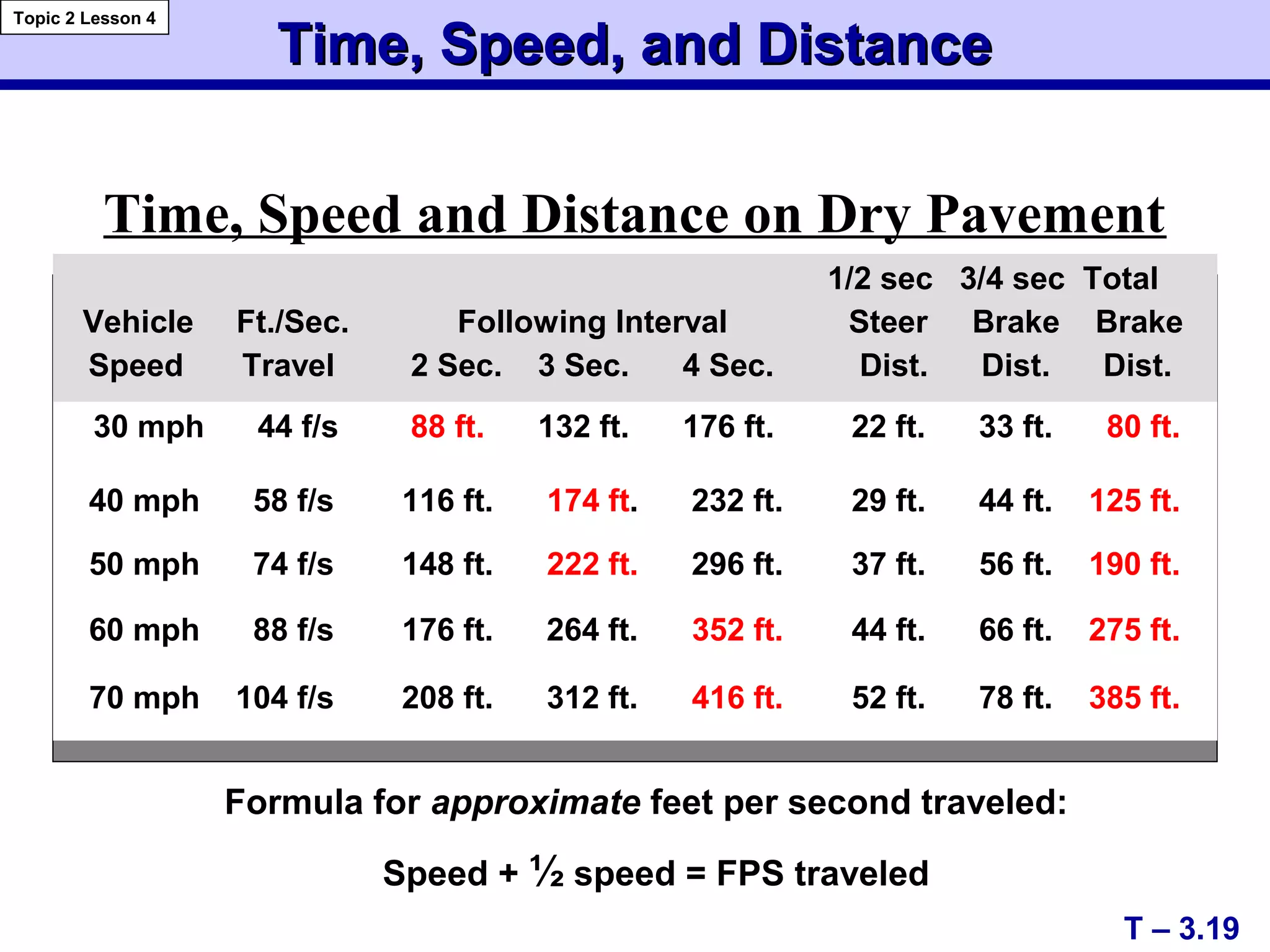
30 mph 44 f/s 88 ft. 132 ft. 176 ft. 22 ft. 33 ft. 80 ft.
40 mph 58 f/s 116 ft. 174 ft. 232 ft. 29 ft. 44 ft. 125 ft.
50 mph 74 f/s 148 ft. 222 ft. 296 ft. 37 ft. 56 ft. 190 ft.
60 mph 88 f/s 176 ft. 264 ft. 352 ft. 44 ft. 66 ft. 275 ft.
70 mph 104 f/s 208 ft. 312 ft. 416 ft. 52 ft. 78 ft. 385 ft.
Time, Speed and Distance on Dry Pavement
Formula for approximate feet per second traveled:
Speed + ½ speed = FPS traveled
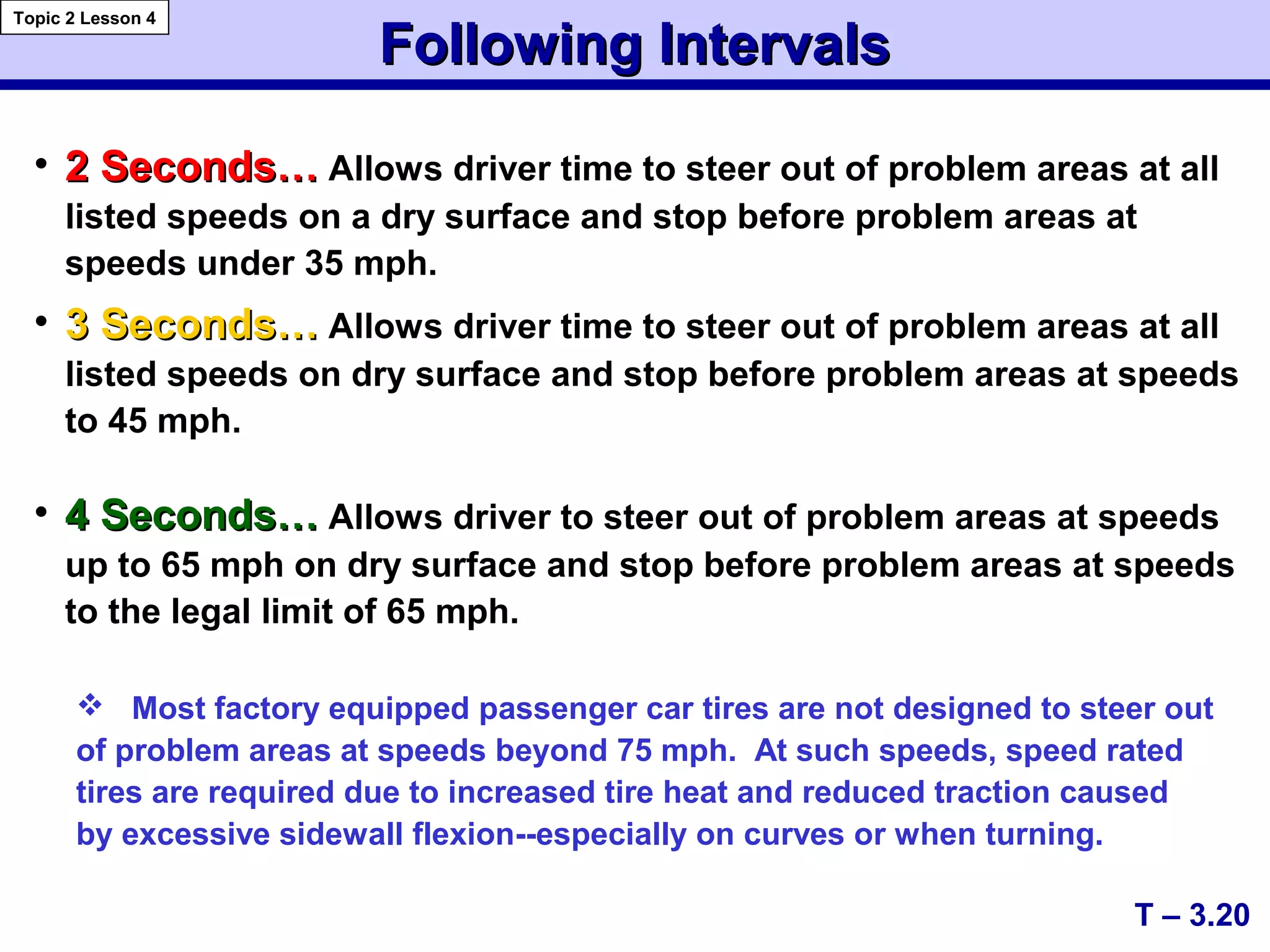
Following IntervalsFollowing Intervals
• 2 Seconds…2 Seconds… Allows driver time to steer out of problem areas at all
listed speeds on a dry surface and stop before problem areas at
speeds under 35 mph.
• 3 Seconds…3 Seconds… Allows driver time to steer out of problem areas at all
listed speeds on dry surface and stop before problem areas at speeds
to 45 mph.
• 4 Seconds…4 Seconds… Allows driver to steer out of problem areas at speeds
up to 65 mph on dry surface and stop before problem areas at speeds
to the legal limit of 65 mph.
T – 3.20
Topic 2 Lesson 4
 Most factory equipped passenger car tires are not designed to steer out
of problem areas at speeds beyond 75 mph. At such speeds, speed rated
tires are required due to increased tire heat and reduced traction caused
by excessive sidewall flexion--especially on curves or when turning.
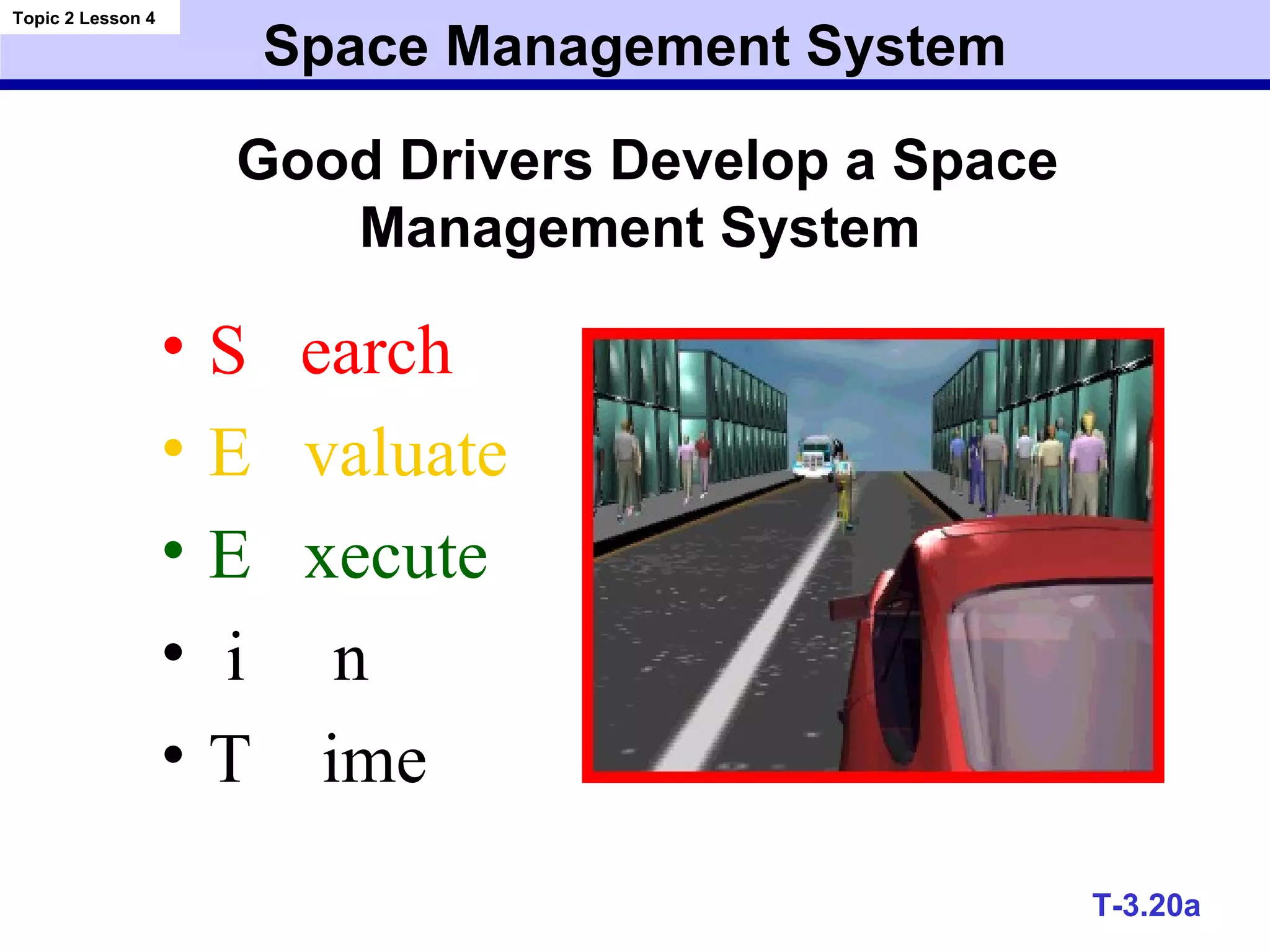
Space Management System
• S earch
• E valuate
• E xecute
• i n
• T ime
Topic 2 Lesson 4
T-3.20a
Good Drivers Develop a Space
Management System
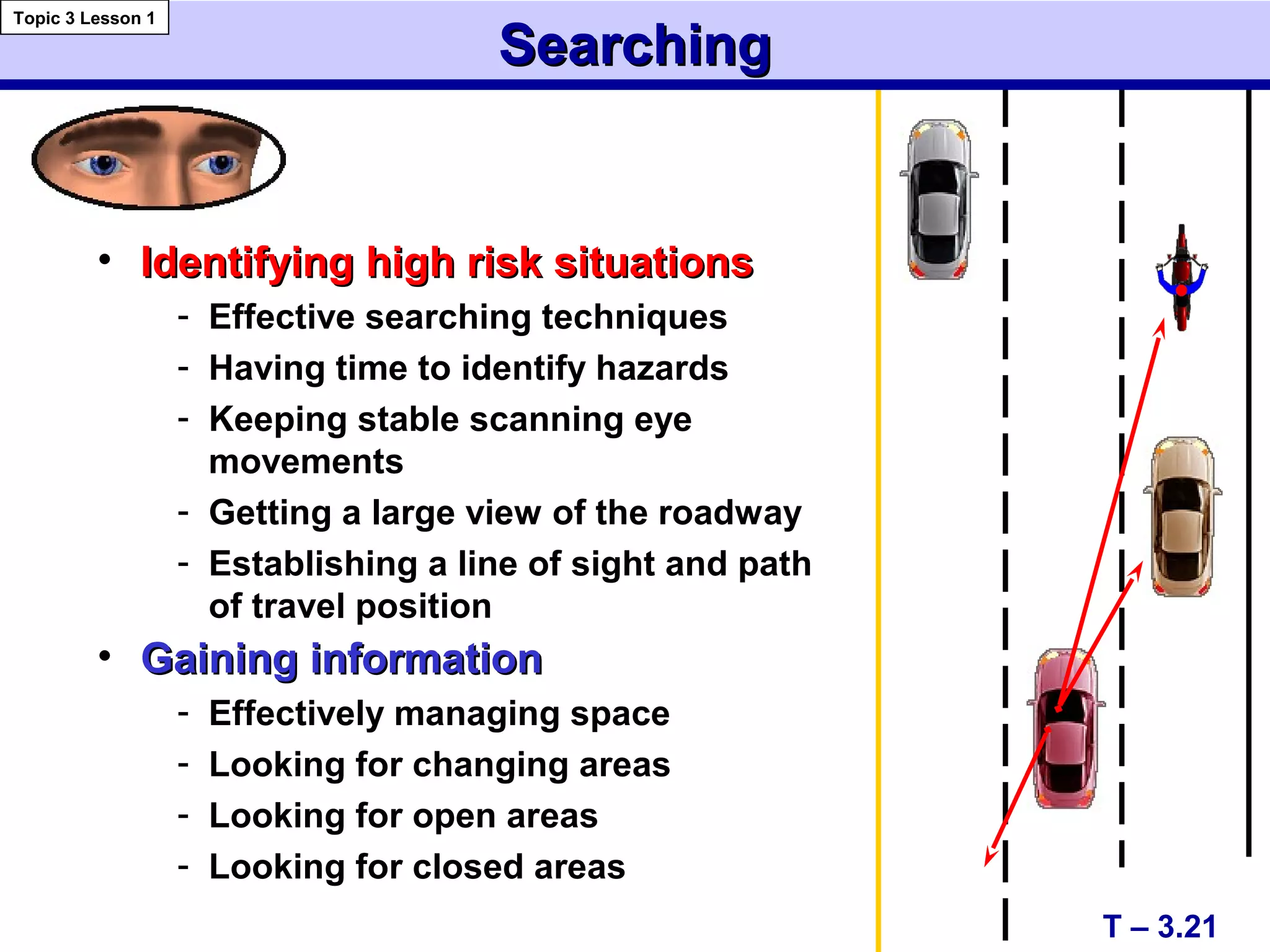
SearchingSearching
• Identifying high risk situationsIdentifying high risk situations
- Effective searching techniques
- Having time to identify hazards
- Keeping stable scanning eye
movements
- Getting a large view of the roadway
- Establishing a line of sight and path
of travel position
• Gaining informationGaining information
- Effectively managing space
- Looking for changing areas
- Looking for open areas
- Looking for closed areas
T – 3.21
Topic 3 Lesson 1
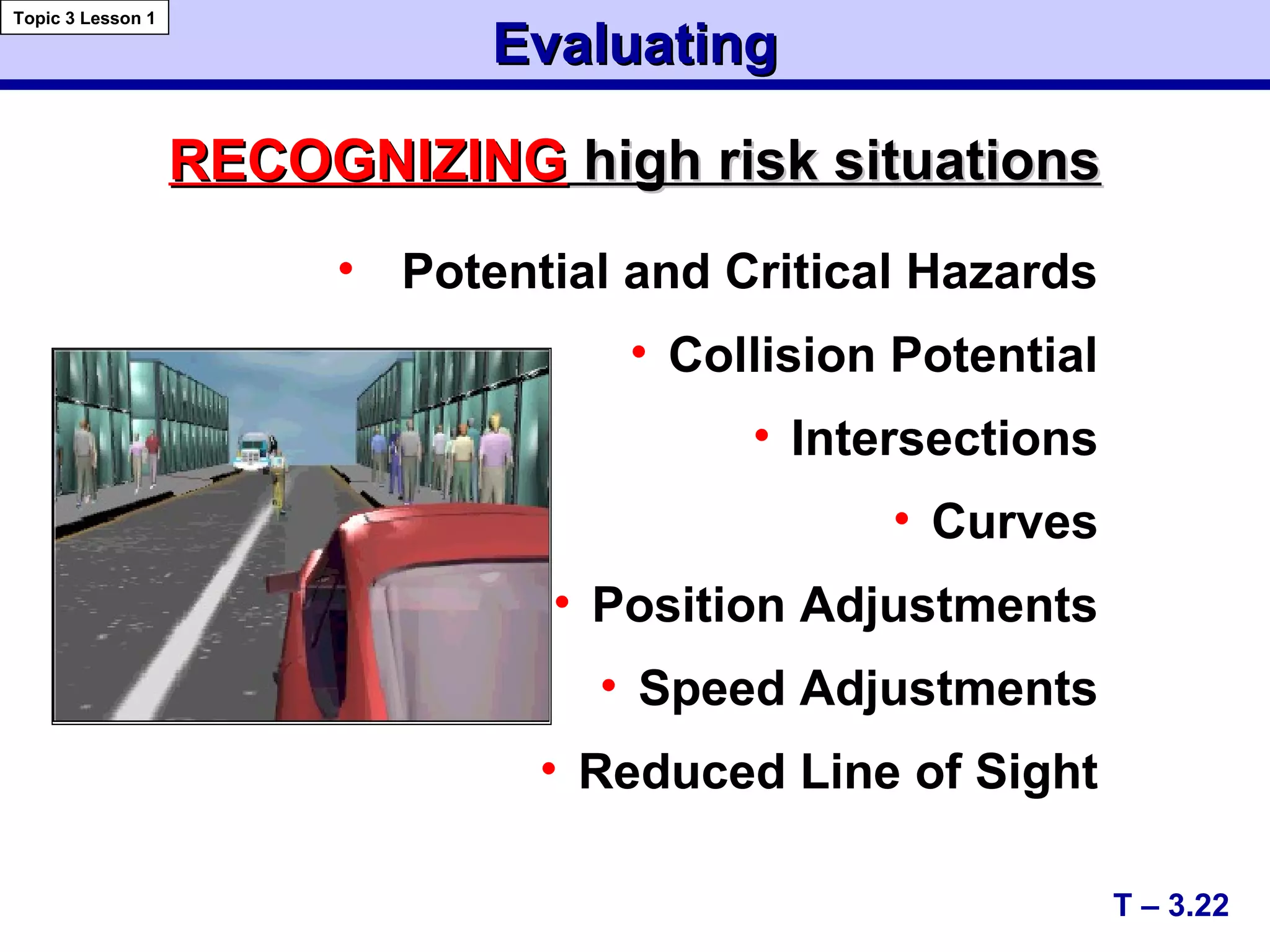
EvaluatingEvaluating
• Potential and Critical Hazards
• Collision Potential
• Intersections
• Curves
• Position Adjustments
• Speed Adjustments
• Reduced Line of Sight
T – 3.22
Topic 3 Lesson 1
RECOGNIZINGRECOGNIZING high risk situationshigh risk situations
EvaluatingEvaluating
Decision-makingDecision-making
• Maintain an open line of sight (LOS)
and path of travel (POT)
Motion control
 Controlled/threshold braking
 Progressive acceleration
Steering control
 Hand-to-hand
 Evasive action
Preventing high risk situationsPreventing high risk situations
• Maintain open LOS and POT & proper lane position
• Manage time and space
T – 3.23
Topic 3 Lesson 1
Controlling high risk situationsControlling high risk situations
ExecutingExecuting
 Speed changesSpeed changes
 Lane position changesLane position changes
 Space controlSpace control
in response toin response to
 risk or dangerrisk or danger
 traffic conditionstraffic conditions
 roadway conditionsroadway conditions
 vehicle balancevehicle balance
T – 3.24
Topic 3 Lesson 1
IndecisionIndecision
Correct DecisionCorrect Decision
Wrong DecisionWrong Decision
Evaluate/ExecuteEvaluate/Execute
4
Second
Space
Provides
More
Options
T – 3.25
Topic 3 Lesson 1
LP 4
Steer left to open space
Steer Right
12' wide traffic lane.12' wide traffic lane.
• allows for 6 feet of
space to the right of
the vehicle to avoid a
potential problem in
the area to the right
or to prepare for a left
turn.
Basic Lane Positions toBasic Lane Positions to CenterCenter,, LeftLeft && RightRight
Lane Position OneLane Position One
T – 3.26
Topic 3 Lesson 2
Lane Position TwoLane Position Two
• allows for 3 feet
on each side
when vehicle is
centered in the
lane.
Lane Position ThreeLane Position Three
• allows for 6 feet of
space to the left of
the vehicle for the
avoidance of a
potential problem to
the left or to prepare
for right turn.
6 feet
6 feet
3 feet
3 feet
T – 3.28
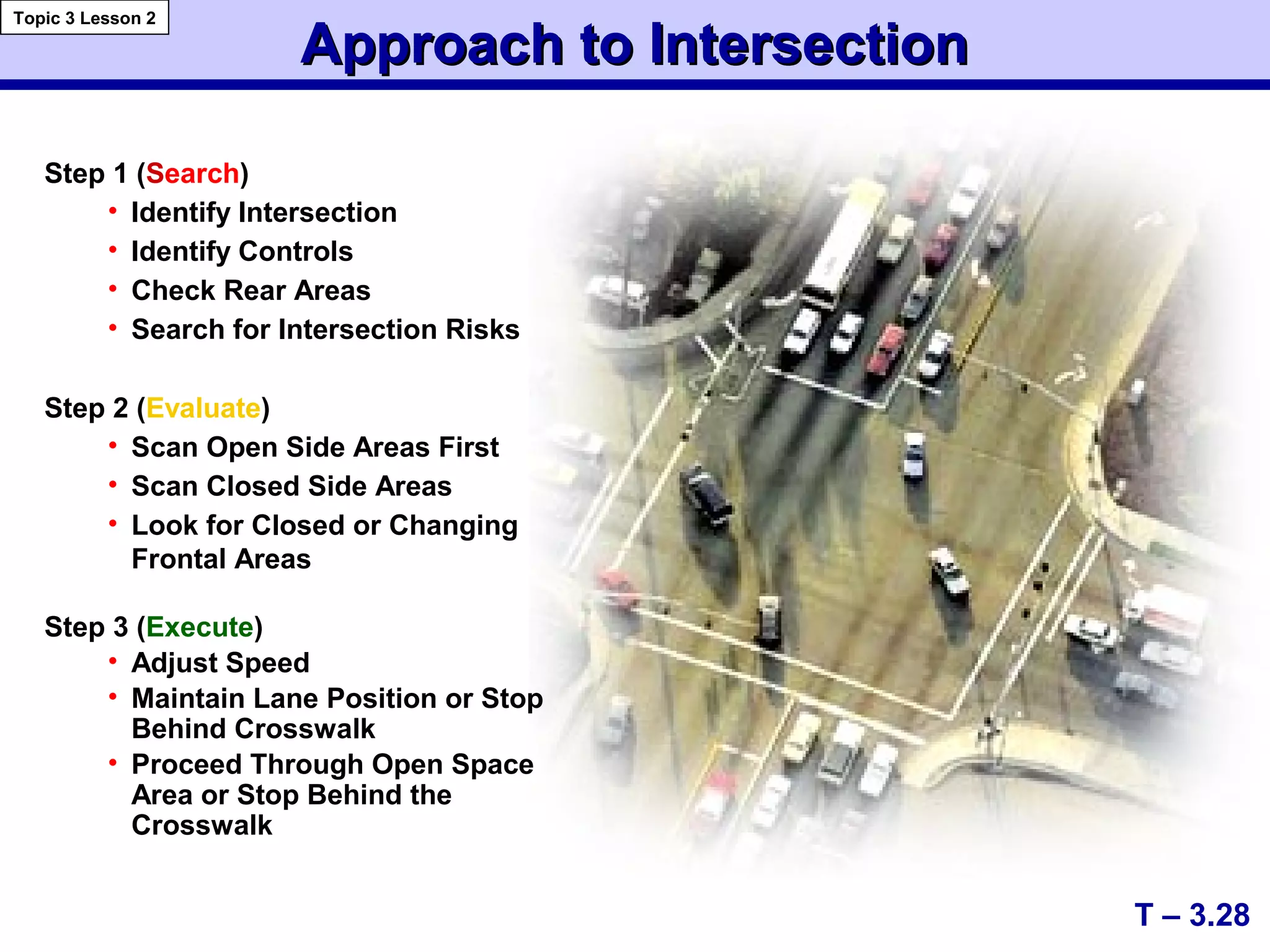
Approach to IntersectionApproach to Intersection
Topic 3 Lesson 2
Step 1 (Search)
• Identify Intersection
• Identify Controls
• Check Rear Areas
• Search for Intersection Risks
Step 2 (Evaluate)
• Scan Open Side Areas First
• Scan Closed Side Areas
• Look for Closed or Changing
Frontal Areas
Step 3 (Execute)
• Adjust Speed
• Maintain Lane Position or Stop
Behind Crosswalk
• Proceed Through Open Space
Area or Stop Behind the
Crosswalk
Approach to IntersectionApproach to Intersection
Topic 3 Lesson 2
T – 3.28a
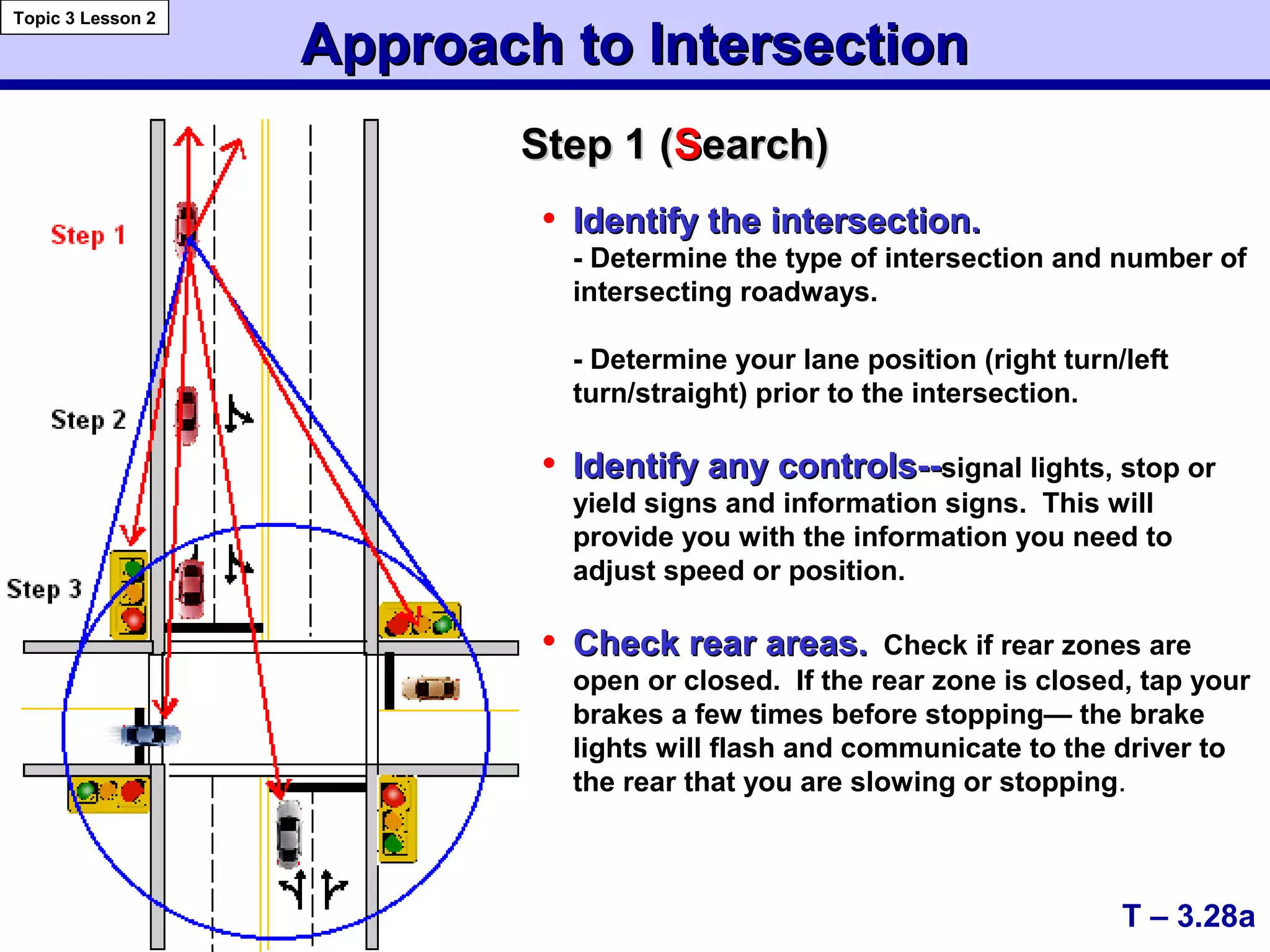
Step 1 (Step 1 (SSearch)earch)
• Identify the intersection.Identify the intersection.
- Determine the type of intersection and number of
intersecting roadways.
- Determine your lane position (right turn/left
turn/straight) prior to the intersection.
• Identify any controls--Identify any controls--signal lights, stop or
yield signs and information signs. This will
provide you with the information you need to
adjust speed or position.
• Check rear areas.Check rear areas. Check if rear zones are
open or closed. If the rear zone is closed, tap your
brakes a few times before stopping— the brake
lights will flash and communicate to the driver to
the rear that you are slowing or stopping.
Approach to IntersectionApproach to Intersection
Topic 3 Lesson 2
T – 3.28b
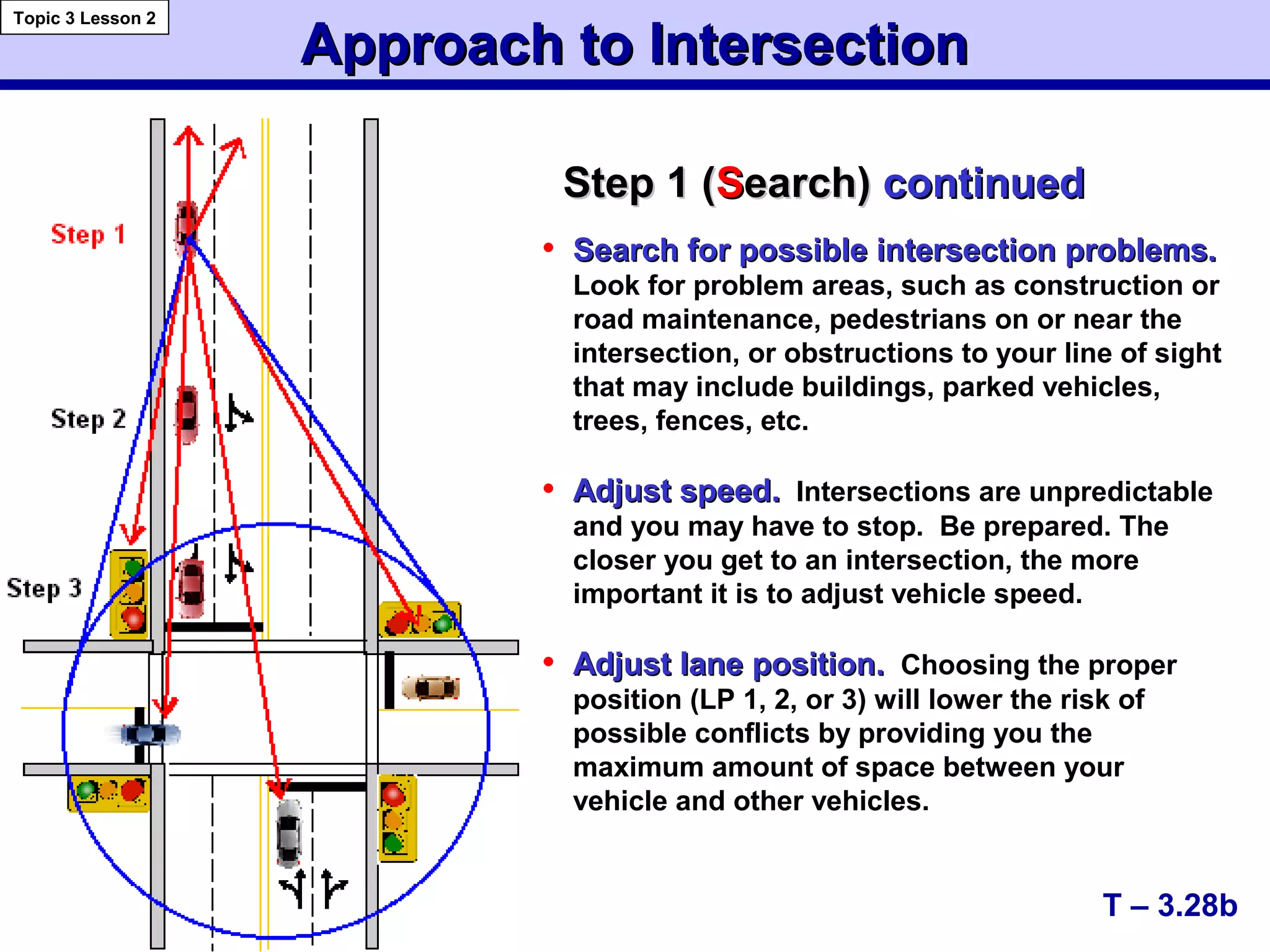
Step 1 (Step 1 (SSearch)earch) continuedcontinued
• Search for possible intersection problems.Search for possible intersection problems.
Look for problem areas, such as construction or
road maintenance, pedestrians on or near the
intersection, or obstructions to your line of sight
that may include buildings, parked vehicles,
trees, fences, etc.
• Adjust speed.Adjust speed. Intersections are unpredictable
and you may have to stop. Be prepared. The
closer you get to an intersection, the more
important it is to adjust vehicle speed.
• Adjust lane position.Adjust lane position. Choosing the proper
position (LP 1, 2, or 3) will lower the risk of
possible conflicts by providing you the
maximum amount of space between your
vehicle and other vehicles.
Approach to IntersectionApproach to Intersection
Topic 3 Lesson 2
T – 3.28c
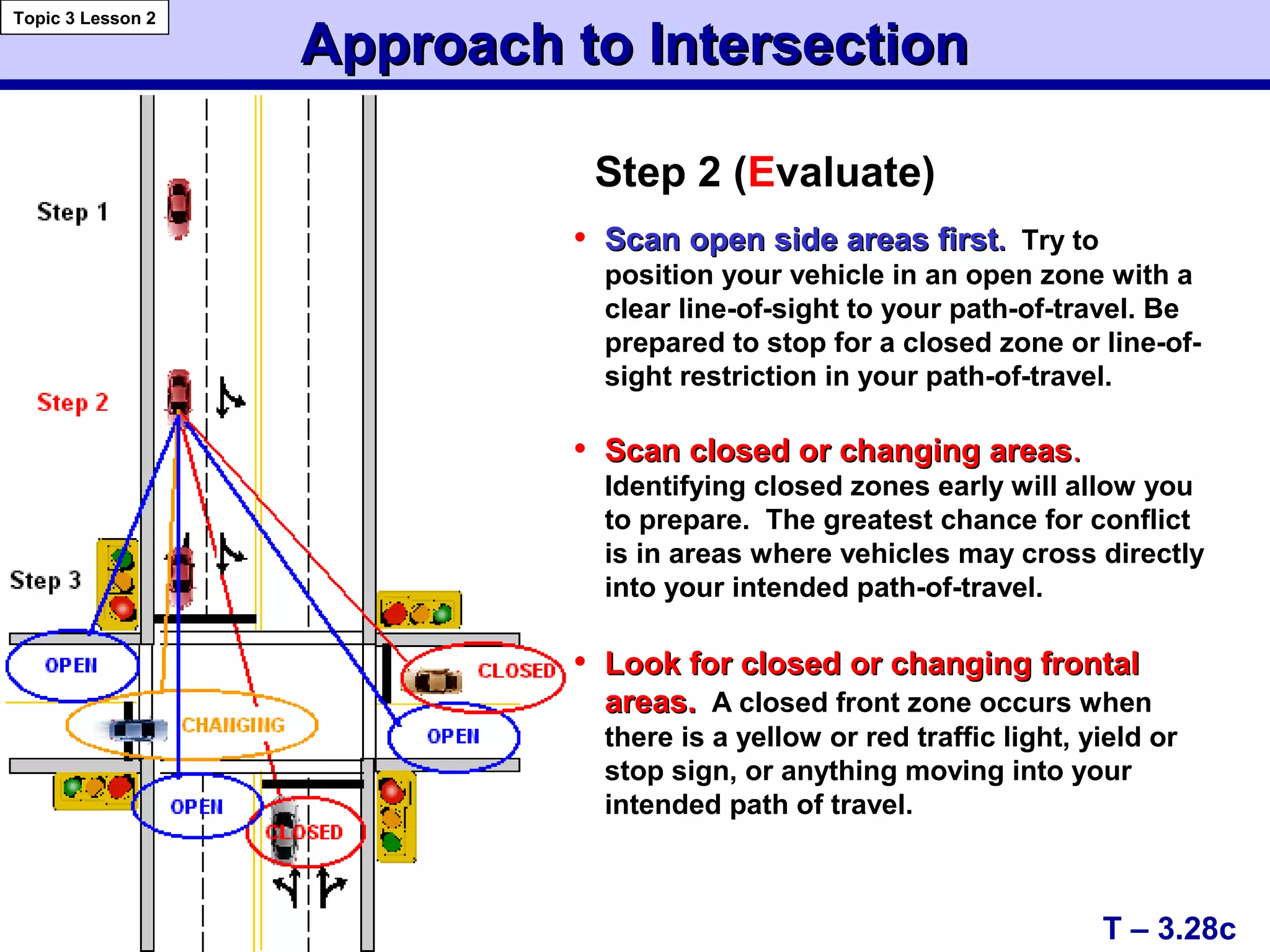
Step 2 (Evaluate)
• Scan open side areas firstScan open side areas first.. Try to
position your vehicle in an open zone with a
clear line-of-sight to your path-of-travel. Be
prepared to stop for a closed zone or line-of-
sight restriction in your path-of-travel.
• Scan closed or changing areasScan closed or changing areas..
Identifying closed zones early will allow you
to prepare. The greatest chance for conflict
is in areas where vehicles may cross directly
into your intended path-of-travel.
• Look for closed or changing frontalLook for closed or changing frontal
areas.areas. A closed front zone occurs when
there is a yellow or red traffic light, yield or
stop sign, or anything moving into your
intended path of travel.
Approach to IntersectionApproach to Intersection
Topic 3 Lesson 2
T – 3.28 d
Step 3 (Execute)
• Adjust speed.Adjust speed. If you have identified a
closed zone, prepare to reduce speed or stop.
• Maintain lane position.Maintain lane position. Your lane position
(LP 1, 2, or 3) will indicate your intentions to
other drivers and provide you with the
greatest distance between opposing vehicles
and/or other objects.
• Stop behind stop line, crosswalk, orStop behind stop line, crosswalk, or
before entry to intersections, whenbefore entry to intersections, when
needed —needed — proceed through open space area
when traffic controls permit and your path-of
travel is clear.
Note: Most crashes occur in intersections!
Good Driving HabitsGood Driving Habits
Habit LevelHabit Level
T – 3.29
Topic 4 Lesson 1
(Empower Yourself (1999) F.R. Mottola)
Judgment LevelJudgment Level
• Practice safe driving procedures that require little thought
• Have a well thought out strategy for managing time and space
• Become efficient and precise
• Respond correctly with the least amount of time
Process LevelProcess Level
• Search for problems
• Evaluate options
• Execute decisions
• Modify speed and/or position
• Communicate to reduce the risk of collision
Levels of PerformanceLevels of Performance
T – 3.30
Topic 4 Lesson 1
Based on Mottola, F. R. (1999) Empower Yourself, p. 1
Awareness LevelAwareness Level Performance LevelPerformance Level
HabitHabit
JudgmentJudgment
AcceptableAcceptable
HabitHabit
JudgmentJudgment
UnacceptableUnacceptable
DriverDriver DriverDriver
The Top Ten ErrorsThe Top Ten Errors
Topic 4 Lesson 1
T – 3.31
Preliminary TRB Report 1999
1.1. 23.9%23.9% not attending to the path of travelnot attending to the path of travel
(distractions – cell phone, sound system,(distractions – cell phone, sound system,
passengers, etc.)passengers, etc.)
2.2. 13.7%13.7% driving five or more mph too fast fordriving five or more mph too fast for
conditionsconditions
3.3. 6.6%6.6% driving too fast through a curvedriving too fast through a curve
4.4. 6.3%6.3% inadequate search at an intersection andinadequate search at an intersection and
moving in front of cross trafficmoving in front of cross traffic
5.5. 6.1%6.1% lack of attention at an intersection andlack of attention at an intersection and
being struck by another driverbeing struck by another driver
that resulted in crashes involvingthat resulted in crashes involving
teen drivers are:teen drivers are:
The Top Ten ErrorsThe Top Ten Errors
Topic 4 Lesson 1
T – 3.32
Preliminary TRB Report 1999
that resulted in crashes involvingthat resulted in crashes involving
teen drivers are:teen drivers are:
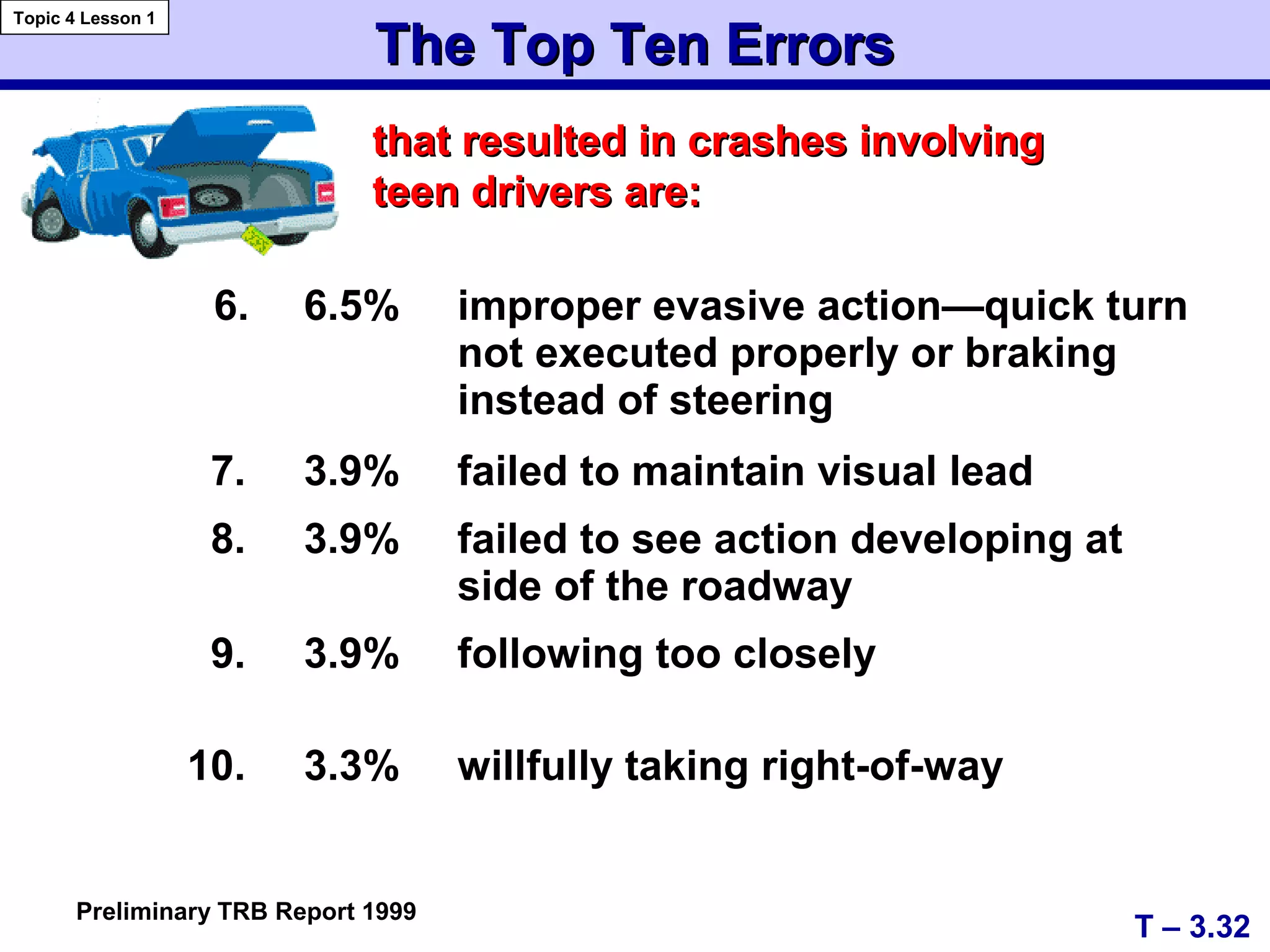
6. 6.5% improper evasive action—quick turn
not executed properly or braking
instead of steering
7. 3.9% failed to maintain visual lead
8. 3.9% failed to see action developing at
side of the roadway
9. 3.9% following too closely
10. 3.3% willfully taking right-of-way
A+
C+
Developing Good Driving HabitsDeveloping Good Driving Habits
• Preparing Driver and VehiclePreparing Driver and Vehicle
• Smooth, Gradual Starts and StopsSmooth, Gradual Starts and Stops
• Using Reference Points for Vehicle PlacementUsing Reference Points for Vehicle Placement
• Getting Visual Targets before MovementGetting Visual Targets before Movement
- Using a Vision Control, Motion Control,- Using a Vision Control, Motion Control,
Targeting, and Steering Control SequenceTargeting, and Steering Control Sequence
• Visually Targeting the End of the Path of TravelVisually Targeting the End of the Path of Travel asas
farfar as 15, 20, or 30 secondsas 15, 20, or 30 seconds from the Vehiclefrom the Vehicle
Based on concepts from Mottola, F. R. (1999). Empower Yourself. p. 5
T – 3.33
Topic 4 Lesson 2
A+
C+
Developing Good Driving HabitsDeveloping Good Driving Habits
Based on concepts from Mottola, F. R. (1999). Empower Yourself. p. 5
• Be AlertBe Alert to Changes to the Line of Sight (LOS)to Changes to the Line of Sight (LOS)
or the Path of Travel (POT)or the Path of Travel (POT)
• Adjust Speed and Lane Position to IncreaseAdjust Speed and Lane Position to Increase
Space to Front, Side, or Rear for RestrictedSpace to Front, Side, or Rear for Restricted
LOS-POTLOS-POT
• When Approaching a Red Light, Adjust SpeedWhen Approaching a Red Light, Adjust Speed
to Time Your Arrival for a Green Lightto Time Your Arrival for a Green Light
T – 3.34
Topic 4 Lesson 2
A+
C+
Developing Good Driving HabitsDeveloping Good Driving Habits
Based on concepts from Mottola, F. R. (1999). Empower Yourself. p. 5
• Prior to Intersection Entry, Check the Left,Prior to Intersection Entry, Check the Left,
Front, and Right Zones or AreasFront, and Right Zones or Areas
-- Check the area that can be viewed best first so thatCheck the area that can be viewed best first so that
more time can be focused on the obstructed areamore time can be focused on the obstructed area
• Whenever Your Foot Goes to Brake orWhenever Your Foot Goes to Brake or
Accelerator, Check the Rear View MirrorAccelerator, Check the Rear View Mirror
• Prior to Moving to the Left or Right, Check SidePrior to Moving to the Left or Right, Check Side
View Mirror and Mirror Blind ZoneView Mirror and Mirror Blind Zone
T – 3.35
Topic 4 Lesson 2
A+
C+
Developing Good Driving HabitsDeveloping Good Driving Habits
Based on concepts from Mottola, F. R. (1999). Empower Yourself. p. 5
• Make it a goal to maintain a four-second followingMake it a goal to maintain a four-second following
interval from the vehicle in front and to the rear.interval from the vehicle in front and to the rear.
- This protects you from the unexpected actions- This protects you from the unexpected actions
of other drivers to the front and rear.of other drivers to the front and rear.
• When stopped behind vehicle, leave space to moveWhen stopped behind vehicle, leave space to move
around the vehicle in case of an emergency.around the vehicle in case of an emergency.
• Reduce stress by being courteous rather thanReduce stress by being courteous rather than
competitive while driving. Competitive drivers arecompetitive while driving. Competitive drivers are
not winners.not winners.
T – 3.36
Topic 4 Lesson 2

Module 03 2004

  • 1.
    Basic Maneuvering Tasks:BasicManeuvering Tasks: Low Risk EnvironmentLow Risk Environment Topic 1 --Topic 1 -- Basic ManeuversBasic Maneuvers Topic 2 --Topic 2 -- Vision and PerceptionVision and Perception Topic 3 --Topic 3 -- Controlling Risk Using a Space ManagementControlling Risk Using a Space Management SystemSystem Topic 4 --Topic 4 -- Developing Good Driving HabitsDeveloping Good Driving Habits Module Three TransparenciesModule Three Transparencies VirginiaVirginia Department of EducationDepartment of Education Provided in cooperation with the Virginia Department of Motor VehiclesProvided in cooperation with the Virginia Department of Motor Vehicles
  • 2.
    1.1. Place FootFirmly onPlace Foot Firmly on Service BrakeService Brake 2.2. Select Proper GearSelect Proper Gear - Overdrive, Drive, or Reverse 3.3. Perform Traffic ChecksPerform Traffic Checks - Forward, Rear, and Sides 4.4. Apply Proper SignalApply Proper Signal - Communicate Intentions T – 3.1 Entering Roadway TasksEntering Roadway Tasks Topic 1 Lesson 1
  • 3.
    5.5. Release ParkingBrakeRelease Parking Brake 6.6. Select Gap in Traffic FlowSelect Gap in Traffic Flow 7.7. Move to LaneMove to Lane - Target Lane Position #1 - Release Service Brake - Accelerate Gradually - Steer to Center of Lane Entering Roadway TasksEntering Roadway Tasks T – 3.2 Topic 1 Lesson 1 3 feet Lane Position #1Lane Position #1 CENTER OF LANE 3 feet
  • 4.
     Traffic ChecksTrafficChecks Front/Front/Rear/Sides  Proper SignalProper Signal  Target AheadTarget Ahead  Check Visual ReferenceCheck Visual Reference - for 6” from Curb  Side Mirror and/or BlindSide Mirror and/or Blind Area CheckArea Check T – 3.3 Moving to Curb/Side of RoadMoving to Curb/Side of Road Topic 1 Lesson 2
  • 5.
    Moving to Curb/Sideof RoadMoving to Curb/Side of Road  Adjust Speed UsingAdjust Speed Using Controlled BrakingControlled Braking  Use Gradual SteeringUse Gradual Steering - Make Adjustments to Align Visual Reference Points  Re-check TrafficRe-check Traffic  Cancel Signal IndicatorCancel Signal Indicator T – 3.4 Topic 1 Lesson 2
  • 6.
    • Proper Seatingand Hand PositionsProper Seating and Hand Positions • Adjust Restraints if NecessaryAdjust Restraints if Necessary • Check Traffic to Front, Sides and RearCheck Traffic to Front, Sides and Rear • Place Foot on the BrakePlace Foot on the Brake • Shift to ReverseShift to Reverse T – 3.5 Topic 1 Lesson 3 BackingBacking BackingBacking
  • 7.
    • Signal ifBacking Right or LeftSignal if Backing Right or Left • Release Parking BrakeRelease Parking Brake • Readjust Seat PositionReadjust Seat Position • Right Side/Left SideRight Side/Left Side • Straight (Right Side)Straight (Right Side) • Visually Target PositionVisually Target Position • Maintain Reference PointsMaintain Reference Points T – 3.6 BackingBacking Topic 1 Lesson 3 BackingBacking
  • 8.
    • Control RearMovementControl Rear Movement Gradually Release Brake PressureGradually Release Brake Pressure • Move as Slowly as PossibleMove as Slowly as Possible • Accelerate GraduallyAccelerate Gradually • Cover the Brake when NeededCover the Brake when Needed • Steer in the Direction You Want toSteer in the Direction You Want to Go Using Reference Points toGo Using Reference Points to Establish PositionEstablish Position BackingBacking T – 3.7 Topic 1 Lesson 3 BackingBacking
  • 9.
    • Gaining VisualInformationGaining Visual Information -- Focus Vision (Focal/Foveal)Focus Vision (Focal/Foveal) -- Central Vision (Limited Fringe Area)Central Vision (Limited Fringe Area) -- Peripheral VisionPeripheral Vision • Maintaining an Open Line of SightMaintaining an Open Line of Sight • Developing Searching SkillsDeveloping Searching Skills Vision and Perception RequirementsVision and Perception Requirements T – 3.8 Topic 2 Lesson 1 Note: 90% of the driving task is visual!
  • 10.
    Vision and PerceptionRequirementsVision and Perception Requirements • Targeting,Targeting, Line of Sight, Path of TravelLine of Sight, Path of Travel • Referencing Vehicle toReferencing Vehicle to Path of TravelPath of Travel • Using Visual ReferencesUsing Visual References • Using Turning Points to Start theUsing Turning Points to Start the Turning ProcessTurning Process -- Forward visual turning pointsForward visual turning points -- Rear visual turning pointsRear visual turning points T – 3.9 Topic 2 Lesson 1
  • 11.
    Driver’s Useful VisionAreasDriver’s Useful Vision Areas Gathering Useful VisualGathering Useful Visual InformationInformation Focus Vision Area (Focal) Includes 3 to 5 degrees of usefulIncludes 3 to 5 degrees of useful information that is used when:information that is used when: TargetingTargeting Establishing a Visual LeadEstablishing a Visual Lead Reading Signs and Interpreting SignalsReading Signs and Interpreting Signals T – 3.10 Topic 2 Lesson 2
  • 12.
    Driver’s Useful VisionAreasDriver’s Useful Vision Areas  Referencing Vehicle Position to Roadway  Viewing Path of Travel  Viewing Line of Sight to Target Area T – 3.11 Topic 2 Lesson 2 Gathering Useful VisualGathering Useful Visual InformationInformation Central Vision Area (Inner Fringe) 30 to 36 degrees of useful information that includes:
  • 13.
    Driver’s Useful VisionAreasDriver’s Useful Vision Areas Gathering Useful Visual InformationGathering Useful Visual Information T – 3.12 Topic 2 Lesson 2 Peripheral Vision Peripheral Vision Peripheral Vision (Outer Fringe Area) • 175-180 degrees of useful information that detects: •Motion Changes •Color Changes
  • 14.
    Capacity of VisualFieldsCapacity of Visual Fields Focus Vision Central Vision Peripheral Vision Peripheral Vision Motion and Color Changes Focus Vision (Focal/Foveal) Visual Lead, Targeting, Signs, Signals Central Vision (Limited Fringe Area) Referencing, Path of Travel, Sightlines Visual Fields in OperationVisual Fields in Operation T – 3.13 Topic 2 Lesson 3
  • 15.
    Visual Fields inOperationVisual Fields in Operation Path of TravelPath of TravelTarget Standard Visual Target andStandard Visual Target and Reference Fields for Lane Position 1Reference Fields for Lane Position 1 WhenWhen focus visionfocus vision is on the selected target in theis on the selected target in the center of the path of travel, thecenter of the path of travel, the central or innercentral or inner fringe visionfringe vision allows the driver to visually place theallows the driver to visually place the vehicle in a specific location within the lane.vehicle in a specific location within the lane. T – 3.14 Topic 2 Lesson 3
  • 16.
    Line of Sight/Pathof Travel Line of Sight Limitations orLine of Sight Limitations or RestrictionsRestrictions When line of sight isWhen line of sight is restricted or blocked,restricted or blocked, adjust speedadjust speed untiluntil visual lead, targetvisual lead, target area, and the line ofarea, and the line of sight are restored.sight are restored. T – 3.15 Topic 2 Lesson 3 Target
  • 17.
    Effect of Speedon Vision and SteeringEffect of Speed on Vision and Steering As speed increases:As speed increases: • central vision narrows and blurs • peripheral vision decreases • changes in steering will cause exaggerated vehicle movements VISUAL FIELDS NARROWVISUAL FIELDS NARROW T – 3.16 Topic 2 Lesson 4
  • 18.
    Effect of Speedon VisionEffect of Speed on Vision • allow more time to gather information; • lengthen total visual field, giving more time for adequate response; and • place more space between other users and your vehicle so sudden steering changes are held to a minimum. As speed increases, look farther aheadAs speed increases, look farther ahead ofof your vehicle to increase line of sight (LOS) and search your path of travel (POT) to: T – 3.17 Topic 2 Lesson 4
  • 19.
    Determining Following IntervalsDeterminingFollowing Intervals Fixed Object or ShadowFixed Object or Shadow One Thousand One One Thousand Two One Thousand Three One Thousand Four T – 3.18 Topic 2 Lesson 4
  • 20.
    Time, Speed, andDistanceTime, Speed, and Distance Topic 2 Lesson 4 T – 3.19 Vehicle Ft./Sec. Speed Travel Following Interval 2 Sec. 3 Sec. 4 Sec. 1/2 sec 3/4 sec Total Steer Brake Brake Dist. Dist. Dist. 30 mph 44 f/s 88 ft. 132 ft. 176 ft. 22 ft. 33 ft. 80 ft. 40 mph 58 f/s 116 ft. 174 ft. 232 ft. 29 ft. 44 ft. 125 ft. 50 mph 74 f/s 148 ft. 222 ft. 296 ft. 37 ft. 56 ft. 190 ft. 60 mph 88 f/s 176 ft. 264 ft. 352 ft. 44 ft. 66 ft. 275 ft. 70 mph 104 f/s 208 ft. 312 ft. 416 ft. 52 ft. 78 ft. 385 ft. Time, Speed and Distance on Dry Pavement Formula for approximate feet per second traveled: Speed + ½ speed = FPS traveled
  • 21.
    Following IntervalsFollowing Intervals •2 Seconds…2 Seconds… Allows driver time to steer out of problem areas at all listed speeds on a dry surface and stop before problem areas at speeds under 35 mph. • 3 Seconds…3 Seconds… Allows driver time to steer out of problem areas at all listed speeds on dry surface and stop before problem areas at speeds to 45 mph. • 4 Seconds…4 Seconds… Allows driver to steer out of problem areas at speeds up to 65 mph on dry surface and stop before problem areas at speeds to the legal limit of 65 mph. T – 3.20 Topic 2 Lesson 4  Most factory equipped passenger car tires are not designed to steer out of problem areas at speeds beyond 75 mph. At such speeds, speed rated tires are required due to increased tire heat and reduced traction caused by excessive sidewall flexion--especially on curves or when turning.
  • 22.
    Space Management System •S earch • E valuate • E xecute • i n • T ime Topic 2 Lesson 4 T-3.20a Good Drivers Develop a Space Management System
  • 23.
    SearchingSearching • Identifying highrisk situationsIdentifying high risk situations - Effective searching techniques - Having time to identify hazards - Keeping stable scanning eye movements - Getting a large view of the roadway - Establishing a line of sight and path of travel position • Gaining informationGaining information - Effectively managing space - Looking for changing areas - Looking for open areas - Looking for closed areas T – 3.21 Topic 3 Lesson 1
  • 24.
    EvaluatingEvaluating • Potential andCritical Hazards • Collision Potential • Intersections • Curves • Position Adjustments • Speed Adjustments • Reduced Line of Sight T – 3.22 Topic 3 Lesson 1 RECOGNIZINGRECOGNIZING high risk situationshigh risk situations
  • 25.
    EvaluatingEvaluating Decision-makingDecision-making • Maintain anopen line of sight (LOS) and path of travel (POT) Motion control  Controlled/threshold braking  Progressive acceleration Steering control  Hand-to-hand  Evasive action Preventing high risk situationsPreventing high risk situations • Maintain open LOS and POT & proper lane position • Manage time and space T – 3.23 Topic 3 Lesson 1 Controlling high risk situationsControlling high risk situations
  • 26.
    ExecutingExecuting  Speed changesSpeedchanges  Lane position changesLane position changes  Space controlSpace control in response toin response to  risk or dangerrisk or danger  traffic conditionstraffic conditions  roadway conditionsroadway conditions  vehicle balancevehicle balance T – 3.24 Topic 3 Lesson 1
  • 27.
    IndecisionIndecision Correct DecisionCorrect Decision WrongDecisionWrong Decision Evaluate/ExecuteEvaluate/Execute 4 Second Space Provides More Options T – 3.25 Topic 3 Lesson 1 LP 4 Steer left to open space Steer Right
  • 28.
    12' wide trafficlane.12' wide traffic lane. • allows for 6 feet of space to the right of the vehicle to avoid a potential problem in the area to the right or to prepare for a left turn. Basic Lane Positions toBasic Lane Positions to CenterCenter,, LeftLeft && RightRight Lane Position OneLane Position One T – 3.26 Topic 3 Lesson 2 Lane Position TwoLane Position Two • allows for 3 feet on each side when vehicle is centered in the lane. Lane Position ThreeLane Position Three • allows for 6 feet of space to the left of the vehicle for the avoidance of a potential problem to the left or to prepare for right turn. 6 feet 6 feet 3 feet 3 feet
  • 29.
    T – 3.28 Approachto IntersectionApproach to Intersection Topic 3 Lesson 2 Step 1 (Search) • Identify Intersection • Identify Controls • Check Rear Areas • Search for Intersection Risks Step 2 (Evaluate) • Scan Open Side Areas First • Scan Closed Side Areas • Look for Closed or Changing Frontal Areas Step 3 (Execute) • Adjust Speed • Maintain Lane Position or Stop Behind Crosswalk • Proceed Through Open Space Area or Stop Behind the Crosswalk
  • 30.
    Approach to IntersectionApproachto Intersection Topic 3 Lesson 2 T – 3.28a Step 1 (Step 1 (SSearch)earch) • Identify the intersection.Identify the intersection. - Determine the type of intersection and number of intersecting roadways. - Determine your lane position (right turn/left turn/straight) prior to the intersection. • Identify any controls--Identify any controls--signal lights, stop or yield signs and information signs. This will provide you with the information you need to adjust speed or position. • Check rear areas.Check rear areas. Check if rear zones are open or closed. If the rear zone is closed, tap your brakes a few times before stopping— the brake lights will flash and communicate to the driver to the rear that you are slowing or stopping.
  • 31.
    Approach to IntersectionApproachto Intersection Topic 3 Lesson 2 T – 3.28b Step 1 (Step 1 (SSearch)earch) continuedcontinued • Search for possible intersection problems.Search for possible intersection problems. Look for problem areas, such as construction or road maintenance, pedestrians on or near the intersection, or obstructions to your line of sight that may include buildings, parked vehicles, trees, fences, etc. • Adjust speed.Adjust speed. Intersections are unpredictable and you may have to stop. Be prepared. The closer you get to an intersection, the more important it is to adjust vehicle speed. • Adjust lane position.Adjust lane position. Choosing the proper position (LP 1, 2, or 3) will lower the risk of possible conflicts by providing you the maximum amount of space between your vehicle and other vehicles.
  • 32.
    Approach to IntersectionApproachto Intersection Topic 3 Lesson 2 T – 3.28c Step 2 (Evaluate) • Scan open side areas firstScan open side areas first.. Try to position your vehicle in an open zone with a clear line-of-sight to your path-of-travel. Be prepared to stop for a closed zone or line-of- sight restriction in your path-of-travel. • Scan closed or changing areasScan closed or changing areas.. Identifying closed zones early will allow you to prepare. The greatest chance for conflict is in areas where vehicles may cross directly into your intended path-of-travel. • Look for closed or changing frontalLook for closed or changing frontal areas.areas. A closed front zone occurs when there is a yellow or red traffic light, yield or stop sign, or anything moving into your intended path of travel.
  • 33.
    Approach to IntersectionApproachto Intersection Topic 3 Lesson 2 T – 3.28 d Step 3 (Execute) • Adjust speed.Adjust speed. If you have identified a closed zone, prepare to reduce speed or stop. • Maintain lane position.Maintain lane position. Your lane position (LP 1, 2, or 3) will indicate your intentions to other drivers and provide you with the greatest distance between opposing vehicles and/or other objects. • Stop behind stop line, crosswalk, orStop behind stop line, crosswalk, or before entry to intersections, whenbefore entry to intersections, when needed —needed — proceed through open space area when traffic controls permit and your path-of travel is clear. Note: Most crashes occur in intersections!
  • 34.
    Good Driving HabitsGoodDriving Habits Habit LevelHabit Level T – 3.29 Topic 4 Lesson 1 (Empower Yourself (1999) F.R. Mottola) Judgment LevelJudgment Level • Practice safe driving procedures that require little thought • Have a well thought out strategy for managing time and space • Become efficient and precise • Respond correctly with the least amount of time Process LevelProcess Level • Search for problems • Evaluate options • Execute decisions • Modify speed and/or position • Communicate to reduce the risk of collision
  • 35.
    Levels of PerformanceLevelsof Performance T – 3.30 Topic 4 Lesson 1 Based on Mottola, F. R. (1999) Empower Yourself, p. 1 Awareness LevelAwareness Level Performance LevelPerformance Level HabitHabit JudgmentJudgment AcceptableAcceptable AcceptableAcceptable HabitHabit JudgmentJudgment UnacceptableUnacceptable UnacceptableUnacceptable DriverDriver DriverDriver
  • 36.
    The Top TenErrorsThe Top Ten Errors Topic 4 Lesson 1 T – 3.31 Preliminary TRB Report 1999 1.1. 23.9%23.9% not attending to the path of travelnot attending to the path of travel (distractions – cell phone, sound system,(distractions – cell phone, sound system, passengers, etc.)passengers, etc.) 2.2. 13.7%13.7% driving five or more mph too fast fordriving five or more mph too fast for conditionsconditions 3.3. 6.6%6.6% driving too fast through a curvedriving too fast through a curve 4.4. 6.3%6.3% inadequate search at an intersection andinadequate search at an intersection and moving in front of cross trafficmoving in front of cross traffic 5.5. 6.1%6.1% lack of attention at an intersection andlack of attention at an intersection and being struck by another driverbeing struck by another driver that resulted in crashes involvingthat resulted in crashes involving teen drivers are:teen drivers are:
  • 37.
    The Top TenErrorsThe Top Ten Errors Topic 4 Lesson 1 T – 3.32 Preliminary TRB Report 1999 that resulted in crashes involvingthat resulted in crashes involving teen drivers are:teen drivers are: 6. 6.5% improper evasive action—quick turn not executed properly or braking instead of steering 7. 3.9% failed to maintain visual lead 8. 3.9% failed to see action developing at side of the roadway 9. 3.9% following too closely 10. 3.3% willfully taking right-of-way
  • 38.
    A+ C+ Developing Good DrivingHabitsDeveloping Good Driving Habits • Preparing Driver and VehiclePreparing Driver and Vehicle • Smooth, Gradual Starts and StopsSmooth, Gradual Starts and Stops • Using Reference Points for Vehicle PlacementUsing Reference Points for Vehicle Placement • Getting Visual Targets before MovementGetting Visual Targets before Movement - Using a Vision Control, Motion Control,- Using a Vision Control, Motion Control, Targeting, and Steering Control SequenceTargeting, and Steering Control Sequence • Visually Targeting the End of the Path of TravelVisually Targeting the End of the Path of Travel asas farfar as 15, 20, or 30 secondsas 15, 20, or 30 seconds from the Vehiclefrom the Vehicle Based on concepts from Mottola, F. R. (1999). Empower Yourself. p. 5 T – 3.33 Topic 4 Lesson 2
  • 39.
    A+ C+ Developing Good DrivingHabitsDeveloping Good Driving Habits Based on concepts from Mottola, F. R. (1999). Empower Yourself. p. 5 • Be AlertBe Alert to Changes to the Line of Sight (LOS)to Changes to the Line of Sight (LOS) or the Path of Travel (POT)or the Path of Travel (POT) • Adjust Speed and Lane Position to IncreaseAdjust Speed and Lane Position to Increase Space to Front, Side, or Rear for RestrictedSpace to Front, Side, or Rear for Restricted LOS-POTLOS-POT • When Approaching a Red Light, Adjust SpeedWhen Approaching a Red Light, Adjust Speed to Time Your Arrival for a Green Lightto Time Your Arrival for a Green Light T – 3.34 Topic 4 Lesson 2
  • 40.
    A+ C+ Developing Good DrivingHabitsDeveloping Good Driving Habits Based on concepts from Mottola, F. R. (1999). Empower Yourself. p. 5 • Prior to Intersection Entry, Check the Left,Prior to Intersection Entry, Check the Left, Front, and Right Zones or AreasFront, and Right Zones or Areas -- Check the area that can be viewed best first so thatCheck the area that can be viewed best first so that more time can be focused on the obstructed areamore time can be focused on the obstructed area • Whenever Your Foot Goes to Brake orWhenever Your Foot Goes to Brake or Accelerator, Check the Rear View MirrorAccelerator, Check the Rear View Mirror • Prior to Moving to the Left or Right, Check SidePrior to Moving to the Left or Right, Check Side View Mirror and Mirror Blind ZoneView Mirror and Mirror Blind Zone T – 3.35 Topic 4 Lesson 2
  • 41.
    A+ C+ Developing Good DrivingHabitsDeveloping Good Driving Habits Based on concepts from Mottola, F. R. (1999). Empower Yourself. p. 5 • Make it a goal to maintain a four-second followingMake it a goal to maintain a four-second following interval from the vehicle in front and to the rear.interval from the vehicle in front and to the rear. - This protects you from the unexpected actions- This protects you from the unexpected actions of other drivers to the front and rear.of other drivers to the front and rear. • When stopped behind vehicle, leave space to moveWhen stopped behind vehicle, leave space to move around the vehicle in case of an emergency.around the vehicle in case of an emergency. • Reduce stress by being courteous rather thanReduce stress by being courteous rather than competitive while driving. Competitive drivers arecompetitive while driving. Competitive drivers are not winners.not winners. T – 3.36 Topic 4 Lesson 2