Mobile Safety Solutions Compliance Management Suite An Internet & PDA based active management solution for Health and Safety
Background Mobile Software Systems Limited founded in April 2006 Winners of the Yorkshire Digital Awards ‘Best use of Broadband’ Raised private equity finance from Yorkshire Fund Managers Customers include: Faithful + Gould Wincanton PLC Wolseley PLC Airedale Mechanical & Electrical Derwent London PLC Peninsula Business Services Network Rail.
Benefits Compliance Improvement – driven by dynamic ‘Action Planning’ Productivity Gains – no duplication of input and instant, automated generation of management reports Traceability – complete audit trail with time & date capture, photographic evidence and signature capture Automated archiving No lost paper or important data Instant distribution of raw data and management information Fully centralised access company wide
What is Mobile Safety? An Internet hosted management system A PDA based data collection tool
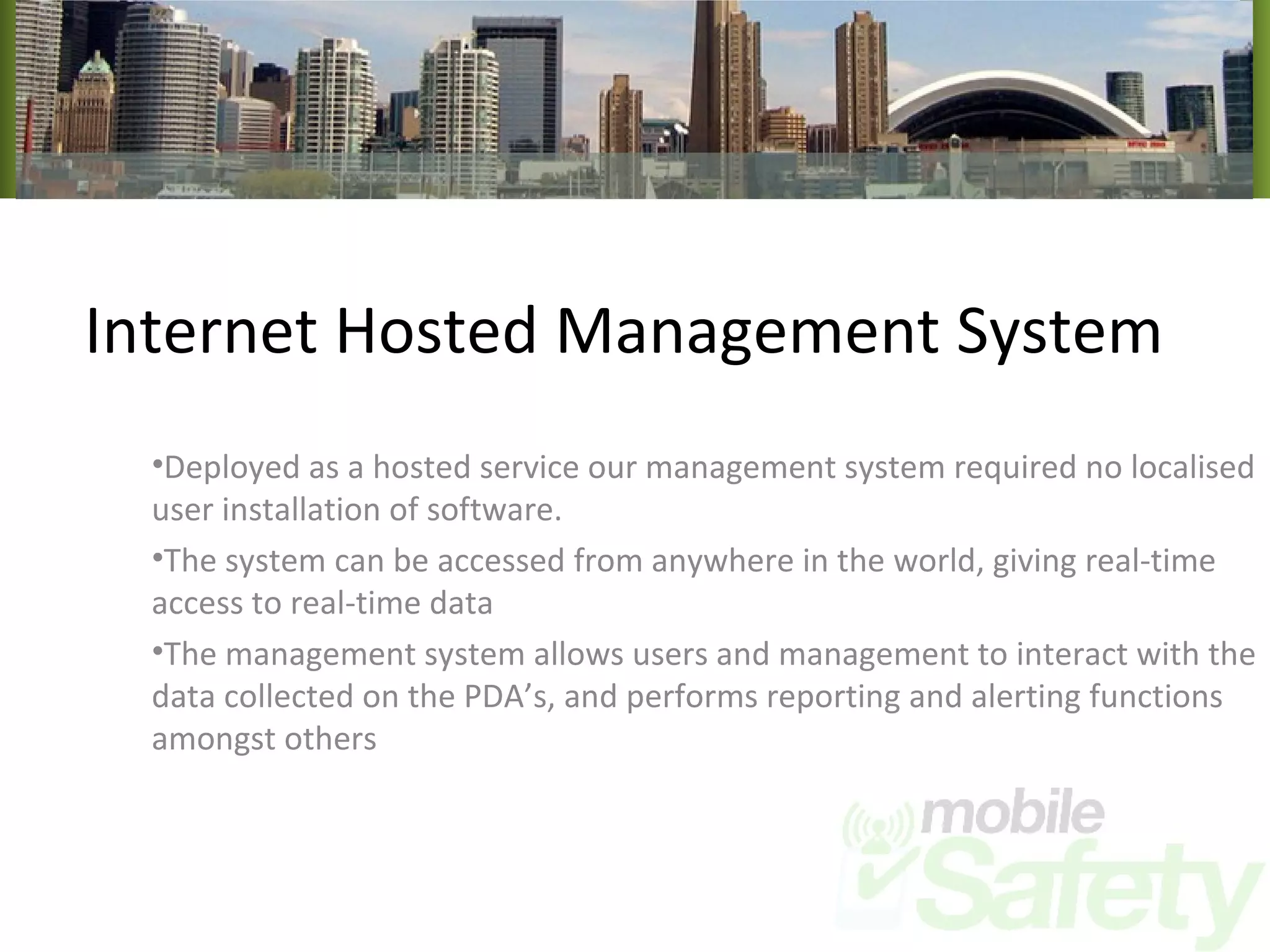
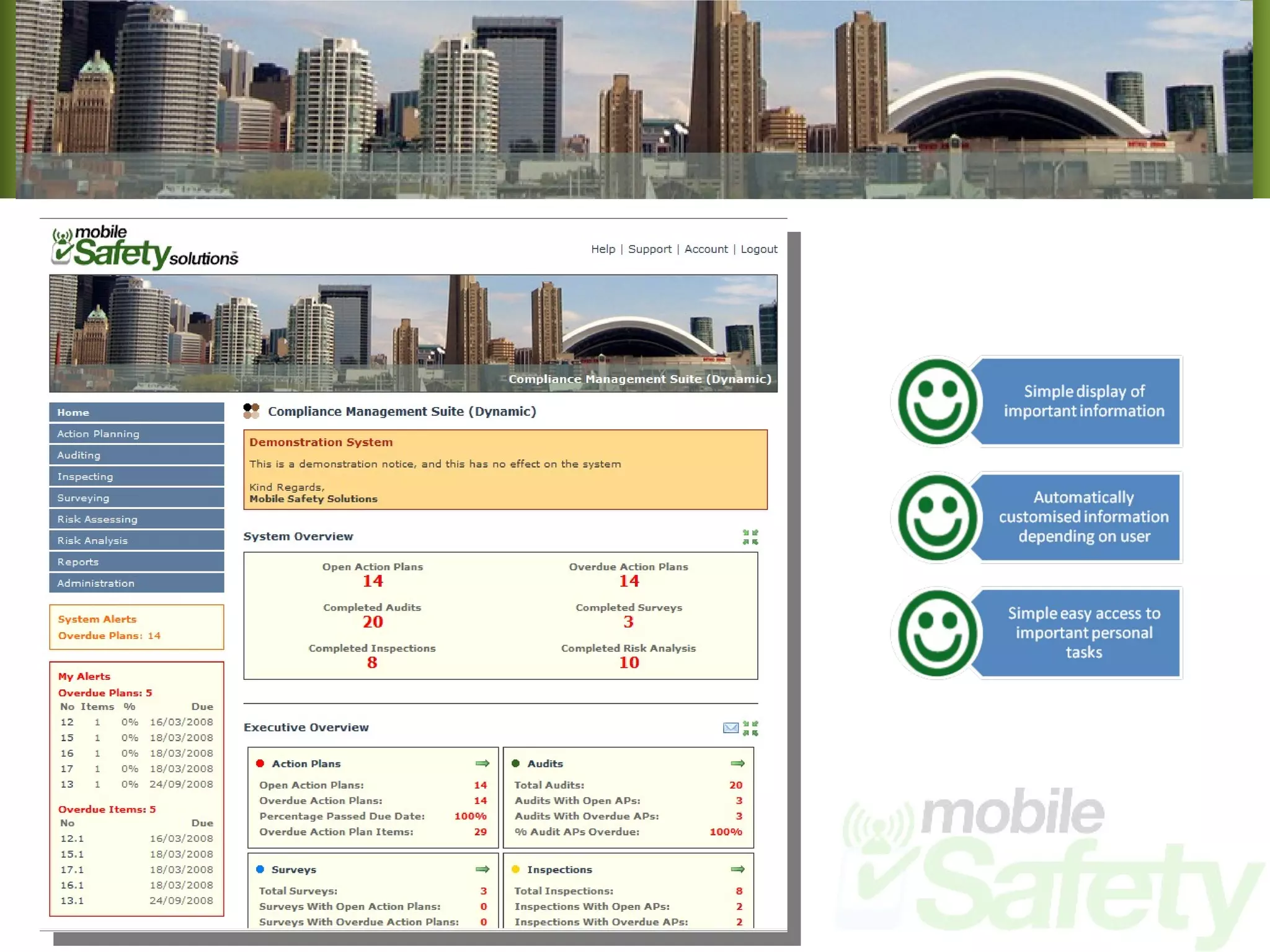
Internet Hosted Management System Deployed as a hosted service our management system required no localised user installation of software. The system can be accessed from anywhere in the world, giving real-time access to real-time data The management system allows users and management to interact with the data collected on the PDA’s, and performs reporting and alerting functions amongst others
 
How does it work? Our solutions have many ways of doing similar functions to allow for the greatest amount of customer flexibility The following screens show how we can deal with the basic parts of an audit or inspection Each version has its own unique properties that make it suitable for specific circumstances Of course, as the solutions we provide are bespoke, further customisation can be performed making the solution fit hand in glove with your operational requirements
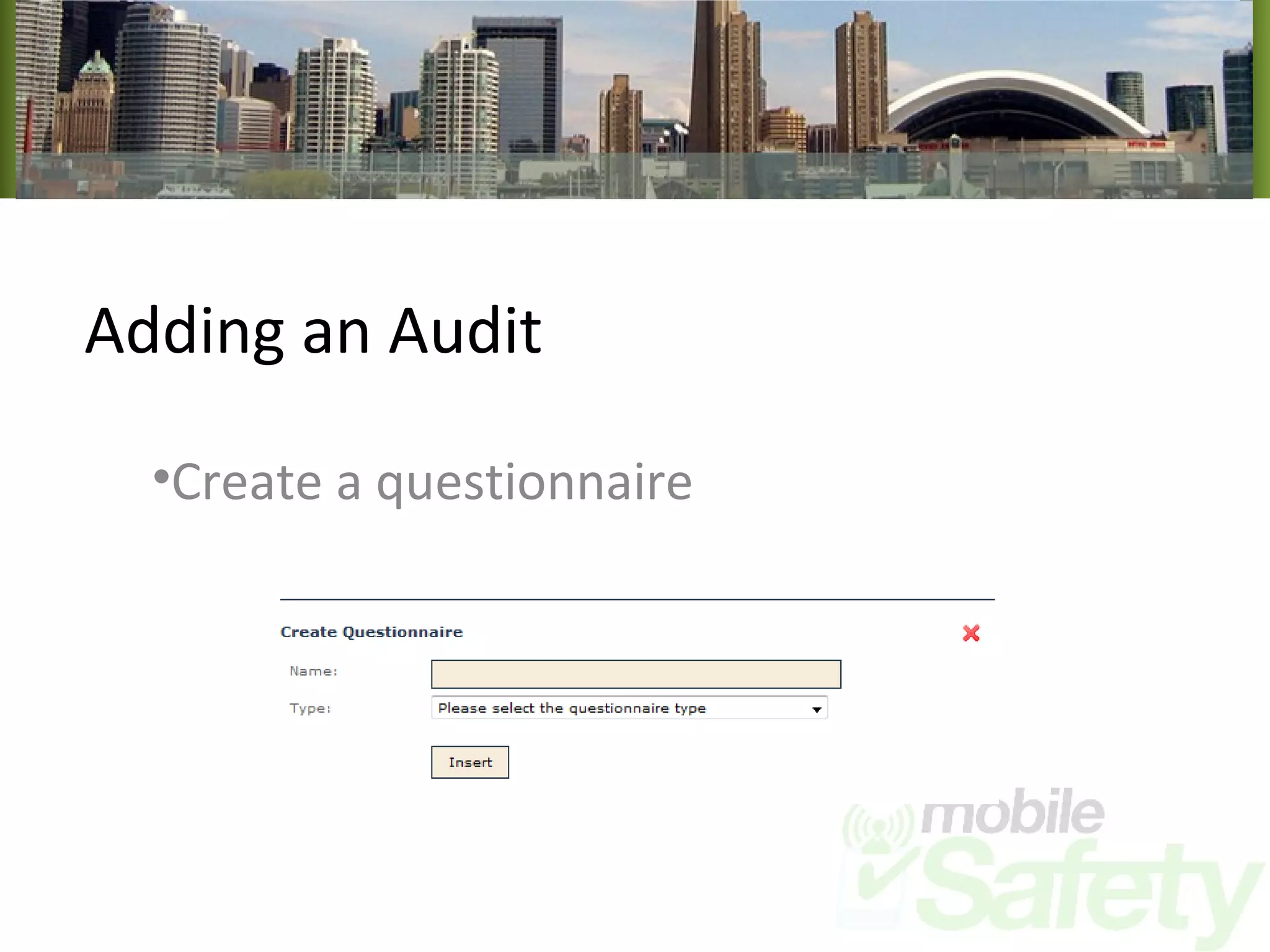
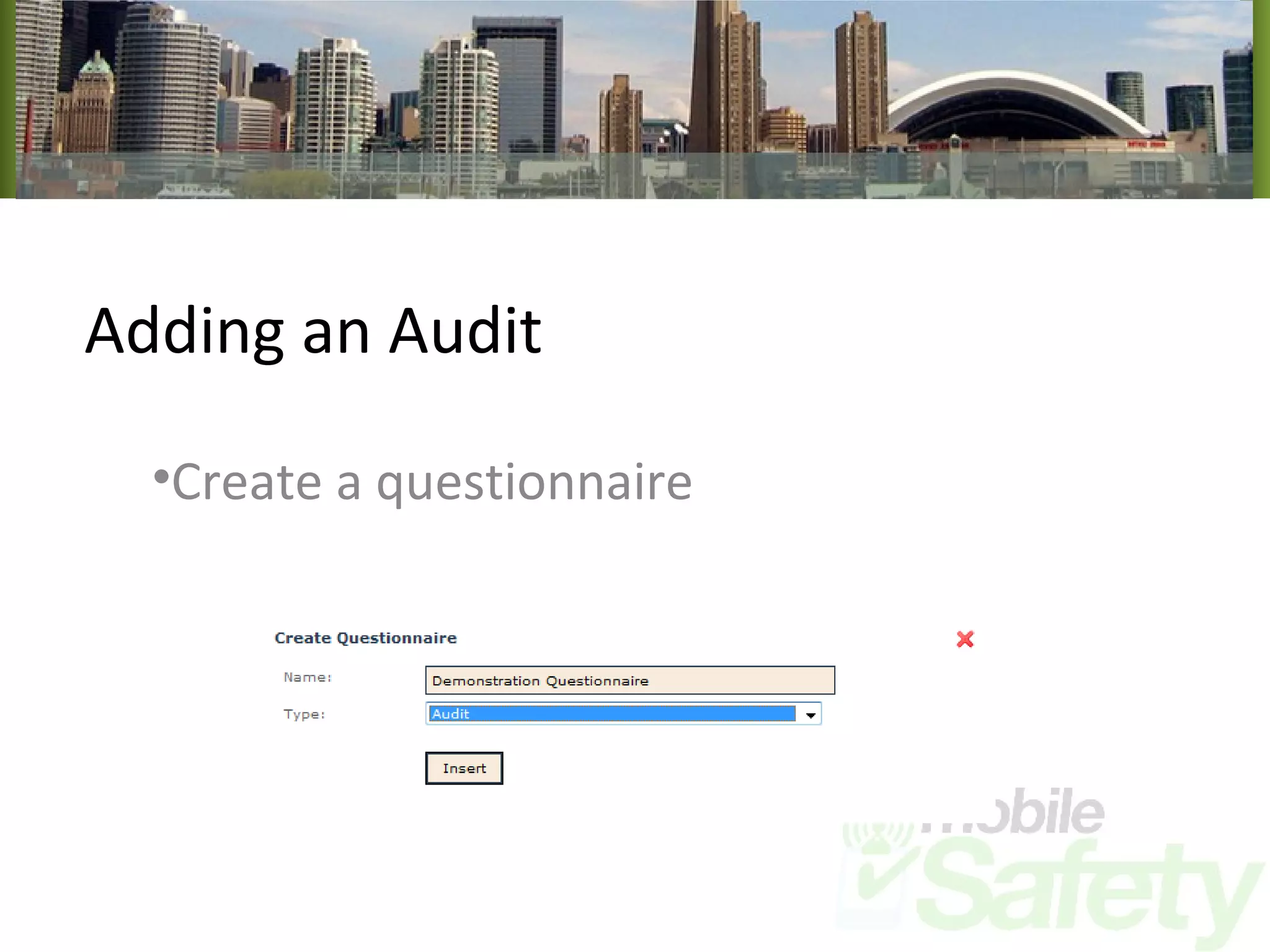
Adding an Audit Create a questionnaire
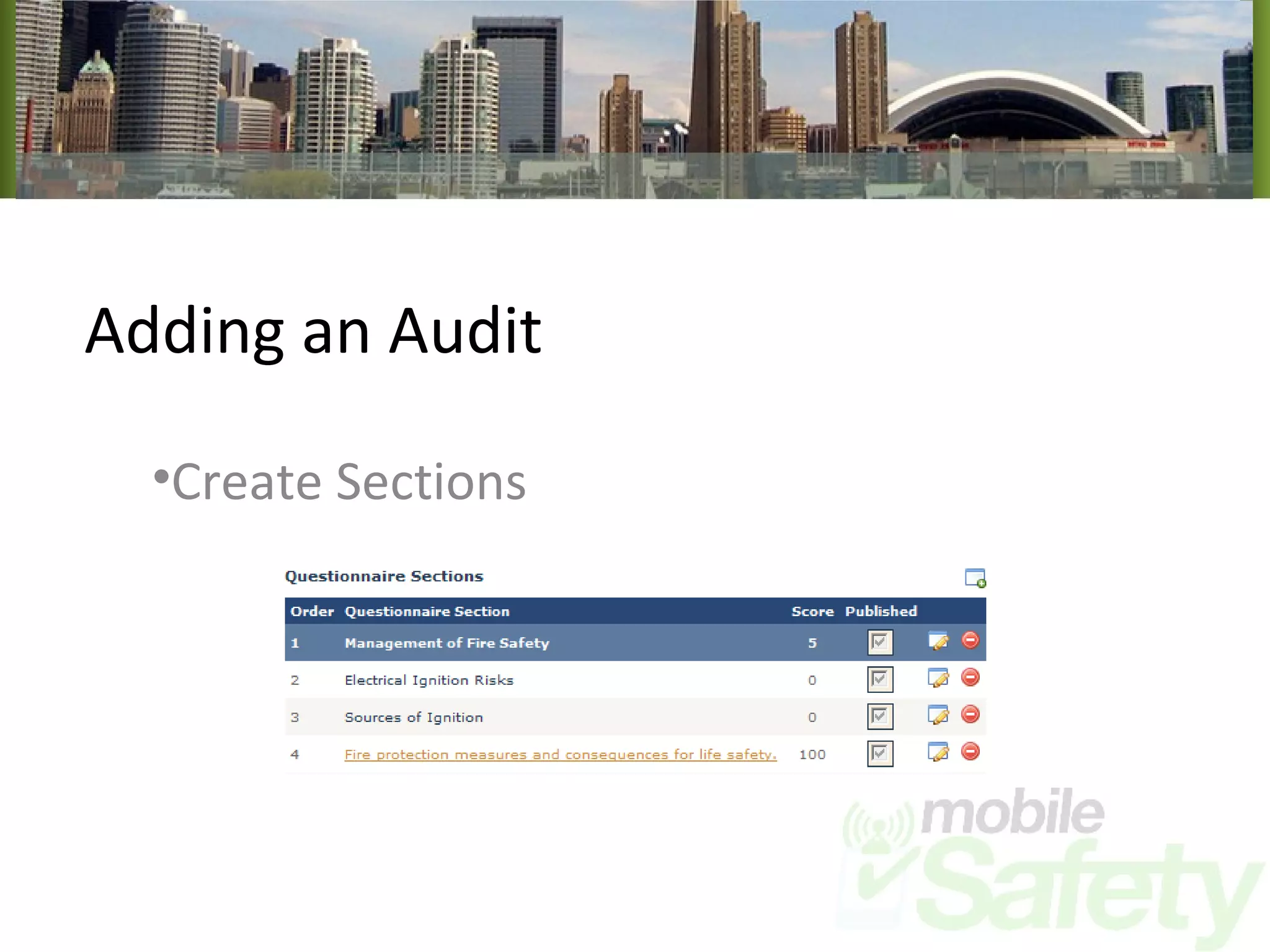
Adding an Audit Create Sections
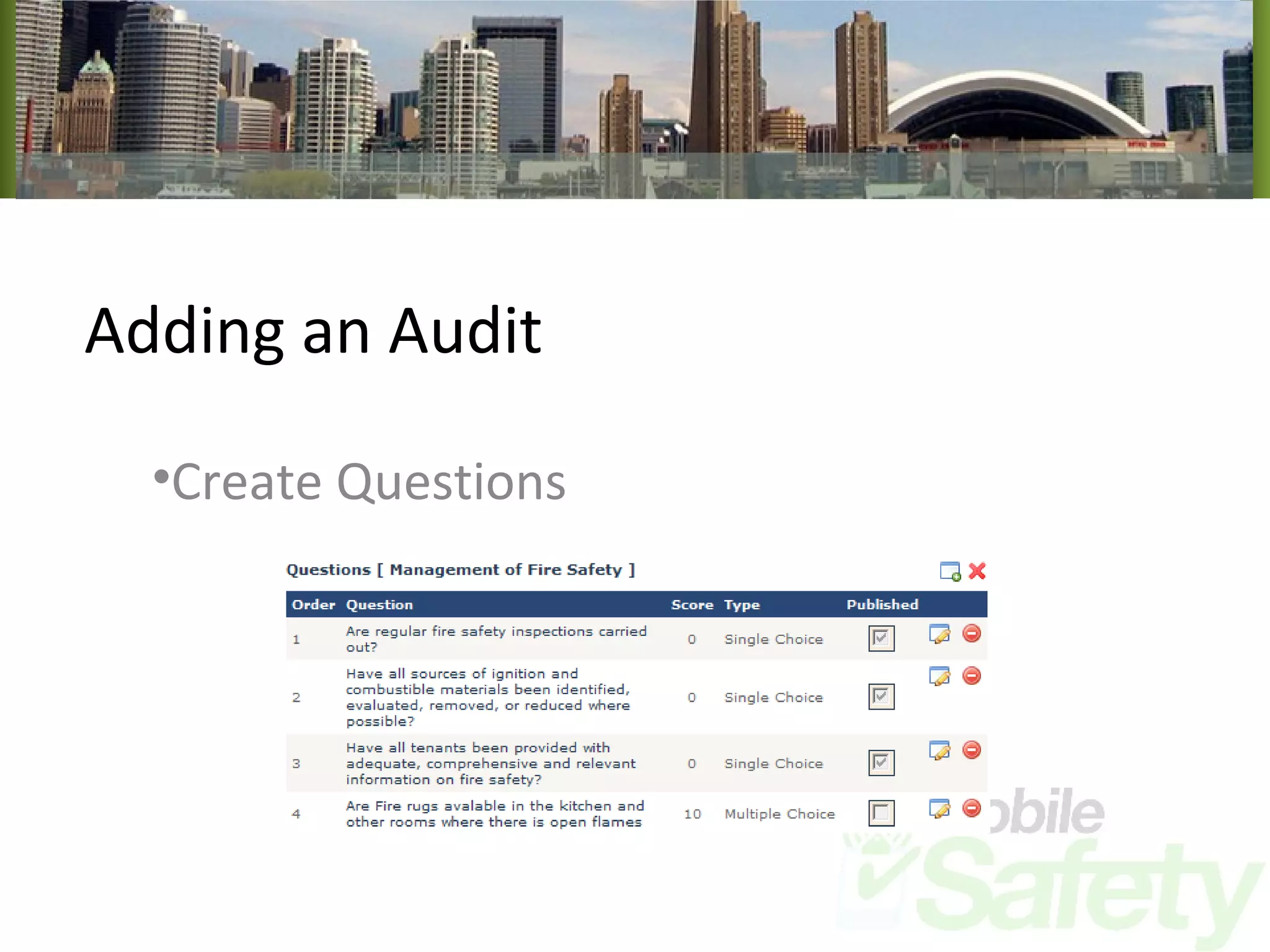
Adding an Audit Create Questions
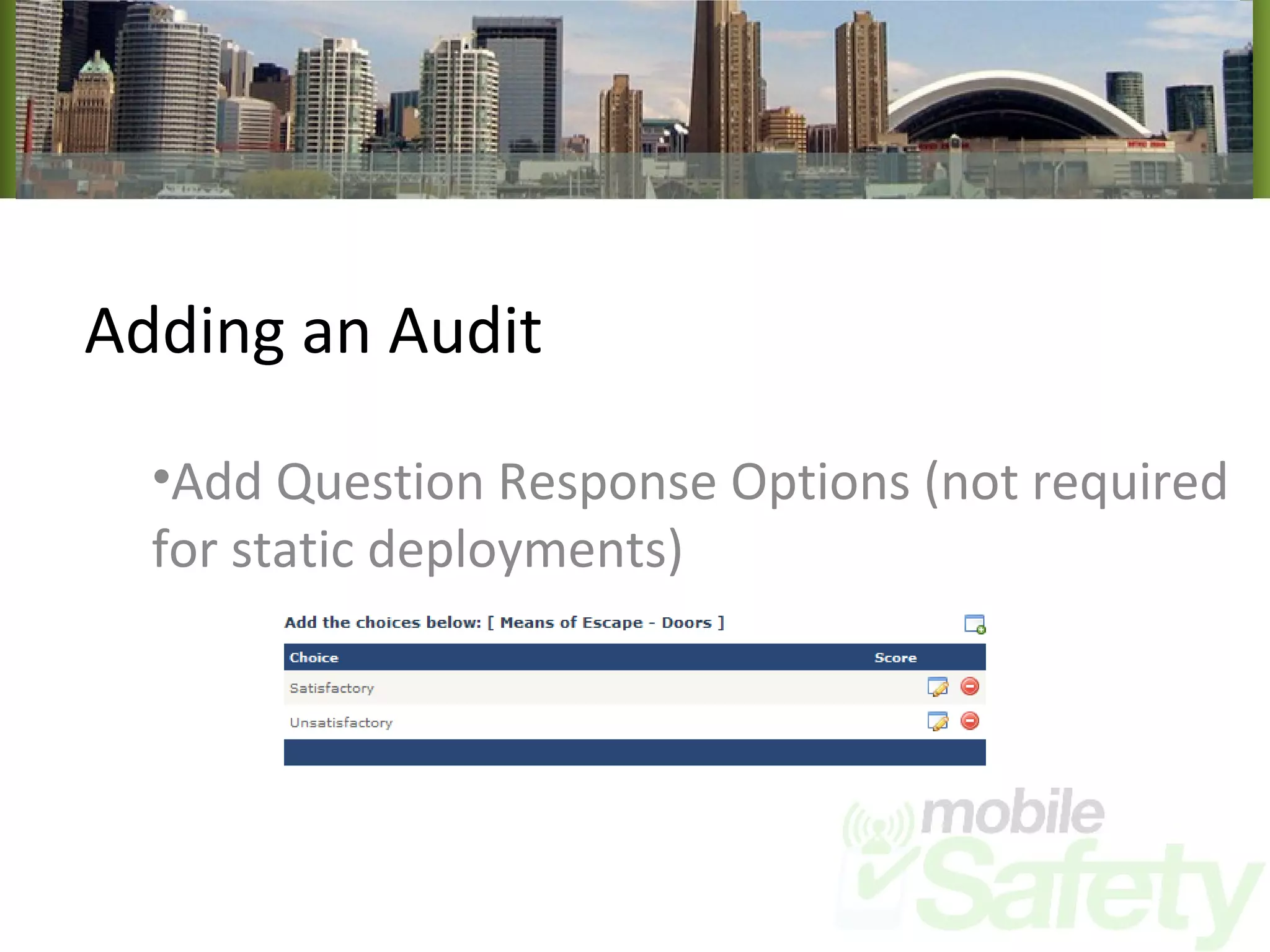
Adding an Audit Add Question Response Options (not required for static deployments)
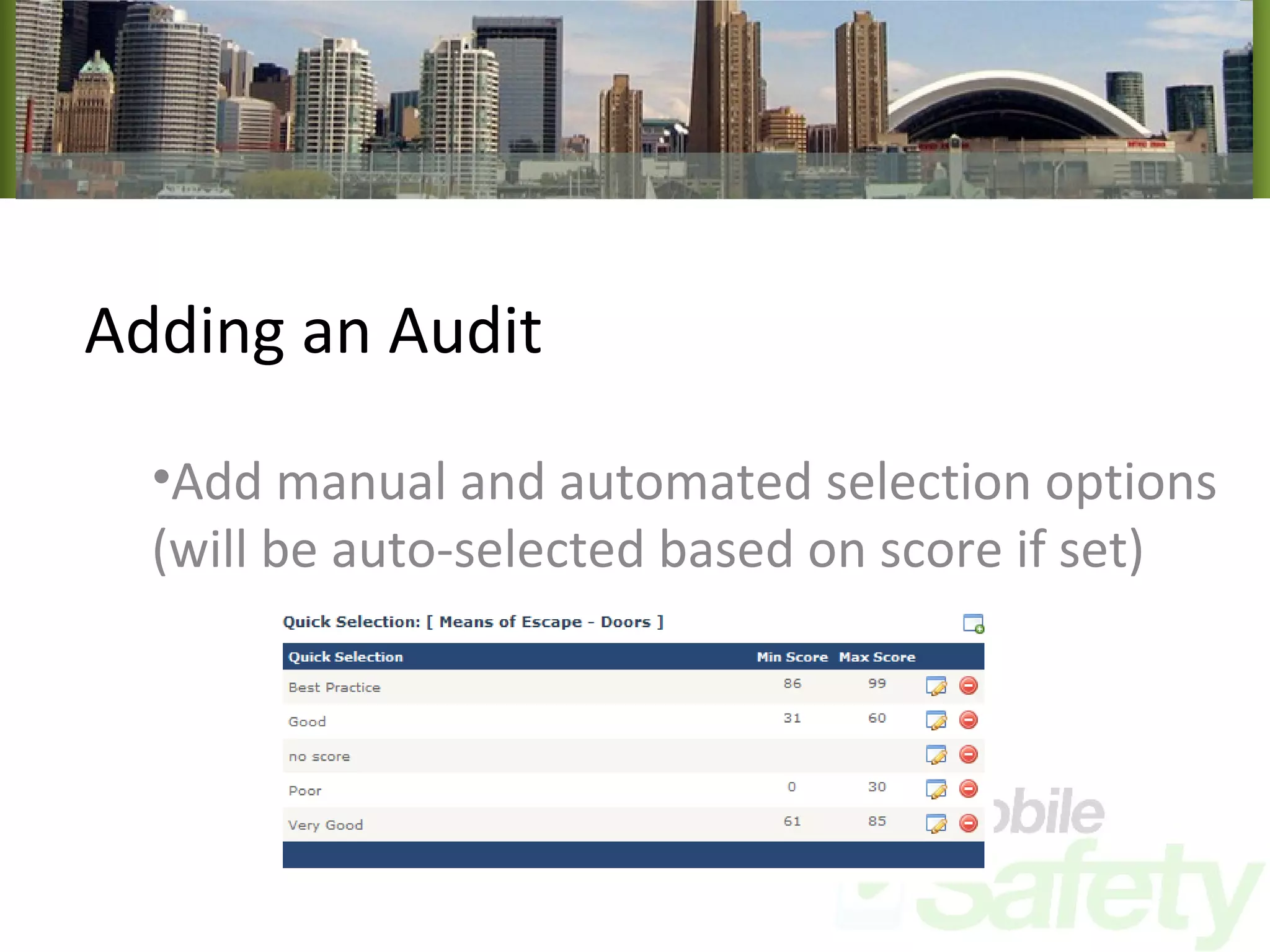
Adding an Audit Add manual and automated selection options (will be auto-selected based on score if set)
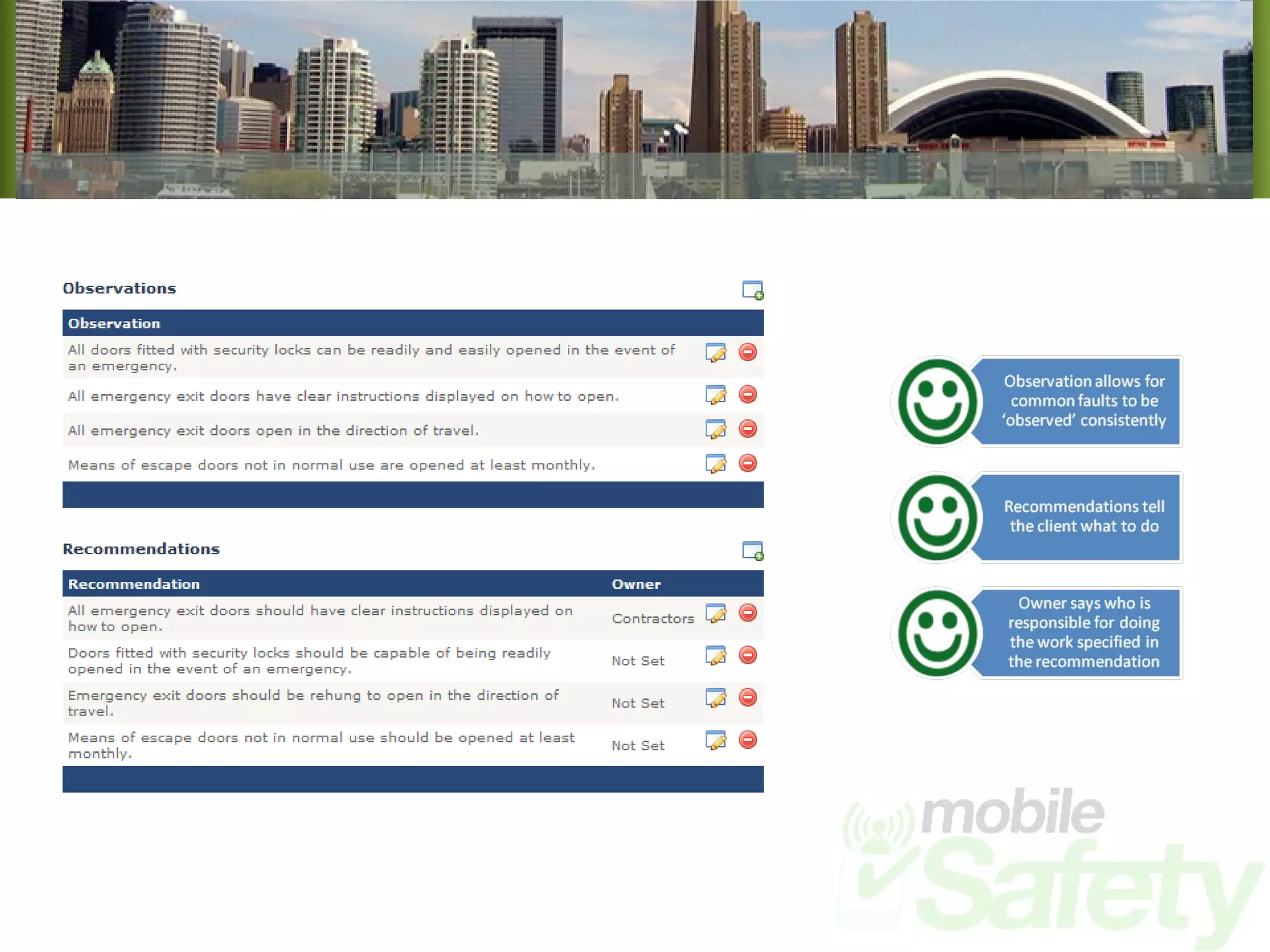
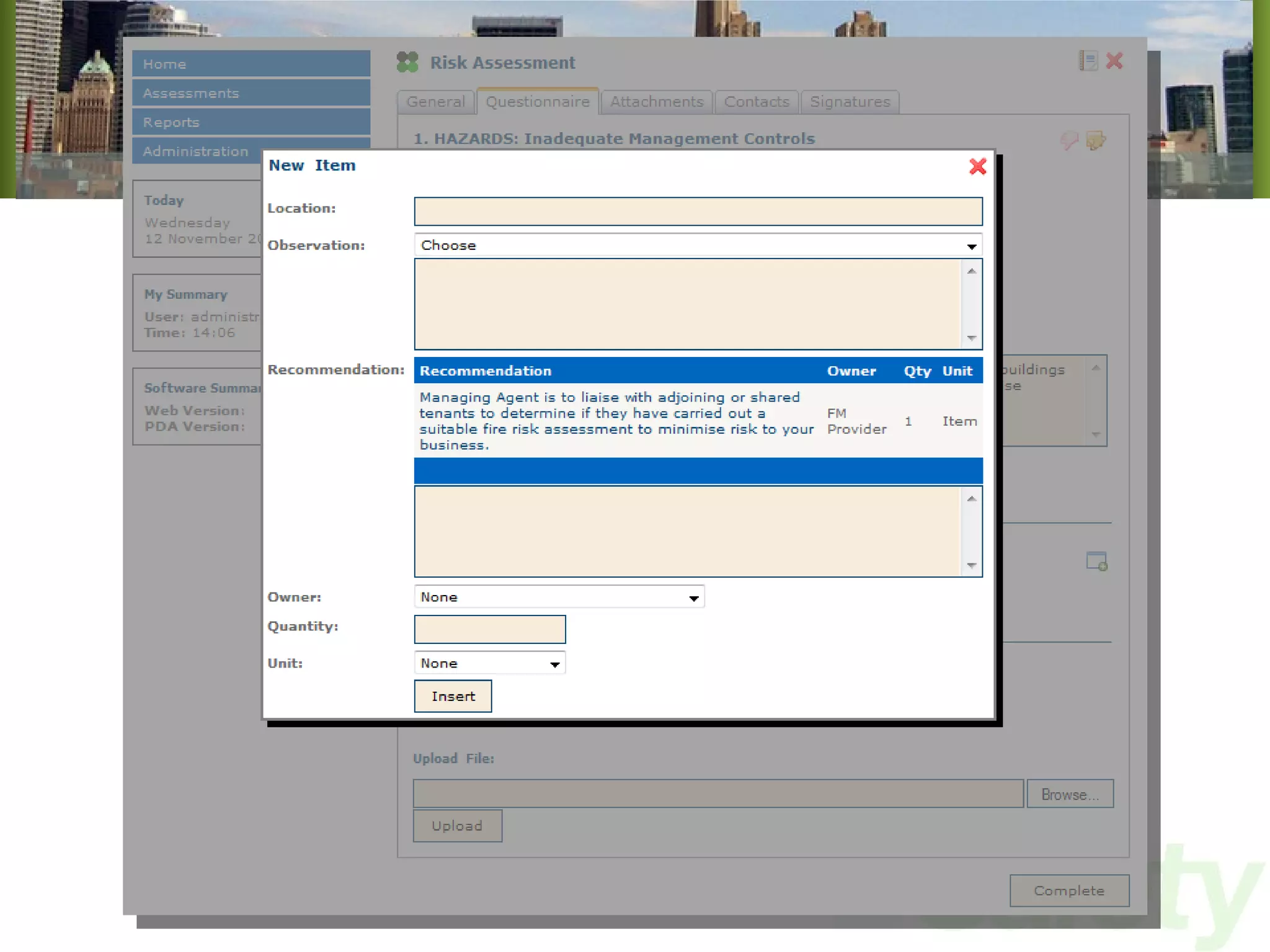
Adding an Audit Add Observations & Recommendations if required (along with responsible persons for completing recommendations)
 
Adding an Audit That’s it.  This audit is now available to ALL system users online and ALL PDA users next time they perform a synchronisation, wherever they may be. All data received from the new audit will be reportable via any audit report automatically, and will be included in any statistical analysis.
Performing an Audit Now we have a questionnaire in the system, we need to use it. The following graphics will illustrate the basic activities involved in performing a Risk assessment
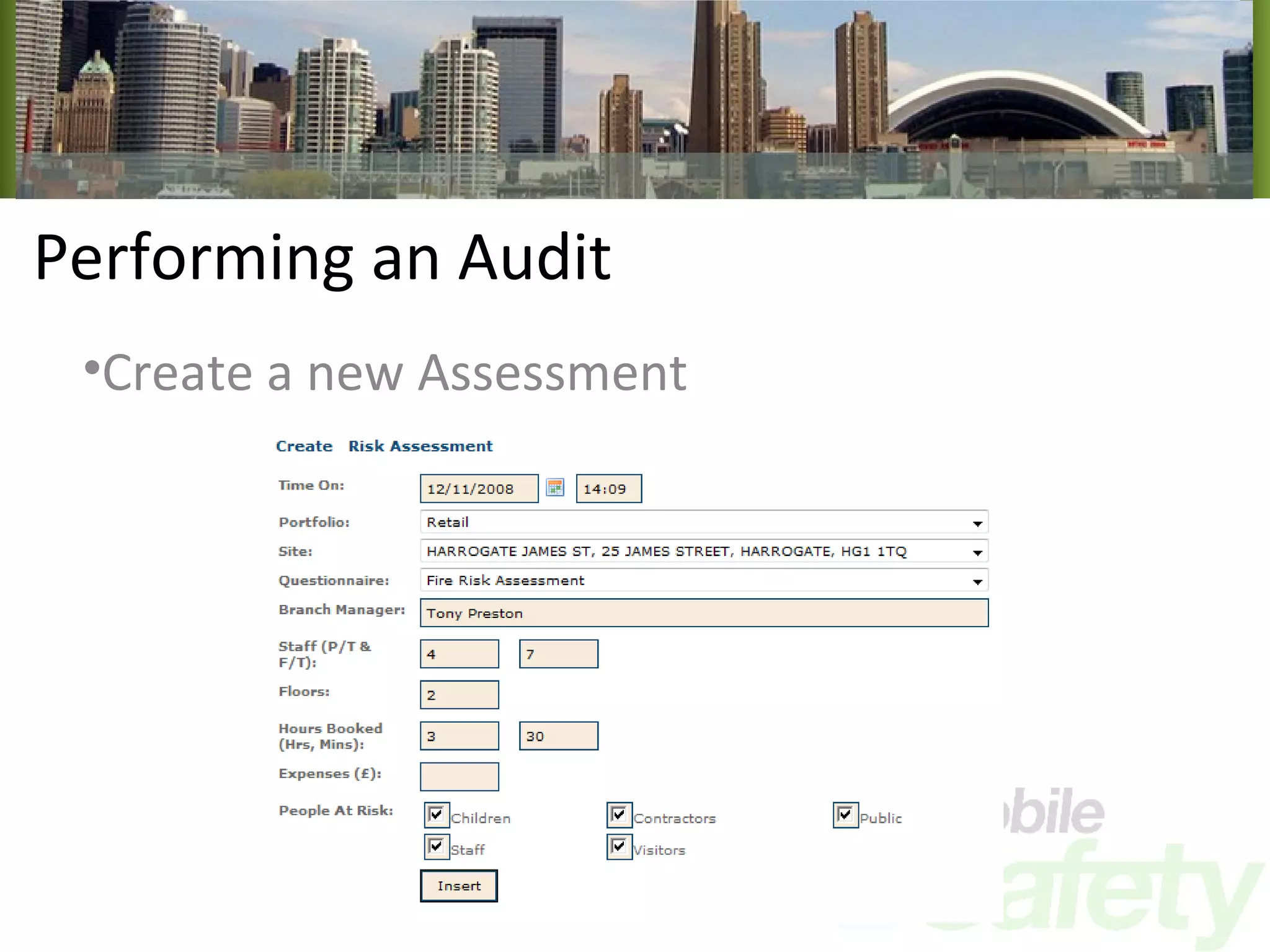
Performing an Audit Create a new Assessment
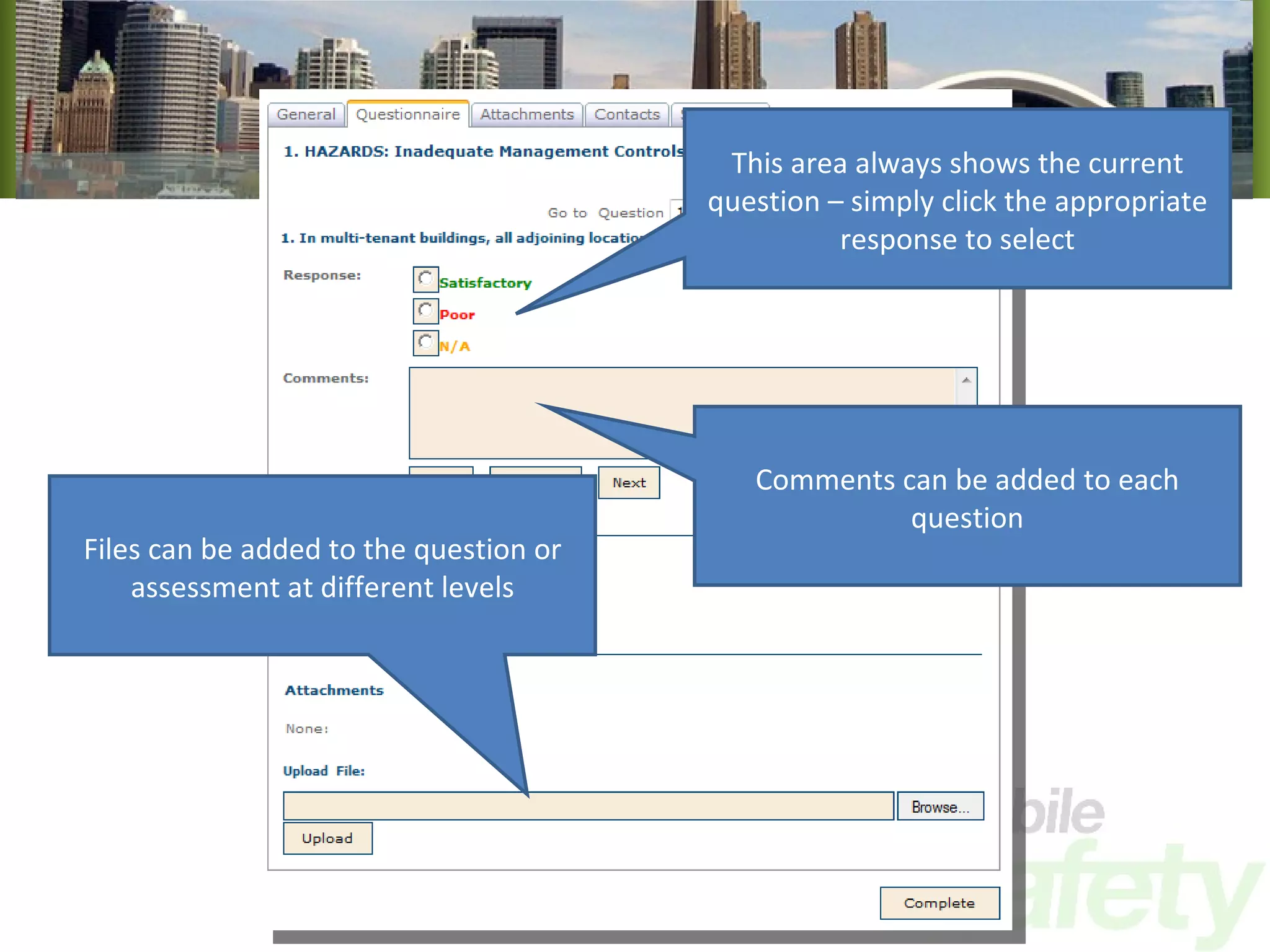
Performing an Audit Now the new assessment is created, we can move on and answer the questions
This area always shows the current question – simply click the appropriate response to select Comments can be added to each question Files can be added to the question or assessment at different levels
 
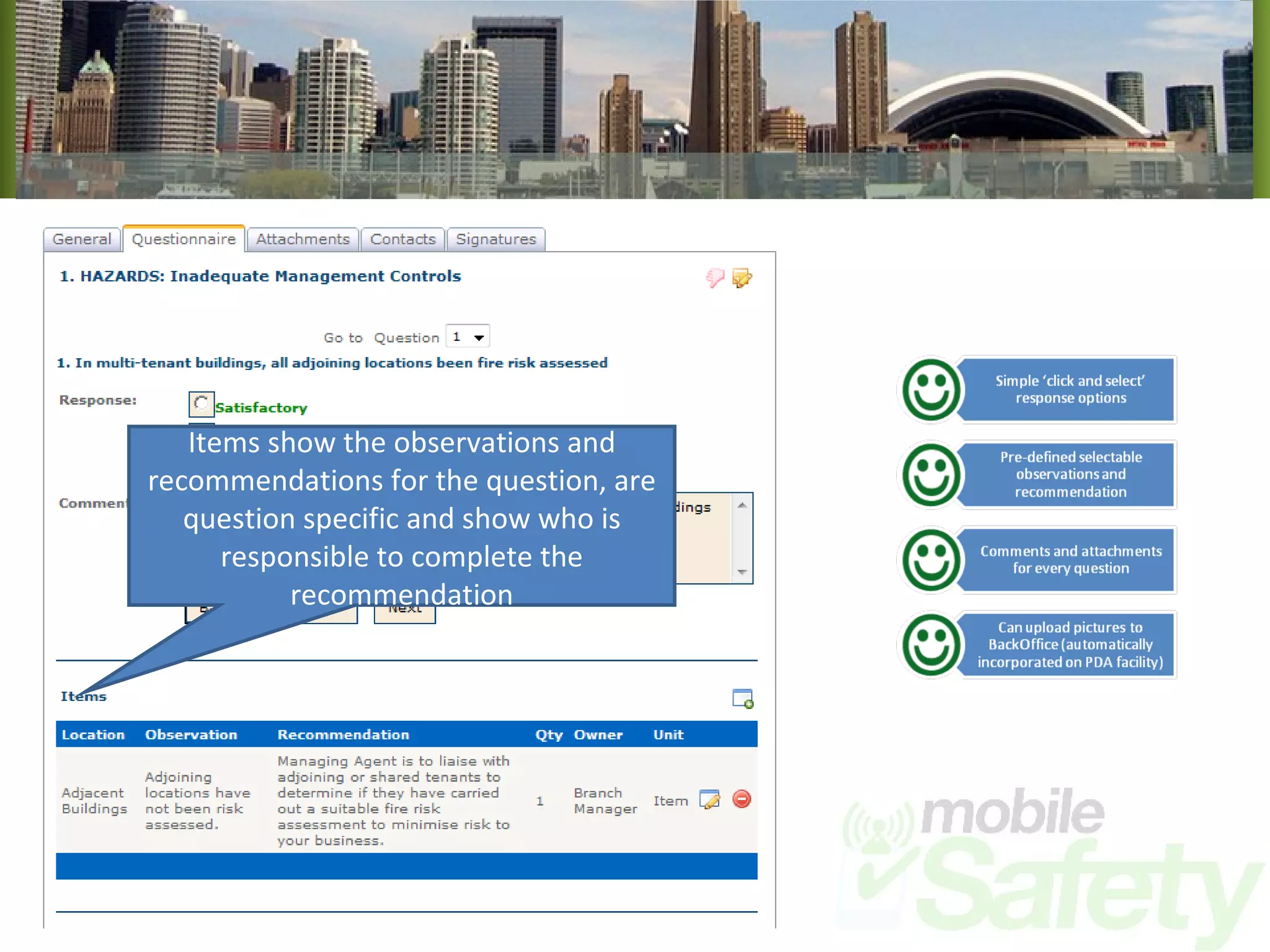
Items show the observations and recommendations for the question, are question specific and show who is responsible to complete the recommendation
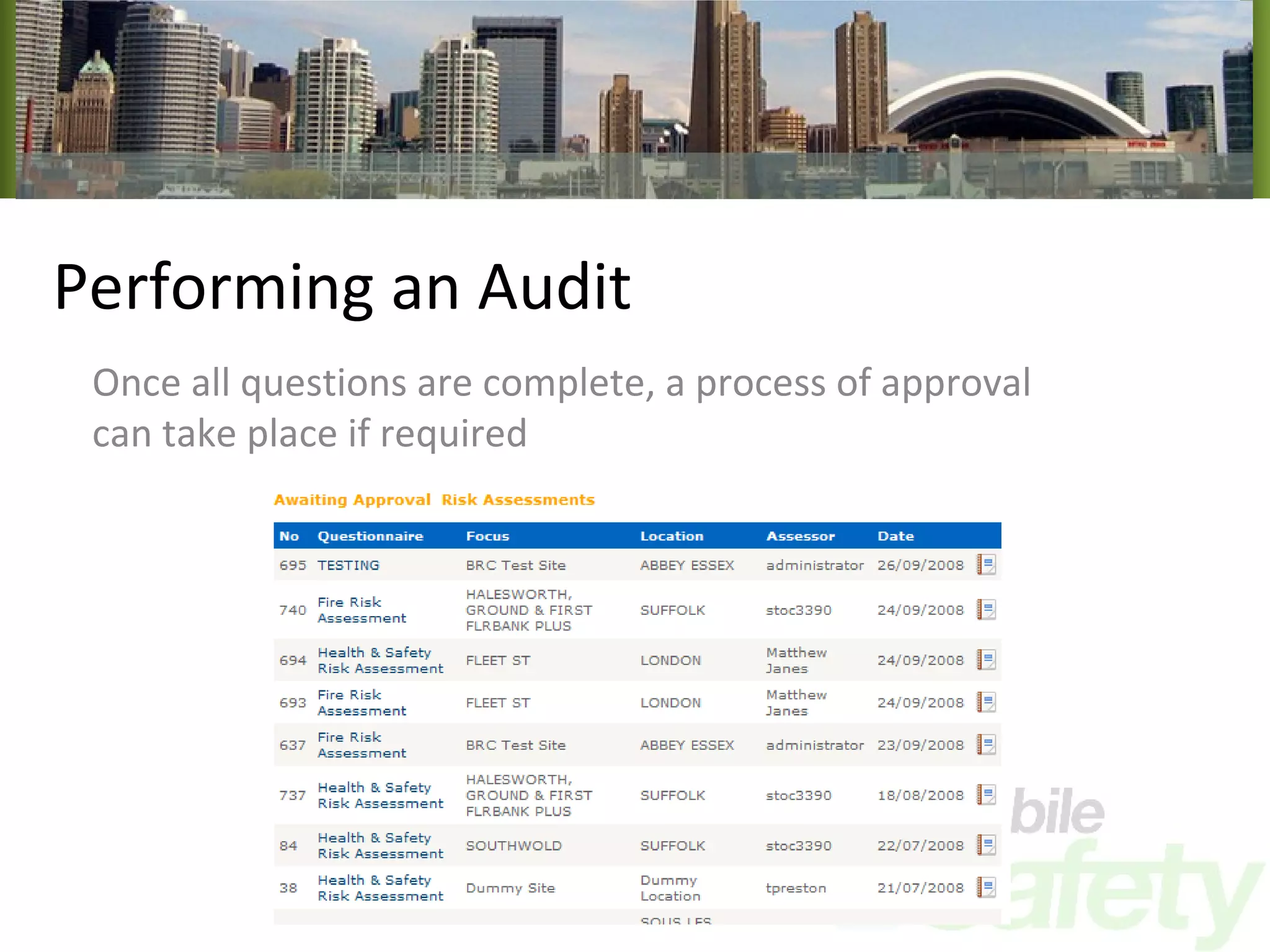
Performing an Audit Once all questions are complete, a process of approval can take place if required
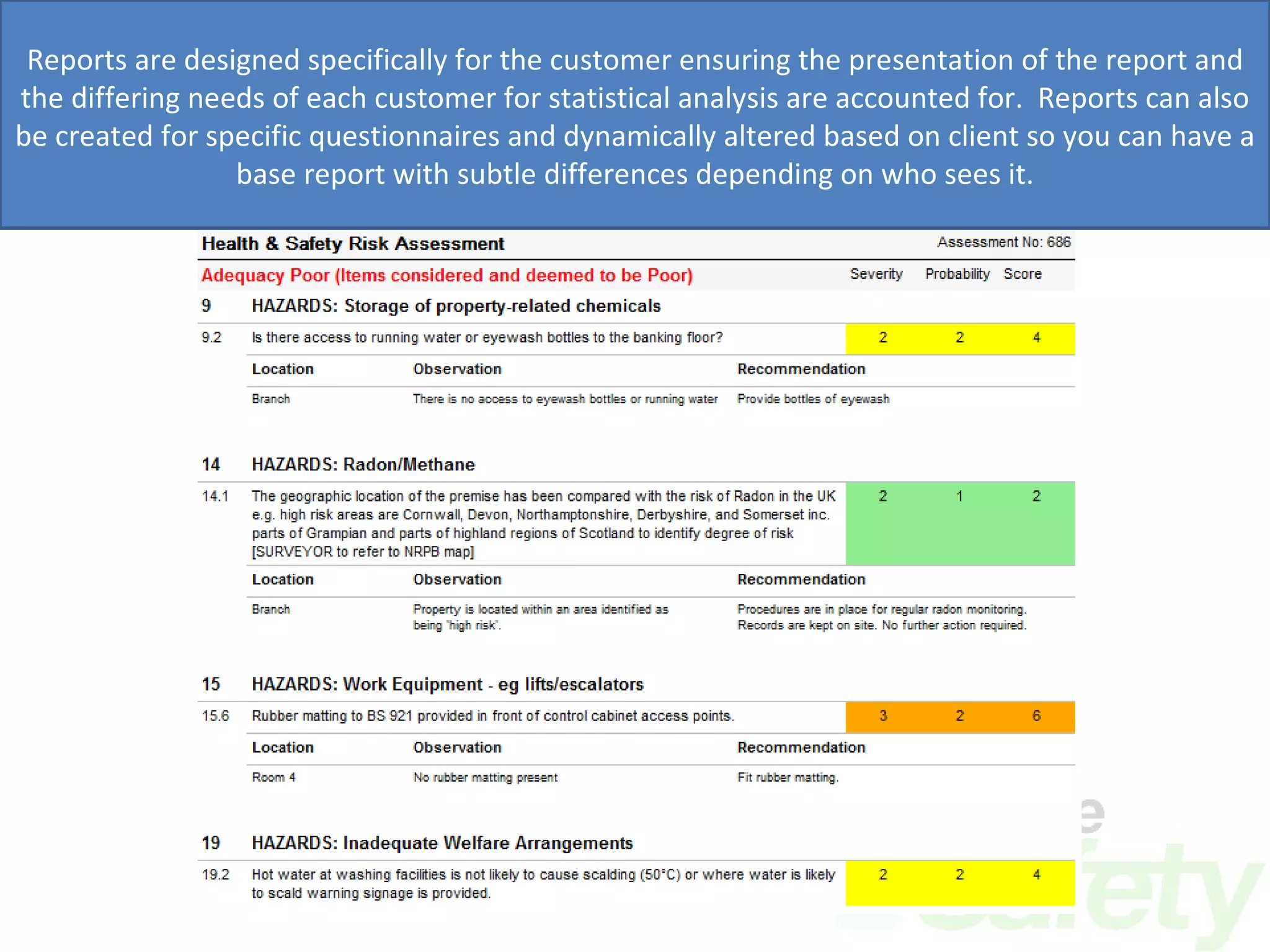
Performing an Audit Then it is a simple case of clicking the report icon and viewing the real-time, automatically generated report!
Reports are designed specifically for the customer ensuring the presentation of the report and the differing needs of each customer for statistical analysis are accounted for.  Reports can also be created for specific questionnaires and dynamically altered based on client so you can have a base report with subtle differences depending on who sees it.
What else? Well, we have simply touched the surface in this presentation.  There are many more features, with a variety of ways of performing each one.
What else? If you want to explore the system in more detail, see the PDA features and talk about costs, then we can arrange an online demonstration for you, or we can come and speak to you in person.
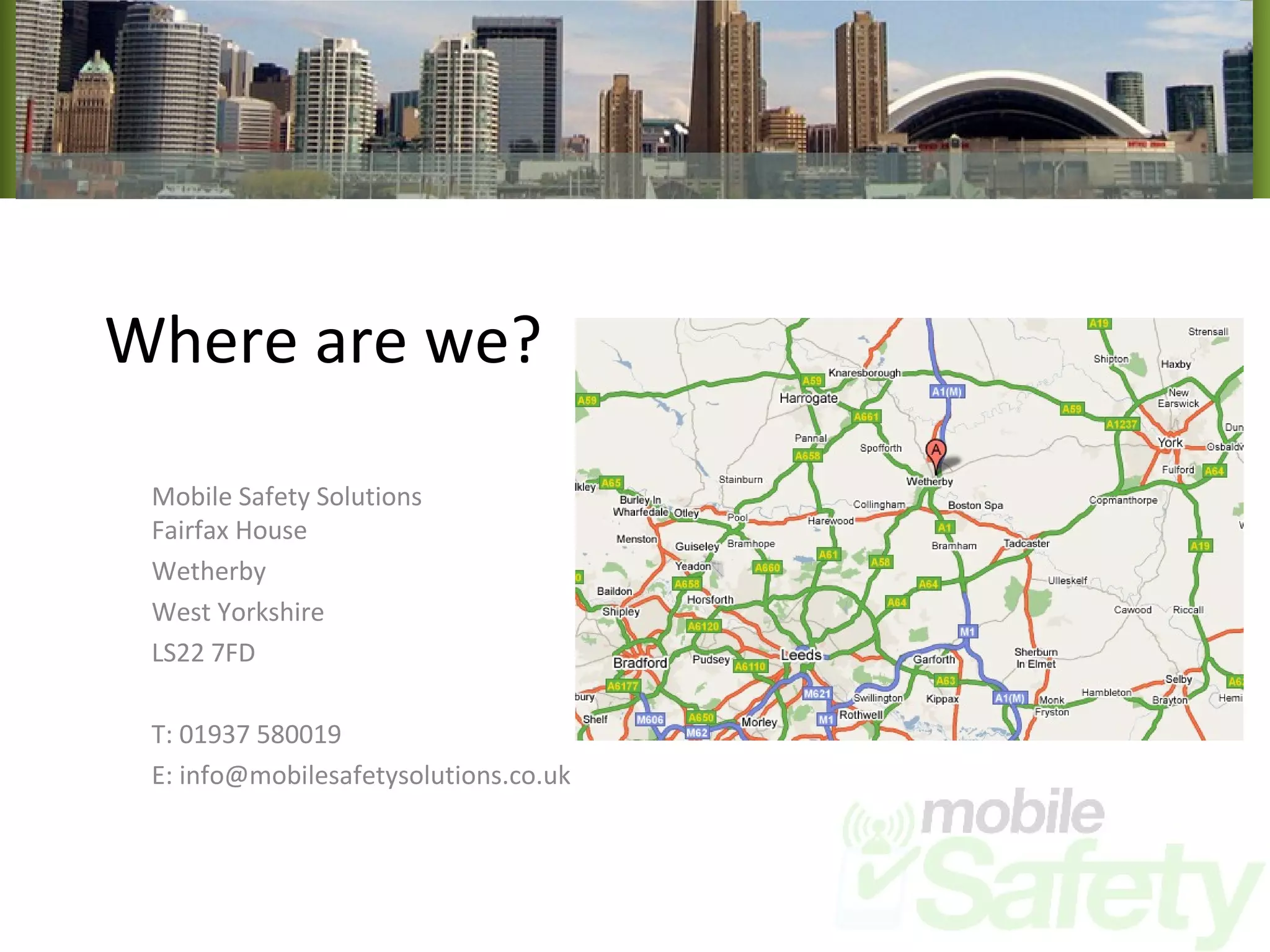
Where are we? Mobile Safety Solutions Fairfax House Wetherby West Yorkshire LS22 7FD T: 01937 580019 E: info@mobilesafetysolutions.co.uk

Mobile Safety Solutions Compliance Management Suite System Overview

  • 1.
    Mobile Safety SolutionsCompliance Management Suite An Internet & PDA based active management solution for Health and Safety
  • 2.
    Background Mobile SoftwareSystems Limited founded in April 2006 Winners of the Yorkshire Digital Awards ‘Best use of Broadband’ Raised private equity finance from Yorkshire Fund Managers Customers include: Faithful + Gould Wincanton PLC Wolseley PLC Airedale Mechanical & Electrical Derwent London PLC Peninsula Business Services Network Rail.
  • 3.
    Benefits Compliance Improvement– driven by dynamic ‘Action Planning’ Productivity Gains – no duplication of input and instant, automated generation of management reports Traceability – complete audit trail with time & date capture, photographic evidence and signature capture Automated archiving No lost paper or important data Instant distribution of raw data and management information Fully centralised access company wide
  • 4.
    What is MobileSafety? An Internet hosted management system A PDA based data collection tool
  • 5.
    Internet Hosted ManagementSystem Deployed as a hosted service our management system required no localised user installation of software. The system can be accessed from anywhere in the world, giving real-time access to real-time data The management system allows users and management to interact with the data collected on the PDA’s, and performs reporting and alerting functions amongst others
  • 6.
  • 7.
    How does itwork? Our solutions have many ways of doing similar functions to allow for the greatest amount of customer flexibility The following screens show how we can deal with the basic parts of an audit or inspection Each version has its own unique properties that make it suitable for specific circumstances Of course, as the solutions we provide are bespoke, further customisation can be performed making the solution fit hand in glove with your operational requirements
  • 8.
    Adding an AuditCreate a questionnaire
  • 9.
    Adding an AuditCreate a questionnaire
  • 10.
    Adding an AuditCreate Sections
  • 11.
    Adding an AuditCreate Questions
  • 12.
    Adding an AuditAdd Question Response Options (not required for static deployments)
  • 13.
    Adding an AuditAdd manual and automated selection options (will be auto-selected based on score if set)
  • 14.
    Adding an AuditAdd Observations & Recommendations if required (along with responsible persons for completing recommendations)
  • 15.
  • 16.
    Adding an AuditThat’s it. This audit is now available to ALL system users online and ALL PDA users next time they perform a synchronisation, wherever they may be. All data received from the new audit will be reportable via any audit report automatically, and will be included in any statistical analysis.
  • 17.
    Performing an AuditNow we have a questionnaire in the system, we need to use it. The following graphics will illustrate the basic activities involved in performing a Risk assessment
  • 18.
    Performing an AuditCreate a new Assessment
  • 19.
    Performing an AuditNow the new assessment is created, we can move on and answer the questions
  • 20.
    This area alwaysshows the current question – simply click the appropriate response to select Comments can be added to each question Files can be added to the question or assessment at different levels
  • 21.
  • 22.
    Items show theobservations and recommendations for the question, are question specific and show who is responsible to complete the recommendation
  • 23.
    Performing an AuditOnce all questions are complete, a process of approval can take place if required
  • 24.
    Performing an AuditThen it is a simple case of clicking the report icon and viewing the real-time, automatically generated report!
  • 25.
    Reports are designedspecifically for the customer ensuring the presentation of the report and the differing needs of each customer for statistical analysis are accounted for. Reports can also be created for specific questionnaires and dynamically altered based on client so you can have a base report with subtle differences depending on who sees it.
  • 26.
    What else? Well,we have simply touched the surface in this presentation. There are many more features, with a variety of ways of performing each one.
  • 27.
    What else? Ifyou want to explore the system in more detail, see the PDA features and talk about costs, then we can arrange an online demonstration for you, or we can come and speak to you in person.
  • 28.
    Where are we?Mobile Safety Solutions Fairfax House Wetherby West Yorkshire LS22 7FD T: 01937 580019 E: info@mobilesafetysolutions.co.uk