Mobile marketing:
from analysis to launch
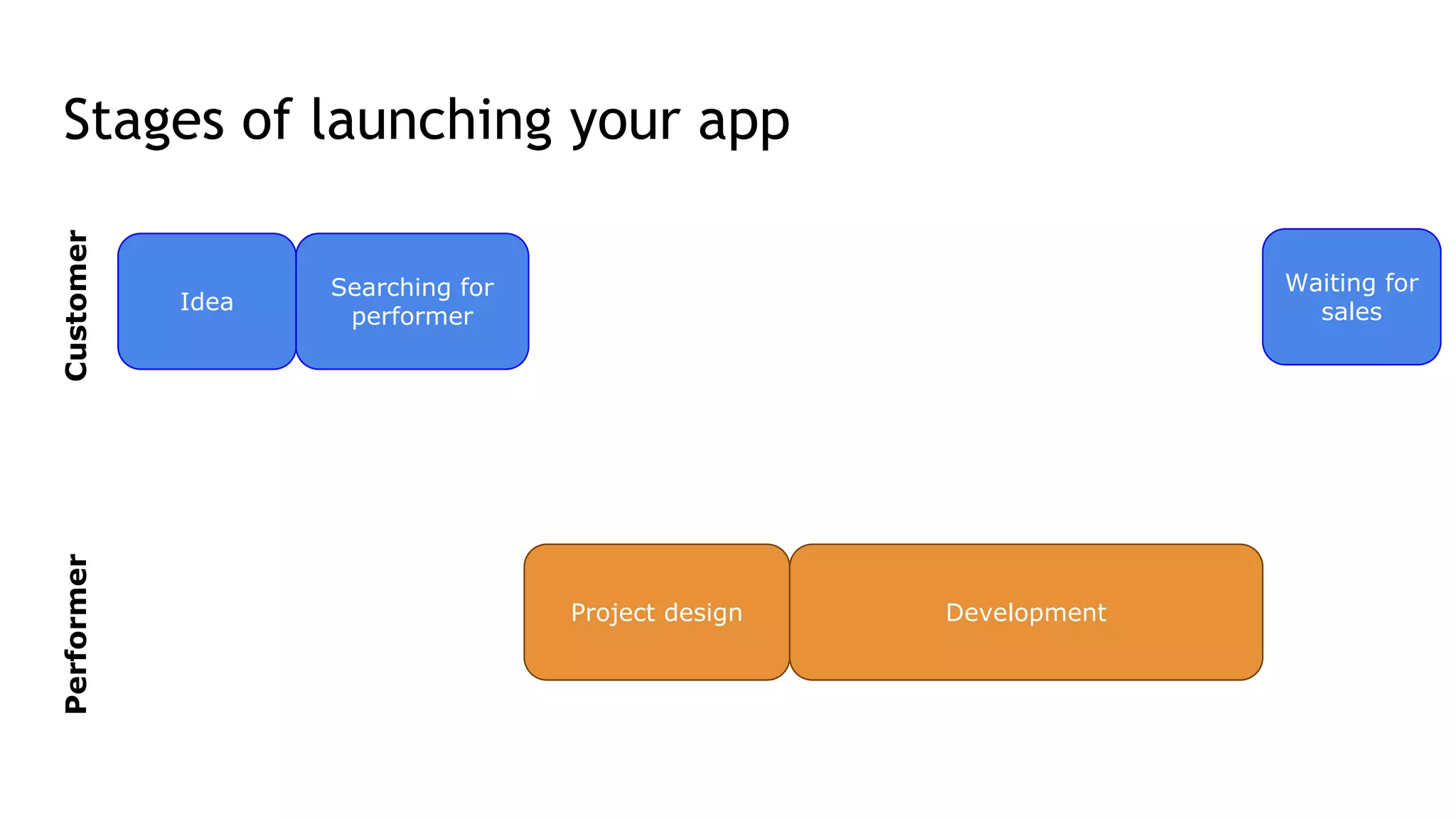
Stages of launching your app
CustomerPerformer
Idea
Searching for
performer
Waiting for
sales
Project design Development
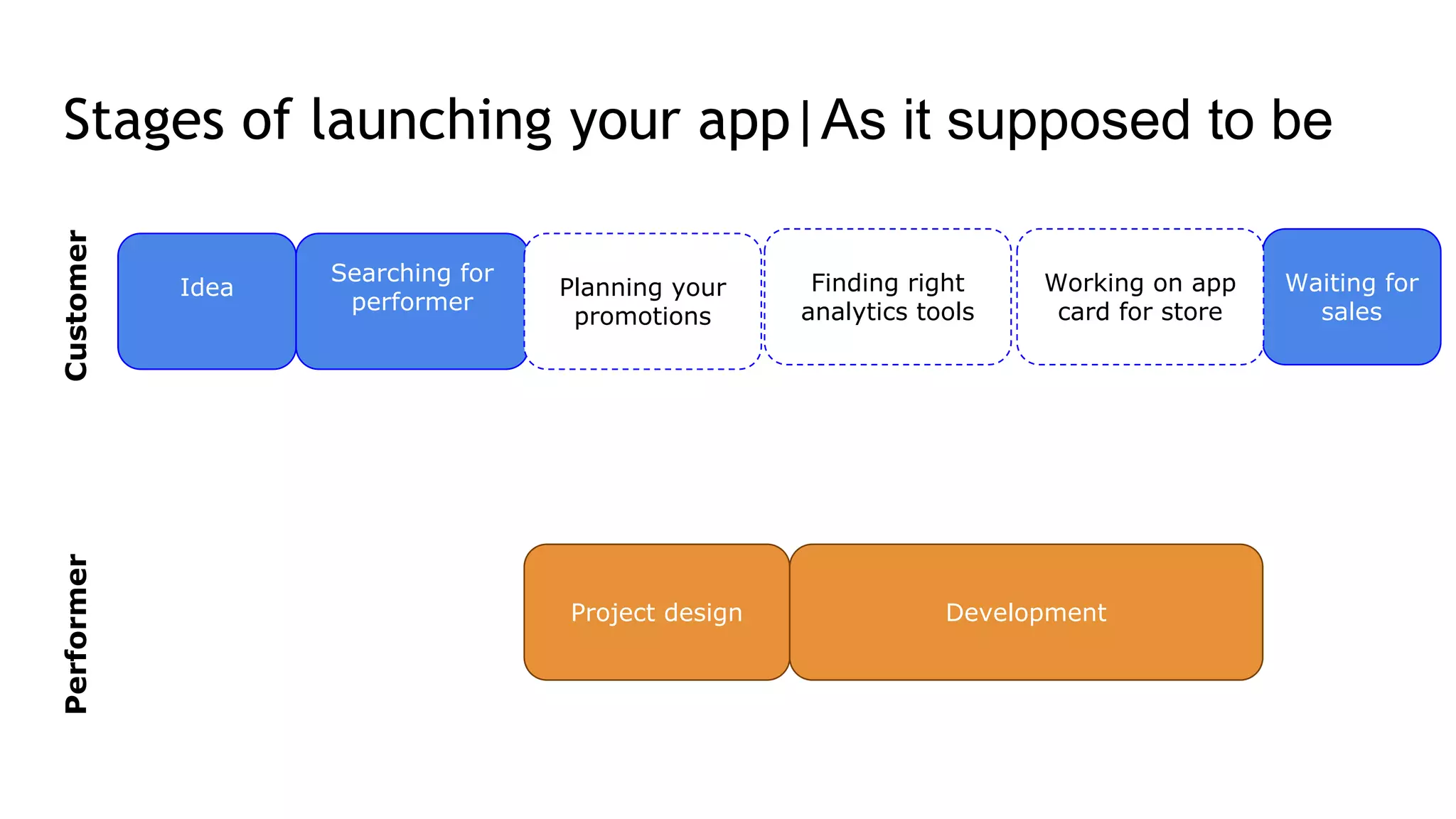
Stages of launching your app|As it supposed to be
CustomerPerformer
Idea
Searching for
performer
Waiting for
sales
Project design Development
Planning your
promotions
Finding right
analytics tools
Working on app
card for store
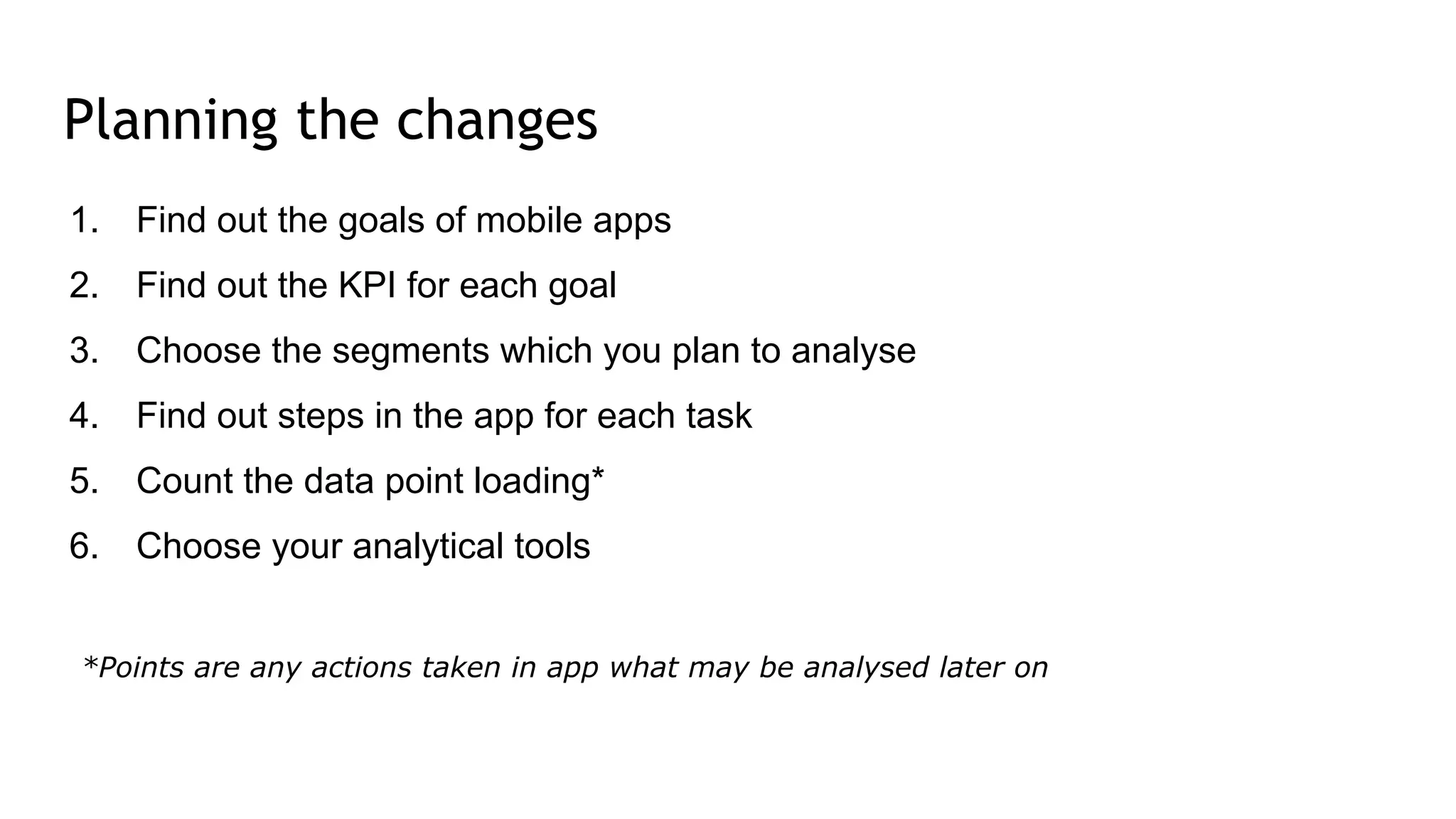
Planning the changes
1. Find out the goals of mobile apps
2. Find out the KPI for each goal
3. Choose the segments which you plan to analyse
4. Find out steps in the app for each task
5. Count the data point loading*
6. Choose your analytical tools
*Points are any actions taken in app what may be analysed later on
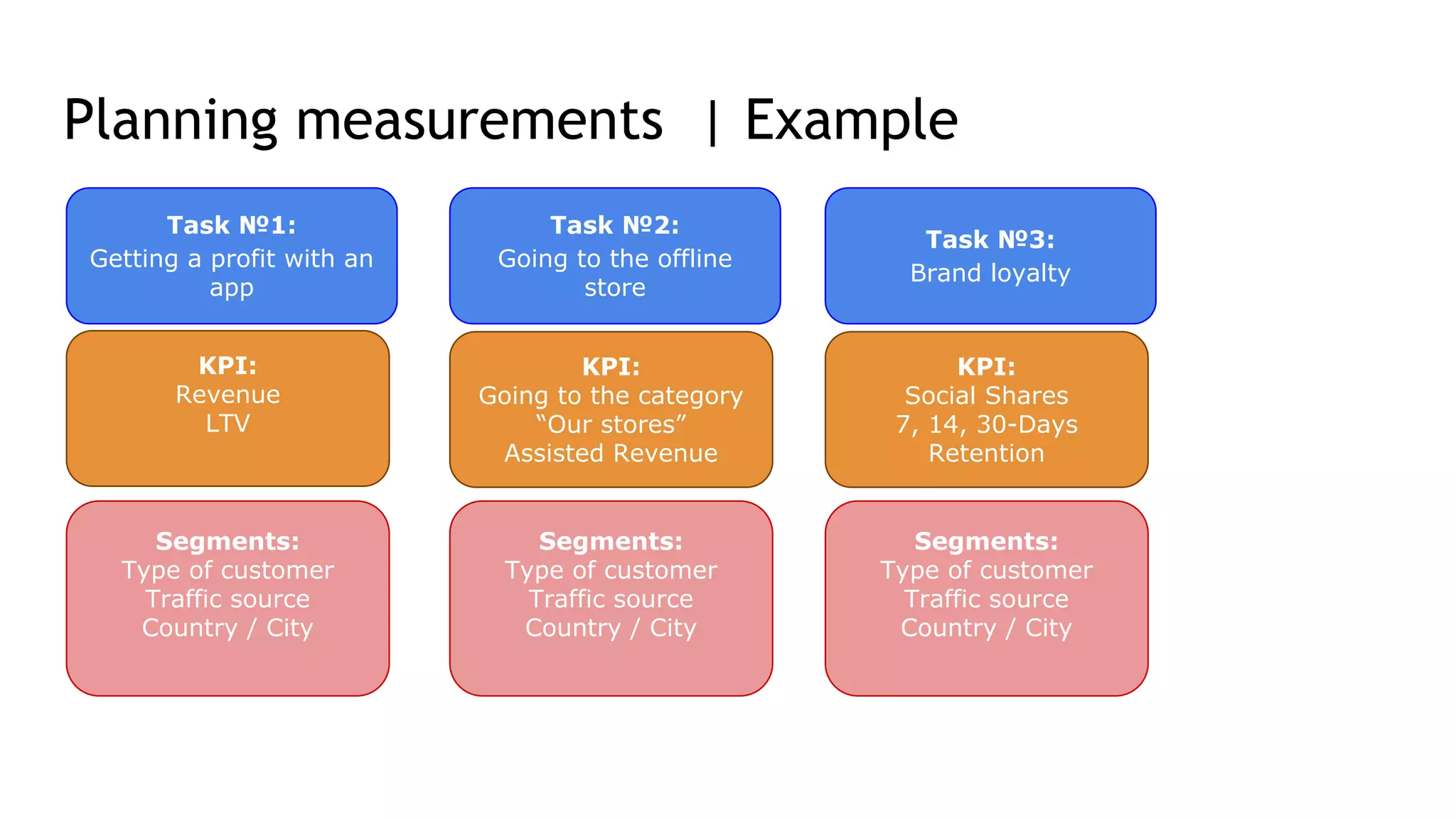
Planning measurements | Example
Task №1:
Getting a profit with an
app
Task №2:
Going to the offline
store
Task №3:
Brand loyalty
KPI:
Revenue
LTV
KPI:
Going to the category
“Our stores”
Assisted Revenue
KPI:
Social Shares
7, 14, 30-Days
Retention
Segments:
Type of customer
Traffic source
Country / City
Segments:
Type of customer
Traffic source
Country / City
Segments:
Type of customer
Traffic source
Country / City
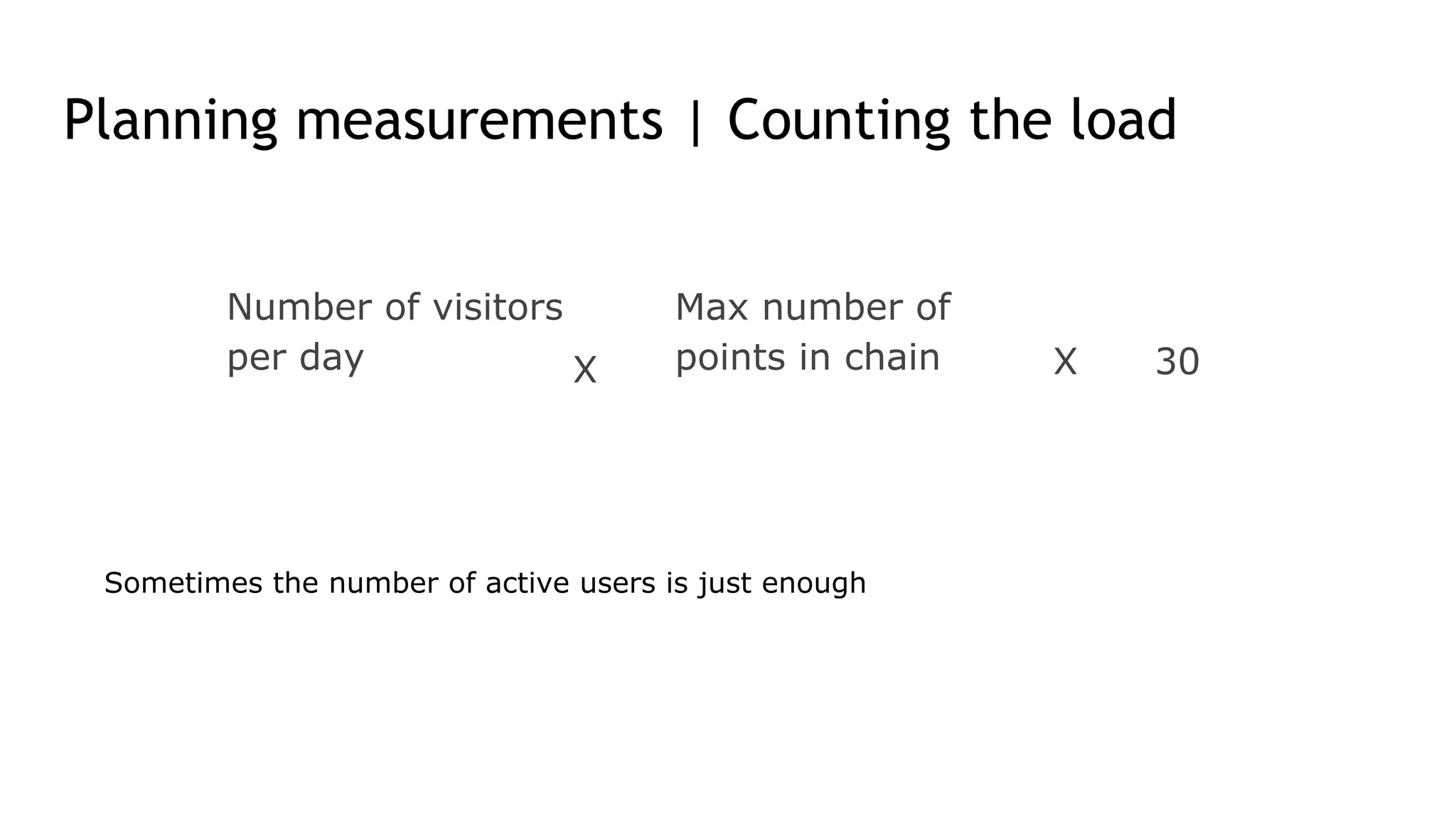
Planning measurements | Counting the load
Number of visitors
per day X
Max number of
points in chain X 30
Sometimes the number of active users is just enough
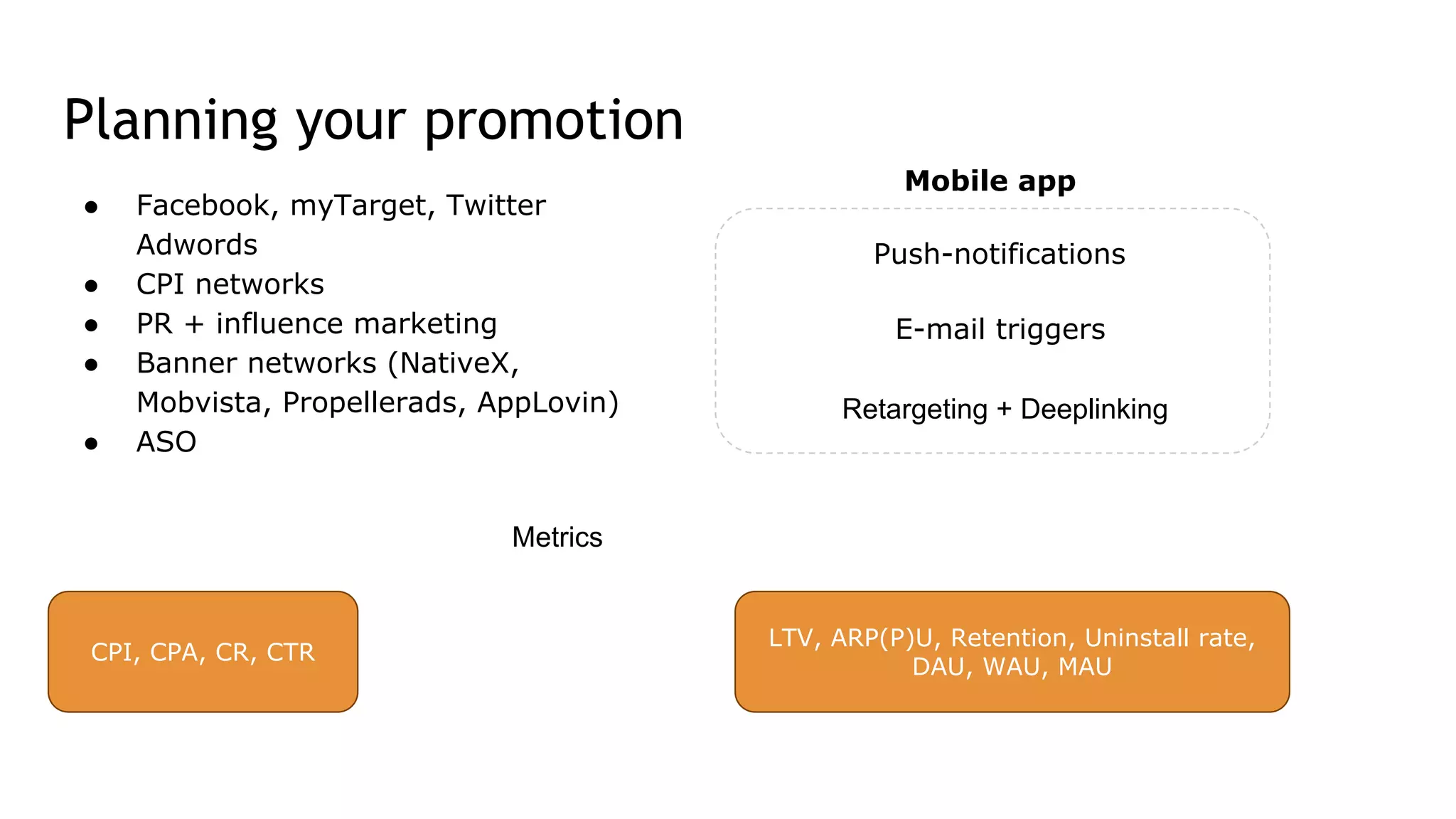
Planning your promotion
Mobile app
● Facebook, myTarget, Twitter
Adwords
● CPI networks
● PR + influence marketing
● Banner networks (NativeX,
Mobvista, Propellerads, AppLovin)
● ASO
Metrics
Push-notifications
E-mail triggers
Retargeting + Deeplinking
CPI, CPA, CR, CTR
LTV, ARP(P)U, Retention, Uninstall rate,
DAU, WAU, MAU
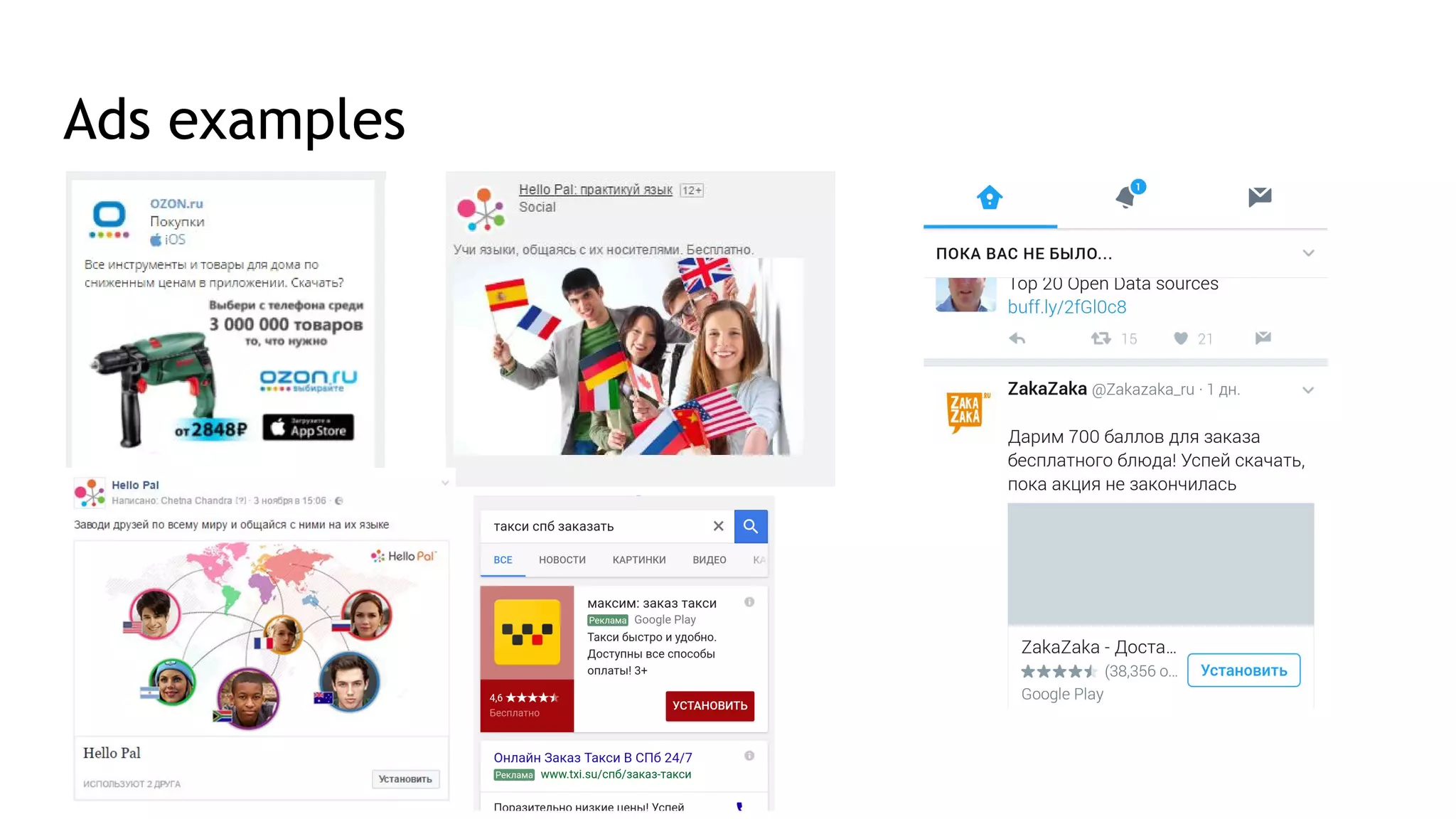
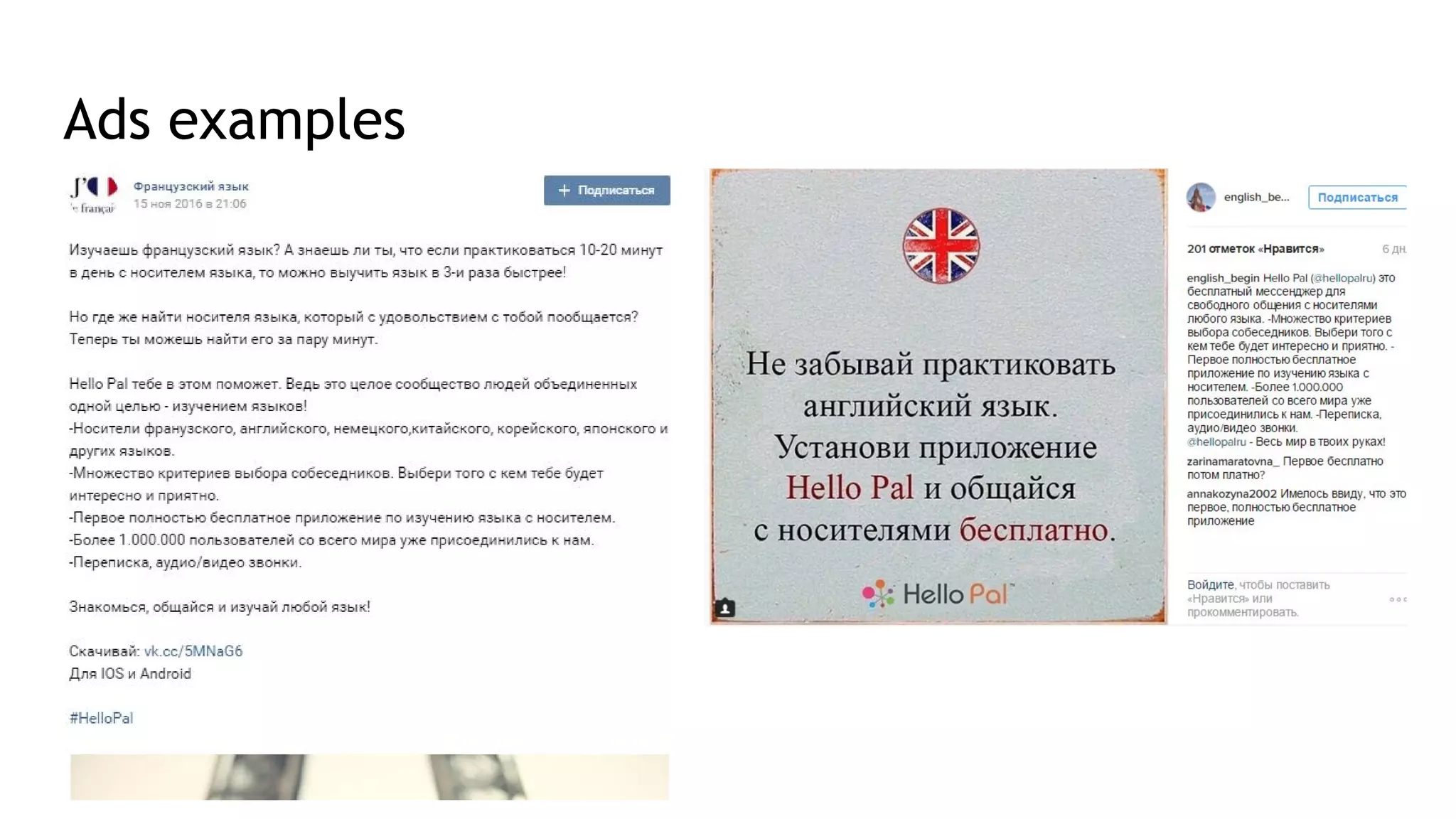
Ads examples
Ads examples
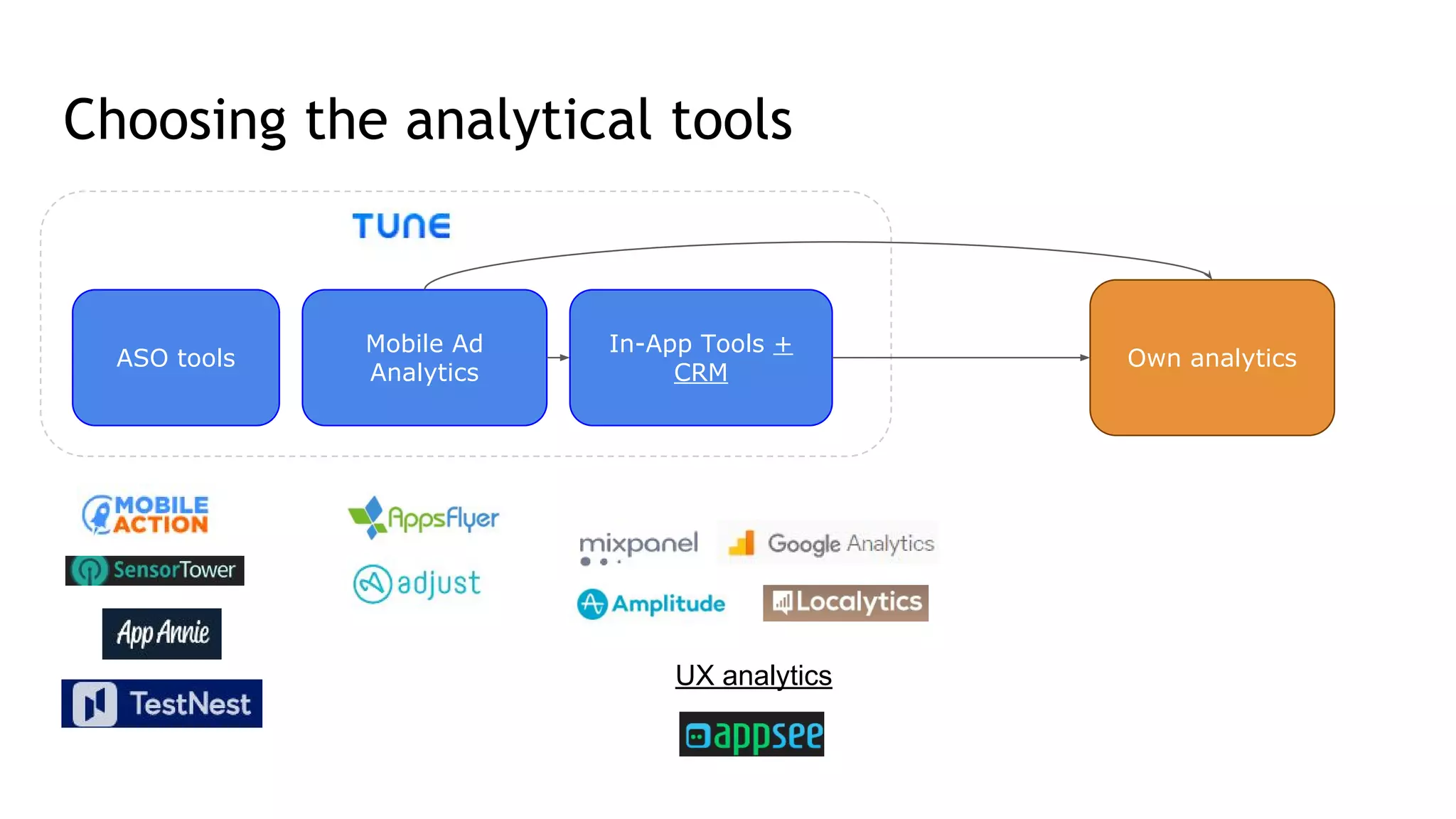
Choosing the analytical tools
ASO tools
Mobile Ad
Analytics
In-App Tools +
CRM
UX analytics
Own analytics
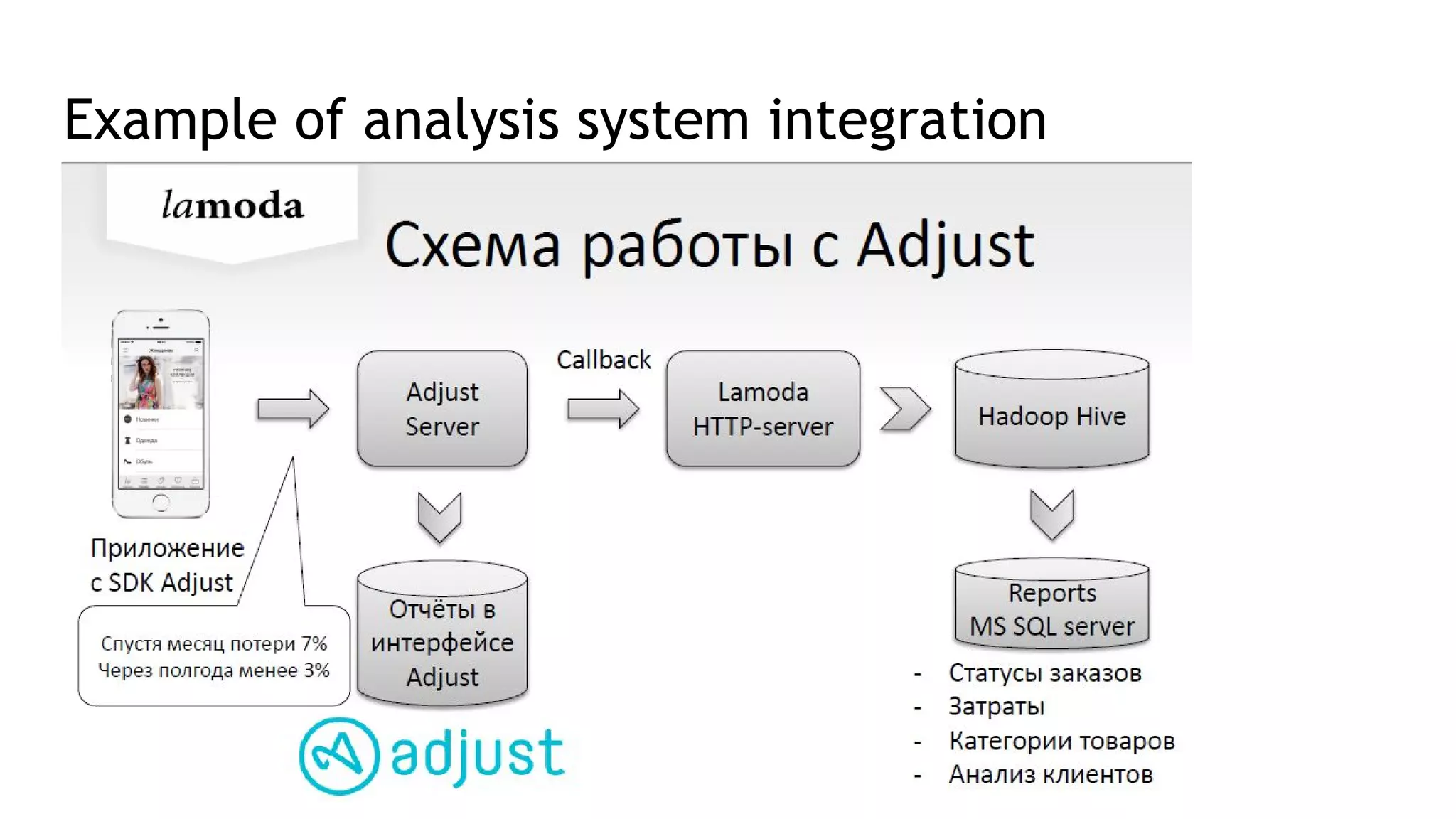
Example of analysis system integration
Working on the app card for store
ASO optimisation:
● Finding keywords (Keyword planner, hints in Google Play/App store, Sensor
Tower)
● Description and screenshots
● Video creation
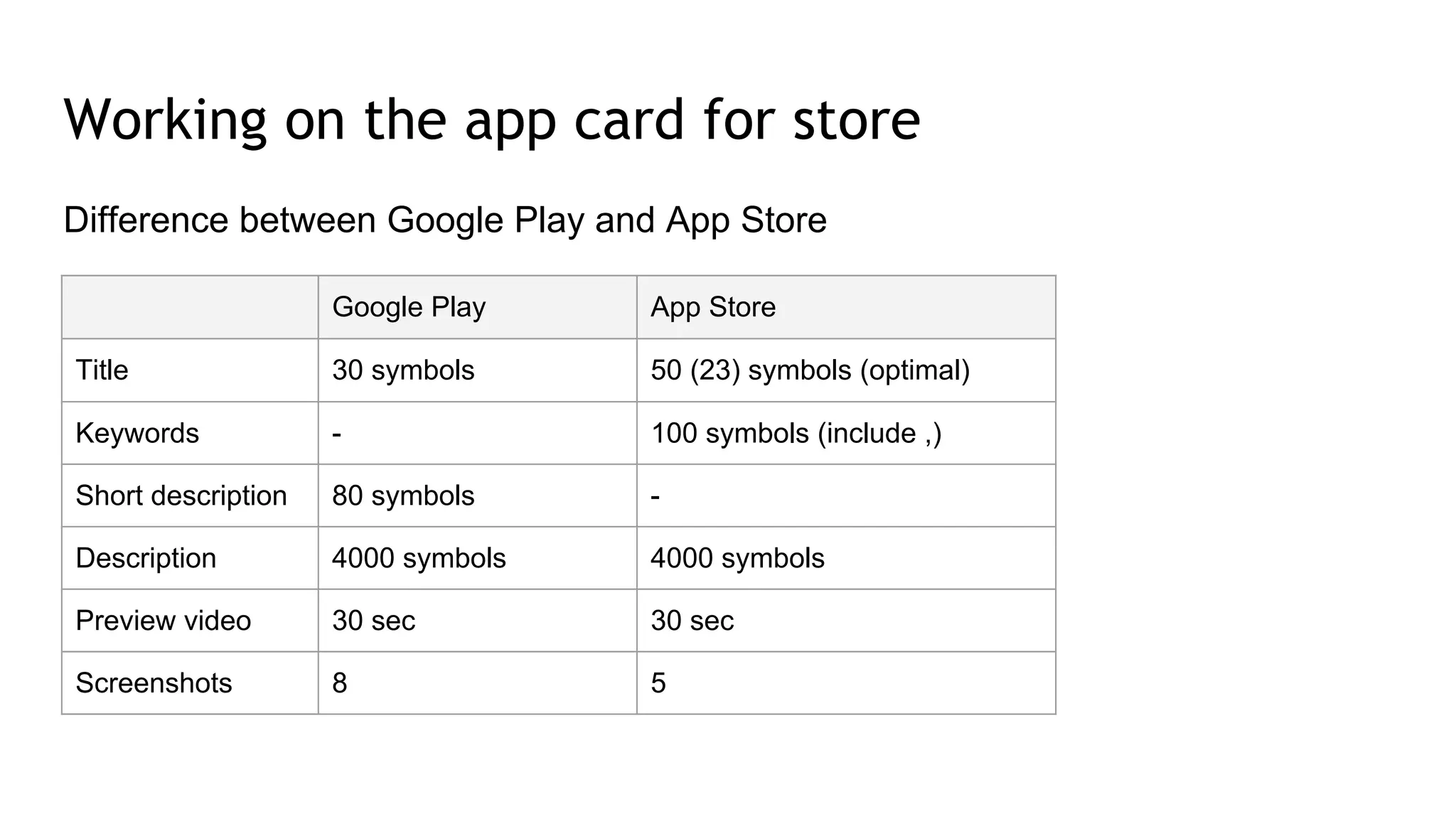
Difference between Google Play and App Store
Working on the app card for store
Google Play App Store
Title 30 symbols 50 (23) symbols (optimal)
Keywords - 100 symbols (include ,)
Short description 80 symbols -
Description 4000 symbols 4000 symbols
Preview video 30 sec 30 sec
Screenshots 8 5
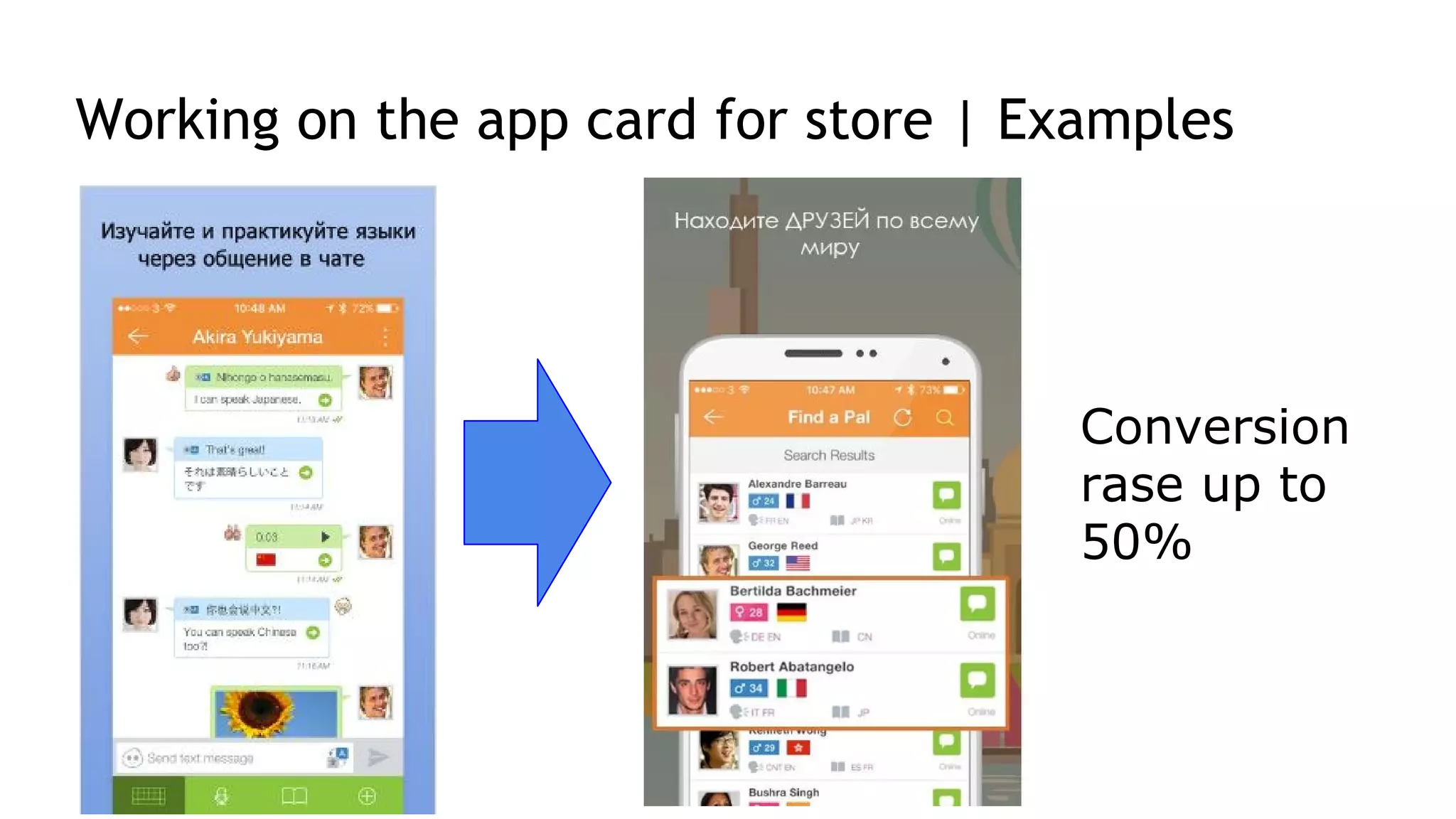
Working on the app card for store | Examples
Conversion
rase up to
50%
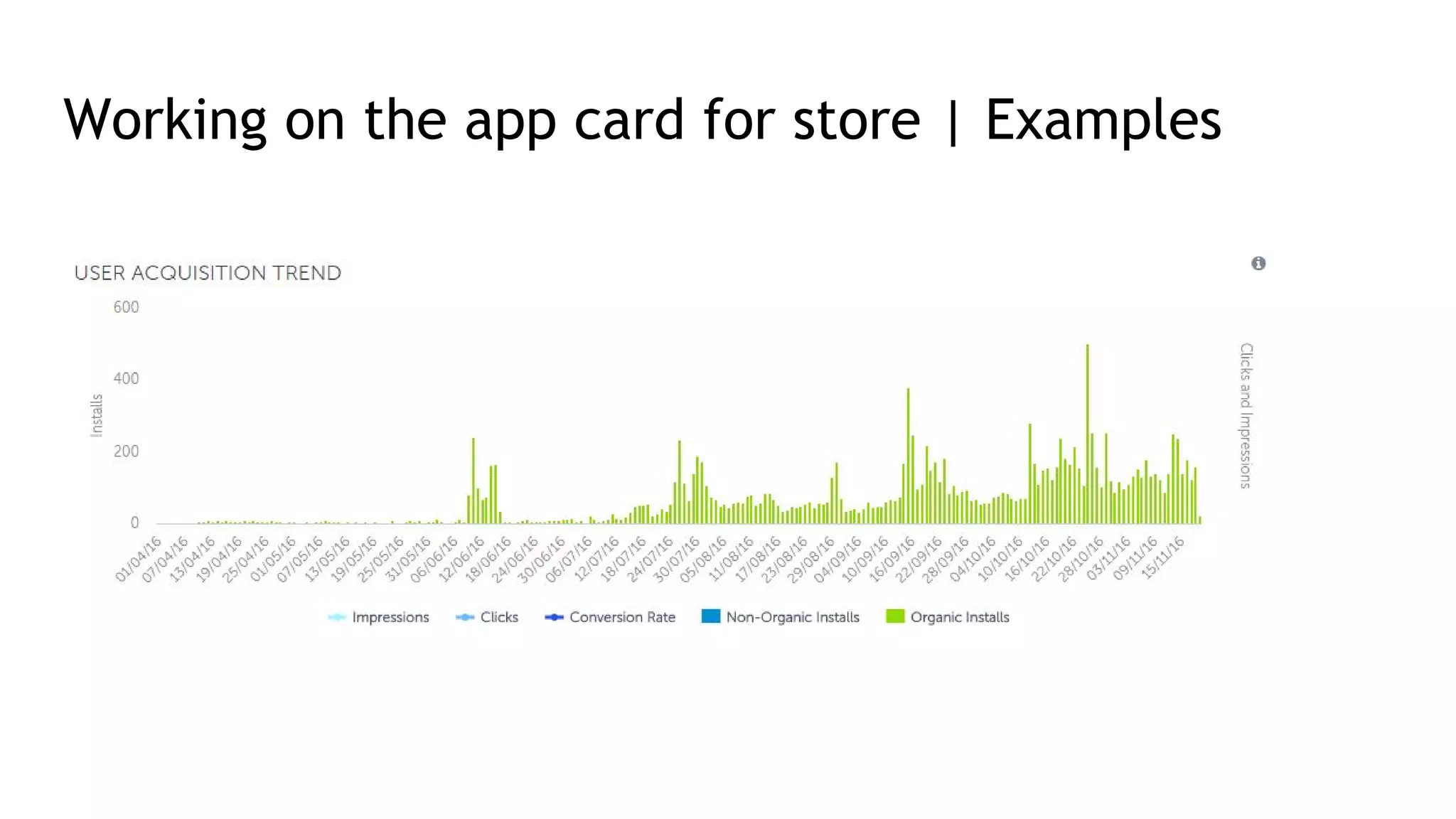
Working on the app card for store | Examples
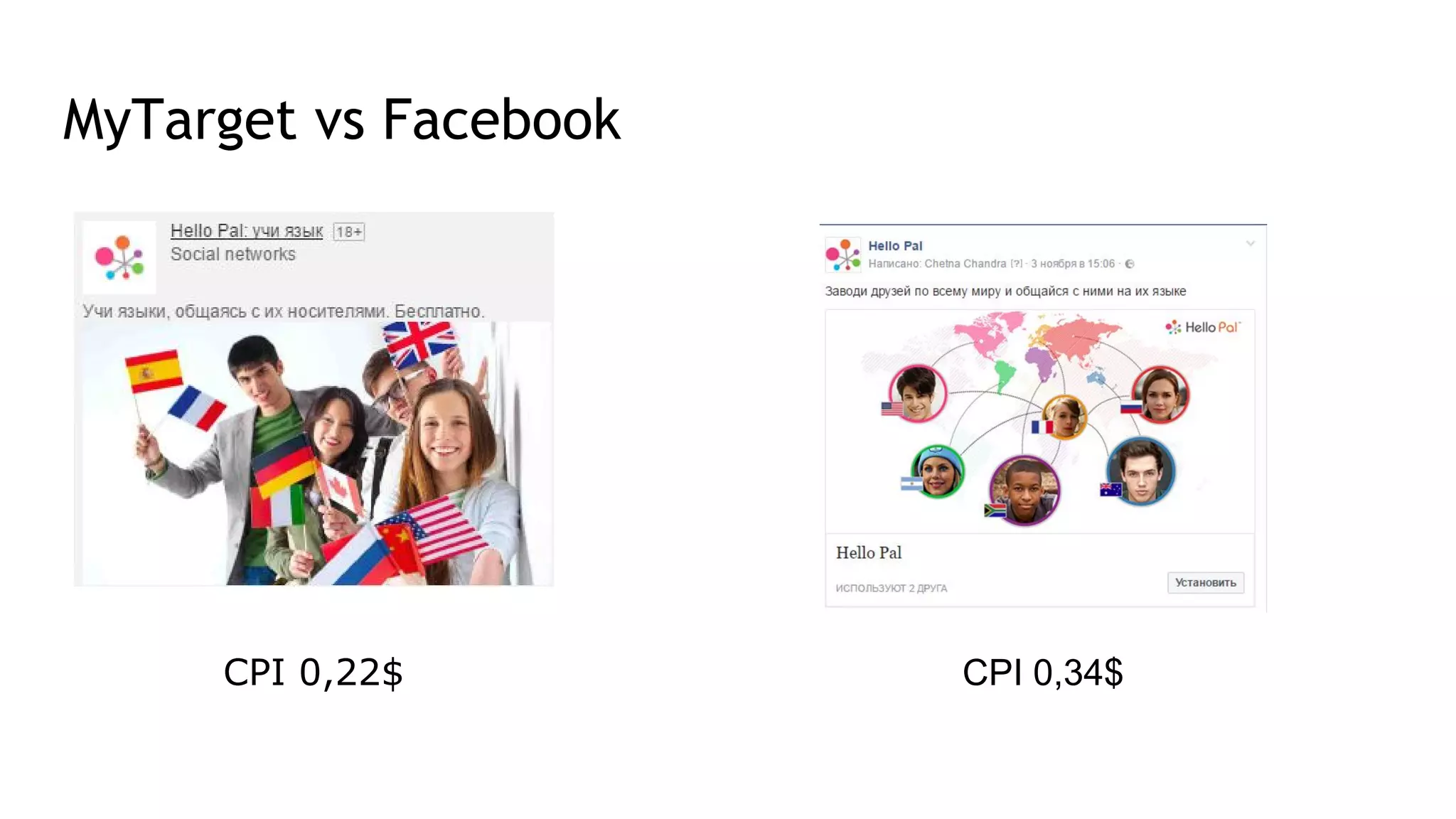
MyTarget vs Facebook
CPI 0,34$CPI 0,22$
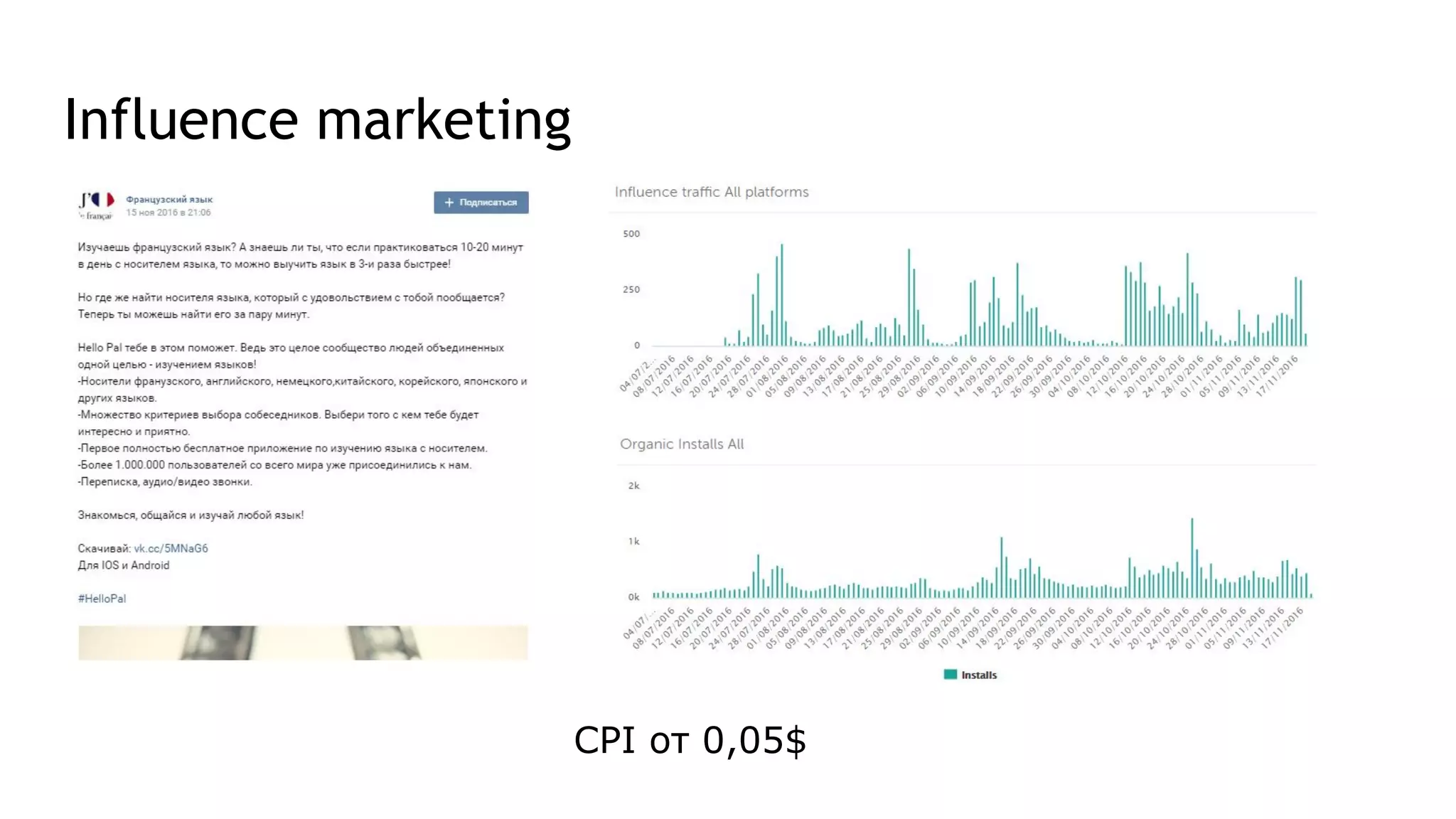
Influence marketing
CPI от 0,05$
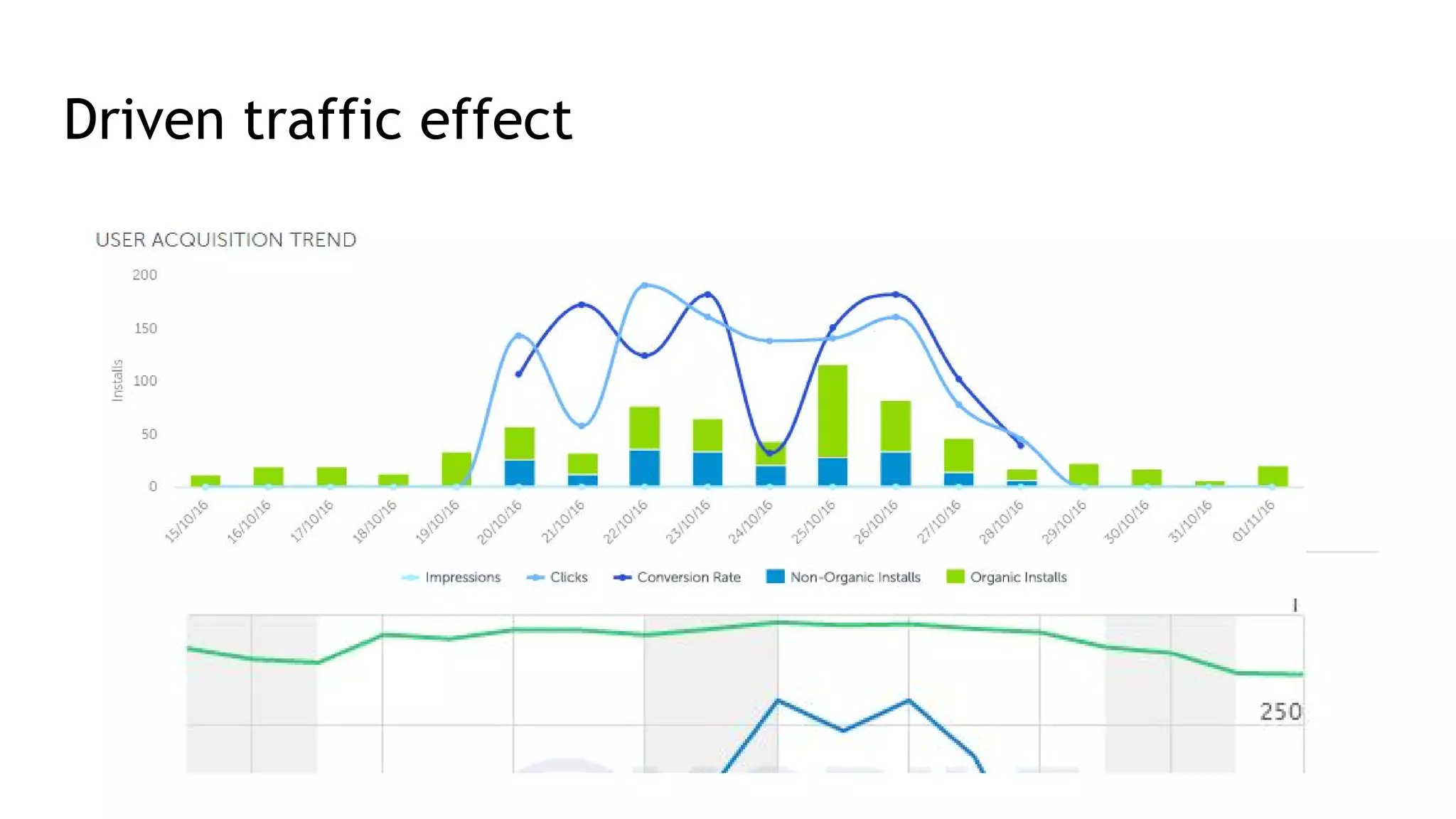
Driven traffic effect
Thank you!

Mobile marketing from analysis to launching a project

  • 1.
  • 2.
    Stages of launchingyour app CustomerPerformer Idea Searching for performer Waiting for sales Project design Development
  • 3.
    Stages of launchingyour app|As it supposed to be CustomerPerformer Idea Searching for performer Waiting for sales Project design Development Planning your promotions Finding right analytics tools Working on app card for store
  • 4.
    Planning the changes 1.Find out the goals of mobile apps 2. Find out the KPI for each goal 3. Choose the segments which you plan to analyse 4. Find out steps in the app for each task 5. Count the data point loading* 6. Choose your analytical tools *Points are any actions taken in app what may be analysed later on
  • 5.
    Planning measurements |Example Task №1: Getting a profit with an app Task №2: Going to the offline store Task №3: Brand loyalty KPI: Revenue LTV KPI: Going to the category “Our stores” Assisted Revenue KPI: Social Shares 7, 14, 30-Days Retention Segments: Type of customer Traffic source Country / City Segments: Type of customer Traffic source Country / City Segments: Type of customer Traffic source Country / City
  • 6.
    Planning measurements |Counting the load Number of visitors per day X Max number of points in chain X 30 Sometimes the number of active users is just enough
  • 7.
    Planning your promotion Mobileapp ● Facebook, myTarget, Twitter Adwords ● CPI networks ● PR + influence marketing ● Banner networks (NativeX, Mobvista, Propellerads, AppLovin) ● ASO Metrics Push-notifications E-mail triggers Retargeting + Deeplinking CPI, CPA, CR, CTR LTV, ARP(P)U, Retention, Uninstall rate, DAU, WAU, MAU
  • 8.
  • 9.
  • 10.
    Choosing the analyticaltools ASO tools Mobile Ad Analytics In-App Tools + CRM UX analytics Own analytics
  • 11.
    Example of analysissystem integration
  • 12.
    Working on theapp card for store ASO optimisation: ● Finding keywords (Keyword planner, hints in Google Play/App store, Sensor Tower) ● Description and screenshots ● Video creation
  • 13.
    Difference between GooglePlay and App Store Working on the app card for store Google Play App Store Title 30 symbols 50 (23) symbols (optimal) Keywords - 100 symbols (include ,) Short description 80 symbols - Description 4000 symbols 4000 symbols Preview video 30 sec 30 sec Screenshots 8 5
  • 14.
    Working on theapp card for store | Examples Conversion rase up to 50%
  • 15.
    Working on theapp card for store | Examples
  • 16.
  • 17.
  • 18.
  • 19.