@tompeham I @usersnap
HOW TO APPROACH MOBILE
WEBSITE TESTING
THIS IS ME!
@TOMPEHAM I @USERSNAP
Say hi!
THIS IS ME!
BEFORE WE GET STARTED…
You can find all resources here.
HOW TO APPROACH MOBILE
HERE IS
WEBSITE TESTING
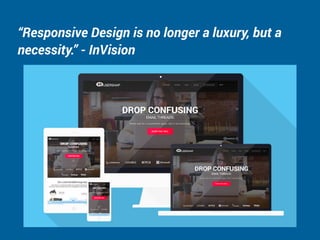
“Responsive Design is no longer a luxury, but a
necessity.” - InVision
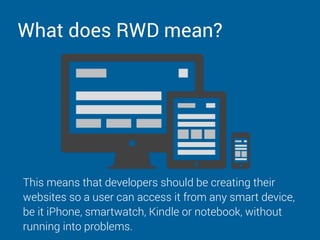
What does RWD mean?
This means that developers should be creating their
websites so a user can access it from any smart device,
be it iPhone, smartwatch, Kindle or notebook, without
running into problems.
Getting started with mobile testing
The goal of mobile website testing is
to deliver a consistent but relevant
experience to users across all those
different devices, and that can be
really hard to manage.
What to look out for
When it comes to mobile website testing there are 4 basic
things to look out for. These are:
1. Does the site look great on each device

2. Is it free of bugs on each device

3. Is the interface user-friendly on each device

4. Is the site optimized for each device
Validate your HTML and CSS code
You should first try to validate the HTML code of your page.
It’s not because the website works for you that it’ll work for
everyone.
So the most important step is to make sure you’ve covered
the basic and the website is on par with all HTML and CSS
standards.
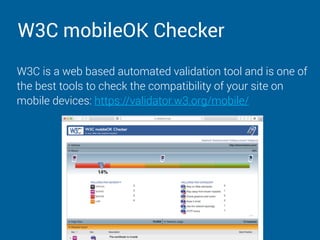
W3C mobileOK Checker
W3C is a web based automated validation tool and is one of
the best tools to check the compatibility of your site on
mobile devices: https://validator.w3.org/mobile/
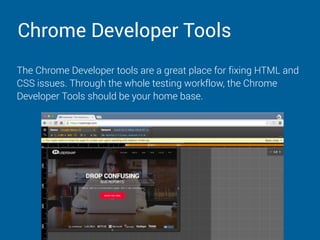
Chrome Developer Tools
The Chrome Developer tools are a great place for fixing HTML and
CSS issues. Through the whole testing workflow, the Chrome
Developer Tools should be your home base.
Test on different browsers and operating
systems
You should then test your website
on multiple browsers, especially the
ones which are most popular in your
target audience. This probably
means testing in Firefox, Chrome,
Safari or Internet Explorer.
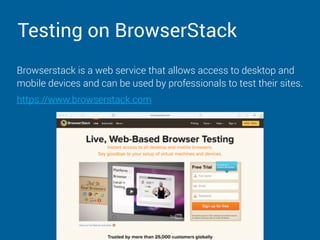
Testing on BrowserStack
Browserstack is a web service that allows access to desktop and
mobile devices and can be used by professionals to test their sites.
https://www.browserstack.com
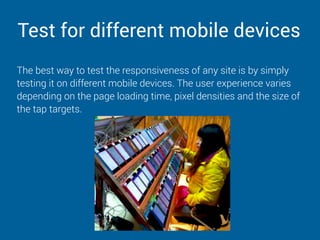
Test for different mobile devices
The best way to test the responsiveness of any site is by simply
testing it on different mobile devices. The user experience varies
depending on the page loading time, pixel densities and the size of
the tap targets.
Testing with Android Emulator and iOS
Simulator
Since comprehensive testing on each mobile device is often not
possible due to cost and time limitations, a mobile device testing
suite works best in testing.
Other than testing on the real mobile devices, you can also use an
emulator. Emulators are software that are mainly designed for
testing apps and default web browsers.
Here are some of the best emulators…
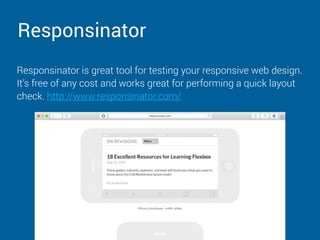
Responsinator
Responsinator is great tool for testing your responsive web design.
It’s free of any cost and works great for performing a quick layout
check. http://www.responsinator.com/
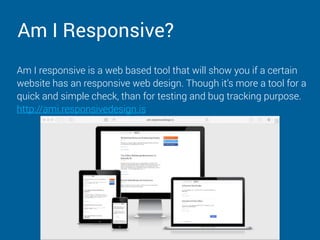
Am I Responsive?
Am I responsive is a web based tool that will show you if a certain
website has an responsive web design. Though it’s more a tool for a
quick and simple check, than for testing and bug tracking purpose.
http://ami.responsivedesign.is
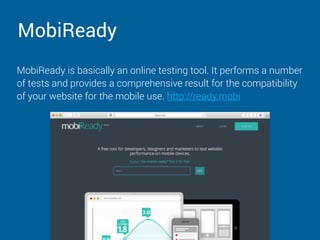
MobiReady
MobiReady is basically an online testing tool. It performs a number
of tests and provides a comprehensive result for the compatibility
of your website for the mobile use. http://ready.mobi
Mobile testing after deployment
As with all things development related, there’s no guarantee that
after deployment, your website will be flawless. In fact, there will be
bugs, always.
So, after deployment, you’re going to want to keep an eye on your
responsive website.
Here are two great tools to help you…
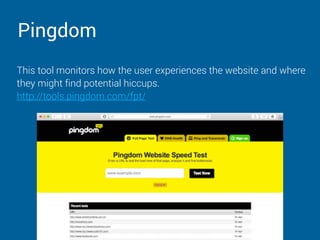
Pingdom
This tool monitors how the user experiences the website and where
they might find potential hiccups. 

http://tools.pingdom.com/fpt/
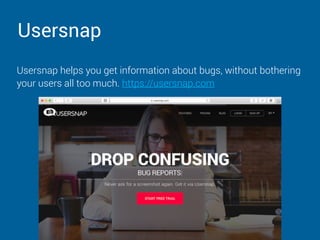
Usersnap
Usersnap helps you get information about bugs, without bothering
your users all too much. https://usersnap.com
THAT WAS A LOT…
Enjoyed	this	presentation?
			Yes	you	did?	Awesome.
Enjoyed	this	presentation?
			Yes	you	did?	Awesome.
										Give	it	a	tweet!
Enjoyed	this	presentation?
			Yes	you	did?	Awesome.
										Give	it	a	tweet!
													PLEASE!	:)
ONE LAST THING…
JUST PING US ON TWITTER.

Mobile First: How To Approach Mobile Testing!

  • 1.
    @tompeham I @usersnap HOWTO APPROACH MOBILE WEBSITE TESTING
  • 2.
  • 3.
  • 4.
    BEFORE WE GETSTARTED… You can find all resources here.
  • 5.
    HOW TO APPROACHMOBILE HERE IS WEBSITE TESTING
  • 6.
    “Responsive Design isno longer a luxury, but a necessity.” - InVision
  • 7.
    What does RWDmean? This means that developers should be creating their websites so a user can access it from any smart device, be it iPhone, smartwatch, Kindle or notebook, without running into problems.
  • 8.
    Getting started withmobile testing The goal of mobile website testing is to deliver a consistent but relevant experience to users across all those different devices, and that can be really hard to manage.
  • 9.
    What to lookout for When it comes to mobile website testing there are 4 basic things to look out for. These are: 1. Does the site look great on each device
 2. Is it free of bugs on each device
 3. Is the interface user-friendly on each device
 4. Is the site optimized for each device
  • 10.
    Validate your HTMLand CSS code You should first try to validate the HTML code of your page. It’s not because the website works for you that it’ll work for everyone. So the most important step is to make sure you’ve covered the basic and the website is on par with all HTML and CSS standards.
  • 11.
    W3C mobileOK Checker W3Cis a web based automated validation tool and is one of the best tools to check the compatibility of your site on mobile devices: https://validator.w3.org/mobile/
  • 12.
    Chrome Developer Tools TheChrome Developer tools are a great place for fixing HTML and CSS issues. Through the whole testing workflow, the Chrome Developer Tools should be your home base.
  • 13.
    Test on differentbrowsers and operating systems You should then test your website on multiple browsers, especially the ones which are most popular in your target audience. This probably means testing in Firefox, Chrome, Safari or Internet Explorer.
  • 14.
    Testing on BrowserStack Browserstackis a web service that allows access to desktop and mobile devices and can be used by professionals to test their sites. https://www.browserstack.com
  • 15.
    Test for differentmobile devices The best way to test the responsiveness of any site is by simply testing it on different mobile devices. The user experience varies depending on the page loading time, pixel densities and the size of the tap targets.
  • 16.
    Testing with AndroidEmulator and iOS Simulator Since comprehensive testing on each mobile device is often not possible due to cost and time limitations, a mobile device testing suite works best in testing. Other than testing on the real mobile devices, you can also use an emulator. Emulators are software that are mainly designed for testing apps and default web browsers. Here are some of the best emulators…
  • 17.
    Responsinator Responsinator is greattool for testing your responsive web design. It’s free of any cost and works great for performing a quick layout check. http://www.responsinator.com/
  • 18.
    Am I Responsive? AmI responsive is a web based tool that will show you if a certain website has an responsive web design. Though it’s more a tool for a quick and simple check, than for testing and bug tracking purpose. http://ami.responsivedesign.is
  • 19.
    MobiReady MobiReady is basicallyan online testing tool. It performs a number of tests and provides a comprehensive result for the compatibility of your website for the mobile use. http://ready.mobi
  • 20.
    Mobile testing afterdeployment As with all things development related, there’s no guarantee that after deployment, your website will be flawless. In fact, there will be bugs, always. So, after deployment, you’re going to want to keep an eye on your responsive website. Here are two great tools to help you…
  • 21.
    Pingdom This tool monitorshow the user experiences the website and where they might find potential hiccups. 
 http://tools.pingdom.com/fpt/
  • 22.
    Usersnap Usersnap helps youget information about bugs, without bothering your users all too much. https://usersnap.com
  • 23.
    THAT WAS ALOT…
  • 24.
  • 25.
  • 26.
  • 27.
  • 28.
    ONE LAST THING… JUSTPING US ON TWITTER.