5 ESSENTIAL TIPS
@tompeham I @usersnap
FOR IMPROVING YOUR WEBSITE
MOCKUPS & PROTOTYPES
THIS IS ME!
@TOMPEHAM I @USERSNAP
Say hi!
THIS IS ME!
BEFORE WE GET STARTED…
You can find all resources here!
5 TIPS TO IMPROVE YOUR
HERE ARE
MOCK UPS & PROTOTYPES
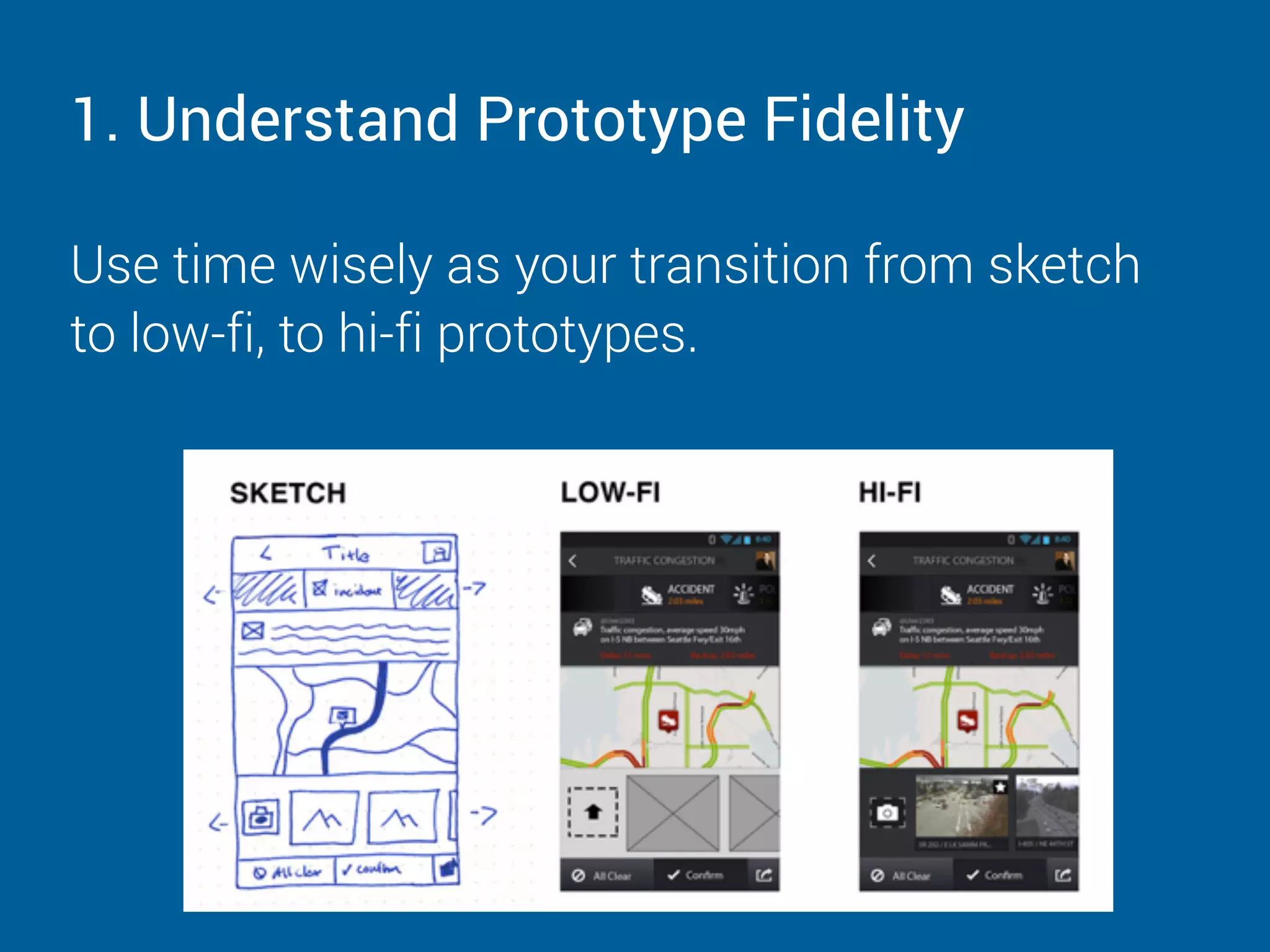
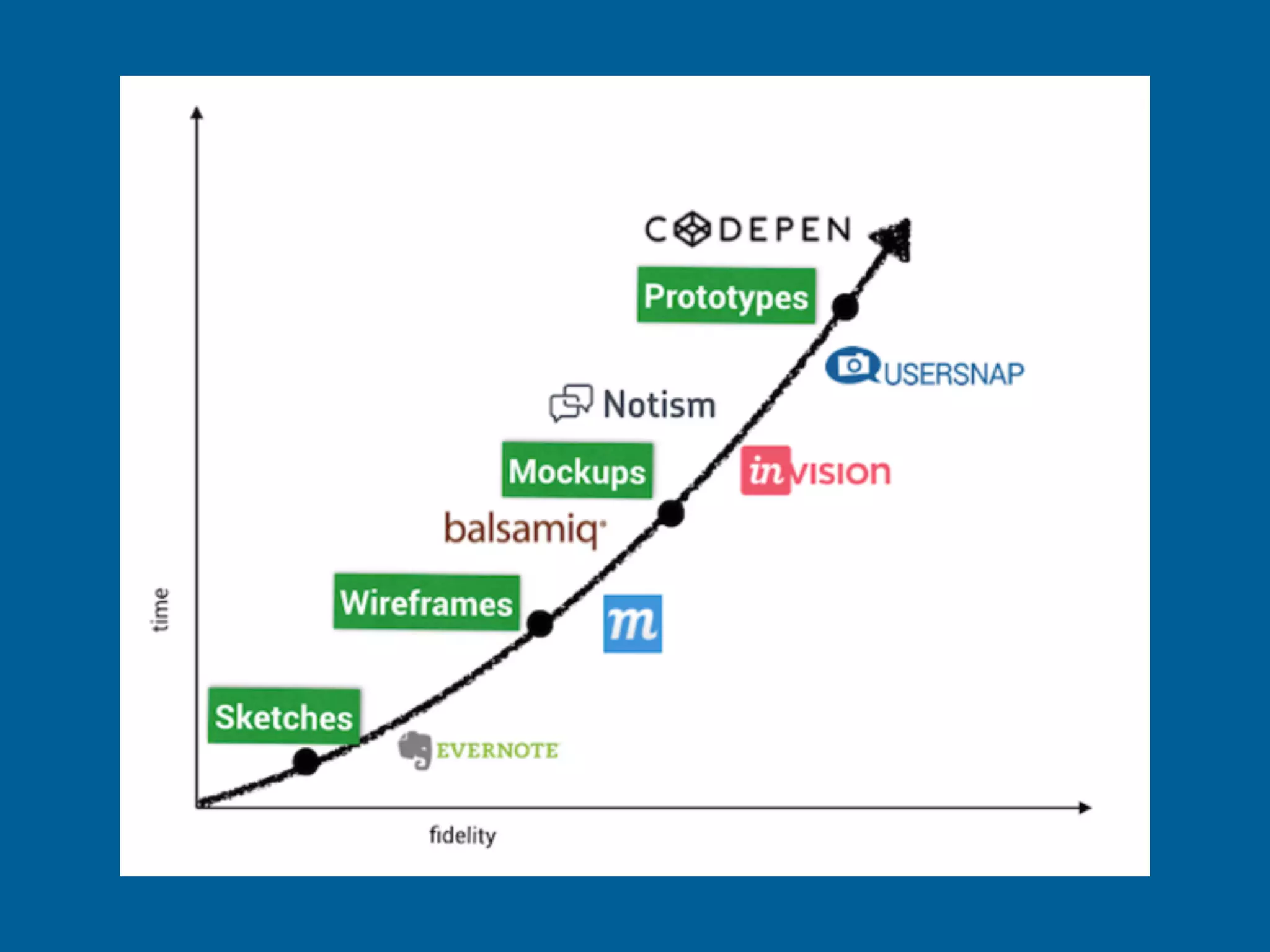
1. Understand Prototype Fidelity
Use time wisely as your transition from sketch
to low-fi, to hi-fi prototypes.
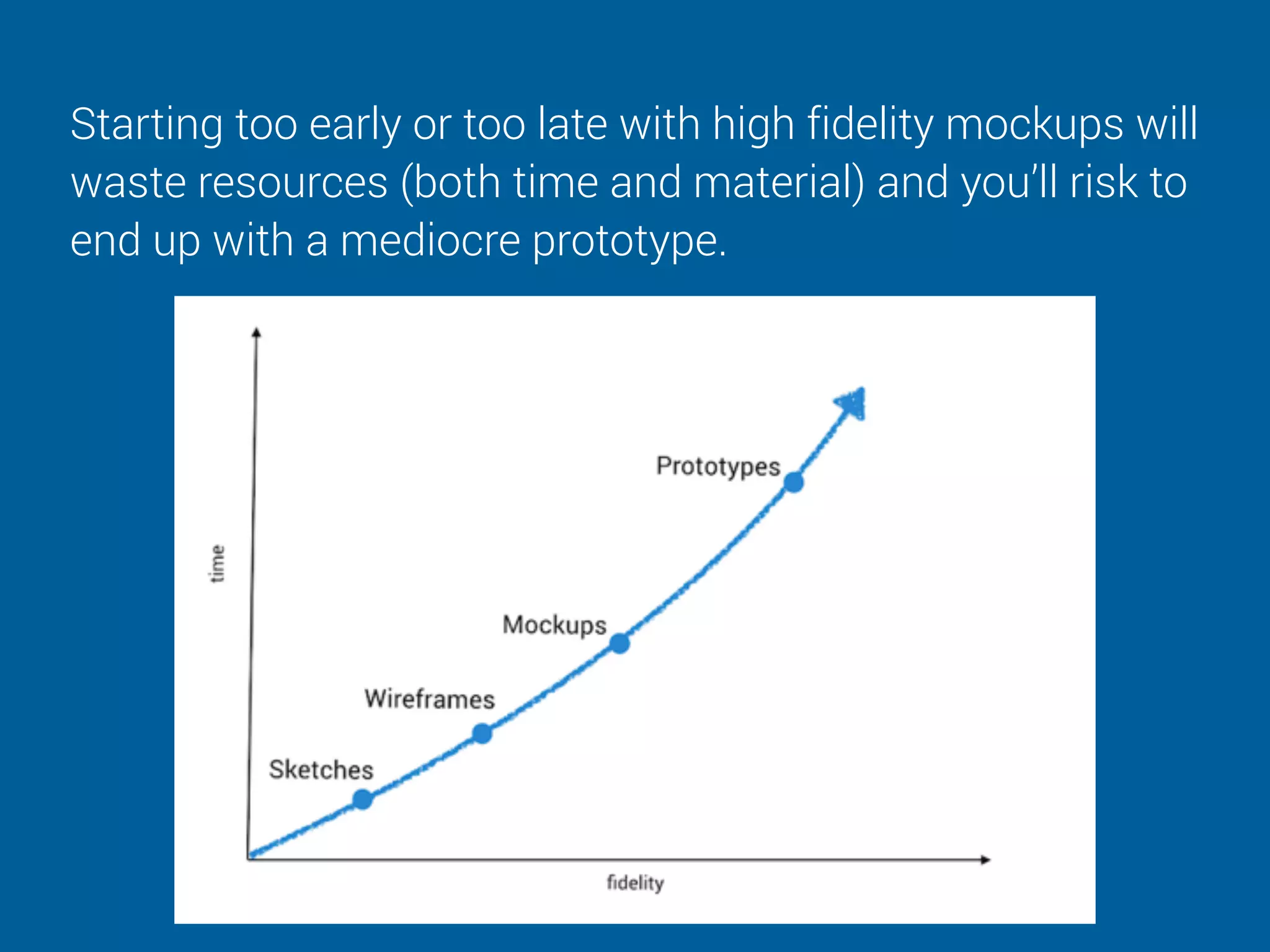
Starting too early or too late with high fidelity mockups will
waste resources (both time and material) and you’ll risk to
end up with a mediocre prototype.
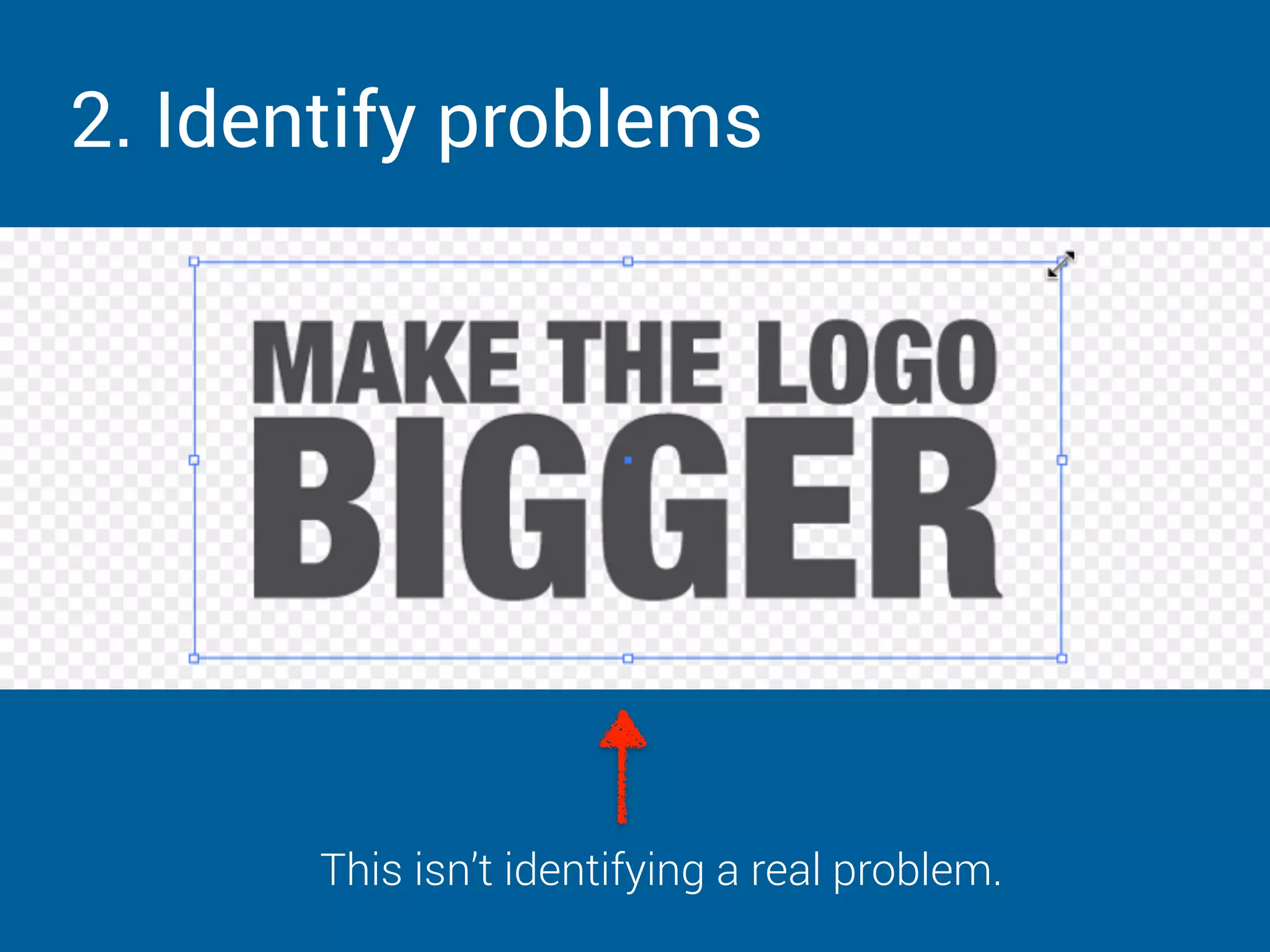
2. Identify problems
This isn’t identifying a real problem.
When you receive a
change request
always ask ‘why’.
For example: “Can
you tell me what the
challenge is that
you’re trying to solve
with this?”.
ALWAYS
ASK
WHY?
3. Use realistic assets
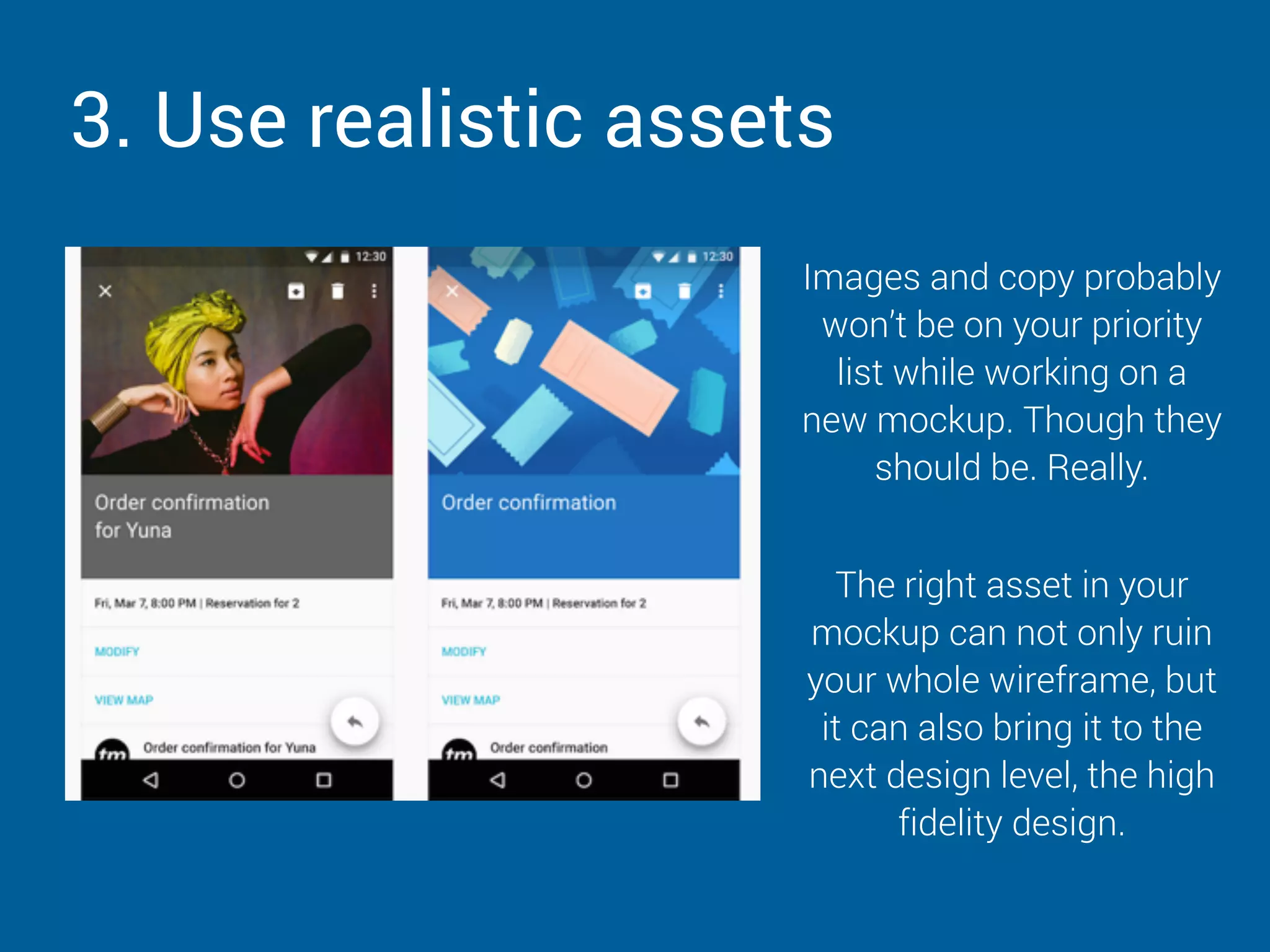
Images and copy probably
won’t be on your priority
list while working on a
new mockup. Though they
should be. Really.
The right asset in your
mockup can not only ruin
your whole wireframe, but
it can also bring it to the
next design level, the high
fidelity design.
4. Fail fast and fix things faster
When concluding on the first sketches and wireframes you
can iterate more quickly by little baby steps and a close
feedback process.
Keep your prototyping
workflow transparent &
provide updates to
your team.
Communicate clearly
and address issues
right when they
happen.
Make sure to involve
every project
stakeholder.
5. Use different tools for different prototyping
stages
Switching tools for different tasks during prototyping can
increase creativity. This is our recommended set up:
• Sketches: using real paper and whiteboards for collecting first ideas. Evernote
can be a great assistant for collecting those ideas.

• Wireframes and mockups: While working on Wireframes and mockups,
balsamiq or moqups comes in super handy.

• Prototypes: bringing your mockups to real life, tools like InVision, Usersnap or
CodePen help you to collaborate on your drafts and prototypes while making
sure that no feedback and idea is left behind.
OVER TO
YOU
Your colleagues or clients know a lot about their
audience and strategic goals. 


So let’s create a win-win situation for both parties.
And let them guide when time’s appropriate and
guide them how to make the most of the
prototyping phase.
THAT WAS A LOT…
ONE LAST THING…
JUST PING US ON TWITTER.

5 Essential Tips For Improving Your Website Mockups & Prototypes!

  • 1.
    5 ESSENTIAL TIPS @tompehamI @usersnap FOR IMPROVING YOUR WEBSITE MOCKUPS & PROTOTYPES
  • 2.
  • 3.
  • 4.
    BEFORE WE GETSTARTED… You can find all resources here!
  • 5.
    5 TIPS TOIMPROVE YOUR HERE ARE MOCK UPS & PROTOTYPES
  • 6.
    1. Understand PrototypeFidelity Use time wisely as your transition from sketch to low-fi, to hi-fi prototypes.
  • 7.
    Starting too earlyor too late with high fidelity mockups will waste resources (both time and material) and you’ll risk to end up with a mediocre prototype.
  • 8.
    2. Identify problems Thisisn’t identifying a real problem.
  • 9.
    When you receivea change request always ask ‘why’. For example: “Can you tell me what the challenge is that you’re trying to solve with this?”. ALWAYS ASK WHY?
  • 10.
    3. Use realisticassets Images and copy probably won’t be on your priority list while working on a new mockup. Though they should be. Really. The right asset in your mockup can not only ruin your whole wireframe, but it can also bring it to the next design level, the high fidelity design.
  • 11.
    4. Fail fastand fix things faster When concluding on the first sketches and wireframes you can iterate more quickly by little baby steps and a close feedback process. Keep your prototyping workflow transparent & provide updates to your team. Communicate clearly and address issues right when they happen. Make sure to involve every project stakeholder.
  • 12.
    5. Use differenttools for different prototyping stages Switching tools for different tasks during prototyping can increase creativity. This is our recommended set up: • Sketches: using real paper and whiteboards for collecting first ideas. Evernote can be a great assistant for collecting those ideas.
 • Wireframes and mockups: While working on Wireframes and mockups, balsamiq or moqups comes in super handy.
 • Prototypes: bringing your mockups to real life, tools like InVision, Usersnap or CodePen help you to collaborate on your drafts and prototypes while making sure that no feedback and idea is left behind.
  • 14.
    OVER TO YOU Your colleaguesor clients know a lot about their audience and strategic goals. 
 
 So let’s create a win-win situation for both parties. And let them guide when time’s appropriate and guide them how to make the most of the prototyping phase.
  • 15.
    THAT WAS ALOT…
  • 16.
    ONE LAST THING… JUSTPING US ON TWITTER.