Mobile App Security Testing
3
1. What is Mobile Apps Testing Checklist?
2. What is Mobile Apps Security Testing Checklist?
3. Mobile Apps Test Cases.
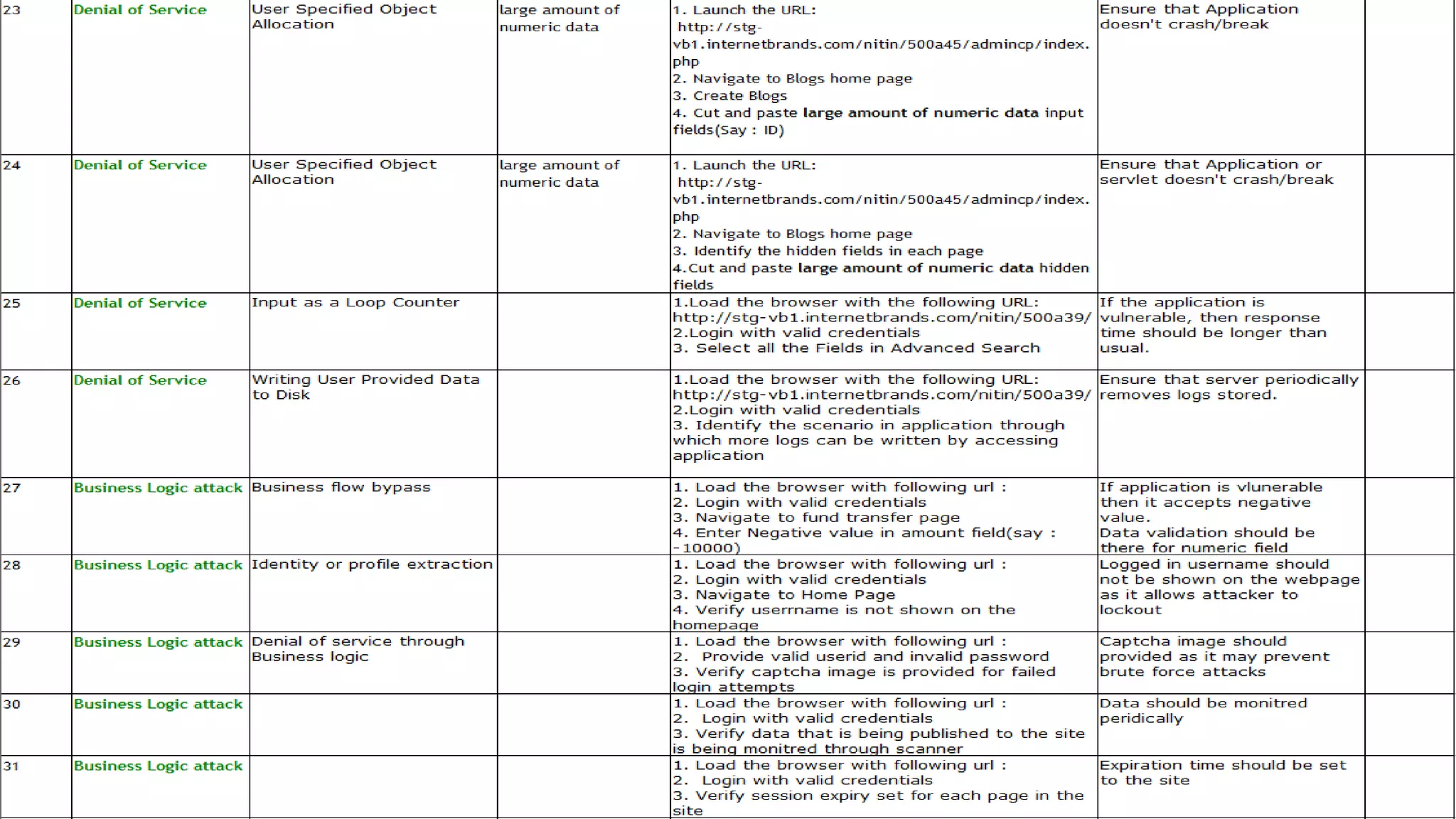
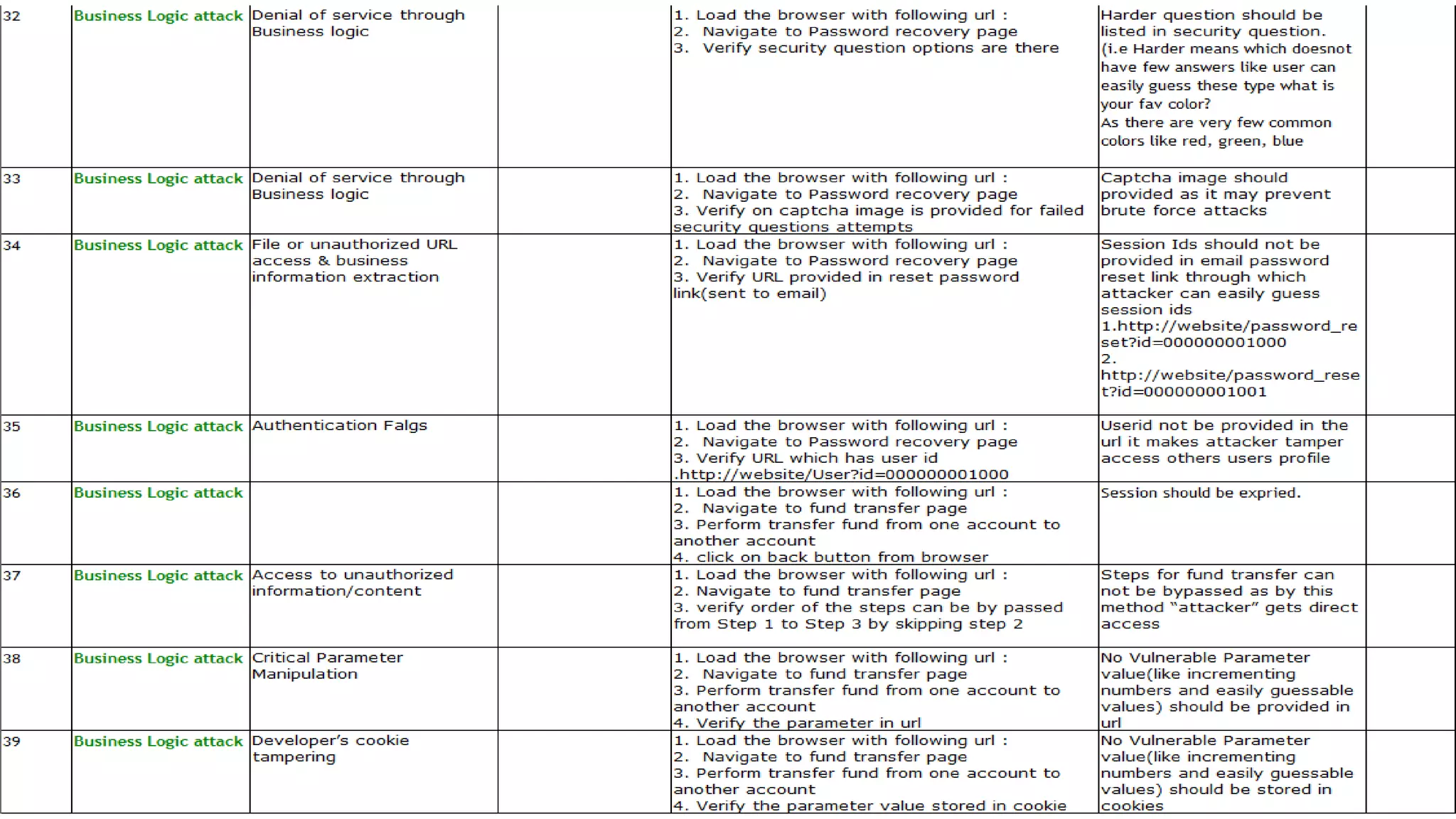
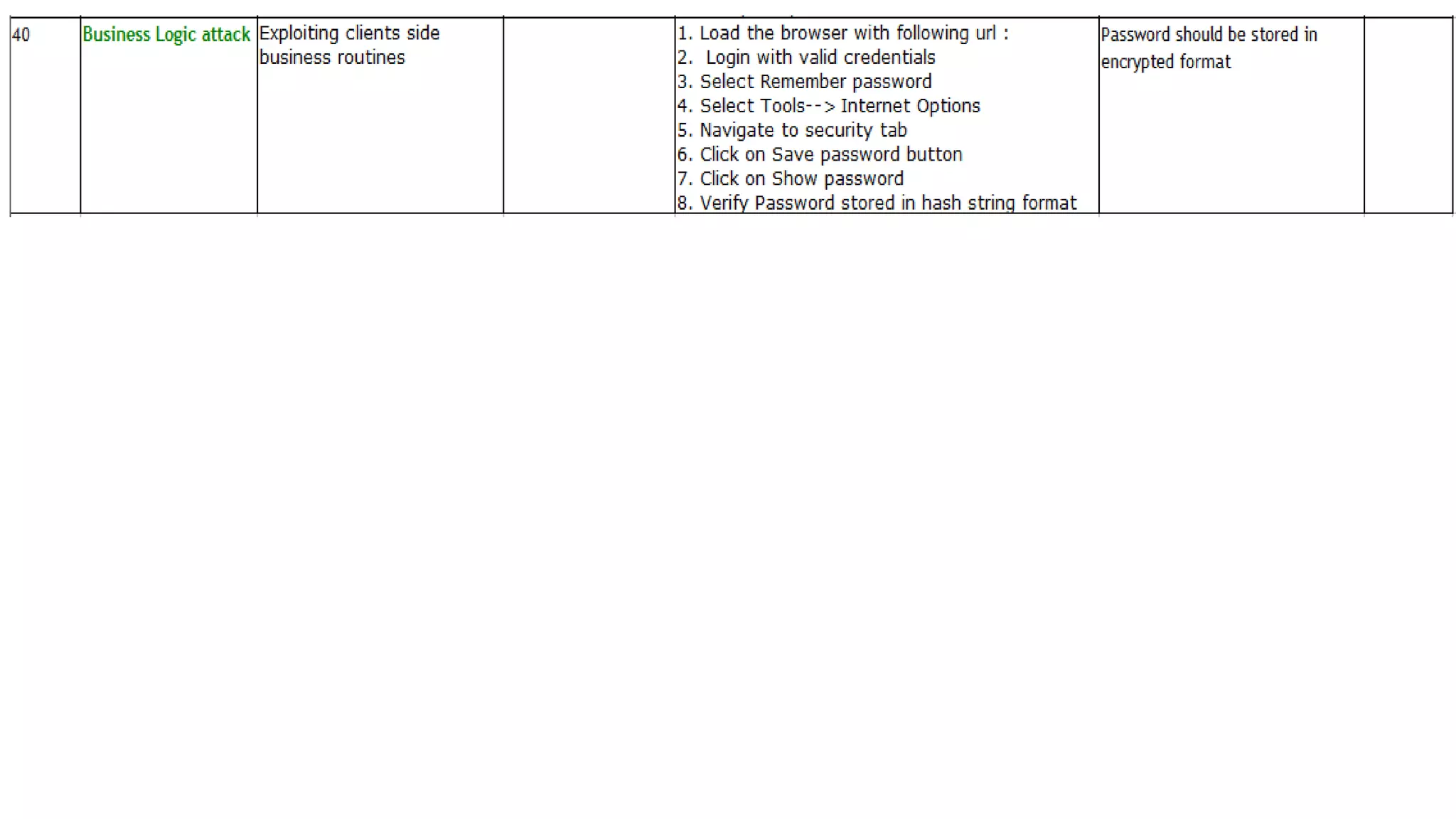
4. Mobile Apps Security Test Cases.
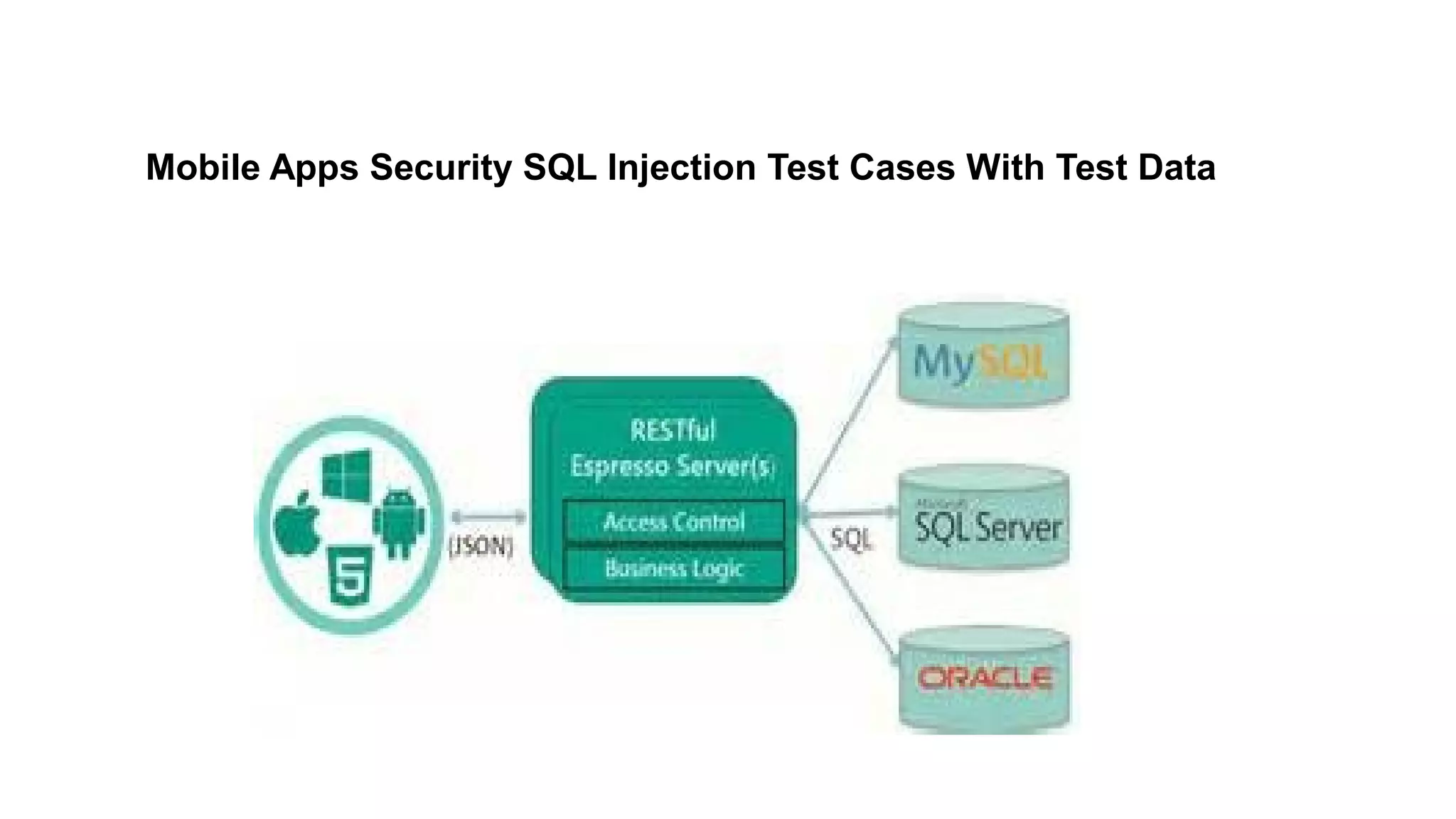
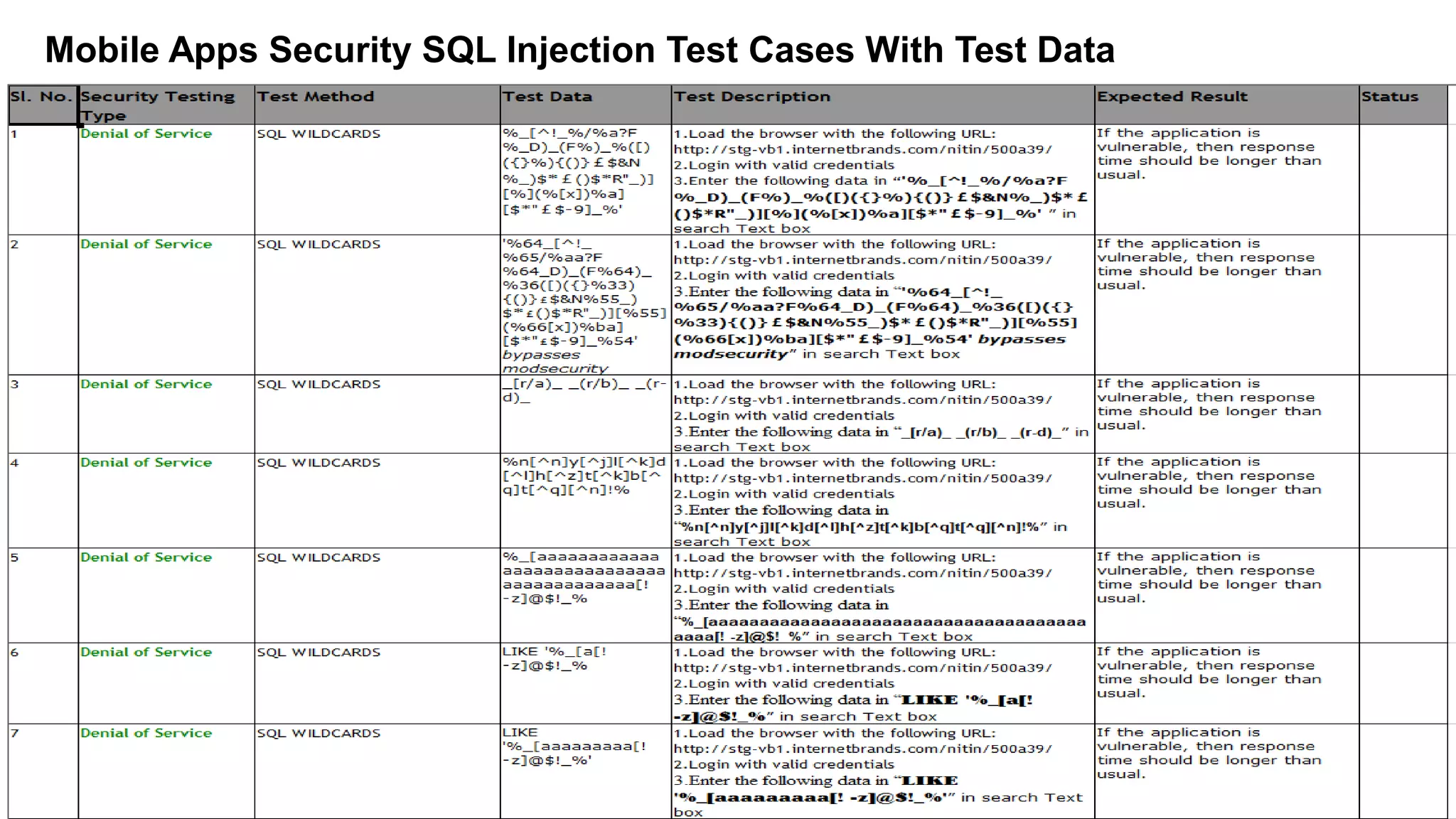
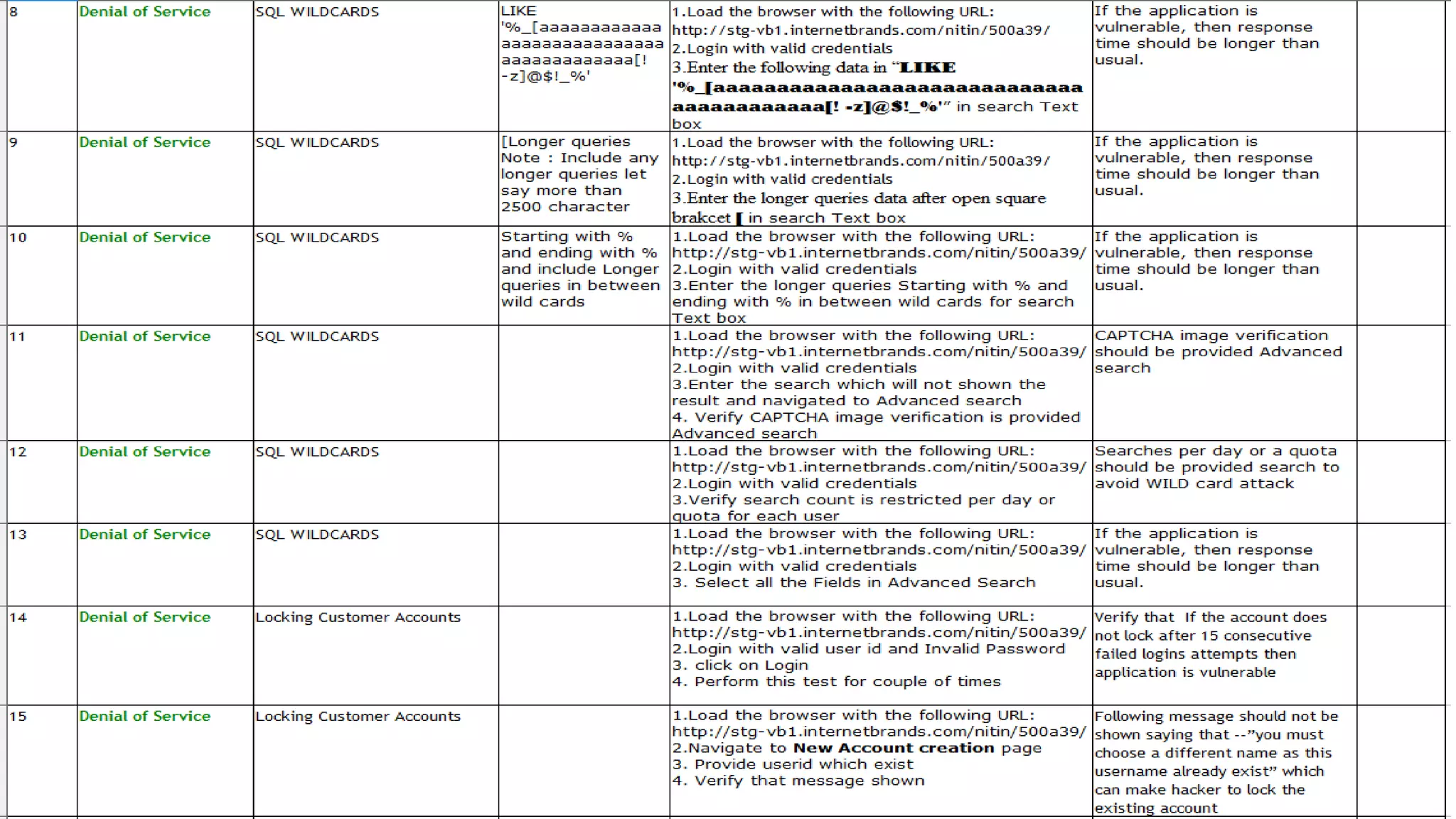
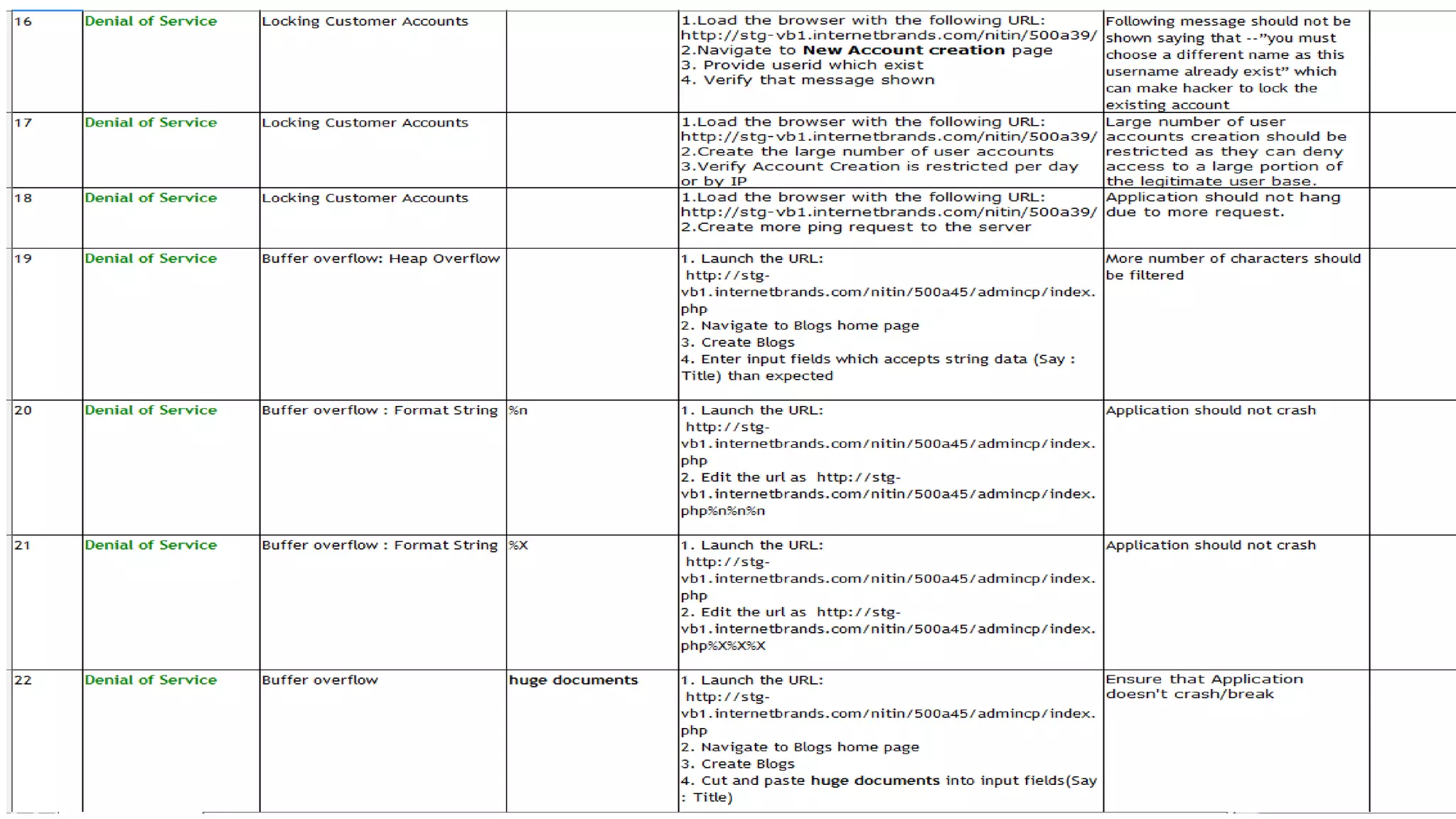
5. Mobile Apps Security SQL Injection Test Cases With Test Data
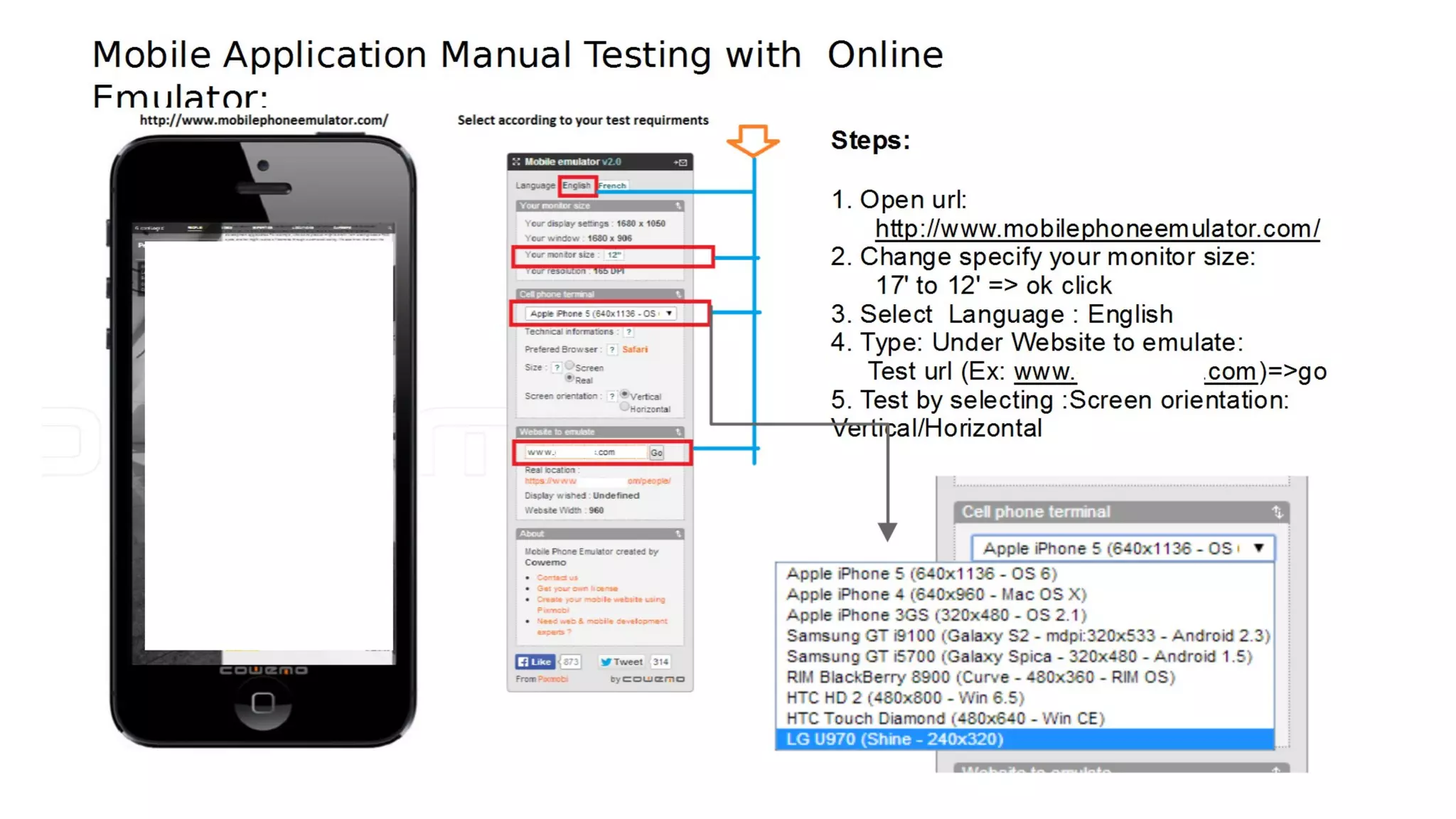
6. Mobile Apps Manual Testing with Android/iOS Emulator through Online
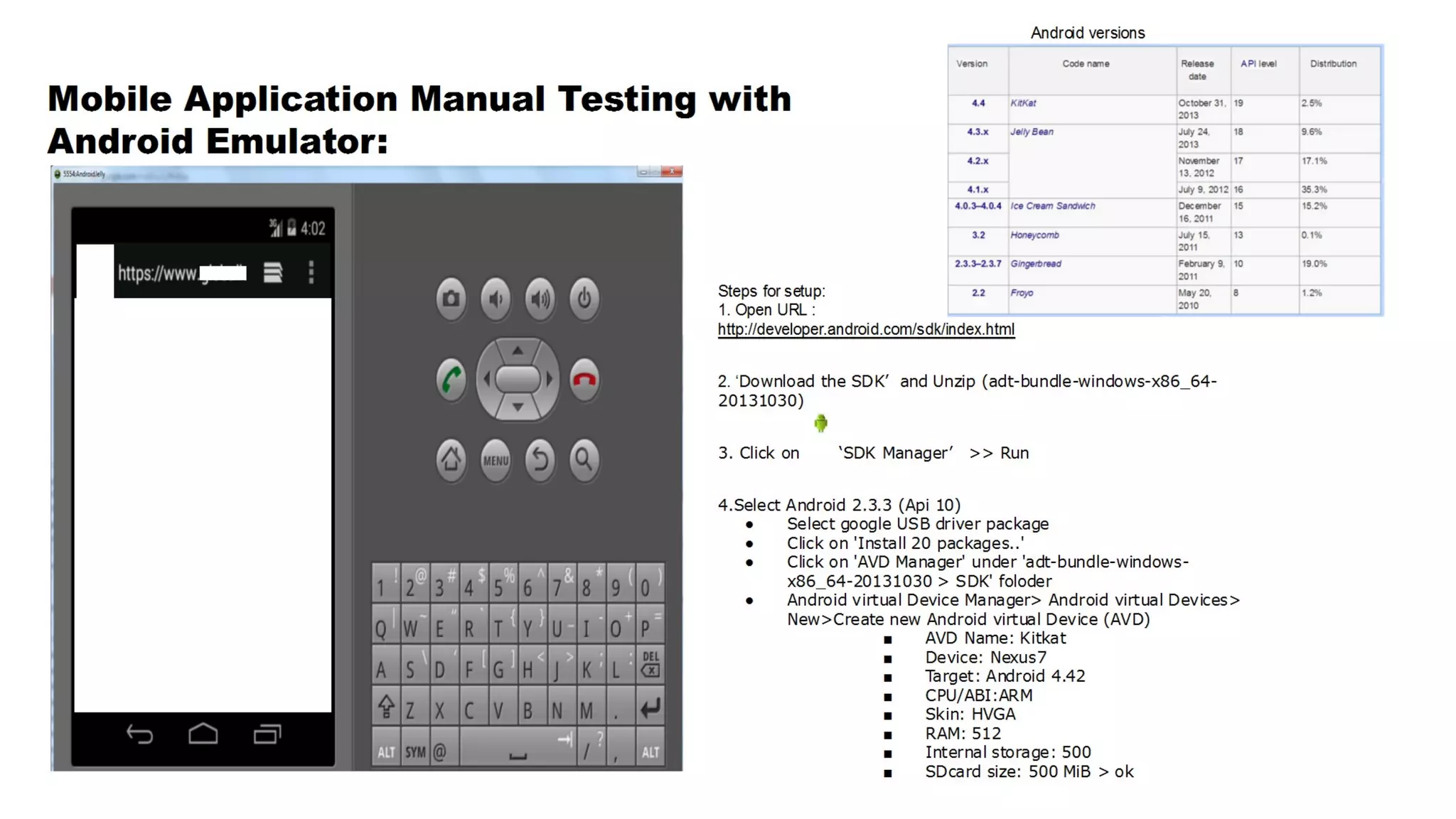
7. Mobile Apps Manual Testing with Android Emulator installing Explicitly
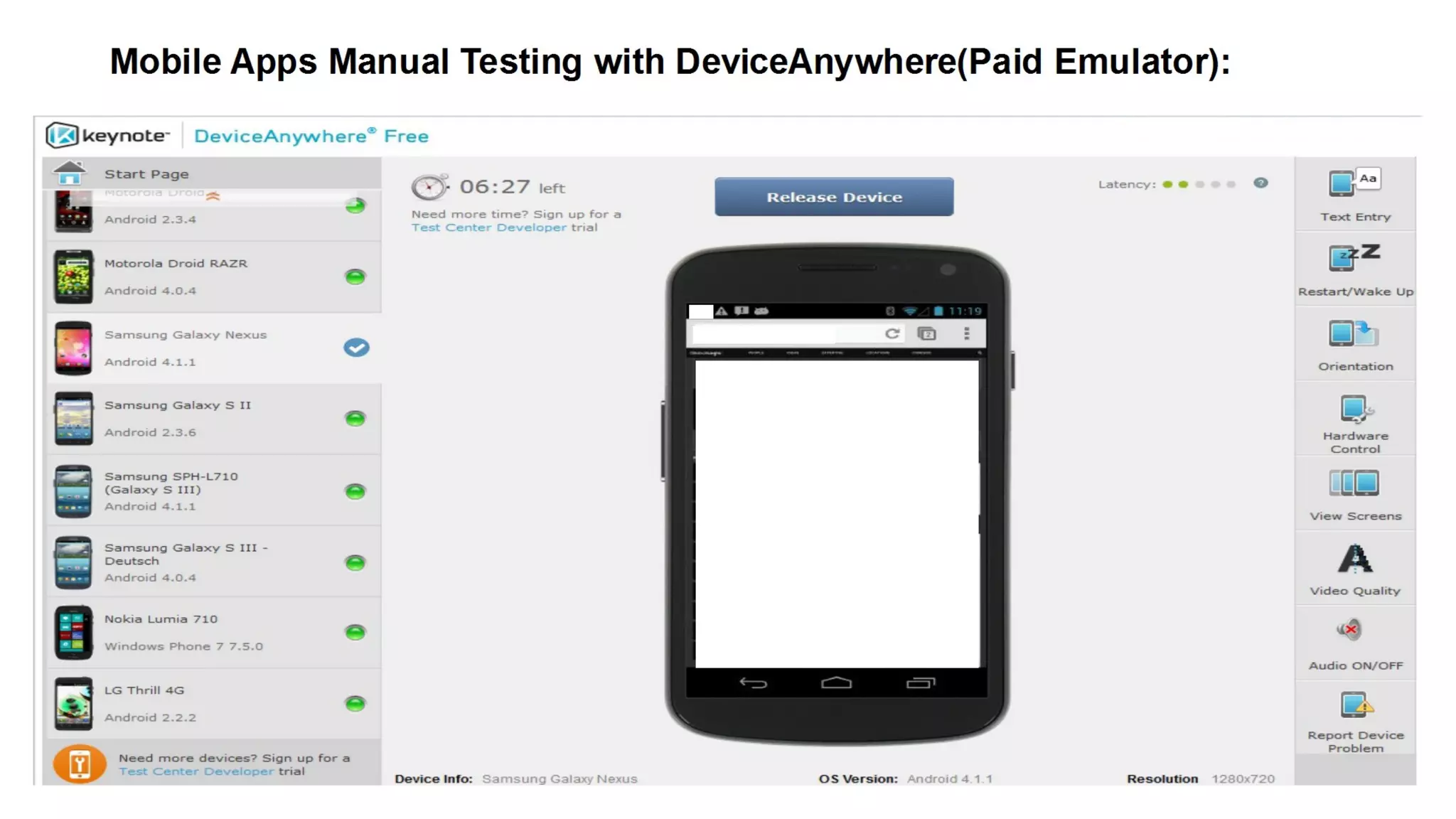
8. Mobile Apps Manual Testing with DeviceAnywhere(Paid Emulator).
9. Download .apk File From Play store & Install into the Android Emulator.
10. Mobile Web Security Testing: Mobile web (On Emulator) scan with OWASP ZAP.
11. Conclusion About Mobile Apps Security Testing Tools
AGENDA
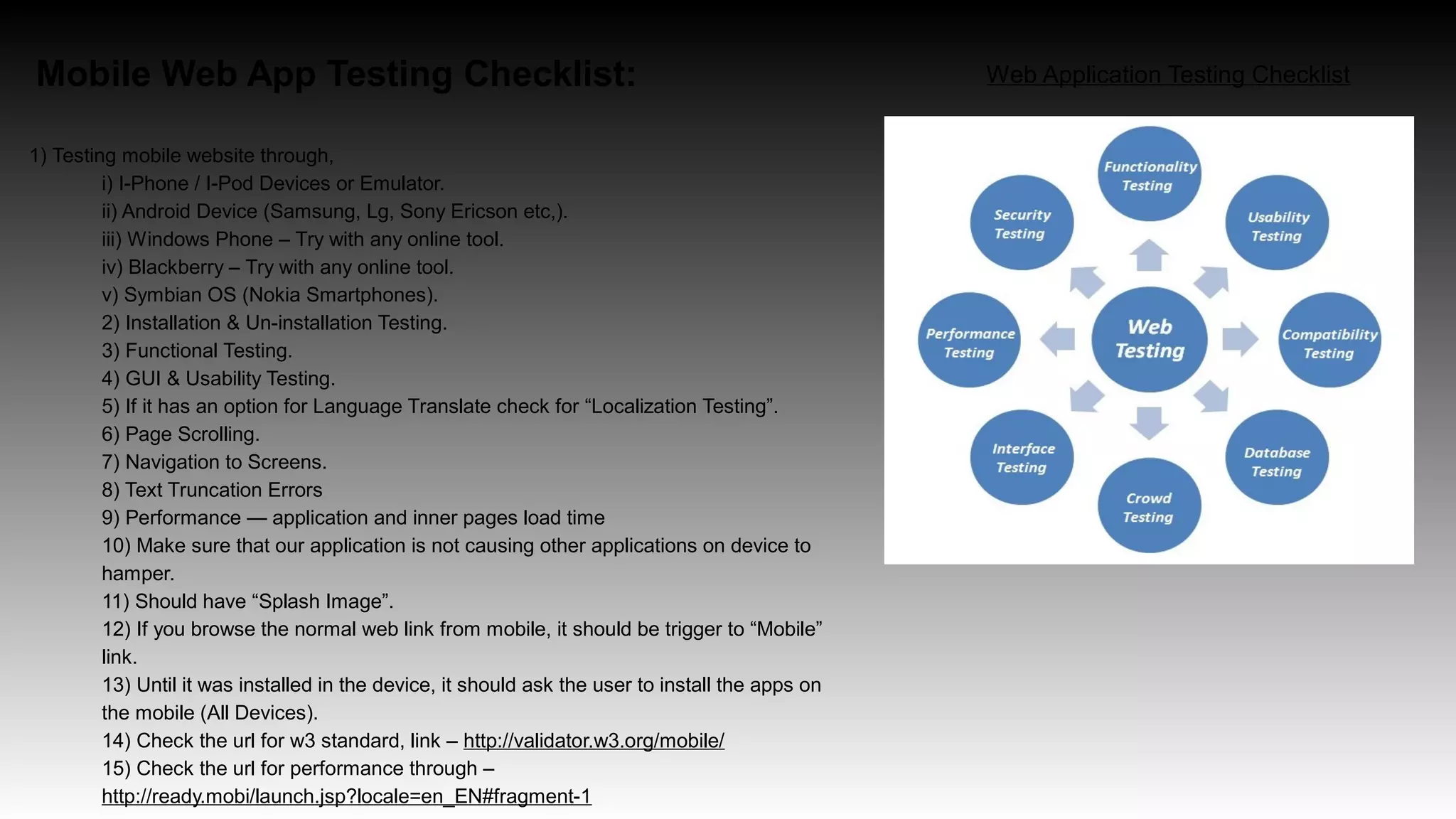
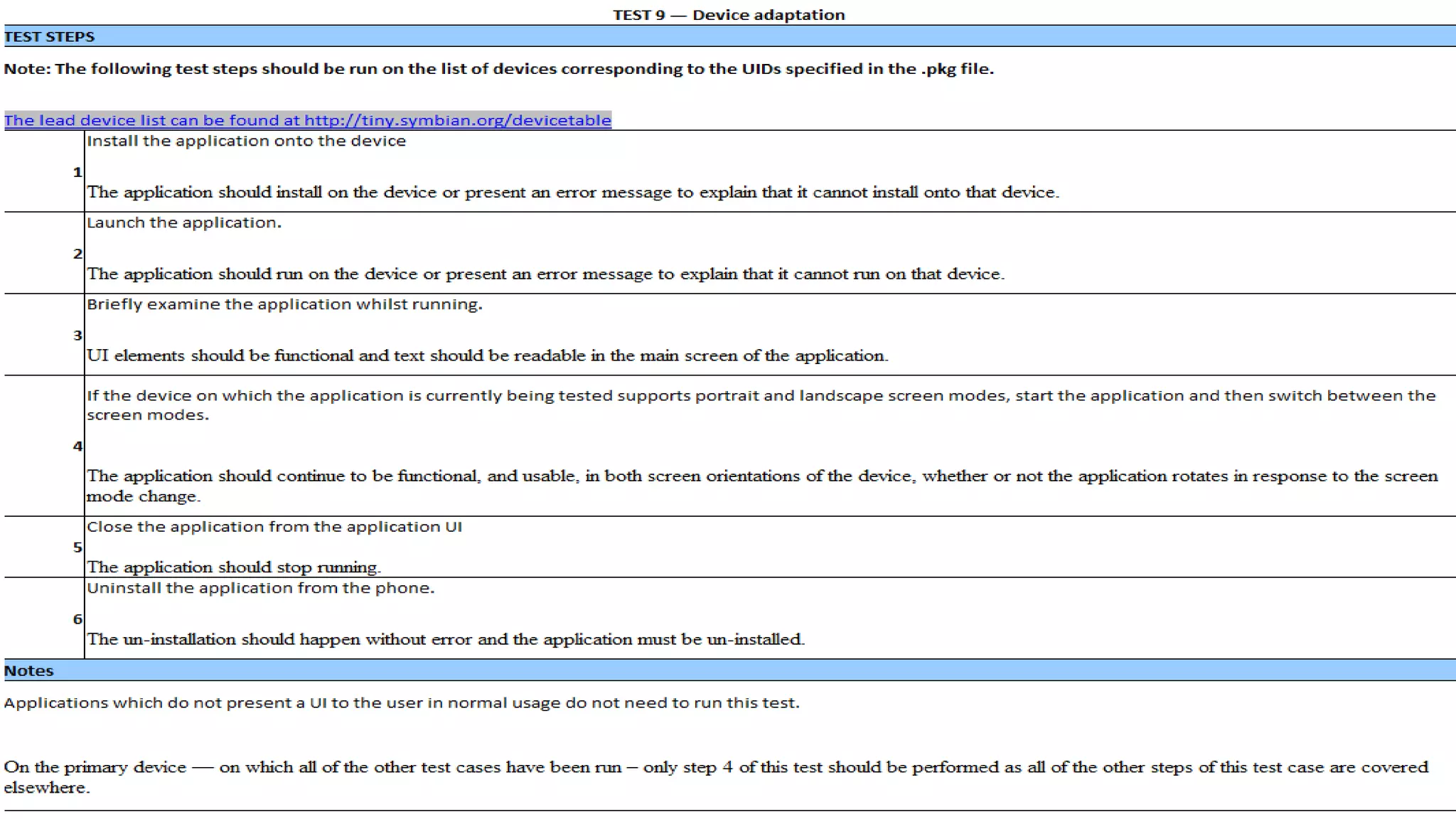
Mobile Web App Testing Checklist:
1) Testing mobile website through,
i) I-Phone / I-Pod Devices or Emulator.
ii) Android Device (Samsung, Lg, Sony Ericson etc,).
iii) Windows Phone – Try with any online tool.
iv) Blackberry – Try with any online tool.
v) Symbian OS (Nokia Smartphones).
2) Installation & Un-installation Testing.
3) Functional Testing.
4) GUI & Usability Testing.
5) If it has an option for Language Translate check for “Localization Testing”.
6) Page Scrolling.
7) Navigation to Screens.
8) Text Truncation Errors
9) Performance — application and inner pages load time
10) Make sure that our application is not causing other applications on device to
hamper.
11) Should have “Splash Image”.
12) If you browse the normal web link from mobile, it should be trigger to “Mobile”
link.
13) Until it was installed in the device, it should ask the user to install the apps on
the mobile (All Devices).
14) Check the url for w3 standard, link – http://validator.w3.org/mobile/
15) Check the url for performance through –
http://ready.mobi/launch.jsp?locale=en_EN#fragment-1
Web Application Testing Checklist
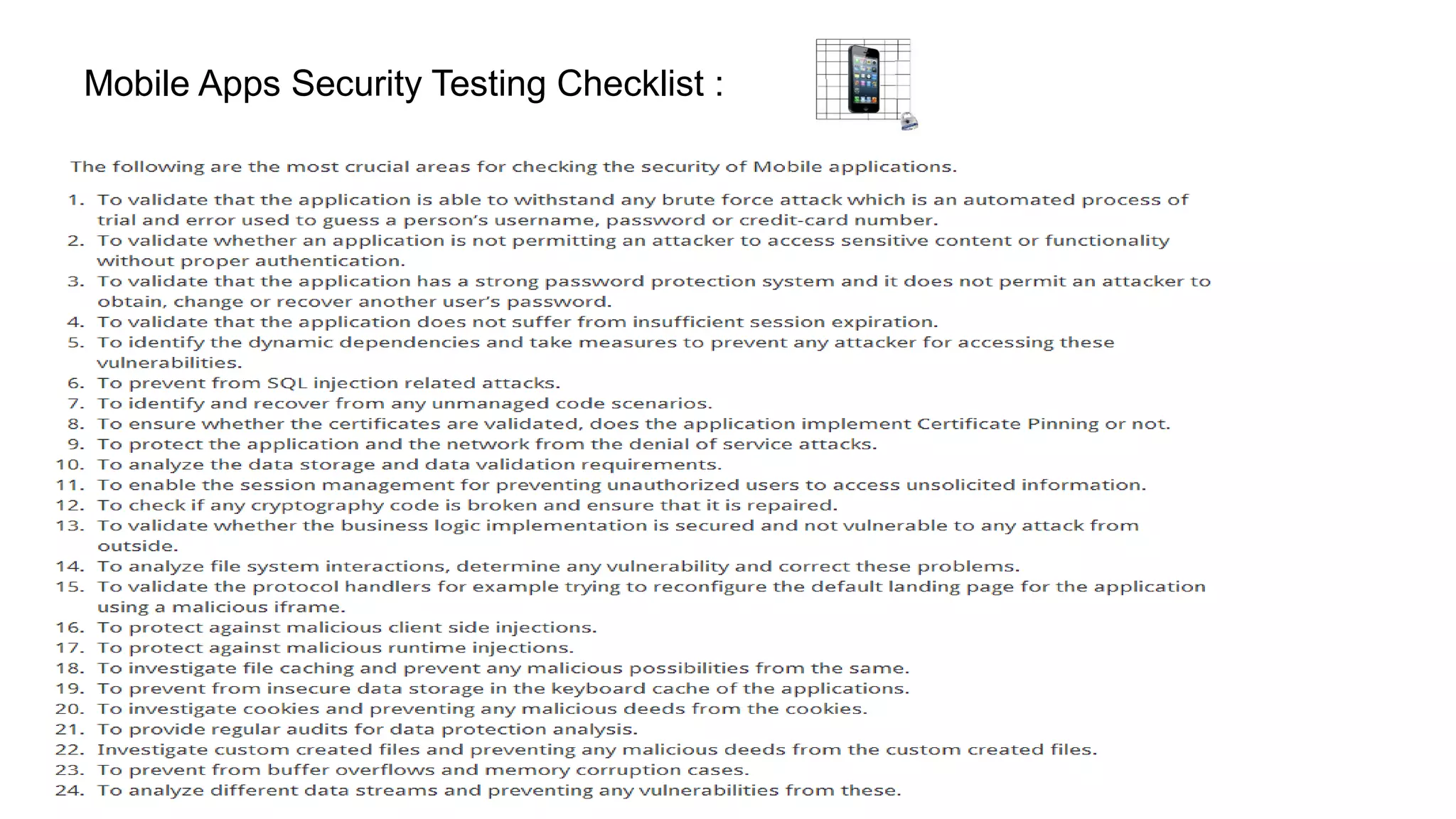
Mobile Apps Security Testing Checklist :
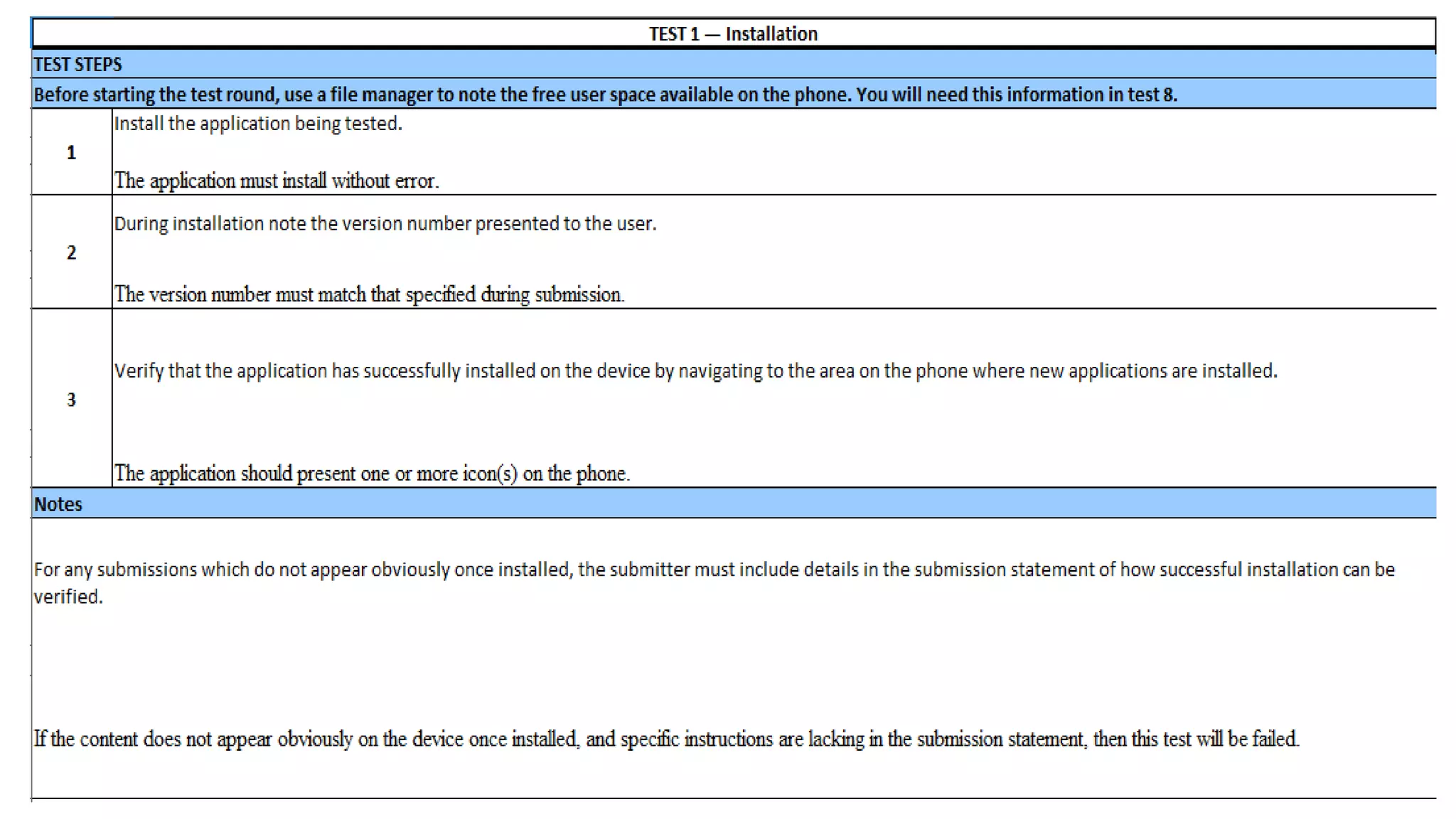
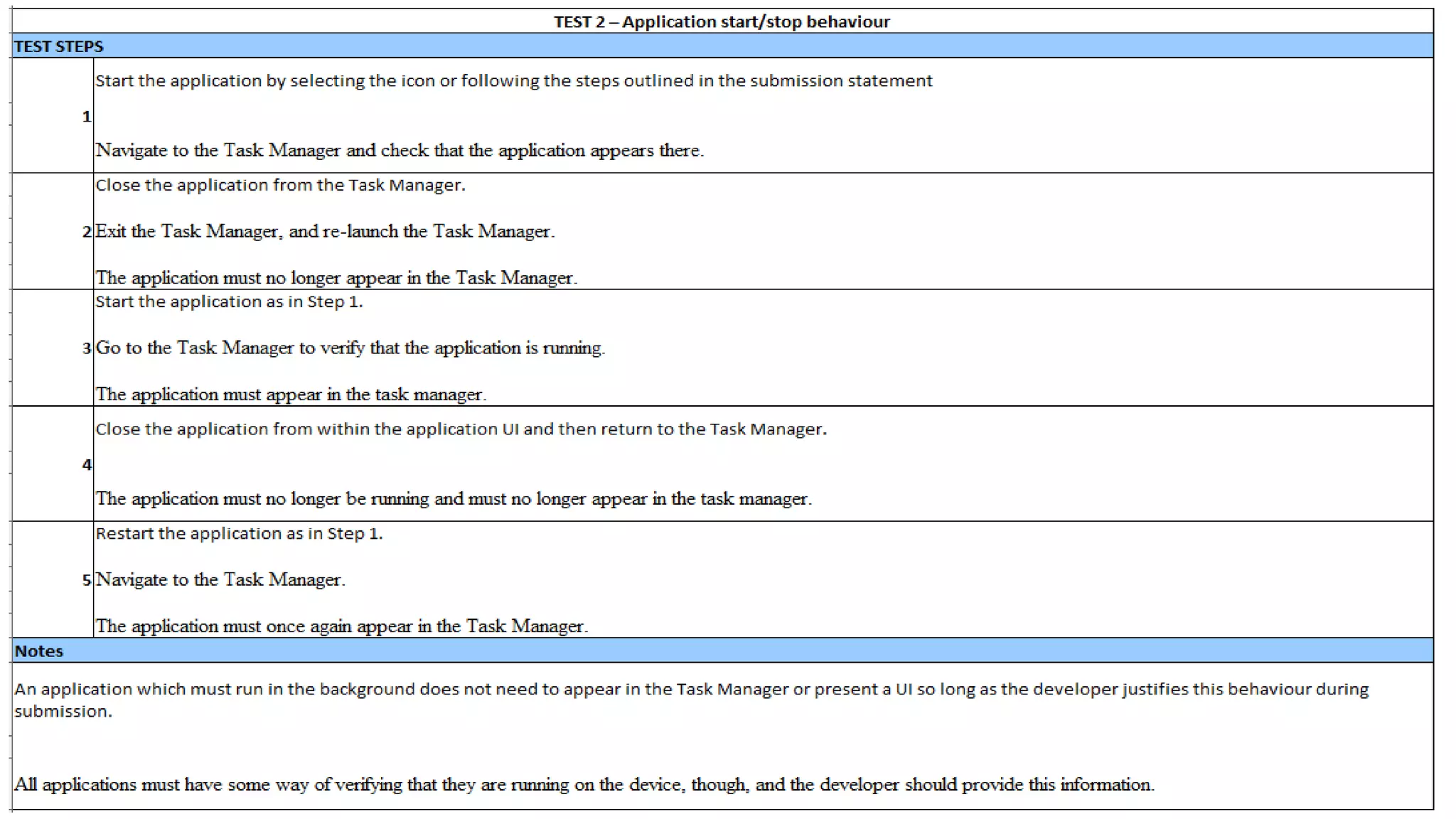
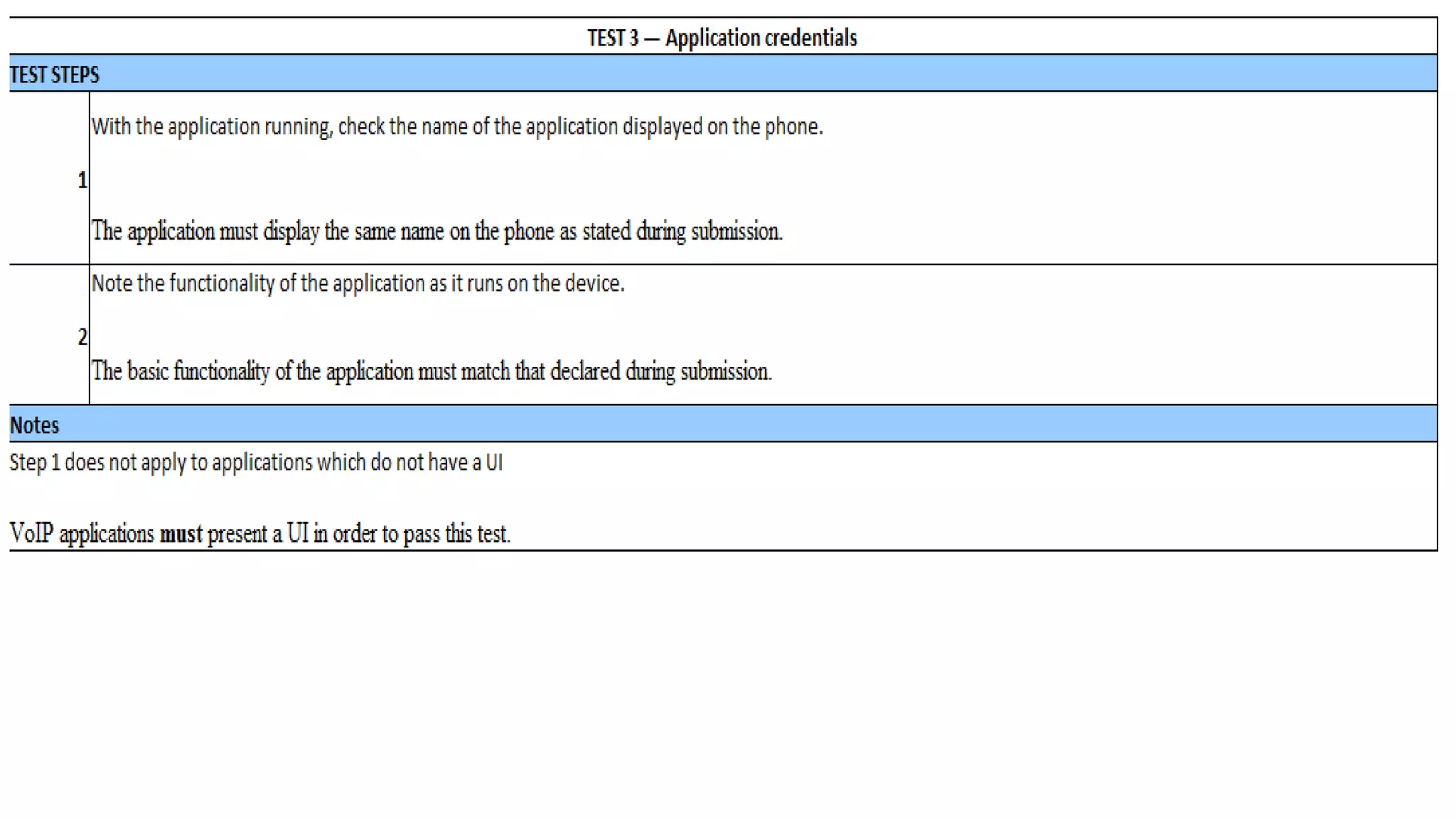
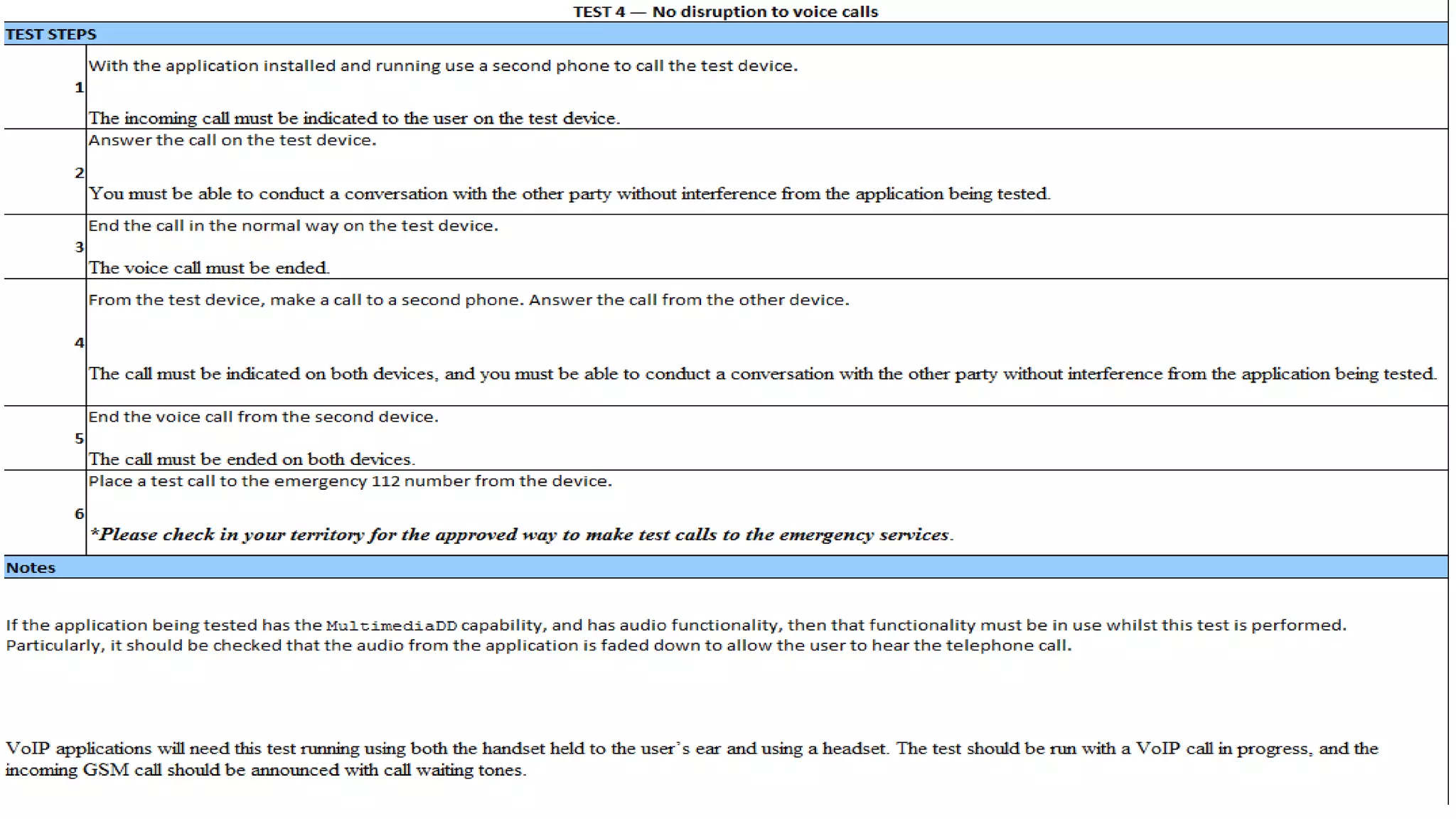
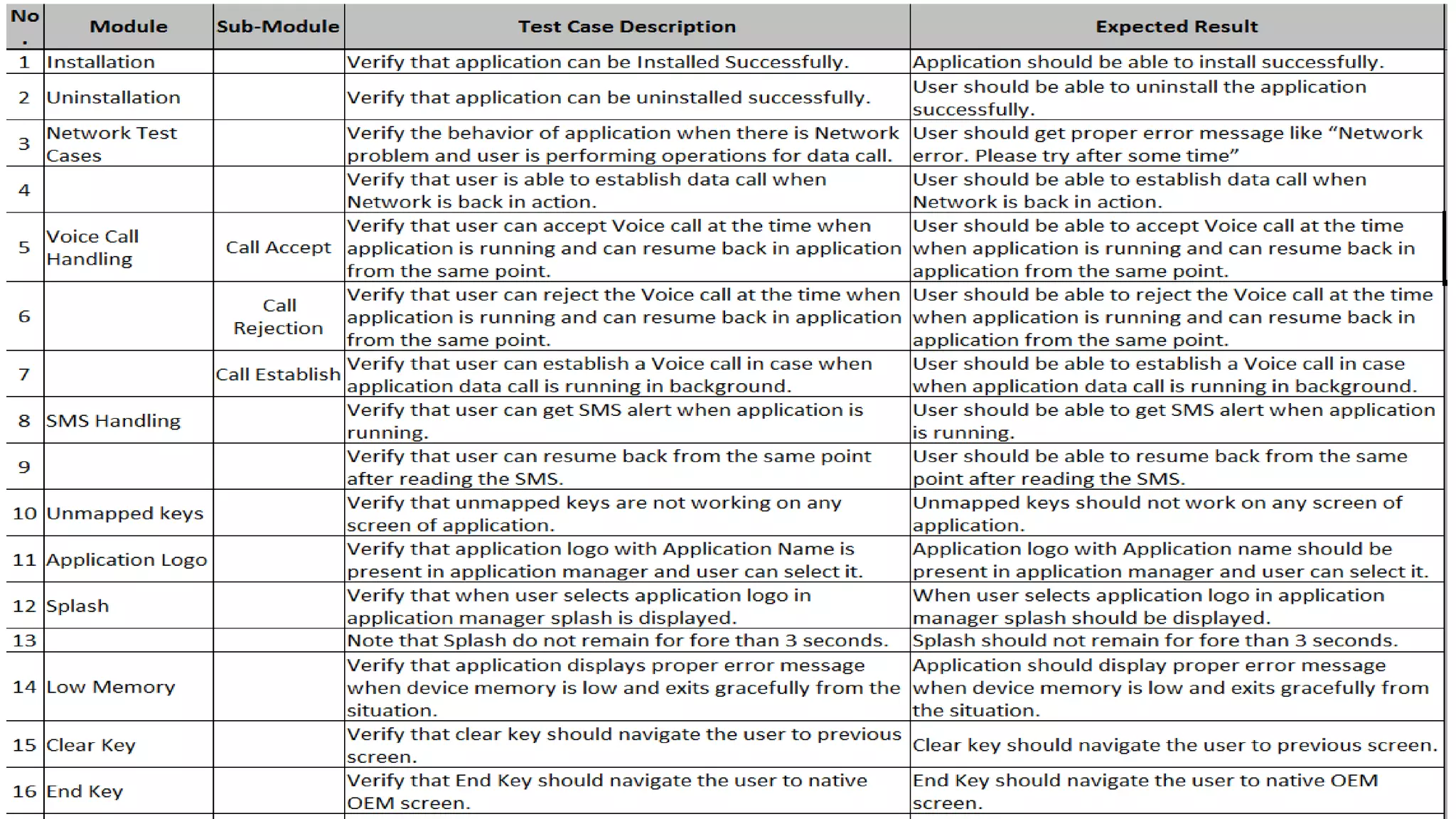
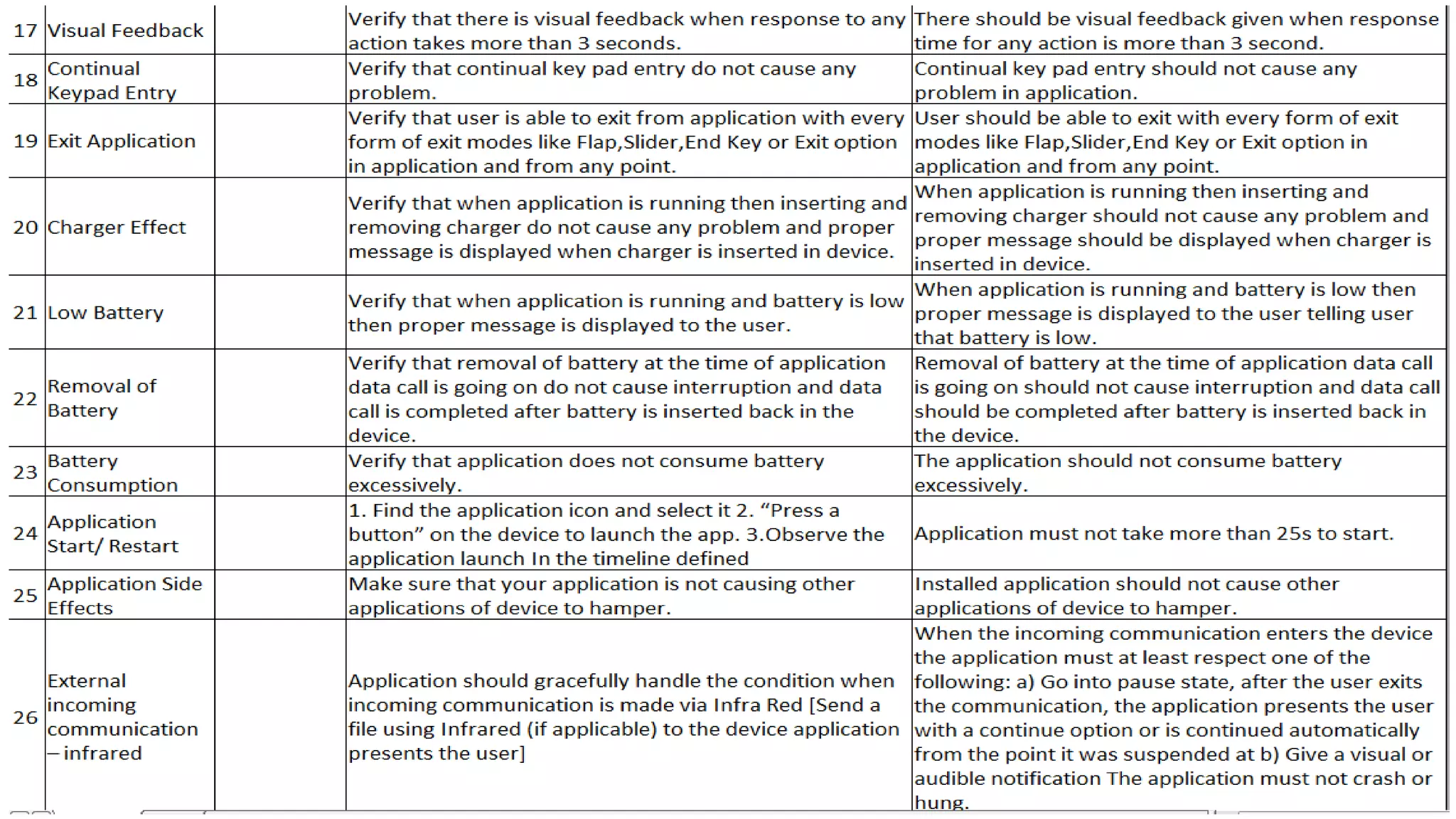
Mobile Apps test cases (Prerequisites)
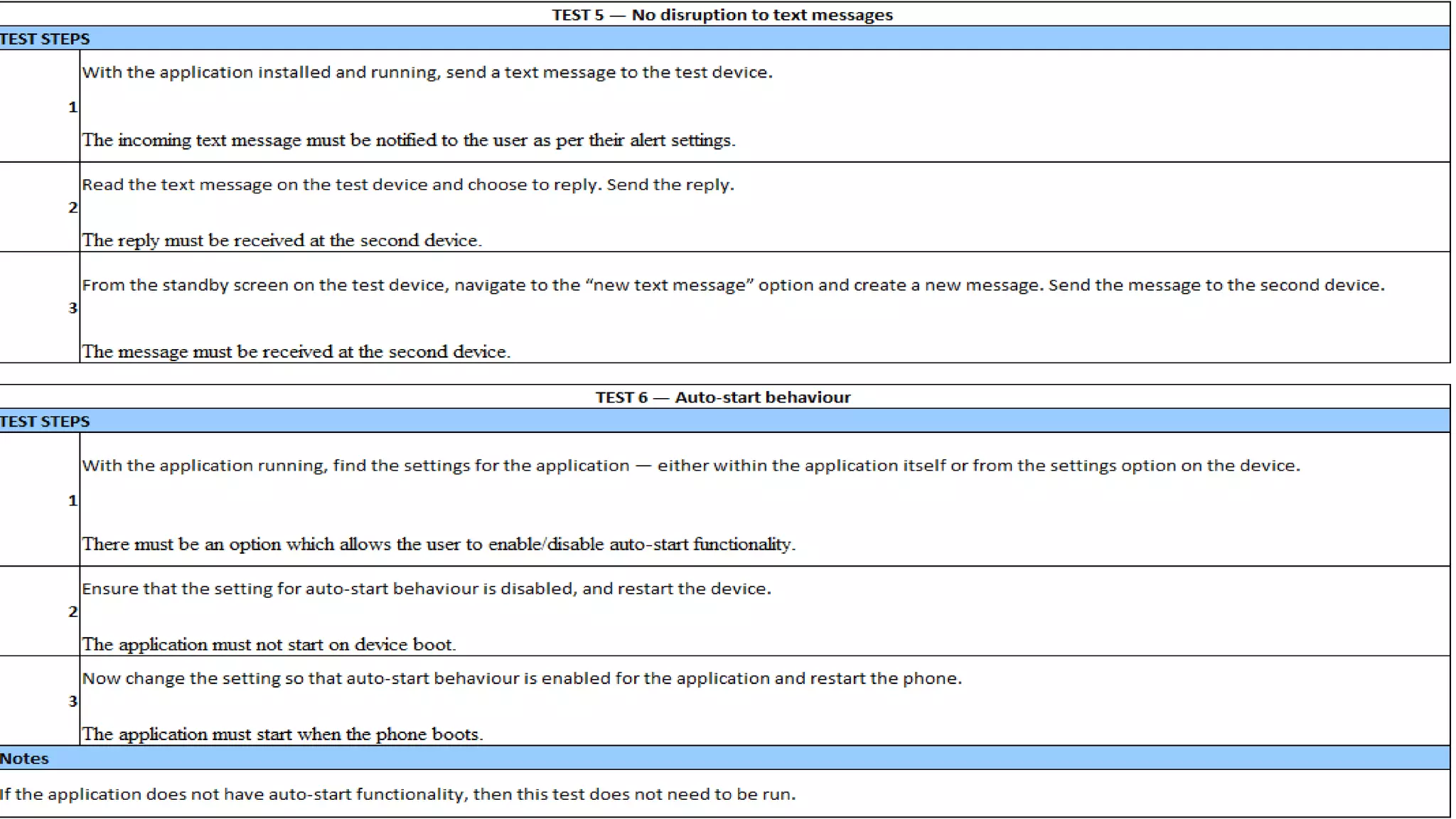
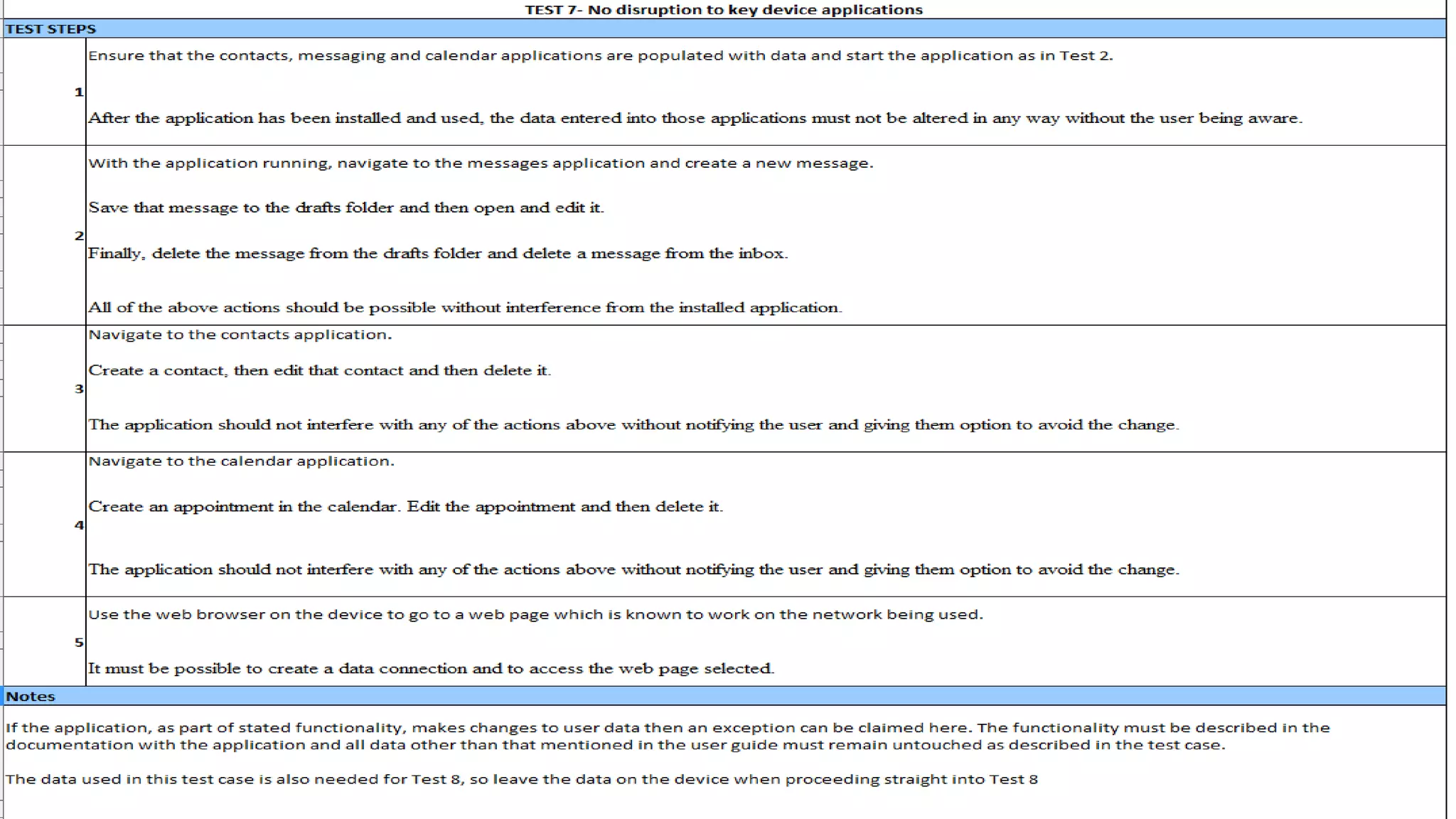
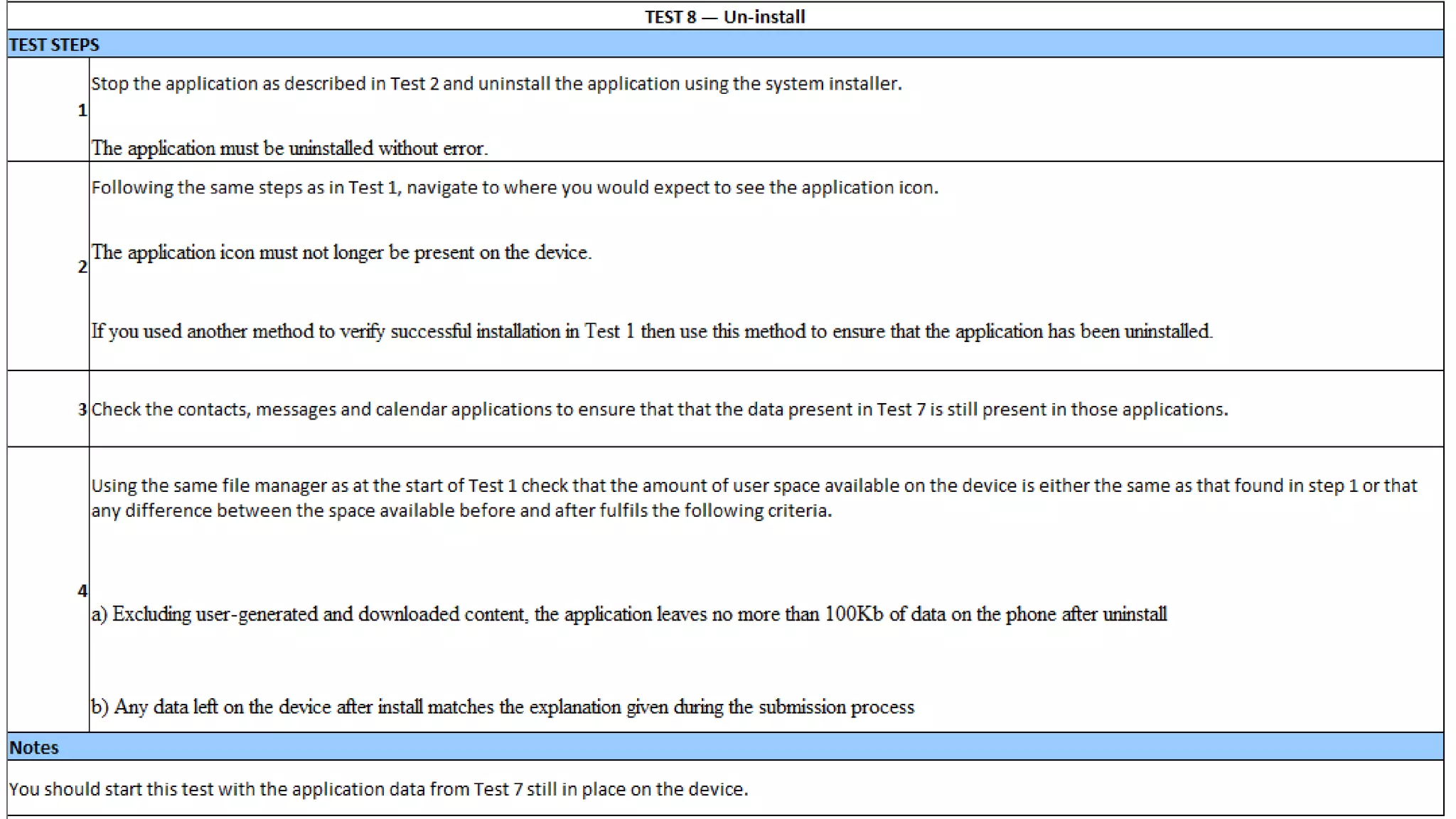
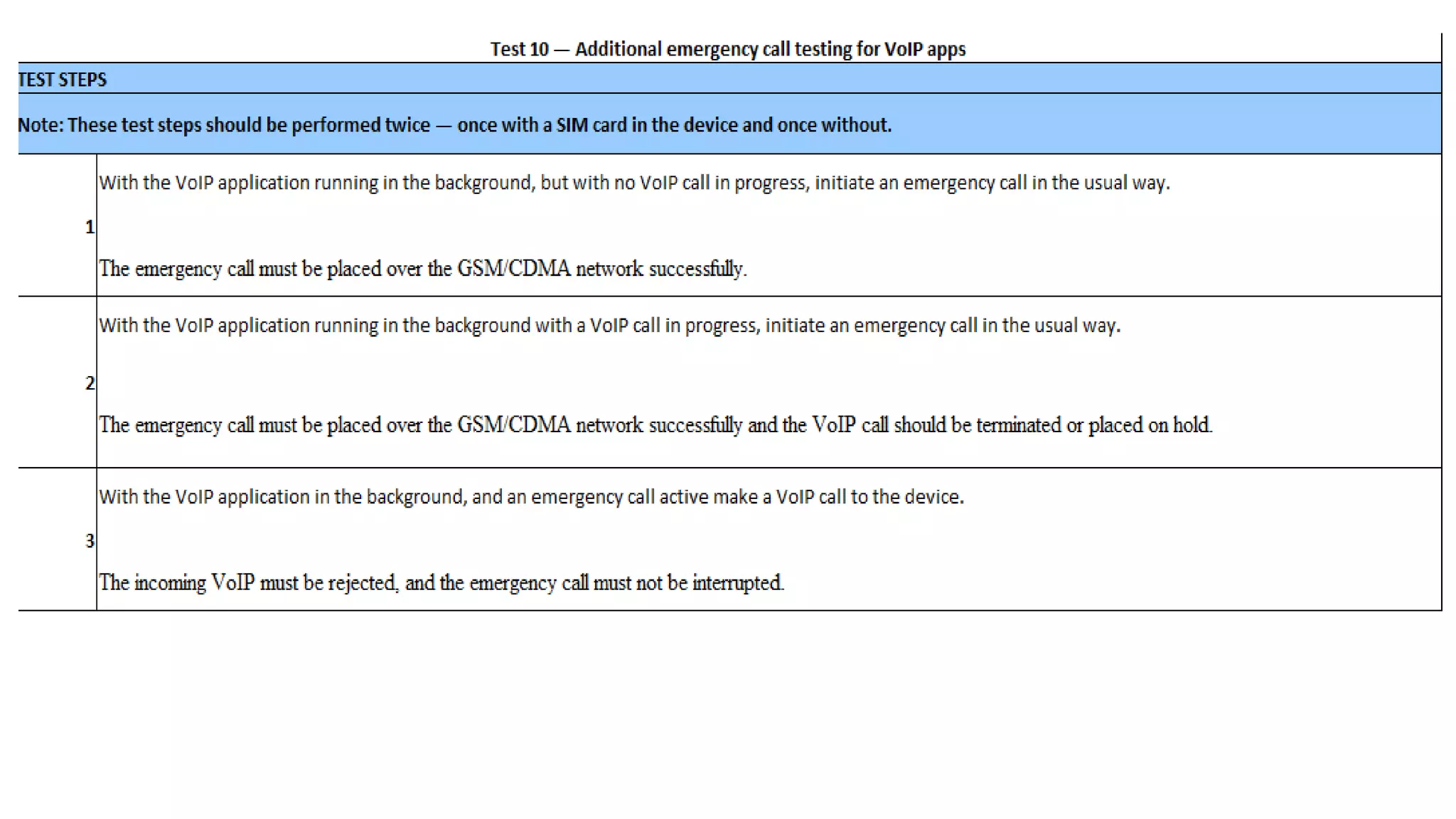
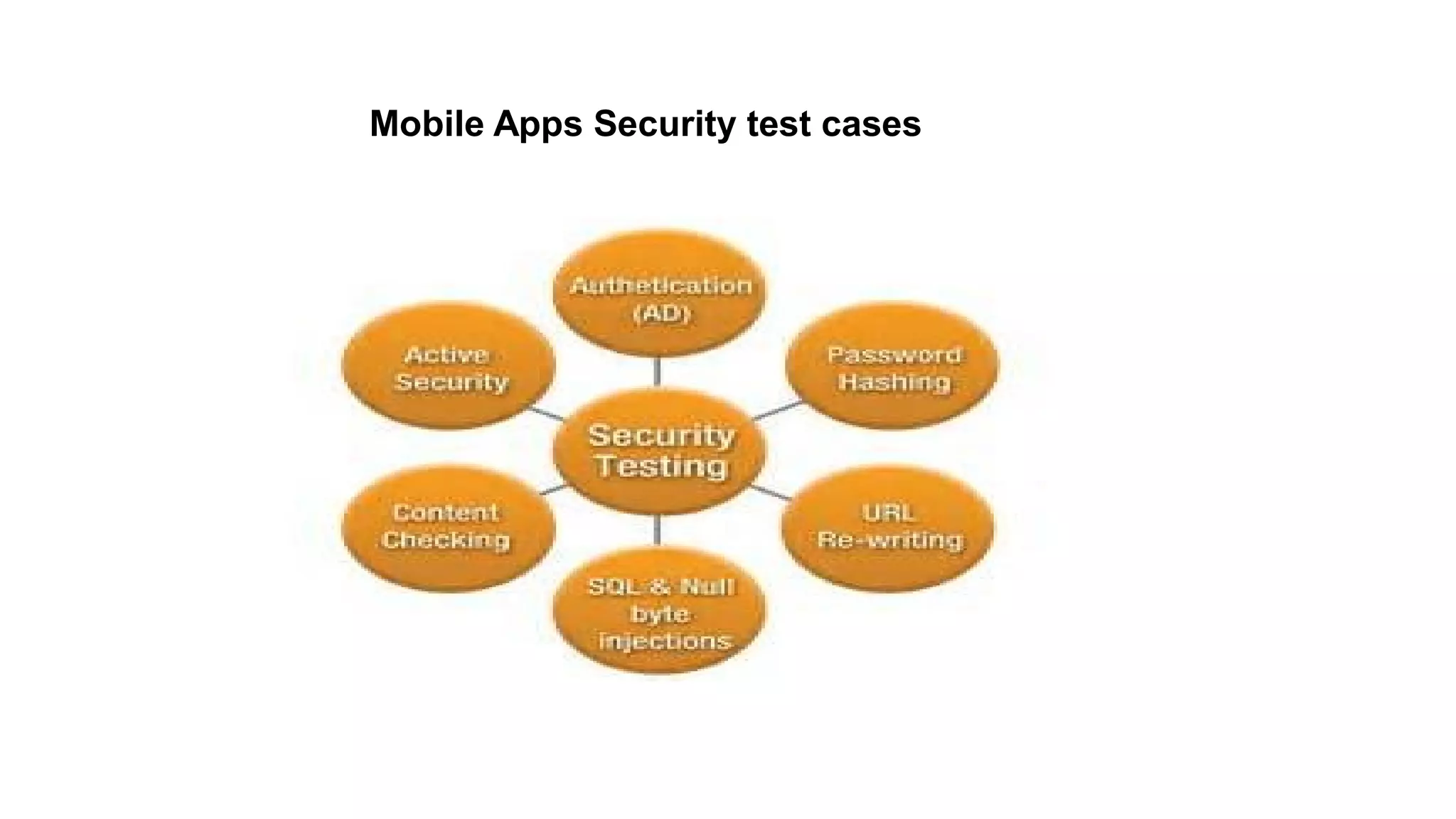
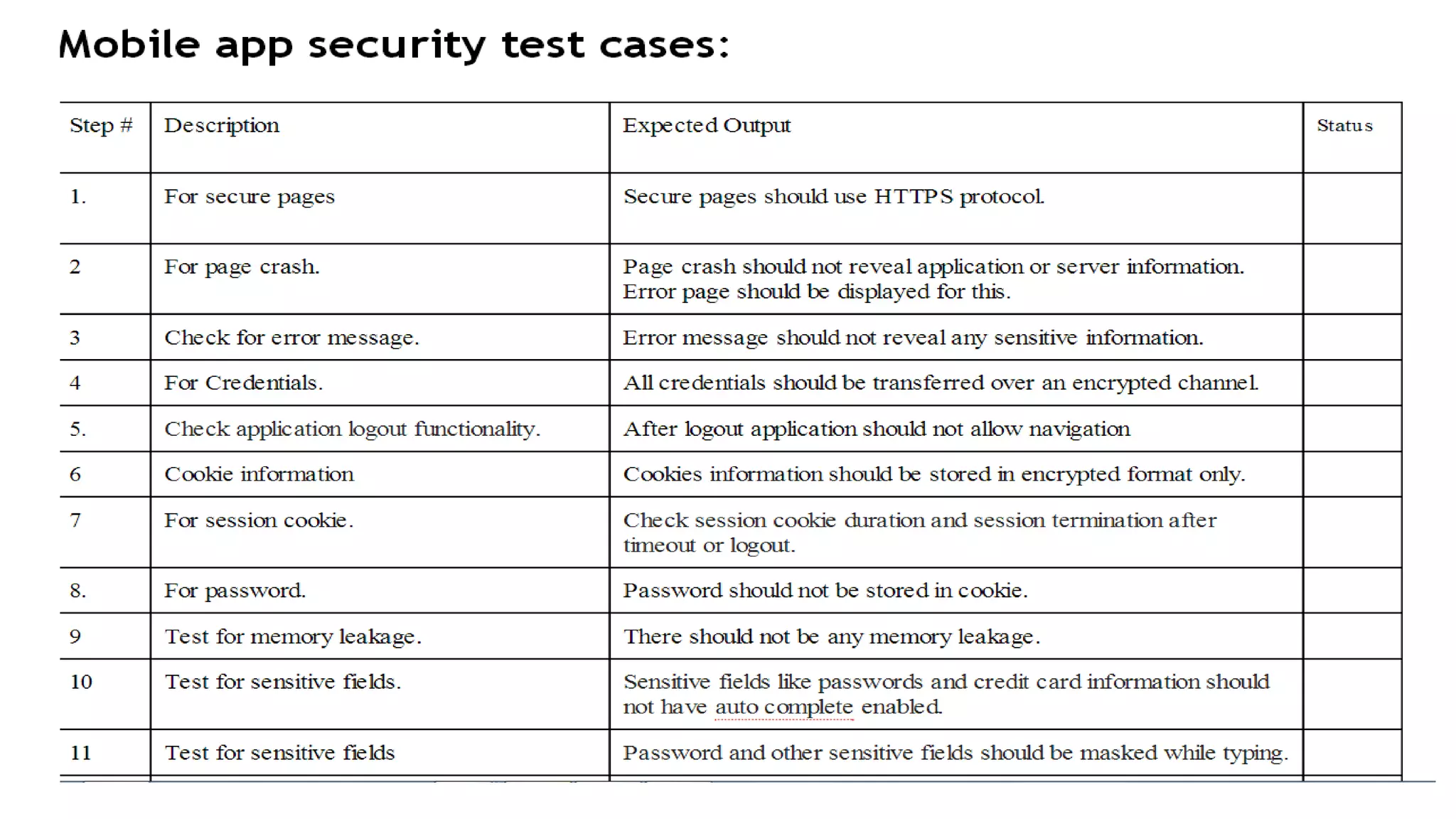
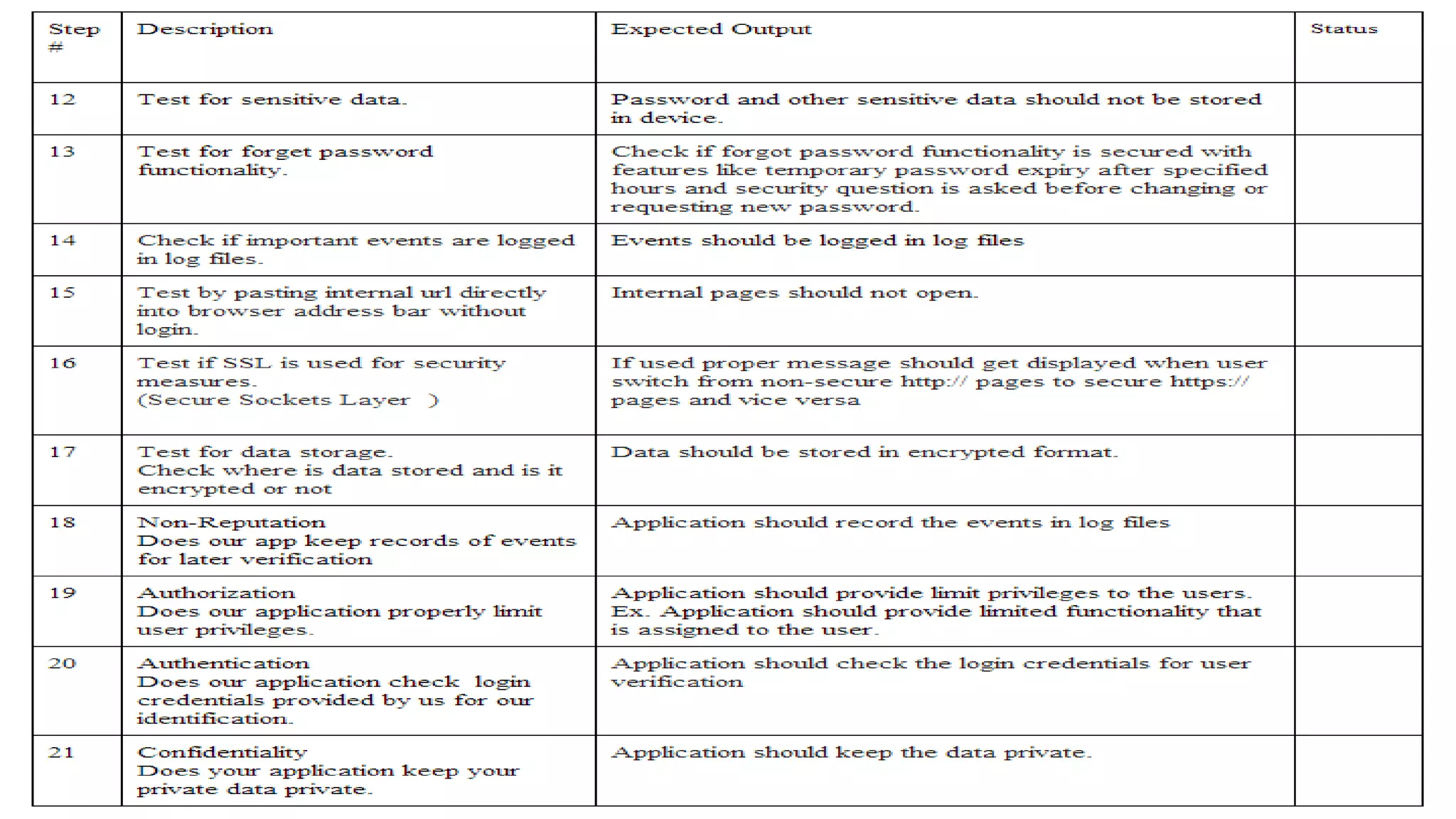
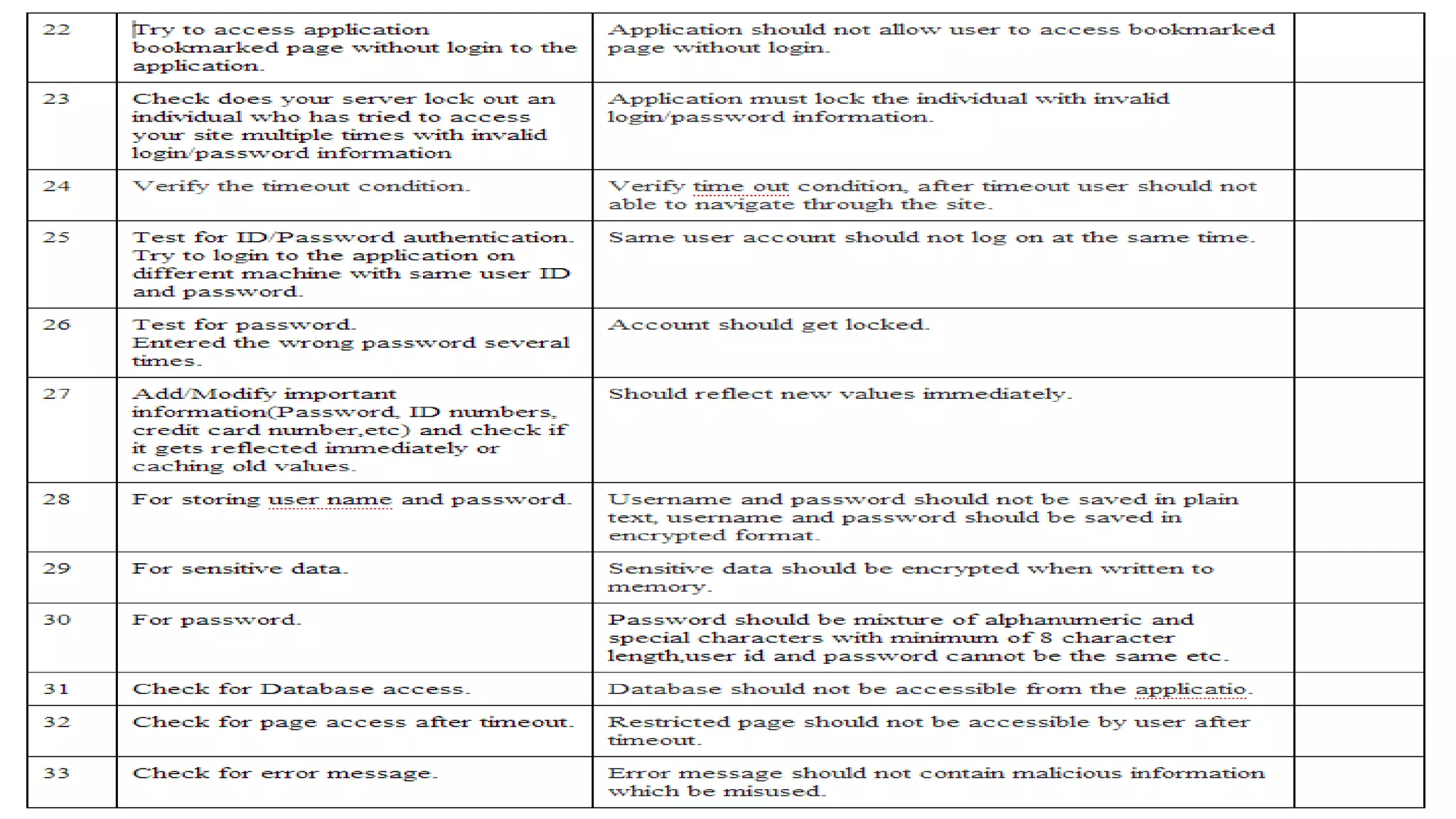
Mobile Apps Security test cases
Mobile Apps Security SQL Injection Test Cases With Test Data
Download .apk File From Play store & Install into the Android Emulator:
Steps:
1. Open the Android Emulator
2. Download the .apk file from 'play.google.com' (or Developer)
Steps:
● Go to https://play.google.com/store/apps/
● Choose an app which you want to install it in Emulator.
● Pick the Calculator app id from the URL [ com.apalon.calculator.gp]
● Paste App id into the 'http://apps-evozi.appspot.com/' or ‘ http://apkleecher.com/ ‘ At placeholder="com.evozi.deviceid" and download the
apk file by clicking the 'Generate download Link'> Click here to download com.apalon.calculator.gp now link
3 .apk file installation in Android Emulator through command prompt
Steps:
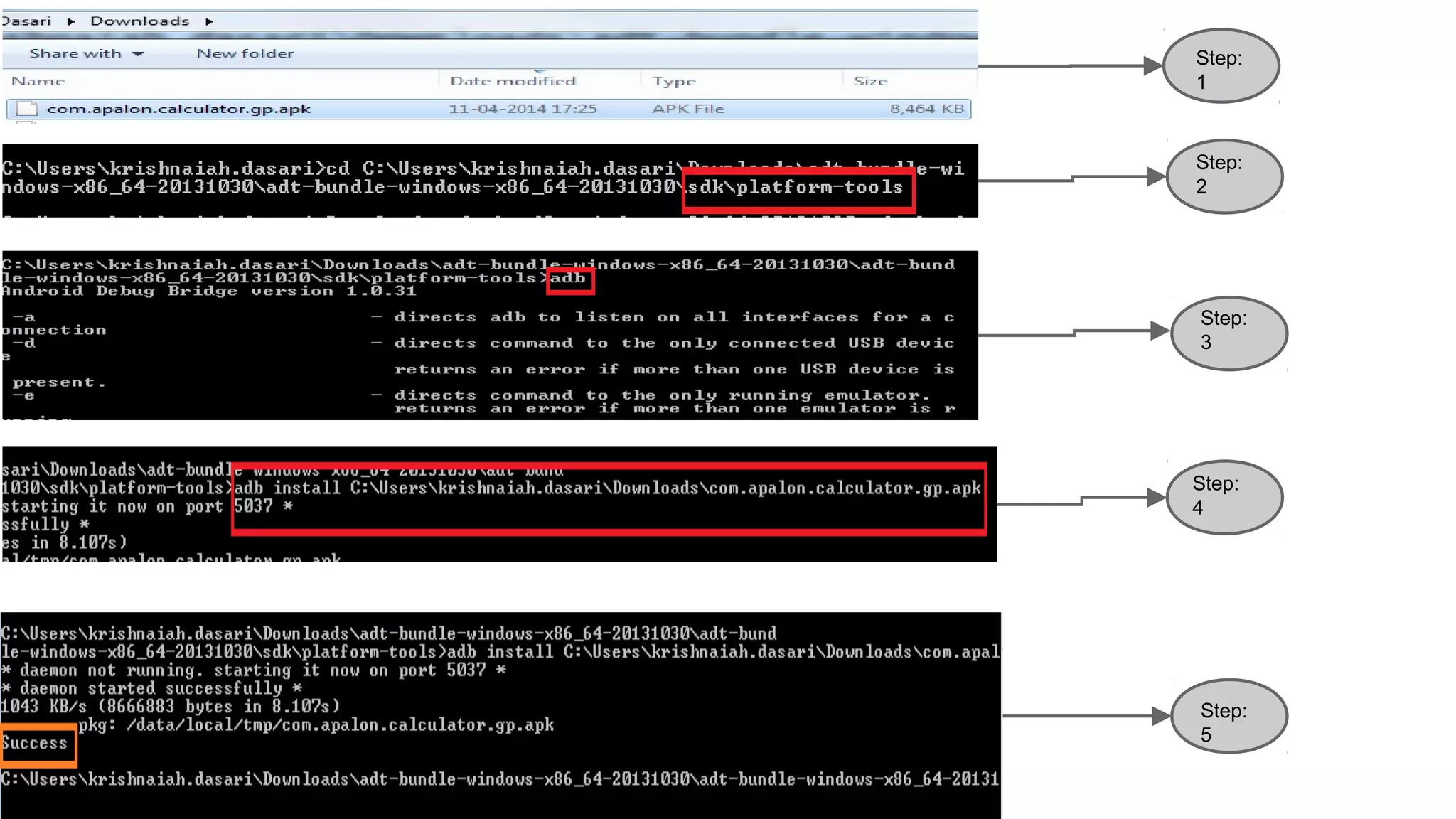
1) Open the Command prompt and navigate to 'sdk> platform-tools' folder.
cd C:Userskrishnaiah.dasariDownloadsadt-bundle-windows-x86_64-20131030adt-bundle-windows-x86_64-20131030sdkplatform-tools
2) Need to check that adp is working or not. [ type ‘adb’ and press enter ]
3) adb install C:Userskrishnaiah.dasariDownloadscom.apalon.calculator.gp.apk
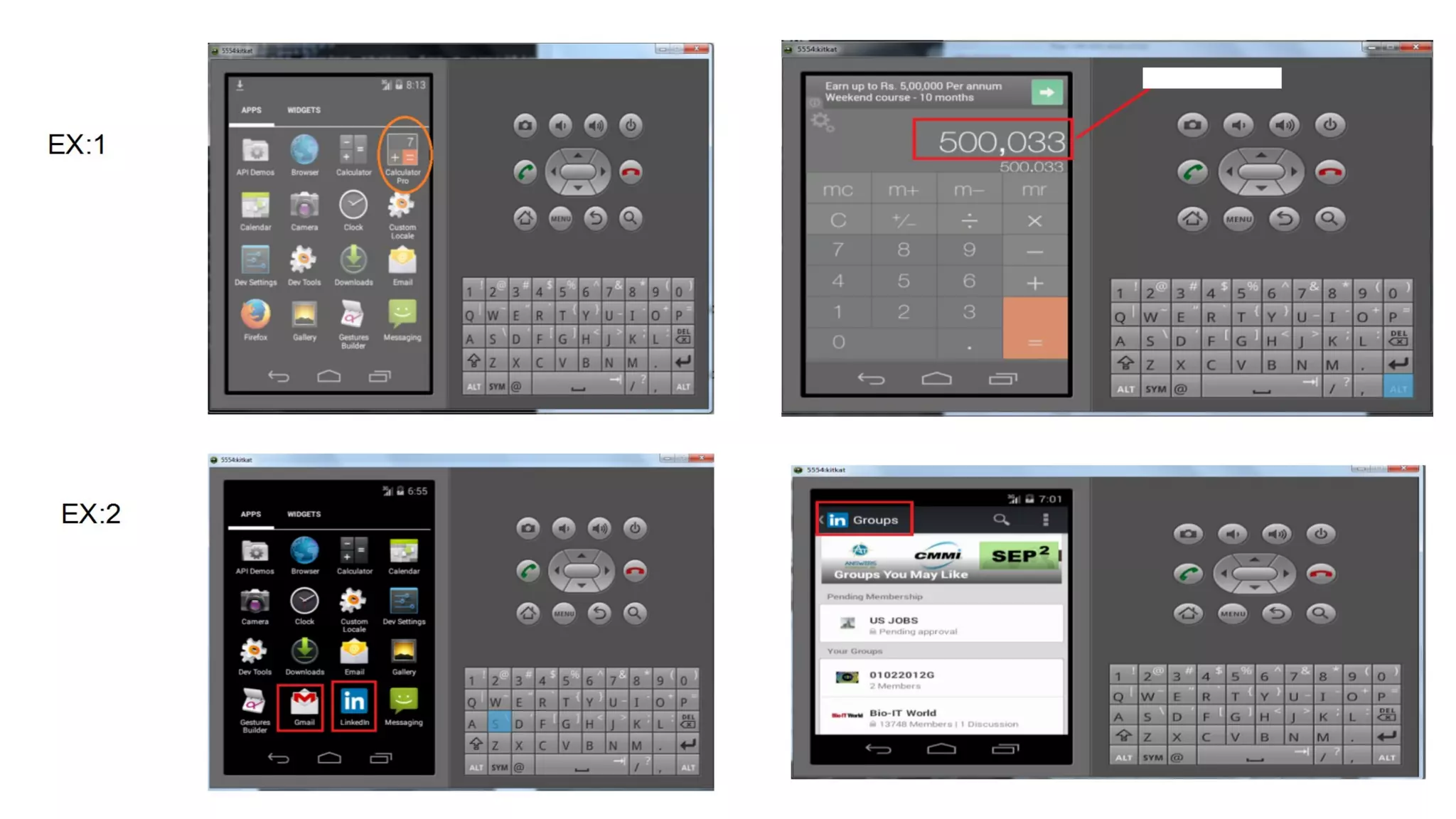
4. Respective app will be installed in Android Emulator .
Step:
1
Step:
2
Step:
3
Step:
4
Step:
5
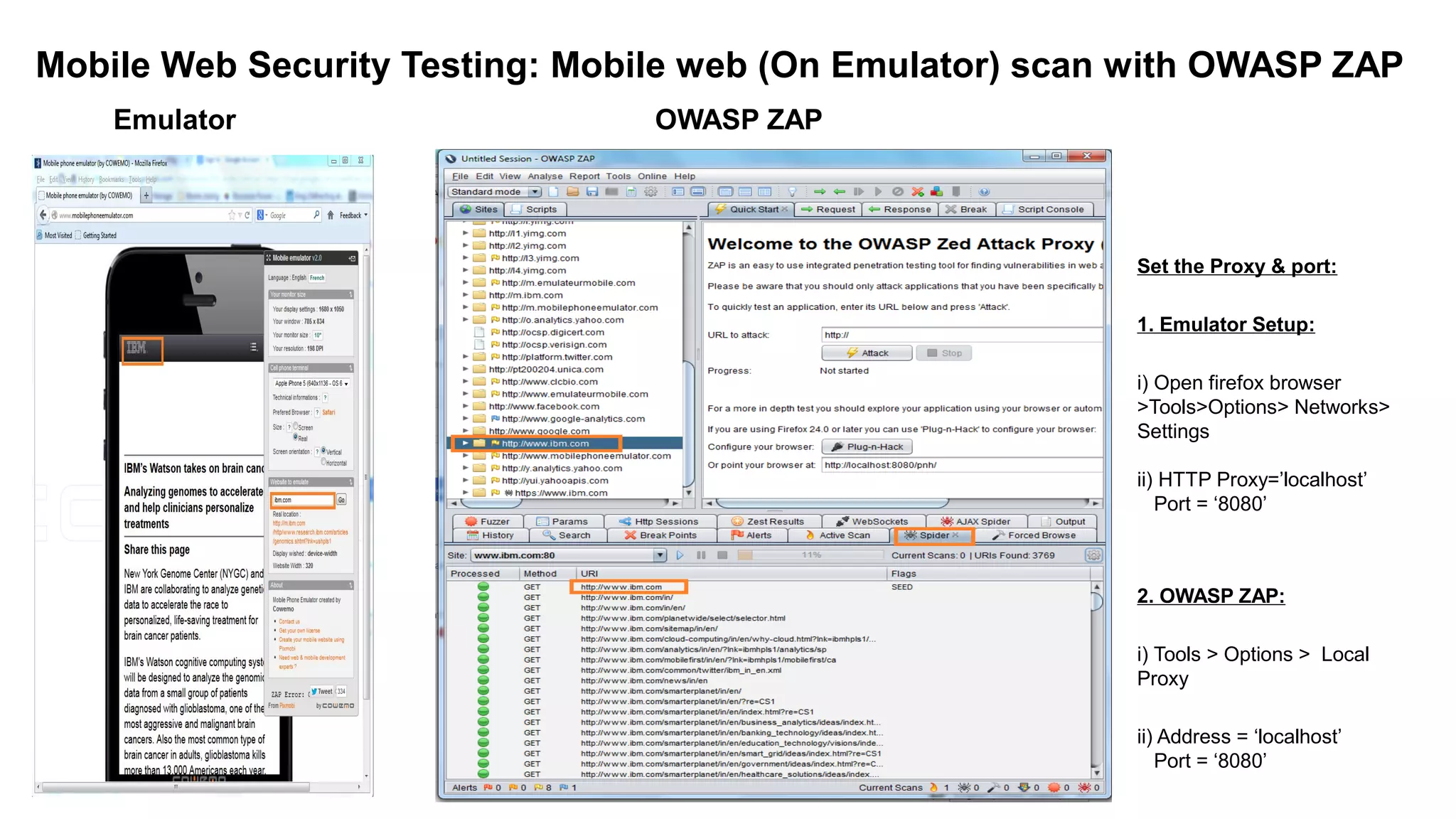
Mobile Web Security Testing: Mobile web (On Emulator) scan with OWASP ZAP
Emulator OWASP ZAP
Set the Proxy & port:
1. Emulator Setup:
i) Open firefox browser
>Tools>Options> Networks>
Settings
ii) HTTP Proxy=’localhost’
Port = ‘8080’
2. OWASP ZAP:
i) Tools > Options > Local
Proxy
ii) Address = ‘localhost’
Port = ‘8080’
Conclusion About Mobile Apps Security Testing Tools:
We have gone through the so many Blogs, Forums, Groups , Sites and etc.
and came to know that open source tools are not preferable for Mobile Hybrid/Native
apps security testing for business projects, only paid tools are preferable.
Here is info. about paid tools list:
● IBM Security AppScan IBM AppScan Price
● HP Fortify How to buy
● VeraCode How to buy
Thanks
Krishnaiah Dasari(SDET)

Mobile Apps Security Testing -3

  • 1.
  • 2.
    1. What isMobile Apps Testing Checklist? 2. What is Mobile Apps Security Testing Checklist? 3. Mobile Apps Test Cases. 4. Mobile Apps Security Test Cases. 5. Mobile Apps Security SQL Injection Test Cases With Test Data 6. Mobile Apps Manual Testing with Android/iOS Emulator through Online 7. Mobile Apps Manual Testing with Android Emulator installing Explicitly 8. Mobile Apps Manual Testing with DeviceAnywhere(Paid Emulator). 9. Download .apk File From Play store & Install into the Android Emulator. 10. Mobile Web Security Testing: Mobile web (On Emulator) scan with OWASP ZAP. 11. Conclusion About Mobile Apps Security Testing Tools AGENDA
  • 3.
    Mobile Web AppTesting Checklist: 1) Testing mobile website through, i) I-Phone / I-Pod Devices or Emulator. ii) Android Device (Samsung, Lg, Sony Ericson etc,). iii) Windows Phone – Try with any online tool. iv) Blackberry – Try with any online tool. v) Symbian OS (Nokia Smartphones). 2) Installation & Un-installation Testing. 3) Functional Testing. 4) GUI & Usability Testing. 5) If it has an option for Language Translate check for “Localization Testing”. 6) Page Scrolling. 7) Navigation to Screens. 8) Text Truncation Errors 9) Performance — application and inner pages load time 10) Make sure that our application is not causing other applications on device to hamper. 11) Should have “Splash Image”. 12) If you browse the normal web link from mobile, it should be trigger to “Mobile” link. 13) Until it was installed in the device, it should ask the user to install the apps on the mobile (All Devices). 14) Check the url for w3 standard, link – http://validator.w3.org/mobile/ 15) Check the url for performance through – http://ready.mobi/launch.jsp?locale=en_EN#fragment-1 Web Application Testing Checklist
  • 4.
    Mobile Apps SecurityTesting Checklist :
  • 5.
    Mobile Apps testcases (Prerequisites)
  • 17.
  • 21.
    Mobile Apps SecuritySQL Injection Test Cases With Test Data
  • 22.
    Mobile Apps SecuritySQL Injection Test Cases With Test Data
  • 31.
    Download .apk FileFrom Play store & Install into the Android Emulator: Steps: 1. Open the Android Emulator 2. Download the .apk file from 'play.google.com' (or Developer) Steps: ● Go to https://play.google.com/store/apps/ ● Choose an app which you want to install it in Emulator. ● Pick the Calculator app id from the URL [ com.apalon.calculator.gp] ● Paste App id into the 'http://apps-evozi.appspot.com/' or ‘ http://apkleecher.com/ ‘ At placeholder="com.evozi.deviceid" and download the apk file by clicking the 'Generate download Link'> Click here to download com.apalon.calculator.gp now link 3 .apk file installation in Android Emulator through command prompt Steps: 1) Open the Command prompt and navigate to 'sdk> platform-tools' folder. cd C:Userskrishnaiah.dasariDownloadsadt-bundle-windows-x86_64-20131030adt-bundle-windows-x86_64-20131030sdkplatform-tools 2) Need to check that adp is working or not. [ type ‘adb’ and press enter ] 3) adb install C:Userskrishnaiah.dasariDownloadscom.apalon.calculator.gp.apk 4. Respective app will be installed in Android Emulator .
  • 32.
  • 34.
    Mobile Web SecurityTesting: Mobile web (On Emulator) scan with OWASP ZAP Emulator OWASP ZAP Set the Proxy & port: 1. Emulator Setup: i) Open firefox browser >Tools>Options> Networks> Settings ii) HTTP Proxy=’localhost’ Port = ‘8080’ 2. OWASP ZAP: i) Tools > Options > Local Proxy ii) Address = ‘localhost’ Port = ‘8080’
  • 35.
    Conclusion About MobileApps Security Testing Tools: We have gone through the so many Blogs, Forums, Groups , Sites and etc. and came to know that open source tools are not preferable for Mobile Hybrid/Native apps security testing for business projects, only paid tools are preferable. Here is info. about paid tools list: ● IBM Security AppScan IBM AppScan Price ● HP Fortify How to buy ● VeraCode How to buy
  • 36.