Doug Maloney, VP Mobility

Mobile apps, meet Enterprise

                            dmaloney@cloudsherpas.com
                            @dougmaloney
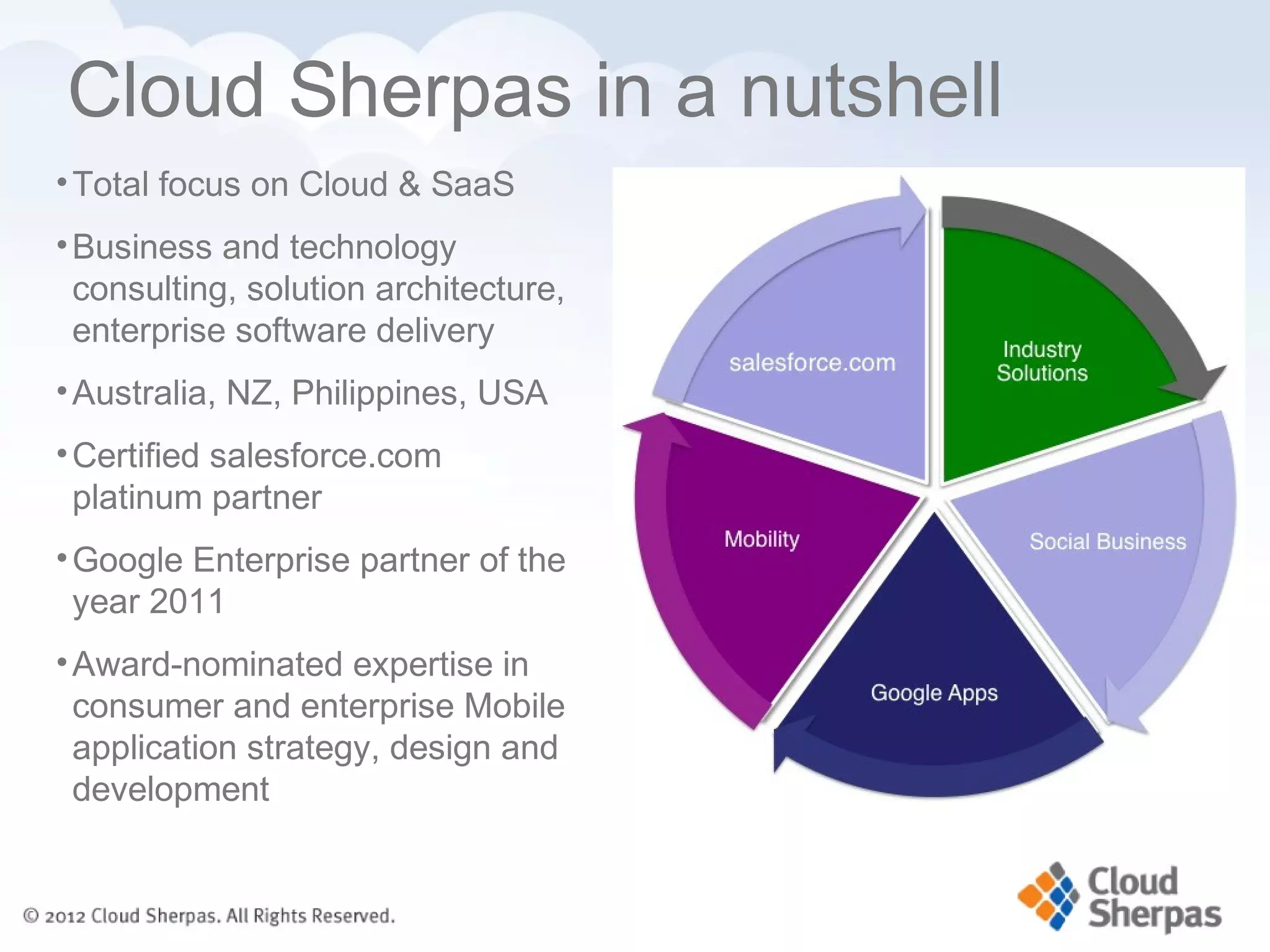
Cloud Sherpas in a nutshell
• Total focus on Cloud & SaaS
• Business and technology
  consulting, solution architecture,
  enterprise software delivery
                                       salesforce.com
• Australia, NZ, Philippines, USA
• Certified salesforce.com
  platinum partner
• Google Enterprise partner of the
  year 2011
• Award-nominated expertise in
  consumer and enterprise Mobile
  application strategy, design and
  development
Media and Social heritage


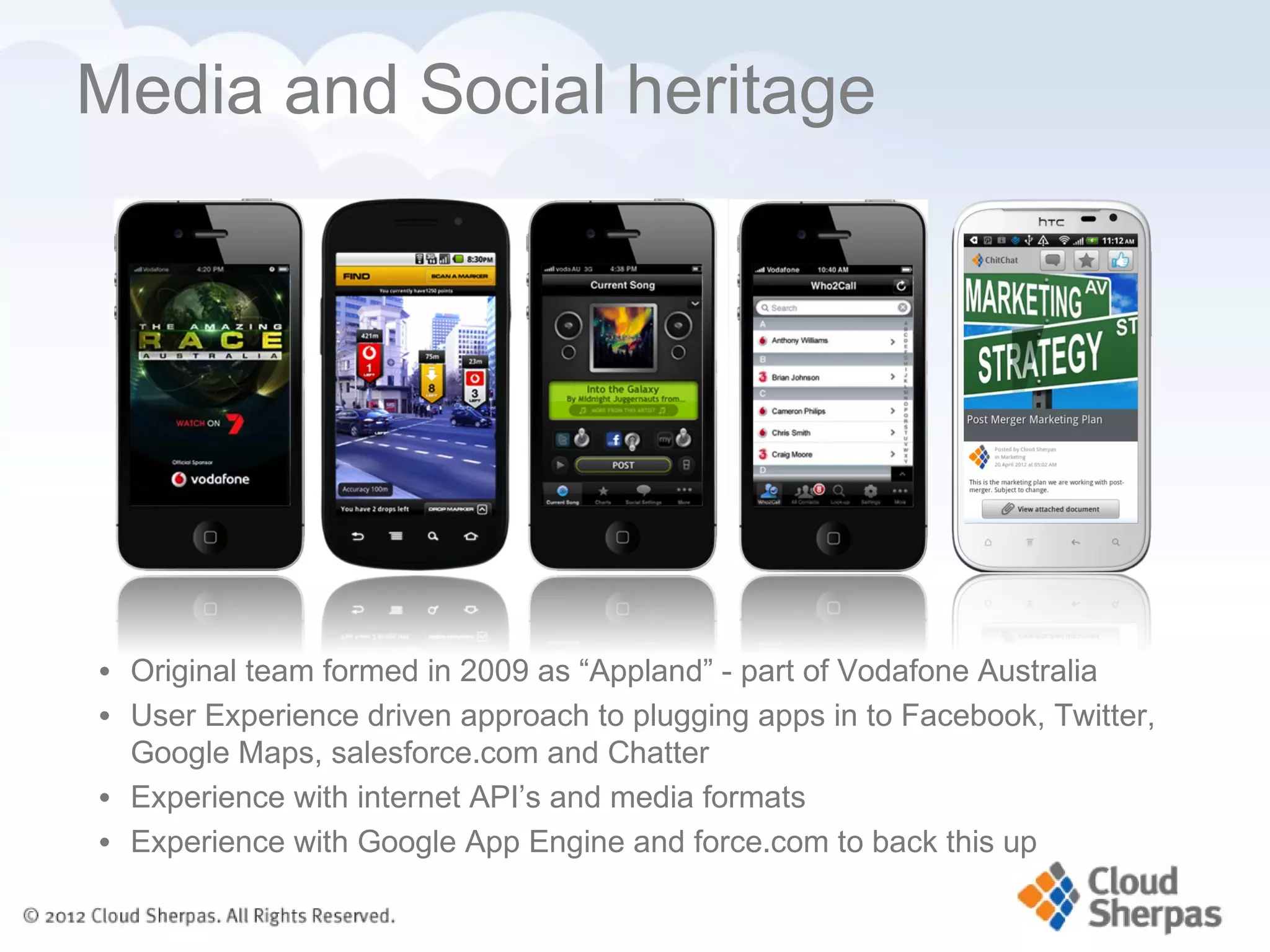
• Original team formed in 2009 as “Appland” - part of Vodafone Australia
• User Experience driven approach to plugging apps in to Facebook, Twitter,
  Google Maps, salesforce.com and Chatter
• Experience with internet API’s and media formats
• Experience with Google App Engine and force.com to back this up
Cricket LIVE Australia


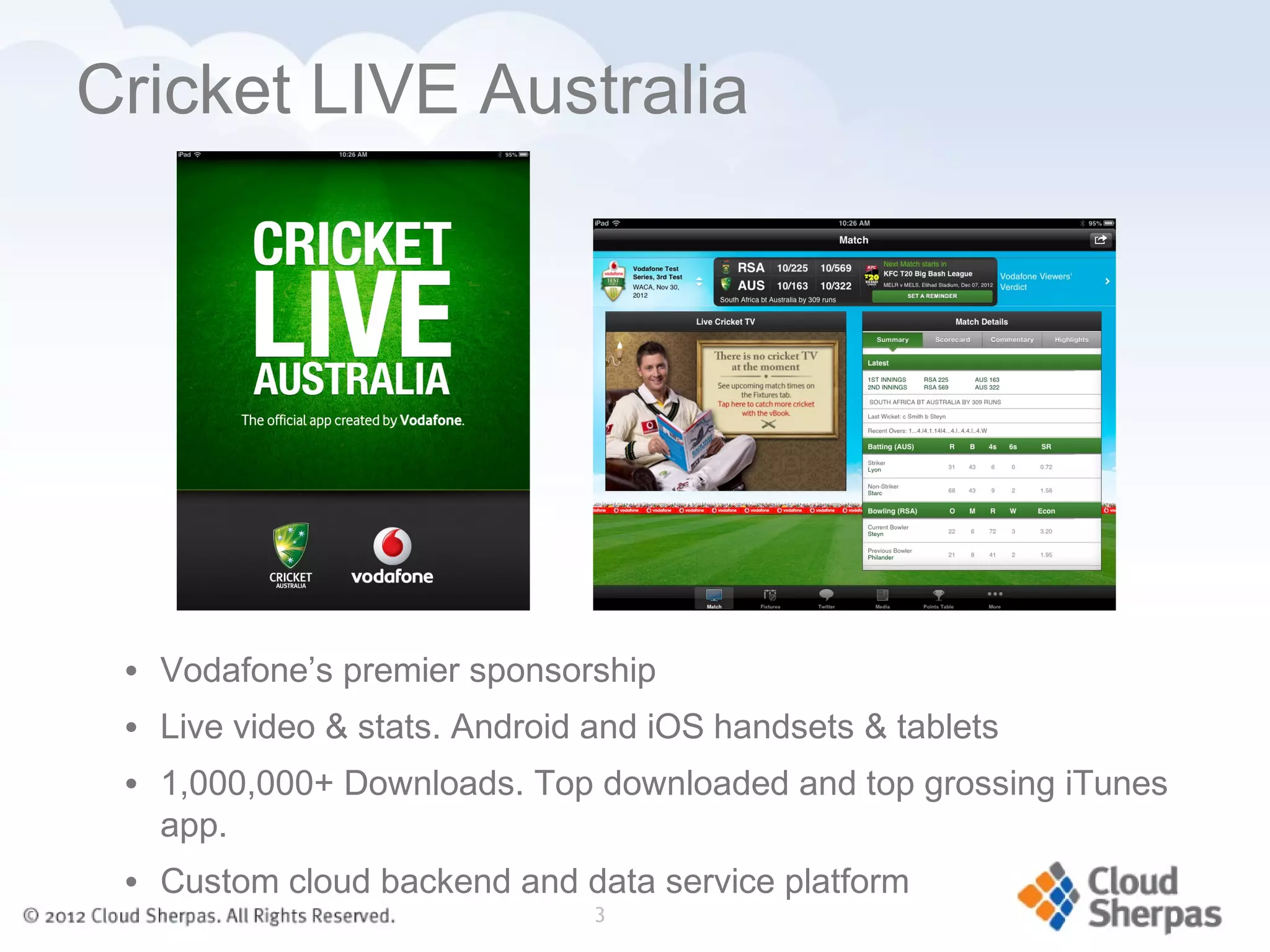
 • Vodafone’s premier sponsorship
 • Live video & stats. Android and iOS handsets & tablets
 • 1,000,000+ Downloads. Top downloaded and top grossing iTunes
   app.
 • Custom cloud backend and data service platform
                               3
Agenda

  •      What does Mobile
         mean

  •      Questions asked. Our
         Wishlist.

  •      Desig
         n tips
What does


Mobile      mean ?
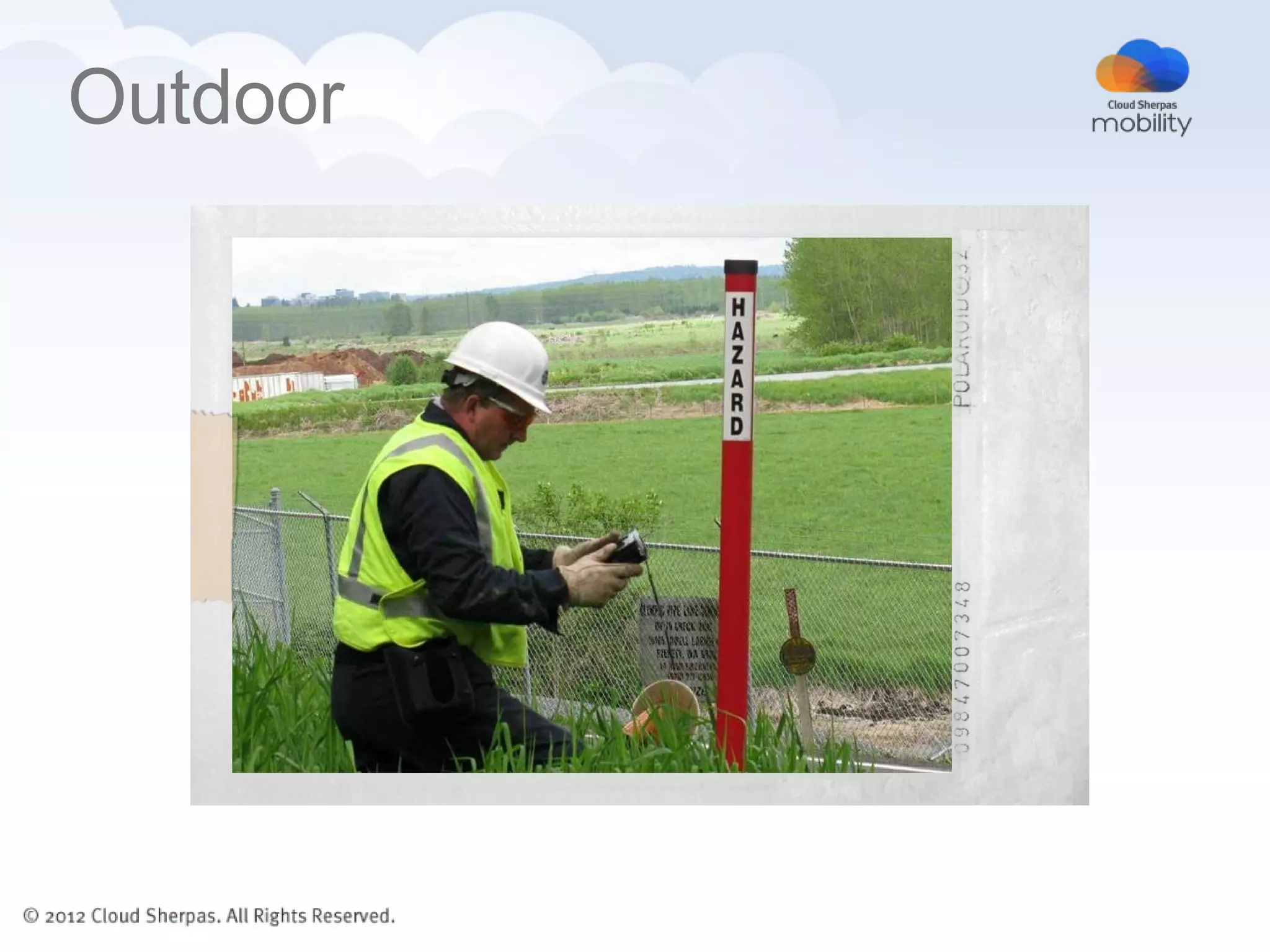
Outdoor
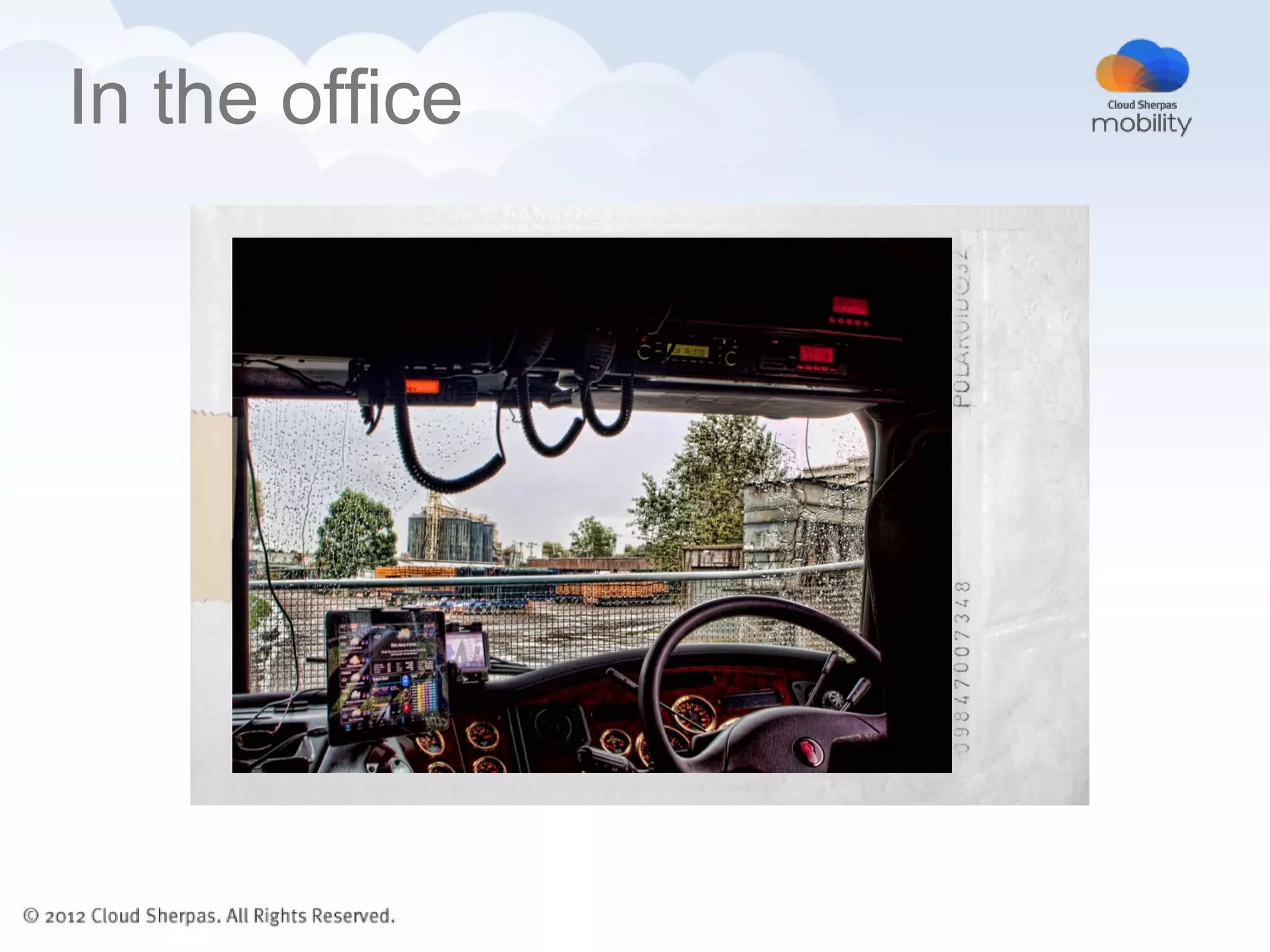
In the office
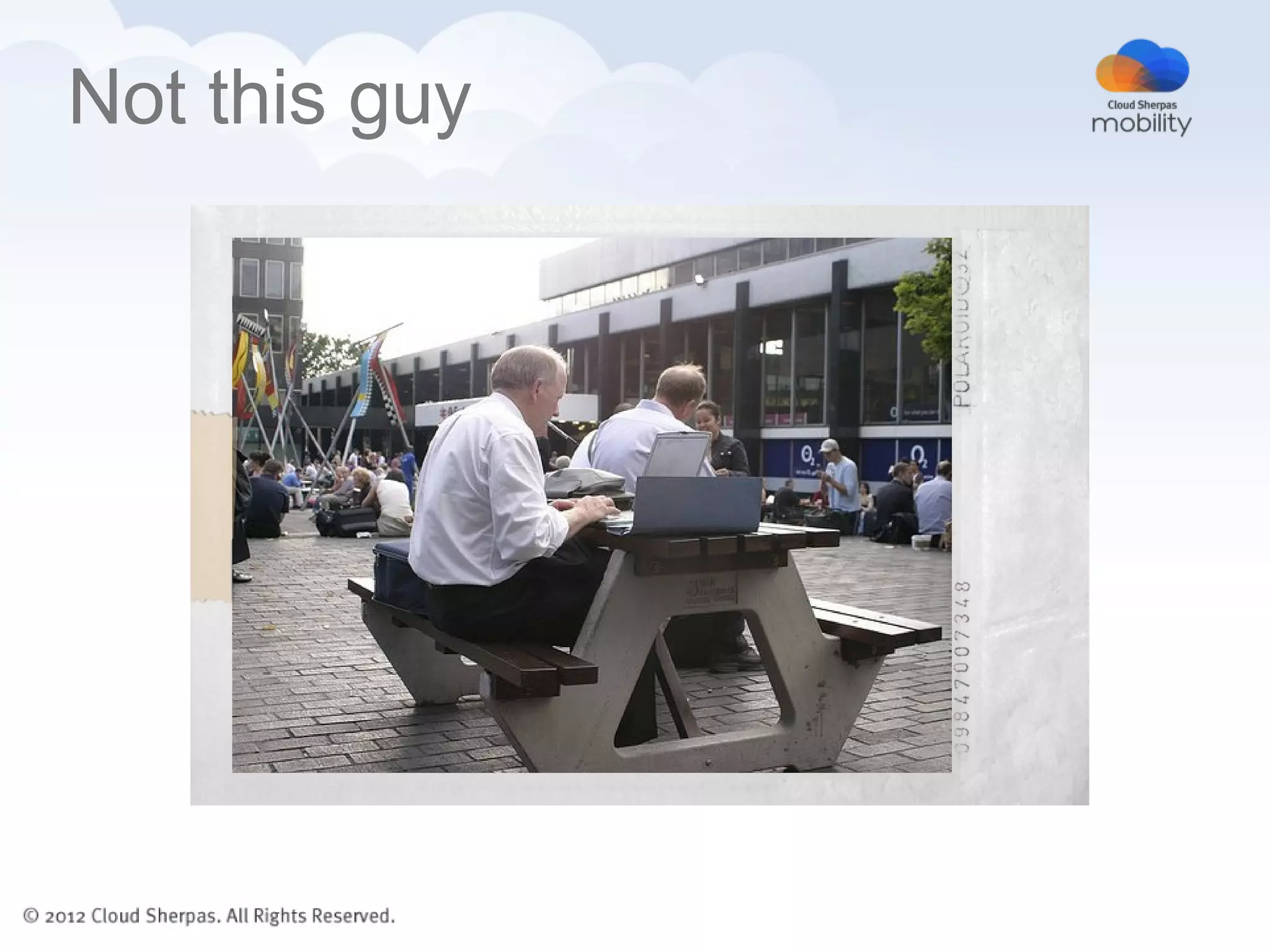
Not this guy
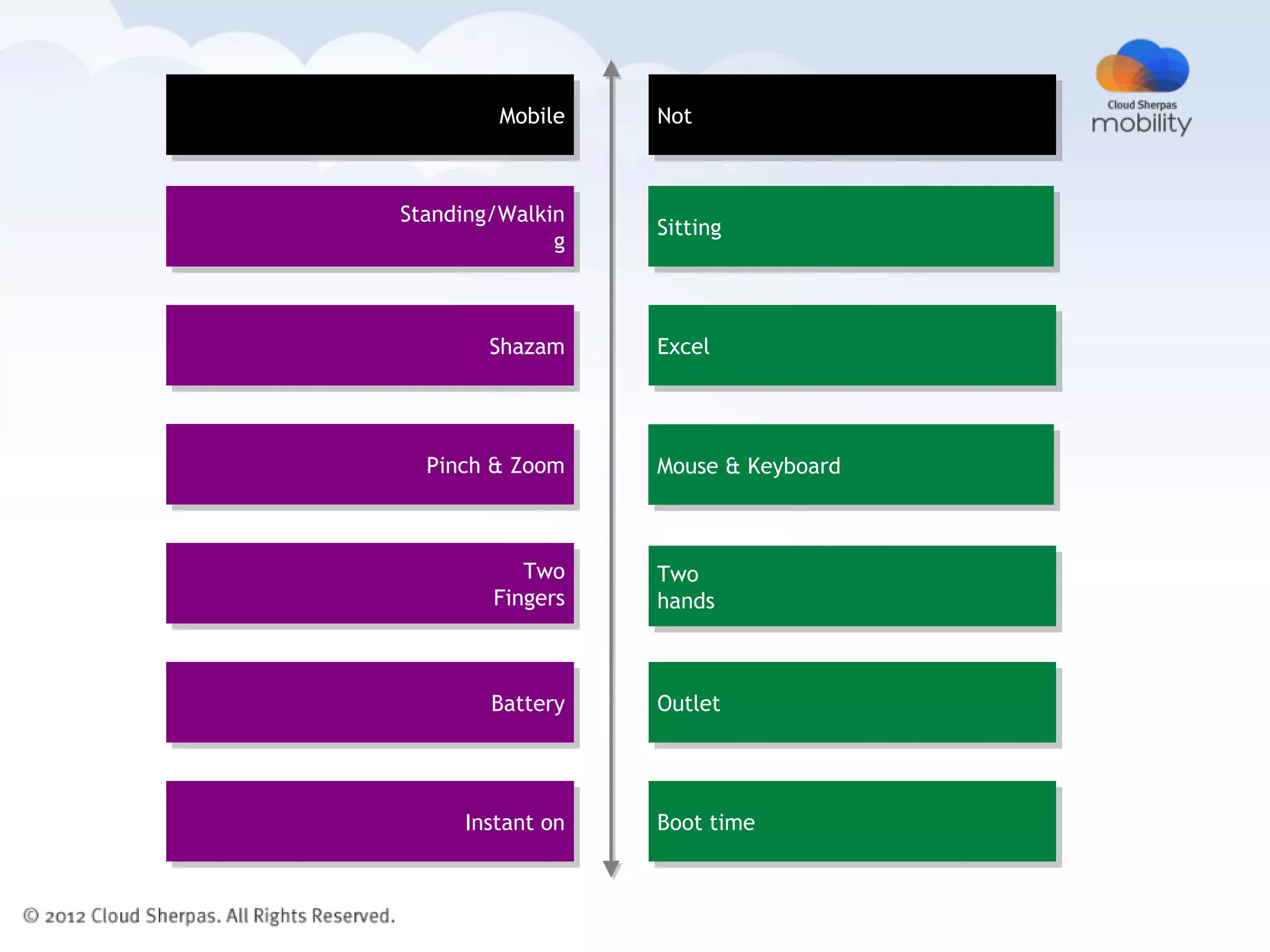
Mobile   Not


Standing/Walkin
                  Sitting
              g


        Shazam    Excel


  Pinch & Zoom    Mouse & Keyboard


           Two    Two
        Fingers   hands


        Battery   Outlet


     Instant on   Boot time
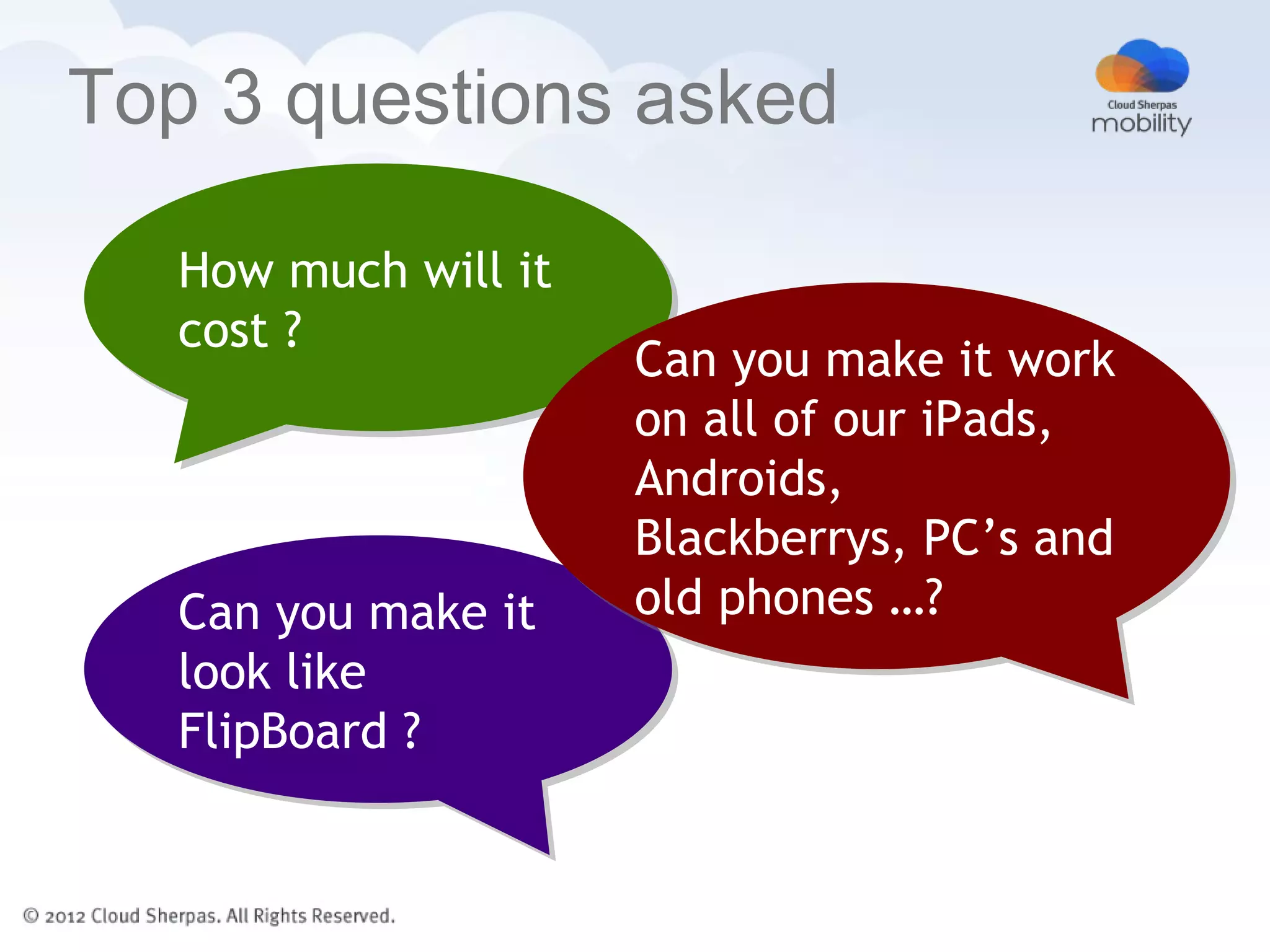
Top 3 questions asked

   How much will it
   cost ?
                      Can you make it work
                      on all of our iPads,
                      Androids,
                      Blackberrys, PC’s and
   Can you make it    old phones …?
   look like
   FlipBoard ?
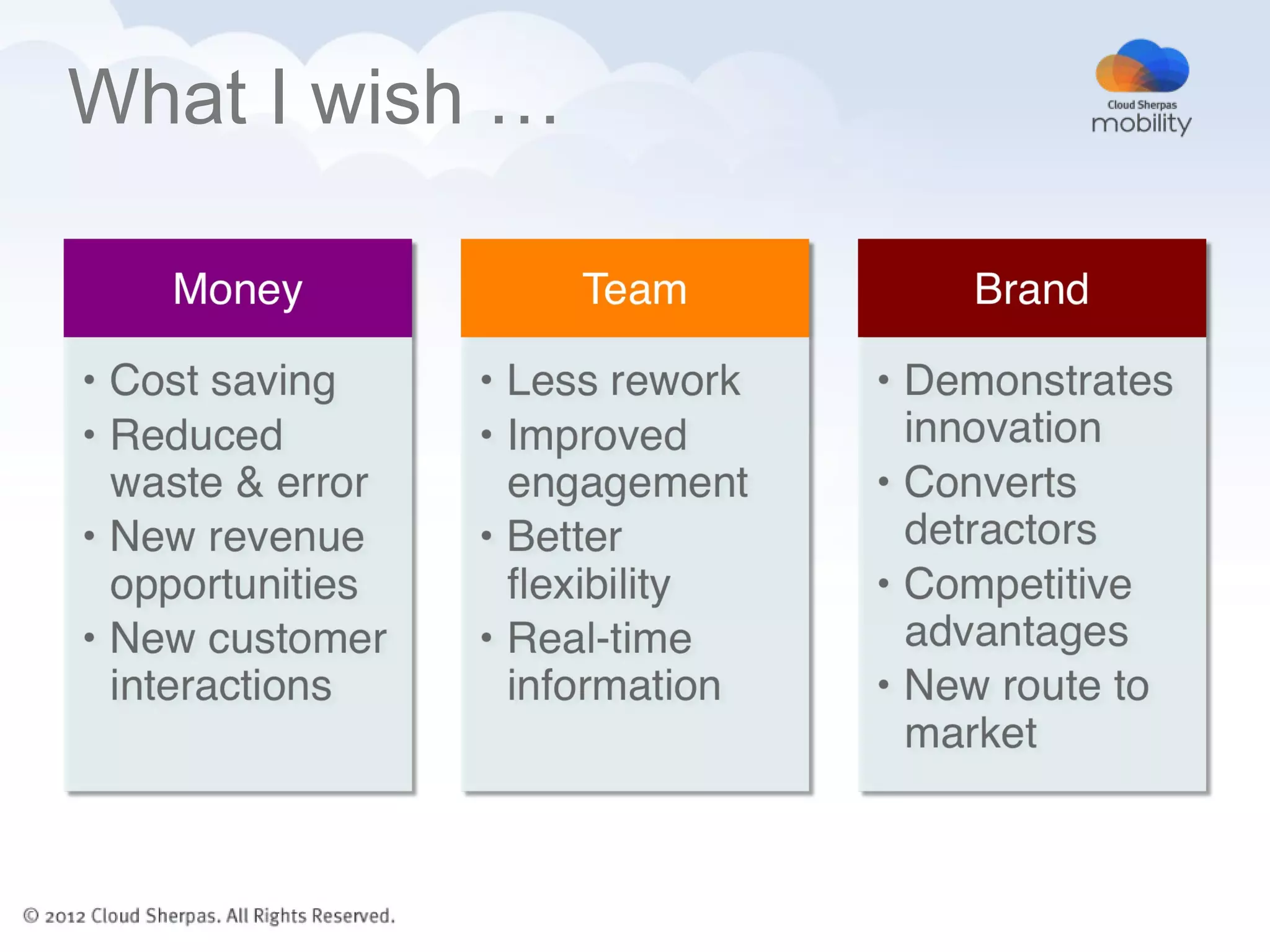
What I wish …
  Can you make us
  more money, or
  save us some ?
                    Can you empower
                    our users ?

  Can you improve
  our brand ?
What I wish …
DocBox


  • Offline viewing of PDF’s – retrieved from salesforce.com
  • Highly visual – leaves a lasting impression on clients
  • Sales notes are saved into Chatter with the document link
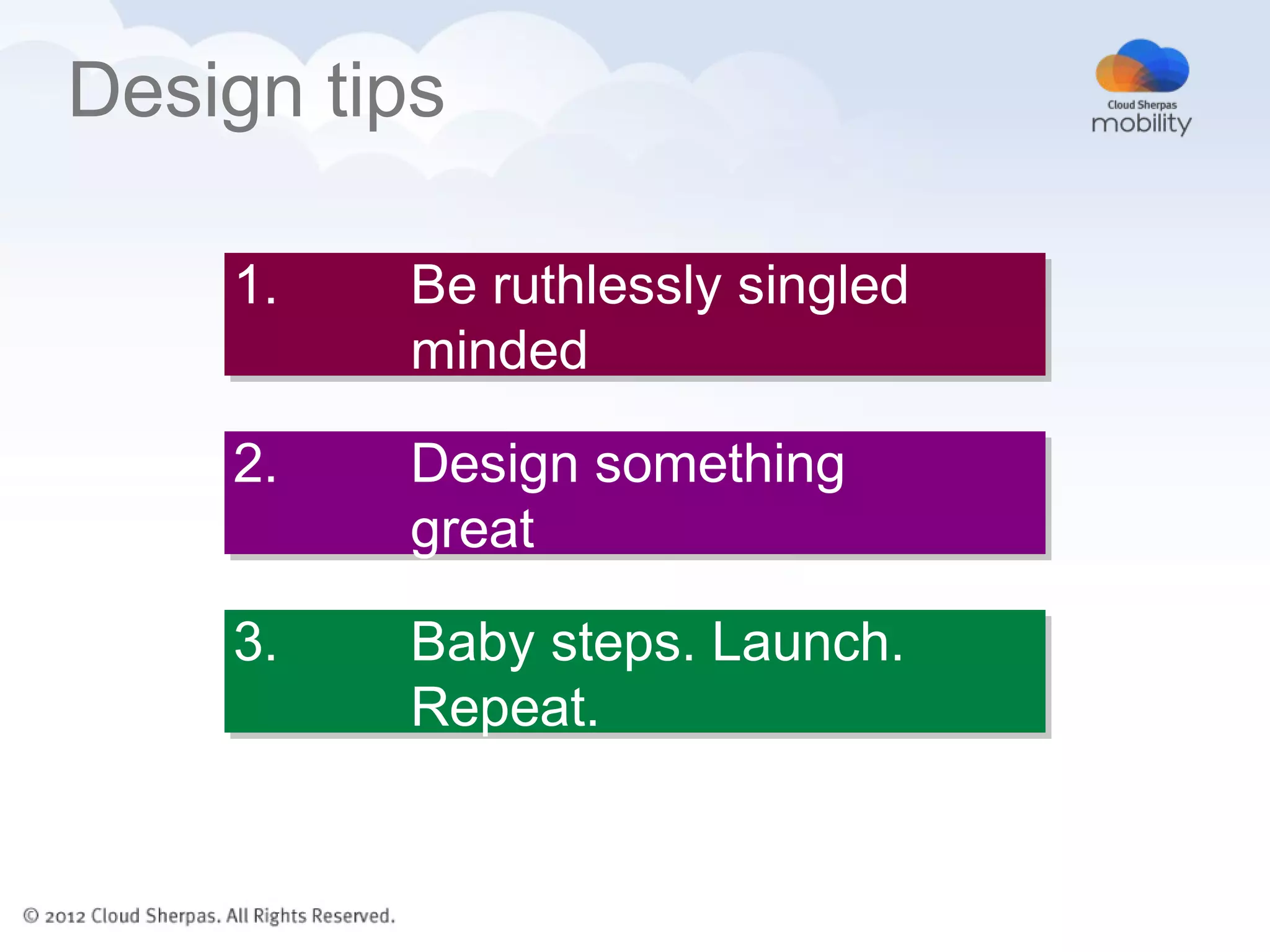
Design tips

    1.   Be ruthlessly singled
         minded

    2.   Design something
         great

    3.   Baby steps. Launch.
         Repeat.
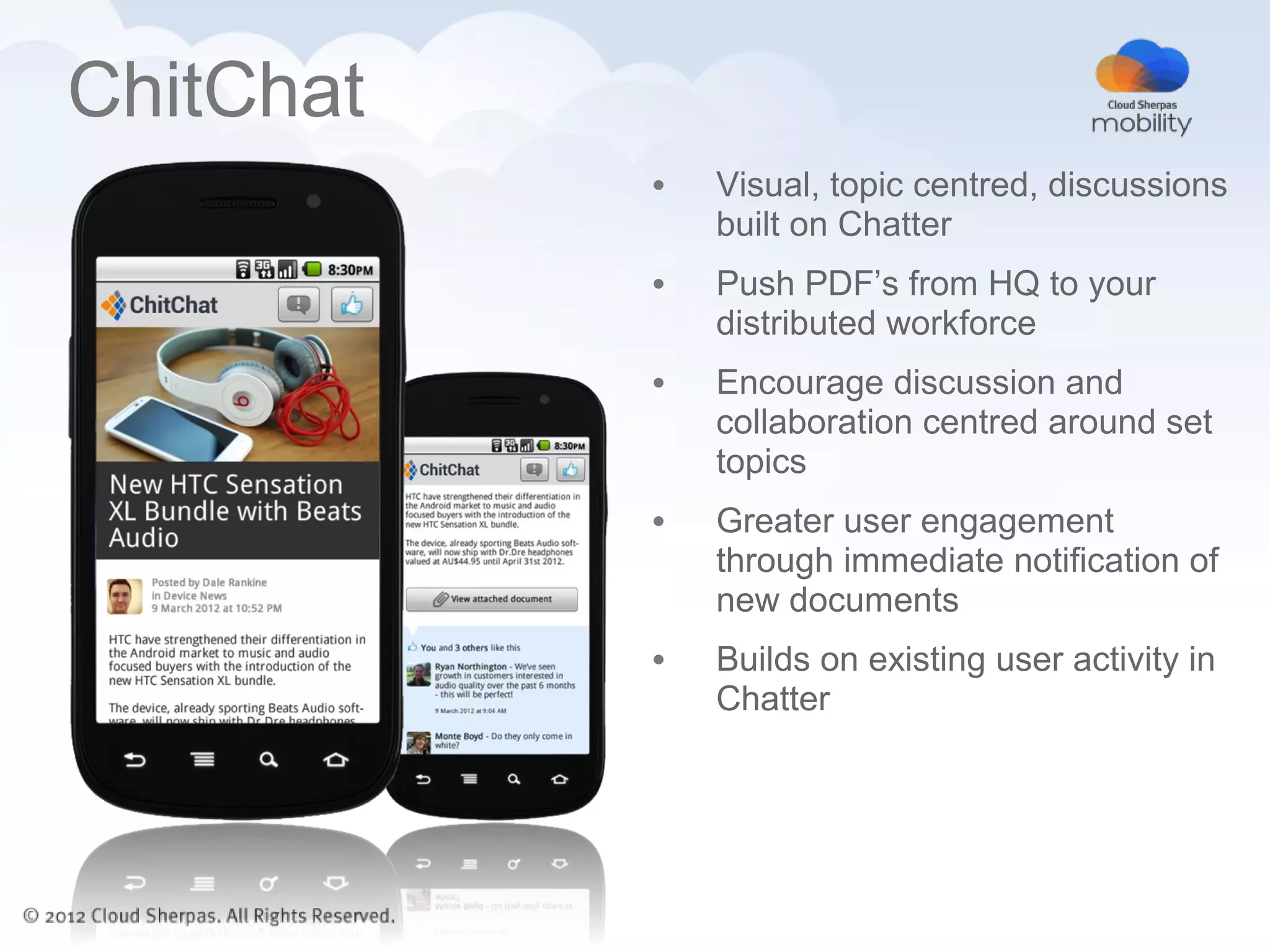
ChitChat
           •   Visual, topic centred, discussions
               built on Chatter
           •   Push PDF’s from HQ to your
               distributed workforce
           •   Encourage discussion and
               collaboration centred around set
               topics
           •   Greater user engagement
               through immediate notification of
               new documents
           •   Builds on existing user activity in
               Chatter
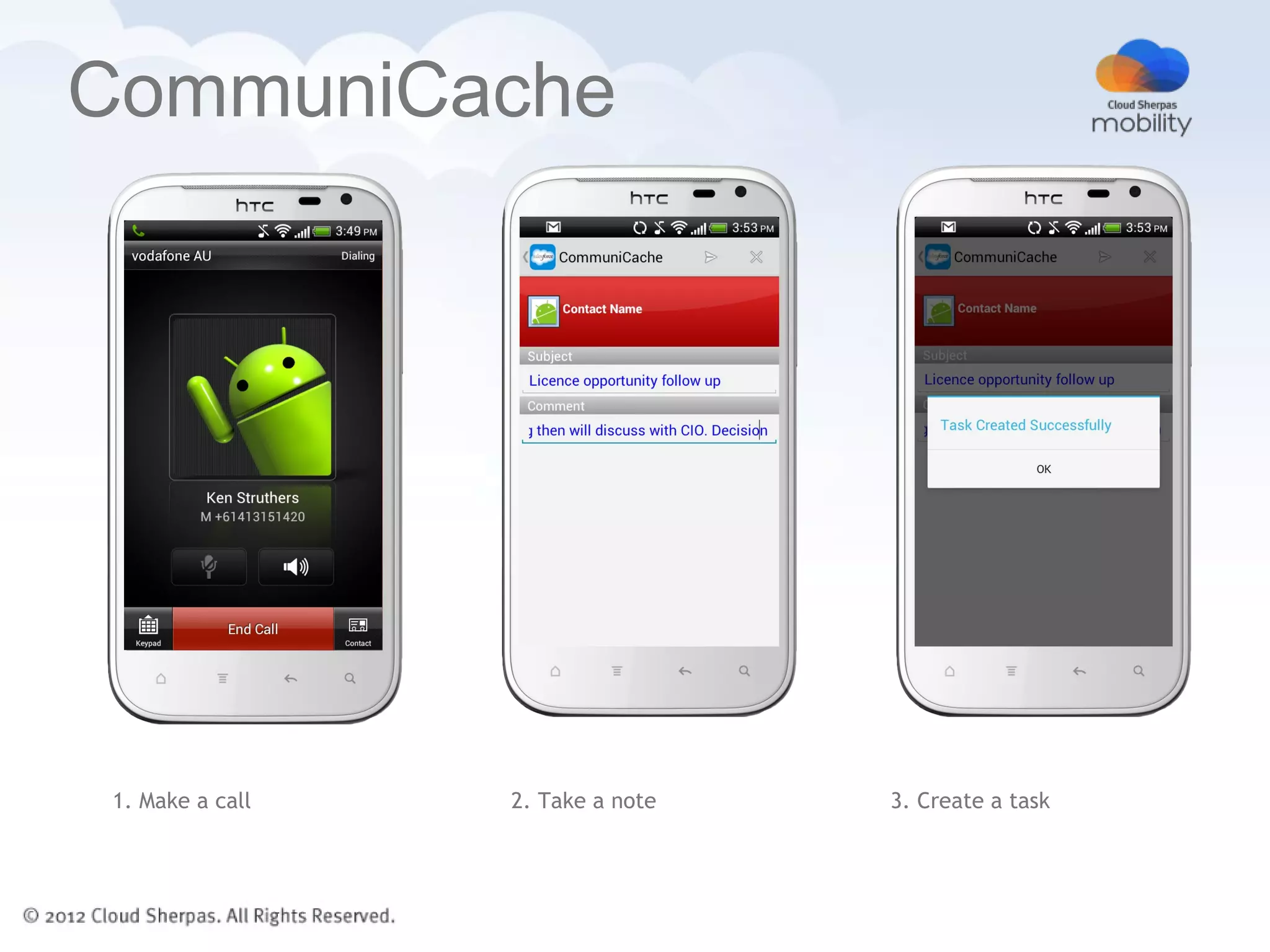
CommuniCache


1. Make a call   2. Take a note   3. Create a task
Recap

  •     What does Mobile
        mean

  •     Questions asked. Our
        Wishlist.

  •     Desig
        n tips
Doug Maloney, VP Mobility

Mobile apps, meet Enterprise

                            dmaloney@cloudsherpas.com
                            @dougmaloney

Dreamforce - mobility in the enterprise

  • 1.
    Doug Maloney, VPMobility Mobile apps, meet Enterprise dmaloney@cloudsherpas.com @dougmaloney
  • 2.
    Cloud Sherpas ina nutshell • Total focus on Cloud & SaaS • Business and technology consulting, solution architecture, enterprise software delivery salesforce.com • Australia, NZ, Philippines, USA • Certified salesforce.com platinum partner • Google Enterprise partner of the year 2011 • Award-nominated expertise in consumer and enterprise Mobile application strategy, design and development
  • 3.
    Media and Socialheritage • Original team formed in 2009 as “Appland” - part of Vodafone Australia • User Experience driven approach to plugging apps in to Facebook, Twitter, Google Maps, salesforce.com and Chatter • Experience with internet API’s and media formats • Experience with Google App Engine and force.com to back this up
  • 4.
    Cricket LIVE Australia • Vodafone’s premier sponsorship • Live video & stats. Android and iOS handsets & tablets • 1,000,000+ Downloads. Top downloaded and top grossing iTunes app. • Custom cloud backend and data service platform 3
  • 5.
    Agenda • What does Mobile mean • Questions asked. Our Wishlist. • Desig n tips
  • 6.
  • 7.
  • 8.
  • 9.
  • 10.
    Mobile Not Standing/Walkin Sitting g Shazam Excel Pinch & Zoom Mouse & Keyboard Two Two Fingers hands Battery Outlet Instant on Boot time
  • 11.
    Top 3 questionsasked How much will it cost ? Can you make it work on all of our iPads, Androids, Blackberrys, PC’s and Can you make it old phones …? look like FlipBoard ?
  • 12.
    What I wish… Can you make us more money, or save us some ? Can you empower our users ? Can you improve our brand ?
  • 13.
  • 14.
    DocBox •Offline viewing of PDF’s – retrieved from salesforce.com • Highly visual – leaves a lasting impression on clients • Sales notes are saved into Chatter with the document link
  • 15.
    Design tips 1. Be ruthlessly singled minded 2. Design something great 3. Baby steps. Launch. Repeat.
  • 16.
    ChitChat • Visual, topic centred, discussions built on Chatter • Push PDF’s from HQ to your distributed workforce • Encourage discussion and collaboration centred around set topics • Greater user engagement through immediate notification of new documents • Builds on existing user activity in Chatter
  • 17.
    CommuniCache 1. Make acall 2. Take a note 3. Create a task
  • 18.
    Recap • What does Mobile mean • Questions asked. Our Wishlist. • Desig n tips
  • 19.
    Doug Maloney, VPMobility Mobile apps, meet Enterprise dmaloney@cloudsherpas.com @dougmaloney

Editor's Notes

  • #2 My name is Doug Maloney, i head up mobility at Cloud Sherpas. Cloud Sherpas is a specialist in designing and deploying cloud solutions with salesforce.com and Google apps for business. I'm very pleased to be here to hopefully pass on A bit of the knowledge and experience that weve gained designing mobile applications in those environments I'll also be using some examples of mobile apps that we've developed at Cloud Sherpas to illustrate the points as we go along.
  • #7 The agenda today is straight to the point. today i want you to walk away from this presentation with a few new thoughts on your approach to mobilizing your company, Whether you are already executing on your mobile strategy, or you are just thinking about what you need to do. Mobility is a broad subject which includes devices, security, device management etc, but today I'll just be talking about what most people are already very familiar with, and thats apps and how they relate to business I'll go through our definition of mobile, on to a few questions that we are regularly asked, then a few design tips
  • #8 It's important that we are clear on the context here. So what is mobile ? Im going to talk to some use cases that do and dont illustrate mobile. This is my definition . Happy to discuss afterward if you have a different view
  • #9 This is a great example of a mobile use case. This guy has some kind of device that he is using literally out in the field. He needs something that will work with one hand, when he is literally up to his ass in grass. Think about the device and the interface he needs. Something that's designed for the purpose and is uncomplicated, to the point, and let's him get his job done.
  • #10 Here's another great one. This is a shot from inside an Australian lady truck drivers cab. She refers to this as the office. As you can see, lots of lights and devices in the cab, several radios, what looks like an iPhone and an iPad. This office is kitted out with the tools that are needed to do the job. The iPad is running an app that shows the weather up ahead,and I expect it needs to be operated with one hand. Probably totally illegal as well, I'm guessing. Along the road this needs to happily deal with changing network conditions.
  • #11 Mobile for me is not this guy. He's found a comfy seat, probably near some wifi, he's unpacked his bag, booted up his pc, probably had to use one of those security dongle things to log onto a work network. We've all done it. The acceleration of take up of smartphones and tablets is making this situation less common, and this is not the situation that we are interested in
  • #12 So here's a different illustration of mobile vs. non mobile.
  • #13 Once a business has identified that they have a mobile problem looking for a solution, they usually ask us one or all of these questions Answer to 1 is “it depends” – which is not very helpful – but it really does depend what is being asked for. A more reasonable question might be “how long will it take ?”. A mobile solution can be deployed within a matter of weeks, or months, rarely can it be done in a few days. We normally find that unless you are going with a preexisting solution that exactly fits what you want, just working out the scope then designing it can take a couple of weeks. Answer to 2 is “within limits” – it’s best to work out what your real target devices are, and whether there is any actual benefit trying to target older devices. If you have a bunch of high end devices like iPads do you really want to dumb down that experience to the lowest common denominator Answer 3 is “yes, but it will take some time” –everybody loves the flipboard animations. Is this going to really suit your use case ?
  • #14 What we wish people would ask us – cause these are the most important questions to answer. A solid mobile solution can assist in all 3 areas.
  • #16 Example of reducing cost through using offline docs instead of paper Brand impact – competitive advantage - makes the client discussions slick and better than your competitors
  • #17 What to do when you’ve realised you have a mobile problem to solve….. Be single minded Aim to do one or (maybe) two things very well. Add only what is absolutely needed. Be ruthless. Design something great Users need to want to use it every day Try to find a way to use the device capabiltiies – camera, compass, orientation, location … Find a group of users or a use-case where mobile adds to the working experience Learn what works, refine and re-release Listen to your users Don’t be scared to take away functionality You might need to add another mobile app to address other use cases
  • #18 Example of solving a single problem – reduce three systems into one (chatter, email, doc repository)
  • #19 Example of a very specifically mobile use-case Don’t try to replicate all of salesforce.com onto a mobile device – just choose which workflow or use-case to address.