Data Communication and Computer Network
The Internet
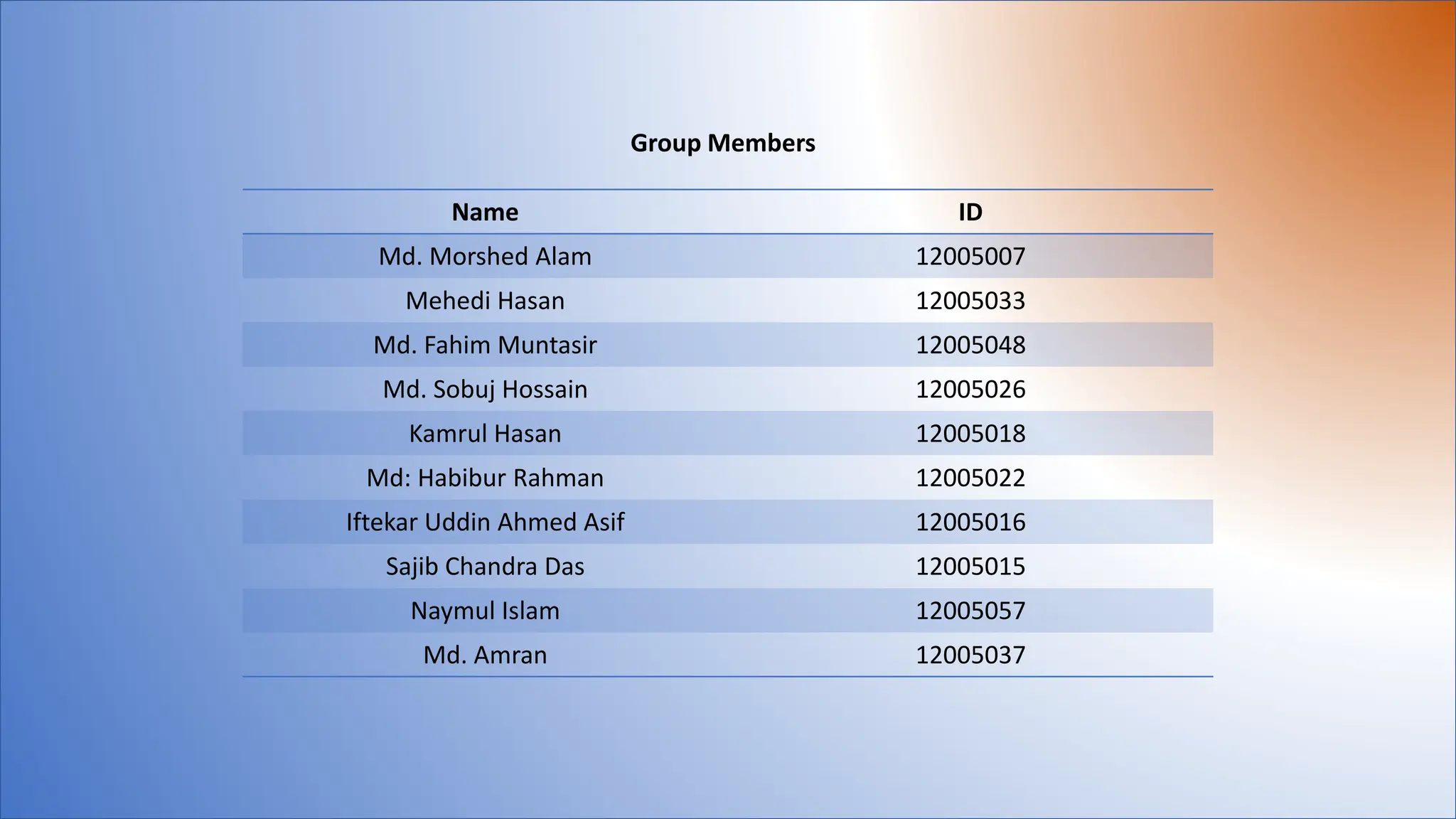
Group Members
Name ID
Md. Morshed Alam 12005007
Mehedi Hasan 12005033
Md. Fahim Muntasir 12005048
Md. Sobuj Hossain 12005026
Kamrul Hasan 12005018
Md: Habibur Rahman 12005022
Iftekar Uddin Ahmed Asif 12005016
Sajib Chandra Das 12005015
Naymul Islam 12005057
Md. Amran 12005037
ID-12005005
 Basic elements of a communication system.
 Data transmission models.
 Data Transmission speed.
01
Md. Morshed Alam
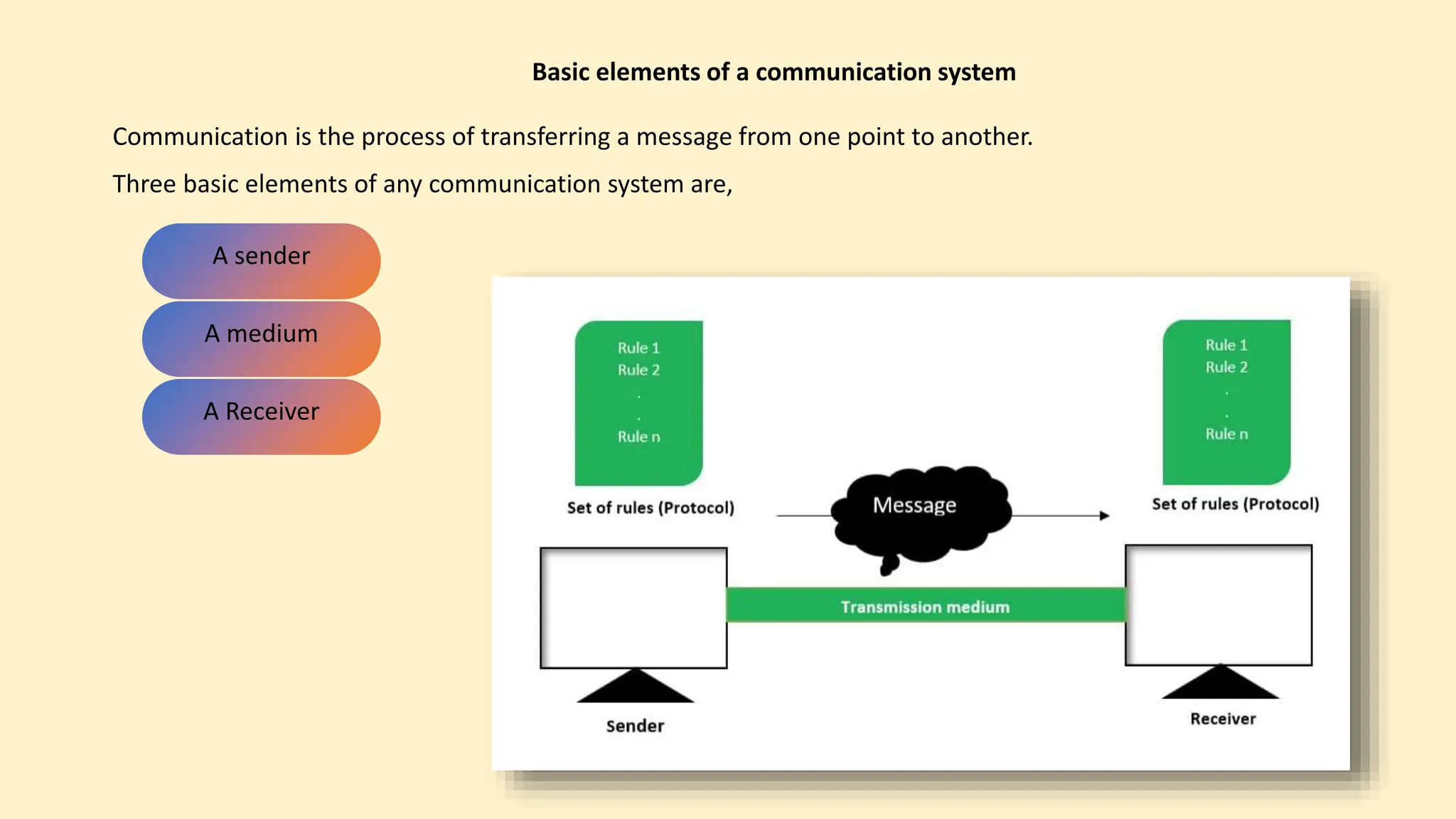
Communication is the process of transferring a message from one point to another.
Three basic elements of any communication system are,
Basic elements of a communication system
A sender
A medium
A Receiver
The three model of data transmission are
Data transmission models
Simplex
Half- duplex and
Full-duplex
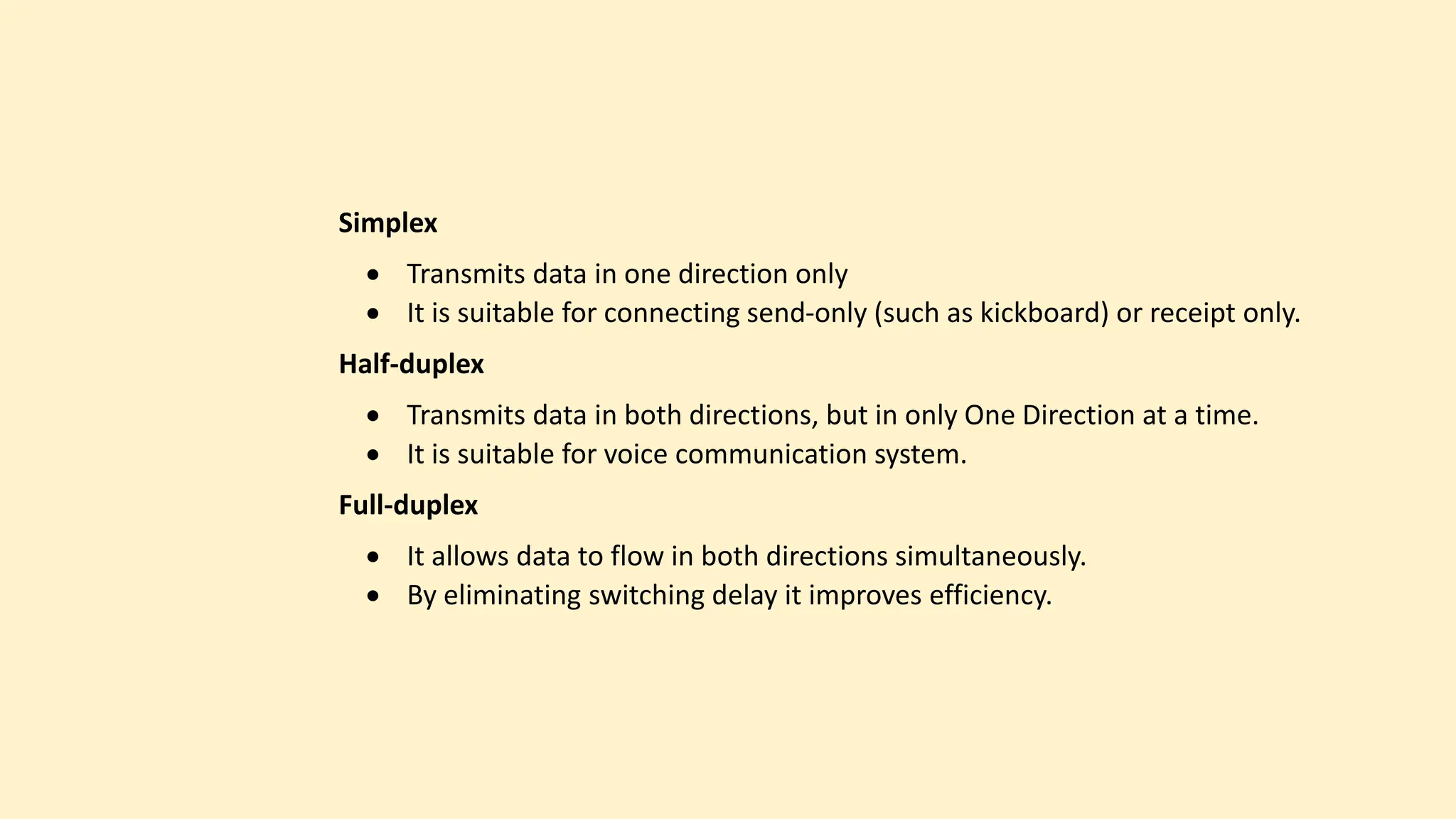
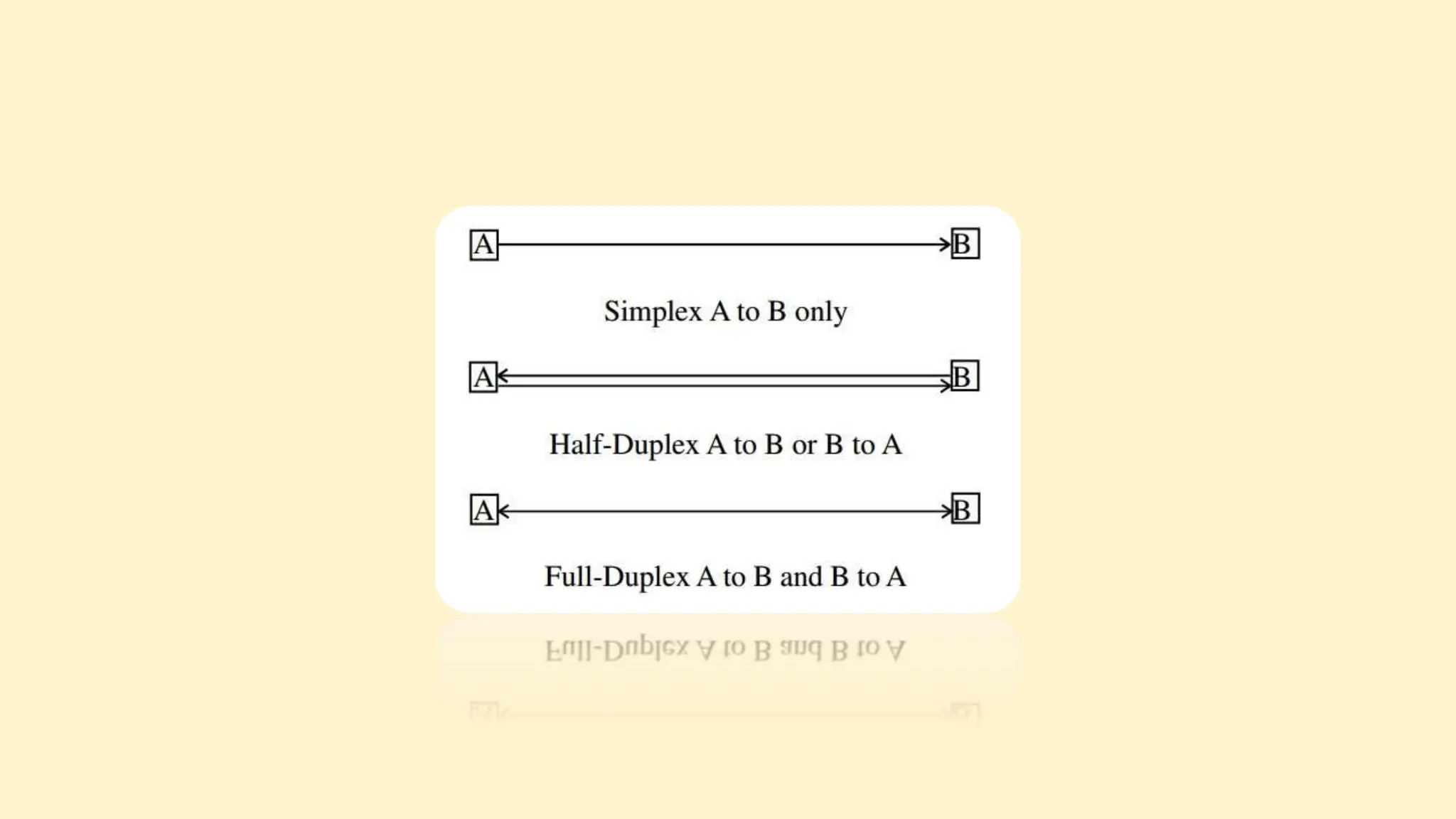
Simplex
 Transmits data in one direction only
 It is suitable for connecting send-only (such as kickboard) or receipt only.
Half-duplex
 Transmits data in both directions, but in only One Direction at a time.
 It is suitable for voice communication system.
Full-duplex
 It allows data to flow in both directions simultaneously.
 By eliminating switching delay it improves efficiency.
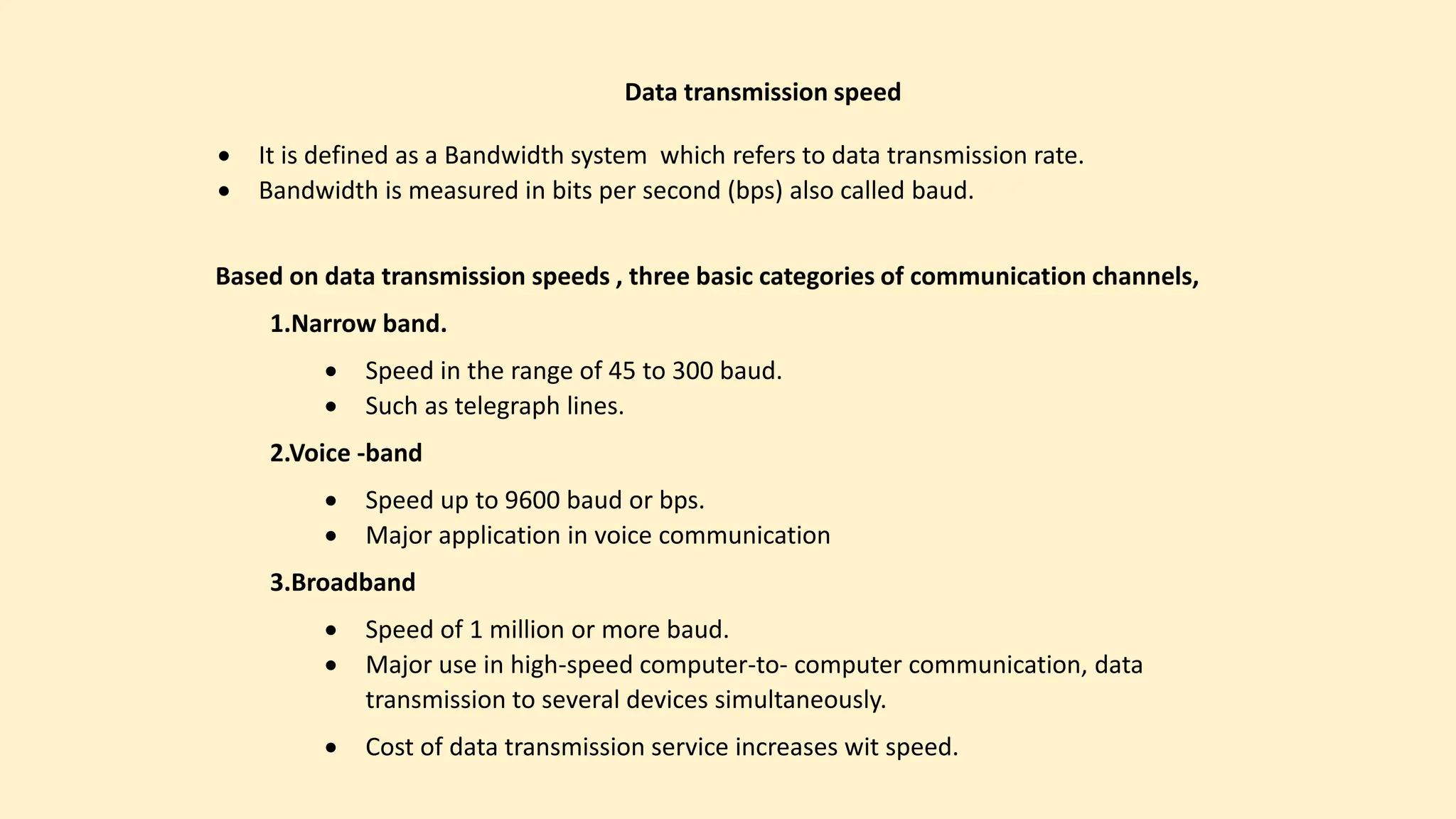
 It is defined as a Bandwidth system which refers to data transmission rate.
 Bandwidth is measured in bits per second (bps) also called baud.
Data transmission speed
Based on data transmission speeds , three basic categories of communication channels,
1.Narrow band.
 Speed in the range of 45 to 300 baud.
 Such as telegraph lines.
2.Voice -band
 Speed up to 9600 baud or bps.
 Major application in voice communication
3.Broadband
 Speed of 1 million or more baud.
 Major use in high-speed computer-to- computer communication, data
transmission to several devices simultaneously.
 Cost of data transmission service increases wit speed.
ID-12005033
 Data transmission Media
02
Mehedi Hasan
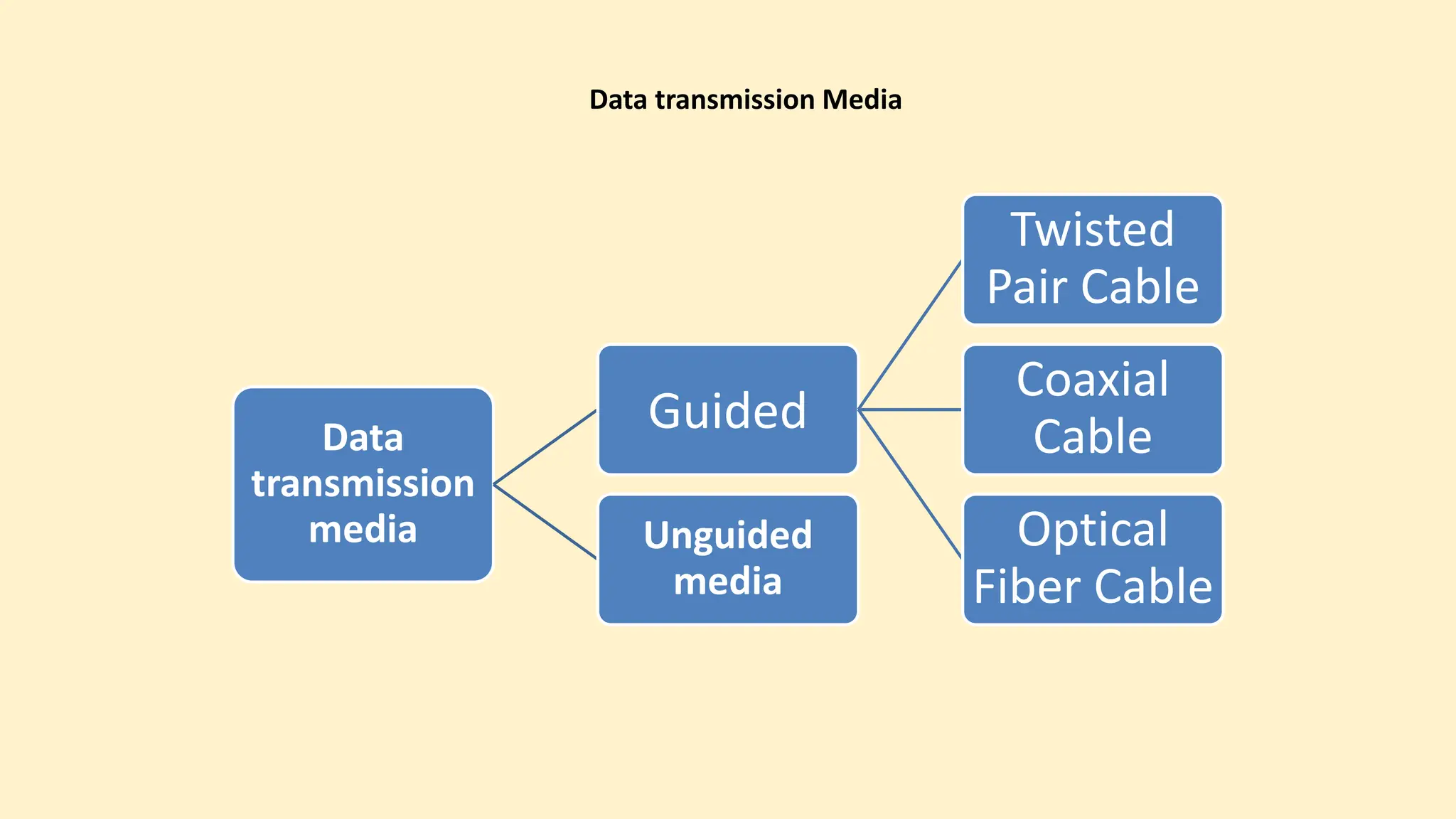
Data transmission Media
Data
transmission
media
Guided
Twisted
Pair Cable
Coaxial
Cable
Optical
Fiber Cable
Unguided
media
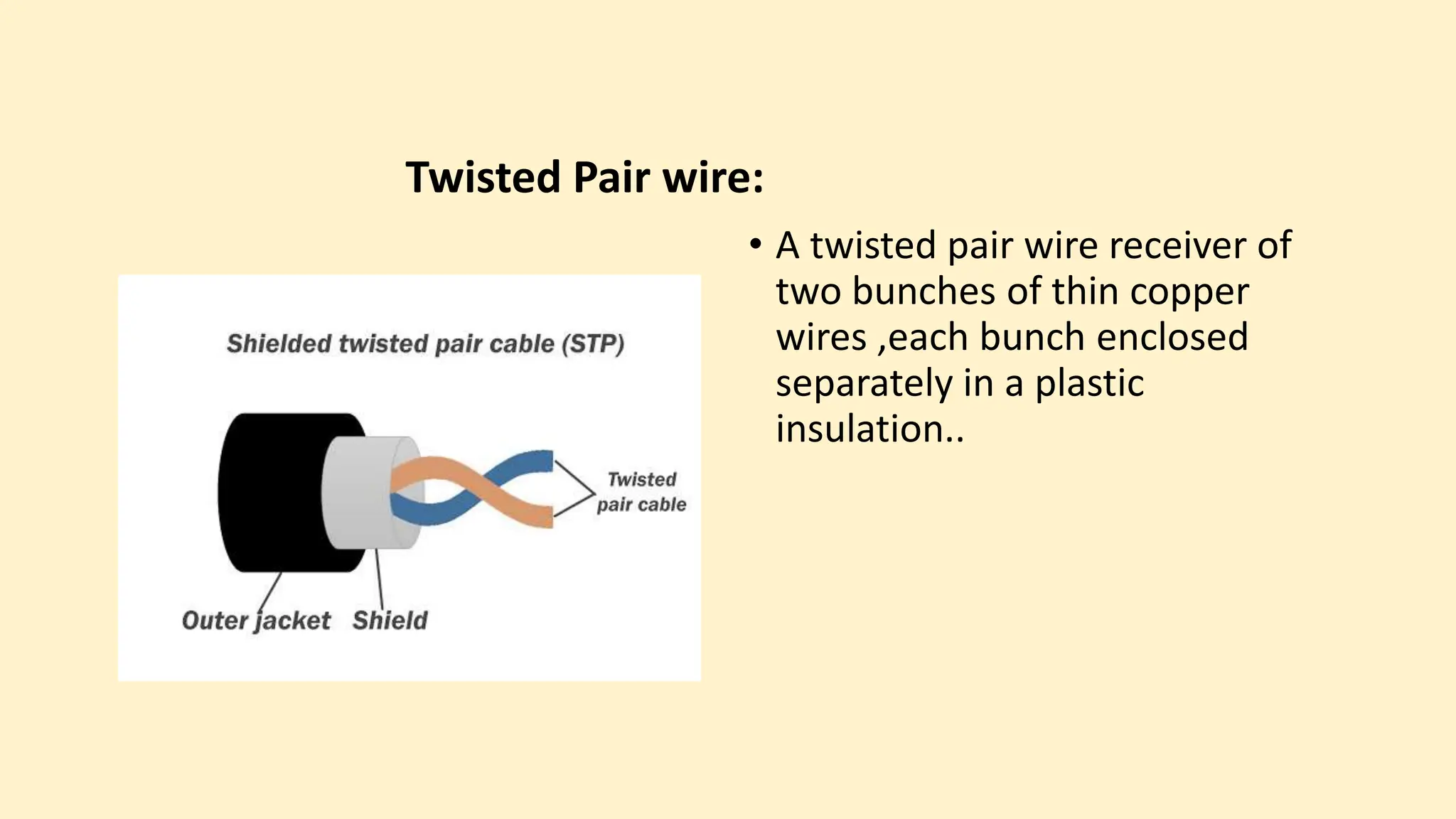
Twisted Pair wire:
• A twisted pair wire receiver of
two bunches of thin copper
wires ,each bunch enclosed
separately in a plastic
insulation..
Twisted pair wire Uses:
Local telephone communications.
Short distance up to 1 km digital data transmission.
Connect computer to terminal to main computer.
Data speed highest 1200 bps.
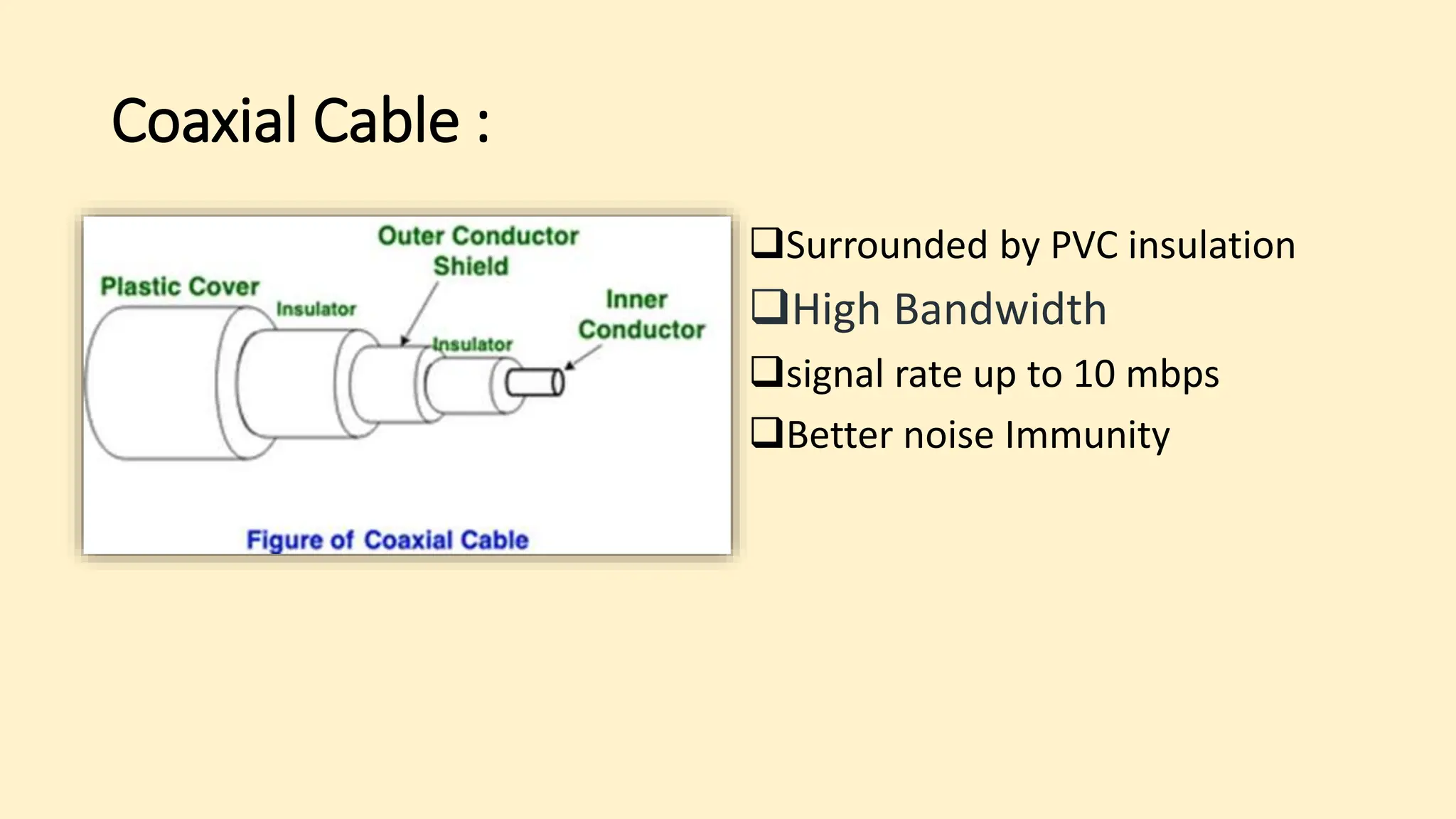
Coaxial Cable :
Surrounded by PVC insulation
High Bandwidth
signal rate up to 10 mbps
Better noise Immunity
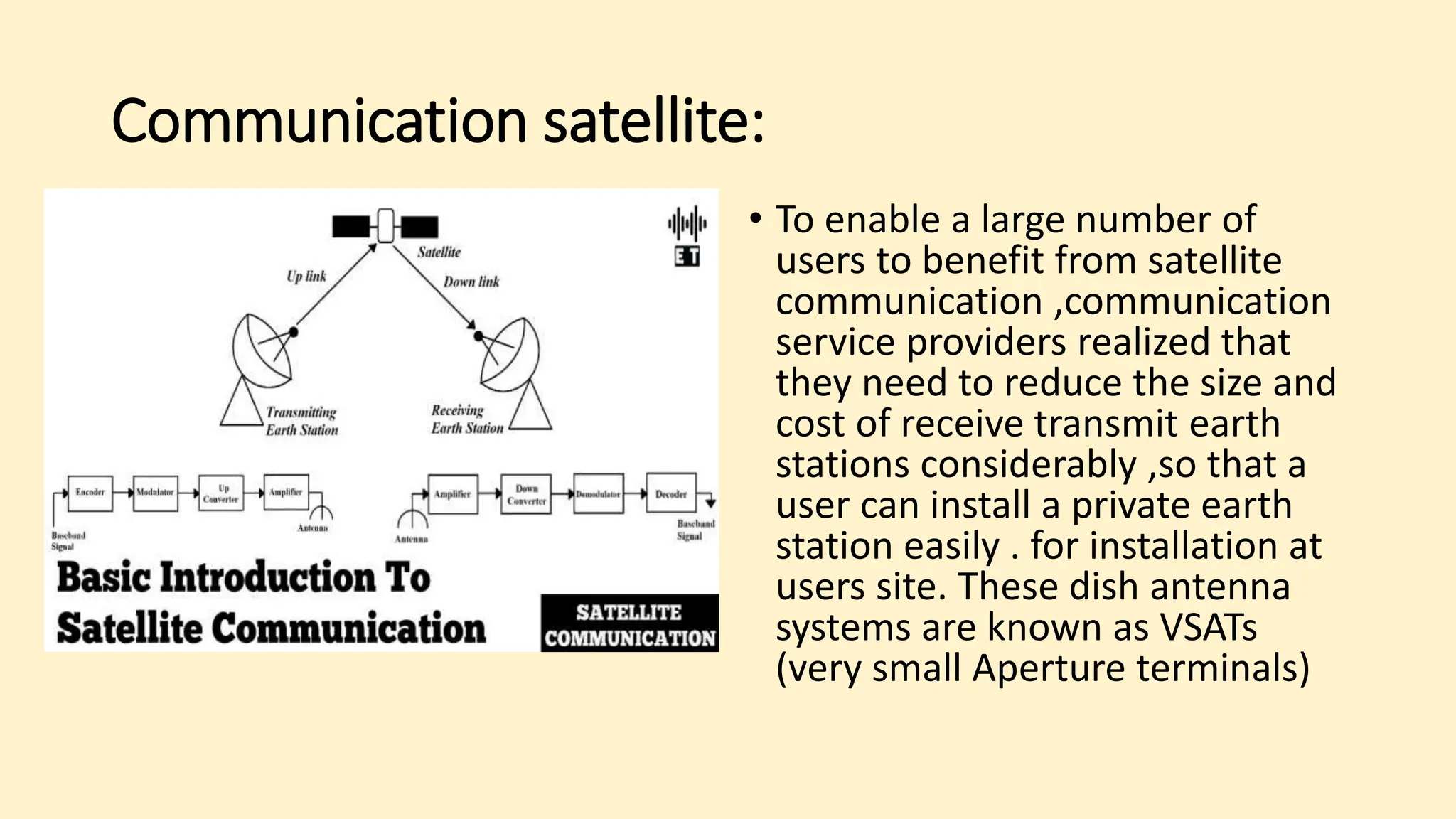
Communication satellite:
• To enable a large number of
users to benefit from satellite
communication ,communication
service providers realized that
they need to reduce the size and
cost of receive transmit earth
stations considerably ,so that a
user can install a private earth
station easily . for installation at
users site. These dish antenna
systems are known as VSATs
(very small Aperture terminals)
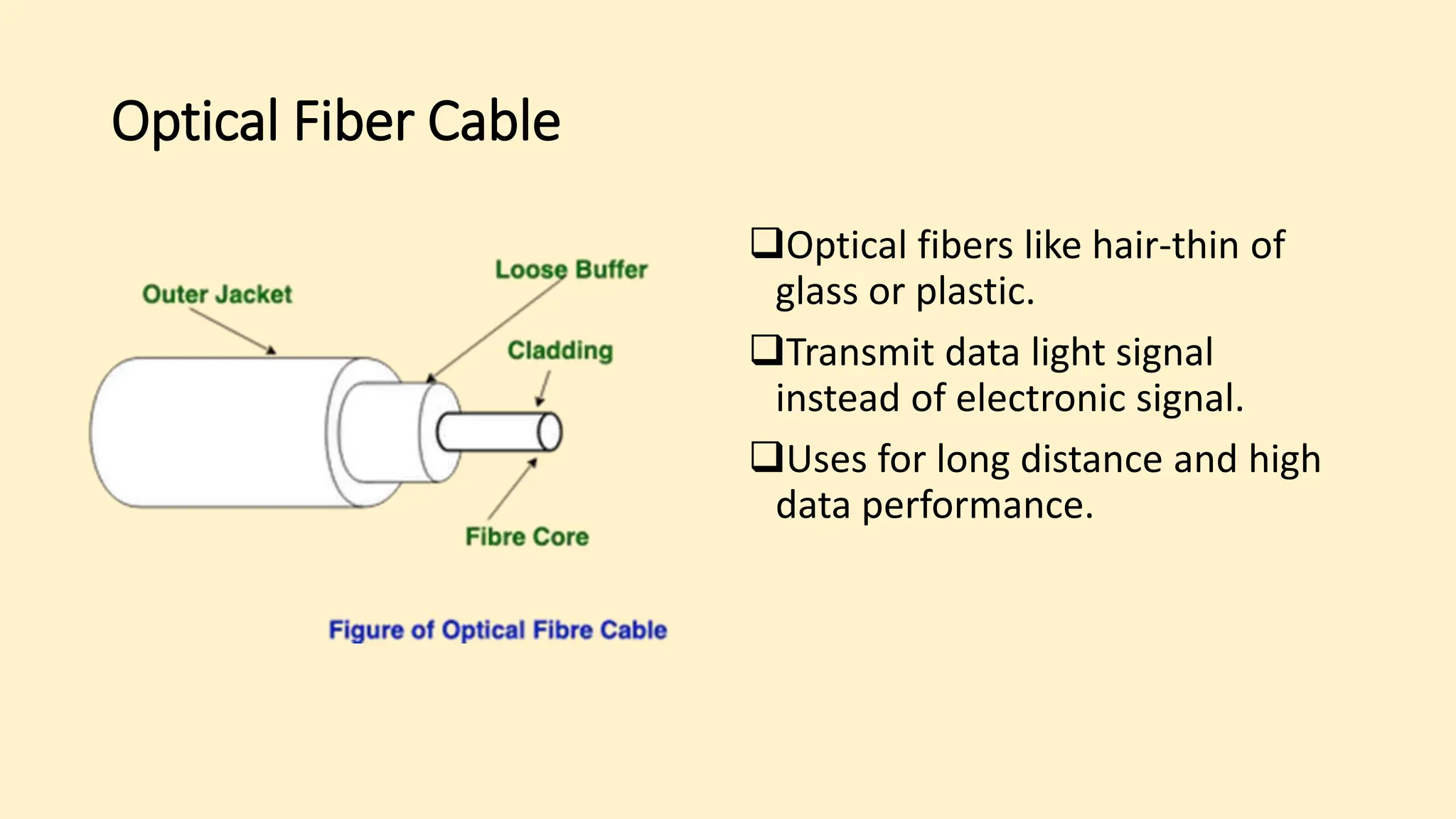
Optical Fiber Cable
Optical fibers like hair-thin of
glass or plastic.
Transmit data light signal
instead of electronic signal.
Uses for long distance and high
data performance.
Advantages:
• Large bandwith
• Low loss
• Immunity to electromagnetic interference
• Small size and lightwieht
• Security
• Safety and electronical insulation
• Analog and digital signals transmission
Disadvantages:
• Difficult to install and maintain
• High cost
• Fragile
Applications:
• Medical Purpose: Used in several types of medical instruments.
• Defence Purpose: Used in transmission of data in aerospace.
ID-12005048
 Digital and Analog data Transmission
03
Md. Fahim Muntasir
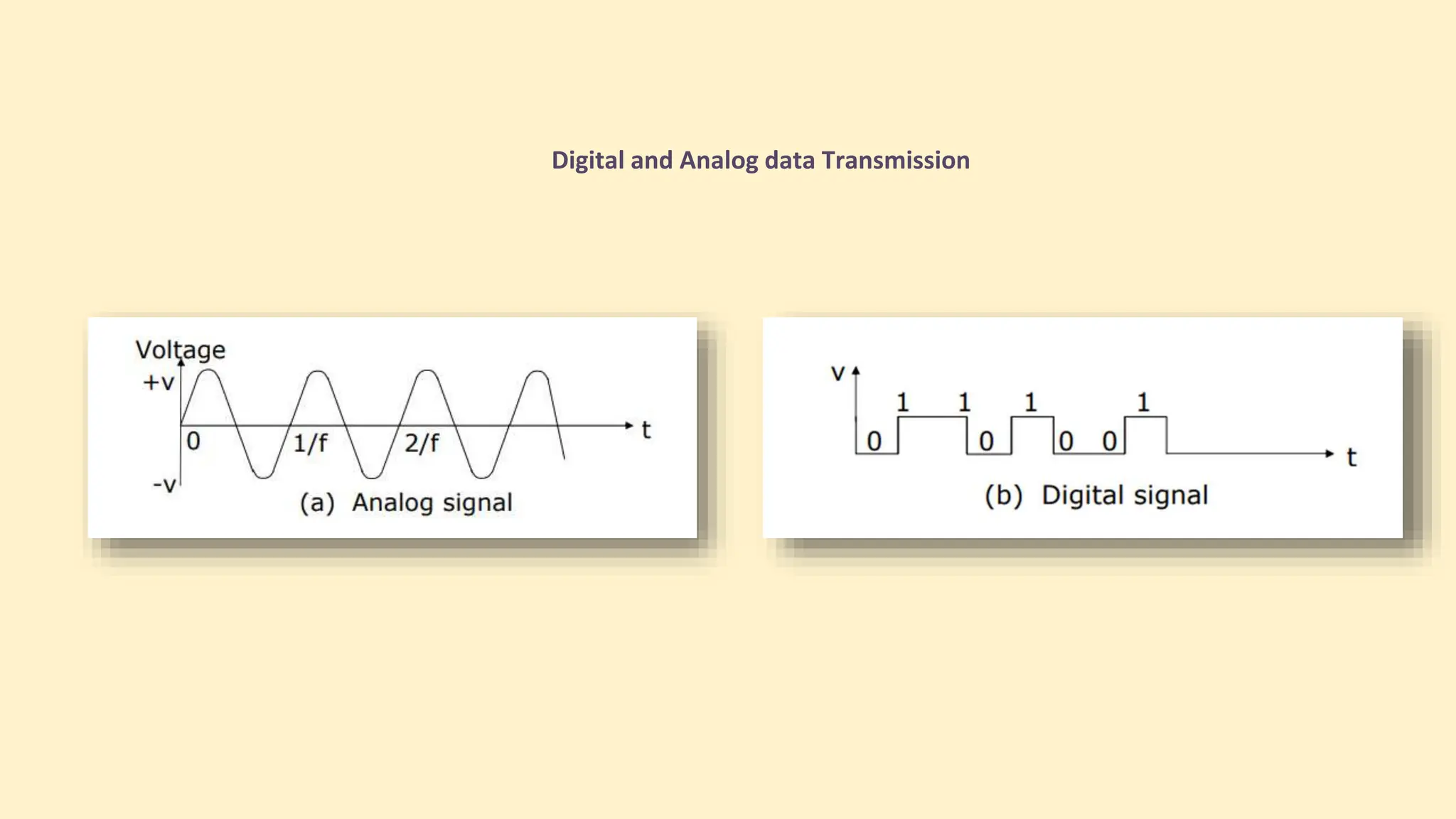
Digital and Analog data Transmission
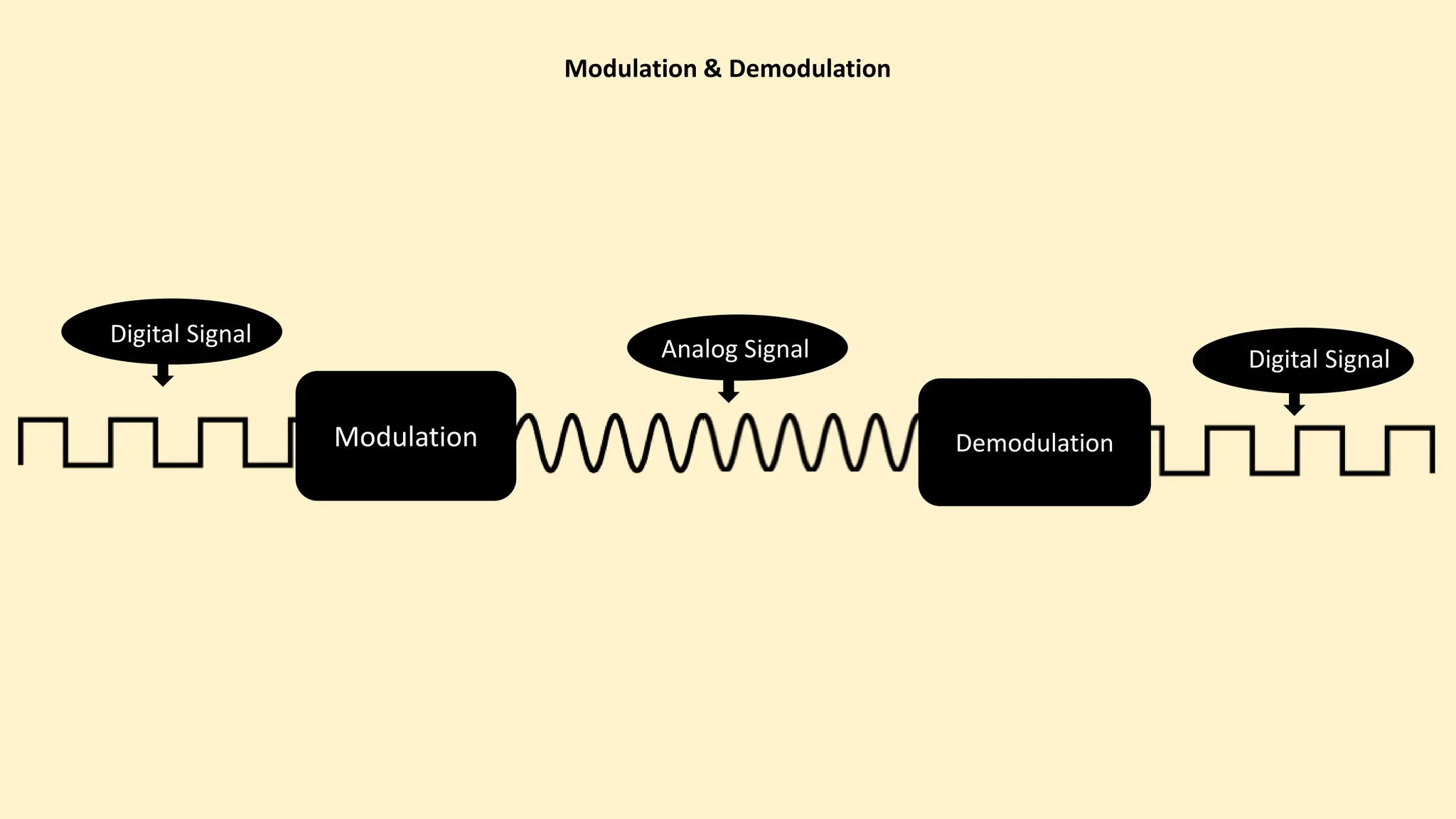
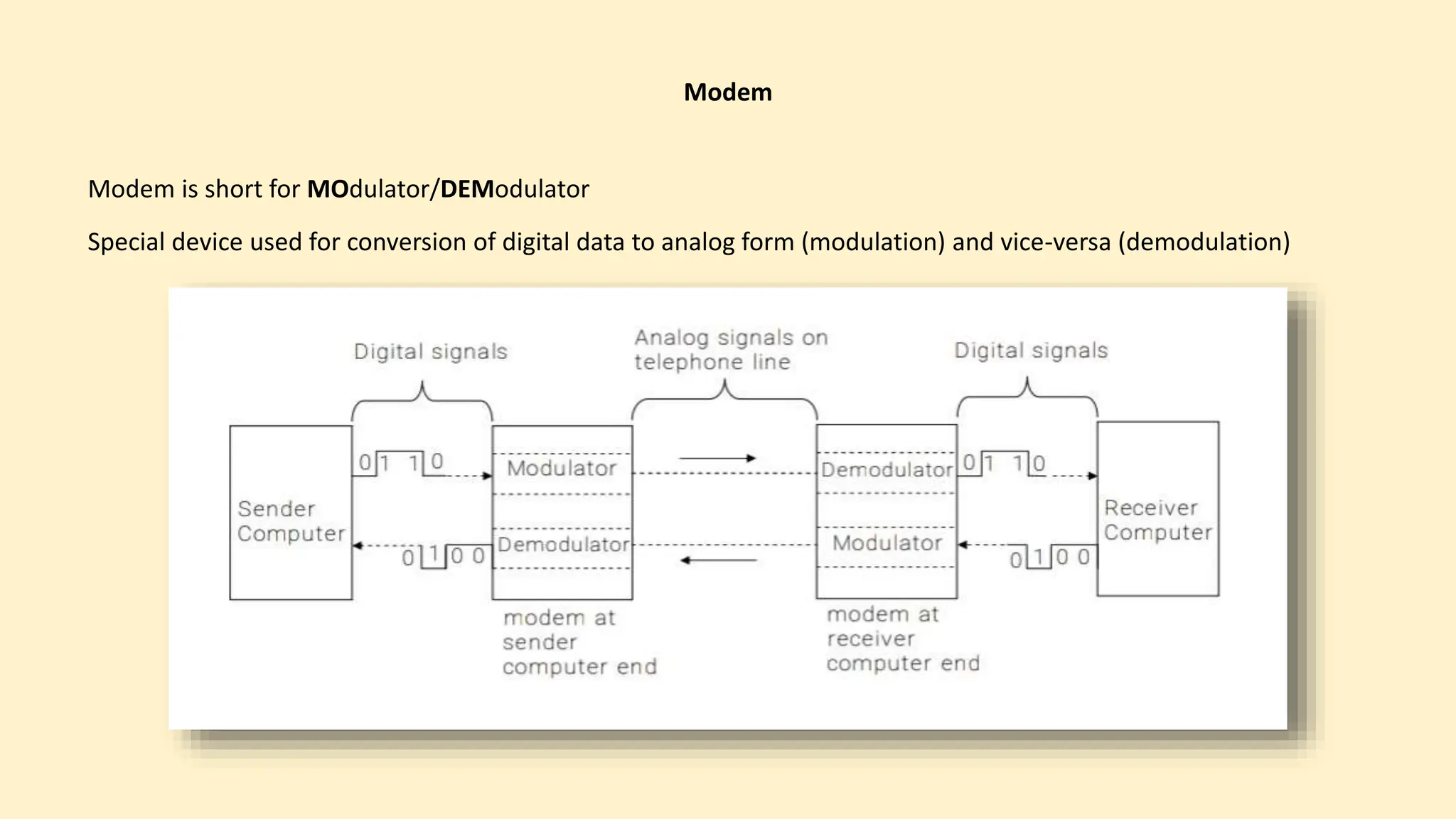
Modulation & Demodulation
Modulation Demodulation
Digital Signal
Analog Signal Digital Signal
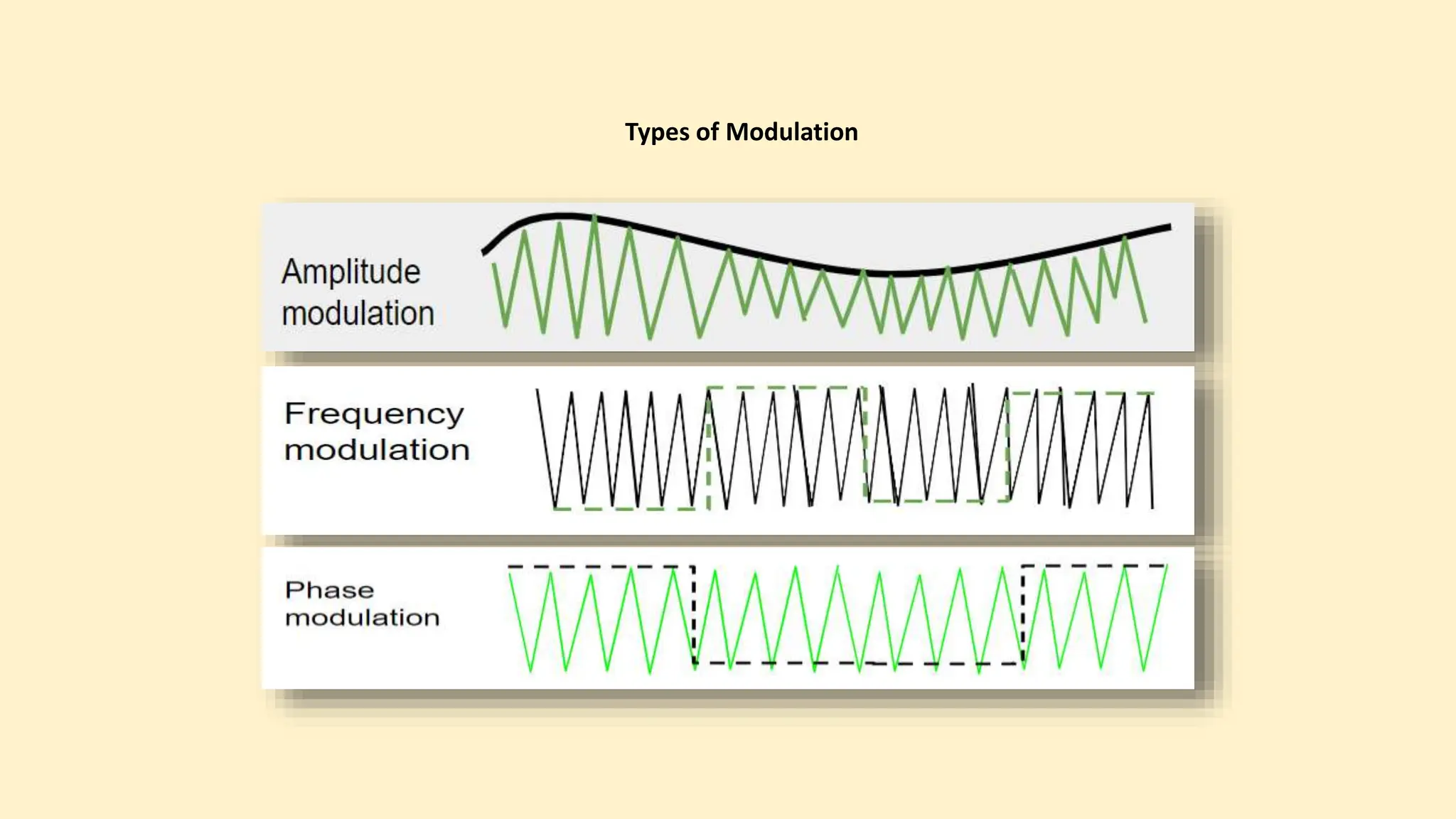
Types of Modulation
Modem
Modem is short for MOdulator/DEModulator
Special device used for conversion of digital data to analog form (modulation) and vice-versa (demodulation)
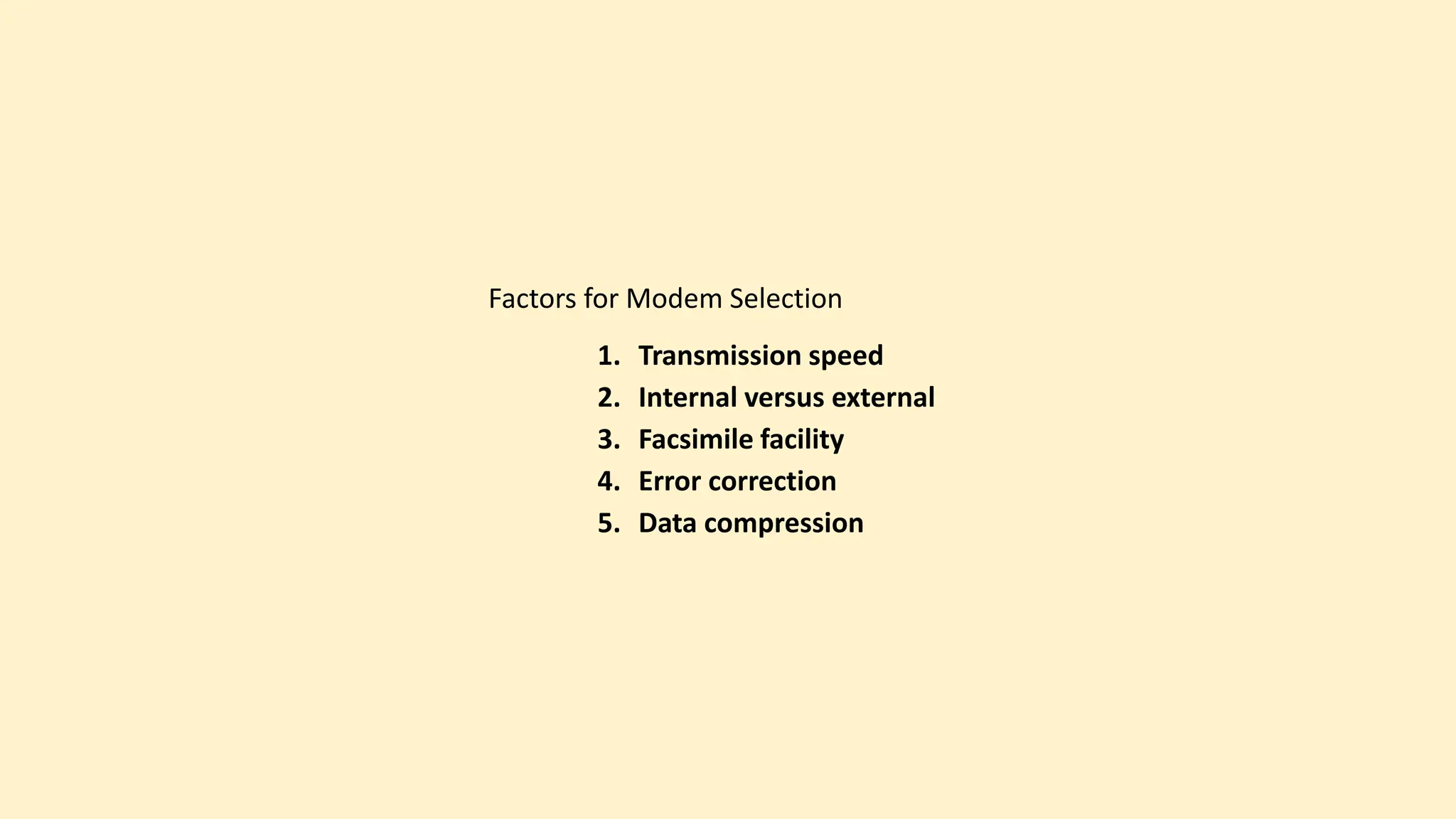
Factors for Modem Selection
1. Transmission speed
2. Internal versus external
3. Facsimile facility
4. Error correction
5. Data compression
ID-12005026
 Network Topologies
04
Md. Sobuj Hossain
Discussion Topics
Network Topologies
1.Star Topology
2.Ring Topology
3.Mesh Topology
4.Bus Topology
5.Hybrid Topology
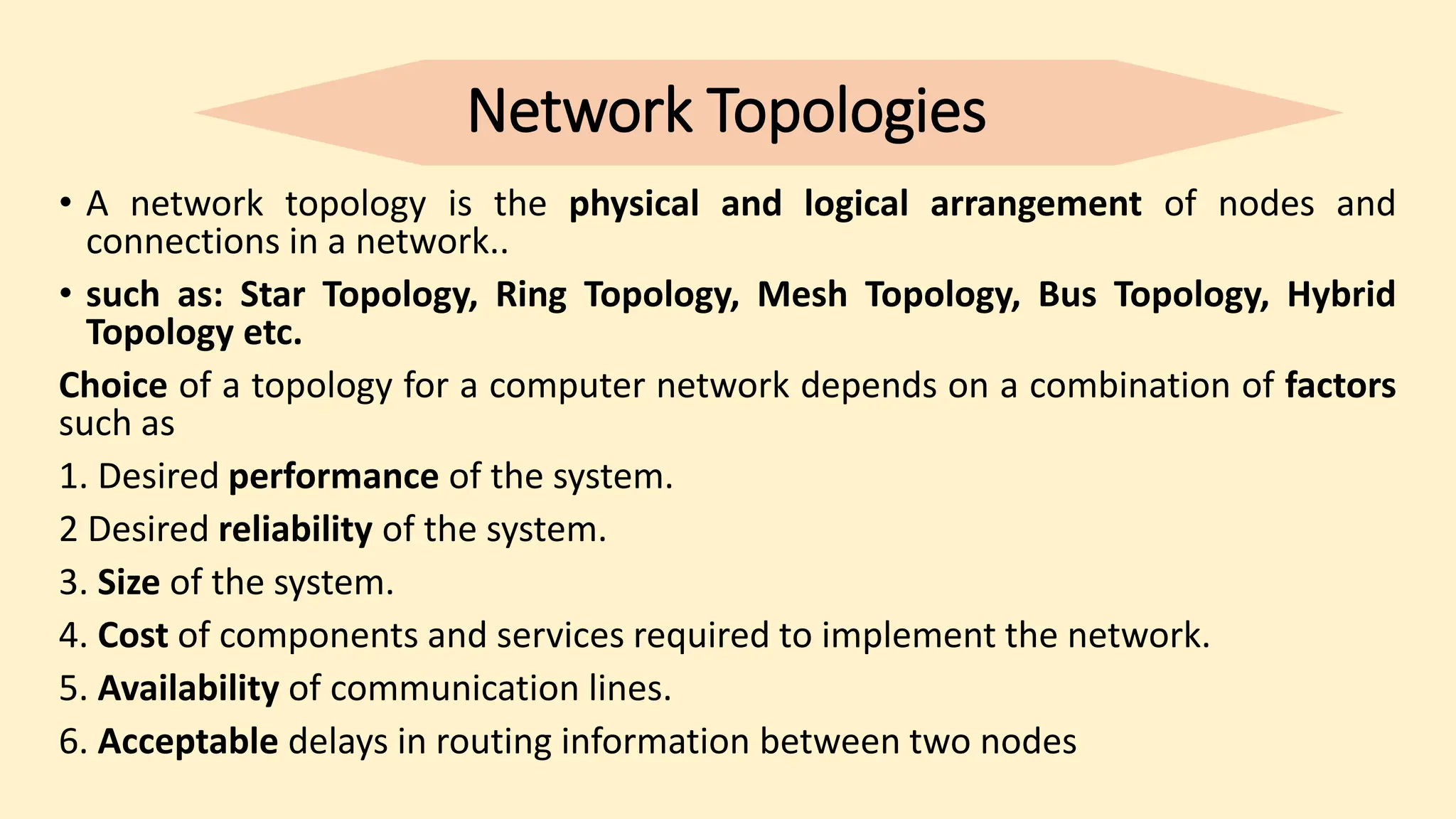
Network Topologies
• A network topology is the physical and logical arrangement of nodes and
connections in a network..
• such as: Star Topology, Ring Topology, Mesh Topology, Bus Topology, Hybrid
Topology etc.
Choice of a topology for a computer network depends on a combination of factors
such as
1. Desired performance of the system.
2 Desired reliability of the system.
3. Size of the system.
4. Cost of components and services required to implement the network.
5. Availability of communication lines.
6. Acceptable delays in routing information between two nodes
1.Star Topology
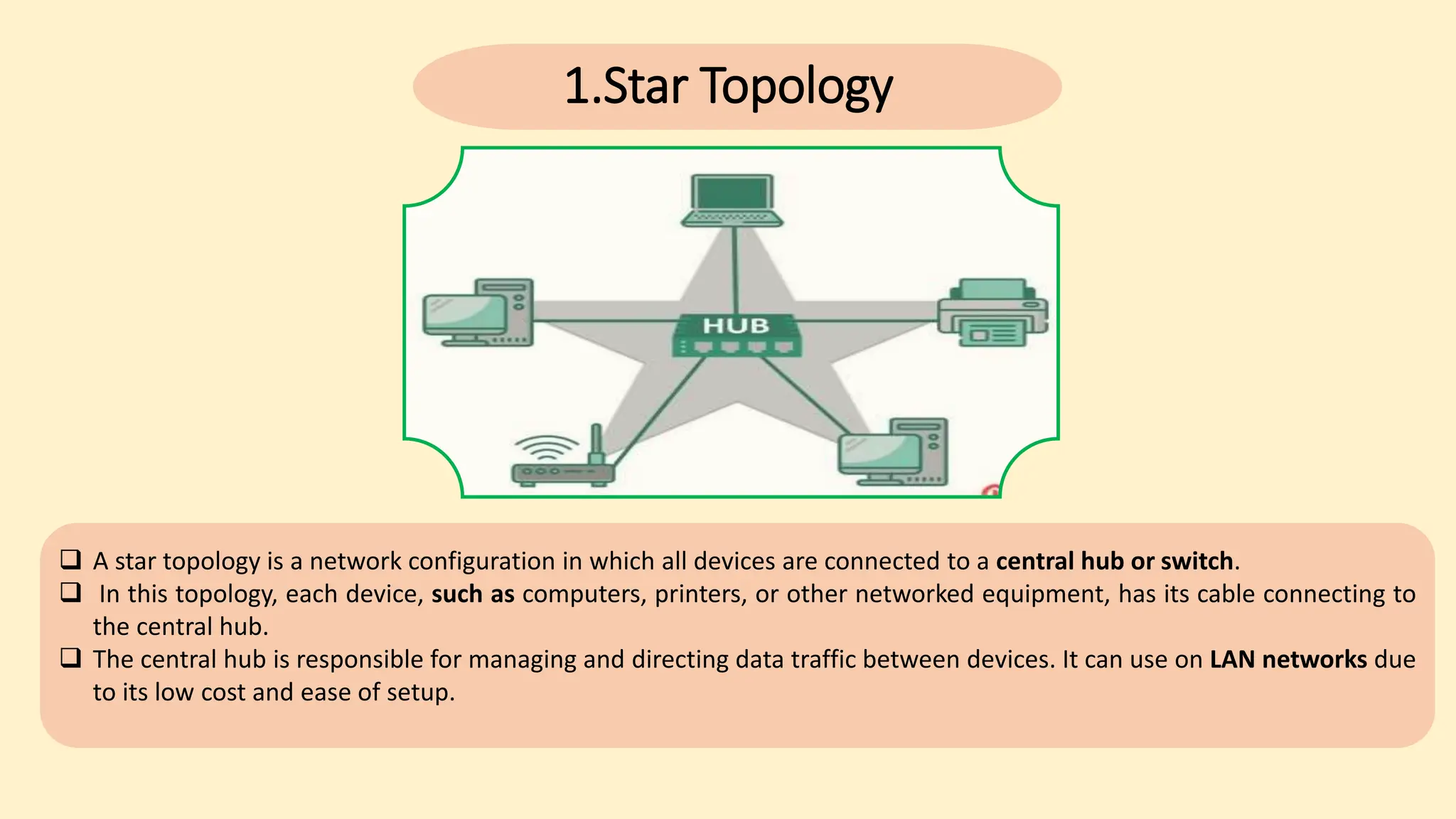
 A star topology is a network configuration in which all devices are connected to a central hub or switch.
 In this topology, each device, such as computers, printers, or other networked equipment, has its cable connecting to
the central hub.
 The central hub is responsible for managing and directing data traffic between devices. It can use on LAN networks due
to its low cost and ease of setup.
1.Star Topology
Advantages of Star Topology
1. Network failure prevention
2. Performance Up gradation
Disadvantages of Star Topology
1. Expensive.
2. Slow connection
2.Ring Topology
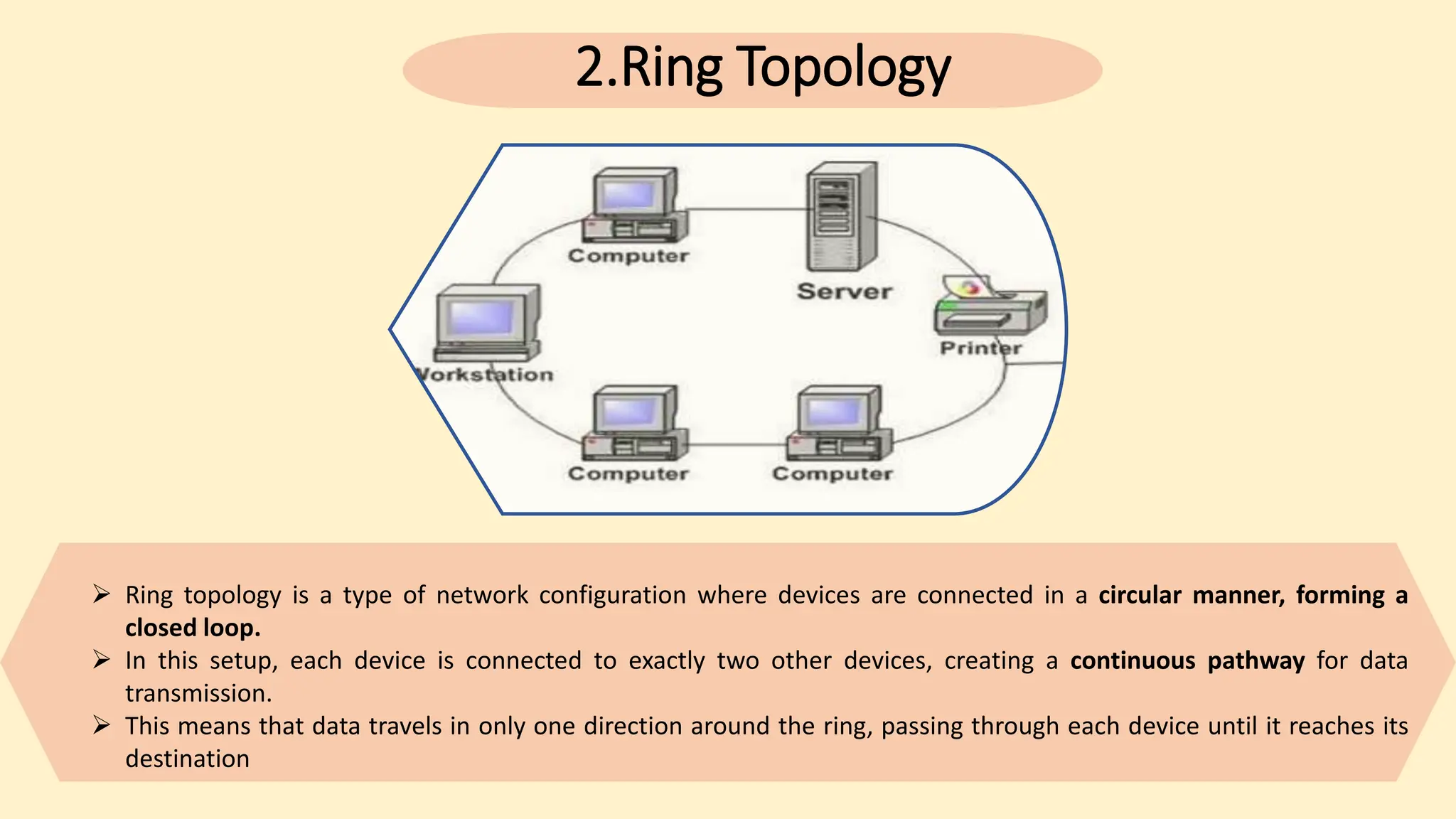
 Ring topology is a type of network configuration where devices are connected in a circular manner, forming a
closed loop.
 In this setup, each device is connected to exactly two other devices, creating a continuous pathway for data
transmission.
 This means that data travels in only one direction around the ring, passing through each device until it reaches its
destination
2.Ring Topology
Advantages of Ring Topology
1. Token system
2. Less Cabling.
3. Easier troubleshooting
Disadvantages of Ring Topology
1. Difficult to upgrade
2. Failure of a network
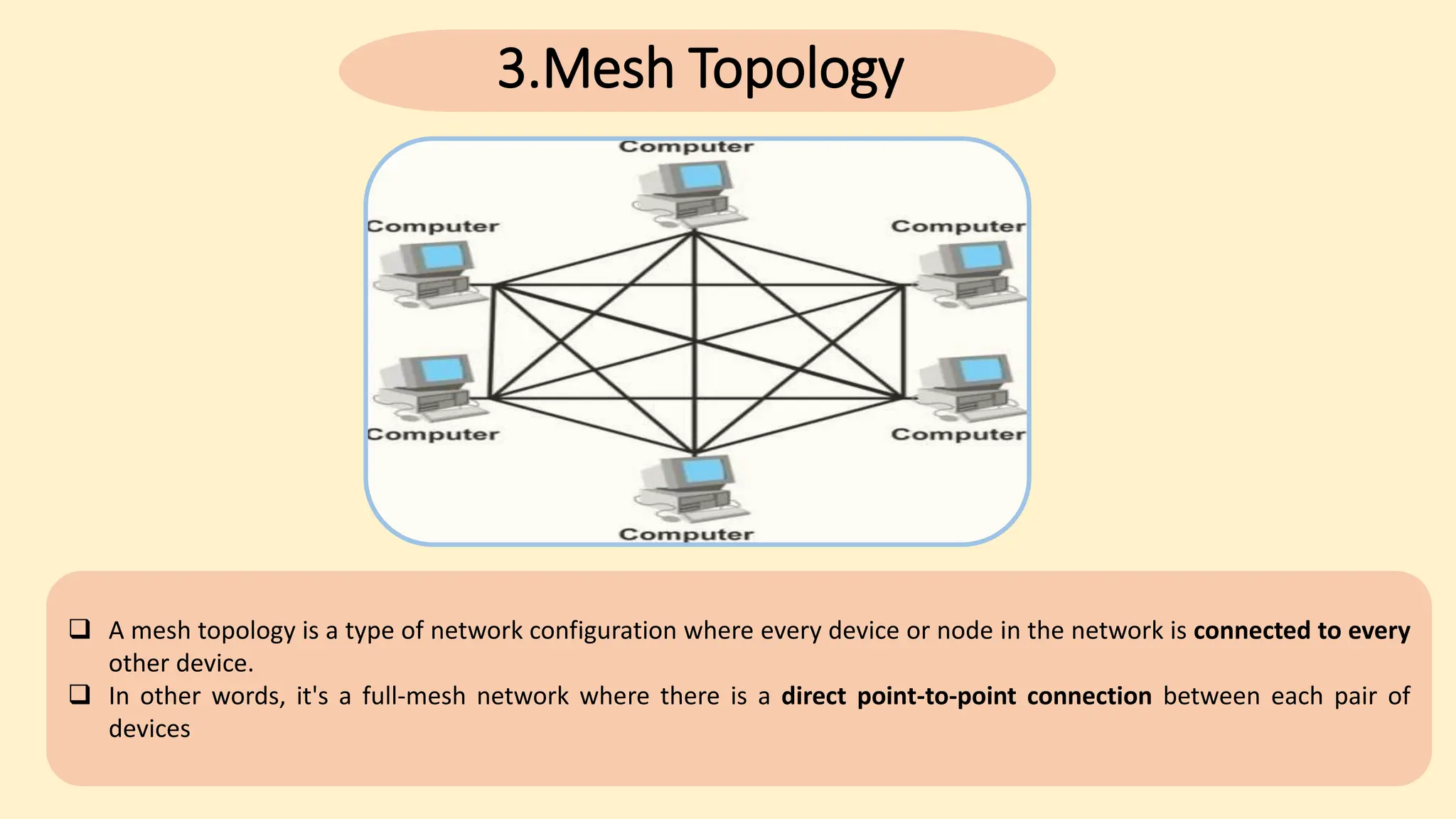
 A mesh topology is a type of network configuration where every device or node in the network is connected to every
other device.
 In other words, it's a full-mesh network where there is a direct point-to-point connection between each pair of
devices
3.Mesh Topology
3.Mesh Topology
Advantages of Mesh Topology
1. Consistent
2. High-speed information exchange
3. Easier reconfiguration
Disadvantages of Mesh Topology
1. It can be expensive to implement because each node needs its own dedicated
connection to every other node in the network. This can make mesh topology
impractical for large networks.
2. Mesh topology can be complex to configure and manage.
4.Bus Topology
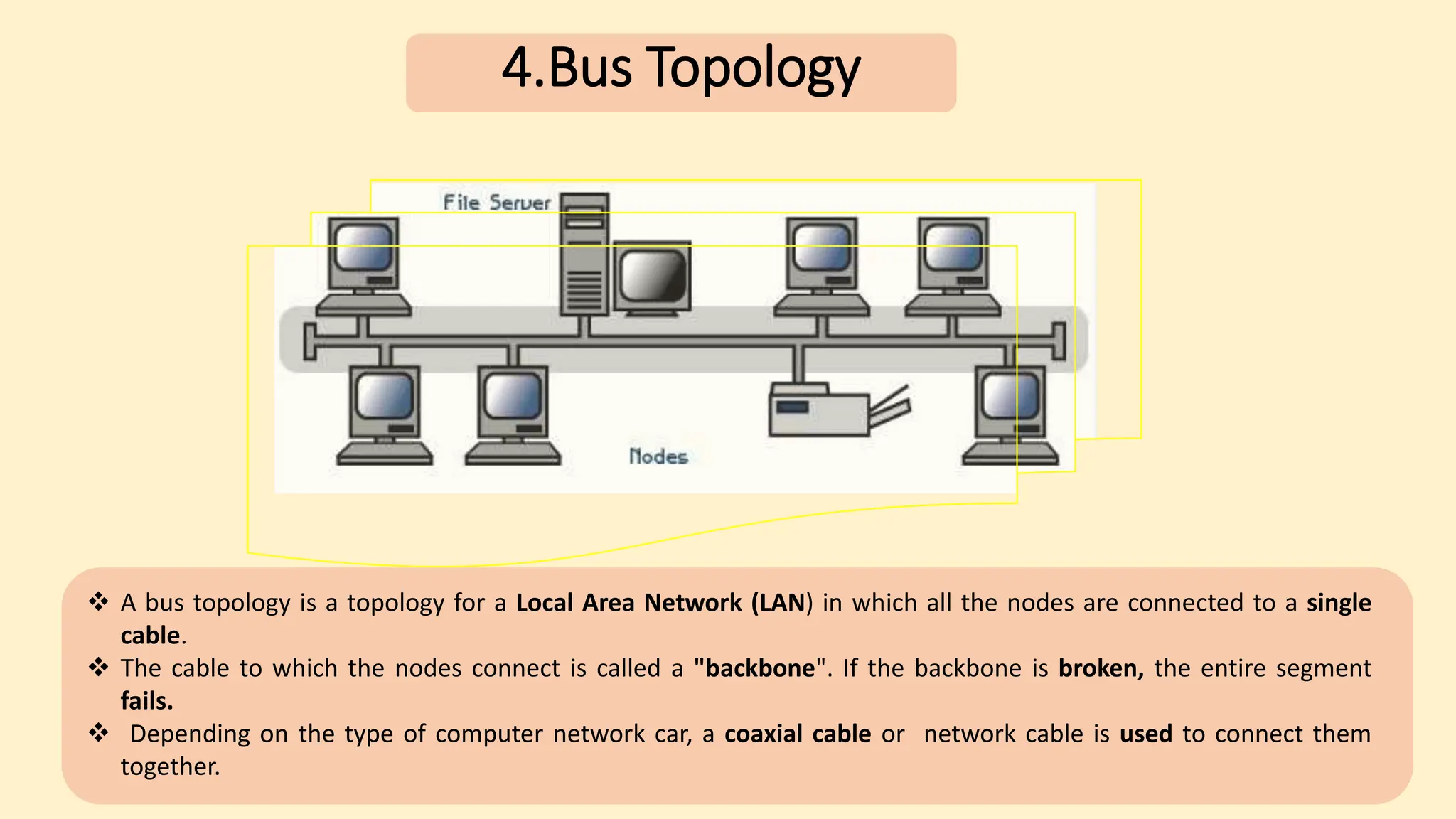
 A bus topology is a topology for a Local Area Network (LAN) in which all the nodes are connected to a single
cable.
 The cable to which the nodes connect is called a "backbone". If the backbone is broken, the entire segment
fails.
 Depending on the type of computer network car, a coaxial cable or network cable is used to connect them
together.
4.Bus Topology
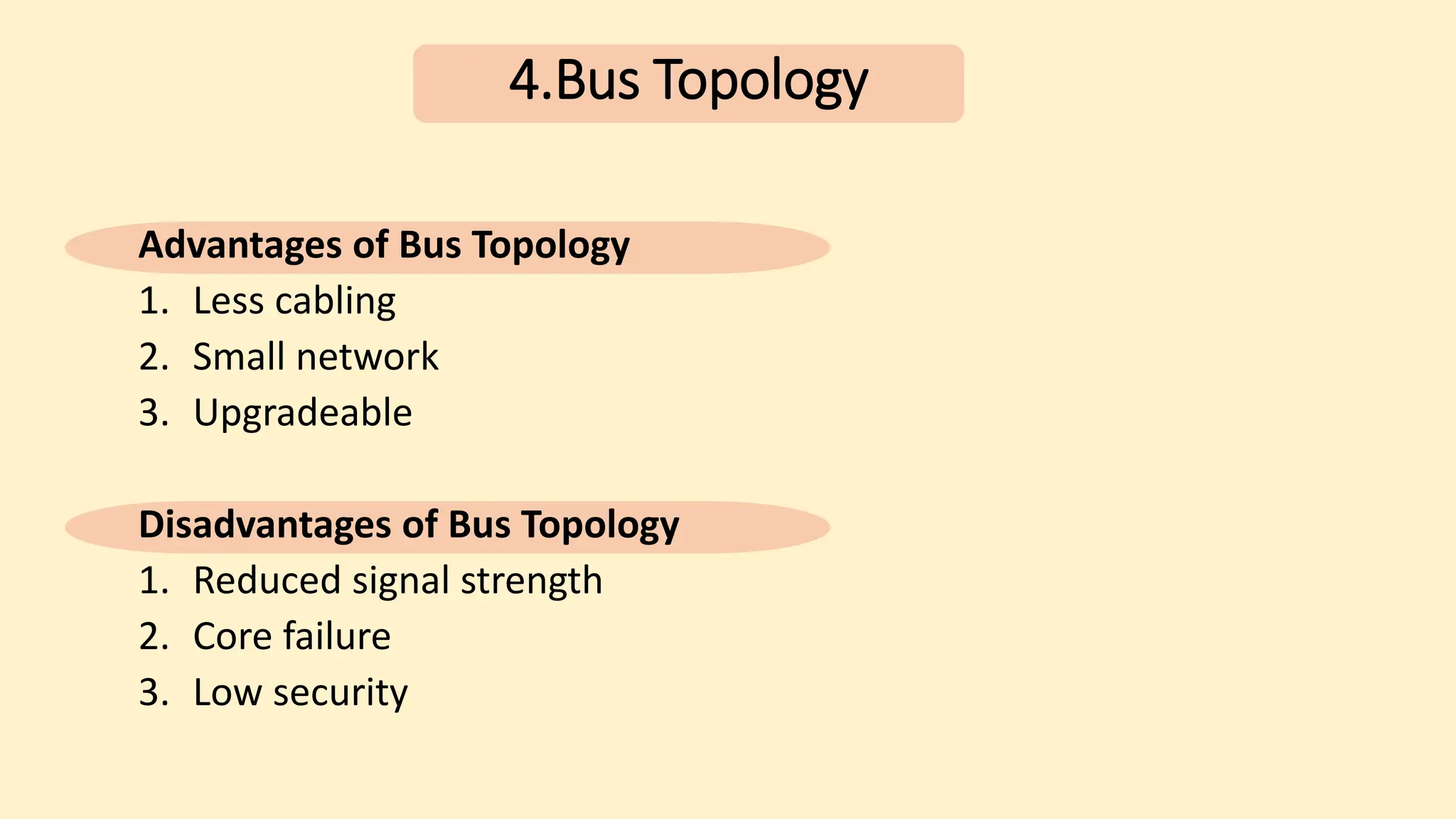
Advantages of Bus Topology
1. Less cabling
2. Small network
3. Upgradeable
Disadvantages of Bus Topology
1. Reduced signal strength
2. Core failure
3. Low security
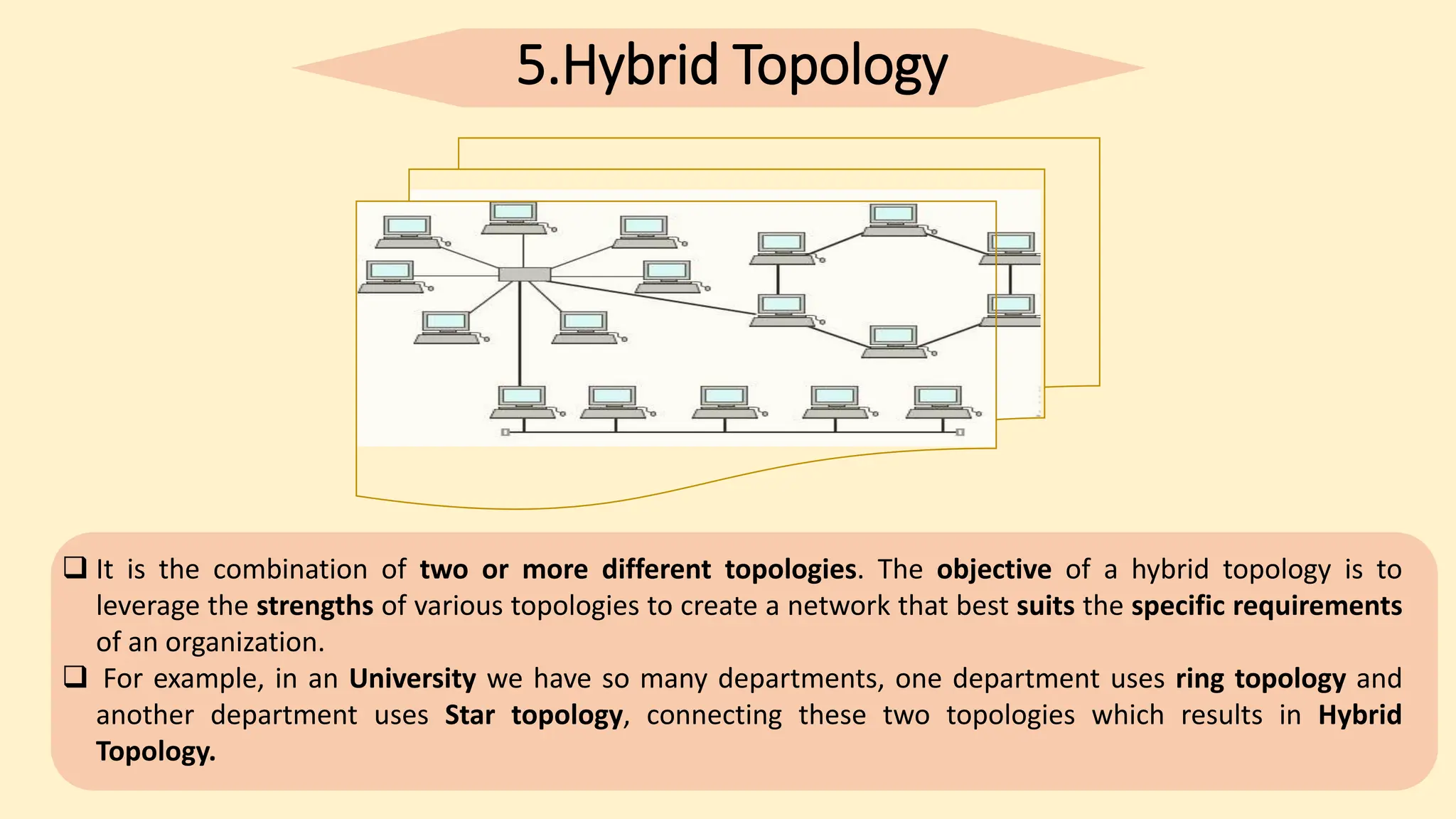
5.Hybrid Topology
 It is the combination of two or more different topologies. The objective of a hybrid topology is to
leverage the strengths of various topologies to create a network that best suits the specific requirements
of an organization.
 For example, in an University we have so many departments, one department uses ring topology and
another department uses Star topology, connecting these two topologies which results in Hybrid
Topology.
5.Hybrid Topology
Advantages of Hybrid Topology
1. Multiple advantages
2. Scalable
3. Traffic
Disadvantages of Hybrid Topology
1. Expensive
2. Complex design
ID-12005018
 Network types
 Roles of a communication protocol
05
Kamrul Hasan
Types of Networks
There are several different types of computer networks. Computer networks can be characterized by
their size as well as their purpose.
Some of the different networks based on size are:
1. Personal area network, or PAN
2. Local area network, or LAN
3. Metropolitan area network, or MAN
4. Wide area network, or WAN
Personal area network
PAN is a personal area network having an interconnection of personal technology devices to communicate over a short
distance. It covers only less than 10 meters or 33 feet of area.
Local Area Network
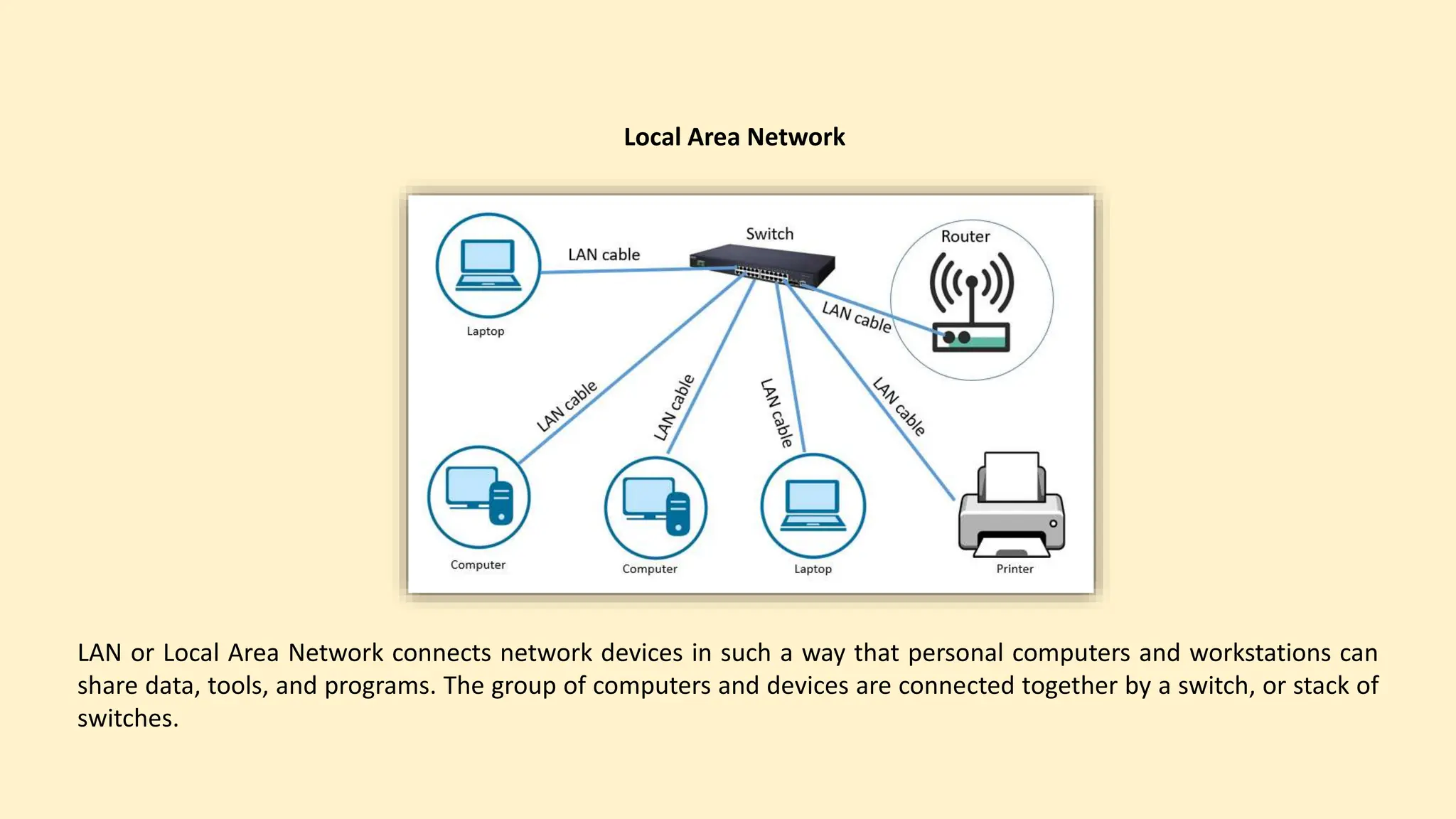
LAN or Local Area Network connects network devices in such a way that personal computers and workstations can
share data, tools, and programs. The group of computers and devices are connected together by a switch, or stack of
switches.
Metropolitan Area Network
A metropolitan area network, or MAN, consists of a computer network across an entire city, college campus or
small region. A MAN is larger than a LAN. Example of a MAN are part of the telephone company network that can
provide a high-speed DSL line to the customer or the cable TV network in a city
Wide Area Network
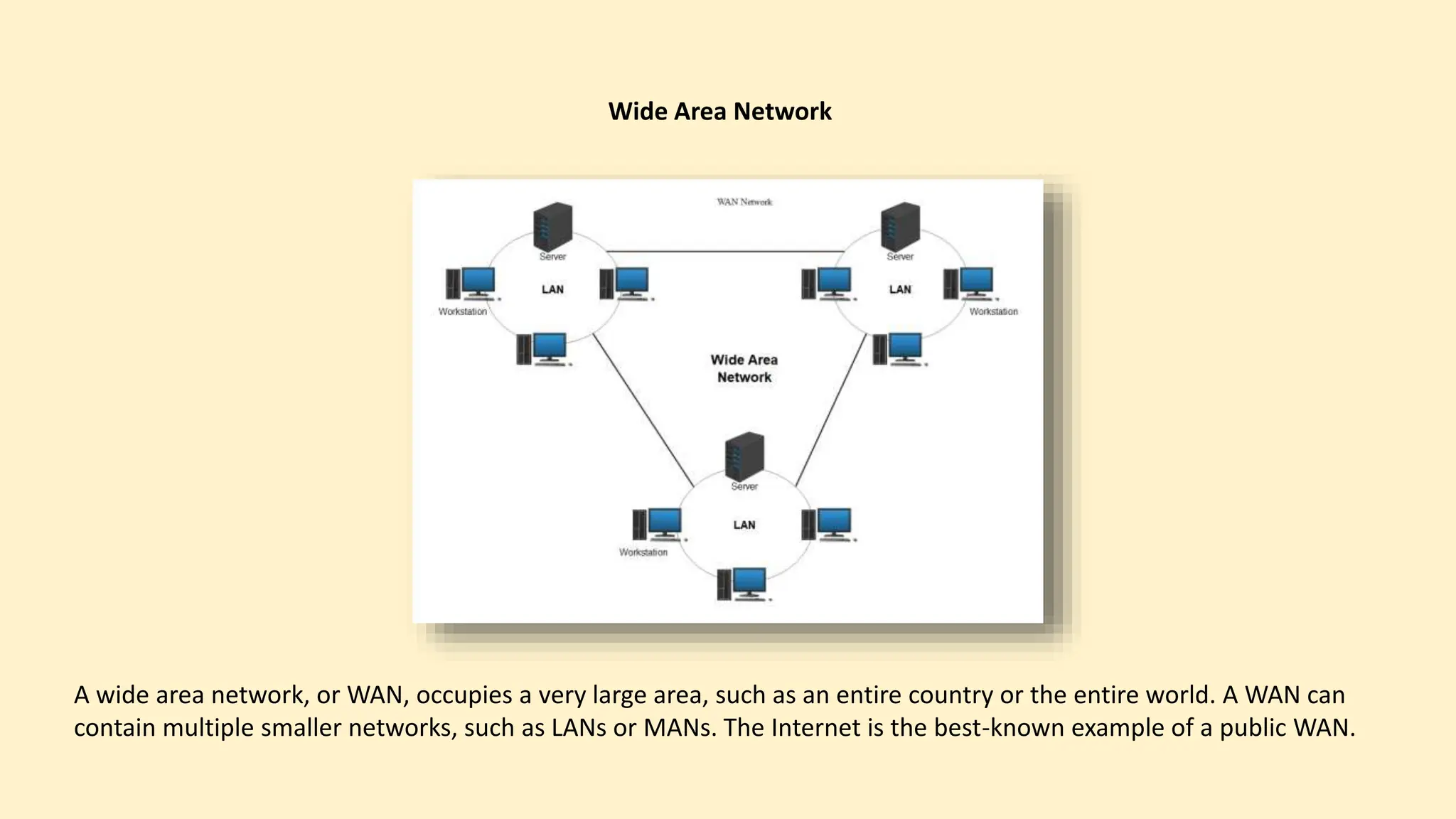
A wide area network, or WAN, occupies a very large area, such as an entire country or the entire world. A WAN can
contain multiple smaller networks, such as LANs or MANs. The Internet is the best-known example of a public WAN.
Private Networks
One of the benefits of networks like PAN and LAN is that they can be kept entirely private by
restricting some communications to the connections within the network. This means that those
communications never go over the Internet.
Roles of communication protocol
A communication protocol is a system of rules that allows two or more entities of a communications
system to transmit information via any variation of a physical quantity. The protocol defines the rules,
syntax, semantics, and synchronization of communication and possible error recovery methods. Protocols
may be implemented by hardware, software, or a combination of both.
There are several roles of communication protocol. Such as
1. Data scanning
2. Data routing
3. Data formatting
4. Flow control
5. Error control
6. Data security
ID-12005022
 Inter networking Tools,
 Issues in wireless computing system
06
Md: Habibur Rahman
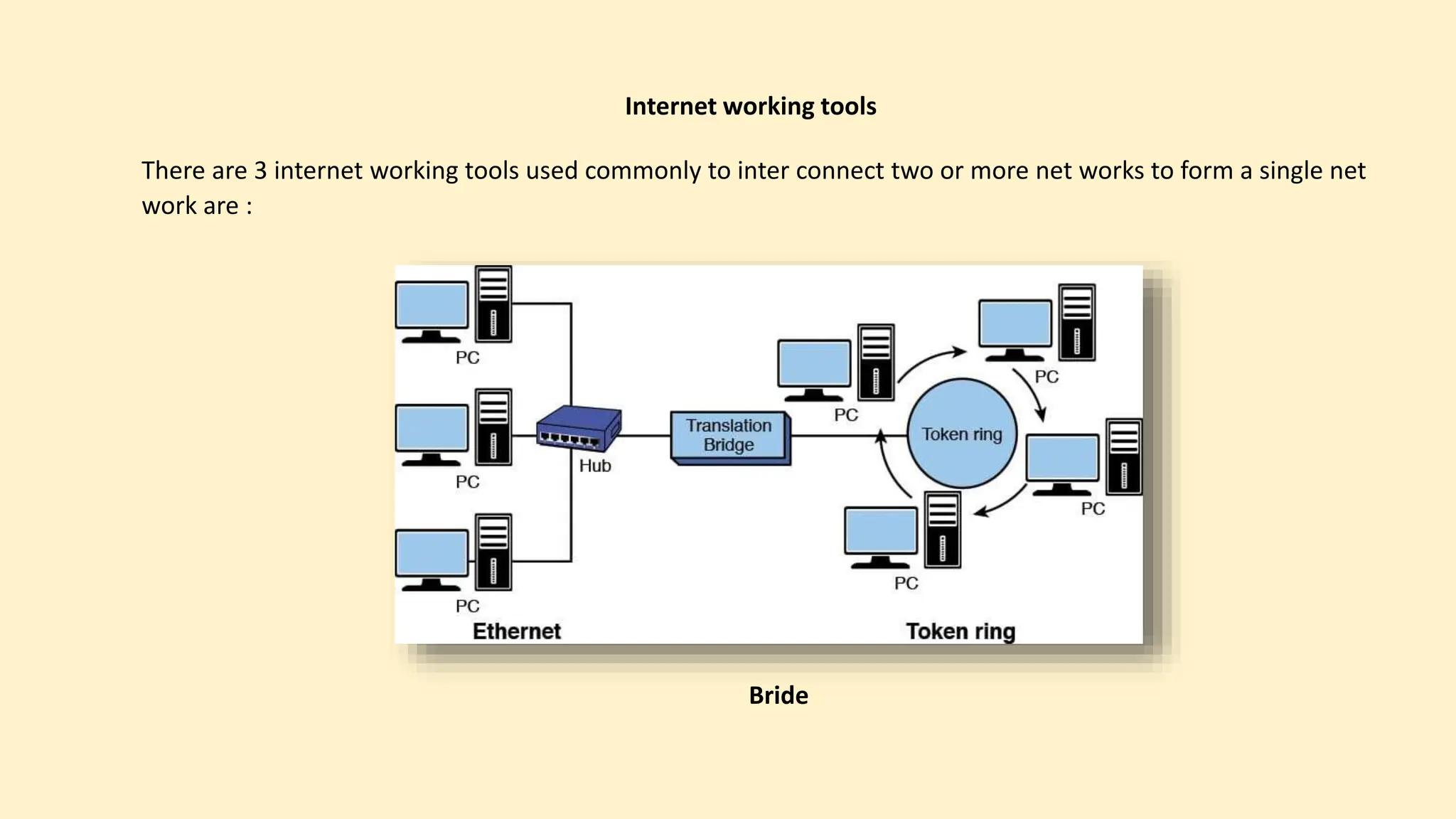
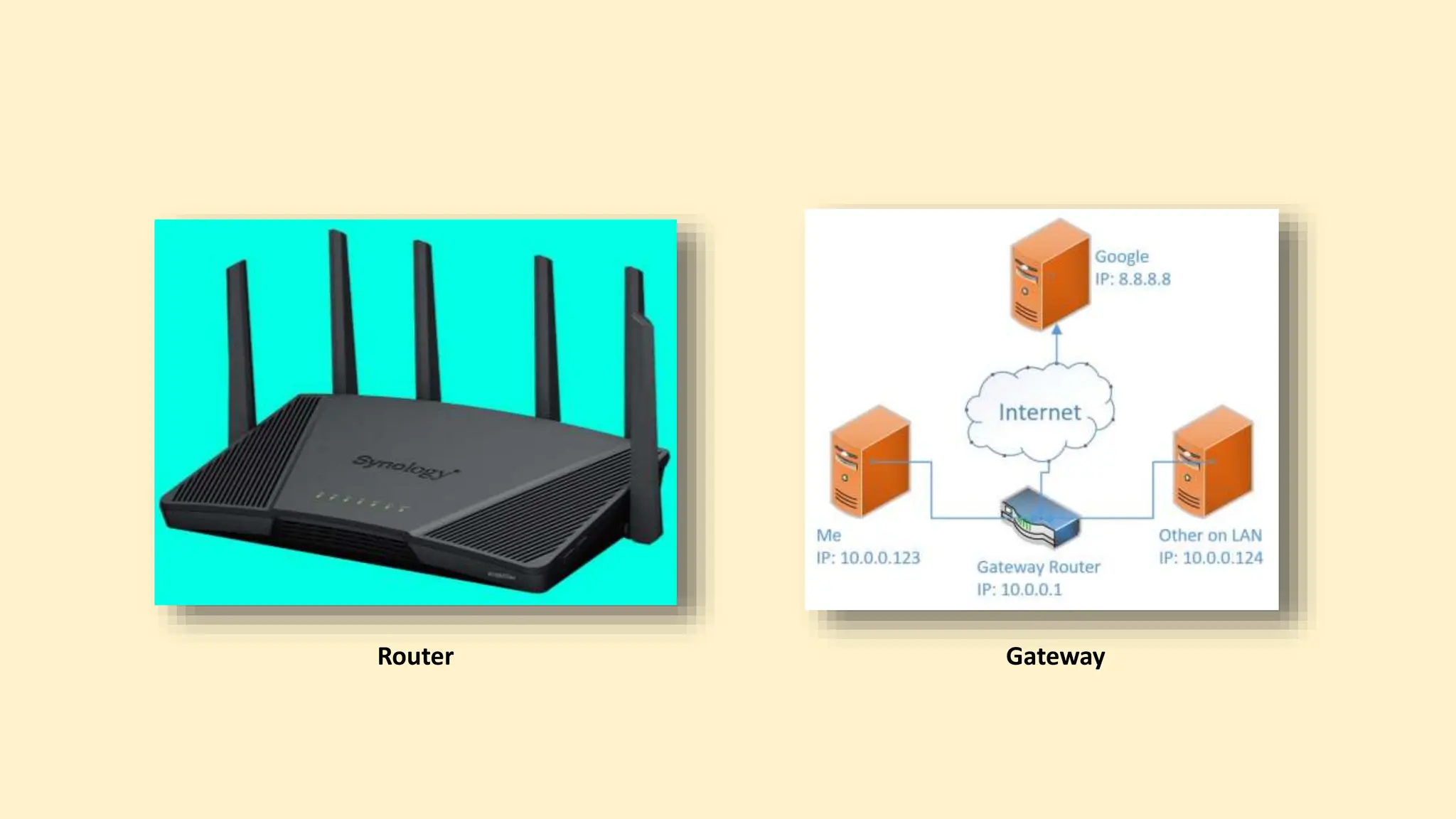
Internet working tools
There are 3 internet working tools used commonly to inter connect two or more net works to form a single net
work are :
Bride
Router Gateway
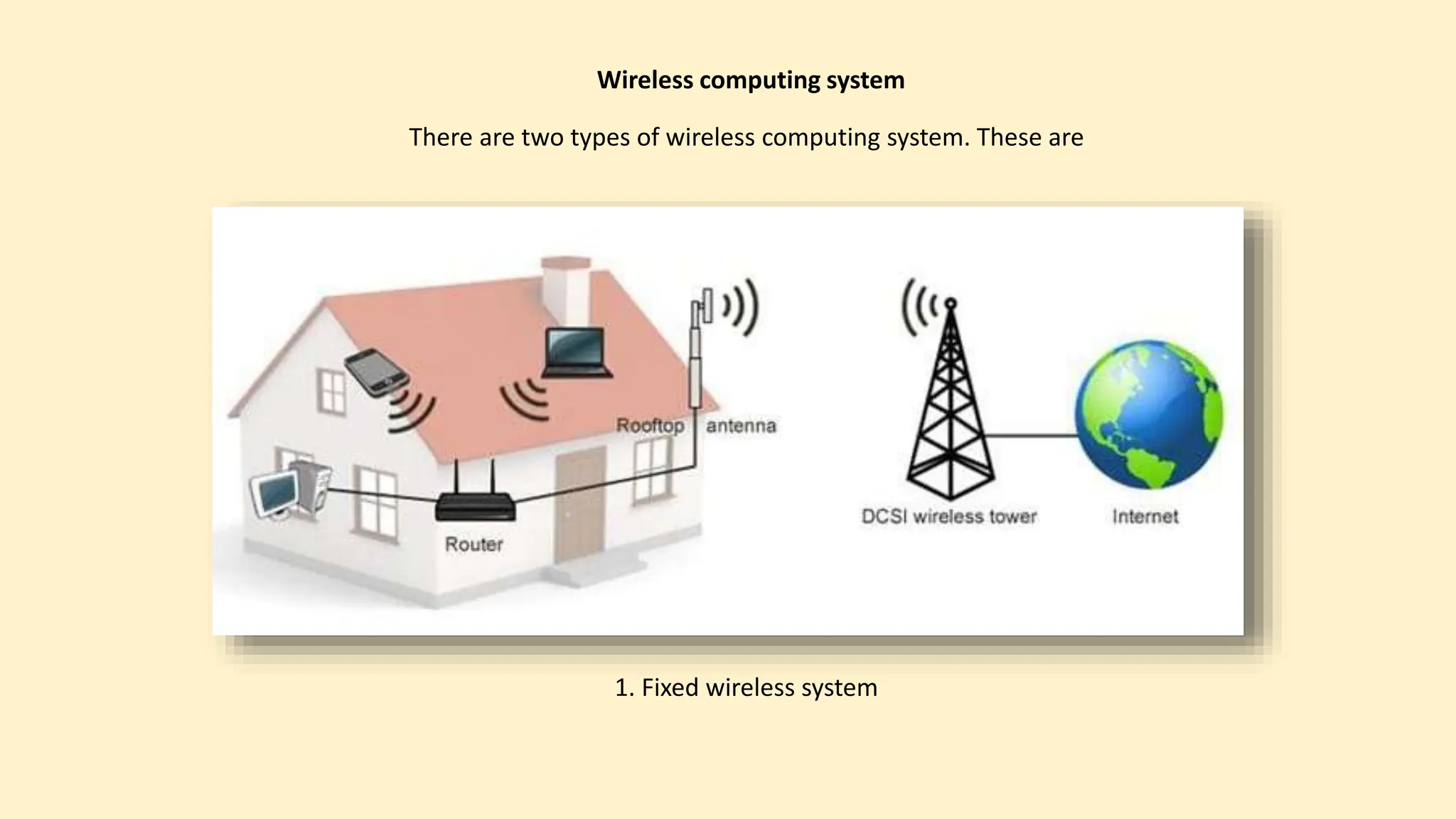
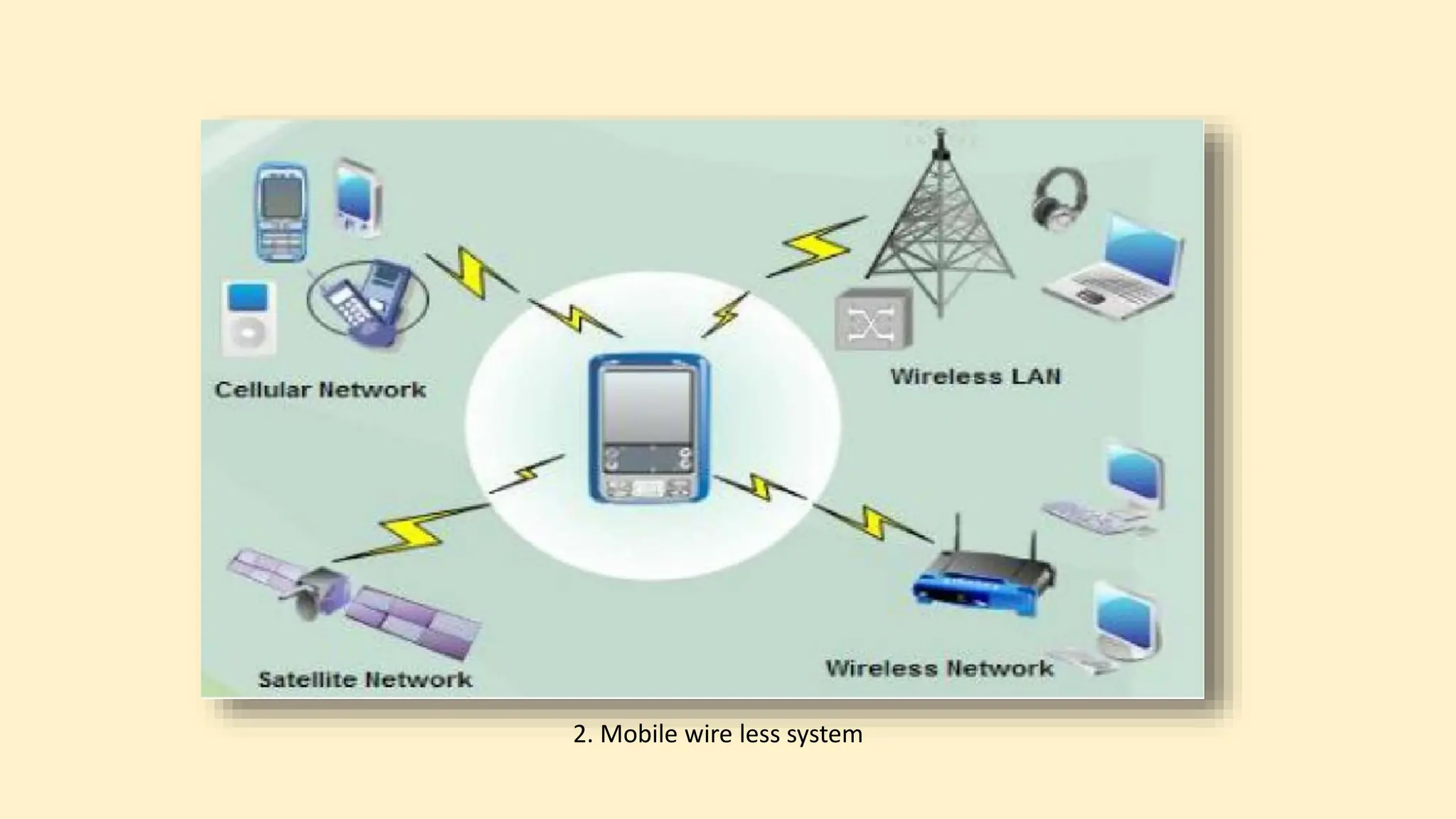
There are two types of wireless computing system. These are
Wireless computing system
1. Fixed wireless system
2. Mobile wire less system
1. Lower bandwith
2. Variable bandwith
3. Higher error rate
4. Increased security concern
5. Dynamically changing network
6. Lost or degraded connection
Issues in wireless computing system
ID-12005016
 Wireless Technologies
07
Iftekar Uddin Ahmed Asif
Wireless Technologies
Wireless technologies refer to communication technologies that enable the transmission of data, information, or
signals without the need for physical wires or cables.
Wi-Fi (Wireless Fidelity): Wi-Fi is a widely used technology for local wireless networking. It allows devices like
computers, smartphones, and smart home devices to connect to the internet and communicate with each other
over short distances using radio waves.
Bluetooth: Bluetooth is a short-range wireless
technology primarily used for connecting like
headphones, keyboards, and mice to devices like
smartphones and computers.
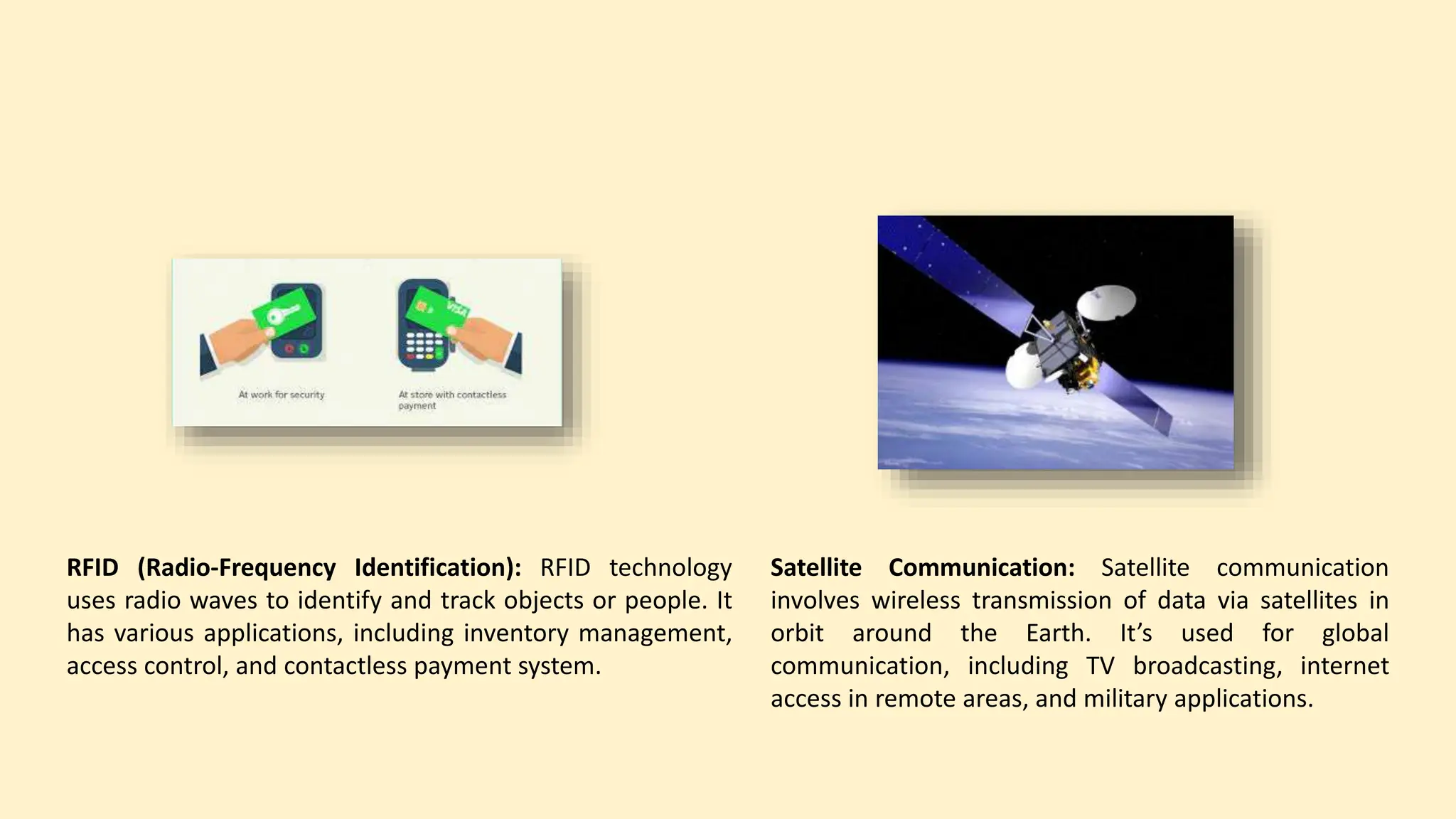
Cellular Networks: Cellular networks, such as 4G (LTE)
and 5G, provide wireless connectivity over long
distances and are used for mobile phone
communication, mobile internet access, and machine-
to-machine communication in IoT (Internet of Things)
applications.
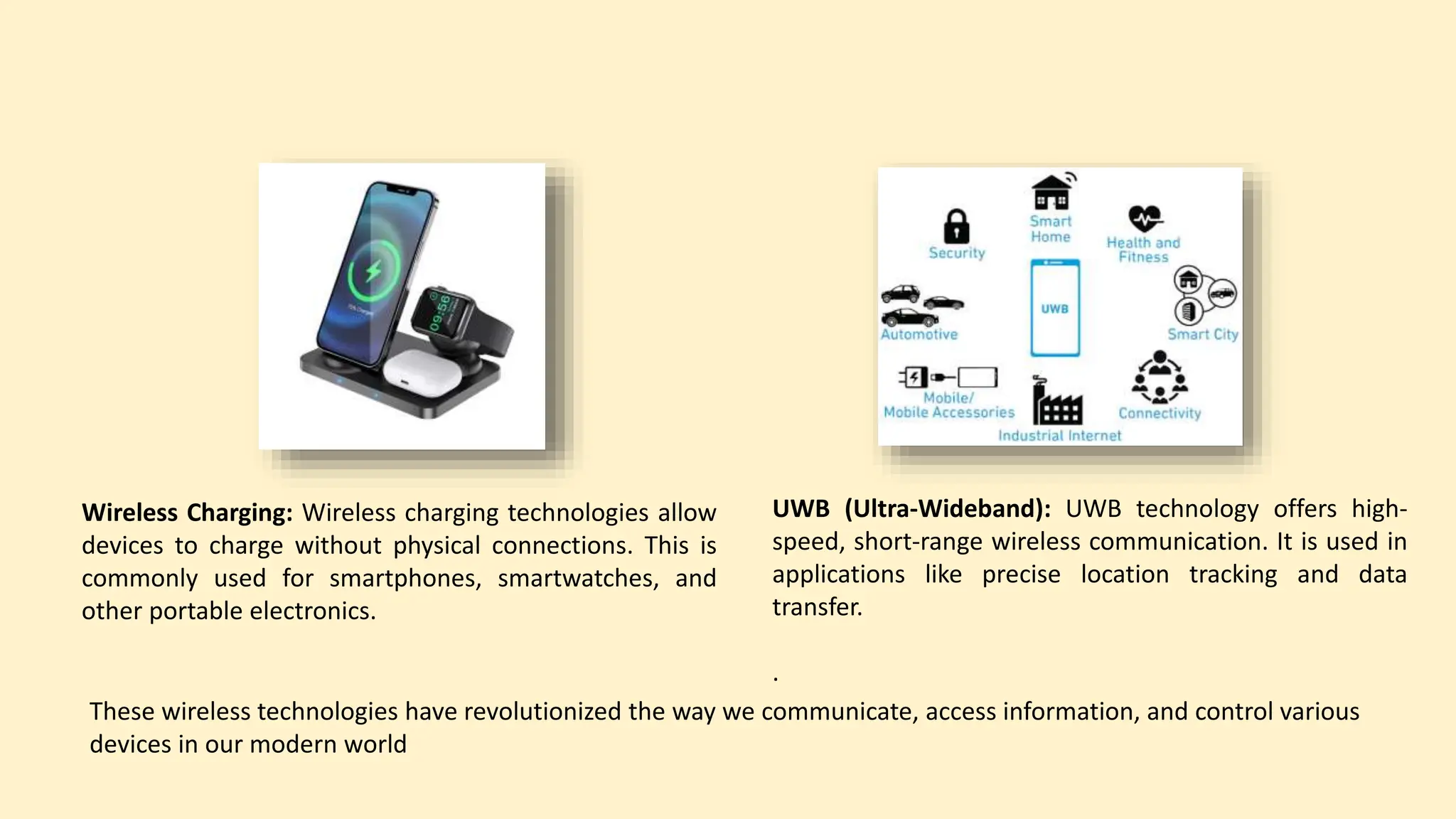
RFID (Radio-Frequency Identification): RFID technology
uses radio waves to identify and track objects or people. It
has various applications, including inventory management,
access control, and contactless payment system.
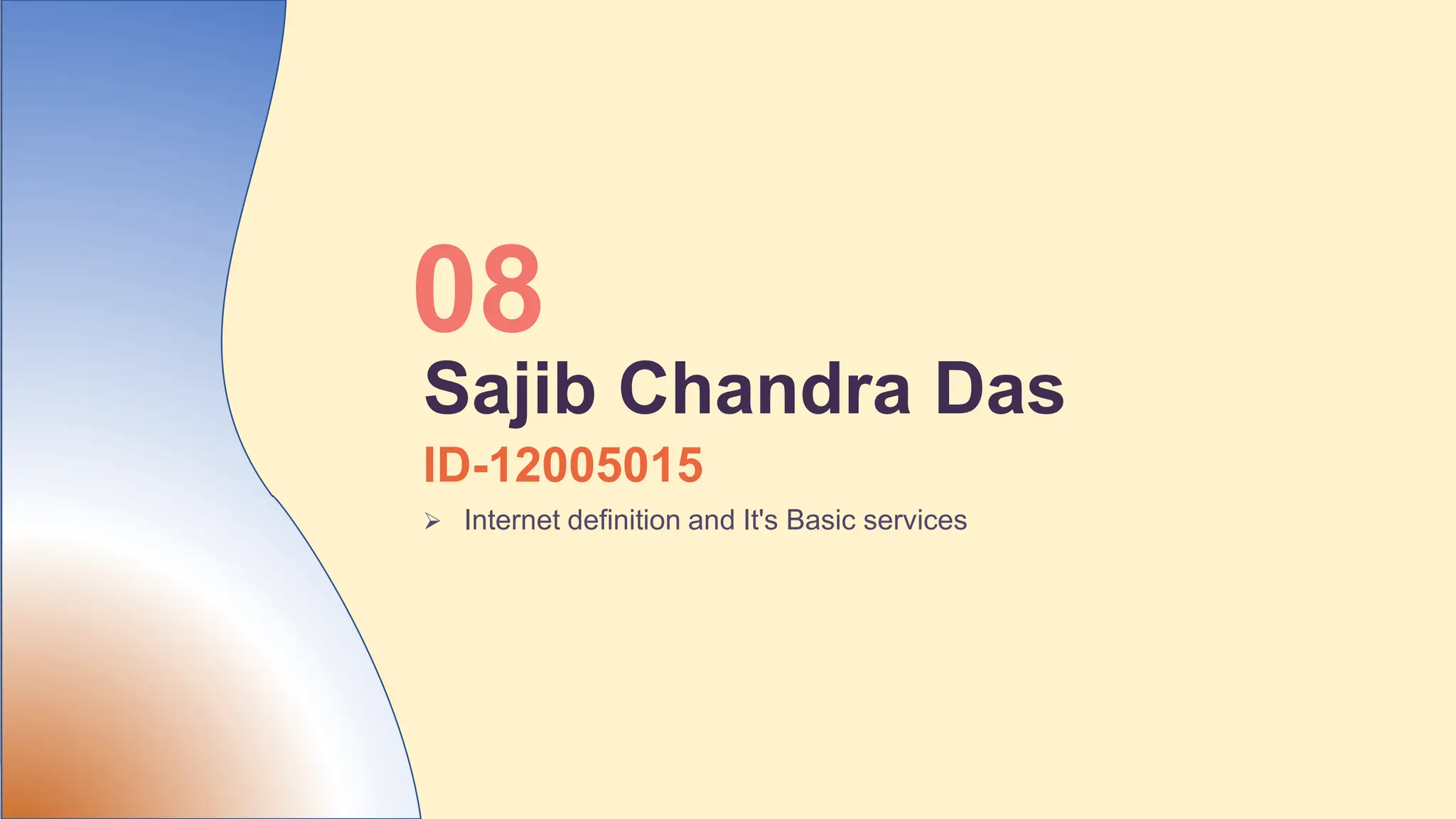
Satellite Communication: Satellite communication
involves wireless transmission of data via satellites in
orbit around the Earth. It’s used for global
communication, including TV broadcasting, internet
access in remote areas, and military applications.
Wireless Charging: Wireless charging technologies allow
devices to charge without physical connections. This is
commonly used for smartphones, smartwatches, and
other portable electronics.
UWB (Ultra-Wideband): UWB technology offers high-
speed, short-range wireless communication. It is used in
applications like precise location tracking and data
transfer.
.
These wireless technologies have revolutionized the way we communicate, access information, and control various
devices in our modern world
ID-12005015
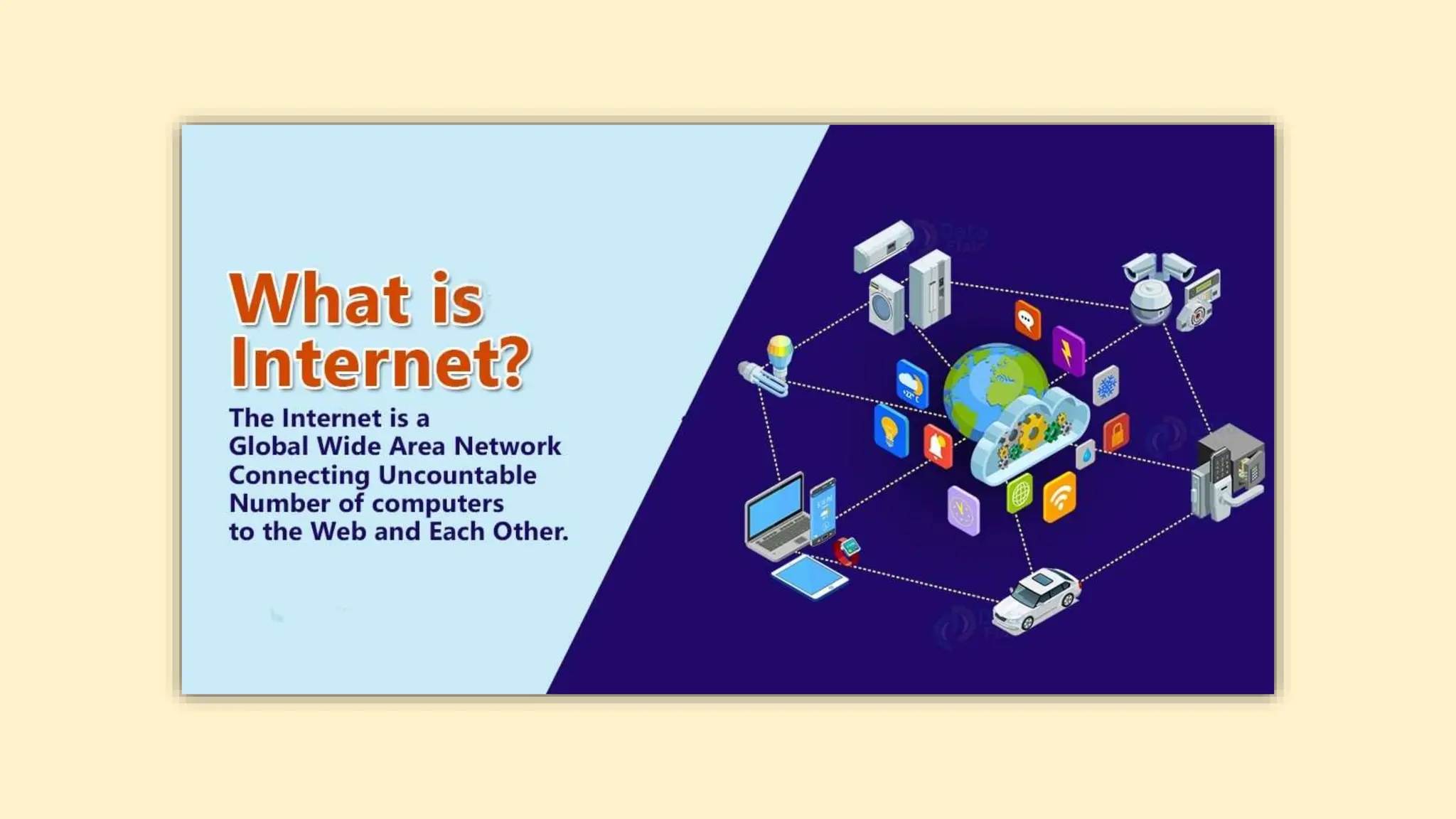
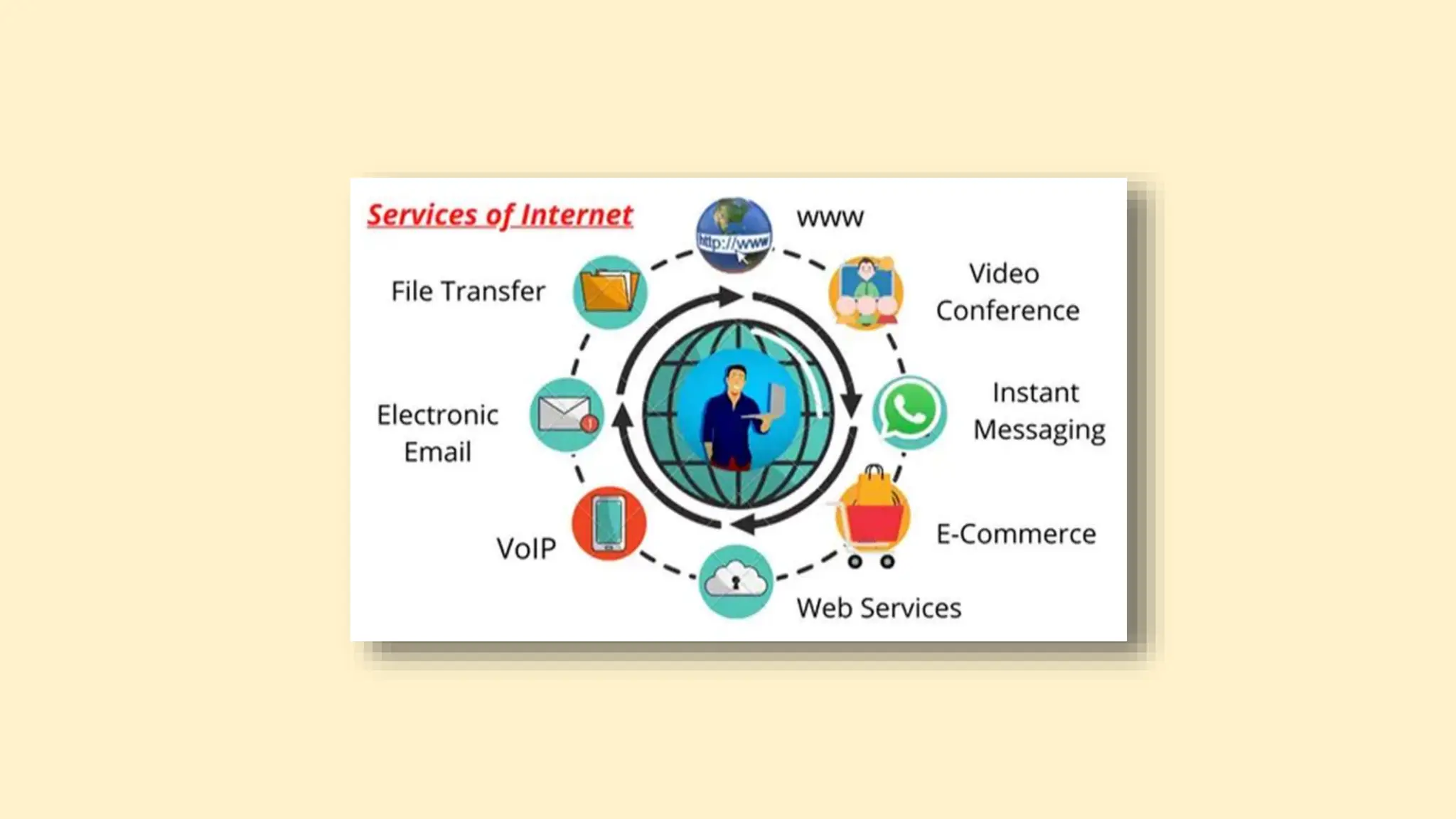
 Internet definition and It's Basic services
08
Sajib Chandra Das
ID-12005057
 World Wide Web
 WWW browsers
09
Naymul Islam
World Wide Web (WWW)
The World Wide Web, also known as the Web, is an information system that enables
content sharing over the Internet through user-friendly ways meant to appeal to
users beyond IT specialists and hobbyists. It allows documents and other web
resources to be accessed over the Internet according to specific rules of the
Hypertext Transfer Protocol (HTTP).
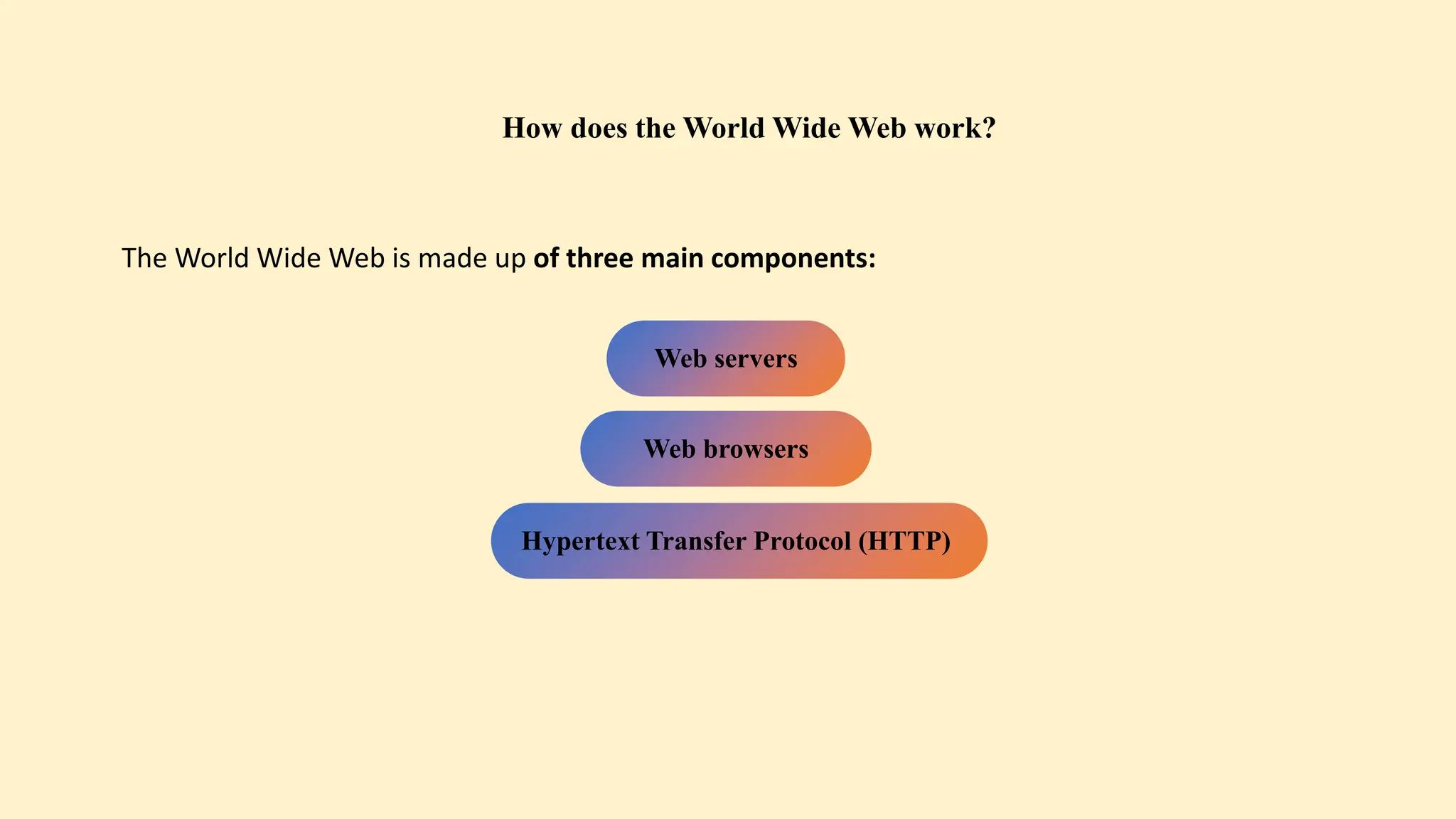
How does the World Wide Web work?
The World Wide Web is made up of three main components:
Web servers
Web browsers
Hypertext Transfer Protocol (HTTP)
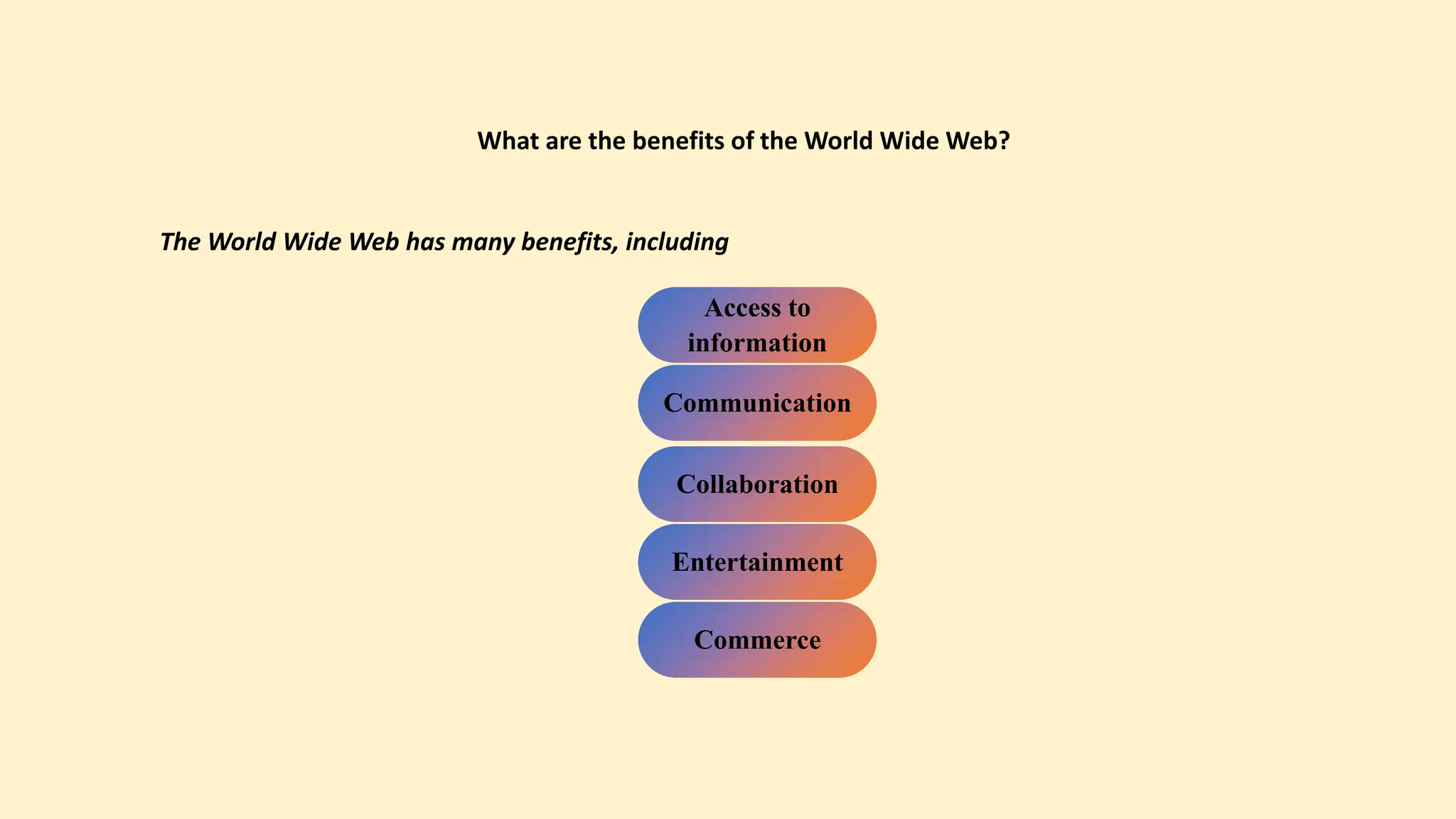
What are the benefits of the World Wide Web?
The World Wide Web has many benefits, including
Access to
information
Communication
Collaboration
Entertainment
Commerce
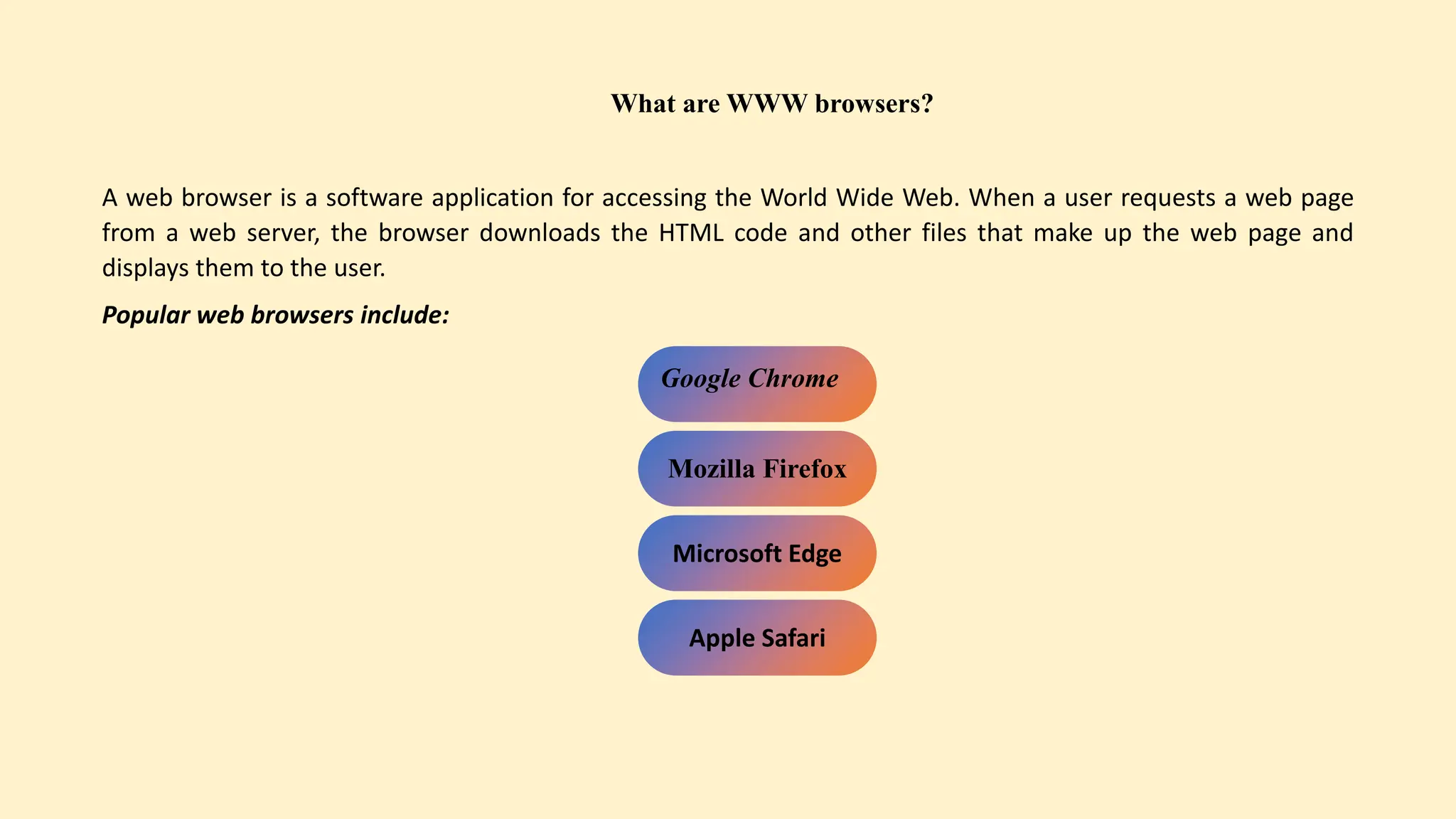
What are WWW browsers?
A web browser is a software application for accessing the World Wide Web. When a user requests a web page
from a web server, the browser downloads the HTML code and other files that make up the web page and
displays them to the user.
Popular web browsers include:
Google Chrome
Mozilla Firefox
Microsoft Edge
Apple Safari
ID-12005037
 Major elements of Internet search engines
 Uses of internet
10
Md. Amran
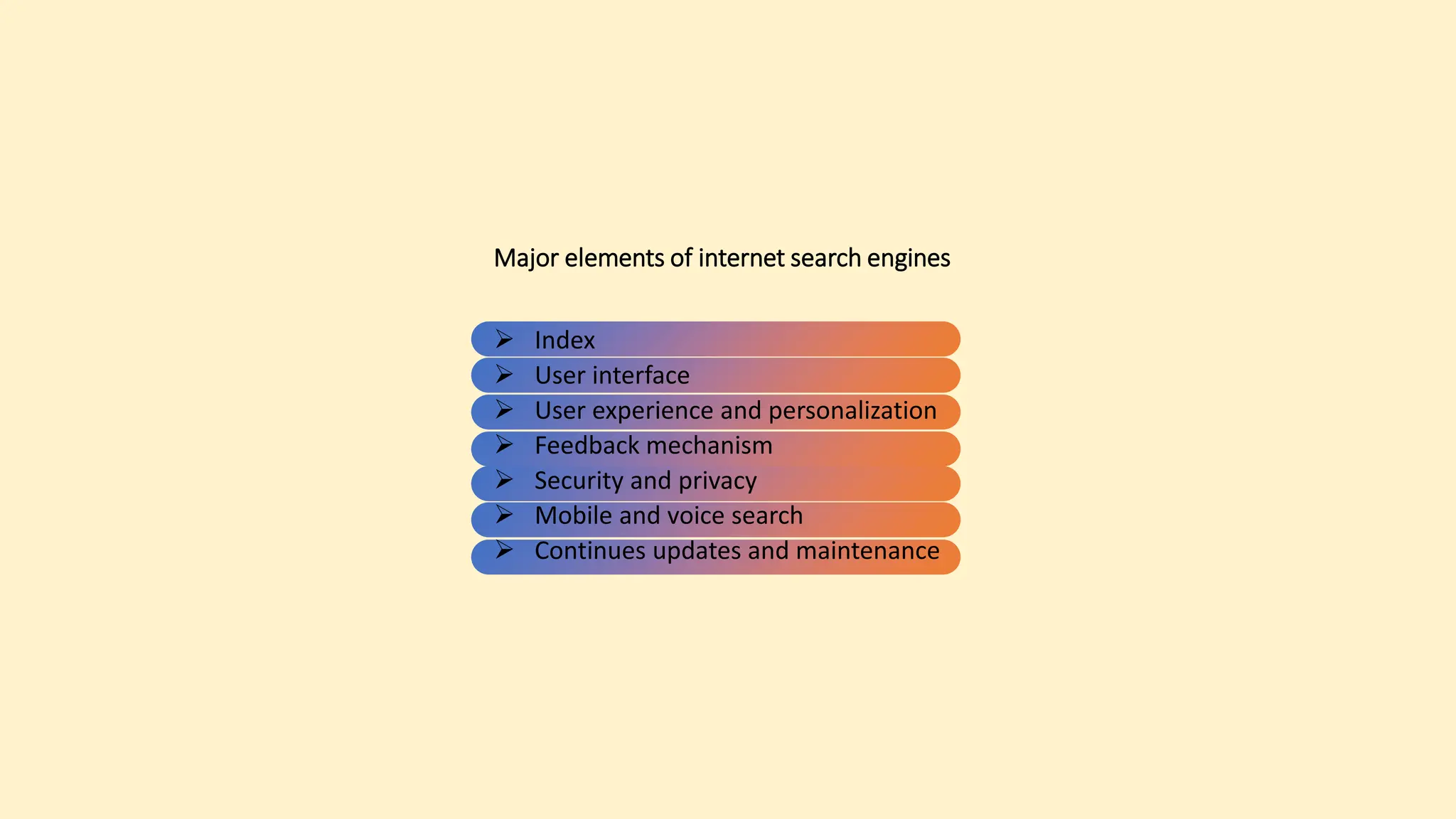
Major elements of internet search engines
 Index
 User interface
 User experience and personalization
 Feedback mechanism
 Security and privacy
 Mobile and voice search
 Continues updates and maintenance
Uses of internet
 Communication
 Entertainment
 Online shopping
 Social networking
 Education
 Business and work
 Banking and finance
 Healthcare
 Gaming
 Travelling and booking
 Government service
Have You Any Question ?

MIS-Presentation management information systems.pptx

  • 1.
    Data Communication andComputer Network The Internet
  • 2.
    Group Members Name ID Md.Morshed Alam 12005007 Mehedi Hasan 12005033 Md. Fahim Muntasir 12005048 Md. Sobuj Hossain 12005026 Kamrul Hasan 12005018 Md: Habibur Rahman 12005022 Iftekar Uddin Ahmed Asif 12005016 Sajib Chandra Das 12005015 Naymul Islam 12005057 Md. Amran 12005037
  • 3.
    ID-12005005  Basic elementsof a communication system.  Data transmission models.  Data Transmission speed. 01 Md. Morshed Alam
  • 4.
    Communication is theprocess of transferring a message from one point to another. Three basic elements of any communication system are, Basic elements of a communication system A sender A medium A Receiver
  • 5.
    The three modelof data transmission are Data transmission models Simplex Half- duplex and Full-duplex
  • 6.
    Simplex  Transmits datain one direction only  It is suitable for connecting send-only (such as kickboard) or receipt only. Half-duplex  Transmits data in both directions, but in only One Direction at a time.  It is suitable for voice communication system. Full-duplex  It allows data to flow in both directions simultaneously.  By eliminating switching delay it improves efficiency.
  • 8.
     It isdefined as a Bandwidth system which refers to data transmission rate.  Bandwidth is measured in bits per second (bps) also called baud. Data transmission speed Based on data transmission speeds , three basic categories of communication channels, 1.Narrow band.  Speed in the range of 45 to 300 baud.  Such as telegraph lines. 2.Voice -band  Speed up to 9600 baud or bps.  Major application in voice communication 3.Broadband  Speed of 1 million or more baud.  Major use in high-speed computer-to- computer communication, data transmission to several devices simultaneously.  Cost of data transmission service increases wit speed.
  • 9.
    ID-12005033  Data transmissionMedia 02 Mehedi Hasan
  • 10.
    Data transmission Media Data transmission media Guided Twisted PairCable Coaxial Cable Optical Fiber Cable Unguided media
  • 11.
    Twisted Pair wire: •A twisted pair wire receiver of two bunches of thin copper wires ,each bunch enclosed separately in a plastic insulation..
  • 12.
    Twisted pair wireUses: Local telephone communications. Short distance up to 1 km digital data transmission. Connect computer to terminal to main computer. Data speed highest 1200 bps.
  • 13.
    Coaxial Cable : Surroundedby PVC insulation High Bandwidth signal rate up to 10 mbps Better noise Immunity
  • 14.
    Communication satellite: • Toenable a large number of users to benefit from satellite communication ,communication service providers realized that they need to reduce the size and cost of receive transmit earth stations considerably ,so that a user can install a private earth station easily . for installation at users site. These dish antenna systems are known as VSATs (very small Aperture terminals)
  • 15.
    Optical Fiber Cable Opticalfibers like hair-thin of glass or plastic. Transmit data light signal instead of electronic signal. Uses for long distance and high data performance.
  • 16.
    Advantages: • Large bandwith •Low loss • Immunity to electromagnetic interference • Small size and lightwieht • Security • Safety and electronical insulation • Analog and digital signals transmission Disadvantages: • Difficult to install and maintain • High cost • Fragile Applications: • Medical Purpose: Used in several types of medical instruments. • Defence Purpose: Used in transmission of data in aerospace.
  • 17.
    ID-12005048  Digital andAnalog data Transmission 03 Md. Fahim Muntasir
  • 18.
    Digital and Analogdata Transmission
  • 19.
    Modulation & Demodulation ModulationDemodulation Digital Signal Analog Signal Digital Signal
  • 20.
  • 21.
    Modem Modem is shortfor MOdulator/DEModulator Special device used for conversion of digital data to analog form (modulation) and vice-versa (demodulation)
  • 22.
    Factors for ModemSelection 1. Transmission speed 2. Internal versus external 3. Facsimile facility 4. Error correction 5. Data compression
  • 23.
  • 24.
    Discussion Topics Network Topologies 1.StarTopology 2.Ring Topology 3.Mesh Topology 4.Bus Topology 5.Hybrid Topology
  • 25.
    Network Topologies • Anetwork topology is the physical and logical arrangement of nodes and connections in a network.. • such as: Star Topology, Ring Topology, Mesh Topology, Bus Topology, Hybrid Topology etc. Choice of a topology for a computer network depends on a combination of factors such as 1. Desired performance of the system. 2 Desired reliability of the system. 3. Size of the system. 4. Cost of components and services required to implement the network. 5. Availability of communication lines. 6. Acceptable delays in routing information between two nodes
  • 26.
    1.Star Topology  Astar topology is a network configuration in which all devices are connected to a central hub or switch.  In this topology, each device, such as computers, printers, or other networked equipment, has its cable connecting to the central hub.  The central hub is responsible for managing and directing data traffic between devices. It can use on LAN networks due to its low cost and ease of setup.
  • 27.
    1.Star Topology Advantages ofStar Topology 1. Network failure prevention 2. Performance Up gradation Disadvantages of Star Topology 1. Expensive. 2. Slow connection
  • 28.
    2.Ring Topology  Ringtopology is a type of network configuration where devices are connected in a circular manner, forming a closed loop.  In this setup, each device is connected to exactly two other devices, creating a continuous pathway for data transmission.  This means that data travels in only one direction around the ring, passing through each device until it reaches its destination
  • 29.
    2.Ring Topology Advantages ofRing Topology 1. Token system 2. Less Cabling. 3. Easier troubleshooting Disadvantages of Ring Topology 1. Difficult to upgrade 2. Failure of a network
  • 30.
     A meshtopology is a type of network configuration where every device or node in the network is connected to every other device.  In other words, it's a full-mesh network where there is a direct point-to-point connection between each pair of devices 3.Mesh Topology
  • 31.
    3.Mesh Topology Advantages ofMesh Topology 1. Consistent 2. High-speed information exchange 3. Easier reconfiguration Disadvantages of Mesh Topology 1. It can be expensive to implement because each node needs its own dedicated connection to every other node in the network. This can make mesh topology impractical for large networks. 2. Mesh topology can be complex to configure and manage.
  • 32.
    4.Bus Topology  Abus topology is a topology for a Local Area Network (LAN) in which all the nodes are connected to a single cable.  The cable to which the nodes connect is called a "backbone". If the backbone is broken, the entire segment fails.  Depending on the type of computer network car, a coaxial cable or network cable is used to connect them together.
  • 33.
    4.Bus Topology Advantages ofBus Topology 1. Less cabling 2. Small network 3. Upgradeable Disadvantages of Bus Topology 1. Reduced signal strength 2. Core failure 3. Low security
  • 34.
    5.Hybrid Topology  Itis the combination of two or more different topologies. The objective of a hybrid topology is to leverage the strengths of various topologies to create a network that best suits the specific requirements of an organization.  For example, in an University we have so many departments, one department uses ring topology and another department uses Star topology, connecting these two topologies which results in Hybrid Topology.
  • 35.
    5.Hybrid Topology Advantages ofHybrid Topology 1. Multiple advantages 2. Scalable 3. Traffic Disadvantages of Hybrid Topology 1. Expensive 2. Complex design
  • 36.
    ID-12005018  Network types Roles of a communication protocol 05 Kamrul Hasan
  • 37.
    Types of Networks Thereare several different types of computer networks. Computer networks can be characterized by their size as well as their purpose. Some of the different networks based on size are: 1. Personal area network, or PAN 2. Local area network, or LAN 3. Metropolitan area network, or MAN 4. Wide area network, or WAN
  • 38.
    Personal area network PANis a personal area network having an interconnection of personal technology devices to communicate over a short distance. It covers only less than 10 meters or 33 feet of area.
  • 39.
    Local Area Network LANor Local Area Network connects network devices in such a way that personal computers and workstations can share data, tools, and programs. The group of computers and devices are connected together by a switch, or stack of switches.
  • 40.
    Metropolitan Area Network Ametropolitan area network, or MAN, consists of a computer network across an entire city, college campus or small region. A MAN is larger than a LAN. Example of a MAN are part of the telephone company network that can provide a high-speed DSL line to the customer or the cable TV network in a city
  • 41.
    Wide Area Network Awide area network, or WAN, occupies a very large area, such as an entire country or the entire world. A WAN can contain multiple smaller networks, such as LANs or MANs. The Internet is the best-known example of a public WAN.
  • 42.
    Private Networks One ofthe benefits of networks like PAN and LAN is that they can be kept entirely private by restricting some communications to the connections within the network. This means that those communications never go over the Internet.
  • 43.
    Roles of communicationprotocol A communication protocol is a system of rules that allows two or more entities of a communications system to transmit information via any variation of a physical quantity. The protocol defines the rules, syntax, semantics, and synchronization of communication and possible error recovery methods. Protocols may be implemented by hardware, software, or a combination of both. There are several roles of communication protocol. Such as 1. Data scanning 2. Data routing 3. Data formatting 4. Flow control 5. Error control 6. Data security
  • 44.
    ID-12005022  Inter networkingTools,  Issues in wireless computing system 06 Md: Habibur Rahman
  • 45.
    Internet working tools Thereare 3 internet working tools used commonly to inter connect two or more net works to form a single net work are : Bride
  • 46.
  • 47.
    There are twotypes of wireless computing system. These are Wireless computing system 1. Fixed wireless system
  • 48.
    2. Mobile wireless system
  • 49.
    1. Lower bandwith 2.Variable bandwith 3. Higher error rate 4. Increased security concern 5. Dynamically changing network 6. Lost or degraded connection Issues in wireless computing system
  • 50.
  • 51.
    Wireless Technologies Wireless technologiesrefer to communication technologies that enable the transmission of data, information, or signals without the need for physical wires or cables. Wi-Fi (Wireless Fidelity): Wi-Fi is a widely used technology for local wireless networking. It allows devices like computers, smartphones, and smart home devices to connect to the internet and communicate with each other over short distances using radio waves.
  • 52.
    Bluetooth: Bluetooth isa short-range wireless technology primarily used for connecting like headphones, keyboards, and mice to devices like smartphones and computers. Cellular Networks: Cellular networks, such as 4G (LTE) and 5G, provide wireless connectivity over long distances and are used for mobile phone communication, mobile internet access, and machine- to-machine communication in IoT (Internet of Things) applications.
  • 53.
    RFID (Radio-Frequency Identification):RFID technology uses radio waves to identify and track objects or people. It has various applications, including inventory management, access control, and contactless payment system. Satellite Communication: Satellite communication involves wireless transmission of data via satellites in orbit around the Earth. It’s used for global communication, including TV broadcasting, internet access in remote areas, and military applications.
  • 54.
    Wireless Charging: Wirelesscharging technologies allow devices to charge without physical connections. This is commonly used for smartphones, smartwatches, and other portable electronics. UWB (Ultra-Wideband): UWB technology offers high- speed, short-range wireless communication. It is used in applications like precise location tracking and data transfer. . These wireless technologies have revolutionized the way we communicate, access information, and control various devices in our modern world
  • 55.
    ID-12005015  Internet definitionand It's Basic services 08 Sajib Chandra Das
  • 58.
    ID-12005057  World WideWeb  WWW browsers 09 Naymul Islam
  • 59.
    World Wide Web(WWW) The World Wide Web, also known as the Web, is an information system that enables content sharing over the Internet through user-friendly ways meant to appeal to users beyond IT specialists and hobbyists. It allows documents and other web resources to be accessed over the Internet according to specific rules of the Hypertext Transfer Protocol (HTTP).
  • 60.
    How does theWorld Wide Web work? The World Wide Web is made up of three main components: Web servers Web browsers Hypertext Transfer Protocol (HTTP)
  • 61.
    What are thebenefits of the World Wide Web? The World Wide Web has many benefits, including Access to information Communication Collaboration Entertainment Commerce
  • 62.
    What are WWWbrowsers? A web browser is a software application for accessing the World Wide Web. When a user requests a web page from a web server, the browser downloads the HTML code and other files that make up the web page and displays them to the user. Popular web browsers include: Google Chrome Mozilla Firefox Microsoft Edge Apple Safari
  • 63.
    ID-12005037  Major elementsof Internet search engines  Uses of internet 10 Md. Amran
  • 64.
    Major elements ofinternet search engines  Index  User interface  User experience and personalization  Feedback mechanism  Security and privacy  Mobile and voice search  Continues updates and maintenance
  • 65.
    Uses of internet Communication  Entertainment  Online shopping  Social networking  Education  Business and work  Banking and finance  Healthcare  Gaming  Travelling and booking  Government service
  • 66.
    Have You AnyQuestion ?