Migrations from PL/SQL and Transact-SQL
Easier, faster, more efficient than ever with MariaDB 10.3
Wagner Bianchi
RDBA Team Lead @ MariaDB RDBA Team
Alexander Bienemann
Migration Practice Manager @ MariaDB Professional Services
Agenda
● Why migrate?
● PL/SQL syntax in MariaDB
○ How to enable ORACLE SQL_MODE
○ Supported ORACLE and PL/SQL syntax
○ Covering the gap
○ What's coming next
● Transact-SQL migration to MariaDB
○ Toolkit
○ Speeding up migrations
● Live demo
Agenda
● Why migrate?
● PL/SQL syntax in MariaDB
○ How to enable ORACLE SQL_MODE
○ Supported ORACLE and PL/SQL syntax
○ Covering the gap
○ What's coming next
● Transact-SQL migration to MariaDB
○ Toolkit
○ Speeding up migrations
● Live demo
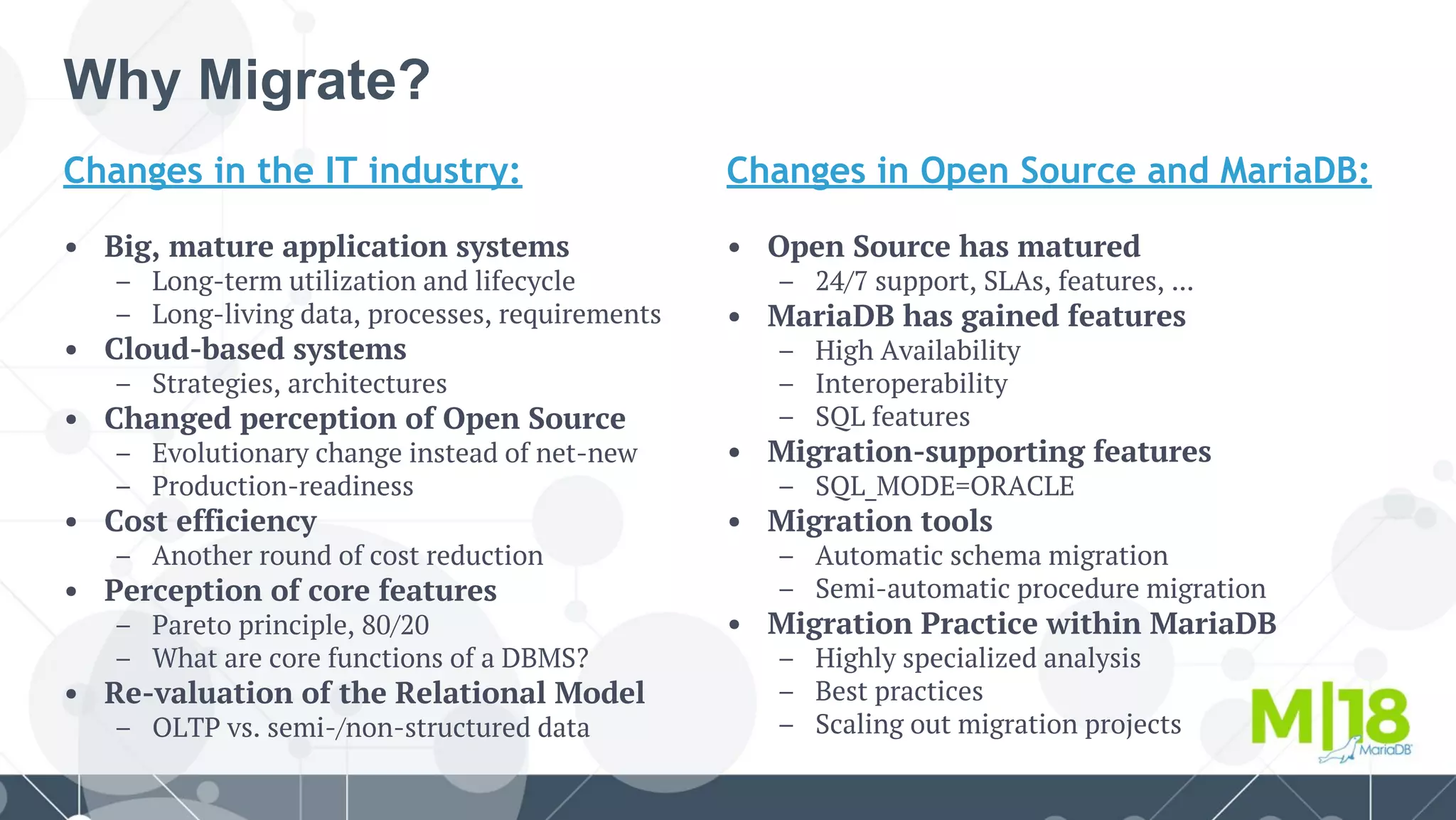
Why Migrate?
Changes in the IT industry:
• Big, mature application systems
– Long-term utilization and lifecycle
– Long-living data, processes, requirements
• Cloud-based systems
– Strategies, architectures
• Changed perception of Open Source
– Evolutionary change instead of net-new
– Production-readiness
• Cost efficiency
– Another round of cost reduction
• Perception of core features
– Pareto principle, 80/20
– What are core functions of a DBMS?
• Re-valuation of the Relational Model
– OLTP vs. semi-/non-structured data
Changes in Open Source and MariaDB:
• Open Source has matured
– 24/7 support, SLAs, features, ...
• MariaDB has gained features
– High Availability
– Interoperability
– SQL features
• Migration-supporting features
– SQL_MODE=ORACLE
• Migration tools
– Automatic schema migration
– Semi-automatic procedure migration
• Migration Practice within MariaDB
– Highly specialized analysis
– Best practices
– Scaling out migration projects
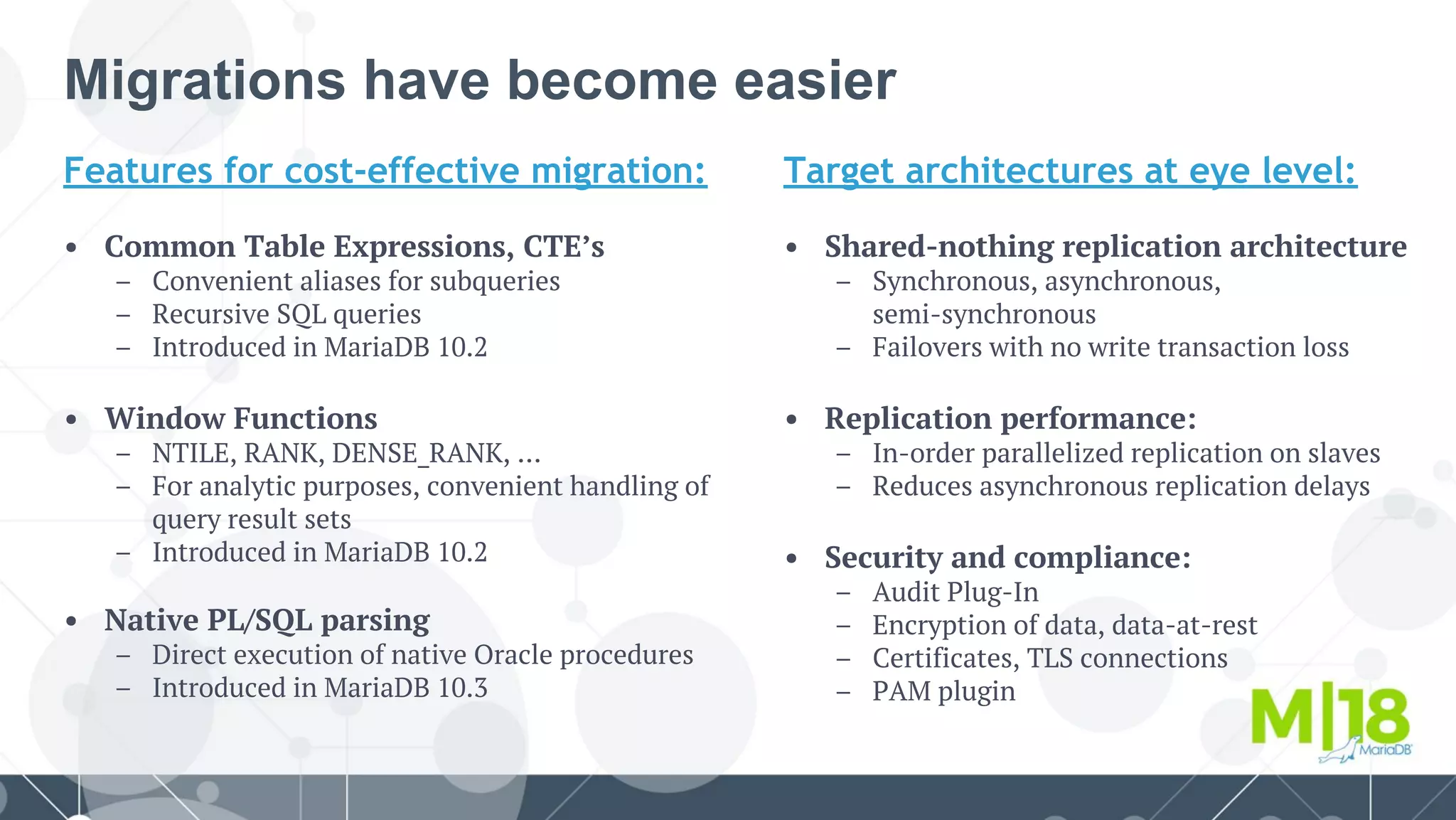
Features for cost-effective migration:
• Common Table Expressions, CTE’s
– Convenient aliases for subqueries
– Recursive SQL queries
– Introduced in MariaDB 10.2
• Window Functions
– NTILE, RANK, DENSE_RANK, …
– For analytic purposes, convenient handling of
query result sets
– Introduced in MariaDB 10.2
• Native PL/SQL parsing
– Direct execution of native Oracle procedures
– Introduced in MariaDB 10.3
Migrations have become easier
Target architectures at eye level:
• Shared-nothing replication architecture
– Synchronous, asynchronous,
semi-synchronous
– Failovers with no write transaction loss
• Replication performance:
– In-order parallelized replication on slaves
– Reduces asynchronous replication delays
• Security and compliance:
– Audit Plug-In
– Encryption of data, data-at-rest
– Certificates, TLS connections
– PAM plugin
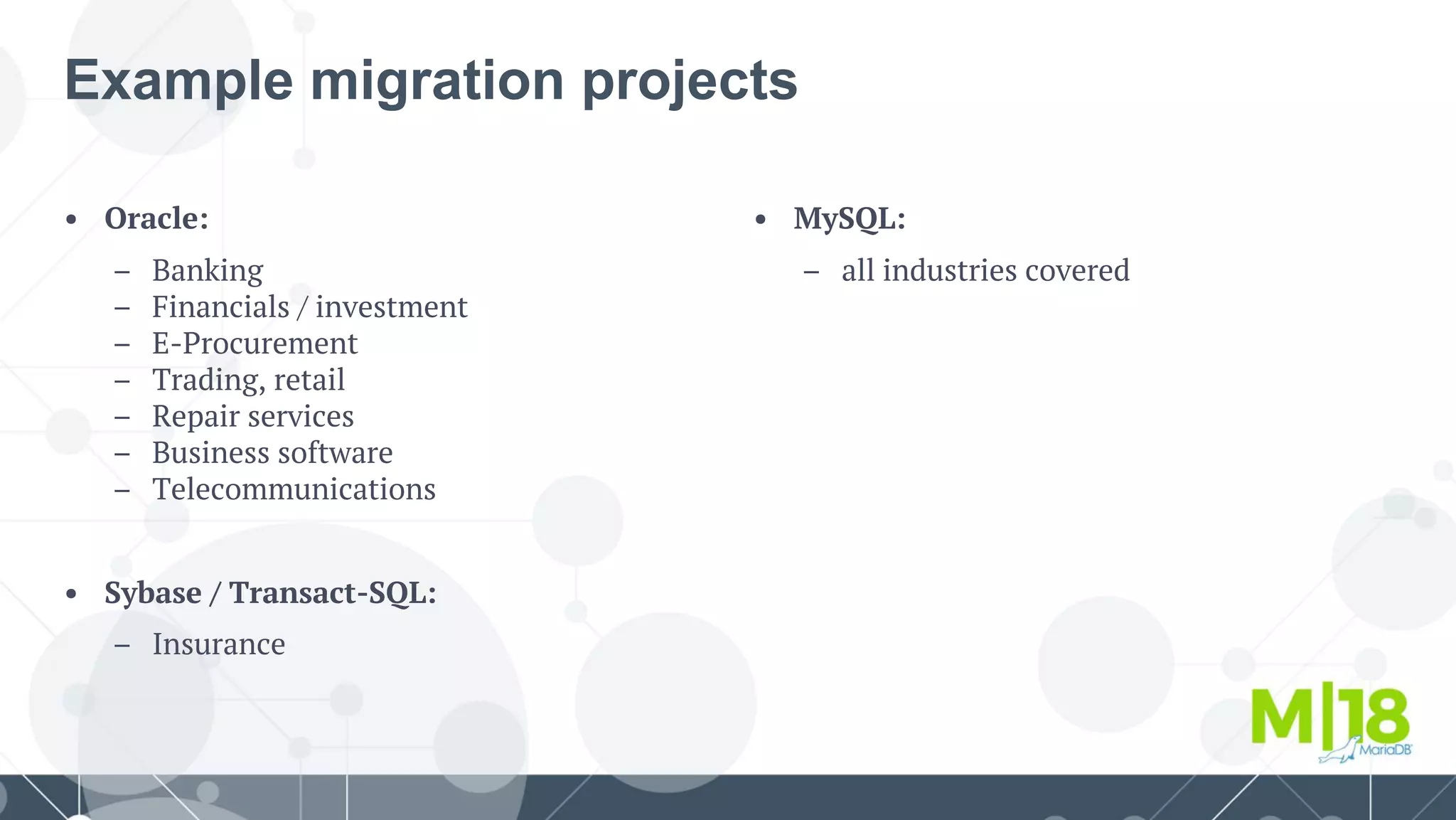
• MySQL:
– all industries covered
• Oracle:
– Banking
– Financials / investment
– E-Procurement
– Trading, retail
– Repair services
– Business software
– Telecommunications
• Sybase / Transact-SQL:
– Insurance
Example migration projects
Agenda
● Why migrate?
● PL/SQL syntax in MariaDB
○ How to enable ORACLE SQL_MODE
○ Supported ORACLE and PL/SQL syntax
○ Covering the gap
○ What's coming next
● Transact-SQL migration to MariaDB
○ Toolkit
○ Speeding up migrations
● Live demo
PL/SQL Syntax in MariaDB
SQL_MODE = ORACLE
● From the version 10.3++, MariaDB starts its support to PL/SQL structures;
● For starting using the new features, everything starts with the SQL_MODE;
○ It can be set on the configuration file and then, restarting the MariaDB Server;
○ One can yet set it dynamically, knowing that this way, the configuration won't survive a restart.
● While running the MariaDB Server with the SQL_MODE as ORACLE:
○ The traditional MariaDB syntax for stored routines won't be available at this point on;
●
●
●
● The best option is to run MariaDB Server with the SQL_MODE set on the
configuration file to avoid losing the feature in case of a restart.
:: wb_on_plsql_mariadb_server :: [(none)]> SELECT @@sql_modeG
*************************** 1. row ***************************
@@sql_mode: PIPES_AS_CONCAT,ANSI_QUOTES,IGNORE_SPACE,ORACLE,NO_KEY_OPTIONS,NO_TABLE_OPTIONS,NO_FIELD_OPTIONS,NO_AUTO_CREATE_USER
1 row in set (0.000 sec)
Agenda
● Why migrate?
● PL/SQL syntax in MariaDB
○ How to enable ORACLE SQL_MODE
○ Supported ORACLE and PL/SQL syntax
○ Covering the gap
○ What's coming next
● Transact-SQL migration to MariaDB
○ Toolkit
○ Speeding up migrations
● Live demo
Supported ORACLE and PL/SQL syntax
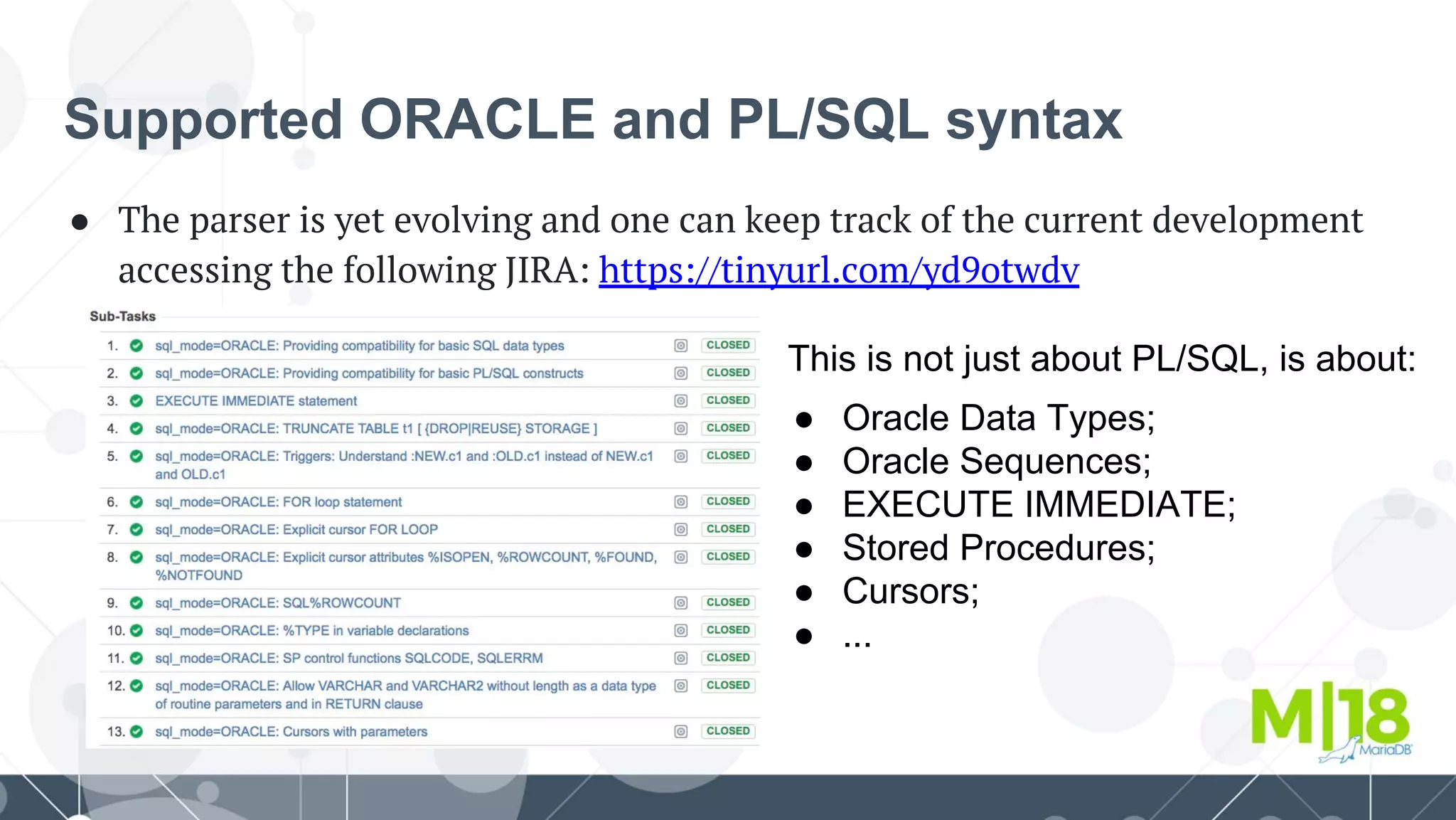
● The parser is yet evolving and one can keep track of the current development
accessing the following JIRA: https://tinyurl.com/yd9otwdv
This is not just about PL/SQL, is about:
● Oracle Data Types;
● Oracle Sequences;
● EXECUTE IMMEDIATE;
● Stored Procedures;
● Cursors;
● ...
Supported ORACLE and PL/SQL syntax
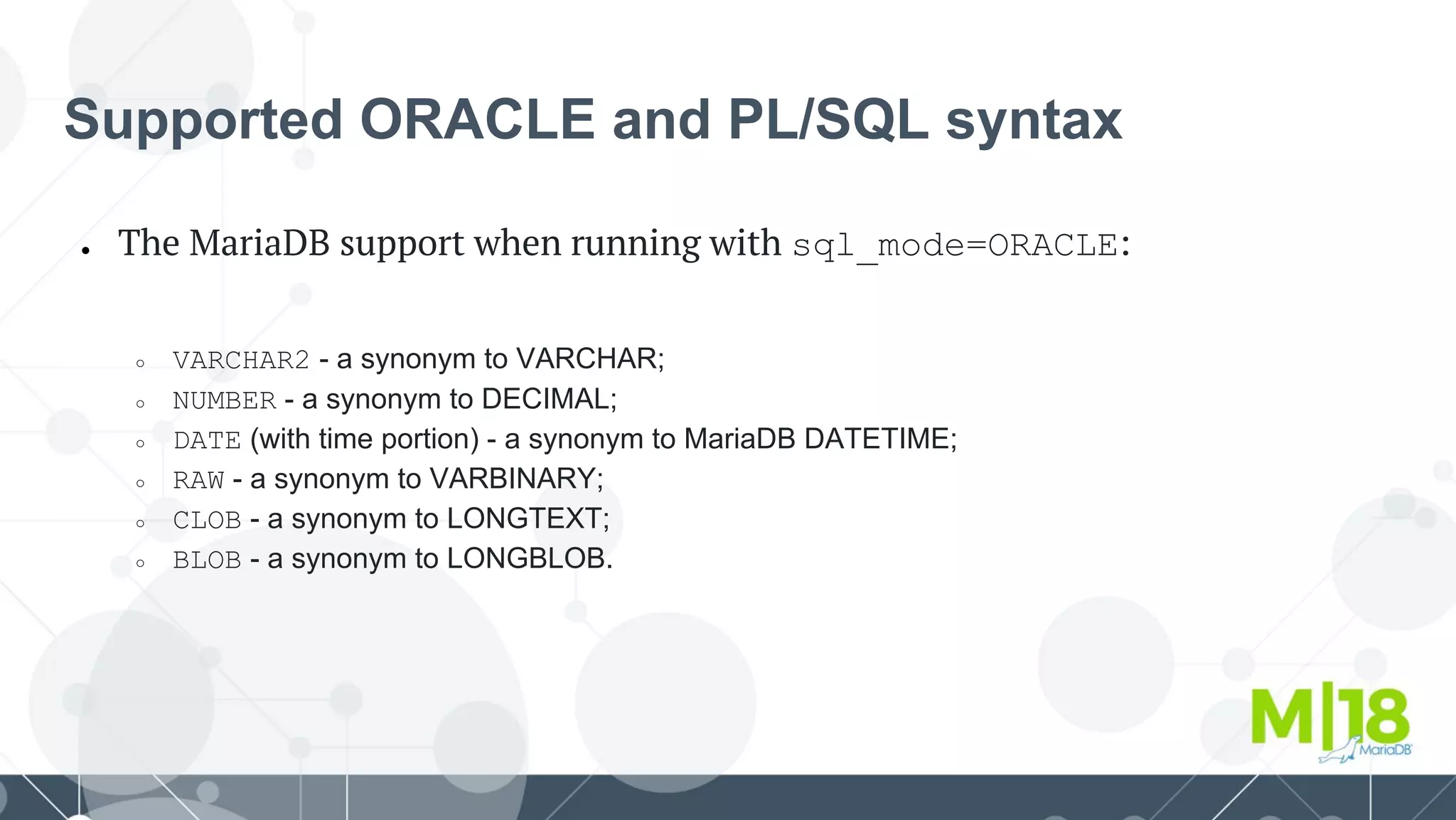
● The MariaDB support when running with sql_mode=ORACLE:
○ VARCHAR2 - a synonym to VARCHAR;
○ NUMBER - a synonym to DECIMAL;
○ DATE (with time portion) - a synonym to MariaDB DATETIME;
○ RAW - a synonym to VARBINARY;
○ CLOB - a synonym to LONGTEXT;
○ BLOB - a synonym to LONGBLOB.
Supported ORACLE and PL/SQL syntax
● Creating tables with Oracle Data Types:
#: let's create some tables, using ORACLE DATA TYPES
MariaDB [mydb]> CREATE TABLE TBL_CAR_BRAND (
-> CAR_BRAND_NUMBER INTEGER(10) NOT NULL,
-> CAR_BRAND_DESC VARCHAR2(4000) NOT NULL, #: mapped out to MariaDB VARCHAR
-> CAR_BRAND_LOGO BLOB, #: mapped out to MariaDB LONGBLOB
-> PRIMARY KEY(CAR_BRAND_NUMBER)
-> ) ENGINE=InnoDB;
Query OK, 0 rows affected (0.007 sec)
MariaDB [mydb]> CREATE TABLE TBL_CAR (
-> CAR_NUMBER INTEGER(10) NOT NULL,
-> CAR_BRAND_NUMBER INTEGER(10) NOT NULL,
-> CAR_MODEL VARCHAR2(60) NOT NULL,
-> CAR_MODEL_PRICE NUMBER(10,2) NOT NULL, #: mapped out to MariaDB DECIMAL
-> CONSTRAINT FOREIGN KEY (CAR_BRAND_NUMBER) REFERENCES TBL_CAR_BRAND(CAR_BRAND_NUMBER),
-> PRIMARY KEY(CAR_NUMBER)
-> ) ENGINE=InnoDB;
Query OK, 0 rows affected (0.007 sec)
Supported ORACLE and PL/SQL syntax
● Creating tables with Oracle Data Types:
#: let's create some tables, using ORACLE DATA TYPES
MariaDB [mydb]> CREATE TABLE TBL_CUSTOMER (
-> CUST_NUMBER INTEGER(10) NOT NULL,
-> CUST_NAME VARCHAR2(60) NOT NULL, #: mapped out to MariaDB VARCHAR
-> CUST_DATA_NASC DATE DEFAULT '0000-00-00 00:00:00', #: mapped out to MariaDB DATETIME
-> PRIMARY KEY(CUST_NUMBER)
-> ) ENGINE=InnoDB;
Query OK, 0 rows affected (0.009 sec)
MariaDB [mydb]> CREATE TABLE TBL_RENTAL (
-> RENTAL_NUMBER INTEGER(10) NOT NULL,
-> CAR_NUMBER INTEGER(10) NOT NULL,
-> CUST_NUMBER INTEGER(10) NOT NULL,
-> RENTAL_DT TIMESTAMP DEFAULT CURRENT_TIMESTAMP(),
-> CONSTRAINT FOREIGN KEY (CAR_NUMBER) REFERENCES TBL_CAR(CAR_NUMBER),
-> CONSTRAINT FOREIGN KEY (CUST_NUMBER) REFERENCES TBL_CUSTOMER(CUST_NUMBER),
-> PRIMARY KEY(RENTAL_NUMBER)
-> ) ENGINE=InnoDB;
Query OK, 0 rows affected (0.008 sec)
Supported ORACLE and PL/SQL syntax
● Creating a SEQUENCE per table of our schema mydb;
#: let's create the SEQUENCEs we're going to attach to tables
MariaDB [mydb]> CREATE SEQUENCE SEQ_CAR MINVALUE 1 START WITH 1 INCREMENT BY 1 CACHE 0;
Query OK, 0 rows affected (0.006 sec)
MariaDB [mydb]> CREATE SEQUENCE SEQ_CUSTOMER MINVALUE 1 START WITH 1 INCREMENT BY 1 CACHE 0;
Query OK, 0 rows affected (0.005 sec)
MariaDB [mydb]> CREATE SEQUENCE SEQ_CAR_BRAND MINVALUE 1 START WITH 1 INCREMENT BY 1 CACHE 0;
Query OK, 0 rows affected (0.005 sec)
MariaDB [mydb]> CREATE SEQUENCE SEQ_RENTAL MINVALUE 1 START WITH 1 INCREMENT BY 1 CACHE 0;
Query OK, 0 rows affected (0.006 sec)
Supported ORACLE and PL/SQL syntax
● PROCEDURE CREATION: let's create a procedure to add car brands!
MariaDB [mydb]> DELIMITER /
MariaDB [mydb]> CREATE OR REPLACE PROCEDURE mydb.PROC_ADD_CAR_BRAND (
-> p_car_brand_descmydb.TBL_CAR_BRAND.CAR_BRAND_DESC%TYPE,
-> p_car_brand_logomydb.TBL_CAR_BRAND.CAR_BRAND_LOGO%TYPE
-> ) AS
-> BEGIN
-> IF ((p_car_brand_desc <> '') &&(p_car_brand_logo <> '')) THEN
-> -- creating a start savepoint
-> SAVEPOINT startpoint; #: creating an undo point into the local stream
-> -- inserting the new row
-> INSERT INTO TBL_CAR_BRAND(CAR_BRAND_NUMBER,CAR_BRAND_DESC,CAR_BRAND_LOGO)
-> VALUES(SEQ_CAR_BRAND.NEXTVAL,p_car_brand_desc,p_car_brand_logo);
-> ELSE
-> SELECT 'You must provide the cars brand...' AS WARNING;
-> END IF;
-> EXCEPTION
-> WHEN OTHERS THEN
-> -- executing the exception
-> SELECT 'Exception ' || TO_CHAR(SQLCODE)|| ' ' || SQLERRM AS EXCEPTION;
-> -- rolling backup to the savepoint startpoint
-> ROLLBACK TO startpoint;
-> END;
-> /
Query OK, 0 rows affected (0.003 sec)
Supported ORACLE and PL/SQL syntax
● PROCEDURE CREATION: let's create a procedure to add customers!
MariaDB [mydb]> DELIMITER /
MariaDB [mydb]> CREATE OR REPLACE PROCEDURE mydb.PROC_ADD_CUSTOMER (
-> p_customer_name mydb.TBL_CUSTOMER.CUST_NAME%TYPE,
-> p_customer_data_nasc mydb.TBL_CUSTOMER.CUST_DATA_NASC%TYPE
-> ) AS
-> BEGIN
-> IF ((p_customer_name <> '') &&(p_customer_data_nasc <> '0000-00-00 00:00:00')) THEN
-> -- creating a start savepoint
-> SAVEPOINT startpoint;
-> -- inserting the new row
-> INSERT INTO TBL_CUSTOMER(CUST_NUMBER,CUST_NAME,CUST_DATA_NASC)
-> VALUES(SEQ_CUSTOMER.NEXTVAL,p_customer_name,p_customer_data_nasc);
-> ELSE
-> SELECT 'You must provide the customers information...' AS WARNING;
-> END IF;
-> EXCEPTION
-> WHEN OTHERS THEN
-> -- executing the exception
-> SELECT 'Exception ' || SQLCODE || ' ' ||SQLERRM AS EXCEPTION;
-> -- rolling backup to the savepoint startpoint
-> ROLLBACK TO startpoint;
-> END;
-> /
Query OK, 0 rows affected (0.003 sec)
Supported ORACLE and PL/SQL syntax
● PROCEDURE CALLS: let's add data to our database schema!
#: car brands
MariaDB [mydb]> CALL mydb.PROC_ADD_CAR_BRAND('Audi',md5('logo.') || '.jpg')/
Query OK, 1 row affected (0.004 sec)
MariaDB [mydb]> SELECT * FROM TBL_CAR_BRAND/
+------------------+----------------+--------------------------------------+
| CAR_BRAND_NUMBER | CAR_BRAND_DESC | CAR_BRAND_LOGO |
+------------------+----------------+--------------------------------------+
| 1 | Ferrari | 1f98cd1e57fbf3714f058ccf10fc9e9a.jpg |
| 2 | Audi | 1f98cd1e57fbf3714f058ccf10fc9e9a.jpg |
+------------------+----------------+--------------------------------------+
2 rows in set (0.000 sec)
#: customers
MariaDB [mydb]> CALL mydb.PROC_ADD_CUSTOMER('Bianchi','1980-01-01 10:30:00')/
Query OK, 1 row affected (0.005 sec)
MariaDB [mydb]> SELECT * FROM TBL_CUSTOMER/
+-------------+-----------------+---------------------+
| CUST_NUMBER | CUST_NAME | CUST_DATA_NASC |
+-------------+-----------------+---------------------+
| 1 | Bianchi, Wagner | 1980-01-01 10:30:00 |
+-------------+-----------------+---------------------+
1 row in set (0.000 sec)
Agenda
● Why migrate?
● PL/SQL syntax in MariaDB
○ How to enable ORACLE SQL_MODE
○ Supported ORACLE and PL/SQL syntax
○ Covering the gap
○ What's coming next
● Transact-SQL migration to MariaDB
○ Toolkit
○ Speeding up migrations
● Live demo
Technology
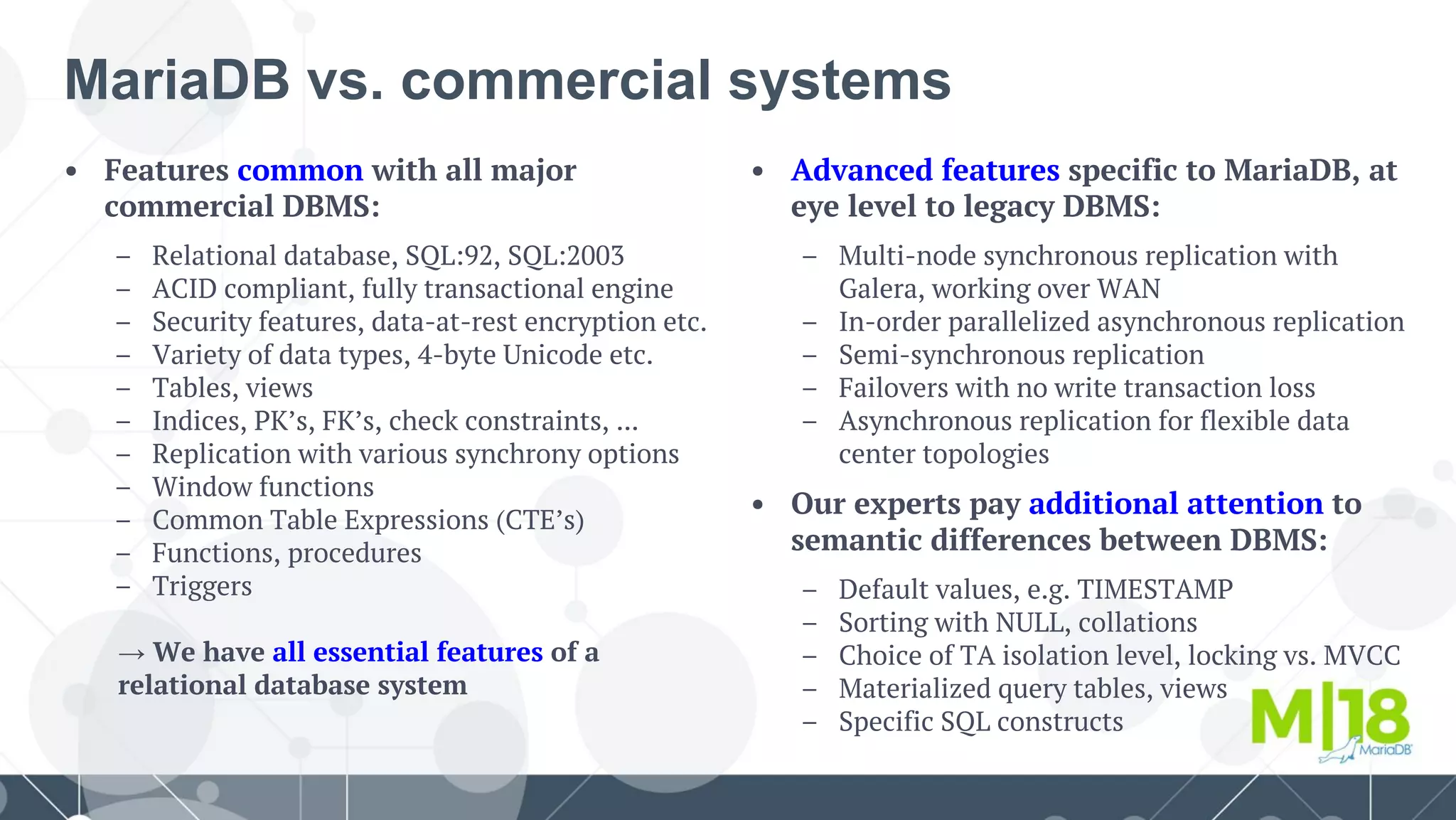
• Features common with all major
commercial DBMS:
– Relational database, SQL:92, SQL:2003
– ACID compliant, fully transactional engine
– Security features, data-at-rest encryption etc.
– Variety of data types, 4-byte Unicode etc.
– Tables, views
– Indices, PK’s, FK’s, check constraints, ...
– Replication with various synchrony options
– Window functions
– Common Table Expressions (CTE’s)
– Functions, procedures
– Triggers
→ We have all essential features of a
relational database system
MariaDB vs. commercial systems
• Advanced features specific to MariaDB, at
eye level to legacy DBMS:
– Multi-node synchronous replication with
Galera, working over WAN
– In-order parallelized asynchronous replication
– Semi-synchronous replication
– Failovers with no write transaction loss
– Asynchronous replication for flexible data
center topologies
• Our experts pay additional attention to
semantic differences between DBMS:
– Default values, e.g. TIMESTAMP
– Sorting with NULL, collations
– Choice of TA isolation level, locking vs. MVCC
– Materialized query tables, views
– Specific SQL constructs
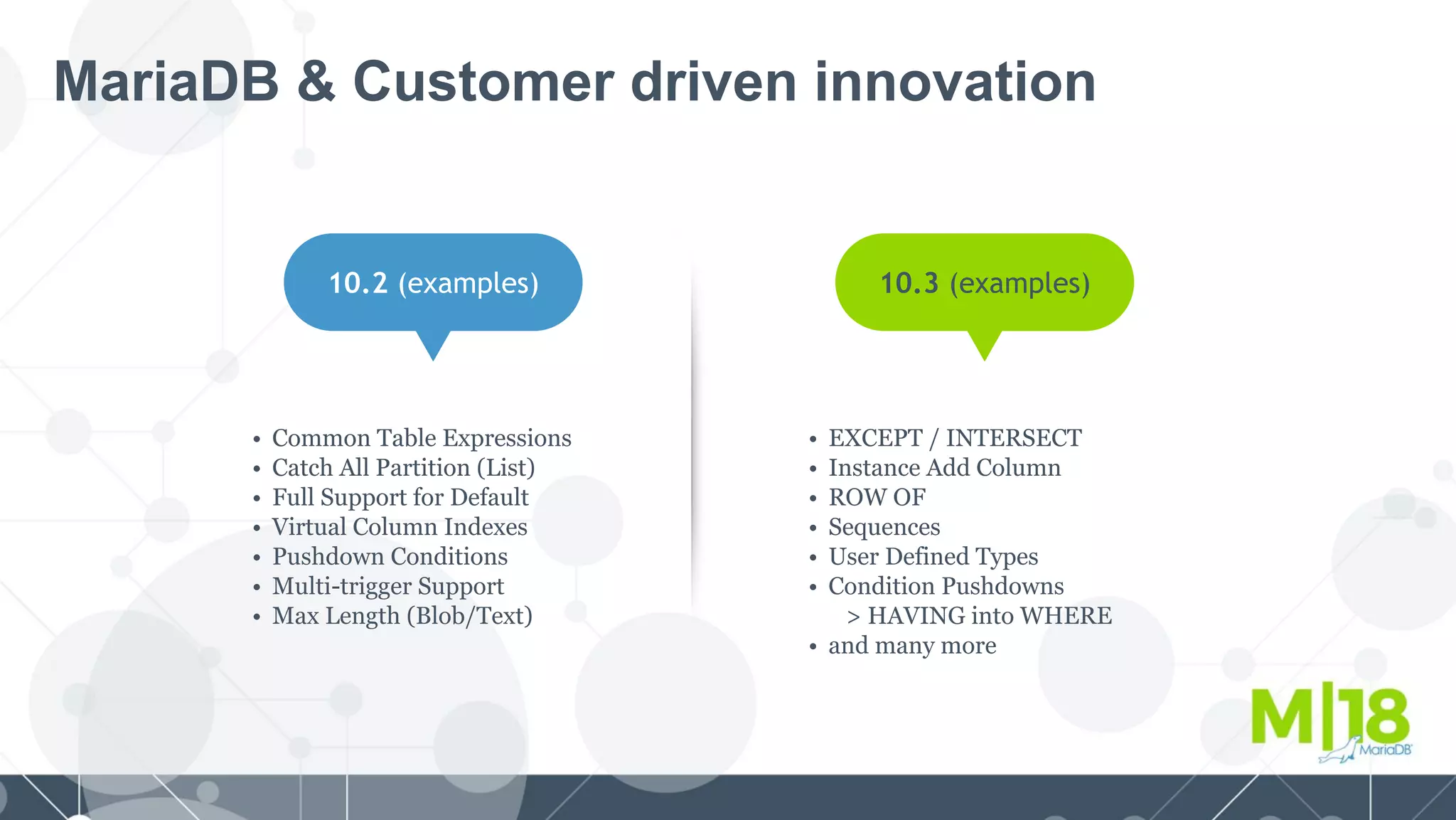
MariaDB & Customer driven innovation
10.2 (examples)
• Common Table Expressions
• Catch All Partition (List)
• Full Support for Default
• Virtual Column Indexes
• Pushdown Conditions
• Multi-trigger Support
• Max Length (Blob/Text)
10.3 (examples)
• EXCEPT / INTERSECT
• Instance Add Column
• ROW OF
• Sequences
• User Defined Types
• Condition Pushdowns
> HAVING into WHERE
• and many more
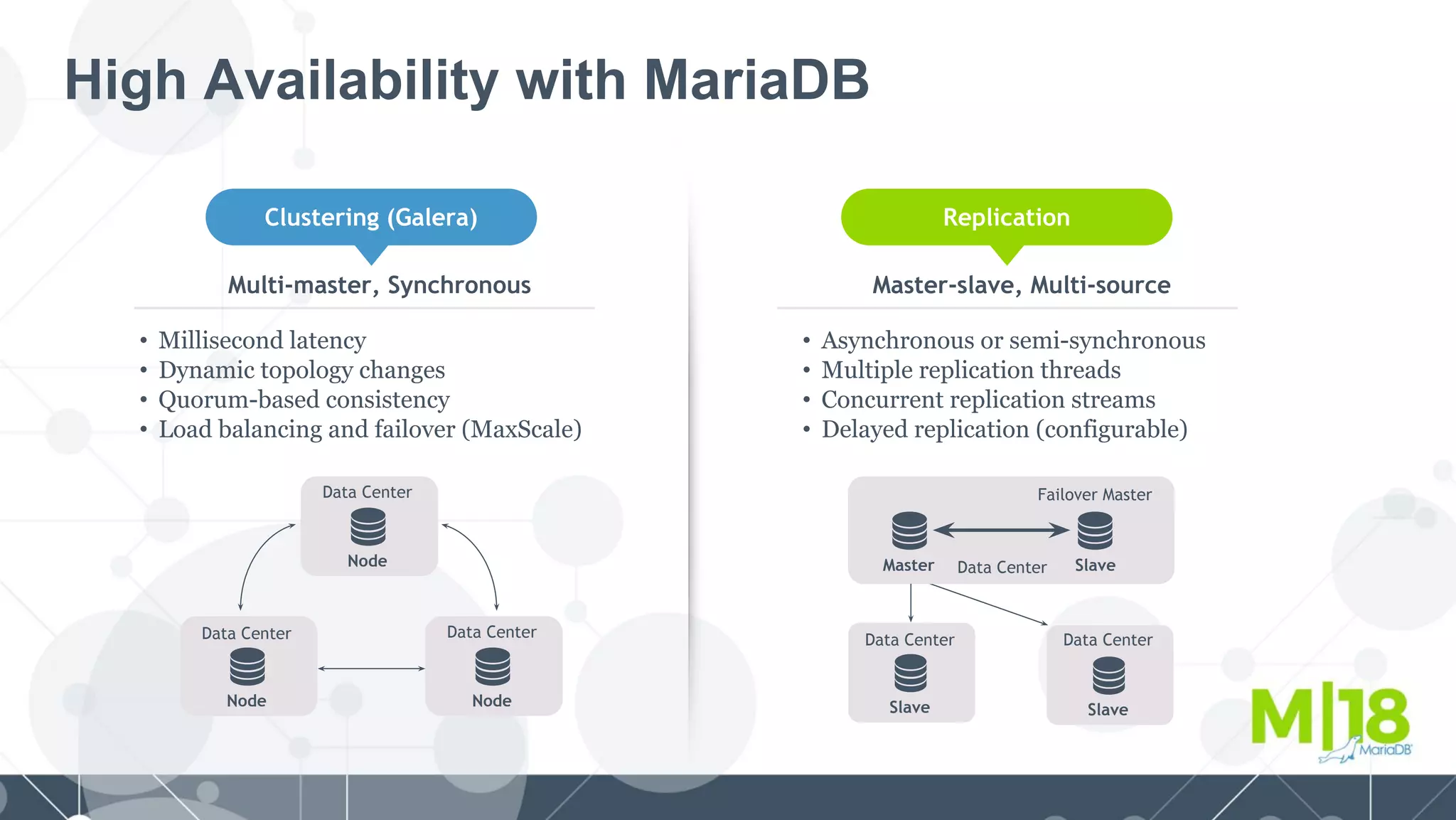
High Availability with MariaDB
Clustering (Galera) Replication
Node
Data Center
Node
Data Center
Multi-master, Synchronous
• Millisecond latency
• Dynamic topology changes
• Quorum-based consistency
• Load balancing and failover (MaxScale)
Master-slave, Multi-source
• Asynchronous or semi-synchronous
• Multiple replication threads
• Concurrent replication streams
• Delayed replication (configurable)
Slave
Data Center
Master Data Center Slave
Failover Master
Slave
Data Center
Node
Data Center
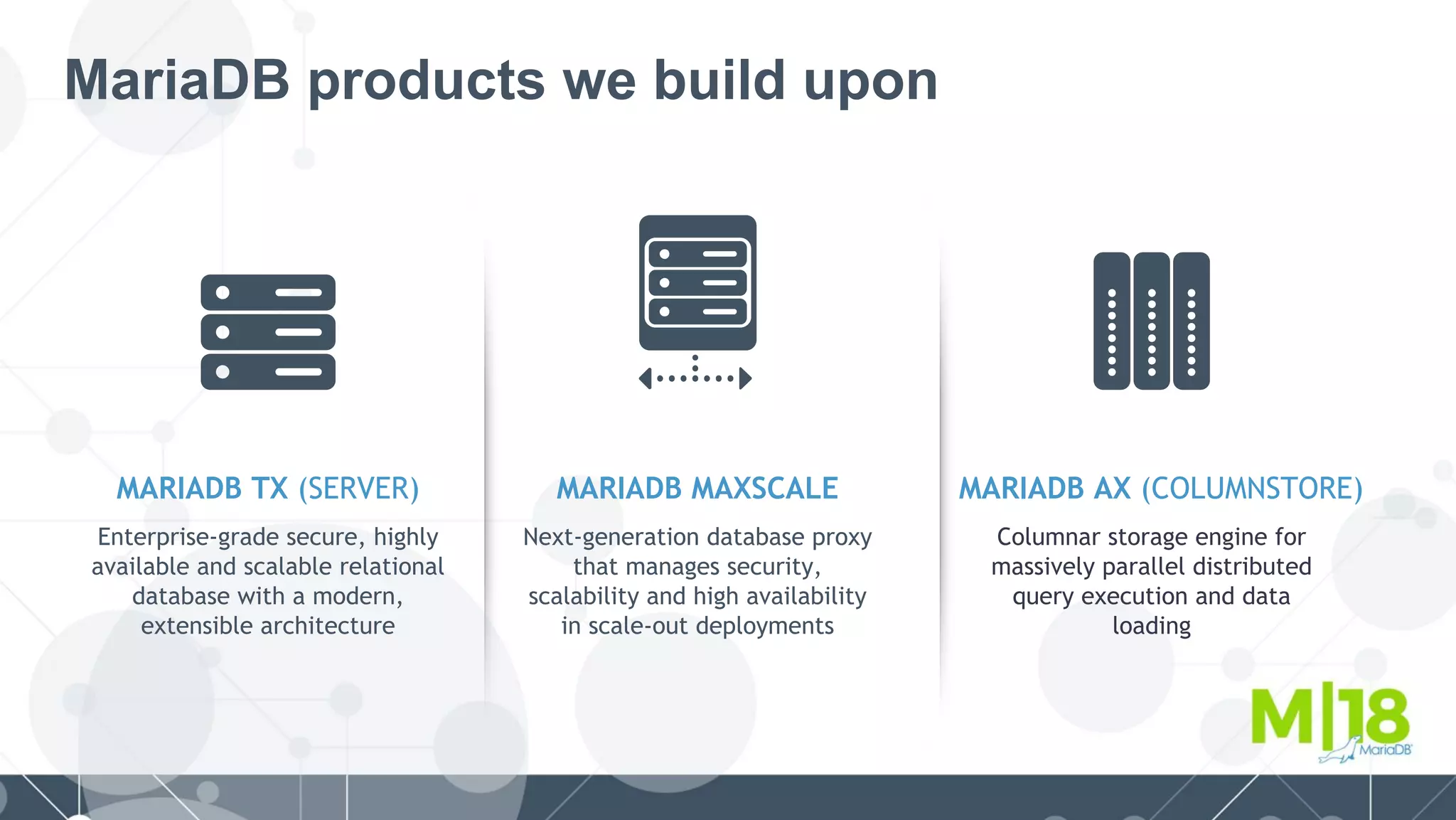
MariaDB products we build upon
MARIADB TX (SERVER)
Enterprise-grade secure, highly
available and scalable relational
database with a modern,
extensible architecture
MARIADB MAXSCALE MARIADB AX (COLUMNSTORE)
Next-generation database proxy
that manages security,
scalability and high availability
in scale-out deployments
Columnar storage engine for
massively parallel distributed
query execution and data
loading
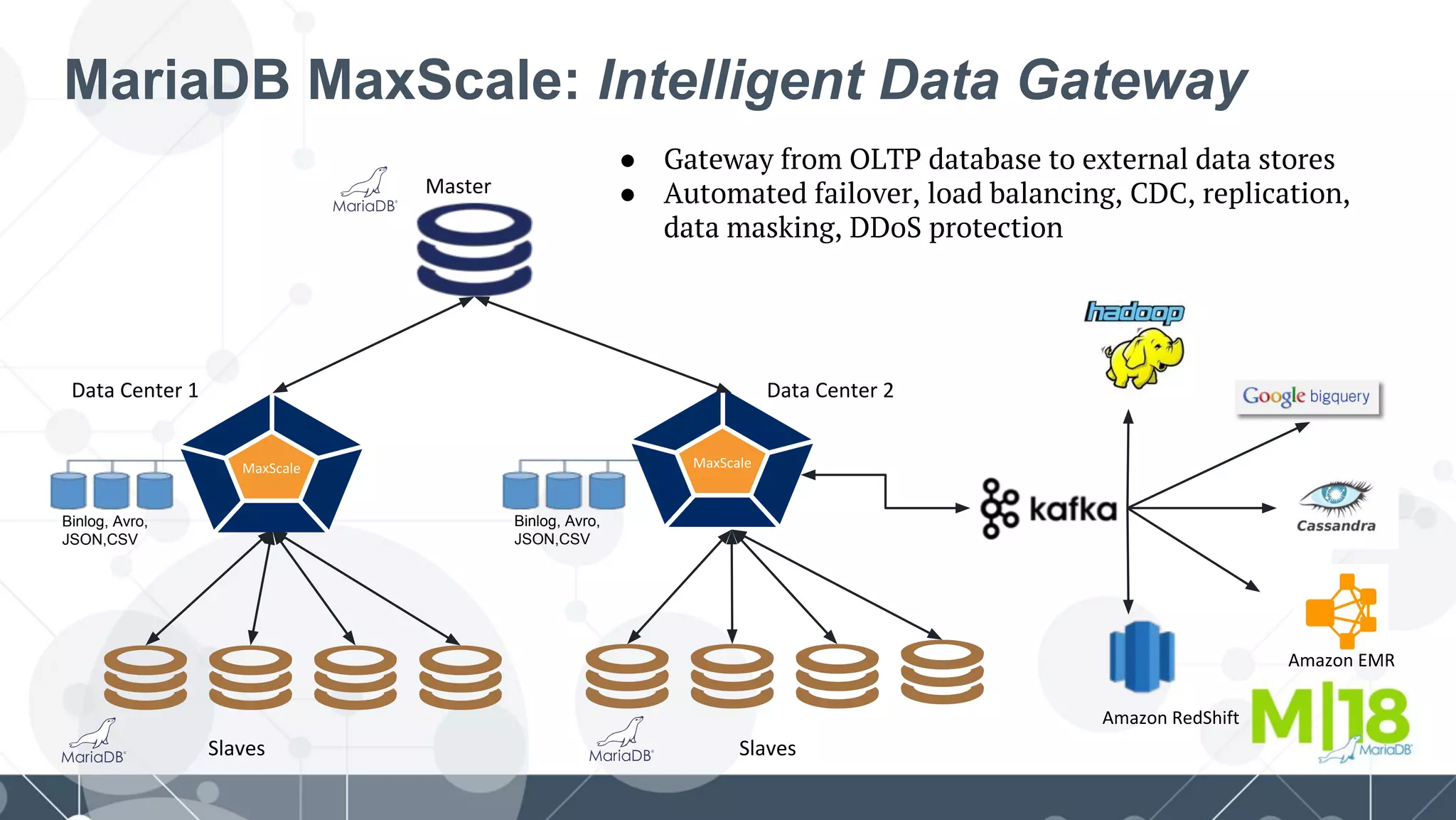
MariaDB MaxScale: Intelligent Data Gateway
Binlog, Avro,
JSON,CSV
Binlog, Avro,
JSON,CSV
● Gateway from OLTP database to external data stores
● Automated failover, load balancing, CDC, replication,
data masking, DDoS protection
Process
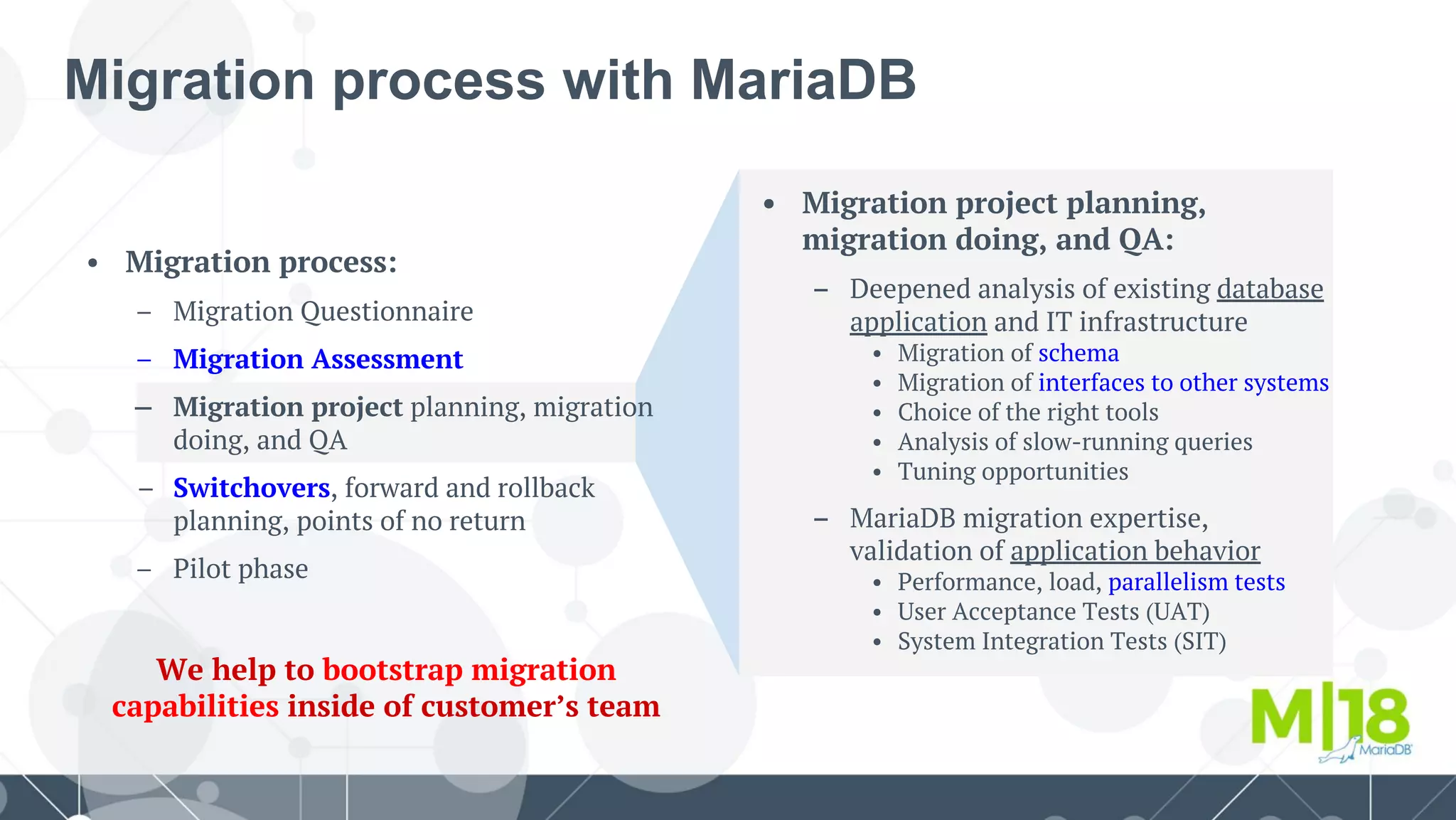
Migration process with MariaDB
• Migration project planning,
migration doing, and QA:
– Deepened analysis of existing database
application and IT infrastructure
• Migration of schema
• Migration of interfaces to other systems
• Choice of the right tools
• Analysis of slow-running queries
• Tuning opportunities
– MariaDB migration expertise,
validation of application behavior
• Performance, load, parallelism tests
• User Acceptance Tests (UAT)
• System Integration Tests (SIT)
• Migration process:
– Migration Questionnaire
– Migration Assessment
– Migration project planning, migration
doing, and QA
Switchovers, forward and rollback
planning, points of no return
– Pilot phase
We help to bootstrap migration
capabilities inside of customer’s team
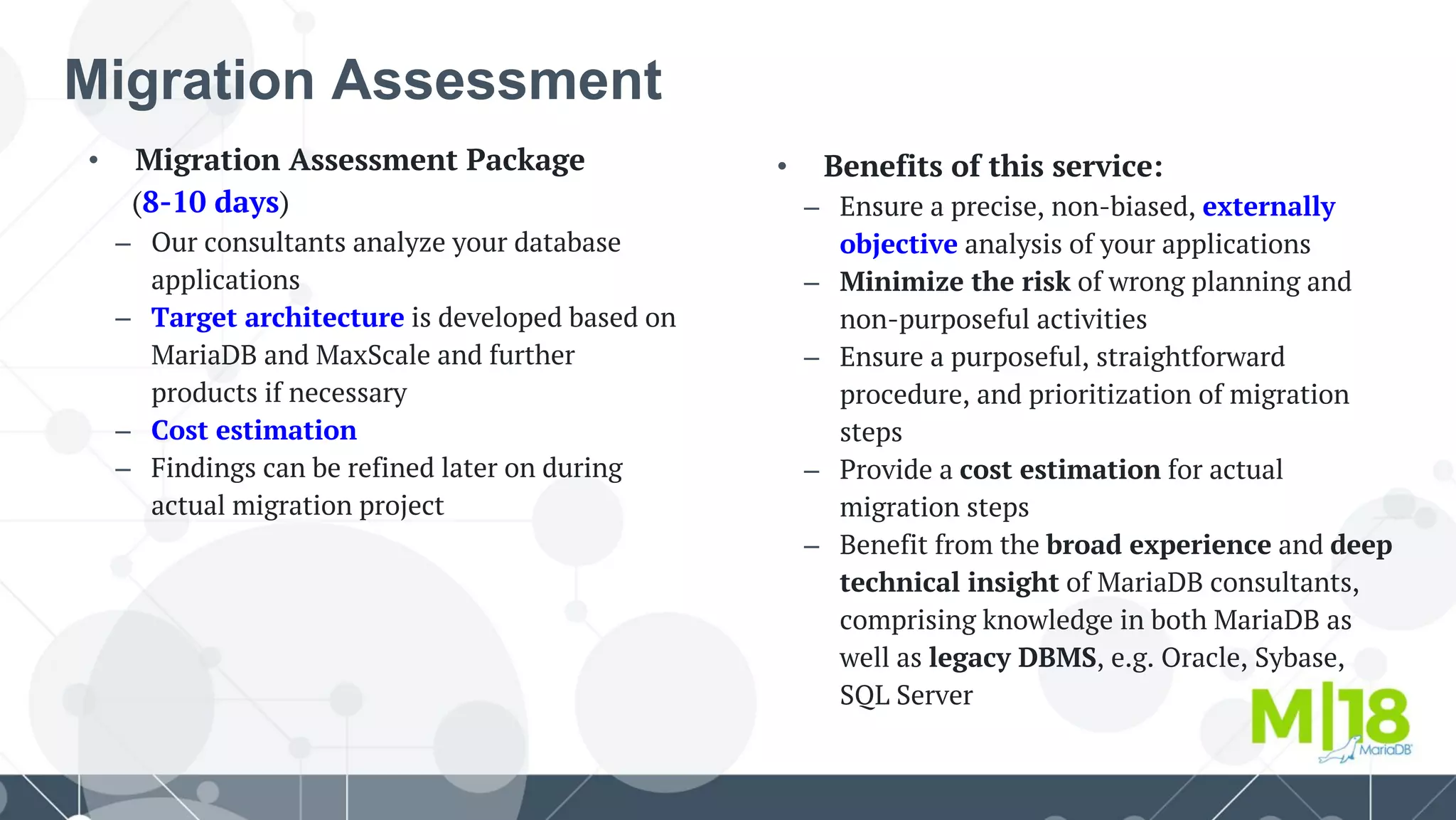
• Benefits of this service:
– Ensure a precise, non-biased, externally
objective analysis of your applications
– Minimize the risk of wrong planning and
non-purposeful activities
– Ensure a purposeful, straightforward
procedure, and prioritization of migration
steps
– Provide a cost estimation for actual
migration steps
– Benefit from the broad experience and deep
technical insight of MariaDB consultants,
comprising knowledge in both MariaDB as
well as legacy DBMS, e.g. Oracle, Sybase,
SQL Server
• Migration Assessment Package
(8-10 days)
– Our consultants analyze your database
applications
– Target architecture is developed based on
MariaDB and MaxScale and further
products if necessary
– Cost estimation
– Findings can be refined later on during
actual migration project
Migration Assessment
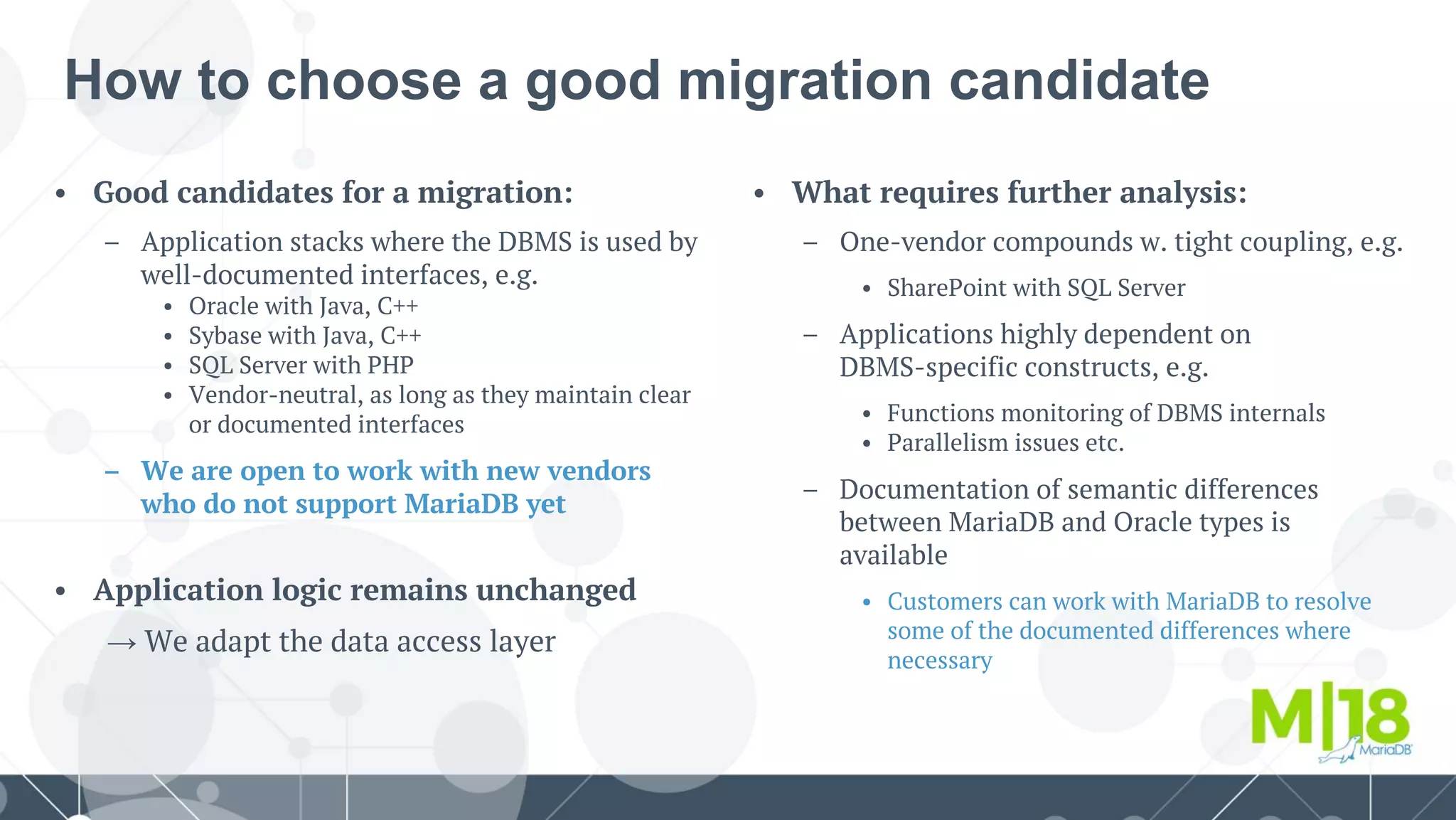
How to choose a good migration candidate
• What requires further analysis:
– One-vendor compounds w. tight coupling, e.g.
• SharePoint with SQL Server
– Applications highly dependent on
DBMS-specific constructs, e.g.
• Functions monitoring of DBMS internals
• Parallelism issues etc.
– Documentation of semantic differences
between MariaDB and Oracle types is
available
• Customers can work with MariaDB to resolve
some of the documented differences where
necessary
• Good candidates for a migration:
– Application stacks where the DBMS is used by
well-documented interfaces, e.g.
• Oracle with Java, C++
• Sybase with Java, C++
• SQL Server with PHP
• Vendor-neutral, as long as they maintain clear
or documented interfaces
– We are open to work with new vendors
who do not support MariaDB yet
• Application logic remains unchanged
→ We adapt the data access layer
Agenda
● Why migrate?
● PL/SQL syntax in MariaDB
○ How to enable ORACLE SQL_MODE
○ Supported ORACLE and PL/SQL syntax
○ Covering the gap
○ What's coming next
● Transact-SQL migration to MariaDB
○ Toolkit
○ Speeding up migrations
● Live demo
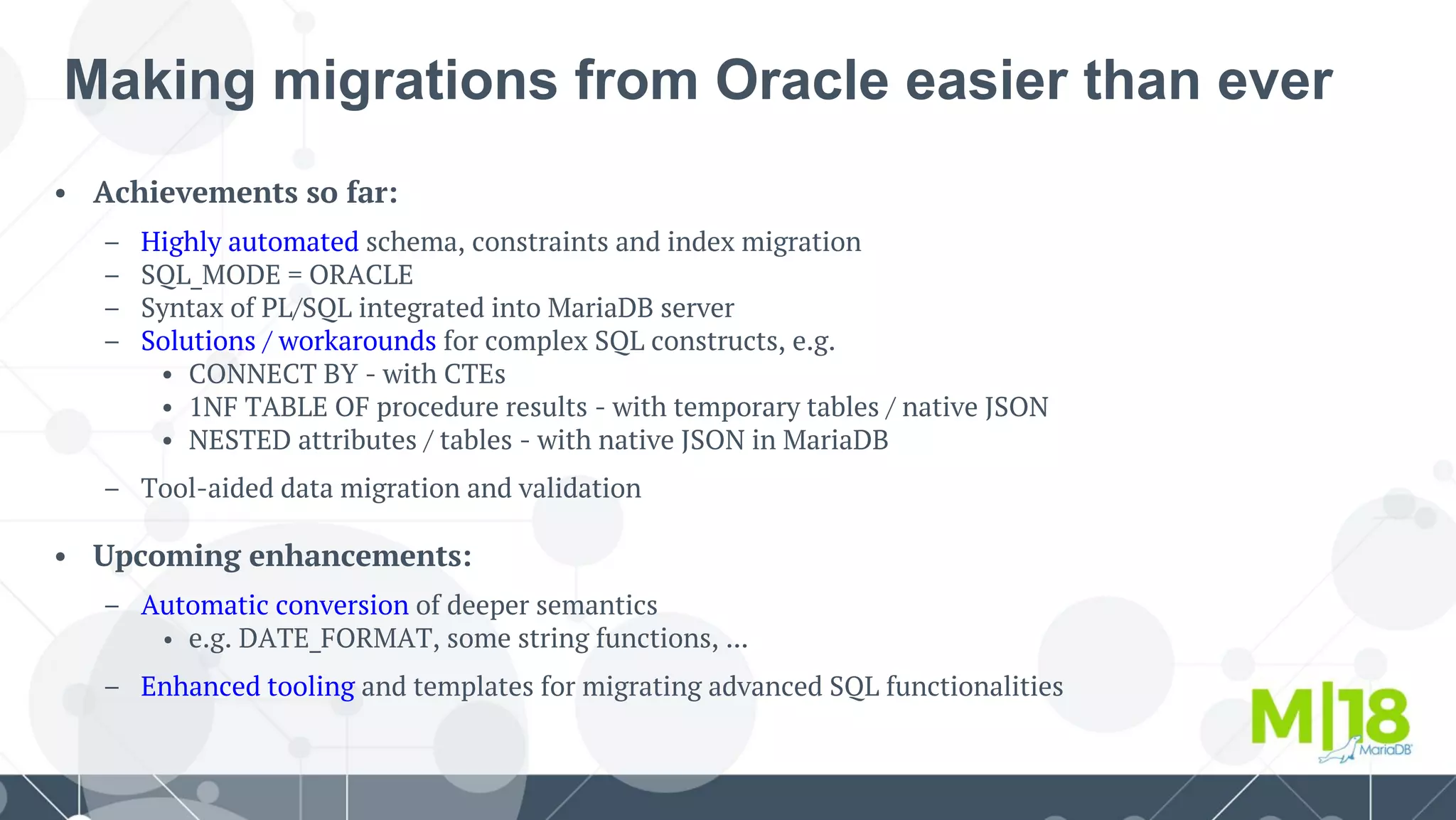
• Achievements so far:
– Highly automated schema, constraints and index migration
– SQL_MODE = ORACLE
– Syntax of PL/SQL integrated into MariaDB server
– Solutions / workarounds for complex SQL constructs, e.g.
• CONNECT BY - with CTEs
• 1NF TABLE OF procedure results - with temporary tables / native JSON
• NESTED attributes / tables - with native JSON in MariaDB
– Tool-aided data migration and validation
• Upcoming enhancements:
– Automatic conversion of deeper semantics
• e.g. DATE_FORMAT, some string functions, ...
– Enhanced tooling and templates for migrating advanced SQL functionalities
Making migrations from Oracle easier than ever
Agenda
● Why migrate?
● PL/SQL syntax in MariaDB
○ How to enable ORACLE SQL_MODE
○ Supported ORACLE and PL/SQL syntax
○ Covering the gap
○ What's coming next
● Transact-SQL migration to MariaDB
○ Toolkit
○ Speeding up migrations
● Live demo
• Applicable to legacy systems:
– Sybase
– SQL Server
• Typical fields of interest:
– Financial applications
– Insurance
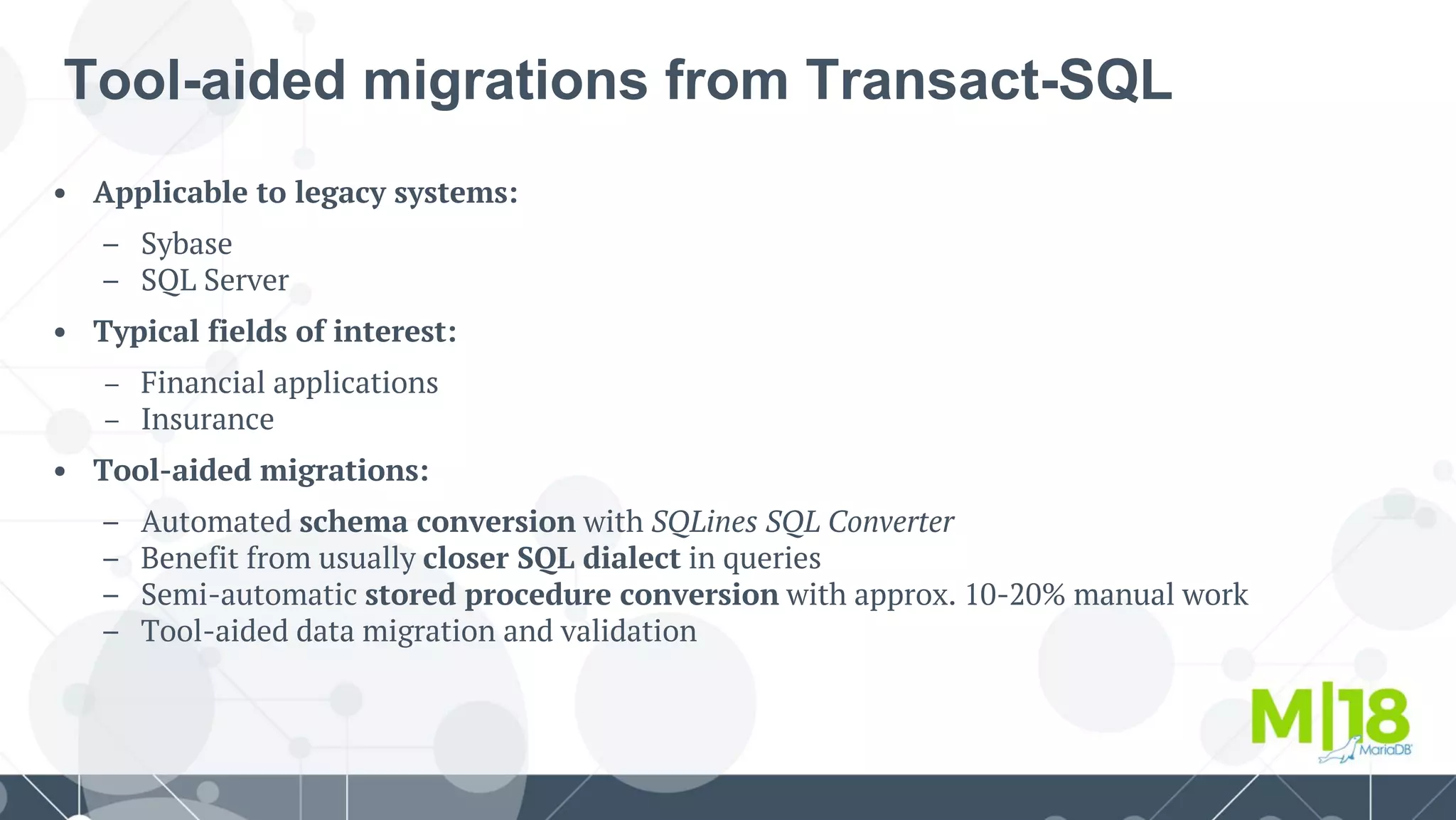
• Tool-aided migrations:
– Automated schema conversion with SQLines SQL Converter
– Benefit from usually closer SQL dialect in queries
– Semi-automatic stored procedure conversion with approx. 10-20% manual work
– Tool-aided data migration and validation
Tool-aided migrations from Transact-SQL
Agenda
● Why migrate?
● PL/SQL syntax in MariaDB
○ How to enable ORACLE SQL_MODE
○ Supported ORACLE and PL/SQL syntax
○ Covering the gap
○ What's coming next
● Transact-SQL migration to MariaDB
○ Toolkit
○ Speeding up migrations
● Live demo
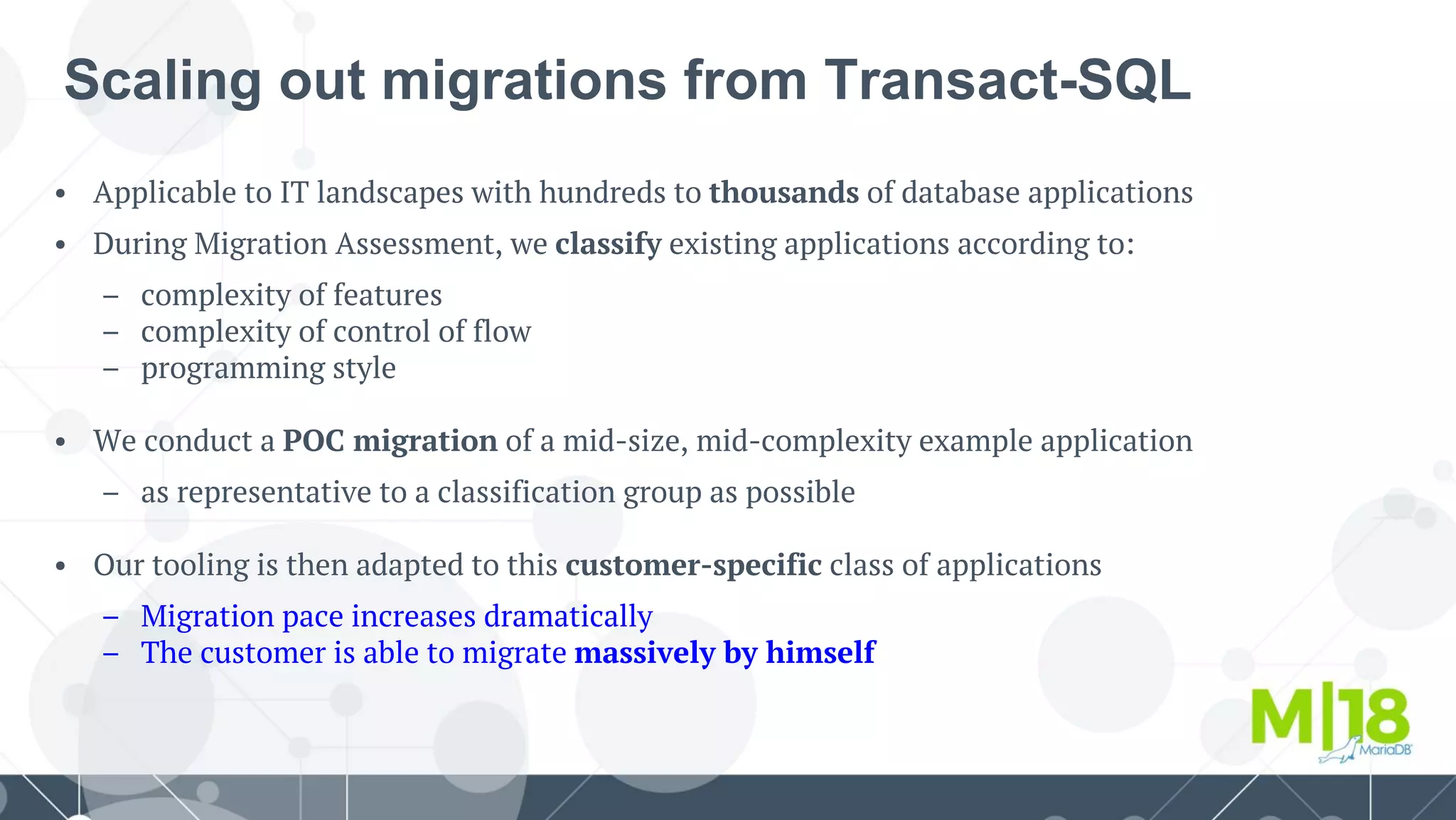
• Applicable to IT landscapes with hundreds to thousands of database applications
• During Migration Assessment, we classify existing applications according to:
– complexity of features
– complexity of control of flow
– programming style
• We conduct a POC migration of a mid-size, mid-complexity example application
– as representative to a classification group as possible
• Our tooling is then adapted to this customer-specific class of applications
– Migration pace increases dramatically
– The customer is able to migrate massively by himself
Scaling out migrations from Transact-SQL
Agenda
● Why migrate?
● PL/SQL syntax in MariaDB
○ How to enable ORACLE SQL_MODE
○ Supported ORACLE and PL/SQL syntax
○ Covering the gap
○ What's coming next
● Transact-SQL migration to MariaDB
○ Toolkit
○ Speeding up migrations
● Live demo
Thank you!
wagner.bianchi@mariadb.com
alexander.bienemann@mariadb.com
How can we help you in migrating to MariaDB?

Migrations from PLSQL and Transact-SQL - m18

  • 1.
    Migrations from PL/SQLand Transact-SQL Easier, faster, more efficient than ever with MariaDB 10.3 Wagner Bianchi RDBA Team Lead @ MariaDB RDBA Team Alexander Bienemann Migration Practice Manager @ MariaDB Professional Services
  • 2.
    Agenda ● Why migrate? ●PL/SQL syntax in MariaDB ○ How to enable ORACLE SQL_MODE ○ Supported ORACLE and PL/SQL syntax ○ Covering the gap ○ What's coming next ● Transact-SQL migration to MariaDB ○ Toolkit ○ Speeding up migrations ● Live demo
  • 3.
    Agenda ● Why migrate? ●PL/SQL syntax in MariaDB ○ How to enable ORACLE SQL_MODE ○ Supported ORACLE and PL/SQL syntax ○ Covering the gap ○ What's coming next ● Transact-SQL migration to MariaDB ○ Toolkit ○ Speeding up migrations ● Live demo
  • 4.
    Why Migrate? Changes inthe IT industry: • Big, mature application systems – Long-term utilization and lifecycle – Long-living data, processes, requirements • Cloud-based systems – Strategies, architectures • Changed perception of Open Source – Evolutionary change instead of net-new – Production-readiness • Cost efficiency – Another round of cost reduction • Perception of core features – Pareto principle, 80/20 – What are core functions of a DBMS? • Re-valuation of the Relational Model – OLTP vs. semi-/non-structured data Changes in Open Source and MariaDB: • Open Source has matured – 24/7 support, SLAs, features, ... • MariaDB has gained features – High Availability – Interoperability – SQL features • Migration-supporting features – SQL_MODE=ORACLE • Migration tools – Automatic schema migration – Semi-automatic procedure migration • Migration Practice within MariaDB – Highly specialized analysis – Best practices – Scaling out migration projects
  • 5.
    Features for cost-effectivemigration: • Common Table Expressions, CTE’s – Convenient aliases for subqueries – Recursive SQL queries – Introduced in MariaDB 10.2 • Window Functions – NTILE, RANK, DENSE_RANK, … – For analytic purposes, convenient handling of query result sets – Introduced in MariaDB 10.2 • Native PL/SQL parsing – Direct execution of native Oracle procedures – Introduced in MariaDB 10.3 Migrations have become easier Target architectures at eye level: • Shared-nothing replication architecture – Synchronous, asynchronous, semi-synchronous – Failovers with no write transaction loss • Replication performance: – In-order parallelized replication on slaves – Reduces asynchronous replication delays • Security and compliance: – Audit Plug-In – Encryption of data, data-at-rest – Certificates, TLS connections – PAM plugin
  • 6.
    • MySQL: – allindustries covered • Oracle: – Banking – Financials / investment – E-Procurement – Trading, retail – Repair services – Business software – Telecommunications • Sybase / Transact-SQL: – Insurance Example migration projects
  • 7.
    Agenda ● Why migrate? ●PL/SQL syntax in MariaDB ○ How to enable ORACLE SQL_MODE ○ Supported ORACLE and PL/SQL syntax ○ Covering the gap ○ What's coming next ● Transact-SQL migration to MariaDB ○ Toolkit ○ Speeding up migrations ● Live demo
  • 8.
    PL/SQL Syntax inMariaDB SQL_MODE = ORACLE ● From the version 10.3++, MariaDB starts its support to PL/SQL structures; ● For starting using the new features, everything starts with the SQL_MODE; ○ It can be set on the configuration file and then, restarting the MariaDB Server; ○ One can yet set it dynamically, knowing that this way, the configuration won't survive a restart. ● While running the MariaDB Server with the SQL_MODE as ORACLE: ○ The traditional MariaDB syntax for stored routines won't be available at this point on; ● ● ● ● The best option is to run MariaDB Server with the SQL_MODE set on the configuration file to avoid losing the feature in case of a restart. :: wb_on_plsql_mariadb_server :: [(none)]> SELECT @@sql_modeG *************************** 1. row *************************** @@sql_mode: PIPES_AS_CONCAT,ANSI_QUOTES,IGNORE_SPACE,ORACLE,NO_KEY_OPTIONS,NO_TABLE_OPTIONS,NO_FIELD_OPTIONS,NO_AUTO_CREATE_USER 1 row in set (0.000 sec)
  • 9.
    Agenda ● Why migrate? ●PL/SQL syntax in MariaDB ○ How to enable ORACLE SQL_MODE ○ Supported ORACLE and PL/SQL syntax ○ Covering the gap ○ What's coming next ● Transact-SQL migration to MariaDB ○ Toolkit ○ Speeding up migrations ● Live demo
  • 10.
    Supported ORACLE andPL/SQL syntax ● The parser is yet evolving and one can keep track of the current development accessing the following JIRA: https://tinyurl.com/yd9otwdv This is not just about PL/SQL, is about: ● Oracle Data Types; ● Oracle Sequences; ● EXECUTE IMMEDIATE; ● Stored Procedures; ● Cursors; ● ...
  • 11.
    Supported ORACLE andPL/SQL syntax ● The MariaDB support when running with sql_mode=ORACLE: ○ VARCHAR2 - a synonym to VARCHAR; ○ NUMBER - a synonym to DECIMAL; ○ DATE (with time portion) - a synonym to MariaDB DATETIME; ○ RAW - a synonym to VARBINARY; ○ CLOB - a synonym to LONGTEXT; ○ BLOB - a synonym to LONGBLOB.
  • 12.
    Supported ORACLE andPL/SQL syntax ● Creating tables with Oracle Data Types: #: let's create some tables, using ORACLE DATA TYPES MariaDB [mydb]> CREATE TABLE TBL_CAR_BRAND ( -> CAR_BRAND_NUMBER INTEGER(10) NOT NULL, -> CAR_BRAND_DESC VARCHAR2(4000) NOT NULL, #: mapped out to MariaDB VARCHAR -> CAR_BRAND_LOGO BLOB, #: mapped out to MariaDB LONGBLOB -> PRIMARY KEY(CAR_BRAND_NUMBER) -> ) ENGINE=InnoDB; Query OK, 0 rows affected (0.007 sec) MariaDB [mydb]> CREATE TABLE TBL_CAR ( -> CAR_NUMBER INTEGER(10) NOT NULL, -> CAR_BRAND_NUMBER INTEGER(10) NOT NULL, -> CAR_MODEL VARCHAR2(60) NOT NULL, -> CAR_MODEL_PRICE NUMBER(10,2) NOT NULL, #: mapped out to MariaDB DECIMAL -> CONSTRAINT FOREIGN KEY (CAR_BRAND_NUMBER) REFERENCES TBL_CAR_BRAND(CAR_BRAND_NUMBER), -> PRIMARY KEY(CAR_NUMBER) -> ) ENGINE=InnoDB; Query OK, 0 rows affected (0.007 sec)
  • 13.
    Supported ORACLE andPL/SQL syntax ● Creating tables with Oracle Data Types: #: let's create some tables, using ORACLE DATA TYPES MariaDB [mydb]> CREATE TABLE TBL_CUSTOMER ( -> CUST_NUMBER INTEGER(10) NOT NULL, -> CUST_NAME VARCHAR2(60) NOT NULL, #: mapped out to MariaDB VARCHAR -> CUST_DATA_NASC DATE DEFAULT '0000-00-00 00:00:00', #: mapped out to MariaDB DATETIME -> PRIMARY KEY(CUST_NUMBER) -> ) ENGINE=InnoDB; Query OK, 0 rows affected (0.009 sec) MariaDB [mydb]> CREATE TABLE TBL_RENTAL ( -> RENTAL_NUMBER INTEGER(10) NOT NULL, -> CAR_NUMBER INTEGER(10) NOT NULL, -> CUST_NUMBER INTEGER(10) NOT NULL, -> RENTAL_DT TIMESTAMP DEFAULT CURRENT_TIMESTAMP(), -> CONSTRAINT FOREIGN KEY (CAR_NUMBER) REFERENCES TBL_CAR(CAR_NUMBER), -> CONSTRAINT FOREIGN KEY (CUST_NUMBER) REFERENCES TBL_CUSTOMER(CUST_NUMBER), -> PRIMARY KEY(RENTAL_NUMBER) -> ) ENGINE=InnoDB; Query OK, 0 rows affected (0.008 sec)
  • 14.
    Supported ORACLE andPL/SQL syntax ● Creating a SEQUENCE per table of our schema mydb; #: let's create the SEQUENCEs we're going to attach to tables MariaDB [mydb]> CREATE SEQUENCE SEQ_CAR MINVALUE 1 START WITH 1 INCREMENT BY 1 CACHE 0; Query OK, 0 rows affected (0.006 sec) MariaDB [mydb]> CREATE SEQUENCE SEQ_CUSTOMER MINVALUE 1 START WITH 1 INCREMENT BY 1 CACHE 0; Query OK, 0 rows affected (0.005 sec) MariaDB [mydb]> CREATE SEQUENCE SEQ_CAR_BRAND MINVALUE 1 START WITH 1 INCREMENT BY 1 CACHE 0; Query OK, 0 rows affected (0.005 sec) MariaDB [mydb]> CREATE SEQUENCE SEQ_RENTAL MINVALUE 1 START WITH 1 INCREMENT BY 1 CACHE 0; Query OK, 0 rows affected (0.006 sec)
  • 15.
    Supported ORACLE andPL/SQL syntax ● PROCEDURE CREATION: let's create a procedure to add car brands! MariaDB [mydb]> DELIMITER / MariaDB [mydb]> CREATE OR REPLACE PROCEDURE mydb.PROC_ADD_CAR_BRAND ( -> p_car_brand_descmydb.TBL_CAR_BRAND.CAR_BRAND_DESC%TYPE, -> p_car_brand_logomydb.TBL_CAR_BRAND.CAR_BRAND_LOGO%TYPE -> ) AS -> BEGIN -> IF ((p_car_brand_desc <> '') &&(p_car_brand_logo <> '')) THEN -> -- creating a start savepoint -> SAVEPOINT startpoint; #: creating an undo point into the local stream -> -- inserting the new row -> INSERT INTO TBL_CAR_BRAND(CAR_BRAND_NUMBER,CAR_BRAND_DESC,CAR_BRAND_LOGO) -> VALUES(SEQ_CAR_BRAND.NEXTVAL,p_car_brand_desc,p_car_brand_logo); -> ELSE -> SELECT 'You must provide the cars brand...' AS WARNING; -> END IF; -> EXCEPTION -> WHEN OTHERS THEN -> -- executing the exception -> SELECT 'Exception ' || TO_CHAR(SQLCODE)|| ' ' || SQLERRM AS EXCEPTION; -> -- rolling backup to the savepoint startpoint -> ROLLBACK TO startpoint; -> END; -> / Query OK, 0 rows affected (0.003 sec)
  • 16.
    Supported ORACLE andPL/SQL syntax ● PROCEDURE CREATION: let's create a procedure to add customers! MariaDB [mydb]> DELIMITER / MariaDB [mydb]> CREATE OR REPLACE PROCEDURE mydb.PROC_ADD_CUSTOMER ( -> p_customer_name mydb.TBL_CUSTOMER.CUST_NAME%TYPE, -> p_customer_data_nasc mydb.TBL_CUSTOMER.CUST_DATA_NASC%TYPE -> ) AS -> BEGIN -> IF ((p_customer_name <> '') &&(p_customer_data_nasc <> '0000-00-00 00:00:00')) THEN -> -- creating a start savepoint -> SAVEPOINT startpoint; -> -- inserting the new row -> INSERT INTO TBL_CUSTOMER(CUST_NUMBER,CUST_NAME,CUST_DATA_NASC) -> VALUES(SEQ_CUSTOMER.NEXTVAL,p_customer_name,p_customer_data_nasc); -> ELSE -> SELECT 'You must provide the customers information...' AS WARNING; -> END IF; -> EXCEPTION -> WHEN OTHERS THEN -> -- executing the exception -> SELECT 'Exception ' || SQLCODE || ' ' ||SQLERRM AS EXCEPTION; -> -- rolling backup to the savepoint startpoint -> ROLLBACK TO startpoint; -> END; -> / Query OK, 0 rows affected (0.003 sec)
  • 17.
    Supported ORACLE andPL/SQL syntax ● PROCEDURE CALLS: let's add data to our database schema! #: car brands MariaDB [mydb]> CALL mydb.PROC_ADD_CAR_BRAND('Audi',md5('logo.') || '.jpg')/ Query OK, 1 row affected (0.004 sec) MariaDB [mydb]> SELECT * FROM TBL_CAR_BRAND/ +------------------+----------------+--------------------------------------+ | CAR_BRAND_NUMBER | CAR_BRAND_DESC | CAR_BRAND_LOGO | +------------------+----------------+--------------------------------------+ | 1 | Ferrari | 1f98cd1e57fbf3714f058ccf10fc9e9a.jpg | | 2 | Audi | 1f98cd1e57fbf3714f058ccf10fc9e9a.jpg | +------------------+----------------+--------------------------------------+ 2 rows in set (0.000 sec) #: customers MariaDB [mydb]> CALL mydb.PROC_ADD_CUSTOMER('Bianchi','1980-01-01 10:30:00')/ Query OK, 1 row affected (0.005 sec) MariaDB [mydb]> SELECT * FROM TBL_CUSTOMER/ +-------------+-----------------+---------------------+ | CUST_NUMBER | CUST_NAME | CUST_DATA_NASC | +-------------+-----------------+---------------------+ | 1 | Bianchi, Wagner | 1980-01-01 10:30:00 | +-------------+-----------------+---------------------+ 1 row in set (0.000 sec)
  • 18.
    Agenda ● Why migrate? ●PL/SQL syntax in MariaDB ○ How to enable ORACLE SQL_MODE ○ Supported ORACLE and PL/SQL syntax ○ Covering the gap ○ What's coming next ● Transact-SQL migration to MariaDB ○ Toolkit ○ Speeding up migrations ● Live demo
  • 19.
  • 20.
    • Features commonwith all major commercial DBMS: – Relational database, SQL:92, SQL:2003 – ACID compliant, fully transactional engine – Security features, data-at-rest encryption etc. – Variety of data types, 4-byte Unicode etc. – Tables, views – Indices, PK’s, FK’s, check constraints, ... – Replication with various synchrony options – Window functions – Common Table Expressions (CTE’s) – Functions, procedures – Triggers → We have all essential features of a relational database system MariaDB vs. commercial systems • Advanced features specific to MariaDB, at eye level to legacy DBMS: – Multi-node synchronous replication with Galera, working over WAN – In-order parallelized asynchronous replication – Semi-synchronous replication – Failovers with no write transaction loss – Asynchronous replication for flexible data center topologies • Our experts pay additional attention to semantic differences between DBMS: – Default values, e.g. TIMESTAMP – Sorting with NULL, collations – Choice of TA isolation level, locking vs. MVCC – Materialized query tables, views – Specific SQL constructs
  • 21.
    MariaDB & Customerdriven innovation 10.2 (examples) • Common Table Expressions • Catch All Partition (List) • Full Support for Default • Virtual Column Indexes • Pushdown Conditions • Multi-trigger Support • Max Length (Blob/Text) 10.3 (examples) • EXCEPT / INTERSECT • Instance Add Column • ROW OF • Sequences • User Defined Types • Condition Pushdowns > HAVING into WHERE • and many more
  • 22.
    High Availability withMariaDB Clustering (Galera) Replication Node Data Center Node Data Center Multi-master, Synchronous • Millisecond latency • Dynamic topology changes • Quorum-based consistency • Load balancing and failover (MaxScale) Master-slave, Multi-source • Asynchronous or semi-synchronous • Multiple replication threads • Concurrent replication streams • Delayed replication (configurable) Slave Data Center Master Data Center Slave Failover Master Slave Data Center Node Data Center
  • 23.
    MariaDB products webuild upon MARIADB TX (SERVER) Enterprise-grade secure, highly available and scalable relational database with a modern, extensible architecture MARIADB MAXSCALE MARIADB AX (COLUMNSTORE) Next-generation database proxy that manages security, scalability and high availability in scale-out deployments Columnar storage engine for massively parallel distributed query execution and data loading
  • 24.
    MariaDB MaxScale: IntelligentData Gateway Binlog, Avro, JSON,CSV Binlog, Avro, JSON,CSV ● Gateway from OLTP database to external data stores ● Automated failover, load balancing, CDC, replication, data masking, DDoS protection
  • 25.
  • 26.
    Migration process withMariaDB • Migration project planning, migration doing, and QA: – Deepened analysis of existing database application and IT infrastructure • Migration of schema • Migration of interfaces to other systems • Choice of the right tools • Analysis of slow-running queries • Tuning opportunities – MariaDB migration expertise, validation of application behavior • Performance, load, parallelism tests • User Acceptance Tests (UAT) • System Integration Tests (SIT) • Migration process: – Migration Questionnaire – Migration Assessment – Migration project planning, migration doing, and QA Switchovers, forward and rollback planning, points of no return – Pilot phase We help to bootstrap migration capabilities inside of customer’s team
  • 27.
    • Benefits ofthis service: – Ensure a precise, non-biased, externally objective analysis of your applications – Minimize the risk of wrong planning and non-purposeful activities – Ensure a purposeful, straightforward procedure, and prioritization of migration steps – Provide a cost estimation for actual migration steps – Benefit from the broad experience and deep technical insight of MariaDB consultants, comprising knowledge in both MariaDB as well as legacy DBMS, e.g. Oracle, Sybase, SQL Server • Migration Assessment Package (8-10 days) – Our consultants analyze your database applications – Target architecture is developed based on MariaDB and MaxScale and further products if necessary – Cost estimation – Findings can be refined later on during actual migration project Migration Assessment
  • 28.
    How to choosea good migration candidate • What requires further analysis: – One-vendor compounds w. tight coupling, e.g. • SharePoint with SQL Server – Applications highly dependent on DBMS-specific constructs, e.g. • Functions monitoring of DBMS internals • Parallelism issues etc. – Documentation of semantic differences between MariaDB and Oracle types is available • Customers can work with MariaDB to resolve some of the documented differences where necessary • Good candidates for a migration: – Application stacks where the DBMS is used by well-documented interfaces, e.g. • Oracle with Java, C++ • Sybase with Java, C++ • SQL Server with PHP • Vendor-neutral, as long as they maintain clear or documented interfaces – We are open to work with new vendors who do not support MariaDB yet • Application logic remains unchanged → We adapt the data access layer
  • 29.
    Agenda ● Why migrate? ●PL/SQL syntax in MariaDB ○ How to enable ORACLE SQL_MODE ○ Supported ORACLE and PL/SQL syntax ○ Covering the gap ○ What's coming next ● Transact-SQL migration to MariaDB ○ Toolkit ○ Speeding up migrations ● Live demo
  • 30.
    • Achievements sofar: – Highly automated schema, constraints and index migration – SQL_MODE = ORACLE – Syntax of PL/SQL integrated into MariaDB server – Solutions / workarounds for complex SQL constructs, e.g. • CONNECT BY - with CTEs • 1NF TABLE OF procedure results - with temporary tables / native JSON • NESTED attributes / tables - with native JSON in MariaDB – Tool-aided data migration and validation • Upcoming enhancements: – Automatic conversion of deeper semantics • e.g. DATE_FORMAT, some string functions, ... – Enhanced tooling and templates for migrating advanced SQL functionalities Making migrations from Oracle easier than ever
  • 31.
    Agenda ● Why migrate? ●PL/SQL syntax in MariaDB ○ How to enable ORACLE SQL_MODE ○ Supported ORACLE and PL/SQL syntax ○ Covering the gap ○ What's coming next ● Transact-SQL migration to MariaDB ○ Toolkit ○ Speeding up migrations ● Live demo
  • 32.
    • Applicable tolegacy systems: – Sybase – SQL Server • Typical fields of interest: – Financial applications – Insurance • Tool-aided migrations: – Automated schema conversion with SQLines SQL Converter – Benefit from usually closer SQL dialect in queries – Semi-automatic stored procedure conversion with approx. 10-20% manual work – Tool-aided data migration and validation Tool-aided migrations from Transact-SQL
  • 33.
    Agenda ● Why migrate? ●PL/SQL syntax in MariaDB ○ How to enable ORACLE SQL_MODE ○ Supported ORACLE and PL/SQL syntax ○ Covering the gap ○ What's coming next ● Transact-SQL migration to MariaDB ○ Toolkit ○ Speeding up migrations ● Live demo
  • 34.
    • Applicable toIT landscapes with hundreds to thousands of database applications • During Migration Assessment, we classify existing applications according to: – complexity of features – complexity of control of flow – programming style • We conduct a POC migration of a mid-size, mid-complexity example application – as representative to a classification group as possible • Our tooling is then adapted to this customer-specific class of applications – Migration pace increases dramatically – The customer is able to migrate massively by himself Scaling out migrations from Transact-SQL
  • 35.
    Agenda ● Why migrate? ●PL/SQL syntax in MariaDB ○ How to enable ORACLE SQL_MODE ○ Supported ORACLE and PL/SQL syntax ○ Covering the gap ○ What's coming next ● Transact-SQL migration to MariaDB ○ Toolkit ○ Speeding up migrations ● Live demo
  • 36.