Vu Nguyen Cao Son EPG Technical Specialist Microsoft Vietnam
Virtualization Benefits Microsoft Virtualization Technologies Server Virtualization Key Scenarios Business Benefits Key Features Demo (Hyper-V and System Center VMM 2008) Presentation Virtualization – Terminal Services Key Scenarios Business Benefits Key Features  Demo Q&A
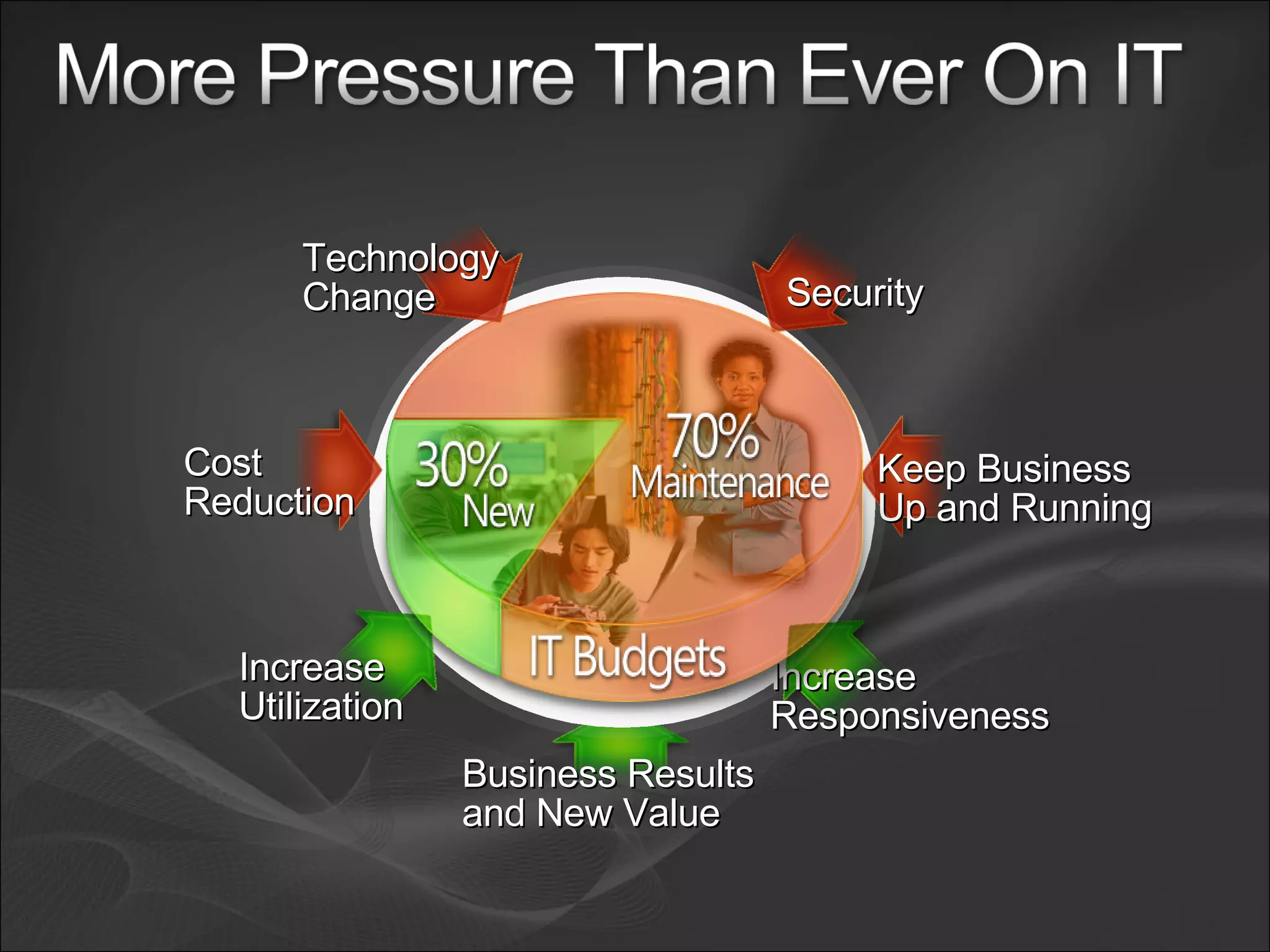
Business Results and New Value Increase  Responsiveness Increase Utilization Keep Business Up and Running Security Technology Change Cost Reduction
Web Solid Foundation for Your Business Workloads Virtualization Internet Information Services 7.0 – Powerful Web Application and Services Platform Manage with Ease -  More efficient administration tools including delegated administration and shared configuration Powerful Hosting of Applications and Services -  Expanded application hosting for .NET, ASP, PHP Web applications and XML services.  Web server extensibility throughout Lower Infrastructure Costs  - Improved scalability and enhanced security and reliability with automatic application sandboxing Windows Server Virtualization  – WS2008 contains everything needed to support machine virtualization. Hyper-V™ enables IT organizations to reduce costs, improve server utilization, and create a more dynamic IT infrastructure. Presentation Virtualization -  Terminal Services accelerates and extends application deployments to any device, improving remote worker efficiency, while helping keep critical intellectual property secure and radically simplifying regulatory compliance Security Network Access Protection -  helps prevent unhealthy devices from accessing corporate resources, NAP   enables policy validation, network restriction, remediation and ongoing compliance to ensure network health is not compromised. Read-Only Domain Controller (RODC) -  helps reduce corruption and compromise of the system.   RODC improves security of branch office servers and reduces risk of stolen information from branch DCs. Active Directory Rights Management Services -  helps prevent unauthorized  access and use of documents, data, and e-mail. RMS enables document owners to identify authorized users and manage restrictions  on usage of documents.  Server Manager –  “One-stop shop” to guide you through installation, configuration, management, and reporting of server roles and features. Windows PowerShell ™ -  Achieve greater control and productivity using a powerful new  command shell and scripting language for accelerated system administration and task automation Power Management  – Reduce energy consumption and maintain server performance through processor power management features. High Performance Computing –  Increase scalability and performance of HPC workloads and improve management of clustered file systems. Server Core Installation Option -  Minimal installation option for increased reliability, security, and management  Next Generation Networking -  New TCP/IP stack improves scalability, performance and security .  Failover Clustering –  Improved setup, validation, management, and geo-clustering deployment simplifies implementation of highly-available failover clusters and helps ensure business continuity. Dynamic Partitioning  - Datacenter and Itanium. Delivers mainframe-class reliability. Increases workload resources, and allows one to hot- add and replace processors and memory without rebooting, Reliability Management
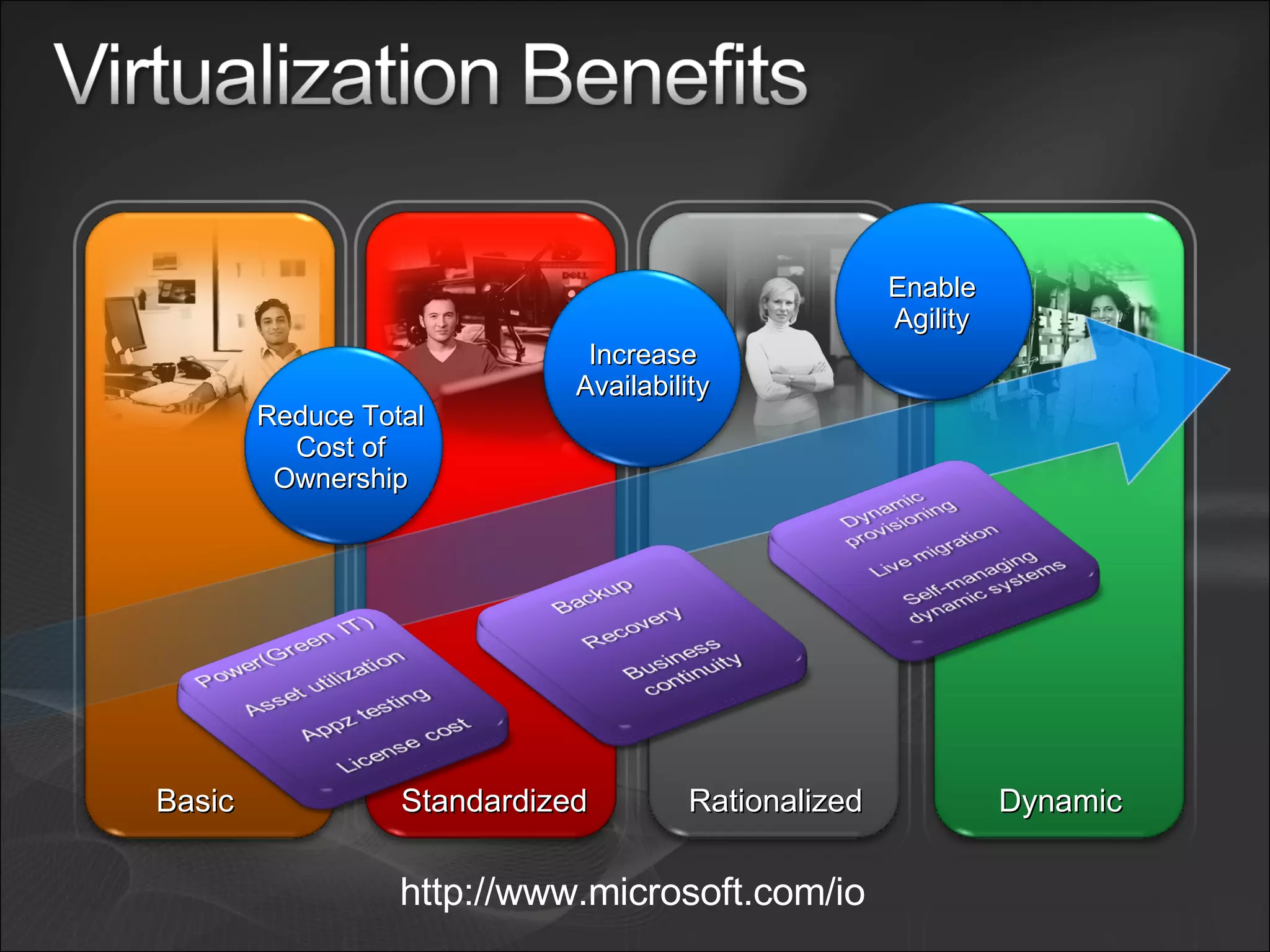
Basic Dynamic Standardized Rationalized http://www.microsoft.com/io Increase Availability Enable Agility Reduce Total Cost of Ownership
A comprehensive set of virtualization products, from the data center to the desktop Assets – both virtual and physical – are managed from a single platform
 
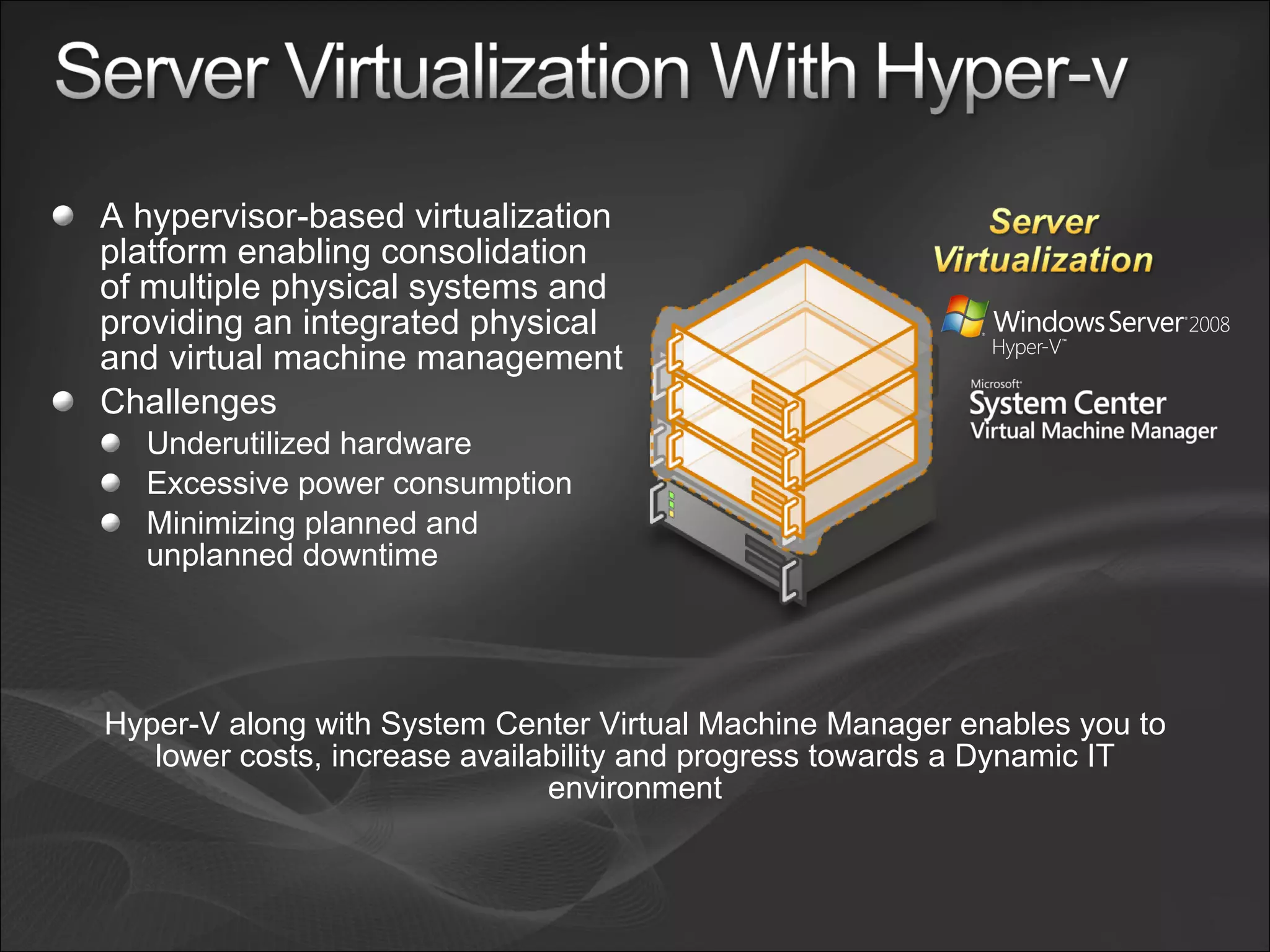
A hypervisor-based virtualization platform enabling consolidation of multiple physical systems and providing an integrated physical and virtual machine management Challenges Underutilized hardware  Excessive power consumption Minimizing planned and unplanned downtime  Hyper-V along with System Center Virtual Machine Manager enables you to lower costs, increase availability and progress towards a Dynamic IT environment
Improved Resource Optimization Virtualization is a feature of Windows Server 2008  Greater scalability with x64 guest support and SMP support Centralized virtual machine deployment and management Increased Reliability and Security Microkernelized hypervisor has an inherently secure architecture Common management, security, driver model Integrated with Active Directory® support and enables delegated VM management  Better Flexibility and Manageability Support for Quick Migration and Live Backups Broad management tool support including SC VMM Enables rapid provisioning and patch management leveraging common tools and processes VM VM VM VM VM VM VM VM VM VM VM VM VM VM VM VM VM VM VM VM VM VM VM VM
Test and Development Business Continuity Management Dynamic Datacenter Production Server Consolidation We continue to address key scenarios that help customers build a dynamic and agile datacenter
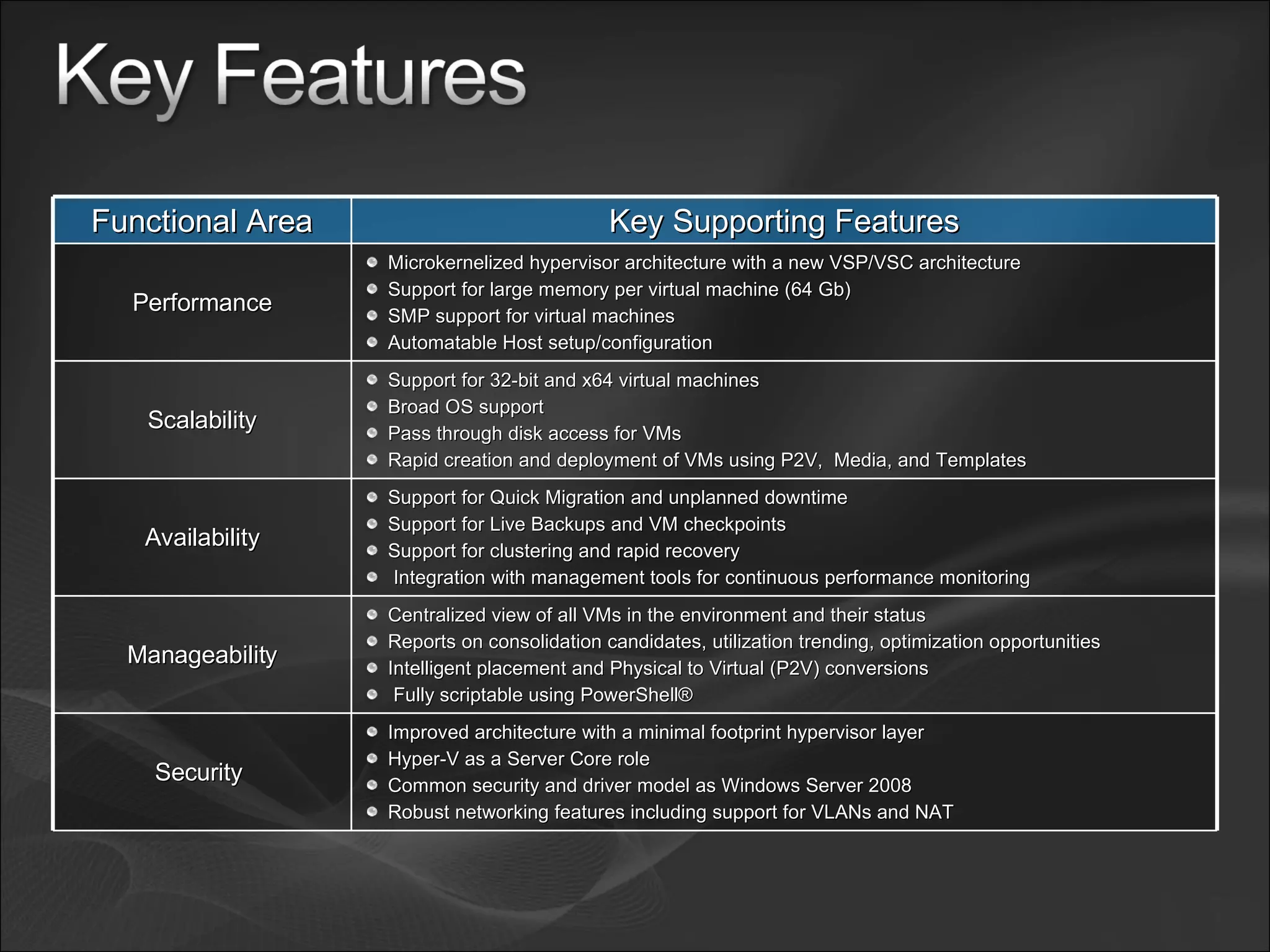
Functional Area Key Supporting Features Performance Microkernelized hypervisor architecture with a new VSP/VSC architecture Support for large memory per virtual machine (64 Gb) SMP support for virtual machines Automatable Host setup/configuration Scalability Support for 32-bit and x64 virtual machines Broad OS support  Pass through disk access for VMs Rapid creation and deployment of VMs using P2V,  Media, and Templates Availability Support for Quick Migration and unplanned downtime Support for Live Backups and VM checkpoints  Support for clustering and rapid recovery Integration with management tools for continuous performance monitoring  Manageability Centralized view of all VMs in the environment and their status Reports on consolidation candidates, utilization trending, optimization opportunities Intelligent placement and Physical to Virtual (P2V) conversions Fully scriptable using PowerShell®  Security  Improved architecture with a minimal footprint hypervisor layer Hyper-V as a Server Core role Common security and driver model as Windows Server 2008 Robust networking features including support for VLANs and NAT
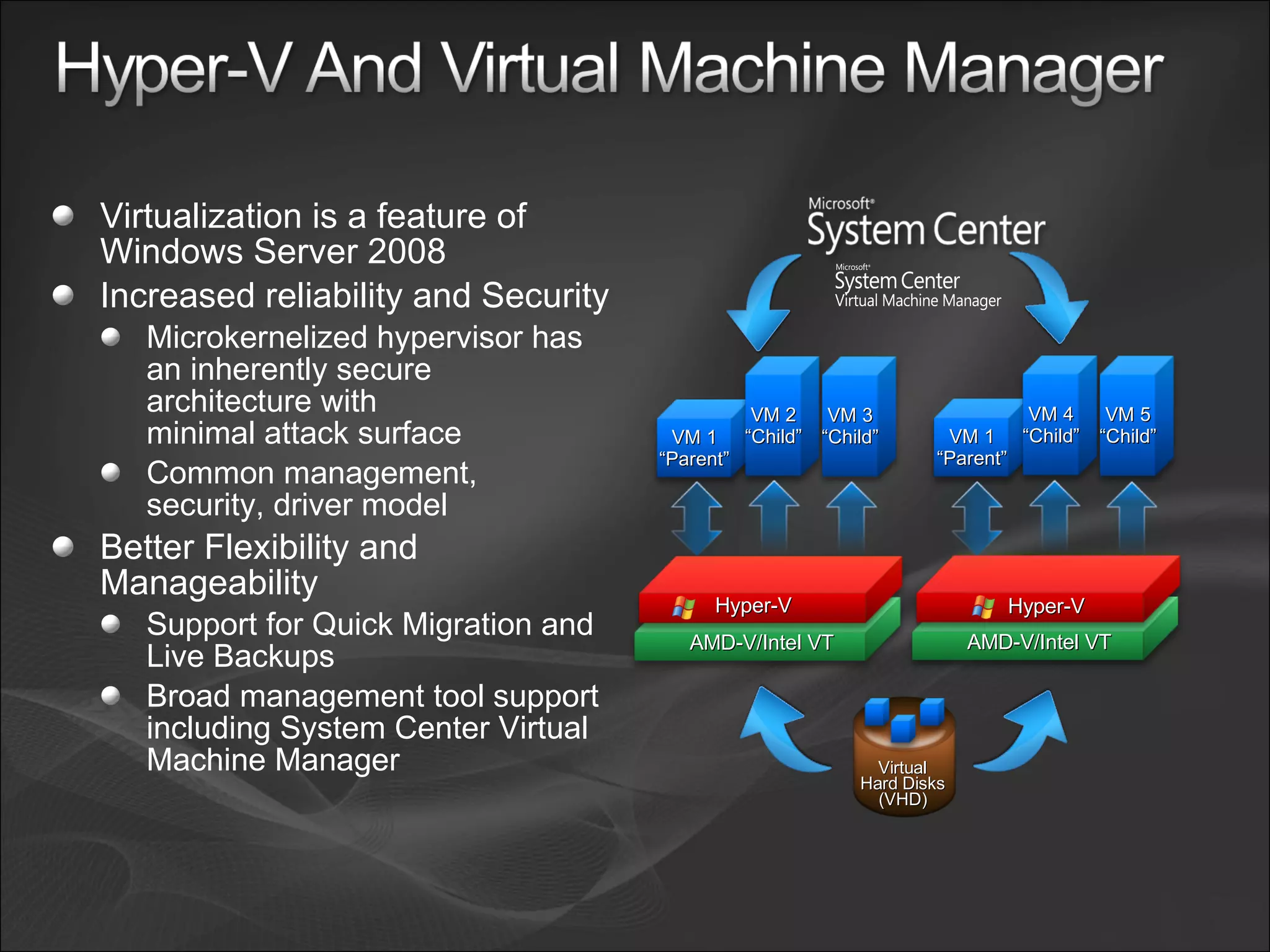
Virtualization is a feature of Windows Server 2008 Increased reliability and Security Microkernelized hypervisor has an inherently secure  architecture with  minimal attack surface Common management, security, driver model Better Flexibility and Manageability  Support for Quick Migration and Live Backups Broad management tool support including System Center Virtual Machine Manager  AMD-V/Intel VT Hyper-V  Virtual Hard Disks (VHD) AMD-V/Intel VT Hyper-V  VM 1 “Parent” VM 4 “Child” VM 5 “Child” VM 1 “Parent” VM 2 “Child” VM 3 “Child” Alternative to slide above – use this only if we cant fix the graphics on the previous slide.
Remote Library Server Active Directory BitLocker NAP Powershell
Common Task with Hyper-V System Center VMM 2008
 
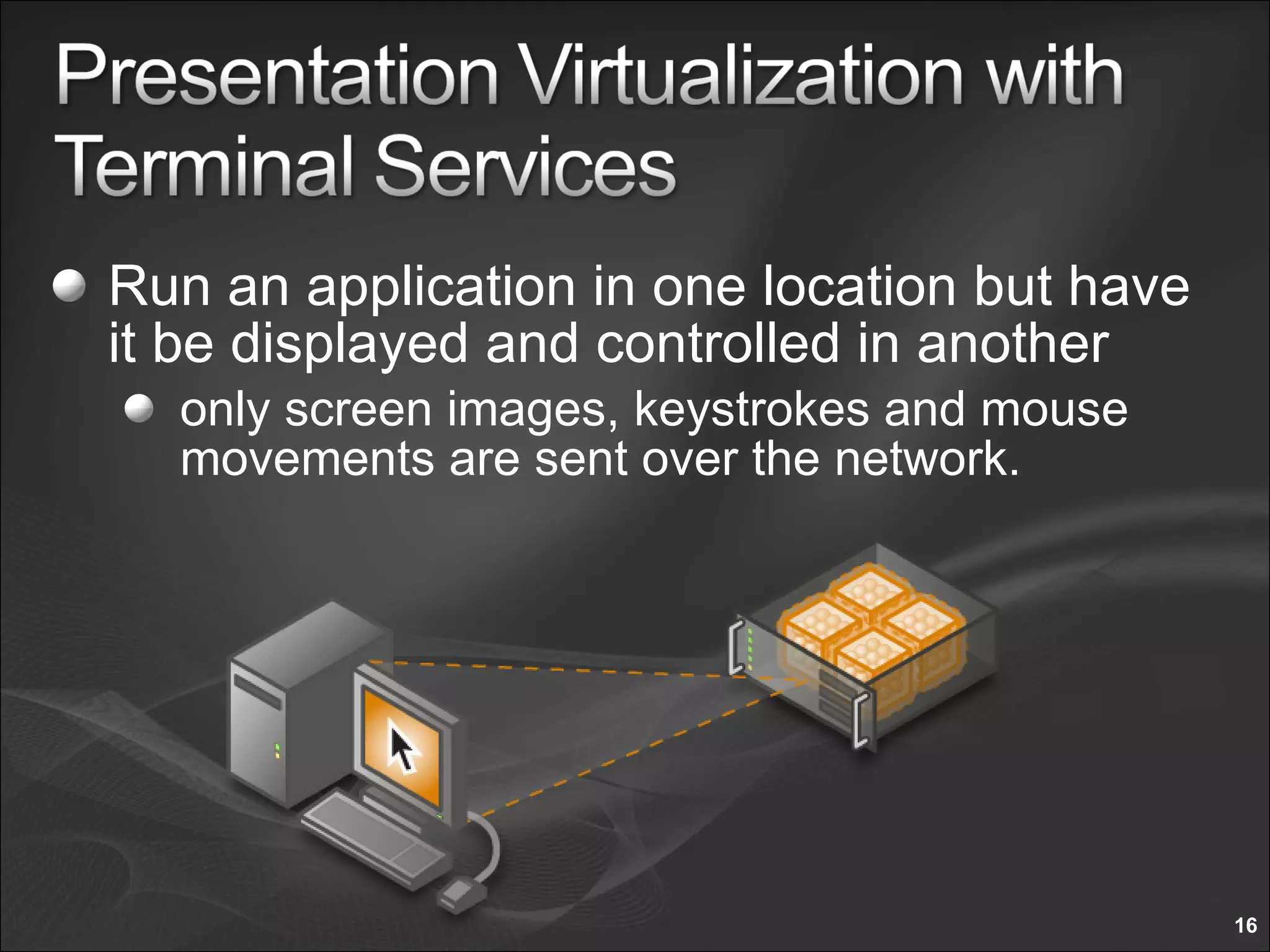
Run an application in one location but have it be displayed and controlled in another only screen images, keystrokes and mouse movements are sent over the network.
Remote Worker Efficiency Quickly connect remote workers with the  critical applications they need from a web page More securely deliver critical applications and data to mobile employees without additional VPN infrastructure Secure Data and Applications Keeping data safe in the datacenter helps eliminate the risk of laptop data theft Centralized tracking helps simplify the burden of regulatory compliance Accelerate Application Deployment Deploy applications to devices that can’t run them natively PC hardware upgrades aren’t required to deploy new applications
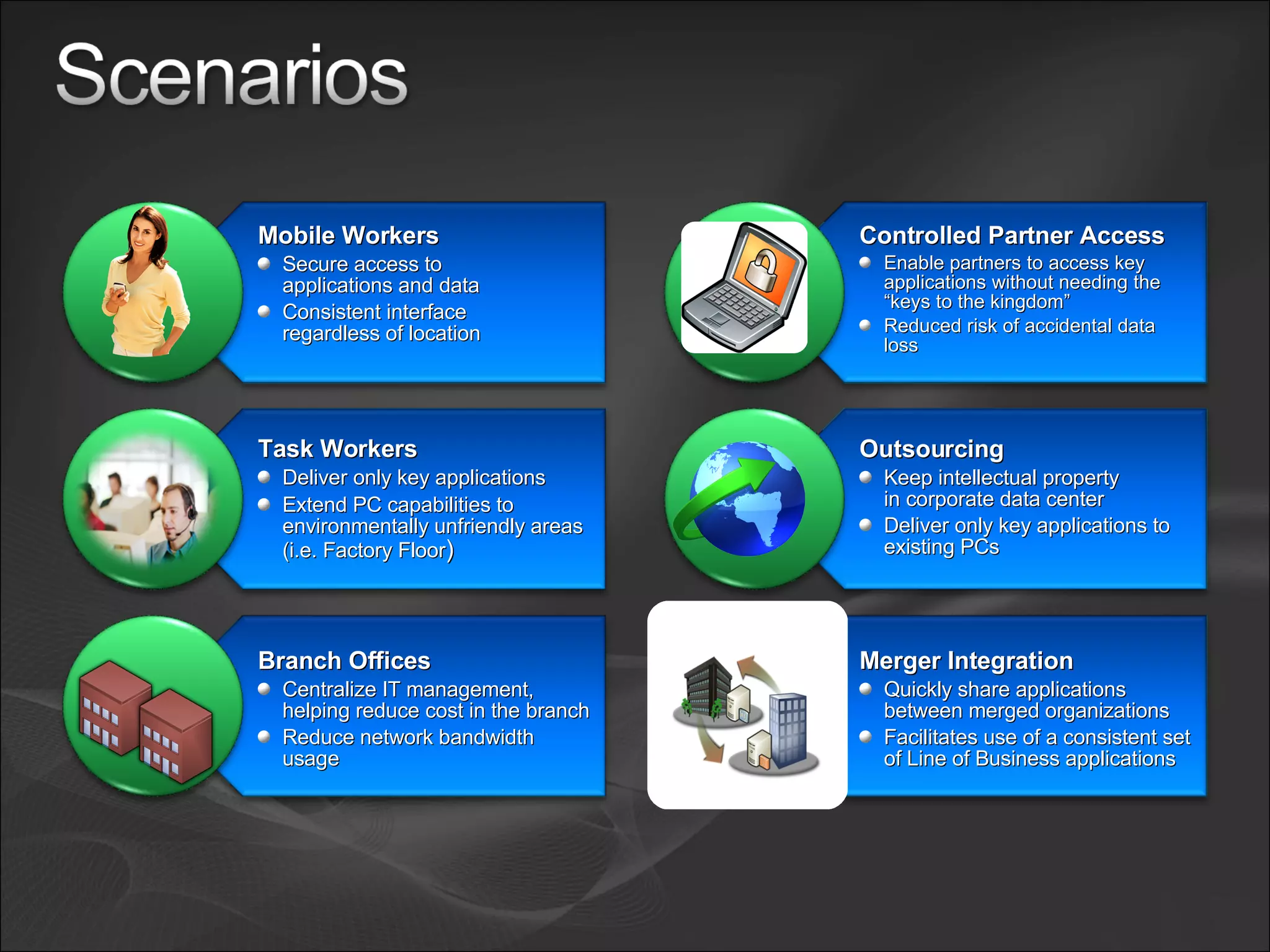
Mobile Workers Secure access to  applications and data Consistent interface  regardless of location Task Workers Deliver only key applications Extend PC capabilities to environmentally unfriendly areas (i.e. Factory Floor ) Branch Offices Centralize IT management, helping reduce cost in the branch Reduce network bandwidth usage Merger Integration Quickly share applications between merged organizations Facilitates use of a consistent set of Line of Business applications Outsourcing Keep intellectual property  in corporate data center Deliver only key applications to existing PCs Controlled Partner Access Enable partners to access key applications without needing the “keys to the kingdom” Reduced risk of accidental data loss
TS Easy  Print Plug-n-Play  Device  Redirection DMZ External  Firewall Internal Firewall Terminal Services Gateway Internet AD/NP Network Policy Server/Domain Controller RDP passed  to Terminal  Server Validate User Access and Client Health 1 2 4 TS RemoteApp™  via TS  Web Access Web Server with TS  Web Access Terminal Server or Remote PC IE Browser RDP over  RCP/HTTPS RDP over  RCP/HTTPS  Removed 3
 
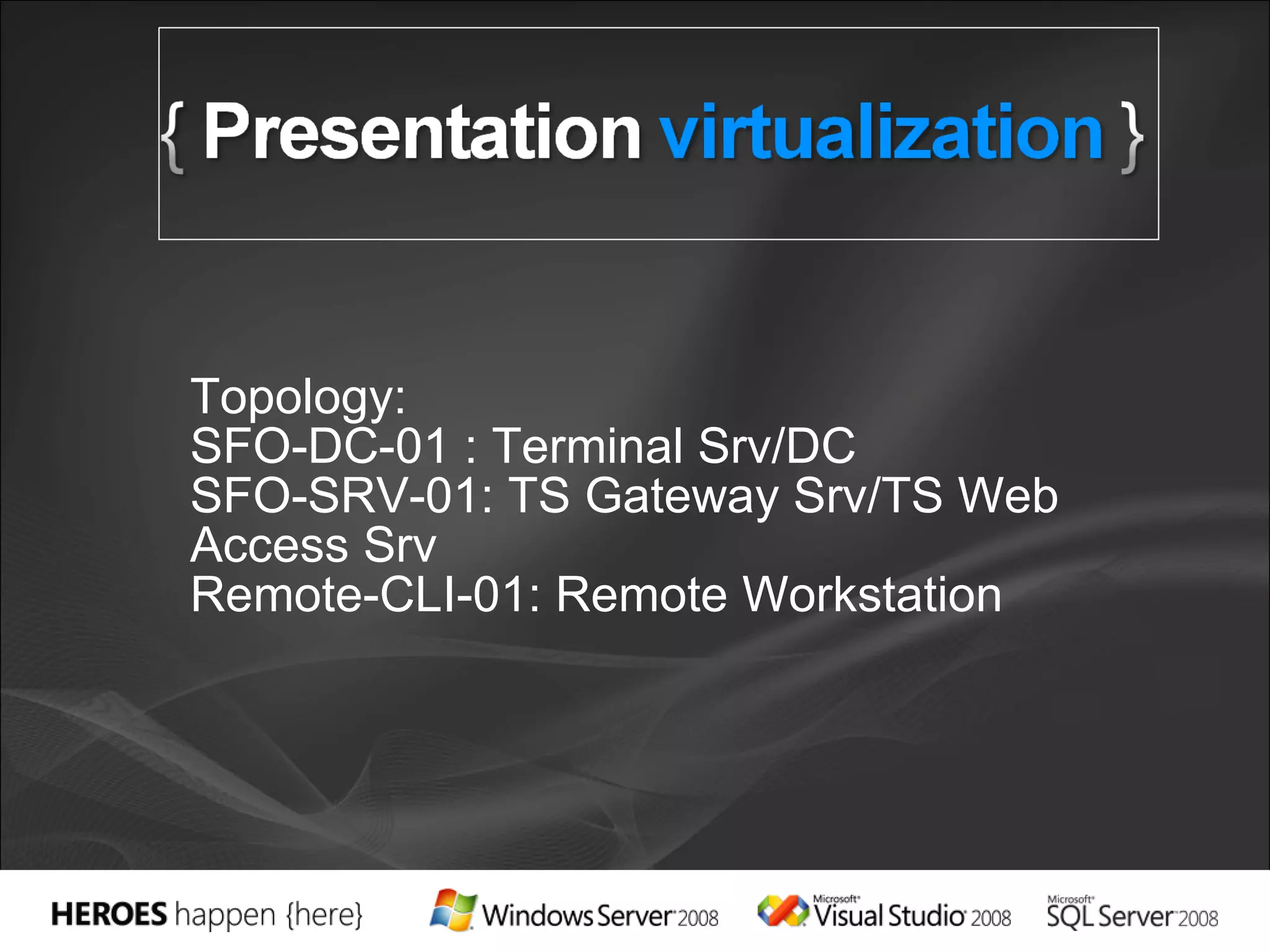
Topology: SFO-DC-01 : Terminal Srv/DC SFO-SRV-01: TS Gateway Srv/TS Web Access Srv Remote-CLI-01: Remote Workstation
Solution  Eliminate application  to application  level conflicts  Enable Server Consolidation Mitigate Roaming Profile Issues Transform TS into  a dynamic system Challenges Application to  application conflicts Server underutilization Profiles
Create agility Better utilize server resources Partner with AMD and Intel Interoperability Support heterogeneity across the datacenter License .VHD  XenSource agreement Novell Agreement Infrastructure Deliver  cost-effective, flexible and simplified licensing Licensing Applications   Accelerate deployment Reduce the cost of supporting applications  Turn applications into dynamic, real-time services Ease consolidation onto virtual infrastructure Better utilize management resources Free up IT spend Management Support
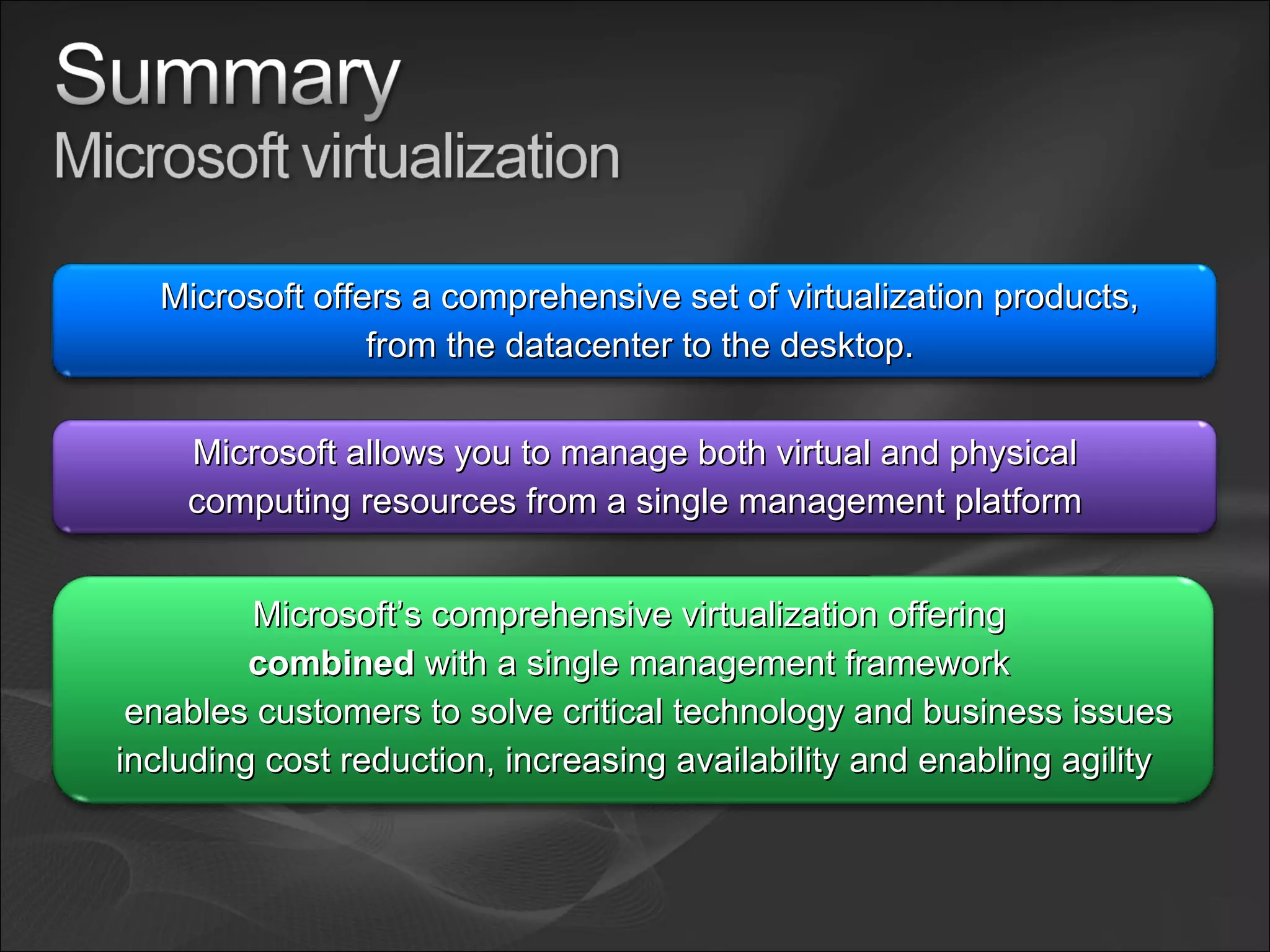
Microsoft offers a comprehensive set of virtualization products, from the datacenter to the desktop. Microsoft allows you to manage both virtual and physical computing resources from a single management platform Microsoft’s comprehensive virtualization offering  combined  with a single management framework  enables customers to solve critical technology and business issues including cost reduction, increasing availability and enabling agility
Identify virtualization potential in your organization (MAP) Download and evaluate Windows Server 2008 Read the solution accelerator (MAP) Get more stuff at my blog  www.CaoSonBlog.com   Take a HOL Email me at  [email_address] SC Virtual Machine Manager Web:  http://www.microsoft.com/scvmm Terminal Services Blog:  http://blogs.msdn.com/ts/ Web:  www.microsoft.com/terminalserver
 

Microsoft.Virtualization.Technologies Son Vu

  • 1.
    Vu Nguyen CaoSon EPG Technical Specialist Microsoft Vietnam
  • 2.
    Virtualization Benefits MicrosoftVirtualization Technologies Server Virtualization Key Scenarios Business Benefits Key Features Demo (Hyper-V and System Center VMM 2008) Presentation Virtualization – Terminal Services Key Scenarios Business Benefits Key Features Demo Q&A
  • 3.
    Business Results andNew Value Increase Responsiveness Increase Utilization Keep Business Up and Running Security Technology Change Cost Reduction
  • 4.
    Web Solid Foundationfor Your Business Workloads Virtualization Internet Information Services 7.0 – Powerful Web Application and Services Platform Manage with Ease - More efficient administration tools including delegated administration and shared configuration Powerful Hosting of Applications and Services - Expanded application hosting for .NET, ASP, PHP Web applications and XML services.  Web server extensibility throughout Lower Infrastructure Costs - Improved scalability and enhanced security and reliability with automatic application sandboxing Windows Server Virtualization – WS2008 contains everything needed to support machine virtualization. Hyper-V™ enables IT organizations to reduce costs, improve server utilization, and create a more dynamic IT infrastructure. Presentation Virtualization - Terminal Services accelerates and extends application deployments to any device, improving remote worker efficiency, while helping keep critical intellectual property secure and radically simplifying regulatory compliance Security Network Access Protection - helps prevent unhealthy devices from accessing corporate resources, NAP enables policy validation, network restriction, remediation and ongoing compliance to ensure network health is not compromised. Read-Only Domain Controller (RODC) - helps reduce corruption and compromise of the system. RODC improves security of branch office servers and reduces risk of stolen information from branch DCs. Active Directory Rights Management Services - helps prevent unauthorized access and use of documents, data, and e-mail. RMS enables document owners to identify authorized users and manage restrictions on usage of documents. Server Manager – “One-stop shop” to guide you through installation, configuration, management, and reporting of server roles and features. Windows PowerShell ™ - Achieve greater control and productivity using a powerful new command shell and scripting language for accelerated system administration and task automation Power Management – Reduce energy consumption and maintain server performance through processor power management features. High Performance Computing – Increase scalability and performance of HPC workloads and improve management of clustered file systems. Server Core Installation Option - Minimal installation option for increased reliability, security, and management Next Generation Networking - New TCP/IP stack improves scalability, performance and security . Failover Clustering – Improved setup, validation, management, and geo-clustering deployment simplifies implementation of highly-available failover clusters and helps ensure business continuity. Dynamic Partitioning - Datacenter and Itanium. Delivers mainframe-class reliability. Increases workload resources, and allows one to hot- add and replace processors and memory without rebooting, Reliability Management
  • 5.
    Basic Dynamic StandardizedRationalized http://www.microsoft.com/io Increase Availability Enable Agility Reduce Total Cost of Ownership
  • 6.
    A comprehensive setof virtualization products, from the data center to the desktop Assets – both virtual and physical – are managed from a single platform
  • 7.
  • 8.
    A hypervisor-based virtualizationplatform enabling consolidation of multiple physical systems and providing an integrated physical and virtual machine management Challenges Underutilized hardware Excessive power consumption Minimizing planned and unplanned downtime Hyper-V along with System Center Virtual Machine Manager enables you to lower costs, increase availability and progress towards a Dynamic IT environment
  • 9.
    Improved Resource OptimizationVirtualization is a feature of Windows Server 2008 Greater scalability with x64 guest support and SMP support Centralized virtual machine deployment and management Increased Reliability and Security Microkernelized hypervisor has an inherently secure architecture Common management, security, driver model Integrated with Active Directory® support and enables delegated VM management Better Flexibility and Manageability Support for Quick Migration and Live Backups Broad management tool support including SC VMM Enables rapid provisioning and patch management leveraging common tools and processes VM VM VM VM VM VM VM VM VM VM VM VM VM VM VM VM VM VM VM VM VM VM VM VM
  • 10.
    Test and DevelopmentBusiness Continuity Management Dynamic Datacenter Production Server Consolidation We continue to address key scenarios that help customers build a dynamic and agile datacenter
  • 11.
    Functional Area KeySupporting Features Performance Microkernelized hypervisor architecture with a new VSP/VSC architecture Support for large memory per virtual machine (64 Gb) SMP support for virtual machines Automatable Host setup/configuration Scalability Support for 32-bit and x64 virtual machines Broad OS support Pass through disk access for VMs Rapid creation and deployment of VMs using P2V, Media, and Templates Availability Support for Quick Migration and unplanned downtime Support for Live Backups and VM checkpoints Support for clustering and rapid recovery Integration with management tools for continuous performance monitoring Manageability Centralized view of all VMs in the environment and their status Reports on consolidation candidates, utilization trending, optimization opportunities Intelligent placement and Physical to Virtual (P2V) conversions Fully scriptable using PowerShell® Security Improved architecture with a minimal footprint hypervisor layer Hyper-V as a Server Core role Common security and driver model as Windows Server 2008 Robust networking features including support for VLANs and NAT
  • 12.
    Virtualization is afeature of Windows Server 2008 Increased reliability and Security Microkernelized hypervisor has an inherently secure architecture with minimal attack surface Common management, security, driver model Better Flexibility and Manageability Support for Quick Migration and Live Backups Broad management tool support including System Center Virtual Machine Manager AMD-V/Intel VT Hyper-V Virtual Hard Disks (VHD) AMD-V/Intel VT Hyper-V VM 1 “Parent” VM 4 “Child” VM 5 “Child” VM 1 “Parent” VM 2 “Child” VM 3 “Child” Alternative to slide above – use this only if we cant fix the graphics on the previous slide.
  • 13.
    Remote Library ServerActive Directory BitLocker NAP Powershell
  • 14.
    Common Task withHyper-V System Center VMM 2008
  • 15.
  • 16.
    Run an applicationin one location but have it be displayed and controlled in another only screen images, keystrokes and mouse movements are sent over the network.
  • 17.
    Run an applicationin one location but have it be displayed and controlled in another only screen images, keystrokes and mouse movements are sent over the network.
  • 18.
    Remote Worker EfficiencyQuickly connect remote workers with the critical applications they need from a web page More securely deliver critical applications and data to mobile employees without additional VPN infrastructure Secure Data and Applications Keeping data safe in the datacenter helps eliminate the risk of laptop data theft Centralized tracking helps simplify the burden of regulatory compliance Accelerate Application Deployment Deploy applications to devices that can’t run them natively PC hardware upgrades aren’t required to deploy new applications
  • 19.
    Mobile Workers Secureaccess to applications and data Consistent interface regardless of location Task Workers Deliver only key applications Extend PC capabilities to environmentally unfriendly areas (i.e. Factory Floor ) Branch Offices Centralize IT management, helping reduce cost in the branch Reduce network bandwidth usage Merger Integration Quickly share applications between merged organizations Facilitates use of a consistent set of Line of Business applications Outsourcing Keep intellectual property in corporate data center Deliver only key applications to existing PCs Controlled Partner Access Enable partners to access key applications without needing the “keys to the kingdom” Reduced risk of accidental data loss
  • 20.
    TS Easy Print Plug-n-Play Device Redirection DMZ External Firewall Internal Firewall Terminal Services Gateway Internet AD/NP Network Policy Server/Domain Controller RDP passed to Terminal Server Validate User Access and Client Health 1 2 4 TS RemoteApp™ via TS Web Access Web Server with TS Web Access Terminal Server or Remote PC IE Browser RDP over RCP/HTTPS RDP over RCP/HTTPS Removed 3
  • 21.
  • 22.
    Topology: SFO-DC-01 :Terminal Srv/DC SFO-SRV-01: TS Gateway Srv/TS Web Access Srv Remote-CLI-01: Remote Workstation
  • 23.
    Solution Eliminateapplication to application level conflicts Enable Server Consolidation Mitigate Roaming Profile Issues Transform TS into a dynamic system Challenges Application to application conflicts Server underutilization Profiles
  • 24.
    Create agility Betterutilize server resources Partner with AMD and Intel Interoperability Support heterogeneity across the datacenter License .VHD XenSource agreement Novell Agreement Infrastructure Deliver cost-effective, flexible and simplified licensing Licensing Applications Accelerate deployment Reduce the cost of supporting applications Turn applications into dynamic, real-time services Ease consolidation onto virtual infrastructure Better utilize management resources Free up IT spend Management Support
  • 25.
    Microsoft offers acomprehensive set of virtualization products, from the datacenter to the desktop. Microsoft allows you to manage both virtual and physical computing resources from a single management platform Microsoft’s comprehensive virtualization offering combined with a single management framework enables customers to solve critical technology and business issues including cost reduction, increasing availability and enabling agility
  • 26.
    Identify virtualization potentialin your organization (MAP) Download and evaluate Windows Server 2008 Read the solution accelerator (MAP) Get more stuff at my blog www.CaoSonBlog.com Take a HOL Email me at [email_address] SC Virtual Machine Manager Web: http://www.microsoft.com/scvmm Terminal Services Blog: http://blogs.msdn.com/ts/ Web: www.microsoft.com/terminalserver
  • 27.

Editor's Notes

  • #2 06/05/09 12:23 © 2007 Microsoft Corporation. All rights reserved. Microsoft, Windows, Windows Vista and other product names are or may be registered trademarks and/or trademarks in the U.S. and/or other countries. The information herein is for informational purposes only and represents the current view of Microsoft Corporation as of the date of this presentation. Because Microsoft must respond to changing market conditions, it should not be interpreted to be a commitment on the part of Microsoft, and Microsoft cannot guarantee the accuracy of any information provided after the date of this presentation. MICROSOFT MAKES NO WARRANTIES, EXPRESS, IMPLIED OR STATUTORY, AS TO THE INFORMATION IN THIS PRESENTATION.