AVR
Microcontroller
© 2019 by Mahmoud Amr
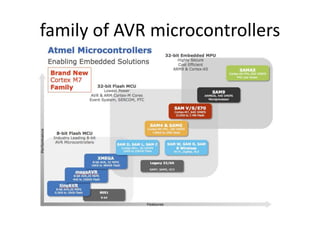
family of AVR microcontrollers
Atmega32
• At  atmel (company)
• Mega  mega avr
• 32  is refer to the size of program
memory (flash ) in the atmega32 (32Kbyte) .
features of Atmega32
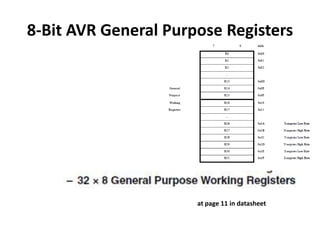
8-Bit AVR General Purpose Registers
at page 11 in datasheet
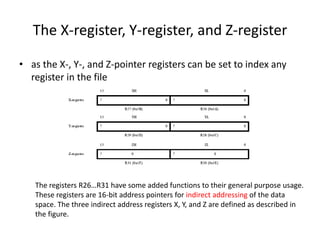
The X-register, Y-register, and Z-register
• as the X-, Y-, and Z-pointer registers can be set to index any
register in the file
The registers R26…R31 have some added functions to their general purpose usage.
These registers are 16-bit address pointers for indirect addressing of the data
space. The three indirect address registers X, Y, and Z are defined as described in
the figure.
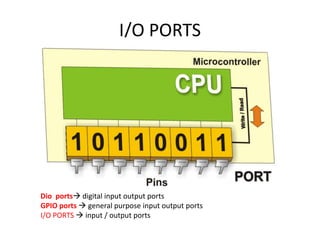
I/O PORTS
Dio ports digital input output ports
GPIO ports  general purpose input output ports
I/O PORTS  input / output ports
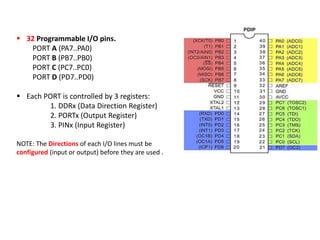
 32 Programmable I/O pins.
PORT A (PA7..PA0)
PORT B (PB7..PB0)
PORT C (PC7..PC0)
PORT D (PD7..PD0)
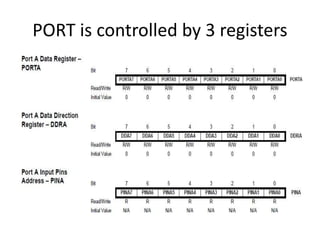
 Each PORT is controlled by 3 registers:
1. DDRx (Data Direction Register)
2. PORTx (Output Register)
3. PINx (Input Register)
NOTE: The Directions of each I/O lines must be
configured (input or output) before they are used .
PORT is controlled by 3 registers
Decided which input and which output
To use I/O ports in ATMEGA32
(PORTx/PINx/DDRx) we need to include header
file <avr/io.h>
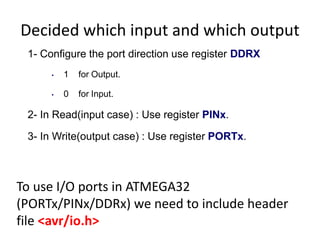
1- Configure the port direction use register DDRX
• 1 for Output.
• 0 for Input.
2- In Read(input case) : Use register PINx.
3- In Write(output case) : Use register PORTx.
set values in registers DIO
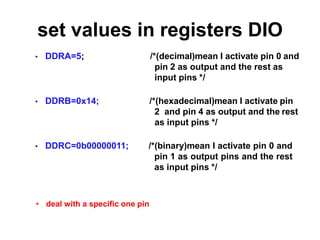
• DDRA=5; /*(decimal)mean I activate pin 0 and
pin 2 as output and the rest as
input pins */
• DDRB=0x14; /*(hexadecimal)mean I activate pin
2 and pin 4 as output and the rest
as input pins */
• DDRC=0b00000011; /*(binary)mean I activate pin 0 and
pin 1 as output pins and the rest
as input pins */
• deal with a specific one pin
deal with a specific one pin
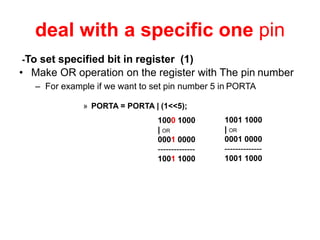
• Make OR operation on the register with The pin number
– For example if we want to set pin number 5 in PORTA
» PORTA = PORTA | (1<<5);
-To set specified bit in register (1)
1000 1000
| OR
0001 0000
--------------
1001 1000
1001 1000
| OR
0001 0000
--------------
1001 1000
• Make AND operation on the register with (NOT) The pin number.
– For example if we want to set pin number 3 in PORTB
» PORTB = PORTB & ( ~(1<<3) );
-To clear specified bit in register
1000 1100
& AND
1111 1011
--------------
1000 1000
1000 1000
& AND
1111 1011
--------------
1000 1000
0000 0100
~ NOT
--------------
1111 1011
• Make XOR operation on the register with The pin
number
– for example if we want to toggle pin number 2 in PORTC
» PORTC = PORTC ^ (1<<PC2);
- To toggle specified bit in register
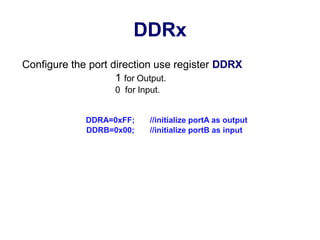
DDRx
Configure the port direction use register DDRX
1 for Output.
0 for Input.
DDRA=0xFF; //initialize portA as output
DDRB=0x00; //initialize portB as input
PORTx
When I need to Write data as 0 0V , 1  5V .
- set DDRx as output
PORTA=0xFF; //ALL portA are output 5V
PORTA=0x00; //ALL portA are output 0V
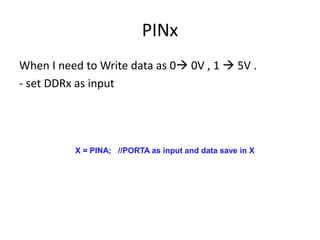
PINx
When I need to Write data as 0 0V , 1  5V .
- set DDRx as input
X = PINA; //PORTA as input and data save in X
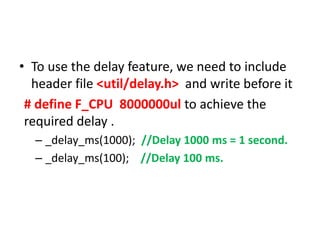
• To use the delay feature, we need to include
header file <util/delay.h> and write before it
# define F_CPU 8000000ul to achieve the
required delay .
– _delay_ms(1000); //Delay 1000 ms = 1 second.
– _delay_ms(100); //Delay 100 ms.
Buttons
• Pushbutton
1- pull-up mode
2- pull-down mode
Button V out
No push 5 V
Push 0 V
Button V out
No Push 0 V
Push 5 V
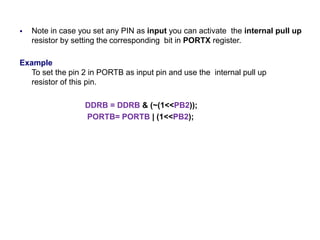
 Note in case you set any PIN as input you can activate the internal pull up
resistor by setting the corresponding bit in PORTX register.
Example
To set the pin 2 in PORTB as input pin and use the internal pull up
resistor of this pin.
DDRB = DDRB & (~(1<<PB2));
PORTB= PORTB | (1<<PB2);

Microcontroller avr

  • 1.
  • 3.
    family of AVRmicrocontrollers
  • 4.
    Atmega32 • At atmel (company) • Mega  mega avr • 32  is refer to the size of program memory (flash ) in the atmega32 (32Kbyte) .
  • 5.
  • 6.
    8-Bit AVR GeneralPurpose Registers at page 11 in datasheet
  • 7.
    The X-register, Y-register,and Z-register • as the X-, Y-, and Z-pointer registers can be set to index any register in the file The registers R26…R31 have some added functions to their general purpose usage. These registers are 16-bit address pointers for indirect addressing of the data space. The three indirect address registers X, Y, and Z are defined as described in the figure.
  • 9.
    I/O PORTS Dio portsdigital input output ports GPIO ports  general purpose input output ports I/O PORTS  input / output ports
  • 10.
     32 ProgrammableI/O pins. PORT A (PA7..PA0) PORT B (PB7..PB0) PORT C (PC7..PC0) PORT D (PD7..PD0)  Each PORT is controlled by 3 registers: 1. DDRx (Data Direction Register) 2. PORTx (Output Register) 3. PINx (Input Register) NOTE: The Directions of each I/O lines must be configured (input or output) before they are used .
  • 11.
    PORT is controlledby 3 registers
  • 12.
    Decided which inputand which output To use I/O ports in ATMEGA32 (PORTx/PINx/DDRx) we need to include header file <avr/io.h> 1- Configure the port direction use register DDRX • 1 for Output. • 0 for Input. 2- In Read(input case) : Use register PINx. 3- In Write(output case) : Use register PORTx.
  • 13.
    set values inregisters DIO • DDRA=5; /*(decimal)mean I activate pin 0 and pin 2 as output and the rest as input pins */ • DDRB=0x14; /*(hexadecimal)mean I activate pin 2 and pin 4 as output and the rest as input pins */ • DDRC=0b00000011; /*(binary)mean I activate pin 0 and pin 1 as output pins and the rest as input pins */ • deal with a specific one pin
  • 14.
    deal with aspecific one pin • Make OR operation on the register with The pin number – For example if we want to set pin number 5 in PORTA » PORTA = PORTA | (1<<5); -To set specified bit in register (1) 1000 1000 | OR 0001 0000 -------------- 1001 1000 1001 1000 | OR 0001 0000 -------------- 1001 1000
  • 15.
    • Make ANDoperation on the register with (NOT) The pin number. – For example if we want to set pin number 3 in PORTB » PORTB = PORTB & ( ~(1<<3) ); -To clear specified bit in register 1000 1100 & AND 1111 1011 -------------- 1000 1000 1000 1000 & AND 1111 1011 -------------- 1000 1000 0000 0100 ~ NOT -------------- 1111 1011
  • 16.
    • Make XORoperation on the register with The pin number – for example if we want to toggle pin number 2 in PORTC » PORTC = PORTC ^ (1<<PC2); - To toggle specified bit in register
  • 17.
    DDRx Configure the portdirection use register DDRX 1 for Output. 0 for Input. DDRA=0xFF; //initialize portA as output DDRB=0x00; //initialize portB as input
  • 18.
    PORTx When I needto Write data as 0 0V , 1  5V . - set DDRx as output PORTA=0xFF; //ALL portA are output 5V PORTA=0x00; //ALL portA are output 0V
  • 19.
    PINx When I needto Write data as 0 0V , 1  5V . - set DDRx as input X = PINA; //PORTA as input and data save in X
  • 21.
    • To usethe delay feature, we need to include header file <util/delay.h> and write before it # define F_CPU 8000000ul to achieve the required delay . – _delay_ms(1000); //Delay 1000 ms = 1 second. – _delay_ms(100); //Delay 100 ms.
  • 22.
    Buttons • Pushbutton 1- pull-upmode 2- pull-down mode Button V out No push 5 V Push 0 V Button V out No Push 0 V Push 5 V
  • 23.
     Note incase you set any PIN as input you can activate the internal pull up resistor by setting the corresponding bit in PORTX register. Example To set the pin 2 in PORTB as input pin and use the internal pull up resistor of this pin. DDRB = DDRB & (~(1<<PB2)); PORTB= PORTB | (1<<PB2);