Slide 1
Microblaze Performance
Monitoring Engine
Alex Burns
ECE 631
April 25, 2005
Slide 2
Outline
• Project description
• Microblaze performance
• Xilinx tools overview
• Microblaze implementation
• Performance monitoring
• Stream processing engine
• Implementation results
Slide 3
Description
• Implement a Microblaze soft processor
• Use a Virtex 2 Pro evaluation board
• Connect a performance monitoring engine
to relevant signals of the processor
Slide 4
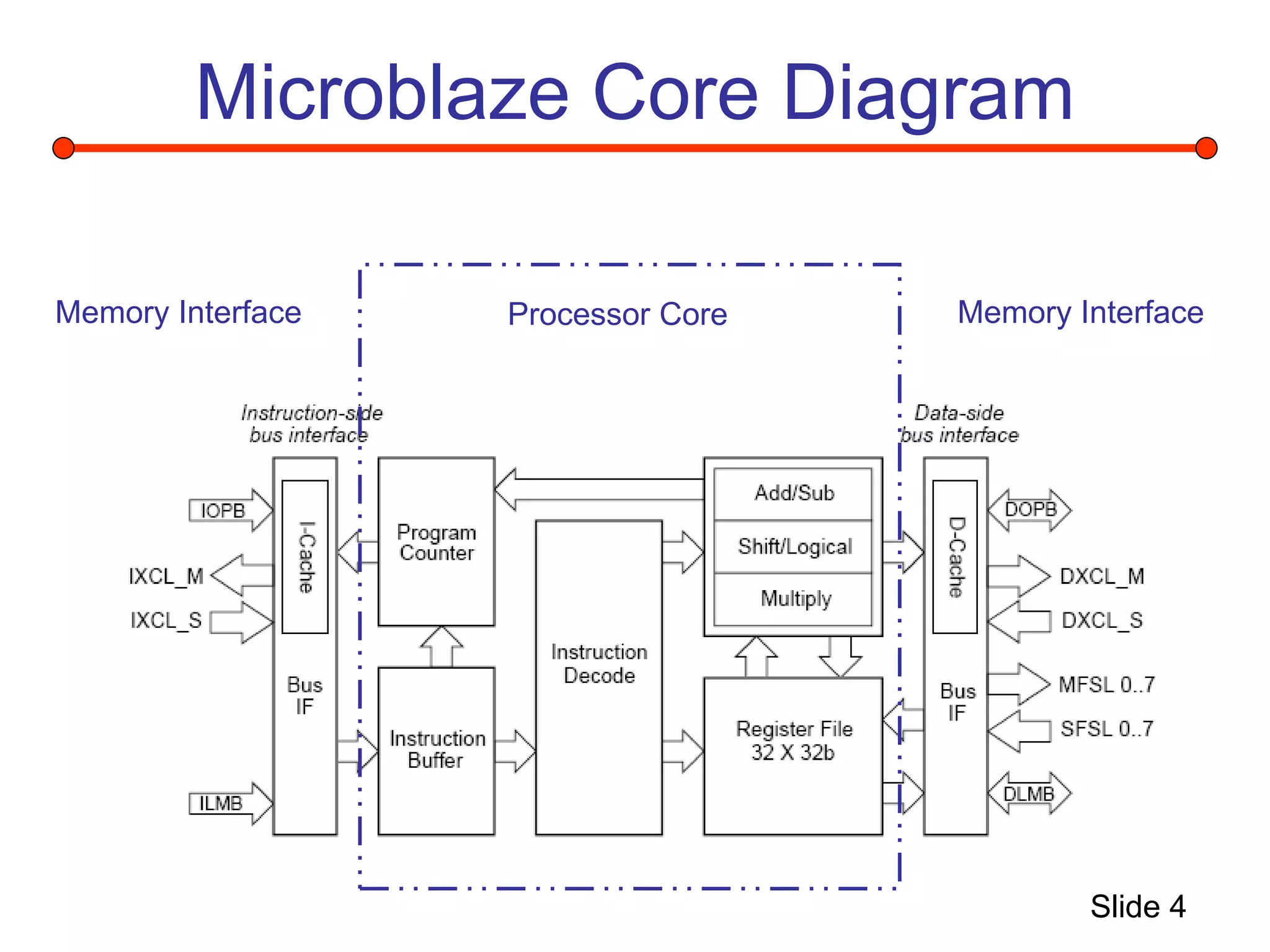
Microblaze Core Diagram
Processor Core
Memory Interface Memory Interface
Slide 5
Pipeline
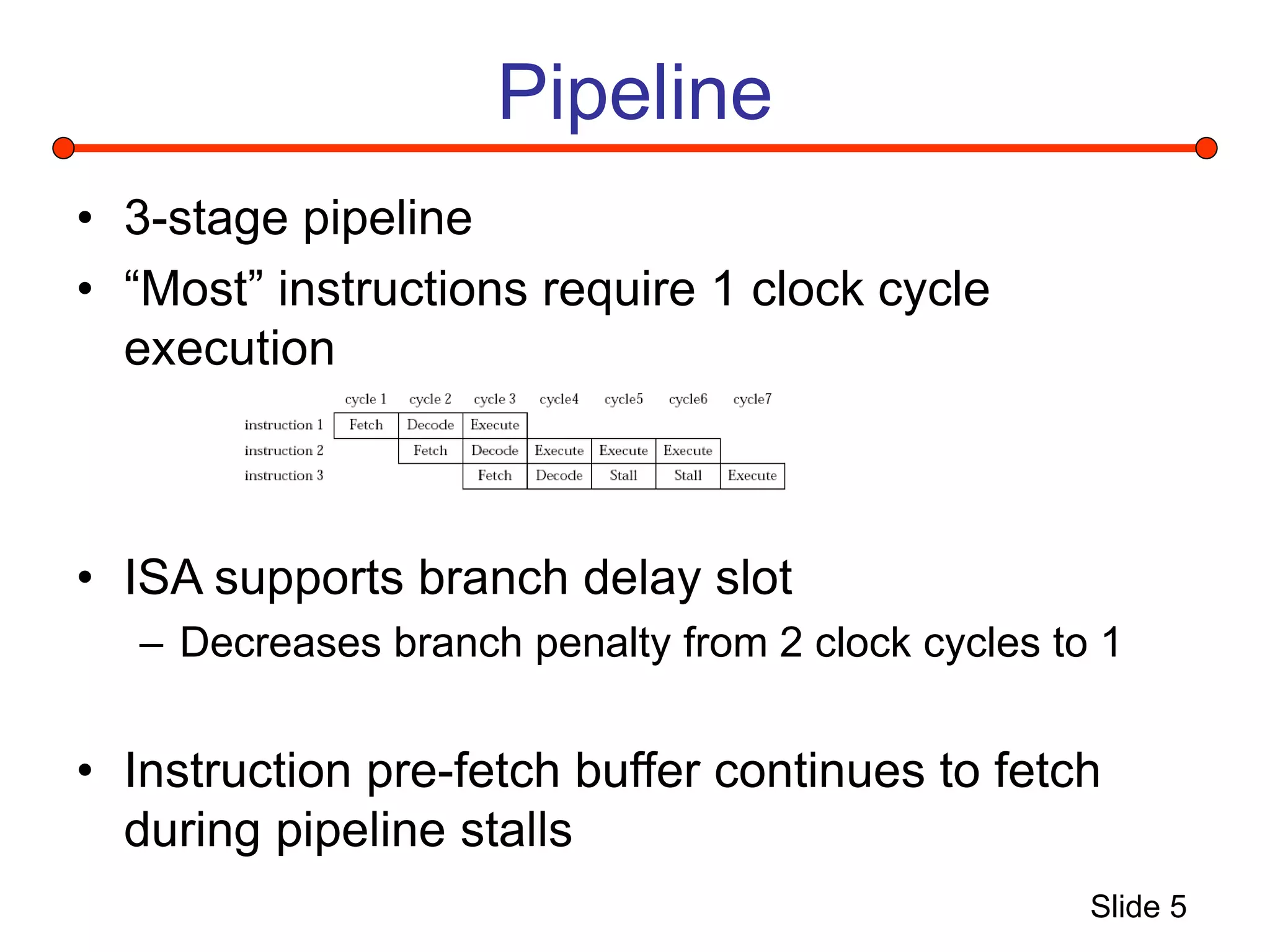
• 3-stage pipeline
• “Most” instructions require 1 clock cycle
execution
• ISA supports branch delay slot
– Decreases branch penalty from 2 clock cycles to 1
• Instruction pre-fetch buffer continues to fetch
during pipeline stalls
Slide 6
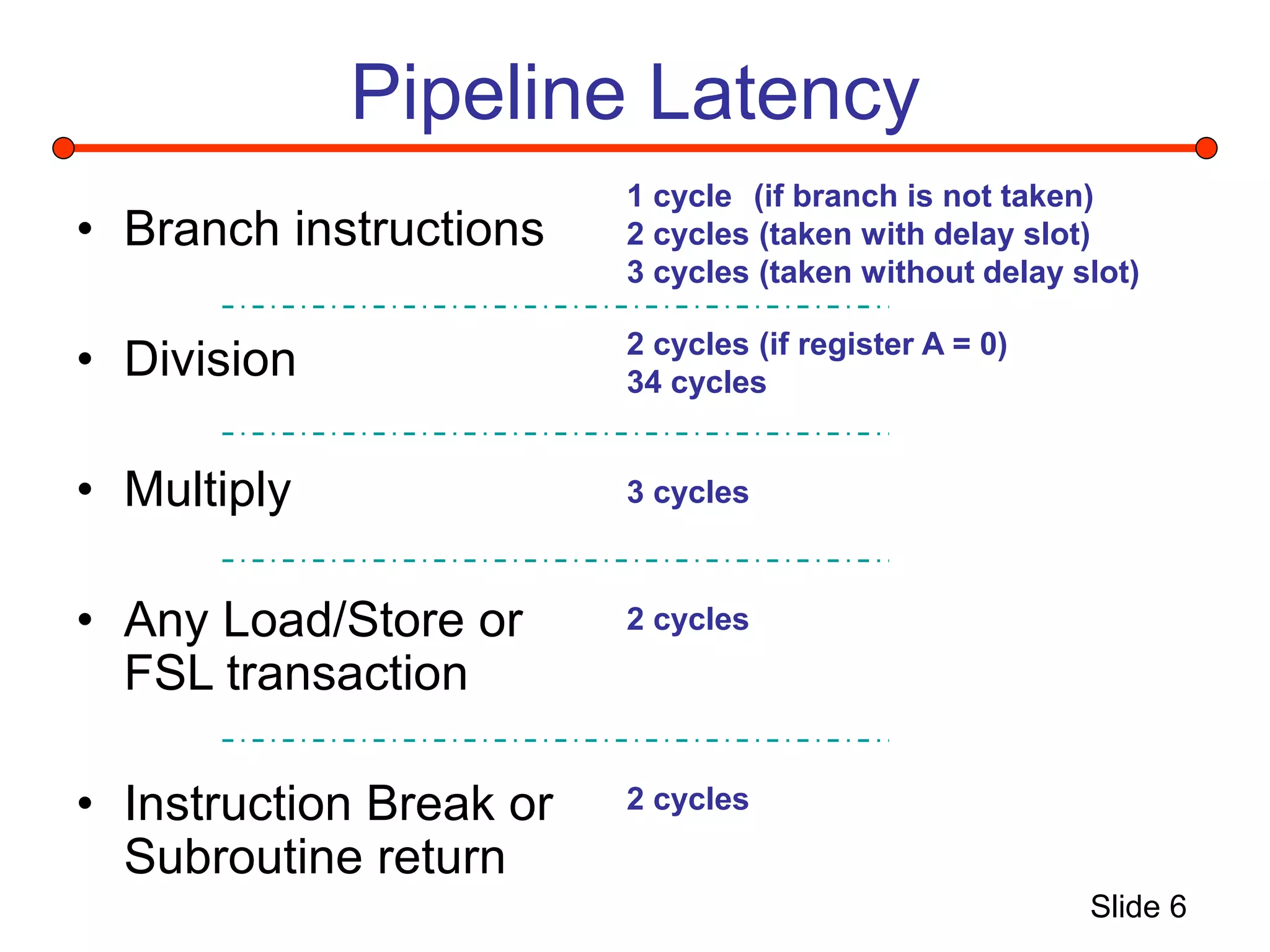
Pipeline Latency
• Branch instructions
• Division
• Multiply
• Any Load/Store or
FSL transaction
• Instruction Break or
Subroutine return
1 cycle (if branch is not taken)
2 cycles (taken with delay slot)
3 cycles (taken without delay slot)
2 cycles (if register A = 0)
34 cycles
3 cycles
2 cycles
2 cycles
Slide 7
Performance
• Soft architecture trades configurability for limited
performance
• Due to limited performance, software optimization
offers great potential
• Need to monitor software algorithms for efficiency
to achieve the most performance for a given logic
area
• Logic could be added to improve performance
– Designer must decide if this is necessary
Slide 8
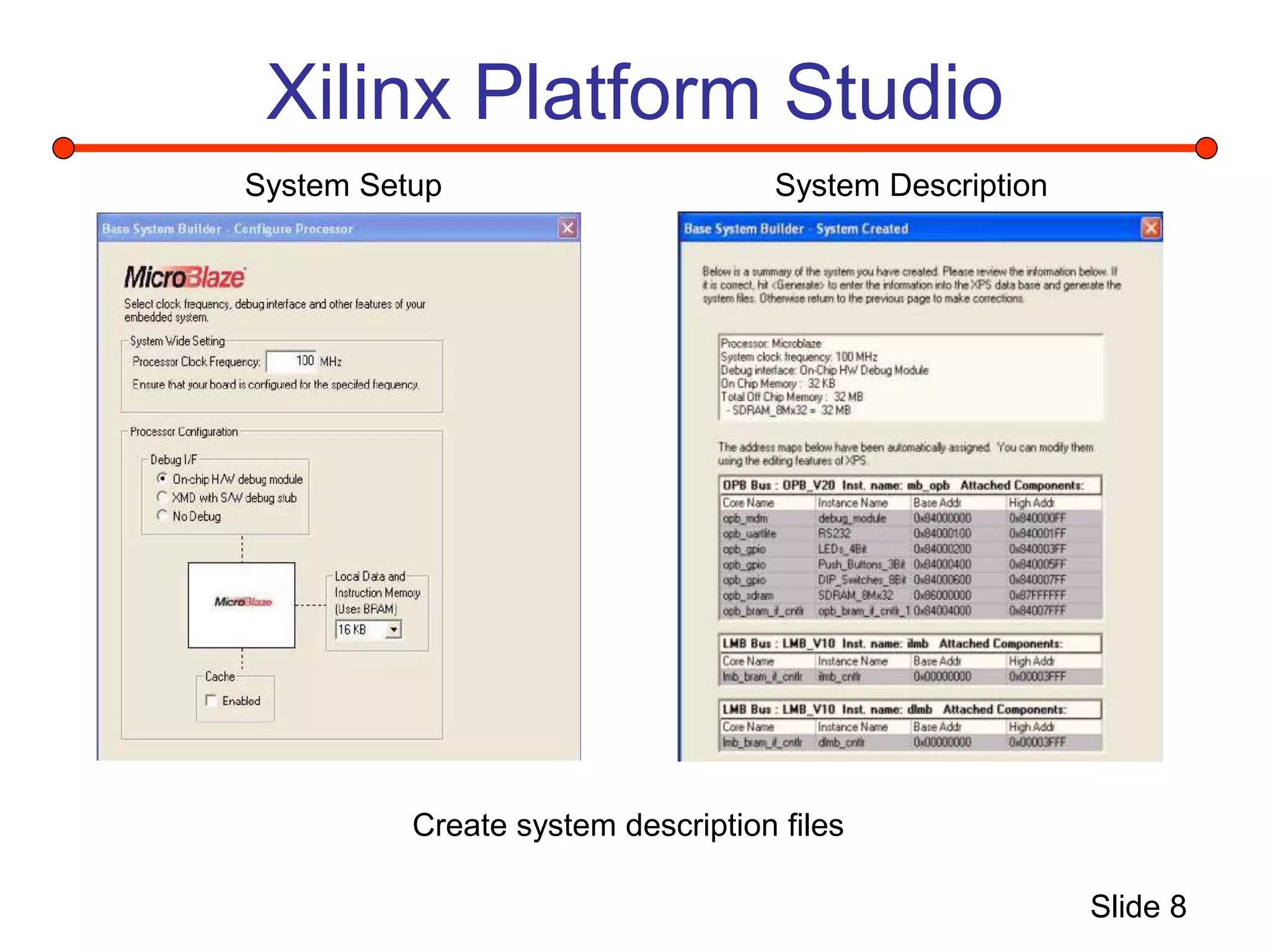
Xilinx Platform Studio
System Description
System Setup
Create system description files
Slide 9
System Creation 1
1. Use System Description (*.mhs) to generate a Netlist
2. Setup project hierarchy as microblaze is a submodule to a Xilinx
Project Navigator entity
3. Create Board Support Libraries for given system description
4. Create HDL using Project Navigator to attach logic system
description
5. Perform Synthesis, Mapping, Place and Route, Bit File creation
using Project Navigator
Slide 10
System Creation 2
6. Return to Platform Studio to attach compiled software to bitstream
7. Load bitstream to FPGA
8. Attach Xilinx debugger (XMD) through JTAG port and attach
process to configured Microblaze within FPGA
9. Load compiled software into instruction memory using XMD
10. Cross fingers
11. Run code
Slide 11
Project Goal 1
• Implement a Microblaze
– Synthesized all logic
– Mapped to Memec evaluation board
containing a Virtex 2 Pro (XCS2VP4)
– Successfully ran test program which tests all
IO, memory and displays output through
UART
Slide 12
Performance Monitoring Plan
• Detect cache parameters for given
algorithm
– Monitor Instruction side memory bus for
accesses
– Store accesses into VHDL counter
– Read counter upon completion of micro-
benchmark
Slide 13
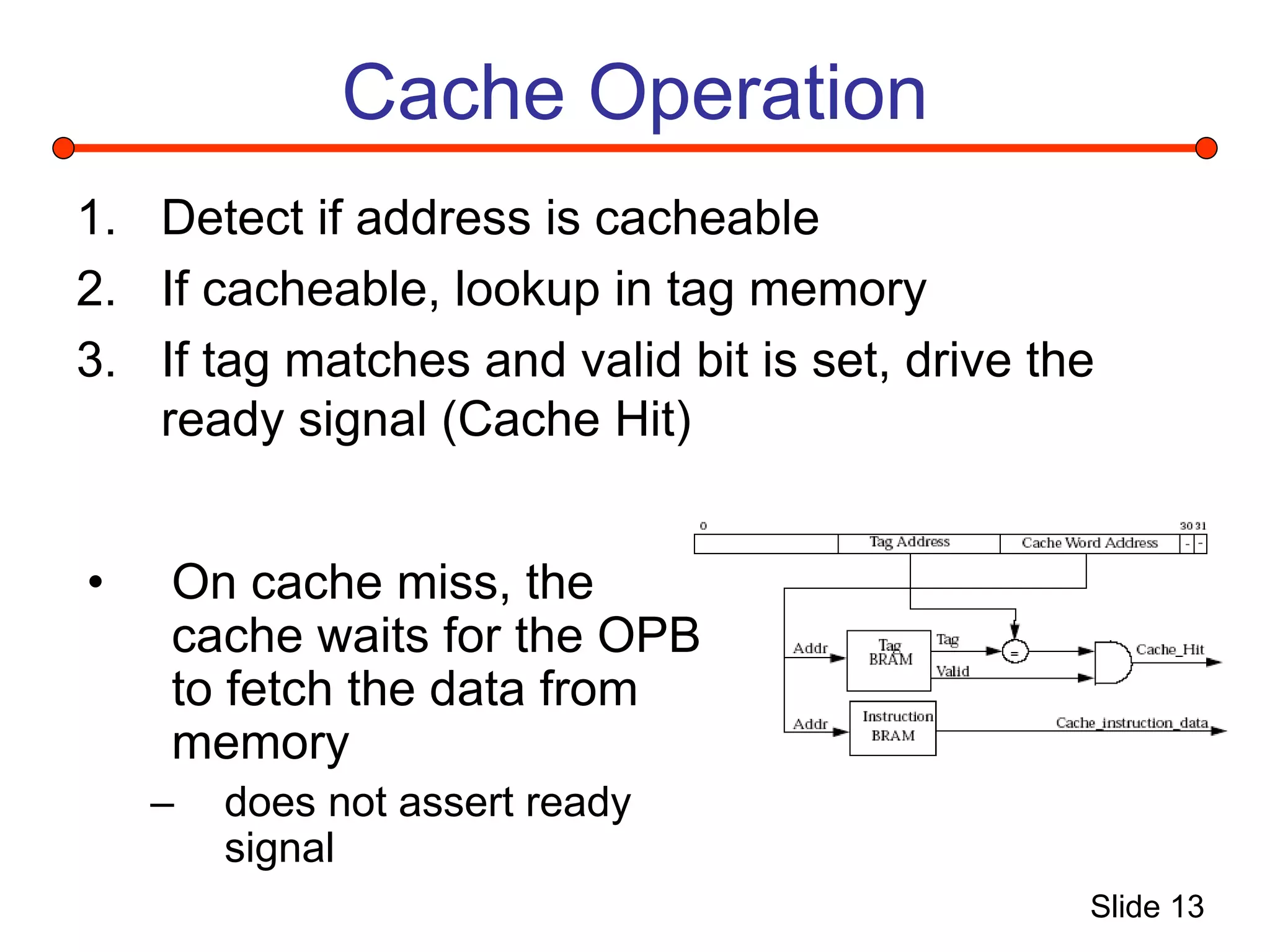
Cache Operation
1. Detect if address is cacheable
2. If cacheable, lookup in tag memory
3. If tag matches and valid bit is set, drive the
ready signal (Cache Hit)
• On cache miss, the
cache waits for the OPB
to fetch the data from
memory
– does not assert ready
signal
Slide 14
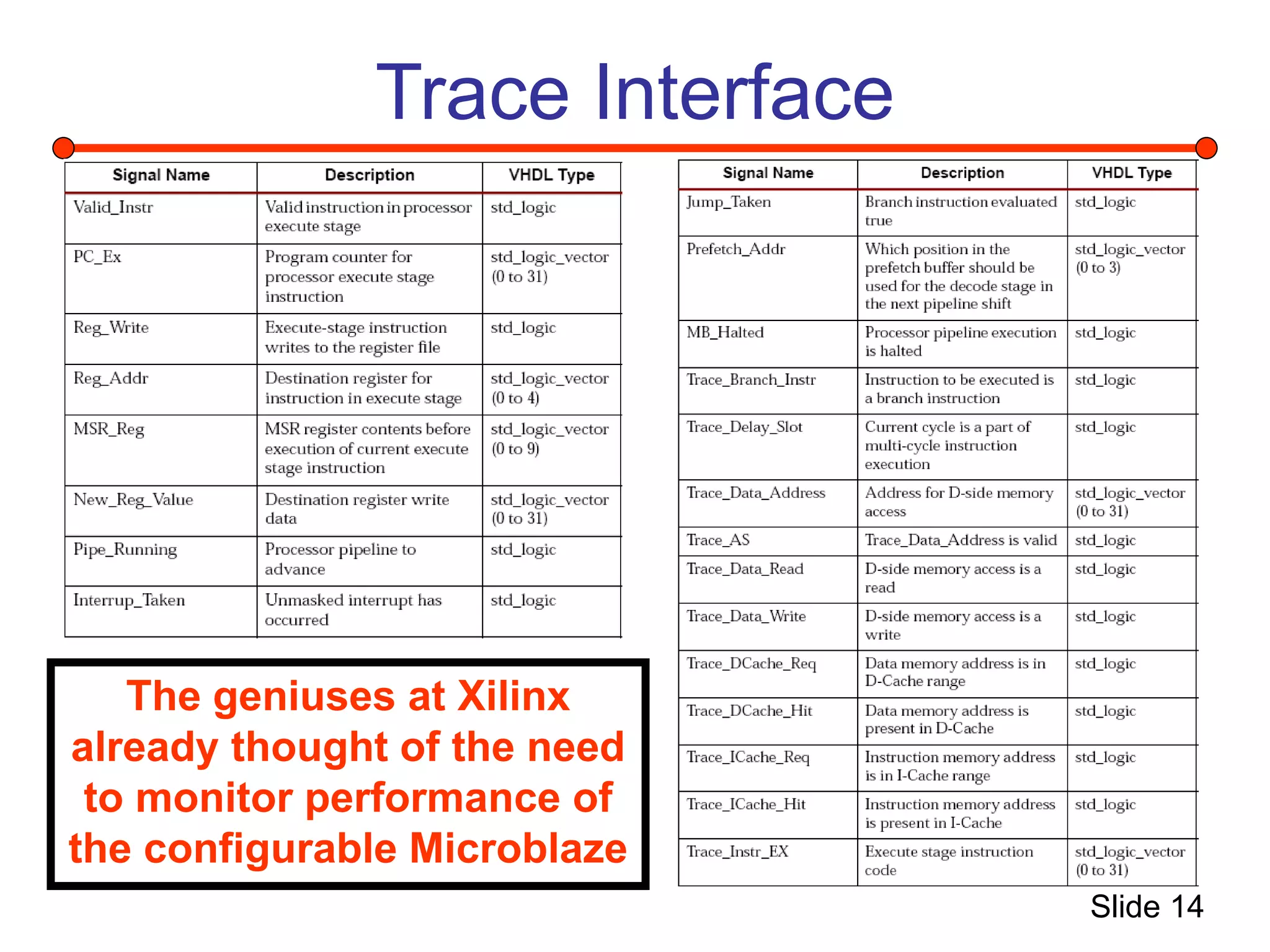
Trace Interface
The geniuses at Xilinx
already thought of the need
to monitor performance of
the configurable Microblaze
Slide 15
New Project Goal 2
• Use given performance monitoring tools to
connect to Stream Processing Engine
Slide 16
What is a Stream
• A stream is a block of instructions stored
consecutively in memory and executed
without branches
for (i=0; i<30; i++)
a += c[i];
Initialize
Execute
Terminate
Stream 1
Stream 2
Stream 3
Functional Blocks Streams
Slide 17
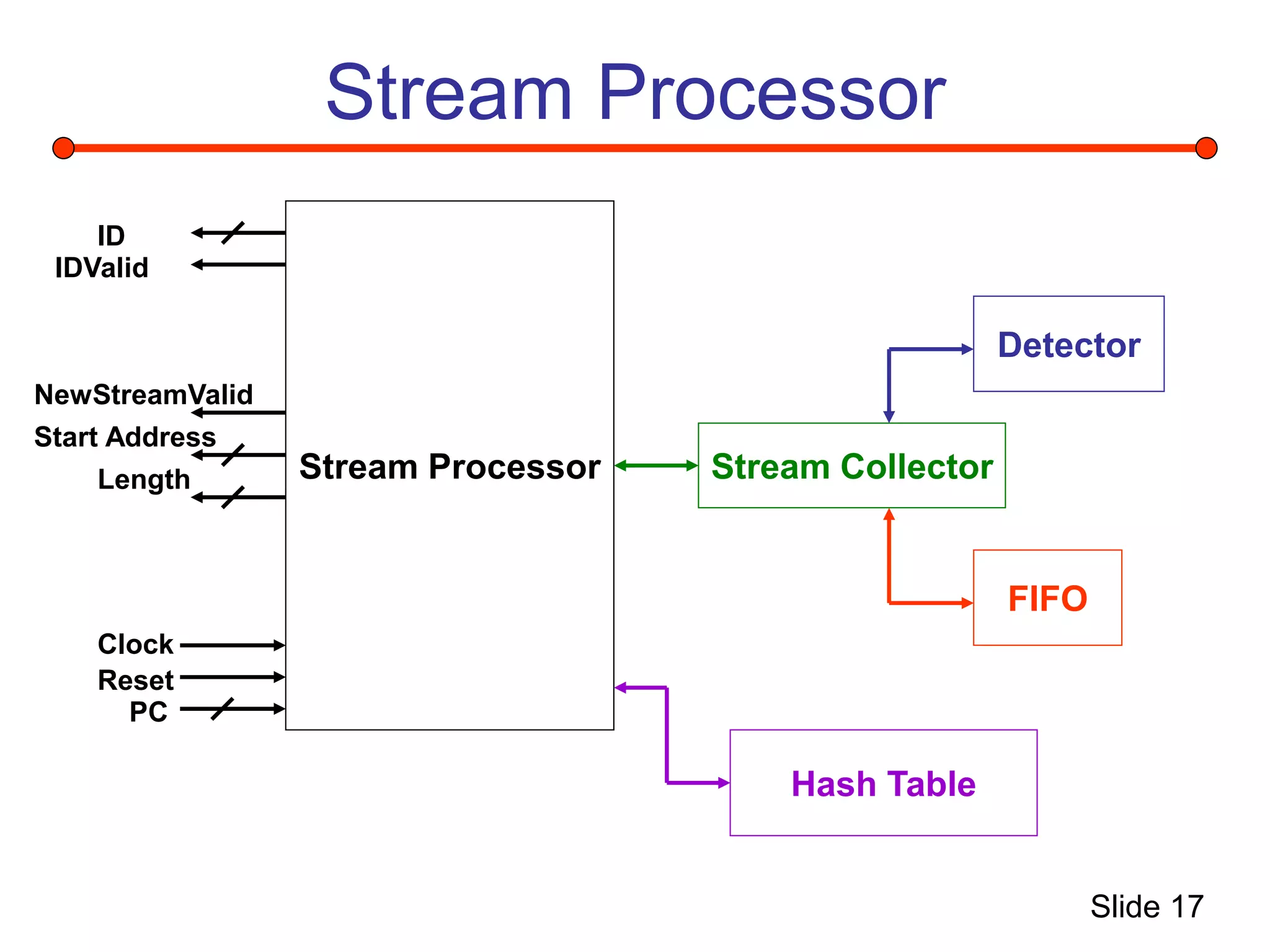
Stream Processor
Stream Processor Stream Collector
Detector
FIFO
Hash Table
ID
IDValid
NewStreamValid
Start Address
Length
Clock
Reset
PC
Slide 18
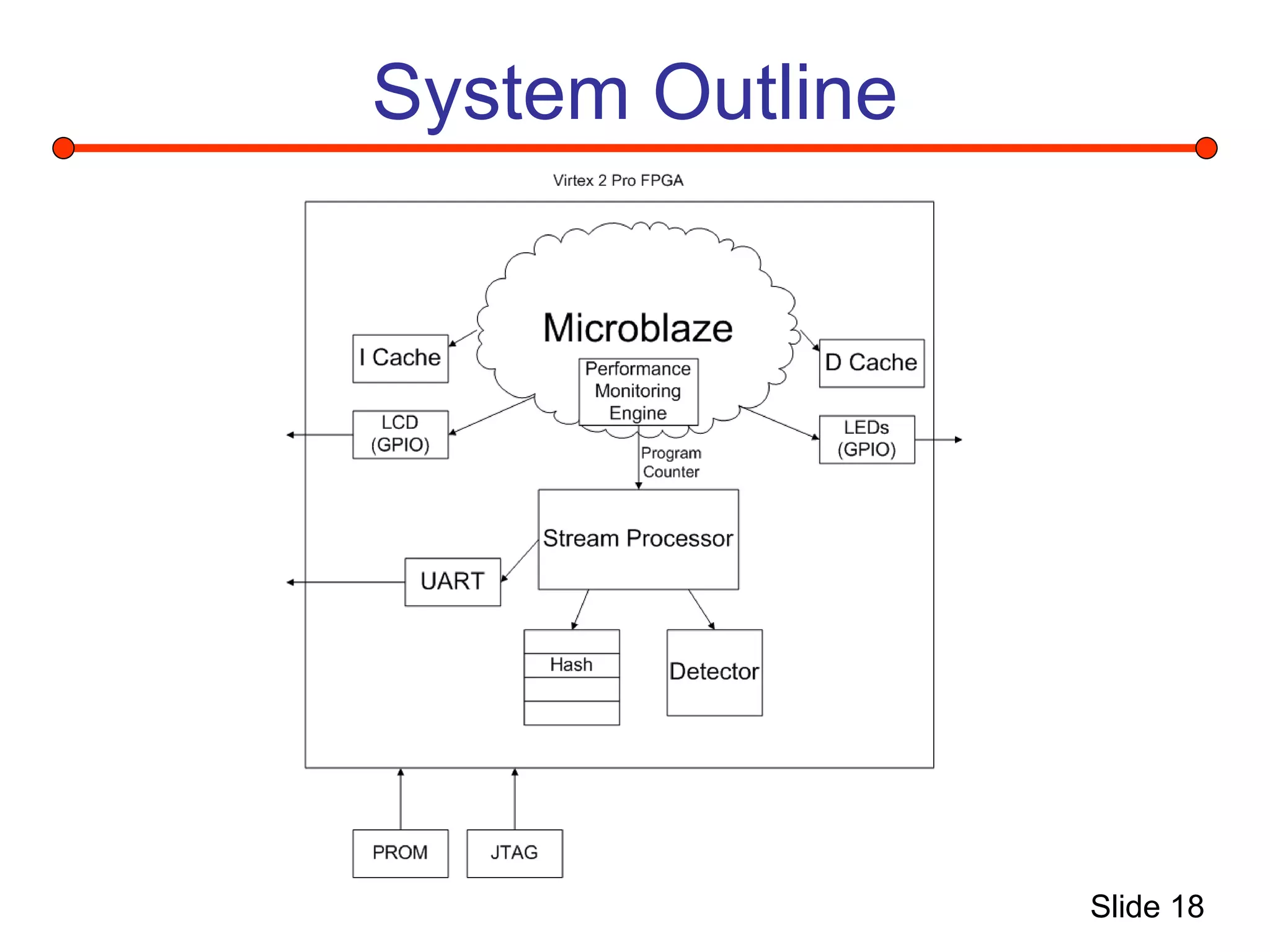
System Outline
Slide 19
Design Steps
• Develop UART
– Modified an existing design from
Opencores.org
– Runs at 115K baud
– Transmitter only
• Connected UART to Stream Processor
output
Slide 20
Status
• Working Microblaze running board test
software
– Software could be easily changed to any
microbenchmark
• Working Stream Processor
• Working UART
Slide 21
Design Problems
• Microblaze requires 26 block rams with
selected configuration
• Stream Processor requires 39 block rams
due to enormous hash table (4K x 49) and
other FIFOs (8 x 48)
• Available V2Pro FPGA contains 28 block
rams and no external ram
Slide 22
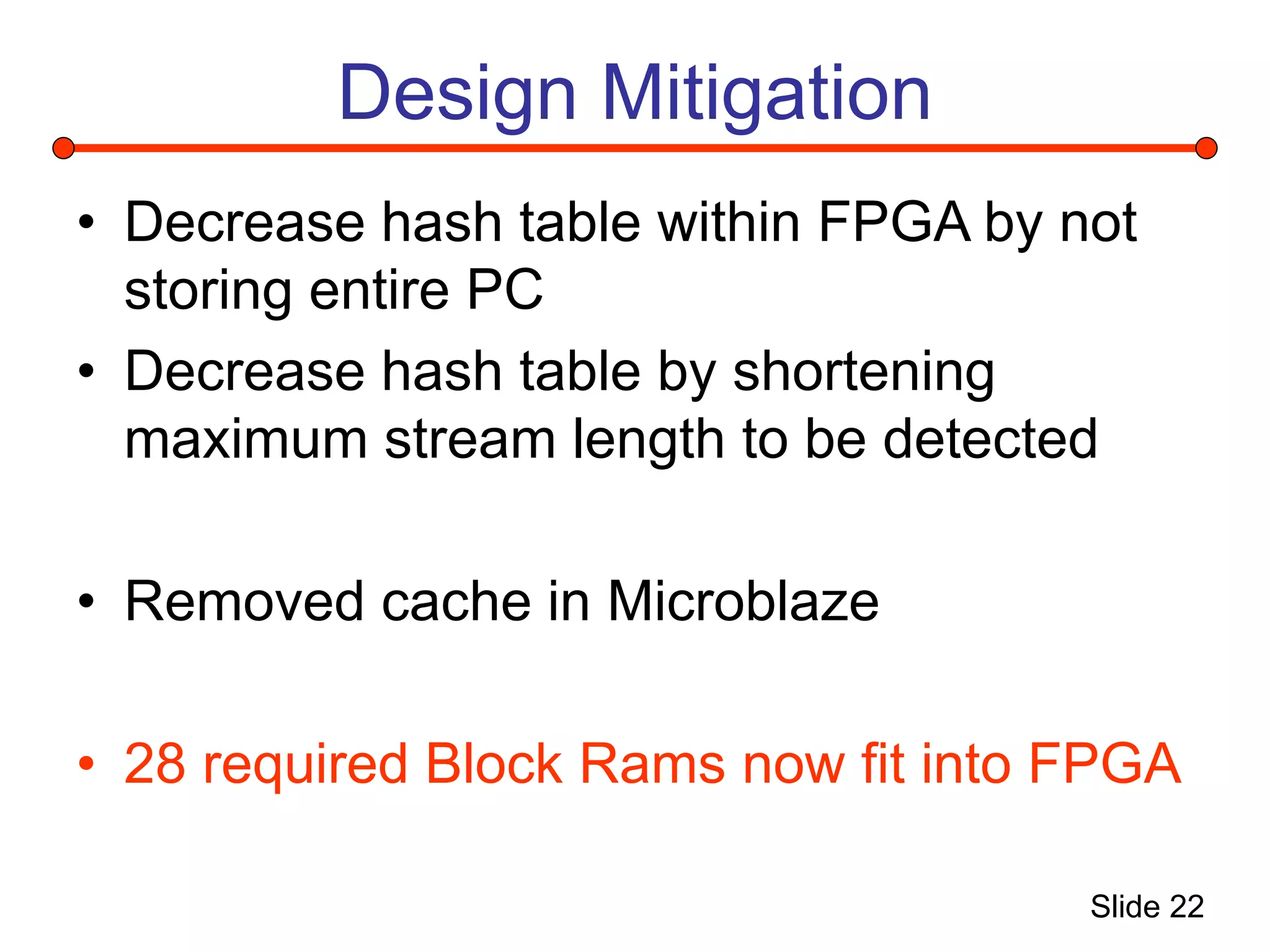
Design Mitigation
• Decrease hash table within FPGA by not
storing entire PC
• Decrease hash table by shortening
maximum stream length to be detected
• Removed cache in Microblaze
• 28 required Block Rams now fit into FPGA
Slide 23
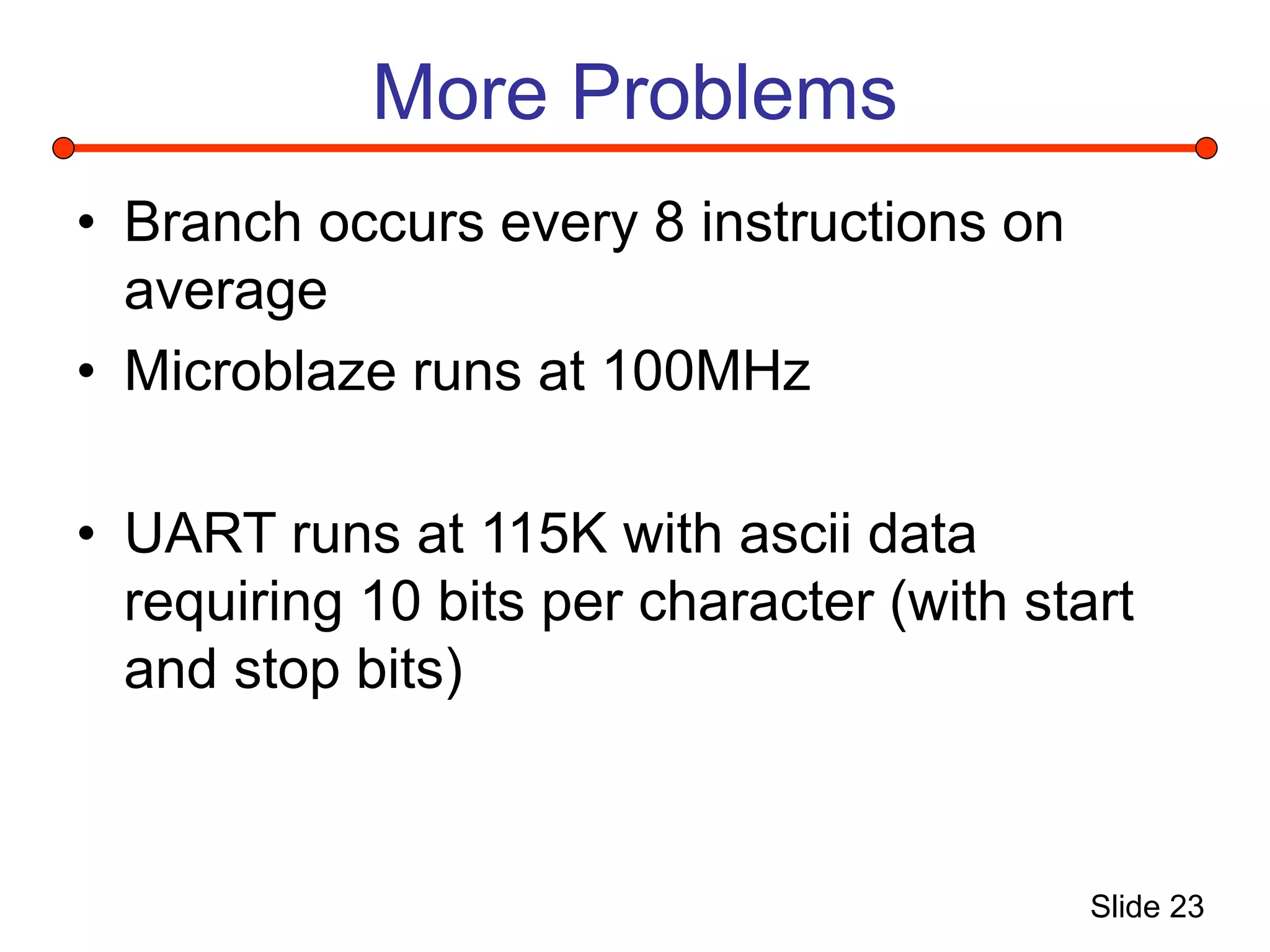
More Problems
• Branch occurs every 8 instructions on
average
• Microblaze runs at 100MHz
• UART runs at 115K with ascii data
requiring 10 bits per character (with start
and stop bits)
Slide 24
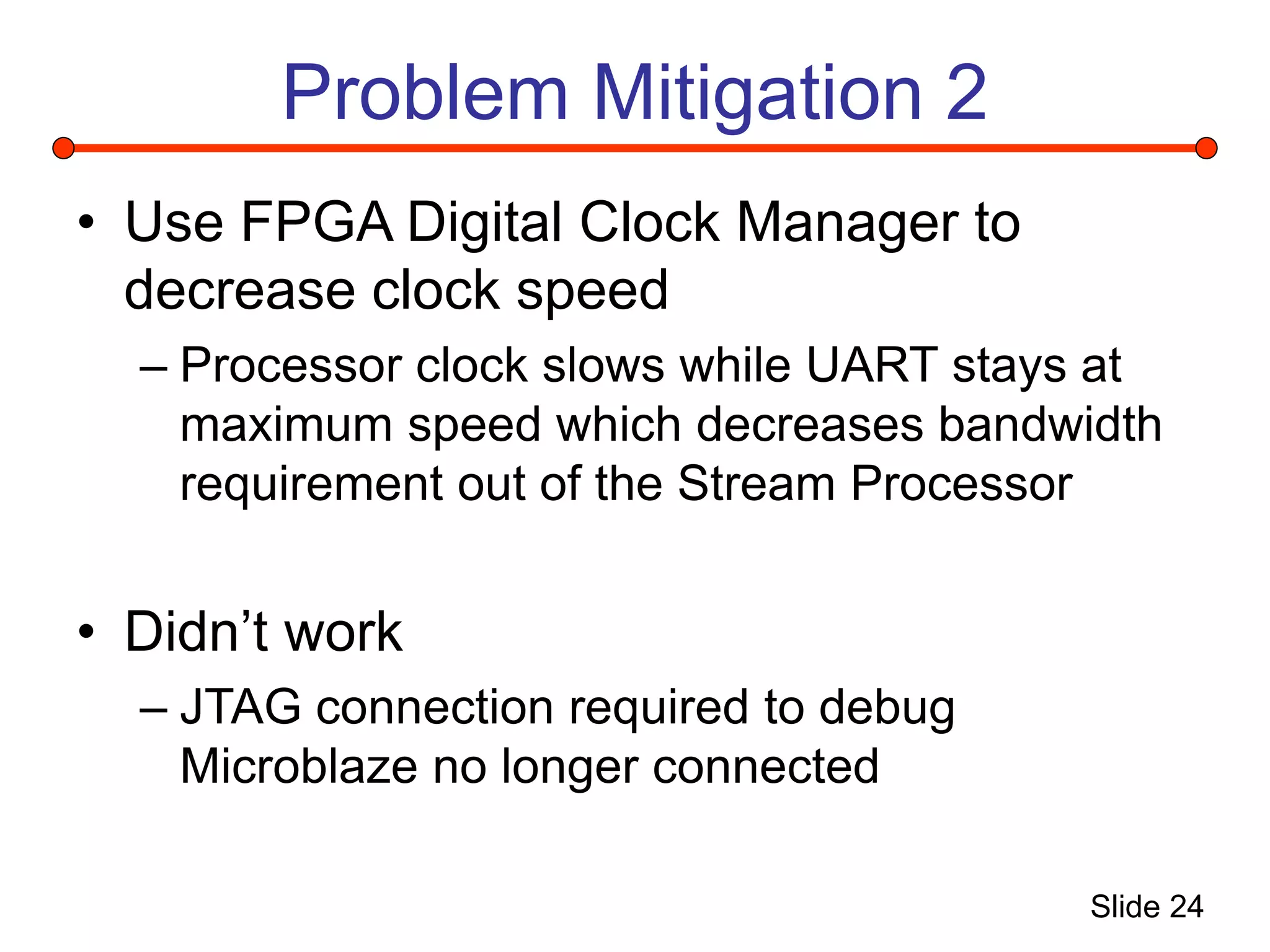
Problem Mitigation 2
• Use FPGA Digital Clock Manager to
decrease clock speed
– Processor clock slows while UART stays at
maximum speed which decreases bandwidth
requirement out of the Stream Processor
• Didn’t work
– JTAG connection required to debug
Microblaze no longer connected
Slide 25
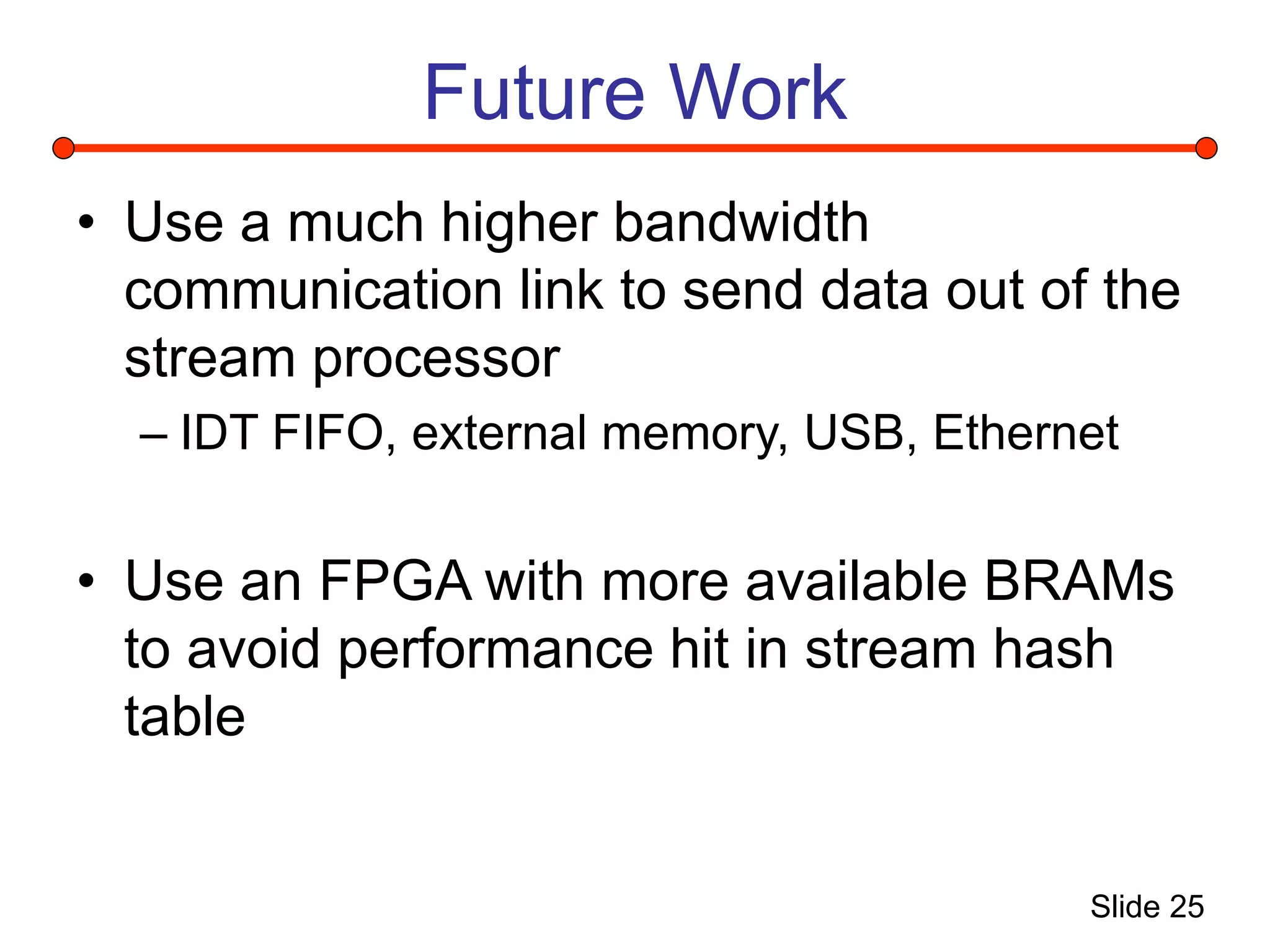
Future Work
• Use a much higher bandwidth
communication link to send data out of the
stream processor
– IDT FIFO, external memory, USB, Ethernet
• Use an FPGA with more available BRAMs
to avoid performance hit in stream hash
table
Slide 26
Questions

Microblaze Performance Monitoring Engine.ppt

  • 1.
    Slide 1 Microblaze Performance MonitoringEngine Alex Burns ECE 631 April 25, 2005
  • 2.
    Slide 2 Outline • Projectdescription • Microblaze performance • Xilinx tools overview • Microblaze implementation • Performance monitoring • Stream processing engine • Implementation results
  • 3.
    Slide 3 Description • Implementa Microblaze soft processor • Use a Virtex 2 Pro evaluation board • Connect a performance monitoring engine to relevant signals of the processor
  • 4.
    Slide 4 Microblaze CoreDiagram Processor Core Memory Interface Memory Interface
  • 5.
    Slide 5 Pipeline • 3-stagepipeline • “Most” instructions require 1 clock cycle execution • ISA supports branch delay slot – Decreases branch penalty from 2 clock cycles to 1 • Instruction pre-fetch buffer continues to fetch during pipeline stalls
  • 6.
    Slide 6 Pipeline Latency •Branch instructions • Division • Multiply • Any Load/Store or FSL transaction • Instruction Break or Subroutine return 1 cycle (if branch is not taken) 2 cycles (taken with delay slot) 3 cycles (taken without delay slot) 2 cycles (if register A = 0) 34 cycles 3 cycles 2 cycles 2 cycles
  • 7.
    Slide 7 Performance • Softarchitecture trades configurability for limited performance • Due to limited performance, software optimization offers great potential • Need to monitor software algorithms for efficiency to achieve the most performance for a given logic area • Logic could be added to improve performance – Designer must decide if this is necessary
  • 8.
    Slide 8 Xilinx PlatformStudio System Description System Setup Create system description files
  • 9.
    Slide 9 System Creation1 1. Use System Description (*.mhs) to generate a Netlist 2. Setup project hierarchy as microblaze is a submodule to a Xilinx Project Navigator entity 3. Create Board Support Libraries for given system description 4. Create HDL using Project Navigator to attach logic system description 5. Perform Synthesis, Mapping, Place and Route, Bit File creation using Project Navigator
  • 10.
    Slide 10 System Creation2 6. Return to Platform Studio to attach compiled software to bitstream 7. Load bitstream to FPGA 8. Attach Xilinx debugger (XMD) through JTAG port and attach process to configured Microblaze within FPGA 9. Load compiled software into instruction memory using XMD 10. Cross fingers 11. Run code
  • 11.
    Slide 11 Project Goal1 • Implement a Microblaze – Synthesized all logic – Mapped to Memec evaluation board containing a Virtex 2 Pro (XCS2VP4) – Successfully ran test program which tests all IO, memory and displays output through UART
  • 12.
    Slide 12 Performance MonitoringPlan • Detect cache parameters for given algorithm – Monitor Instruction side memory bus for accesses – Store accesses into VHDL counter – Read counter upon completion of micro- benchmark
  • 13.
    Slide 13 Cache Operation 1.Detect if address is cacheable 2. If cacheable, lookup in tag memory 3. If tag matches and valid bit is set, drive the ready signal (Cache Hit) • On cache miss, the cache waits for the OPB to fetch the data from memory – does not assert ready signal
  • 14.
    Slide 14 Trace Interface Thegeniuses at Xilinx already thought of the need to monitor performance of the configurable Microblaze
  • 15.
    Slide 15 New ProjectGoal 2 • Use given performance monitoring tools to connect to Stream Processing Engine
  • 16.
    Slide 16 What isa Stream • A stream is a block of instructions stored consecutively in memory and executed without branches for (i=0; i<30; i++) a += c[i]; Initialize Execute Terminate Stream 1 Stream 2 Stream 3 Functional Blocks Streams
  • 17.
    Slide 17 Stream Processor StreamProcessor Stream Collector Detector FIFO Hash Table ID IDValid NewStreamValid Start Address Length Clock Reset PC
  • 18.
  • 19.
    Slide 19 Design Steps •Develop UART – Modified an existing design from Opencores.org – Runs at 115K baud – Transmitter only • Connected UART to Stream Processor output
  • 20.
    Slide 20 Status • WorkingMicroblaze running board test software – Software could be easily changed to any microbenchmark • Working Stream Processor • Working UART
  • 21.
    Slide 21 Design Problems •Microblaze requires 26 block rams with selected configuration • Stream Processor requires 39 block rams due to enormous hash table (4K x 49) and other FIFOs (8 x 48) • Available V2Pro FPGA contains 28 block rams and no external ram
  • 22.
    Slide 22 Design Mitigation •Decrease hash table within FPGA by not storing entire PC • Decrease hash table by shortening maximum stream length to be detected • Removed cache in Microblaze • 28 required Block Rams now fit into FPGA
  • 23.
    Slide 23 More Problems •Branch occurs every 8 instructions on average • Microblaze runs at 100MHz • UART runs at 115K with ascii data requiring 10 bits per character (with start and stop bits)
  • 24.
    Slide 24 Problem Mitigation2 • Use FPGA Digital Clock Manager to decrease clock speed – Processor clock slows while UART stays at maximum speed which decreases bandwidth requirement out of the Stream Processor • Didn’t work – JTAG connection required to debug Microblaze no longer connected
  • 25.
    Slide 25 Future Work •Use a much higher bandwidth communication link to send data out of the stream processor – IDT FIFO, external memory, USB, Ethernet • Use an FPGA with more available BRAMs to avoid performance hit in stream hash table
  • 26.