Taking Advantage of
         the
 Mobile Opportunity
              Michael Slater, CEO
              michael@webvanta.com
                      888.670.6793

                www.webvanta.com
1. Mobile is huge

2. You can, and should,
 take advantage of it

                          2
Why Mobile Matters
• Smartphone unit sales     • ~10% of web traffic,
  > PC unit sales             growing rapidly

• 490 million smart-          – Doubled during 2011
  phones sold in 2011
                            • Primary web platform
• 6.8 million iOS+Android     in many countries
  devices activated on
                            • > $4 billion/year in
  Christmas day 2011
                              mobile commerce


                                                      3
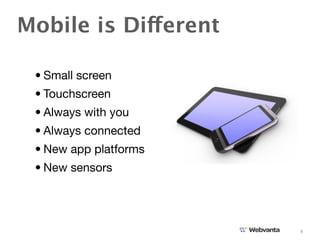
Mobile is Different

 • Small screen
 • Touchscreen
 • Always with you
 • Always connected
 • New app platforms
 • New sensors


                       4
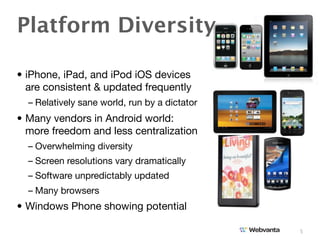
Platform Diversity

• iPhone, iPad, and iPod iOS devices
  are consistent & updated frequently
  – Relatively sane world, run by a dictator
• Many vendors in Android world:
  more freedom and less centralization
  – Overwhelming diversity
  – Screen resolutions vary dramatically
  – Software unpredictably updated
  – Many browsers
• Windows Phone showing potential

                                               5
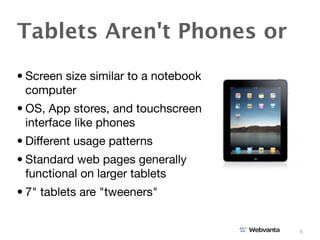
Tablets Aren't Phones or
• Screen size similar to a notebook
  computer
• OS, App stores, and touchscreen
  interface like phones
• Different usage patterns
• Standard web pages generally
  functional on larger tablets
• 7" tablets are "tweeners"


                                      6
Start with Business Goals


                                               $
• Start with what you are trying to
  accomplish
  – Is it supporting an offline business?
  – Will it make money via ads?
    or by charging directly?
  – Is the focus on acquiring new customers?
    or serving existing ones?
    or spreading a point of view?
• How will prospective users find you?

                                               7
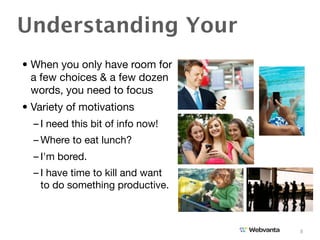
Understanding Your
• When you only have room for
  a few choices & a few dozen
  words, you need to focus
• Variety of motivations
  – I need this bit of info now!
  – Where to eat lunch?
  – I'm bored.
  – I have time to kill and want
    to do something productive.


                                   8
Build a Site or an App?


 Web site / web app       Native apps
  –Run in browser         – Run independently
  –Platform-independent   – Platform-specific
   (mostly)               – Installed on device
  – HTML5 storage, DB,
    offline, canvas

                                                  9
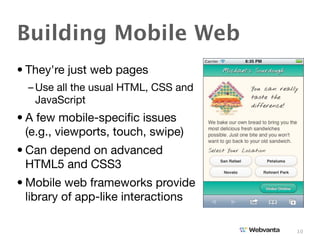
Building Mobile Web
• They're just web pages
  – Use all the usual HTML, CSS and
    JavaScript
• A few mobile-specific issues
  (e.g., viewports, touch, swipe)
• Can depend on advanced
  HTML5 and CSS3
• Mobile web frameworks provide
  library of app-like interactions

                                      10
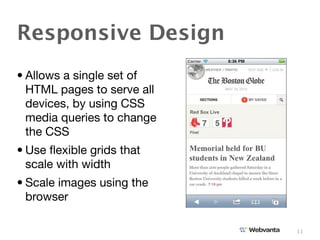
Responsive Design
• Allows a single set of
  HTML pages to serve all
  devices, by using CSS
  media queries to change
  the CSS
• Use flexible grids that
  scale with width
• Scale images using the
  browser

                            11
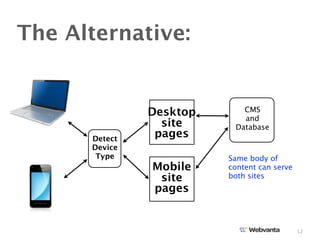
The Alternative:


               Desktop      CMS
                            and
                 site     Database
      Detect
                pages
      Device
       Type              Same body of
               Mobile    content can serve
                site     both sites
               pages


                                             12
13
13
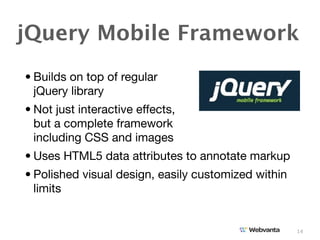
jQuery Mobile Framework
• Builds on top of regular
  jQuery library
• Not just interactive effects,
  but a complete framework
  including CSS and images
• Uses HTML5 data attributes to annotate markup
• Polished visual design, easily customized within
  limits


                                                     14
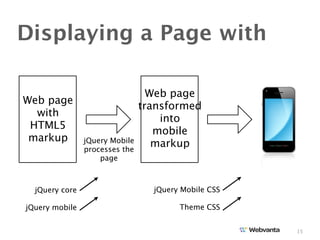
Displaying a Page with

                                  Web page
Web page
                                transformed
  with
                                    into
 HTML5
                                   mobile
 markup         jQuery Mobile
                processes the
                                   markup
                    page


  jQuery core                     jQuery Mobile CSS

jQuery mobile                           Theme CSS


                                                      15
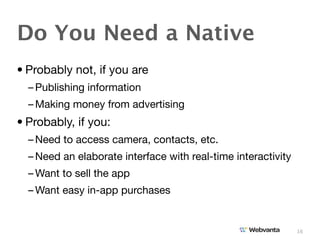
Do You Need a Native
• Probably not, if you are
  – Publishing information
  – Making money from advertising
• Probably, if you:
  – Need to access camera, contacts, etc.
  – Need an elaborate interface with real-time interactivity
  – Want to sell the app
  – Want easy in-app purchases


                                                               16
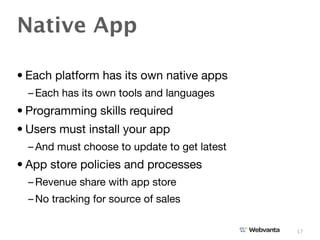
Native App

• Each platform has its own native apps
  – Each has its own tools and languages
• Programming skills required
• Users must install your app
  – And must choose to update to get latest
• App store policies and processes
  – Revenue share with app store
  – No tracking for source of sales

                                              17
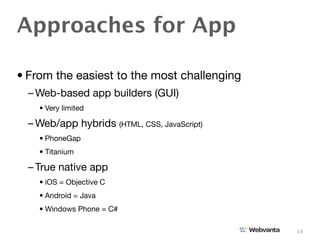
Approaches for App

• From the easiest to the most challenging
  – Web-based app builders (GUI)
    • Very limited

  – Web/app hybrids (HTML, CSS, JavaScript)
    • PhoneGap
    • Titanium

  – True native app
    • iOS = Objective C
    • Android = Java
    • Windows Phone = C#

                                              18
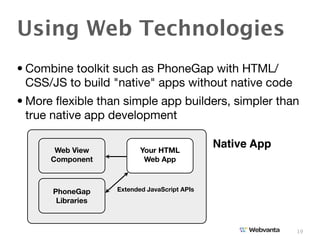
Using Web Technologies
• Combine toolkit such as PhoneGap with HTML/
  CSS/JS to build "native" apps without native code
• More flexible than simple app builders, simpler than
  true native app development

       Web View           Your HTML
                                              Native App
      Component            Web App


      PhoneGap     Extended JavaScript APIs
       Libraries


                                                           19
20
From Sites to Apps

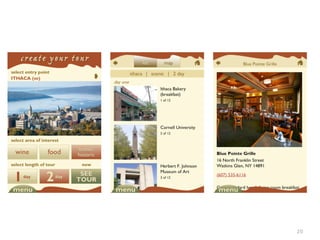
• If you have HTML/CSS/JS skills, you can build
  mobile apps without Objective C or Java skills
• But there are things you must learn
  – How the development environments work
  – App store processes
  – App icons and configuration
  – New JavaScript APIs for accessing camera, contacts,
    etc.


                                                          21
Don't be a Laggard

• Mobile is big today and will become huge
• You need to think about design in new ways
  – Life is more complex with a range of screen sizes and
    use cases to consider
• Apps provide a potent new opportunity but are not
  replacements for good mobile websites
• By choosing your tools well and investing some
  time in learning, you can apply all your web design
  and development skills to mobile sites and apps

                                                            22

Michael Slater Mobile Opportunity

  • 1.
    Taking Advantage of the Mobile Opportunity Michael Slater, CEO michael@webvanta.com 888.670.6793 www.webvanta.com
  • 2.
    1. Mobile ishuge 2. You can, and should, take advantage of it 2
  • 3.
    Why Mobile Matters •Smartphone unit sales • ~10% of web traffic, > PC unit sales growing rapidly • 490 million smart- – Doubled during 2011 phones sold in 2011 • Primary web platform • 6.8 million iOS+Android in many countries devices activated on • > $4 billion/year in Christmas day 2011 mobile commerce 3
  • 4.
    Mobile is Different • Small screen • Touchscreen • Always with you • Always connected • New app platforms • New sensors 4
  • 5.
    Platform Diversity • iPhone,iPad, and iPod iOS devices are consistent & updated frequently – Relatively sane world, run by a dictator • Many vendors in Android world: more freedom and less centralization – Overwhelming diversity – Screen resolutions vary dramatically – Software unpredictably updated – Many browsers • Windows Phone showing potential 5
  • 6.
    Tablets Aren't Phonesor • Screen size similar to a notebook computer • OS, App stores, and touchscreen interface like phones • Different usage patterns • Standard web pages generally functional on larger tablets • 7" tablets are "tweeners" 6
  • 7.
    Start with BusinessGoals $ • Start with what you are trying to accomplish – Is it supporting an offline business? – Will it make money via ads? or by charging directly? – Is the focus on acquiring new customers? or serving existing ones? or spreading a point of view? • How will prospective users find you? 7
  • 8.
    Understanding Your • Whenyou only have room for a few choices & a few dozen words, you need to focus • Variety of motivations – I need this bit of info now! – Where to eat lunch? – I'm bored. – I have time to kill and want to do something productive. 8
  • 9.
    Build a Siteor an App? Web site / web app Native apps –Run in browser – Run independently –Platform-independent – Platform-specific (mostly) – Installed on device – HTML5 storage, DB, offline, canvas 9
  • 10.
    Building Mobile Web •They're just web pages – Use all the usual HTML, CSS and JavaScript • A few mobile-specific issues (e.g., viewports, touch, swipe) • Can depend on advanced HTML5 and CSS3 • Mobile web frameworks provide library of app-like interactions 10
  • 11.
    Responsive Design • Allowsa single set of HTML pages to serve all devices, by using CSS media queries to change the CSS • Use flexible grids that scale with width • Scale images using the browser 11
  • 12.
    The Alternative: Desktop CMS and site Database Detect pages Device Type Same body of Mobile content can serve site both sites pages 12
  • 13.
  • 14.
  • 15.
    jQuery Mobile Framework •Builds on top of regular jQuery library • Not just interactive effects, but a complete framework including CSS and images • Uses HTML5 data attributes to annotate markup • Polished visual design, easily customized within limits 14
  • 16.
    Displaying a Pagewith Web page Web page transformed with into HTML5 mobile markup jQuery Mobile processes the markup page jQuery core jQuery Mobile CSS jQuery mobile Theme CSS 15
  • 17.
    Do You Needa Native • Probably not, if you are – Publishing information – Making money from advertising • Probably, if you: – Need to access camera, contacts, etc. – Need an elaborate interface with real-time interactivity – Want to sell the app – Want easy in-app purchases 16
  • 18.
    Native App • Eachplatform has its own native apps – Each has its own tools and languages • Programming skills required • Users must install your app – And must choose to update to get latest • App store policies and processes – Revenue share with app store – No tracking for source of sales 17
  • 19.
    Approaches for App •From the easiest to the most challenging – Web-based app builders (GUI) • Very limited – Web/app hybrids (HTML, CSS, JavaScript) • PhoneGap • Titanium – True native app • iOS = Objective C • Android = Java • Windows Phone = C# 18
  • 20.
    Using Web Technologies •Combine toolkit such as PhoneGap with HTML/ CSS/JS to build "native" apps without native code • More flexible than simple app builders, simpler than true native app development Web View Your HTML Native App Component Web App PhoneGap Extended JavaScript APIs Libraries 19
  • 21.
  • 22.
    From Sites toApps • If you have HTML/CSS/JS skills, you can build mobile apps without Objective C or Java skills • But there are things you must learn – How the development environments work – App store processes – App icons and configuration – New JavaScript APIs for accessing camera, contacts, etc. 21
  • 23.
    Don't be aLaggard • Mobile is big today and will become huge • You need to think about design in new ways – Life is more complex with a range of screen sizes and use cases to consider • Apps provide a potent new opportunity but are not replacements for good mobile websites • By choosing your tools well and investing some time in learning, you can apply all your web design and development skills to mobile sites and apps 22