Changing our perspectives from ‘collection’ to ‘utilisation’ Protect the investment made acquiring your 3D digital city with effective data management. Stephen Rixon Managing Director Met Geo Info Ltd. www.metgeoinfo.com
Content What is a City Model? Why would you want to model a City? How do you model a City? “ I have my City model. Now what?” File-based  models vs.  Database  models
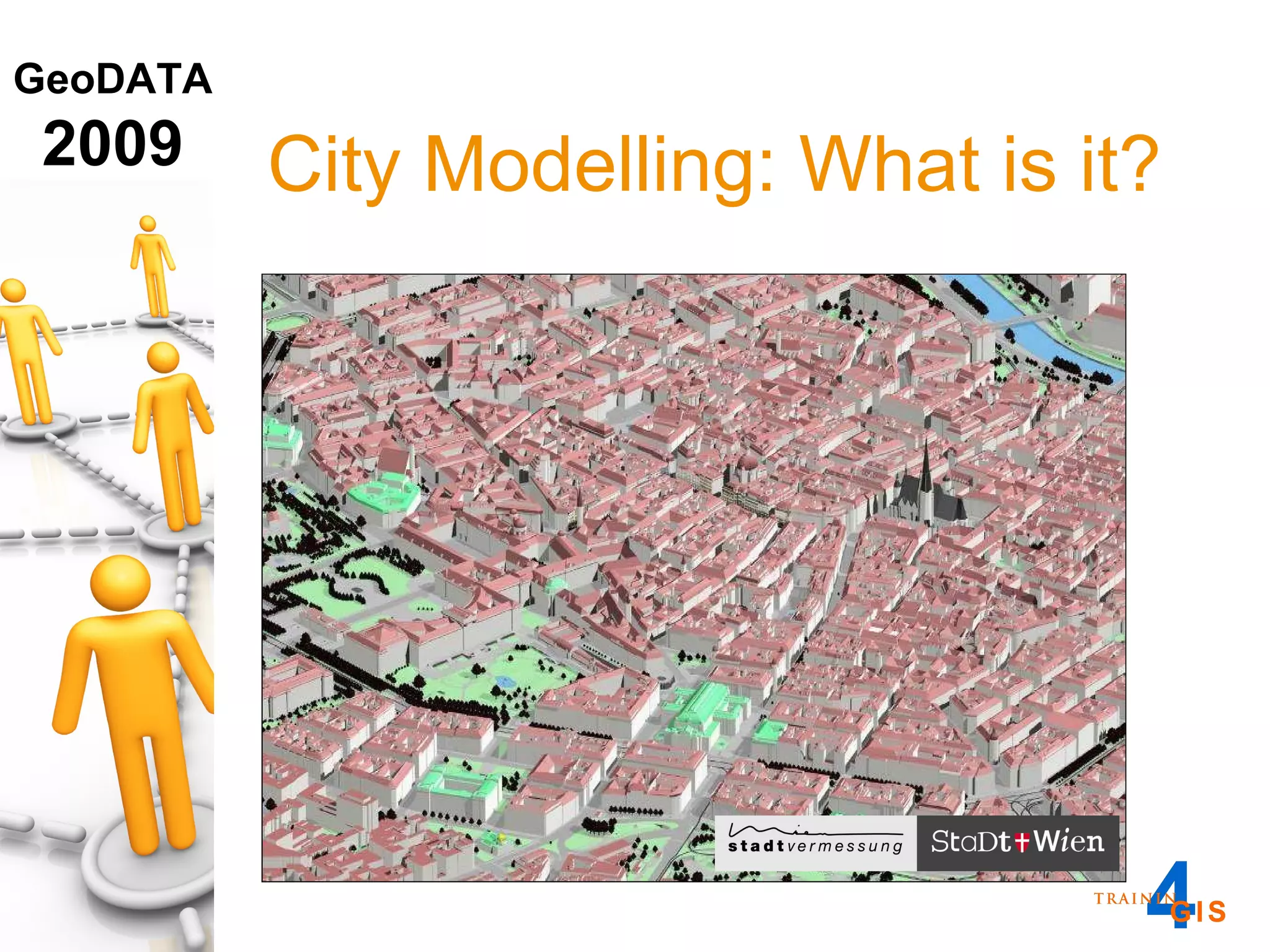
City Modelling: What is it?
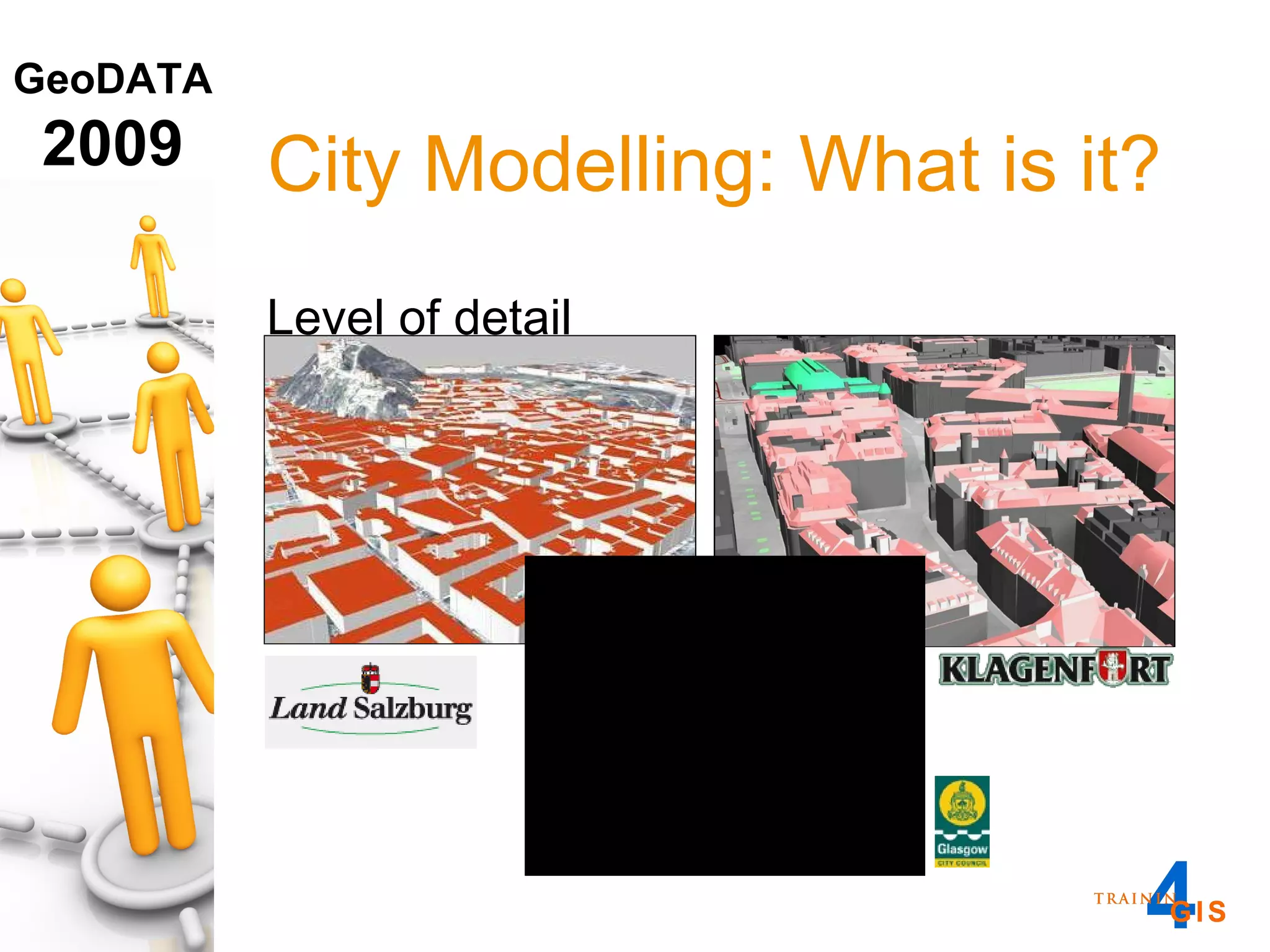
City Modelling: What is it? Level of detail (LoD) 1 – LoD 3…
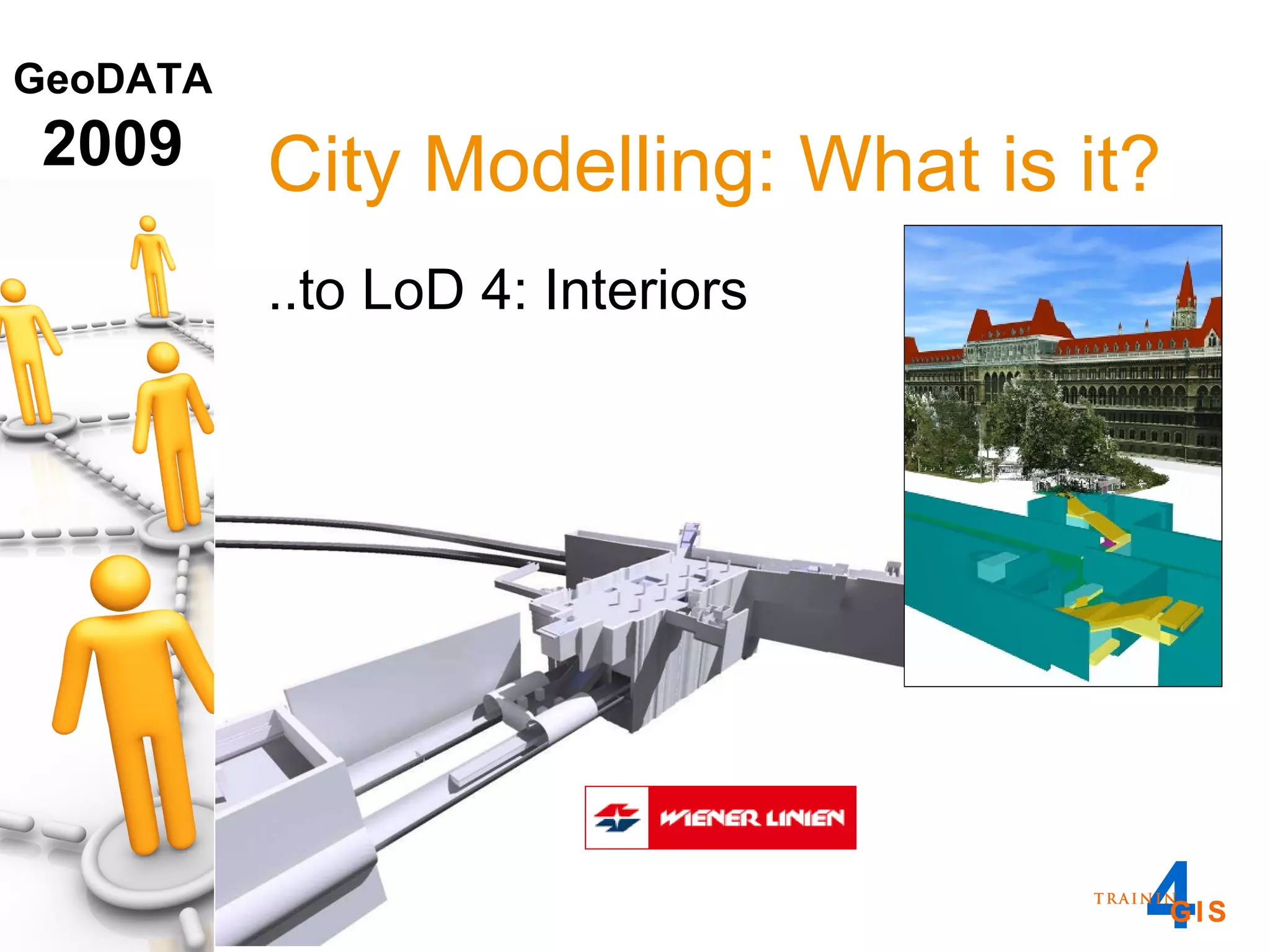
City Modelling: What is it? ..to LoD 4: Interiors
City Modelling: Why? To improve decision making, and To save  time  and  money  in the decision making process Application areas : Information management Conservation Urban planning Public consultation
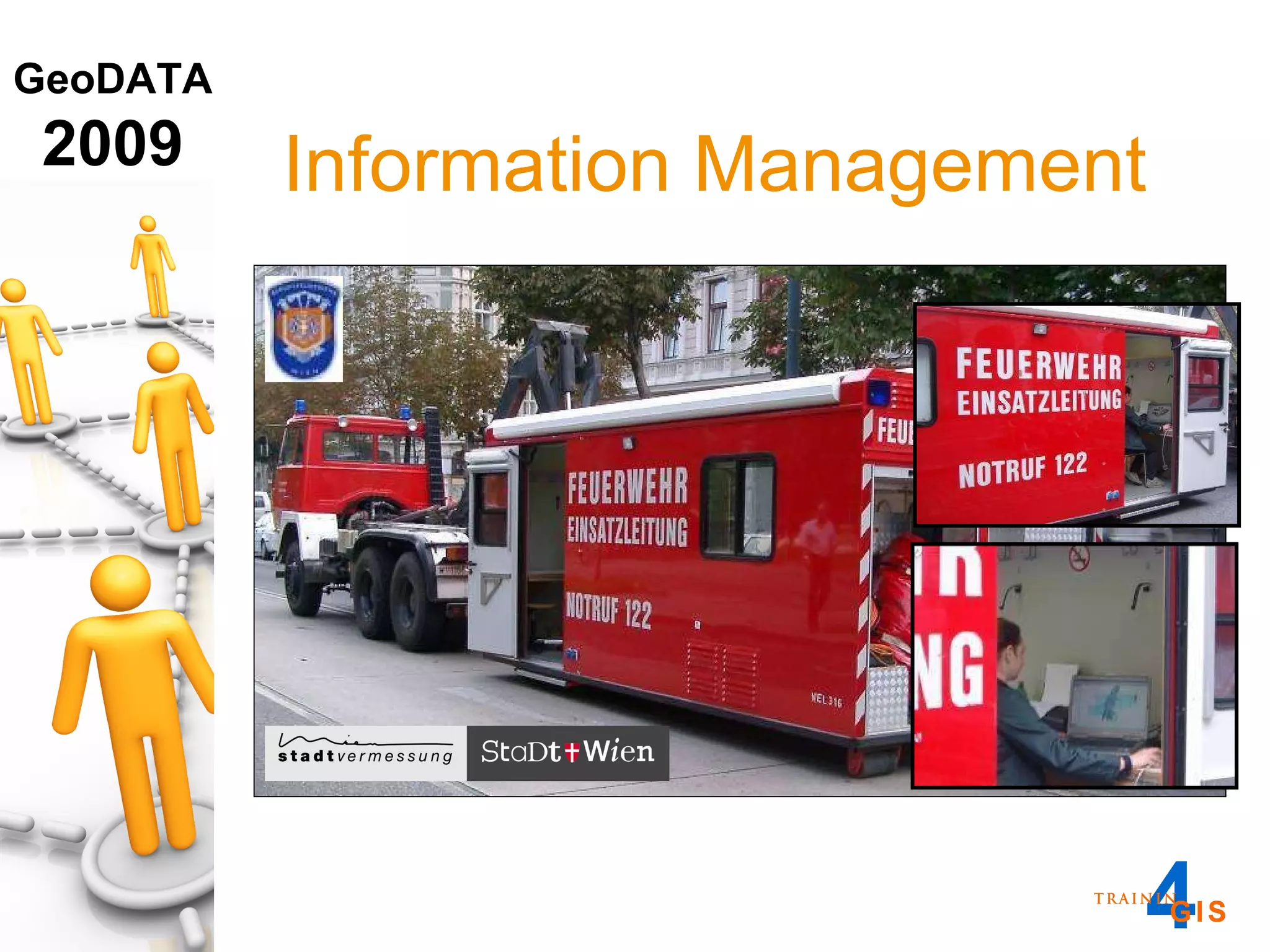
Information Management
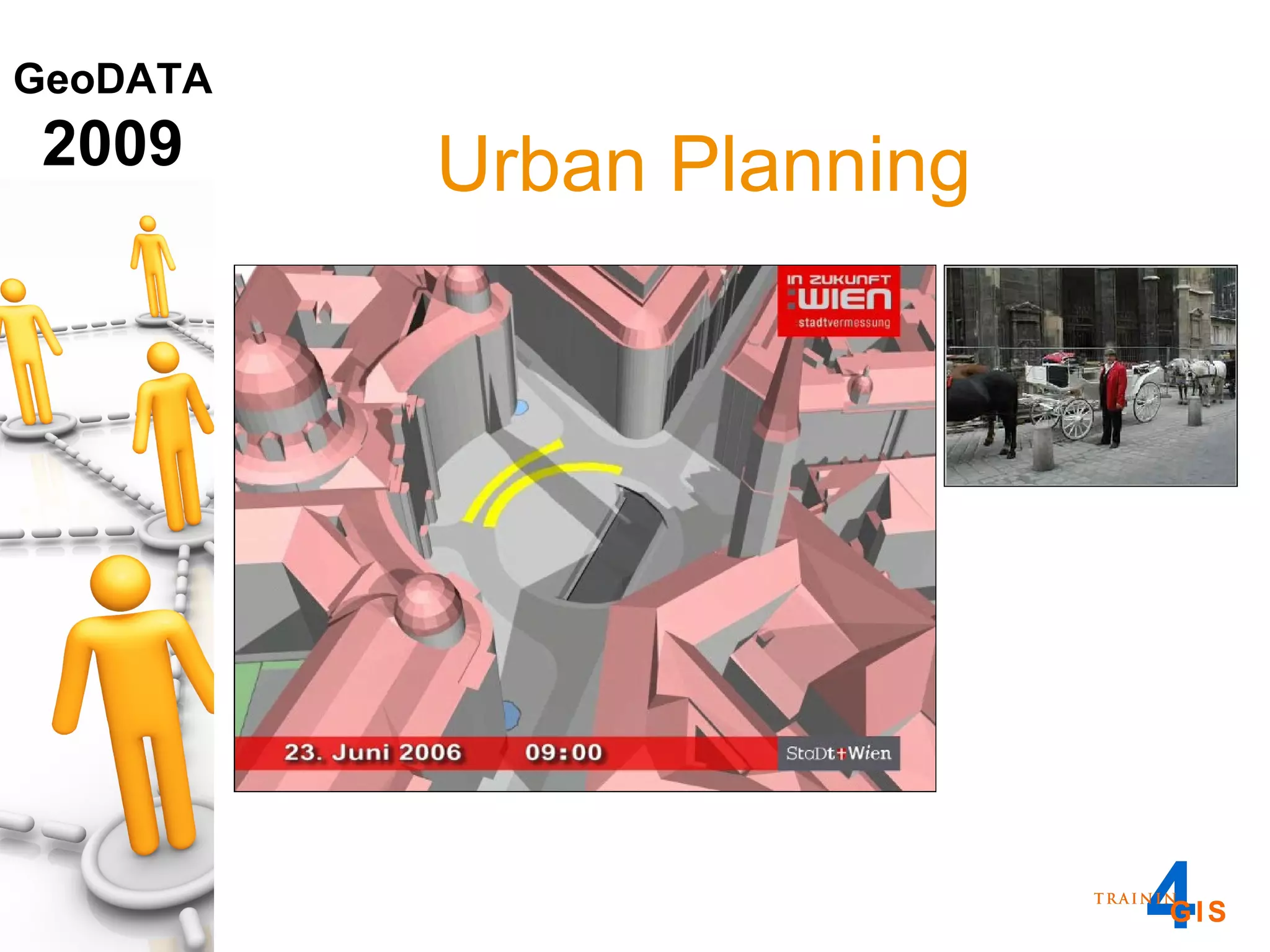
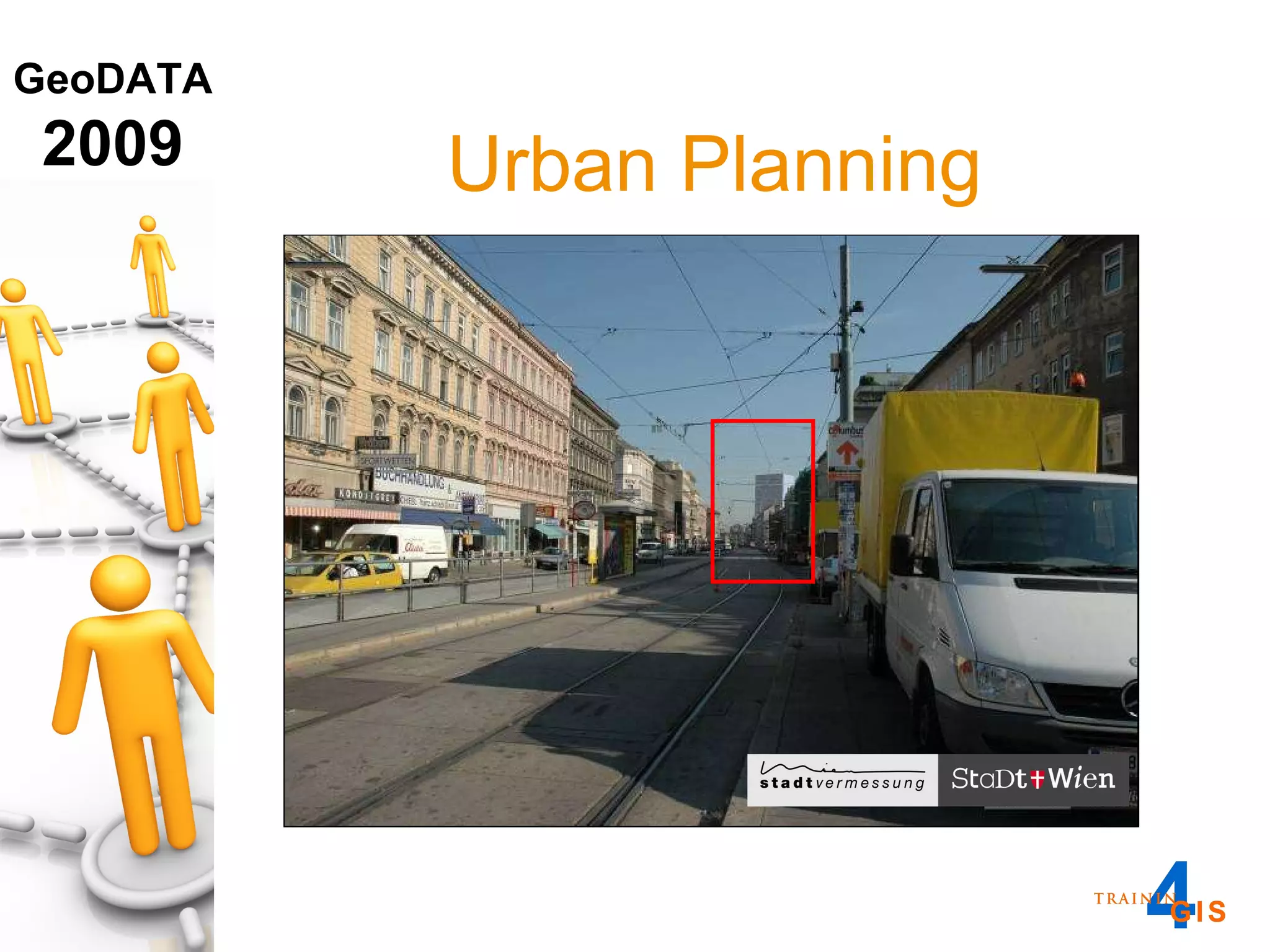
Urban Planning
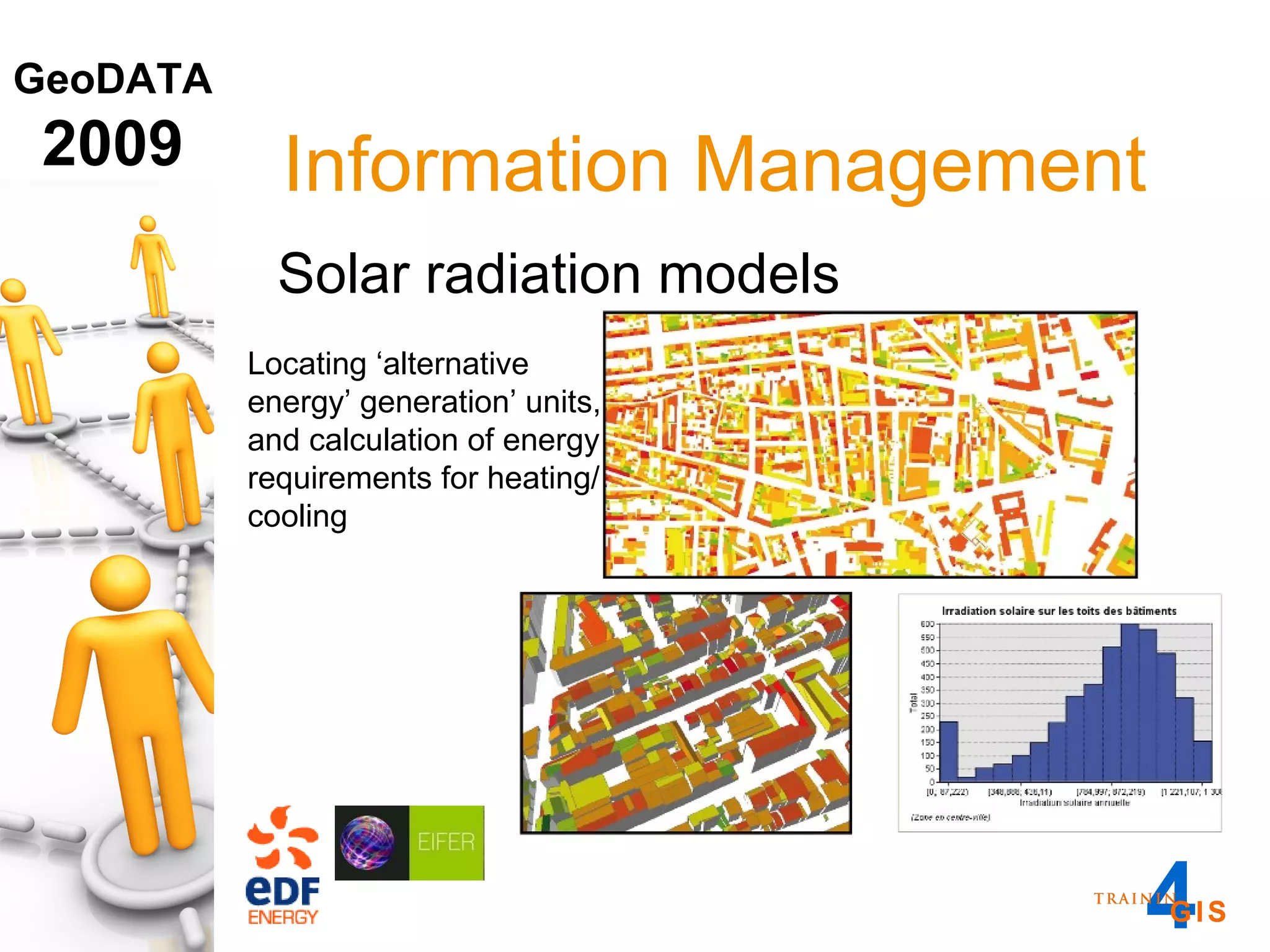
Information Management Solar radiation models Locating ‘alternative energy’ generation’ units, and calculation of energy requirements for heating/cooling
Urban Planning
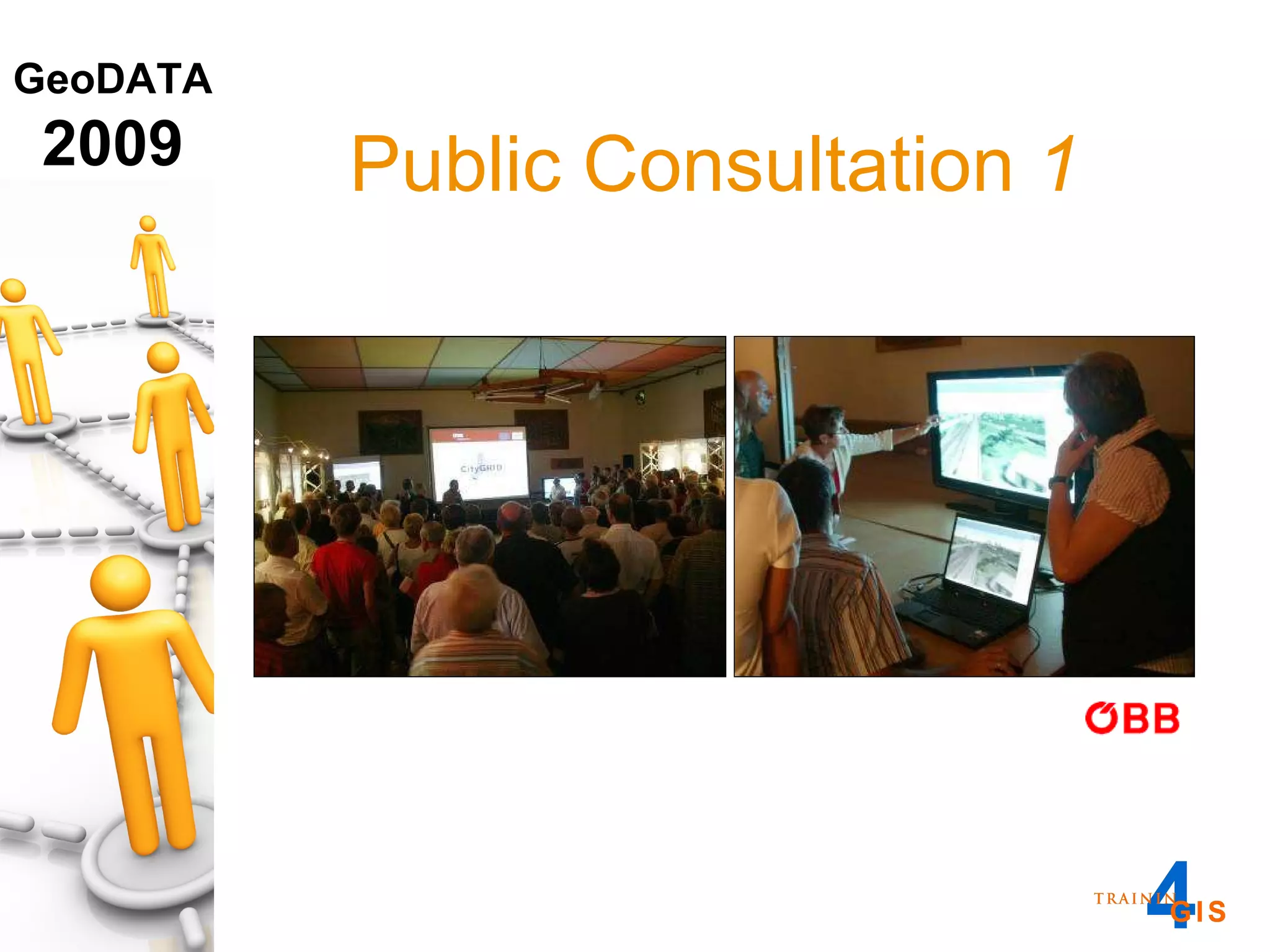
Public Consultation  1
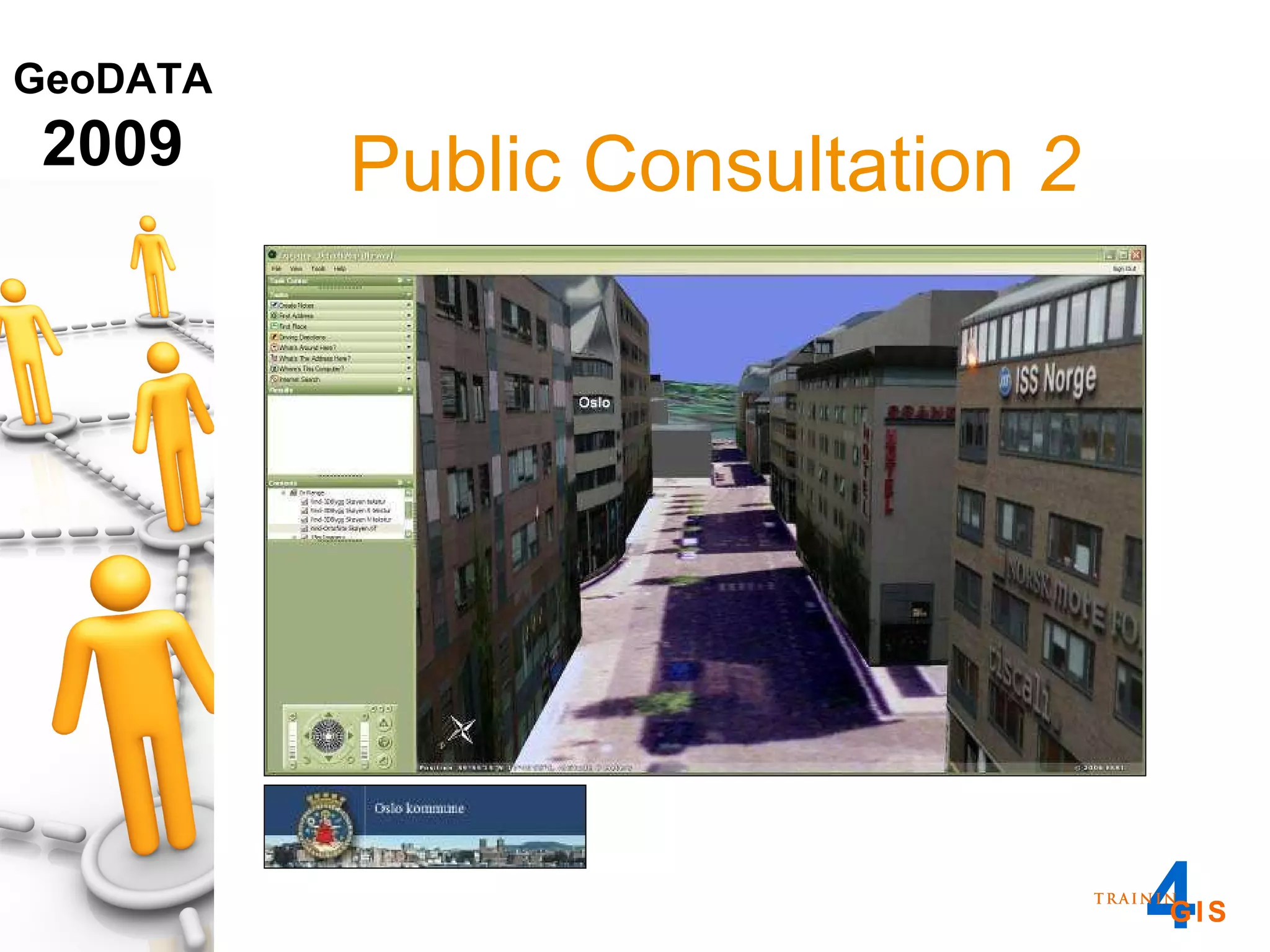
Public Consultation  2
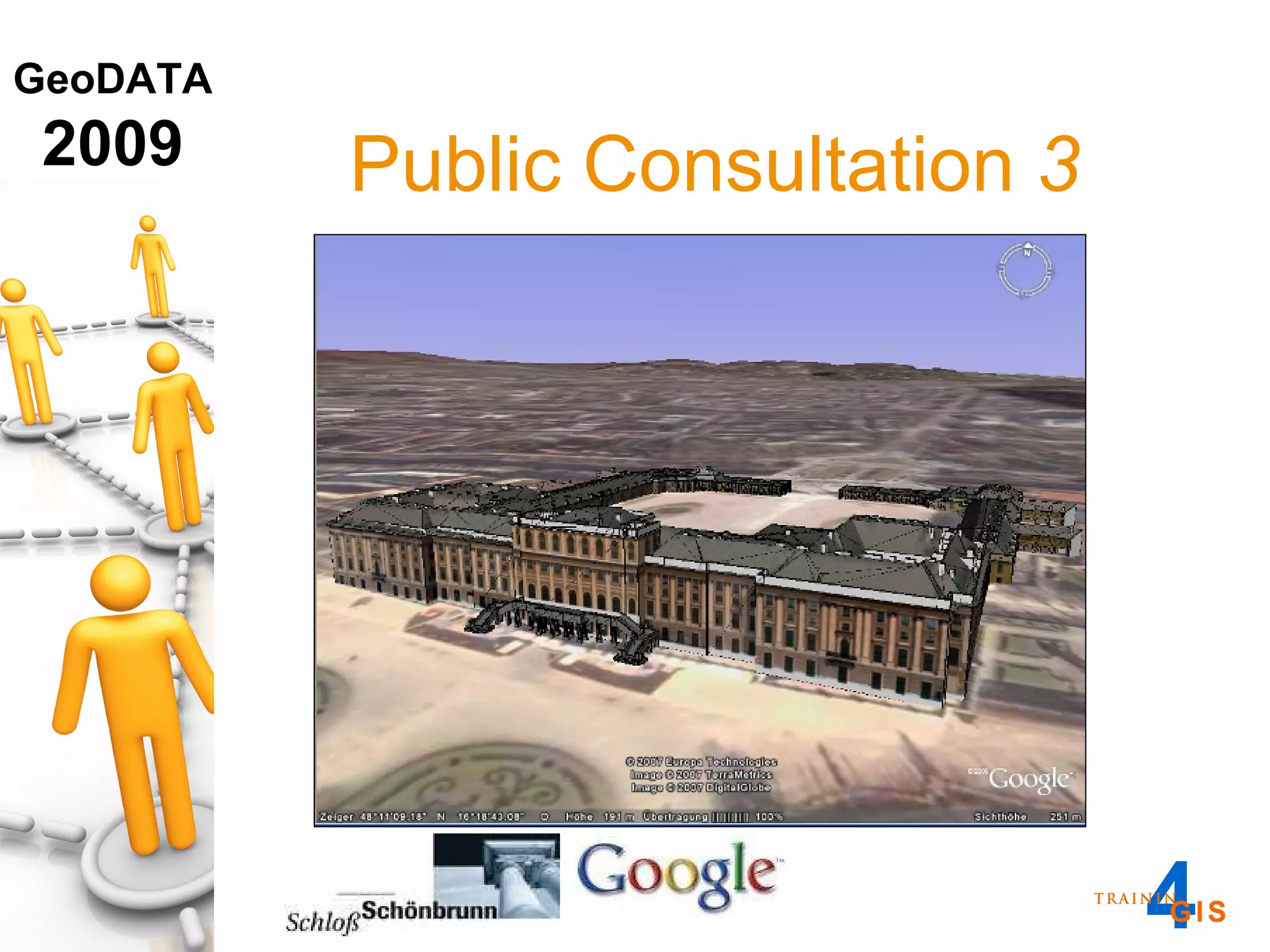
Public Consultation  3
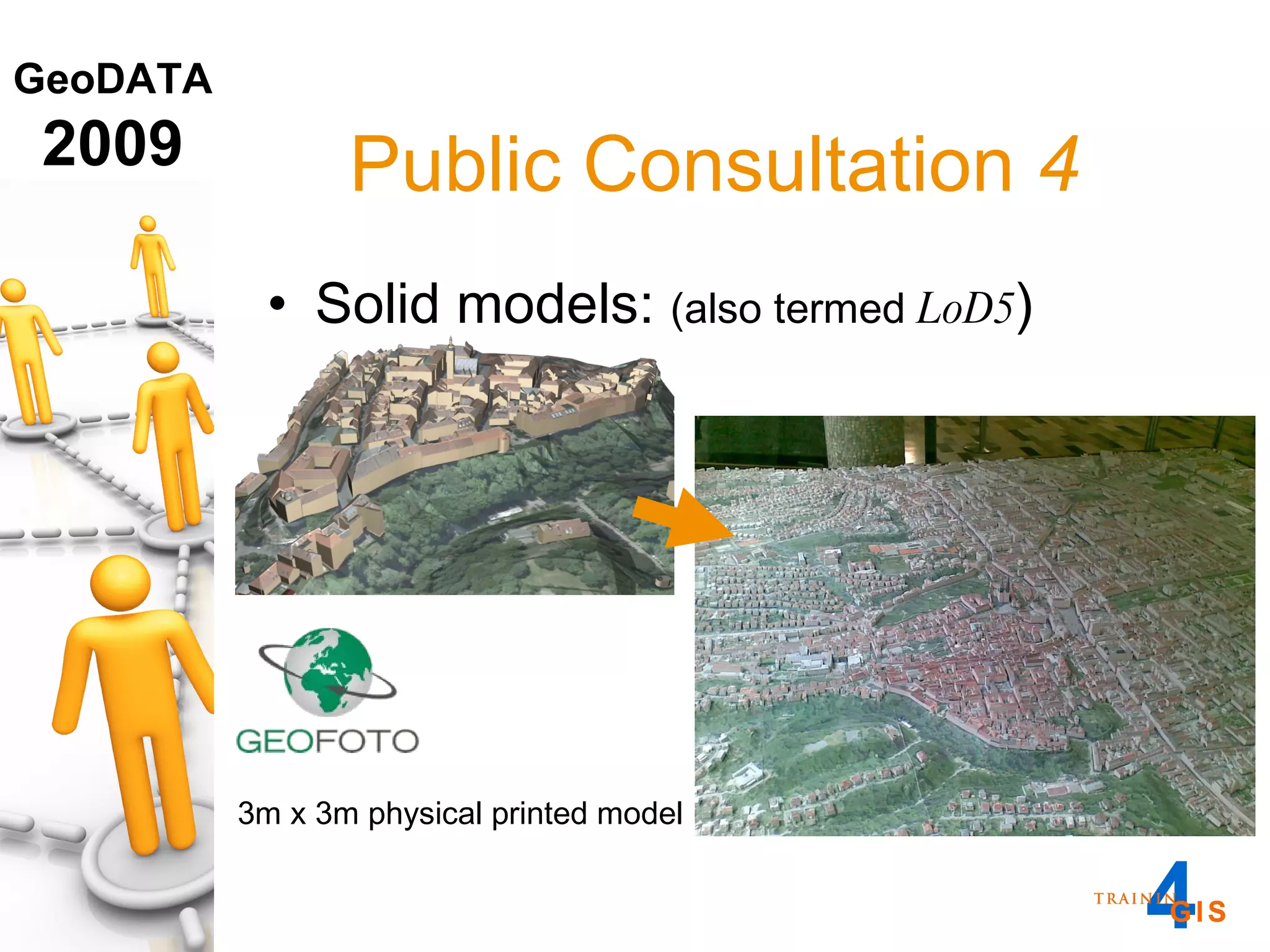
Public Consultation  4 Solid models:  (also termed  LoD5 ) 3m x 3m physical printed model
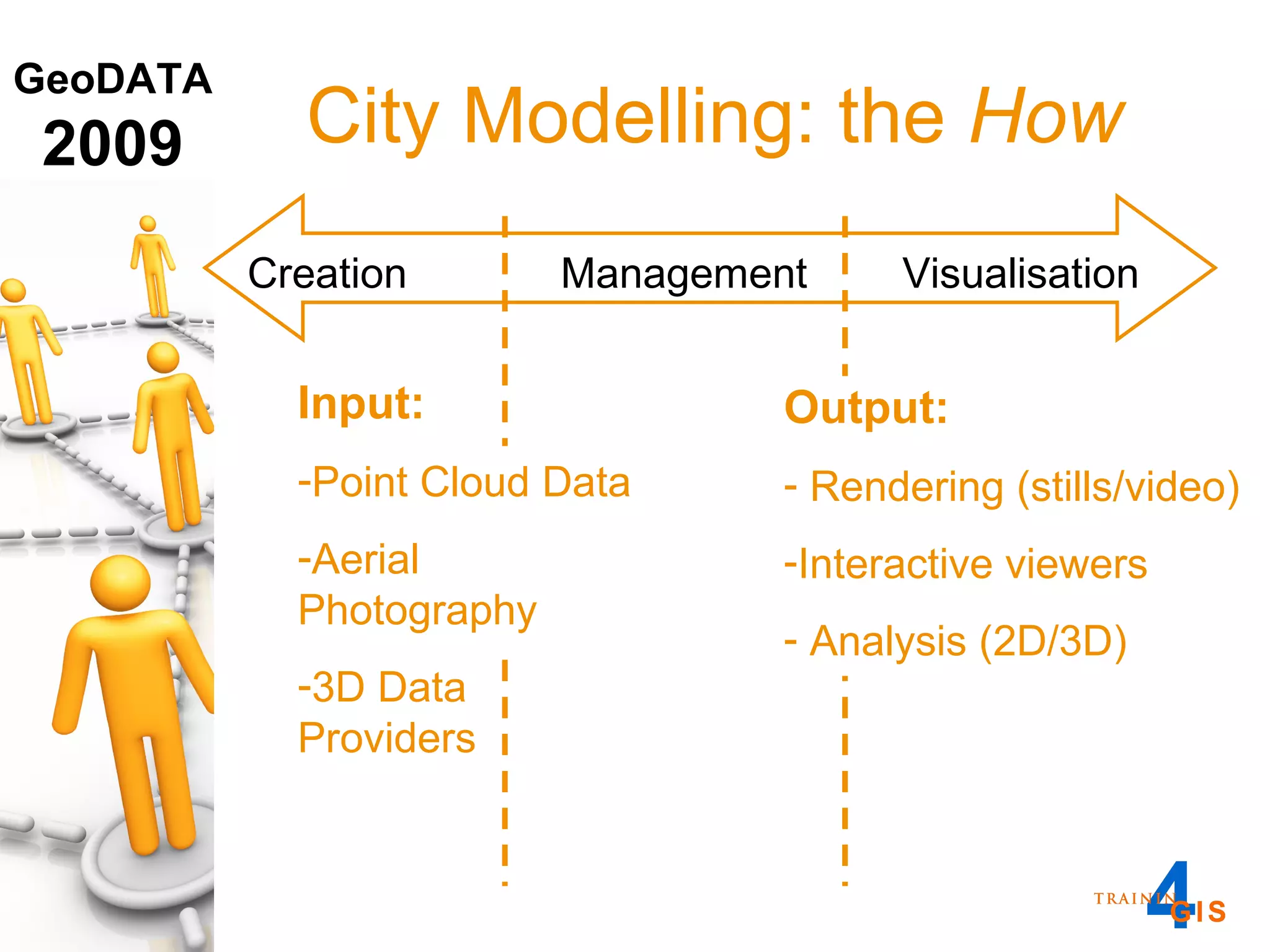
City Modelling: the  How Creation    Management  Visualisation Input: Point Cloud Data Aerial Photography 3D Data Providers Output: Rendering (stills/video) Interactive viewers Analysis (2D/3D)
IT convergence (GIS integrated with mainstream IT) Advancements in 3D visualisation Advances in data capture LiDAR (airborne & ground based) Photogrammetry: Vexcel UltraCAM Terrestrial Laser Scanning City Modelling: the  How
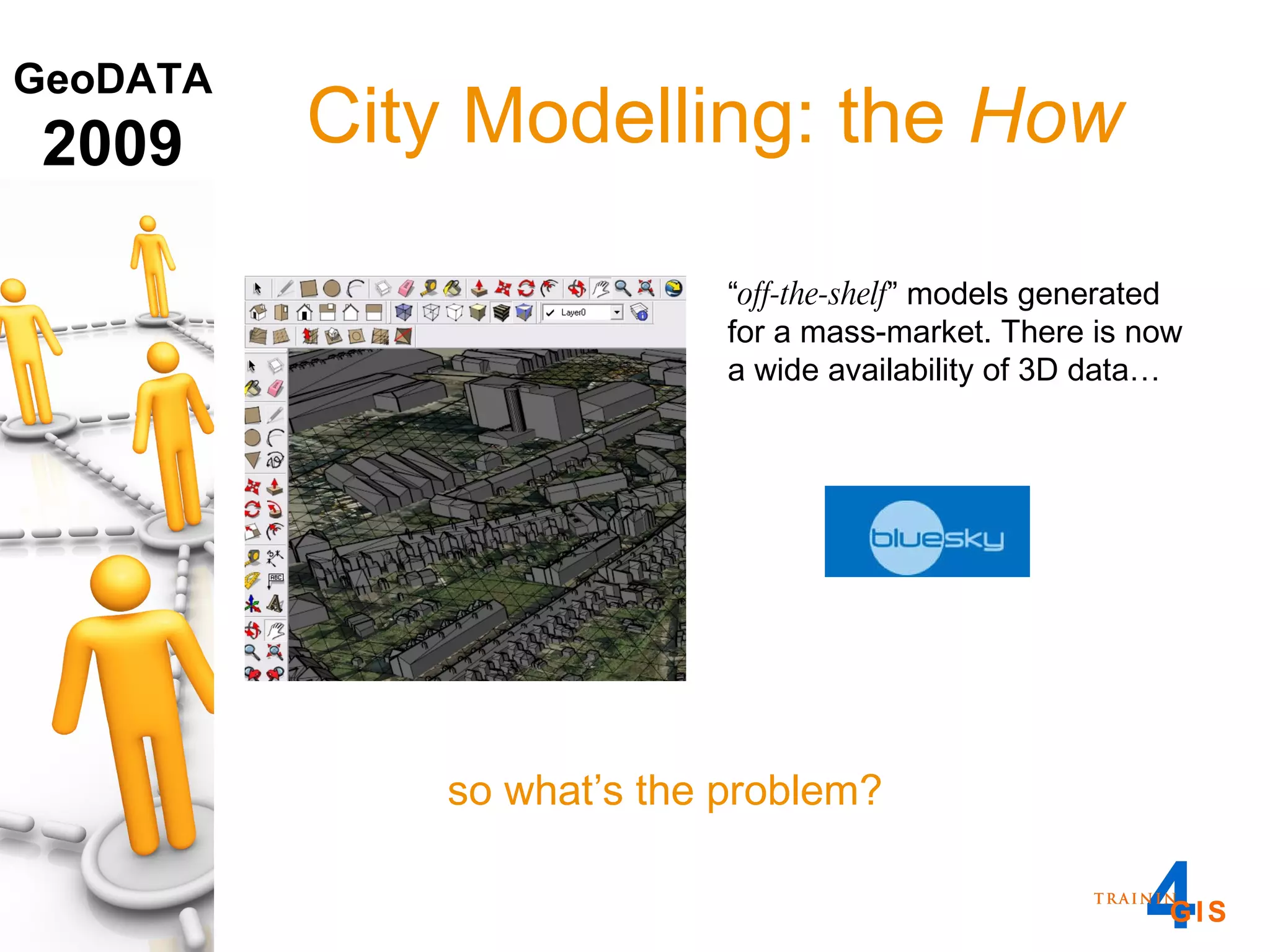
City Modelling: the  How “ off-the-shelf ” models generated for a mass-market. There is now a wide availability of 3D data… so what’s the problem?
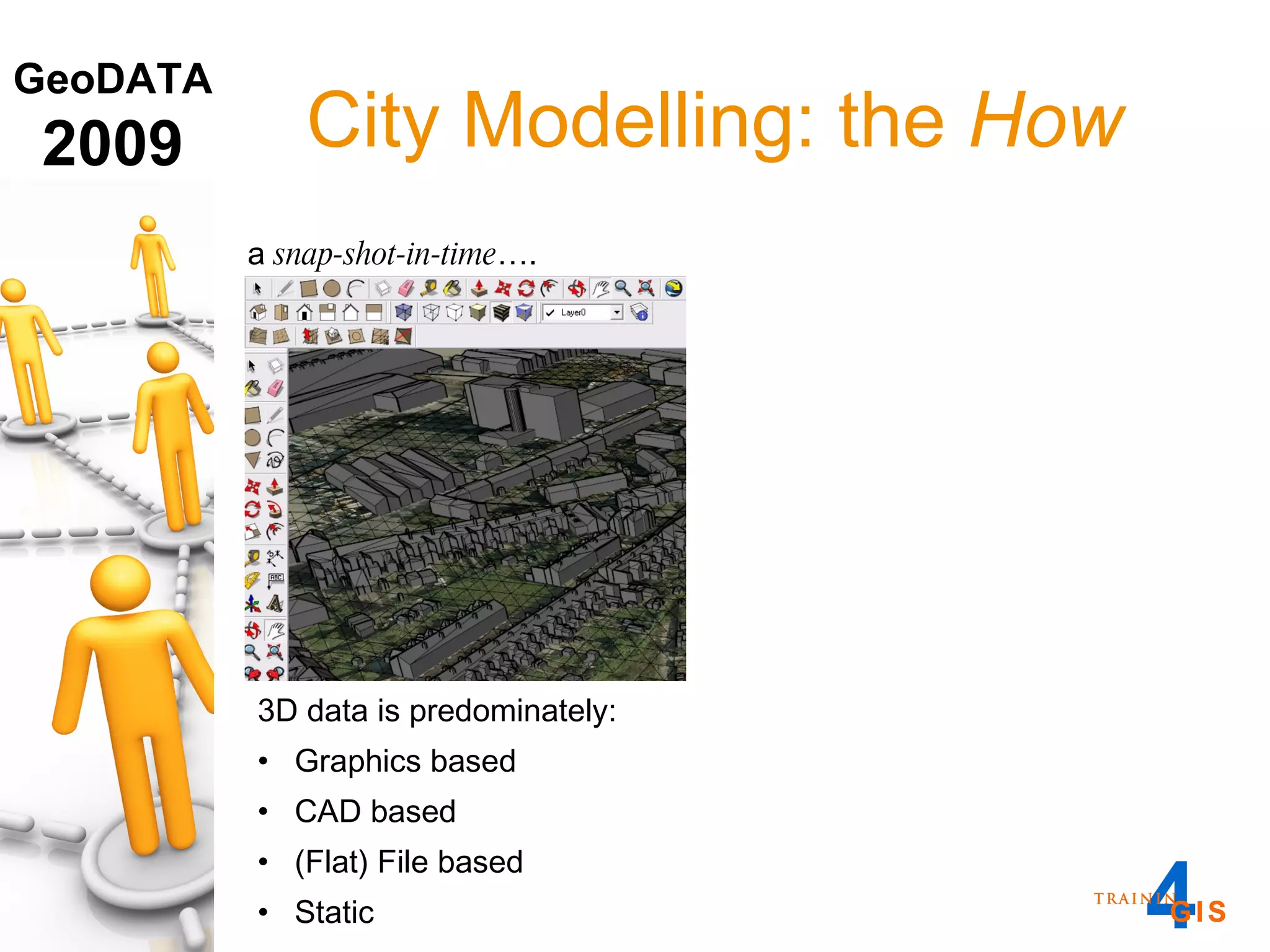
3D data is predominately: Graphics based CAD based (Flat) File based Static a  snap-shot-in-time …. City Modelling: the  How
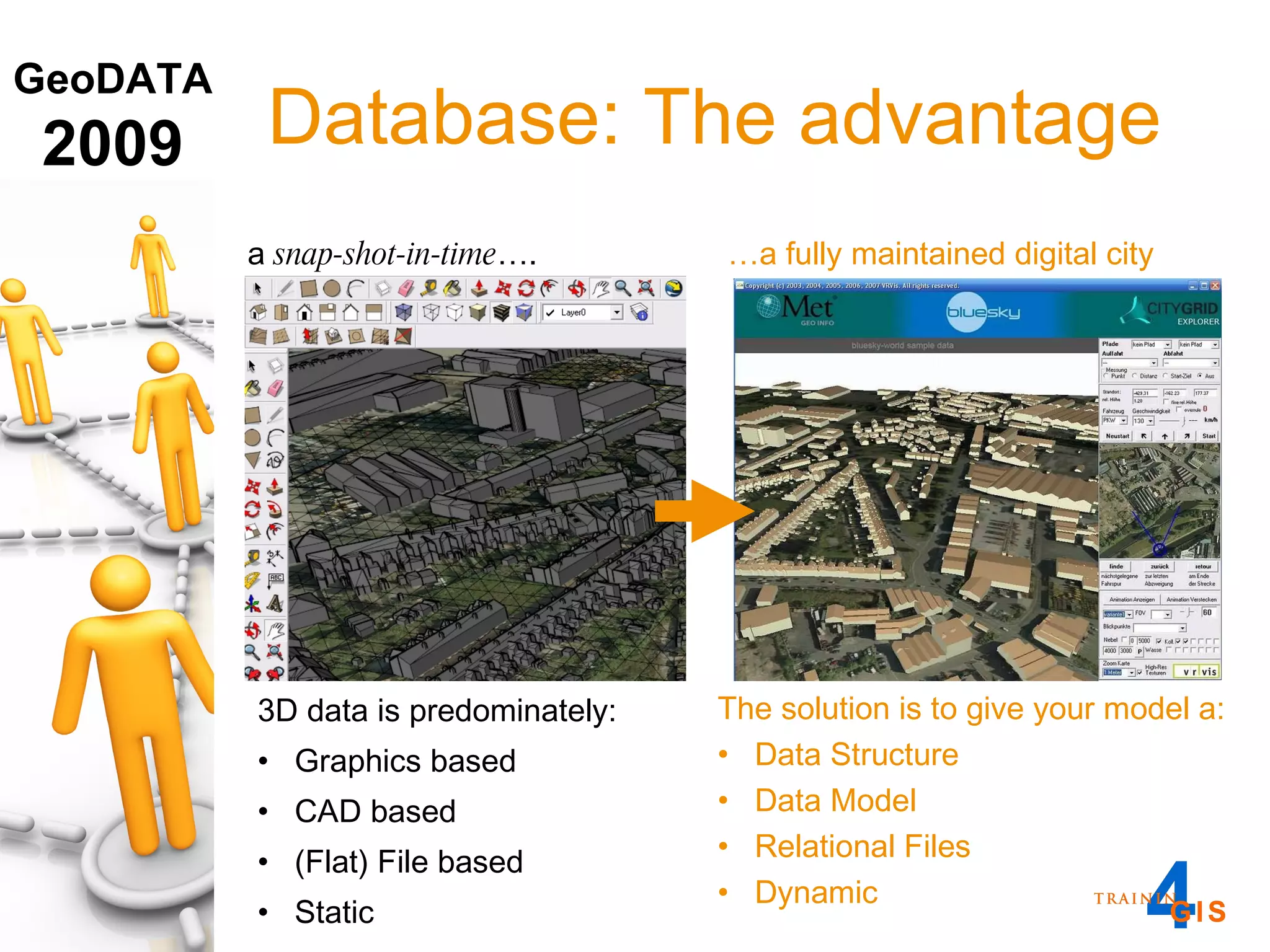
3D data is predominately: Graphics based CAD based (Flat) File based Static Database: The advantage  The solution is to give your model a: Data Structure Data Model Relational Files Dynamic a  snap-shot-in-time …. … a fully maintained digital city
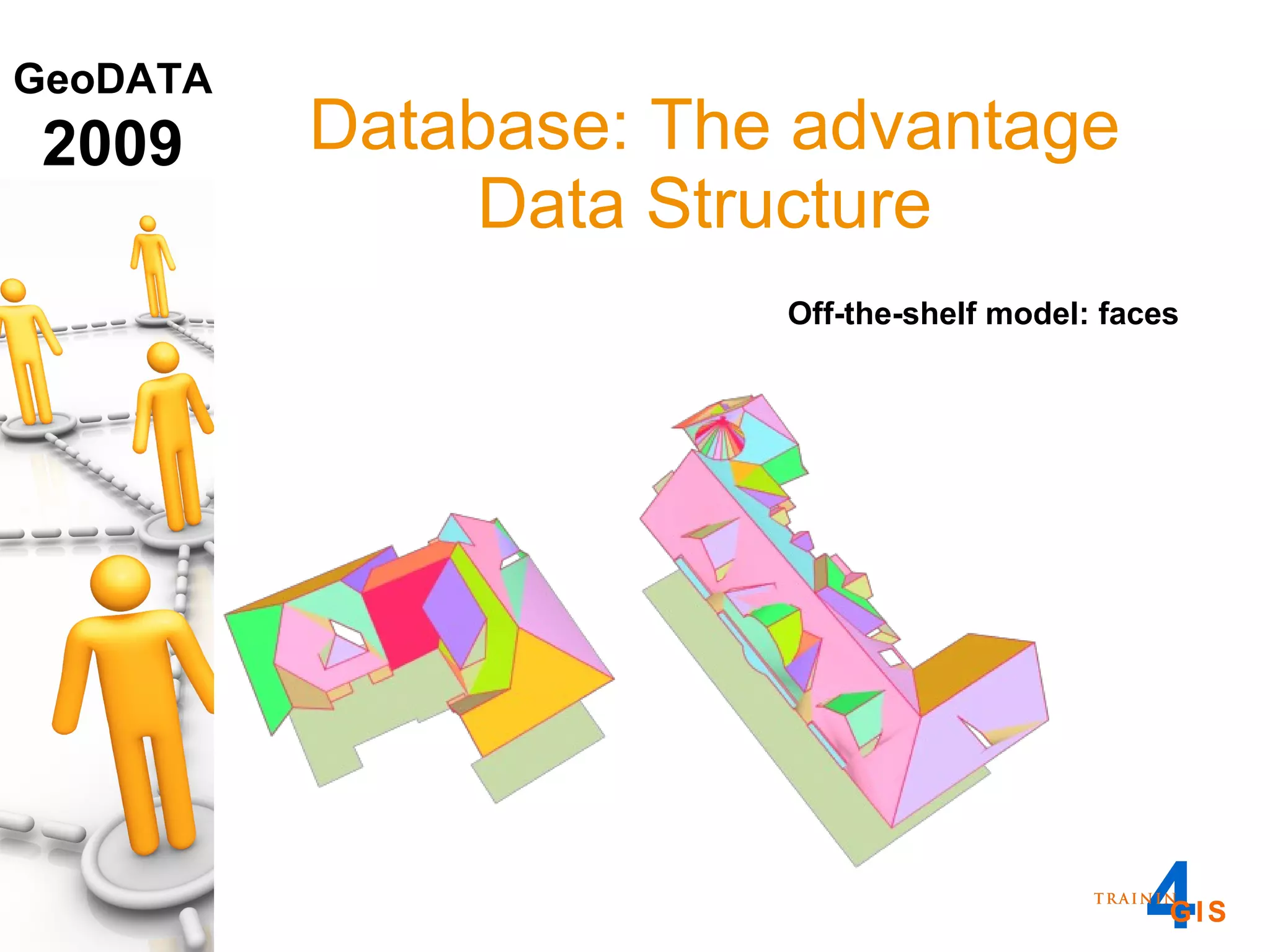
Database: The advantage Data Structure  Off-the-shelf model: faces
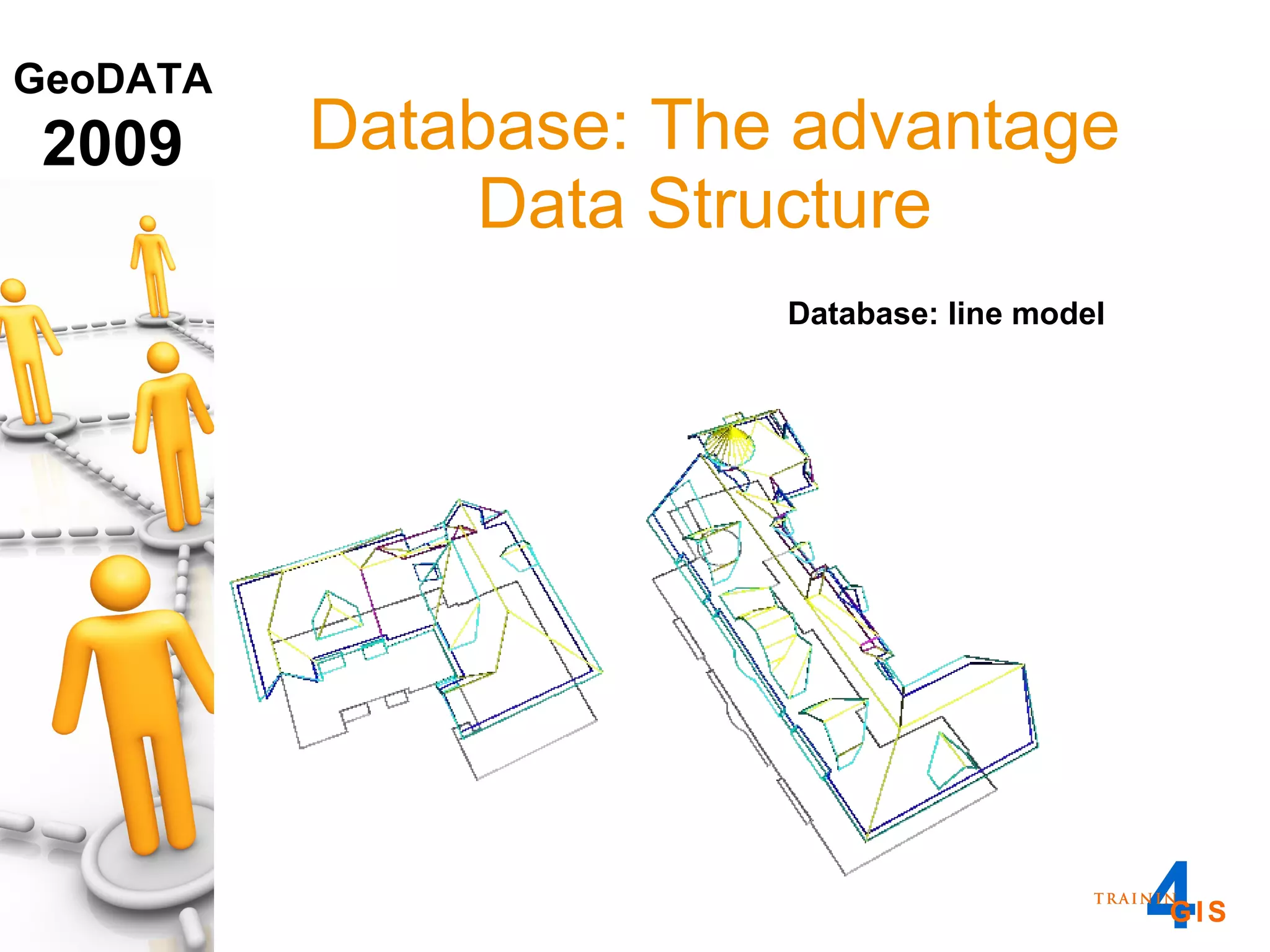
Database: The advantage Data Structure  Database: line model
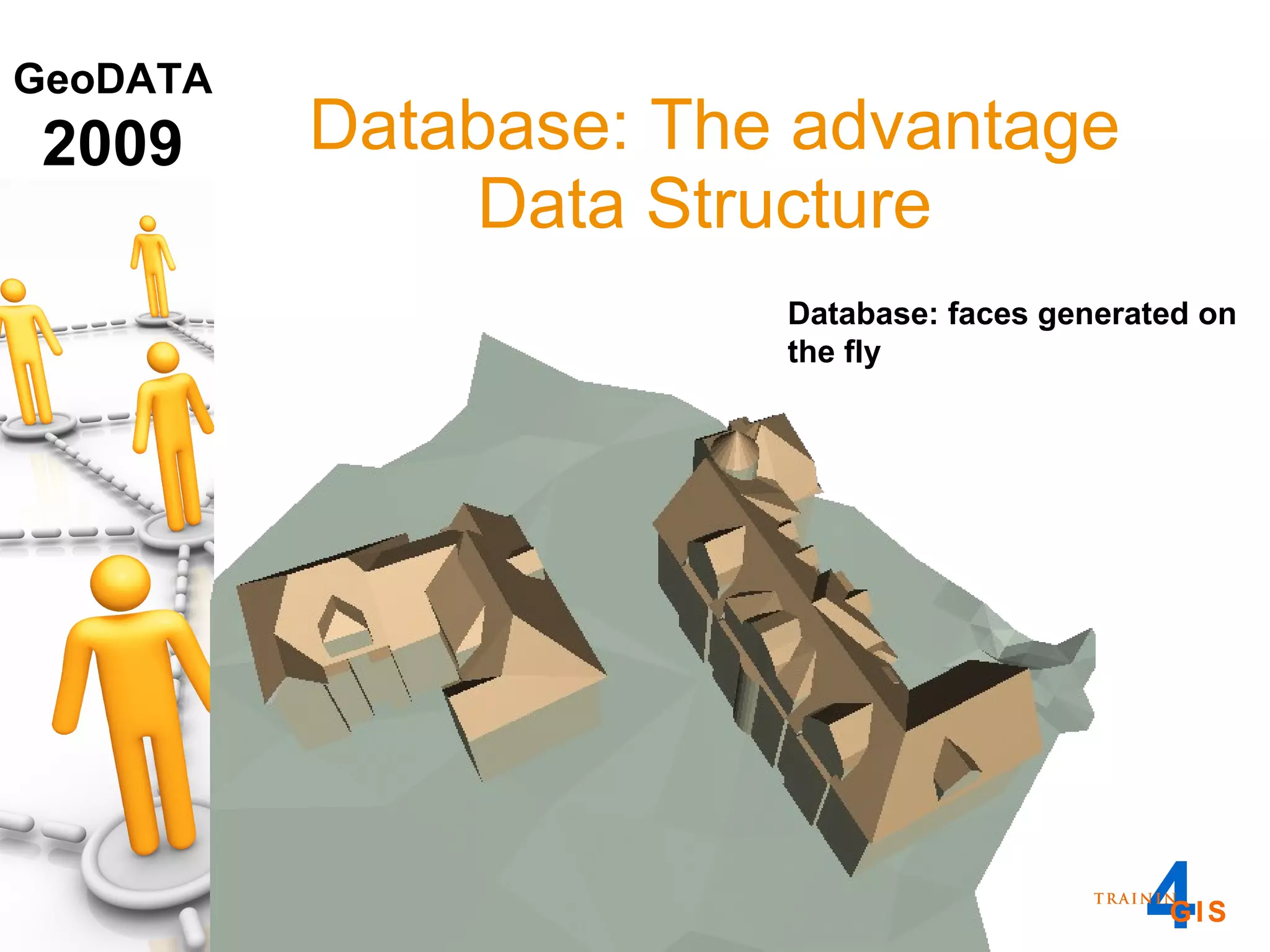
Database: The advantage Data Structure  Database: faces generated on the fly
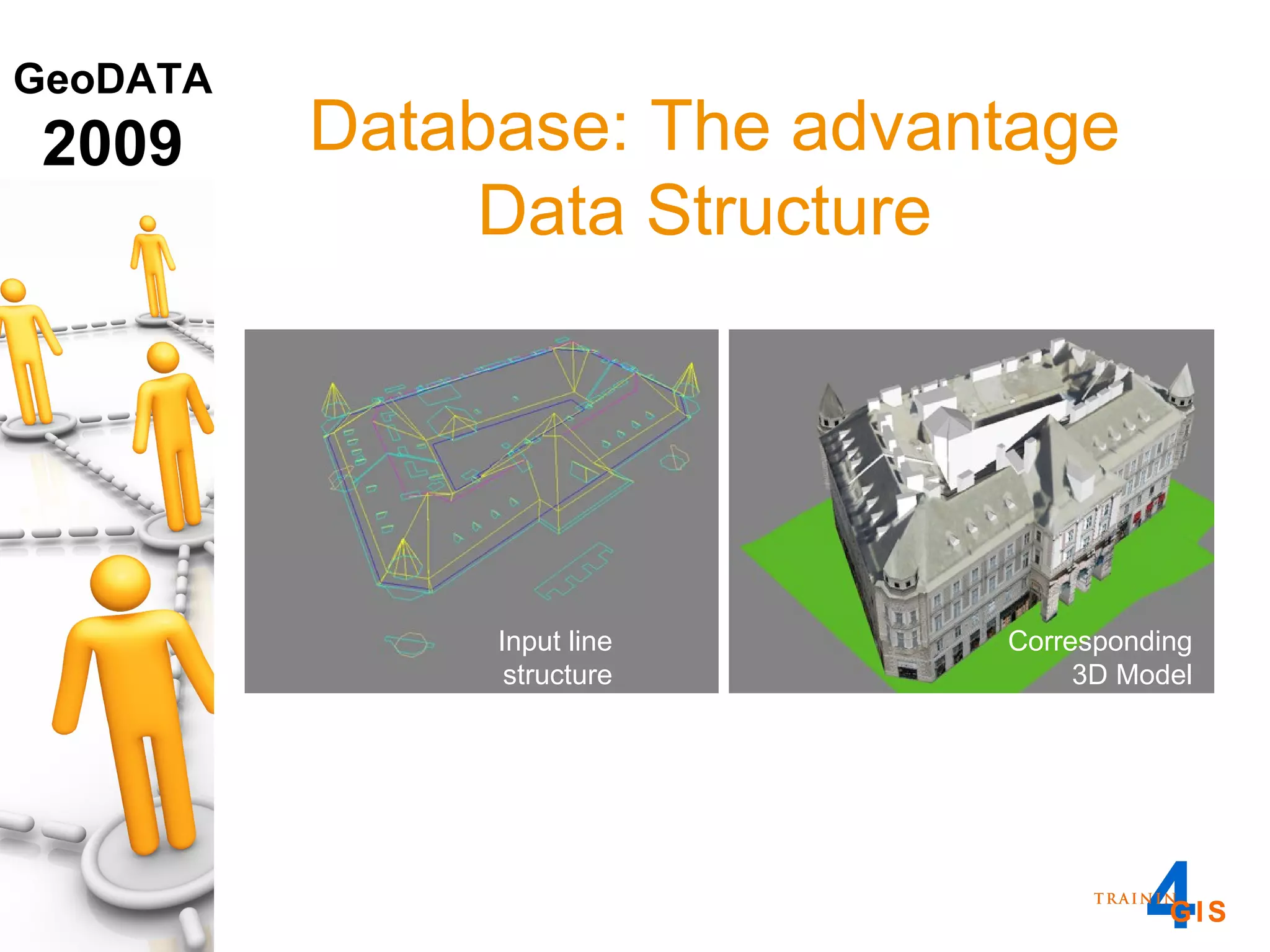
Input line structure   Corresponding 3D Model Database: The advantage Data Structure
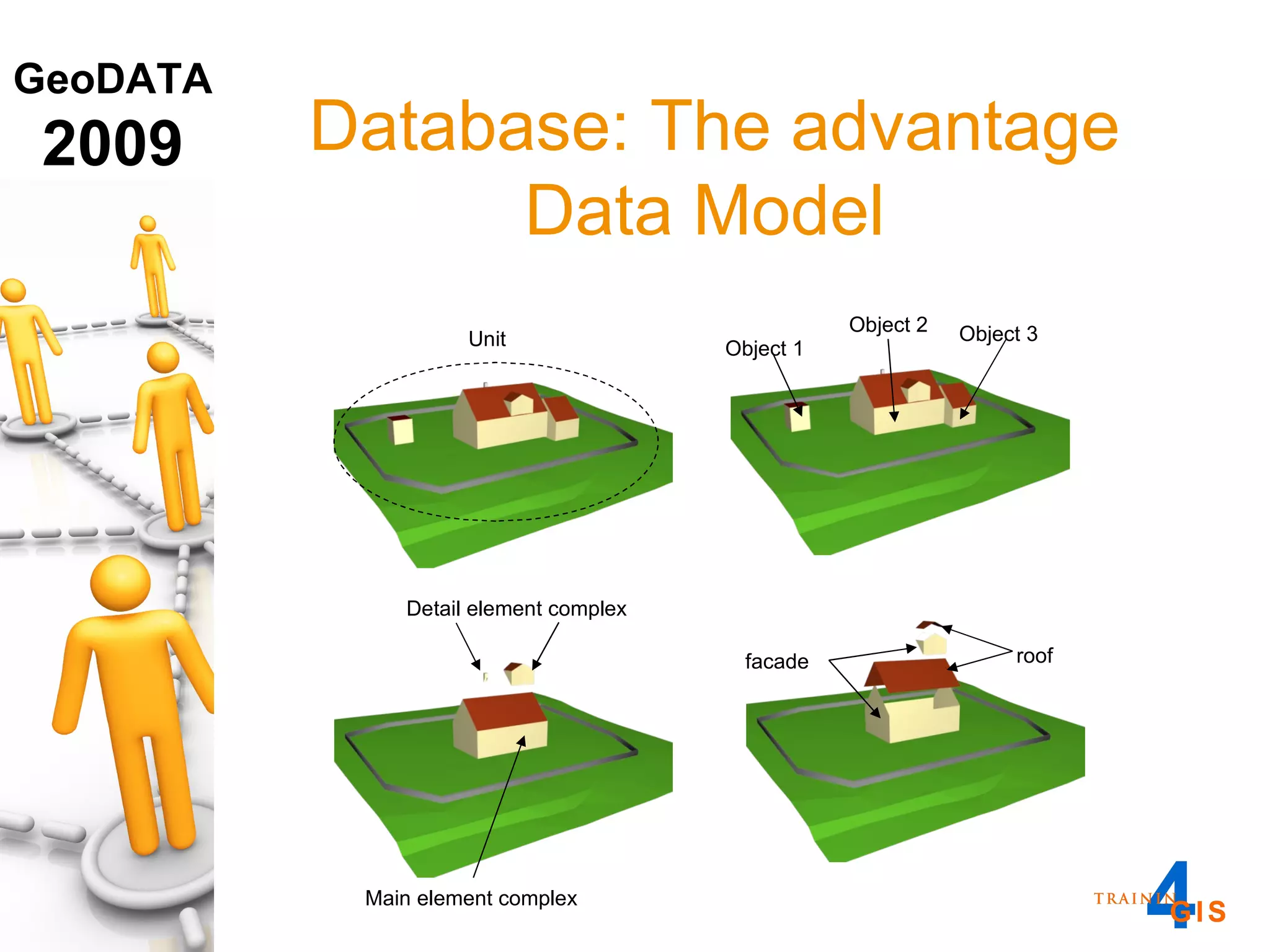
Database: The advantage Data Model  Unit Object 2 Object 1 Object 3 Detail element complex Main element complex facade roof
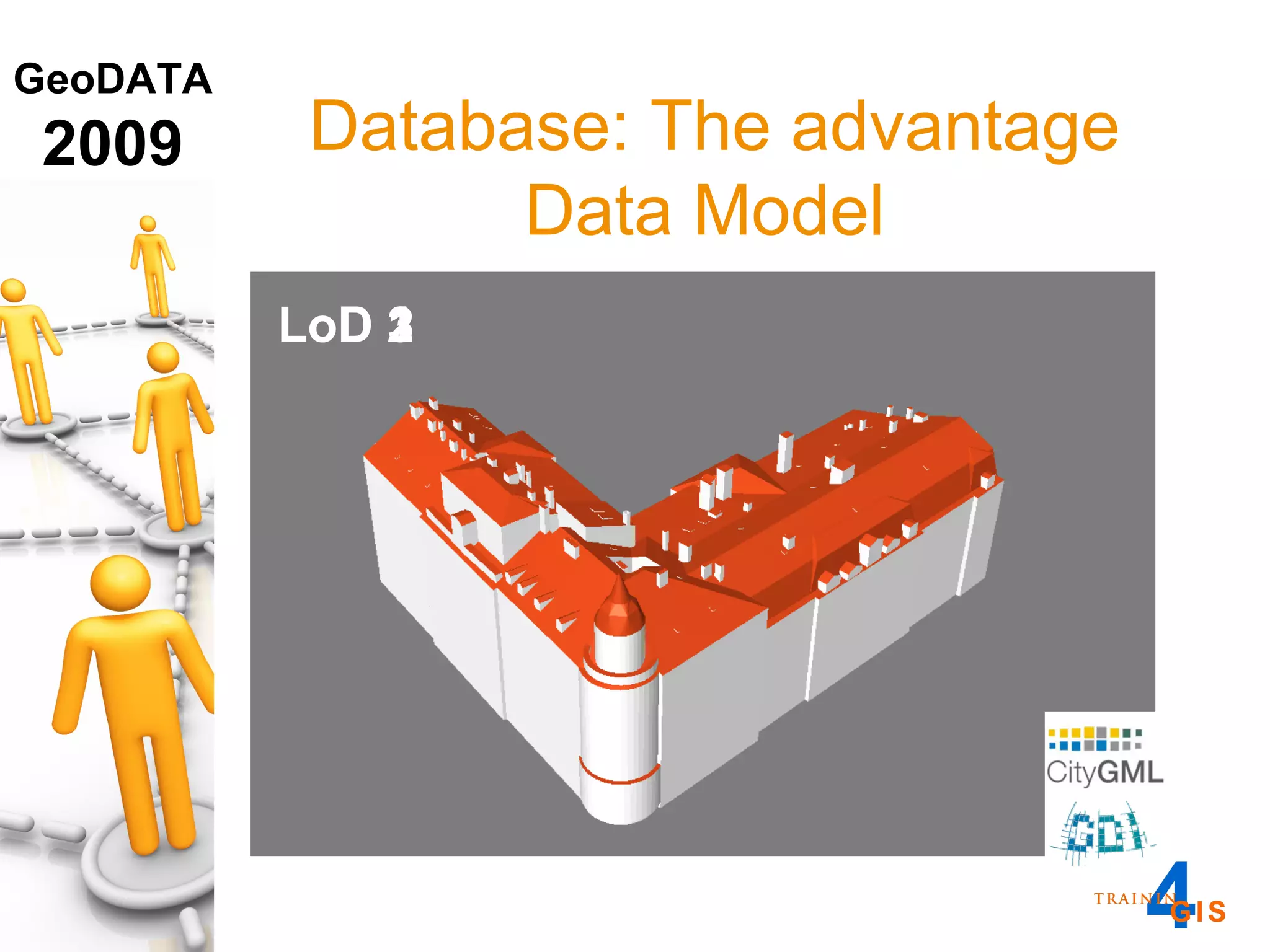
LoD 1 LoD 2 LoD 3 Database: The advantage Data Model
Database Linkage between the model and mass storage device Data model: Persistency of objects (LoD) Data Sharing tools  middleware apps / on-the-fly transactions Data Management tools Indexing Transactions Replication Locking Security Database: The advantage RDBMS
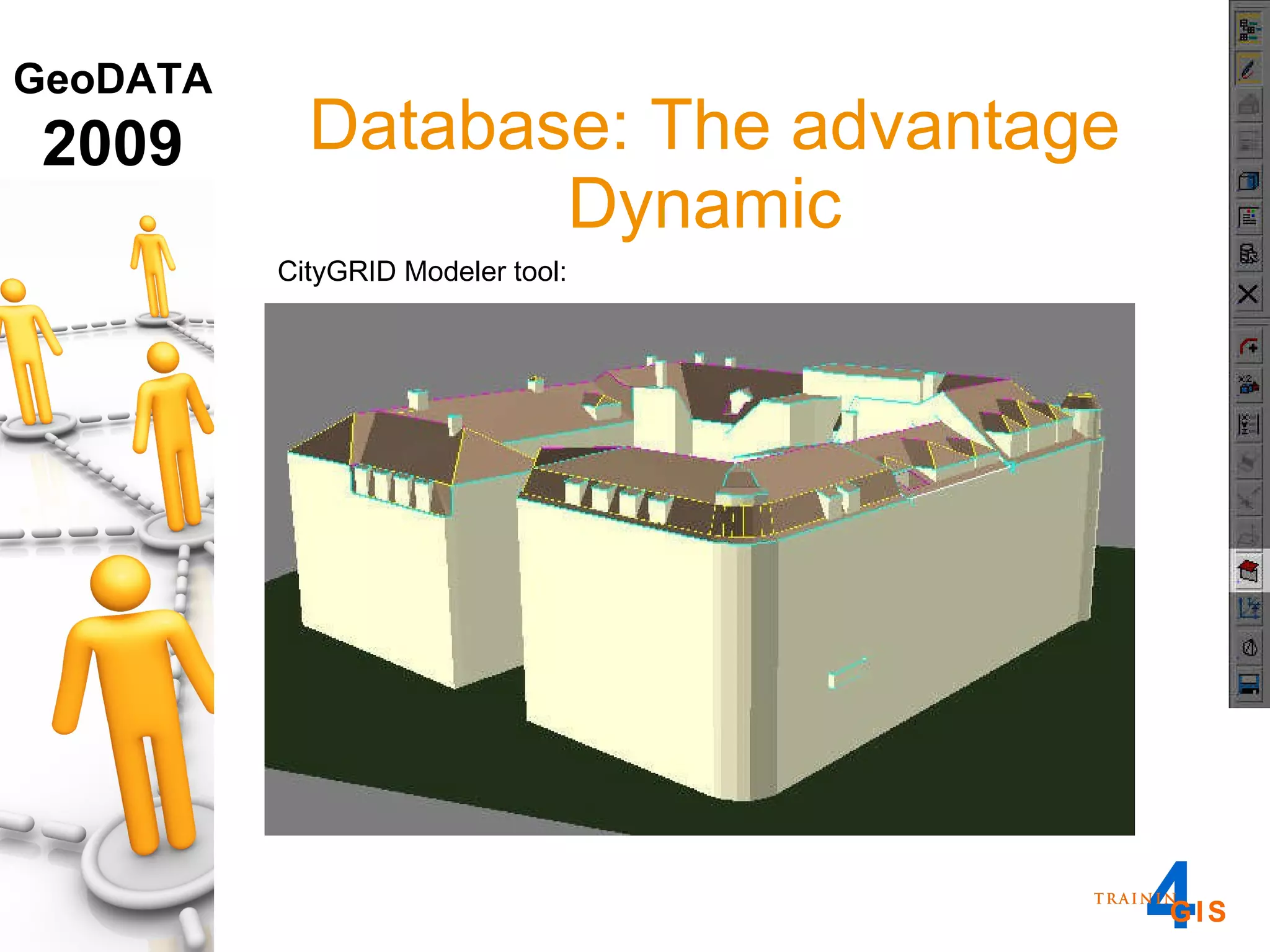
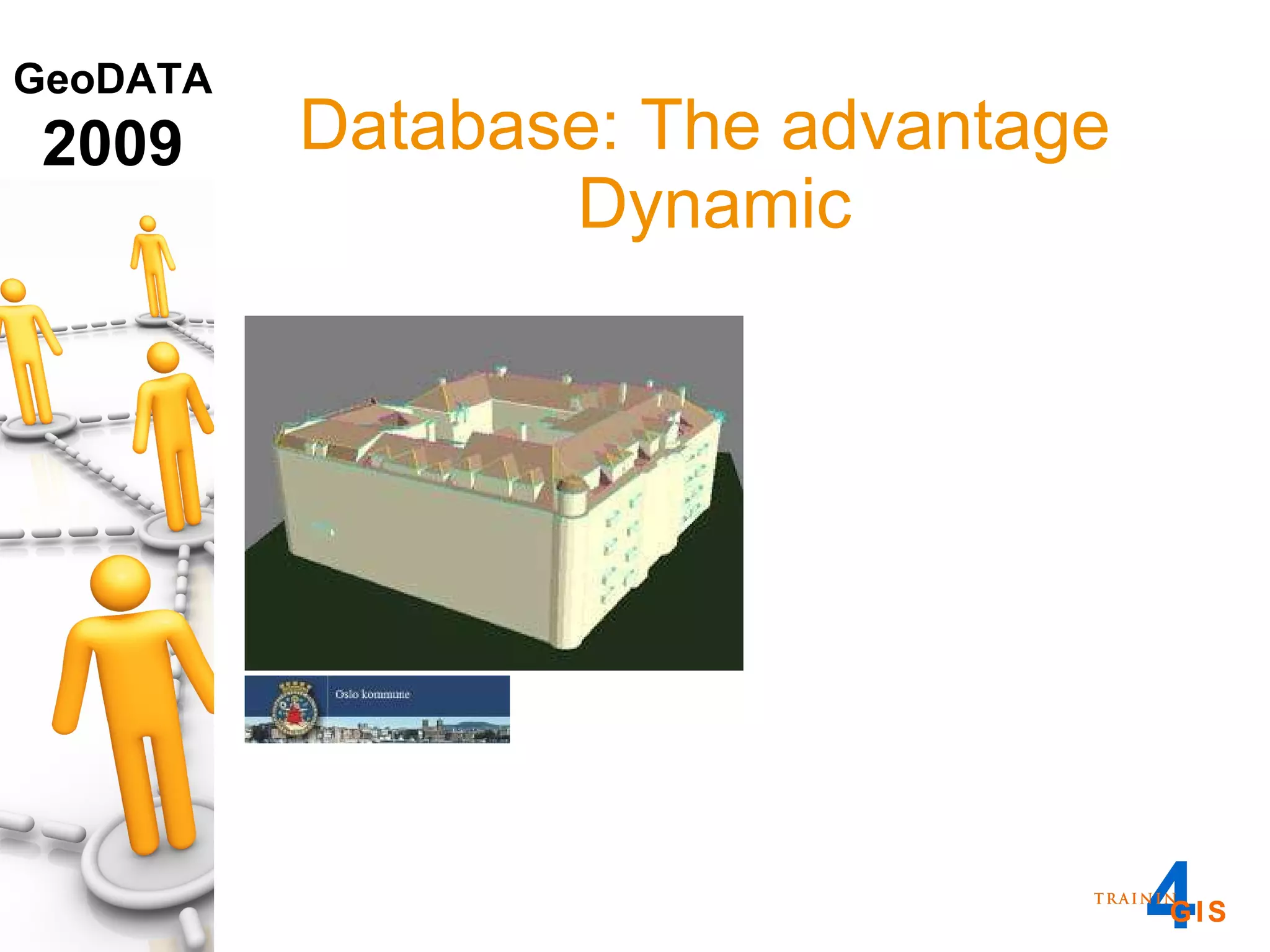
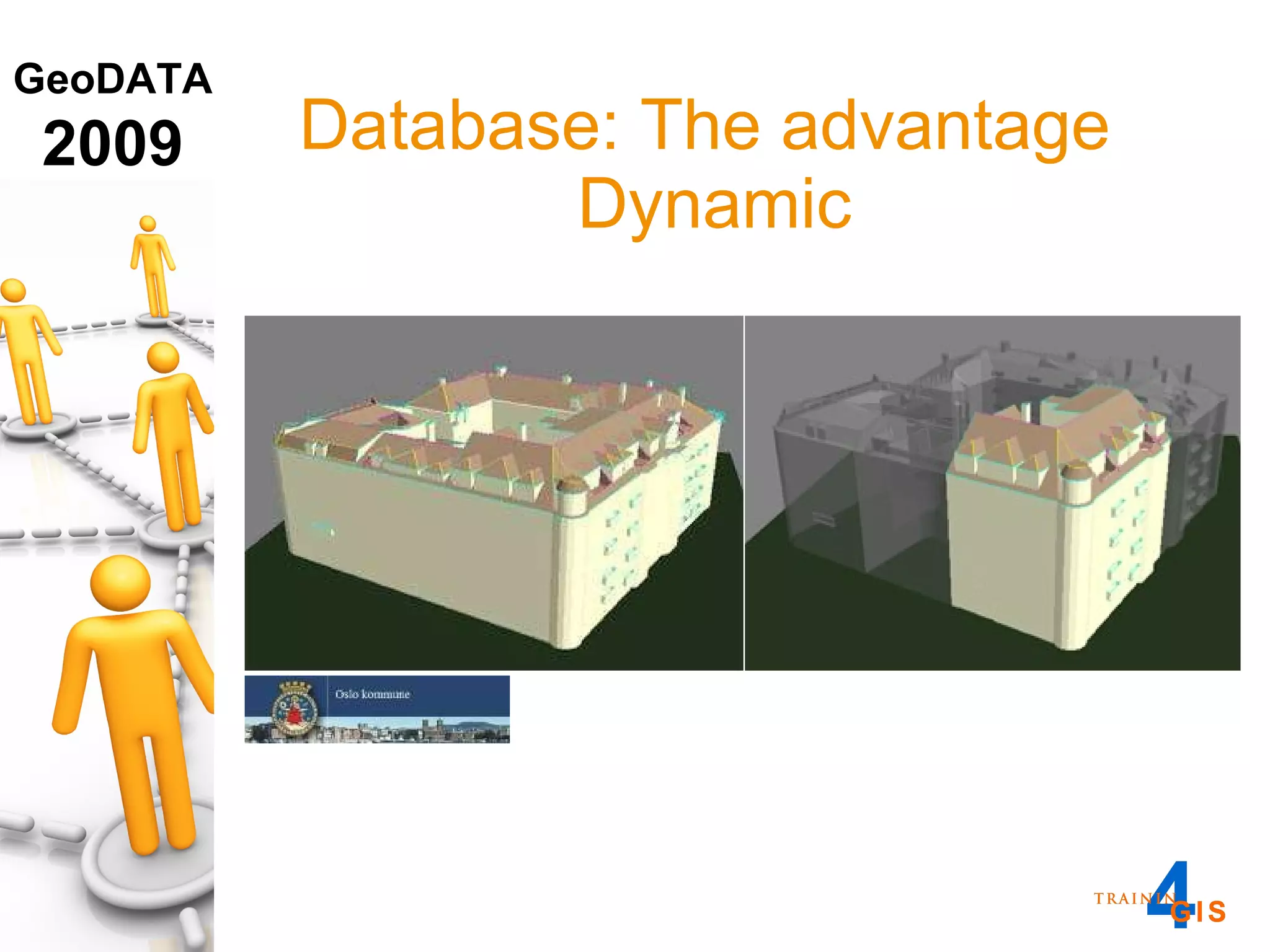
Database: The advantage Dynamic  CityGRID Modeler tool:
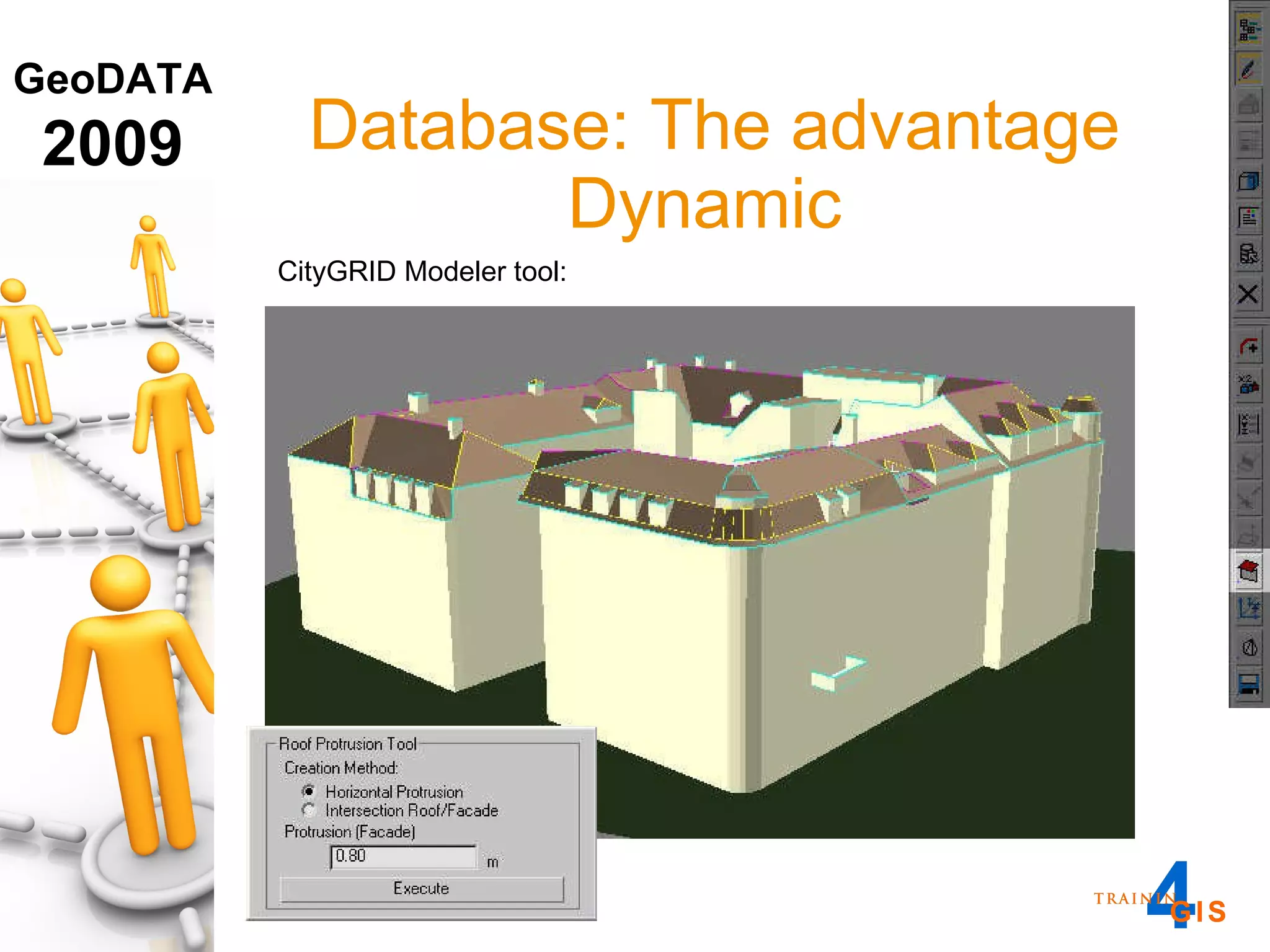
Database: The advantage  Dynamic
Summary A Database Model gives you the tools to: keep your data  safe ; Keep your data  current ; Keep your data  accessible ; Protect your investment made in the 3D data and  save your money

GeoData09 Presentation

  • 1.
    Changing our perspectivesfrom ‘collection’ to ‘utilisation’ Protect the investment made acquiring your 3D digital city with effective data management. Stephen Rixon Managing Director Met Geo Info Ltd. www.metgeoinfo.com
  • 2.
    Content What isa City Model? Why would you want to model a City? How do you model a City? “ I have my City model. Now what?” File-based models vs. Database models
  • 3.
  • 4.
    City Modelling: Whatis it? Level of detail (LoD) 1 – LoD 3…
  • 5.
    City Modelling: Whatis it? ..to LoD 4: Interiors
  • 6.
    City Modelling: Why?To improve decision making, and To save time and money in the decision making process Application areas : Information management Conservation Urban planning Public consultation
  • 7.
  • 8.
  • 9.
    Information Management Solarradiation models Locating ‘alternative energy’ generation’ units, and calculation of energy requirements for heating/cooling
  • 10.
  • 11.
  • 12.
  • 13.
  • 14.
    Public Consultation 4 Solid models: (also termed LoD5 ) 3m x 3m physical printed model
  • 15.
    City Modelling: the How Creation Management Visualisation Input: Point Cloud Data Aerial Photography 3D Data Providers Output: Rendering (stills/video) Interactive viewers Analysis (2D/3D)
  • 16.
    IT convergence (GISintegrated with mainstream IT) Advancements in 3D visualisation Advances in data capture LiDAR (airborne & ground based) Photogrammetry: Vexcel UltraCAM Terrestrial Laser Scanning City Modelling: the How
  • 17.
    City Modelling: the How “ off-the-shelf ” models generated for a mass-market. There is now a wide availability of 3D data… so what’s the problem?
  • 18.
    3D data ispredominately: Graphics based CAD based (Flat) File based Static a snap-shot-in-time …. City Modelling: the How
  • 19.
    3D data ispredominately: Graphics based CAD based (Flat) File based Static Database: The advantage The solution is to give your model a: Data Structure Data Model Relational Files Dynamic a snap-shot-in-time …. … a fully maintained digital city
  • 20.
    Database: The advantageData Structure Off-the-shelf model: faces
  • 21.
    Database: The advantageData Structure Database: line model
  • 22.
    Database: The advantageData Structure Database: faces generated on the fly
  • 23.
    Input line structure Corresponding 3D Model Database: The advantage Data Structure
  • 24.
    Database: The advantageData Model Unit Object 2 Object 1 Object 3 Detail element complex Main element complex facade roof
  • 25.
    LoD 1 LoD2 LoD 3 Database: The advantage Data Model
  • 26.
    Database Linkage betweenthe model and mass storage device Data model: Persistency of objects (LoD) Data Sharing tools middleware apps / on-the-fly transactions Data Management tools Indexing Transactions Replication Locking Security Database: The advantage RDBMS
  • 27.
    Database: The advantageDynamic CityGRID Modeler tool:
  • 28.
    Database: The advantageDynamic CityGRID Modeler tool:
  • 29.
  • 30.
  • 31.
    Summary A DatabaseModel gives you the tools to: keep your data safe ; Keep your data current ; Keep your data accessible ; Protect your investment made in the 3D data and save your money