Production  Photoshop I found photoshop quite easy to use as I had used it before.  I found the wide range of tools really helped with the  editing of my magazine This is the select tool this was used a lot to select layers to edit them This is the crop tool this was used to select and separate cretin part of an image or a layer. This is the type tool that has a range of selections two that I used were the text type tool to add text. And the magic type tool this was use in the creation of my masthead.  This is an example of layer style options this allows you to change the effects on layer e.g drop shadow.  I used a lot through out my magazine for example on most of the text and some of the images   This is an example of the filter option this allows you to edit layers such as blur, distort and noise.I used this tool to edit my images.
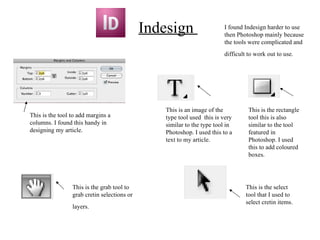
Indesign  I found Indesign harder to use then Photoshop mainly because the tools were complicated and difficult to work out to use.   This is an image of the type tool used  this is very similar to the type tool in Photoshop. I used this to a text to my article. This is the rectangle tool this is also similar to the tool featured in Photoshop. I used this to add coloured boxes. This is the select tool that I used to select cretin items. This is the grab tool to grab cretin selections or layers.   This is the tool to add margins a columns. I found this handy in designing my article.

Media evaluation question

  • 1.
    Production PhotoshopI found photoshop quite easy to use as I had used it before. I found the wide range of tools really helped with the editing of my magazine This is the select tool this was used a lot to select layers to edit them This is the crop tool this was used to select and separate cretin part of an image or a layer. This is the type tool that has a range of selections two that I used were the text type tool to add text. And the magic type tool this was use in the creation of my masthead. This is an example of layer style options this allows you to change the effects on layer e.g drop shadow. I used a lot through out my magazine for example on most of the text and some of the images This is an example of the filter option this allows you to edit layers such as blur, distort and noise.I used this tool to edit my images.
  • 2.
    Indesign Ifound Indesign harder to use then Photoshop mainly because the tools were complicated and difficult to work out to use. This is an image of the type tool used this is very similar to the type tool in Photoshop. I used this to a text to my article. This is the rectangle tool this is also similar to the tool featured in Photoshop. I used this to add coloured boxes. This is the select tool that I used to select cretin items. This is the grab tool to grab cretin selections or layers. This is the tool to add margins a columns. I found this handy in designing my article.