Managing FlexCast Deliverywith the RES Dynamic Desktop Studio
Jeff FisherVP Business DevelopmentJ.Fisher@ressoftware.comBob JanssenChief Technology OfficerB.Janssen@ressoftware.com
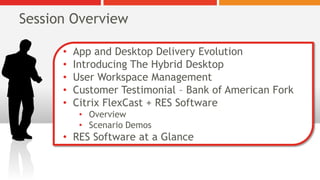
Session OverviewApp and Desktop Delivery Evolution
Introducing The Hybrid Desktop
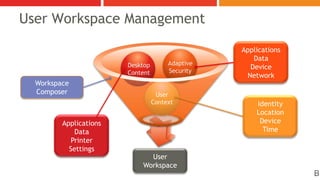
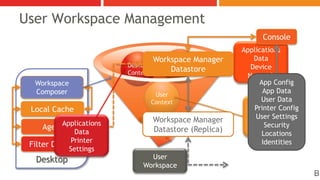
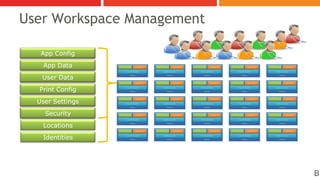
User Workspace Management
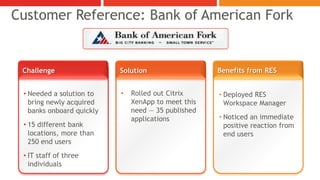
Customer Testimonial – Bank of American Fork
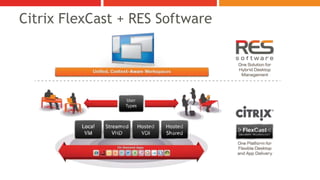
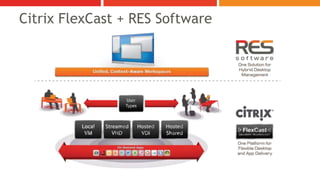
Citrix FlexCast + RES Software
Overview
Scenario Demos
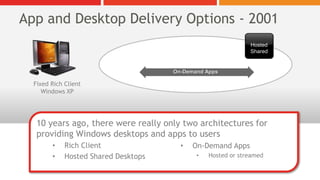
RES Software at a GlanceApp and Desktop Delivery Options - 2001On-Demand AppsFixed Rich ClientWindows XPHosted Shared10 years ago, there were really only two architectures for providing Windows desktops and apps to usersRich Client
Hosted Shared Desktops
On-Demand Apps
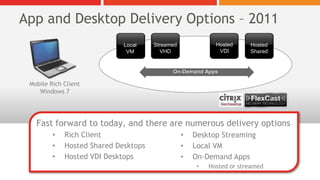
Hosted or streamedApp and Desktop Delivery Options – 2011Mobile Rich ClientWindows 7Hosted VDIStreamedVHDHosted SharedLocalVMFast forward to today, and there are numerous delivery optionsRich Client
Hosted Shared Desktops
Hosted VDI Desktops
Desktop Streaming
Local VM
On-Demand Apps
Hosted or streamedOn-Demand Apps
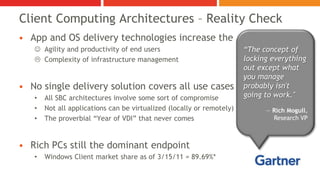
Client Computing Architectures – Reality CheckApp and OS delivery technologies increase theAgility and productivity of end users
Complexity of infrastructure managementNo single delivery solution covers all use casesAll SBC architectures involve some sort of compromise
Not all applications can be virtualized (locally or remotely)
The proverbial “Year of VDI” that never comesRich PCs still the dominant endpointWindows Client market share as of 3/15/11 = 89.69%*“The concept of locking everything out except what you manage probably isn't going to work." — Rich Mogull, Research VP
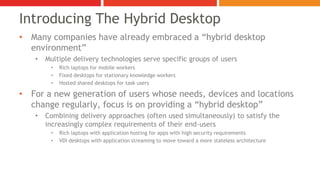
Many companies have already embraced a “hybrid desktop environment”
Multiple delivery technologies serve specific groups of users
Rich laptops for mobile workers
Fixed desktops for stationary knowledge workers
Hosted shared desktops for task users
For a new generation of users whose needs, devices and locations change regularly, focus is on providing a “hybrid desktop”
Combining delivery approaches (often used simultaneously) to satisfy the increasingly complex requirements of their end-users
Rich laptops with application hosting for apps with high security requirements
VDI desktops with application streaming to move toward a more stateless architectureIntroducing The Hybrid Desktop
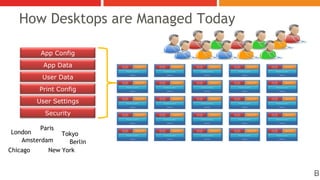
How Desktops are Managed TodayApp ConfigApp DataDesktopUser Session(Logon) ScriptsUser ProfilesGroup PoliciesApplicationsUser DataPrint ConfigUser SettingsOperating SystemSecurityParisLondonTokyoAmsterdamBerlinNew YorkChicagoB
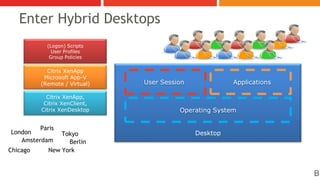
Enter Hybrid Desktops(Logon) ScriptsUser ProfilesGroup PoliciesDesktopCitrix XenAppMicrosoft App-V(Remote / Virtual)User SessionApplicationsCitrix XenApp,Citrix XenClient,Citrix XenDesktopOperating SystemParisLondonTokyoAmsterdamBerlinNew YorkChicagoB

Managing FlexCast Delivery with the RES Dynamic Desktop Studio

  • 1.
    Managing FlexCast Deliverywiththe RES Dynamic Desktop Studio
  • 2.
    Jeff FisherVP BusinessDevelopmentJ.Fisher@ressoftware.comBob JanssenChief Technology OfficerB.Janssen@ressoftware.com
  • 3.
    Session OverviewApp andDesktop Delivery Evolution
  • 4.
  • 5.
  • 6.
    Customer Testimonial –Bank of American Fork
  • 7.
    Citrix FlexCast +RES Software
  • 8.
  • 9.
  • 10.
    RES Software ata GlanceApp and Desktop Delivery Options - 2001On-Demand AppsFixed Rich ClientWindows XPHosted Shared10 years ago, there were really only two architectures for providing Windows desktops and apps to usersRich Client
  • 11.
  • 12.
  • 13.
    Hosted or streamedAppand Desktop Delivery Options – 2011Mobile Rich ClientWindows 7Hosted VDIStreamedVHDHosted SharedLocalVMFast forward to today, and there are numerous delivery optionsRich Client
  • 14.
  • 15.
  • 16.
  • 17.
  • 18.
  • 19.
  • 20.
    Client Computing Architectures– Reality CheckApp and OS delivery technologies increase theAgility and productivity of end users
  • 21.
    Complexity of infrastructuremanagementNo single delivery solution covers all use casesAll SBC architectures involve some sort of compromise
  • 22.
    Not all applicationscan be virtualized (locally or remotely)
  • 23.
    The proverbial “Yearof VDI” that never comesRich PCs still the dominant endpointWindows Client market share as of 3/15/11 = 89.69%*“The concept of locking everything out except what you manage probably isn't going to work." — Rich Mogull, Research VP
  • 24.
    Many companies havealready embraced a “hybrid desktop environment”
  • 25.
    Multiple delivery technologiesserve specific groups of users
  • 26.
    Rich laptops formobile workers
  • 27.
    Fixed desktops forstationary knowledge workers
  • 28.
  • 29.
    For a newgeneration of users whose needs, devices and locations change regularly, focus is on providing a “hybrid desktop”
  • 30.
    Combining delivery approaches(often used simultaneously) to satisfy the increasingly complex requirements of their end-users
  • 31.
    Rich laptops withapplication hosting for apps with high security requirements
  • 32.
    VDI desktops withapplication streaming to move toward a more stateless architectureIntroducing The Hybrid Desktop
  • 33.
    How Desktops areManaged TodayApp ConfigApp DataDesktopUser Session(Logon) ScriptsUser ProfilesGroup PoliciesApplicationsUser DataPrint ConfigUser SettingsOperating SystemSecurityParisLondonTokyoAmsterdamBerlinNew YorkChicagoB
  • 34.
    Enter Hybrid Desktops(Logon)ScriptsUser ProfilesGroup PoliciesDesktopCitrix XenAppMicrosoft App-V(Remote / Virtual)User SessionApplicationsCitrix XenApp,Citrix XenClient,Citrix XenDesktopOperating SystemParisLondonTokyoAmsterdamBerlinNew YorkChicagoB
  • 35.
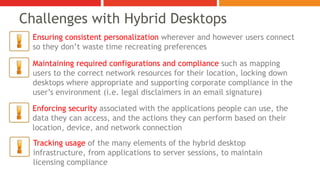
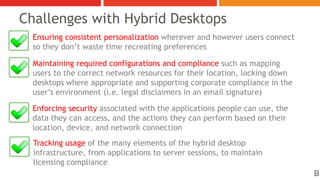
    Ensuring consistent personalizationwherever and however users connect so they don’t waste time recreating preferencesChallenges with Hybrid DesktopsMaintaining required configurations and compliance such as mapping users to the correct network resources for their location, locking down desktops where appropriate and supporting corporate compliance in the user’s environment (i.e. legal disclaimers in an email signature)Enforcing security associated with the applications people can use, the data they can access, and the actions they can perform based on their location, device, and network connectionTracking usage of the many elements of the hybrid desktop infrastructure, from applications to server sessions, to maintain licensing compliance
  • 36.
  • 37.
    User Workspace ManagementApplicationsDataDeviceNetworkAdaptiveSecurityDesktopContentWorkspaceComposerUserContextIdentityLocationDeviceTimeApplicationsDataPrinterSettingsUser WorkspaceB
  • 38.
    User Workspace ManagementConsoleApplicationsDataDeviceNetworkWorkspaceManager DatastoreAdaptiveSecurityDesktopContentDesktopApp ConfigApp DataUser DataPrinter ConfigUser SettingsSecurityLocationsIdentitiesWorkspace ComposerUserContextIdentityLocationDeviceTimeLocal CacheWorkspace Manager Datastore (Replica)ApplicationsDataPrinterSettingsAgentFilter DriversUser WorkspaceB
  • 39.
    User Workspace ManagementAppConfigApp ConfigApp DataApp DataDesktopUser Session(Logon) ScriptsUser ProfilesGroup PoliciesUser WorkspaceApplicationsUser DataUser DataPrint ConfigPrint ConfigUser SettingsUser SettingsOperating SystemSecuritySecurityLocationsParisLondonTokyoIdentitiesAmsterdamBerlinNew YorkChicagoB
  • 40.
    Ensuring consistent personalizationwherever and however users connect so they don’t waste time recreating preferencesChallenges with Hybrid DesktopsMaintaining required configurations and compliance such as mapping users to the correct network resources for their location, locking down desktops where appropriate and supporting corporate compliance in the user’s environment (i.e. legal disclaimers in an email signature)Enforcing security associated with the applications people can use, the data they can access, and the actions they can perform based on their location, device, and network connectionTracking usage of the many elements of the hybrid desktop infrastructure, from applications to server sessions, to maintain licensing complianceB
  • 41.
    Customer Reference: Bankof American ForkChallengeBenefits from RESSolutionRolled out Citrix XenApp to meet this need — 35 published applications
  • 42.
    Needed a solutionto bring newly acquired banks onboard quickly
  • 43.
    15 different banklocations, more than 250 end users
  • 44.
    IT staff ofthree individuals
  • 45.
  • 46.
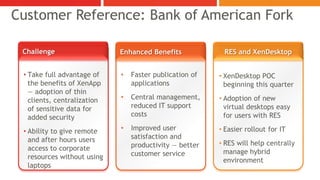
    Noticed an immediatepositive reaction from end usersCustomer Reference: Bank of American ForkChallengeRES and XenDesktopEnhanced BenefitsTake full advantage of the benefits of XenApp — adoption of thin clients, centralization of sensitive data for added security
  • 47.
    Ability to giveremote and after hours users access to corporate resources without using laptops
  • 48.
  • 49.
  • 50.
    Improved user satisfactionand productivity — better customer service
  • 51.
  • 52.
    Adoption of newvirtual desktops easy for users with RES
  • 53.
  • 54.
    RES will helpcentrally manage hybrid environmentCitrix FlexCast + RES Software
  • 55.
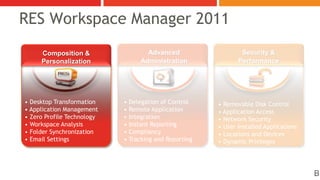
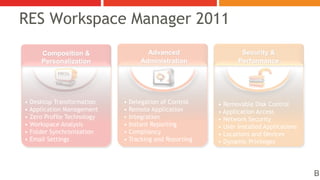
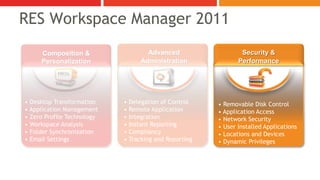
    RES Workspace Manager2011 Security &PerformanceAdvanced AdministrationComposition&Personalization• Delegation of Control• Remote Application • Integration• Instant Reporting • Compliancy• Tracking and Reporting• Desktop Transformation• Application Management• Zero Profile Technology• Workspace Analysis• Folder Synchronization• Email Settings• Removable Disk Control• Application Access• Network Security• User Installed Applications• Locations and Devices• Dynamic PrivilegesB
  • 56.
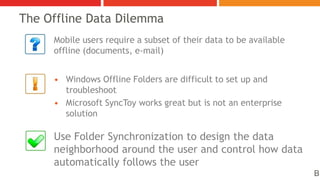
    The Offline DataDilemmaMobile users require a subset of their data to be available offline (documents, e-mail)Windows Offline Folders are difficult to set up and troubleshootMicrosoft SyncToy works great but is not an enterprise solutionUse Folder Synchronization to design the data neighborhood around the user and control how data automatically follows the userB
  • 57.
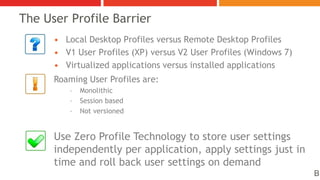
    The User ProfileBarrierLocal Desktop Profiles versus Remote Desktop ProfilesV1 User Profiles (XP) versus V2 User Profiles (Windows 7)Virtualized applications versus installed applicationsRoaming User Profiles are:MonolithicSession basedNot versionedUse Zero Profile Technology to store user settings independently per application, apply settings just in time and roll back user settings on demandB
  • 58.
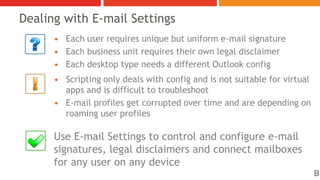
    Dealing with E-mailSettingsEach user requires unique but uniform e-mail signatureEach business unit requires their own legal disclaimerEach desktop type needs a different Outlook configScripting only deals with config and is not suitable for virtual apps and is difficult to troubleshootE-mail profiles get corrupted over time and are depending on roaming user profilesUse E-mail Settings to control and configure e-mail signatures, legal disclaimers and connect mailboxes for any user on any deviceB
  • 59.
  • 60.
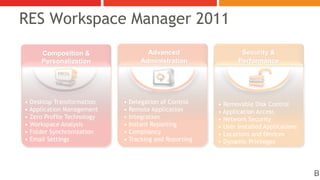
    RES Workspace Manager2011 Security &PerformanceAdvanced AdministrationComposition&Personalization• Delegation of Control• Remote Application • Integration• Instant Reporting • Compliancy• Tracking and Reporting• Desktop Transformation• Application Management• Zero Profile Technology• Workspace Analysis• Folder Synchronization• Email Settings• Removable Disk Control• Application Access• Network Security• User Installed Applications• Locations and Devices• Dynamic PrivilegesB
  • 61.
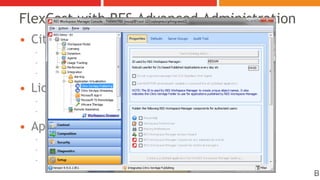
    FlexCast with RESAdvanced AdministrationCitrix XenApp integrationAutomatic application publishingFull integration with Citrix XenApp streamingProvides single pane of glass to administratorsLicense meteringFor virtual, remote or installed applicationsAny license metering type is supportedApplication usage trackingKeep track of who is using what, when and whereWorks across all types of desktopsGreat for targeting pilot users or decommissioning obsolete applicationsB
  • 62.
    RES Workspace Manager2011 Security &PerformanceAdvanced AdministrationComposition&Personalization• Delegation of Control• Remote Application • Integration• Instant Reporting • Compliancy• Tracking and Reporting• Desktop Transformation• Application Management• Zero Profile Technology• Workspace Analysis• Folder Synchronization• Email Settings• Removable Disk Control• Application Access• Network Security• User Installed Applications• Locations and Devices• Dynamic PrivilegesBB
  • 63.
    RES Workspace Manager2011 Security &PerformanceAdvanced AdministrationComposition&Personalization• Delegation of Control• Remote Application • Integration• Instant Reporting • Compliancy• Tracking and Reporting• Desktop Transformation• Application Management• Zero Profile Technology• Workspace Analysis• Folder Synchronization• Email Settings• Removable Disk Control• Application Access• Network Security• User Installed Applications• Locations and Devices• Dynamic Privileges
  • 64.
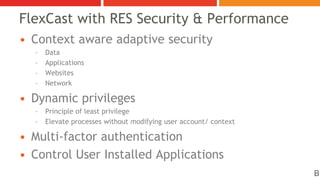
    Context aware adaptivesecurityDataApplicationsWebsitesNetworkDynamic privilegesPrinciple of least privilegeElevate processes without modifying user account/ contextMulti-factor authenticationControl User Installed ApplicationsFlexCast with RES Security & PerformanceB
  • 65.
  • 66.
    Citrix FlexCast +RES Software
  • 67.
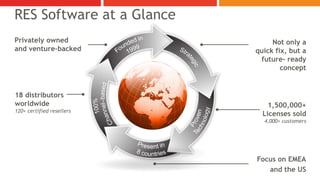
    RES Software ata GlancePrivately owned and venture–backedNot only a quick fix, but a future- ready conceptFounded in 1999Strategic18 distributors worldwide120+ certified resellers1,500,000+ Licenses sold4,000+ customers100%Channel–basedProvenTechnologyFocus on EMEAand the USPresent in 8 countries
  • 68.
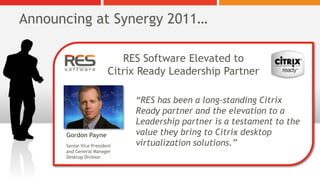
    Announcing at Synergy2011…RES Software Elevated toCitrix Ready Leadership Partner “RES has been a long-standing Citrix Ready partner and the elevation to a Leadership partner is a testament to the value they bring to Citrix desktop virtualization solutions.” Gordon PayneSenior Vice Presidentand General ManagerDesktop Division
  • 69.
    Second session entitled,“RES Software Solutions for Desktop Transformation” tomorrow at 2pm in Room 2024Please come visit us on the show floor at booth 308Live demos and in-booth presentations
  • 70.
  • 71.
    Check out theDesktop Transformation PavilionThank You!
  • 72.
    Bob JanssenChief TechnologyOfficerb.janssen@ressoftware.comJeff FisherVP, Business Developmentj.fisher@ressoftware.com