Manage Local Users and Groups
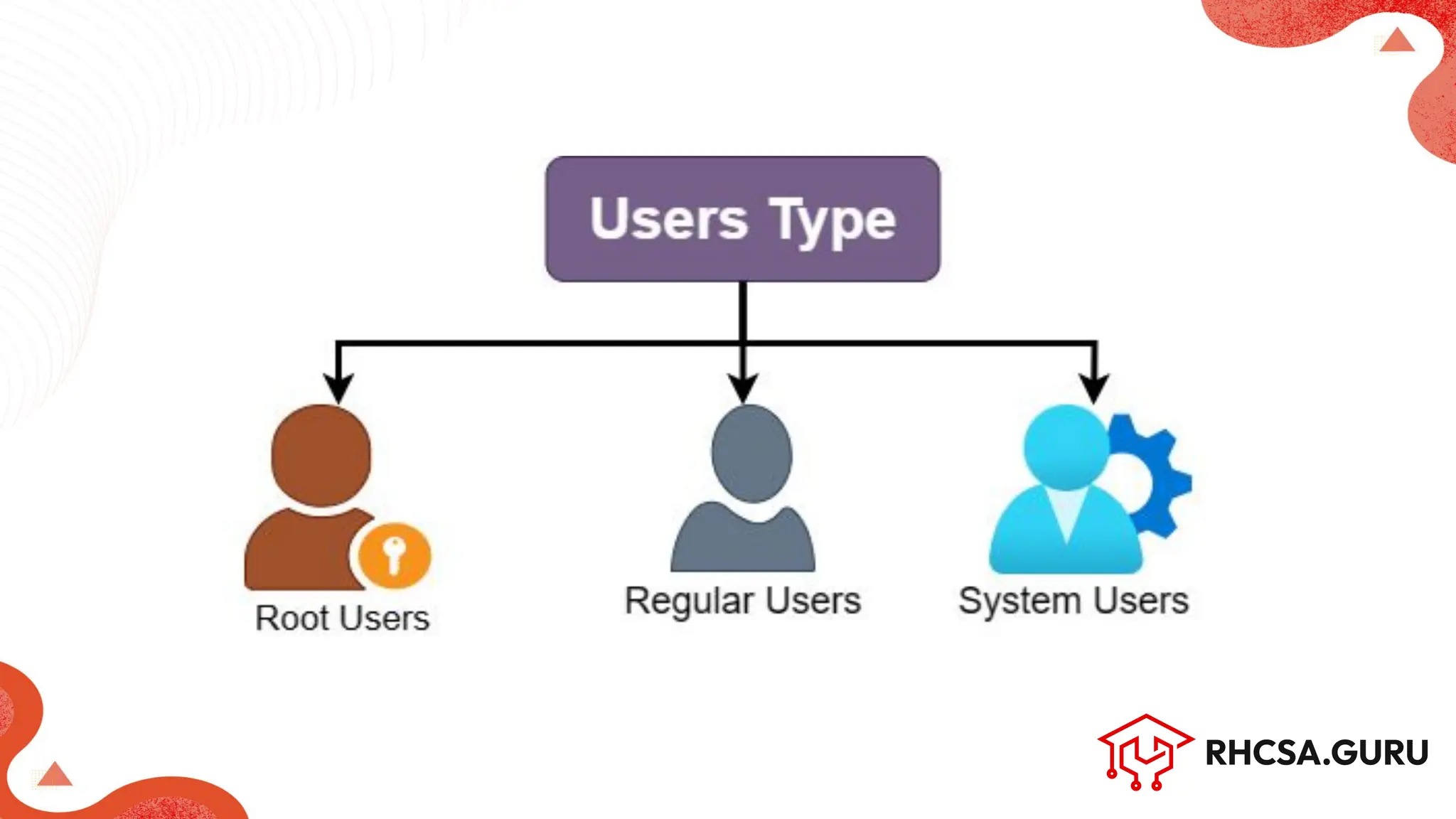
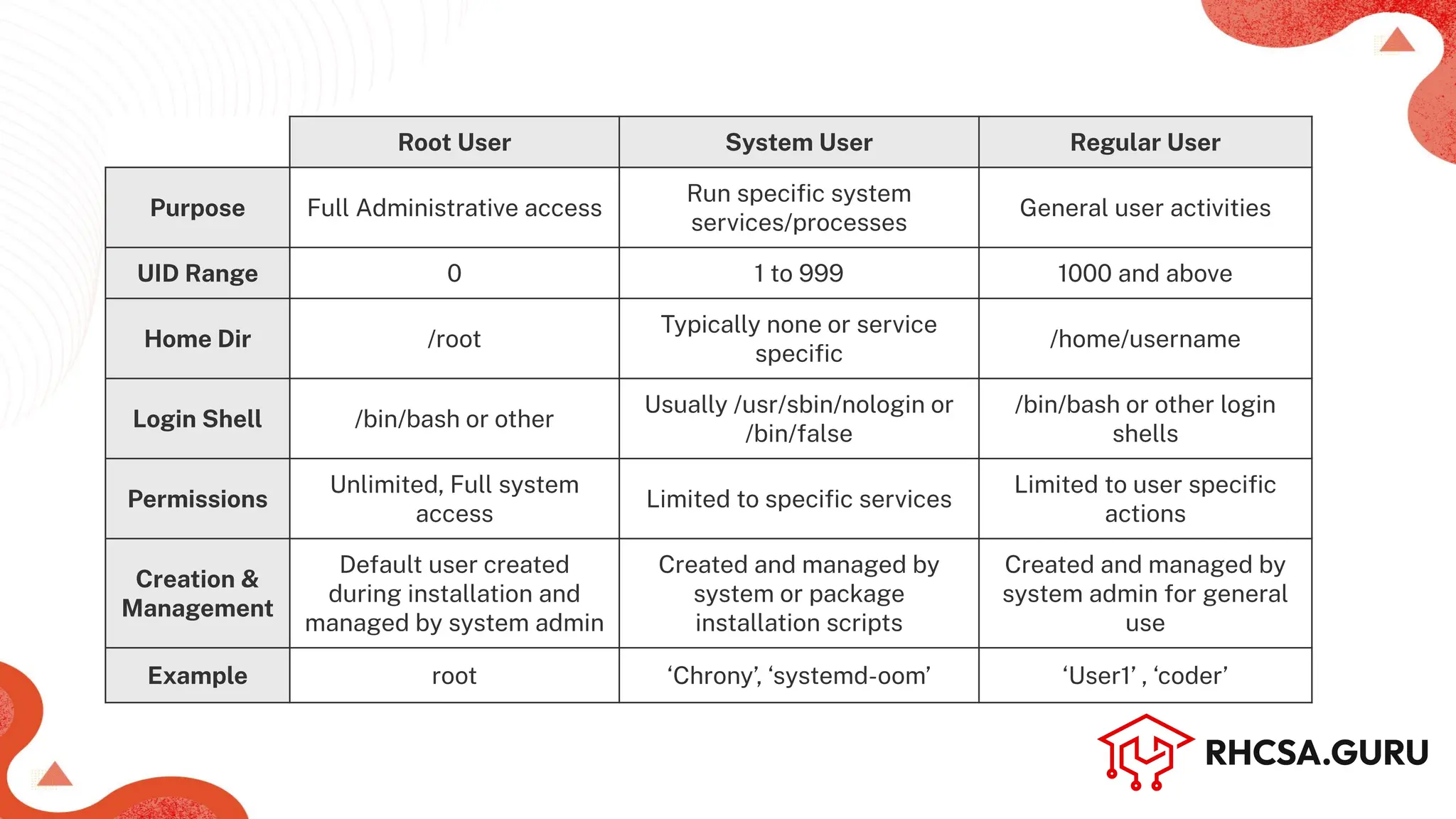
Root User System User Regular User
Purpose Full Administrative access
Run specific system
services/processes
General user activities
UID Range 0 1 to 999 1000 and above
Home Dir /root
Typically none or service
specific
/home/username
Login Shell /bin/bash or other
Usually /usr/sbin/nologin or
/bin/false
/bin/bash or other login
shells
Permissions
Unlimited, Full system
access
Limited to specific services
Limited to user specific
actions
Creation &
Management
Default user created
during installation and
managed by system admin
Created and managed by
system or package
installation scripts
Created and managed by
system admin for general
use
Example root ‘Chrony’, ‘systemd-oom’ ‘User1’ , ‘coder’
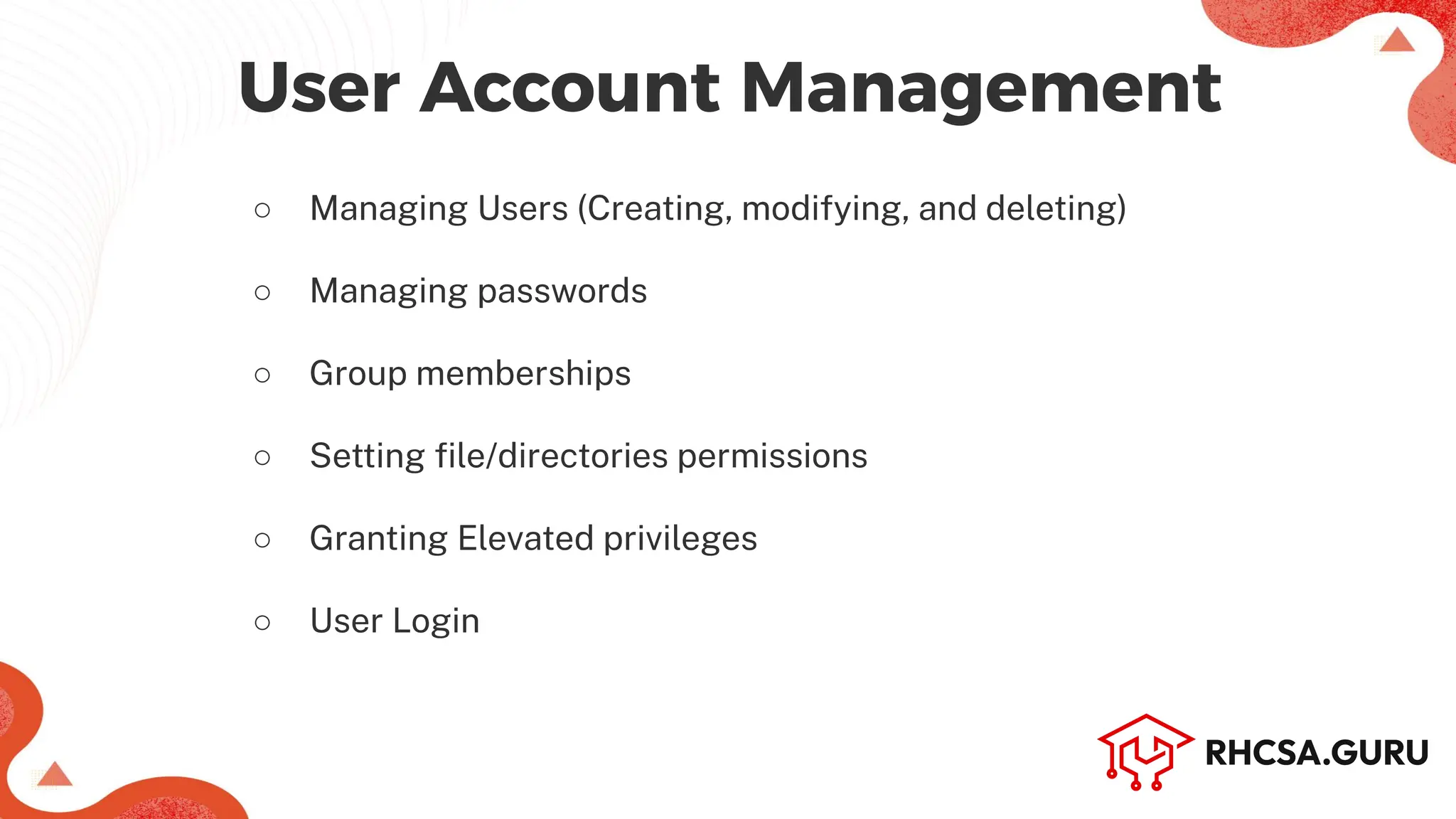
○ Managing Users (Creating, modifying, and deleting)
○ Managing passwords
○ Group memberships
○ Setting file/directories permissions
○ Granting Elevated privileges
○ User Login
User Account Management
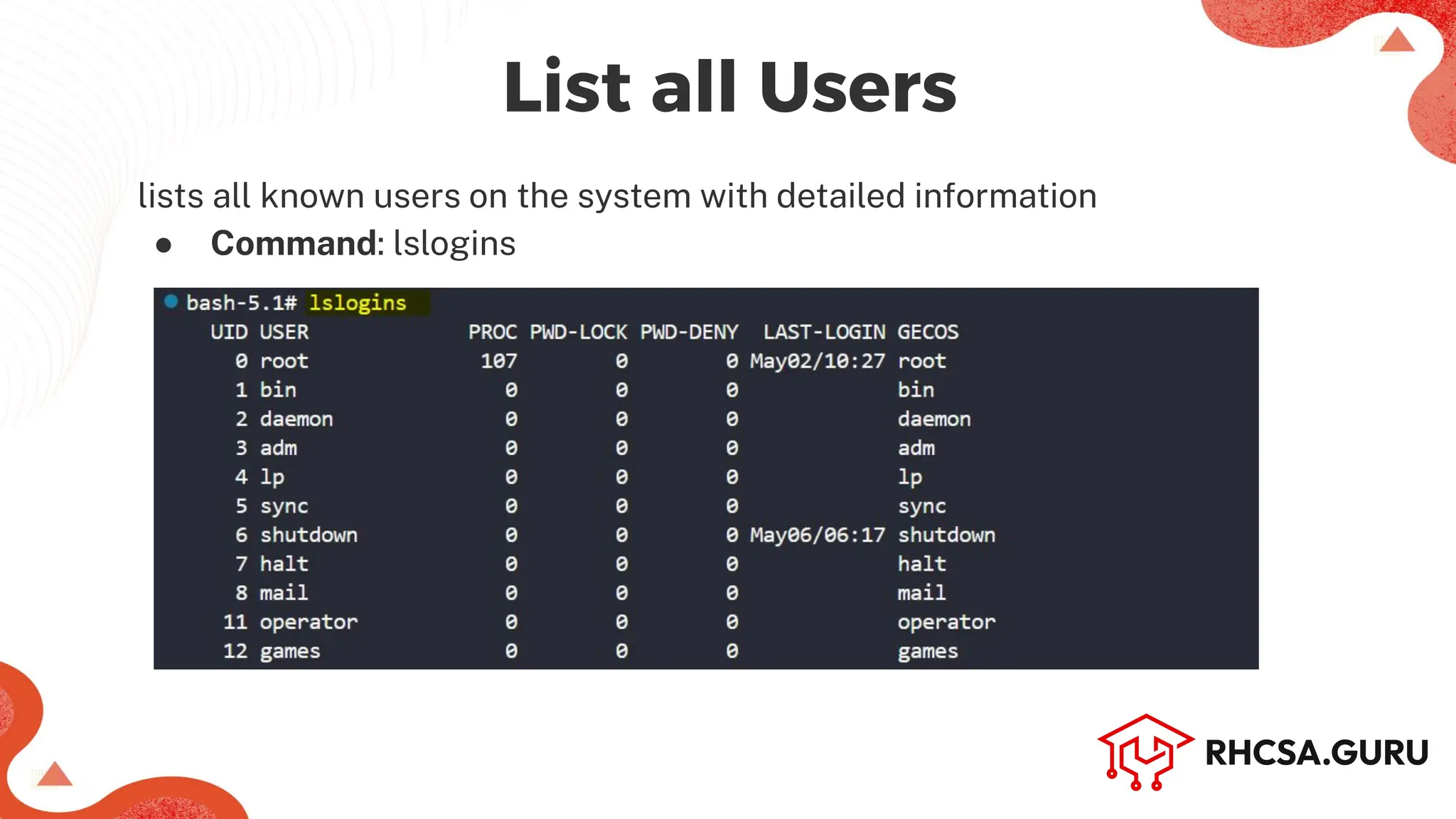
lists all known users on the system with detailed information
● Command: lslogins
Machine Name (Hostname)
List all Users
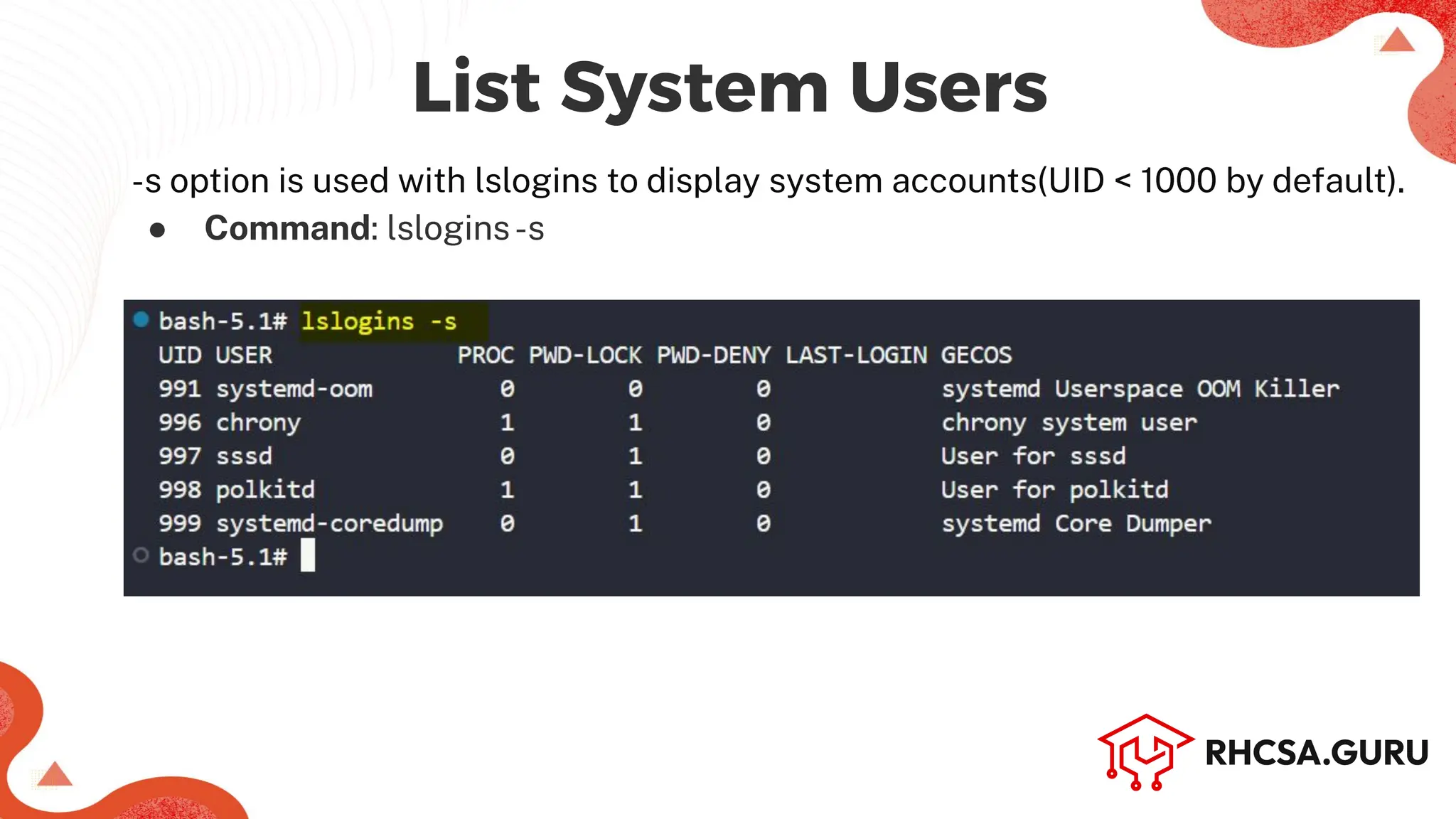
-s option is used with lslogins to display system accounts(UID < 1000 by default).
● Command: lslogins-s
Machine Name (Hostname)
List System Users
Machine Name (Hostname)
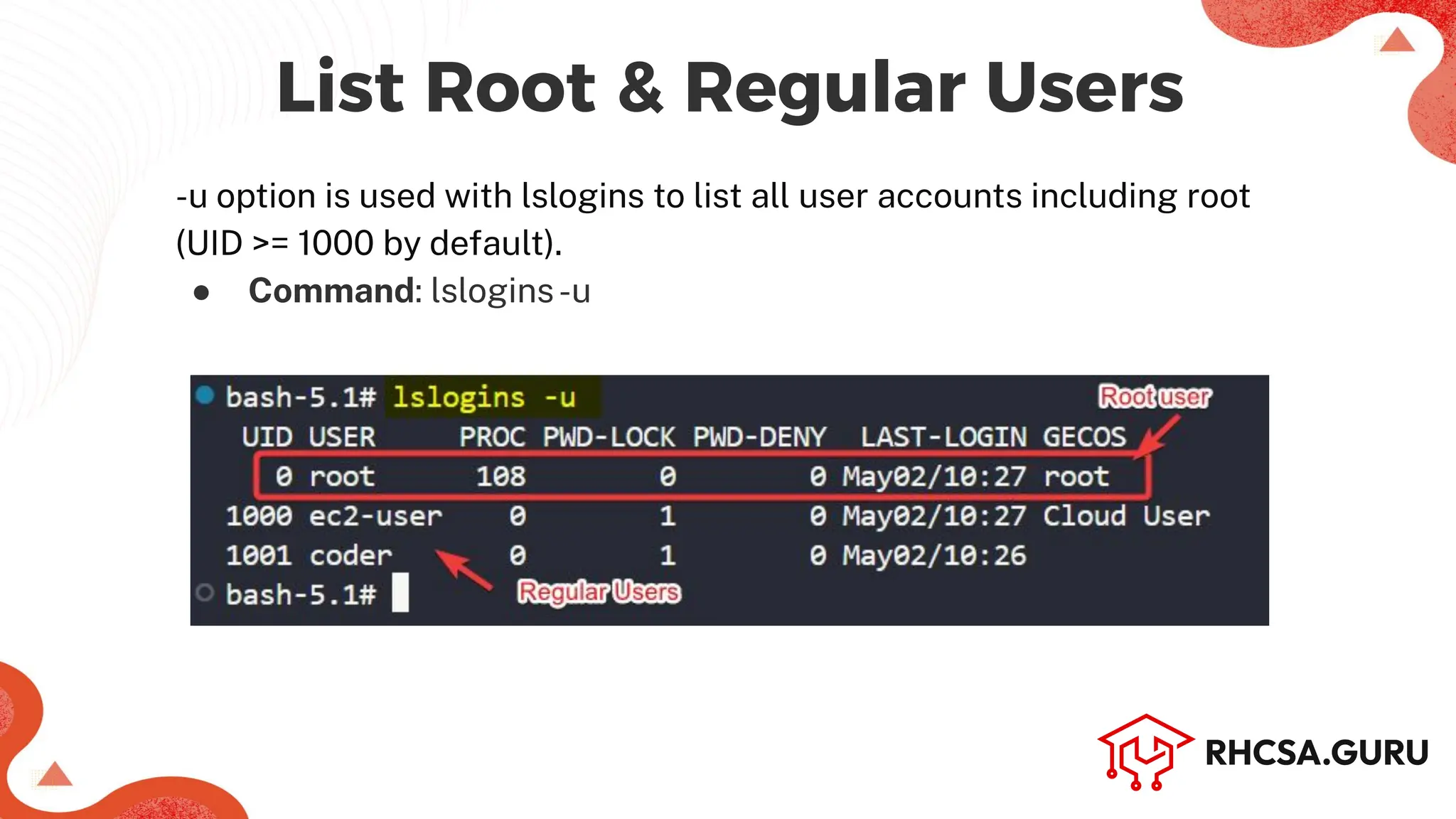
-u option is used with lslogins to list all user accounts including root
(UID >= 1000 by default).
● Command: lslogins-u
List Root & Regular Users
To display the username of the current user
● Command: whoami
Add a new User (or Regular User account)
● Command: useradd-c ‘<user_info’ <user_name> OR
adduser <user_name> [works in Debian based dist.]
Machine Name (Hostname)
Managing Users
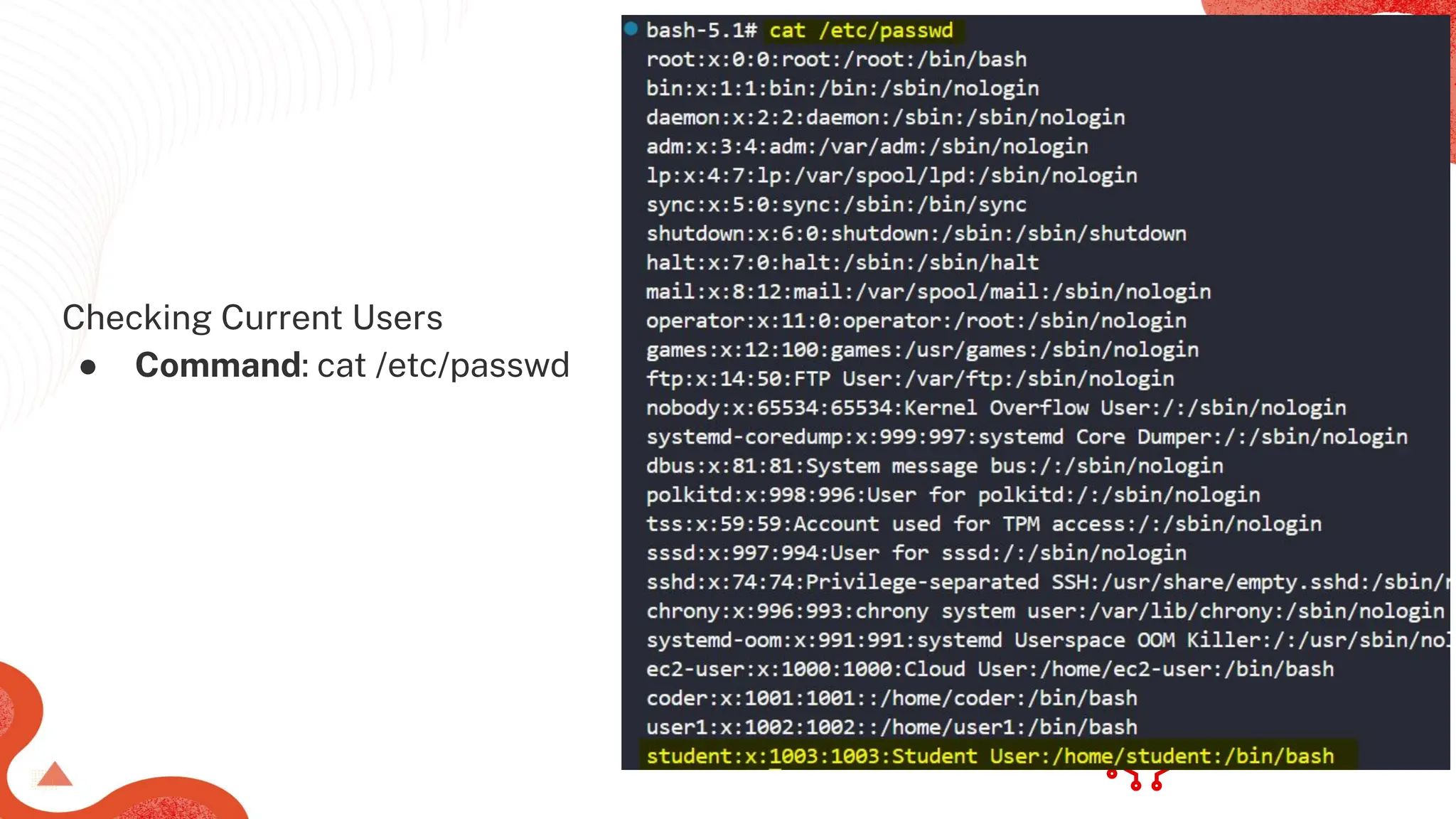
Checking Current Users
● Command: cat /etc/passwd
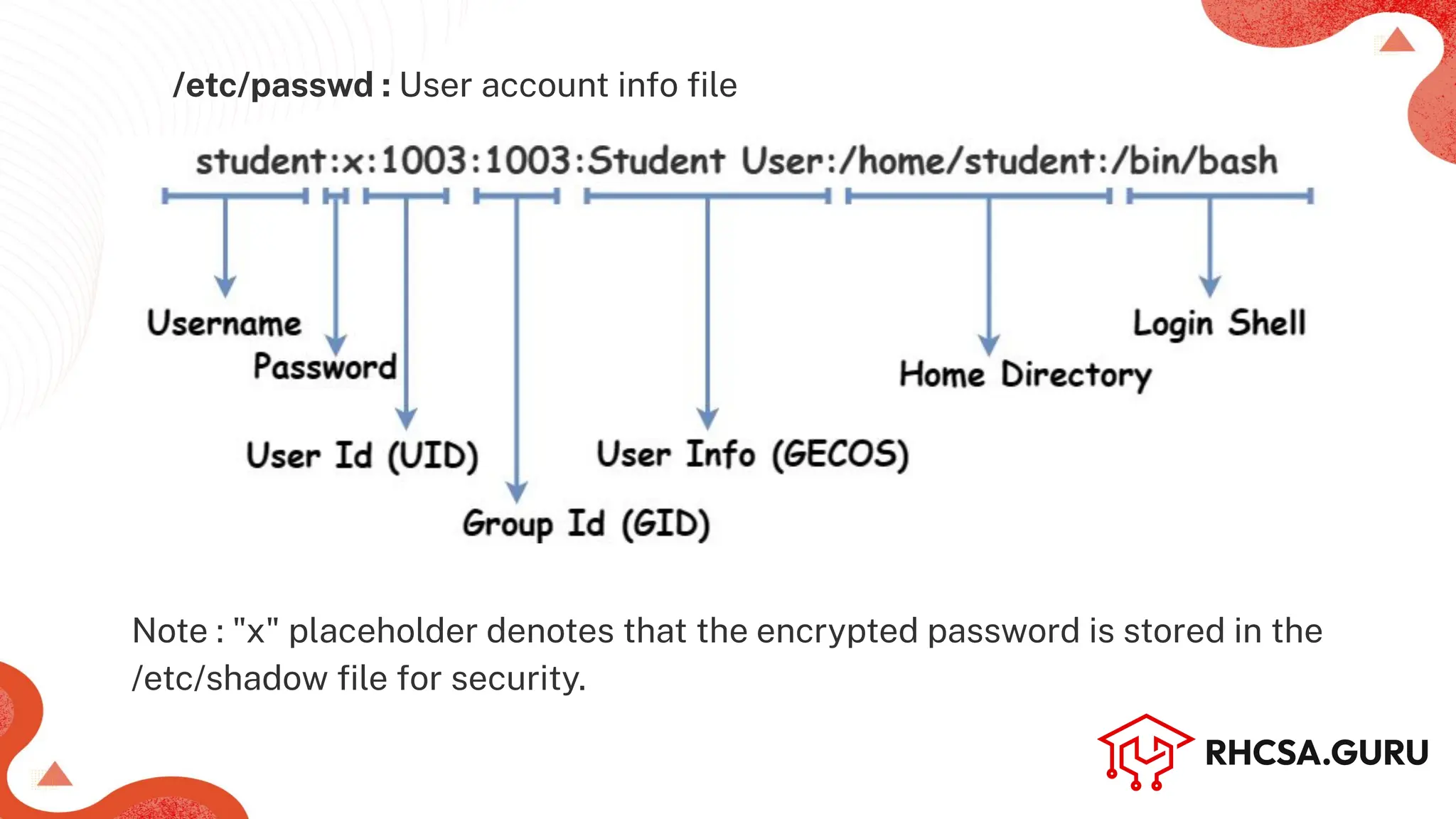
/etc/passwd : User account info file
Note : "x" placeholder denotes that the encrypted password is stored in the
/etc/shadow file for security.
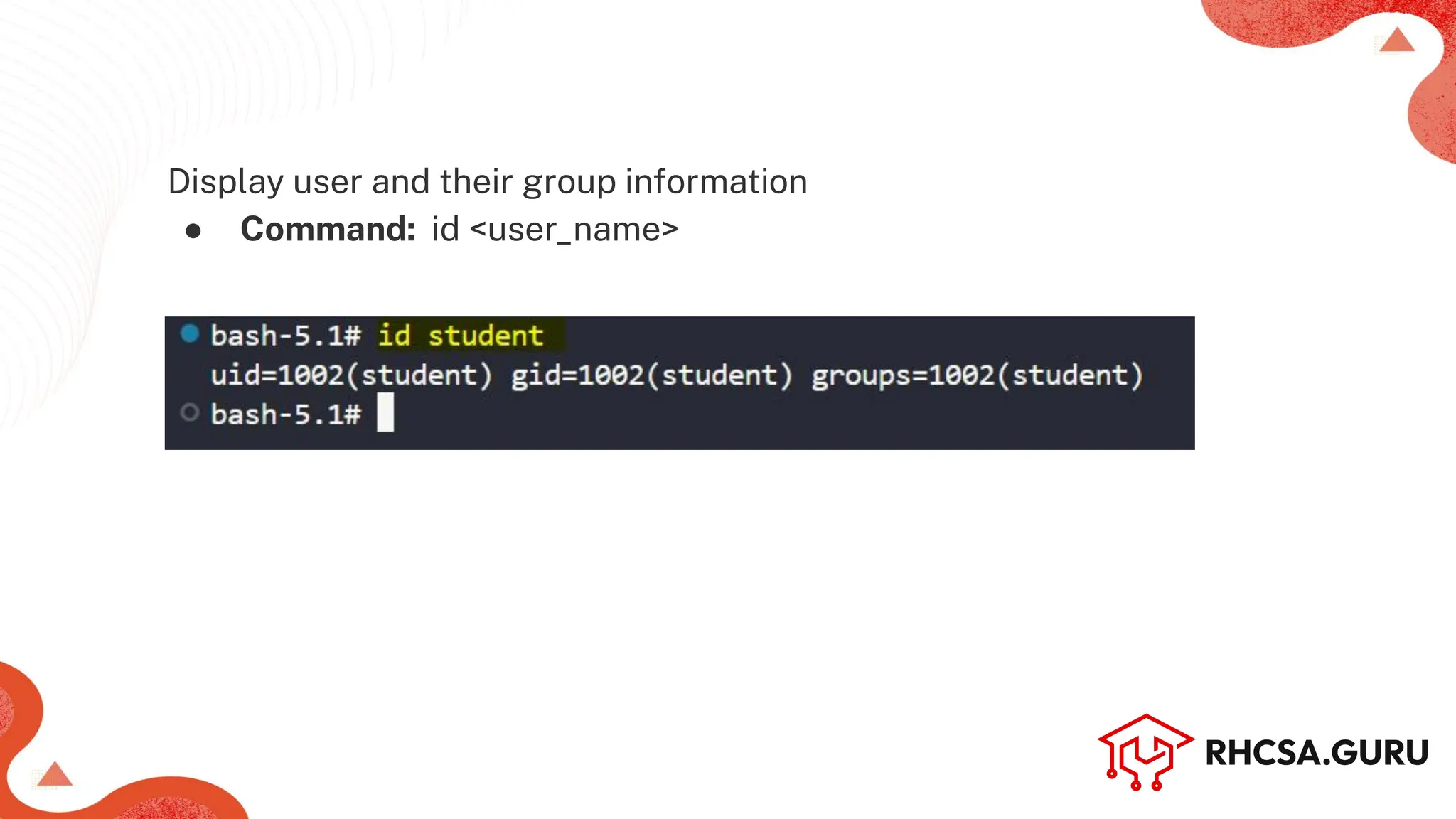
Display user and their group information
● Command: id <user_name>
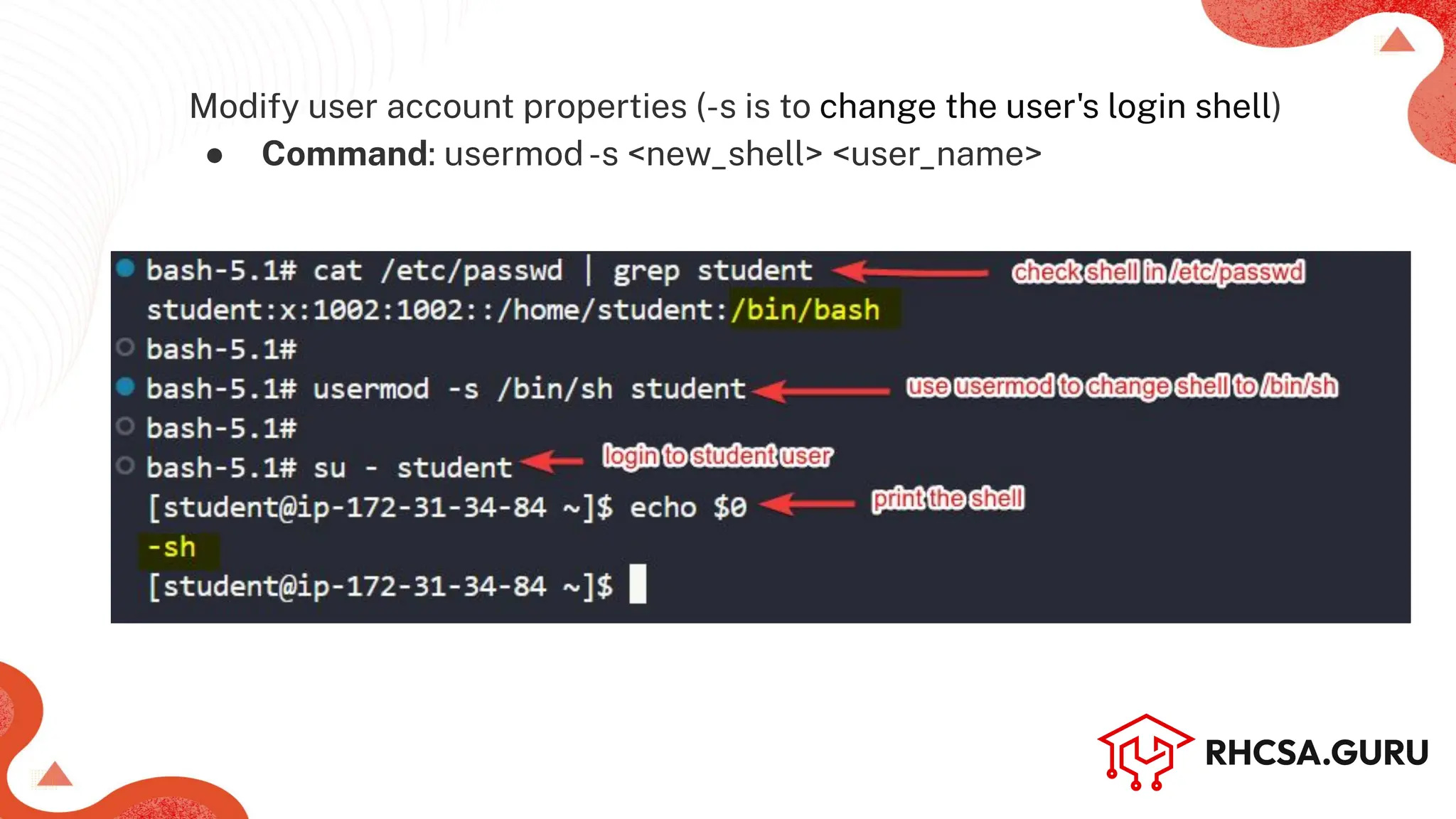
Modify user account properties (-s is to change the user's login shell)
● Command: usermod-s <new_shell> <user_name>
Machine Name (Hostname)
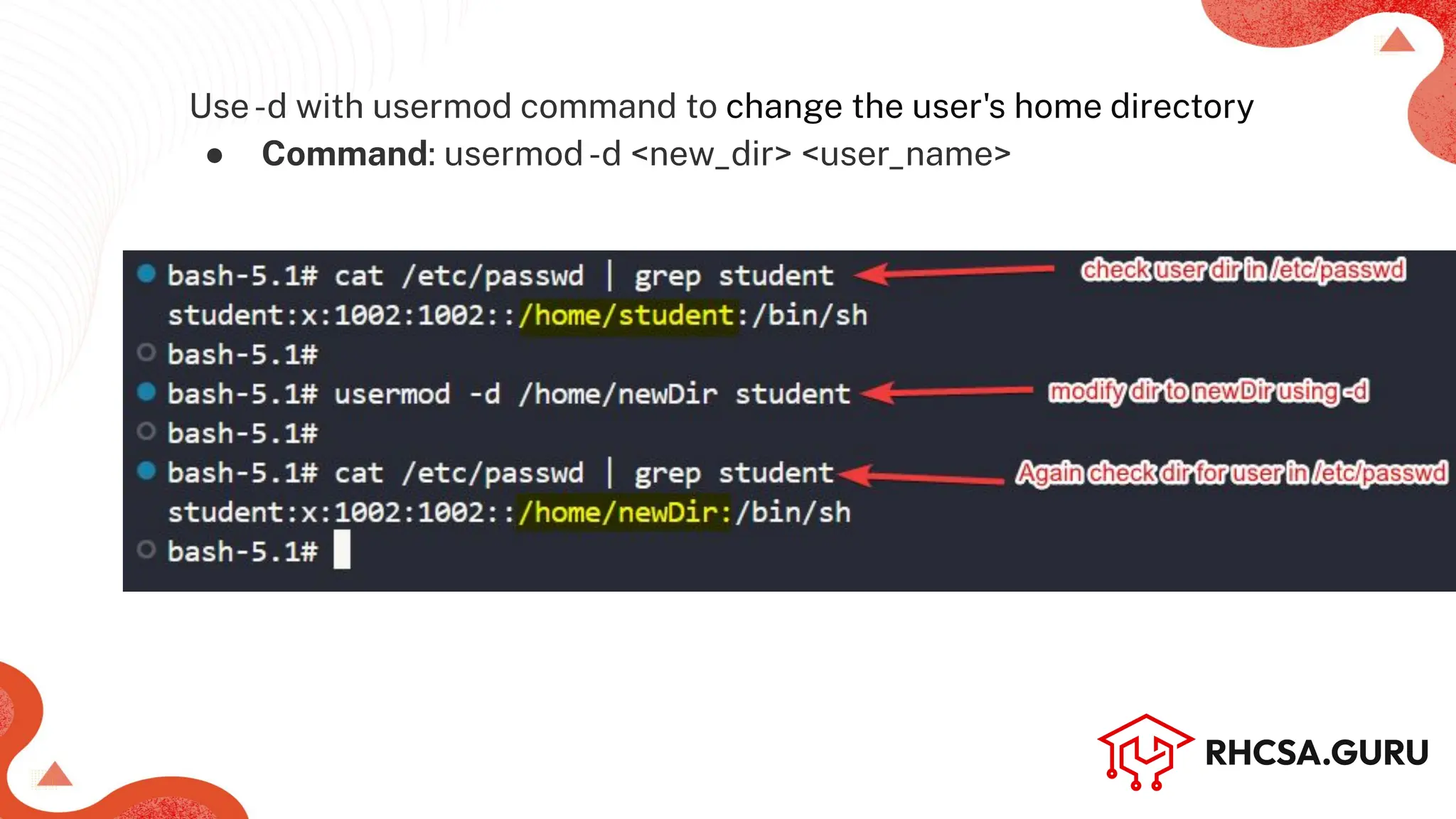
Use-d with usermod command to change the user's home directory
● Command: usermod-d <new_dir> <user_name>
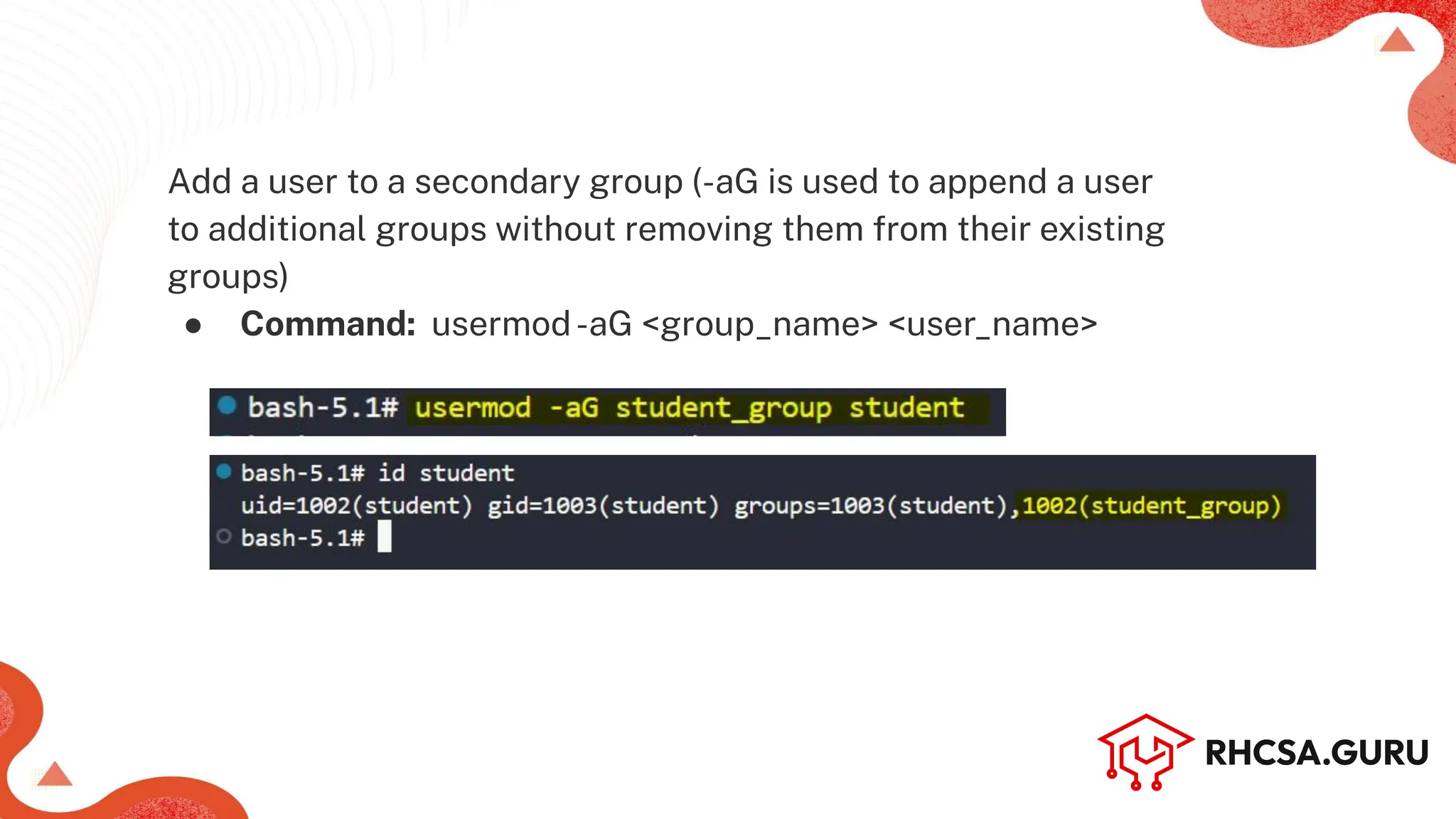
Add a user to a secondary group (-aG is used to append a user
to additional groups without removing them from their existing
groups)
● Command: usermod-aG <group_name> <user_name>
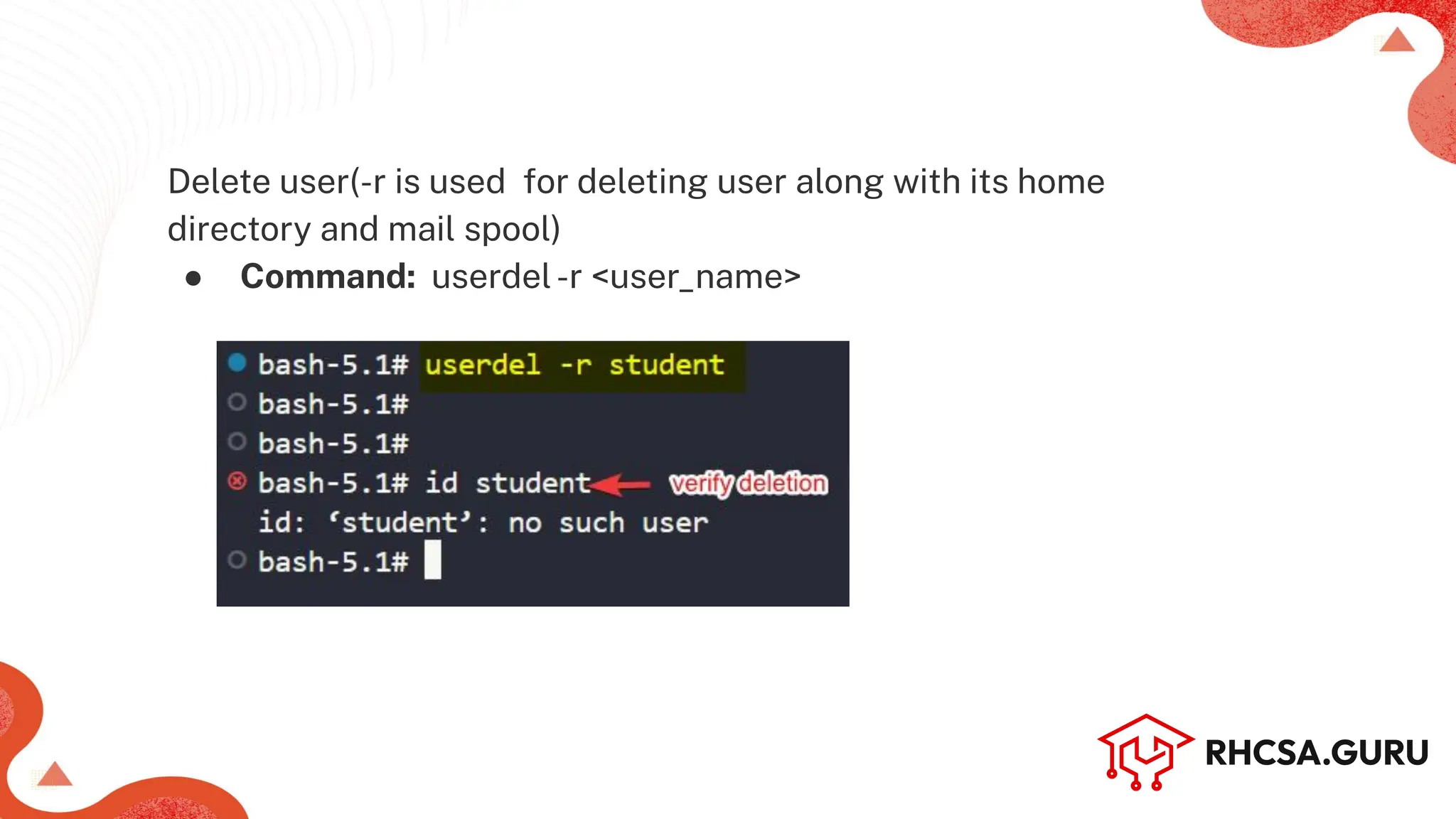
Delete user(-r is used for deleting user along with its home
directory and mail spool)
● Command: userdel-r <user_name>
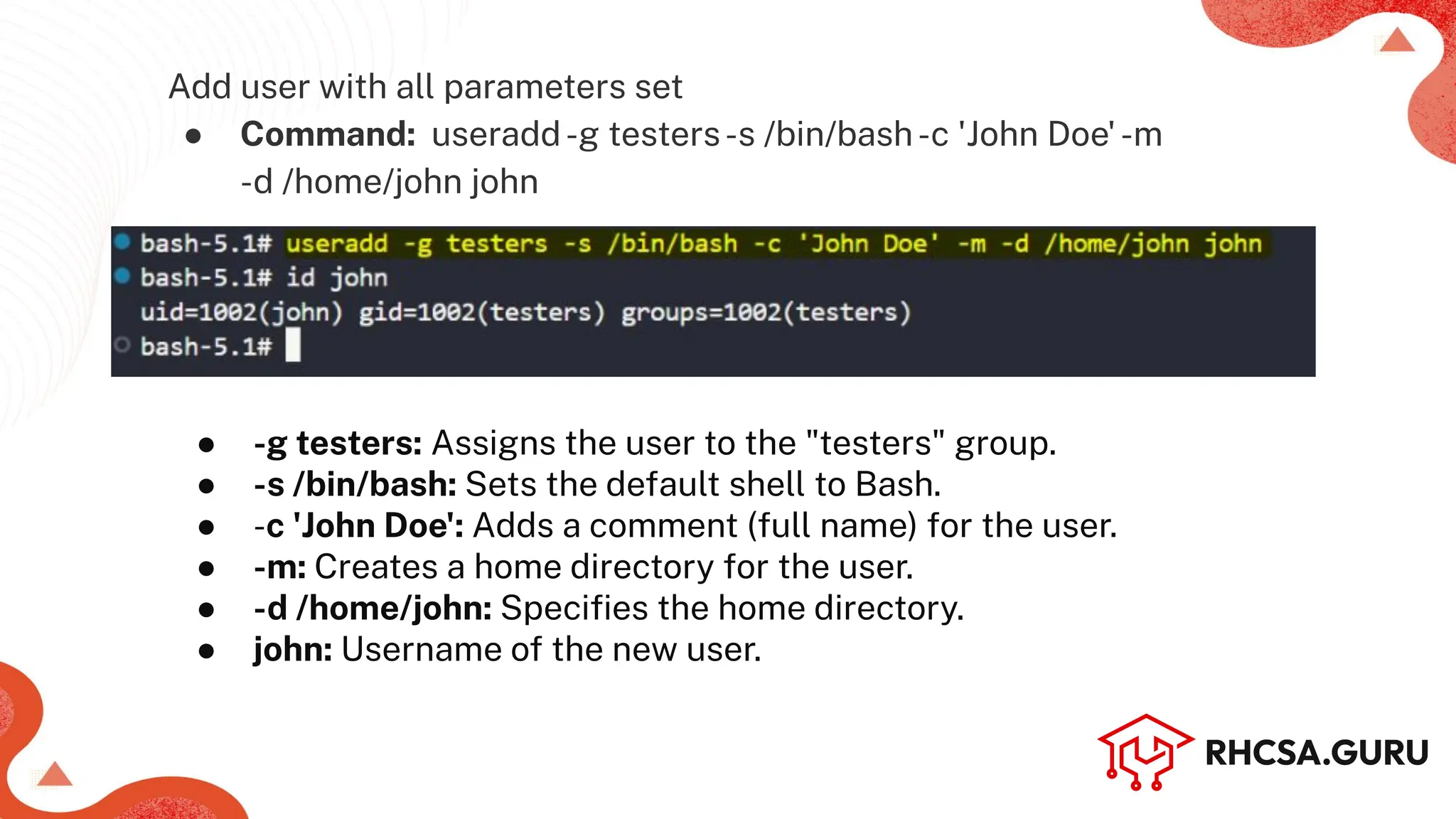
Add user with all parameters set
● Command: useradd-g testers-s /bin/bash-c 'John Doe'-m
-d /home/john john
● -g testers: Assigns the user to the "testers" group.
● -s /bin/bash: Sets the default shell to Bash.
● -c 'John Doe': Adds a comment (full name) for the user.
● -m: Creates a home directory for the user.
● -d /home/john: Specifies the home directory.
● john: Username of the new user.
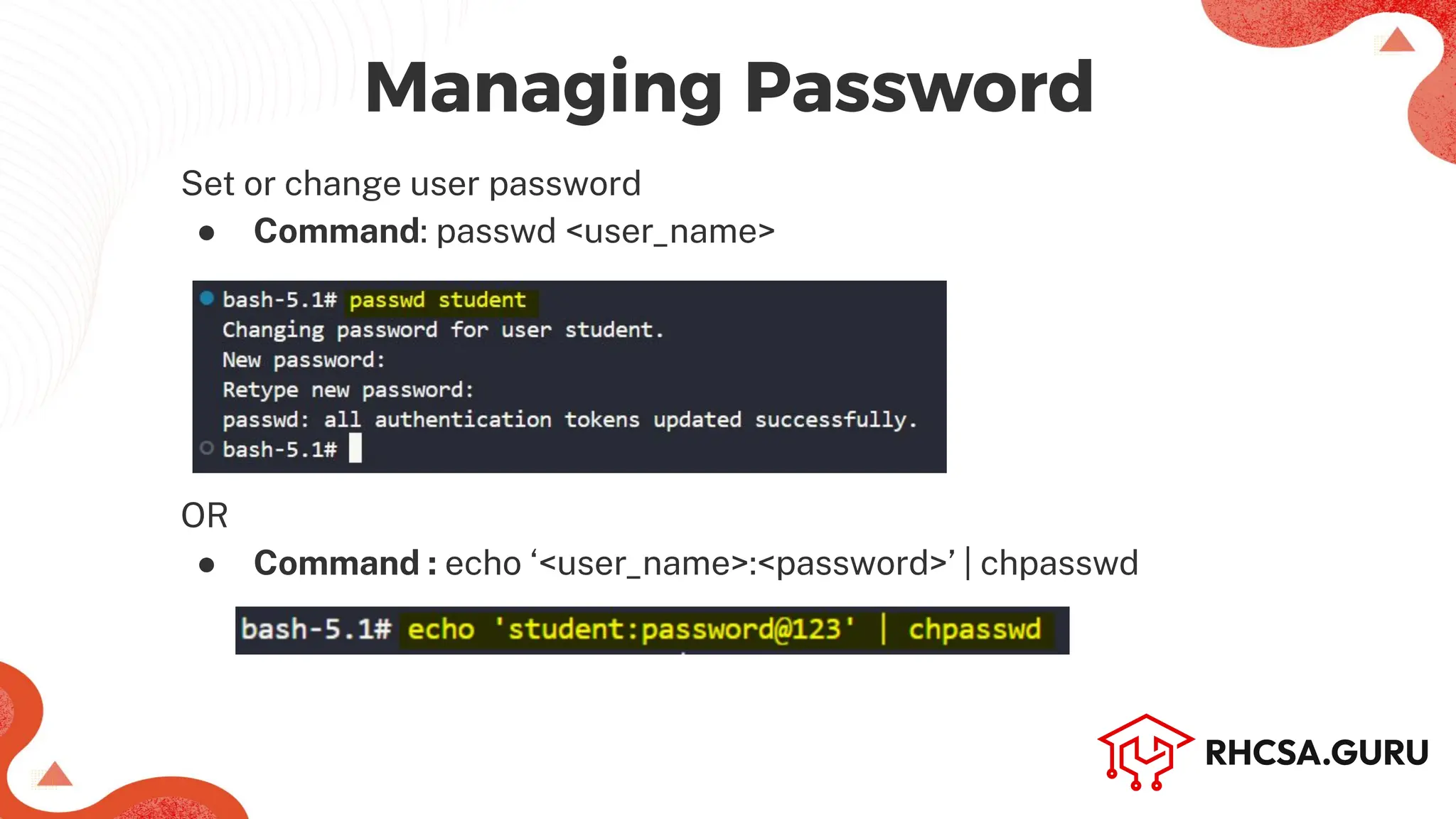
Set or change user password
● Command: passwd <user_name>
OR
● Command : echo ‘<user_name>:<password>’ | chpasswd
Managing Password
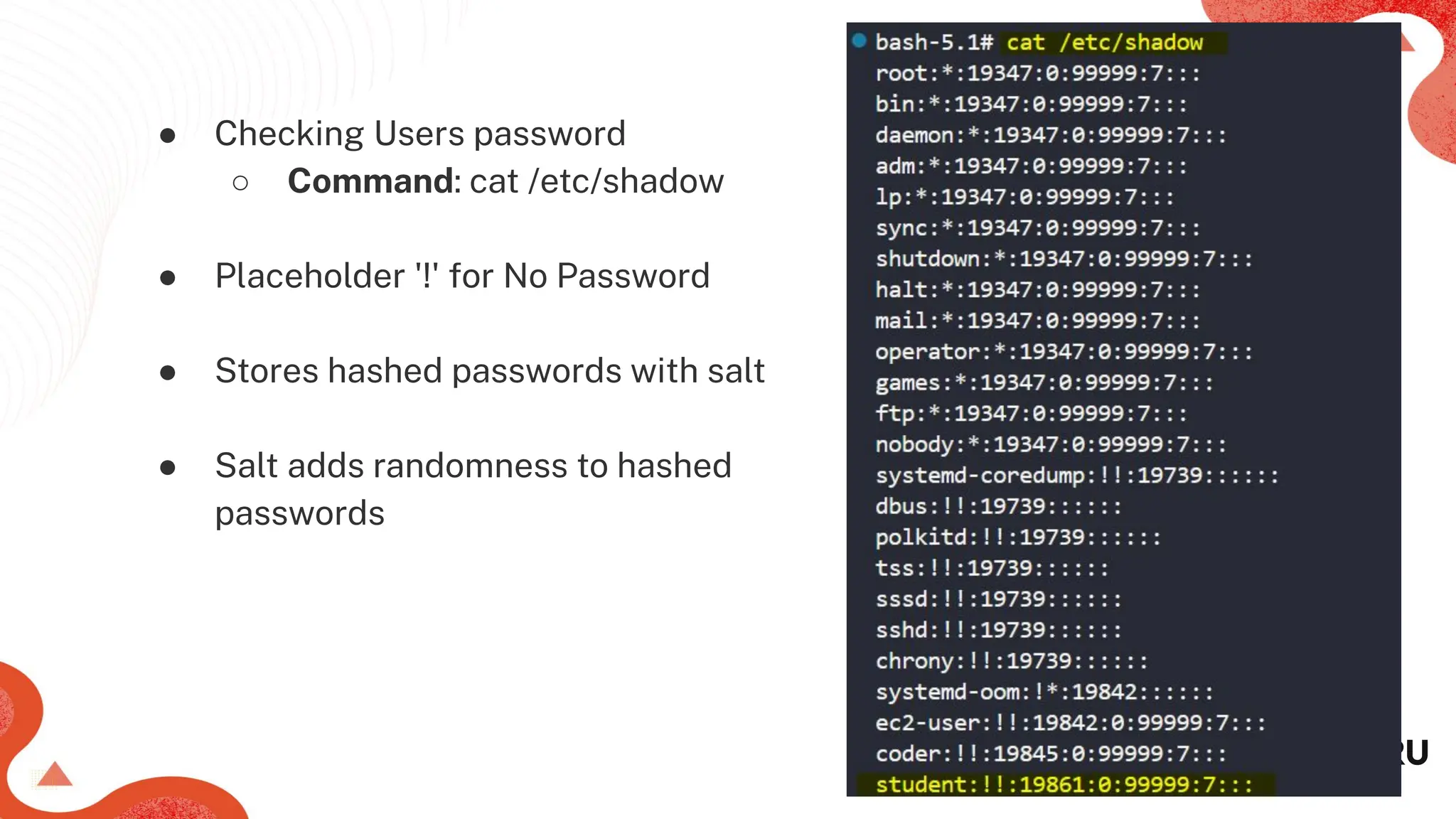
● Checking Users password
○ Command: cat /etc/shadow
● Placeholder '!' for No Password
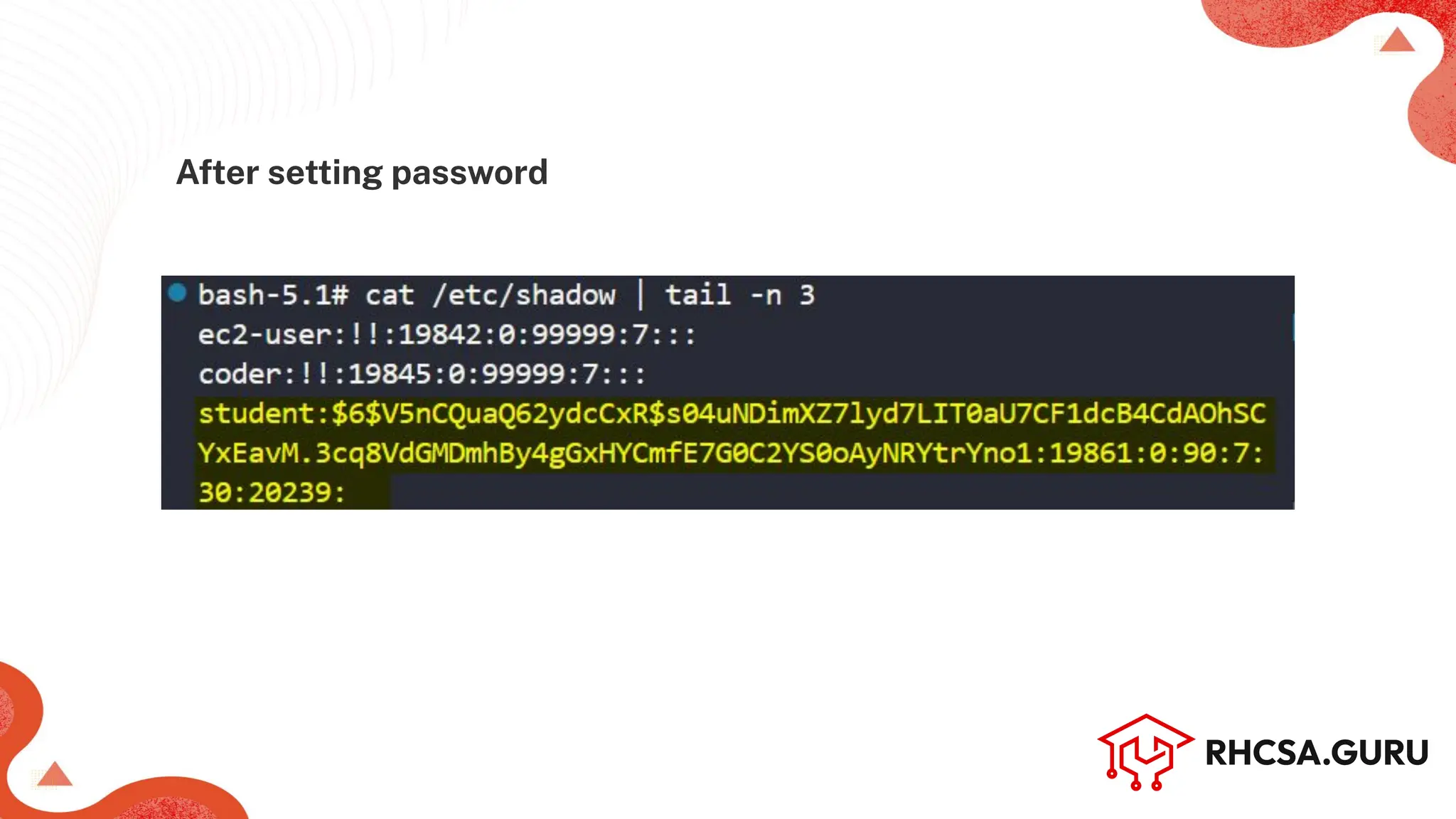
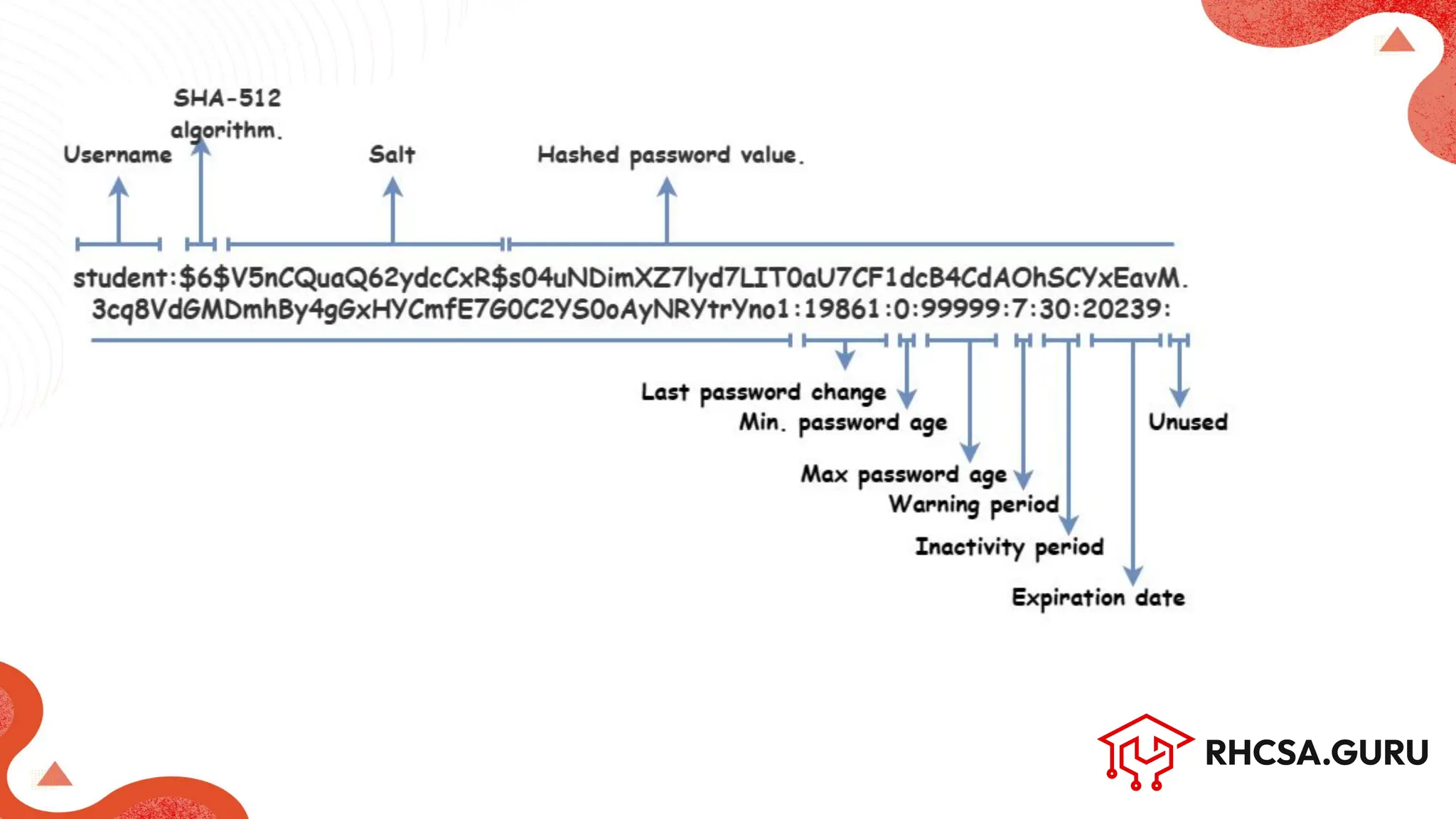
● Stores hashed passwords with salt
● Salt adds randomness to hashed
passwords
After setting password
List or change user password expiry information (-l to list the info)
● Command: chage [options] <user_name>
Machine Name (Hostname)
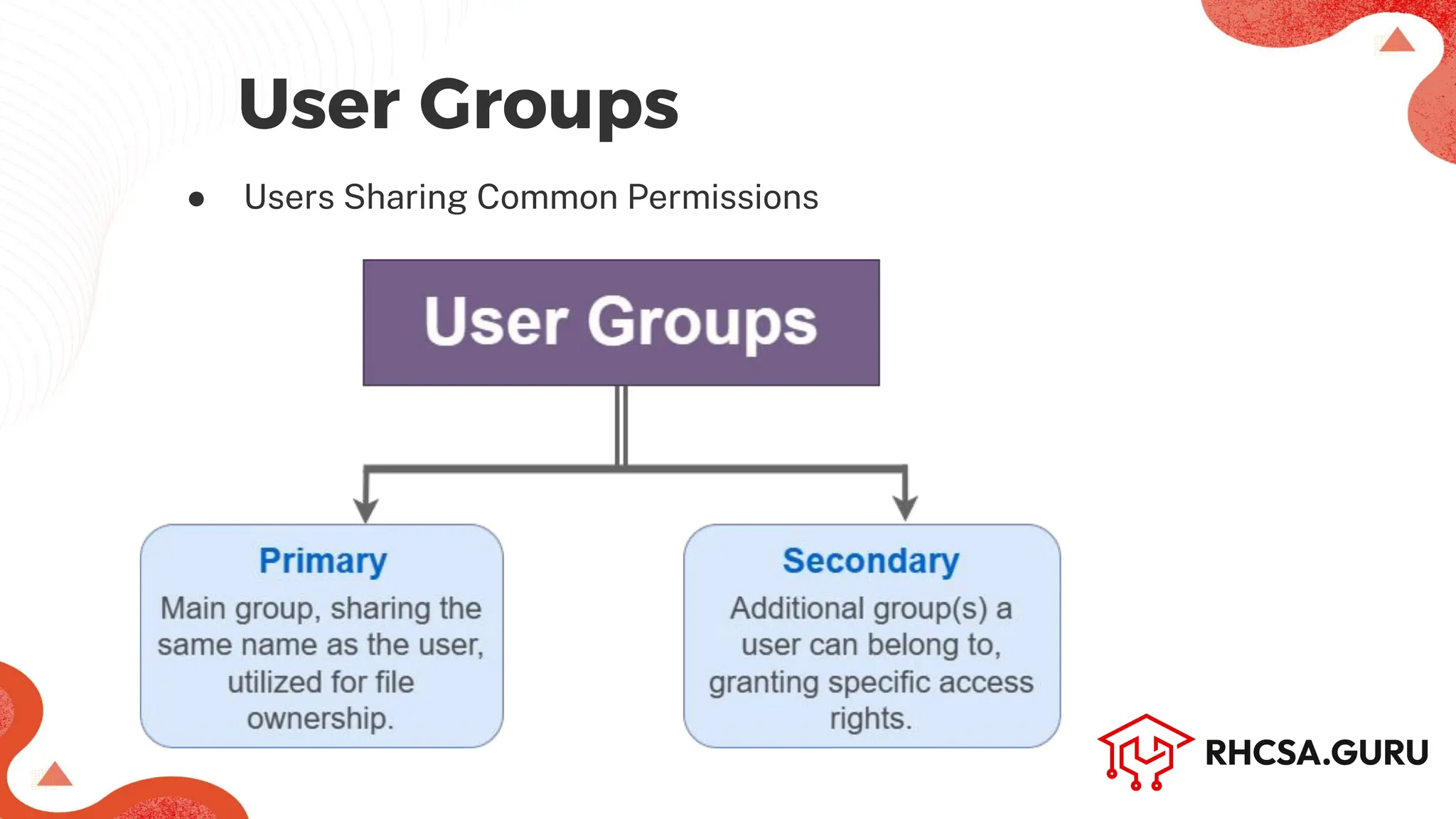
● Users Sharing Common Permissions
User Groups
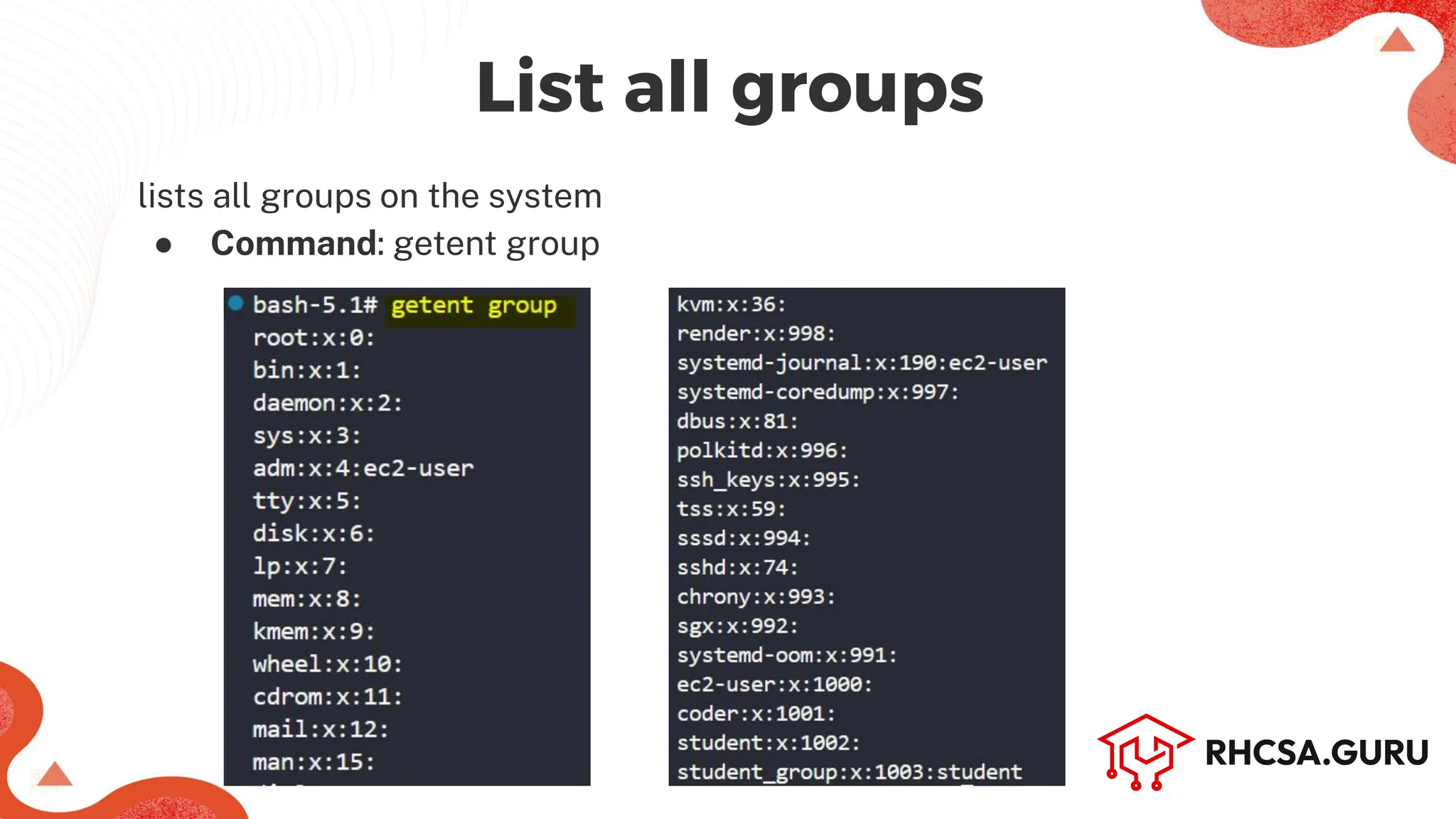
lists all groups on the system
● Command: getent group
Machine Name (Hostname)
List all groups
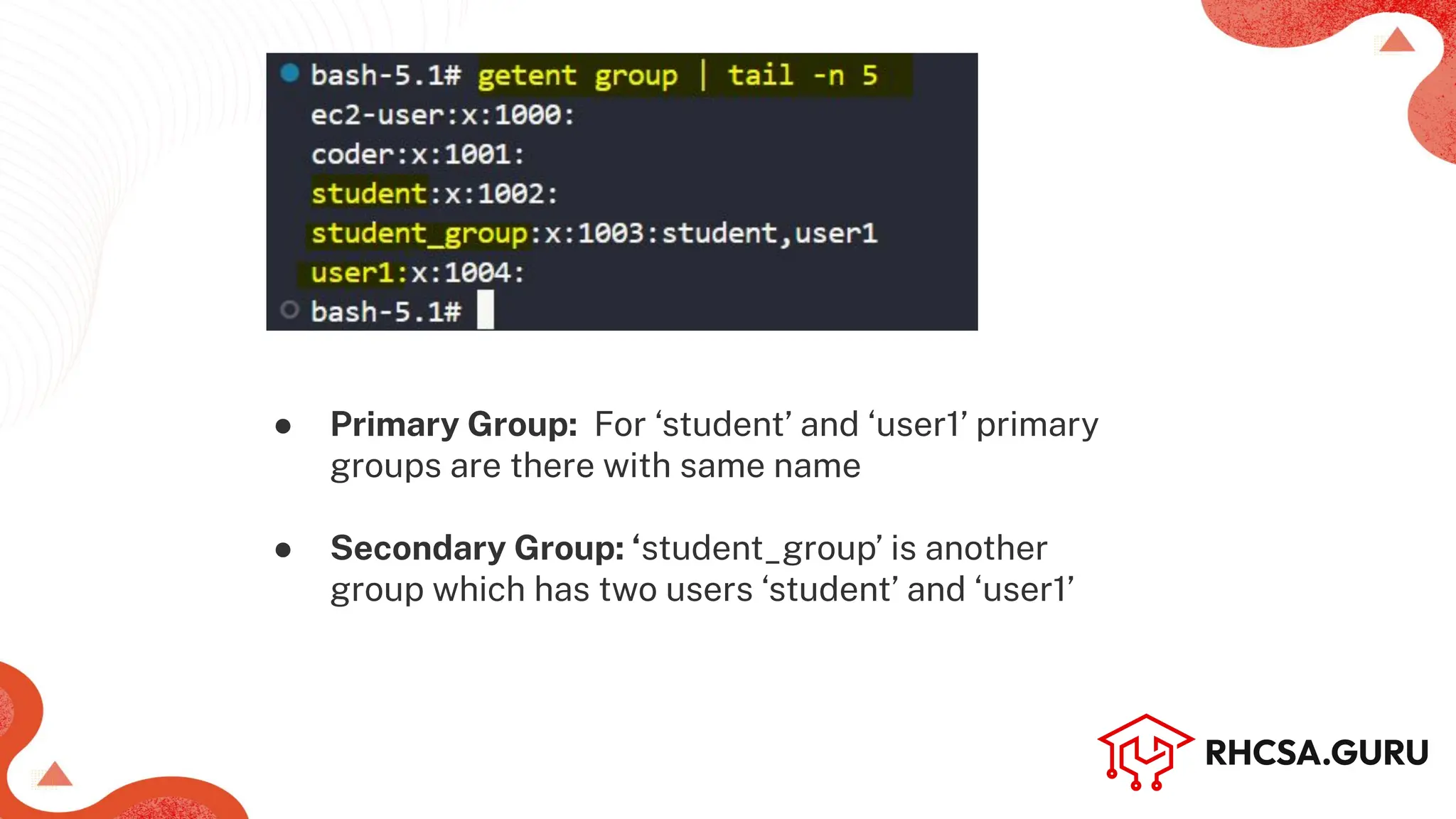
● Primary Group: For ‘student’ and ‘user1’ primary
groups are there with same name
● Secondary Group: ‘student_group’ is another
group which has two users ‘student’ and ‘user1’
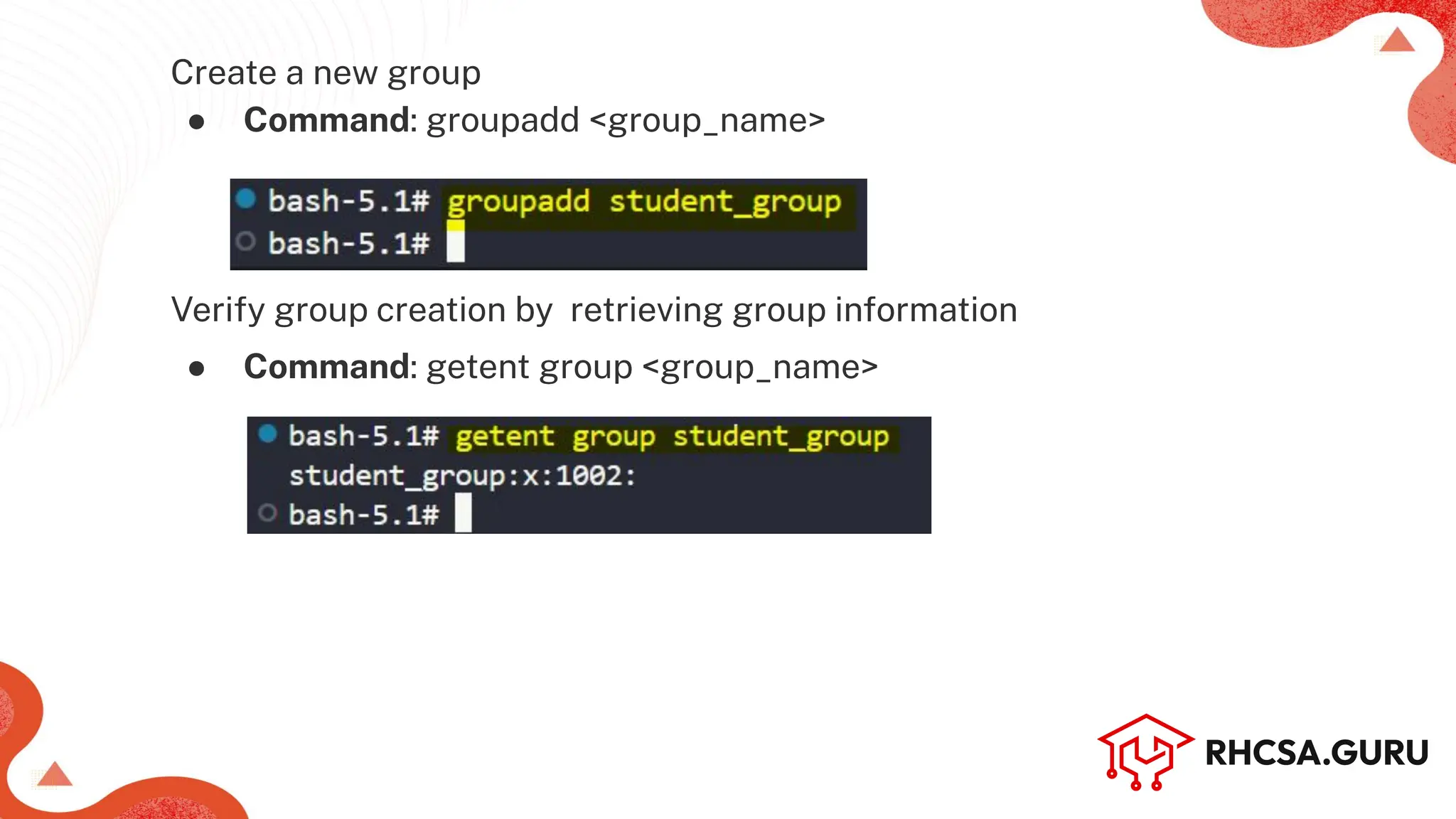
Create a new group
● Command: groupadd <group_name>
Verify group creation by retrieving group information
● Command: getent group <group_name>
Machine Name (Hostname)
Modify group properties (add user1,student using-U in student_group)
● Command: groupmod [options] <group_name>
Verify by getent group command whether users added or not
● Command: getent group <group_name>
Machine Name (Hostname)
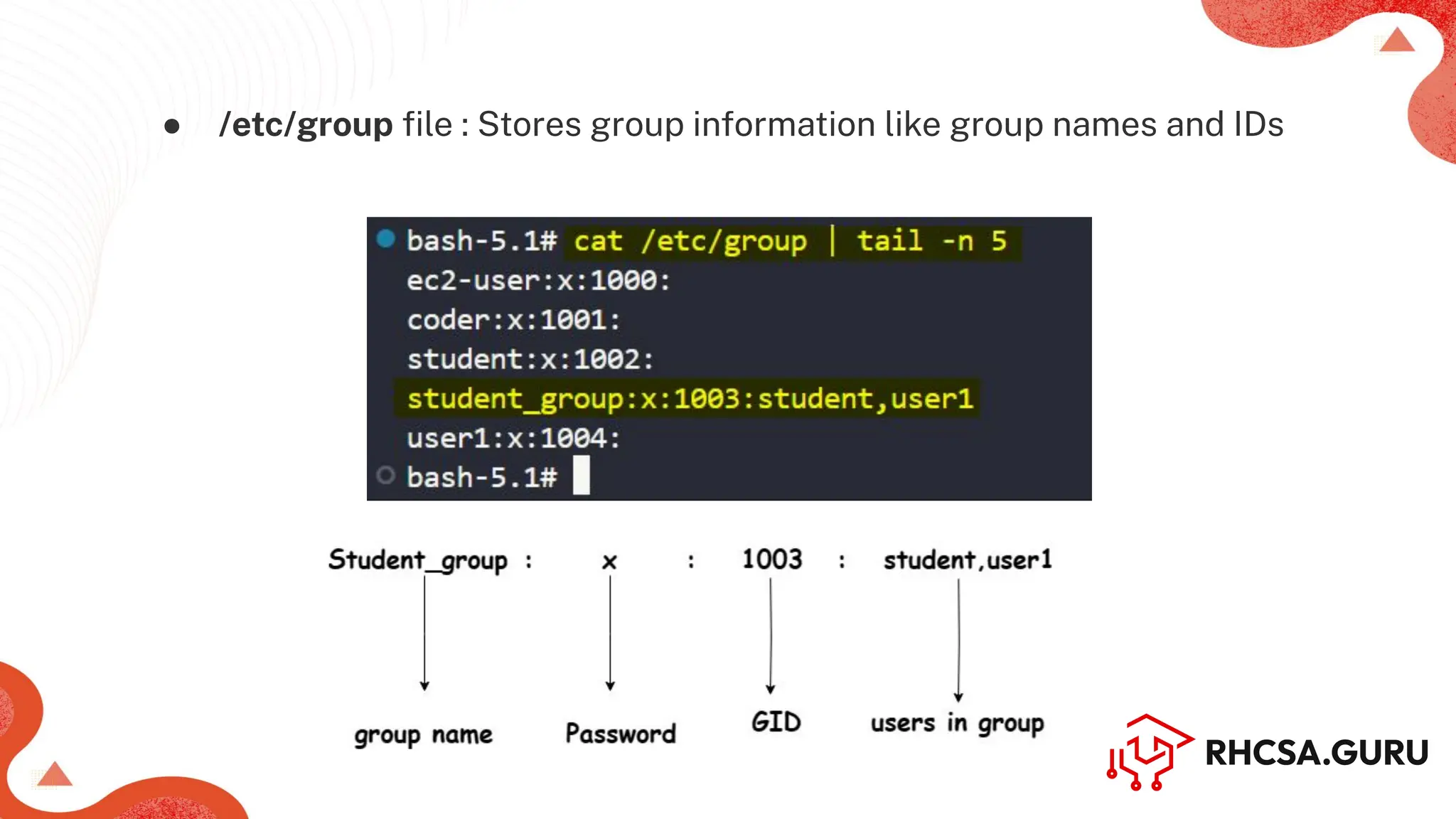
● /etc/group file : Stores group information like group names and IDs
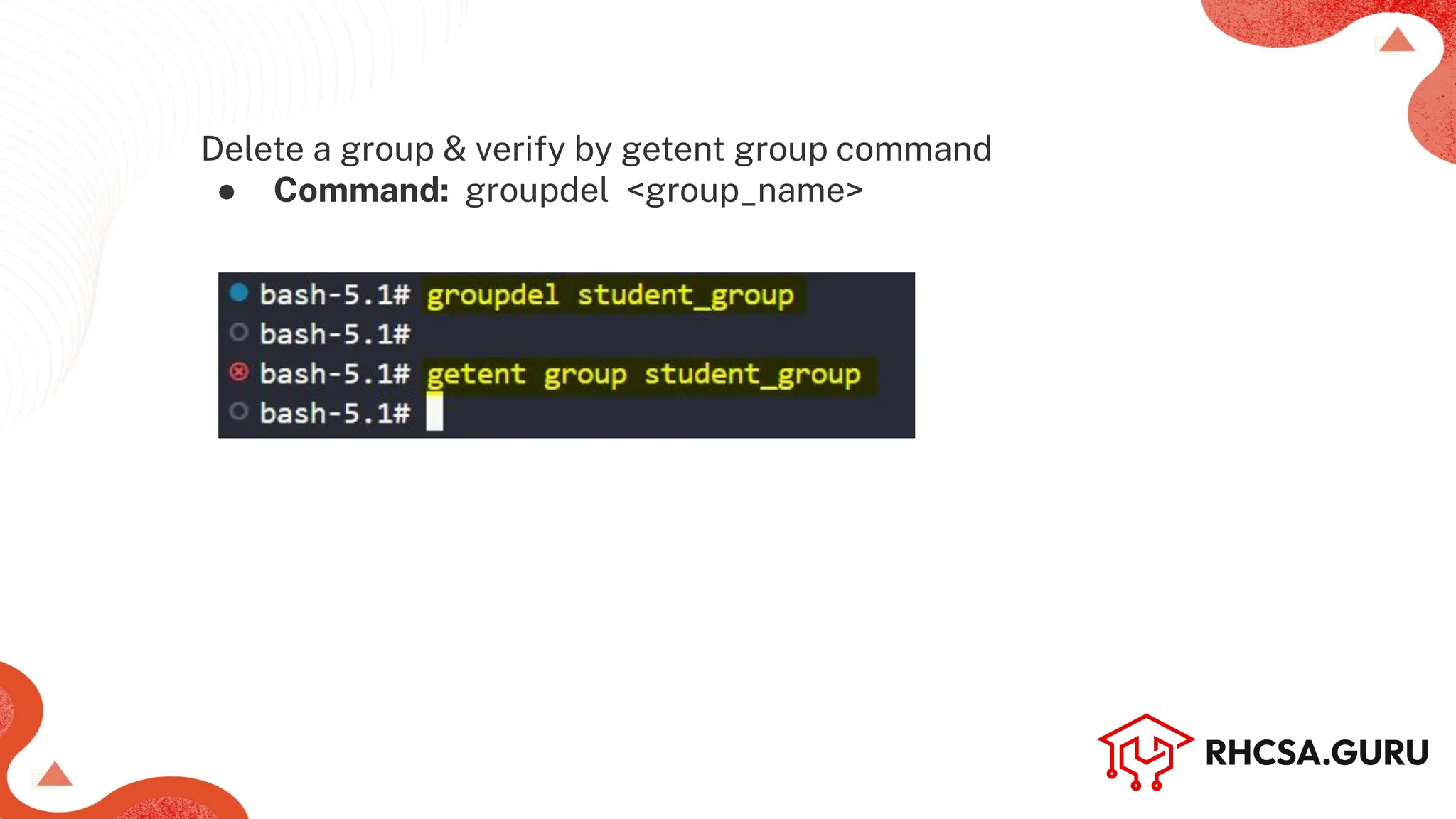
Delete a group & verify by getent group command
● Command: groupdel <group_name>
Machine Name (Hostname)
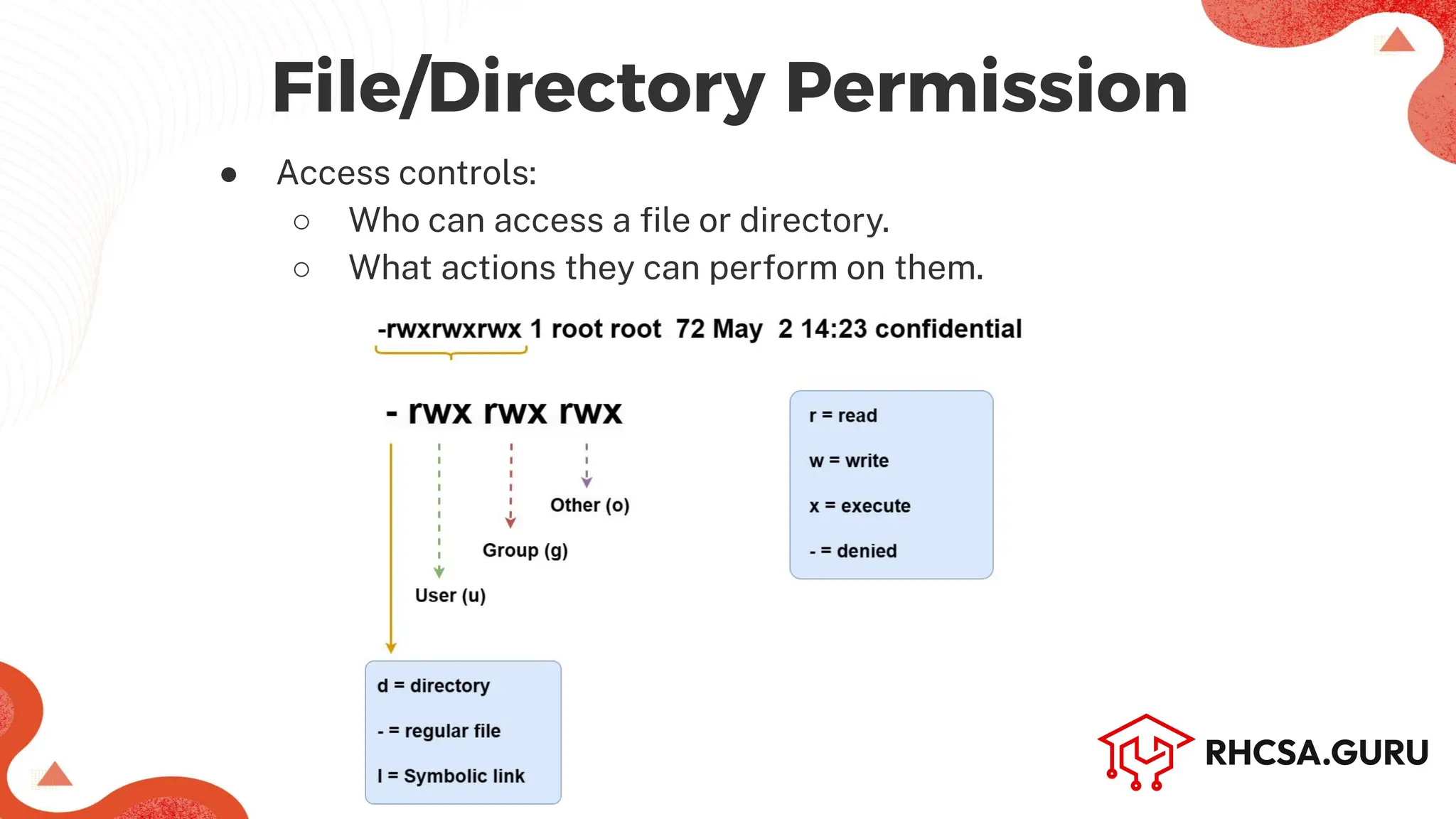
● Access controls:
○ Who can access a file or directory.
○ What actions they can perform on them.
File/Directory Permission
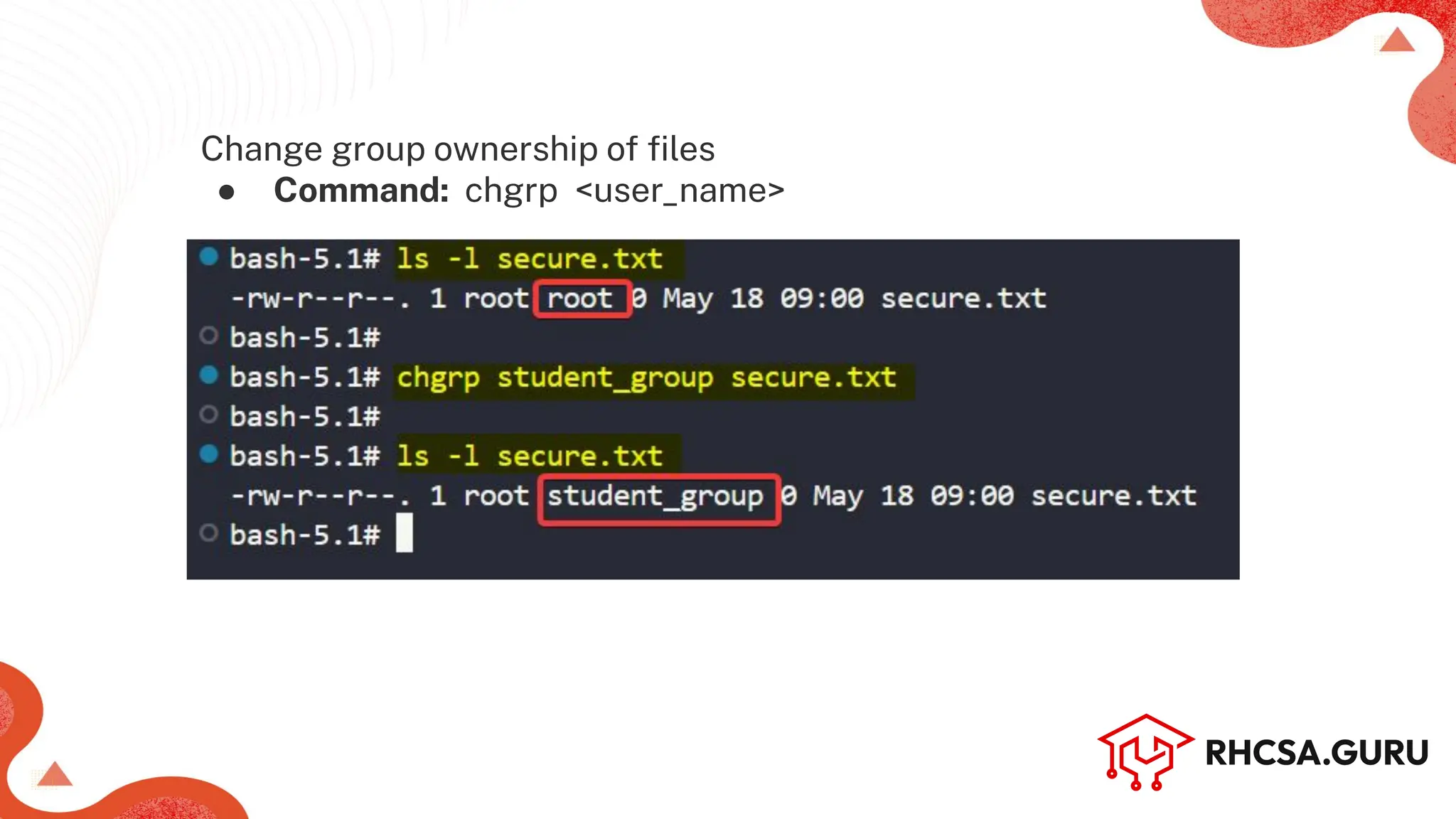
Change group ownership of files
● Command: chgrp <user_name>
Machine Name (Hostname)
● Authorizing users to perform administrative tasks or run all
commands
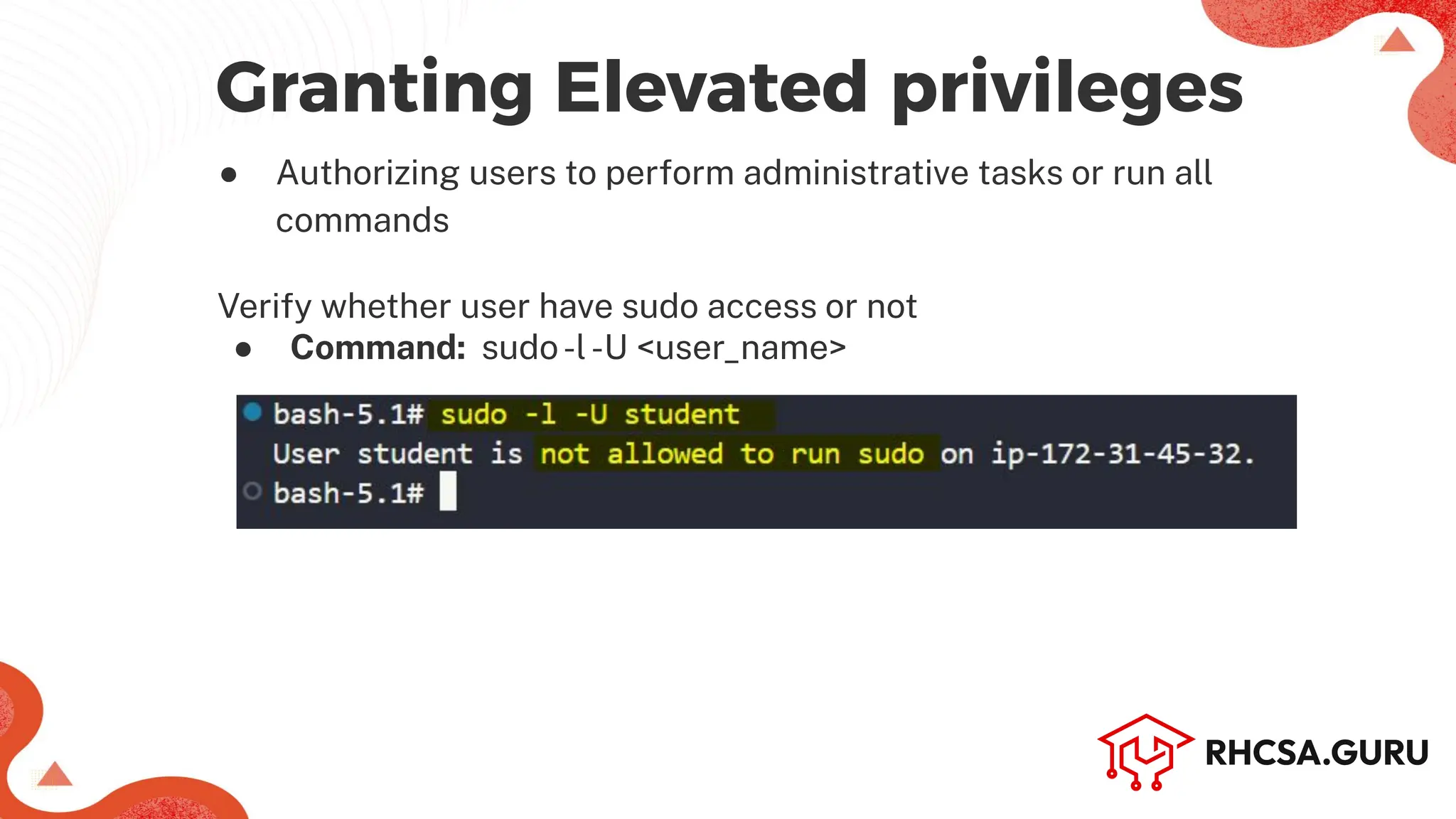
Granting Elevated privileges
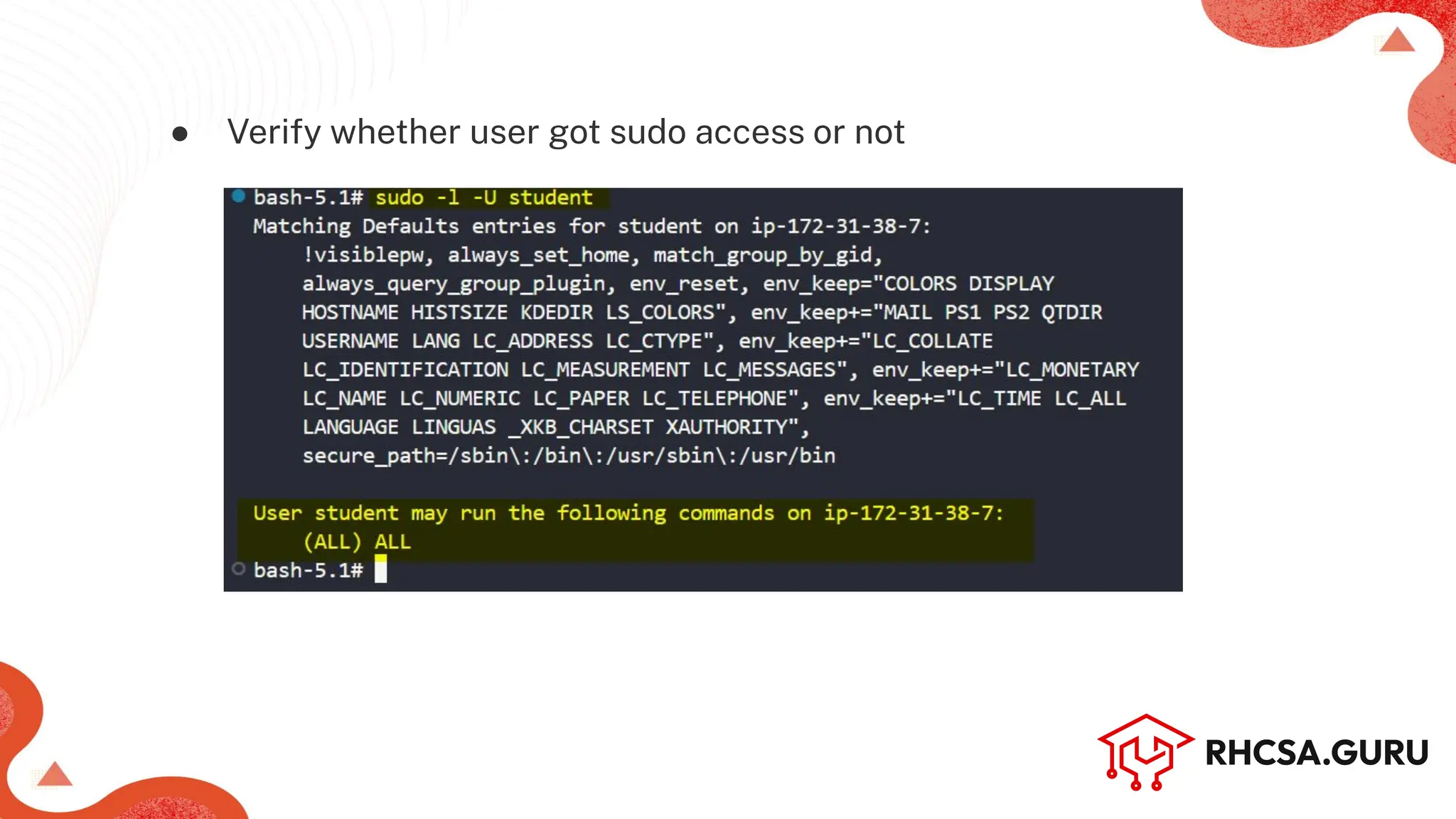
Verify whether user have sudo access or not
● Command: sudo-l-U <user_name>
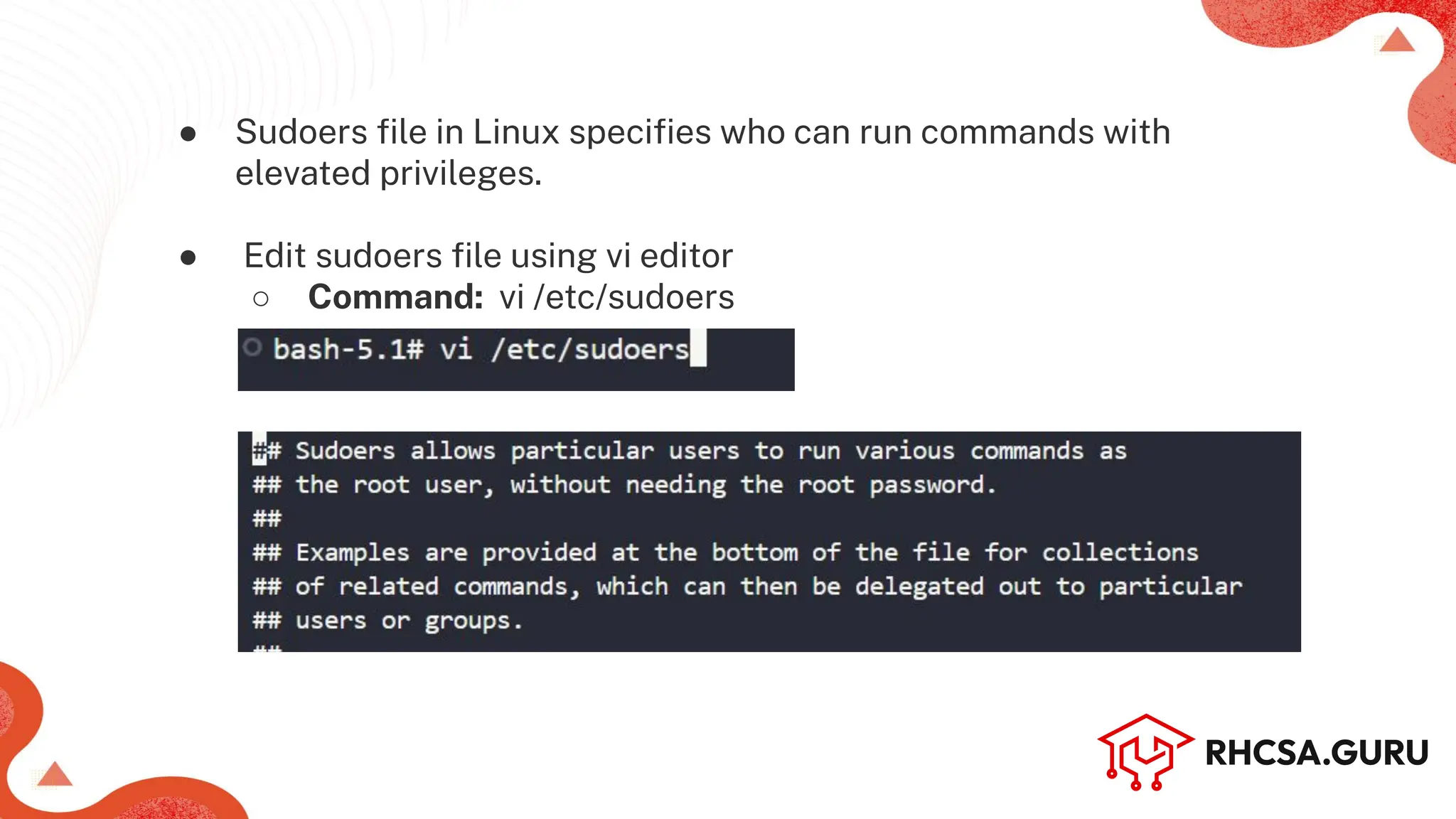
● Sudoers file in Linux specifies who can run commands with
elevated privileges.
● Edit sudoers file using vi editor
○ Command: vi /etc/sudoers
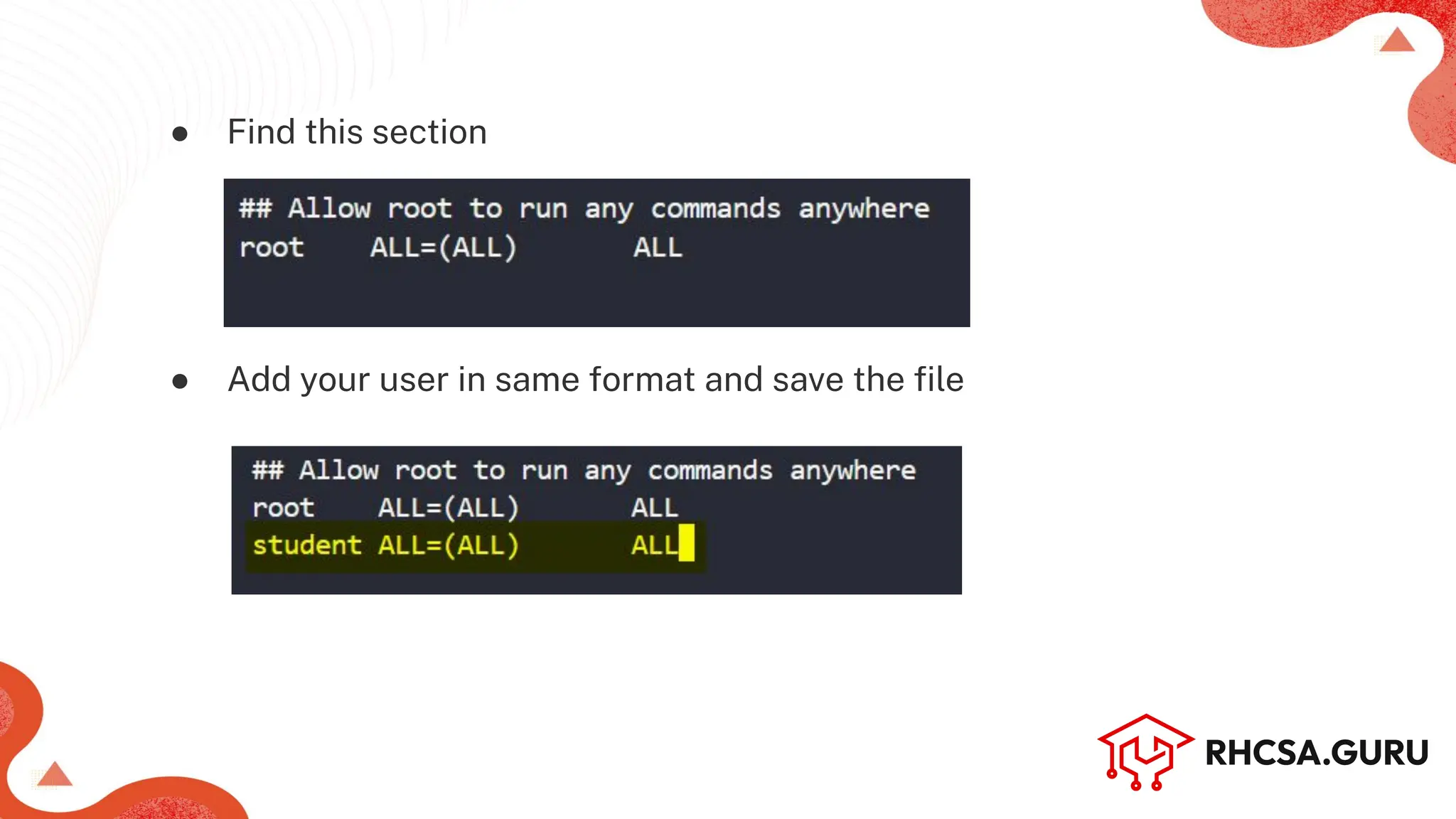
● Find this section
● Add your user in same format and save the file
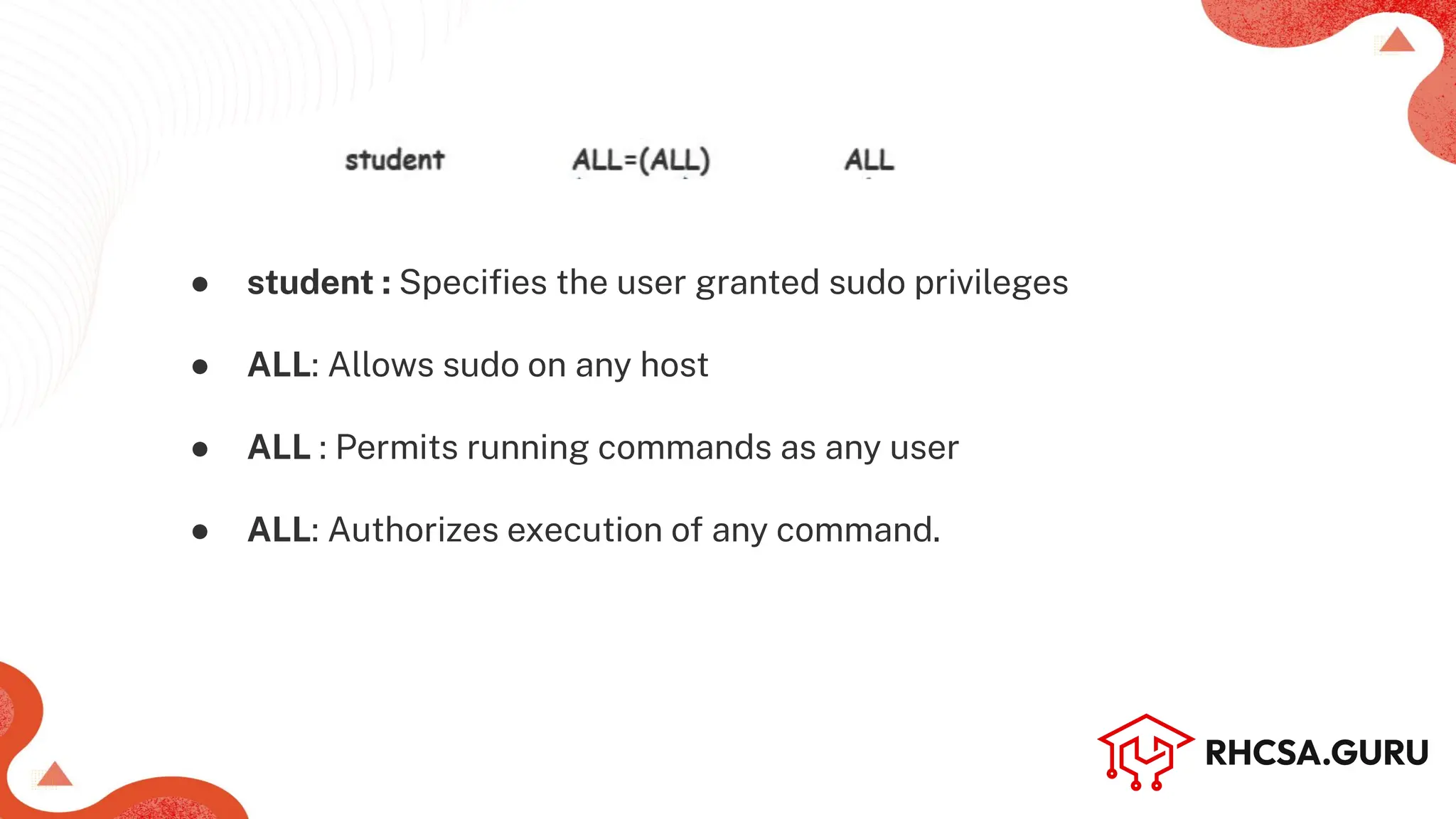
● student : Specifies the user granted sudo privileges
● ALL: Allows sudo on any host
● ALL : Permits running commands as any user
● ALL: Authorizes execution of any command.
● Verify whether user got sudo access or not
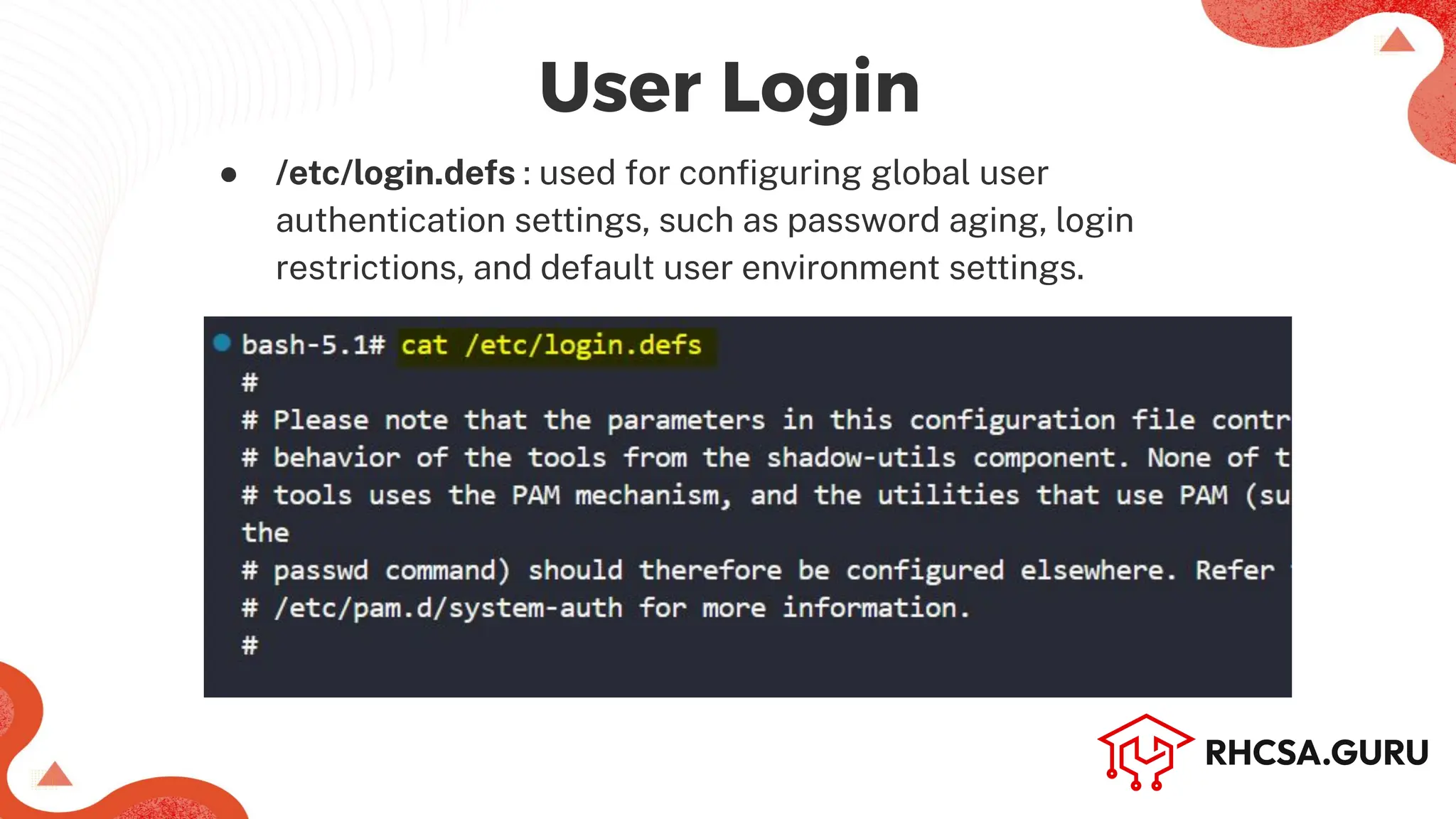
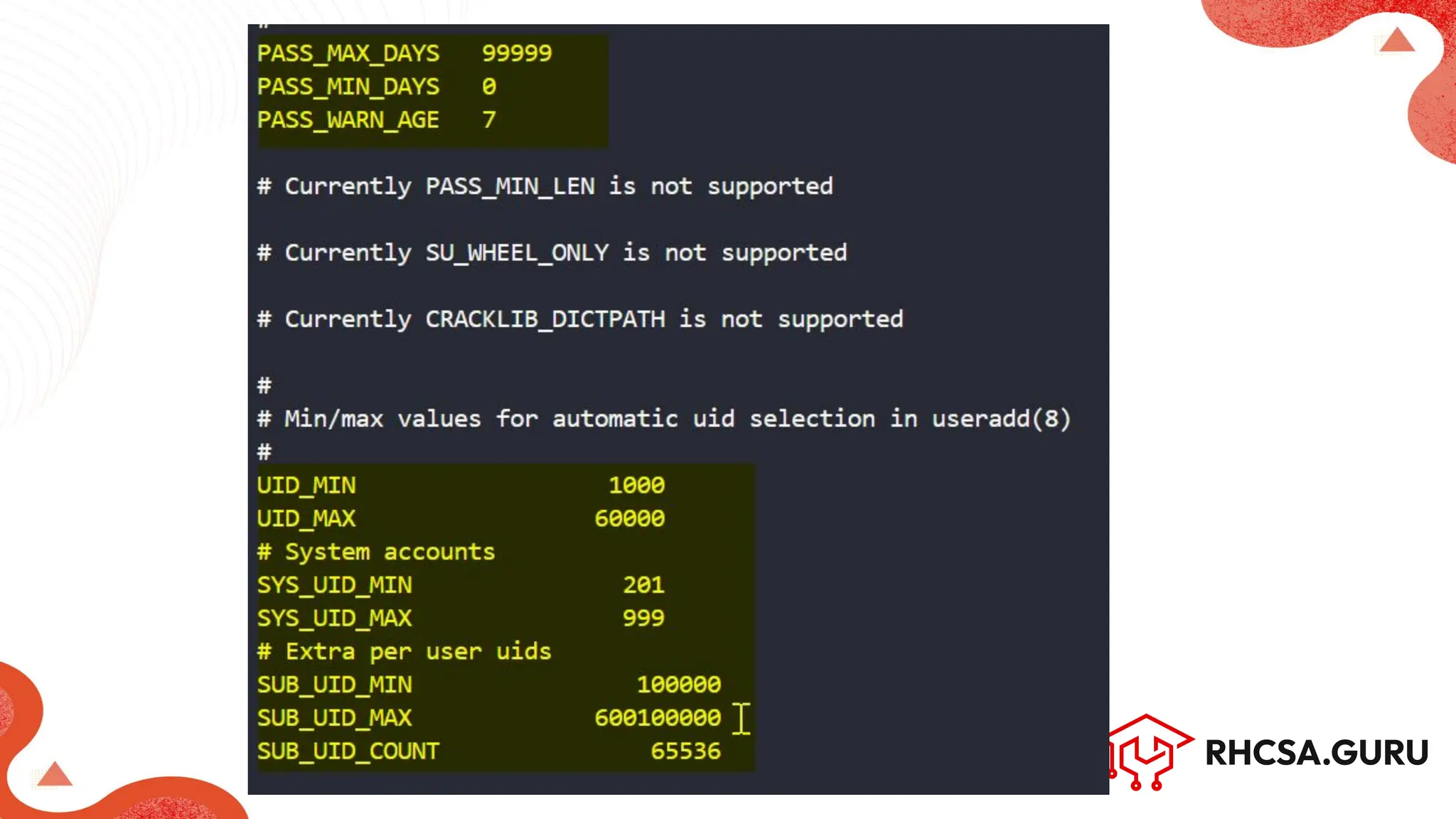
● /etc/login.defs : used for configuring global user
authentication settings, such as password aging, login
restrictions, and default user environment settings.
User Login
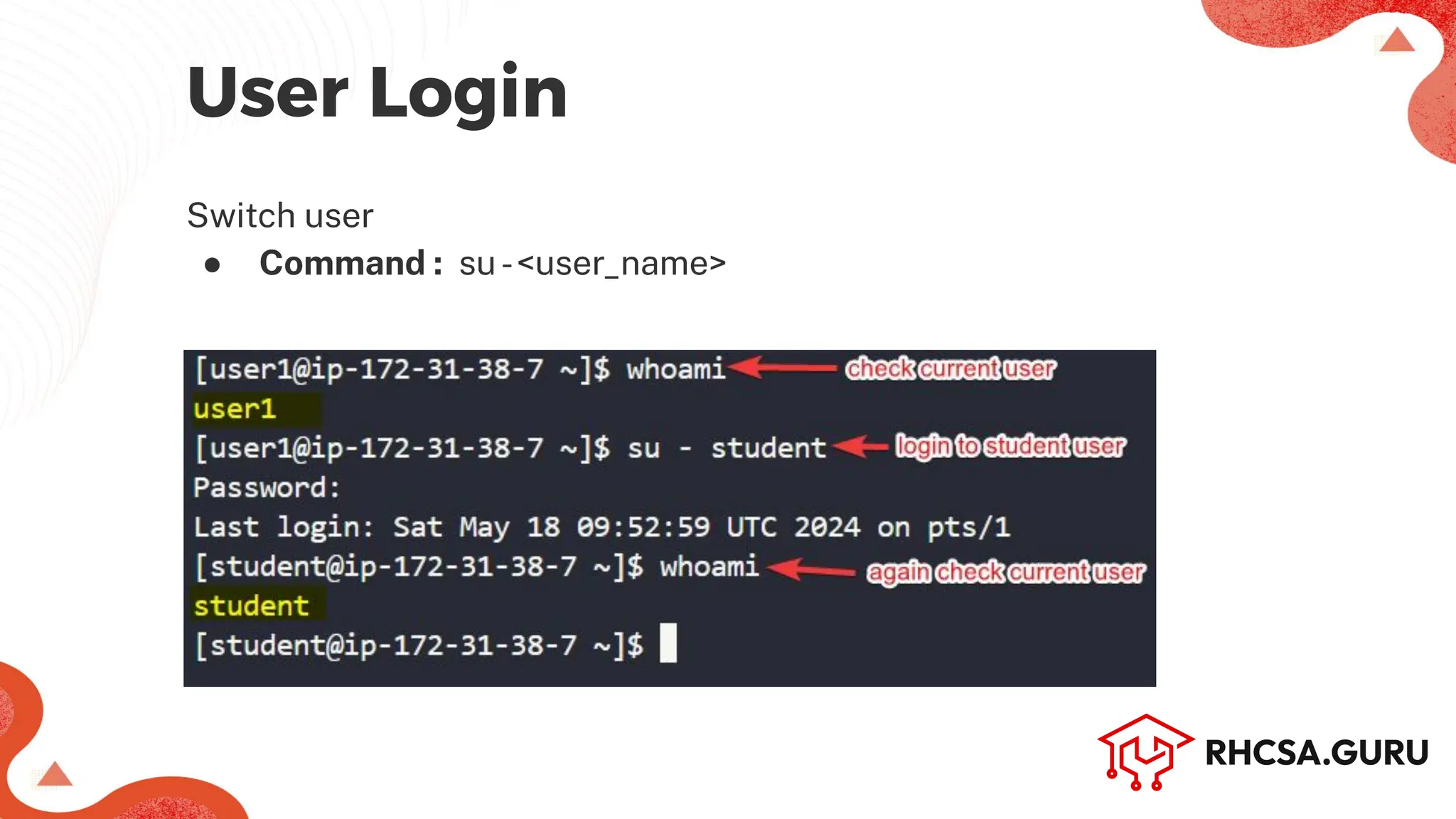
User Login
Switch user
● Command : su-<user_name>
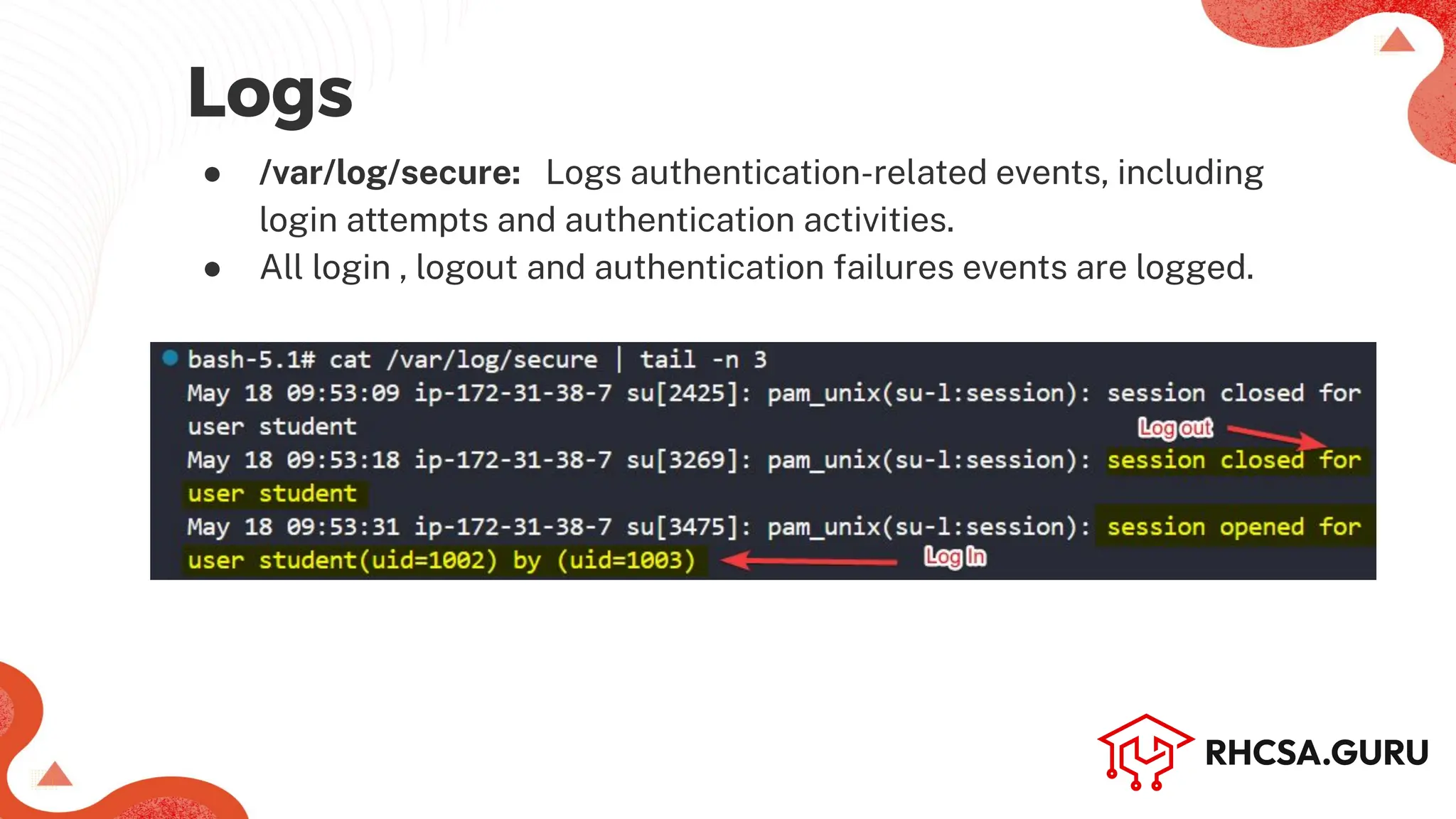
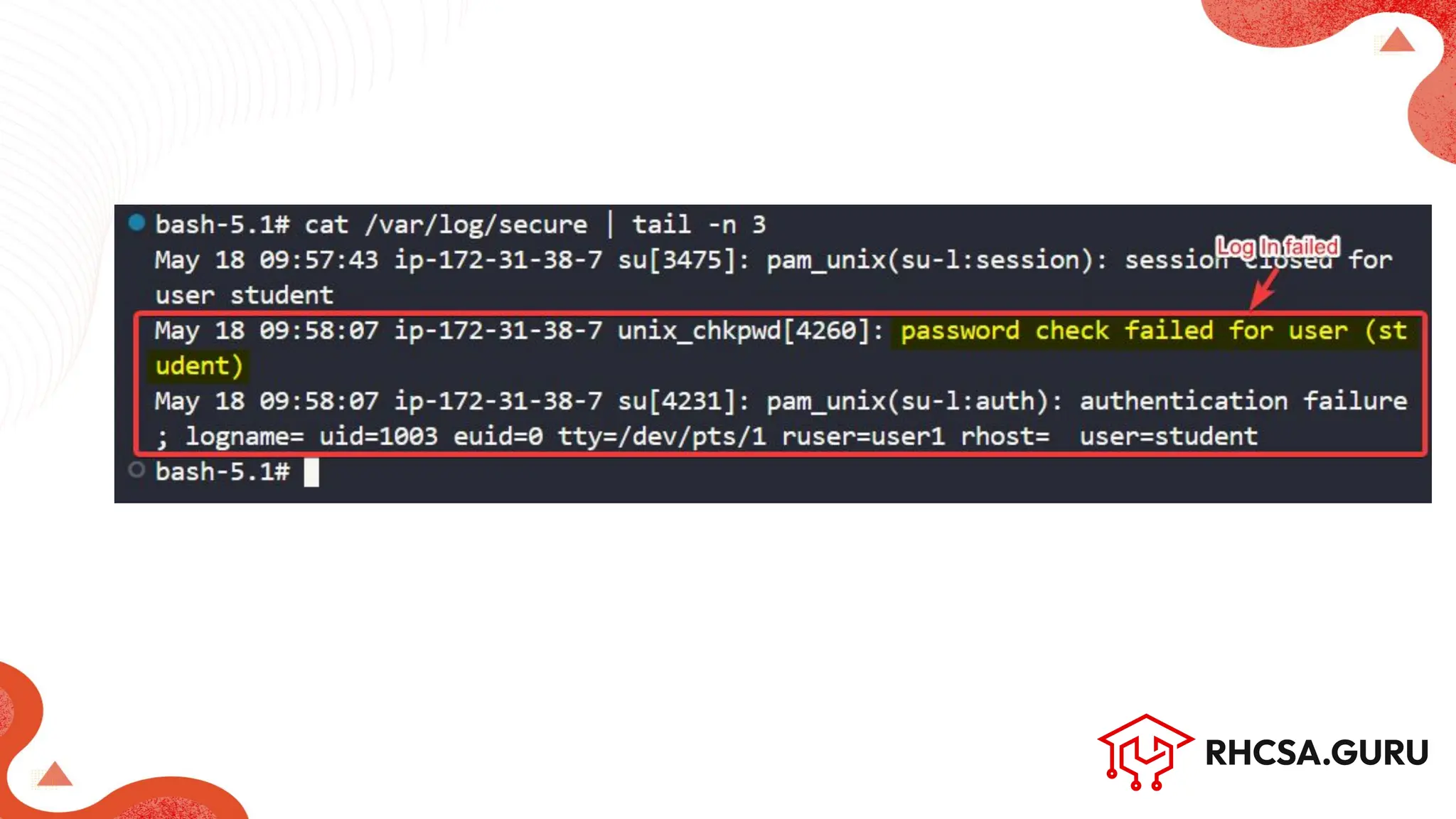
● /var/log/secure: Logs authentication-related events, including
login attempts and authentication activities.
● All login , logout and authentication failures events are logged.
Logs
Manage Local Users and Groups - RHCSA (RH124)

Manage Local Users and Groups - RHCSA (RH124)

  • 1.
  • 3.
    Root User SystemUser Regular User Purpose Full Administrative access Run specific system services/processes General user activities UID Range 0 1 to 999 1000 and above Home Dir /root Typically none or service specific /home/username Login Shell /bin/bash or other Usually /usr/sbin/nologin or /bin/false /bin/bash or other login shells Permissions Unlimited, Full system access Limited to specific services Limited to user specific actions Creation & Management Default user created during installation and managed by system admin Created and managed by system or package installation scripts Created and managed by system admin for general use Example root ‘Chrony’, ‘systemd-oom’ ‘User1’ , ‘coder’
  • 4.
    ○ Managing Users(Creating, modifying, and deleting) ○ Managing passwords ○ Group memberships ○ Setting file/directories permissions ○ Granting Elevated privileges ○ User Login User Account Management
  • 5.
    lists all knownusers on the system with detailed information ● Command: lslogins Machine Name (Hostname) List all Users
  • 6.
    -s option isused with lslogins to display system accounts(UID < 1000 by default). ● Command: lslogins-s Machine Name (Hostname) List System Users
  • 7.
    Machine Name (Hostname) -uoption is used with lslogins to list all user accounts including root (UID >= 1000 by default). ● Command: lslogins-u List Root & Regular Users
  • 8.
    To display theusername of the current user ● Command: whoami Add a new User (or Regular User account) ● Command: useradd-c ‘<user_info’ <user_name> OR adduser <user_name> [works in Debian based dist.] Machine Name (Hostname) Managing Users
  • 9.
    Checking Current Users ●Command: cat /etc/passwd
  • 10.
    /etc/passwd : Useraccount info file Note : "x" placeholder denotes that the encrypted password is stored in the /etc/shadow file for security.
  • 11.
    Display user andtheir group information ● Command: id <user_name>
  • 12.
    Modify user accountproperties (-s is to change the user's login shell) ● Command: usermod-s <new_shell> <user_name> Machine Name (Hostname)
  • 13.
    Use-d with usermodcommand to change the user's home directory ● Command: usermod-d <new_dir> <user_name>
  • 14.
    Add a userto a secondary group (-aG is used to append a user to additional groups without removing them from their existing groups) ● Command: usermod-aG <group_name> <user_name>
  • 15.
    Delete user(-r isused for deleting user along with its home directory and mail spool) ● Command: userdel-r <user_name>
  • 16.
    Add user withall parameters set ● Command: useradd-g testers-s /bin/bash-c 'John Doe'-m -d /home/john john ● -g testers: Assigns the user to the "testers" group. ● -s /bin/bash: Sets the default shell to Bash. ● -c 'John Doe': Adds a comment (full name) for the user. ● -m: Creates a home directory for the user. ● -d /home/john: Specifies the home directory. ● john: Username of the new user.
  • 17.
    Set or changeuser password ● Command: passwd <user_name> OR ● Command : echo ‘<user_name>:<password>’ | chpasswd Managing Password
  • 18.
    ● Checking Userspassword ○ Command: cat /etc/shadow ● Placeholder '!' for No Password ● Stores hashed passwords with salt ● Salt adds randomness to hashed passwords
  • 19.
  • 21.
    List or changeuser password expiry information (-l to list the info) ● Command: chage [options] <user_name> Machine Name (Hostname)
  • 22.
    ● Users SharingCommon Permissions User Groups
  • 23.
    lists all groupson the system ● Command: getent group Machine Name (Hostname) List all groups
  • 24.
    ● Primary Group:For ‘student’ and ‘user1’ primary groups are there with same name ● Secondary Group: ‘student_group’ is another group which has two users ‘student’ and ‘user1’
  • 25.
    Create a newgroup ● Command: groupadd <group_name> Verify group creation by retrieving group information ● Command: getent group <group_name> Machine Name (Hostname)
  • 26.
    Modify group properties(add user1,student using-U in student_group) ● Command: groupmod [options] <group_name> Verify by getent group command whether users added or not ● Command: getent group <group_name> Machine Name (Hostname)
  • 27.
    ● /etc/group file: Stores group information like group names and IDs
  • 28.
    Delete a group& verify by getent group command ● Command: groupdel <group_name> Machine Name (Hostname)
  • 29.
    ● Access controls: ○Who can access a file or directory. ○ What actions they can perform on them. File/Directory Permission
  • 30.
    Change group ownershipof files ● Command: chgrp <user_name> Machine Name (Hostname)
  • 31.
    ● Authorizing usersto perform administrative tasks or run all commands Granting Elevated privileges Verify whether user have sudo access or not ● Command: sudo-l-U <user_name>
  • 32.
    ● Sudoers filein Linux specifies who can run commands with elevated privileges. ● Edit sudoers file using vi editor ○ Command: vi /etc/sudoers
  • 33.
    ● Find thissection ● Add your user in same format and save the file
  • 34.
    ● student :Specifies the user granted sudo privileges ● ALL: Allows sudo on any host ● ALL : Permits running commands as any user ● ALL: Authorizes execution of any command.
  • 35.
    ● Verify whetheruser got sudo access or not
  • 36.
    ● /etc/login.defs :used for configuring global user authentication settings, such as password aging, login restrictions, and default user environment settings. User Login
  • 38.
    User Login Switch user ●Command : su-<user_name>
  • 39.
    ● /var/log/secure: Logsauthentication-related events, including login attempts and authentication activities. ● All login , logout and authentication failures events are logged. Logs