MALWARE INFECTION ON COMPUTERS
BY SETEBE PUSELETSO
A THIRD YEAR STUDENT-TEACHER OF LESOTHO COLLEGE OF EDUCATION
2023
MALWARE INFECTION
According to Ben Lutkevich, Technical Features Writer; Malware is a
software that is installed on a computer without the user‘s consent
and that performs malicious actions.
A VIDEO OF A COMPUTER ATTACKED BY A
MALWARE
COMMON TYPES OF MALWARE
Virus: A harmful computer program that can copy itself and infect a computer.
Trojan horse: A destructive program that pretends to be a useful application,
but only intends to harm the computer.
Adware: Software that automatically plays, displays, or downloads
advertisements that is unwanted on a computer.
Spyware: Malware that collects information from people without their
knowledge.
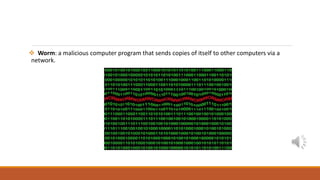
 Worm: a malicious computer program that sends copies of itself to other computers via a
network.
HOW DOES MALWARE ATTACK COMPUTER?
Malware can use known software vulnerabilities to infect the
computer. A vulnerability is like a hole in the software that can give
malware access to the personal computer.
SIGNS OF MALWARE
Changes in security settings in the computer
Gradual slow down the computer
Send fake emails from user‘s email account without his or her knowledge
Some malware cause problem by deleting files and programs
Unexpected pop-up Windows
HOW MALWARE SPREADS
Malware can get onto user‘s computer in a number of different ways;
 Downloading free software from the internet that secretly contains malware.
 Downloading legitimate software that's secretly bundled with malware.
 Visiting a website that‘s infected with malware.
 Clicking a fake error message or pop-up window that starts a malware
download.
 Opening an email attachment that contains malware .
HOW TO PREVENT MALWARE
1. Keep the computer and software updated
2. Use antivirus software
3. Use a non-administrator account whenever possible
4. Think twice before clicking links or downloading anything
5. Be careful about opening email attachments or images
6. Don't trust pop-up windows that ask to download software
7. Limitation of file sharing
8. Don‘t use a work laptop on public networks
9. Use multiple strong passwords
HOW TO REMOVE MALWARE ON COMPUTERS
1. Install the latest updates from Microsoft Update
2. Use the free Microsoft Safety Scanner
3. Use the Windows Malicious Software Removal Tool
4. Manually remove the rogue security software
5. Run Microsoft Defender Offline
LET US PROTECT OURSELVES FROM MALWARE!
I would like to believe the internet is a safe and honest place for everyone, but there is
no denying that online criminals and hackers are lurking out there , trying to stir up
trouble. One way they cause trouble is by spreading malware.
So, let us protect ourselves by learning what malware is, how it spreads and how to
prevent it!
List of references:
https://www.techtarget.com
http://lineshapespace.com/10-tips-on-how-to-prevent-malware-infecting-your-
computer/
https://www.saga.co.uk/magazine/technology/computing/security/10-signs-your-
computer-has-a-virus

Malware infection awareness

  • 1.
    MALWARE INFECTION ONCOMPUTERS BY SETEBE PUSELETSO A THIRD YEAR STUDENT-TEACHER OF LESOTHO COLLEGE OF EDUCATION 2023
  • 2.
    MALWARE INFECTION According toBen Lutkevich, Technical Features Writer; Malware is a software that is installed on a computer without the user‘s consent and that performs malicious actions.
  • 3.
    A VIDEO OFA COMPUTER ATTACKED BY A MALWARE
  • 4.
    COMMON TYPES OFMALWARE Virus: A harmful computer program that can copy itself and infect a computer.
  • 5.
    Trojan horse: Adestructive program that pretends to be a useful application, but only intends to harm the computer.
  • 6.
    Adware: Software thatautomatically plays, displays, or downloads advertisements that is unwanted on a computer.
  • 7.
    Spyware: Malware thatcollects information from people without their knowledge.
  • 8.
     Worm: amalicious computer program that sends copies of itself to other computers via a network.
  • 9.
    HOW DOES MALWAREATTACK COMPUTER? Malware can use known software vulnerabilities to infect the computer. A vulnerability is like a hole in the software that can give malware access to the personal computer.
  • 10.
    SIGNS OF MALWARE Changesin security settings in the computer Gradual slow down the computer Send fake emails from user‘s email account without his or her knowledge Some malware cause problem by deleting files and programs Unexpected pop-up Windows
  • 11.
    HOW MALWARE SPREADS Malwarecan get onto user‘s computer in a number of different ways;  Downloading free software from the internet that secretly contains malware.  Downloading legitimate software that's secretly bundled with malware.  Visiting a website that‘s infected with malware.  Clicking a fake error message or pop-up window that starts a malware download.  Opening an email attachment that contains malware .
  • 12.
    HOW TO PREVENTMALWARE 1. Keep the computer and software updated 2. Use antivirus software 3. Use a non-administrator account whenever possible 4. Think twice before clicking links or downloading anything 5. Be careful about opening email attachments or images 6. Don't trust pop-up windows that ask to download software 7. Limitation of file sharing 8. Don‘t use a work laptop on public networks 9. Use multiple strong passwords
  • 13.
    HOW TO REMOVEMALWARE ON COMPUTERS 1. Install the latest updates from Microsoft Update 2. Use the free Microsoft Safety Scanner 3. Use the Windows Malicious Software Removal Tool 4. Manually remove the rogue security software 5. Run Microsoft Defender Offline
  • 14.
    LET US PROTECTOURSELVES FROM MALWARE! I would like to believe the internet is a safe and honest place for everyone, but there is no denying that online criminals and hackers are lurking out there , trying to stir up trouble. One way they cause trouble is by spreading malware. So, let us protect ourselves by learning what malware is, how it spreads and how to prevent it! List of references: https://www.techtarget.com http://lineshapespace.com/10-tips-on-how-to-prevent-malware-infecting-your- computer/ https://www.saga.co.uk/magazine/technology/computing/security/10-signs-your- computer-has-a-virus