Practical Malware Analysis
Ch 1: Malware Analysis Primer
The Goals of Malware Analysis
Incident Response
• Case history
– A medical clinic with 10 offices found malware on
one of their workstations
– Hired a consultant to clean & re-image that
machine
• All done—case closed?
Incident Response
• After malware is found, you need to know
– Did an attacker implant a rootkit or trojan on your
systems?
– Is the attacker really gone?
– What did the attacker steal or add?
– How did the attack get in
• Root-cause analysis
• Link Ch 1a
Malware Analysis
• Dissecting malware to understand
– How it works
– How to identify it
– How to defeat or eliminate it
• A critical part of incident response
The Goals of Malware Analysis
• Information required to respond to a network
intrusion
– Exactly what happened
– Ensure you’ve located all infected machines and
files
– How to measure and contain the damage
– Find signatures for intrusion detection systems
Signatures
• Host-based signatures
– Identify files or registry keys on a victim computer
that indicate an infection
– Focus on what the malware did to the system, not
the malware itself
• Different from antivirus signature
• Network signatures
– Detect malware by analyzing network traffic
– More effective when made using malware analysis
False Positives
Malware Analysis Techniques
Static v. Dynamic Analysis
• Static Analysis
– Examines malware without running it
– Tools: VirusTotal, strings, a disassembler like IDA Pro
• Dynamic Analysis
– Run the malware and monitor its effect
– Use a virtual machine and take snapshots
– Tools: RegShot, Process Monitor, Process Hacker,
CaptureBAT
– RAM Analysis: Mandant Redline and Volatility
Basic Analysis
• Basic static analysis
– View malware without looking at instructions
– Tools: VirusTotal, strings
– Quick and easy but fails for advanced malware and
can miss important behavior
• Basic dynamic analysis
– Easy but requires a safe test environment
– Not effective on all malware
Advanced Analysis
• Advanced static analysis
– Reverse-engineering with a disassembler
– Complex, requires understanding of assembly
code
• Advanced Dynamic Analysis
– Run code in a debugger
– Examines internal state of a running malicious
executable
Types of Malware
Types of Malware
• Backdoor
– Allows attacker to control the system
• Botnet
– All infected computers receive instructions from
the same Command-and-Control (C&C) server
• Downloader
– Malicious code that exists only to download other
malicious code
– Used when attacker first gains access
Types of Malware
• Information-stealing malware
– Sniffers, keyloggers, password hash grabbers
• Launcher
– Malicious program used to launch other malicious
programs
– Often uses nontraditional techniques to ensure stealth or
greater access to a system
• Rootkit
– Malware that conceals the existence of other code
– Usually paired with a backdoor
Types of Malware
• Scareware
– Frightens user into buying something
– Link Ch 1b
Types of Malware
• Spam-sending malware
– Attacker rents machine to spammers
• Worms or viruses
– Malicious code that can copy itself and infect
additional computers
Mass v. Targeted Malware
• Mass malware
– Intended to infect as many machines as possible
– Most common type
• Targeted malware
– Tailored to a specific target
– Very difficult to detect, prevent, and remove
– Requires advanced analysis
– Ex: Stuxnet
General Rules for Malware
Analysis
General Rules for Malware Analysis
• Don’t Get Caught in Details
– You don’t need to understand 100% of the code
– Focus on key features
• Try Several Tools
– If one tool fails, try another
– Don’t get stuck on a hard issue, move along
• Malware authors are constantly raising the bar
Ch 2: Basic Static Analysis
Techniques
• Antivirus scanning
• Hashes
• A file’s strings, functions, and headers
Antivirus Scanning
Only a First Step
• Malware can easily change its signature and
fool the antivirus
• VirusTotal is convenient, but using it may alert
attackers that they’ve been caught
– Link Ch 2a
Hashing
A fingerprint for malware
Hashes
• MD5 or SHA-1
• Condenses a file of any size down to a fixed-
length fingerprint
• Uniquely identifies a file well in practice
– There are MD5 collisions but they are not
common
– Collision: two different files with the same hash
HashCalc
Hash Uses
• Label a malware file
• Share the hash with other analysts to identify
malware
• Search the hash online to see if someone else
has already identified the file
Finding Strings
Strings
• Any sequence of printable characters is a
string
• Strings are terminated by a null (0x00)
• ASCII characters are 8 bits long
– Now called ANSI
• Unicode characters are 16 bits long
– Microsoft calls them "wide characters"
The strings Command
• Native in Linux, also available for Windows
• Finds all strings in a file 3 or more characters
long
The strings Command
• Bold items can be ignored
• GetLayout and SetLayout are Windows
functions
• GDI32.DLL
is a
Dynamic
Link
Library
Packed and Obfuscated Malware
Packing Files
• The code is compressed, like a Zip file
• This makes the strings and instructions unreadable
• All you'll see is the wrapper – small code that
unpacks the file when it is run
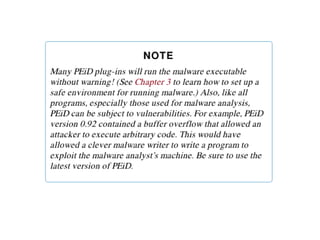
Detecting Packers with PEiD
Demo: UPX
Packing Obfuscates Strings
Portable Executable File Format
EXE Files
PE Files
• Used by Windows executable files, object
code, and DLLs
• A data structure that contains the information
necessary for Windows to load the file
• Almost every file executed on Windows is in
PE format
PE Header
• Information about the code
• Type of application
• Required library functions
• Space requirements
LordPE Demo
Main Sections
There are
a lot more
sections
• But the
main ones
are enough
for now
• Link Ch 2c
Linked Libraries and Functions
Imports
• Functions used by a program that are stored in
a different program, such as library
• Connected to the main EXE by Linking
• Can be linked three ways
– Statically
– At Runtime
– Dynamically
Static Linking
• Rarely used for Windows executables
• Common in Unix and Linux
• All code from the library is copied into the
executable
• Makes executable large in size
Runtime Linking
• Unpopular in friendly programs
• Common in malware, especially packed or
obfuscated malware
• Connect to libraries only when needed, not
when the program starts
• Most commonly done with the LoadLibrary
and GetProcAddress functions
Dynamic Linking
• Most common method
• Host OS searches for necessary libraries when
the program is loaded
Clues in Libraries
• The PE header lists every library and function
that will be loaded
• Their names can reveal what the program
does
• URLDownloadToFile indicates that the
program downloads something
Dependency Walker
Shows Dynamically Linked Functions
• Normal programs have a lot of DLLs
• Malware often has very few DLLs
Services.exe
Services.ex_ (malware)
Imports
&
Exports
in
Dependency
Walker
Exports
• DLLs export functions
• EXEs import functions
• Both exports and imports are listed in the PE
header
• The book says exports are rare in EXEs, but I
see a ton of exports in innocent EXEs
Example: Keylogger
• Imports User32.dll and uses the function
SetWindowsHookEx which is a popular way
keyloggers receive keyboard inputs
• It exports LowLevelKeyboardProc and
LowLevelMouseProc to send the data
elsewhere
• It uses RegisterHotKey to define a special
keystroke like Ctrl+Shift+P to harvest the
collected data
Ex: A Packed Program
• Very few
functions
• All you
see is the
unpacker
The PE File Headers and Sections
Important PE Sections
• .text -- instructions for the CPU to execute
• .rdata -- imports & exports
• .data – global data
• .rsrc – strings, icons, images, menus
PEView (Link Ch 2e)
Time Date Stamp
• Shows when this executable was compiled
• Older programs are more likely to be known to
antivirus software
• But sometimes the date is wrong
– All Delphi programs show June 19, 1992
– Date can also be faked
IMAGE_SECTION_HEADER
• Virtual Size – RAM
• Size of Raw Data – DISK
• For .text section, normally equal, or nearly
equal
• Packed executables show Virtual Size much
larger than Size of Raw Data for .text section
Not Packed
Resource Hacker
• Lets you browse the .rsrc section
• Strings, icons, and menus
• Link Ch 2f
Resource Hacker in Windows XP
Resource Hacker in Windows 7

Malware Analysis Techniques &Incident Response.pptx

  • 1.
    Practical Malware Analysis Ch1: Malware Analysis Primer
  • 2.
    The Goals ofMalware Analysis
  • 3.
    Incident Response • Casehistory – A medical clinic with 10 offices found malware on one of their workstations – Hired a consultant to clean & re-image that machine • All done—case closed?
  • 4.
    Incident Response • Aftermalware is found, you need to know – Did an attacker implant a rootkit or trojan on your systems? – Is the attacker really gone? – What did the attacker steal or add? – How did the attack get in • Root-cause analysis
  • 5.
  • 6.
    Malware Analysis • Dissectingmalware to understand – How it works – How to identify it – How to defeat or eliminate it • A critical part of incident response
  • 7.
    The Goals ofMalware Analysis • Information required to respond to a network intrusion – Exactly what happened – Ensure you’ve located all infected machines and files – How to measure and contain the damage – Find signatures for intrusion detection systems
  • 8.
    Signatures • Host-based signatures –Identify files or registry keys on a victim computer that indicate an infection – Focus on what the malware did to the system, not the malware itself • Different from antivirus signature • Network signatures – Detect malware by analyzing network traffic – More effective when made using malware analysis
  • 9.
  • 10.
  • 11.
    Static v. DynamicAnalysis • Static Analysis – Examines malware without running it – Tools: VirusTotal, strings, a disassembler like IDA Pro • Dynamic Analysis – Run the malware and monitor its effect – Use a virtual machine and take snapshots – Tools: RegShot, Process Monitor, Process Hacker, CaptureBAT – RAM Analysis: Mandant Redline and Volatility
  • 12.
    Basic Analysis • Basicstatic analysis – View malware without looking at instructions – Tools: VirusTotal, strings – Quick and easy but fails for advanced malware and can miss important behavior • Basic dynamic analysis – Easy but requires a safe test environment – Not effective on all malware
  • 13.
    Advanced Analysis • Advancedstatic analysis – Reverse-engineering with a disassembler – Complex, requires understanding of assembly code • Advanced Dynamic Analysis – Run code in a debugger – Examines internal state of a running malicious executable
  • 14.
  • 15.
    Types of Malware •Backdoor – Allows attacker to control the system • Botnet – All infected computers receive instructions from the same Command-and-Control (C&C) server • Downloader – Malicious code that exists only to download other malicious code – Used when attacker first gains access
  • 16.
    Types of Malware •Information-stealing malware – Sniffers, keyloggers, password hash grabbers • Launcher – Malicious program used to launch other malicious programs – Often uses nontraditional techniques to ensure stealth or greater access to a system • Rootkit – Malware that conceals the existence of other code – Usually paired with a backdoor
  • 17.
    Types of Malware •Scareware – Frightens user into buying something – Link Ch 1b
  • 18.
    Types of Malware •Spam-sending malware – Attacker rents machine to spammers • Worms or viruses – Malicious code that can copy itself and infect additional computers
  • 19.
    Mass v. TargetedMalware • Mass malware – Intended to infect as many machines as possible – Most common type • Targeted malware – Tailored to a specific target – Very difficult to detect, prevent, and remove – Requires advanced analysis – Ex: Stuxnet
  • 20.
    General Rules forMalware Analysis
  • 21.
    General Rules forMalware Analysis • Don’t Get Caught in Details – You don’t need to understand 100% of the code – Focus on key features • Try Several Tools – If one tool fails, try another – Don’t get stuck on a hard issue, move along • Malware authors are constantly raising the bar
  • 22.
    Ch 2: BasicStatic Analysis
  • 23.
    Techniques • Antivirus scanning •Hashes • A file’s strings, functions, and headers
  • 24.
  • 25.
    Only a FirstStep • Malware can easily change its signature and fool the antivirus • VirusTotal is convenient, but using it may alert attackers that they’ve been caught – Link Ch 2a
  • 26.
  • 27.
    Hashes • MD5 orSHA-1 • Condenses a file of any size down to a fixed- length fingerprint • Uniquely identifies a file well in practice – There are MD5 collisions but they are not common – Collision: two different files with the same hash
  • 28.
  • 29.
    Hash Uses • Labela malware file • Share the hash with other analysts to identify malware • Search the hash online to see if someone else has already identified the file
  • 30.
  • 31.
    Strings • Any sequenceof printable characters is a string • Strings are terminated by a null (0x00) • ASCII characters are 8 bits long – Now called ANSI • Unicode characters are 16 bits long – Microsoft calls them "wide characters"
  • 33.
    The strings Command •Native in Linux, also available for Windows • Finds all strings in a file 3 or more characters long
  • 34.
    The strings Command •Bold items can be ignored • GetLayout and SetLayout are Windows functions • GDI32.DLL is a Dynamic Link Library
  • 35.
  • 36.
    Packing Files • Thecode is compressed, like a Zip file • This makes the strings and instructions unreadable • All you'll see is the wrapper – small code that unpacks the file when it is run
  • 37.
  • 38.
  • 39.
  • 41.
    Portable Executable FileFormat EXE Files
  • 42.
    PE Files • Usedby Windows executable files, object code, and DLLs • A data structure that contains the information necessary for Windows to load the file • Almost every file executed on Windows is in PE format
  • 43.
    PE Header • Informationabout the code • Type of application • Required library functions • Space requirements
  • 44.
  • 45.
  • 46.
    There are a lotmore sections • But the main ones are enough for now • Link Ch 2c
  • 47.
  • 48.
    Imports • Functions usedby a program that are stored in a different program, such as library • Connected to the main EXE by Linking • Can be linked three ways – Statically – At Runtime – Dynamically
  • 49.
    Static Linking • Rarelyused for Windows executables • Common in Unix and Linux • All code from the library is copied into the executable • Makes executable large in size
  • 50.
    Runtime Linking • Unpopularin friendly programs • Common in malware, especially packed or obfuscated malware • Connect to libraries only when needed, not when the program starts • Most commonly done with the LoadLibrary and GetProcAddress functions
  • 51.
    Dynamic Linking • Mostcommon method • Host OS searches for necessary libraries when the program is loaded
  • 52.
    Clues in Libraries •The PE header lists every library and function that will be loaded • Their names can reveal what the program does • URLDownloadToFile indicates that the program downloads something
  • 53.
  • 54.
    Shows Dynamically LinkedFunctions • Normal programs have a lot of DLLs • Malware often has very few DLLs
  • 55.
  • 56.
  • 57.
  • 60.
    Exports • DLLs exportfunctions • EXEs import functions • Both exports and imports are listed in the PE header • The book says exports are rare in EXEs, but I see a ton of exports in innocent EXEs
  • 61.
    Example: Keylogger • ImportsUser32.dll and uses the function SetWindowsHookEx which is a popular way keyloggers receive keyboard inputs • It exports LowLevelKeyboardProc and LowLevelMouseProc to send the data elsewhere • It uses RegisterHotKey to define a special keystroke like Ctrl+Shift+P to harvest the collected data
  • 62.
    Ex: A PackedProgram • Very few functions • All you see is the unpacker
  • 63.
    The PE FileHeaders and Sections
  • 64.
    Important PE Sections •.text -- instructions for the CPU to execute • .rdata -- imports & exports • .data – global data • .rsrc – strings, icons, images, menus
  • 65.
  • 66.
    Time Date Stamp •Shows when this executable was compiled • Older programs are more likely to be known to antivirus software • But sometimes the date is wrong – All Delphi programs show June 19, 1992 – Date can also be faked
  • 67.
    IMAGE_SECTION_HEADER • Virtual Size– RAM • Size of Raw Data – DISK • For .text section, normally equal, or nearly equal • Packed executables show Virtual Size much larger than Size of Raw Data for .text section
  • 68.
  • 70.
    Resource Hacker • Letsyou browse the .rsrc section • Strings, icons, and menus • Link Ch 2f
  • 71.
  • 72.