Mac Memory Analysis with Volatility

         Andrew Case / @attrc
      Digital Forensics Researcher
                Terremark
Who Am I?
• Digital Forensics Researcher @ Terremark
• Volatility Developer & Registry Decoder Co-
  Developer
• Former Blackhat, SOURCE, DFRWS, BSides,
  and SANS @Night speaker
• GIAC Certified Forensics Analyst (GCFA)
Motivation for this Research
• There is a good tool for acquisition of memory
  from Mac machines [1], but no tools for deep
  analysis of the captured memory
• Matthieu Suiche did initial research but no tool
  [16]
• Only one public tool, Volafox [7], supports Mac
  analysis, but not as robustly or as thoroughly as
  we would like
• To fix this, we added full Mac support to Volatility
Agenda
•   Introduction to Memory Analysis
•   Overview of the Volatility architecture
•   Mac Memory Acquisition
•   Analysis with Volatility
•   Conclusions/Q&A
Memory Forensics Introduction


                                5
Introduction
• Memory analysis is the process of taking a
  memory capture (a sample of RAM) and
  producing higher-level objects that are useful
  for an investigation
• A memory capture has the entire state of the
  operating system as well as running
  applications
  – Including all the related data structures, variables,
    etc

                                                            6
The Goal of Memory Analysis
• The higher level objects we are interested in
  are in-memory representations of C
  structures, custom data structures, and other
  variables used by the operating system
• With these we can recover processes listings,
  filesystem information, networking data, etc
• This is what we will be talking about
  throughout this presentation

                                                  7
Volatility
• Most popular memory analysis framework
  – Written in Python
  – Open Source
  – Supports Windows {XP, Vista, 7, 2003, 2008}
  – Supports Linux on Intel and ARM
  – And now supports Mac!
• Allows for analysis plugins to be easily written
• Used daily in real forensics investigations

                                                     8
Volatility Terminology - Vtypes
• A representation of structures used in the OS, such
   as size, names, members, types, and offsets
• Example:
 '_IMAGE_EXPORT_DIRECTORY': [ 0x28, {
   'Base': [ 0x10, ['unsigned int']],
   'NumberOfFunctions': [ 0x14, ['unsigned int']],
   'NumberOfNames': [ 0x18, ['unsigned int']],
   'AddressOfFunctions': [ 0x1C, ['unsigned int']],
Volatility Terminology - Profiles
• A profile is set of vtypes and (optionally)
  symbol addresses that are used to model a
  particular OS version
• This is what allows Volatility plugins to be
  generic to all the different versions of
  Windows, Linux, Mac, etc
Volatility Terminology – Address Spaces
• Address spaces are used to translate virtual
  addresses into physical offsets
• They also prevent the need to convert all
  memory captures to a linear format
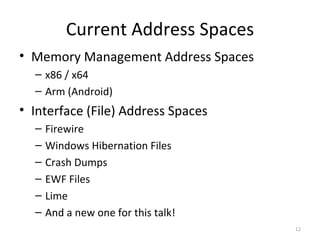
Current Address Spaces
• Memory Management Address Spaces
  – x86 / x64
  – Arm (Android)
• Interface (File) Address Spaces
  –   Firewire
  –   Windows Hibernation Files
  –   Crash Dumps
  –   EWF Files
  –   Lime
  –   And a new one for this talk!
                                     12
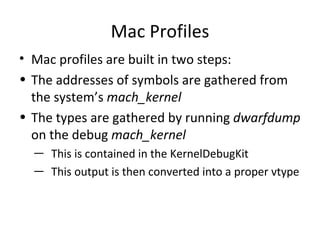
Mac Profiles
• Mac profiles are built in two steps:
• The addresses of symbols are gathered from
  the system’s mach_kernel
• The types are gathered by running dwarfdump
  on the debug mach_kernel
  ― This is contained in the KernelDebugKit
  ― This output is then converted into a proper vtype
Mac Memory Acquistion


                        14
No Native Software Support
• Modern versions of Mac do not support /dev/
  mem or /dev/kmem
• This means that 3rd party software must be
  used to access physical memory
Mac Memory Reader [1]
• Main memory acquistion tool
  – Free, but not open source
• Supports capture from 32 and 64 bit systems
  running on native hardware as well as from
  Parallels and VirtualBox guests
  – Does not work with VMware Fusion guests
• Loads a driver to recreate /dev/mem and
  captures from it
The Capture File
• Mac Memory Reader creates a mach-o file of
  captured memory
  – Mach-o is the standard Mac exe format
• RAM is not contiguous in physical memory so
  a linear capture would be much bigger than
  actual RAM size
  – Too big to deal with on 64 bit
Mach-O Address Space
• To handle Mac Memory Reader captures, a
  mach-o address space was developed
• Supports 32 and 64 bit captures
• It parses mach-o files and for each segment
  gathers:
  – The offset into the file
  – The size of the segment
  – Its mapped address, which is its physical address
Recovering Runtime Information


                                 19
Runtime Information
• This rest of this session is focused on orderly
  recovery of data that was active at the time of
  the memory capture
• We will be discussing how to find key pieces
  of information and then use Volatility to
  recover them


                                                20
Information to be Recovered
•   Processes
•   Memory Maps
•   Open Files
•   Network Connections
•   Network Data
•   Loaded Kernel Modules
•   Rootkit Detection


                                    21
Mach Overview
• No split address space
• (Almost?) Micro-kernel
  – Only the components that need hardware access
    run in ring 0
  – Everything else runs as a userland process
  – Mach is the only mainstream kernel like this
  – The mechanisms needed to make this work tend
    to be annoying as a memory analysis researcher
Mach Processes & Tasks
• A process (proc) represents a BSD process
  – Its threads are called uthreads
• A task (task) represents a Mach task
  – Its threads are called “Mach Threads” and
    represented by the thread structure
Recovering Processes
• The list of processes is stored in the allproc list
• Each element of the list is of type struct proc
   – The p_comm member stores the ASCII name of
     the binary that was executed
   – The p_pid member stores the process ID
   – Other members you would expect:
      • p_uid, p_gid, p_ppid
• The mac_pslist plugin enumerates this list and
  prints out the per-process information
Recovering Command Line Arguments
• mac_pslist only recovers the name of the
  binary that was executed
• mac_psaux recovers the command line args
  (**argv) and optionally the env variables
• The CR3 value for each process is stored in:
  – <proc_structure>.task.map.pmap.pm_cr3
• user_stack and p_argslen are used to recover
  where the args and environment arrays are
Recovering Memory Maps
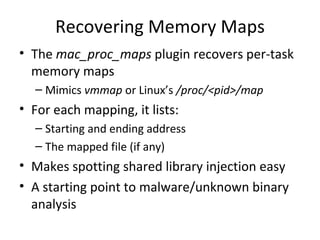
• The mac_proc_maps plugin recovers per-task
  memory maps
  – Mimics vmmap or Linux’s /proc/<pid>/map
• For each mapping, it lists:
  – Starting and ending address
  – The mapped file (if any)
• Makes spotting shared library injection easy
• A starting point to malware/unknown binary
  analysis
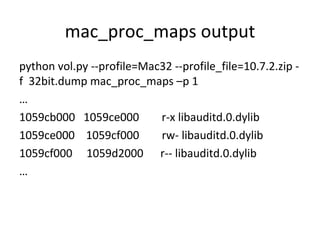
mac_proc_maps output
python vol.py --profile=Mac32 --profile_file=10.7.2.zip -
f 32bit.dump mac_proc_maps –p 1
…
1059cb000 1059ce000        r-x libauditd.0.dylib
1059ce000 1059cf000        rw- libauditd.0.dylib
1059cf000 1059d2000 r-- libauditd.0.dylib
…
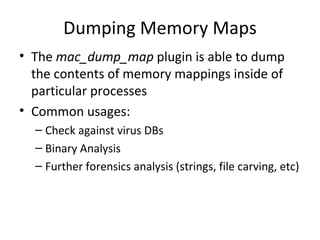
Dumping Memory Maps
• The mac_dump_map plugin is able to dump
  the contents of memory mappings inside of
  particular processes
• Common usages:
  – Check against virus DBs
  – Binary Analysis
  – Further forensics analysis (strings, file carving, etc)
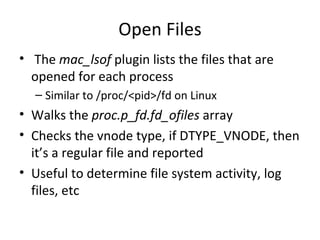
Open Files
• The mac_lsof plugin lists the files that are
  opened for each process
  – Similar to /proc/<pid>/fd on Linux
• Walks the proc.p_fd.fd_ofiles array
• Checks the vnode type, if DTYPE_VNODE, then
  it’s a regular file and reported
• Useful to determine file system activity, log
  files, etc
Mount Points
• The mac_mount plugin recovers all mounted
  devices and their mount points
• Mimics the mount command
• Very useful when integrating disk and memory
  analysis during an investigation
• The mount flags can are also good artifacts
  (read only, no exec, no atime, etc)
Dmesg
• mac_dmesg recovers the kernel’s debug
  buffer
• Contains a wide range of useful information
• Viewed on the live machine with the dmesg
  binary that reads /var/log/kernel.log
• The contents are very easy to manipulate on
  disk – not so in memory
Network Connections
• mac_netstat emulates the netstat command
• Lists each connection along with relevant
  information (src/dst IP address & port, state,
  etc)
• Also walks the list of open files and acts on
  DTYPE_SOCKET entries
• Obviously useful when investigating network
  traffic and connections
Ifconfig
• mac_ifconfig emulates the ifconfig command
• Walks the dlil_ifnet_head list in memory to
  get each interface, which are represented by
  ifnet structures
• For each interface it recovers:
  – The interface name (en0, en1, etc)
  – Any IP addresses
  – MAC Address
ARP Table
• Found in the llinfo_arp list
• Recovers the ARP table out of memory
• Useful in IR scenarios to determine which
  networked devices the investigated machine
  recently contacted
Routing Cache
• When researching the routing table, I noticed
  that Mac has a very interesting routing cache
• Keeps track of connections made to remote IP
  addresses
• Statistics about these connections are kept as
  well including the start time and total packets &
  bytes
Entry Expiry
• Entries in the cache expire based on the value
  in net.inet.ip.rtexpire for IPv4 and
  net.inet6.ip6.rtexpire for IPv6
• This time is in seconds
• The countdown timer starts when there is no
  more references to the connection
  – So if the memory capture fits in this window, we
    can recover it
What are the expiry times?
• I asked Mac users for their sysctl value & OS
  version on twitter and G+
• Got about 20 responses, but wasn’t conclusive
• For IPv4:
  – People with the same exact OS version had widely
    different values
  – Range was from 10 seconds (bad!) up to an hour
• IPv6 was always 3600 (one hour)
Uses of the Routing Cache
• Malware Analysis & Data Exfil Investgations
  – You know when the current session started
  – You know how much data was sent
• Beating Rootkits
  – How many rootkits hide from netstat/lsof and
    other tools using easily detectable techniques?
  – vs how many manipulate the kernel’s routing
    cache?
     • Hint: 0
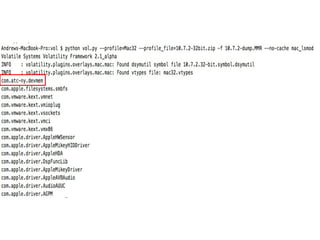
Loaded Kernel Modules
• The mac_lsmod plugin lists all of the loaded
  kernel modules (extensions) active on the
  system
• This replicates the output of the kextstat
  command
• This can lead to further investigation by
  dumping the executable in memory [14]
I/O Kit [3]
• I/O Kit is the framework that allows for
  development of device drivers as well as the
  OS’es tracking and handling of hardware
  devices
• Provides the ability for programmers to hook
  into a wide range of hardware events and
  actions
The I/O Registry [2]
• The I/O registry tracks devices that are
  attached to the computer as well as the
  classes that represent them
• The ioreg binary can list all of the registry
  contents
• The mac_ioreg plugin provides similar
  functionality to ioreg
Rootkit Detection
• Most rootkit discussions, whether offensive
  or defensive, make a distinction between
  userland (unprivileged) and kernel (fully
  privileged) rootkits
• Mac blurs this line with its micro-kernel design
• When referring to “kernel” rootkit detection, I
  mean core parts of the OS and not individual
  userland applications or services
Types of Rootkits
• Static
  – Alters data that is set at compile-time and never
    changes
  – Examples: modifying system call table entries,
    code (.text) instructions, global data structure
    function pointers
  – These are generally boring from a research
    perspective and already covered by other projects
    (Volafox [7], Phrack article [8], etc)
Types of Rootkits Cont.
• Dynamic
  – Alters data that is only created and referenced at
    runtime
  – Generally includes manipulating live data
    structures (lists, hash tables, trees) used by the
    operating system for accounting or for core
    operations
  – Much more interesting from a research
    perspective
Logkext [4]
• Logkext is a rootkit that uses the I/O Kit
  framework to log keystrokes
• It accomplishes this by adding a
  'gIOPublishNotification' callback that filters on
  the 'IOHIKeyboard' service.
• This effectively gives the rootkit control
  everytime a key is pressed.
Detecting logkext
• Enumerate the gNotifications hash table
   – Keyed by the type of notification: (gIOPublishNotification,
     gIOFirstPublishNotification, gIOMatchedNotification,
     gIOFirstMatchNotification, gIOTerminatedNotification)
   – Each element is a IOServiceNotifier
• The handler member of IOServiceNotifier points to the
  callback function
• We verify that each callback is either:
   1. In the kernel
   2. In a known kernel module
IP Filters [8]
• Part of the Network Kernel Extension
  framework
• Allows for kernel extension programmers to
  easily hook incoming and/or outgoing
  network packets
• These hooks have built-in support for
  modifying packets in-place!
  – Done with ipf_inject_input and ipf_inject_output
IP Filter Rootkits [9]
• The potential for abuse of these filters is
  pretty obvious and existing rootkits take
  advantage of it in different ways
• We can detect these rootkits by verifying that
  every IP hook is in a known location
  – Implemented in mac_ip_filter
Detecting IP Filter Rootkits
• We walk the ipv4_filters & ipv6_filters lists
• These lists are of type ipfilter_list whose
  elements are ipfilter structures
• ipfilter structures hold the name of the filter
  (might be empty) as well as pointers to the
  input, output, and detach functions
• All three of these functions need to be in the
  kernel or in a known module if set
TrustedBSD [17, 18]
• The TrustedBSD framework provides hooks
  into a large number of functions in the kernel
  related to processes, memory, networking,
  and much more
• These hooks are meant to be used to enforce
  security polices & access control
• From my testing, it seems all Macs have
  “SandBox”, “Quarantine”, and “TMSafetyNet”
  loaded by default
Abusing TrustedBSD
• As you can imagine, having an “official” way to
  hook the kernel is an attractive feature for
  rootkits
• The author of the http://reverse.put.as blog was
  the first to think of this method and implemented
  a POC rootkit named rex that does it [10, 11]
• Works by adding malicious “trusted” policies that
  allow userland processes to call into the policies
  in order to gain root privileges
Detecting Rex
• All policies are stored in the global
  mac_policy_list
• Each element is of type mac_policy_list_element
• Name of the policy - <element>.mpc.mpc_name
• Function pointers - <element>.mpc.mpc_ops
• We verify that every function pointer is either in
  the kernel, a known kernel module, or NULL
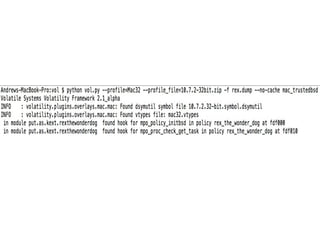
   – This finds Rex as well as any other malicious policies
Volafox Comparison
• Based on Volatility, but does not use the
  profile/object system
  – So it only supports a small number of OS versions
    and adding support for a new version is difficult
• Only a few plugins:
  – Process list, netstat, lsof, mount
  – Only rootkit detection is syscall hooking (static)
• SVN version supports 32 bit Mac Memory
  Reader but no 64 bit support
Conclusion
• Volatility now has proper Mac support
• Everything talked about today exists in the
  open source repository
  – Instructions on how to access can be found at [15]
• Much more new functionality will be added
  over the next couple months
  – Check [12 & 13] for updates
Questions? Comments?
• Speaker contact:
   – andrew@memoryanalysis.net
   – @attrc
• My Blog:
   – http://memoryforensics.blogspot.com/
• Volatility Blog:
   – http://volatility.tumblr.com/
References
[1] http://www.cybermarshal.com/index.php/cyber-marshal-utilities/mac-memory-reader
[2] https://developer.apple.com/library/mac/#documentation/devicedrivers/conceptual/IOKitFundamentals/TheRegistry/TheRegistry.html
[3]
https://developer.apple.com/library/mac/#documentation/DeviceDrivers/Conceptual/IOKitFundamentals/Features/Features.html#//apple_ref/doc/uid/TP0000012-TP
[4] http://code.google.com/p/logkext/
[5] https://www.blackhat.com/presentations/bh-dc-10/Suiche_Matthieu/Blackhat-DC-2010-Advanced-Mac-OS-X-Physical-Memory-Analysis-wp.pdf
[6] http://www.phrack.org/issues.html?issue=66&id=16#article
[7] volafox - http://code.google.com/p/volafox/
[8]
https://developer.apple.com/library/mac/#documentation/Darwin/Conceptual/NKEConceptual/ip_filter_nke/ip_filter_nke.html#//apple_ref/doc/uid/TP40001858-CH2
[9] http://www.ruxcon.org.au/assets/Presentations/2011/Defiling-Mac-OS-X-Ruxcon.pdf
[10] http://reverse.put.as/2011/09/18/abusing-os-x-trustedbsd-framework-to-install-r00t-backdoors/
[11] http://reverse.put.as/2011/09/26/fixes-for-the-trustedbsd-backdoor-rex-the-wonder-dog-v0-2/
[12] http://volatility.tumblr.com/
[13] http://memoryforensics.blogspot.com/
[14] www.trailofbits.com/resources/advanced_macosx_rootkits_paper.pdf
[15] http://code.google.com/p/volatility/wiki/MacMemoryForensics
[16] https://www.blackhat.com/presentations/bh-dc-10/Suiche_Matthieu/Blackhat-DC-2010-Advanced-Mac-OS-X-Physical-Memory-Analysis-slides.pdf
[17] http://securityevaluators.com/files/papers/apple-sandbox.pdf
[18] http://www.amazon.com/iOS-Hackers-Handbook-Charlie-Miller/dp/1118204123

Mac Memory Analysis with Volatility

  • 1.
    Mac Memory Analysiswith Volatility Andrew Case / @attrc Digital Forensics Researcher Terremark
  • 2.
    Who Am I? •Digital Forensics Researcher @ Terremark • Volatility Developer & Registry Decoder Co- Developer • Former Blackhat, SOURCE, DFRWS, BSides, and SANS @Night speaker • GIAC Certified Forensics Analyst (GCFA)
  • 3.
    Motivation for thisResearch • There is a good tool for acquisition of memory from Mac machines [1], but no tools for deep analysis of the captured memory • Matthieu Suiche did initial research but no tool [16] • Only one public tool, Volafox [7], supports Mac analysis, but not as robustly or as thoroughly as we would like • To fix this, we added full Mac support to Volatility
  • 4.
    Agenda • Introduction to Memory Analysis • Overview of the Volatility architecture • Mac Memory Acquisition • Analysis with Volatility • Conclusions/Q&A
  • 5.
  • 6.
    Introduction • Memory analysisis the process of taking a memory capture (a sample of RAM) and producing higher-level objects that are useful for an investigation • A memory capture has the entire state of the operating system as well as running applications – Including all the related data structures, variables, etc 6
  • 7.
    The Goal ofMemory Analysis • The higher level objects we are interested in are in-memory representations of C structures, custom data structures, and other variables used by the operating system • With these we can recover processes listings, filesystem information, networking data, etc • This is what we will be talking about throughout this presentation 7
  • 8.
    Volatility • Most popularmemory analysis framework – Written in Python – Open Source – Supports Windows {XP, Vista, 7, 2003, 2008} – Supports Linux on Intel and ARM – And now supports Mac! • Allows for analysis plugins to be easily written • Used daily in real forensics investigations 8
  • 9.
    Volatility Terminology -Vtypes • A representation of structures used in the OS, such as size, names, members, types, and offsets • Example: '_IMAGE_EXPORT_DIRECTORY': [ 0x28, { 'Base': [ 0x10, ['unsigned int']], 'NumberOfFunctions': [ 0x14, ['unsigned int']], 'NumberOfNames': [ 0x18, ['unsigned int']], 'AddressOfFunctions': [ 0x1C, ['unsigned int']],
  • 10.
    Volatility Terminology -Profiles • A profile is set of vtypes and (optionally) symbol addresses that are used to model a particular OS version • This is what allows Volatility plugins to be generic to all the different versions of Windows, Linux, Mac, etc
  • 11.
    Volatility Terminology –Address Spaces • Address spaces are used to translate virtual addresses into physical offsets • They also prevent the need to convert all memory captures to a linear format
  • 12.
    Current Address Spaces •Memory Management Address Spaces – x86 / x64 – Arm (Android) • Interface (File) Address Spaces – Firewire – Windows Hibernation Files – Crash Dumps – EWF Files – Lime – And a new one for this talk! 12
  • 13.
    Mac Profiles • Macprofiles are built in two steps: • The addresses of symbols are gathered from the system’s mach_kernel • The types are gathered by running dwarfdump on the debug mach_kernel ― This is contained in the KernelDebugKit ― This output is then converted into a proper vtype
  • 14.
  • 15.
    No Native SoftwareSupport • Modern versions of Mac do not support /dev/ mem or /dev/kmem • This means that 3rd party software must be used to access physical memory
  • 16.
    Mac Memory Reader[1] • Main memory acquistion tool – Free, but not open source • Supports capture from 32 and 64 bit systems running on native hardware as well as from Parallels and VirtualBox guests – Does not work with VMware Fusion guests • Loads a driver to recreate /dev/mem and captures from it
  • 17.
    The Capture File •Mac Memory Reader creates a mach-o file of captured memory – Mach-o is the standard Mac exe format • RAM is not contiguous in physical memory so a linear capture would be much bigger than actual RAM size – Too big to deal with on 64 bit
  • 18.
    Mach-O Address Space •To handle Mac Memory Reader captures, a mach-o address space was developed • Supports 32 and 64 bit captures • It parses mach-o files and for each segment gathers: – The offset into the file – The size of the segment – Its mapped address, which is its physical address
  • 19.
  • 20.
    Runtime Information • Thisrest of this session is focused on orderly recovery of data that was active at the time of the memory capture • We will be discussing how to find key pieces of information and then use Volatility to recover them 20
  • 21.
    Information to beRecovered • Processes • Memory Maps • Open Files • Network Connections • Network Data • Loaded Kernel Modules • Rootkit Detection 21
  • 22.
    Mach Overview • Nosplit address space • (Almost?) Micro-kernel – Only the components that need hardware access run in ring 0 – Everything else runs as a userland process – Mach is the only mainstream kernel like this – The mechanisms needed to make this work tend to be annoying as a memory analysis researcher
  • 23.
    Mach Processes &Tasks • A process (proc) represents a BSD process – Its threads are called uthreads • A task (task) represents a Mach task – Its threads are called “Mach Threads” and represented by the thread structure
  • 24.
    Recovering Processes • Thelist of processes is stored in the allproc list • Each element of the list is of type struct proc – The p_comm member stores the ASCII name of the binary that was executed – The p_pid member stores the process ID – Other members you would expect: • p_uid, p_gid, p_ppid • The mac_pslist plugin enumerates this list and prints out the per-process information
  • 25.
    Recovering Command LineArguments • mac_pslist only recovers the name of the binary that was executed • mac_psaux recovers the command line args (**argv) and optionally the env variables • The CR3 value for each process is stored in: – <proc_structure>.task.map.pmap.pm_cr3 • user_stack and p_argslen are used to recover where the args and environment arrays are
  • 26.
    Recovering Memory Maps •The mac_proc_maps plugin recovers per-task memory maps – Mimics vmmap or Linux’s /proc/<pid>/map • For each mapping, it lists: – Starting and ending address – The mapped file (if any) • Makes spotting shared library injection easy • A starting point to malware/unknown binary analysis
  • 27.
    mac_proc_maps output python vol.py--profile=Mac32 --profile_file=10.7.2.zip - f 32bit.dump mac_proc_maps –p 1 … 1059cb000 1059ce000 r-x libauditd.0.dylib 1059ce000 1059cf000 rw- libauditd.0.dylib 1059cf000 1059d2000 r-- libauditd.0.dylib …
  • 28.
    Dumping Memory Maps •The mac_dump_map plugin is able to dump the contents of memory mappings inside of particular processes • Common usages: – Check against virus DBs – Binary Analysis – Further forensics analysis (strings, file carving, etc)
  • 29.
    Open Files • Themac_lsof plugin lists the files that are opened for each process – Similar to /proc/<pid>/fd on Linux • Walks the proc.p_fd.fd_ofiles array • Checks the vnode type, if DTYPE_VNODE, then it’s a regular file and reported • Useful to determine file system activity, log files, etc
  • 30.
    Mount Points • Themac_mount plugin recovers all mounted devices and their mount points • Mimics the mount command • Very useful when integrating disk and memory analysis during an investigation • The mount flags can are also good artifacts (read only, no exec, no atime, etc)
  • 31.
    Dmesg • mac_dmesg recoversthe kernel’s debug buffer • Contains a wide range of useful information • Viewed on the live machine with the dmesg binary that reads /var/log/kernel.log • The contents are very easy to manipulate on disk – not so in memory
  • 32.
    Network Connections • mac_netstatemulates the netstat command • Lists each connection along with relevant information (src/dst IP address & port, state, etc) • Also walks the list of open files and acts on DTYPE_SOCKET entries • Obviously useful when investigating network traffic and connections
  • 33.
    Ifconfig • mac_ifconfig emulatesthe ifconfig command • Walks the dlil_ifnet_head list in memory to get each interface, which are represented by ifnet structures • For each interface it recovers: – The interface name (en0, en1, etc) – Any IP addresses – MAC Address
  • 34.
    ARP Table • Foundin the llinfo_arp list • Recovers the ARP table out of memory • Useful in IR scenarios to determine which networked devices the investigated machine recently contacted
  • 35.
    Routing Cache • Whenresearching the routing table, I noticed that Mac has a very interesting routing cache • Keeps track of connections made to remote IP addresses • Statistics about these connections are kept as well including the start time and total packets & bytes
  • 36.
    Entry Expiry • Entriesin the cache expire based on the value in net.inet.ip.rtexpire for IPv4 and net.inet6.ip6.rtexpire for IPv6 • This time is in seconds • The countdown timer starts when there is no more references to the connection – So if the memory capture fits in this window, we can recover it
  • 37.
    What are theexpiry times? • I asked Mac users for their sysctl value & OS version on twitter and G+ • Got about 20 responses, but wasn’t conclusive • For IPv4: – People with the same exact OS version had widely different values – Range was from 10 seconds (bad!) up to an hour • IPv6 was always 3600 (one hour)
  • 38.
    Uses of theRouting Cache • Malware Analysis & Data Exfil Investgations – You know when the current session started – You know how much data was sent • Beating Rootkits – How many rootkits hide from netstat/lsof and other tools using easily detectable techniques? – vs how many manipulate the kernel’s routing cache? • Hint: 0
  • 39.
    Loaded Kernel Modules •The mac_lsmod plugin lists all of the loaded kernel modules (extensions) active on the system • This replicates the output of the kextstat command • This can lead to further investigation by dumping the executable in memory [14]
  • 41.
    I/O Kit [3] •I/O Kit is the framework that allows for development of device drivers as well as the OS’es tracking and handling of hardware devices • Provides the ability for programmers to hook into a wide range of hardware events and actions
  • 42.
    The I/O Registry[2] • The I/O registry tracks devices that are attached to the computer as well as the classes that represent them • The ioreg binary can list all of the registry contents • The mac_ioreg plugin provides similar functionality to ioreg
  • 43.
    Rootkit Detection • Mostrootkit discussions, whether offensive or defensive, make a distinction between userland (unprivileged) and kernel (fully privileged) rootkits • Mac blurs this line with its micro-kernel design • When referring to “kernel” rootkit detection, I mean core parts of the OS and not individual userland applications or services
  • 44.
    Types of Rootkits •Static – Alters data that is set at compile-time and never changes – Examples: modifying system call table entries, code (.text) instructions, global data structure function pointers – These are generally boring from a research perspective and already covered by other projects (Volafox [7], Phrack article [8], etc)
  • 45.
    Types of RootkitsCont. • Dynamic – Alters data that is only created and referenced at runtime – Generally includes manipulating live data structures (lists, hash tables, trees) used by the operating system for accounting or for core operations – Much more interesting from a research perspective
  • 46.
    Logkext [4] • Logkextis a rootkit that uses the I/O Kit framework to log keystrokes • It accomplishes this by adding a 'gIOPublishNotification' callback that filters on the 'IOHIKeyboard' service. • This effectively gives the rootkit control everytime a key is pressed.
  • 47.
    Detecting logkext • Enumeratethe gNotifications hash table – Keyed by the type of notification: (gIOPublishNotification, gIOFirstPublishNotification, gIOMatchedNotification, gIOFirstMatchNotification, gIOTerminatedNotification) – Each element is a IOServiceNotifier • The handler member of IOServiceNotifier points to the callback function • We verify that each callback is either: 1. In the kernel 2. In a known kernel module
  • 48.
    IP Filters [8] •Part of the Network Kernel Extension framework • Allows for kernel extension programmers to easily hook incoming and/or outgoing network packets • These hooks have built-in support for modifying packets in-place! – Done with ipf_inject_input and ipf_inject_output
  • 49.
    IP Filter Rootkits[9] • The potential for abuse of these filters is pretty obvious and existing rootkits take advantage of it in different ways • We can detect these rootkits by verifying that every IP hook is in a known location – Implemented in mac_ip_filter
  • 50.
    Detecting IP FilterRootkits • We walk the ipv4_filters & ipv6_filters lists • These lists are of type ipfilter_list whose elements are ipfilter structures • ipfilter structures hold the name of the filter (might be empty) as well as pointers to the input, output, and detach functions • All three of these functions need to be in the kernel or in a known module if set
  • 51.
    TrustedBSD [17, 18] •The TrustedBSD framework provides hooks into a large number of functions in the kernel related to processes, memory, networking, and much more • These hooks are meant to be used to enforce security polices & access control • From my testing, it seems all Macs have “SandBox”, “Quarantine”, and “TMSafetyNet” loaded by default
  • 52.
    Abusing TrustedBSD • Asyou can imagine, having an “official” way to hook the kernel is an attractive feature for rootkits • The author of the http://reverse.put.as blog was the first to think of this method and implemented a POC rootkit named rex that does it [10, 11] • Works by adding malicious “trusted” policies that allow userland processes to call into the policies in order to gain root privileges
  • 53.
    Detecting Rex • Allpolicies are stored in the global mac_policy_list • Each element is of type mac_policy_list_element • Name of the policy - <element>.mpc.mpc_name • Function pointers - <element>.mpc.mpc_ops • We verify that every function pointer is either in the kernel, a known kernel module, or NULL – This finds Rex as well as any other malicious policies
  • 55.
    Volafox Comparison • Basedon Volatility, but does not use the profile/object system – So it only supports a small number of OS versions and adding support for a new version is difficult • Only a few plugins: – Process list, netstat, lsof, mount – Only rootkit detection is syscall hooking (static) • SVN version supports 32 bit Mac Memory Reader but no 64 bit support
  • 56.
    Conclusion • Volatility nowhas proper Mac support • Everything talked about today exists in the open source repository – Instructions on how to access can be found at [15] • Much more new functionality will be added over the next couple months – Check [12 & 13] for updates
  • 57.
    Questions? Comments? • Speakercontact: – andrew@memoryanalysis.net – @attrc • My Blog: – http://memoryforensics.blogspot.com/ • Volatility Blog: – http://volatility.tumblr.com/
  • 58.
    References [1] http://www.cybermarshal.com/index.php/cyber-marshal-utilities/mac-memory-reader [2] https://developer.apple.com/library/mac/#documentation/devicedrivers/conceptual/IOKitFundamentals/TheRegistry/TheRegistry.html [3] https://developer.apple.com/library/mac/#documentation/DeviceDrivers/Conceptual/IOKitFundamentals/Features/Features.html#//apple_ref/doc/uid/TP0000012-TP [4]http://code.google.com/p/logkext/ [5] https://www.blackhat.com/presentations/bh-dc-10/Suiche_Matthieu/Blackhat-DC-2010-Advanced-Mac-OS-X-Physical-Memory-Analysis-wp.pdf [6] http://www.phrack.org/issues.html?issue=66&id=16#article [7] volafox - http://code.google.com/p/volafox/ [8] https://developer.apple.com/library/mac/#documentation/Darwin/Conceptual/NKEConceptual/ip_filter_nke/ip_filter_nke.html#//apple_ref/doc/uid/TP40001858-CH2 [9] http://www.ruxcon.org.au/assets/Presentations/2011/Defiling-Mac-OS-X-Ruxcon.pdf [10] http://reverse.put.as/2011/09/18/abusing-os-x-trustedbsd-framework-to-install-r00t-backdoors/ [11] http://reverse.put.as/2011/09/26/fixes-for-the-trustedbsd-backdoor-rex-the-wonder-dog-v0-2/ [12] http://volatility.tumblr.com/ [13] http://memoryforensics.blogspot.com/ [14] www.trailofbits.com/resources/advanced_macosx_rootkits_paper.pdf [15] http://code.google.com/p/volatility/wiki/MacMemoryForensics [16] https://www.blackhat.com/presentations/bh-dc-10/Suiche_Matthieu/Blackhat-DC-2010-Advanced-Mac-OS-X-Physical-Memory-Analysis-slides.pdf [17] http://securityevaluators.com/files/papers/apple-sandbox.pdf [18] http://www.amazon.com/iOS-Hackers-Handbook-Charlie-Miller/dp/1118204123