Lead Generation 
What Makes A Great Mobile 
Legal Website?
Global Smartphone Growth 
• Huge Mobile growth in 2014 
• Android: 1 billion 30 day active users  
users check phones 100 billion times daily 
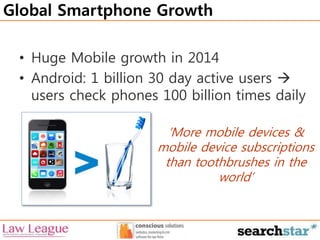
‘More mobile devices & 
mobile device subscriptions 
than toothbrushes in the 
world’
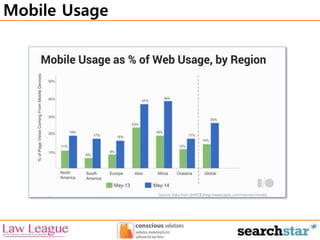
Mobile Usage
Marketing of Mobiles 
• Mobile users always presented as happy
Marketing of Mobiles 
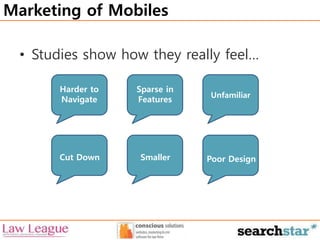
• Studies show how they really feel… 
Unfamiliar 
Harder to 
Navigate 
Sparse in 
Features 
Cut Down Smaller Poor Design
1. Homepage & Navigation
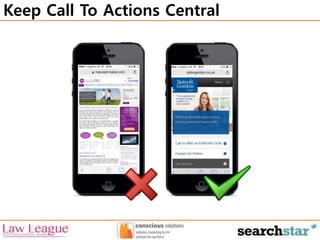
Keep Call To Actions Central
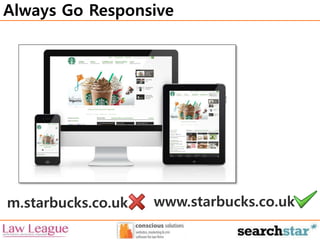
Always Go Responsive 
m.starbucks.co.uk www.starbucks.co.uk
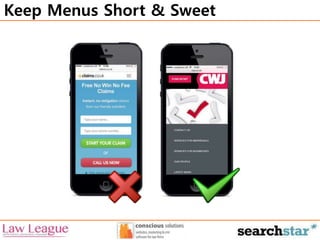
Keep Menus Short & Sweet
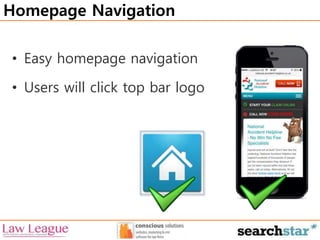
Homepage Navigation 
• Easy homepage navigation 
• Users will click top bar logo
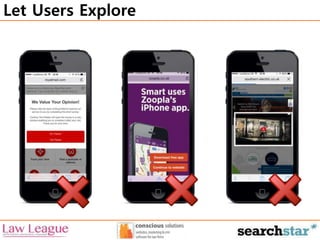
Let Users Explore
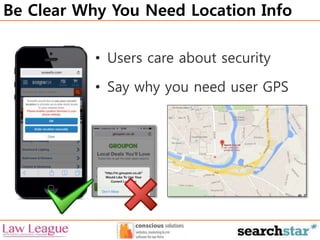
Be Clear Why You Need Location Info 
• Users care about security 
• Say why you need user GPS
2. Mobile Site Search
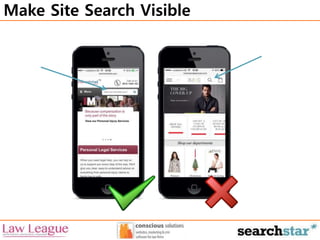
Make Site Search Visible
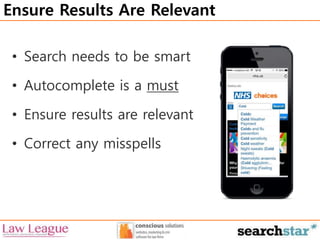
Ensure Results Are Relevant 
• Search needs to be smart 
• Autocomplete is a must 
• Ensure results are relevant 
• Correct any misspells
3. Optimising Form Entry
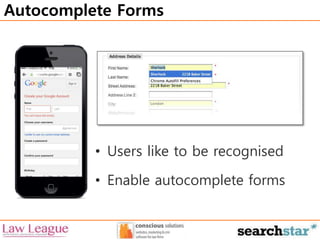
Autocomplete Forms 
• Users like to be recognised 
• Enable autocomplete forms
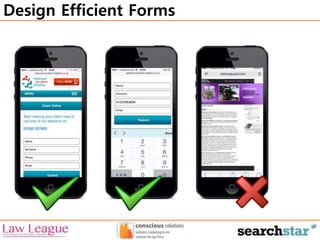
Design Efficient Forms
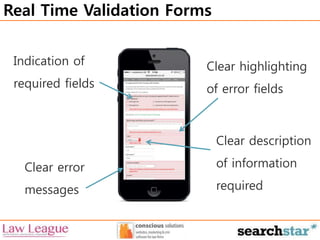
Real Time Validation Forms 
Clear highlighting 
of error fields 
Indication of 
required fields 
Clear error 
messages 
Clear description 
of information 
required
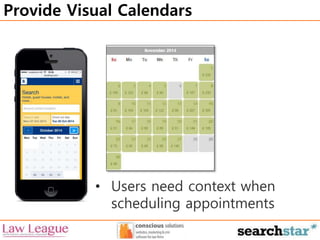
Provide Visual Calendars 
• Users need context when 
scheduling appointments
4. Design Considerations
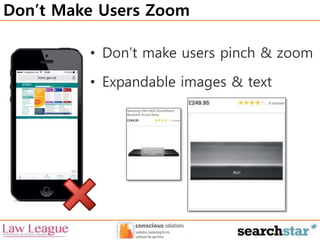
Don’t Make Users Zoom 
• Don’t make users pinch & zoom 
• Expandable images & text
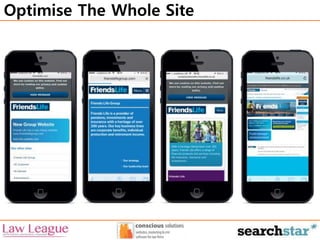
Optimise The Whole Site
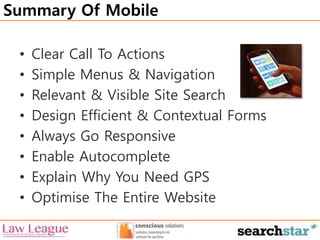
Summary Of Mobile 
• Clear Call To Actions 
• Simple Menus & Navigation 
• Relevant & Visible Site Search 
• Design Efficient & Contextual Forms 
• Always Go Responsive 
• Enable Autocomplete 
• Explain Why You Need GPS 
• Optimise The Entire Website

What makes a great mobile legal website?

Editor's Notes

  • #8 Keep call to actions front and central Don’t use wishy washy terms  powerful language to tell your customer what to do Secondary call to actions can be reached further down the screen or through icons
  • #9 When building a website always go responsive over mobile as m. sit will cause time lag due to redirect
  • #10 Customers don’t like to scroll Don’t hide menus behind icons Less is more Self explanatory Clear call to actions
  • #12 Let users explore the site before you distract them with other things: surveys, downloading apps, videos Sites need to work with people rather than against Don’t require customer to sign up to an account or download you’re app
  • #15 Make site search easy & visible so customers can see immediately once their page has loaded. Google believes search is important, search is good for users who have a sense of urgency Don’t hide search behind an search icon, give it an actual field
  • #19 Design efficient forms that are mobile appropriate Forms may need to be adjusted for mobile purposes Allow for streamlined information entry EG. Websites that have contextual keyboard (numberpad)
  • #20 Real time validation forms vital to tell customers when they have entered things wrong In ideal world customers will only have to enter information once, if takes more then 1 time usually means form is too complex
  • #24 When going mobile make sure you optimise your whole website rather than just some of it Make sure you keep the user in a single browser rather than taking them to a different browser for each menu option