M- Report i ng
Solution for your filed force
2
• M-Reporting is a Managed application service for field force
– Sales order collection
– Delivery Confirmation
– Payment collection
– Survey
– Stock Report etc.
• Generic off the shelf services readily available
• Customizable to support unique business requirements
Introduction
3
Advantage
• Minimize time to Market
Order collected is immediately made available Depot /
Distributor end so that packing list can be prepared
immediately and delivery van can be mobilized.
• Confirm Actual sale or delivery
At the time of delivery if client want to make some changes
that can be adjusted and confirmed, ensuring you about the
actual Delivery and differences.
4
Advantage
• Rejuvenate sales team
You can set product wise target and performance for each
sales person and allow to know his current standing –
performance/achievement
• Empower NSM , RSM, ASE to supervise effectively
Supervisors at any level can know his or his subordinates
performance/achievement ensuring effective management.
5
Advantage
• Reduce cost of communication
Less voice call to update sales in depot. More time to do actual
sales.
• Effective communication
With productive tools like Office Notice, Attendance, Clients
credit query it workforce at remote places stays close to
company – updated.
6
• Simplify field level work
Sales, Delivery, Payment Collection, Credit query, Survey and more.
• Uses SMS/GPRS as a media of communication
Data sent through SMS / GRRS is received, processed and delivered to
Clients Head office, Depot or Sales Center
• Simple solution
very short learning curve
• Fast deployment
• Secure
Advantage
7
• Company setup a account in business solution server, defines basic
information like
– List of products and its category /genre
– Define Sales Area ( Division, Zone , Area )
– Maintain a list of Retailers in a specific area
– Enlist Sales reps etc
• Sales reps uses a mobile application that they can synchronize with
their server information securely.
• Sales reps submit vouchers that is delivered to client’s system
through mobile reporting server
How it works
8
Data Flow
GP M- Report i ng
Server
Fi el d f or ce
SMS / GPRS
SMS / GPRS
SMS / GPRS
SMS / GPRS
SMS / GPRS
SMS / GPRS
Download
Manager
Application
Computers at
company
Head office /
Depot
Local Dat abase
e. g. MS- Access,
Oracl e, SQL Server,
MYSQL , Post gree
SQL
• Voucher
• Report
9
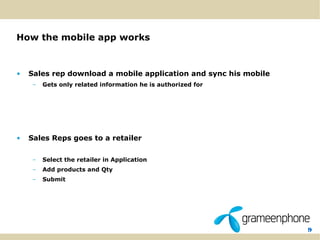
How the mobile app works
• Sales rep download a mobile application and sync his mobile
– Gets only related information he is authorized for
• Sales Reps goes to a retailer
– Select the retailer in Application
– Add products and Qty
– Submit
10
Sync
11
Sales Order
12
Sales Order
13
Review
14
Change Password
15
Submitted sales request immediately creates a report (e.g. Sales
Order) at server side, which is received by head office and Depo
using a secure download manager
* this data does not stays in our server and deleted from server like pop3
email as the mail gets to your inbox. It is also not accessible from open inter
internet unless requested by the company explicitly.
16
Security
• In case of SMS submission
– All SMS is routed to the M-Reporting server end through secure VPN and
firewall.
– Mobile numbers are verified with the sales reps authorized number on each
request.
– Originating number can not be forged since we are using a short code.
• For GPRS based submission sales rep’s user name and password is
authenticated.
• All application component are behind firewall in UNIX platform
• Transaction data does not stay in our server. Data streamed to
client’s server and Depot in a near real time speed and removed
automatically.
17
Security more…
• Company can decide which computer should have access to the web
control panel. So employee can only access the control panel from
office.
• Download Manager that is provided to the Head Office and Depot is
paired with the Computer on which it is installed and can not be
changed without resetting this by company admin.
• Data is encrypted over GPRS communication
18
A different approach
to explore the possibilities
Commodity –e.g. Cement, Steel industry
19
Sales Order
20
Sales Order
21
Review
22
Review
23
Dispatch Report
24
Dispatch Report
25
Reports
26
Sales and Delivery Report
• Based on any given parameter
– Date range
– Area
– Depot
– Sales person
– Item
Example:
What was the sale on last week by our executive on Sylhet city corporation
area ?
Yes.
What is bounce report (order and delivery variance) of a sales executive on
last month? Yes.
Reports
27
• Target and achievement reporting in any level e.g NSM, RSM, ASM, ASE
or SPO
• Bounce report.
• Depot / Dealer performance report.
• Dealer stock report.
• Product performance report. Etc.
• You have a unique report in mind ! We can customize that for you.
Reports
28
Integration with existing system
29
• “We have a extensive ERP and Reporting system in
place and we just want you to deliver those data in
our system”
Yes, We have system integration tools available just for that purpose
which can be configured to your ERP / API / Database
Integration
30
Unified Approach
31
Company
Sales Rep
Supervisor
Audit
Accounts
Management
Distributor / Depot
Supplier
Client / Retailer
Sales Order
Delivery Confirmation
Status Report
Payment Collection
Attendance
Simple Mail
Notice
Leave Application
To Do List
Expense Tracker
Visit report
Survey
Gift Distribution
Stock Report
Secondary Sales
Performance report ...
Unified Approach
32
FAQ
• What kind of handset is required ?
– Java enable Handset with GPRS or EDGE Support
– Also depends on the specific requirement of the client and the mobile
reporting application variant in use
• How much time do you need for a deployment?
– Standard deployment time is two week, but in may vary based of client’s
readiness and customization requirement
• Do I need any additional hardware
– A computer with internet connection is needed for the download
manager application
33
FAQ.
• Do I need a computer at Depot?
– Yes. But this PC might be shared based on the load on the download manger
application
• Some of our depot does not have broad band internet connection, how can
we use there?
– You will be able to run the service using edge modem attached to PC.
• We need to stop a sales rep as he left the company, can we do that
ourselves?
– You can Stop / transfer or add new sales rep using your control panel.
– At the same time you can manage your product list (add / delete ) or retailer list etc.
from the control panel.
• We want the control panel to be accessed only from one or two specific
computers, not even from other computer in our office. Can we?
– Yes, control panel can be configured to be accessed only from specific IP or PC.
34
FAQ…
• We have our own ERP System. How can we integrate that with this?
– Download manager module of M-reporting can be configured to be able
to push data in all major database systems.
• What are the industry segments we can serve?
– FMCG
– Pharmaceuticals
– Cement
– Steel
– NGO
– Bank etc.
35
Thank you

Mobile Reporting Introduction and FAQ v21

  • 1.
    M- Report ing Solution for your filed force
  • 2.
    2 • M-Reporting isa Managed application service for field force – Sales order collection – Delivery Confirmation – Payment collection – Survey – Stock Report etc. • Generic off the shelf services readily available • Customizable to support unique business requirements Introduction
  • 3.
    3 Advantage • Minimize timeto Market Order collected is immediately made available Depot / Distributor end so that packing list can be prepared immediately and delivery van can be mobilized. • Confirm Actual sale or delivery At the time of delivery if client want to make some changes that can be adjusted and confirmed, ensuring you about the actual Delivery and differences.
  • 4.
    4 Advantage • Rejuvenate salesteam You can set product wise target and performance for each sales person and allow to know his current standing – performance/achievement • Empower NSM , RSM, ASE to supervise effectively Supervisors at any level can know his or his subordinates performance/achievement ensuring effective management.
  • 5.
    5 Advantage • Reduce costof communication Less voice call to update sales in depot. More time to do actual sales. • Effective communication With productive tools like Office Notice, Attendance, Clients credit query it workforce at remote places stays close to company – updated.
  • 6.
    6 • Simplify fieldlevel work Sales, Delivery, Payment Collection, Credit query, Survey and more. • Uses SMS/GPRS as a media of communication Data sent through SMS / GRRS is received, processed and delivered to Clients Head office, Depot or Sales Center • Simple solution very short learning curve • Fast deployment • Secure Advantage
  • 7.
    7 • Company setupa account in business solution server, defines basic information like – List of products and its category /genre – Define Sales Area ( Division, Zone , Area ) – Maintain a list of Retailers in a specific area – Enlist Sales reps etc • Sales reps uses a mobile application that they can synchronize with their server information securely. • Sales reps submit vouchers that is delivered to client’s system through mobile reporting server How it works
  • 8.
    8 Data Flow GP M-Report i ng Server Fi el d f or ce SMS / GPRS SMS / GPRS SMS / GPRS SMS / GPRS SMS / GPRS SMS / GPRS Download Manager Application Computers at company Head office / Depot Local Dat abase e. g. MS- Access, Oracl e, SQL Server, MYSQL , Post gree SQL • Voucher • Report
  • 9.
    9 How the mobileapp works • Sales rep download a mobile application and sync his mobile – Gets only related information he is authorized for • Sales Reps goes to a retailer – Select the retailer in Application – Add products and Qty – Submit
  • 10.
  • 11.
  • 12.
  • 13.
  • 14.
  • 15.
    15 Submitted sales requestimmediately creates a report (e.g. Sales Order) at server side, which is received by head office and Depo using a secure download manager * this data does not stays in our server and deleted from server like pop3 email as the mail gets to your inbox. It is also not accessible from open inter internet unless requested by the company explicitly.
  • 16.
    16 Security • In caseof SMS submission – All SMS is routed to the M-Reporting server end through secure VPN and firewall. – Mobile numbers are verified with the sales reps authorized number on each request. – Originating number can not be forged since we are using a short code. • For GPRS based submission sales rep’s user name and password is authenticated. • All application component are behind firewall in UNIX platform • Transaction data does not stay in our server. Data streamed to client’s server and Depot in a near real time speed and removed automatically.
  • 17.
    17 Security more… • Companycan decide which computer should have access to the web control panel. So employee can only access the control panel from office. • Download Manager that is provided to the Head Office and Depot is paired with the Computer on which it is installed and can not be changed without resetting this by company admin. • Data is encrypted over GPRS communication
  • 18.
    18 A different approach toexplore the possibilities Commodity –e.g. Cement, Steel industry
  • 19.
  • 20.
  • 21.
  • 22.
  • 23.
  • 24.
  • 25.
  • 26.
    26 Sales and DeliveryReport • Based on any given parameter – Date range – Area – Depot – Sales person – Item Example: What was the sale on last week by our executive on Sylhet city corporation area ? Yes. What is bounce report (order and delivery variance) of a sales executive on last month? Yes. Reports
  • 27.
    27 • Target andachievement reporting in any level e.g NSM, RSM, ASM, ASE or SPO • Bounce report. • Depot / Dealer performance report. • Dealer stock report. • Product performance report. Etc. • You have a unique report in mind ! We can customize that for you. Reports
  • 28.
  • 29.
    29 • “We havea extensive ERP and Reporting system in place and we just want you to deliver those data in our system” Yes, We have system integration tools available just for that purpose which can be configured to your ERP / API / Database Integration
  • 30.
  • 31.
    31 Company Sales Rep Supervisor Audit Accounts Management Distributor /Depot Supplier Client / Retailer Sales Order Delivery Confirmation Status Report Payment Collection Attendance Simple Mail Notice Leave Application To Do List Expense Tracker Visit report Survey Gift Distribution Stock Report Secondary Sales Performance report ... Unified Approach
  • 32.
    32 FAQ • What kindof handset is required ? – Java enable Handset with GPRS or EDGE Support – Also depends on the specific requirement of the client and the mobile reporting application variant in use • How much time do you need for a deployment? – Standard deployment time is two week, but in may vary based of client’s readiness and customization requirement • Do I need any additional hardware – A computer with internet connection is needed for the download manager application
  • 33.
    33 FAQ. • Do Ineed a computer at Depot? – Yes. But this PC might be shared based on the load on the download manger application • Some of our depot does not have broad band internet connection, how can we use there? – You will be able to run the service using edge modem attached to PC. • We need to stop a sales rep as he left the company, can we do that ourselves? – You can Stop / transfer or add new sales rep using your control panel. – At the same time you can manage your product list (add / delete ) or retailer list etc. from the control panel. • We want the control panel to be accessed only from one or two specific computers, not even from other computer in our office. Can we? – Yes, control panel can be configured to be accessed only from specific IP or PC.
  • 34.
    34 FAQ… • We haveour own ERP System. How can we integrate that with this? – Download manager module of M-reporting can be configured to be able to push data in all major database systems. • What are the industry segments we can serve? – FMCG – Pharmaceuticals – Cement – Steel – NGO – Bank etc.
  • 35.

Editor's Notes

  • #3 <number>
  • #7 <number>
  • #8 <number>
  • #9 <number>
  • #10 <number>
  • #27 <number>
  • #28 <number>
  • #30 <number>
  • #33 <number>
  • #34 <number>
  • #35 <number>