Low-fidelity
Prototyping
IFI7313.DT Interaction Design Methods
low-fi vs hi-fi prototyping
Low-fidelity prototyping
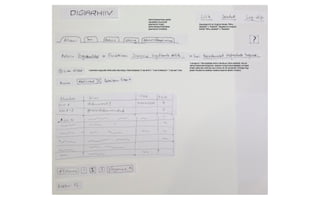
• Paper prototyping
• Wireframes
• Storyboards
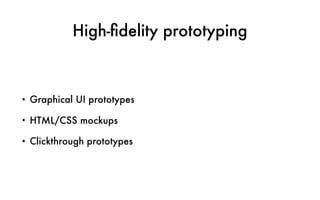
High-fidelity prototyping
• Graphical UI prototypes
• HTML/CSS mockups
• Clickthrough prototypes
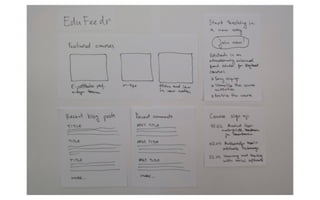
Paper prototyping
Snyder, C. (2003). Paper prototyping: The fast and
easy way to design and refine user interfaces. San
Francisco, CA: Morgan Kaufmann.
Benefits of paper prototyping
• Fast and inexpensive
• Identifies problems before they are coded
• Evokes more and better feedback from the users
• Helps developers think creatively
• Gets users and other stakeholders involved in the process
• Fosters team work and communication
(Snyder, 2003)
Paper prototyping materials
• Blank background paper (A3)
• Blank paper (A4)
• Fibre tip drawing pens (0.4 mm, 0.6 mm, 0.8 mm, etc)
• Scissors
• Transparent pockets
• Camera
http://www.faber-castell.com/technical-drawing/products/ecco-pigment
http://sneakpeekit.com
Process
• Following the design patterns / interface guidelines
• Creating separate prototype(s) for each functionality (user story)
• Making changes in the user story, if needed
• Putting the pieces together
• Taking photos of the process (paper prototyping)
• Finding missing stories / prototypes
Design patterns and UI guidelines
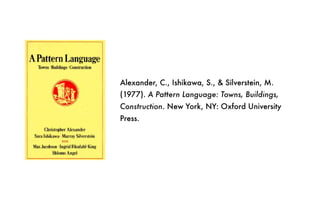
Alexander, C., Ishikawa, S., & Silverstein, M.
(1977). A Pattern Language: Towns, Buildings,
Construction. New York, NY: Oxford University
Press.
(Alexander et al., 1977)
http://ui-patterns.com
http://uipatterns.io
http://www.mobile-patterns.com
https://developer.apple.com/ios/human-interface-guidelines/overview/iphone-x/
http://developer.android.com/design/
Design grids
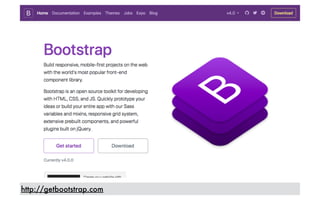
http://getbootstrap.com
http://getbootstrap.com/docs/4.0/layout/grid/
From user stories to paper
prototypes
Initial user story
Improved user story
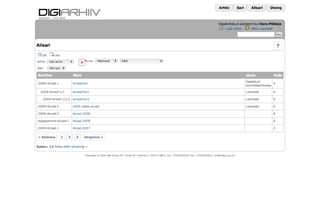
Redesigning existing interfaces
Clickthrough paper prototypes
https://marvelapp.com/pop/
Testing paper prototypes
Preparation
• Creating tasks based on the scenarios
• Creating related interview questions
Good testing task
• Is based on a goal that matters for the chosen persona
• Covers questions important to the success of your product/business
• Has appropriate scope — not too broad, not too specific
• Has a finite and predictable set of possible solutions
• Has a clear end point that the user can recognize
• Evokes action, not just opinion
(Snyder, 2003)
Designing the right tasks
“Years ago, we helped with a study of Ikea.com, looking at how people found products on the
site. When we got there, they'd already started the testing process and were using tasks like
"Find a bookcase." Interestingly, every participant did exactly the same thing: they went to the
search box and typed "bookcase".
Upon our suggestion, the team made a subtle change to the instructions they were giving their
participants: "You have 200+ books in your fiction collection, currently in boxes strewn around
your living room. Find a way to organize them."
We instantly saw a change in how the participants behaved with the design. Most clicked
through the various categories, looking for some sort of storage solution. Few used Search,
typing in phrases like "Shelves" and "Storage Systems". And, nobody searched on "bookcase".”
(Jared M. Spool)
(Spool, 2005)
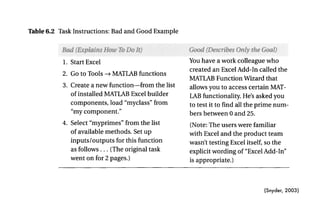
(Snyder, 2003)
Step 6: Write Instructions for Users ~> 139
Table 6.2 Task Instructions: Bad and Good Example
1. Start Excel
2. Go to Tools --) MATLAB functions
3. Create a new function--from the list
of installed MATLAB Excel builder
components, load "myclass" from
"my component."
4. Select "myprimes" from the list
of available methods. Set up
inputs/outputs for this function
as follows... (The original task
went on for 2 pages.)
You have a work colleague who
created an Excel Add-In called the
MATLAB Function Wizard that
allows you to access certain MAT-
LAB functionality. He's asked you
to test it to find all the prime num-
bers between 0 and 25.
(Note: The users were familiar
with Excel and the product team
wasn't testing Excel itself, so the
explicit wording of "Excel Add-In"
is appropriate.)
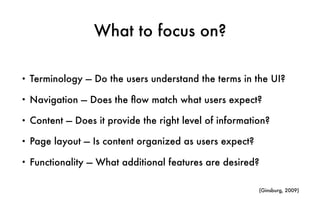
What to focus on?
• Terminology — Do the users understand the terms in the UI?
• Navigation — Does the flow match what users expect?
• Content — Does it provide the right level of information?
• Page layout — Is content organized as users expect?
• Functionality — What additional features are desired?
(Ginsburg, 2009)
Testing session
• Test person
• “Paper computer”
• Facilitator
• Camera holder
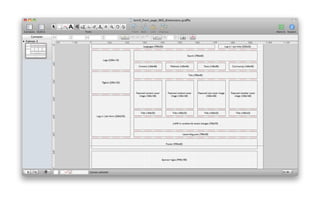
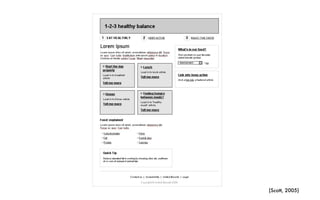
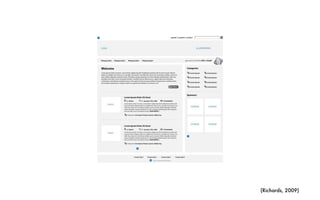
Wireframes
Brown, D. M. (2011). Communicating Design:
Developing Web Site Documentation for Design and
Planning. Berkeley, CA: New Riders.
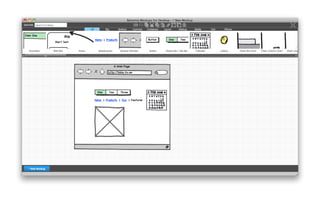
Balsamiq Mockups
OmniGraffle
(Scott, 2005)
(Richards, 2009)
Strengths of wireframes
• A fast and easy way to present concepts for interfaces
• Focus on underlying logic, behavior, and functionality
• Enable rapid iteration on early concepts
• Easier to make large changes compared with paper
prototypes
(Brown, 2011)
References
• Brown, D. M. (2011). Communicating Design: Developing Web Site
Documentation for Design and Planning. Berkeley, CA: New Riders.
• Ginsburg, S. (2009). An agile approach to iPhone design: Paper prototyping
+ user testing. http://www.slideshare.net/ginsburgdesign/an-agile-approach-
to-iphone-design-paper-prototyping-user-testing
• Snyder, C. (2003). Paper prototyping: The fast and easy way to design and
refine user interfaces. San Francisco, CA: Morgan Kaufmann.
• Spool, J.M. (2005). Seven Common Usability Testing Mistakes. http://
www.uie.com/articles/usability_testing_mistakes/
Photos
• https://www.flickr.com/photos/snowcrash/21099636
• https://www.flickr.com/photos/adriarichards/4102421296
This work is licensed under the Creative Commons Attribution-ShareAlike 4.0
International License. To view a copy of this license, visit
http://creativecommons.org/licenses/by-sa/4.0/
Hans Põldoja
hans.poldoja@tlu.ee
IFI7313.DT Interaction Design Methods
https://ifi7313.wordpress.com
Tallinn University
School of Digital Technologies

Low-fidelity Prototyping