EDU 626 Integration of Educational Technology
                       Spring 2012


Lost in the net?


  Navigating Search Engines
Define “search engine”?
 What is a search engine?
− Essentially, a search engine is a computer
  program. The biggest ones, such as Google,
  Microsoft’s Bing, Yahoo!, and Ask, use giant
  clusters of computers to search the web.
  Others search only the owner's site
   • http://www.bbc.co.uk/webwise/guides/about-search-engines
A more scholarly definition
 search engine
− Originally, a hardware device designed to
  search a text-based database for specific
  character strings (queries) typed as input by the user.
  More recently, computer software designed to help the
  user locate information available at sites on the World
  Wide Web by selecting categories from a hierarchical
  directory of subjects (example: Yahoo!) or by entering
  appropriate keywords or phrases (Google, Hotbot, etc.).
  Most Web search engines allow the searcher to use
  Boolean logic and truncation in search statements.
    • Online Dictionary for Library and Information Science
Huh?
 What’s the core of that definition?
− “designed to help the user locate information
  available at sites on the World Wide Web”

− Two methods involved to locate that
  information:
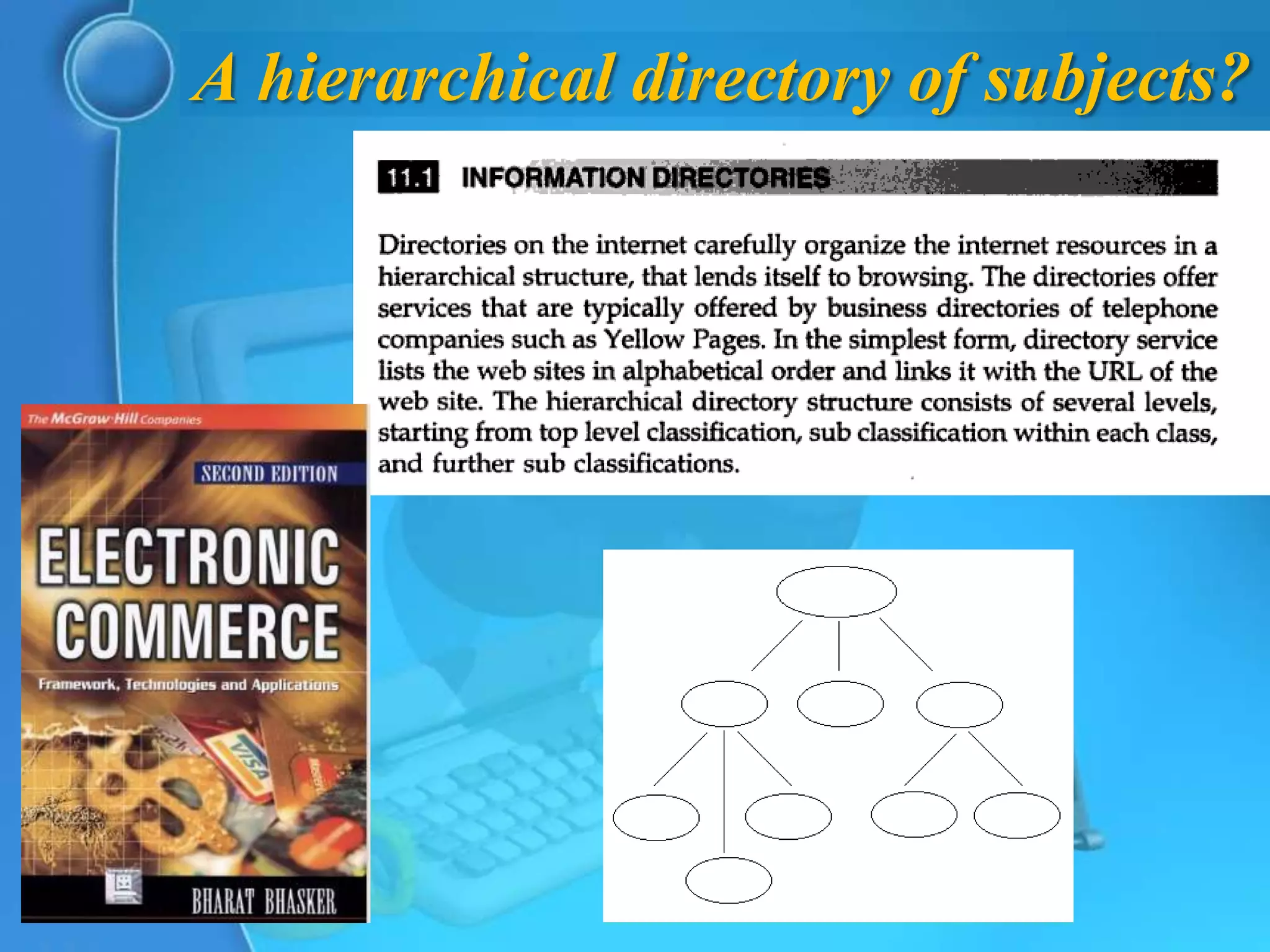
   1. from a hierarchical directory of subjects
   2. by entering appropriate keywords or phrases
A hierarchical directory of subjects?
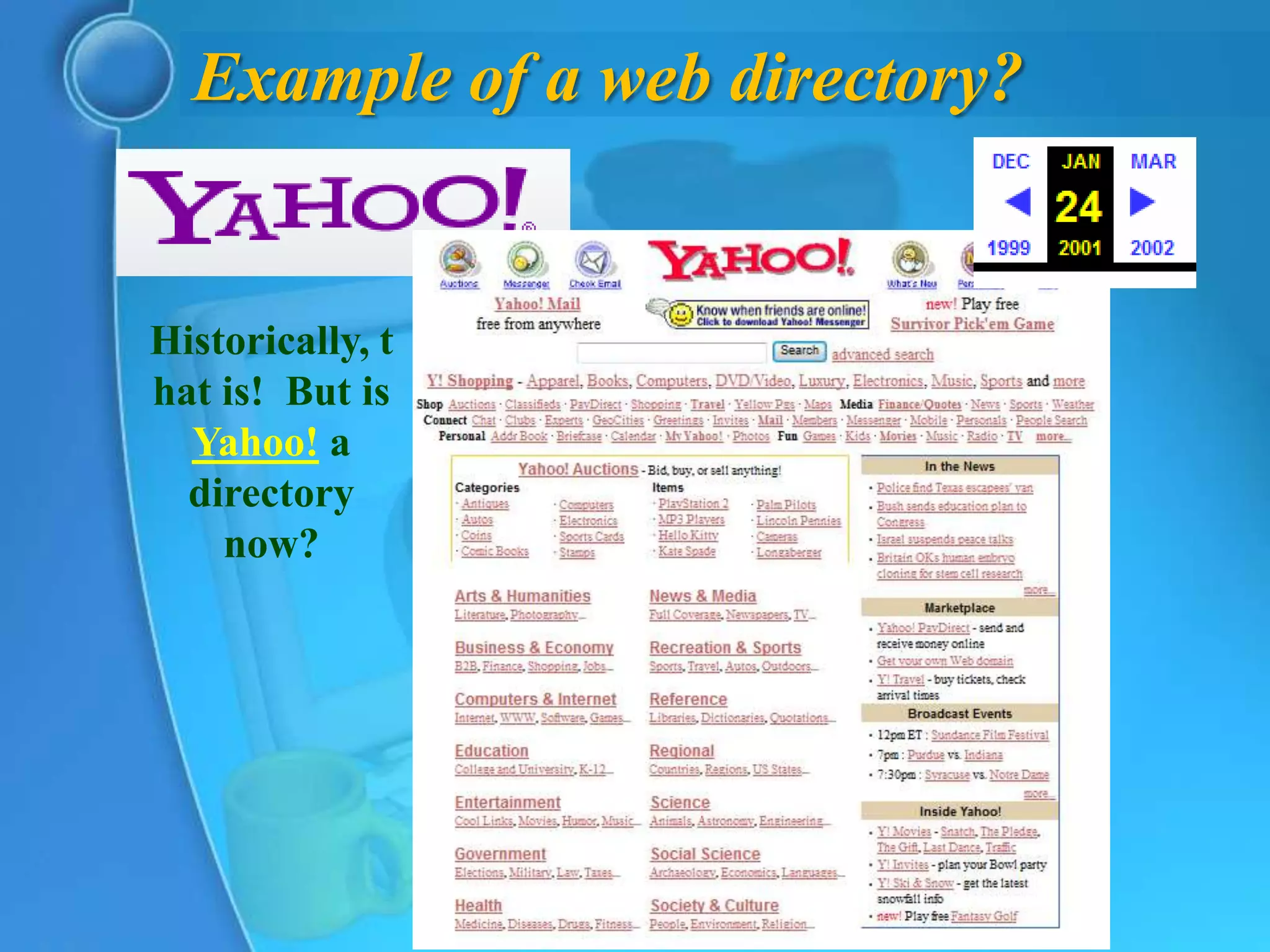
Example of a web directory?


Historically, t
hat is! But is
  Yahoo! a
  directory
    now?
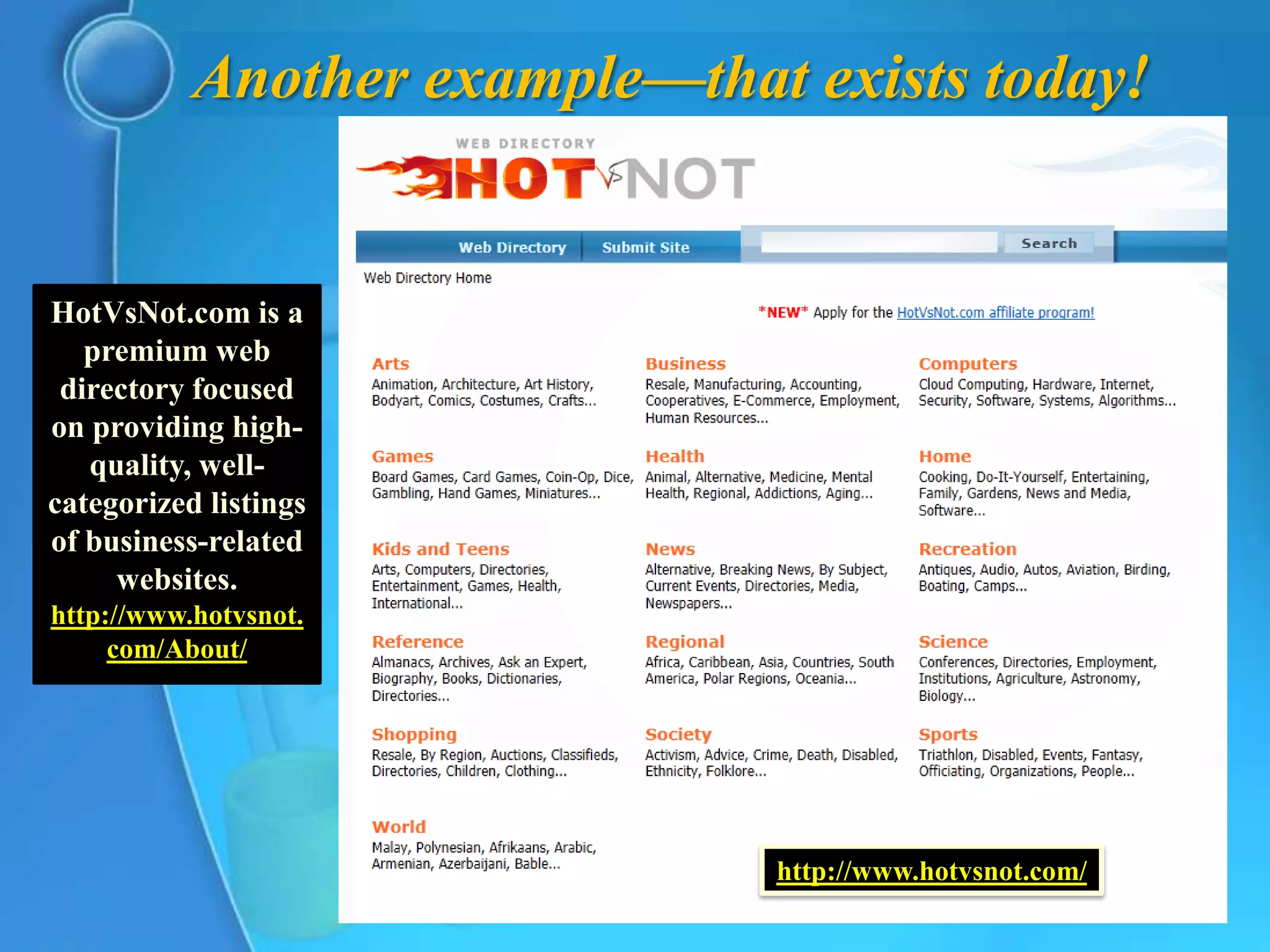
Another example—that exists today!


HotVsNot.com is a
   premium web
 directory focused
on providing high-
   quality, well-
categorized listings
of business-related
     websites.
http://www.hotvsnot.
     com/About/


                               http://www.hotvsnot.com/
Entering appropriate keywords or phrases


 What is a keyword?
− A “keyword” or “keyword Phrase” is the word
  or words a person types into the search box on a
  search engine to look up subject matter on the
  Internet. If you are looking for a flag for your
  home or office, you might type in “American
  Flags”.
   • SEO Questions & Answers (FAQ)
How does a search engine work?

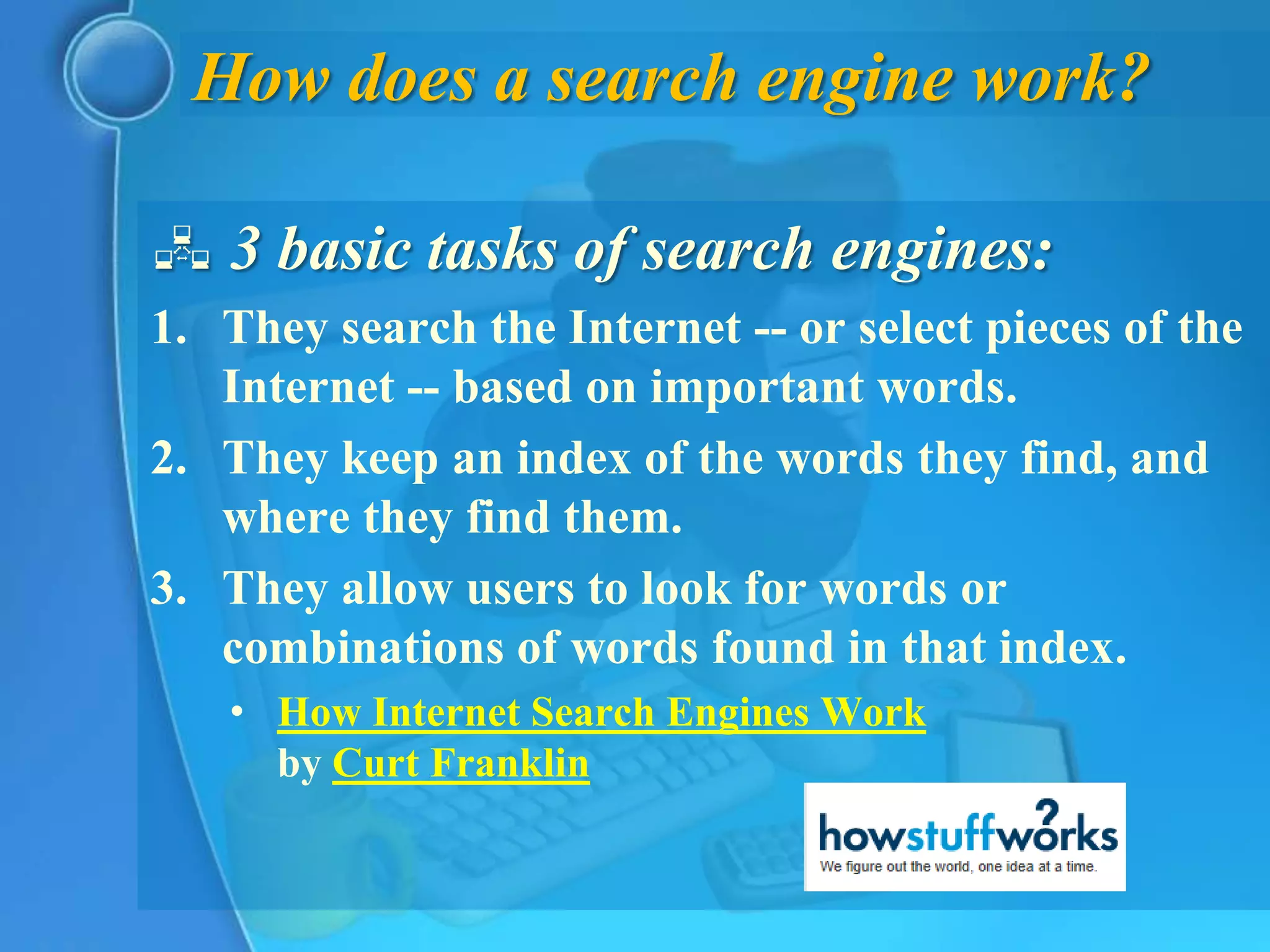
 3 basic tasks of search engines:
1. They search the Internet -- or select pieces of the
   Internet -- based on important words.
2. They keep an index of the words they find, and
   where they find them.
3. They allow users to look for words or
   combinations of words found in that index.
   • How Internet Search Engines Work
     by Curt Franklin
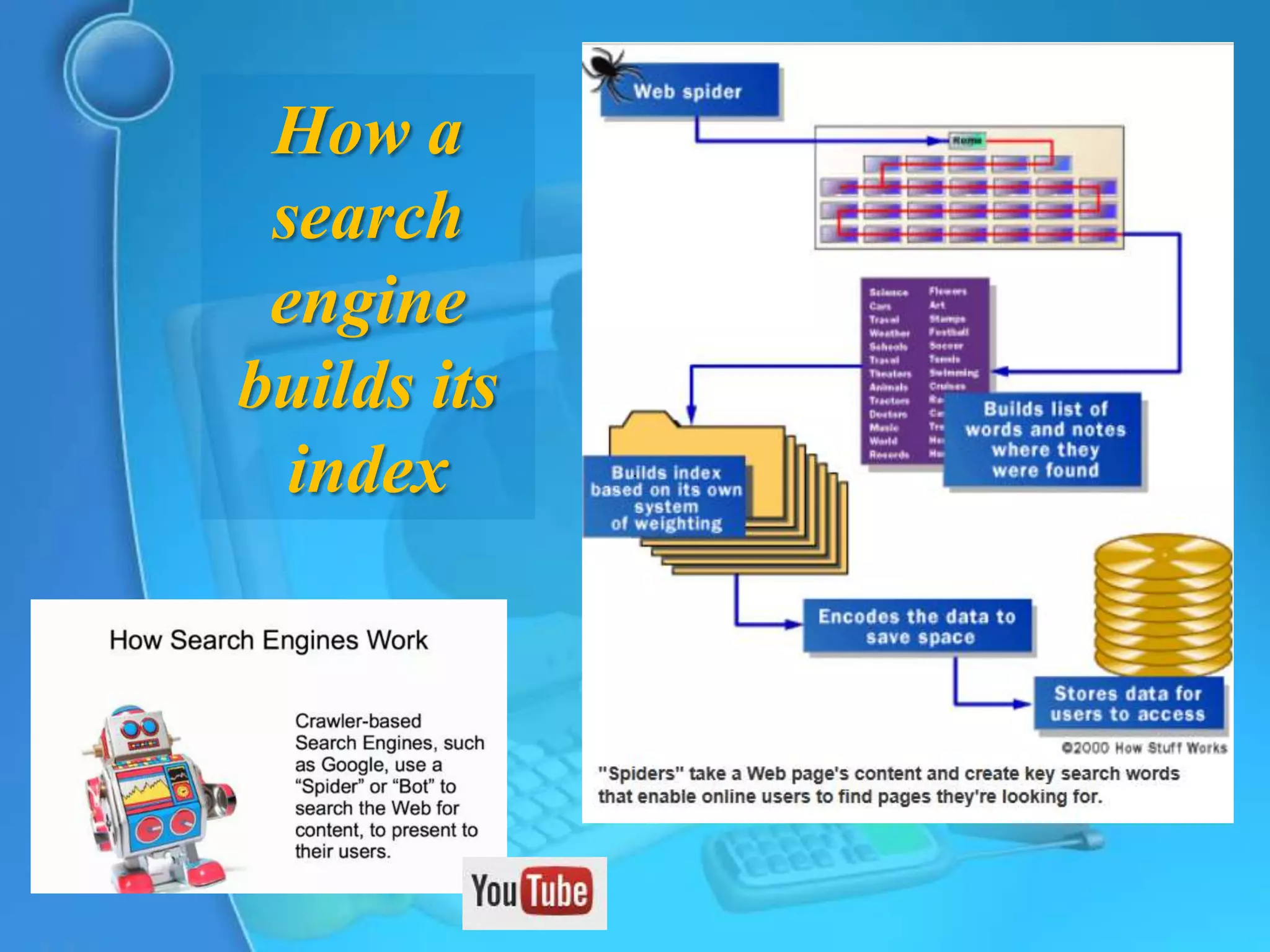
How a
 search
 engine
builds its
  index
What does this mean?
1.   You are not searching the Web directly, and
     not even a snapshot of the Web, either

2.   You are not even searching all of the Web,
     only the websites that have been crawled by
     the search engine’s bots

3.   The indexes do not distinguish the keywords
     by their meaning—they’re simply a collection
     of words with the links to where they occur
     [not for nothing is one of the metasearch
     engines called Dogpile!]
What about the order of appearance?
 How Search Engines Rank Web Pages
1. Frequency of Keywords
   • Search Engines look for the frequency of keyword
     repeats in the content of the web page and the web
     pages with the best keyword frequency stand a chance
     to get to the top of search engine results. Low
     keyword frequency may result in loss of ranking and
     deliberate use of excessive keywords will end up being
     penalized by search engines. SEO [Search Engine
     Optimization] experts recommend keyword density of
     3 to 5% of the whole content of the web page.
         • January 4, 2012 By admin
Other ranking methods
 How Search Engines Rank Web Pages
2. Location of Keywords
  •   Search Engines assume that the most relevant
      keywords of the content should be present in the
      headline, top of the webpage & bottom of the
      webpage.
  •   Using your primary keywords in the Title & in the
      beginning and end of the content optimizes your web
      page for the Search Engines.
Other ranking methods
 How Search Engines Rank Web Pages
3. Link Popularity
      • Search Engines analyze links found on web pages and
        how pages link to each other to determine the
        popularity & importance of a web page.
4. Click-Through Rate
  •     Search Engines may pull down high ranking web
        pages if they find that the web pages are not
        attracting enough clicks and the web pages ranking
        down the order is attracting more visitor clicks. If
        your website is attracting more clicks than the
        websites ranking first in the search engines, your
        website will get ranking boost.
Can you improve your site’s ranking?
 What Is SEO / Search Engine Optimization?
− SEO stands for “search engine optimization.” It is
  the process of getting traffic from the “free,”
  “organic,” “editorial” or “natural” listings on search
  engines. All major search engines such as
  Google, Yahoo and Bing have such results, where
  web pages and other content such as videos or local
  listings are shown and ranked based on what the
  search engine considers most relevant to users.
  Payment isn’t involved, as it is with paid search ads.
What does all this mean?
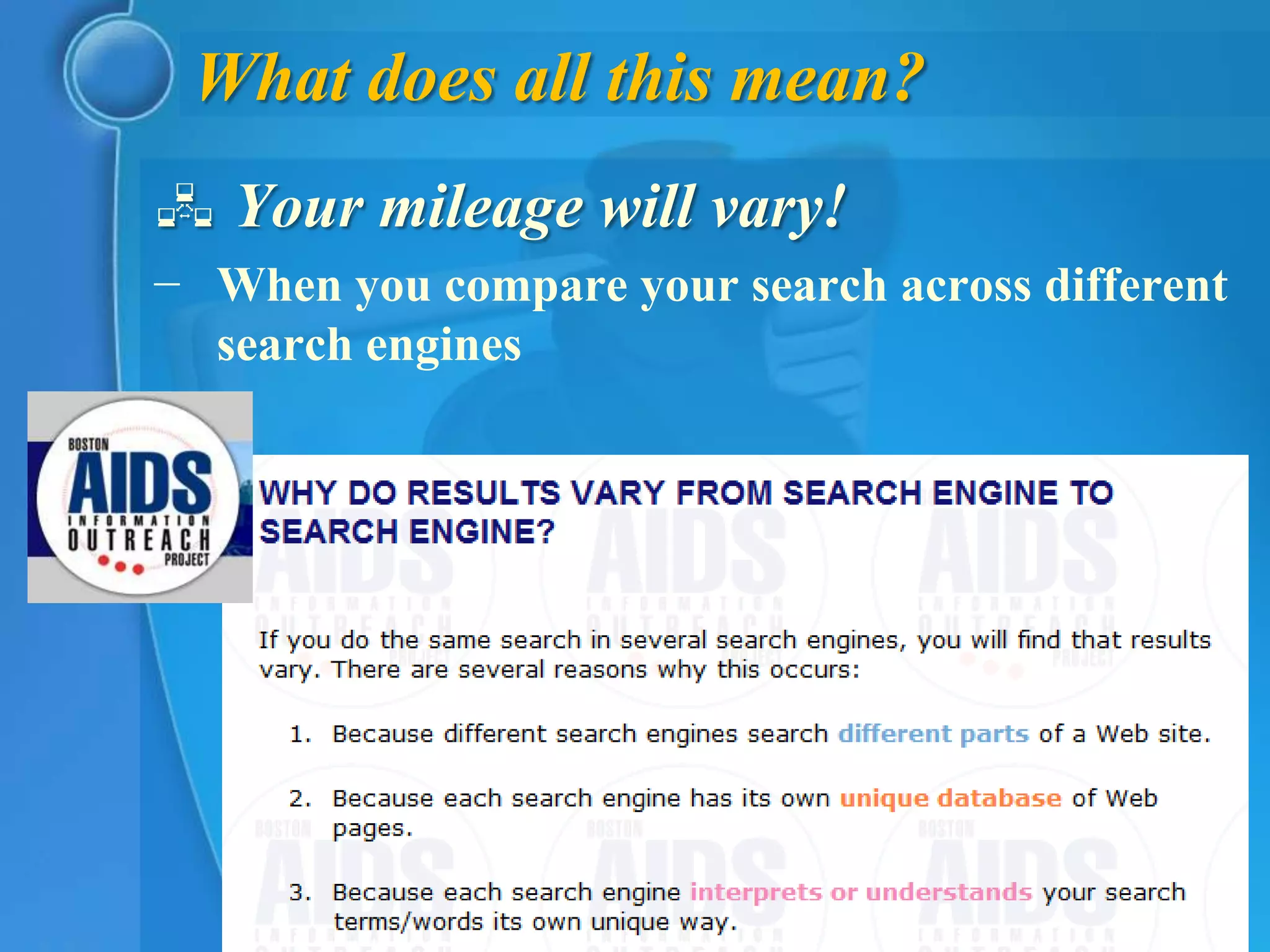
 Your mileage will vary!
− When you compare your search across different
  search engines
Results vary for the same search engine, too!
 Google Now Personalizes
  Everyone’s Search Results
− By watching what you click on in search results, Google
  can learn that you favor particular sites. For example, if
  you often search and click on links from Amazon that
  appear in Google’s results, over time, Google learns that
  you really like Amazon. In reaction, it gives Amazon a
  ranking boost. That means you start seeing more Amazon
  listings, perhaps for searches where Amazon wasn’t
  showing up before.
− In particular, we now have two “flavors” of personalized
  search, or “Web History” as is the official Google name
  for it. There’s Signed-Out Web History and Signed-In
  Web History.
    • Dec 4, 2009 at 6:18pm ET by Danny Sullivan
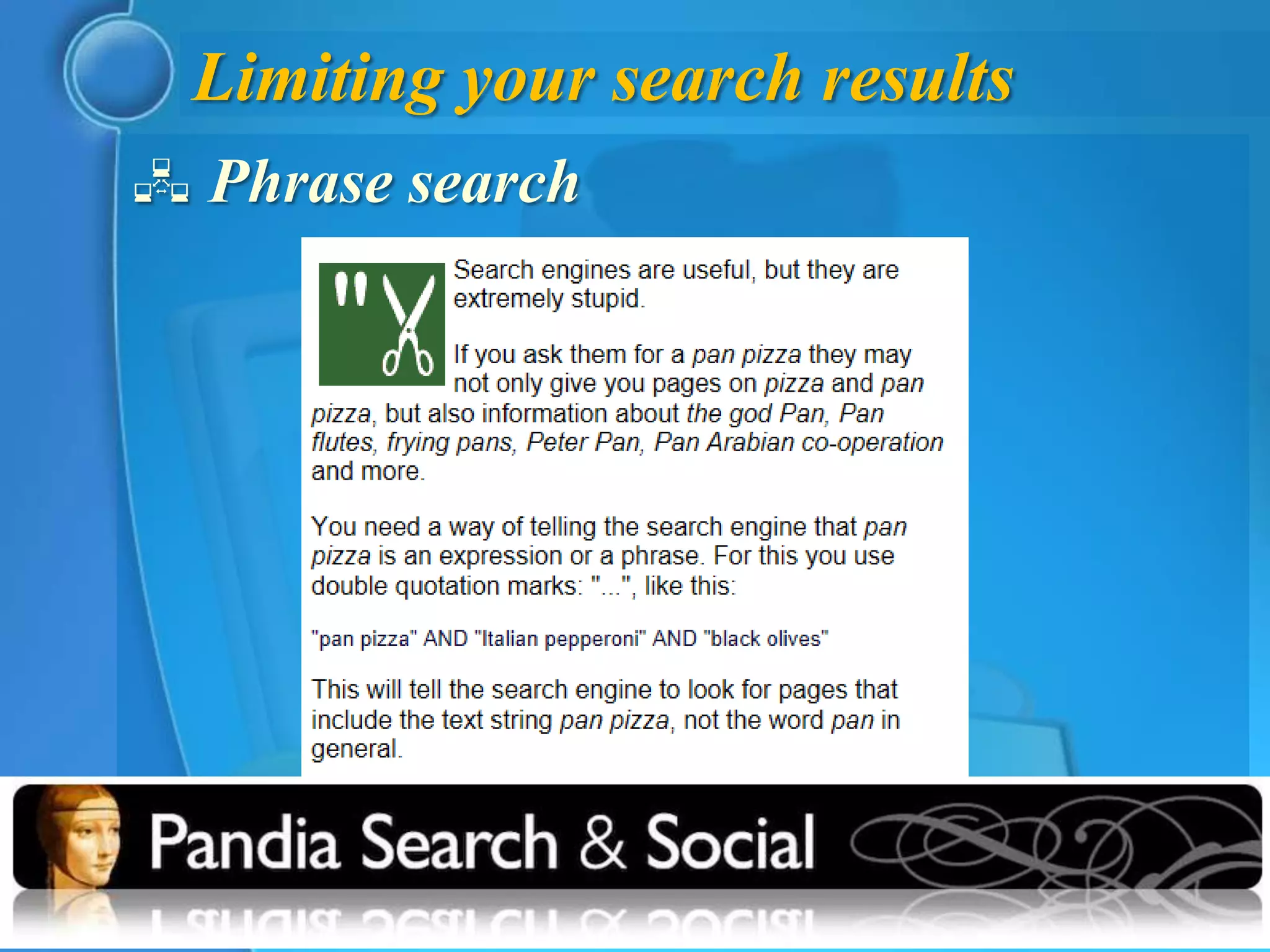
Limiting your search results
 Phrase search
Focusing your search queries
 Field Search
− Field searching is an optional way to focus your
  search results. With general search engines,
  you're searching the full text of many millions of
  pages, and field searching can help you retrieve
  results that may be more manageable. For
  example, you can search for words that appear
  within a particular Web site, within the URL
  (Web address), in the page title, and so on. The
  exact technique for doing this can differ among
  search engines, so be sure to check out the Help
  pages before proceeding.
   • Basic Search Techniques
Field search commands
 Title field
− Google allintitle:
− Bing intitle:
− Searches for keywords only in the title of a
  website
− e. g. allintitle:hurricane caribbean deaths
− intitle:hurricane caribbean deaths
 Limit to specific website
− Both Google and Bing use site:
− e. g. site:nasa.gov
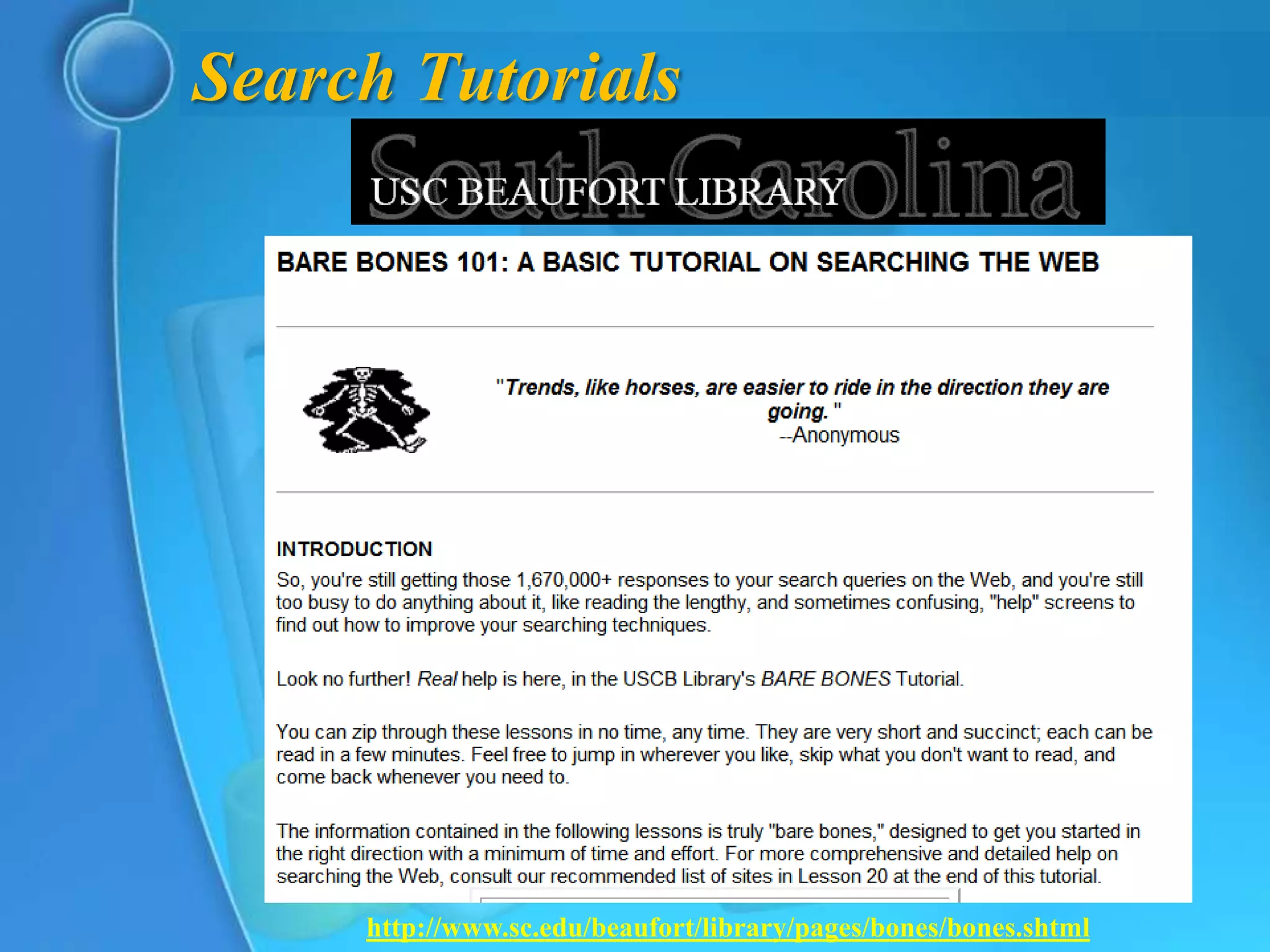
Search Tutorials


     http://www.sc.edu/beaufort/library/pages/bones/bones.shtml
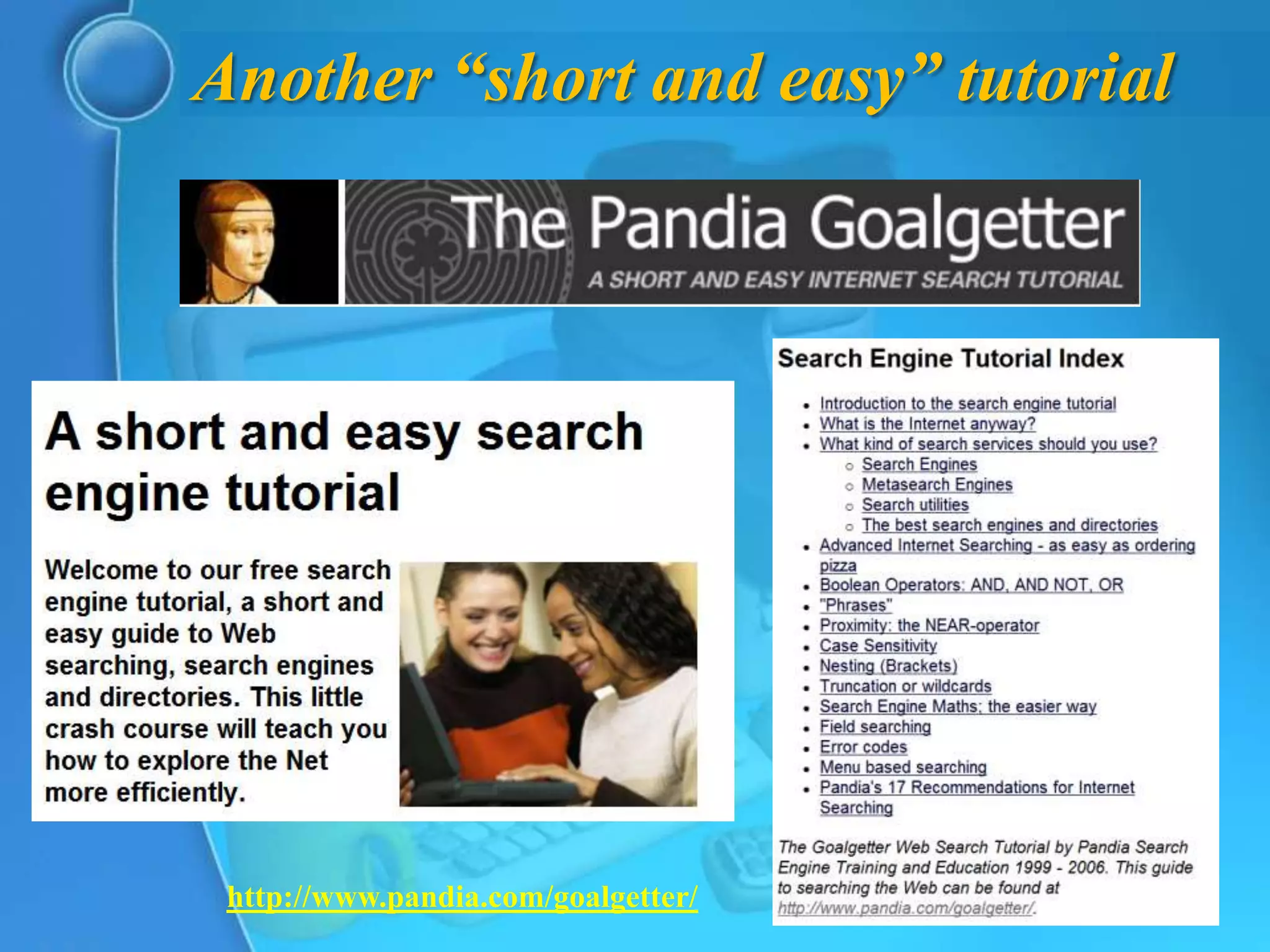
Another “short and easy” tutorial


 http://www.pandia.com/goalgetter/
A video tutorial
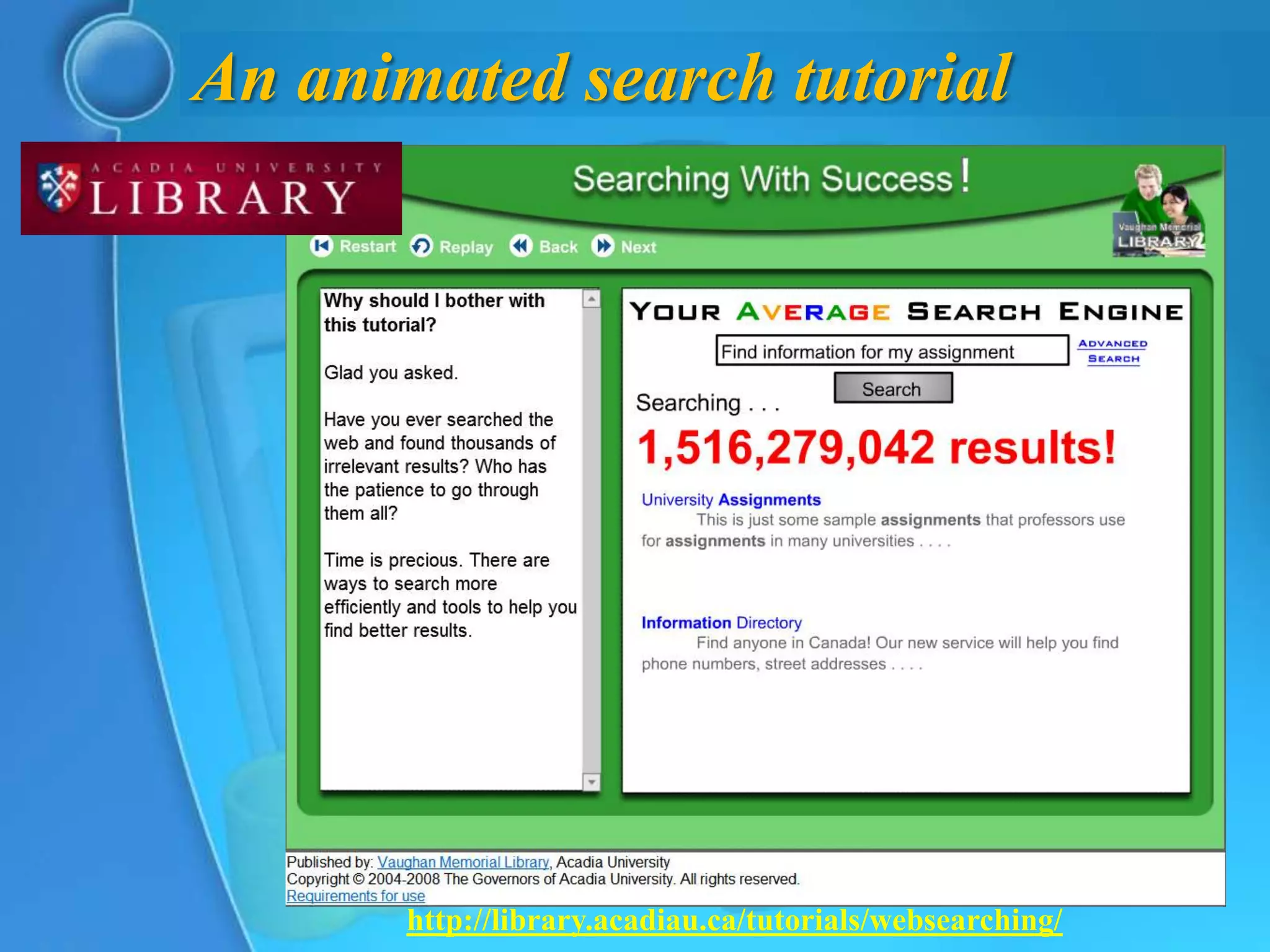
An animated search tutorial


       http://library.acadiau.ca/tutorials/websearching/
The End

Lost in the Net: Navigating Search Engines

  • 1.
    EDU 626 Integrationof Educational Technology Spring 2012 Lost in the net? Navigating Search Engines
  • 2.
    Define “search engine”? What is a search engine? − Essentially, a search engine is a computer program. The biggest ones, such as Google, Microsoft’s Bing, Yahoo!, and Ask, use giant clusters of computers to search the web. Others search only the owner's site • http://www.bbc.co.uk/webwise/guides/about-search-engines
  • 3.
    A more scholarlydefinition  search engine − Originally, a hardware device designed to search a text-based database for specific character strings (queries) typed as input by the user. More recently, computer software designed to help the user locate information available at sites on the World Wide Web by selecting categories from a hierarchical directory of subjects (example: Yahoo!) or by entering appropriate keywords or phrases (Google, Hotbot, etc.). Most Web search engines allow the searcher to use Boolean logic and truncation in search statements. • Online Dictionary for Library and Information Science
  • 4.
    Huh?  What’s thecore of that definition? − “designed to help the user locate information available at sites on the World Wide Web” − Two methods involved to locate that information: 1. from a hierarchical directory of subjects 2. by entering appropriate keywords or phrases
  • 5.
  • 6.
    Example of aweb directory? Historically, t hat is! But is Yahoo! a directory now?
  • 7.
    Another example—that existstoday! HotVsNot.com is a premium web directory focused on providing high- quality, well- categorized listings of business-related websites. http://www.hotvsnot. com/About/ http://www.hotvsnot.com/
  • 8.
    Entering appropriate keywordsor phrases  What is a keyword? − A “keyword” or “keyword Phrase” is the word or words a person types into the search box on a search engine to look up subject matter on the Internet. If you are looking for a flag for your home or office, you might type in “American Flags”. • SEO Questions & Answers (FAQ)
  • 9.
    How does asearch engine work?  3 basic tasks of search engines: 1. They search the Internet -- or select pieces of the Internet -- based on important words. 2. They keep an index of the words they find, and where they find them. 3. They allow users to look for words or combinations of words found in that index. • How Internet Search Engines Work by Curt Franklin
  • 10.
    How a search engine builds its index
  • 11.
    What does thismean? 1. You are not searching the Web directly, and not even a snapshot of the Web, either 2. You are not even searching all of the Web, only the websites that have been crawled by the search engine’s bots 3. The indexes do not distinguish the keywords by their meaning—they’re simply a collection of words with the links to where they occur [not for nothing is one of the metasearch engines called Dogpile!]
  • 12.
    What about theorder of appearance?  How Search Engines Rank Web Pages 1. Frequency of Keywords • Search Engines look for the frequency of keyword repeats in the content of the web page and the web pages with the best keyword frequency stand a chance to get to the top of search engine results. Low keyword frequency may result in loss of ranking and deliberate use of excessive keywords will end up being penalized by search engines. SEO [Search Engine Optimization] experts recommend keyword density of 3 to 5% of the whole content of the web page. • January 4, 2012 By admin
  • 13.
    Other ranking methods How Search Engines Rank Web Pages 2. Location of Keywords • Search Engines assume that the most relevant keywords of the content should be present in the headline, top of the webpage & bottom of the webpage. • Using your primary keywords in the Title & in the beginning and end of the content optimizes your web page for the Search Engines.
  • 14.
    Other ranking methods How Search Engines Rank Web Pages 3. Link Popularity • Search Engines analyze links found on web pages and how pages link to each other to determine the popularity & importance of a web page. 4. Click-Through Rate • Search Engines may pull down high ranking web pages if they find that the web pages are not attracting enough clicks and the web pages ranking down the order is attracting more visitor clicks. If your website is attracting more clicks than the websites ranking first in the search engines, your website will get ranking boost.
  • 15.
    Can you improveyour site’s ranking?  What Is SEO / Search Engine Optimization? − SEO stands for “search engine optimization.” It is the process of getting traffic from the “free,” “organic,” “editorial” or “natural” listings on search engines. All major search engines such as Google, Yahoo and Bing have such results, where web pages and other content such as videos or local listings are shown and ranked based on what the search engine considers most relevant to users. Payment isn’t involved, as it is with paid search ads.
  • 16.
    What does allthis mean?  Your mileage will vary! − When you compare your search across different search engines
  • 17.
    Results vary forthe same search engine, too!  Google Now Personalizes Everyone’s Search Results − By watching what you click on in search results, Google can learn that you favor particular sites. For example, if you often search and click on links from Amazon that appear in Google’s results, over time, Google learns that you really like Amazon. In reaction, it gives Amazon a ranking boost. That means you start seeing more Amazon listings, perhaps for searches where Amazon wasn’t showing up before. − In particular, we now have two “flavors” of personalized search, or “Web History” as is the official Google name for it. There’s Signed-Out Web History and Signed-In Web History. • Dec 4, 2009 at 6:18pm ET by Danny Sullivan
  • 18.
    Limiting your searchresults  Phrase search
  • 19.
    Focusing your searchqueries  Field Search − Field searching is an optional way to focus your search results. With general search engines, you're searching the full text of many millions of pages, and field searching can help you retrieve results that may be more manageable. For example, you can search for words that appear within a particular Web site, within the URL (Web address), in the page title, and so on. The exact technique for doing this can differ among search engines, so be sure to check out the Help pages before proceeding. • Basic Search Techniques
  • 20.
    Field search commands Title field − Google allintitle: − Bing intitle: − Searches for keywords only in the title of a website − e. g. allintitle:hurricane caribbean deaths − intitle:hurricane caribbean deaths  Limit to specific website − Both Google and Bing use site: − e. g. site:nasa.gov
  • 21.
    Search Tutorials http://www.sc.edu/beaufort/library/pages/bones/bones.shtml
  • 22.
    Another “short andeasy” tutorial http://www.pandia.com/goalgetter/
  • 23.
  • 24.
    An animated searchtutorial http://library.acadiau.ca/tutorials/websearching/
  • 25.