Monday Presentation
LINUX FUNDAMENTALS
Hla Tun
 Unix Basic
 Linux Installation Management
 File System
 User and Group management
 SSH
Topics
Unix Basic
 Unix is an operating system name for time-sharing system
researched and developed by AT&T Bell Labs in 1969
 Two Types of Unix :
- BSD (Berkeley Software Distribution)
- System V (System Five)
Unix Basic
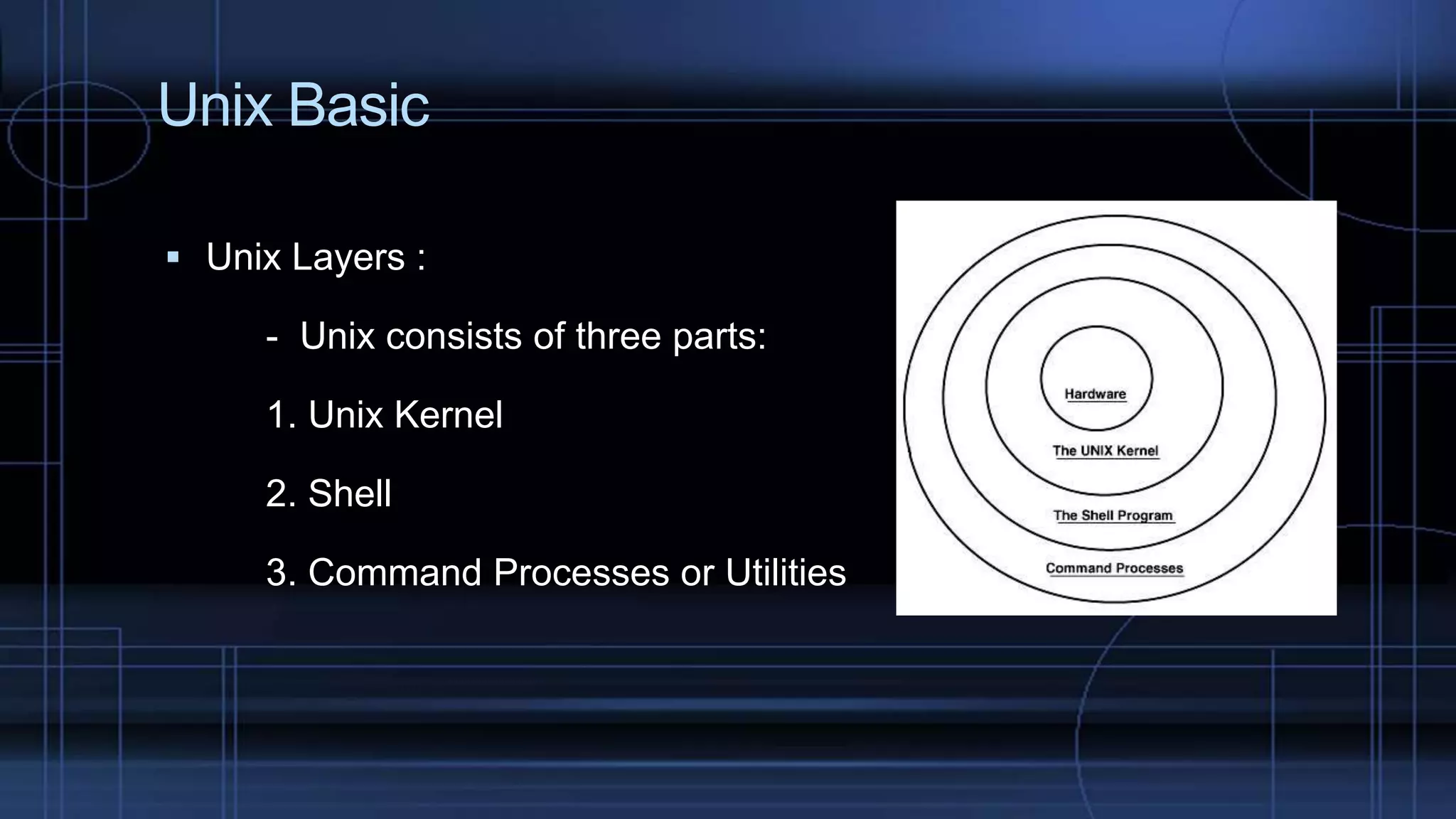
 Unix Layers :
- Unix consists of three parts:
1. Unix Kernel
2. Shell
3. Command Processes or Utilities
Linux Installation Management – CentOS
 A Linux distribution that attempts to provide a free, enterprise-
class, community supported computing platform
 A free version of RHEL, so it’s good if you want a stable platform
that will be supported for a long time
Linux Installation Management – CentOS
 Hardware Requirement
 Hardware Element
 Hardware Compatibility Lists
 Installation Methods (Media like CD/DVD, USB, etc..)
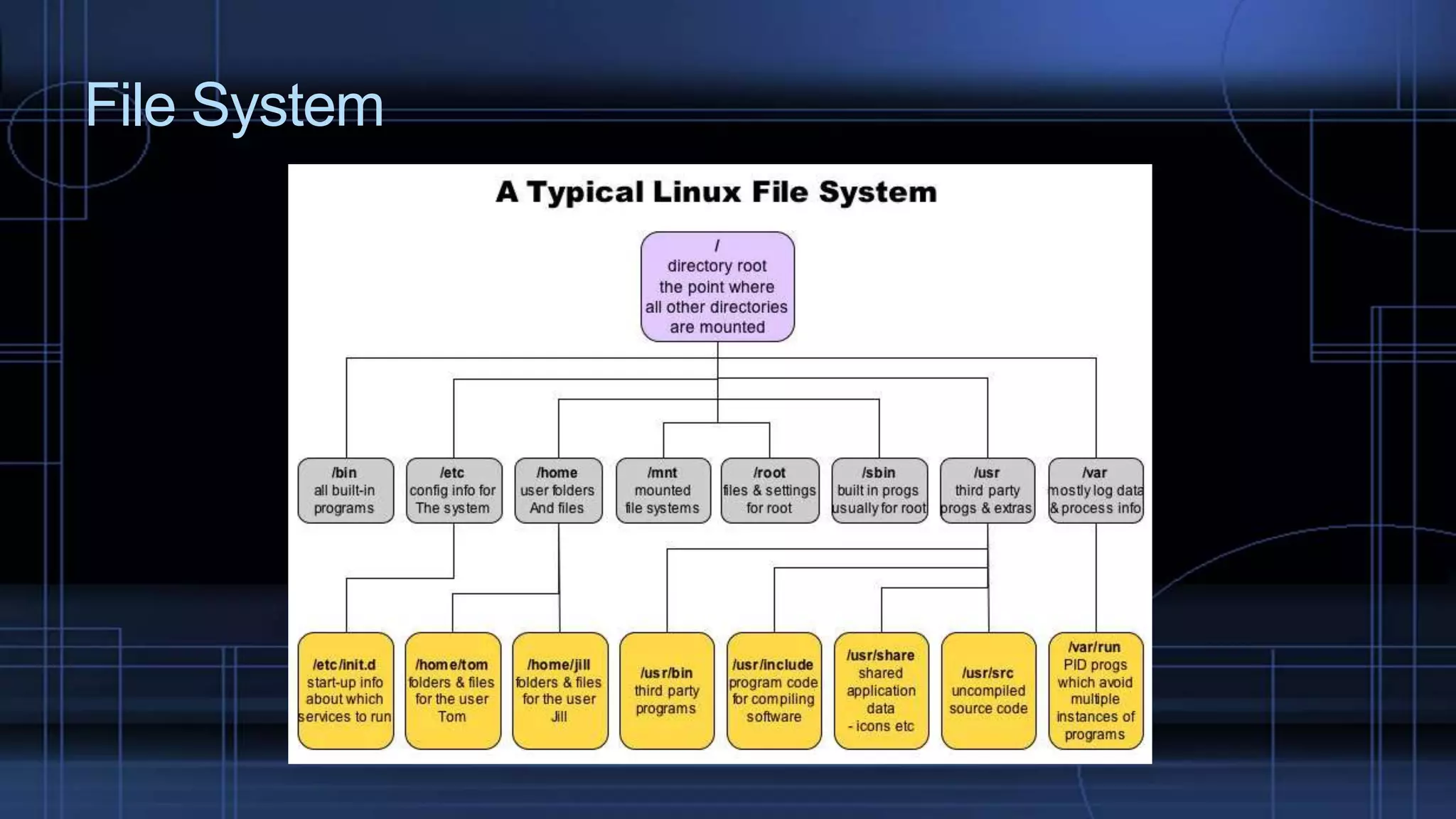
File System
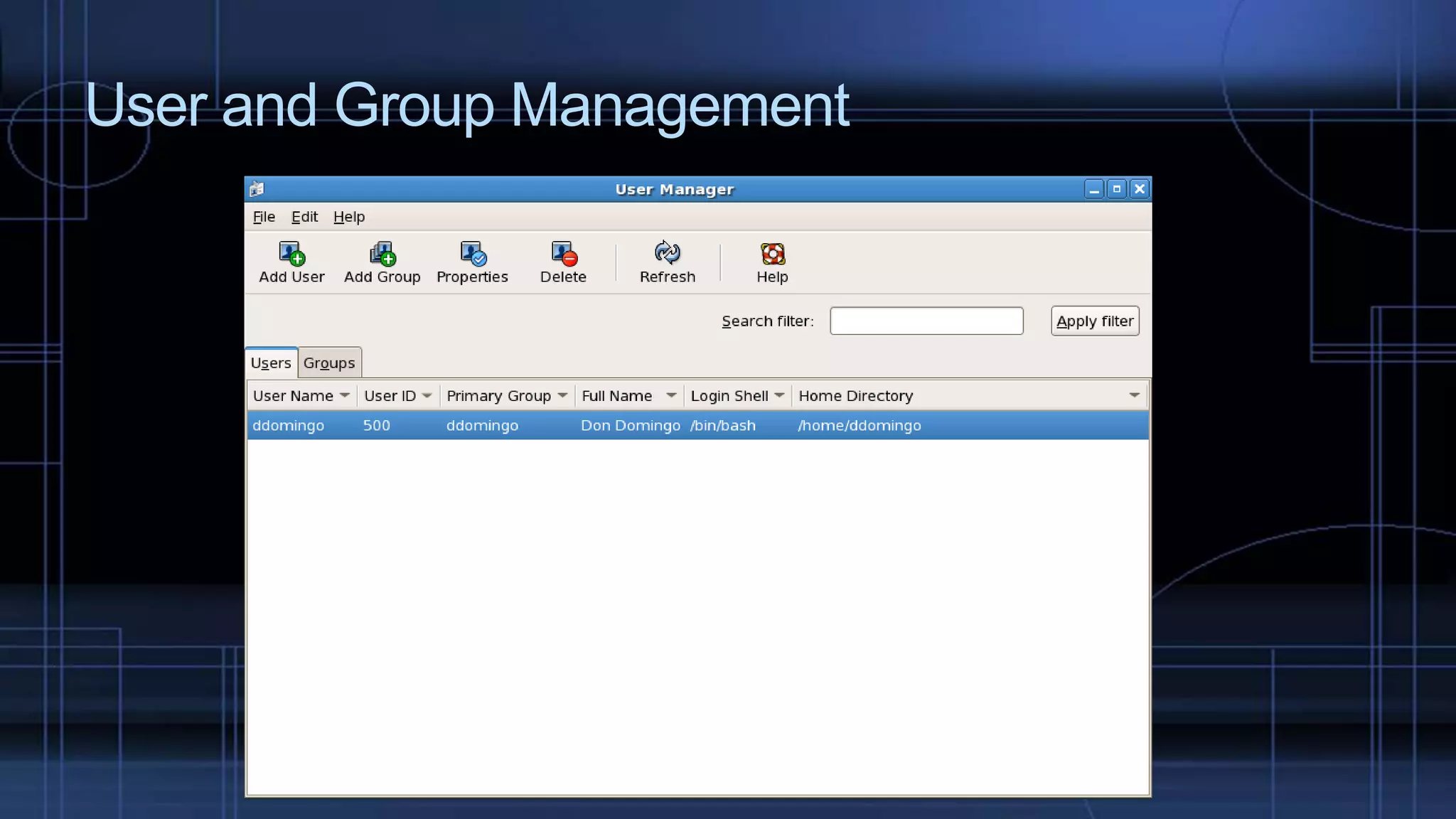
User and Group Management
 To control access to the system’s files, directories and peripherals
 Root user has complete access to OS and its configuration
 useradd –m –g[initial_group] –G[additional_groups] –s[login_shell]
[Username]
 groupadd [groupname] –g[groupid]
User and Group Management
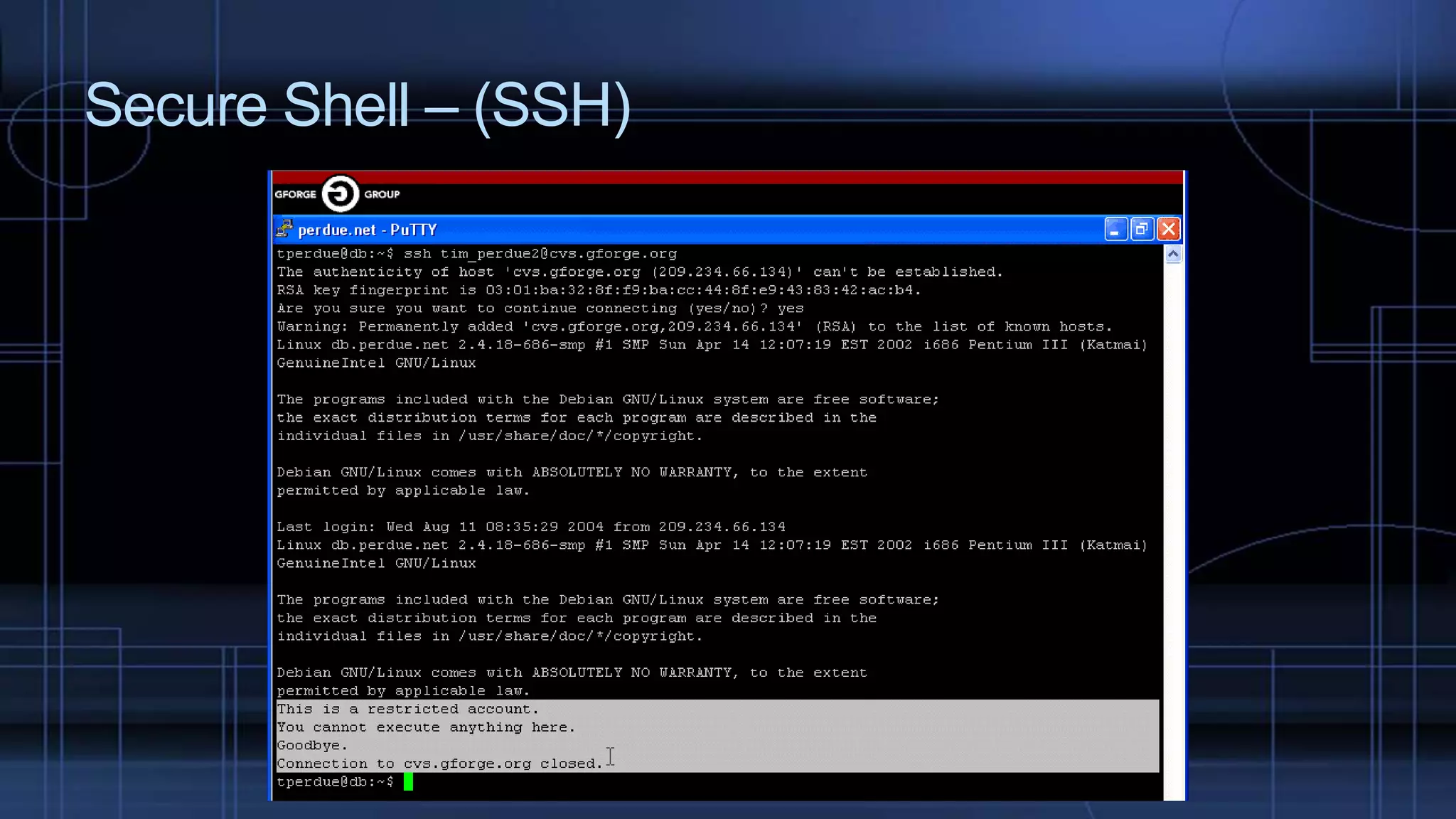
Secure Shell – (SSH)
 Used to log into a remote machine and execute commands(replacing telnet and
rlogin
 Default - TCP 22 port
 Also support X11 connections (VNC)
 Can transfer files using SSH File Transfer(SFTP) or secure copy(SCP) protocols
Secure Shell – (SSH)
Thanks for Listening

Linux Fundamentals

  • 1.
  • 2.
     Unix Basic Linux Installation Management  File System  User and Group management  SSH Topics
  • 3.
    Unix Basic  Unixis an operating system name for time-sharing system researched and developed by AT&T Bell Labs in 1969  Two Types of Unix : - BSD (Berkeley Software Distribution) - System V (System Five)
  • 4.
    Unix Basic  UnixLayers : - Unix consists of three parts: 1. Unix Kernel 2. Shell 3. Command Processes or Utilities
  • 5.
    Linux Installation Management– CentOS  A Linux distribution that attempts to provide a free, enterprise- class, community supported computing platform  A free version of RHEL, so it’s good if you want a stable platform that will be supported for a long time
  • 6.
    Linux Installation Management– CentOS  Hardware Requirement  Hardware Element  Hardware Compatibility Lists  Installation Methods (Media like CD/DVD, USB, etc..)
  • 7.
  • 8.
    User and GroupManagement  To control access to the system’s files, directories and peripherals  Root user has complete access to OS and its configuration  useradd –m –g[initial_group] –G[additional_groups] –s[login_shell] [Username]  groupadd [groupname] –g[groupid]
  • 9.
    User and GroupManagement
  • 10.
    Secure Shell –(SSH)  Used to log into a remote machine and execute commands(replacing telnet and rlogin  Default - TCP 22 port  Also support X11 connections (VNC)  Can transfer files using SSH File Transfer(SFTP) or secure copy(SCP) protocols
  • 11.
  • 12.