Lifecycle of a pixel
From a photon to Jpeg
Three basic principles of light
sensing
● photochemistry: light renders silver halide grains in film
“emulsion” “developable”
● thermal physics: heating effect of incident light heats
sensor that measures temperature
● photophysics: interaction of light with matter frees
electrons
○ light absorbed by metal surfaces causes current to be ejected from
them
○ light absorbed by semiconductors causes their conductivity to
increase
Capturing a digital
image
Photoelectric Effect
● Einstein's Nobel prize
● Light hits the conductor or semiconductor, electrons are
ejected and voltage is generated
● Principle behind solar cells and photosensitive diodes
Semiconductor Technologies
● CCD (“charge coupled device”), mostly obsolete
● CMOS (“complementary metal oxide semiconductor”)
○ originally: naked memory chips
○ currently: “camera on a chip” designs
● CID (“charge injection device”)
○ Mostly used in speciality cameras, by NASA and similar
CMOS imager array
● Two dimensional array of photosensitive diodes is
organized into rows and columns
● Each row charges are moved to a BUS at a time
● Color separation by filters and prisms
● Faster than CCD, cheaper, uses less power, and works
better in low light, but generates more noise
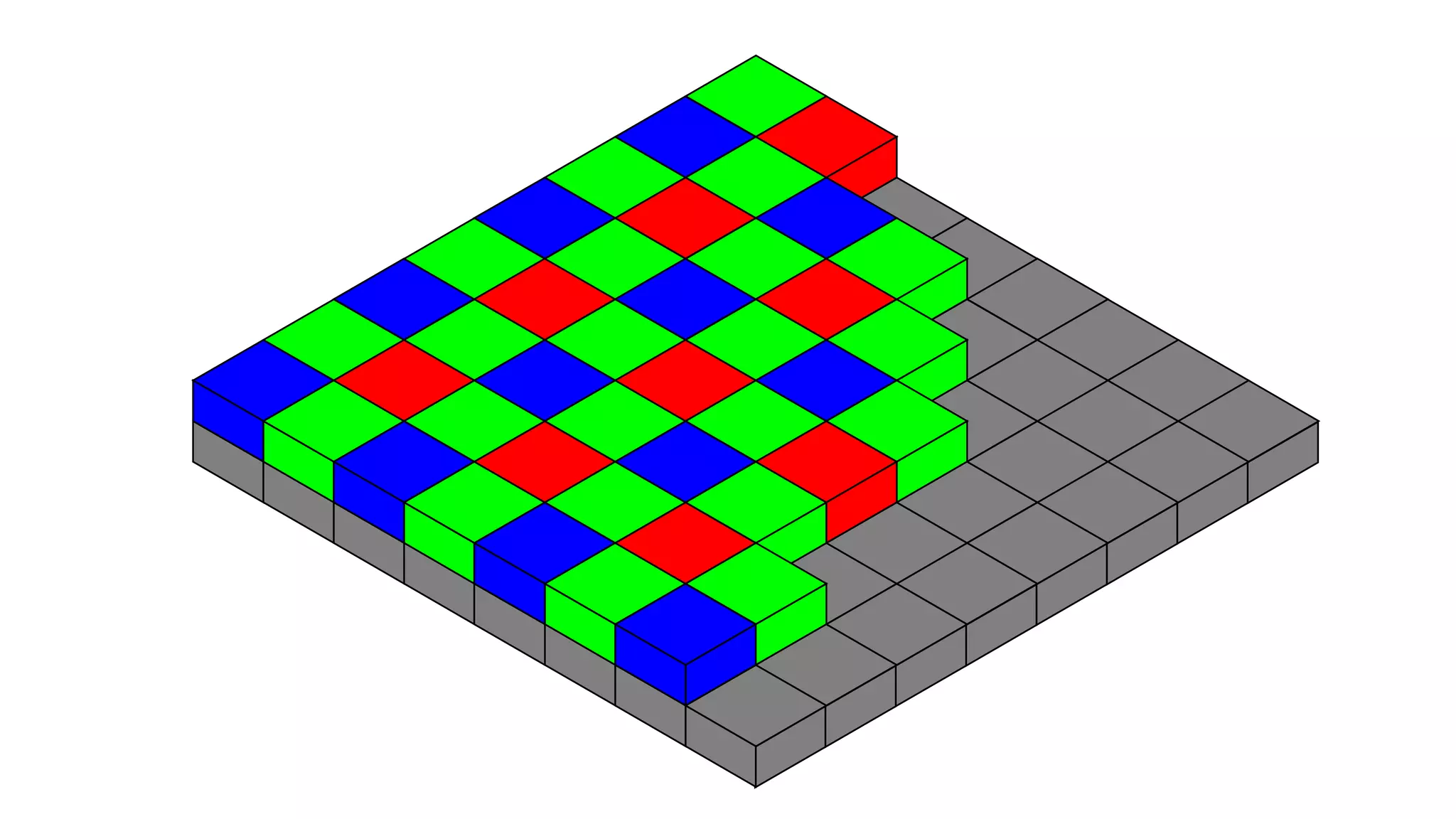
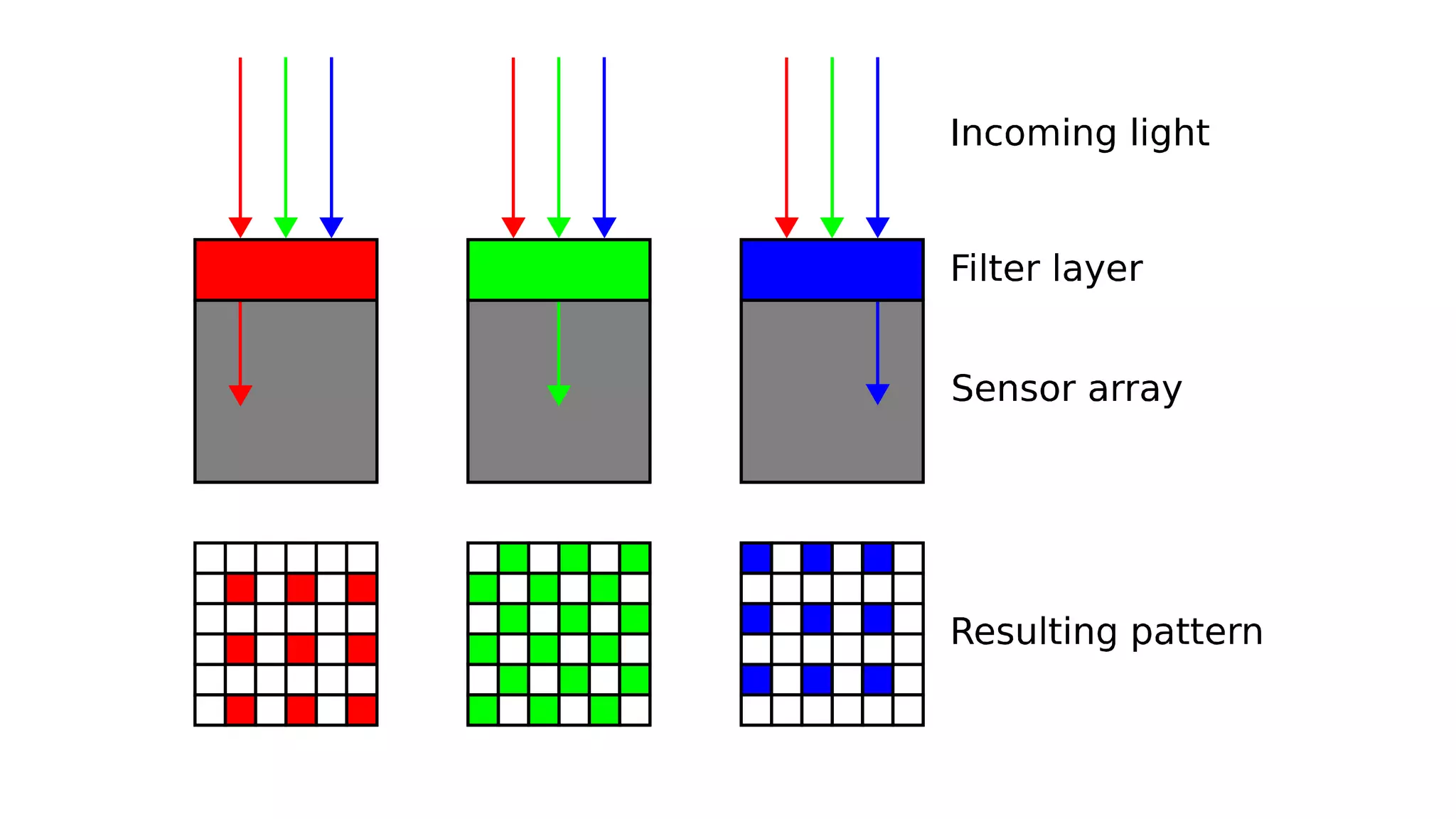
Bayer filter
● Color filter array (CFA) for arranging RGB color filters on
a square grid of photosensors
● 50% green, 25% blue, 25% red
● GRGB arrangement
Raw to RGB
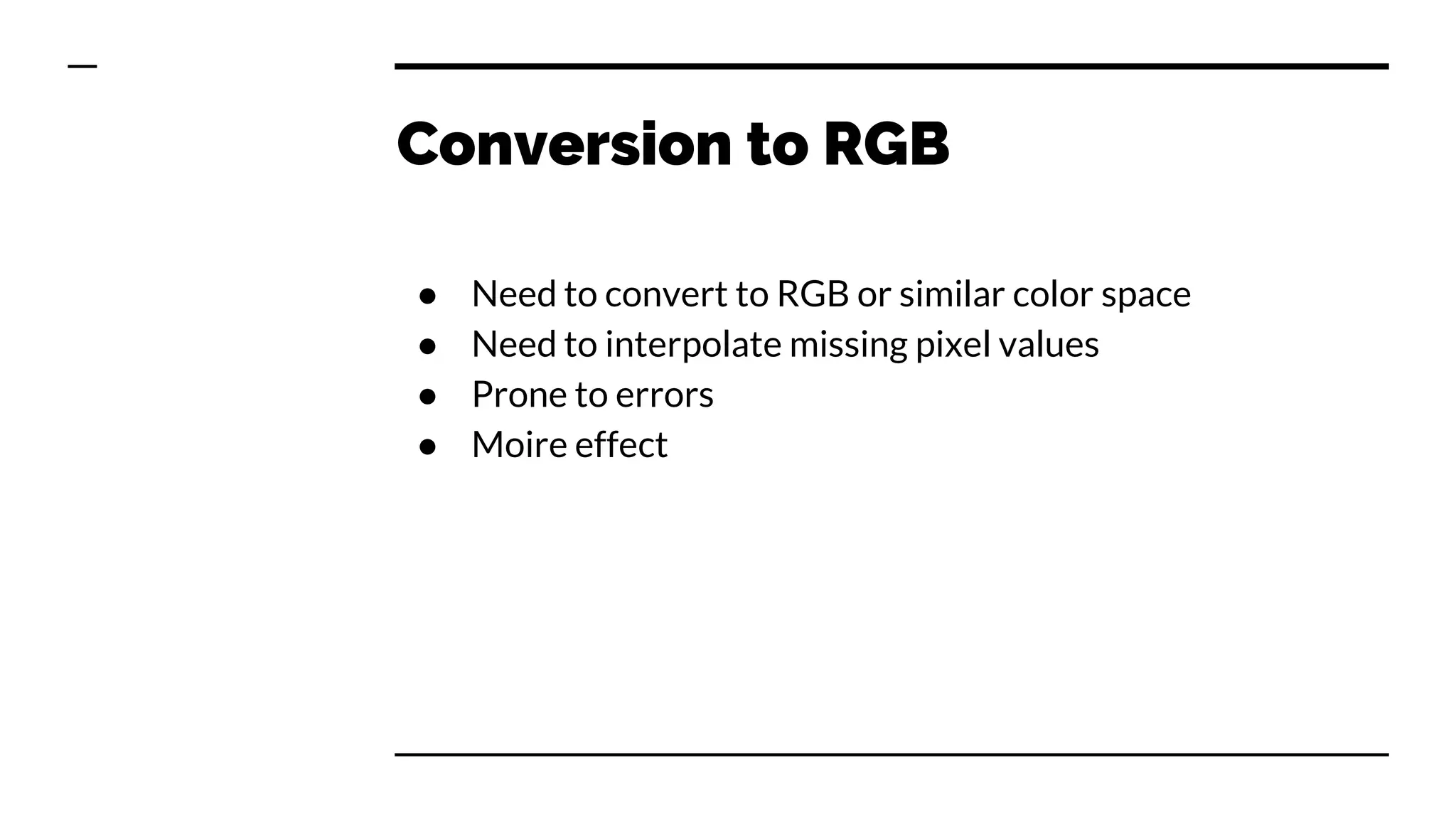
Conversion to RGB
● Need to convert to RGB or similar color space
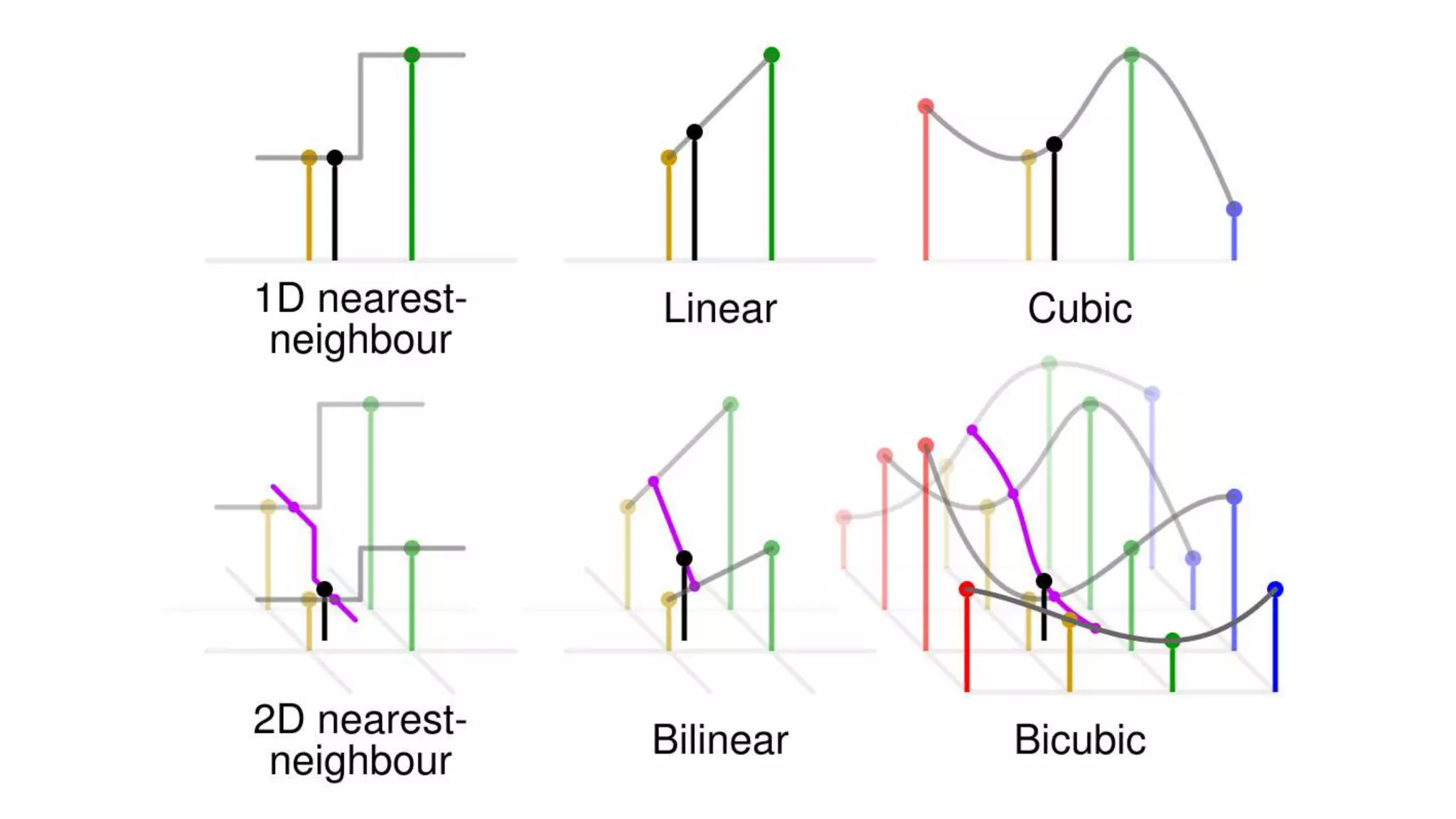
● Need to interpolate missing pixel values
● Prone to errors
● Moire effect
RGB to JPEG
What is JPEG?
● JPEG is NOT an image format, it is compression standard
● JPEG stands for Joint Photographic Experts Group
● JFIF is standard file format that holds JPEG compressed
images, JPEG File Interchange Format
● Exif, Exchangeable Image Format is actual format
modern cameras use
JPEG compression assumptions
● Human eye sees grayscale better than color
● Human eye are more sensitive to green than red or blue
● Human eye does not see high frequency changes well
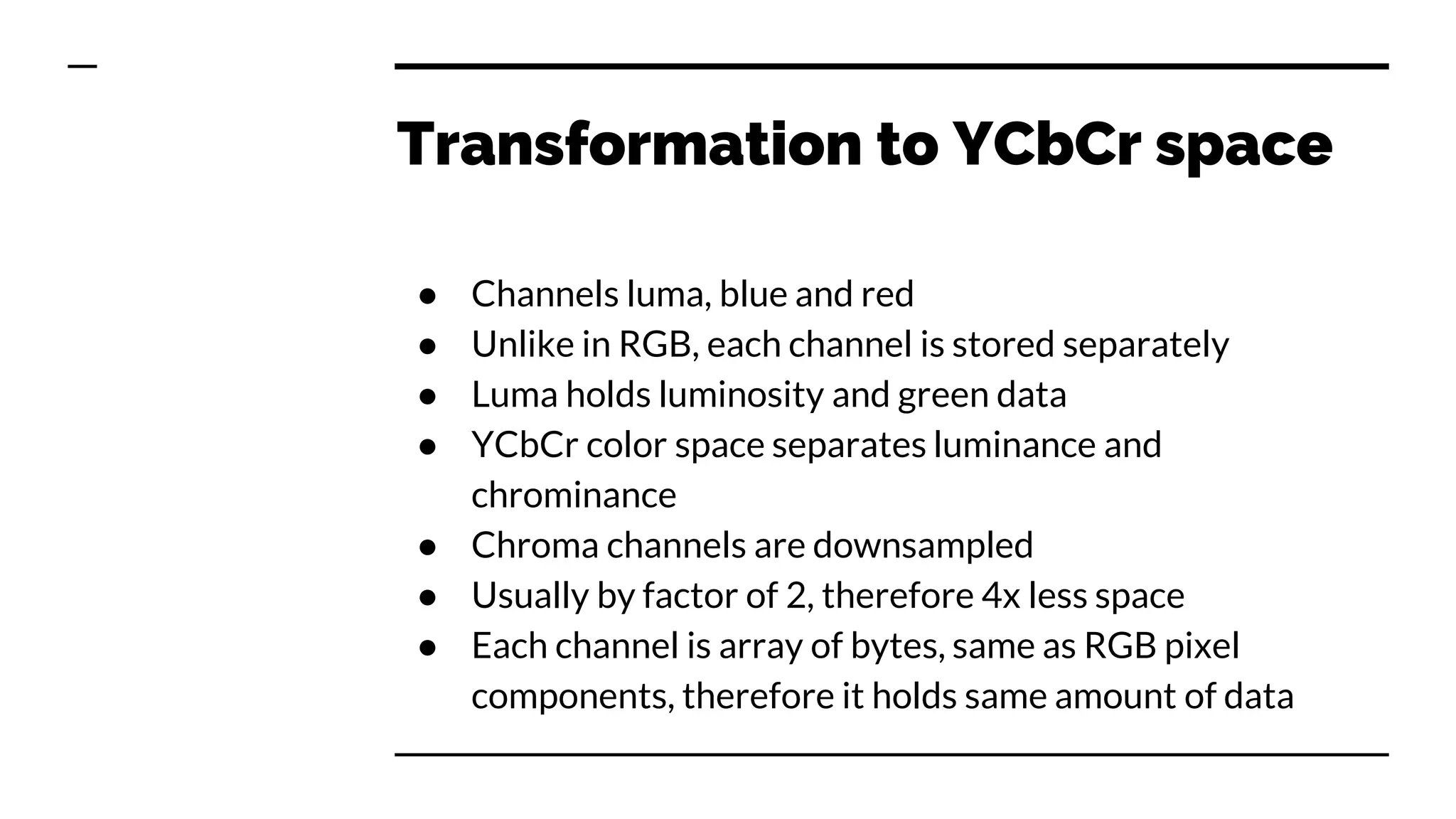
Transformation to YCbCr space
● Channels luma, blue and red
● Unlike in RGB, each channel is stored separately
● Luma holds luminosity and green data
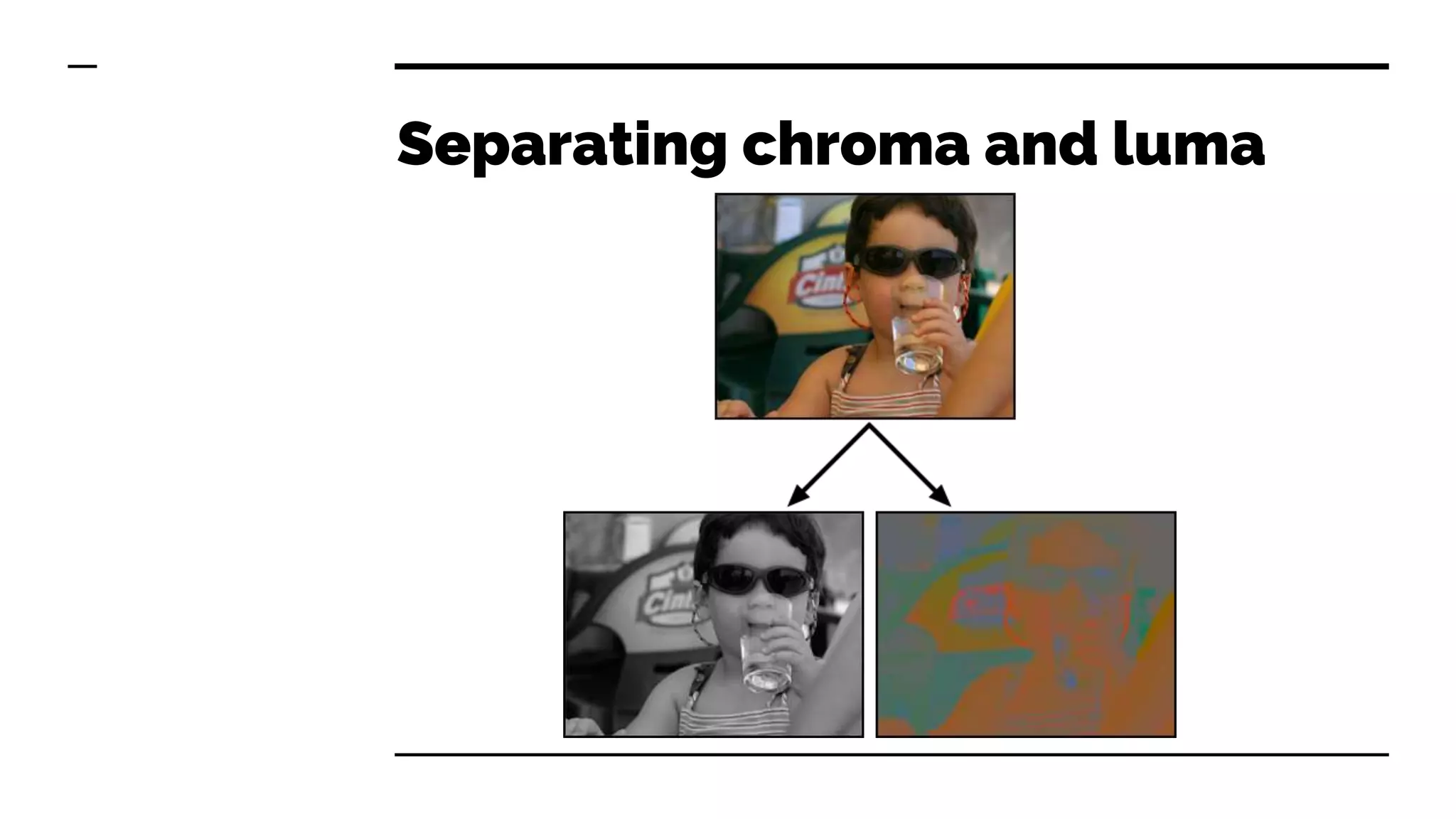
● YCbCr color space separates luminance and
chrominance
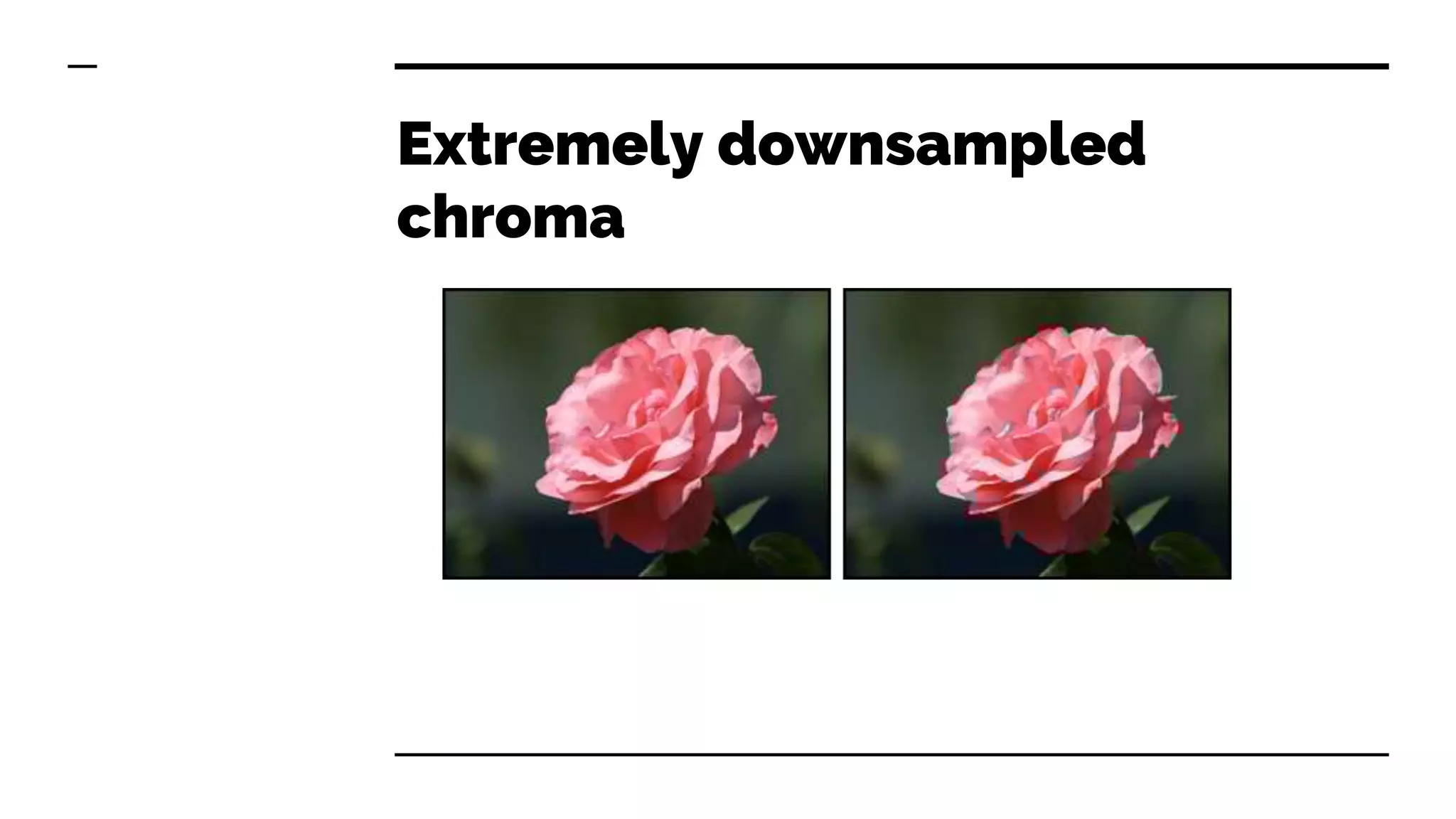
● Chroma channels are downsampled
● Usually by factor of 2, therefore 4x less space
● Each channel is array of bytes, same as RGB pixel
components, therefore it holds same amount of data
Separating chroma and luma
Extremely downsampled
chroma
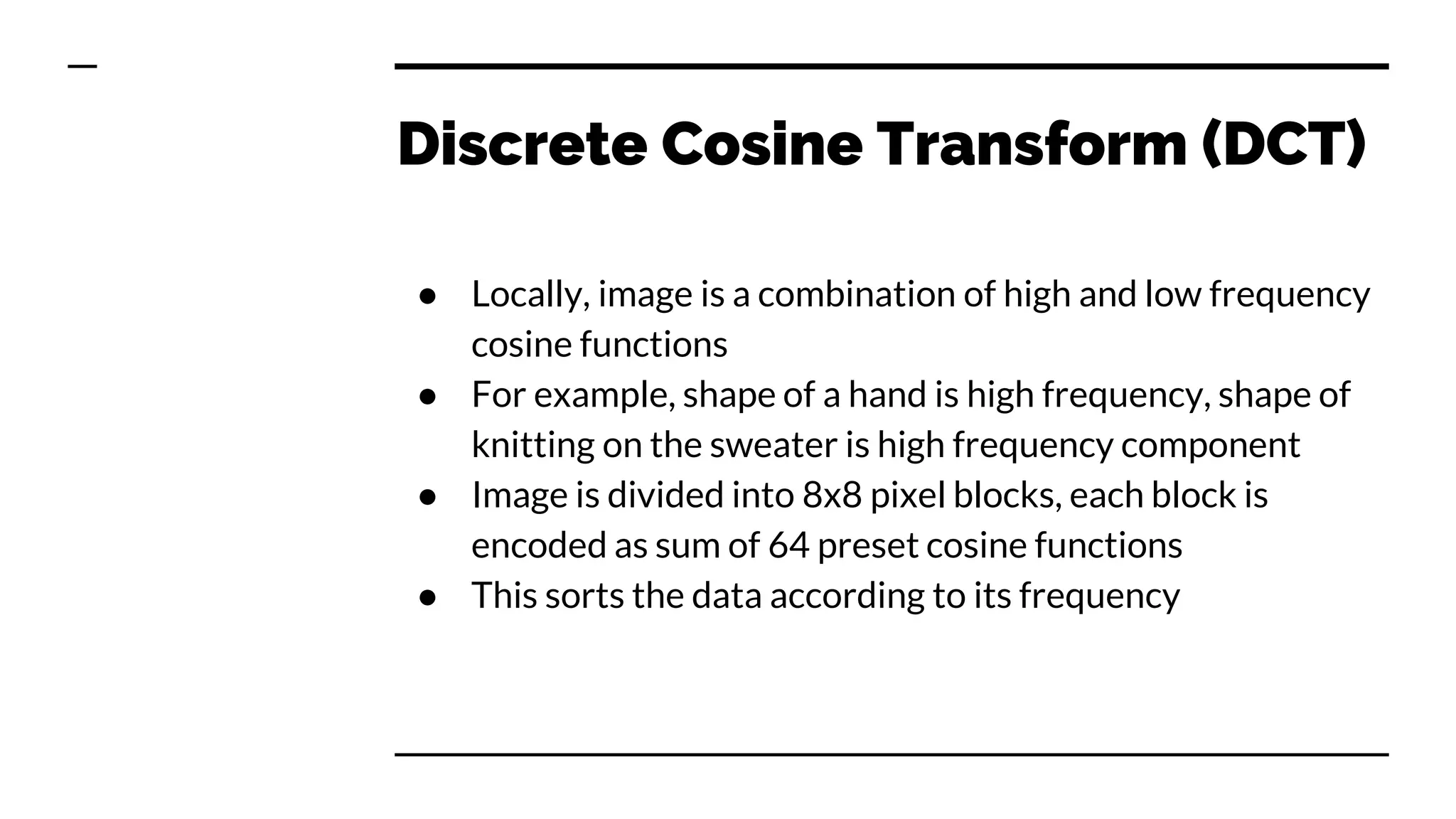
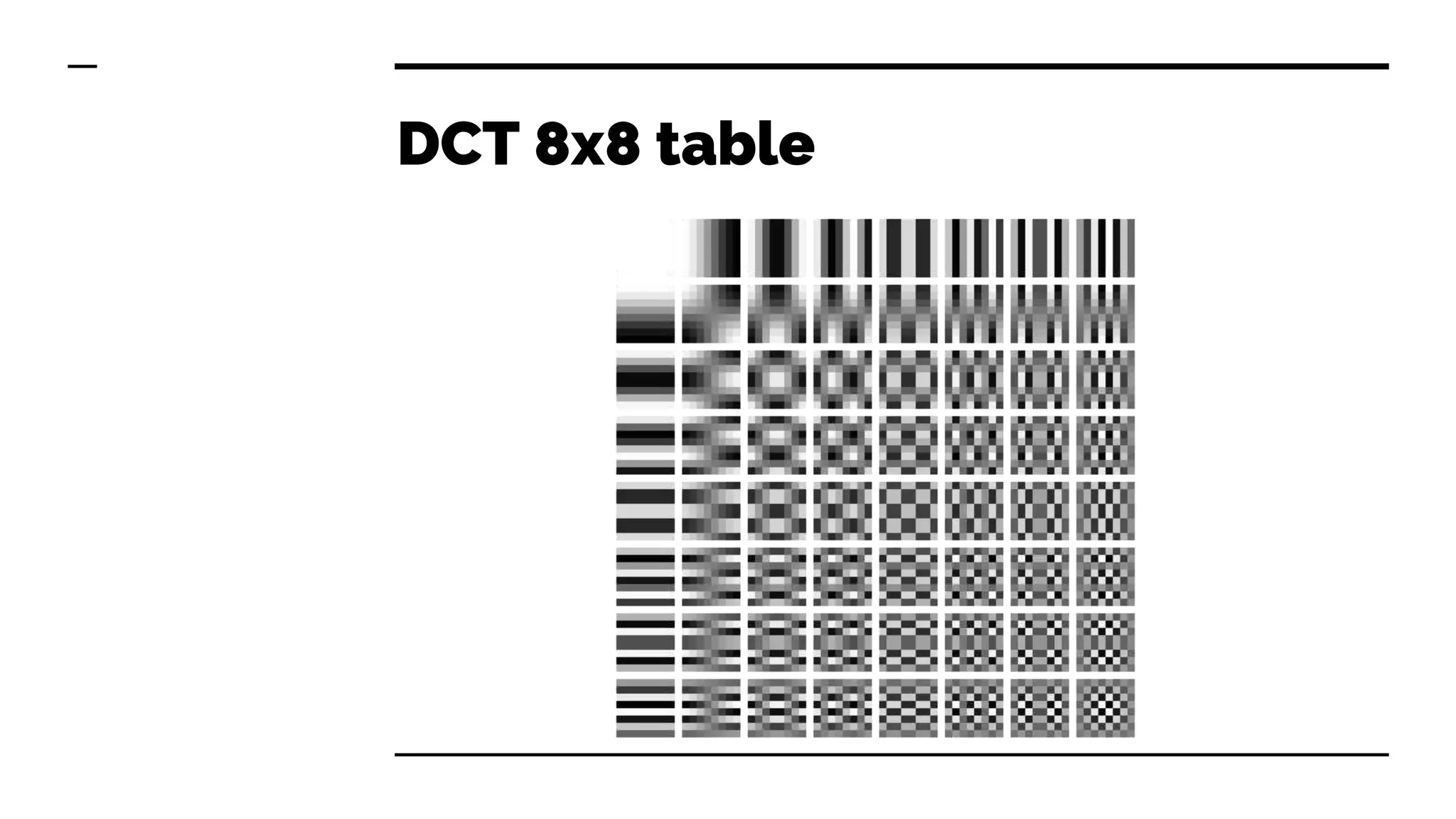
Discrete Cosine Transform (DCT)
● Locally, image is a combination of high and low frequency
cosine functions
● For example, shape of a hand is high frequency, shape of
knitting on the sweater is high frequency component
● Image is divided into 8x8 pixel blocks, each block is
encoded as sum of 64 preset cosine functions
● This sorts the data according to its frequency
DCT 8x8 table
How images are composed
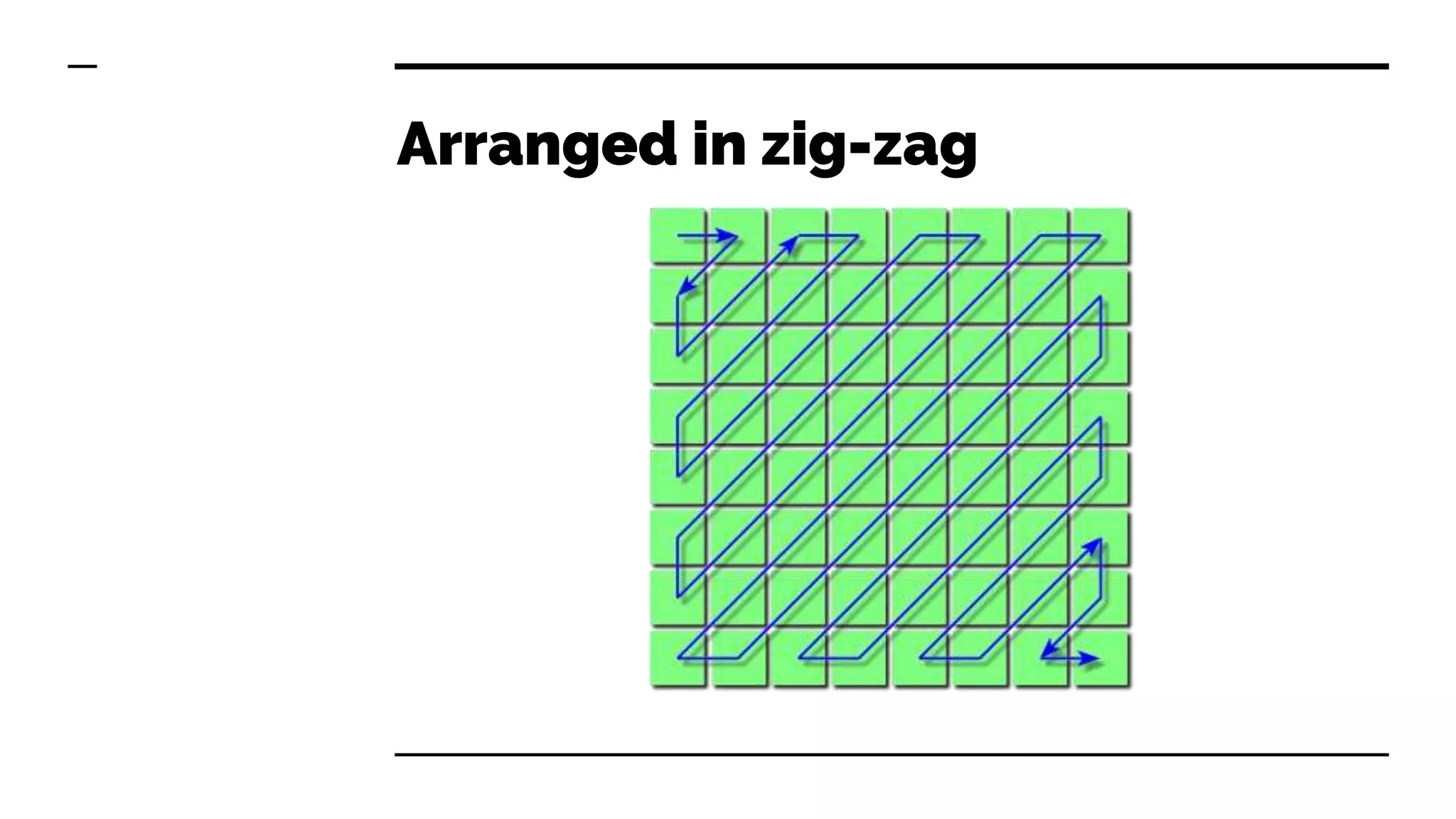
Arranged in zig-zag
DCT calculation
and compression
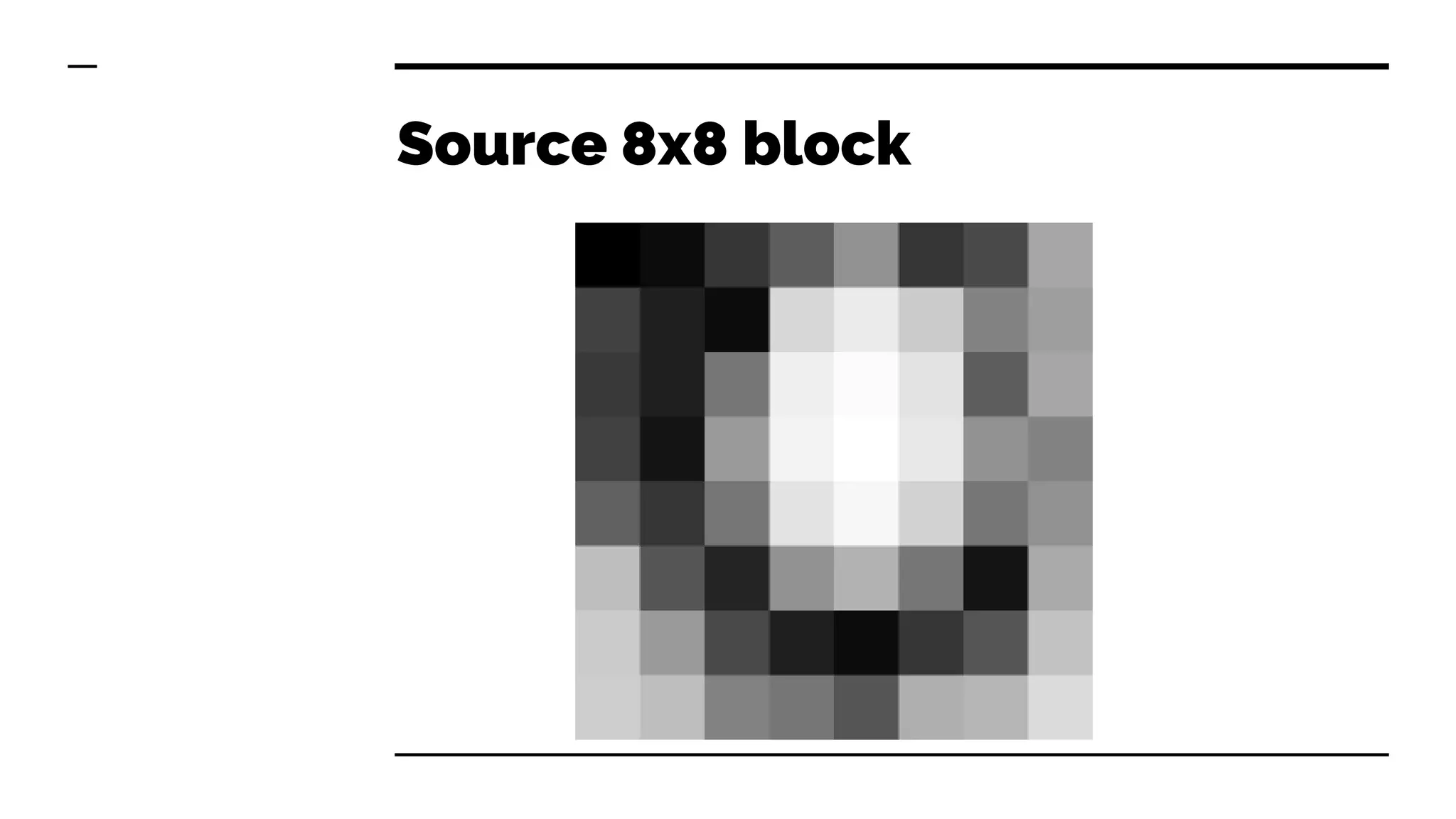
Source 8x8 block
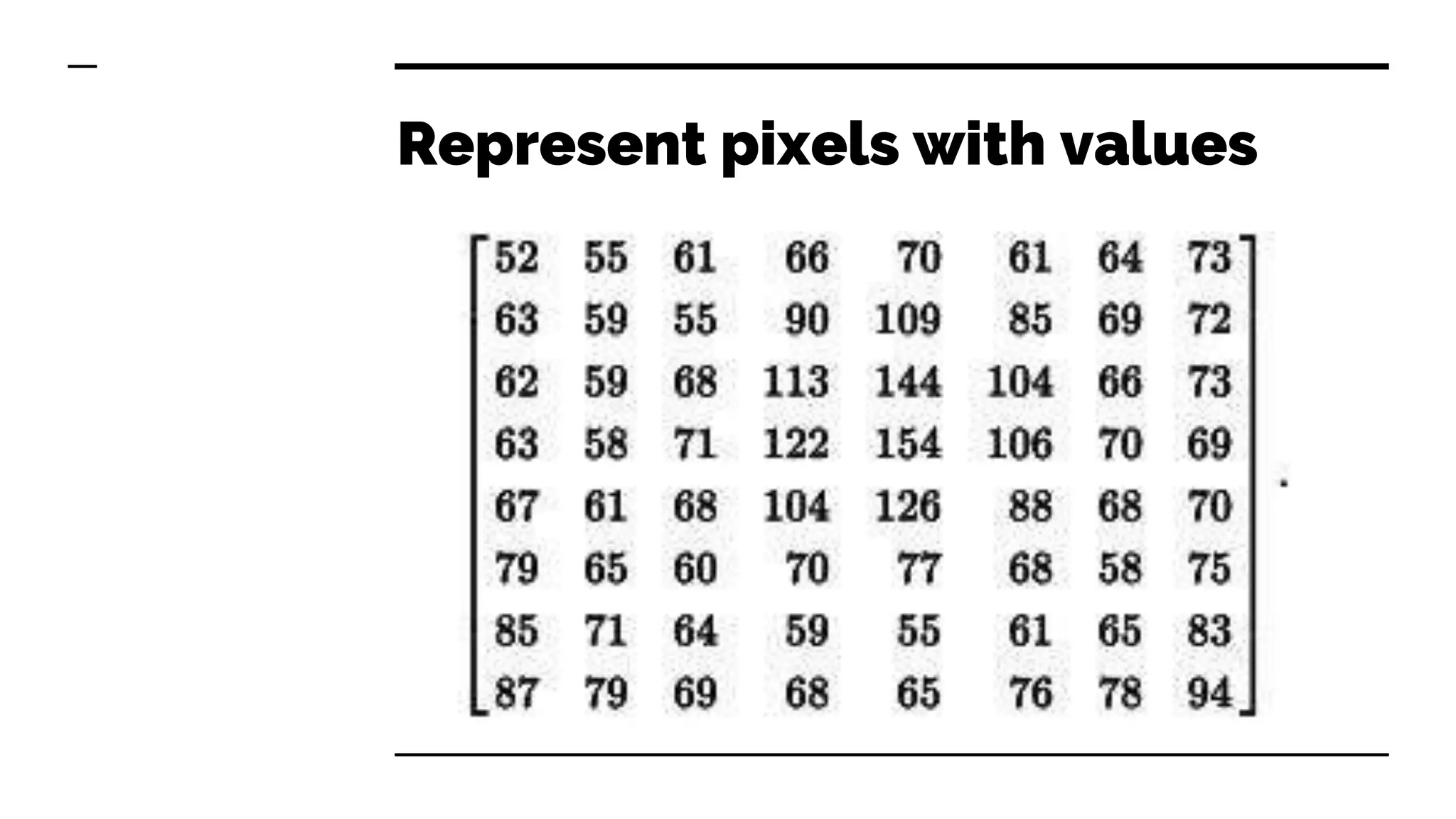
Represent pixels with values
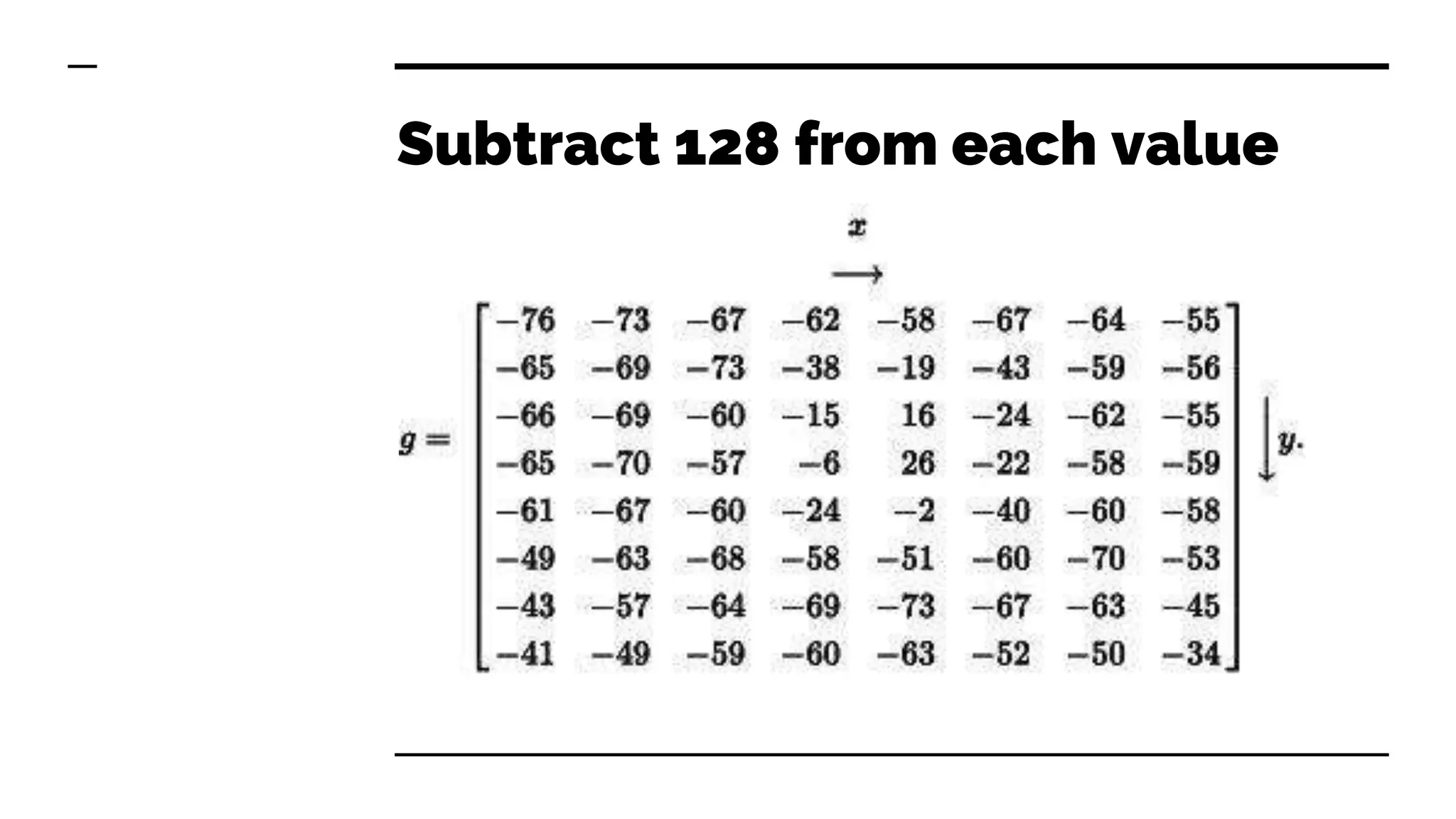
Subtract 128 from each value
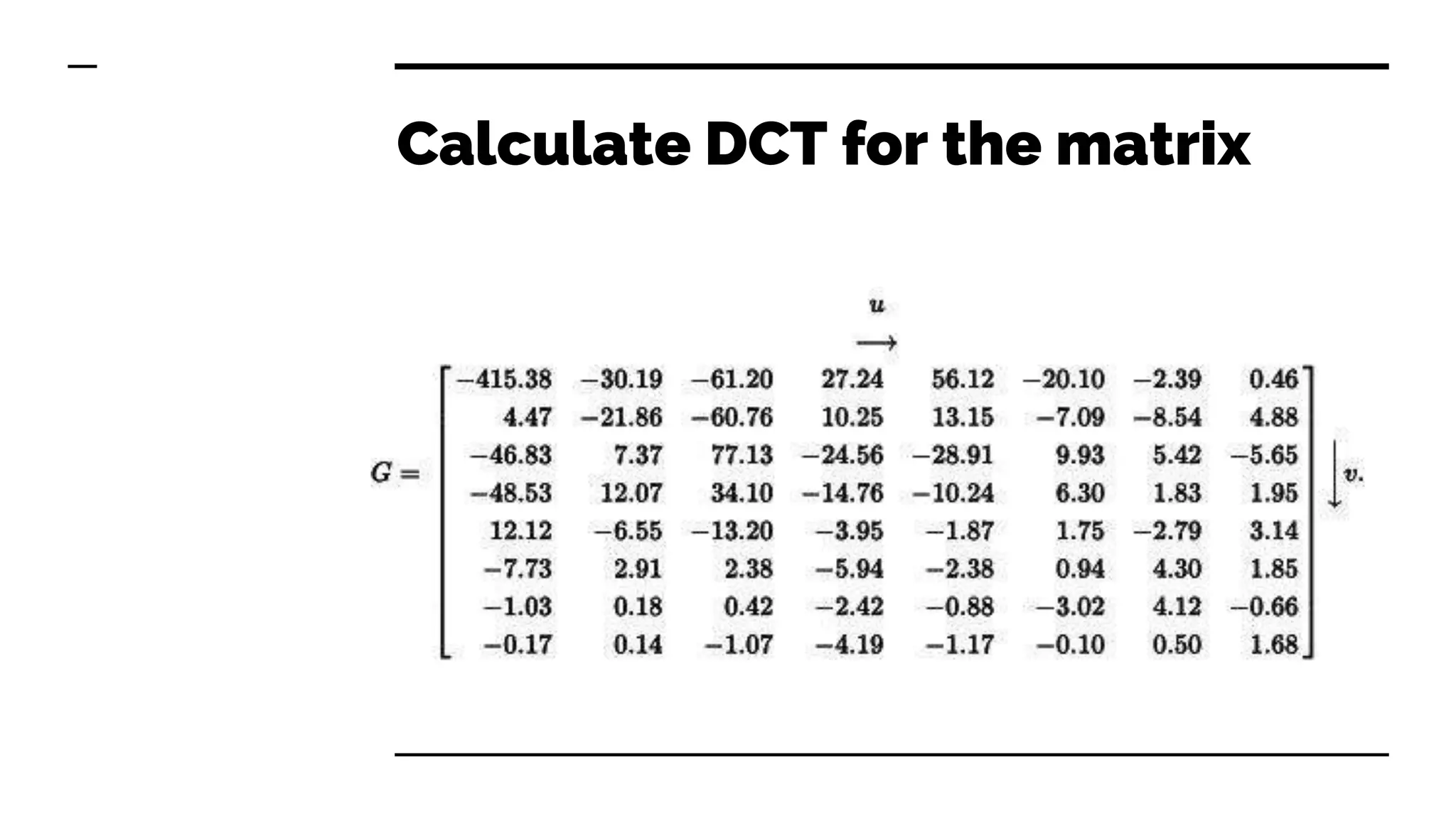
Calculate DCT for the matrix
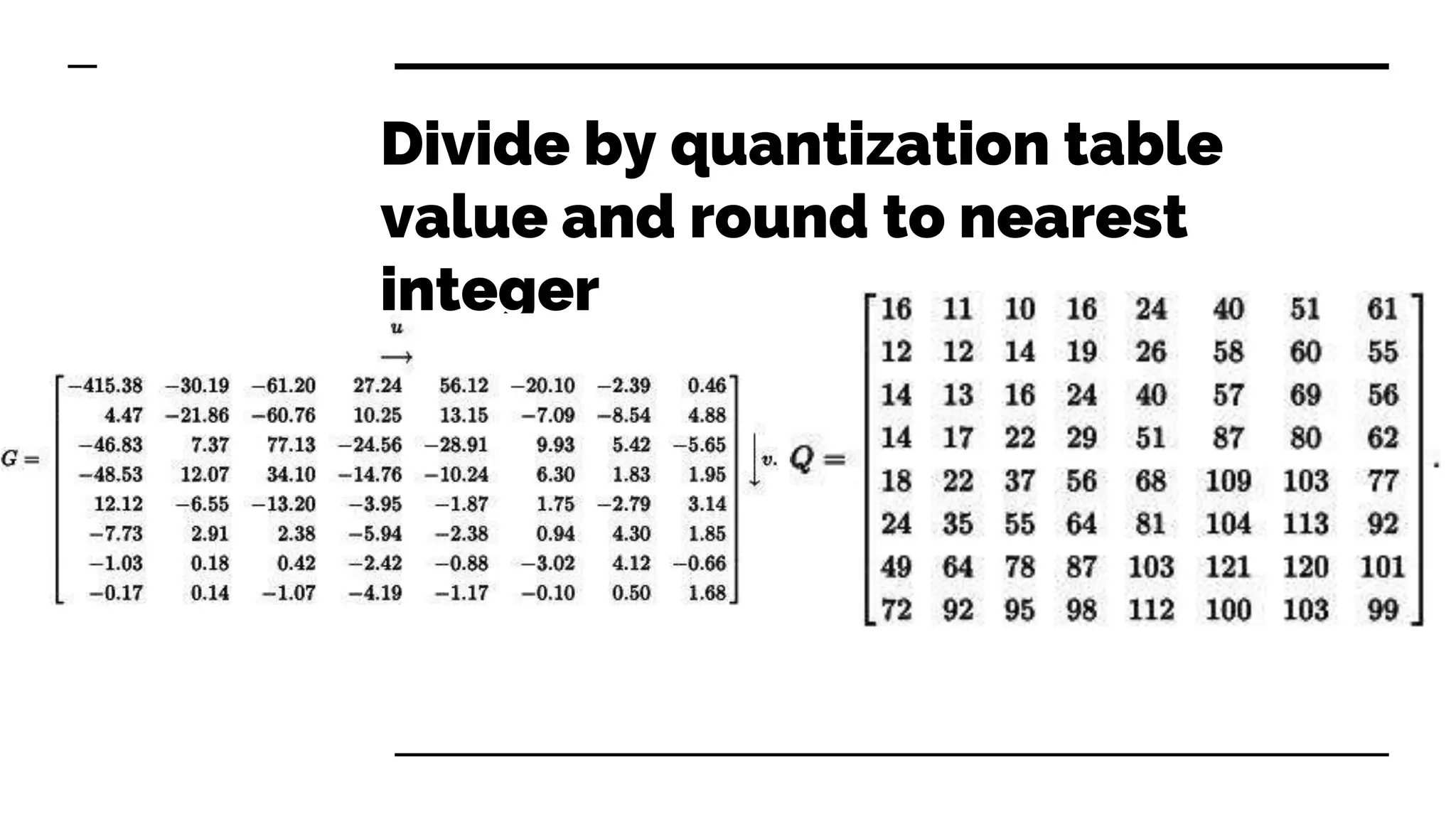
Divide by quantization table
value and round to nearest
integer
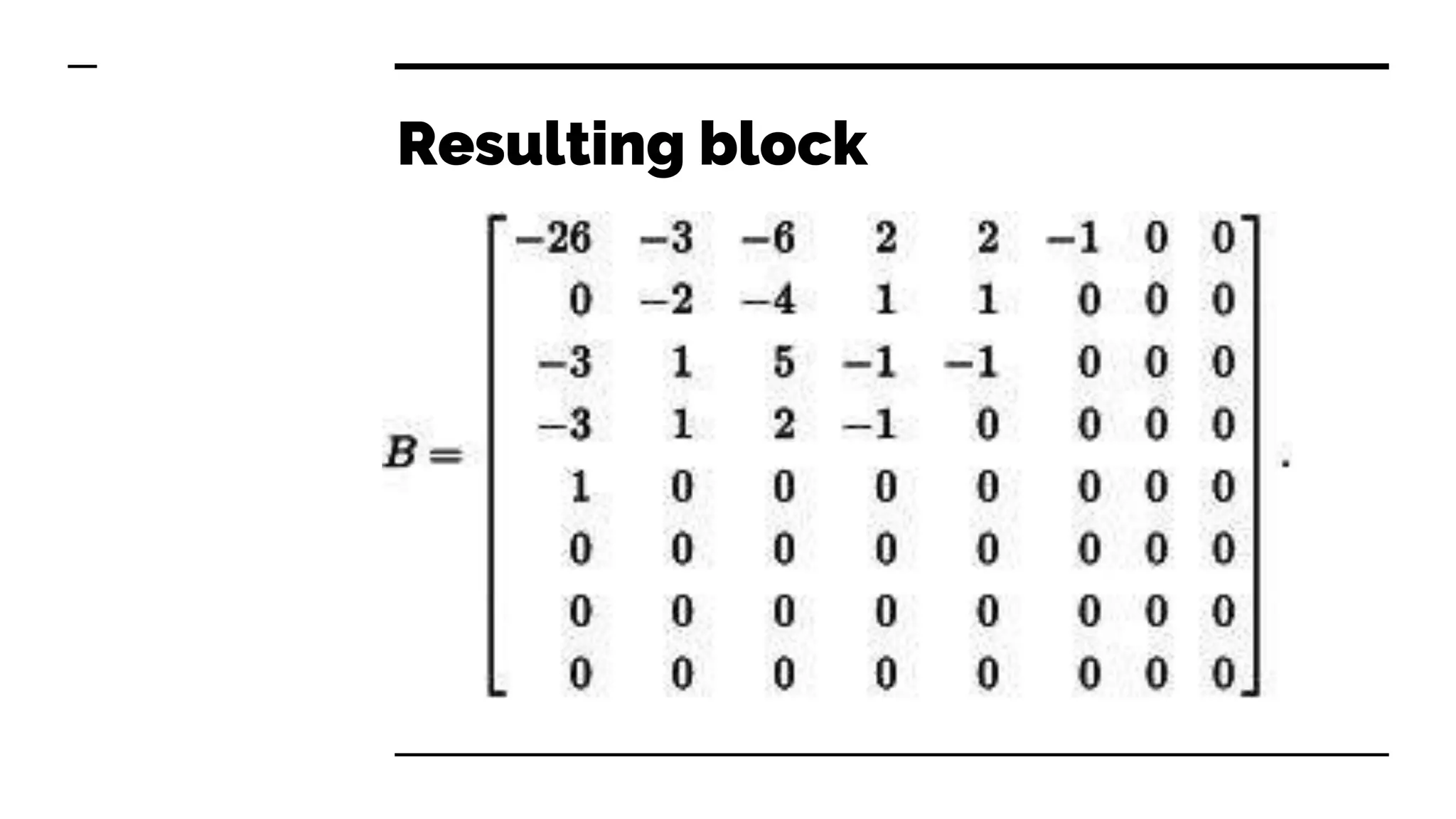
Resulting block
DCT quantization
● We will find that large values are in low frequency area
● On most images, high frequency cosines don’t contribute
much, and our eye can’t see them well
● Most values will be zero, only those that contribute a lot
to the image will stay
● High frequency values in quantization table are big, so
they will nearly sure be zeroed out
Compression
● Huffman encoding is very good in removing multiple
values
● We store quantization table used and DCT coefficients in
JFIF format so process can be reversed when
decompression
● Chroma tables have much higher penalty than luma
● Decompressed image has relatively small differences
from original while reducing size significantly
Disadvantages of JPEG
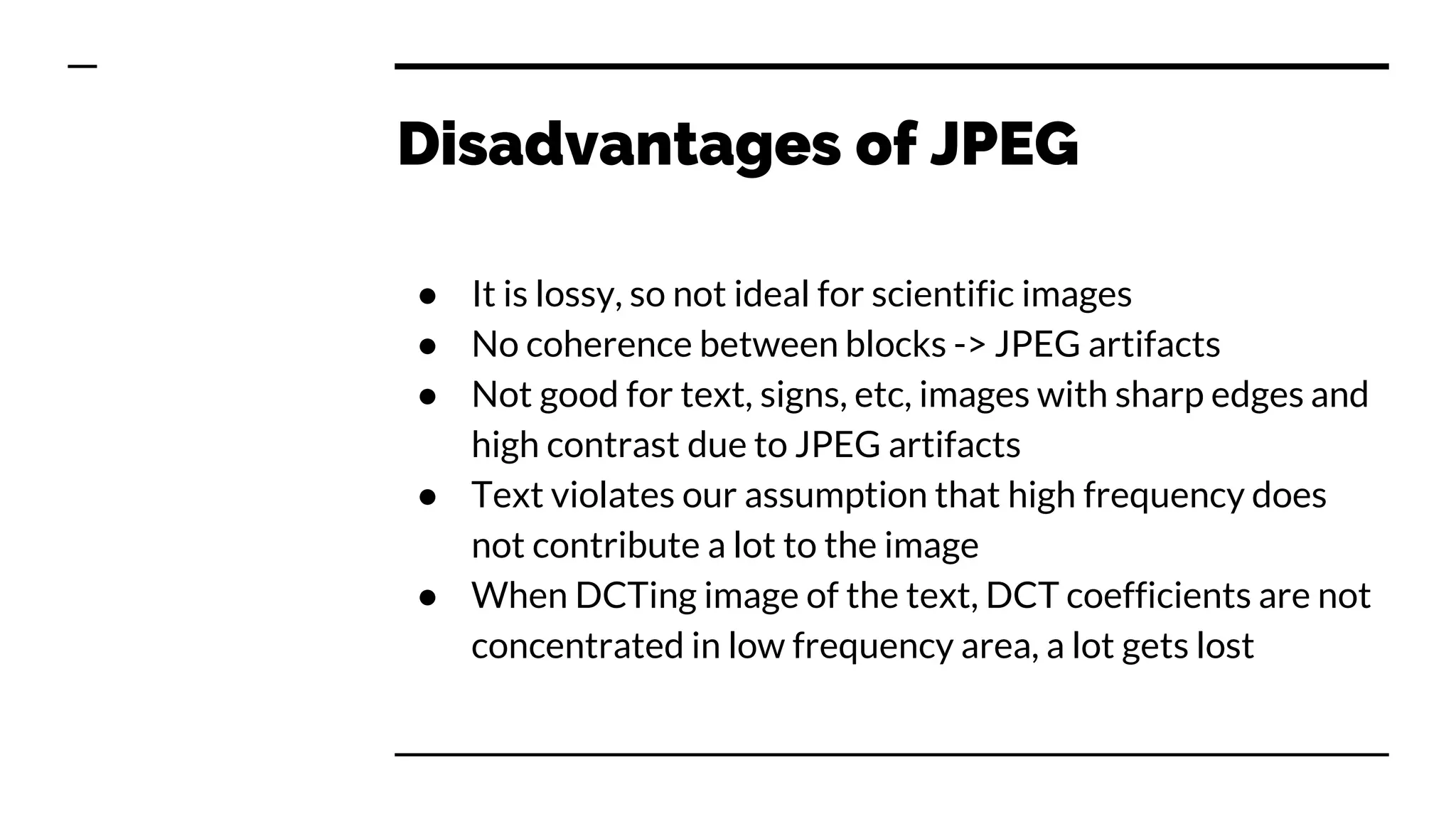
● It is lossy, so not ideal for scientific images
● No coherence between blocks -> JPEG artifacts
● Not good for text, signs, etc, images with sharp edges and
high contrast due to JPEG artifacts
● Text violates our assumption that high frequency does
not contribute a lot to the image
● When DCTing image of the text, DCT coefficients are not
concentrated in low frequency area, a lot gets lost
Steganography
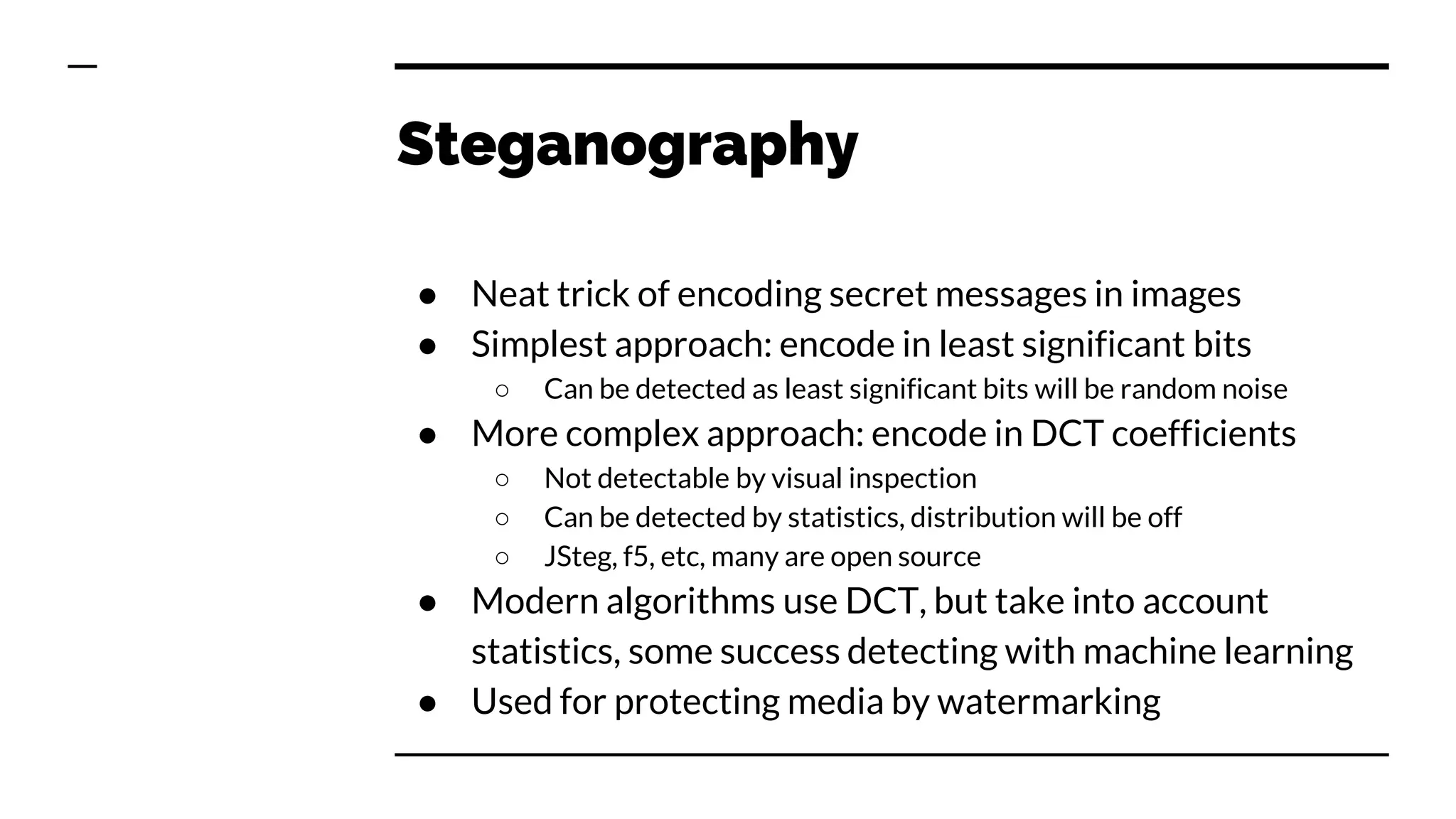
● Neat trick of encoding secret messages in images
● Simplest approach: encode in least significant bits
○ Can be detected as least significant bits will be random noise
● More complex approach: encode in DCT coefficients
○ Not detectable by visual inspection
○ Can be detected by statistics, distribution will be off
○ JSteg, f5, etc, many are open source
● Modern algorithms use DCT, but take into account
statistics, some success detecting with machine learning
● Used for protecting media by watermarking
The End.

Lifecycle of a pixel

  • 1.
    Lifecycle of apixel From a photon to Jpeg
  • 2.
    Three basic principlesof light sensing ● photochemistry: light renders silver halide grains in film “emulsion” “developable” ● thermal physics: heating effect of incident light heats sensor that measures temperature ● photophysics: interaction of light with matter frees electrons ○ light absorbed by metal surfaces causes current to be ejected from them ○ light absorbed by semiconductors causes their conductivity to increase
  • 3.
  • 4.
    Photoelectric Effect ● Einstein'sNobel prize ● Light hits the conductor or semiconductor, electrons are ejected and voltage is generated ● Principle behind solar cells and photosensitive diodes
  • 5.
    Semiconductor Technologies ● CCD(“charge coupled device”), mostly obsolete ● CMOS (“complementary metal oxide semiconductor”) ○ originally: naked memory chips ○ currently: “camera on a chip” designs ● CID (“charge injection device”) ○ Mostly used in speciality cameras, by NASA and similar
  • 6.
    CMOS imager array ●Two dimensional array of photosensitive diodes is organized into rows and columns ● Each row charges are moved to a BUS at a time ● Color separation by filters and prisms ● Faster than CCD, cheaper, uses less power, and works better in low light, but generates more noise
  • 7.
    Bayer filter ● Colorfilter array (CFA) for arranging RGB color filters on a square grid of photosensors ● 50% green, 25% blue, 25% red ● GRGB arrangement
  • 10.
  • 11.
    Conversion to RGB ●Need to convert to RGB or similar color space ● Need to interpolate missing pixel values ● Prone to errors ● Moire effect
  • 14.
  • 15.
    What is JPEG? ●JPEG is NOT an image format, it is compression standard ● JPEG stands for Joint Photographic Experts Group ● JFIF is standard file format that holds JPEG compressed images, JPEG File Interchange Format ● Exif, Exchangeable Image Format is actual format modern cameras use
  • 16.
    JPEG compression assumptions ●Human eye sees grayscale better than color ● Human eye are more sensitive to green than red or blue ● Human eye does not see high frequency changes well
  • 17.
    Transformation to YCbCrspace ● Channels luma, blue and red ● Unlike in RGB, each channel is stored separately ● Luma holds luminosity and green data ● YCbCr color space separates luminance and chrominance ● Chroma channels are downsampled ● Usually by factor of 2, therefore 4x less space ● Each channel is array of bytes, same as RGB pixel components, therefore it holds same amount of data
  • 18.
  • 19.
  • 20.
    Discrete Cosine Transform(DCT) ● Locally, image is a combination of high and low frequency cosine functions ● For example, shape of a hand is high frequency, shape of knitting on the sweater is high frequency component ● Image is divided into 8x8 pixel blocks, each block is encoded as sum of 64 preset cosine functions ● This sorts the data according to its frequency
  • 21.
  • 22.
  • 23.
  • 24.
  • 25.
  • 26.
  • 27.
  • 28.
  • 29.
    Divide by quantizationtable value and round to nearest integer
  • 30.
  • 31.
    DCT quantization ● Wewill find that large values are in low frequency area ● On most images, high frequency cosines don’t contribute much, and our eye can’t see them well ● Most values will be zero, only those that contribute a lot to the image will stay ● High frequency values in quantization table are big, so they will nearly sure be zeroed out
  • 32.
    Compression ● Huffman encodingis very good in removing multiple values ● We store quantization table used and DCT coefficients in JFIF format so process can be reversed when decompression ● Chroma tables have much higher penalty than luma ● Decompressed image has relatively small differences from original while reducing size significantly
  • 33.
    Disadvantages of JPEG ●It is lossy, so not ideal for scientific images ● No coherence between blocks -> JPEG artifacts ● Not good for text, signs, etc, images with sharp edges and high contrast due to JPEG artifacts ● Text violates our assumption that high frequency does not contribute a lot to the image ● When DCTing image of the text, DCT coefficients are not concentrated in low frequency area, a lot gets lost
  • 34.
    Steganography ● Neat trickof encoding secret messages in images ● Simplest approach: encode in least significant bits ○ Can be detected as least significant bits will be random noise ● More complex approach: encode in DCT coefficients ○ Not detectable by visual inspection ○ Can be detected by statistics, distribution will be off ○ JSteg, f5, etc, many are open source ● Modern algorithms use DCT, but take into account statistics, some success detecting with machine learning ● Used for protecting media by watermarking
  • 35.