Introduction to Kotlin
Brief intro to the language
What is Kotlin?
“Kotlin is a Concise, Safe and Statically typed programming language focused on
Interoperability with Java.”
● Compiles to JVM bytecode class files
● Generates Java 6, Java 8 or JS compatible bytecode, or LLVM binary
● Has good plugin for IntelliJ and Android Studio
● From Android Studio 3 (currently canary), fully supported out of the box
● A lot of features solve Java pitfalls
Syntax overview
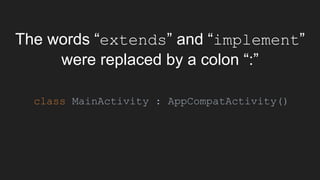
The words “extends” and “implement”
were replaced by a colon “:”
class MainActivity : AppCompatActivity()
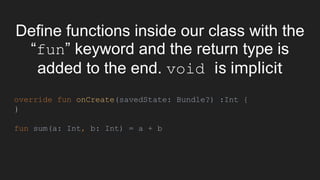
Define functions inside our class with the
“fun” keyword and the return type is
added to the end. void is implicit
override fun onCreate(savedState: Bundle?) :Int {
}
fun sum(a: Int, b: Int) = a + b
Bye-bye semicolon: in Kotlin semicolon
is optional
val price = 100
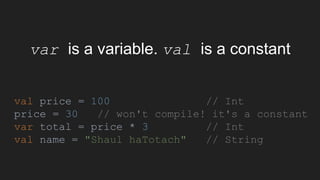
var is a variable. val is a constant
val price = 100 // Int
price = 30 // won't compile! it's a constant
var total = price * 3 // Int
val name = "Shaul haTotach" // String
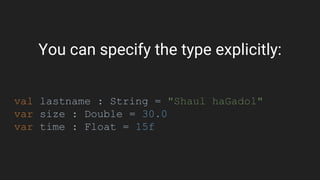
You can specify the type explicitly:
val lastname : String = "Shaul haGadol"
var size : Double = 30.0
var time : Float = 15f
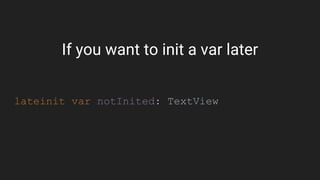
If you want to init a var later
lateinit var notInited: TextView
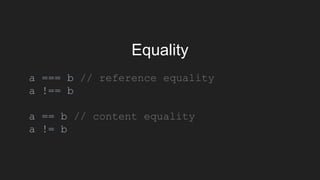
Equality
a === b // reference equality
a !== b
a == b // content equality
a != b
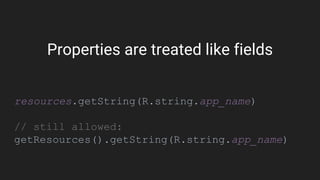
Properties are treated like fields
resources.getString(R.string.app_name)
// still allowed:
getResources().getString(R.string.app_name)
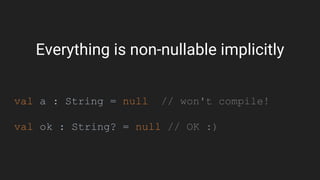
Everything is non-nullable implicitly
val a : String = null // won't compile!
val ok : String? = null // OK :)
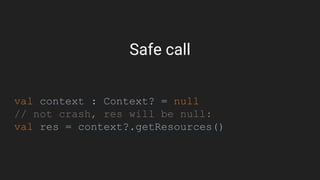
Safe call
val context : Context? = null
// not crash, res will be null:
val res = context?.getResources()
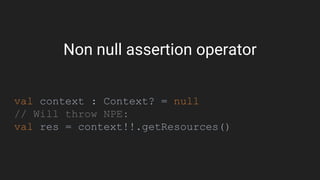
Non null assertion operator
val context : Context? = null
// Will throw NPE:
val res = context!!.getResources()
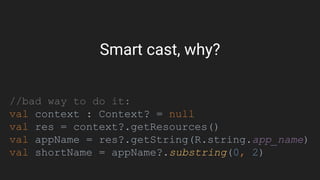
Smart cast, why?
//bad way to do it:
val context : Context? = null
val res = context?.getResources()
val appName = res?.getString(R.string.app_name)
val shortName = appName?.substring(0, 2)
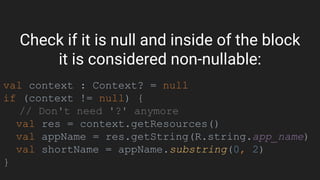
Check if it is null and inside of the block
it is considered non-nullable:
val context : Context? = null
if (context != null) {
// Don't need '?' anymore
val res = context.getResources()
val appName = res.getString(R.string.app_name)
val shortName = appName.substring(0, 2)
}
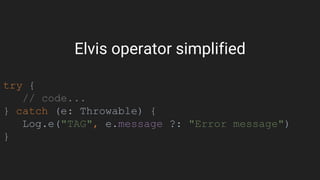
Elvis operator simplified
try {
// code...
} catch (e: Throwable) {
Log.e("TAG", e.message ?: "Error message")
}
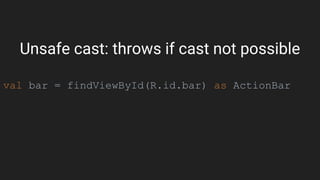
Unsafe cast: throws if cast not possible
val bar = findViewById(R.id.bar) as ActionBar
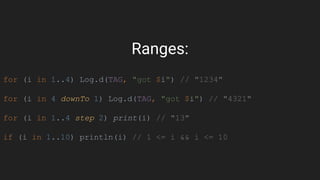
Ranges:
for (i in 1..4) Log.d(TAG, "got $i") // "1234"
for (i in 4 downTo 1) Log.d(TAG, "got $i") // "4321"
for (i in 1..4 step 2) print(i) // "13"
if (i in 1..10) println(i) // 1 <= i && i <= 10
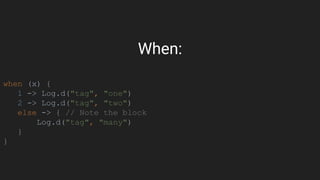
When:
when (x) {
1 -> Log.d("tag", "one")
2 -> Log.d("tag", "two")
else -> { // Note the block
Log.d("tag", "many")
}
}
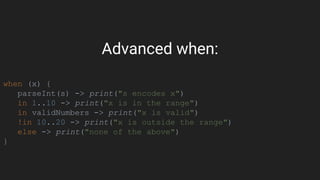
Advanced when:
when (x) {
parseInt(s) -> print("s encodes x")
in 1..10 -> print("x is in the range")
in validNumbers -> print("x is valid")
!in 10..20 -> print("x is outside the range")
else -> print("none of the above")
}
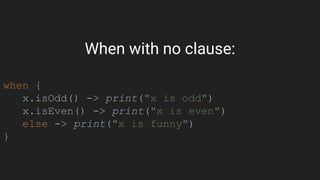
When with no clause:
when {
x.isOdd() -> print("x is odd")
x.isEven() -> print("x is even")
else -> print("x is funny")
}
Extension functions
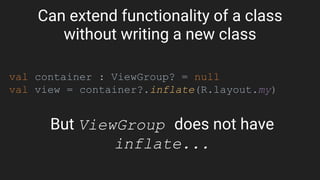
Can extend functionality of a class
without writing a new class
val container : ViewGroup? = null
val view = container?.inflate(R.layout.my)
But ViewGroup does not have
inflate...
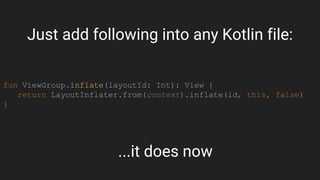
fun ViewGroup.inflate(layoutId: Int): View {
return LayoutInflater.from(context).inflate(id, this, false)
}
...it does now
Just add following into any Kotlin file:
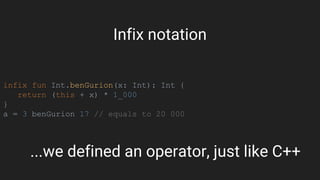
infix fun Int.benGurion(x: Int): Int {
return (this + x) * 1_000
}
a = 3 benGurion 17 // equals to 20 000
...we defined an operator, just like C++
Infix notation
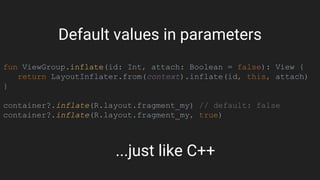
fun ViewGroup.inflate(id: Int, attach: Boolean = false): View {
return LayoutInflater.from(context).inflate(id, this, attach)
}
container?.inflate(R.layout.fragment_my) // default: false
container?.inflate(R.layout.fragment_my, true)
...just like C++
Default values in parameters
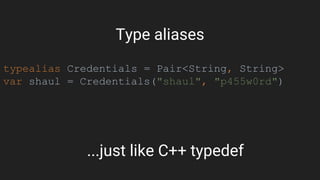
typealias Credentials = Pair<String, String>
var shaul = Credentials("shaul", "p455w0rd")
...just like C++ typedef
Type aliases
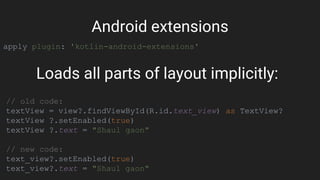
apply plugin: 'kotlin-android-extensions'
Android extensions
// old code:
textView = view?.findViewById(R.id.text_view) as TextView?
textView ?.setEnabled(true)
textView ?.text = "Shaul gaon"
// new code:
text_view?.setEnabled(true)
text_view?.text = "Shaul gaon"
Loads all parts of layout implicitly:
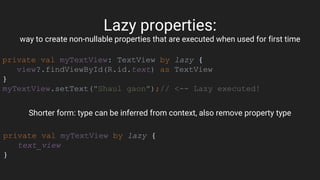
Lazy properties:
way to create non-nullable properties that are executed when used for first time
private val myTextView: TextView by lazy {
view?.findViewById(R.id.text) as TextView
}
myTextView.setText("Shaul gaon");// <-- Lazy executed!
Shorter form: type can be inferred from context, also remove property type
private val myTextView by lazy {
text_view
}
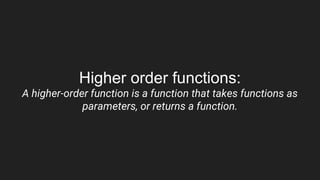
Higher order functions:
A higher-order function is a function that takes functions as
parameters, or returns a function.
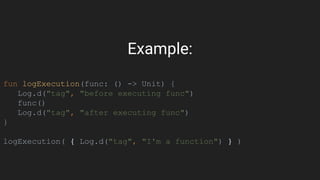
Example:
fun logExecution(func: () -> Unit) {
Log.d("tag", "before executing func")
func()
Log.d("tag", "after executing func")
}
logExecution( { Log.d("tag", "I'm a function") } )
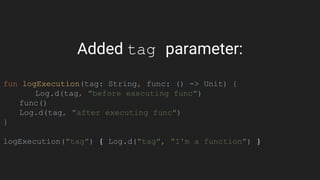
Added tag parameter:
fun logExecution(tag: String, func: () -> Unit) {
Log.d(tag, "before executing func")
func()
Log.d(tag, "after executing func")
}
logExecution("tag") { Log.d("tag", "I'm a function") }
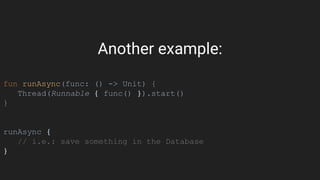
Another example:
fun runAsync(func: () -> Unit) {
Thread(Runnable { func() }).start()
}
runAsync {
// i.e.: save something in the Database
}
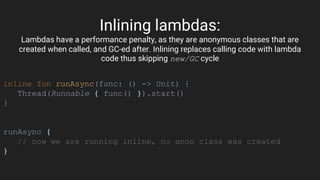
Inlining lambdas:
Lambdas have a performance penalty, as they are anonymous classes that are
created when called, and GC-ed after. Inlining replaces calling code with lambda
code thus skipping new/GC cycle
inline fun runAsync(func: () -> Unit) {
Thread(Runnable { func() }).start()
}
runAsync {
// now we are running inline, no anon class was created
}
Collections
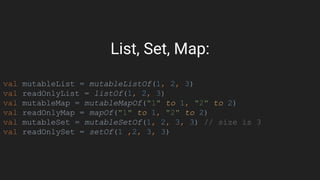
List, Set, Map:
val mutableList = mutableListOf(1, 2, 3)
val readOnlyList = listOf(1, 2, 3)
val mutableMap = mutableMapOf("1" to 1, "2" to 2)
val readOnlyMap = mapOf("1" to 1, "2" to 2)
val mutableSet = mutableSetOf(1, 2, 3, 3) // size is 3
val readOnlySet = setOf(1 ,2, 3, 3)
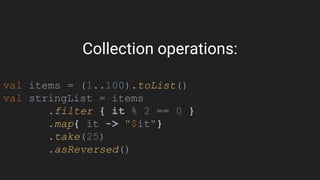
Collection operations:
val items = (1..100).toList()
val stringList = items
.filter { it % 2 == 0 }
.map{ it -> "$it"}
.take(25)
.asReversed()
Classes
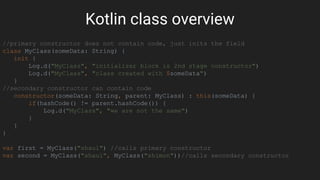
Kotlin class overview
//primary constructor does not contain code, just inits the field
class MyClass(someData: String) {
init {
Log.d("MyClass", "initializer block is 2nd stage constructor")
Log.d("MyClass", "class created with $someData")
}
//secondary constructor can contain code
constructor(someData: String, parent: MyClass) : this(someData) {
if(hashCode() != parent.hashCode()) {
Log.d("MyClass", "we are not the same")
}
}
}
var first = MyClass("shaul") //calls primary constructor
var second = MyClass("shaul", MyClass("shimon"))//calls secondary constructor
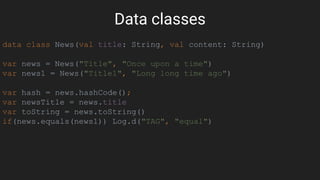
Data classes
data class News(val title: String, val content: String)
var news = News("Title", "Once upon a time")
var news1 = News("Title1", "Long long time ago")
var hash = news.hashCode();
var newsTitle = news.title
var toString = news.toString()
if(news.equals(news1)) Log.d("TAG", "equal")
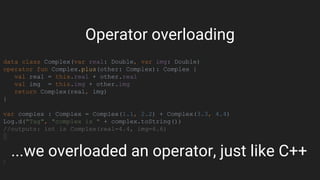
data class Complex(var real: Double, var img: Double)
operator fun Complex.plus(other: Complex): Complex {
val real = this.real + other.real
val img = this.img + other.img
return Complex(real, img)
}
var complex : Complex = Complex(1.1, 2.2) + Complex(3.3, 4.4)
Log.d("Tag", "complex is " + complex.toString())
//outputs: int is Complex(real=4.4, img=6.6)
...we overloaded an operator, just like C++
Operator overloading
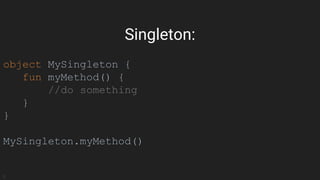
object MySingleton {
fun myMethod() {
//do something
}
}
MySingleton.myMethod()
Singleton:
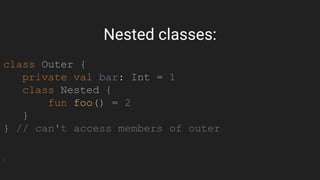
class Outer {
private val bar: Int = 1
class Nested {
fun foo() = 2
}
} // can't access members of outer
Nested classes:
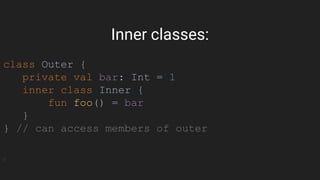
class Outer {
private val bar: Int = 1
inner class Inner {
fun foo() = bar
}
} // can access members of outer
Inner classes:
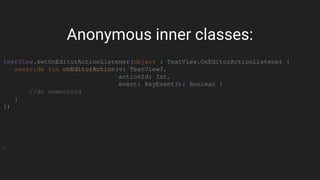
textView.setOnEditorActionListener(object : TextView.OnEditorActionListener {
override fun onEditorAction(v: TextView?,
actionId: Int,
event: KeyEvent?): Boolean {
//do something
}
})
Anonymous inner classes:
Connecting the dots
Java example:
db.beginTransaction();
try{
db.delete("table", "name = ?", new String[] {"shaul"});
} finally {
db.endTransaction();
}
We had a bug:
db.beginTransaction();
try{
db.delete("table", "name = ?", new String[] {"shaul"});
db.setTransactionSuccessful();
} finally {
db.endTransaction();
}
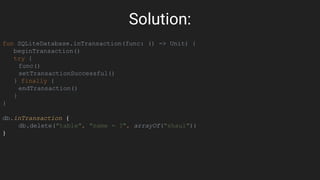
Solution:
fun SQLiteDatabase.inTransaction(func: () -> Unit) {
beginTransaction()
try {
func()
setTransactionSuccessful()
} finally {
endTransaction()
}
}
db.inTransaction {
db.delete("table", "name = ?", arrayOf("shaul"))
}
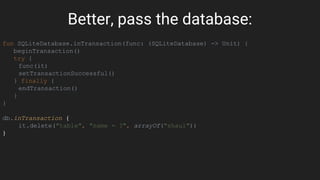
Better, pass the database:
fun SQLiteDatabase.inTransaction(func: (SQLiteDatabase) -> Unit) {
beginTransaction()
try {
func(it)
setTransactionSuccessful()
} finally {
endTransaction()
}
}
db.inTransaction {
it.delete("table", "name = ?", arrayOf("shaul"))
}
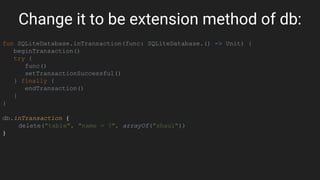
Change it to be extension method of db:
fun SQLiteDatabase.inTransaction(func: SQLiteDatabase.() -> Unit) {
beginTransaction()
try {
func()
setTransactionSuccessful()
} finally {
endTransaction()
}
}
db.inTransaction {
delete("table", "name = ?", arrayOf("shaul"))
}
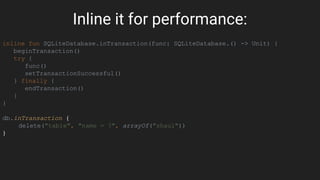
Inline it for performance:
inline fun SQLiteDatabase.inTransaction(func: SQLiteDatabase.() -> Unit) {
beginTransaction()
try {
func()
setTransactionSuccessful()
} finally {
endTransaction()
}
}
db.inTransaction {
delete("table", "name = ?", arrayOf("shaul"))
}
Further reading for more advanced topics:
● Generics: https://kotlinlang.org/docs/reference/generics.html
● Annotations: https://kotlinlang.org/docs/reference/annotations.html
● Reflection: https://kotlinlang.org/docs/reference/reflection.html
● Coroutines: https://kotlinlang.org/docs/reference/coroutines.html
The end?
"Now this is not the end. It is not even the
beginning of the end. But it is, perhaps, the
end of the beginning."
- Winston Churchill

Introduction to kotlin

  • 1.
    Introduction to Kotlin Briefintro to the language
  • 2.
    What is Kotlin? “Kotlinis a Concise, Safe and Statically typed programming language focused on Interoperability with Java.” ● Compiles to JVM bytecode class files ● Generates Java 6, Java 8 or JS compatible bytecode, or LLVM binary ● Has good plugin for IntelliJ and Android Studio ● From Android Studio 3 (currently canary), fully supported out of the box ● A lot of features solve Java pitfalls
  • 3.
  • 4.
    The words “extends”and “implement” were replaced by a colon “:” class MainActivity : AppCompatActivity()
  • 5.
    Define functions insideour class with the “fun” keyword and the return type is added to the end. void is implicit override fun onCreate(savedState: Bundle?) :Int { } fun sum(a: Int, b: Int) = a + b
  • 6.
    Bye-bye semicolon: inKotlin semicolon is optional val price = 100
  • 7.
    var is avariable. val is a constant val price = 100 // Int price = 30 // won't compile! it's a constant var total = price * 3 // Int val name = "Shaul haTotach" // String
  • 8.
    You can specifythe type explicitly: val lastname : String = "Shaul haGadol" var size : Double = 30.0 var time : Float = 15f
  • 9.
    If you wantto init a var later lateinit var notInited: TextView
  • 10.
    Equality a === b// reference equality a !== b a == b // content equality a != b
  • 11.
    Properties are treatedlike fields resources.getString(R.string.app_name) // still allowed: getResources().getString(R.string.app_name)
  • 12.
    Everything is non-nullableimplicitly val a : String = null // won't compile! val ok : String? = null // OK :)
  • 13.
    Safe call val context: Context? = null // not crash, res will be null: val res = context?.getResources()
  • 14.
    Non null assertionoperator val context : Context? = null // Will throw NPE: val res = context!!.getResources()
  • 15.
    Smart cast, why? //badway to do it: val context : Context? = null val res = context?.getResources() val appName = res?.getString(R.string.app_name) val shortName = appName?.substring(0, 2)
  • 16.
    Check if itis null and inside of the block it is considered non-nullable: val context : Context? = null if (context != null) { // Don't need '?' anymore val res = context.getResources() val appName = res.getString(R.string.app_name) val shortName = appName.substring(0, 2) }
  • 17.
    Elvis operator simplified try{ // code... } catch (e: Throwable) { Log.e("TAG", e.message ?: "Error message") }
  • 18.
    Unsafe cast: throwsif cast not possible val bar = findViewById(R.id.bar) as ActionBar
  • 19.
    Ranges: for (i in1..4) Log.d(TAG, "got $i") // "1234" for (i in 4 downTo 1) Log.d(TAG, "got $i") // "4321" for (i in 1..4 step 2) print(i) // "13" if (i in 1..10) println(i) // 1 <= i && i <= 10
  • 20.
    When: when (x) { 1-> Log.d("tag", "one") 2 -> Log.d("tag", "two") else -> { // Note the block Log.d("tag", "many") } }
  • 21.
    Advanced when: when (x){ parseInt(s) -> print("s encodes x") in 1..10 -> print("x is in the range") in validNumbers -> print("x is valid") !in 10..20 -> print("x is outside the range") else -> print("none of the above") }
  • 22.
    When with noclause: when { x.isOdd() -> print("x is odd") x.isEven() -> print("x is even") else -> print("x is funny") }
  • 23.
  • 24.
    Can extend functionalityof a class without writing a new class val container : ViewGroup? = null val view = container?.inflate(R.layout.my) But ViewGroup does not have inflate...
  • 25.
    fun ViewGroup.inflate(layoutId: Int):View { return LayoutInflater.from(context).inflate(id, this, false) } ...it does now Just add following into any Kotlin file:
  • 26.
    infix fun Int.benGurion(x:Int): Int { return (this + x) * 1_000 } a = 3 benGurion 17 // equals to 20 000 ...we defined an operator, just like C++ Infix notation
  • 27.
    fun ViewGroup.inflate(id: Int,attach: Boolean = false): View { return LayoutInflater.from(context).inflate(id, this, attach) } container?.inflate(R.layout.fragment_my) // default: false container?.inflate(R.layout.fragment_my, true) ...just like C++ Default values in parameters
  • 28.
    typealias Credentials =Pair<String, String> var shaul = Credentials("shaul", "p455w0rd") ...just like C++ typedef Type aliases
  • 29.
    apply plugin: 'kotlin-android-extensions' Androidextensions // old code: textView = view?.findViewById(R.id.text_view) as TextView? textView ?.setEnabled(true) textView ?.text = "Shaul gaon" // new code: text_view?.setEnabled(true) text_view?.text = "Shaul gaon" Loads all parts of layout implicitly:
  • 30.
    Lazy properties: way tocreate non-nullable properties that are executed when used for first time private val myTextView: TextView by lazy { view?.findViewById(R.id.text) as TextView } myTextView.setText("Shaul gaon");// <-- Lazy executed! Shorter form: type can be inferred from context, also remove property type private val myTextView by lazy { text_view }
  • 31.
    Higher order functions: Ahigher-order function is a function that takes functions as parameters, or returns a function.
  • 32.
    Example: fun logExecution(func: ()-> Unit) { Log.d("tag", "before executing func") func() Log.d("tag", "after executing func") } logExecution( { Log.d("tag", "I'm a function") } )
  • 33.
    Added tag parameter: funlogExecution(tag: String, func: () -> Unit) { Log.d(tag, "before executing func") func() Log.d(tag, "after executing func") } logExecution("tag") { Log.d("tag", "I'm a function") }
  • 34.
    Another example: fun runAsync(func:() -> Unit) { Thread(Runnable { func() }).start() } runAsync { // i.e.: save something in the Database }
  • 35.
    Inlining lambdas: Lambdas havea performance penalty, as they are anonymous classes that are created when called, and GC-ed after. Inlining replaces calling code with lambda code thus skipping new/GC cycle inline fun runAsync(func: () -> Unit) { Thread(Runnable { func() }).start() } runAsync { // now we are running inline, no anon class was created }
  • 36.
  • 37.
    List, Set, Map: valmutableList = mutableListOf(1, 2, 3) val readOnlyList = listOf(1, 2, 3) val mutableMap = mutableMapOf("1" to 1, "2" to 2) val readOnlyMap = mapOf("1" to 1, "2" to 2) val mutableSet = mutableSetOf(1, 2, 3, 3) // size is 3 val readOnlySet = setOf(1 ,2, 3, 3)
  • 38.
    Collection operations: val items= (1..100).toList() val stringList = items .filter { it % 2 == 0 } .map{ it -> "$it"} .take(25) .asReversed()
  • 39.
  • 40.
    Kotlin class overview //primaryconstructor does not contain code, just inits the field class MyClass(someData: String) { init { Log.d("MyClass", "initializer block is 2nd stage constructor") Log.d("MyClass", "class created with $someData") } //secondary constructor can contain code constructor(someData: String, parent: MyClass) : this(someData) { if(hashCode() != parent.hashCode()) { Log.d("MyClass", "we are not the same") } } } var first = MyClass("shaul") //calls primary constructor var second = MyClass("shaul", MyClass("shimon"))//calls secondary constructor
  • 41.
    Data classes data classNews(val title: String, val content: String) var news = News("Title", "Once upon a time") var news1 = News("Title1", "Long long time ago") var hash = news.hashCode(); var newsTitle = news.title var toString = news.toString() if(news.equals(news1)) Log.d("TAG", "equal")
  • 42.
    data class Complex(varreal: Double, var img: Double) operator fun Complex.plus(other: Complex): Complex { val real = this.real + other.real val img = this.img + other.img return Complex(real, img) } var complex : Complex = Complex(1.1, 2.2) + Complex(3.3, 4.4) Log.d("Tag", "complex is " + complex.toString()) //outputs: int is Complex(real=4.4, img=6.6) ...we overloaded an operator, just like C++ Operator overloading
  • 43.
    object MySingleton { funmyMethod() { //do something } } MySingleton.myMethod() Singleton:
  • 44.
    class Outer { privateval bar: Int = 1 class Nested { fun foo() = 2 } } // can't access members of outer Nested classes:
  • 45.
    class Outer { privateval bar: Int = 1 inner class Inner { fun foo() = bar } } // can access members of outer Inner classes:
  • 46.
    textView.setOnEditorActionListener(object : TextView.OnEditorActionListener{ override fun onEditorAction(v: TextView?, actionId: Int, event: KeyEvent?): Boolean { //do something } }) Anonymous inner classes:
  • 47.
  • 48.
    Java example: db.beginTransaction(); try{ db.delete("table", "name= ?", new String[] {"shaul"}); } finally { db.endTransaction(); }
  • 49.
    We had abug: db.beginTransaction(); try{ db.delete("table", "name = ?", new String[] {"shaul"}); db.setTransactionSuccessful(); } finally { db.endTransaction(); }
  • 50.
    Solution: fun SQLiteDatabase.inTransaction(func: ()-> Unit) { beginTransaction() try { func() setTransactionSuccessful() } finally { endTransaction() } } db.inTransaction { db.delete("table", "name = ?", arrayOf("shaul")) }
  • 51.
    Better, pass thedatabase: fun SQLiteDatabase.inTransaction(func: (SQLiteDatabase) -> Unit) { beginTransaction() try { func(it) setTransactionSuccessful() } finally { endTransaction() } } db.inTransaction { it.delete("table", "name = ?", arrayOf("shaul")) }
  • 52.
    Change it tobe extension method of db: fun SQLiteDatabase.inTransaction(func: SQLiteDatabase.() -> Unit) { beginTransaction() try { func() setTransactionSuccessful() } finally { endTransaction() } } db.inTransaction { delete("table", "name = ?", arrayOf("shaul")) }
  • 53.
    Inline it forperformance: inline fun SQLiteDatabase.inTransaction(func: SQLiteDatabase.() -> Unit) { beginTransaction() try { func() setTransactionSuccessful() } finally { endTransaction() } } db.inTransaction { delete("table", "name = ?", arrayOf("shaul")) }
  • 54.
    Further reading formore advanced topics: ● Generics: https://kotlinlang.org/docs/reference/generics.html ● Annotations: https://kotlinlang.org/docs/reference/annotations.html ● Reflection: https://kotlinlang.org/docs/reference/reflection.html ● Coroutines: https://kotlinlang.org/docs/reference/coroutines.html
  • 55.
  • 56.
    "Now this isnot the end. It is not even the beginning of the end. But it is, perhaps, the end of the beginning." - Winston Churchill