Data
Protection
Security
and
OBJECTIVES
At the end of the lesson, you should be able to :
1. Understand what cybersecurity is;
2. Understand what cybercrime is;
3. Identify the different types of malicious software; and
4. Know how to secure your information and protect yourself.
CYBERSECURITY
Republic Act No. 10175: Cybercrime Prevention
Act of 2012
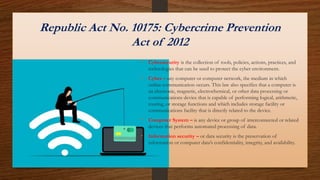
• Cybersecurity is the collection of tools, policies, actions, practices, and
technologies that can be used to protect the cyber environment.
• Cyber – any computer or computer network, the medium in which
online communication occurs. This law also specifies that a computer is
an electronic, magnetic, electrochemical, or other data processing or
communications device that is capable of performing logical, arithmetic,
routing, or storage functions and which includes storage facility or
communications facility that is directly related to the device.
• Computer System – is any device or group of interconnected or related
devices that performs automated processing of data.
• Information security – or data security is the preservation of
information or computer data’s confidentiality, integrity, and availability.
Republic Act No. 10175: Cybercrime
Prevention Act of 2012 –continuation.
• Cybercrimes can be committed with the use of cell
phones, social media, and other platforms.
• With these definitions, smartphones and other types of
mobile phones are also considered as computers and
computer systems that are also part of the cyber
environment. On the other hand, calculators, while they
are considered as computers in other uses, may not fit in
this definition because they do not carry a storage facility or
communications facility.
Cybercrime or Computer Crime
Cybercrime – is an
offense against the
confidentiality, integrity,
and availability of
information or computer
data.
The following is a
list of
cybercrimes:
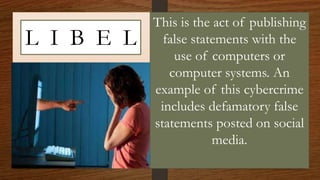
L I B E L
This is the act of publishing
false statements with the
use of computers or
computer systems. An
example of this cybercrime
includes defamatory false
statements posted on social
media.
Illegal Access
This is the access to a computer
system without right. For
example, it is considered illegal
access for someone to take your
phone without your permission
and read the contents of your
private messages. Another
example would be someone
accessing your personal computer
without your permission.
Data Interference
This is the intended
alteration, damaging,
deleting, or deteriorating of
computer data, electronic
document, or electronic data
message without authority.
Illegal Interception
This is the obstruction from by technical means
without right of any non-public transmission of
computer data to, from, or within a computer
system including electromagnetic emissions
from a computer system carrying such
computer data. An example of illegal
interception is when your emails, text messages,
or chats are monitored with the use of software
without your knowledge or permission.
This is the purposeful alteration or reckless
hindering or interference with the
functioning of a computer or computer
network. This is done when someone
inputs, transmits, damages, deletes, alters,
deteriorates, or suppresses computer data
or program, electronic document, or
electronic data message without authority
System Interference
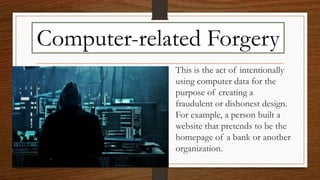
This is the act of intentionally
using computer data for the
purpose of creating a
fraudulent or dishonest design.
For example, a person built a
website that pretends to be the
homepage of a bank or another
organization.
Computer-related Forgery
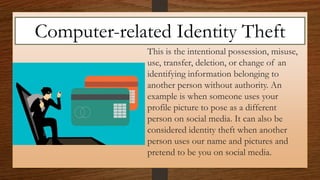
This is the intentional possession, misuse,
use, transfer, deletion, or change of an
identifying information belonging to
another person without authority. An
example is when someone uses your
profile picture to pose as a different
person on social media. It can also be
considered identity theft when another
person uses our name and pictures and
pretend to be you on social media.
Computer-related Identity Theft
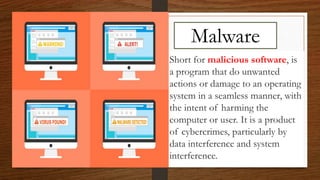
Malware
Short for malicious software, is
a program that do unwanted
actions or damage to an operating
system in a seamless manner, with
the intent of harming the
computer or user. It is a product
of cybercrimes, particularly by
data interference and system
interference.
The following are the
different types of
malware
V I R U S
Is a malicious program with the
possibility of self—replication. In a
computer, it seeks other files trying to
infect them and the ultimate goal is to
spread to other computers. Depending
on what malicious code it contains, it
may cause more or less damage to your
computer.
W O R M S
Like viruses, possess the ability of
self-replication; however, they
cannot infect other programs.
Their usual intent is to take
control of your computer and
allow remote control through
backdoor methods.
T R O J A N H O R S E
Is a program that appear to be useful or good to
mislead users of its true intent. It can be presented in
the form of games or files in e-mail attachments. It
infiltrates the computer and deals negative effects,
such as controlling your computer, deleting data,
spreading viruses, sending spam, etc. It does not
replicate and it needs to be executed. Users need to
download or install trojans for them to take effect.
S P Y W A R E
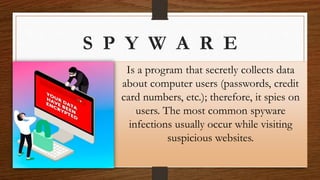
Is a program that secretly collects data
about computer users (passwords, credit
card numbers, etc.); therefore, it spies on
users. The most common spyware
infections usually occur while visiting
suspicious websites.
A D W A R E
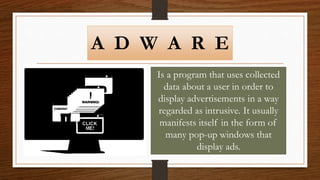
Is a program that uses collected
data about a user in order to
display advertisements in a way
regarded as intrusive. It usually
manifests itself in the form of
many pop-up windows that
display ads.
Best Practice against Cybercrime and
Malware
1. Report issues to the web admin. If you find yourself a victim of
cybercrime, immediately report the issue to the web admin, particularly the
site where the cybercrime occurred. If you see anyone committing identity
theft online, especially on social media, report this to the web administrator.
2. Always Log Out. Never leave your account logged in especially when you
are going away. This will prevent security breaches such as illegal access.
3. Use anti-malware defenses. Install antivirus software and setup a firewall.
4. Regularly scan for viruses. A weekly or even daily check-up of
your files and programs will help clean up or delete infected files
from your computer.
5. Avoid visiting suspicious websites. Viruses often come from
these websites. Consider blocking access to these websites.
6. Always scan external storage devices. Before opening the
contents of storage devices in your computer, scan them first for
malware. Never use a storage device that you just picked up from
somewhere.
7. Clear your history. Clear your browsing history, your cookies,
cache, and data after using a computer. Do this when you use a
public computer. This way, you protect your privacy and personal
information from being stolen.
8. Backup your files. Have a hard drive where you can regularly back up
your files. This is a precaution so that if your computer needs to be
rebooted for any reason, your files are secure from loss of data.
8. Strengthen your passwords. When creating passwords, never use a
recognizable word. Always use a combination of letters and special
characters. Your passwords must vary for different accounts. Never use
your birthday or any other personal information as your password. Most
importantly, never reveal your password to anyone.
9. Never download content from unverified sources. Make sure to
download from official distributors, manufacturers or creators. If you use
a smartphone, avoid downloading from third-party sources.
10. Use Two-Step verification. This security feature adds another layer of
protection in your accounts by asking a verification code that will be sent
to your second device or phone after you attempt to login.
Other Guidelines
1. Never read chat messages that are not yours. Unless you were given the permission to
view these messages, it is against the law to access the private messages of another person
without their permission.
2. Always verify the source of information. Be very critical or doubtful of any
information or news that you se on the internet. Only rely on reputable and veritable
sources and not on blog sites pretending to be news sites.
3. Never spread false information. Do not share information that did not pass a thorough
critical analysis. If you are baited by sensational headline, take time to read the whole
content of the news, only then should you make an objective, informed opinion about it.
4. Never malign the dignity or reputation of anyone. Treat everyone with respect. Never
pick a fight in cyberspace, especially on social media.
END

Lesson iii-security-and-data-protection

  • 1.
  • 2.
    OBJECTIVES At the endof the lesson, you should be able to : 1. Understand what cybersecurity is; 2. Understand what cybercrime is; 3. Identify the different types of malicious software; and 4. Know how to secure your information and protect yourself.
  • 3.
  • 4.
    Republic Act No.10175: Cybercrime Prevention Act of 2012 • Cybersecurity is the collection of tools, policies, actions, practices, and technologies that can be used to protect the cyber environment. • Cyber – any computer or computer network, the medium in which online communication occurs. This law also specifies that a computer is an electronic, magnetic, electrochemical, or other data processing or communications device that is capable of performing logical, arithmetic, routing, or storage functions and which includes storage facility or communications facility that is directly related to the device. • Computer System – is any device or group of interconnected or related devices that performs automated processing of data. • Information security – or data security is the preservation of information or computer data’s confidentiality, integrity, and availability.
  • 5.
    Republic Act No.10175: Cybercrime Prevention Act of 2012 –continuation. • Cybercrimes can be committed with the use of cell phones, social media, and other platforms. • With these definitions, smartphones and other types of mobile phones are also considered as computers and computer systems that are also part of the cyber environment. On the other hand, calculators, while they are considered as computers in other uses, may not fit in this definition because they do not carry a storage facility or communications facility.
  • 6.
    Cybercrime or ComputerCrime Cybercrime – is an offense against the confidentiality, integrity, and availability of information or computer data.
  • 7.
    The following isa list of cybercrimes:
  • 8.
    L I BE L This is the act of publishing false statements with the use of computers or computer systems. An example of this cybercrime includes defamatory false statements posted on social media.
  • 9.
    Illegal Access This isthe access to a computer system without right. For example, it is considered illegal access for someone to take your phone without your permission and read the contents of your private messages. Another example would be someone accessing your personal computer without your permission.
  • 10.
    Data Interference This isthe intended alteration, damaging, deleting, or deteriorating of computer data, electronic document, or electronic data message without authority.
  • 11.
    Illegal Interception This isthe obstruction from by technical means without right of any non-public transmission of computer data to, from, or within a computer system including electromagnetic emissions from a computer system carrying such computer data. An example of illegal interception is when your emails, text messages, or chats are monitored with the use of software without your knowledge or permission.
  • 12.
    This is thepurposeful alteration or reckless hindering or interference with the functioning of a computer or computer network. This is done when someone inputs, transmits, damages, deletes, alters, deteriorates, or suppresses computer data or program, electronic document, or electronic data message without authority System Interference
  • 13.
    This is theact of intentionally using computer data for the purpose of creating a fraudulent or dishonest design. For example, a person built a website that pretends to be the homepage of a bank or another organization. Computer-related Forgery
  • 14.
    This is theintentional possession, misuse, use, transfer, deletion, or change of an identifying information belonging to another person without authority. An example is when someone uses your profile picture to pose as a different person on social media. It can also be considered identity theft when another person uses our name and pictures and pretend to be you on social media. Computer-related Identity Theft
  • 15.
    Malware Short for malicioussoftware, is a program that do unwanted actions or damage to an operating system in a seamless manner, with the intent of harming the computer or user. It is a product of cybercrimes, particularly by data interference and system interference.
  • 16.
    The following arethe different types of malware
  • 17.
    V I RU S Is a malicious program with the possibility of self—replication. In a computer, it seeks other files trying to infect them and the ultimate goal is to spread to other computers. Depending on what malicious code it contains, it may cause more or less damage to your computer.
  • 18.
    W O RM S Like viruses, possess the ability of self-replication; however, they cannot infect other programs. Their usual intent is to take control of your computer and allow remote control through backdoor methods.
  • 19.
    T R OJ A N H O R S E Is a program that appear to be useful or good to mislead users of its true intent. It can be presented in the form of games or files in e-mail attachments. It infiltrates the computer and deals negative effects, such as controlling your computer, deleting data, spreading viruses, sending spam, etc. It does not replicate and it needs to be executed. Users need to download or install trojans for them to take effect.
  • 20.
    S P YW A R E Is a program that secretly collects data about computer users (passwords, credit card numbers, etc.); therefore, it spies on users. The most common spyware infections usually occur while visiting suspicious websites.
  • 21.
    A D WA R E Is a program that uses collected data about a user in order to display advertisements in a way regarded as intrusive. It usually manifests itself in the form of many pop-up windows that display ads.
  • 22.
    Best Practice againstCybercrime and Malware 1. Report issues to the web admin. If you find yourself a victim of cybercrime, immediately report the issue to the web admin, particularly the site where the cybercrime occurred. If you see anyone committing identity theft online, especially on social media, report this to the web administrator. 2. Always Log Out. Never leave your account logged in especially when you are going away. This will prevent security breaches such as illegal access. 3. Use anti-malware defenses. Install antivirus software and setup a firewall.
  • 23.
    4. Regularly scanfor viruses. A weekly or even daily check-up of your files and programs will help clean up or delete infected files from your computer. 5. Avoid visiting suspicious websites. Viruses often come from these websites. Consider blocking access to these websites. 6. Always scan external storage devices. Before opening the contents of storage devices in your computer, scan them first for malware. Never use a storage device that you just picked up from somewhere. 7. Clear your history. Clear your browsing history, your cookies, cache, and data after using a computer. Do this when you use a public computer. This way, you protect your privacy and personal information from being stolen.
  • 24.
    8. Backup yourfiles. Have a hard drive where you can regularly back up your files. This is a precaution so that if your computer needs to be rebooted for any reason, your files are secure from loss of data. 8. Strengthen your passwords. When creating passwords, never use a recognizable word. Always use a combination of letters and special characters. Your passwords must vary for different accounts. Never use your birthday or any other personal information as your password. Most importantly, never reveal your password to anyone. 9. Never download content from unverified sources. Make sure to download from official distributors, manufacturers or creators. If you use a smartphone, avoid downloading from third-party sources. 10. Use Two-Step verification. This security feature adds another layer of protection in your accounts by asking a verification code that will be sent to your second device or phone after you attempt to login.
  • 25.
    Other Guidelines 1. Neverread chat messages that are not yours. Unless you were given the permission to view these messages, it is against the law to access the private messages of another person without their permission. 2. Always verify the source of information. Be very critical or doubtful of any information or news that you se on the internet. Only rely on reputable and veritable sources and not on blog sites pretending to be news sites. 3. Never spread false information. Do not share information that did not pass a thorough critical analysis. If you are baited by sensational headline, take time to read the whole content of the news, only then should you make an objective, informed opinion about it. 4. Never malign the dignity or reputation of anyone. Treat everyone with respect. Never pick a fight in cyberspace, especially on social media.
  • 26.