REVIEW TASK
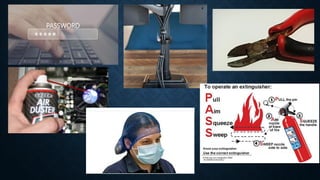
1.Identify and explain briefly what
is being shown in the picture.
2.In what category does it belong?
Let’s test your memory.
MEMORY RETENTION MODEL
I hear and I Forgot
I see and I Remember
I do and I Understand
-Confucius
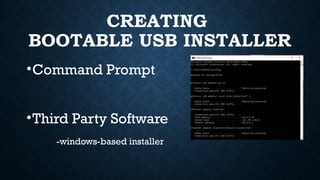
CREATING
BOOTABLE USB INSTALLER
•Command Prompt
•Third Party Software
-windows-based installer
DEFINITION
•INSTALLER – a program or tool that
sets up and install another program or
application on a computer or device
DEFINITION
•BOOTABLE – allows the computer to
initiate the operating system
installation without requiring it to be
installed on internal hard drive.
USING COMMAND PROMPT
CREATING
BOOTABLE USB INSTALLER
Requires commands with exact
spelling, punctuations, spacing and/or
symbols to use.
3 STAGES
• PREPARE THE USB
• MAKE IT BOOTABLE
• COPY THE INSTALLER
CREATING
BOOTABLE USB INSTALLER
USING COMMAND PROMPT
3 GROUPS
• STAGE 1- PREPARE THE USB
• STAGE 2- MAKE IT BOOTABLE
• STAGE 3- COPY THE INSTALLER
GROUP ACTIVITY
RUBRICS
• Appropriateness – 10
• Teamwork – 5
• Timeliness – 5
• Presentation – 5
• Total – 25
CREATING
BOOTABLE USB INSTALLER
USING COMMAND PROMPT
STAGE 1
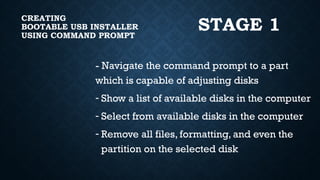
- Navigate the command prompt to a part
which is capable of adjusting disks
- Show a list of available disks in the computer
- Select from available disks in the computer
- Remove all files, formatting, and even the
partition on the selected disk
CREATING
BOOTABLE USB INSTALLER
USING COMMAND PROMPT
STAGE 1
- Create a new system partition on the
selected disk
- Select the newly created partition
- Activate the selected partition
- Set the Partition to a New Technology
File System
CREATING
BOOTABLE USB INSTALLER
USING COMMAND PROMPT
STAGE 1
- Assign a drive letter
- Exit the diskpart
CREATING
BOOTABLE USB INSTALLER
USING COMMAND PROMPT
STAGE 2
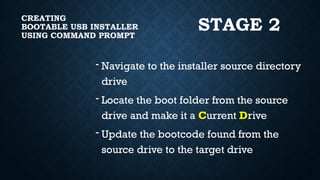
- Navigate to the installer source directory
drive
- Locate the boot folder from the source
drive and make it a Current Drive
- Update the bootcode found from the
source drive to the target drive
CREATING
BOOTABLE USB INSTALLER
USING COMMAND PROMPT
STAGE 3
“Copy all files found in the source drive and put them to the
target drive while considering the required parameters”
“Copy - from source drive – all files – to target drive
-constant parameters”
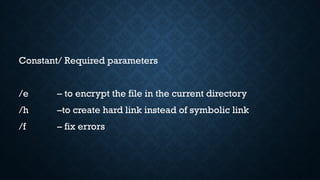
Constant/ Required parameters
/e – to encrypt the file in the current directory
/h –to create hard link instead of symbolic link
/f – fix errors
QUESTIONS:
•What do you need to do if the command lines
generate error?
•Why is it important to memorize the sequence
and exact characters of the command lines?
•How did you memorize/how do you plan to
memorize the command lines?
GENERALIZATION
I THEREFORE GENERALIZE THAT …
HANDS ON
# 1 – FIRST COMMAND
# 2 – SECOND COMMAND
#3 - …
SHORT ESSAY
Now that you have learned about the two ways
in creating bootable USB installer, why do you
think it is important to know the series of
command lines using CMD if you can make it by
a few clicks using third party software?
Lesson ICT creating USB Bootable USB Installer.pptx

  • 1.
    REVIEW TASK 1.Identify andexplain briefly what is being shown in the picture. 2.In what category does it belong?
  • 3.
  • 4.
    MEMORY RETENTION MODEL Ihear and I Forgot I see and I Remember I do and I Understand -Confucius
  • 5.
    CREATING BOOTABLE USB INSTALLER •CommandPrompt •Third Party Software -windows-based installer
  • 6.
    DEFINITION •INSTALLER – aprogram or tool that sets up and install another program or application on a computer or device
  • 7.
    DEFINITION •BOOTABLE – allowsthe computer to initiate the operating system installation without requiring it to be installed on internal hard drive.
  • 8.
    USING COMMAND PROMPT CREATING BOOTABLEUSB INSTALLER Requires commands with exact spelling, punctuations, spacing and/or symbols to use.
  • 9.
    3 STAGES • PREPARETHE USB • MAKE IT BOOTABLE • COPY THE INSTALLER CREATING BOOTABLE USB INSTALLER USING COMMAND PROMPT
  • 10.
    3 GROUPS • STAGE1- PREPARE THE USB • STAGE 2- MAKE IT BOOTABLE • STAGE 3- COPY THE INSTALLER GROUP ACTIVITY RUBRICS • Appropriateness – 10 • Teamwork – 5 • Timeliness – 5 • Presentation – 5 • Total – 25
  • 11.
    CREATING BOOTABLE USB INSTALLER USINGCOMMAND PROMPT STAGE 1 - Navigate the command prompt to a part which is capable of adjusting disks - Show a list of available disks in the computer - Select from available disks in the computer - Remove all files, formatting, and even the partition on the selected disk
  • 12.
    CREATING BOOTABLE USB INSTALLER USINGCOMMAND PROMPT STAGE 1 - Create a new system partition on the selected disk - Select the newly created partition - Activate the selected partition - Set the Partition to a New Technology File System
  • 13.
    CREATING BOOTABLE USB INSTALLER USINGCOMMAND PROMPT STAGE 1 - Assign a drive letter - Exit the diskpart
  • 14.
    CREATING BOOTABLE USB INSTALLER USINGCOMMAND PROMPT STAGE 2 - Navigate to the installer source directory drive - Locate the boot folder from the source drive and make it a Current Drive - Update the bootcode found from the source drive to the target drive
  • 15.
    CREATING BOOTABLE USB INSTALLER USINGCOMMAND PROMPT STAGE 3 “Copy all files found in the source drive and put them to the target drive while considering the required parameters” “Copy - from source drive – all files – to target drive -constant parameters”
  • 16.
    Constant/ Required parameters /e– to encrypt the file in the current directory /h –to create hard link instead of symbolic link /f – fix errors
  • 17.
    QUESTIONS: •What do youneed to do if the command lines generate error? •Why is it important to memorize the sequence and exact characters of the command lines? •How did you memorize/how do you plan to memorize the command lines?
  • 18.
  • 19.
    HANDS ON # 1– FIRST COMMAND # 2 – SECOND COMMAND #3 - …
  • 20.
    SHORT ESSAY Now thatyou have learned about the two ways in creating bootable USB installer, why do you think it is important to know the series of command lines using CMD if you can make it by a few clicks using third party software?