Lesson 7: Imaging and Design
for the Online Environment II
● Balance, movement, unity, repetition, contrast and
emphasis composed the basic principle of graphics
and design.
● Balance deals with the visual weight of objects.
● Emphasis is the area designed to attract the viewer’s
attention.
● Contrast is the combination of opposing
characteristics of an element like color, size,
thickness, to allow emphasis on key elements.
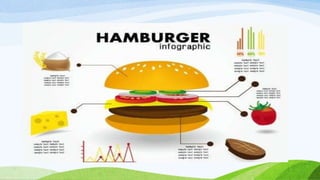
● Infographic is also known as data visualization.
● For infographic to be effective, it must have the
following: thesis, well organized data, simplicity in
color, style and vivid illustrations. It must contain
reliable sources and must be creative for public
sharing.
● Common image file formats that are used for the web
are JPG, GIF, TIFF, and PNG.
● JPEG is best used for photographs.
● GIF is best used for diagrams, cartoons, logos and
animated graphics.
● TIFF is considered a high-quality image format,
where all color and data information are stored.
● PNG is best with line art, text, and logo.
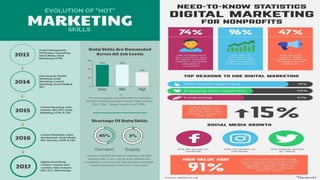
Infographics
Information graphics or infographics are used
to represent information, statistical data, or
knowledge in a graphical manner usually done in
a creative way to attract the viewer’s attention.
Infographics make complex data become more
visually appealing to an average user.
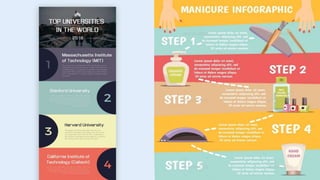
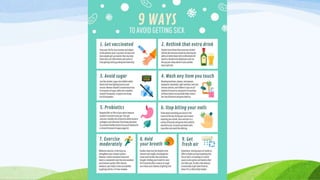
TYPES OF INFOGRAPHIC
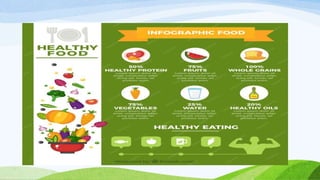
1. LISTICLE INFOGRAPHIC
-a simple data in a form of a list.
TYPES OF INFOGRAPHIC
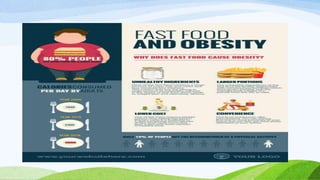
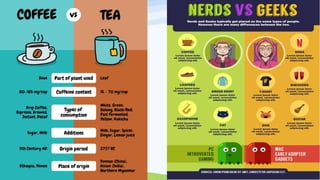
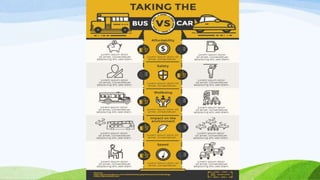
2. Comparative Infographics
- It uses text and images to convey information,
highlighting differences and similarities between
two or more items.
TYPES OF INFOGRAPHIC
3. Chart and Statistical Infographics
- Is an infographic that includes pie charts, bar
graphs and any other visual representations of
data
TYPES OF INFOGRAPHIC
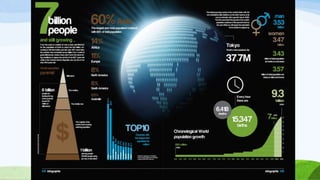
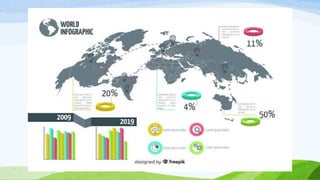
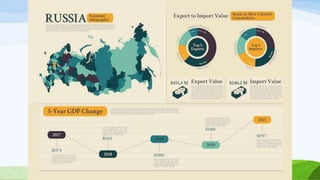
4. Geographical and Map Infographics
- Depict information based on locations or
demographics data.
TYPES OF INFOGRAPHIC
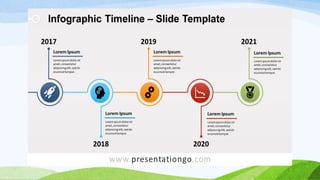
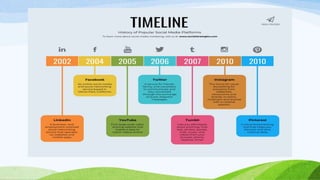
5. Timeline Infographics
- Is a type of graphic that visually displays
information in a time progression context.
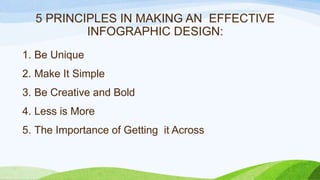
5 PRINCIPLES IN MAKING AN EFFECTIVE
INFOGRAPHIC DESIGN:
1. Be Unique
2. Make It Simple
3. Be Creative and Bold
4. Less is More
5. The Importance of Getting it Across
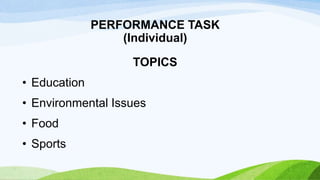
PERFORMANCE TASK
(Individual)
TOPICS
• Education
• Environmental Issues
• Food
• Sports
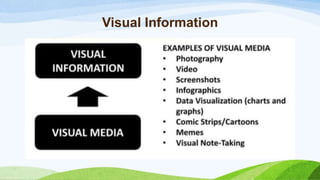
Visual Information
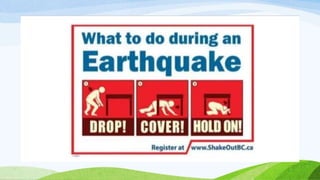
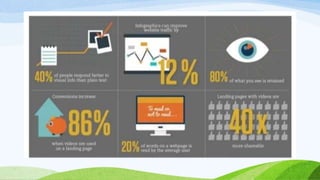
Purpose of Visual Information
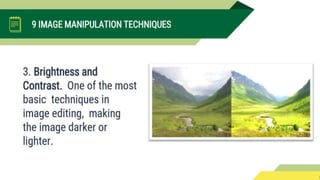
Basic Manipulation
Imgur
Online Platform
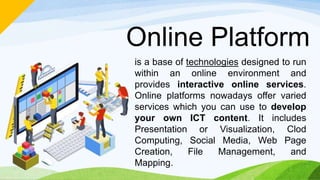
is a base of technologies designed to run
within an online environment and
provides interactive online services.
Online platforms nowadays offer varied
services which you can use to develop
your own ICT content. It includes
Presentation or Visualization, Clod
Computing, Social Media, Web Page
Creation, File Management, and
Mapping.
NATURE & PURPOSES
OF ONLINE PLATFORMS
& APPLICATIONS
Examples of Online Platform
a. Presentation/Visualization
b. Cloud Computing
c. Social Media
d. Web Page Creation
e. File Management
f. Mapping
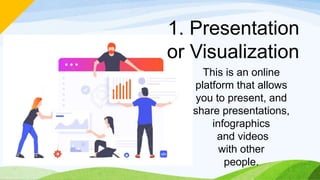
1. Presentation
or Visualization
This is an online
platform that allows
you to present, and
share presentations,
infographics
and videos
with other
people.
SlideShare
Slideshare is a multipurpose
web
working tool. It provides users
the tool to create visually
compelling presentations.
A platform that allows
users to share
their content.
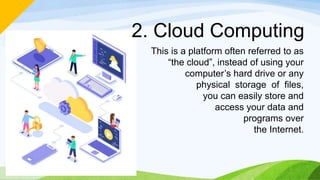
2. Cloud Computing
This is a platform often referred to as
“the cloud”, instead of using your
computer’s hard drive or any
physical storage of files,
you can easily store and
access your data and
programs over
the Internet.
Google Drive
Google Drive is a cloud storage service
created by Google. It allows users to
backup files in the cloud, share
files with collaborators, and
access them anywhere. These
files can either be photos,
documents, spreadsheets,
and presentations.
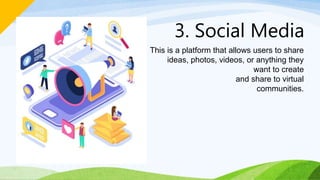
3. Social Media
This is a platform that allows users to share
ideas, photos, videos, or anything they
want to create
and share to virtual
communities.
Facebook
Facebook is the most popular social media network
sites that allow users to create
profiles, upload photos and video, share
links, send messages and keep in
touch with friends, family
and colleagues.
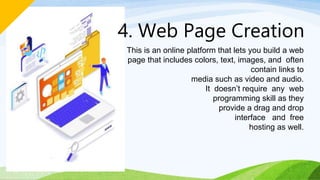
4. Web Page Creation
This is an online platform that lets you build a web
page that includes colors, text, images, and often
contain links to
media such as video and audio.
It doesn’t require any web
programming skill as they
provide a drag and drop
interface and free
hosting as well.
Wix
Wix is a web page creation tool that
lets you choose website template,
customize it the way you want
and publish it online instantly.
It provides drag n’ drop
website builder which
makes it fun and
hassle-free for
beginners.
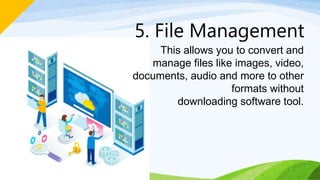
5. File Management
This allows you to convert and
manage files like images, video,
documents, audio and more to other
formats without
downloading software tool.
Zamzar
Zamzar is an online platform that allows registered
users to store and manage converted files. Users
can convert big files up to 1 GB. It supports
over 1200 different conversions such
As PDF to Word, PDF to Excel,
MP4 to MP3, FLV to MP4,
PNG to JPEG. It provides
100GB of online
file storage
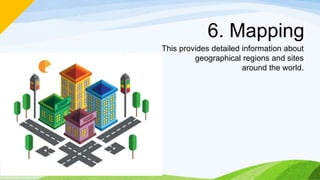
6. Mapping
This provides detailed information about
geographical regions and sites
around the world.
Google Maps
Google Maps provides detailed information
of regions and sites around the world via
satellite images. It also has a new
feature called “street view” that
allows users to virtually see a
place in a first person view.
CONTENT MANAGEMENT SYSTEM
Content Management System (CMS)
- is a computer application (sometimes online or
browser based) that allows you to publish, edit
and manipulate, organize and delete web
content. CMS is used in blogs, news websites,
and shopping
Blogs
• is a discussion or informational website
published on the web consisting of discrete,
often informal diary-style text entries ("posts").
Posts are typically displayed in reverse
chronological order, so that the most recent
post appears first, at the top of the web page.
Examples of Blogging Sites:
• WordPress (wordpress.com)
• Blogger (blogger.com or blogspot.com)
• Medium.com
• Squarespace.com
WordPress
• Is an open source content management
system that lets you easily create content
pages and publish them online.
• WordPress is easy to set up and use.
• WordPress is a free software. It means you are
free to download or install, use and modify it to
match your needs.
What is WordPress used for?
People used wordpress to create sites for the
following purposes.
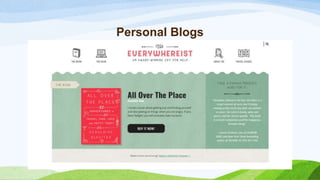
Personal Blogs
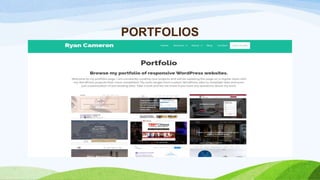
PORTFOLIOS
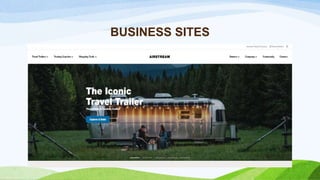
BUSINESS SITES
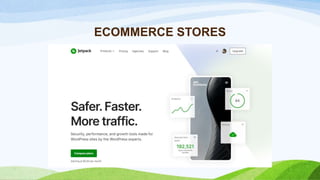
ECOMMERCE STORES
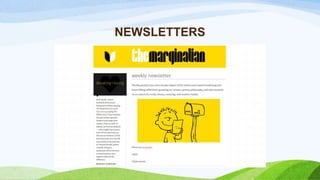
NEWSLETTERS
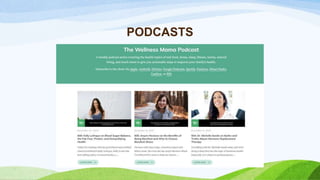
PODCASTS
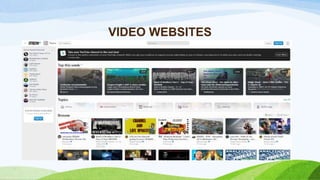
VIDEO WEBSITES
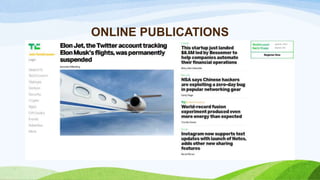
ONLINE PUBLICATIONS
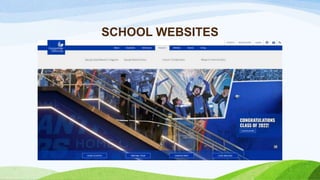
SCHOOL WEBSITES
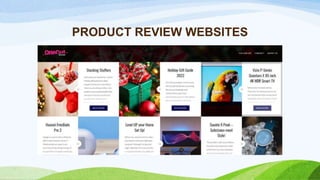
PRODUCT REVIEW WEBSITES
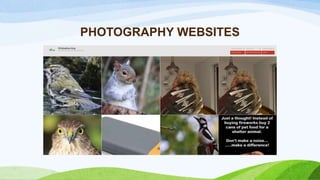
PHOTOGRAPHY WEBSITES
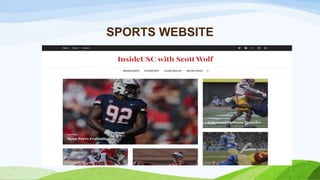
SPORTS WEBSITE
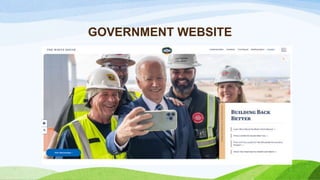
GOVERNMENT WEBSITE
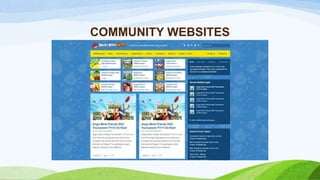
COMMUNITY WEBSITES
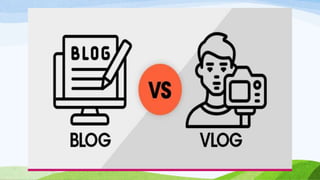
BLOG
- is an online diary or journal located on a website.
- it is also a type of website that focuses mainly on
written content.
VLOG
- Stands for a video log and refers to a type of blog
where most of all of the content is in video format.
Companies that Use Wordpress
1. Mercedes-Benz
2. The New York Post
3. Readers Digest
4. CNN
5. Microsoft Office
6. Time Magazine
7. Vogue
8. The Walt Disney
Company
WEB DESIGN PRINCIPLES AND
ELEMENTS
WEB DESIGN PRINCIPLES AND ELEMENTS
1. Consider the audience and goals.
2. It is advisable to plan the site on paper first.
3. Strive for consistency
4. Provide a rich set of links within a site.
5. Don’t hide important information.
WEB DESIGN PRINCIPLES AND ELEMENTS
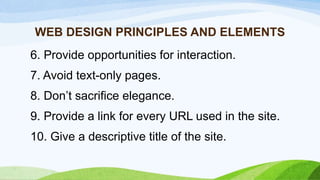
6. Provide opportunities for interaction.
7. Avoid text-only pages.
8. Don’t sacrifice elegance.
9. Provide a link for every URL used in the site.
10. Give a descriptive title of the site.
WEB DESIGN PRINCIPLES AND ELEMENTS
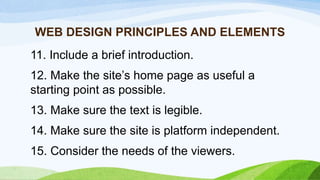
11. Include a brief introduction.
12. Make the site’s home page as useful a
starting point as possible.
13. Make sure the text is legible.
14. Make sure the site is platform independent.
15. Consider the needs of the viewers.
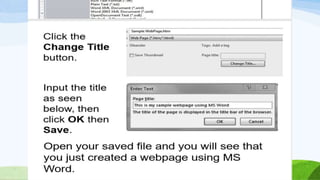
Basic Web Page Creation
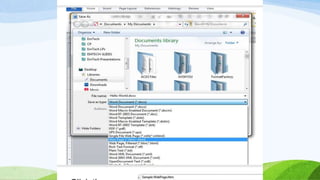
Creating a Website using Microsoft Word
1.Open Microsoft Word.
2. Type anything on the page like “Hello World!”
3. Click on File > Save As > Type any file name.
4. In the Save as Type, select “Web page (*.htm,
*.html)”
Lesson 7 Imaging and Design part 2.pptx

Lesson 7 Imaging and Design part 2.pptx

  • 1.
    Lesson 7: Imagingand Design for the Online Environment II
  • 2.
    ● Balance, movement,unity, repetition, contrast and emphasis composed the basic principle of graphics and design. ● Balance deals with the visual weight of objects. ● Emphasis is the area designed to attract the viewer’s attention. ● Contrast is the combination of opposing characteristics of an element like color, size, thickness, to allow emphasis on key elements.
  • 3.
    ● Infographic isalso known as data visualization. ● For infographic to be effective, it must have the following: thesis, well organized data, simplicity in color, style and vivid illustrations. It must contain reliable sources and must be creative for public sharing. ● Common image file formats that are used for the web are JPG, GIF, TIFF, and PNG. ● JPEG is best used for photographs.
  • 4.
    ● GIF isbest used for diagrams, cartoons, logos and animated graphics. ● TIFF is considered a high-quality image format, where all color and data information are stored. ● PNG is best with line art, text, and logo.
  • 5.
    Infographics Information graphics orinfographics are used to represent information, statistical data, or knowledge in a graphical manner usually done in a creative way to attract the viewer’s attention. Infographics make complex data become more visually appealing to an average user.
  • 9.
    TYPES OF INFOGRAPHIC 1.LISTICLE INFOGRAPHIC -a simple data in a form of a list.
  • 12.
    TYPES OF INFOGRAPHIC 2.Comparative Infographics - It uses text and images to convey information, highlighting differences and similarities between two or more items.
  • 15.
    TYPES OF INFOGRAPHIC 3.Chart and Statistical Infographics - Is an infographic that includes pie charts, bar graphs and any other visual representations of data
  • 17.
    TYPES OF INFOGRAPHIC 4.Geographical and Map Infographics - Depict information based on locations or demographics data.
  • 21.
    TYPES OF INFOGRAPHIC 5.Timeline Infographics - Is a type of graphic that visually displays information in a time progression context.
  • 24.
    5 PRINCIPLES INMAKING AN EFFECTIVE INFOGRAPHIC DESIGN: 1. Be Unique 2. Make It Simple 3. Be Creative and Bold 4. Less is More 5. The Importance of Getting it Across
  • 25.
    PERFORMANCE TASK (Individual) TOPICS • Education •Environmental Issues • Food • Sports
  • 27.
  • 28.
    Purpose of VisualInformation
  • 41.
  • 49.
  • 55.
    Online Platform is abase of technologies designed to run within an online environment and provides interactive online services. Online platforms nowadays offer varied services which you can use to develop your own ICT content. It includes Presentation or Visualization, Clod Computing, Social Media, Web Page Creation, File Management, and Mapping.
  • 56.
    NATURE & PURPOSES OFONLINE PLATFORMS & APPLICATIONS
  • 57.
    Examples of OnlinePlatform a. Presentation/Visualization b. Cloud Computing c. Social Media d. Web Page Creation e. File Management f. Mapping
  • 58.
    1. Presentation or Visualization Thisis an online platform that allows you to present, and share presentations, infographics and videos with other people.
  • 59.
    SlideShare Slideshare is amultipurpose web working tool. It provides users the tool to create visually compelling presentations. A platform that allows users to share their content.
  • 60.
    2. Cloud Computing Thisis a platform often referred to as “the cloud”, instead of using your computer’s hard drive or any physical storage of files, you can easily store and access your data and programs over the Internet.
  • 61.
    Google Drive Google Driveis a cloud storage service created by Google. It allows users to backup files in the cloud, share files with collaborators, and access them anywhere. These files can either be photos, documents, spreadsheets, and presentations.
  • 62.
    3. Social Media Thisis a platform that allows users to share ideas, photos, videos, or anything they want to create and share to virtual communities.
  • 63.
    Facebook Facebook is themost popular social media network sites that allow users to create profiles, upload photos and video, share links, send messages and keep in touch with friends, family and colleagues.
  • 64.
    4. Web PageCreation This is an online platform that lets you build a web page that includes colors, text, images, and often contain links to media such as video and audio. It doesn’t require any web programming skill as they provide a drag and drop interface and free hosting as well.
  • 65.
    Wix Wix is aweb page creation tool that lets you choose website template, customize it the way you want and publish it online instantly. It provides drag n’ drop website builder which makes it fun and hassle-free for beginners.
  • 66.
    5. File Management Thisallows you to convert and manage files like images, video, documents, audio and more to other formats without downloading software tool.
  • 67.
    Zamzar Zamzar is anonline platform that allows registered users to store and manage converted files. Users can convert big files up to 1 GB. It supports over 1200 different conversions such As PDF to Word, PDF to Excel, MP4 to MP3, FLV to MP4, PNG to JPEG. It provides 100GB of online file storage
  • 68.
    6. Mapping This providesdetailed information about geographical regions and sites around the world.
  • 69.
    Google Maps Google Mapsprovides detailed information of regions and sites around the world via satellite images. It also has a new feature called “street view” that allows users to virtually see a place in a first person view.
  • 70.
  • 71.
    Content Management System(CMS) - is a computer application (sometimes online or browser based) that allows you to publish, edit and manipulate, organize and delete web content. CMS is used in blogs, news websites, and shopping
  • 72.
    Blogs • is adiscussion or informational website published on the web consisting of discrete, often informal diary-style text entries ("posts"). Posts are typically displayed in reverse chronological order, so that the most recent post appears first, at the top of the web page.
  • 73.
    Examples of BloggingSites: • WordPress (wordpress.com) • Blogger (blogger.com or blogspot.com) • Medium.com • Squarespace.com
  • 74.
    WordPress • Is anopen source content management system that lets you easily create content pages and publish them online. • WordPress is easy to set up and use. • WordPress is a free software. It means you are free to download or install, use and modify it to match your needs.
  • 75.
    What is WordPressused for? People used wordpress to create sites for the following purposes.
  • 76.
  • 77.
  • 78.
  • 79.
  • 80.
  • 81.
  • 82.
  • 83.
  • 84.
  • 85.
  • 86.
  • 87.
  • 88.
  • 89.
  • 91.
    BLOG - is anonline diary or journal located on a website. - it is also a type of website that focuses mainly on written content. VLOG - Stands for a video log and refers to a type of blog where most of all of the content is in video format.
  • 92.
    Companies that UseWordpress 1. Mercedes-Benz 2. The New York Post 3. Readers Digest 4. CNN 5. Microsoft Office 6. Time Magazine 7. Vogue 8. The Walt Disney Company
  • 93.
  • 94.
    WEB DESIGN PRINCIPLESAND ELEMENTS 1. Consider the audience and goals. 2. It is advisable to plan the site on paper first. 3. Strive for consistency 4. Provide a rich set of links within a site. 5. Don’t hide important information.
  • 95.
    WEB DESIGN PRINCIPLESAND ELEMENTS 6. Provide opportunities for interaction. 7. Avoid text-only pages. 8. Don’t sacrifice elegance. 9. Provide a link for every URL used in the site. 10. Give a descriptive title of the site.
  • 96.
    WEB DESIGN PRINCIPLESAND ELEMENTS 11. Include a brief introduction. 12. Make the site’s home page as useful a starting point as possible. 13. Make sure the text is legible. 14. Make sure the site is platform independent. 15. Consider the needs of the viewers.
  • 97.
  • 98.
    Creating a Websiteusing Microsoft Word 1.Open Microsoft Word. 2. Type anything on the page like “Hello World!” 3. Click on File > Save As > Type any file name. 4. In the Save as Type, select “Web page (*.htm, *.html)”

Editor's Notes

  • #59 These natures are based from the services that they provide.
  • #70 There are also 3D versions of capital cities.