Front-End Web
Development
FEWD
FEWD Overview
Access Schoology
~ Course Syllabus
~ Pre-Work
~ Lessons: Week by Week
~ Discussions
Lesson 01 - HTML Basics
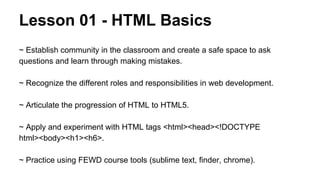
~ Establish community in the classroom and create a safe space to ask
questions and learn through making mistakes.
~ Recognize the different roles and responsibilities in web development.
~ Articulate the progression of HTML to HTML5.
~ Apply and experiment with HTML tags <html><head><!DOCTYPE
html><body><h1><h6>.
~ Practice using FEWD course tools (sublime text, finder, chrome).
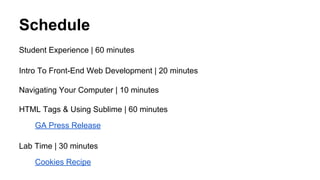
Schedule
Student Experience | 60 minutes
Intro To Front-End Web Development | 20 minutes
Navigating Your Computer | 10 minutes
HTML Tags & Using Sublime | 60 minutes
GA Press Release
Lab Time | 30 minutes
Cookies Recipe
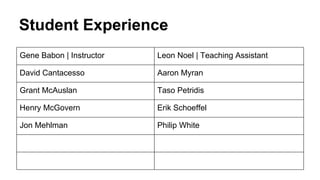
Student Experience
Gene Babon | Instructor

Leon Noel | Teaching Assistant

David Cantacesso

Aaron Myran

Grant McAuslan

Taso Petridis

Henry McGovern

Erik Schoeffel

Jon Mehlman

Philip White
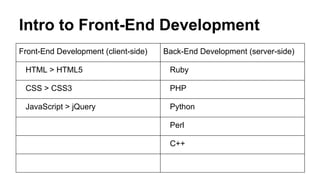
Intro to Front-End Development
Front-End Development (client-side)

Back-End Development (server-side)

HTML > HTML5

Ruby

CSS > CSS3

PHP

JavaScript > jQuery

Python
Perl
C++
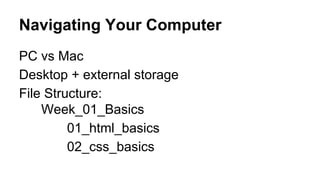
Navigating Your Computer
PC vs Mac
Desktop + external storage
File Structure:
Week_01_Basics
01_html_basics
02_css_basics
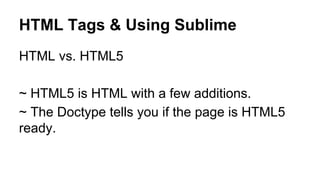
HTML Tags & Using Sublime
HTML vs. HTML5
~ HTML5 is HTML with a few additions.
~ The Doctype tells you if the page is HTML5
ready.
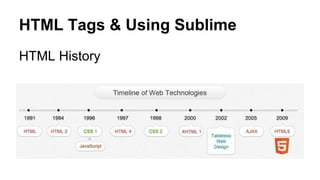
HTML Tags & Using Sublime
HTML History
HTML Tags & Using Sublime
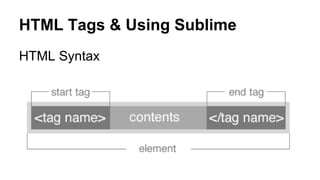
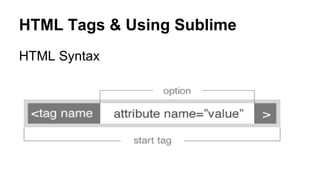
HTML Syntax
HTML Tags & Using Sublime
HTML Syntax
HTML Tags & Using Sublime
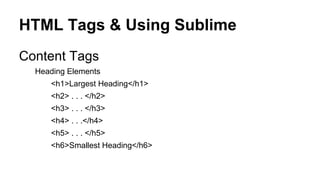
Content Tags
Heading Elements
<h1>Largest Heading</h1>
<h2> . . . </h2>
<h3> . . . </h3>
<h4> . . .</h4>
<h5> . . . </h5>
<h6>Smallest Heading</h6>
HTML Tags & Using Sublime
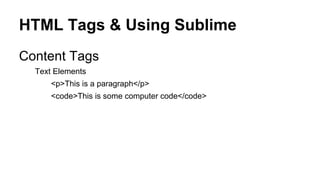
Content Tags
Text Elements
<p>This is a paragraph</p>
<code>This is some computer code</code>
HTML Tags & Using Sublime
Content Tags
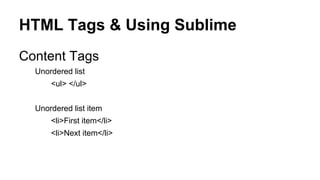
Unordered list
<ul> </ul>
Unordered list item
<li>First item</li>
<li>Next item</li>
HTML Tags & Using Sublime
Content Tags
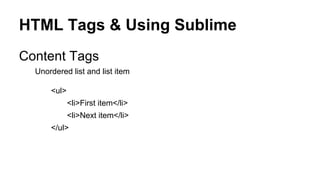
Unordered list and list item
<ul>
<li>First item</li>
<li>Next item</li>
</ul>
HTML Tags & Using Sublime
Content Tags
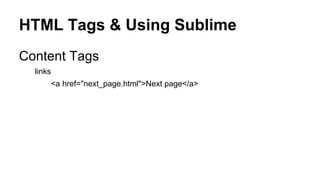
links
<a href="next_page.html">Next page</a>
HTML Tags & Using Sublime
GA Press Release
Lab Time
Cookie Recipe
Homework
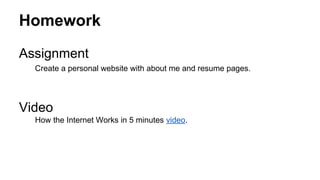
Assignment
Create a personal website with about me and resume pages.

Video
How the Internet Works in 5 minutes video.

Lesson 01

  • 1.
  • 2.
    FEWD Overview Access Schoology ~Course Syllabus ~ Pre-Work ~ Lessons: Week by Week ~ Discussions
  • 3.
    Lesson 01 -HTML Basics ~ Establish community in the classroom and create a safe space to ask questions and learn through making mistakes. ~ Recognize the different roles and responsibilities in web development. ~ Articulate the progression of HTML to HTML5. ~ Apply and experiment with HTML tags <html><head><!DOCTYPE html><body><h1><h6>. ~ Practice using FEWD course tools (sublime text, finder, chrome).
  • 4.
    Schedule Student Experience |60 minutes Intro To Front-End Web Development | 20 minutes Navigating Your Computer | 10 minutes HTML Tags & Using Sublime | 60 minutes GA Press Release Lab Time | 30 minutes Cookies Recipe
  • 5.
    Student Experience Gene Babon| Instructor Leon Noel | Teaching Assistant David Cantacesso Aaron Myran Grant McAuslan Taso Petridis Henry McGovern Erik Schoeffel Jon Mehlman Philip White
  • 6.
    Intro to Front-EndDevelopment Front-End Development (client-side) Back-End Development (server-side) HTML > HTML5 Ruby CSS > CSS3 PHP JavaScript > jQuery Python Perl C++
  • 7.
    Navigating Your Computer PCvs Mac Desktop + external storage File Structure: Week_01_Basics 01_html_basics 02_css_basics
  • 8.
    HTML Tags &Using Sublime HTML vs. HTML5 ~ HTML5 is HTML with a few additions. ~ The Doctype tells you if the page is HTML5 ready.
  • 9.
    HTML Tags &Using Sublime HTML History
  • 10.
    HTML Tags &Using Sublime HTML Syntax
  • 11.
    HTML Tags &Using Sublime HTML Syntax
  • 12.
    HTML Tags &Using Sublime Content Tags Heading Elements <h1>Largest Heading</h1> <h2> . . . </h2> <h3> . . . </h3> <h4> . . .</h4> <h5> . . . </h5> <h6>Smallest Heading</h6>
  • 13.
    HTML Tags &Using Sublime Content Tags Text Elements <p>This is a paragraph</p> <code>This is some computer code</code>
  • 14.
    HTML Tags &Using Sublime Content Tags Unordered list <ul> </ul> Unordered list item <li>First item</li> <li>Next item</li>
  • 15.
    HTML Tags &Using Sublime Content Tags Unordered list and list item <ul> <li>First item</li> <li>Next item</li> </ul>
  • 16.
    HTML Tags &Using Sublime Content Tags links <a href="next_page.html">Next page</a>
  • 17.
    HTML Tags &Using Sublime GA Press Release
  • 18.
  • 19.
    Homework Assignment Create a personalwebsite with about me and resume pages. Video How the Internet Works in 5 minutes video.