Front-End
Web Development
Lesson 11
Lab
Agenda (proposed)
● Lab (The Memory Game) (180 minutes)
○ Description: This lab is your standard memory
game. Select two cards, see if they match, and if
they don't, turn them back over.
○ Topics: jQuery, each/forEach, events, functions,
variables, arguments, classes/ids, using
StackOverflow and other resources
○ Activity Type: paired exercise
Agenda (proposed)
● Lab (The Memory Game) (180 minutes)
○ HTML (game container, game cards, reset buttons,
etc). Time: 20 minutes
○ CSS (style the game play area). Each card should
use a "card" class and when "selected" should have
a background image that shows the card as it would
appear if turned over. Time: 30 minutes
Agenda (proposed)
● Lab (The Memory Game) (180 minutes)
○ Pseudo Code (start game, reset game, etc.)
○ JavaScript (code the application)
Agenda (proposed)
● Lab (The Memory Game) (180 minutes)
○ Bonus
■ Use the web to find a function to shuffle the
cards. Source: Stack Overflow
■ Track the number of moves it took to match all
cards
■ Add a "cheat" mode which shows the match for
the currently selected card by making the
matching card bigger.
Agenda (proposed)
● Lab (180 minutes)
○ The Memory Game
○ Demo the site
○ Ask students to recreate the game
○ Pair off
○ Begin
Agenda (alternate)
● Carousel
● Introduction to jQuery Plugins
● AnythingSlider Plugin
● jQuery Navigation Plugin
● Final Project
○ discuss and/or sign off
Carousel
View Code and discuss.
AnythingSlider Plugin
Code Along
Demo
Website
GitHub
Mega Drop Down Plugin
Self Paced
Demo
Website
Lab
Build out Divided Times using …
Anything Slider
jQuery Mega Drop Down Menu
Introduction to Final Project
Description:
● Design and build a website of your choice
Introduction to Final Project
Objectives:
● Demonstrate understanding of all topics
● Apply knowledge to build a website from the
ground up
● Create an efficient website compatible with
modern browsers and devices
Introduction to Final Project
Remaining Topics:
● Responsive design
● HTML forms
● jQuery animation
● ?? parallax scrolling / single page website??
Introduction to Final Project
Core Requirements (HTML5):
● HTML5 structural elements
○ header, footer, nav, etc.
● Include classes and IDs
● Additional tags, as appropriate
Introduction to Final Project
Core Requirements (CSS):
● Demonstrate fonts and color
● Demonstrate floats and the box model
● External CSS
Introduction to Final Project
Core Requirements (Interactive):
● Use JavaScript / jQuery events to add
interactivity
● External scripts
Introduction to Final Project
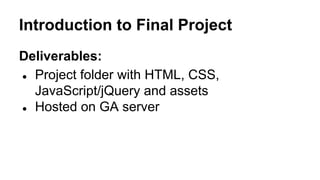
Deliverables:
● Project folder with HTML, CSS,
JavaScript/jQuery and assets
● Hosted on GA server
Introduction to Final Project
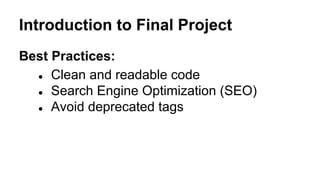
Best Practices:
● Clean and readable code
● Search Engine Optimization (SEO)
● Avoid deprecated tags
Introduction to Final Project
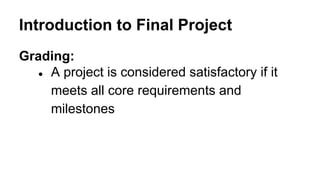
Grading:
● A project is considered satisfactory if it
meets all core requirements and
milestones
Introduction to Final Project
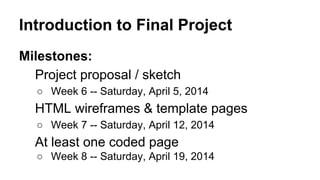
Milestones:
Project proposal / sketch
○ Week 6 -- Saturday, April 5, 2014
HTML wireframes & template pages
○ Week 7 -- Saturday, April 12, 2014
At least one coded page
○ Week 8 -- Saturday, April 19, 2014
Introduction to Final Project
Milestones:
Project proposal / sketch
○ Week 9 -- Saturday, April 26, 2014
Final lab & presentations
○ Week 10 -- Saturday, May 3, 2014
Introduction to Final Project
Leon and Gene to check in with each class
member to chat about the final project.
“I really have no idea what I want to do.” is a
perfectly acceptable answer.
Introduction to Final Project
Begin work on Final Project
Introduce “Secret Website”

Lesson 11

  • 1.
  • 2.
    Agenda (proposed) ● Lab(The Memory Game) (180 minutes) ○ Description: This lab is your standard memory game. Select two cards, see if they match, and if they don't, turn them back over. ○ Topics: jQuery, each/forEach, events, functions, variables, arguments, classes/ids, using StackOverflow and other resources ○ Activity Type: paired exercise
  • 3.
    Agenda (proposed) ● Lab(The Memory Game) (180 minutes) ○ HTML (game container, game cards, reset buttons, etc). Time: 20 minutes ○ CSS (style the game play area). Each card should use a "card" class and when "selected" should have a background image that shows the card as it would appear if turned over. Time: 30 minutes
  • 4.
    Agenda (proposed) ● Lab(The Memory Game) (180 minutes) ○ Pseudo Code (start game, reset game, etc.) ○ JavaScript (code the application)
  • 5.
    Agenda (proposed) ● Lab(The Memory Game) (180 minutes) ○ Bonus ■ Use the web to find a function to shuffle the cards. Source: Stack Overflow ■ Track the number of moves it took to match all cards ■ Add a "cheat" mode which shows the match for the currently selected card by making the matching card bigger.
  • 6.
    Agenda (proposed) ● Lab(180 minutes) ○ The Memory Game ○ Demo the site ○ Ask students to recreate the game ○ Pair off ○ Begin
  • 7.
    Agenda (alternate) ● Carousel ●Introduction to jQuery Plugins ● AnythingSlider Plugin ● jQuery Navigation Plugin ● Final Project ○ discuss and/or sign off
  • 8.
  • 9.
  • 10.
    Mega Drop DownPlugin Self Paced Demo Website
  • 11.
    Lab Build out DividedTimes using … Anything Slider jQuery Mega Drop Down Menu
  • 13.
    Introduction to FinalProject Description: ● Design and build a website of your choice
  • 14.
    Introduction to FinalProject Objectives: ● Demonstrate understanding of all topics ● Apply knowledge to build a website from the ground up ● Create an efficient website compatible with modern browsers and devices
  • 15.
    Introduction to FinalProject Remaining Topics: ● Responsive design ● HTML forms ● jQuery animation ● ?? parallax scrolling / single page website??
  • 16.
    Introduction to FinalProject Core Requirements (HTML5): ● HTML5 structural elements ○ header, footer, nav, etc. ● Include classes and IDs ● Additional tags, as appropriate
  • 17.
    Introduction to FinalProject Core Requirements (CSS): ● Demonstrate fonts and color ● Demonstrate floats and the box model ● External CSS
  • 18.
    Introduction to FinalProject Core Requirements (Interactive): ● Use JavaScript / jQuery events to add interactivity ● External scripts
  • 19.
    Introduction to FinalProject Deliverables: ● Project folder with HTML, CSS, JavaScript/jQuery and assets ● Hosted on GA server
  • 20.
    Introduction to FinalProject Best Practices: ● Clean and readable code ● Search Engine Optimization (SEO) ● Avoid deprecated tags
  • 21.
    Introduction to FinalProject Grading: ● A project is considered satisfactory if it meets all core requirements and milestones
  • 22.
    Introduction to FinalProject Milestones: Project proposal / sketch ○ Week 6 -- Saturday, April 5, 2014 HTML wireframes & template pages ○ Week 7 -- Saturday, April 12, 2014 At least one coded page ○ Week 8 -- Saturday, April 19, 2014
  • 23.
    Introduction to FinalProject Milestones: Project proposal / sketch ○ Week 9 -- Saturday, April 26, 2014 Final lab & presentations ○ Week 10 -- Saturday, May 3, 2014
  • 24.
    Introduction to FinalProject Leon and Gene to check in with each class member to chat about the final project. “I really have no idea what I want to do.” is a perfectly acceptable answer.
  • 25.
    Introduction to FinalProject Begin work on Final Project Introduce “Secret Website”