Free Front End Crash Course: HTML & CSSFree Front End Crash Course: HTML & CSS
May 2018
Network: Deskhub-main
Password: stake2017!
http://bit.ly/fe-crash-sdhttp://bit.ly/fe-crash-sd
 
Interactive Slides: http://bit.ly/sd-slides-51618
1
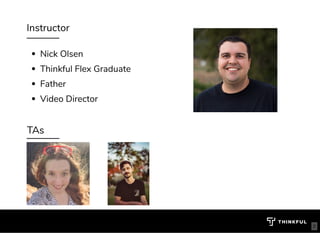
Instructor
Nick Olsen
Thinkful Flex Graduate
Father
Video Director
TAs
2
About you
What's your name? 
What brought you here today?
What is your programming experience?
3
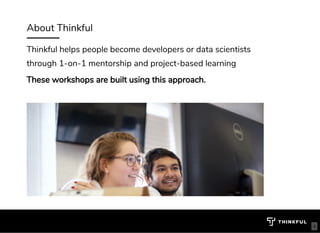
About Thinkful
Thinkful helps people become developers or data scientists
through 1-on-1 mentorship and project-based learning
These workshops are built using this approach.
4
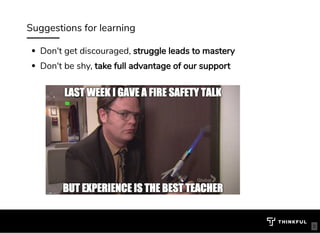
Suggestions for learning
Don't get discouraged, struggle leads to mastery
Don't be shy, take full advantage of our support
5
Agenda
Learn key HTML and CSS concepts (20 min)
Go over the assignments (10 min)
Complete challenges with support (30 min)
Steps to continue learning (10 min)
6
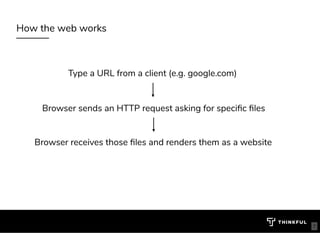
How the web works
Type a URL from a client (e.g. google.com)
Browser sends an HTTP request asking for speci c les
Browser receives those les and renders them as a website
7
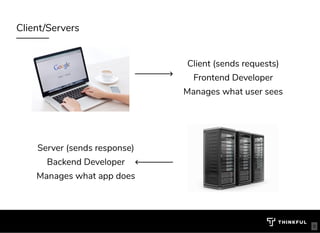
Client/Servers
Client (sends requests)
Frontend Developer
Manages what user sees
Server (sends response)
Backend Developer
Manages what app does
8
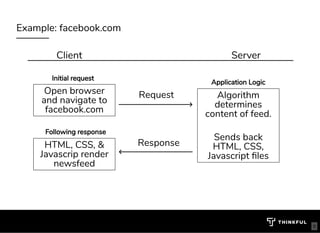
Example: facebook.com
Client Server
Open browser
and navigate to
facebook.com
HTML, CSS, &
Javascrip render
newsfeed
Request
Response
9
Algorithm
determines
content of feed.
 
Sends back
HTML, CSS,
Javascript les
Application Logic
Initial request
Following response
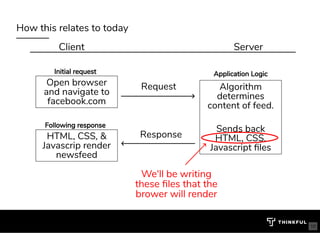
How this relates to today
Client Server
Open browser
and navigate to
facebook.com
HTML, CSS, &
Javascrip render
newsfeed
Request
10
Response
Algorithm
determines
content of feed.
 
Sends back
HTML, CSS,
Javascript les
Application LogicInitial request
Following response
We'll be writing
these les that the
brower will render
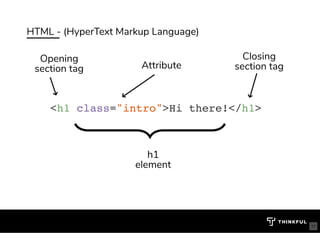
HTML - (HyperText Markup Language)
<h1 class="intro">Hi there!</h1>
Attribute
Opening
section tag
h1
element
Closing
section tag
bit.ly/website-la
11
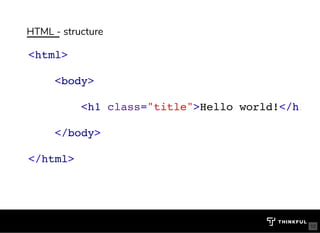
HTML - structure
<html>
<body>
<h1 class="title">Hello world!</h1
</body>
</html>
bit.ly/website-la
12
HTML tags, elements, attributes
13
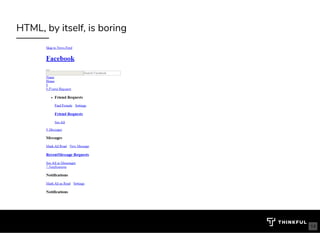
HTML, by itself, is boring
14
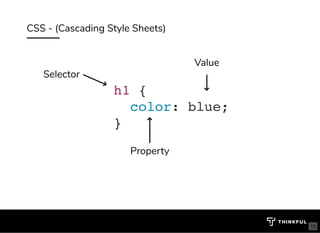
CSS - (Cascading Style Sheets)
h1 {
color: blue;
}
Value
Property
Selector
bit.ly/website-la
15
CSS selectors, properties, values
16
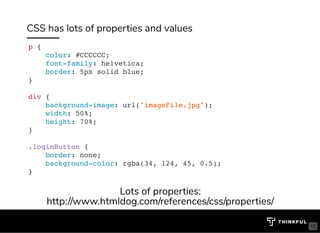
CSS has lots of properties and values
p {
color: #CCCCCC;
font-family: helvetica;
border: 5px solid blue;
}
div {
background-image: url("imageFile.jpg");
width: 50%;
height: 70%;
}
.loginButton {
border: none;
background-color: rgba(34, 124, 45, 0.5);
}
Lots of properties:
http://www.htmldog.com/references/css/properties/
17
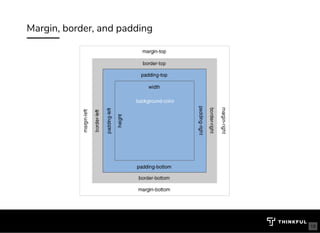
Margin, border, and padding
18
Margin, border, and padding
19
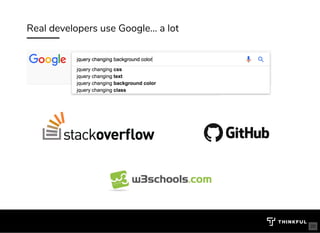
Real developers use Google... a lot
20
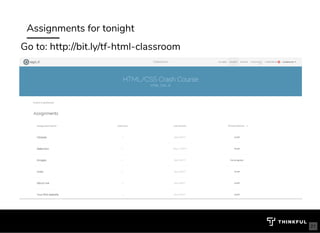
Assignments for tonight
Go to: http://bit.ly/tf-html-classroom
21
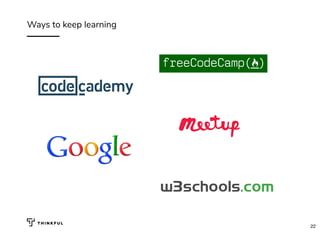
Ways to keep learning
22
HTML, CSS and JavaScript
Unlimited mentor-led group sessions
Personal Program Manager
Special Workshop Events
bit.ly/tfsd-wdbit.ly/tfsd-wd
Free Two Week TrialFree Two Week Trial
23

Deck 893ff61f-1fb8-4e15-a379-775dfdbcee77-12-173-252-450

  • 1.
    Free Front EndCrash Course: HTML & CSSFree Front End Crash Course: HTML & CSS May 2018 Network: Deskhub-main Password: stake2017! http://bit.ly/fe-crash-sdhttp://bit.ly/fe-crash-sd   Interactive Slides: http://bit.ly/sd-slides-51618 1
  • 2.
    Instructor Nick Olsen Thinkful FlexGraduate Father Video Director TAs 2
  • 3.
    About you What's yourname?  What brought you here today? What is your programming experience? 3
  • 4.
    About Thinkful Thinkful helpspeople become developers or data scientists through 1-on-1 mentorship and project-based learning These workshops are built using this approach. 4
  • 5.
    Suggestions for learning Don'tget discouraged, struggle leads to mastery Don't be shy, take full advantage of our support 5
  • 6.
    Agenda Learn key HTMLand CSS concepts (20 min) Go over the assignments (10 min) Complete challenges with support (30 min) Steps to continue learning (10 min) 6
  • 7.
    How the webworks Type a URL from a client (e.g. google.com) Browser sends an HTTP request asking for speci c les Browser receives those les and renders them as a website 7
  • 8.
    Client/Servers Client (sends requests) FrontendDeveloper Manages what user sees Server (sends response) Backend Developer Manages what app does 8
  • 9.
    Example: facebook.com Client Server Openbrowser and navigate to facebook.com HTML, CSS, & Javascrip render newsfeed Request Response 9 Algorithm determines content of feed.   Sends back HTML, CSS, Javascript les Application Logic Initial request Following response
  • 10.
    How this relatesto today Client Server Open browser and navigate to facebook.com HTML, CSS, & Javascrip render newsfeed Request 10 Response Algorithm determines content of feed.   Sends back HTML, CSS, Javascript les Application LogicInitial request Following response We'll be writing these les that the brower will render
  • 11.
    HTML - (HyperTextMarkup Language) <h1 class="intro">Hi there!</h1> Attribute Opening section tag h1 element Closing section tag bit.ly/website-la 11
  • 12.
    HTML - structure <html> <body> <h1class="title">Hello world!</h1 </body> </html> bit.ly/website-la 12
  • 13.
    HTML tags, elements,attributes 13
  • 14.
    HTML, by itself,is boring 14
  • 15.
    CSS - (CascadingStyle Sheets) h1 { color: blue; } Value Property Selector bit.ly/website-la 15
  • 16.
  • 17.
    CSS has lotsof properties and values p { color: #CCCCCC; font-family: helvetica; border: 5px solid blue; } div { background-image: url("imageFile.jpg"); width: 50%; height: 70%; } .loginButton { border: none; background-color: rgba(34, 124, 45, 0.5); } Lots of properties: http://www.htmldog.com/references/css/properties/ 17
  • 18.
  • 19.
  • 20.
    Real developers useGoogle... a lot 20
  • 21.
    Assignments for tonight Goto: http://bit.ly/tf-html-classroom 21
  • 22.
    Ways to keeplearning 22
  • 23.
    HTML, CSS andJavaScript Unlimited mentor-led group sessions Personal Program Manager Special Workshop Events bit.ly/tfsd-wdbit.ly/tfsd-wd Free Two Week TrialFree Two Week Trial 23