BTM 2623
Computer Aided
Modelling [CAM]
Semester 2 -2021/2022
YOUR FACILITATOR
2
MUHAMMED NAFIS BIN OSMAN ZAHID
DF 7
(FEEL FREE TO VISIT)
09-4245917
019-4142525
nafis@ump.edu.my
Universiti
Malaysia
PAHANG
•■
•
••
•
Communitismg T
echnology
Universiti
Malaysia
PAHANG
of
- < :
,
_A
1 Au1onorr.au!;,
Rooots.
'I ■
- -
a; n,,,.,
Hil
Ar.k1Hi,_
.r
f
�
M;_m1,raiC:IIJli,jn'!
J: .. ---
II ii
II
II
:
N
_
lnlrrr, l or
ihlr.gr;
-
- - - - - - -
Communitismg T
echnology
Universiti
Malaysia
PAHANG
· - - - ·
II
I
I■
( a d a p t e d f r o m J a c k i e G e r s t e i n . 20 14 )
Communitismg T
echnology
COURSE INTRODUCTION
• UNIT: 3 CREDITS
• PRE-REQUISITE: BTM1614 Computer Aided Drafting
• CONTACT HOURS:
– LECTURE: (1 HOURS X 14 WEEKS)
– LABORATORY: (4 HOURS X 14 WEEKS)
• TIME:
– EVERY MONDAY (2pm – 3pm) - Lecture
– EVERY TUESDAY (8am – 12pm)) - Lab 01
– EVERY WEDNESADY (3 – 7pm) - Lab 02
• COURSE MATERIAL
CATIA V5 Handbook
Ulrich, K. T., & Eppinger, S. D. (2012). Product Design and Development: Fifth Edition. In McGraw-
Hill. McGraw-Hill Education.
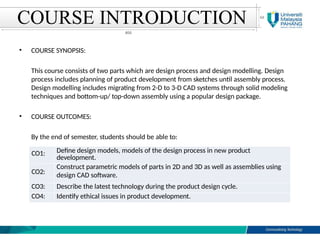
COURSE INTRODUCTION
• COURSE SYNOPSIS:
This course consists of two parts which are design process and design modelling. Design
process includes planning of product development from sketches until assembly process.
Design modelling includes migrating from 2-D to 3-D CAD systems through solid modeling
techniques and bottom-up/ top-down assembly using a popular design package.
• COURSE OUTCOMES:
By the end of semester, students should be able to:
CO1: Define design models, models of the design process in new product
development.
CO2:
Construct parametric models of parts in 2D and 3D as well as assemblies using
design CAD software.
CO3: Describe the latest technology during the product design cycle.
CO4: Identify ethical issues in product development.
COURSE INTRODUCTION
Assessment Type Description Percentage
Midterm (W7)
Project
Based on topic covered 15 %
(CATIA+PDD)
Project and Assignment 40 %
CATIA Assignments - 20 %
Assignments Based on case study 20 %
Quiz 1 - 5 %
Total 100%
COURSE INTRODUCTION
Week 1 : Review of syllabus and grading policies
Review of various pre-requisite materials
Introduction to Engineering Design
Week 7 : Project work 4: Concept Selection
Case study: Conceptual design
Week 2 : Introduction to design process
Week 8 : Project work 5: Drawing document
Case study: Preliminary design
Sketching & Extrude
Case study: extrude model Week 9 : Case study: Detailed design
Week 3 : Design models versus model of design
process
Sketching & Revolve
Case study: extrude & revolve model
Week 10 :
Week 11 :
Case study: Design communication
and fabrication
Introduction to models assembly
Week 4 :
Week 5 :
Project work 1: Gathering information
Sketching & Pattern
Case study: pattern model
Project work 2: Problem definition
Sketching & Sweep
Week 12 :
Week 13 :
Ethics in Design
Top-down assembly
Design for Environment
Bottom-up assembly
Case study: extrude, revolve, pattern and
sweep model
Week 14 : Compare top-down and bottom-up
assembly
Finite element analysis of assembly
Week 6 : Project work 3: Concept generation
Sketching & adding constraints
Case study: modelling and adding
constraint into model
REVISION
What you have learnt in Computer Aided Drafting?
Working Drawing Package
• Definition : A packet of drawings that gives
specifications necessary to manufacture a design
A typical drawing package contains
the following:
An assembly drawing
Part List
• Item No.
• Name
• Material
• Quantity Required
Detailed drawings
A standard parts
sheet
Assembly Drawing
Detail Drawing (Part 1)
Detail Drawing (Part 2)
Detail Drawing (Part 3)
Standard Part Drawing
What Is Manufacturing?
• The vast majority of objects around us
consist of numerous individual pieces
that are built and assembled by a
combination of processes called
manufacturing.
• Manufacture (English, 1567) derived from manu factus
(Latin) meaning ‘made by hand’.
• Manufacturing is concerned with making products.
APPROXIMATE NUMBERS OF
PARTS IN PRODUCTS
Common
pencil
4
Rotary lawn
mower
300
Grand piano 12,000
Automobile 15,000
Boeing 747-
400
6,000,000
What Is Manufacturing?
• A manufactured product may itself be used to make
other products:
– A large press= shape flat sheet metal into automobile
bodies
– A drill = producing holes
– Industrial sawing machines = making clothing at high
rates
– Numerous pieces of machinery = to produce an endless
variety of individual items.
• Discrete products = individual items (bolts, nuts, paper
clips)
• Continuous products= the products which are then cut
into individual pieces of various lengths for specific
purposes (a roll of aluminum foil, a spool of wire, metal
or plastic tubing).
What Is Manufacturing?
• Value-added = Clay (value) cookware (added)
• High-value-added= computer chips, electric motors or
professional athletic shoes.
• A brief history of manufacturing (please refer to the
textbooks= read as night tales).
What Is Manufacturing?
Example 1.1
Incandescent Light Bulbs
• Components of a common incandescent light bulb
What Is Manufacturing?
Example 1.1
Incandescent Light Bulbs
• Manufacturing steps in making an incandescent light
bulb
What Is Manufacturing?
Example 1.1
Incandescent
Light Bulbs
 Nowadays, this
product is made
at rates of more
than 2000 bulbs
per minute.
 Each costing less
than one dollar.
Selection of Manufacturing Processes
• Some examples of manufacturing methods are:
1. Casting
– Expandable mold and permanent mold
2. Forming and shaping
– Rolling, forging, extrusion, drawing, sheet forming, powder
metallurgy and molding
3. Machining
– Turning, boring, drilling, milling, planning, shaping, broaching,
grinding, ultrasonic machining, chemical, electrical and
electrochemical machining, and high-energy-beam machining.
– Micromachining for producing ultra precision parts.
Selection of Manufacturing Processes
4. Joining
– Welding, brazing, soldering, diffusion bonding, adhesive
bonding and mechanical joining
5. Finishing
– Honing, lapping, polishing, burnishing, deburring, surface
treating, coating and plating
6. Microfabrication and nanofabrication
– Technologies that are capable of producing parts with
dimensions at the micro (one-millionth of a meter) and nano
(one-billionth of a meter) levels.
– Fabrication of microelectromechanical systems (MEMS) and
nanoelectromechanical systems (NEMS), typically involving
processes such as lithography, surface and bulk
micromachining,etching and etc.
Selection of Manufacturing Processes
General Trends in Manufacturing
Global manufacturing trends
1. Product variety and complexity continue to increase
2. Product life cycles are becoming shorter
3. Markets have become multinational
4. Market conditions fluctuate widely
5. Customers are demanding
6. Meet all design requirements, product
specifications
7. Build quality into the product
8. Adopt flexible production methods
9. Achieving higher levels of productivity
• CAD – Computer-Aided Design
• CAE – Computer-Aided Engineering
• CAM – Computer-Aided Manufacturing
• CIM – Computer Integrated Manufacturing
4 C
Engineering
design and
production
function
Business
philosophy
29
COMPUTER-AIDED DESIGN (CAD)
30
• The process of utilizing computers to create and edit
design models and drawings.
• Create some types of geometry for a mechanical part,
architectural structure, electronic circuit, building layout or
other items.
• The information is stored in a computer database, from
which it is as the basis for further work and to produce
engineering drawings.
• The term CAD is often used to refer 3D work in computer-
aided design and 2D computer-aided drafting.
ADVANTAGES OF 3D CAD
31
• Reduces the time and labour required to make engineering
drawings.
• Eliminates drawing errors and mistakes caused by
misreading the drawings.
• Gives an accurate geometric database that can be used to
generate Numerical Control (NC), to design patterns,
special tools, and fixtures needed to manufacture the part.
• The master model can be used to purchasing agents, cost
estimators, inspectors, and production planners all
directly viewed the CAD model to do their jobs.
ADVANTAGES OF 3D CAD
32
COMPUTER-AIDED ENGINEERING (CAE)
33
• To analyze CAD geometry, to simulate and to
observe how the product will behave and find
any errors early in the design cycle.
• So the design can be refined and optimized
and reducing overall product development time
and cost.
• To analyze products that are already
manufactured, but experiencing
problems.
• Finite element analysis (FEA) or Finite element model
(FEM): to analyze stress, strain, displacement, force, etc.
of structure/part design.
• Kinematics: to analyze the movement of mechanism
(displacement, force, velocity and acceleration).
• Dynamics: to analyze displacements, forces or vibration in
complex mechanical systems such as vehicles.
• Rapid prototyping: to quickly transform CAD models into
small physical models.
34
COMPUTER-AIDED ENGINEERING (CAE)
What if:
I change the size?
I change the material?
I change the entire concept?
ANALYSIS – SIMULATION – VALIDATION – OPTIMIZATION
The process of analysis involves simulating a product within
an environment to predict an outcome.
Example:
• In computer games, simulate other worlds and times.
• Print preview in word processors simulates how the printed
page will look.
35
COMPUTER-AIDED ENGINEERING (CAE)
COMPUTER-AIDED MANUFACTURING (CAM)
36
• Provide the data and instructions to automated
machines for making parts, assemblies, and
circuits, often using the geometric data from
CAD as a starting point.
• Generate Computer Numerical Control (CNC): to
control a machine tool that grinds, cuts, mills,
etc.
Computer Integrated Manufacturing (CIM)
37
• Process of using computer databases to run an entire
factory more efficiently, such as in accounting,
factory management, scheduling, and shipping.
• Overall sharing of data and the flow of information and
work throughout the company.
• CIM touches areas as diverse as design, drafting,
analysis, and testing in the engineering department,
machine control, group technology, process planning,
inventory control, and quality assurance on the shop floor;
and report generation, forecasting, and plant management
in the front office.
CAD / CAE / CAM
CAD
CREATE INITIAL
DESIGN
CAE
ANALYSE
CAM
PRODUCE THE
PRODUCT
OPTIMIZED
NOT OPTIMIZED
SCOPE OF THE
COURSE
38
SCOPE OF CAD/CAM
39
CAD – CAE / CAM / CIM
40
CAD-CAE-CAM SYSTEMS
41
• A CAD-CAE-CAM system is a complex application
that requires both hardware and software.
• CAD-CAE-CAM software can run as a client/server
or standalone application.
• CAD-CAE-CAM software utilizes a data structure to
save the geometry and topology of geometric models.
• The data structure is a well-defined storage scheme
that stores model data.
• A CAD database is the file that stores the
model information where each file has a name and an
extension.
CAD-CAE-CAM SYSTEMS
42
• New users are faced with two challenging problems:
Must understand the concepts of 3D modeling and
viewing and how to control geometric construction.
Must learn the structure of the software Graphical User
Interface (GUI) and where to find commands when
needed.
• Learning and using one system should help accelerate
learning and using other systems.
• CAD-CAE-CAM software is designed to run on all
platforms and operating system.
CAD-CAE-CAM MODULES
43
1. Geometric engine module
• The heart of CAD-CAE-CAM system.
• Provides users with function to perform geometric modeling and
construction, editing and manipulation of existing geometry,
drafting and documentation.
model creation, clean-up,
• The typicalmodeling
operations: documentation and
printing/plotting.
2. Application module
• To utilize the model for design and manufacturing purposes.
• Varies from one software system to another.
• The common applications shared include: mass
calculations, assembly analysis, mechanisms analysis,
property
animation
techniques, simulation and analysis of plastic injection molding, NC,
CIM, robot simulation, and group technology.
CAD-CAE-CAM MODULES
44
3. Programming module
• Allow users to customize systems by programming them to fit
certain design and manufacturing tasks.
• Requires advanced knowledge of the system architecture, its
database format and a high-level programming language
such as C, C++ and Java.
4. Communication module
• Is crucial if integration is to be achieved between the CAD/CAM
system, other computer systems and manufacturing facilities.
• Also serves the purpose of translating databases between
CAD/CAM system using graphics standards such as
IGES and STEP.
5. Collaborative module
• Emerging as outcome of the widespread of the internet.
• Support collaborative design where various design teams in different
geographical locations can work concurrently on the
same part, assembly or drawing file in real time over the web.
45
CAD-CAE-CAM MODULES
Why is it important to study
these subjects?
46
 CAD-CAE-CAM have been utilized in engineering practices:
• Drafting
• Design
• Simulation
• Analysis
• Manufacturing
 CAD-CAE-CAM users become very inefficient in using the
systems unless they understand the fundamental
concepts on which these systems are built.
Applications – Airplane
Turbine engine
47
Body Parts
Turbine blade
Applications – Automotive
Body
Seat
Crankshaft
V engine
Applications – Mobile phone
49
SOFTWARES
powered by
powered by
powered by
powered by
powered by
powered by
Semester-2/2016-2017 50
Warm-up Quiz
https://www.youtube.com/watch?v=KWy4UgbzCBU
The link discusses the stages involved in product development processes
(Minutes 03:40:00 onwards). Identify one technology that can be used to
support the product development activities. Then, derive the information on
the chosen technology by constructing a mind map. The information shall
include an overview of the technology, types, applications, advantages and
disadvantages or any related facts.
MCA-BTM3234 51

Lecture Notes 1 introduction on computer aided design

  • 1.
    BTM 2623 Computer Aided Modelling[CAM] Semester 2 -2021/2022
  • 2.
    YOUR FACILITATOR 2 MUHAMMED NAFISBIN OSMAN ZAHID DF 7 (FEEL FREE TO VISIT) 09-4245917 019-4142525 nafis@ump.edu.my
  • 3.
  • 4.
    Universiti Malaysia PAHANG of - < : , _A 1Au1onorr.au!;, Rooots. 'I ■ - - a; n,,,., Hil Ar.k1Hi,_ .r f � M;_m1,raiC:IIJli,jn'! J: .. --- II ii II II : N _ lnlrrr, l or ihlr.gr; - - - - - - - - Communitismg T echnology
  • 5.
    Universiti Malaysia PAHANG · - -- · II I I■ ( a d a p t e d f r o m J a c k i e G e r s t e i n . 20 14 ) Communitismg T echnology
  • 6.
    COURSE INTRODUCTION • UNIT:3 CREDITS • PRE-REQUISITE: BTM1614 Computer Aided Drafting • CONTACT HOURS: – LECTURE: (1 HOURS X 14 WEEKS) – LABORATORY: (4 HOURS X 14 WEEKS) • TIME: – EVERY MONDAY (2pm – 3pm) - Lecture – EVERY TUESDAY (8am – 12pm)) - Lab 01 – EVERY WEDNESADY (3 – 7pm) - Lab 02 • COURSE MATERIAL CATIA V5 Handbook Ulrich, K. T., & Eppinger, S. D. (2012). Product Design and Development: Fifth Edition. In McGraw- Hill. McGraw-Hill Education.
  • 7.
    COURSE INTRODUCTION • COURSESYNOPSIS: This course consists of two parts which are design process and design modelling. Design process includes planning of product development from sketches until assembly process. Design modelling includes migrating from 2-D to 3-D CAD systems through solid modeling techniques and bottom-up/ top-down assembly using a popular design package. • COURSE OUTCOMES: By the end of semester, students should be able to: CO1: Define design models, models of the design process in new product development. CO2: Construct parametric models of parts in 2D and 3D as well as assemblies using design CAD software. CO3: Describe the latest technology during the product design cycle. CO4: Identify ethical issues in product development.
  • 8.
    COURSE INTRODUCTION Assessment TypeDescription Percentage Midterm (W7) Project Based on topic covered 15 % (CATIA+PDD) Project and Assignment 40 % CATIA Assignments - 20 % Assignments Based on case study 20 % Quiz 1 - 5 % Total 100%
  • 9.
    COURSE INTRODUCTION Week 1: Review of syllabus and grading policies Review of various pre-requisite materials Introduction to Engineering Design Week 7 : Project work 4: Concept Selection Case study: Conceptual design Week 2 : Introduction to design process Week 8 : Project work 5: Drawing document Case study: Preliminary design Sketching & Extrude Case study: extrude model Week 9 : Case study: Detailed design Week 3 : Design models versus model of design process Sketching & Revolve Case study: extrude & revolve model Week 10 : Week 11 : Case study: Design communication and fabrication Introduction to models assembly Week 4 : Week 5 : Project work 1: Gathering information Sketching & Pattern Case study: pattern model Project work 2: Problem definition Sketching & Sweep Week 12 : Week 13 : Ethics in Design Top-down assembly Design for Environment Bottom-up assembly Case study: extrude, revolve, pattern and sweep model Week 14 : Compare top-down and bottom-up assembly Finite element analysis of assembly Week 6 : Project work 3: Concept generation Sketching & adding constraints Case study: modelling and adding constraint into model
  • 10.
    REVISION What you havelearnt in Computer Aided Drafting?
  • 11.
    Working Drawing Package •Definition : A packet of drawings that gives specifications necessary to manufacture a design A typical drawing package contains the following: An assembly drawing Part List • Item No. • Name • Material • Quantity Required Detailed drawings A standard parts sheet
  • 12.
  • 13.
  • 14.
  • 15.
  • 16.
  • 17.
    What Is Manufacturing? •The vast majority of objects around us consist of numerous individual pieces that are built and assembled by a combination of processes called manufacturing. • Manufacture (English, 1567) derived from manu factus (Latin) meaning ‘made by hand’. • Manufacturing is concerned with making products. APPROXIMATE NUMBERS OF PARTS IN PRODUCTS Common pencil 4 Rotary lawn mower 300 Grand piano 12,000 Automobile 15,000 Boeing 747- 400 6,000,000
  • 18.
    What Is Manufacturing? •A manufactured product may itself be used to make other products: – A large press= shape flat sheet metal into automobile bodies – A drill = producing holes – Industrial sawing machines = making clothing at high rates – Numerous pieces of machinery = to produce an endless variety of individual items. • Discrete products = individual items (bolts, nuts, paper clips) • Continuous products= the products which are then cut into individual pieces of various lengths for specific purposes (a roll of aluminum foil, a spool of wire, metal or plastic tubing).
  • 19.
    What Is Manufacturing? •Value-added = Clay (value) cookware (added) • High-value-added= computer chips, electric motors or professional athletic shoes. • A brief history of manufacturing (please refer to the textbooks= read as night tales).
  • 20.
    What Is Manufacturing? Example1.1 Incandescent Light Bulbs • Components of a common incandescent light bulb
  • 21.
    What Is Manufacturing? Example1.1 Incandescent Light Bulbs • Manufacturing steps in making an incandescent light bulb
  • 22.
    What Is Manufacturing? Example1.1 Incandescent Light Bulbs  Nowadays, this product is made at rates of more than 2000 bulbs per minute.  Each costing less than one dollar.
  • 23.
    Selection of ManufacturingProcesses • Some examples of manufacturing methods are: 1. Casting – Expandable mold and permanent mold 2. Forming and shaping – Rolling, forging, extrusion, drawing, sheet forming, powder metallurgy and molding 3. Machining – Turning, boring, drilling, milling, planning, shaping, broaching, grinding, ultrasonic machining, chemical, electrical and electrochemical machining, and high-energy-beam machining. – Micromachining for producing ultra precision parts.
  • 24.
    Selection of ManufacturingProcesses 4. Joining – Welding, brazing, soldering, diffusion bonding, adhesive bonding and mechanical joining 5. Finishing – Honing, lapping, polishing, burnishing, deburring, surface treating, coating and plating 6. Microfabrication and nanofabrication – Technologies that are capable of producing parts with dimensions at the micro (one-millionth of a meter) and nano (one-billionth of a meter) levels. – Fabrication of microelectromechanical systems (MEMS) and nanoelectromechanical systems (NEMS), typically involving processes such as lithography, surface and bulk micromachining,etching and etc.
  • 25.
  • 26.
  • 27.
  • 28.
    General Trends inManufacturing Global manufacturing trends 1. Product variety and complexity continue to increase 2. Product life cycles are becoming shorter 3. Markets have become multinational 4. Market conditions fluctuate widely 5. Customers are demanding 6. Meet all design requirements, product specifications 7. Build quality into the product 8. Adopt flexible production methods 9. Achieving higher levels of productivity
  • 29.
    • CAD –Computer-Aided Design • CAE – Computer-Aided Engineering • CAM – Computer-Aided Manufacturing • CIM – Computer Integrated Manufacturing 4 C Engineering design and production function Business philosophy 29
  • 30.
    COMPUTER-AIDED DESIGN (CAD) 30 •The process of utilizing computers to create and edit design models and drawings. • Create some types of geometry for a mechanical part, architectural structure, electronic circuit, building layout or other items. • The information is stored in a computer database, from which it is as the basis for further work and to produce engineering drawings. • The term CAD is often used to refer 3D work in computer- aided design and 2D computer-aided drafting.
  • 31.
    ADVANTAGES OF 3DCAD 31 • Reduces the time and labour required to make engineering drawings. • Eliminates drawing errors and mistakes caused by misreading the drawings. • Gives an accurate geometric database that can be used to generate Numerical Control (NC), to design patterns, special tools, and fixtures needed to manufacture the part. • The master model can be used to purchasing agents, cost estimators, inspectors, and production planners all directly viewed the CAD model to do their jobs.
  • 32.
  • 33.
    COMPUTER-AIDED ENGINEERING (CAE) 33 •To analyze CAD geometry, to simulate and to observe how the product will behave and find any errors early in the design cycle. • So the design can be refined and optimized and reducing overall product development time and cost. • To analyze products that are already manufactured, but experiencing problems.
  • 34.
    • Finite elementanalysis (FEA) or Finite element model (FEM): to analyze stress, strain, displacement, force, etc. of structure/part design. • Kinematics: to analyze the movement of mechanism (displacement, force, velocity and acceleration). • Dynamics: to analyze displacements, forces or vibration in complex mechanical systems such as vehicles. • Rapid prototyping: to quickly transform CAD models into small physical models. 34 COMPUTER-AIDED ENGINEERING (CAE)
  • 35.
    What if: I changethe size? I change the material? I change the entire concept? ANALYSIS – SIMULATION – VALIDATION – OPTIMIZATION The process of analysis involves simulating a product within an environment to predict an outcome. Example: • In computer games, simulate other worlds and times. • Print preview in word processors simulates how the printed page will look. 35 COMPUTER-AIDED ENGINEERING (CAE)
  • 36.
    COMPUTER-AIDED MANUFACTURING (CAM) 36 •Provide the data and instructions to automated machines for making parts, assemblies, and circuits, often using the geometric data from CAD as a starting point. • Generate Computer Numerical Control (CNC): to control a machine tool that grinds, cuts, mills, etc.
  • 37.
    Computer Integrated Manufacturing(CIM) 37 • Process of using computer databases to run an entire factory more efficiently, such as in accounting, factory management, scheduling, and shipping. • Overall sharing of data and the flow of information and work throughout the company. • CIM touches areas as diverse as design, drafting, analysis, and testing in the engineering department, machine control, group technology, process planning, inventory control, and quality assurance on the shop floor; and report generation, forecasting, and plant management in the front office.
  • 38.
    CAD / CAE/ CAM CAD CREATE INITIAL DESIGN CAE ANALYSE CAM PRODUCE THE PRODUCT OPTIMIZED NOT OPTIMIZED SCOPE OF THE COURSE 38
  • 39.
  • 40.
    CAD – CAE/ CAM / CIM 40
  • 41.
    CAD-CAE-CAM SYSTEMS 41 • ACAD-CAE-CAM system is a complex application that requires both hardware and software. • CAD-CAE-CAM software can run as a client/server or standalone application. • CAD-CAE-CAM software utilizes a data structure to save the geometry and topology of geometric models. • The data structure is a well-defined storage scheme that stores model data. • A CAD database is the file that stores the model information where each file has a name and an extension.
  • 42.
    CAD-CAE-CAM SYSTEMS 42 • Newusers are faced with two challenging problems: Must understand the concepts of 3D modeling and viewing and how to control geometric construction. Must learn the structure of the software Graphical User Interface (GUI) and where to find commands when needed. • Learning and using one system should help accelerate learning and using other systems. • CAD-CAE-CAM software is designed to run on all platforms and operating system.
  • 43.
    CAD-CAE-CAM MODULES 43 1. Geometricengine module • The heart of CAD-CAE-CAM system. • Provides users with function to perform geometric modeling and construction, editing and manipulation of existing geometry, drafting and documentation. model creation, clean-up, • The typicalmodeling operations: documentation and printing/plotting. 2. Application module • To utilize the model for design and manufacturing purposes. • Varies from one software system to another. • The common applications shared include: mass calculations, assembly analysis, mechanisms analysis, property animation techniques, simulation and analysis of plastic injection molding, NC, CIM, robot simulation, and group technology.
  • 44.
    CAD-CAE-CAM MODULES 44 3. Programmingmodule • Allow users to customize systems by programming them to fit certain design and manufacturing tasks. • Requires advanced knowledge of the system architecture, its database format and a high-level programming language such as C, C++ and Java. 4. Communication module • Is crucial if integration is to be achieved between the CAD/CAM system, other computer systems and manufacturing facilities. • Also serves the purpose of translating databases between CAD/CAM system using graphics standards such as IGES and STEP.
  • 45.
    5. Collaborative module •Emerging as outcome of the widespread of the internet. • Support collaborative design where various design teams in different geographical locations can work concurrently on the same part, assembly or drawing file in real time over the web. 45 CAD-CAE-CAM MODULES
  • 46.
    Why is itimportant to study these subjects? 46  CAD-CAE-CAM have been utilized in engineering practices: • Drafting • Design • Simulation • Analysis • Manufacturing  CAD-CAE-CAM users become very inefficient in using the systems unless they understand the fundamental concepts on which these systems are built.
  • 47.
    Applications – Airplane Turbineengine 47 Body Parts Turbine blade
  • 48.
  • 49.
  • 50.
    SOFTWARES powered by powered by poweredby powered by powered by powered by Semester-2/2016-2017 50
  • 51.
    Warm-up Quiz https://www.youtube.com/watch?v=KWy4UgbzCBU The linkdiscusses the stages involved in product development processes (Minutes 03:40:00 onwards). Identify one technology that can be used to support the product development activities. Then, derive the information on the chosen technology by constructing a mind map. The information shall include an overview of the technology, types, applications, advantages and disadvantages or any related facts. MCA-BTM3234 51