Lecture-22
Instructor Name:
Object Oriented Programming
Today’s Lecture
 User Defined Exceptions
 Assertion Statement
2
User Defined Exception
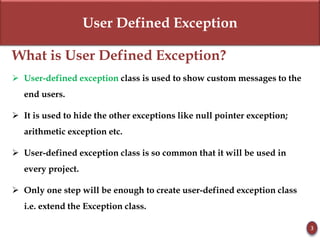
What is User Defined Exception?
 User-defined exception class is used to show custom messages to the
end users.
 It is used to hide the other exceptions like null pointer exception;
arithmetic exception etc.
 User-defined exception class is so common that it will be used in
every project.
 Only one step will be enough to create user-defined exception class
i.e. extend the Exception class.
3
User Defined Exception
Key Points
 Keep the following points in mind when writing your own exception
classes:
 All exceptions must be a child of Throwable.
 If you want to write a checked exception that is automatically
enforced by the Handle or Declare Rule, you need to extend the
Exception class.
 If you want to write a runtime exception, you need to extend the
RuntimeException class.
4
User Defined Exception
Syntax
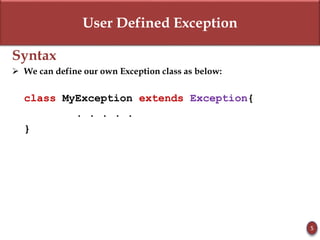
 We can define our own Exception class as below:
class MyException extends Exception{
. . . . .
}
5
User Defined Exception
User Defined Exception - Example
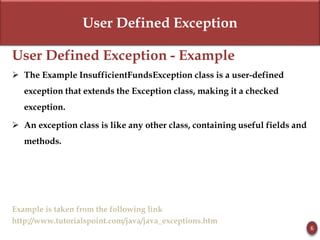
 The Example InsufficientFundsException class is a user-defined
exception that extends the Exception class, making it a checked
exception.
 An exception class is like any other class, containing useful fields and
methods.
Example is taken from the following link
http://www.tutorialspoint.com/java/java_exceptions.htm
6
User Defined Exception
User Defined Exception – Example
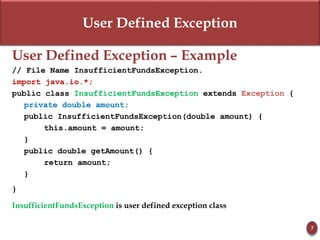
// File Name InsufficientFundsException.
import java.io.*;
public class InsufficientFundsException extends Exception {
private double amount;
public InsufficientFundsException(double amount) {
this.amount = amount;
}
public double getAmount() {
return amount;
}
}
InsufficientFundsException is user defined exception class
7
User Defined Exception
User Defined Exception - Example
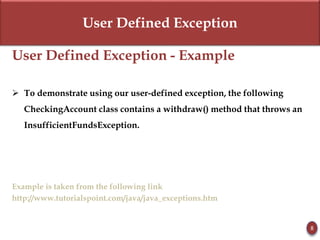
 To demonstrate using our user-defined exception, the following
CheckingAccount class contains a withdraw() method that throws an
InsufficientFundsException.
Example is taken from the following link
http://www.tutorialspoint.com/java/java_exceptions.htm
8
User Defined Exception
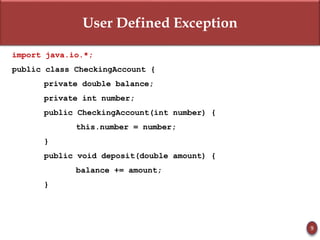
import java.io.*;
public class CheckingAccount {
private double balance;
private int number;
public CheckingAccount(int number) {
this.number = number;
}
public void deposit(double amount) {
balance += amount;
}
9
User Defined Exception
public void withdraw(double amount) throws
InsufficientFundsException {
if(amount <= balance) {
balance -= amount;
}
else {
double needs = amount - balance;
throw new InsufficientFundsException(needs);
}
}
10
User Defined Exception
public double getBalance() {
return balance;
}
public int getNumber() {
return number;
}
}
11
User Defined Exception
public class BankDemo {
public static void main(String [] args) {
CheckingAccount c = new CheckingAccount(101);
System.out.println("Depositing $500...");
c.deposit(500.00);
try {
System.out.println("nWithdrawing $100...");
c.withdraw(100.00);
System.out.println("nWithdrawing $600...");
c.withdraw(600.00);
}
catch(InsufficientFundsException e) {
System.out.println("Sorry, but you are short $" +
e.getAmount()); e.printStackTrace(); } } }
12
assert Statement
13
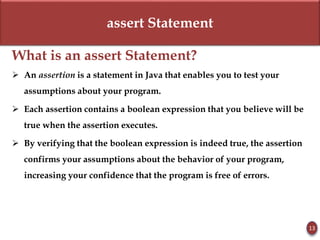
What is an assert Statement?
 An assertion is a statement in Java that enables you to test your
assumptions about your program.
 Each assertion contains a boolean expression that you believe will be
true when the assertion executes.
 By verifying that the boolean expression is indeed true, the assertion
confirms your assumptions about the behavior of your program,
increasing your confidence that the program is free of errors.
assert Statement
14
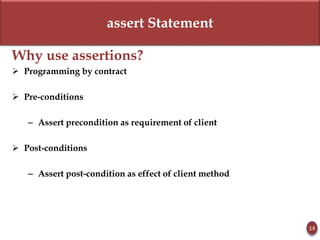
Why use assertions?
 Programming by contract
 Pre-conditions
– Assert precondition as requirement of client
 Post-conditions
– Assert post-condition as effect of client method
assert Statement
15
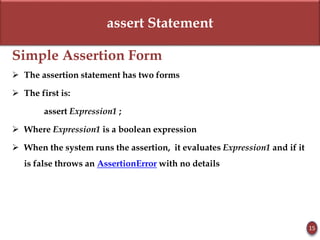
Simple Assertion Form
 The assertion statement has two forms
 The first is:
assert Expression1 ;
 Where Expression1 is a boolean expression
 When the system runs the assertion, it evaluates Expression1 and if it
is false throws an AssertionError with no details
assert Statement
16
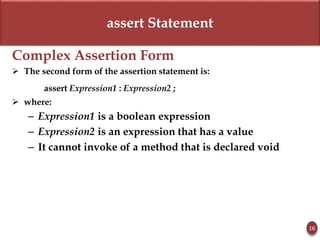
Complex Assertion Form
 The second form of the assertion statement is:
assert Expression1 : Expression2 ;
 where:
– Expression1 is a boolean expression
– Expression2 is an expression that has a value
– It cannot invoke of a method that is declared void
assert Statement
17
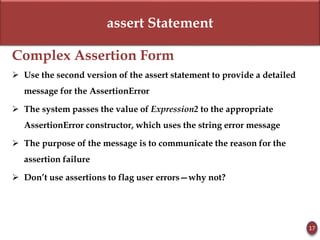
Complex Assertion Form
 Use the second version of the assert statement to provide a detailed
message for the AssertionError
 The system passes the value of Expression2 to the appropriate
AssertionError constructor, which uses the string error message
 The purpose of the message is to communicate the reason for the
assertion failure
 Don’t use assertions to flag user errors—why not?
assert Statement
18
When an Assertion Fails
 Assertion failures are labeled in stack trace with the file and line
number from which they were thrown
 Second form of the assertion statement should be used in preference
to the first when the program has some additional information that
might help diagnose the failure
assert Statement
19
Simple Example
import java.util.Scanner;
class AssertionExample{
public static void main( String args[] ){
Scanner scanner = new Scanner( System.in );
System.out.print("Enter ur age ");
int value = scanner.nextInt();
assert value>=18:" Not valid";
System.out.println("value is "+value);
}
}
assert Statement
20
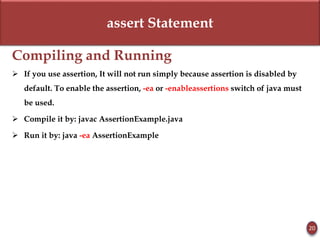
Compiling and Running
 If you use assertion, It will not run simply because assertion is disabled by
default. To enable the assertion, -ea or -enableassertions switch of java must
be used.
 Compile it by: javac AssertionExample.java
 Run it by: java -ea AssertionExample
21

Lecture 22

  • 1.
  • 2.
    Today’s Lecture  UserDefined Exceptions  Assertion Statement 2
  • 3.
    User Defined Exception Whatis User Defined Exception?  User-defined exception class is used to show custom messages to the end users.  It is used to hide the other exceptions like null pointer exception; arithmetic exception etc.  User-defined exception class is so common that it will be used in every project.  Only one step will be enough to create user-defined exception class i.e. extend the Exception class. 3
  • 4.
    User Defined Exception KeyPoints  Keep the following points in mind when writing your own exception classes:  All exceptions must be a child of Throwable.  If you want to write a checked exception that is automatically enforced by the Handle or Declare Rule, you need to extend the Exception class.  If you want to write a runtime exception, you need to extend the RuntimeException class. 4
  • 5.
    User Defined Exception Syntax We can define our own Exception class as below: class MyException extends Exception{ . . . . . } 5
  • 6.
    User Defined Exception UserDefined Exception - Example  The Example InsufficientFundsException class is a user-defined exception that extends the Exception class, making it a checked exception.  An exception class is like any other class, containing useful fields and methods. Example is taken from the following link http://www.tutorialspoint.com/java/java_exceptions.htm 6
  • 7.
    User Defined Exception UserDefined Exception – Example // File Name InsufficientFundsException. import java.io.*; public class InsufficientFundsException extends Exception { private double amount; public InsufficientFundsException(double amount) { this.amount = amount; } public double getAmount() { return amount; } } InsufficientFundsException is user defined exception class 7
  • 8.
    User Defined Exception UserDefined Exception - Example  To demonstrate using our user-defined exception, the following CheckingAccount class contains a withdraw() method that throws an InsufficientFundsException. Example is taken from the following link http://www.tutorialspoint.com/java/java_exceptions.htm 8
  • 9.
    User Defined Exception importjava.io.*; public class CheckingAccount { private double balance; private int number; public CheckingAccount(int number) { this.number = number; } public void deposit(double amount) { balance += amount; } 9
  • 10.
    User Defined Exception publicvoid withdraw(double amount) throws InsufficientFundsException { if(amount <= balance) { balance -= amount; } else { double needs = amount - balance; throw new InsufficientFundsException(needs); } } 10
  • 11.
    User Defined Exception publicdouble getBalance() { return balance; } public int getNumber() { return number; } } 11
  • 12.
    User Defined Exception publicclass BankDemo { public static void main(String [] args) { CheckingAccount c = new CheckingAccount(101); System.out.println("Depositing $500..."); c.deposit(500.00); try { System.out.println("nWithdrawing $100..."); c.withdraw(100.00); System.out.println("nWithdrawing $600..."); c.withdraw(600.00); } catch(InsufficientFundsException e) { System.out.println("Sorry, but you are short $" + e.getAmount()); e.printStackTrace(); } } } 12
  • 13.
    assert Statement 13 What isan assert Statement?  An assertion is a statement in Java that enables you to test your assumptions about your program.  Each assertion contains a boolean expression that you believe will be true when the assertion executes.  By verifying that the boolean expression is indeed true, the assertion confirms your assumptions about the behavior of your program, increasing your confidence that the program is free of errors.
  • 14.
    assert Statement 14 Why useassertions?  Programming by contract  Pre-conditions – Assert precondition as requirement of client  Post-conditions – Assert post-condition as effect of client method
  • 15.
    assert Statement 15 Simple AssertionForm  The assertion statement has two forms  The first is: assert Expression1 ;  Where Expression1 is a boolean expression  When the system runs the assertion, it evaluates Expression1 and if it is false throws an AssertionError with no details
  • 16.
    assert Statement 16 Complex AssertionForm  The second form of the assertion statement is: assert Expression1 : Expression2 ;  where: – Expression1 is a boolean expression – Expression2 is an expression that has a value – It cannot invoke of a method that is declared void
  • 17.
    assert Statement 17 Complex AssertionForm  Use the second version of the assert statement to provide a detailed message for the AssertionError  The system passes the value of Expression2 to the appropriate AssertionError constructor, which uses the string error message  The purpose of the message is to communicate the reason for the assertion failure  Don’t use assertions to flag user errors—why not?
  • 18.
    assert Statement 18 When anAssertion Fails  Assertion failures are labeled in stack trace with the file and line number from which they were thrown  Second form of the assertion statement should be used in preference to the first when the program has some additional information that might help diagnose the failure
  • 19.
    assert Statement 19 Simple Example importjava.util.Scanner; class AssertionExample{ public static void main( String args[] ){ Scanner scanner = new Scanner( System.in ); System.out.print("Enter ur age "); int value = scanner.nextInt(); assert value>=18:" Not valid"; System.out.println("value is "+value); } }
  • 20.
    assert Statement 20 Compiling andRunning  If you use assertion, It will not run simply because assertion is disabled by default. To enable the assertion, -ea or -enableassertions switch of java must be used.  Compile it by: javac AssertionExample.java  Run it by: java -ea AssertionExample
  • 21.