









#LearningPoolLive
WELCOME & HOUSEKEEPING
HOUSEKEEPINGHOUSEKEEPING
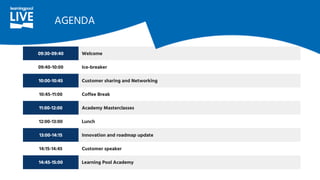
09:30-09:40 Welcome
09:40-10:00 Ice-breaker
10:00-10:45 Customer sharing and Networking
10:45-11:00 Coffee Break
11:00-12:00 Academy Masterclasses
12:00-13:00 Lunch
13:00-14:15 Innovation and roadmap update
14:15-14:45 Customer speaker
14:45-15:00 Learning Pool Academy
AGENDA
ICE BREAKER
CUSTOMER SHARING
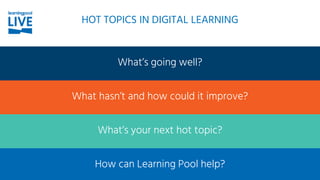
What’s going well?
What hasn’t and how could it improve?
What’s your next hot topic?
How can Learning Pool help?
HOT TOPICS IN DIGITAL LEARNING
BREAK
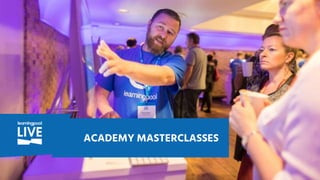
ACADEMY MASTERCLASSES
DEMO:
CREATING CUSTOM REPORTS
DEMO:
SURFACING REPORTS VIA
A DASHBOARD
DEMO:
COURSE INTRO BLOCK
DEMO:
REBRANDING AN ADAPT MODULE
LUNCH
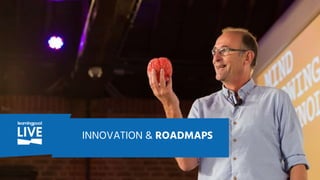
INNOVATION & ROADMAPS
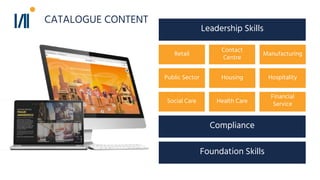
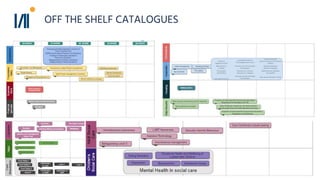
Off the shelf Catalogues
Contact
Centre
Retail
HospitalityHousing
Financial
ServiceHealth CareSocial Care
Manufacturing
Leadership Skills
Public Sector
Compliance
Foundation Skills
CATALOGUE CONTENT
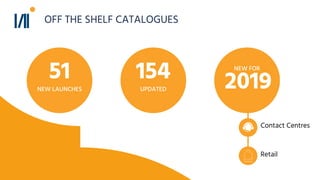
Contact Centres
51
NEW LAUNCHES
154
UPDATED
NEW FOR
2019
Retail
OFF THE SHELF CATALOGUES
● Lean principles
● Procurement
● Bite-sized leadership skills
● Wellbeing
● Agile
Look out for even more
OFF THE SHELF CATALOGUES
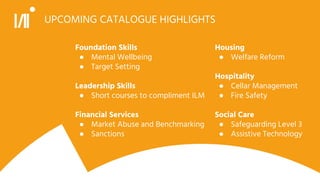
UPCOMING CATALOGUE HIGHLIGHTS
Foundation Skills
● Mental Wellbeing
● Target Setting
Leadership Skills
● Short courses to compliment ILM
Financial Services
● Market Abuse and Benchmarking
● Sanctions
Housing
● Welfare Reform
Hospitality
● Cellar Management
● Fire Safety
Social Care
● Safeguarding Level 3
● Assistive Technology
THE SOURCE OF WORKFLOW LEARNING
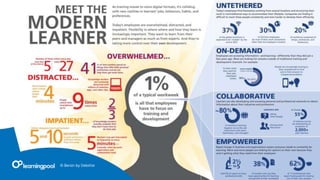
© Bersin by Deloitte
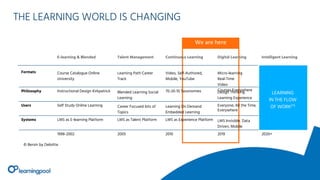
We are here
E-learning & Blended Talent Management Continuous Learning Digital Learning Intelligent Learning
Formats Course Catalogue Online
University
Learning Path Career
Track
Video, Self-Authored,
Mobile, YouTube
Micro-learning
Real-Time
Video
Courses EverywherePhilosophy Instructional Design Kirkpatrick Blended Learning Social
Learning
70-20-10 Taxonomies Design Thinking
Learning Experience
Users Self Study Online Learning Career Focused lots of
Topics
Learning On Demand
Embedded Learning
Everyone, All the Time,
Everywhere
Systems LMS as E-learning Platform LMS as Talent Platform LMS as Experience Platform LMS Invisible, Data
Driven, Mobile
1998-2002 2005 2010 2019 2020+
LEARNING
IN THE FLOW
OF WORK(™)
© Bersin by Deloitte
THE LEARNING WORLD IS CHANGING
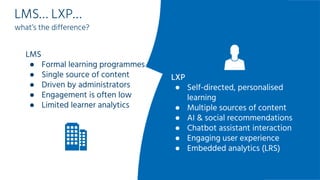
LMS… LXP…
what’s the difference?
LMS
● Formal learning programmes
● Single source of content
● Driven by administrators
● Engagement is often low
● Limited learner analytics
LXP
● Self-directed, personalised
learning
● Multiple sources of content
● AI & social recommendations
● Chatbot assistant interaction
● Engaging user experience
● Embedded analytics (LRS)
THE SOURCE OF
WORKFLOW LEARNING
BETTER LEARNING EXPERIENCE IN
YOUR WORKFLOW
● Immediately accessible content
● Personalised learning recommendations
● Be reminded about and manage your mandatory learning
● Embed your new knowledge with spaced practice
● Share learning ideas within Headstream or social networks
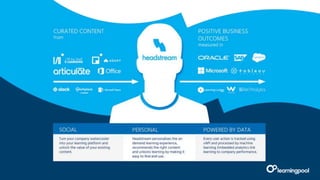
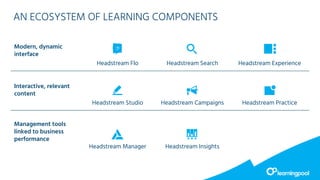
AN ECOSYSTEM OF LEARNING COMPONENTS
Modern, dynamic
interface
Headstream Flo Headstream Search Headstream Experience
Interactive, relevant
content
Headstream Studio Headstream Campaigns Headstream Practice
Management tools
linked to business
performance
Headstream Manager Headstream Insights
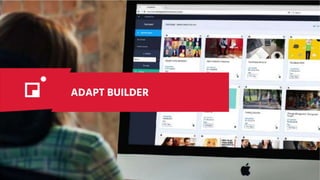
ADAPT BUILDER
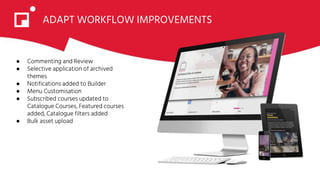
ADAPT WORKFLOW IMPROVEMENTS
● Commenting and Review
● Selective application of archived
themes
● Notifications added to Builder
● Menu Customisation
● Subscribed courses updated to
Catalogue Courses, Featured courses
added, Catalogue filters added
● Bulk asset upload
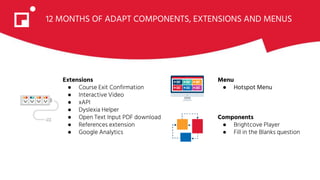
12 MONTHS OF ADAPT COMPONENTS, EXTENSIONS AND MENUS
Extensions
● Course Exit Confirmation
● Interactive Video
● xAPI
● Dyslexia Helper
● Open Text Input PDF download
● References extension
● Google Analytics
Menu
● Hotspot Menu
Components
● Brightcove Player
● Fill in the Blanks question
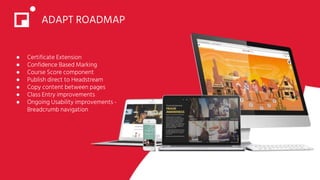
ADAPT ROADMAP
● Certificate Extension
● Confidence Based Marking
● Course Score component
● Publish direct to Headstream
● Copy content between pages
● Class Entry improvements
● Ongoing Usability improvements -
Breadcrumb navigation
TOTARA LEARN
WHAT WE’LL COVER
What’s New in Totara 12 Best Practice & UX
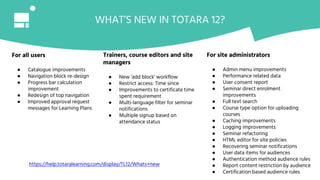
WHAT’S NEW IN TOTARA 12?
For all users
● Catalogue improvements
● Navigation block re-design
● Progress bar calculation
improvement
● Redesign of top navigation
● Improved approval request
messages for Learning Plans
Trainers, course editors and site
managers
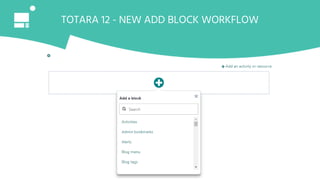
● New 'add block' workflow
● Restrict access: Time since
● Improvements to certificate time
spent requirement
● Multi-language filter for seminar
notifications
● Multiple signup based on
attendance status
For site administrators
● Admin menu improvements
● Performance related data
● User consent report
● Seminar direct enrolment
improvements
● Full text search
● Course type option for uploading
courses
● Caching improvements
● Logging improvements
● Seminar refactoring
● HTML editor for site policies
● Recovering seminar notifications
● User data items for audiences
● Authentication method audience rules
● Report content restriction by audience
● Certification based audience rules
https://help.totaralearning.com/display/TL12/Whats+new
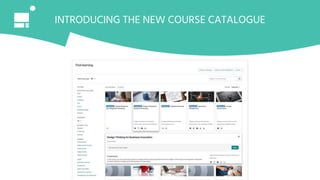
INTRODUCING THE NEW COURSE CATALOGUE
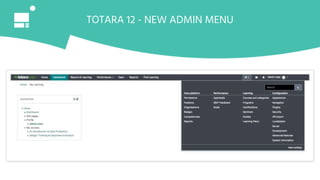
TOTARA 12 - NEW ADMIN MENU
TOTARA 12 - NEW ADD BLOCK WORKFLOW
TOTARA 12 - DEMO
INTRODUCING TOTARA REMIX
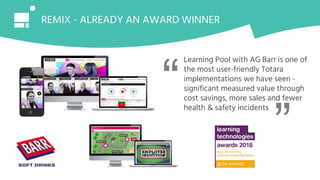
REMIX - ALREADY AN AWARD WINNER
Learning Pool with AG Barr is one of
the most user-friendly Totara
implementations we have seen -
significant measured value through
cost savings, more sales and fewer
health & safety incidents
“ “
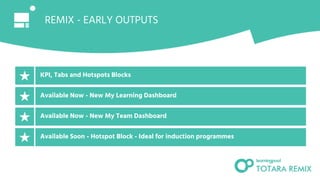
REMIX - EARLY OUTPUTS
44
KPI, Tabs and Hotspots Blocks
Available Now - New My Learning Dashboard
Available Now - New My Team Dashboard
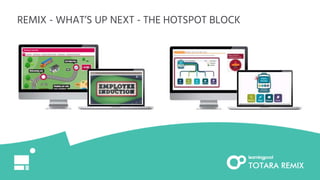
Available Soon - Hotspot Block - Ideal for induction programmes
REMIX - KPI & TABS BLOCK
My Learning Dashboard
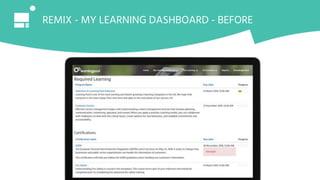
REMIX - MY LEARNING DASHBOARD - BEFORE
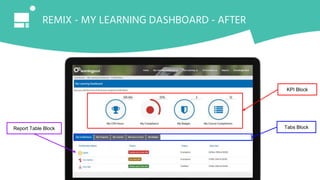
KPI Block
Tabs BlockReport Table Block
REMIX - MY LEARNING DASHBOARD - AFTER
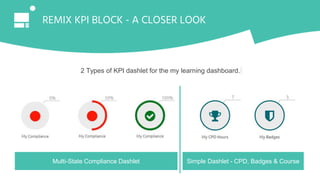
2 Types of KPI dashlet for the my learning dashboard.
Multi-State Compliance Dashlet Simple Dashlet - CPD, Badges & Course
REMIX KPI BLOCK - A CLOSER LOOK
REMIX - BEST PRACTICE
My Team Dashboard
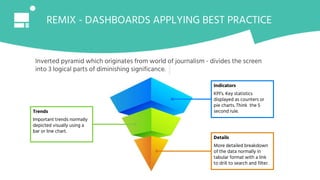
REMIX - DASHBOARDS APPLYING BEST PRACTICE
Inverted pyramid which originates from world of journalism - divides the screen
into 3 logical parts of diminishing significance.
Indicators
KPI’s. Key statistics
displayed as counters or
pie charts. Think the 5
second rule.
Details
More detailed breakdown
of the data normally in
tabular format with a link
to drill to search and filter.
Trends
Important trends normally
depicted visually using a
bar or line chart.
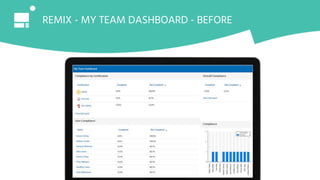
REMIX - MY TEAM DASHBOARD - BEFORE
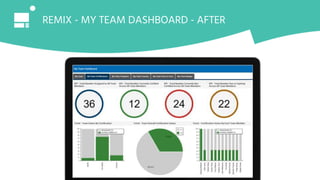
REMIX - MY TEAM DASHBOARD - AFTER
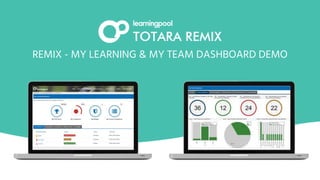
REMIX - MY LEARNING & MY TEAM DASHBOARD DEMO
REMIX - WHAT’S UP NEXT - THE HOTSPOT BLOCK
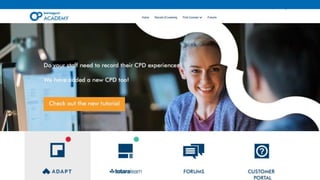
Learning Pool Academy
● A face lift
● New PDF videos
● Adapt updates
● Totara updates
What’s new?
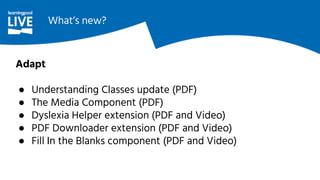
Adapt
● Understanding Classes update (PDF)
● The Media Component (PDF)
● Dyslexia Helper extension (PDF and Video)
● PDF Downloader extension (PDF and Video)
● Fill In the Blanks component (PDF and Video)
What’s new?
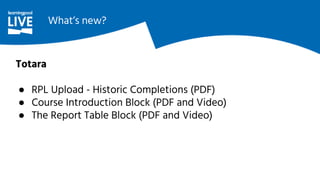
Totara
● RPL Upload - Historic Completions (PDF)
● Course Introduction Block (PDF and Video)
● The Report Table Block (PDF and Video)
What’s new?
What’s next?
● New updates/features
● ‘What’s new?’ section
● Tracking user data
● T12 new features
IT’S GOOD TO TALK
LEARNING POOL WEBINARS
“knowledge, experience and guidance - shared across the Learning Pool community”
Webinar series:
■ Learning Design Boot Camp
■ Better Design for Better Learning
One-off webinars including:
■ Practical innovation - how it can transform L&D
■ Why, where and how chatbots will transform your learning journey
learningpool.com/webinars
ANY COMMENTS, QUESTIONS
OR SUGGESTIONS?
17 October 2019 LONDON

Learning pool local 2019 slides

  • 1.
  • 2.
  • 3.
  • 4.
    09:30-09:40 Welcome 09:40-10:00 Ice-breaker 10:00-10:45Customer sharing and Networking 10:45-11:00 Coffee Break 11:00-12:00 Academy Masterclasses 12:00-13:00 Lunch 13:00-14:15 Innovation and roadmap update 14:15-14:45 Customer speaker 14:45-15:00 Learning Pool Academy AGENDA
  • 5.
  • 6.
  • 7.
    What’s going well? Whathasn’t and how could it improve? What’s your next hot topic? How can Learning Pool help? HOT TOPICS IN DIGITAL LEARNING
  • 8.
  • 9.
  • 10.
  • 11.
  • 12.
  • 13.
  • 14.
  • 15.
  • 16.
    Off the shelfCatalogues
  • 17.
  • 18.
    Contact Centres 51 NEW LAUNCHES 154 UPDATED NEWFOR 2019 Retail OFF THE SHELF CATALOGUES
  • 19.
    OFF THE SHELFCATALOGUES ● Lean principles ● Procurement ● Bite-sized leadership skills ● Wellbeing ● Agile Look out for even more
  • 20.
    OFF THE SHELFCATALOGUES
  • 21.
    UPCOMING CATALOGUE HIGHLIGHTS FoundationSkills ● Mental Wellbeing ● Target Setting Leadership Skills ● Short courses to compliment ILM Financial Services ● Market Abuse and Benchmarking ● Sanctions Housing ● Welfare Reform Hospitality ● Cellar Management ● Fire Safety Social Care ● Safeguarding Level 3 ● Assistive Technology
  • 22.
    THE SOURCE OFWORKFLOW LEARNING
  • 23.
    © Bersin byDeloitte
  • 24.
    We are here E-learning& Blended Talent Management Continuous Learning Digital Learning Intelligent Learning Formats Course Catalogue Online University Learning Path Career Track Video, Self-Authored, Mobile, YouTube Micro-learning Real-Time Video Courses EverywherePhilosophy Instructional Design Kirkpatrick Blended Learning Social Learning 70-20-10 Taxonomies Design Thinking Learning Experience Users Self Study Online Learning Career Focused lots of Topics Learning On Demand Embedded Learning Everyone, All the Time, Everywhere Systems LMS as E-learning Platform LMS as Talent Platform LMS as Experience Platform LMS Invisible, Data Driven, Mobile 1998-2002 2005 2010 2019 2020+ LEARNING IN THE FLOW OF WORK(™) © Bersin by Deloitte THE LEARNING WORLD IS CHANGING
  • 25.
    LMS… LXP… what’s thedifference? LMS ● Formal learning programmes ● Single source of content ● Driven by administrators ● Engagement is often low ● Limited learner analytics LXP ● Self-directed, personalised learning ● Multiple sources of content ● AI & social recommendations ● Chatbot assistant interaction ● Engaging user experience ● Embedded analytics (LRS)
  • 26.
  • 27.
    BETTER LEARNING EXPERIENCEIN YOUR WORKFLOW ● Immediately accessible content ● Personalised learning recommendations ● Be reminded about and manage your mandatory learning ● Embed your new knowledge with spaced practice ● Share learning ideas within Headstream or social networks
  • 29.
    AN ECOSYSTEM OFLEARNING COMPONENTS Modern, dynamic interface Headstream Flo Headstream Search Headstream Experience Interactive, relevant content Headstream Studio Headstream Campaigns Headstream Practice Management tools linked to business performance Headstream Manager Headstream Insights
  • 31.
  • 32.
    ADAPT WORKFLOW IMPROVEMENTS ●Commenting and Review ● Selective application of archived themes ● Notifications added to Builder ● Menu Customisation ● Subscribed courses updated to Catalogue Courses, Featured courses added, Catalogue filters added ● Bulk asset upload
  • 33.
    12 MONTHS OFADAPT COMPONENTS, EXTENSIONS AND MENUS Extensions ● Course Exit Confirmation ● Interactive Video ● xAPI ● Dyslexia Helper ● Open Text Input PDF download ● References extension ● Google Analytics Menu ● Hotspot Menu Components ● Brightcove Player ● Fill in the Blanks question
  • 34.
    ADAPT ROADMAP ● CertificateExtension ● Confidence Based Marking ● Course Score component ● Publish direct to Headstream ● Copy content between pages ● Class Entry improvements ● Ongoing Usability improvements - Breadcrumb navigation
  • 35.
  • 36.
    WHAT WE’LL COVER What’sNew in Totara 12 Best Practice & UX
  • 37.
    WHAT’S NEW INTOTARA 12? For all users ● Catalogue improvements ● Navigation block re-design ● Progress bar calculation improvement ● Redesign of top navigation ● Improved approval request messages for Learning Plans Trainers, course editors and site managers ● New 'add block' workflow ● Restrict access: Time since ● Improvements to certificate time spent requirement ● Multi-language filter for seminar notifications ● Multiple signup based on attendance status For site administrators ● Admin menu improvements ● Performance related data ● User consent report ● Seminar direct enrolment improvements ● Full text search ● Course type option for uploading courses ● Caching improvements ● Logging improvements ● Seminar refactoring ● HTML editor for site policies ● Recovering seminar notifications ● User data items for audiences ● Authentication method audience rules ● Report content restriction by audience ● Certification based audience rules https://help.totaralearning.com/display/TL12/Whats+new
  • 38.
    INTRODUCING THE NEWCOURSE CATALOGUE
  • 39.
    TOTARA 12 -NEW ADMIN MENU
  • 40.
    TOTARA 12 -NEW ADD BLOCK WORKFLOW
  • 41.
  • 42.
  • 43.
    REMIX - ALREADYAN AWARD WINNER Learning Pool with AG Barr is one of the most user-friendly Totara implementations we have seen - significant measured value through cost savings, more sales and fewer health & safety incidents “ “
  • 44.
    REMIX - EARLYOUTPUTS 44 KPI, Tabs and Hotspots Blocks Available Now - New My Learning Dashboard Available Now - New My Team Dashboard Available Soon - Hotspot Block - Ideal for induction programmes
  • 45.
    REMIX - KPI& TABS BLOCK My Learning Dashboard
  • 46.
    REMIX - MYLEARNING DASHBOARD - BEFORE
  • 47.
    KPI Block Tabs BlockReportTable Block REMIX - MY LEARNING DASHBOARD - AFTER
  • 48.
    2 Types ofKPI dashlet for the my learning dashboard. Multi-State Compliance Dashlet Simple Dashlet - CPD, Badges & Course REMIX KPI BLOCK - A CLOSER LOOK
  • 49.
    REMIX - BESTPRACTICE My Team Dashboard
  • 50.
    REMIX - DASHBOARDSAPPLYING BEST PRACTICE Inverted pyramid which originates from world of journalism - divides the screen into 3 logical parts of diminishing significance. Indicators KPI’s. Key statistics displayed as counters or pie charts. Think the 5 second rule. Details More detailed breakdown of the data normally in tabular format with a link to drill to search and filter. Trends Important trends normally depicted visually using a bar or line chart.
  • 51.
    REMIX - MYTEAM DASHBOARD - BEFORE
  • 52.
    REMIX - MYTEAM DASHBOARD - AFTER
  • 53.
    REMIX - MYLEARNING & MY TEAM DASHBOARD DEMO
  • 54.
    REMIX - WHAT’SUP NEXT - THE HOTSPOT BLOCK
  • 55.
  • 56.
    ● A facelift ● New PDF videos ● Adapt updates ● Totara updates What’s new?
  • 57.
    Adapt ● Understanding Classesupdate (PDF) ● The Media Component (PDF) ● Dyslexia Helper extension (PDF and Video) ● PDF Downloader extension (PDF and Video) ● Fill In the Blanks component (PDF and Video) What’s new?
  • 58.
    Totara ● RPL Upload- Historic Completions (PDF) ● Course Introduction Block (PDF and Video) ● The Report Table Block (PDF and Video) What’s new?
  • 59.
    What’s next? ● Newupdates/features ● ‘What’s new?’ section ● Tracking user data ● T12 new features
  • 60.
  • 61.
    LEARNING POOL WEBINARS “knowledge,experience and guidance - shared across the Learning Pool community” Webinar series: ■ Learning Design Boot Camp ■ Better Design for Better Learning One-off webinars including: ■ Practical innovation - how it can transform L&D ■ Why, where and how chatbots will transform your learning journey learningpool.com/webinars
  • 62.
  • 63.