

TUTORIAL CSS


        WEB PROGRAMING
ENTREPRENEUR EDITION 2012
           WISNU SM, ST, MMSI
CSS
• Cascading Style Sheets (CSS) adalah suatu bahasa stylesheet
  yang digunakan untuk mengatur tampilan suatu dokumen
  yang ditulis dalam bahasa markup.
• Penggunaan yang paling umum dari CSS adalah untuk
  memformat halaman web yang ditulis dengan HTML dan
  XHTML.
• Walaupun demikian, bahasanya sendiri dapat dipergunakan
  untuk semua jenis dokumen XML termasuk SVG dan XUL.
  Spesifikasi CSS diatur oleh World Wide Web Consortium
  (W3C).
Dasar
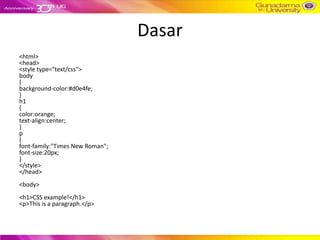
<html>
<head>
<style type="text/css">
body
{
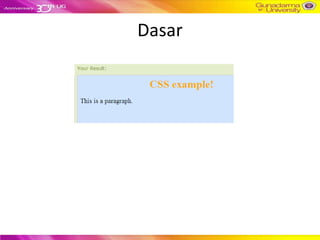
background-color:#d0e4fe;
}
h1
{
color:orange;
text-align:center;
}
p
{
font-family:"Times New Roman";
font-size:20px;
}
</style>
</head>
<body>
<h1>CSS example!</h1>
<p>This is a paragraph.</p>
Dasar
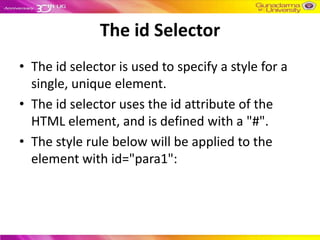
The id Selector
• The id selector is used to specify a style for a
  single, unique element.
• The id selector uses the id attribute of the
  HTML element, and is defined with a "#".
• The style rule below will be applied to the
  element with id="para1":
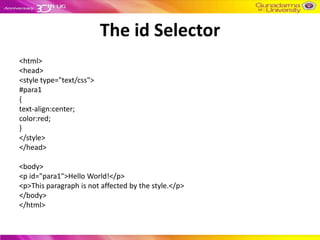
The id Selector
<html>
<head>
<style type="text/css">
#para1
{
text-align:center;
color:red;
}
</style>
</head>

<body>
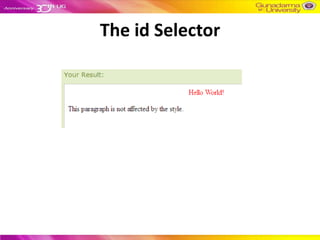
<p id="para1">Hello World!</p>
<p>This paragraph is not affected by the style.</p>
</body>
</html>
The id Selector
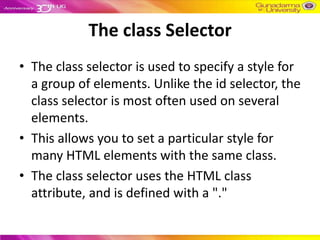
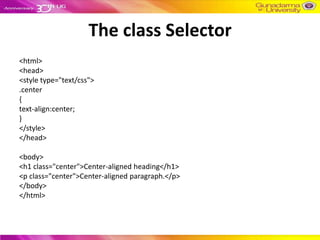
The class Selector
• The class selector is used to specify a style for
  a group of elements. Unlike the id selector, the
  class selector is most often used on several
  elements.
• This allows you to set a particular style for
  many HTML elements with the same class.
• The class selector uses the HTML class
  attribute, and is defined with a "."
The class Selector
<html>
<head>
<style type="text/css">
.center
{
text-align:center;
}
</style>
</head>

<body>
<h1 class="center">Center-aligned heading</h1>
<p class="center">Center-aligned paragraph.</p>
</body>
</html>
The class Selector
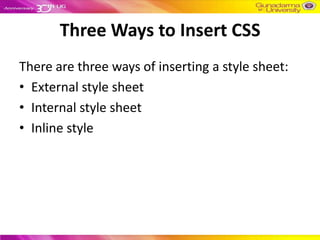
Three Ways to Insert CSS
There are three ways of inserting a style sheet:
• External style sheet
• Internal style sheet
• Inline style
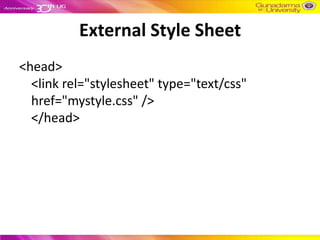
External Style Sheet
<head>
  <link rel="stylesheet" type="text/css"
  href="mystyle.css" />
  </head>
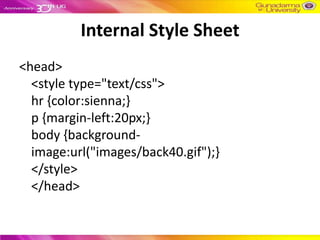
Internal Style Sheet
<head>
  <style type="text/css">
  hr {color:sienna;}
  p {margin-left:20px;}
  body {background-
  image:url("images/back40.gif");}
  </style>
  </head>
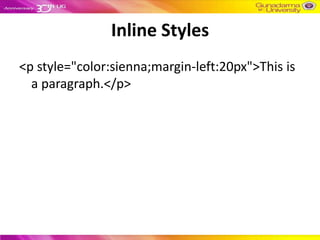
Inline Styles
<p style="color:sienna;margin-left:20px">This is
  a paragraph.</p>
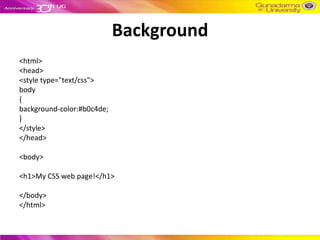
Background
<html>
<head>
<style type="text/css">
body
{
background-color:#b0c4de;
}
</style>
</head>

<body>

<h1>My CSS web page!</h1>

</body>
</html>
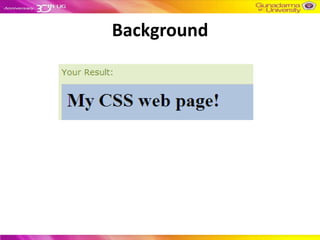
Background
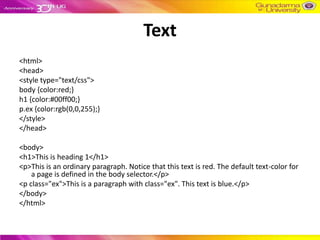
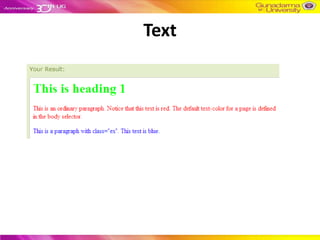
Text
<html>
<head>
<style type="text/css">
body {color:red;}
h1 {color:#00ff00;}
p.ex {color:rgb(0,0,255);}
</style>
</head>

<body>
<h1>This is heading 1</h1>
<p>This is an ordinary paragraph. Notice that this text is red. The default text-color for
    a page is defined in the body selector.</p>
<p class="ex">This is a paragraph with class="ex". This text is blue.</p>
</body>
</html>
Text
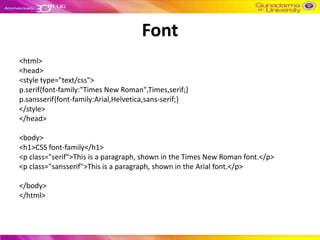
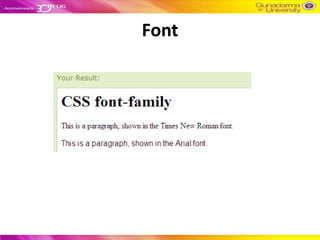
Font
<html>
<head>
<style type="text/css">
p.serif{font-family:"Times New Roman",Times,serif;}
p.sansserif{font-family:Arial,Helvetica,sans-serif;}
</style>
</head>

<body>
<h1>CSS font-family</h1>
<p class="serif">This is a paragraph, shown in the Times New Roman font.</p>
<p class="sansserif">This is a paragraph, shown in the Arial font.</p>

</body>
</html>
Font
Links
<html>
<head>
<style type="text/css">
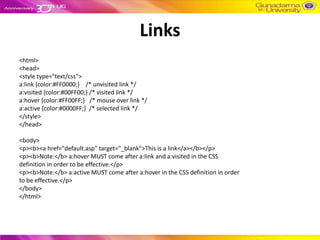
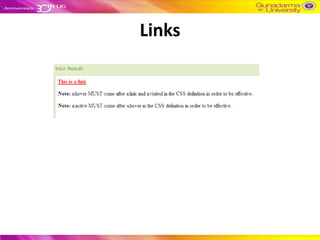
a:link {color:#FF0000;} /* unvisited link */
a:visited {color:#00FF00;} /* visited link */
a:hover {color:#FF00FF;} /* mouse over link */
a:active {color:#0000FF;} /* selected link */
</style>
</head>

<body>
<p><b><a href="default.asp" target="_blank">This is a link</a></b></p>
<p><b>Note:</b> a:hover MUST come after a:link and a:visited in the CSS
definition in order to be effective.</p>
<p><b>Note:</b> a:active MUST come after a:hover in the CSS definition in order
to be effective.</p>
</body>
</html>
Links
Lists
<html>
<head>
<style type="text/css">
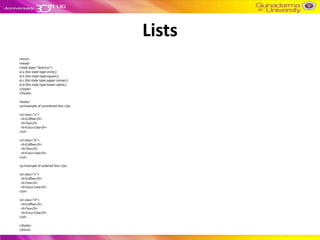
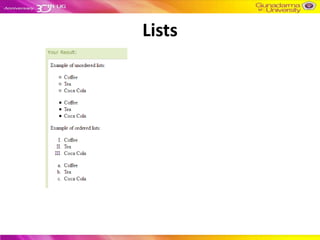
ul.a {list-style-type:circle;}
ul.b {list-style-type:square;}
ol.c {list-style-type:upper-roman;}
ol.d {list-style-type:lower-alpha;}
</style>
</head>

<body>
<p>Example of unordered lists:</p>

<ul class="a">
 <li>Coffee</li>
 <li>Tea</li>
 <li>Coca Cola</li>
</ul>

<ul class="b">
 <li>Coffee</li>
 <li>Tea</li>
 <li>Coca Cola</li>
</ul>

<p>Example of ordered lists:</p>

<ol class="c">
 <li>Coffee</li>
 <li>Tea</li>
 <li>Coca Cola</li>
</ol>

<ol class="d">
 <li>Coffee</li>
 <li>Tea</li>
 <li>Coca Cola</li>
</ol>

</body>
</html>
Lists
Table
<html>
<head>
<style type="text/css">
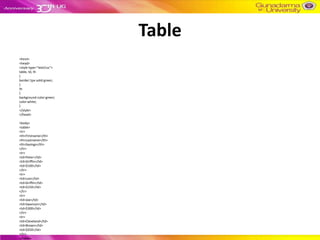
table, td, th
{
border:1px solid green;
}
th
{
background-color:green;
color:white;
}
</style>
</head>

<body>
<table>
<tr>
<th>Firstname</th>
<th>Lastname</th>
<th>Savings</th>
</tr>
<tr>
<td>Peter</td>
<td>Griffin</td>
<td>$100</td>
</tr>
<tr>
<td>Lois</td>
<td>Griffin</td>
<td>$150</td>
</tr>
<tr>
<td>Joe</td>
<td>Swanson</td>
<td>$300</td>
</tr>
<tr>
<td>Cleveland</td>
<td>Brown</td>
<td>$250</td>
</tr>
</table>
Table
Image
<html>
<head>
<style type="text/css">
img
{
position:absolute;
left:0px;
top:0px;
z-index:-1;
}
</style>
</head>

<body>
<h1>This is a heading</h1>
<img src="w3css.gif" width="100" height="140" />
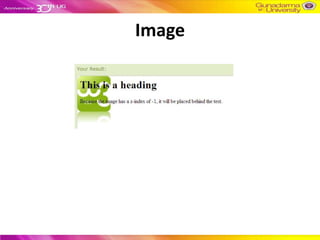
<p>Because the image has a z-index of -1, it will be placed behind the text.</p>
</body>
</html>
Image
Input Text
<!DOCTYPE html PUBLIC "-//W3C//DTD XHTML 1.0 Transitional//EN" "http://www.w3.org/TR/xhtml1/DTD/xhtml1-transitional.dtd">
<html>
<head>
<style>
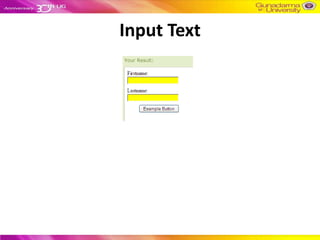
input[type="text"]
{
width:150px;
display:block;
margin-bottom:10px;
background-color:yellow;
}
input[type="button"]
{
width:120px;
margin-left:35px;
display:block;
}
</style>
</head>
<body>

<form name="input" action="" method="get">
Firstname:<input type="text" name="Name" value="Peter" size="20">
Lastname:<input type="text" name="Name" value="Griffin" size="20">
<input type="button" value="Example Button">

</form>
</body>
</html>
Input Text

Turorial css

  • 1.
    TUTORIAL CSS WEB PROGRAMING ENTREPRENEUR EDITION 2012 WISNU SM, ST, MMSI
  • 2.
    CSS • Cascading StyleSheets (CSS) adalah suatu bahasa stylesheet yang digunakan untuk mengatur tampilan suatu dokumen yang ditulis dalam bahasa markup. • Penggunaan yang paling umum dari CSS adalah untuk memformat halaman web yang ditulis dengan HTML dan XHTML. • Walaupun demikian, bahasanya sendiri dapat dipergunakan untuk semua jenis dokumen XML termasuk SVG dan XUL. Spesifikasi CSS diatur oleh World Wide Web Consortium (W3C).
  • 3.
    Dasar <html> <head> <style type="text/css"> body { background-color:#d0e4fe; } h1 { color:orange; text-align:center; } p { font-family:"Times NewRoman"; font-size:20px; } </style> </head> <body> <h1>CSS example!</h1> <p>This is a paragraph.</p>
  • 4.
  • 5.
    The id Selector •The id selector is used to specify a style for a single, unique element. • The id selector uses the id attribute of the HTML element, and is defined with a "#". • The style rule below will be applied to the element with id="para1":
  • 6.
    The id Selector <html> <head> <styletype="text/css"> #para1 { text-align:center; color:red; } </style> </head> <body> <p id="para1">Hello World!</p> <p>This paragraph is not affected by the style.</p> </body> </html>
  • 7.
  • 8.
    The class Selector •The class selector is used to specify a style for a group of elements. Unlike the id selector, the class selector is most often used on several elements. • This allows you to set a particular style for many HTML elements with the same class. • The class selector uses the HTML class attribute, and is defined with a "."
  • 9.
    The class Selector <html> <head> <styletype="text/css"> .center { text-align:center; } </style> </head> <body> <h1 class="center">Center-aligned heading</h1> <p class="center">Center-aligned paragraph.</p> </body> </html>
  • 10.
  • 11.
    Three Ways toInsert CSS There are three ways of inserting a style sheet: • External style sheet • Internal style sheet • Inline style
  • 12.
    External Style Sheet <head> <link rel="stylesheet" type="text/css" href="mystyle.css" /> </head>
  • 13.
    Internal Style Sheet <head> <style type="text/css"> hr {color:sienna;} p {margin-left:20px;} body {background- image:url("images/back40.gif");} </style> </head>
  • 14.
  • 15.
  • 16.
  • 17.
    Text <html> <head> <style type="text/css"> body {color:red;} h1{color:#00ff00;} p.ex {color:rgb(0,0,255);} </style> </head> <body> <h1>This is heading 1</h1> <p>This is an ordinary paragraph. Notice that this text is red. The default text-color for a page is defined in the body selector.</p> <p class="ex">This is a paragraph with class="ex". This text is blue.</p> </body> </html>
  • 18.
  • 19.
    Font <html> <head> <style type="text/css"> p.serif{font-family:"Times NewRoman",Times,serif;} p.sansserif{font-family:Arial,Helvetica,sans-serif;} </style> </head> <body> <h1>CSS font-family</h1> <p class="serif">This is a paragraph, shown in the Times New Roman font.</p> <p class="sansserif">This is a paragraph, shown in the Arial font.</p> </body> </html>
  • 20.
  • 21.
    Links <html> <head> <style type="text/css"> a:link {color:#FF0000;}/* unvisited link */ a:visited {color:#00FF00;} /* visited link */ a:hover {color:#FF00FF;} /* mouse over link */ a:active {color:#0000FF;} /* selected link */ </style> </head> <body> <p><b><a href="default.asp" target="_blank">This is a link</a></b></p> <p><b>Note:</b> a:hover MUST come after a:link and a:visited in the CSS definition in order to be effective.</p> <p><b>Note:</b> a:active MUST come after a:hover in the CSS definition in order to be effective.</p> </body> </html>
  • 22.
  • 23.
    Lists <html> <head> <style type="text/css"> ul.a {list-style-type:circle;} ul.b{list-style-type:square;} ol.c {list-style-type:upper-roman;} ol.d {list-style-type:lower-alpha;} </style> </head> <body> <p>Example of unordered lists:</p> <ul class="a"> <li>Coffee</li> <li>Tea</li> <li>Coca Cola</li> </ul> <ul class="b"> <li>Coffee</li> <li>Tea</li> <li>Coca Cola</li> </ul> <p>Example of ordered lists:</p> <ol class="c"> <li>Coffee</li> <li>Tea</li> <li>Coca Cola</li> </ol> <ol class="d"> <li>Coffee</li> <li>Tea</li> <li>Coca Cola</li> </ol> </body> </html>
  • 24.
  • 25.
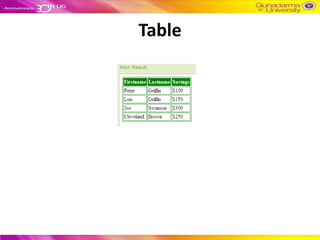
    Table <html> <head> <style type="text/css"> table, td,th { border:1px solid green; } th { background-color:green; color:white; } </style> </head> <body> <table> <tr> <th>Firstname</th> <th>Lastname</th> <th>Savings</th> </tr> <tr> <td>Peter</td> <td>Griffin</td> <td>$100</td> </tr> <tr> <td>Lois</td> <td>Griffin</td> <td>$150</td> </tr> <tr> <td>Joe</td> <td>Swanson</td> <td>$300</td> </tr> <tr> <td>Cleveland</td> <td>Brown</td> <td>$250</td> </tr> </table>
  • 26.
  • 27.
    Image <html> <head> <style type="text/css"> img { position:absolute; left:0px; top:0px; z-index:-1; } </style> </head> <body> <h1>This isa heading</h1> <img src="w3css.gif" width="100" height="140" /> <p>Because the image has a z-index of -1, it will be placed behind the text.</p> </body> </html>
  • 28.
  • 29.
    Input Text <!DOCTYPE htmlPUBLIC "-//W3C//DTD XHTML 1.0 Transitional//EN" "http://www.w3.org/TR/xhtml1/DTD/xhtml1-transitional.dtd"> <html> <head> <style> input[type="text"] { width:150px; display:block; margin-bottom:10px; background-color:yellow; } input[type="button"] { width:120px; margin-left:35px; display:block; } </style> </head> <body> <form name="input" action="" method="get"> Firstname:<input type="text" name="Name" value="Peter" size="20"> Lastname:<input type="text" name="Name" value="Griffin" size="20"> <input type="button" value="Example Button"> </form> </body> </html>
  • 30.