in higher education
Matt Lauer
Carleton College
A RECIPE FOR SUCCESS:
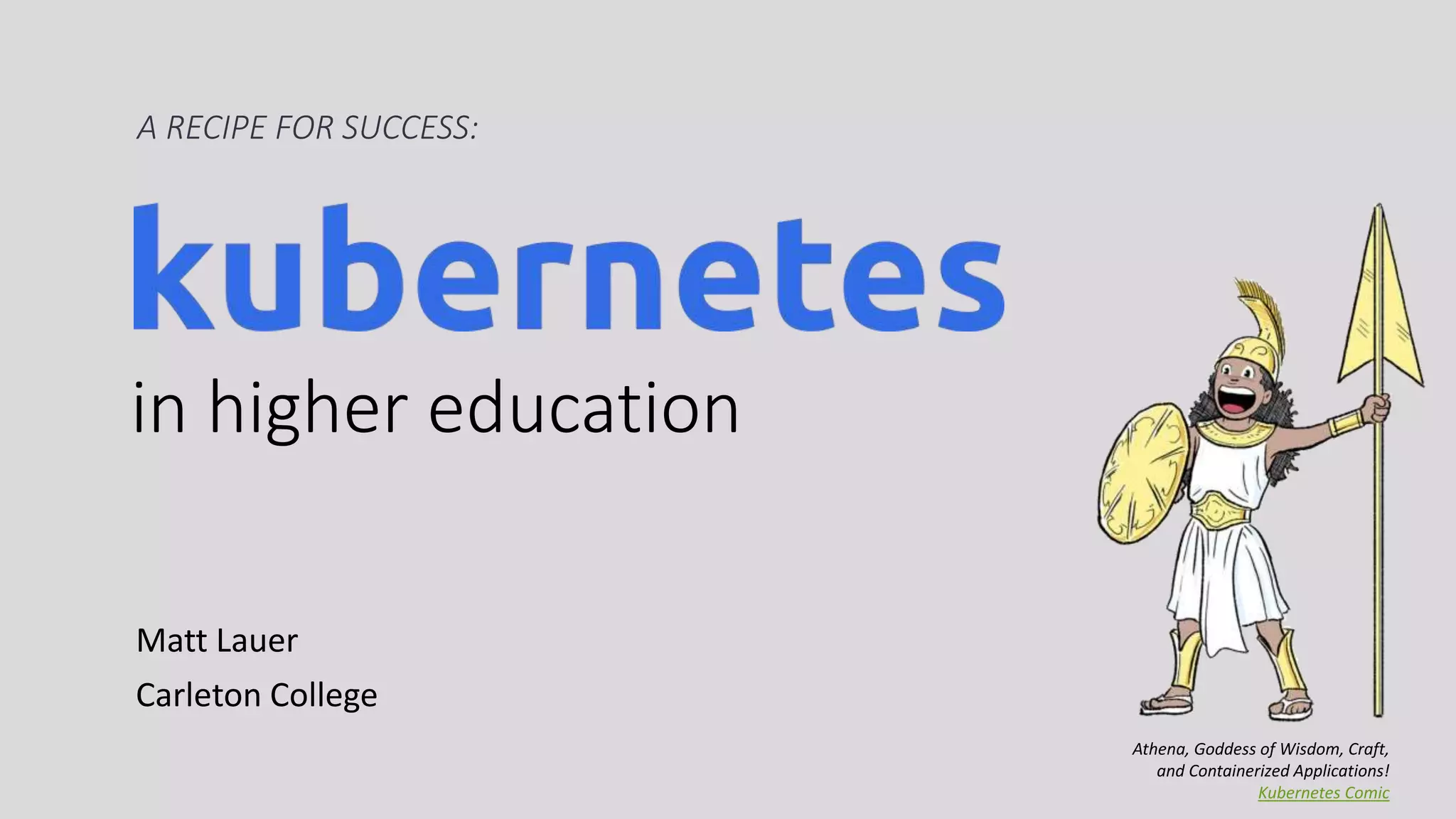
Athena, Goddess of Wisdom, Craft,
and Containerized Applications!
Kubernetes Comic
Submit questions on this
session’s page on the
WPCampus website!
BACKGROUND
Invested in automation with Ansible
In Accelerate, the authors confirm
software delivery performance
impacts IT & organization success
Forsgren, Nicole, Jez Humble, and Gene Kim. Accelerate :
the science behind DevOps : building and scaling high
performing technology organizations. 2018.
BACKGROUND
Our Web Services portfolio is evolving
Embracing WordPress
Use “best fit” software
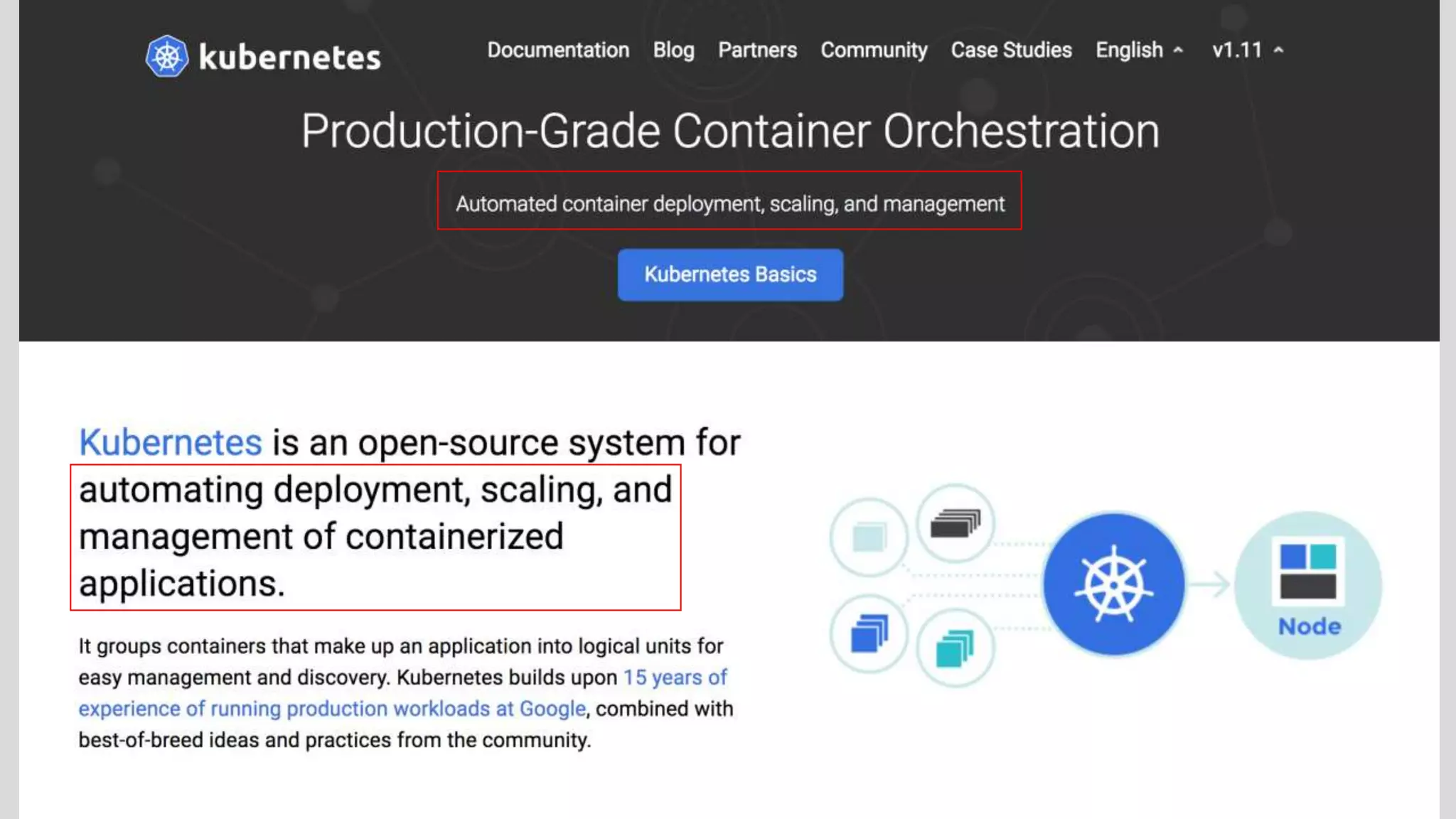
Kubernetes is …
A platform to automate container deployment and management
An infrastructure abstraction layer
Why Kubernetes is Valuable to…
the DEVELOPER …
• Deploy applications fast
• Make large-scale architecture changes
the OPERATOR/SYSADMIN …
• Consistent automation, monitoring
• Better resource efficiency and isolation
the CIO …
• Database of running applications
• Avoid lock-in
Why Kubernetes is Valuable to…
ORGANIZATIONS …
• Embrace automation
• Converge on a shared platform & common languages
HIGHER ED …
• Centralize and standardize application management
• Provide self-service and on-demand capacity
To Succeed With Kubernetes
Use a managed Kubernetes service
Build ready-to-run container images
Implement CI/CD and deploy automation
Defer advanced cluster features
Deploy low-risk applications first
A platform to run containerized applications
Docker is a container runtime (and a company)
Kubernetes runs most container types
+
A runnable & portable application unit:
$ docker run -it --rm wpscanteam/wpscan -u https://yourblog.com
Deploy to Production 🚀
The first deploy is exciting
The rest are tedious
You add automation
Don’t want to reinvent container orchestration
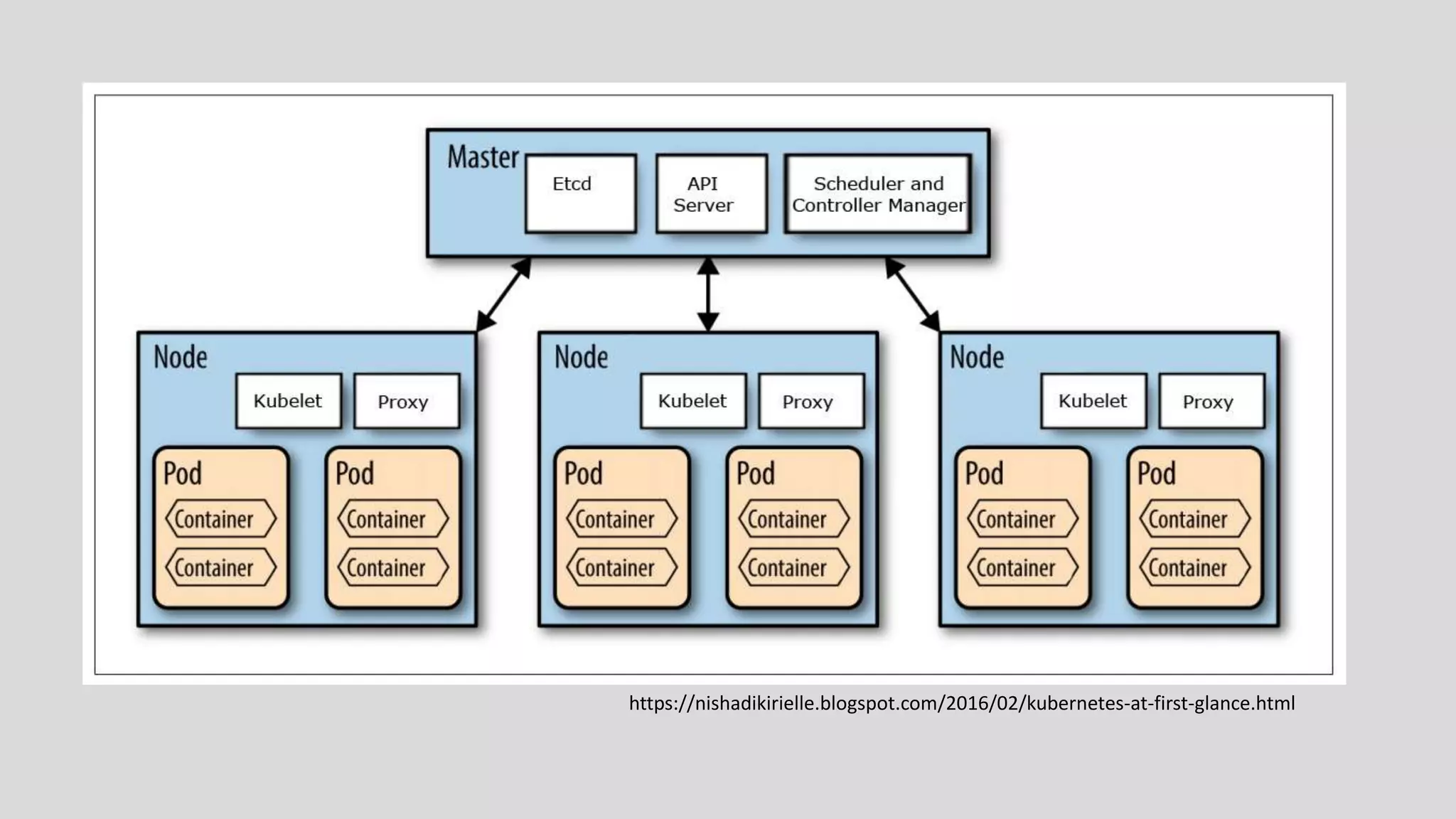
Kubernetes Cluster 101
Still need machines: VMs or physical hardware
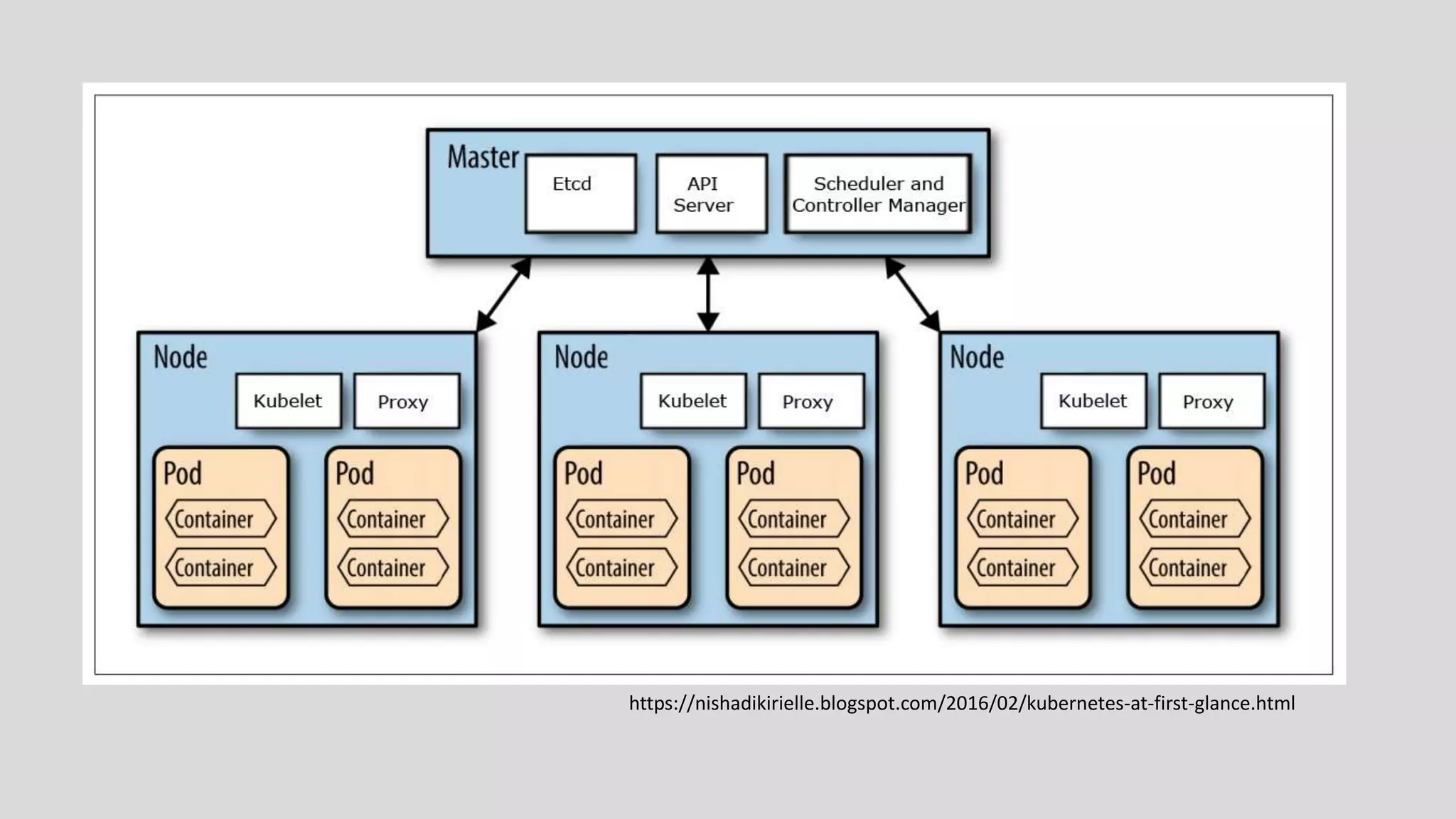
A machine is a Master (Control Plane) or a Node
Use kubectl, a CLI tool to manage the cluster
https://nishadikirielle.blogspot.com/2016/02/kubernetes-at-first-glance.html
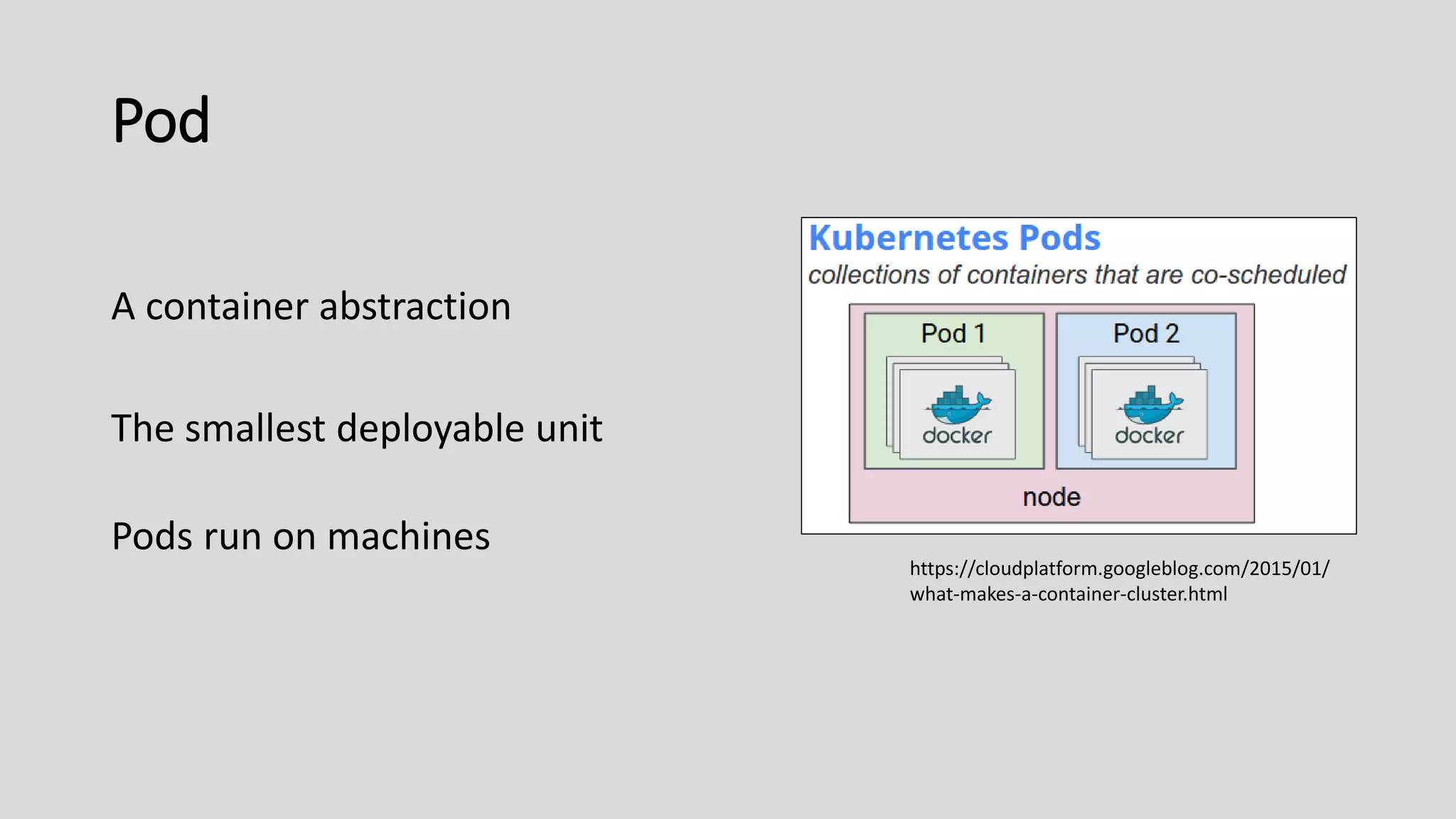
Pod
A container abstraction
The smallest deployable unit
Pods run on machines
https://cloudplatform.googleblog.com/2015/01/
what-makes-a-container-cluster.html
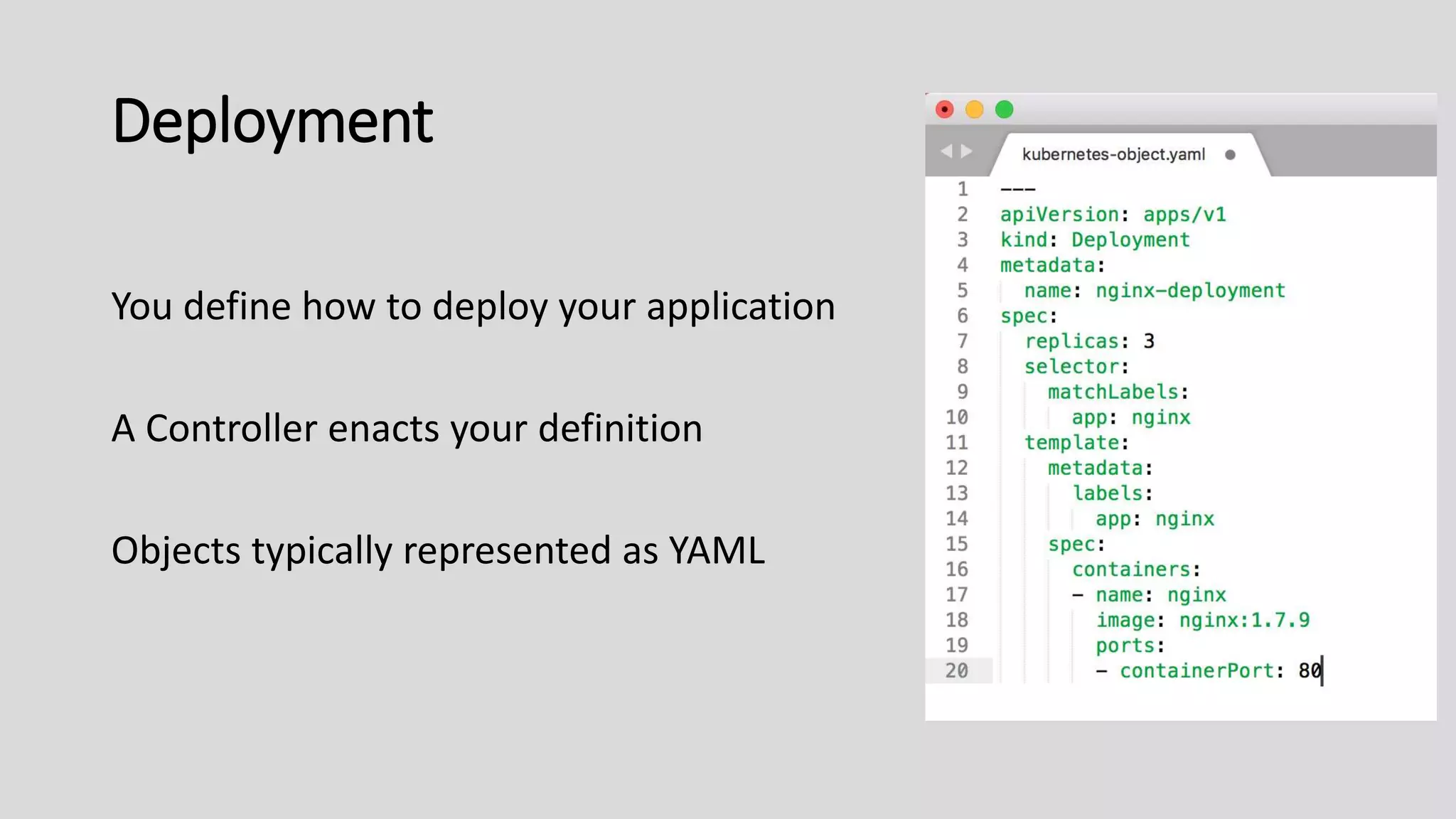
Deployment
You define how to deploy your application
A Controller enacts your definition
Objects typically represented as YAML
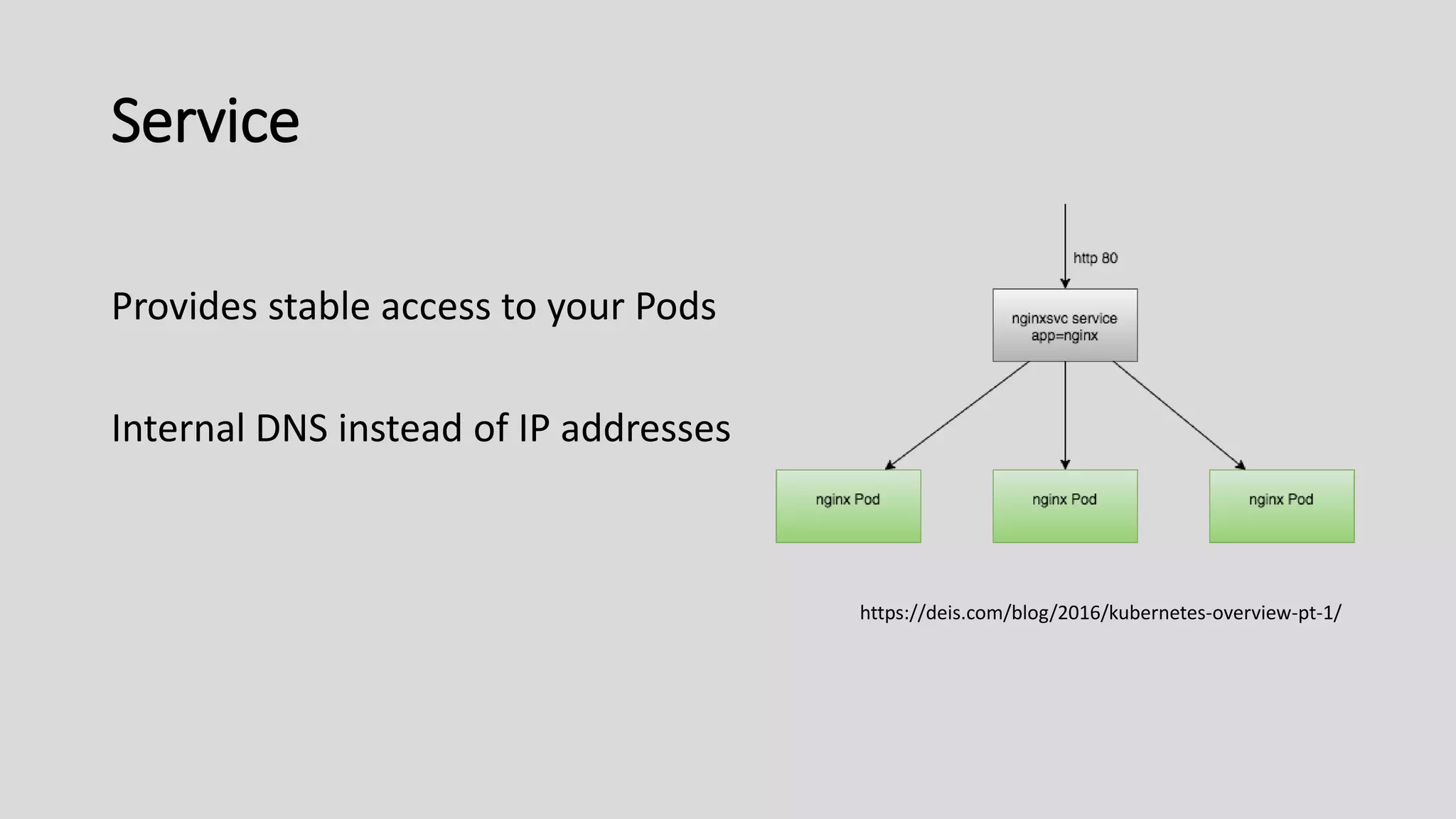
Service
Provides stable access to your Pods
Internal DNS instead of IP addresses
https://deis.com/blog/2016/kubernetes-overview-pt-1/
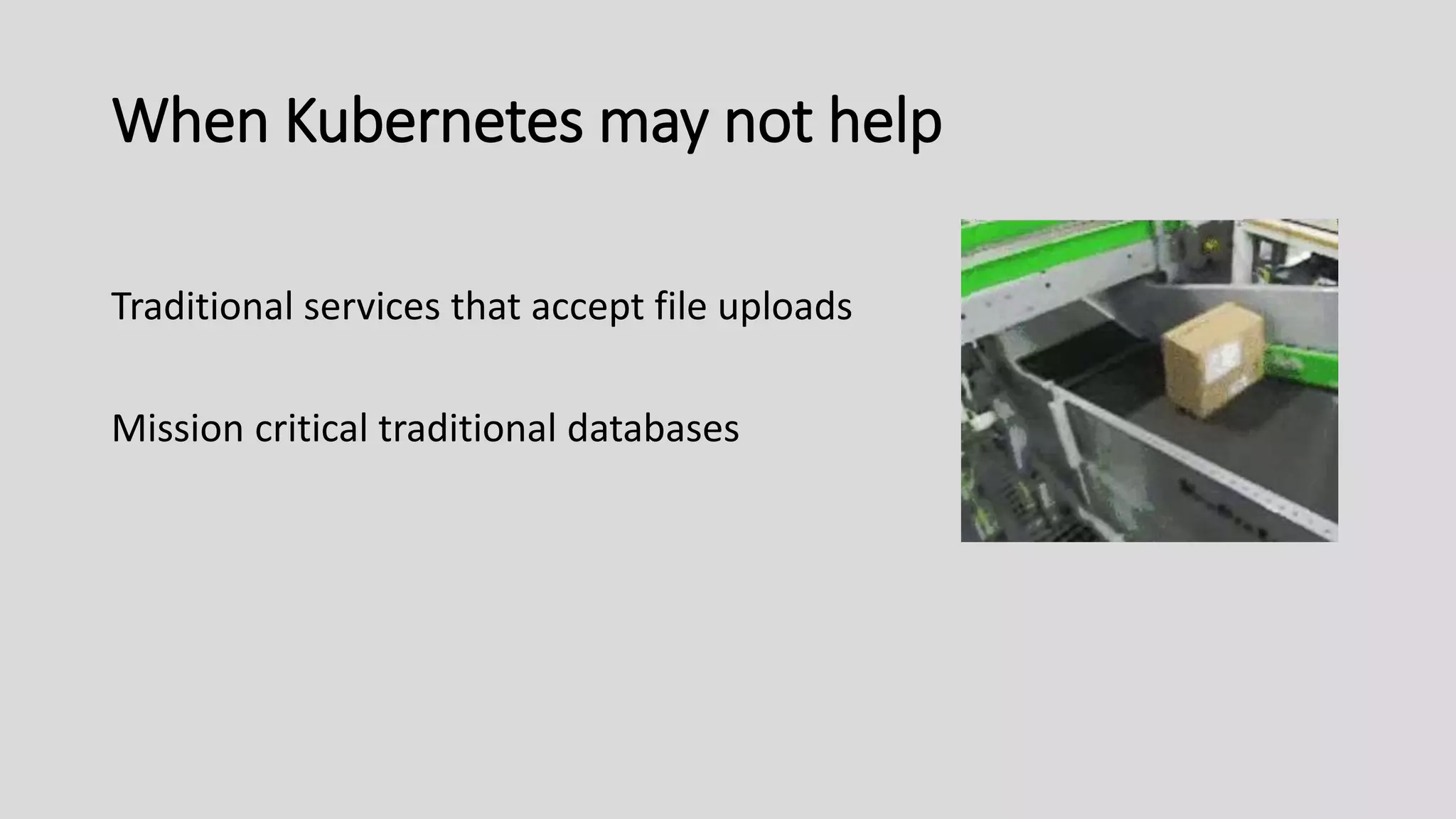
When Kubernetes may not help
Traditional services that accept file uploads
Mission critical traditional databases
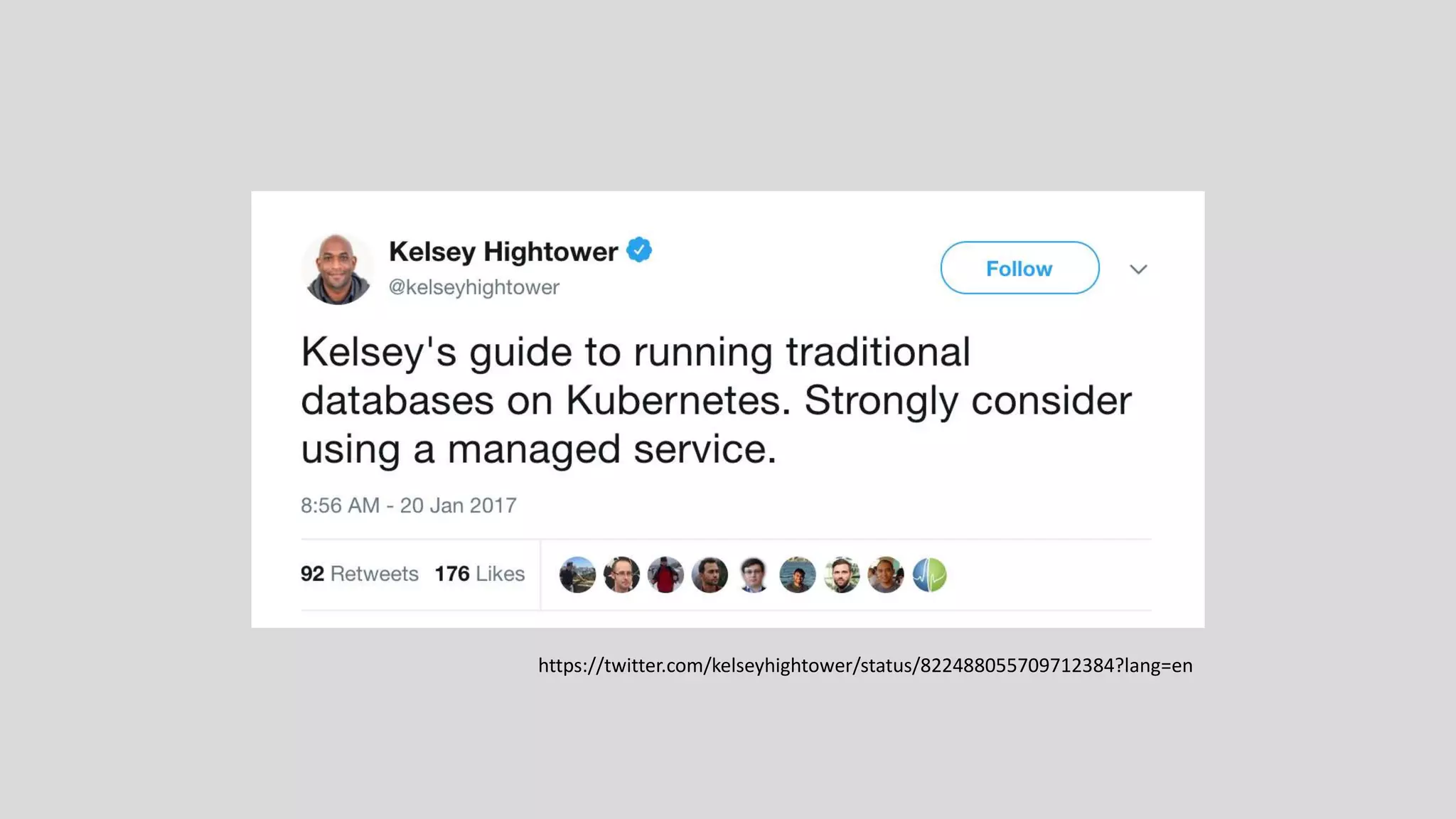
https://twitter.com/kelseyhightower/status/822488055709712384?lang=en
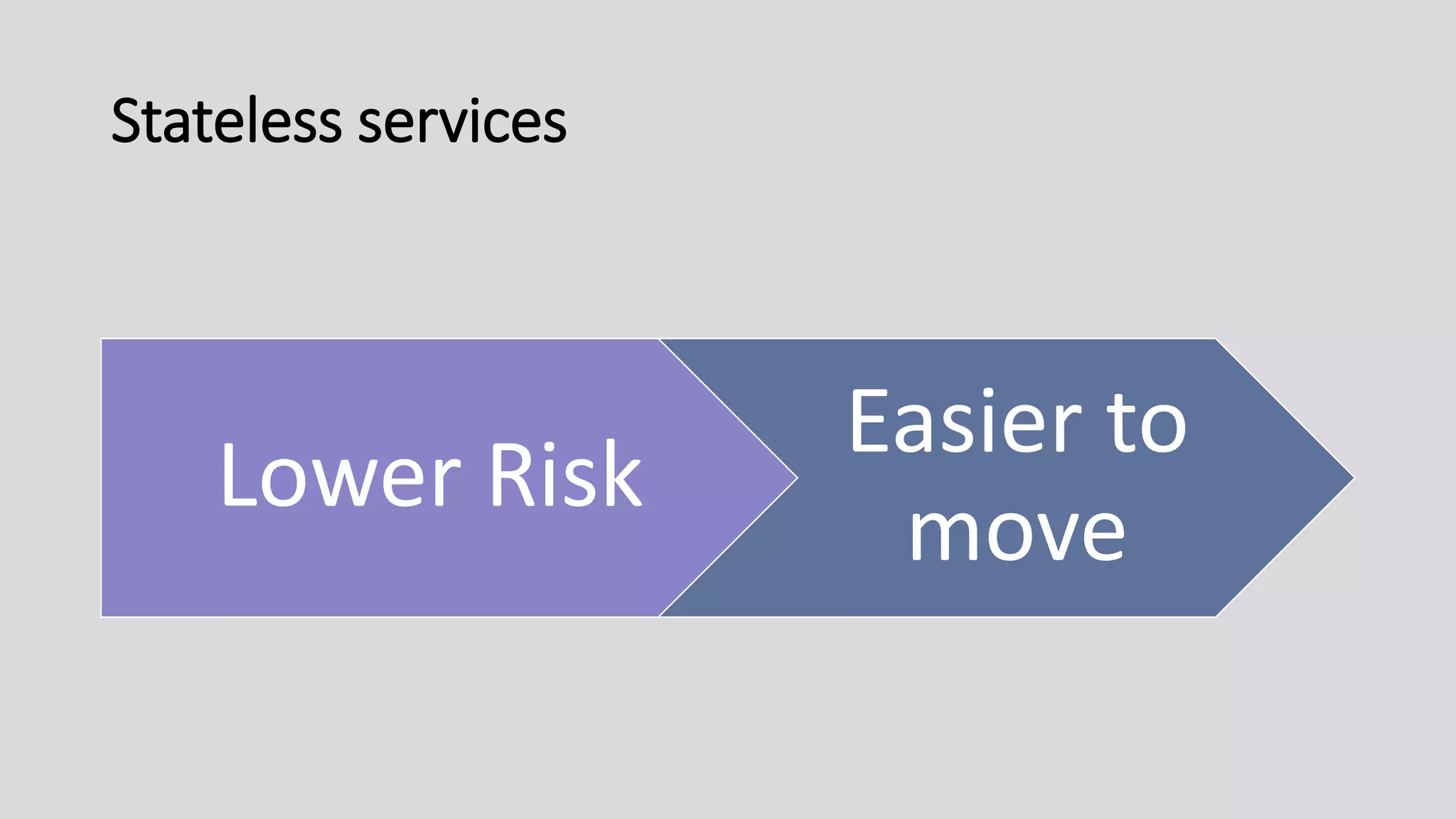
Stateless services
Lower Risk
Easier to
move
Stateless WordPress
Address stateful plugins and core features
Avoid custom logging solutions
Our First Flop?
Small Clusters = Big Benefits
Deployment & rollback procedures
Load balancing
Health and readiness checks
Configuration Management: variables & secrets & TLS certs
Use a Managed Cluster
Maximize transformational aspects
Minimize overhead and complexity
Automation is good, but it’s not a
complete solution
https://nishadikirielle.blogspot.com/2016/02/kubernetes-at-first-glance.html
Carleton’s deployment
G Suite
Google Cloud Platform (GCP)
Google Kubernetes Engine (GKE)
GCP Cloud SQL & AWS S3
Inside the Cluster
Two WordPress environments
Staging
Production
A Jenkins instance
Jenkins
For Continuous Integration
Trunk-Based Development
Production deploys via pull request
The Recipe
Use a managed Kubernetes service
Build ready-to-run container images
Implement CI/CD and deploy automation
Defer advanced cluster features
Deploy low-risk applications first
Kubernetes Alternatives
Docker Swarm
AWS EC2 Container Service (ECS)
Karl Isenberg’s Container Orchestration Wars (2017)
for a detailed dive: YouTube
Getting Started On Your Own
Google Cloud tutorials:
Kubernetes Engine Quickstart
Kubernetes Engine WordPress Deployment
Jenkins on Kubernetes Engine
Udemy Course:
Learn DevOps: The Complete Kubernetes Course
Kubernetes Podcast
Questions?
email -- mlauer@carleton.edu
github -- laupow

Kubernetes in Higher Education

Editor's Notes

  • #2  - How many people have run Kubernetes experimentally? - Is anybody running production workloads? Today, I want to dig down and explore Kubernetes with you You might find that this presentation tells you that Kube is not a good fit. If that's true, that's still a valuable outcome!
  • #3 When I make bad jokes consider laughing out of pitty. Submit questions online if you’d like. Perspective and background on this talk
  • #4 My background is a developer, but in my current role I involves a mix of production, dev tools/workflows, and automation tools. #1 proj quickly grew: retire a development server, move to git, and deploy a new prod server application config, application deployment, local development with Vagrant Benefited from automation tools around applications. Mostly Successful. New Book has analyzed the culture and technology behind DevOps at high & low performing organizations. Software delivery performance correlate to business outcomes. Higher Ed is increasingly dependent on IT operations, so we’re not except from these conclusions. automation is a theme in my talk today, but this book has nothing to do with my talk. Just highly relevant :) Back to Carleton College. Things are changing at Carleton.
  • #5 New multi-year initiative at Carleton reimagine the CMS and web applications. Move away from a monolith to well-encapsulated services. Exposing data and tools. As an operations person, I see growth and sprawl, need to figure out how to apps. Though about where we wanted to be in 2-4 years. Didn’t want operational blocks. We needed another level of abstraction, beyond setting up new VMs, to drive this growth.
  • #6 Kubernetes is that abstraction layer. Kubernetes is a container platform that helps run containers in production. It’s also an infrastructure abstraction layer.
  • #7 That is what Kubernetes is: a container application platform Today’s information is presented through the lens of a developer, and maybe bleeding into a operations since that’s my bias. But Kubernetes can be portrayed differently depending on your role
  • #8 Kubernetes may help address broader orgazational goal. Notably, it provides building blocks for - team autonomy - self-service infrastructure While at the same time moving towards more standardization, automation, and better tools. The impact of all this depends on many things at your university. Software-development focused organizations get the most bang for buck, but Higher Ed is not exepmt
  • #9 We know a tiny bit about What Kubernetes is and Why you might care This is How you might approach it first ANIMATIONS - First, let somebody else manage your Kubernetes Cluster - You want ready-to-run images. During build, inject source code into your containers - Implement workflow automation - Defer advanced Kubernetes features - Finally, deploy low-risk apps.
  • #10 RECAP: Why, What, HOW Lots of info
  • #11 You all know a decent amount about WordPress. This talk is about Kubernetes – with some WordPress. The first few slides were the high-level pitch. Maybe a couple of the points registered with you then we’re set! Now let’s get more detail. What is Kubernetes? NEXT.
  • #12 Kubernetes is a platform to run containerized applications Initially developed by Google in 2014 Now open source with large community (KubeCon had 4,300 attendees) Wide enterprise support: Google. RedHat, Amazon, Microsoft WPEngine and Pantheon currently use or have publicly stated intent to use Kubernetes COMMUNITY - (https://techcrunch.com/2018/05/06/kubernetes-stands-at-an-important-inflection-point/)
  • #13 Containers are broader than Docker Containers are back-end, server-side. Not Mobile Apps. OS-level virtualization tools provided by Linux kernel Containers are a runnable application unit and the base unit in Kubernetes. In other words, they _abstract_ the application from the underlying host OS. than traditional IT infrastructure (compute, storage, network). Containers & Kubernetes together provide Application focused abstractions Gartner estimates 50% of business will run containers in production by 2020 [Gartner] Up from 20% production use in late 2017 Kubernetes is used by 54% of Fortune 100 companies today [Redmonk]
  • #14 They are small and fast and portable. Old ideas, now easier and faster Devs start with containers by running locally. It’s neat. You start to get it when you share a docker-compose file with a colleague and it works for them, too.
  • #15 Then you realize you can the container in production, too, since portability is a major advantage to containers. But manual container operating is boring. You write automation scripts.
  • #17 OK. We don’t want to write and maintain software that already exists. I can’t do container orchestration better than Google on its 3rd iteration. Let’s use Kubernetes instead of writing our own container management scripts.
  • #18 BUT we need to learn Kubernetes. Reminder: we’re developers Talk about how to effectively approach kubernetes as a developer Check out Kubernetes The Hard Way to create a cluster from scratch. Not walking through a cluster setup. Also, I’m going to gloss over how to build read-to-run containers. The gist is that you copy all your sources into the image at build time. You shouldn’t need to mount a volume with source code. That’ll limit Kubernetes’ potential. Let’s look at look inside a cluster.
  • #19 Clusters still require machines, even though we run containers The Control Plane (aka Masters) manage the Nodes Masters run the main API server, a database, a scheduler, and a lifecycle manager The Nodes are where your workloads exist Nodes execute instructions from the control plane (e.g.: “launch a new container”) Nodes run Docker (and other cluster components) Nodes run your container apps and services The kubectl (kube-c-t-l) command line tool is talks the the main API server in the Control Plane. kubectl like ssh for Kubernetes.
  • #20 The blue boxes are the VMs The white boxes are the core Kubernetes components The yellow boxes are your applications and workloads. Most of your time is spent configuring applications And getting traffic into the cluster and directed to the right apps We’ll revisit this graph later
  • #21 A pod is a container abstraction in Kubernetes. It specifies a group of one/more containers Kubernetes manages Pods, not individual containers Pod’s containers are always co-located on the same machine. They can talk over localhost So a LAMP stack could be implemented as one Pod with three containers. However, you rarely directly create Pods in Kube, they’re managed by a Controller
  • #22 Controllers are where I spend most of my time defining application specs in Kubernetes Mostly the deployment controller Kubernetes drive the cluster toward your declared state. What you declare ends up stored as an Object Deployments are similar to docker-compose regarding ENV vars, volume mounts, and multiple container definitions Practically: this is how you deploy a LAMP stack or WordPress into a cluster. There are different types of controllers for different workloads CronJob: launch containers with a defined task on a given schedule StatefulSet: an ordered Pod rollout Example: a MySQL replica (first deploy master, then the read replica)
  • #23 Service is the abstraction that helps deliver traffic to your pod containers Pods come and go. You update your container image and Kuberentes will start a rolling deploy New containers get new ip addresses Very similar to how you link php/mysql in docker It’s basically Service Discovery and Load Distribution for >1 containers DEMO Put this into action. Run a program locally, then run it in a Kubernetes cluster
  • #24 Alternate: https://www.youtube.com/watch?v=tfORAISHOq8
  • #25 Kubernetes is an effective way to deploy container applications But it still might not be the right tool for every problem. Traditional services that accept file uploads Servers running SFTP or mounting shared volumes Hosted/shared web development environments Webservers used by non-developers These scenarios are all possible to do with Kubernetes. But just more complex. Kubernetes adds little value isn’t there for these cases. Databases. Don’t do your ERP first. Unless you want to stop using Kubernetes/containers. - open source vs vendor solution
  • #26 Kubernetes supports running databases Kelsey Hightower: “Strongly consider using a managed service.” Traditional databases (i.e., MySQL) were not built in the cloud/Kubernetes era There are lots of problems to solve. You can do it yourself, or let somebody else solve the problems. Newer databases have better assumptions about availability and replication, etc. Learn and acknowledge the risks of running a traditional DB.
  • #27 Stateless services do not need to persist data from session to session. This means they can be replicated and recreated on demand. Stateless apps capitalize on core Kubernetes features, notably scalability and self-healing. Examples: edge proxies static webservers apps that store state externally (e.g., S3) WordPress (?!)
  • #28 WordPress can be stateless A better way of saying it is that you’ve adapted WordPress to store its state elsewhere. WordPress doesn’t maintain state locally (disk or memory). To make WordPress mostly stateless, you need to address how it handles persistence by default Use a service for Media uploads (e.g., AWS S3) Avoid plugins writing state to disk Or consider NFS, cloud-managed or self-provisioned Takeaways: - it’s not as hard as you think - more discipline in the future - certainly harder for old installs, but still not impossible
  • #29 What was our first disconnect from running in the container platform? There were fewer than expected, but needed lots of image features (lots of crops, thumbs, centerpointing) Hit a few issues: - local dev not using S3 (JIT plugins worked locally, not in cluster) - image timeouts during generation - figuring our the right container params for image generation Some plugins make bad assumptions, didn’t seem to use Core APIs, Assumed local disk was accessible and correct We’re planning to offload image handling.
  • #30 You might be asking: I only have a few WordPress installs. This sounds risky. You don’t have to be Google to benefit from the tooling Kubernetes offers. These tools help you launch and run better applications. Benefits: - automated deployments, rollbacks - health checks (is this app still running) & readiness probes (don’t launch a bad config) - resiliency: if your app crashes, kubernetes will restart it - configuration management: store environment variables and secrets once - service discovery: - load balancing/distribution
  • #31 Small clusters sound great. But my sys admins said it’ll take 3 months. With google cloud, it’s one command away to get a cluster of any size. I should be able to adopt the transformational aspects of it, not the overhead. Cloud for anyone who wants to avoid the majority of the hassle associated with the low-level plumbing Clusters are certified so you can move workloads between implementations. Kubernetes is open source: you can take it and run it on-prem later.
  • #32 Managed service providers manage both the - VMs (blue) - Control Plane (white) That means you just define your applications and deploy them.
  • #33 Reuse G Suite’s identity and 2FA management for Cloud (no extra work) As of late 2017, Google Cloud was measurably cheaper GCP costs 10-30% less than similar services on AWS Smart resource alignments Google Cloud Platform projects provide isolation Shared Billing Accounts for multiple projects Organization-level projects to inherit/share resources Use Cloud SQL for database (MySQL 5.7) Includes backups, upgrades, monitoring, replication/failover Not cost prohibitive Use AWS S3, CloudFront Better plugin functionality than GCP plugins Intercloud latency has not been detrimental
  • #34 Local development environments with Docker
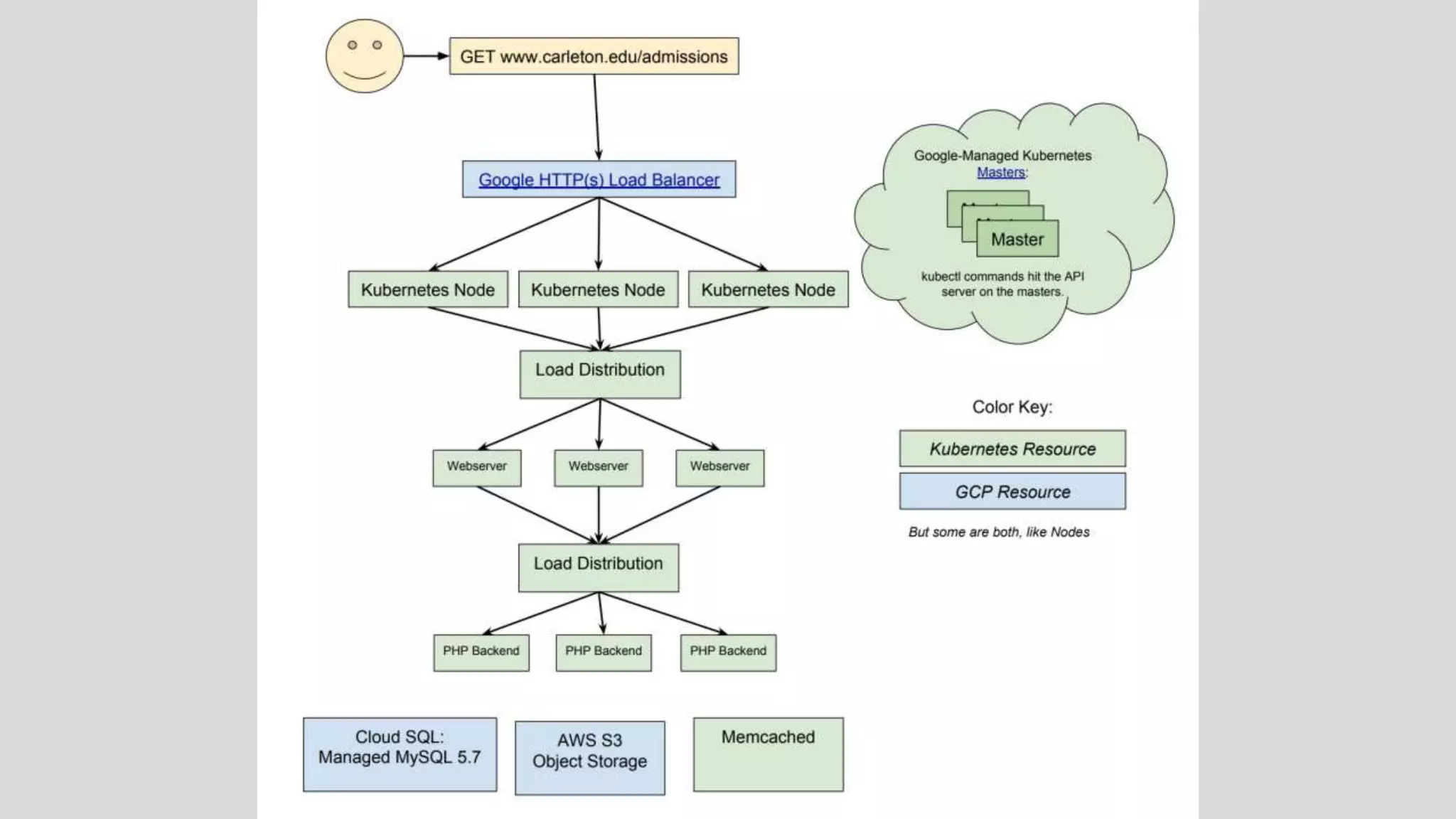
  • #35 This figure is how a request gets to WordPress All Pods run 3+ containers, to help reduce issues during deploy. Haven’t needed fancy auto scaling, this is fine
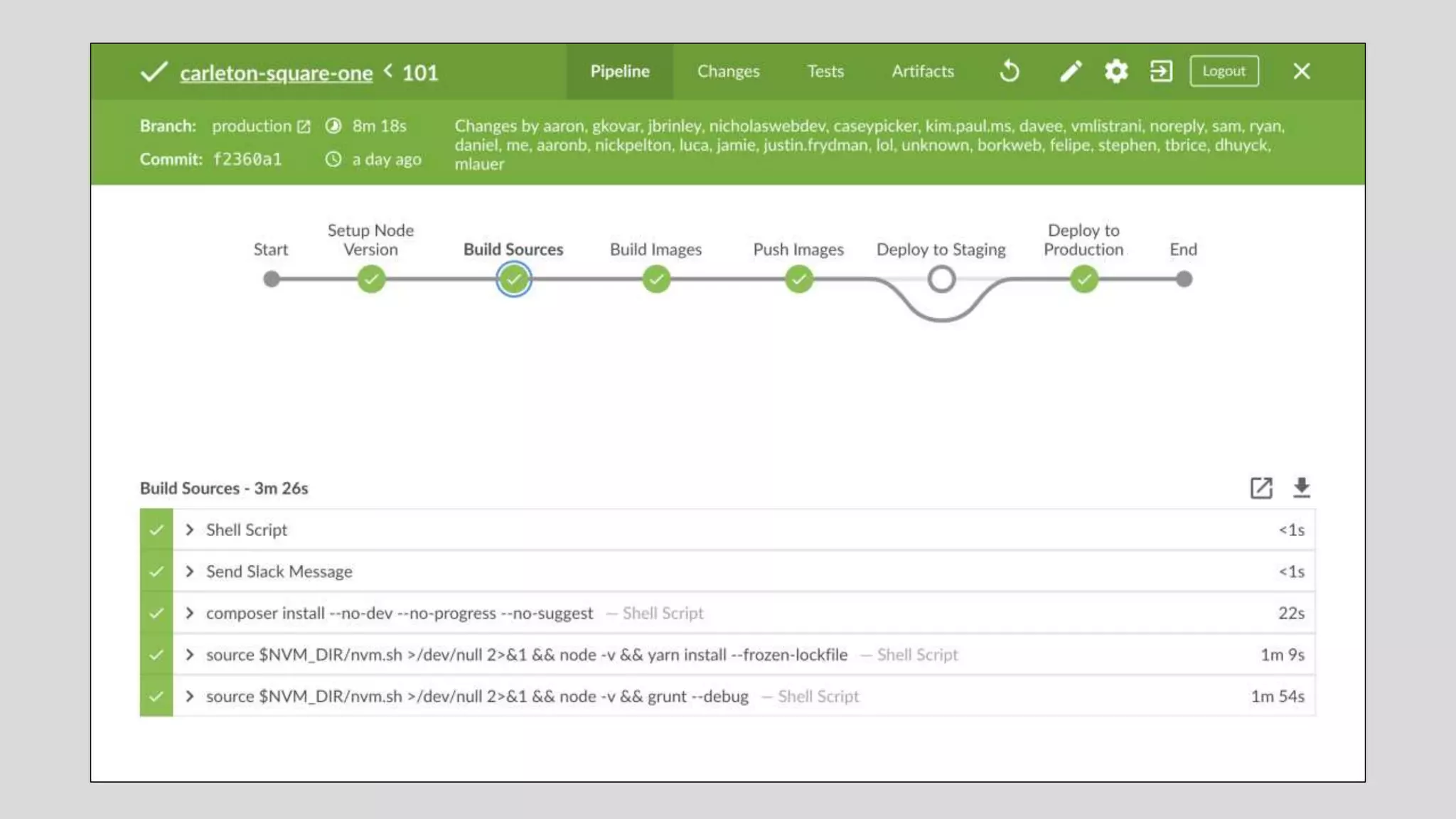
  • #36 Jenkins launches build job (as a container) to build our application The build job copies source code to a web & php container Pushes built containers to a private container registry on GCP Every commit on master gets built & deployed to staging
  • #38 Simplify: G Suite schools use GKE, Office 365 schools use AKS Reproducibility, better deploys Automatically build and deploy to a test environment RBAC, Namespaces, node taints (only for multiple teams, untrusted applications) New WP sites, low-traffic WP sites, test/QA instances WHY - maximize benefits from new tech - minimize complexity, complexity BONUS Launch at least two different applications Deploy an application with Helm, the Kubernetes package manager Defer advanced features: - until multiple teams or units sharing one cluster - until you deploy untrusted applications
  • #39 Docker Swarm Smaller footprint Some similar pieces to Kubernetes No managed services, few cluster automation tools AWS ECS Hosted-only solution (on AWS) Tight coupling to AWS
  • #40 Local dev: - minikube - docker for mac|windows
  • #41 Special thanks to Sue Jenkins for some last minute presentation help!