KEYWORD MASTERY
      ANDREW MASON
    Colston Office Centre
    Wednesday 18th July
Who Am I?

Andrew Mason

Mowbray Publishing Ltd

KEYWORD RESEARCH & CONTENT MARKETING

Website: keywordresearchservice.co.uk

Mobile: 07796 002945

Twitter: @ADMason
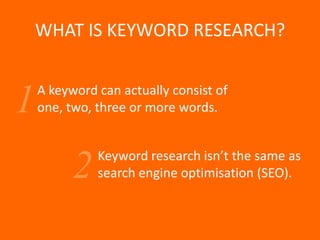
WHAT IS KEYWORD RESEARCH?

    A keyword can actually consist of
1   one, two, three or more words.


              Keyword research isn’t the same as
          2   search engine optimisation (SEO).
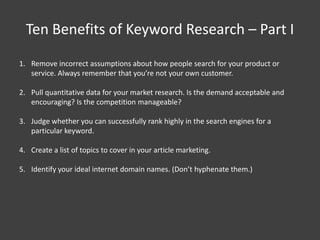
Ten Benefits of Keyword Research – Part I
1. Remove incorrect assumptions about how people search for your product or
   service. Always remember that you’re not your own customer.

2. Pull quantitative data for your market research. Is the demand acceptable and
   encouraging? Is the competition manageable?

3. Judge whether you can successfully rank highly in the search engines for a
   particular keyword.

4. Create a list of topics to cover in your article marketing.

5. Identify your ideal internet domain names. (Don’t hyphenate them.)
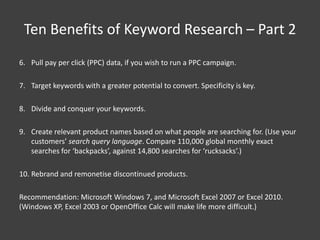
Ten Benefits of Keyword Research – Part 2
6. Pull pay per click (PPC) data, if you wish to run a PPC campaign.

7. Target keywords with a greater potential to convert. Specificity is key.

8. Divide and conquer your keywords.

9. Create relevant product names based on what people are searching for. (Use your
   customers’ search query language. Compare 110,000 global monthly exact
   searches for ‘backpacks’, against 14,800 searches for ‘rucksacks’.)

10. Rebrand and remonetise discontinued products.

Recommendation: Microsoft Windows 7, and Microsoft Excel 2007 or Excel 2010.
(Windows XP, Excel 2003 or OpenOffice Calc will make life more difficult.)
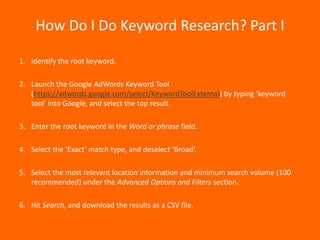
How Do I Do Keyword Research? Part I

1. Identify the root keyword.

2. Launch the Google AdWords Keyword Tool
   (https://adwords.google.com/select/KeywordToolExternal) by typing ‘keyword
   tool’ into Google, and select the top result.

3. Enter the root keyword in the Word or phrase field.

4. Select the ‘Exact’ match type, and deselect ‘Broad’.

5. Select the most relevant location information and minimum search volume (100
   recommended) under the Advanced Options and Filters section.

6. Hit Search, and download the results as a CSV file.
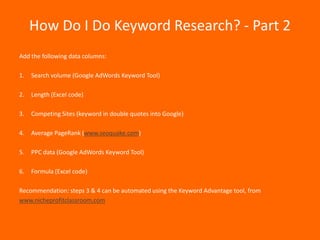
How Do I Do Keyword Research? - Part 2
Add the following data columns:

1.   Search volume (Google AdWords Keyword Tool)

2.   Length (Excel code)

3.   Competing Sites (keyword in double quotes into Google)

4.   Average PageRank (www.seoquake.com)

5.   PPC data (Google AdWords Keyword Tool)

6.   Formula (Excel code)

Recommendation: steps 3 & 4 can be automated using the Keyword Advantage tool, from
www.nicheprofitclassroom.com
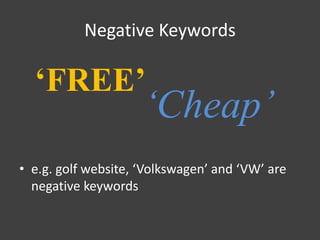
Negative Keywords

  ‘FREE’
                     ‘Cheap’
• e.g. golf website, ‘Volkswagen’ and ‘VW’ are
  negative keywords
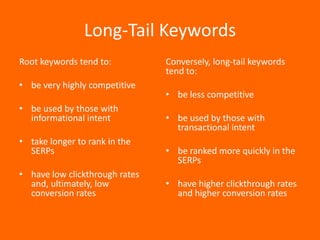
Long-Tail Keywords
Root keywords tend to:          Conversely, long-tail keywords
                                tend to:
• be very highly competitive
                                • be less competitive
• be used by those with
  informational intent          • be used by those with
                                  transactional intent
• take longer to rank in the
  SERPs                         • be ranked more quickly in the
                                  SERPs
• have low clickthrough rates
  and, ultimately, low          • have higher clickthrough rates
  conversion rates                and higher conversion rates
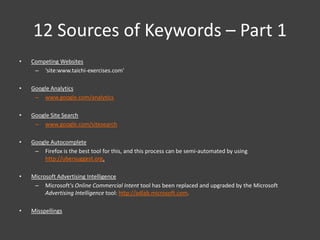
12 Sources of Keywords – Part 1
•   Competing Websites
     – ‘site:www.taichi-exercises.com’

•   Google Analytics
     – www.google.com/analytics

•   Google Site Search
     – www.google.com/sitesearch

•   Google Autocomplete
     – Firefox is the best tool for this, and this process can be semi-automated by using
        http://ubersuggest.org.

•   Microsoft Advertising Intelligence
     – Microsoft’s Online Commercial Intent tool has been replaced and upgraded by the Microsoft
         Advertising Intelligence tool: http://adlab.microsoft.com.

•   Misspellings
12 Sources of Keywords – Part 2
• Keyword Derivations
    – Plurals, prefixes, suffixes: www.usingenglish.com/resources/wordcheck

• Direct Surveys
    – Mailing list, Facebook, Twitter  SurveyMonkey (www.surveymonkey.com)

• Forums
    – [keyword “forum”], market segmentation, persona.

• Tag Clouds

• Server Logs
    – http://awstats.sourceforge.net

• The ~ Operator
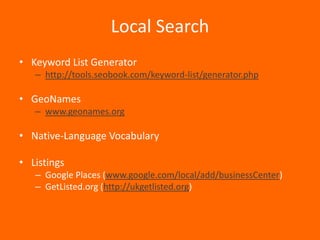
Local Search
• Keyword List Generator
   – http://tools.seobook.com/keyword-list/generator.php

• GeoNames
   – www.geonames.org

• Native-Language Vocabulary

• Listings
   – Google Places (www.google.com/local/add/businessCenter)
   – GetListed.org (http://ukgetlisted.org)
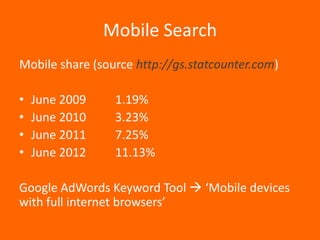
Mobile Search
Mobile share (source http://gs.statcounter.com)

•   June 2009    1.19%
•   June 2010    3.23%
•   June 2011    7.25%
•   June 2012    11.13%

Google AdWords Keyword Tool  ‘Mobile devices
with full internet browsers’
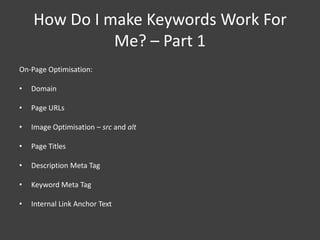
How Do I make Keywords Work For
              Me? – Part 1
On-Page Optimisation:

•   Domain

•   Page URLs

•   Image Optimisation – src and alt

•   Page Titles

•   Description Meta Tag

•   Keyword Meta Tag

•   Internal Link Anchor Text
How Do I make Keywords Work For
              Me? – Part 2
Off-Page Optimisation:

•   Article Marketing

•   Forum Participation

•   Blog Comments


Pay Per Click
Final Word


Keep the use of your keywords
   natural. Don’t overdo it.

    The hand-out is available for downloadable from:
    http://keywordresearchservice.co.uk/handout.pdf

Keyword Mastery: Keyword Research for Beginners

  • 1.
    KEYWORD MASTERY ANDREW MASON Colston Office Centre Wednesday 18th July
  • 2.
    Who Am I? AndrewMason Mowbray Publishing Ltd KEYWORD RESEARCH & CONTENT MARKETING Website: keywordresearchservice.co.uk Mobile: 07796 002945 Twitter: @ADMason
  • 3.
    WHAT IS KEYWORDRESEARCH? A keyword can actually consist of 1 one, two, three or more words. Keyword research isn’t the same as 2 search engine optimisation (SEO).
  • 4.
    Ten Benefits ofKeyword Research – Part I 1. Remove incorrect assumptions about how people search for your product or service. Always remember that you’re not your own customer. 2. Pull quantitative data for your market research. Is the demand acceptable and encouraging? Is the competition manageable? 3. Judge whether you can successfully rank highly in the search engines for a particular keyword. 4. Create a list of topics to cover in your article marketing. 5. Identify your ideal internet domain names. (Don’t hyphenate them.)
  • 5.
    Ten Benefits ofKeyword Research – Part 2 6. Pull pay per click (PPC) data, if you wish to run a PPC campaign. 7. Target keywords with a greater potential to convert. Specificity is key. 8. Divide and conquer your keywords. 9. Create relevant product names based on what people are searching for. (Use your customers’ search query language. Compare 110,000 global monthly exact searches for ‘backpacks’, against 14,800 searches for ‘rucksacks’.) 10. Rebrand and remonetise discontinued products. Recommendation: Microsoft Windows 7, and Microsoft Excel 2007 or Excel 2010. (Windows XP, Excel 2003 or OpenOffice Calc will make life more difficult.)
  • 6.
    How Do IDo Keyword Research? Part I 1. Identify the root keyword. 2. Launch the Google AdWords Keyword Tool (https://adwords.google.com/select/KeywordToolExternal) by typing ‘keyword tool’ into Google, and select the top result. 3. Enter the root keyword in the Word or phrase field. 4. Select the ‘Exact’ match type, and deselect ‘Broad’. 5. Select the most relevant location information and minimum search volume (100 recommended) under the Advanced Options and Filters section. 6. Hit Search, and download the results as a CSV file.
  • 7.
    How Do IDo Keyword Research? - Part 2 Add the following data columns: 1. Search volume (Google AdWords Keyword Tool) 2. Length (Excel code) 3. Competing Sites (keyword in double quotes into Google) 4. Average PageRank (www.seoquake.com) 5. PPC data (Google AdWords Keyword Tool) 6. Formula (Excel code) Recommendation: steps 3 & 4 can be automated using the Keyword Advantage tool, from www.nicheprofitclassroom.com
  • 8.
    Negative Keywords ‘FREE’ ‘Cheap’ • e.g. golf website, ‘Volkswagen’ and ‘VW’ are negative keywords
  • 9.
    Long-Tail Keywords Root keywordstend to: Conversely, long-tail keywords tend to: • be very highly competitive • be less competitive • be used by those with informational intent • be used by those with transactional intent • take longer to rank in the SERPs • be ranked more quickly in the SERPs • have low clickthrough rates and, ultimately, low • have higher clickthrough rates conversion rates and higher conversion rates
  • 10.
    12 Sources ofKeywords – Part 1 • Competing Websites – ‘site:www.taichi-exercises.com’ • Google Analytics – www.google.com/analytics • Google Site Search – www.google.com/sitesearch • Google Autocomplete – Firefox is the best tool for this, and this process can be semi-automated by using http://ubersuggest.org. • Microsoft Advertising Intelligence – Microsoft’s Online Commercial Intent tool has been replaced and upgraded by the Microsoft Advertising Intelligence tool: http://adlab.microsoft.com. • Misspellings
  • 11.
    12 Sources ofKeywords – Part 2 • Keyword Derivations – Plurals, prefixes, suffixes: www.usingenglish.com/resources/wordcheck • Direct Surveys – Mailing list, Facebook, Twitter  SurveyMonkey (www.surveymonkey.com) • Forums – [keyword “forum”], market segmentation, persona. • Tag Clouds • Server Logs – http://awstats.sourceforge.net • The ~ Operator
  • 12.
    Local Search • KeywordList Generator – http://tools.seobook.com/keyword-list/generator.php • GeoNames – www.geonames.org • Native-Language Vocabulary • Listings – Google Places (www.google.com/local/add/businessCenter) – GetListed.org (http://ukgetlisted.org)
  • 13.
    Mobile Search Mobile share(source http://gs.statcounter.com) • June 2009 1.19% • June 2010 3.23% • June 2011 7.25% • June 2012 11.13% Google AdWords Keyword Tool  ‘Mobile devices with full internet browsers’
  • 14.
    How Do Imake Keywords Work For Me? – Part 1 On-Page Optimisation: • Domain • Page URLs • Image Optimisation – src and alt • Page Titles • Description Meta Tag • Keyword Meta Tag • Internal Link Anchor Text
  • 15.
    How Do Imake Keywords Work For Me? – Part 2 Off-Page Optimisation: • Article Marketing • Forum Participation • Blog Comments Pay Per Click
  • 16.
    Final Word Keep theuse of your keywords natural. Don’t overdo it. The hand-out is available for downloadable from: http://keywordresearchservice.co.uk/handout.pdf