Keep Teaching & Stay
Connected with an LMS
25 March 2020 (aka Quarantine Day 11)
Today’s webinar will:
1. Whet your appetite for using
technology to lead your organization.
2. Introduce learning management
systems.
3. Explore LMS tools and think about
their implications for your program.
4. Develop a plan for discussing or
testing and LMS in your setting.
For Your Future Reference
 Go to: blog.mustseed.org
 You will see a blog post called “Keep
Teaching & Stay Connected with an
LMS”
◦ PowerPoint to download
◦ A section on each tool to explore with
links
◦ A copy of this recorded webinar
WHAT DOES IT MEAN TO
TRACK & ASSESS USING
TECHNOLOGY?
How do we make the move to
digital?
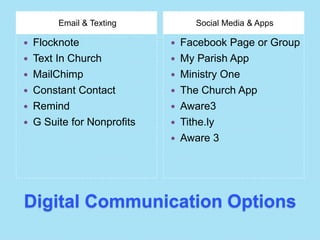
Digital Communication Options
Email & Texting Social Media & Apps
 Flocknote
 Text In Church
 MailChimp
 Constant Contact
 Remind
 G Suite for Nonprofits
 Facebook Page or Group
 My Parish App
 Ministry One
 The Church App
 Aware3
 Tithe.ly
 Aware 3
TOOLS TO TEACH &
STAY CONNECTED
Learning Management Systems
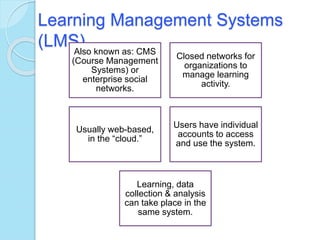
(LMS)Also known as: CMS
(Course Management
Systems) or
enterprise social
networks.
Closed networks for
organizations to
manage learning
activity.
Usually web-based,
in the “cloud.”
Users have individual
accounts to access
and use the system.
Learning, data
collection & analysis
can take place in the
same system.
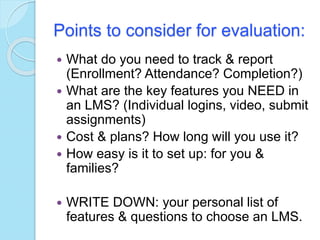
Points to consider for evaluation:
 What do you need to track & report
(Enrollment? Attendance? Completion?)
 What are the key features you NEED in
an LMS? (Individual logins, video, submit
assignments)
 Cost & plans? How long will you use it?
 How easy is it to set up: for you &
families?
 WRITE DOWN: your personal list of
features & questions to choose an LMS.
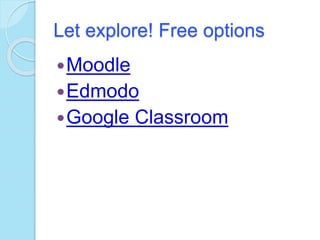
Let explore! Free options
Moodle
Edmodo
Google Classroom
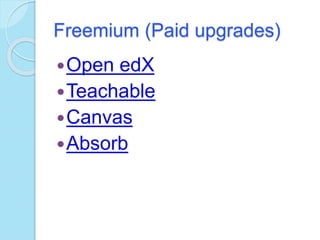
Freemium (Paid upgrades)
Open edX
Teachable
Canvas
Absorb
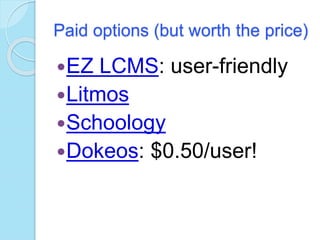
Paid options (but worth the price)
EZ LCMS: user-friendly
Litmos
Schoology
Dokeos: $0.50/user!
EXPLORATION OF LMS
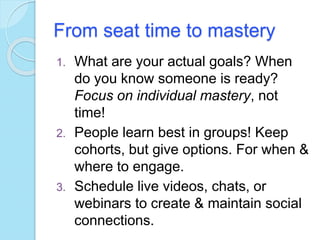
From seat time to mastery
1. What are your actual goals? When
do you know someone is ready?
Focus on individual mastery, not
time!
2. People learn best in groups! Keep
cohorts, but give options. For when &
where to engage.
3. Schedule live videos, chats, or
webinars to create & maintain social
connections.
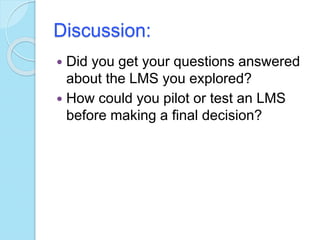
Discussion:
 Did you get your questions answered
about the LMS you explored?
 How could you pilot or test an LMS
before making a final decision?
Thank You & Disclaimers
 This workshop was developed with the
support of The Literacy Cooperative of
Greater Cleveland.
 All other logos, images, and quotes
are fair use for non-profit, educational
purposes. They are the property of
their respective copyright/trademark
owners. Use does not imply
sponsorship, endorsement or
affiliation of any kind.
Thank You for Coming!
 Questions? Feel free to contact me at
learn@mustseed.org
 Did you remember to SIGN OUT of
everything?

Keep Teaching & Stay Connected with an LMS

  • 1.
    Keep Teaching &Stay Connected with an LMS 25 March 2020 (aka Quarantine Day 11)
  • 4.
    Today’s webinar will: 1.Whet your appetite for using technology to lead your organization. 2. Introduce learning management systems. 3. Explore LMS tools and think about their implications for your program. 4. Develop a plan for discussing or testing and LMS in your setting.
  • 5.
    For Your FutureReference  Go to: blog.mustseed.org  You will see a blog post called “Keep Teaching & Stay Connected with an LMS” ◦ PowerPoint to download ◦ A section on each tool to explore with links ◦ A copy of this recorded webinar
  • 6.
    WHAT DOES ITMEAN TO TRACK & ASSESS USING TECHNOLOGY?
  • 8.
    How do wemake the move to digital?
  • 9.
    Digital Communication Options Email& Texting Social Media & Apps  Flocknote  Text In Church  MailChimp  Constant Contact  Remind  G Suite for Nonprofits  Facebook Page or Group  My Parish App  Ministry One  The Church App  Aware3  Tithe.ly  Aware 3
  • 10.
    TOOLS TO TEACH& STAY CONNECTED Learning Management Systems
  • 11.
    Learning Management Systems (LMS)Alsoknown as: CMS (Course Management Systems) or enterprise social networks. Closed networks for organizations to manage learning activity. Usually web-based, in the “cloud.” Users have individual accounts to access and use the system. Learning, data collection & analysis can take place in the same system.
  • 12.
    Points to considerfor evaluation:  What do you need to track & report (Enrollment? Attendance? Completion?)  What are the key features you NEED in an LMS? (Individual logins, video, submit assignments)  Cost & plans? How long will you use it?  How easy is it to set up: for you & families?  WRITE DOWN: your personal list of features & questions to choose an LMS.
  • 13.
    Let explore! Freeoptions Moodle Edmodo Google Classroom
  • 14.
    Freemium (Paid upgrades) OpenedX Teachable Canvas Absorb
  • 15.
    Paid options (butworth the price) EZ LCMS: user-friendly Litmos Schoology Dokeos: $0.50/user!
  • 16.
  • 17.
    From seat timeto mastery 1. What are your actual goals? When do you know someone is ready? Focus on individual mastery, not time! 2. People learn best in groups! Keep cohorts, but give options. For when & where to engage. 3. Schedule live videos, chats, or webinars to create & maintain social connections.
  • 18.
    Discussion:  Did youget your questions answered about the LMS you explored?  How could you pilot or test an LMS before making a final decision?
  • 19.
    Thank You &Disclaimers  This workshop was developed with the support of The Literacy Cooperative of Greater Cleveland.  All other logos, images, and quotes are fair use for non-profit, educational purposes. They are the property of their respective copyright/trademark owners. Use does not imply sponsorship, endorsement or affiliation of any kind.
  • 20.
    Thank You forComing!  Questions? Feel free to contact me at learn@mustseed.org  Did you remember to SIGN OUT of everything?