

Uploaded byDaniel Downs
Jquery Cheatsheet
This document is a cheat sheet for jQuery Mobile that provides an overview of how to install and use various jQuery Mobile components. It includes sections on how to create basic pages, link between pages, add buttons, lists, toolbars, and special fields like sliders. It also includes some example code snippets and links to additional jQuery Mobile resources.
More Related Content


Jquery Cheatsheet
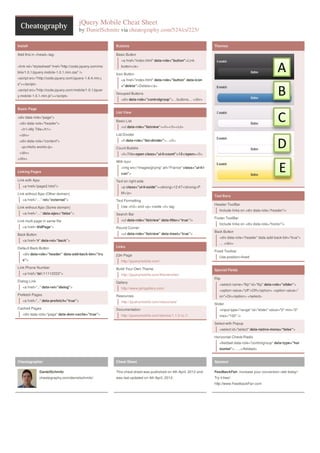
- 1. jQuery Mobile CheatSheet by DanielSchmitz via cheatography.com/524/cs/225/ Install Add this in <head> tag: <link rel="stylesheet" href="http://code.jquery.com/mo bile/1.0.1/jquery.mobile-1.0.1.min.css" /> <script src="http://code.jquery.com/jquery-1.6.4.min.j s"></script> <script src="http://code.jquery.com/mobile/1.0.1/jquer y.mobile-1.0.1.min.js"></script> Basic Page <div data-role="page“> <div data-role="header"> <h1>My Title</h1> </div> <div data-role="content"> <p>Hello world</p> </div> </div> Linking Pages Link with Ajax <a href=“page2.html”> Link without Ajax (Other domain) <a href=“…” rel=“external”> Link without Ajax (Some domain) <a href=“…” data-ajax=“false”> Link multi page in same file <a href=“#idPage”> Back Button <a href=“#” data-rel=“back”> Default Back Button <div data-role=“header” data-add-back-btn="tru e"> Link Phone Number <a href=“tel:11112222”> Dialog Link <a href="..." data-rel="dialog"> Prefetch Pages <a href="..." data-prefetch="true"> Cached Pages <div data-role="page" data-dom-cache="true"> Buttons Basic Button <a href="index.html" data-role="button">Link button</a> Icon Button <a href="index.html" data-role="button" data-icon ="delete">Delete</a> Grouped Buttons <div data-role="controlgroup”>…buttons… </div> List View Basic List <ul data-role="listview“><li></li></ul> List Divider <li data-role="list-divider">...</li> Count Bubble <li>Title<span class="ui-li-count">12</span></li> With Icon <img src="images/gf.png" alt="France" class="ui-li-i con"> Text on right side <p class="ui-li-aside"><strong>12:47</strong>P M</p> Text Formatting Use <h3> and <p> inside <li> tag Search Bar <ul data-role=“listview” data-filter=“true”/> Round Corner <ul data-role=“listview” data-inset=“true”> Links jQm Page http://jquerymobile.com/ Build Your Own Theme http://jquerymobile.com/themeroller/ Gallery http://www.jqmgallery.com/ Resources http://jquerymobile.com/resources/ Documentation http://jquerymobile.com/demos/1.1.0-rc.1/ Themes Tool Bars Header ToolBar Include links on <div data-role=“header”/> Footer ToolBar Include links on <div data-role=“footer”/> Back Button <div data-role=“header” data-add-back-btn="true"> … </div> Fixed Toolbar Use position=fixed Special Fields Flip <select name=“flip" id=“flip" data-role="slider“> <option value="off">Off</option> <option value=" on">On</option> </select> Slider <input type="range“ id="slider" value="0" min="0" max="100" /> Select with Popup <select id="select" data-native-menu="false"> Horizontal Check/Radio <fieldset data-role="controlgroup“ data-type="hor izontal“>… ..</fieldset> Cheatographer DanielSchmitz cheatography.com/danielschmitz/ Cheat Sheet This cheat sheet was published on 4th April, 2012 and was last updated on 4th April, 2012. Sponsor FeedbackFair, increase your conversion rate today! Try it free! http://www.FeedbackFair.com