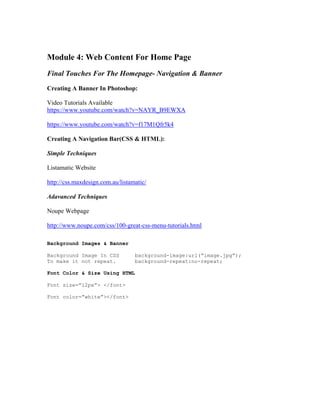
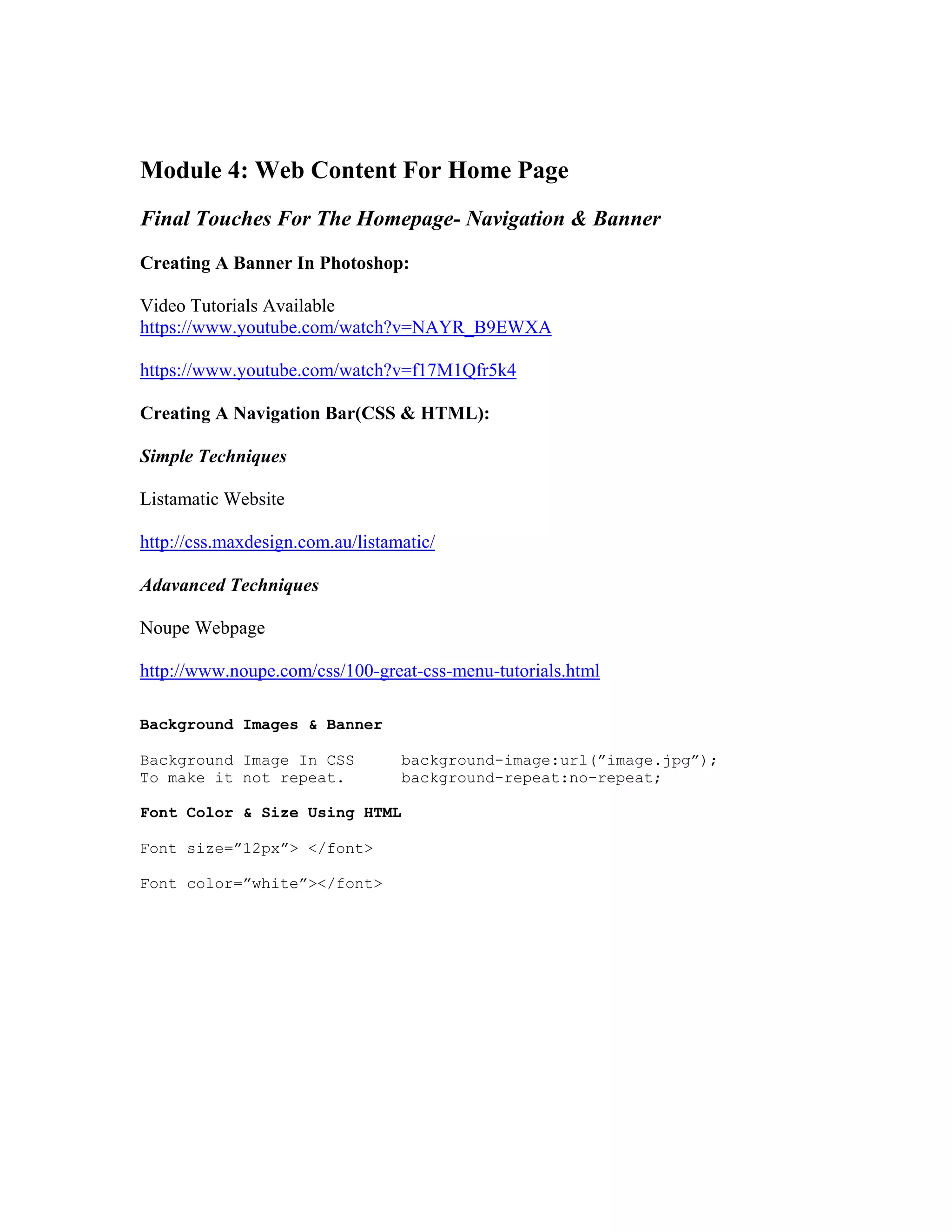
Module 4: Web Content For Home Page
Final Touches For The Homepage- Navigation & Banner
Creating A Banner In Photoshop:
Video Tutorials Available
https://www.youtube.com/watch?v=NAYR_B9EWXA
https://www.youtube.com/watch?v=f17M1Qfr5k4
Creating A Navigation Bar(CSS & HTML):
Simple Techniques
Listamatic Website
http://css.maxdesign.com.au/listamatic/
Adavanced Techniques
Noupe Webpage
http://www.noupe.com/css/100-great-css-menu-tutorials.html
Background Images & Banner
Background Image In CSS background-image:url(”image.jpg”);
To make it not repeat. background-repeat:no-repeat;
Font Color & Size Using HTML
Font size=”12px”> </font>
Font color=”white”></font>
Minuteman High School Web Design & Development-Home
file:///C|/Documents and Settings/ddowns/Desktop/lexington website class/lexington website/index.html[7/9/2013 10:36:25 PM]
Home HTML Info CSS Info Design Tips Modern Web Issues Course Information
Welcome To Web Design At Minuteman High School!
This is a website which describes the skills and tools learned in the
Web Design & Development course with Mr.Downs. Some of the topics
include HTML, CSS, design skills and modern web design challenges.
Students will create their own websites and learn how to create
layouts and color schemes. This course will be fun and educational.
We will meet for the following dates and times:
July 8th-23rd
Mornings 8:30am-11:30am
Afternoons 12pm-3pm
Computer Lab 22
Click Here To See Our Class Websites
Copyright Daniel Downs
2013
Lexington,Massachusetts
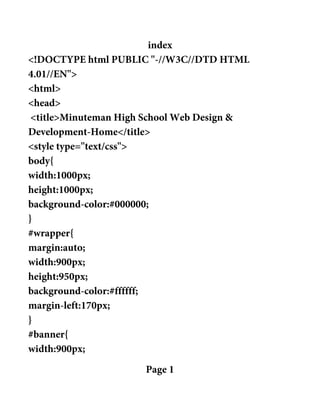
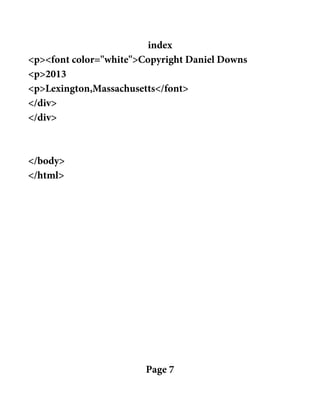
index
<!DOCTYPE html PUBLIC "-//W3C//DTD HTML
4.01//EN">
<html>
<head>
<title>Minuteman High School Web Design &
Development-Home</title>
<style type="text/css">
body{
width:1000px;
height:1000px;
background-color:#000000;
}
#wrapper{
margin:auto;
width:900px;
height:950px;
background-color:#ffffff;
margin-left:170px;
}
#banner{
width:900px;
Page 1
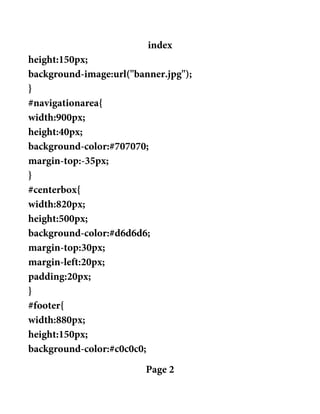
index
height:150px;
background-image:url("banner.jpg");
}
#navigationarea{
width:900px;
height:40px;
background-color:#707070;
margin-top:-35px;
}
#centerbox{
width:820px;
height:500px;
background-color:#d6d6d6;
margin-top:30px;
margin-left:20px;
padding:20px;
}
#footer{
width:880px;
height:150px;
background-color:#c0c0c0;
Page 2
index
margin-top:30px;
padding:10px;
}
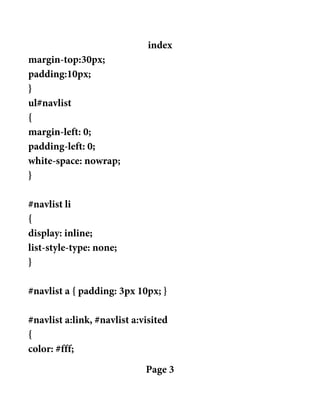
ul#navlist
{
margin-left: 0;
padding-left: 0;
white-space: nowrap;
}
#navlist li
{
display: inline;
list-style-type: none;
}
#navlist a { padding: 3px 10px; }
#navlist a:link, #navlist a:visited
{
color: #fff;
Page 3
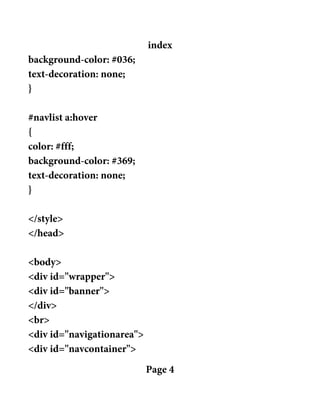
index
background-color: #036;
text-decoration: none;
}
#navlist a:hover
{
color: #fff;
background-color: #369;
text-decoration: none;
}
</style>
</head>
<body>
<div id="wrapper">
<div id="banner">
</div>
<br>
<div id="navigationarea">
<div id="navcontainer">
Page 4
index
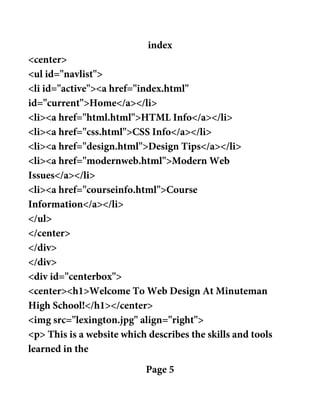
<center>
<ul id="navlist">
<li id="active"><a href="index.html"
id="current">Home</a></li>
<li><a href="html.html">HTML Info</a></li>
<li><a href="css.html">CSS Info</a></li>
<li><a href="design.html">Design Tips</a></li>
<li><a href="modernweb.html">Modern Web
Issues</a></li>
<li><a href="courseinfo.html">Course
Information</a></li>
</ul>
</center>
</div>
</div>
<div id="centerbox">
<center><h1>Welcome To Web Design At Minuteman
High School!</h1></center>
<img src="lexington.jpg" align="right">
<p> This is a website which describes the skills and tools
learned in the
Page 5
index
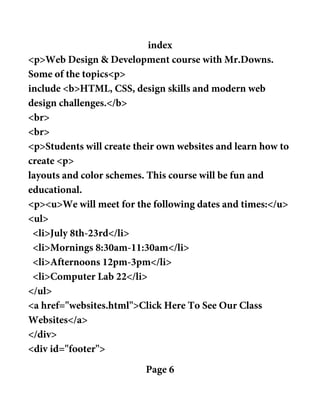
<p>Web Design & Development course with Mr.Downs.
Some of the topics<p>
include <b>HTML, CSS, design skills and modern web
design challenges.</b>
<br>
<br>
<p>Students will create their own websites and learn how to
create <p>
layouts and color schemes. This course will be fun and
educational.
<p><u>We will meet for the following dates and times:</u>
<ul>
<li>July 8th-23rd</li>
<li>Mornings 8:30am-11:30am</li>
<li>Afternoons 12pm-3pm</li>
<li>Computer Lab 22</li>
</ul>
<a href="websites.html">Click Here To See Our Class
Websites</a>
</div>
<div id="footer">
Page 6
index
<p><font color="white">Copyright Daniel Downs
<p>2013
<p>Lexington,Massachusetts</font>
</div>
</div>
</body>
</html>
Page 7

Module 4 Minuteman Lexington Web Design Daniel Downs

  • 1.
    Module 4: WebContent For Home Page Final Touches For The Homepage- Navigation & Banner Creating A Banner In Photoshop: Video Tutorials Available https://www.youtube.com/watch?v=NAYR_B9EWXA https://www.youtube.com/watch?v=f17M1Qfr5k4 Creating A Navigation Bar(CSS & HTML): Simple Techniques Listamatic Website http://css.maxdesign.com.au/listamatic/ Adavanced Techniques Noupe Webpage http://www.noupe.com/css/100-great-css-menu-tutorials.html Background Images & Banner Background Image In CSS background-image:url(”image.jpg”); To make it not repeat. background-repeat:no-repeat; Font Color & Size Using HTML Font size=”12px”> </font> Font color=”white”></font>
  • 2.
    Minuteman High SchoolWeb Design & Development-Home file:///C|/Documents and Settings/ddowns/Desktop/lexington website class/lexington website/index.html[7/9/2013 10:36:25 PM] Home HTML Info CSS Info Design Tips Modern Web Issues Course Information Welcome To Web Design At Minuteman High School! This is a website which describes the skills and tools learned in the Web Design & Development course with Mr.Downs. Some of the topics include HTML, CSS, design skills and modern web design challenges. Students will create their own websites and learn how to create layouts and color schemes. This course will be fun and educational. We will meet for the following dates and times: July 8th-23rd Mornings 8:30am-11:30am Afternoons 12pm-3pm Computer Lab 22 Click Here To See Our Class Websites Copyright Daniel Downs 2013 Lexington,Massachusetts
  • 3.
    index <!DOCTYPE html PUBLIC"-//W3C//DTD HTML 4.01//EN"> <html> <head> <title>Minuteman High School Web Design & Development-Home</title> <style type="text/css"> body{ width:1000px; height:1000px; background-color:#000000; } #wrapper{ margin:auto; width:900px; height:950px; background-color:#ffffff; margin-left:170px; } #banner{ width:900px; Page 1
  • 4.
  • 5.
    index margin-top:30px; padding:10px; } ul#navlist { margin-left: 0; padding-left: 0; white-space:nowrap; } #navlist li { display: inline; list-style-type: none; } #navlist a { padding: 3px 10px; } #navlist a:link, #navlist a:visited { color: #fff; Page 3
  • 6.
    index background-color: #036; text-decoration: none; } #navlista:hover { color: #fff; background-color: #369; text-decoration: none; } </style> </head> <body> <div id="wrapper"> <div id="banner"> </div> <br> <div id="navigationarea"> <div id="navcontainer"> Page 4
  • 7.
    index <center> <ul id="navlist"> <li id="active"><ahref="index.html" id="current">Home</a></li> <li><a href="html.html">HTML Info</a></li> <li><a href="css.html">CSS Info</a></li> <li><a href="design.html">Design Tips</a></li> <li><a href="modernweb.html">Modern Web Issues</a></li> <li><a href="courseinfo.html">Course Information</a></li> </ul> </center> </div> </div> <div id="centerbox"> <center><h1>Welcome To Web Design At Minuteman High School!</h1></center> <img src="lexington.jpg" align="right"> <p> This is a website which describes the skills and tools learned in the Page 5
  • 8.
    index <p>Web Design &Development course with Mr.Downs. Some of the topics<p> include <b>HTML, CSS, design skills and modern web design challenges.</b> <br> <br> <p>Students will create their own websites and learn how to create <p> layouts and color schemes. This course will be fun and educational. <p><u>We will meet for the following dates and times:</u> <ul> <li>July 8th-23rd</li> <li>Mornings 8:30am-11:30am</li> <li>Afternoons 12pm-3pm</li> <li>Computer Lab 22</li> </ul> <a href="websites.html">Click Here To See Our Class Websites</a> </div> <div id="footer"> Page 6
  • 9.
    index <p><font color="white">Copyright DanielDowns <p>2013 <p>Lexington,Massachusetts</font> </div> </div> </body> </html> Page 7